EP4436186A1 - Procédé et appareil d'affichage de collection vidéo, dispositif électronique et support de stockage lisible - Google Patents
Procédé et appareil d'affichage de collection vidéo, dispositif électronique et support de stockage lisible Download PDFInfo
- Publication number
- EP4436186A1 EP4436186A1 EP22910003.7A EP22910003A EP4436186A1 EP 4436186 A1 EP4436186 A1 EP 4436186A1 EP 22910003 A EP22910003 A EP 22910003A EP 4436186 A1 EP4436186 A1 EP 4436186A1
- Authority
- EP
- European Patent Office
- Prior art keywords
- video
- page
- directory
- user
- collection
- Prior art date
- Legal status (The legal status is an assumption and is not a legal conclusion. Google has not performed a legal analysis and makes no representation as to the accuracy of the status listed.)
- Pending
Links
Images



Classifications
-
- G—PHYSICS
- G06—COMPUTING OR CALCULATING; COUNTING
- G06F—ELECTRIC DIGITAL DATA PROCESSING
- G06F16/00—Information retrieval; Database structures therefor; File system structures therefor
- G06F16/70—Information retrieval; Database structures therefor; File system structures therefor of video data
- G06F16/74—Browsing; Visualisation therefor
- G06F16/743—Browsing; Visualisation therefor a collection of video files or sequences
-
- H—ELECTRICITY
- H04—ELECTRIC COMMUNICATION TECHNIQUE
- H04N—PICTORIAL COMMUNICATION, e.g. TELEVISION
- H04N21/00—Selective content distribution, e.g. interactive television or video on demand [VOD]
- H04N21/40—Client devices specifically adapted for the reception of or interaction with content, e.g. set-top-box [STB]; Operations thereof
- H04N21/43—Processing of content or additional data, e.g. demultiplexing additional data from a digital video stream; Elementary client operations, e.g. monitoring of home network or synchronising decoder's clock; Client middleware
- H04N21/44—Processing of video elementary streams, e.g. splicing a video clip retrieved from local storage with an incoming video stream or rendering scenes according to encoded video stream scene graphs
- H04N21/44016—Processing of video elementary streams, e.g. splicing a video clip retrieved from local storage with an incoming video stream or rendering scenes according to encoded video stream scene graphs involving splicing one content stream with another content stream, e.g. for substituting a video clip
-
- G—PHYSICS
- G06—COMPUTING OR CALCULATING; COUNTING
- G06F—ELECTRIC DIGITAL DATA PROCESSING
- G06F3/00—Input arrangements for transferring data to be processed into a form capable of being handled by the computer; Output arrangements for transferring data from processing unit to output unit, e.g. interface arrangements
- G06F3/01—Input arrangements or combined input and output arrangements for interaction between user and computer
- G06F3/048—Interaction techniques based on graphical user interfaces [GUI]
- G06F3/0484—Interaction techniques based on graphical user interfaces [GUI] for the control of specific functions or operations, e.g. selecting or manipulating an object, an image or a displayed text element, setting a parameter value or selecting a range
-
- G—PHYSICS
- G06—COMPUTING OR CALCULATING; COUNTING
- G06F—ELECTRIC DIGITAL DATA PROCESSING
- G06F3/00—Input arrangements for transferring data to be processed into a form capable of being handled by the computer; Output arrangements for transferring data from processing unit to output unit, e.g. interface arrangements
- G06F3/01—Input arrangements or combined input and output arrangements for interaction between user and computer
- G06F3/048—Interaction techniques based on graphical user interfaces [GUI]
- G06F3/0481—Interaction techniques based on graphical user interfaces [GUI] based on specific properties of the displayed interaction object or a metaphor-based environment, e.g. interaction with desktop elements like windows or icons, or assisted by a cursor's changing behaviour or appearance
- G06F3/0482—Interaction with lists of selectable items, e.g. menus
-
- G—PHYSICS
- G06—COMPUTING OR CALCULATING; COUNTING
- G06F—ELECTRIC DIGITAL DATA PROCESSING
- G06F3/00—Input arrangements for transferring data to be processed into a form capable of being handled by the computer; Output arrangements for transferring data from processing unit to output unit, e.g. interface arrangements
- G06F3/01—Input arrangements or combined input and output arrangements for interaction between user and computer
- G06F3/048—Interaction techniques based on graphical user interfaces [GUI]
- G06F3/0481—Interaction techniques based on graphical user interfaces [GUI] based on specific properties of the displayed interaction object or a metaphor-based environment, e.g. interaction with desktop elements like windows or icons, or assisted by a cursor's changing behaviour or appearance
- G06F3/0483—Interaction with page-structured environments, e.g. book metaphor
-
- G—PHYSICS
- G09—EDUCATION; CRYPTOGRAPHY; DISPLAY; ADVERTISING; SEALS
- G09B—EDUCATIONAL OR DEMONSTRATION APPLIANCES; APPLIANCES FOR TEACHING, OR COMMUNICATING WITH, THE BLIND, DEAF OR MUTE; MODELS; PLANETARIA; GLOBES; MAPS; DIAGRAMS
- G09B5/00—Electrically-operated educational appliances
- G09B5/06—Electrically-operated educational appliances with both visual and audible presentation of the material to be studied
- G09B5/065—Combinations of audio and video presentations, e.g. videotapes, videodiscs, television systems
-
- H—ELECTRICITY
- H04—ELECTRIC COMMUNICATION TECHNIQUE
- H04N—PICTORIAL COMMUNICATION, e.g. TELEVISION
- H04N21/00—Selective content distribution, e.g. interactive television or video on demand [VOD]
- H04N21/20—Servers specifically adapted for the distribution of content, e.g. VOD servers; Operations thereof
- H04N21/21—Server components or server architectures
- H04N21/218—Source of audio or video content, e.g. local disk arrays
- H04N21/2187—Live feed
-
- H—ELECTRICITY
- H04—ELECTRIC COMMUNICATION TECHNIQUE
- H04N—PICTORIAL COMMUNICATION, e.g. TELEVISION
- H04N21/00—Selective content distribution, e.g. interactive television or video on demand [VOD]
- H04N21/20—Servers specifically adapted for the distribution of content, e.g. VOD servers; Operations thereof
- H04N21/27—Server based end-user applications
- H04N21/278—Content descriptor database or directory service for end-user access
-
- H—ELECTRICITY
- H04—ELECTRIC COMMUNICATION TECHNIQUE
- H04N—PICTORIAL COMMUNICATION, e.g. TELEVISION
- H04N21/00—Selective content distribution, e.g. interactive television or video on demand [VOD]
- H04N21/40—Client devices specifically adapted for the reception of or interaction with content, e.g. set-top-box [STB]; Operations thereof
- H04N21/43—Processing of content or additional data, e.g. demultiplexing additional data from a digital video stream; Elementary client operations, e.g. monitoring of home network or synchronising decoder's clock; Client middleware
- H04N21/431—Generation of visual interfaces for content selection or interaction; Content or additional data rendering
-
- H—ELECTRICITY
- H04—ELECTRIC COMMUNICATION TECHNIQUE
- H04N—PICTORIAL COMMUNICATION, e.g. TELEVISION
- H04N21/00—Selective content distribution, e.g. interactive television or video on demand [VOD]
- H04N21/40—Client devices specifically adapted for the reception of or interaction with content, e.g. set-top-box [STB]; Operations thereof
- H04N21/43—Processing of content or additional data, e.g. demultiplexing additional data from a digital video stream; Elementary client operations, e.g. monitoring of home network or synchronising decoder's clock; Client middleware
- H04N21/431—Generation of visual interfaces for content selection or interaction; Content or additional data rendering
- H04N21/4312—Generation of visual interfaces for content selection or interaction; Content or additional data rendering involving specific graphical features, e.g. screen layout, special fonts or colors, blinking icons, highlights or animations
Definitions
- the present disclosure relates to the field of computer technology, and especially relates to video collection presentation method, apparatus, electronic device and readable storage medium.
- Viewing video is an important channel for users to understand and learn knowledge, for example, the user may learn video clipping skills from video clipping-related videos, learn image processing skills from image processing-related videos, etc.
- the application will render the same kind of videos to the users in the form of collection, and the users can select a video to be watched from the collection to play, so as to learn the contents explained in the video.
- the present disclosure provides video collection presentation method, apparatus, electronic device and readable storage medium.
- the present disclosure provides a video collection presentation method, including:
- the present disclosure provides a video collection presentation apparatus, comprising:
- the present disclosure provides an electronic device comprising: a memory and a processor
- the present disclosure provides a readable storage medium comprising: computer program instructions; the computer program instructions, when executed by at least one processor of an electronic device, cause the electronic device to implement the video collection presentation method as described in any one of the first aspects.
- the present disclosure provides a computer program product, which, when executed by a computer, causes the computer to implement the video collection presentation method as described in any one of the first aspects.
- the present disclosure provides a computer program comprising program codes that, when executed by a computer, causes the computer to implement the video collection presentation method as described in any one of the first aspects.
- an application can present the video collection in the form of directory list, however, the structure of the directory list adopted by the application is relatively simple, which seriously affects the user's interest in viewing videos in the video collection.
- the present disclosure provides a video collection presentation method, apparatus, an electronic device, a readable storage medium and a computer program product, wherein the method presents a plurality of first videos included in the video collection in the second page in the form of directory; when the video collection is presented in the directory form, a subdirectory corresponding to the first video can include a plurality of directory items at different levels, by using the above directory items at different levels to present information relevant to the first video and information relevant to a second video for feeding back to the first video, the user can acquire more information relevant to the first video through directory items at different levels, so that the interest of the user in viewing the first video can be improved.
- the directory items with upper and lower hierarchical relationships to present the information relevant to the first video the structure of the second page becomes clearer, the hierarchy becomes richer, and better visual experience can be brought to the user.
- a first video included in the video collection may be a live video, or also can be a pre-recorded video, that is, the plurality of first videos in the video collection may all be live videos, or may all be pre-recorded videos, alternatively, the video collection may include both the live video and the pre-recorded video, and the present disclosure does not limit this. If the video may be published in other manners, the video collection may also include the first video published in other manners.
- the first video may be a live video, that may be construed as video contents obtained by the user through entering a live room and viewing a live picture.
- the present disclosure does not limit parameters of the first video, such as contents, duration, etc. of the first video.
- the first video may be an explanatory video relevant to any video clipping skill, for example, a video explaining a video clipping skill; the present disclosure does not limit the type of video clipping skill, for example, the video clipping skills may be video toning skills, food shooting skills, scenery shooting skills, small fresh style video production skills, etc.
- the present disclosure may also be applied to videos containing other contents, and may similarly enhance the user's interest in viewing the video, and may provide a better visual experience to the user.
- a course start time may also be configured for the first video, and positions of the subdirectories in the entire directory structure corresponding to the plurality of first videos in the video collection may be sequentially arranged in order of course start times of the first videos. The earlier the course start time is, the more forward the subdirectory corresponding to the first video is located in the entire directory structure, and the later the course start time is, the more backward the subdirectory corresponding to the first video is located in the entire directory structure.
- a first tag corresponding to the first video may also be presented in the second page, and one or more of a course start state of the first video, a progress of the user viewing the first video, a current playing state of the first video, and the like may be indicated by first tags in different states.
- the user may play the first video by operating the first tag.
- one or more interactive tasks may also be configured for the video collection, so that a user may feed back one or more second video, wherein the second video may be construed as a video clipped by a user using video clipping skills explained in one or more first videos, therefore, a directory item relevant to a second video may also be configured in a second page, enabling the user to clearly learn the information relevant to the second video according to the directory item relevant to the second video.
- the user can continuously familiarize and master the video clipping skills explained in the video collection, and meanwhile, the user is familiar with the video clipping skills in an interactive mode, so that the interesting can be enhanced, and the interest of the user in shooting, clipping and publishing the video can be improved.
- the completion progress of the second video may also be presented, the completion progress may include several states, for example, completed, to be uploaded, under review, etc.
- a second tag can be configured for the second video, and the user can enter a third page by operating the second tag, and through the third page, the user can obtain more relevant information about the second video and perform operations relevant to the second video through the entry or tag provided in the third page.
- the video collection presentation method of the present disclosure may be performed by a video collection presentation apparatus provided by the embodiments of the present disclosure, the apparatus may be implemented by any software and/or hardware.
- the video collection presentation apparatus may be a tablet computer, a mobile phone (such as a folding screen mobile phone, a large screen mobile phone, and the like), a wearable device, a vehicle-mounted device, or an augmented reality (AR)/virtual reality (VR) devices, laptops, ultra-mobile personal computers (UMPC), netbooks, personal digital assistants (PDAs), smart televisions, smart screens, high-definition televisions, 4K televisions and other Internet of Things (IOT) devices, the present disclosure does not limit specific types of electronic devices.
- a mobile phone such as a folding screen mobile phone, a large screen mobile phone, and the like
- AR augmented reality
- VR virtual reality
- laptops ultra-mobile personal computers
- PDAs personal digital assistants
- smart televisions smart screens
- high-definition televisions 4K televisions and other
- the present disclosure does not limit the type of an operating system for the electronic device, for example, an Android system, a Linux system, a Windows system, an iOS system, and the like.
- the electronic device is a mobile phone
- an APP 1 Application 1 for short
- the mobile phone can provide a video collection, which includes a plurality of first videos.
- FIGs. 1A to 1H are schematic diagrams of human-machine interaction interfaces provided by embodiments of the present disclosure, and the methods provided by the present disclosure will be respectively introduced below for two situations in which the second video is not required to be fed back and the second video is required to be fed back with respect to the video collection.
- the video collection includes 10 videos, denoted as video 1 to video 10, respectively, where video 1 to video 4 all have started, and the next video to start is video 5.
- the background area 101 is a head area of the video collection detail page.
- parameters of the background area 101 such as an area size, an area position, an area shape and the like, are not limited.
- the background area 101 may be rectangular and located at the top of the video collection detail page.
- the application 1 may also present a picture of the video meeting the playing condition in the background area 101, or when some videos in the video collection arrive at their course start times, information about countdown to a next upcoming first video can also be presented in the background area 101.
- information about countdown to a next upcoming first video can also be presented in the background area 101, and can be presented in a style of 'xx days, xx hours, xx minutes and xx seconds', certainly, the countdown information may also be presented in other styles, the disclosure does not limit the presentation style of the specific countdown information.
- a user when entering the video collection detail page, can obtain more relevant information about the video collection through the background area, so that the interest of the user in viewing the video is improved.
- the tag 102 can be used to trigger the application 1 to display profile information of the video collection in the area 105.
- the present disclosure does not limit the implementation of the tag 102, the tag 102 may be implemented in one or more forms such as text, icon, symbol, and the like.
- the tag 102 can be implemented by the text "profile".
- the tag 103 can be for triggering the application 1 to display information relevant to a plurality of first videos included in the video collection in the area 105 in the form of directory.
- the present disclosure does not limit the implementation of the tag 103, the tag 103 may be implemented in one or more forms such as text, icon, symbol, and the like.
- the tag 103 can be implemented by the text "course".
- the tag 104 can be used to trigger the application 1 to display information about the evaluation for the video collection in the area 105.
- the present disclosure does not limit the implementation of the tag 104, the tag 104 may be implemented in one or more forms such as text, icon, symbol, and the like.
- the tag 104 can be implemented by the text "evaluation".
- the application 1 may display the directory corresponding to the video collection in the area 105, and may locate to the tag 103 when the directory is displayed in the area 105.
- the directory corresponding to the video collection may adopt a multi-level directory structure.
- the disclosure does not limit the number of levels of the directory structure.
- the application 1 receives a trigger operation from the user with respect to the tag 103, and the user interface 12 shown in FIG. 1B is exemplarily displayed on the mobile phone.
- the application 1 receives a trigger operation from the user with respect to the tag 103, and the user interface 12 shown in FIG. 1C is exemplarily displayed on the mobile phone.
- the user interface 12 shown in FIG. 1B and the user interface 13 shown in FIG. 1C both adopt a multi-level directory structure to display the details of the video collection, but the difference lies in that the levels of the directories are different, that is, the structures of the directories are different.
- a position of a subdirectory corresponding to each first video in the entire directory structure may be determined in order of course start times of the first videos, The earlier the course start time is, the more forward the subdirectory corresponding to the first video is located in the entire directory structure, and the later the course start time is, the more backward the subdirectory corresponding to the first video is located in the entire directory structure.
- FIGs. 1B and 1C respectively, is described in detail below, wherein the embodiment shown in FIG. 1B adopts a two-level directory structure and the embodiment shown in FIG. 1C adopts a three-level directory structure.
- the first video may correspond to a presentation area 105a, and the presentation area 105a is used for presenting a subdirectory corresponding to the first video, wherein the subdirectory corresponding to the first video may include directory items of two levels, namely a directory item 105b and a directory item 105c, and the directory item 105c may be construed as a subdirectory item of the directory item 105b; where the directory item 105b may present the first information of the first video, and the directory item 105c may present the second information of the first video, for example, the first information of the first video may, but not limited to, include the title, course start time, etc. of the first video, and the second information of the first video may, but not limited to, include the name of the first video, the nickname of the publisher, etc.
- the duration of the first video may also be presented in the presentation area 105a.
- the type of the first video mentioned here indicates that the first video is a live video or a pre-recorded video.
- the first video may include a plurality of sub-videos
- a directory item 105b may be included in a presentation area corresponding to the first video
- the directory item 105b corresponds to a plurality of directory items 105c at next lower level
- each directory item 105c is associated with a sub-video.
- the video 2 includes 2 sub-videos, namely the video 21 and the video 22, respectively, so that the directory item 105b corresponding to the video 2 may include two directory items 105c at next lower level, and the two directory items 105c at next lower level are used for presenting the name of the video 21 and the name of the video 22, respectively.
- the subdirectory corresponding to the first video can also include a sequence number corresponding to the first video, so that the user can clearly know the sequence of the first videos in the video collection, and the user can conveniently search the video desired to be known according to the sequence number.
- the directory structure shown in FIG. 1C has more levels and a more complex structure. It shall be understood that the directory shown in FIG. 1C can present more information relevant to the video collection.
- the overall directory corresponding to the video collection can further include one or more directory items 105d, and the directory items 105d may be a next upper-level directory item of the subdirectories corresponding to one or more first videos respectively.
- the directory item 105d may be used to express information relevant to one or more associated first videos.
- the present disclosure does not limit the specific information expressed by the directory item 105d.
- the directory item 105d is used to express information about a learning stage to which the plurality of associated first videos belong, that is, different learning stages can be divided in advance, and each learning stage may correspond to one or more first videos in the video collection, so that through the directory item 105d, the user can clearly know the overall arrangement of the video collection and clearly know which learning stage the user is currently in.
- the first directory item 105d is used to indicate that video 1 and video 2 belong to the first stage, video 3 to video 5 belong to the second stage, video 6 to vide 9 belong to the third stage, video 10 is in the fourth stage,
- the directory can include 4 directory items 105d, where the first directory item 105d serves as a upper directory item of the first subdirectory corresponding to the video 1 and the first subdirectory corresponding to the video 2, indicating that the video 1 and the video 2 belong to the first stage, and the first directory item 105d may express the above information by a text "first stage XXX", where "XXX" may indicate a subject of the first stage; similarly, the second directory item 105d serves as a upper directory item of the first subdirectory corresponding to the video 3, the first subdirectory corresponding to the video 4, and the first subdirectory corresponding to the video 5, indicating that video 3, video 4 and video 5 belong to the second stage, the second directory item 105d may express the above information by the
- the above four directory items 105d belong to the same level of directories in the directory structure, and due to the constraint by the screen size of the mobile phone, only the first directory item 105d and the second directory item 105d are shown in the user interface shown in FG. 1C, and the application 1 can present the third directory item 105d and the fourth directory item 105d in response to a sliding operation from the user with respect to the area 105.
- the directory item 105d is not limited to express the information about the learning phase corresponding to the plurality of associated first videos, and may also express other information, such as time node information, etc., the disclosure does not limit specific information content.
- the implementation of the presentation area 105a and the implementation of the subdirectory corresponding to the first video are similar to those shown in FIG. 1B , and reference may be made to the description of the embodiment shown in FiIG. 1B, which will not be repeated here for the sake of brevity.
- a tag may be further configured for the first video, and one or more of a course start state of the first video, a progress of the user viewing the first video, and a current playing state of the first video are indicated according to different states corresponding to the tag; in addition, the user can also operate the tag to play the first video.
- the present disclosure does not limit an implementation manner of the tag corresponding to the first video, and the tag corresponding to the first video may be implemented in one or more forms such as text, symbol, animation, number, etc., Different states of the tag corresponding to the first video can be implemented in different forms.
- the tag corresponding to the first video when the tag corresponding to the first video is in a first state (which may also be construed as a playing state), it may be indicated that the user is currently playing the first video.
- the first state may also indicate that the first video is in a state that the course has started.
- the tag corresponding to the first video being in the first state may be implemented by means of animation, text, or the like.
- the tag corresponding to the first video When the tag corresponding to the first video is in a second state, it may be indicatd that the first video is currently in a state that the course is starting. Exemplarily, assuming that the first video is a live video, an icon corresponding to the second state may be presented to prompt the user that the content of the first video is being explained in the live room.
- the tag corresponding to the first video When the tag corresponding to the first video is in a third state, it may be indicated that the user has learned the whole content of the first video.
- the third state can also present that the first video has started, has a play progress, and is not currently playing.
- the tag corresponding to the first video is the third state can be implemented in any form, for example, the third state can be implemented in a manner that a circle overlaps the center of a tick, which indicates that the user has learned the entire content of the video course.
- the tag corresponding to the first video When the tag corresponding to the first video is in a fourth state, it may be indicated that the user has learned a part of content of the first video.
- the fourth state can also present that the first video has started, has a play progress, and is not currently playing.
- the tag corresponding to the first video is the fourth state can be implemented in combination of a number and an icon, and the progress of the user learning the first video can be displayed by each of the number and the icon.
- the tag corresponding to the first video When the tag corresponding to the first video is in a fifth state, it may be indicated that the first video is in a state that the course has started, while the user has not started to learn the content of the first video.
- the tag corresponding to the first video being the fifth state may be implemented in a form of symbol, and the symbol may guide the user to operate and play the first video, so that the user can know that the first video has not been learned at present yet, while the first video can be viewed and learned.
- the tag corresponding to the first video When the tag corresponding to the first video is in a sixth state, it may be indicated that the first video is in a state that the course has not started at present yet.
- the sixth state may be a hidden state, that is, if the tag corresponding to the first video is not displayed in the presentation area corresponding to the first video, it may be indicated that the first video is in a state that the course has not started at present yet, and the user cannot perform an operation on the first video.
- tag corresponding to the first video being in different states may be implemented in any manner, which is merely an example, instead of limiting implementation manners of different states.
- the user interface 12 further includes a tag 106 corresponding to a video course.
- the first 5 video courses in the presented video collection are taken as an example to illustrate six states of the tag corresponding to the video course and switching modes between the six states.
- Application 1 supports playing or previewing a picture of the first video in the background area of the video collection detail page, Suppose that the user has previously learned the whole content of the video 1, in the embodiment shown in FIG. 1B , The tag 106 corresponding to the video 1 can be in the third state, the application 1 receives a trigger operation from the user for the tag 106 to which the video 1 corresponds, and the user interface 14 shown in FIG. 1D is exemplarily displayed. Referring to the user interface 14 shown in FIG. 1D , the application 1 plays the video 1 in the background area 101, and the state of the tag 106 corresponding to the video course 1 in the directory list is switched from the third state to the first state, indicating that the video 1 is currently being played via animation.
- the tag 106 corresponding to the video 2 is in the third state, and the third state corresponding to the tag 106 is implemented in a manner that a circle overlaps the center of a tick, and the user can know that the whole content of the viode course has been learned via the pattern.
- the application 1 supports playback of the video that has been learned, therefore, the application 1 receives a trigger operation for the tag 106 of the video 2, and the application 1 plays the picture of the video 2 in the background area 101. And the state of the tag 106 corresponding to the video 2 in the directory list is switched from the third state to the first state, and that the video 2 is being played at present is indicated in a manner of animation.
- the manner of page display is similar to that of FIG. 1D , which is not repeated here for the sake of brevity.
- the tag 106 corresponding to the video 3 is in a fourth state, and the fourth state corresponding to the tag 106 can be implemented in a manner that an area in the ring pattern filled with a particular color is combined with the number "65%".
- the user can clearly know the learning progress of the video 3 through the area in the ring pattern filled with the particular color and the number.
- the application 1 since the video 3 is a video that has been learned, but not learned completely, the application 1 supports playback of the video 3, therefore, the application 1 receives a trigger operation for the tag 106 of the video 3, and the application 1 plays the picture of the video 3 in the background area 101. And the state of the tag 106 corresponding to the video 3 in the directory list is switched from the fourth state to the first state, and that the video 3 is being played at present is indicated in a manner of animation.
- the manner of page display is similar to that of FIG. 1D , which is not repeated here for the sake of brevity
- the application 1 can update the state of the corresponding tag 106.
- the tag 106 corresponding to the video 3 can be switched from the first state to the third state at the end of playing the video 3, so that the user can clearly know that the whole content of the video 3 has been learned.
- video 4 is a live video
- the content of the video 4 is being explained in the current live room, as shown in FIG. 1B
- the tag 106 corresponding to the video 4 is in the second state
- the tag 106 corresponding to the video 4 is in the second state
- the user can clearly know that the content of the video is being explained in the live room through the text "Live” and the animation.
- the application 1 receives a trigger operation for the tag 106 of the video 4, the application 1 plays a picture of the live room corresponding to the video 4 in the background area 101.
- the state of the tag 106 corresponding to the video 4 in the directory list may be kept in the second state unchanged.
- the page display manner is similar to that of FIG. 1D , which is not repeated herein for the sake of brevity.
- the user may enter the live room corresponding to the video 4 by operating (for example, clicking) the background area.
- the above-mentioned video 1 to video 3 are all in a state that the course has started, and the user can play back the video course by operating the corresponding tag 106.
- the tag 106 corresponding to the video 5 is in a sixth state, that is, the tag 106 corresponding to the video 5 is in the hidden state, which indicates that the video 5 does not arrive at the course start time at present.
- the application 1 may display a preset prompt message, for example, the application 1 may display a prompt window, and a text prompt content "The course has not started yet, please wait patiently" can be displayed in the prompt window.
- the text prompt content is not limited to the foregoing example, and the prompt window may also be combined with other manners such as animation, sound and the like to prompt the user that the course start time of the video is not arrived yet at present.
- the state of the tag 106 corresponding to each video in the video collection can be switched among the first state to the sixth state, according to the course start time, the learning situation of the user and the trigger operation from the user.
- the number of states, with which the tag 106 can be configured according to actual requirements is not limited to the above 6 states for the tag 106, and in an actual application, the number of states can be less or more, which is not limited in the present disclosure.
- the directory item corresponding to the second video may serve as a directory item in the subdirectories corresponding to the first video, to express the information relevant to the second video.
- the user can upload a second video that is obtained by video clipping based on video clipping skills explained in the first video, and the clipped second video uploaded by the user can be scored, audited and the like by the application 1 automatically or manually, then the comprehensive evaluation result of the second video can be fed back to the user.
- the user can be familiar with and master the video clipping skills explained in the first video.
- the information relevant to the second video and the information relevant to the video collection can be presented in the directory aggregatedly.
- the application 1 receives a trigger operation from a user for a particular entry for entering a video collection detail page, the application 1 may exemplarily display the user interface 15 shown in FIG. 1E on the mobile phone, and the user interface 15 is used for presenting the video collection detail page.
- the user interface 15 includes a background area 201, a tag 202, a tag 203, a tag 204 and an area 205.
- the implementations of the background area 201, the tag 202, the tag 203, and the tag 204 in the embodiment shown in FIG. 1E are similar to that of the background area 101, the tag 102, the tag 103, and the tag 104 in the embodiment shown in FIG. 1A , and reference may be made to the detailed description of the embodiment shown in FIG. 1A , which will be not repeated herein for the sake of brevity.
- the area 205 differs from the area 105 in that the application 1 presents a plurality of first videos included in the video collection and a second video in the area 205 in the form of a directory when the tag 203 is located to.
- the second video may be associated with a first video specified in the video collection, and it can be understood that the second video is an interactive video fedback by the user to the associated first video, and in order to improve the association between the second video and the first video in the directory, the position of a directory item in the entire directory structure corresponding to the second video can be determined according to the position of the subdirectory corresponding to the associated first video in the directory structure.
- the second video may not be configured with an association relationship with the first video, and the position of the directory item in the entire directory structure corresponding to the second video may be determined according to the time of publishing feedback of the second video.
- the second video is associated with the first video
- the application 1 may use a two-level directory structure to present a subdirectory corresponding to the first video and a directory item corresponding to the second video in the area 205. It should be noted that the application 1 may also use a directory structure having more levels for presentation in the area 205, which is not limited in the present disclosure.
- the first video may correspond to a presentation area 205a
- the presentation area 205a includes the subdirectory corresponding to the first video
- the subdirectory includes a directory item 205b and a directory item 205c
- the directory item 205c is a subdirectory item of the directory item 205b.
- the directory item 205b and the directory item 205c are respectively similar to the directory item 105b and the directory item 105c in the embodiment shown in FIG. 1A , and refer can be made to the detailed description of the embodiment shown in FIG. 1A , which will not be repeated herein for the sake of brevity.
- the second video corresponds to a presentation area 205d
- the presentation area 205d includes a directory item 205e corresponding to the second video
- the directory item 205e can present information relevant to the second video, for example, the directory item 205e presents a name, a subject, a shooting requirement, a clipping requirement and the like of the second video.
- the position of the directory item in the entire directory structure corresponding to the second video is relevant to the position of the subdirectory in the entire directory structure corresponding to the associated first video, wherein the directory item corresponding to the second video is one directory item in the subdirectorys corresponding to the associated first video.
- video 2 corresponds to a second video
- a directory item corresponding to the second video is located below a subdirectory corresponding to video 2
- the directory item corresponding to the second video is one directory item in the subdirectory corresponding to video 2.
- the presentation area 205d can also include a tag 205f, through which the state of the second video can be presented, and the detail page of the second video can be accessed.
- the present disclosure does not limit the implementation of the tag 205f, for example, the tag 205f may be implemented in one or more ways such as text, icon, symbol, and dynamic effect.
- the video clip task is currently in a state of to-be-submitted, so that it may be implemented in combination with the word "to-be-submitted” and can be combined with a symbol " > " to indicate an entry to the detail page of the second video.
- the application 1 receives a trigger operation for an entry for entering the detail page of the second video, the application 1 may jump to the detail page of the second video, the detail page of the second video may present the details of all the second videos relevant to the video collection in the form of a list, and for each second video, it may be provided an entry for the user to upload the clipped second video.
- the disclosure does not limit the specific implementation manner of the detail page of the second video.
- the second video may not be configured with an association relationship with the first video, and the position of the directory in the entire directory structure corresponding to the second video may be determined according to the task publication time for the second video.
- the publication times of the first five videos in the video collection are Oct. 1st, Oct. 3rd, Oct. 5th, Oct. 7th, Oct. 10th, sequentially, and two interactive videos need to be fed back with respect to the video collection, that is to say, two second videos need to be fed back, and since the association relationships between the two second videos to be fed back and the first video are not configured, the position of the directory item corresponding to the second video in the entire directory structure can be determined according to the time of the publisher publishing the task of feeding back the second video.
- the interactive task publication time corresponding to the second video 1 is October 4
- the interactive task publication time corresponding to the second video 2 is October 9th
- the position of the directory item corresponding to the second video 1 in the entire directory structure is located below the subdirectory corresponding to the video 2
- the position of the directory item corresponding to the second video 2 in the entire directory structure is located below the subdirectory corresponding to the video 4.
- the directory item corresponding to the second video and the subdirectory corresponding to the first video belong to the same level in the entire directory structure.
- a directory item at a higher level may be set for a subdirectory corresponding to the first video and a directory item corresponding to the second video, to express information relevant to the first video and the second video.
- the application 1 can locate the position of the subdirectory to be presented according to the last first video viewed by the user last time when presenting the video collection detail page.
- the directory position may be located to the position of the subdirectory corresponding to the first video that has not been played completely last time; if the last first video played by the user last time has been played completely, the directory position can be located to the position of a subdirectory corresponding to a video next to the last video that has been played completely last time.
- the directory position can be located to the position of the subdirectory corresponding to the video 3 or the position of the subdirectory corresponding to the video 4 according to whether the user has completed playing the video 3 last time.
- the directory position can be located to the position of the subdirectory corresponding to the video 3, and the user interface as shown in FIG. 1G may then be displayed, wherein the user interface 17 shown in FIG. 1G includes area 301, tag 302, tag 303, tag 304 and area 305, area 301, tag 302, tag 303, tag 304 and area 305 which are similar to area 101, tag 102, tag 103, tag 104 and area 105 shown in FIG. 1A , respectively, and the specific implementation may refer to the detailed description of area 105 in FIG. 1A .
- the entire directory structure is presented in area 305, and the directory position is located to the position of a subdirectory corresponding to the video 3, the subdirectory corresponding to the video 3 can be highlighted in the area 305, therefore, the position of the subdirectory located currently can be explicit.
- a previous video of the video can be located close to the positions of the tags 302, 303 and 304, and the subdirectories corresponding to the previous video (video 2) and the next video course (video 4) of the video 3 respectively can be displayed in the top area of the area 305.
- the highlighting of the subdirectory corresponding to the video 3 may be implemented by color, brightness, filling color of a presentation area corresponding to the video 3, and the like.
- the present disclosure does not limit the specific implementation of the highlighting of the subdirectory.
- the state of the first tag corresponding to the video 3 is the fourth state, which can be implemented by combining patterns and numbers.
- the user interface shown in FIG. 1H may be displayed, wherein the user interface 18 shown in FIG. 1H includes area 401, tag 402, tag 403, tag 404 and area 405, and area 401, tag 402, tag 403, tag 404 and area 405 are similar to area 101, tag 102, tag 103, tag 104 and area 105 shown in FIG. 1A , respectively, the specific implementation may refer to the detailed description of area 105 in FIG. 1A .
- the entire directory structure can be presented in area 405, and the directory position is located to the position of a subdirectory corresponding to the video 4, the subdirectory corresponding to the video 4 can be highlighted in the area 405, therefore, the position of the subdirectory located currently can be explicit.
- a previous video of the video can be located close to the positions of the tags 402, 403 and 404, and the subdirectories corresponding to the previous video (video 3) and the next video course (video 5) of the video 4 respectively can be displayed in the top area of the area 405.
- the highlighting of the first subdirectory corresponding to the video 4 may be implemented by color, brightness, filling color of a presentation area corresponding to the video 4, and the like.
- the present disclosure does not limit the specific implementation of the highlighting of the first subdirectory.
- the state of the first tag corresponding to the video 4 is the third state, which can be implemented by symbols.
- the directory can be located to the subdirectory corresponding to the video 5, however, because video 5 has not started yet, the first tag corresponding to the video 5 may be in a sixth state, i.e.
- a preset prompt message may be presented, for example, the application 1 may display a prompt window, and a text prompt content "The course has not started yet, please wait patiently" can be displayed in the prompt window, of course, the text prompt content is not limited to the foregoing example.
- the prompt window may also be combined with other manners such as animation, sound and the like to prompt the user that the course start time of the video is not arrived at yet.
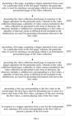
- FIG. 2 is a schematic flowchart of a video collection presentation method according to an embodiment of the present disclosure, referring to FIG. 2 , the method according to the embodiment of the present disclosure may include: S201: presenting a first page, acquiring a trigger operation from a user for a particular entry in the first page; wherein, the particular entry is used for entering a second page which is an information presentation page of the video collection.
- the video collection may include a plurality of first videos that explain the skills in terms of video clipping.
- the second page may also be referred to as a video collection detail page or other names.
- an application can be installed on the electronic device, the application can provide a particular entry for entering the video collection detail page at startup, a user can input an operation instruction aiming at the particular entry into the application through a trigger operation such as clicking or long pressing, and in turn, the application can receive the operation instruction aiming at the particular entry.
- the present disclosure does not limit the page (i.e., the first page) where the particular entry is located, for example, the particular entry may be located at the first page of the application, or the particular entry may also be located at other pages of the application, which is not limited by the present disclosure.
- the present disclosure does not limit the style of a particular entry, and may be implemented in any one or more forms such as text, icon, symbol, animation, and the like.
- S202 presenting the video collection detail page in response to the trigger operation for the particular entry; wherein in the video collection detail page, a plurality of video courses included in the video collection are presented in the form of directory; the directory includes a subdirectory corresponding to a first video, a plurality of directory items at different levels included in the subdirectory are used for presenting information relevant to the first video.
- the subdirectory corresponding to the first video may be a multi-level directory structure, that is, the number of levels of the subdirectory is two or more than two, and correspondingly, the entire directory structure corresponding to the video collection has two or more than two levels.
- the numbers of levels of the subdirectories corresponding to the multiple first videos in the video collection may be the same or different, which is not limited in the present disclosure.
- the subdirectory may include a plurality of directory items at different levels for presenting information relevant to the first video, wherein the information of the first video presented by the directory items at different levels is not limited in the disclosure.
- the subdirectory has a two-level directory structure
- the first-level directory item may present the title of the first video
- the second-level directory item may present the name of the first video, 25xemplarily, reference can be made to the embodiment shown in FIG. 1B .
- a higher level of directory item may also be provided as an upper directory item of the sub-directory, to present information relevant to the one or more associated first videos, the present disclosure does not limit a specific content of the upper directory item which, for example, may represent learning stage information, time node information, and the like of the one or more first videos. For example, reference may be made to the embodiment shown in FIG. 1C .
- the user may enter the second page for the first time or not the first time.
- the directory can be located to the position of the subdirectory corresponding to the first video for presentation.
- the position of a subdirectory to be presented can be determined based on whether the last video played by the user last time has been completely played. Exemplarily, if the last video played by the user last time has been not completely played yet, the directory may be located to the position of the subdirectory corresponding to the video, which has been not completely played last time yet, for presentation. If the last video played by the user last time has been completely played, the directory may be located to the position of the subdirectory corresponding to a video next to the video for presentation. In a process of presentation, the located subdirectory may be highlighted for presentation, and a previous subdirectory and a subsequent subdirectory of the located subdirectory may also be highlighted. Examplarily, reference may be made to the implementation of the embodiments shown in FIG. 1G and FIG. 1H .
- the located directory position may also be presented in other styles, which is not limited in the present disclosure, for example, the located subdirectory may be presented close to the top of the area where the directory is presented, while the subdirectory corresponding to the previous video is not reserved, or when the located subdirectory is highlighted, only the text included in the subdirectory may be highlighted.
- the method provided by the embodiment can present a plurality of first videos in the video collection that explain video clipping skills in the second page in the form of directory; when the video collection is presented in the directory form, a subdirectory corresponding to the first video can include a plurality of directory items at different levels, by using the above directory items at different levels to present information relevant to the first video, the user can acquire more information relevant to the first video through directory items at different levels, so that the interest of the user in viewing the first video can be improved.
- the directory items with upper and lower hierarchical relationships to present the information relevant to the first video the structure of the second page becomes clearer, the hierarchy becomes richer, and better visual experience can be brought to the user.
- FIG. 3 is a schematic flowchart of a video collection presentation method according to an embodiment of the present disclosure.
- the method according to the present embodiment further includes: S203, presenting a first tag corresponding to the first video in the second page; the first tag is used for presenting one or more of a course start state of the first video, a progress of the user viewing the first video, a current playing state of the first video.
- the number of states, to which the first tag specifically corresponds is not limited.
- the first tag may correspond to six states, and the state of the first tag corresponding to the first video may be switched among the six states based on the course start time of the first video, the learning situation of the user, the trigger operation of the user, and the like.
- first tags in different states are not limited, and may be implemented in one or more manners such as text, symbol, icon, dynamic effect, number, and the like, for example, reference may be made to the embodiment shown in FIG. 1B .
- the first tag is configured for the first video in the video collection, the state of the first video is indicated according to the first tag in different states, and the first tag provides an entry for a user to operate the first video, so that the user can very conveniently view the details of the first video.
- the method may further include: S204: in response to a trigger operation from a user for the background area, entering a live room corresponding to the first video to present a picture of the live room.
- the first tag provides an entry for the user to manipulate the first video
- the application receives a trigger operation from the user for the first tag corresponding to the first video
- the application can determine whether the first video selected by the user meets the playing condition, and play the picture of the first video in the background area of the video collection detail page when it is determined that the first video selected by the user meets the playing condition.
- the first video selected by the user when it is determined that the first video selected by the user arrives at the course start time, the first video selected by the user may be played in the background area, regardless of whether the first video before the first video selected by the user has been played.
- the application receives a trigger operation from the user with respect to the first tag corresponding to the selected first video, first, it is determined that the first video selected by a user has arrived at the course start time, and it is determined that any first video before the first video selected by the user has been completely played, the first video selected by the user can be played in the background area, otherwise, a prompt message can be presented, to prompt the user that the currently selected first video can be presented only after all previous first videos have been completely played.
- a trial video may be designated in the video collection, and when the first video selected by the user is the designated trial video, the picture of the designated trial video may be played in the background area of the video collection detail page.
- the user wants to stop playing the first video, it can be implemented by operating the background area, or can be implemented by operating the first tag corresponding to the first video that is being played currently.
- This embodiment provides an entry for the user to operate to preview and/or play video through the first tag, which is very convenient for the user; and the background area of the second page can be fully utilized to play the picture of the video without needing page jump. Compared with the manner of playing the video by page jump, the manner provided by the disclosure is more convenient.
- FIG. 4 is a schematic flowchart of a video collection presentation method according to an embodiment of the present disclosure, referring to FIG. 4 , the method according to the embodiment of the present disclosure includes: S401, presenting a first page, acquiring a trigger operation from a user for a particular entry in the first page; wherein, the particular entry is used for entering a second page which is an information presentation page of the video collection.
- Step S401 in this embodiment is similar to step S201 in the embodiment shown in FIG. 2 , and reference may be made to the detailed description of the embodiment shown in FIG. 2 , which will not be repeated herein for simplicity.
- S402 presenting the video collection detail page in response to the trigger operation from the user for the particular entry; wherein in the video collection detail page, a plurality of video courses included in the video collection are presented in the form of directory; the directory includes a subdirectory corresponding to a first video, a plurality of directory items at different levels included in the subdirectory are used for presenting information relevant to the first video and information relevant to the second video, and the second video is an interactive video for feeding back to the first video.
- step S202 The implementation manner of presenting the relevant information directory item of the first video in the subdirectory in this step can refer to the detailed description of step S202 in the embodiment shown in FIG. 2 , which will be not repeated herein for brevity.
- the subdirectory may include a directory item for representing relevant information of the second video, where the directory item used for representing the information relevant to the second video can be realized by using a one-level or multi-level directory structure. If the entire directory includes a plurality of second videos, the structure of the directory item corresponding to each of the second videos can be the same or different.
- the second video may be associated with one or more first videos in the video collection
- the position of the directory item corresponding to the second video in the entire directory structure may be associated with the position of the subdirectory corresponding to the associated first video in the entire directory structure.
- the position of the second subdirectory in the entire directory structure can refer to the embodiment shown in FIG. 1E
- the directory item corresponding to the second video is one of the directory items in the subdirectory corresponding to the associated first video.
- the second video may not be configured with an association relationship with the first video, and the position of the directory item corresponding to the second video in the entire directory structure is determined at the task release time corresponding to the second video.
- the position of the directory item corresponding to the second video in the entire directory structure may refer to the embodiment shown in Figure 1F .
- the user by presenting the information relevant to the first video and the second video in the directory, the user can clearly know the current learning situation of the first video and the relevant completion situation of the second video.
- a second tag corresponding to each of the second videos may also be presented on the video collection detail page.
- the second tag may represent completion progress of the current second video, and the second tag may also serve as an entry to the third page at the same time, where the third page can be an information presentation page of the second video, that is, corresponding to the detail page of the second video as previously mentioned.
- the present disclosure does not limit the specific implementation of the second tag, the second tag may be implemented in one or more ways such as text, icon, symbol, dynamic effect, etc.
- the completion progress may include, for example, to be upload, under review, completed, etc.
- the application 1 receives a trigger operation from the user for the second tag, and may enter a third page.
- the third page information relevant to all or part of the second videos related to the video collection can be presented in a list form, the relevant information includes, for example, completion progress information, comprehensive scoring information, and the like.
- the present disclosure does not limit the specific implementation of the second page, which may be presented in the form of a list, or may be presented in other forms.
- the embodiment shown in FIG. 3 and the embodiment shown in FIG. 4 may also be combined, that is, the first tag corresponding to the first video may be presented in the second page to indicate the state of the first video.
- the disclosure also provides a video collection presentation apparatus.
- FIG. 5 is a schematic structural diagram of a video collection presentation apparatus according to an embodiment of the present disclosure.
- the video collection presentation apparatus 500 according to the embodiment of the present disclosure includes:
- the presentation module 502 can be further configured to present a first tag corresponding to the first video in the second page; the first tag can be used to indicate one or more of a course start state of the first video, a progress of the user viewing the first video, a current playing state of the first video.
- the acquisition module 501 can be further configured to receive a trigger operation from the user for the first tag corresponding to a target first video in the second page.
- the presentation module 502 can be further configured to present a target first video in a background area of the second page in response to the trigger operation from the user for the first tag corresponding to the target first video in the second page; the plurality of first videos in the course collection includes the target first video.
- the acquisition module 501 can be further configured to receive a trigger operation for the background area.
- the display module 502 can be further configured to enter a live room corresponding to the target first video in response to the trigger operation from a user for the background area, to present a picture of the live room.
- the display module 502 is specifically configured to locate the directory to a position of a specified subdirectory when presenting the second page in response to the trigger operation for the particular entry, and the specified subdirectory can be determined according to the last first video viewed by the user last time.
- the presentation module 502 can be further configured to present a second tag corresponding to the second video in the second page; the second tag is used to enter a third page, which is an information presentation page of the second video.
- the acquisition module 501 can be further configured to acquire a trigger operation for the user for a second tag corresponding to the second video.
- the display module 502 can be further configured to enter the third page in response to the trigger operation for the second tag corresponding to the second video, the third page includes an entry for a user to publish the second video.
- the video collection presentation apparatus provided by this embodiment may be used to execute the technical solution of any of the foregoing method embodiments, and their implementation principles and technical effects are similar, and reference may be made to the detailed descriptions of the foregoing method embodiments, which will not be repeated herein for the sake of brevity.
- each of the above modules and/or units only belongs to a logical module classified according to the specific function it implements, instead of limiting its specific implementation manner, for example, it can be implemented in software, hardware, or a combination of software and hardware.
- each of the above modules and/or units may be implemented as separate physical entity, or may be implemented by a single entity (for example, a processor (CPU or DSP, etc.), an integrated circuit, etc.).
- a processor CPU or DSP, etc.
- an integrated circuit etc.
- the above-described modules and/or units are shown in the drawings by dashed lines, it may be indicated that these modules and/or units may not actually exist, and the operations/functions implemented by them may be implemented by the apparatus itself or a processor in the apparatus, etc.
- FIG. 6 is a schematic structural diagram of an electronic device according to an embodiment of the present disclosure.
- an electronic device 600 according to an embodiment of the present disclosure includes a memory 601 and a processor 602.
- the memory 601 may be a separate physical unit, and may be connected with the processor 602 through a bus 603, and the memory 601 and the processor 602 may also be integrated together and implemented by hardware.
- the memory 601 can be configured to store program instructions, and the processor 602 can call the program instructions to perform operations of any of the above method embodiments.
- the above electronic device 600 may also include only the processor 602.
- the memory 601 configured to store a program can be located outside the electronic device 600, and the processor 602 can be connected to the memory by a circuit/wire, and configured to read and execute the program stored in the memory.
- the processor 602 may be a central processing unit (CPU), a network processor (NP), or a combination of CPU and NP.
- CPU central processing unit
- NP network processor
- the processor 602 may further include a hardware chip.
- the above hardware chip may be an application-specific integrated circuit (ASIC), a programmable logic device (PLD), or a combination thereof.
- the PLD may be a complex programmable logic device (CPLD), a field-programmable gate array (FPGA), a general array logic (GAL), or any combination thereof.
- the memory 601 may include a volatile memory, e.g., a random-access memory (RAM); the memory may also include a non-volatile memory, e.g., a flash memory, a hard disk drive (HDD), or a solid-state drive (SSD); the memory may also include a combination of the above-described types of memories.
- RAM random-access memory
- non-volatile memory e.g., a flash memory, a hard disk drive (HDD), or a solid-state drive (SSD)
- SSD solid-state drive
- An embodiment of the present disclosure further provides a readable storage medium, including: computer program instructions; the computer program instructions, when executed by at least one processor of an electronic device, implement the video collection presentation method according to any of the above method embodiments.
- An embodiment of the present disclosure further provides a computer program product, the program product comprises a computer program, the computer program is stored in a readable storage medium, at least one processor of an electronic device can read the computer program from the readable storage medium, and the at least one processor executes the computer program to enable the electronic device to implement the video collection presentation method according to any of the above method embodiments.
- the embodiment of the present disclosure also provides a computer program, and the computer program includes program codes that, when executed by a computer, causes the computer to implement the video collection presentation method according to any of the above method embodiments.
Landscapes
- Engineering & Computer Science (AREA)
- Theoretical Computer Science (AREA)
- General Engineering & Computer Science (AREA)
- Multimedia (AREA)
- General Physics & Mathematics (AREA)
- Physics & Mathematics (AREA)
- Human Computer Interaction (AREA)
- Signal Processing (AREA)
- Databases & Information Systems (AREA)
- Educational Technology (AREA)
- Educational Administration (AREA)
- Business, Economics & Management (AREA)
- Data Mining & Analysis (AREA)
- User Interface Of Digital Computer (AREA)
- Two-Way Televisions, Distribution Of Moving Picture Or The Like (AREA)
Applications Claiming Priority (2)
| Application Number | Priority Date | Filing Date | Title |
|---|---|---|---|
| CN202111564700.XA CN116320553A (zh) | 2021-12-20 | 2021-12-20 | 视频合集的展示方法、装置、电子设备及可读存储介质 |
| PCT/CN2022/140347 WO2023116691A1 (fr) | 2021-12-20 | 2022-12-20 | Procédé et appareil d'affichage de collection vidéo, dispositif électronique et support de stockage lisible |
Publications (2)
| Publication Number | Publication Date |
|---|---|
| EP4436186A1 true EP4436186A1 (fr) | 2024-09-25 |
| EP4436186A4 EP4436186A4 (fr) | 2025-01-15 |
Family
ID=86776610
Family Applications (1)
| Application Number | Title | Priority Date | Filing Date |
|---|---|---|---|
| EP22910003.7A Pending EP4436186A4 (fr) | 2021-12-20 | 2022-12-20 | Procédé et appareil d'affichage de collection vidéo, dispositif électronique et support de stockage lisible |
Country Status (5)
| Country | Link |
|---|---|
| US (1) | US20240295950A1 (fr) |
| EP (1) | EP4436186A4 (fr) |
| JP (1) | JP7835863B2 (fr) |
| CN (1) | CN116320553A (fr) |
| WO (1) | WO2023116691A1 (fr) |
Families Citing this family (2)
| Publication number | Priority date | Publication date | Assignee | Title |
|---|---|---|---|---|
| CN118413718B (zh) * | 2024-07-02 | 2024-10-11 | 北京达佳互联信息技术有限公司 | 信息展示方法、装置、电子设备及存储介质 |
| CN119937877B (zh) * | 2024-12-31 | 2025-12-09 | 北京达佳互联信息技术有限公司 | 一种媒体内容的管理方法及装置 |
Family Cites Families (24)
| Publication number | Priority date | Publication date | Assignee | Title |
|---|---|---|---|---|
| US20090042177A1 (en) * | 2006-01-17 | 2009-02-12 | Ignite Learning, Inc. | Portable standardized curriculum content delivery system and method |
| US9165473B2 (en) * | 2008-07-25 | 2015-10-20 | ArtistWorks, Inc. | Video management system for interactive online instruction |
| US8887047B2 (en) * | 2011-06-24 | 2014-11-11 | Breakthrough Performancetech, Llc | Methods and systems for dynamically generating a training program |
| US20130095464A1 (en) * | 2011-10-14 | 2013-04-18 | Apple Inc. | Electronic learning application |
| US10109210B2 (en) * | 2012-09-21 | 2018-10-23 | Justin Shelby Kitch | Embeddable video playing system and method |
| US9542407B2 (en) * | 2013-09-30 | 2017-01-10 | Blackberry Limited | Method and apparatus for media searching using a graphical user interface |
| US20150194064A1 (en) * | 2014-01-09 | 2015-07-09 | SkillFitness, LLC | Audiovisual communication and learning management system |
| EP3246896A4 (fr) * | 2015-01-13 | 2017-11-22 | Genex Solutions, Inc. | Système d'apprentissage autonome utilisant des clips vidéo/audio |
| US10777090B2 (en) * | 2015-04-10 | 2020-09-15 | Phonize, Inc. | Personalized training materials using a heuristic approach |
| CN105139706A (zh) * | 2015-09-11 | 2015-12-09 | 康佳集团股份有限公司 | 一种基于智能电视的在线教育课程互动方法及系统 |
| WO2018072020A1 (fr) * | 2016-10-18 | 2018-04-26 | Minute School Inc. | Systèmes et procédés permettant de fournir du matériel éducatif personnalisé |
| CN107862924A (zh) * | 2017-12-20 | 2018-03-30 | 佳木斯大学 | 一种声乐演唱智能教学系统及其调节方法 |
| US10785540B2 (en) * | 2018-06-29 | 2020-09-22 | My Jove Corporation | Video textbook environment |
| CN108900917A (zh) * | 2018-07-09 | 2018-11-27 | 东北大学 | 一种面向知识结构的在线教学视频播放系统及方法 |
| WO2020065679A1 (fr) * | 2018-09-28 | 2020-04-02 | Ravi Krishnamurthy | Plateforme d'apprentissage de musique interactive |
| CN110555790A (zh) * | 2019-09-10 | 2019-12-10 | 苏州逗学信息科技有限公司 | 一种自适应在线教育学习系统 |
| CN110807721A (zh) * | 2019-11-19 | 2020-02-18 | 深圳慧悦科技有限公司 | 一种在互联网上开展港股教学的平台 |
| CN111274448A (zh) * | 2020-01-16 | 2020-06-12 | 石河子大学 | 一种用于音乐学专业的舞蹈教育评估系统及方法 |
| CN111400552B (zh) * | 2020-03-31 | 2024-02-27 | 维沃移动通信有限公司 | 便签创建方法及电子设备 |
| CN111629251B (zh) * | 2020-06-10 | 2022-06-21 | 北京字节跳动网络技术有限公司 | 视频播放方法、装置、存储介质和电子设备 |
| JP6797388B1 (ja) * | 2020-07-31 | 2020-12-09 | アカメディア・ジャパン株式会社 | オンライン学習システム |
| CN114692033A (zh) * | 2020-12-29 | 2022-07-01 | 北京字跳网络技术有限公司 | 基于教程的多媒体资源编辑方法、装置、设备及存储介质 |
| CN113342225A (zh) * | 2021-06-11 | 2021-09-03 | 武汉悦学帮网络技术有限公司 | 一种页面展示方法、装置、计算机设备及存储介质 |
| US11645095B2 (en) * | 2021-09-14 | 2023-05-09 | Adobe Inc. | Generating and utilizing a digital knowledge graph to provide contextual recommendations in digital content editing applications |
-
2021
- 2021-12-20 CN CN202111564700.XA patent/CN116320553A/zh active Pending
-
2022
- 2022-12-20 EP EP22910003.7A patent/EP4436186A4/fr active Pending
- 2022-12-20 US US18/573,234 patent/US20240295950A1/en active Pending
- 2022-12-20 WO PCT/CN2022/140347 patent/WO2023116691A1/fr not_active Ceased
- 2022-12-20 JP JP2024537343A patent/JP7835863B2/ja active Active
Also Published As
| Publication number | Publication date |
|---|---|
| US20240295950A1 (en) | 2024-09-05 |
| WO2023116691A1 (fr) | 2023-06-29 |
| EP4436186A4 (fr) | 2025-01-15 |
| JP2025500953A (ja) | 2025-01-15 |
| JP7835863B2 (ja) | 2026-03-25 |
| CN116320553A (zh) | 2023-06-23 |
Similar Documents
| Publication | Publication Date | Title |
|---|---|---|
| US20240314398A1 (en) | Video processing method and apparatus, and device and storage medium | |
| US7546554B2 (en) | Systems and methods for browsing multimedia content on small mobile devices | |
| US7681141B2 (en) | Fast scrolling in a graphical user interface | |
| CN102117291B (zh) | 一种展现网络资源的方法及系统 | |
| US12603856B2 (en) | Information replay method and apparatus, electronic device, computer storage medium, and product | |
| WO2023197920A1 (fr) | Procédé et appareil de traitement vidéo, dispositif, et support de stockage | |
| AU2026200631A1 (en) | Information reply method and apparatus, and electronic device, readable storage medium and program product | |
| EP4436186A1 (fr) | Procédé et appareil d'affichage de collection vidéo, dispositif électronique et support de stockage lisible | |
| US8990716B2 (en) | Chronology providing method, chronology providing apparatus, and recording medium containing chronology providing program | |
| US8789098B2 (en) | Information processing apparatus, information processing method and program | |
| US20230343233A1 (en) | Tutorial-based multimedia resource editing method and apparatus, device, and storage medium | |
| US11941728B2 (en) | Previewing method and apparatus for effect application, and device, and storage medium | |
| EP4679843A1 (fr) | Procédé, appareil et dispositif de traitement vidéo, et support d'enregistrement | |
| CN113014985A (zh) | 互动多媒体内容处理方法、装置、电子设备及存储介质 | |
| US20260023782A1 (en) | Video processing method, apparatus and device, and storage medium | |
| US20240004531A1 (en) | Method, apparatus, and device for displaying multi-media content, and storage medium | |
| CN115391575B (zh) | 应用程序的热点事件展示方法、装置、设备、介质和产品 | |
| EP4345652A1 (fr) | Procédé et appareil de recherche de modèle d'écrêtage vidéo, dispositif électronique et support de stockage | |
| EP4344233A1 (fr) | Procédé et appareil de mise à jour de modèles, dispositif et support de stockage | |
| WO2025051057A1 (fr) | Procédé et appareil de traitement de recherche et support de stockage lisible par ordinateur | |
| JP2006501573A (ja) | マルチメディア式の表示システムおよび方法 | |
| CN116954807A (zh) | 用于信息处理的方法、装置、设备和存储介质 | |
| CN115757840A (zh) | 一种多媒体内容显示方法、装置、设备及存储介质 | |
| CN114356170A (zh) | 页面显示方法、装置、电子设备及介质 | |
| US20240404560A1 (en) | Tutorial-based multimedia resource editing method and apparatus, device, and storage medium |
Legal Events
| Date | Code | Title | Description |
|---|---|---|---|
| STAA | Information on the status of an ep patent application or granted ep patent |
Free format text: STATUS: THE INTERNATIONAL PUBLICATION HAS BEEN MADE |
|
| PUAI | Public reference made under article 153(3) epc to a published international application that has entered the european phase |
Free format text: ORIGINAL CODE: 0009012 |
|
| STAA | Information on the status of an ep patent application or granted ep patent |
Free format text: STATUS: REQUEST FOR EXAMINATION WAS MADE |
|
| 17P | Request for examination filed |
Effective date: 20240618 |
|
| AK | Designated contracting states |
Kind code of ref document: A1 Designated state(s): AL AT BE BG CH CY CZ DE DK EE ES FI FR GB GR HR HU IE IS IT LI LT LU LV MC ME MK MT NL NO PL PT RO RS SE SI SK SM TR |
|
| A4 | Supplementary search report drawn up and despatched |
Effective date: 20241218 |
|
| RIC1 | Information provided on ipc code assigned before grant |
Ipc: H04N 21/278 20110101AFI20241212BHEP |
|
| DAV | Request for validation of the european patent (deleted) | ||
| DAX | Request for extension of the european patent (deleted) | ||
| STAA | Information on the status of an ep patent application or granted ep patent |
Free format text: STATUS: EXAMINATION IS IN PROGRESS |
|
| 17Q | First examination report despatched |
Effective date: 20251010 |