WO2020211532A1 - 一种显示控制方法及相关装置 - Google Patents
一种显示控制方法及相关装置 Download PDFInfo
- Publication number
- WO2020211532A1 WO2020211532A1 PCT/CN2020/076582 CN2020076582W WO2020211532A1 WO 2020211532 A1 WO2020211532 A1 WO 2020211532A1 CN 2020076582 W CN2020076582 W CN 2020076582W WO 2020211532 A1 WO2020211532 A1 WO 2020211532A1
- Authority
- WO
- WIPO (PCT)
- Prior art keywords
- screen
- electronic device
- interface
- foldable display
- display screen
- Prior art date
- Legal status (The legal status is an assumption and is not a legal conclusion. Google has not performed a legal analysis and makes no representation as to the accuracy of the status listed.)
- Ceased
Links
Images



Classifications
-
- G—PHYSICS
- G06—COMPUTING OR CALCULATING; COUNTING
- G06F—ELECTRIC DIGITAL DATA PROCESSING
- G06F1/00—Details not covered by groups G06F3/00 - G06F13/00 and G06F21/00
- G06F1/16—Constructional details or arrangements
- G06F1/1613—Constructional details or arrangements for portable computers
- G06F1/1633—Constructional details or arrangements of portable computers not specific to the type of enclosures covered by groups G06F1/1615 - G06F1/1626
- G06F1/1637—Details related to the display arrangement, including those related to the mounting of the display in the housing
- G06F1/1652—Details related to the display arrangement, including those related to the mounting of the display in the housing the display being flexible, e.g. mimicking a sheet of paper, or rollable
-
- G—PHYSICS
- G06—COMPUTING OR CALCULATING; COUNTING
- G06F—ELECTRIC DIGITAL DATA PROCESSING
- G06F3/00—Input arrangements for transferring data to be processed into a form capable of being handled by the computer; Output arrangements for transferring data from processing unit to output unit, e.g. interface arrangements
- G06F3/14—Digital output to display device ; Cooperation and interconnection of the display device with other functional units
- G06F3/1423—Digital output to display device ; Cooperation and interconnection of the display device with other functional units controlling a plurality of local displays, e.g. CRT and flat panel display
- G06F3/1446—Digital output to display device ; Cooperation and interconnection of the display device with other functional units controlling a plurality of local displays, e.g. CRT and flat panel display display composed of modules, e.g. video walls
-
- G—PHYSICS
- G06—COMPUTING OR CALCULATING; COUNTING
- G06F—ELECTRIC DIGITAL DATA PROCESSING
- G06F1/00—Details not covered by groups G06F3/00 - G06F13/00 and G06F21/00
- G06F1/16—Constructional details or arrangements
- G06F1/1613—Constructional details or arrangements for portable computers
- G06F1/1615—Constructional details or arrangements for portable computers with several enclosures having relative motions, each enclosure supporting at least one I/O or computing function
- G06F1/1616—Constructional details or arrangements for portable computers with several enclosures having relative motions, each enclosure supporting at least one I/O or computing function with folding flat displays, e.g. laptop computers or notebooks having a clamshell configuration, with body parts pivoting to an open position around an axis parallel to the plane they define in closed position
-
- G—PHYSICS
- G06—COMPUTING OR CALCULATING; COUNTING
- G06F—ELECTRIC DIGITAL DATA PROCESSING
- G06F1/00—Details not covered by groups G06F3/00 - G06F13/00 and G06F21/00
- G06F1/16—Constructional details or arrangements
- G06F1/1613—Constructional details or arrangements for portable computers
- G06F1/1633—Constructional details or arrangements of portable computers not specific to the type of enclosures covered by groups G06F1/1615 - G06F1/1626
- G06F1/1637—Details related to the display arrangement, including those related to the mounting of the display in the housing
- G06F1/1641—Details related to the display arrangement, including those related to the mounting of the display in the housing the display being formed by a plurality of foldable display components
-
- G—PHYSICS
- G06—COMPUTING OR CALCULATING; COUNTING
- G06F—ELECTRIC DIGITAL DATA PROCESSING
- G06F1/00—Details not covered by groups G06F3/00 - G06F13/00 and G06F21/00
- G06F1/16—Constructional details or arrangements
- G06F1/1613—Constructional details or arrangements for portable computers
- G06F1/1633—Constructional details or arrangements of portable computers not specific to the type of enclosures covered by groups G06F1/1615 - G06F1/1626
- G06F1/1637—Details related to the display arrangement, including those related to the mounting of the display in the housing
- G06F1/1643—Details related to the display arrangement, including those related to the mounting of the display in the housing the display being associated to a digitizer, e.g. laptops that can be used as penpads
-
- G—PHYSICS
- G06—COMPUTING OR CALCULATING; COUNTING
- G06F—ELECTRIC DIGITAL DATA PROCESSING
- G06F1/00—Details not covered by groups G06F3/00 - G06F13/00 and G06F21/00
- G06F1/16—Constructional details or arrangements
- G06F1/1613—Constructional details or arrangements for portable computers
- G06F1/1633—Constructional details or arrangements of portable computers not specific to the type of enclosures covered by groups G06F1/1615 - G06F1/1626
- G06F1/1675—Miscellaneous details related to the relative movement between the different enclosures or enclosure parts
- G06F1/1677—Miscellaneous details related to the relative movement between the different enclosures or enclosure parts for detecting open or closed state or particular intermediate positions assumed by movable parts of the enclosure, e.g. detection of display lid position with respect to main body in a laptop, detection of opening of the cover of battery compartment
-
- G—PHYSICS
- G06—COMPUTING OR CALCULATING; COUNTING
- G06F—ELECTRIC DIGITAL DATA PROCESSING
- G06F1/00—Details not covered by groups G06F3/00 - G06F13/00 and G06F21/00
- G06F1/26—Power supply means, e.g. regulation thereof
- G06F1/32—Means for saving power
- G06F1/3203—Power management, i.e. event-based initiation of a power-saving mode
- G06F1/3206—Monitoring of events, devices or parameters that trigger a change in power modality
- G06F1/3215—Monitoring of peripheral devices
-
- G—PHYSICS
- G06—COMPUTING OR CALCULATING; COUNTING
- G06F—ELECTRIC DIGITAL DATA PROCESSING
- G06F1/00—Details not covered by groups G06F3/00 - G06F13/00 and G06F21/00
- G06F1/26—Power supply means, e.g. regulation thereof
- G06F1/32—Means for saving power
- G06F1/3203—Power management, i.e. event-based initiation of a power-saving mode
- G06F1/3234—Power saving characterised by the action undertaken
- G06F1/325—Power saving in peripheral device
- G06F1/3265—Power saving in display device
-
- G—PHYSICS
- G06—COMPUTING OR CALCULATING; COUNTING
- G06F—ELECTRIC DIGITAL DATA PROCESSING
- G06F1/00—Details not covered by groups G06F3/00 - G06F13/00 and G06F21/00
- G06F1/26—Power supply means, e.g. regulation thereof
- G06F1/32—Means for saving power
- G06F1/3203—Power management, i.e. event-based initiation of a power-saving mode
- G06F1/3234—Power saving characterised by the action undertaken
- G06F1/3287—Power saving characterised by the action undertaken by switching off individual functional units in the computer system
-
- G—PHYSICS
- G06—COMPUTING OR CALCULATING; COUNTING
- G06F—ELECTRIC DIGITAL DATA PROCESSING
- G06F3/00—Input arrangements for transferring data to be processed into a form capable of being handled by the computer; Output arrangements for transferring data from processing unit to output unit, e.g. interface arrangements
- G06F3/01—Input arrangements or combined input and output arrangements for interaction between user and computer
- G06F3/048—Interaction techniques based on graphical user interfaces [GUI]
- G06F3/0481—Interaction techniques based on graphical user interfaces [GUI] based on specific properties of the displayed interaction object or a metaphor-based environment, e.g. interaction with desktop elements like windows or icons, or assisted by a cursor's changing behaviour or appearance
- G06F3/0482—Interaction with lists of selectable items, e.g. menus
-
- G—PHYSICS
- G06—COMPUTING OR CALCULATING; COUNTING
- G06F—ELECTRIC DIGITAL DATA PROCESSING
- G06F3/00—Input arrangements for transferring data to be processed into a form capable of being handled by the computer; Output arrangements for transferring data from processing unit to output unit, e.g. interface arrangements
- G06F3/01—Input arrangements or combined input and output arrangements for interaction between user and computer
- G06F3/048—Interaction techniques based on graphical user interfaces [GUI]
- G06F3/0484—Interaction techniques based on graphical user interfaces [GUI] for the control of specific functions or operations, e.g. selecting or manipulating an object, an image or a displayed text element, setting a parameter value or selecting a range
- G06F3/04842—Selection of displayed objects or displayed text elements
-
- G—PHYSICS
- G06—COMPUTING OR CALCULATING; COUNTING
- G06F—ELECTRIC DIGITAL DATA PROCESSING
- G06F3/00—Input arrangements for transferring data to be processed into a form capable of being handled by the computer; Output arrangements for transferring data from processing unit to output unit, e.g. interface arrangements
- G06F3/01—Input arrangements or combined input and output arrangements for interaction between user and computer
- G06F3/048—Interaction techniques based on graphical user interfaces [GUI]
- G06F3/0484—Interaction techniques based on graphical user interfaces [GUI] for the control of specific functions or operations, e.g. selecting or manipulating an object, an image or a displayed text element, setting a parameter value or selecting a range
- G06F3/04847—Interaction techniques to control parameter settings, e.g. interaction with sliders or dials
-
- G—PHYSICS
- G06—COMPUTING OR CALCULATING; COUNTING
- G06F—ELECTRIC DIGITAL DATA PROCESSING
- G06F3/00—Input arrangements for transferring data to be processed into a form capable of being handled by the computer; Output arrangements for transferring data from processing unit to output unit, e.g. interface arrangements
- G06F3/01—Input arrangements or combined input and output arrangements for interaction between user and computer
- G06F3/048—Interaction techniques based on graphical user interfaces [GUI]
- G06F3/0487—Interaction techniques based on graphical user interfaces [GUI] using specific features provided by the input device, e.g. functions controlled by the rotation of a mouse with dual sensing arrangements, or of the nature of the input device, e.g. tap gestures based on pressure sensed by a digitiser
- G06F3/0488—Interaction techniques based on graphical user interfaces [GUI] using specific features provided by the input device, e.g. functions controlled by the rotation of a mouse with dual sensing arrangements, or of the nature of the input device, e.g. tap gestures based on pressure sensed by a digitiser using a touch-screen or digitiser, e.g. input of commands through traced gestures
- G06F3/04883—Interaction techniques based on graphical user interfaces [GUI] using specific features provided by the input device, e.g. functions controlled by the rotation of a mouse with dual sensing arrangements, or of the nature of the input device, e.g. tap gestures based on pressure sensed by a digitiser using a touch-screen or digitiser, e.g. input of commands through traced gestures for inputting data by handwriting, e.g. gesture or text
-
- G—PHYSICS
- G06—COMPUTING OR CALCULATING; COUNTING
- G06F—ELECTRIC DIGITAL DATA PROCESSING
- G06F3/00—Input arrangements for transferring data to be processed into a form capable of being handled by the computer; Output arrangements for transferring data from processing unit to output unit, e.g. interface arrangements
- G06F3/01—Input arrangements or combined input and output arrangements for interaction between user and computer
- G06F3/048—Interaction techniques based on graphical user interfaces [GUI]
- G06F3/0487—Interaction techniques based on graphical user interfaces [GUI] using specific features provided by the input device, e.g. functions controlled by the rotation of a mouse with dual sensing arrangements, or of the nature of the input device, e.g. tap gestures based on pressure sensed by a digitiser
- G06F3/0488—Interaction techniques based on graphical user interfaces [GUI] using specific features provided by the input device, e.g. functions controlled by the rotation of a mouse with dual sensing arrangements, or of the nature of the input device, e.g. tap gestures based on pressure sensed by a digitiser using a touch-screen or digitiser, e.g. input of commands through traced gestures
- G06F3/04886—Interaction techniques based on graphical user interfaces [GUI] using specific features provided by the input device, e.g. functions controlled by the rotation of a mouse with dual sensing arrangements, or of the nature of the input device, e.g. tap gestures based on pressure sensed by a digitiser using a touch-screen or digitiser, e.g. input of commands through traced gestures by partitioning the display area of the touch-screen or the surface of the digitising tablet into independently controllable areas, e.g. virtual keyboards or menus
-
- G—PHYSICS
- G06—COMPUTING OR CALCULATING; COUNTING
- G06F—ELECTRIC DIGITAL DATA PROCESSING
- G06F9/00—Arrangements for program control, e.g. control units
- G06F9/06—Arrangements for program control, e.g. control units using stored programs, i.e. using an internal store of processing equipment to receive or retain programs
- G06F9/44—Arrangements for executing specific programs
- G06F9/451—Execution arrangements for user interfaces
-
- H—ELECTRICITY
- H04—ELECTRIC COMMUNICATION TECHNIQUE
- H04M—TELEPHONIC COMMUNICATION
- H04M1/00—Substation equipment, e.g. for use by subscribers
- H04M1/02—Constructional features of telephone sets
- H04M1/0202—Portable telephone sets, e.g. cordless phones, mobile phones or bar type handsets
- H04M1/0206—Portable telephones comprising a plurality of mechanically joined movable body parts, e.g. hinged housings
- H04M1/0208—Portable telephones comprising a plurality of mechanically joined movable body parts, e.g. hinged housings characterized by the relative motions of the body parts
- H04M1/0214—Foldable telephones, i.e. with body parts pivoting to an open position around an axis parallel to the plane they define in closed position
-
- H—ELECTRICITY
- H04—ELECTRIC COMMUNICATION TECHNIQUE
- H04M—TELEPHONIC COMMUNICATION
- H04M1/00—Substation equipment, e.g. for use by subscribers
- H04M1/02—Constructional features of telephone sets
- H04M1/0202—Portable telephone sets, e.g. cordless phones, mobile phones or bar type handsets
- H04M1/0206—Portable telephones comprising a plurality of mechanically joined movable body parts, e.g. hinged housings
- H04M1/0241—Portable telephones comprising a plurality of mechanically joined movable body parts, e.g. hinged housings using relative motion of the body parts to change the operational status of the telephone set, e.g. switching on/off, answering incoming call
-
- H—ELECTRICITY
- H04—ELECTRIC COMMUNICATION TECHNIQUE
- H04M—TELEPHONIC COMMUNICATION
- H04M1/00—Substation equipment, e.g. for use by subscribers
- H04M1/02—Constructional features of telephone sets
- H04M1/0202—Portable telephone sets, e.g. cordless phones, mobile phones or bar type handsets
- H04M1/026—Details of the structure or mounting of specific components
- H04M1/0266—Details of the structure or mounting of specific components for a display module assembly
-
- H—ELECTRICITY
- H04—ELECTRIC COMMUNICATION TECHNIQUE
- H04M—TELEPHONIC COMMUNICATION
- H04M1/00—Substation equipment, e.g. for use by subscribers
- H04M1/02—Constructional features of telephone sets
- H04M1/0202—Portable telephone sets, e.g. cordless phones, mobile phones or bar type handsets
- H04M1/026—Details of the structure or mounting of specific components
- H04M1/0266—Details of the structure or mounting of specific components for a display module assembly
- H04M1/0268—Details of the structure or mounting of specific components for a display module assembly including a flexible display panel
-
- H—ELECTRICITY
- H04—ELECTRIC COMMUNICATION TECHNIQUE
- H04M—TELEPHONIC COMMUNICATION
- H04M1/00—Substation equipment, e.g. for use by subscribers
- H04M1/72—Mobile telephones; Cordless telephones, i.e. devices for establishing wireless links to base stations without route selection
- H04M1/724—User interfaces specially adapted for cordless or mobile telephones
- H04M1/72448—User interfaces specially adapted for cordless or mobile telephones with means for adapting the functionality of the device according to specific conditions
- H04M1/72454—User interfaces specially adapted for cordless or mobile telephones with means for adapting the functionality of the device according to specific conditions according to context-related or environment-related conditions
-
- G—PHYSICS
- G06—COMPUTING OR CALCULATING; COUNTING
- G06F—ELECTRIC DIGITAL DATA PROCESSING
- G06F2203/00—Indexing scheme relating to G06F3/00 - G06F3/048
- G06F2203/048—Indexing scheme relating to G06F3/048
- G06F2203/04803—Split screen, i.e. subdividing the display area or the window area into separate subareas
-
- H—ELECTRICITY
- H04—ELECTRIC COMMUNICATION TECHNIQUE
- H04M—TELEPHONIC COMMUNICATION
- H04M1/00—Substation equipment, e.g. for use by subscribers
- H04M1/72—Mobile telephones; Cordless telephones, i.e. devices for establishing wireless links to base stations without route selection
- H04M1/724—User interfaces specially adapted for cordless or mobile telephones
- H04M1/72448—User interfaces specially adapted for cordless or mobile telephones with means for adapting the functionality of the device according to specific conditions
-
- Y—GENERAL TAGGING OF NEW TECHNOLOGICAL DEVELOPMENTS; GENERAL TAGGING OF CROSS-SECTIONAL TECHNOLOGIES SPANNING OVER SEVERAL SECTIONS OF THE IPC; TECHNICAL SUBJECTS COVERED BY FORMER USPC CROSS-REFERENCE ART COLLECTIONS [XRACs] AND DIGESTS
- Y02—TECHNOLOGIES OR APPLICATIONS FOR MITIGATION OR ADAPTATION AGAINST CLIMATE CHANGE
- Y02D—CLIMATE CHANGE MITIGATION TECHNOLOGIES IN INFORMATION AND COMMUNICATION TECHNOLOGIES [ICT], I.E. INFORMATION AND COMMUNICATION TECHNOLOGIES AIMING AT THE REDUCTION OF THEIR OWN ENERGY USE
- Y02D10/00—Energy efficient computing, e.g. low power processors, power management or thermal management
Definitions
- This application relates to the field of electronic technology, and in particular to a display control method and related devices.
- the foldable display screen on the electronic device can be switched between a small screen in a folded configuration and a large screen in an expanded configuration at any time.
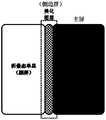
- the foldable display screen can be divided into three display areas: the main screen, the secondary screen, and the side screen.
- the foldable display screen will change the layout and display the display elements in the expanded form on the main screen in the folded form. In this way, the display area of the screen is not fully utilized.
- This application provides a display control method and related devices, which realize the display of beautification layers with patterns on the side screen of the foldable display screen, make full use of the display area of the foldable display screen, and improve the user's vision Experience.
- the present application provides a display control method, which is applied to an electronic device equipped with a foldable display screen.
- the method includes: first, the electronic device displays a first interface in full screen through the foldable display screen. Then, the electronic device receives the first folding operation for the foldable display screen. Among them, the display area of the foldable display screen is divided into a main screen, a secondary screen, and a side screen. Then, in response to the first folding operation, the electronic device displays a second interface on the main screen or the secondary screen of the foldable display screen, and displays the beautification layer on the side screen of the foldable display screen. Wherein, a pattern is displayed in the beautification layer, and the interface content of the second interface is the same as the interface content of the first interface.
- the electronic device when the foldable display screen is in the unfolded state, the electronic device can display an interface (for example, the main screen, application interface, etc.) on the foldable display screen in full screen, and switch from the unfolded state to the folded state on the foldable display screen
- the electronic device can display the full-screen interface when the foldable display is in the expanded state, display the reduced interface ratio on the main screen or the secondary screen, or display the reduced interface content on the main screen and the secondary screen at the same time.
- the electronic device displays a beautification layer on the side screen of the foldable display screen, and the beautification layer may display a pattern (such as a book spine pattern, etc.). Since beautification layers with patterns (such as book spine patterns) are displayed on the side screen, the user's visual experience is increased.
- the method further includes: the electronic device receives a first input operation for the beautification layer on the side screen. In response to the first input operation, the electronic device switches the pattern displayed in the beautification layer. In this way, it is convenient for the user to change the pattern in the beautification layer on the side screen, and the user experience is improved.
- the method further includes: the electronic device receives a second input operation for the beautification layer on the side screen. In response to the second input operation, the electronic device cancels the display of the beautification layer on the side screen. In this way, the electronic device can receive the user's input according to the user's needs, cancel the display of the beautification layer on the side screen of the foldable display screen, and improve the user experience.
- the method further includes: the electronic device receives a third input operation for the side screen. In response to the third input operation, the electronic device displays the beautification layer on the side screen. In this way, after the electronic device cancels displaying the beautification layer on the side screen, the electronic device can receive the user's input according to the needs of the user, and display the beautification layer on the side screen again, which improves the user experience.
- the electronic device receives the first unfolding operation for the foldable display screen.
- the electronic device expands the second interface into the first interface displayed in full screen on the foldable display screen in the first time period, and the electronic device is in the first time period
- the beautification layer is slid out of the display area of the foldable display screen along the expansion direction of the second interface. In this way, the gradual exit of the beautification layer displayed in the bending area can be realized, and the continuous change of the application interface from the main screen display to the full screen display can be realized.
- the user s visual experience.
- the method further includes: the electronic device receives a second unfolding operation for the foldable display screen.
- the electronic device expands the second interface into the first interface displayed in full screen on the foldable display screen in the second time period, and the electronic device is in the first time period
- the beautification layer is slid out of the display area of the foldable display screen along the vertical direction of the expansion direction of the second interface. In this way, the beautification layer displayed in the bending area can be gradually exited, and the continuous change of the application interface from the main screen display to the full screen display can be realized, avoiding the visual jump to the user when the application interface is extended to the full screen, and improving the user experience Visual experience.
- the electronic device displaying the second interface on the main screen or the sub-screen of the foldable display screen includes: the electronic device determines whether the main screen of the foldable display screen is based on a horizontal plane facing upward, if so, then The electronic device displays the second interface on the main screen of the foldable display screen; if not, the electronic device is on the secondary screen of the foldable display screen. In this way, the user can watch the interface content output by the display system of the electronic device for the first time when the foldable display screen is switched from the expanded form to the folded form.
- the present application provides an electronic device including one or more memories, a foldable display screen, and one or more memories.
- the one or more memories are coupled with one or more processors, the foldable display screen is in communication with the one or more processors, and the one or more memories are used to store computer program codes, and the computer program codes include computer instructions
- the electronic device is caused to execute the display control method in any possible implementation manner of any one of the foregoing aspects.
- an embodiment of the present application provides a computer storage medium, including computer instructions, which when the computer instructions run on an electronic device, cause the electronic device to execute the display control method in any one of the possible implementations of any of the above aspects .
- the embodiments of the present application provide a computer program product, which when the computer program product runs on a computer, causes the computer to execute the display control method in any one of the possible implementations of any of the foregoing aspects.
- FIG. 1 is a schematic structural diagram of an electronic device provided by an embodiment of the application.
- 2A-2C are schematic diagrams of a group of foldable display screens provided by an embodiment of the application.
- Figure 3-4 is a schematic diagram of a set of interfaces provided by an embodiment of the application.
- 5A-5B are schematic diagrams of a set of foldable display screens displayed in a folded state according to an embodiment of the application.
- FIGS. 6A-6C are schematic diagrams of another set of interfaces provided by embodiments of this application.
- FIGS. 7A-7C are schematic diagrams of another set of interfaces provided by an embodiment of this application.
- FIGS. 8A-8G are schematic diagrams of another set of interfaces provided by an embodiment of this application.
- FIGS. 9A-9D are schematic diagrams of another set of interfaces provided by an embodiment of this application.
- FIG. 10 is a schematic flowchart of a display control method provided by an embodiment of this application.
- 11A-11C are schematic diagrams of another set of foldable display screens displayed in a folded form according to an embodiment of the application.
- FIG. 12 is a schematic flowchart of another display control method provided by an embodiment of the application.
- first and second are only used for descriptive purposes, and cannot be understood as implying or implying relative importance or implicitly specifying the number of indicated technical features. Therefore, the features defined with “first” and “second” may explicitly or implicitly include one or more of these features. In the description of the embodiments of the present application, unless otherwise specified, “multiple” The meaning is two or more.
- FIG. 1 shows a schematic structural diagram of an electronic device 100.
- the electronic device 100 shown in FIG. 1 is only an example, and the electronic device 100 may have more or fewer components than those shown in FIG. 1, two or more components may be combined, or Can have different component configurations.
- the various components shown in the figure may be implemented in hardware, software, or a combination of hardware and software including one or more signal processing and/or application specific integrated circuits.
- the electronic device 100 may include: a processor 110, an external memory interface 120, an internal memory 121, a universal serial bus (USB) interface 130, a charging management module 140, a power management module 141, a battery 142, an antenna 1, an antenna 2.
- Mobile communication module 150 wireless communication module 160, audio module 170, speaker 170A, receiver 170B, microphone 170C, earphone jack 170D, sensor module 180, buttons 190, motor 191, indicator 192, camera 193, display 194, And subscriber identification module (subscriber identification module, SIM) card interface 195 and so on.
- SIM subscriber identification module
- the sensor module 180 may include pressure sensor 180A, gyroscope sensor 180B, air pressure sensor 180C, magnetic sensor 180D, acceleration sensor 180E, distance sensor 180F, proximity light sensor 180G, fingerprint sensor 180H, temperature sensor 180J, touch sensor 180K, ambient light Sensor 180L, bone conduction sensor 180M, etc.
- the structure illustrated in the embodiment of the present invention does not constitute a specific limitation on the electronic device 100.
- the electronic device 100 may include more or fewer components than shown, or combine certain components, or split certain components, or arrange different components.
- the components shown in the figure can be implemented in hardware, software or a combination of software and hardware.
- the processor 110 may include one or more processing units.
- the processor 110 may include an application processor (AP), a modem processor, a graphics processing unit (GPU), and an image signal processor. (image signal processor, ISP), controller, memory, video codec, digital signal processor (digital signal processor, DSP), baseband processor, and/or neural-network processing unit (NPU) Wait.
- AP application processor
- modem processor modem processor
- GPU graphics processing unit
- image signal processor image signal processor
- ISP image signal processor
- controller memory
- video codec digital signal processor
- DSP digital signal processor
- NPU neural-network processing unit
- the different processing units may be independent devices or integrated in one or more processors.
- the controller may be the nerve center and command center of the electronic device 100.
- the controller can generate operation control signals according to the instruction operation code and timing signals to complete the control of fetching and executing instructions.
- a memory may also be provided in the processor 110 to store instructions and data.
- the memory in the processor 110 is a cache memory.
- the memory can store instructions or data that have just been used or recycled by the processor 110. If the processor 110 needs to use the instruction or data again, it can be directly called from the memory. Repeated accesses are avoided, the waiting time of the processor 110 is reduced, and the efficiency of the system is improved.
- the processor 110 may include one or more interfaces.
- the interface may include an integrated circuit (inter-integrated circuit, I2C) interface, an integrated circuit built-in audio (inter-integrated circuit sound, I2S) interface, a pulse code modulation (pulse code modulation, PCM) interface, and a universal asynchronous transmitter (universal asynchronous transmitter) interface.
- I2C integrated circuit
- I2S integrated circuit built-in audio
- PCM pulse code modulation
- PCM pulse code modulation
- UART universal asynchronous transmitter
- MIPI mobile industry processor interface
- GPIO general-purpose input/output
- SIM subscriber identity module
- USB Universal Serial Bus
- the I2C interface is a two-way synchronous serial bus, including a serial data line (SDA) and a serial clock line (SCL).
- the processor 110 may include multiple sets of I2C buses.
- the processor 110 may be coupled to the touch sensor 180K, charger, flash, camera 193, etc. through different I2C bus interfaces.
- the processor 110 may couple the touch sensor 180K through an I2C interface, so that the processor 110 and the touch sensor 180K communicate through an I2C bus interface to implement the touch function of the electronic device 100.
- the I2S interface can be used for audio communication.
- the processor 110 may include multiple sets of I2S buses.
- the processor 110 may be coupled with the audio module 170 through an I2S bus to realize communication between the processor 110 and the audio module 170.
- the audio module 170 may transmit audio signals to the wireless communication module 160 through an I2S interface, so as to realize the function of answering calls through a Bluetooth headset.
- the PCM interface can also be used for audio communication to sample, quantize and encode analog signals.
- the audio module 170 and the wireless communication module 160 may be coupled through a PCM bus interface.
- the audio module 170 may also transmit audio signals to the wireless communication module 160 through the PCM interface, so as to realize the function of answering calls through the Bluetooth headset. Both the I2S interface and the PCM interface can be used for audio communication.
- the UART interface is a universal serial data bus used for asynchronous communication.
- the bus can be a two-way communication bus. It converts the data to be transmitted between serial communication and parallel communication.
- the UART interface is generally used to connect the processor 110 and the wireless communication module 160.
- the processor 110 communicates with the Bluetooth module in the wireless communication module 160 through the UART interface to implement the Bluetooth function.
- the audio module 170 may transmit audio signals to the wireless communication module 160 through a UART interface, so as to realize the function of playing music through a Bluetooth headset.
- the MIPI interface can be used to connect the processor 110 with the display screen 194, the camera 193 and other peripheral devices.
- the MIPI interface includes camera serial interface (camera serial interface, CSI), display serial interface (display serial interface, DSI), etc.
- the processor 110 and the camera 193 communicate through a CSI interface to implement the shooting function of the electronic device 100.
- the processor 110 and the display screen 194 communicate through a DSI interface to realize the display function of the electronic device 100.
- the GPIO interface can be configured through software.
- the GPIO interface can be configured as a control signal or as a data signal.
- the GPIO interface can be used to connect the processor 110 with the camera 193, the display screen 194, the wireless communication module 160, the audio module 170, the sensor module 180, and so on.
- GPIO interface can also be configured as I2C interface, I2S interface, UART interface, MIPI interface, etc.
- the USB interface 130 is an interface that complies with the USB standard specification, and specifically may be a Mini USB interface, a Micro USB interface, a USB Type C interface, and so on.
- the USB interface 130 can be used to connect a charger to charge the electronic device 100, and can also be used to transfer data between the electronic device 100 and peripheral devices. It can also be used to connect headphones and play audio through the headphones. This interface can also be used to connect other electronic devices, such as AR devices.
- the interface connection relationship between the modules illustrated in the embodiment of the present invention is merely a schematic description, and does not constitute a structural limitation of the electronic device 100.
- the electronic device 100 may also adopt different interface connection modes in the foregoing embodiments, or a combination of multiple interface connection modes.
- the charging management module 140 is used to receive charging input from the charger.
- the charger can be a wireless charger or a wired charger.
- the charging management module 140 may receive the charging input of the wired charger through the USB interface 130.
- the charging management module 140 may receive the wireless charging input through the wireless charging coil of the electronic device 100. While the charging management module 140 charges the battery 142, it can also supply power to the electronic device through the power management module 141.
- the power management module 141 is used to connect the battery 142, the charging management module 140 and the processor 110.
- the power management module 141 receives input from the battery 142 and/or the charge management module 140, and supplies power to the processor 110, the internal memory 121, the external memory, the display screen 194, the camera 193, and the wireless communication module 160.
- the power management module 141 can also be used to monitor parameters such as battery capacity, battery cycle times, and battery health status (leakage, impedance).
- the power management module 141 may also be provided in the processor 110.
- the power management module 141 and the charging management module 140 may also be provided in the same device.
- the wireless communication function of the electronic device 100 can be implemented by the antenna 1, the antenna 2, the mobile communication module 150, the wireless communication module 160, the modem processor, and the baseband processor.
- the antenna 1 and the antenna 2 are used to transmit and receive electromagnetic wave signals.
- Each antenna in the electronic device 100 can be used to cover a single or multiple communication frequency bands. Different antennas can also be reused to improve antenna utilization.
- antenna 1 can be multiplexed as a diversity antenna of a wireless local area network.
- the antenna can be used in combination with a tuning switch.
- the mobile communication module 150 can provide a wireless communication solution including 2G/3G/4G/5G and the like applied to the electronic device 100.
- the mobile communication module 150 may include at least one filter, switch, power amplifier, low noise amplifier (LNA), etc.
- the mobile communication module 150 can receive electromagnetic waves by the antenna 1, and perform processing such as filtering and amplifying the received electromagnetic waves, and then transmitting them to the modem processor for demodulation.
- the mobile communication module 150 can also amplify the signal modulated by the modem processor, and convert it into electromagnetic waves for radiation via the antenna 1.
- at least part of the functional modules of the mobile communication module 150 may be provided in the processor 110.
- at least part of the functional modules of the mobile communication module 150 and at least part of the modules of the processor 110 may be provided in the same device.
- the modem processor may include a modulator and a demodulator.
- the modulator is used to modulate the low frequency baseband signal to be sent into a medium and high frequency signal.
- the demodulator is used to demodulate the received electromagnetic wave signal into a low-frequency baseband signal. Then the demodulator transmits the demodulated low-frequency baseband signal to the baseband processor for processing.
- the low-frequency baseband signal is processed by the baseband processor and then passed to the application processor.
- the application processor outputs a sound signal through an audio device (not limited to the speaker 170A, the receiver 170B, etc.), or displays an image or video through the display screen 194.
- the modem processor may be an independent device.
- the modem processor may be independent of the processor 110 and be provided in the same device as the mobile communication module 150 or other functional modules.
- the wireless communication module 160 can provide applications on the electronic device 100 including wireless local area networks (WLAN) (such as wireless fidelity (Wi-Fi) networks), bluetooth (BT), and global navigation satellites.
- WLAN wireless local area networks
- BT wireless fidelity
- GNSS global navigation satellite system
- FM frequency modulation
- NFC near field communication technology
- infrared technology infrared, IR
- the wireless communication module 160 may be one or more devices integrating at least one communication processing module.
- the wireless communication module 160 receives electromagnetic waves via the antenna 2, frequency modulates and filters the electromagnetic wave signals, and sends the processed signals to the processor 110.
- the wireless communication module 160 can also receive the signal to be sent from the processor 110, perform frequency modulation, amplify it, and convert it into electromagnetic wave radiation via the antenna 2.
- the antenna 1 of the electronic device 100 is coupled with the mobile communication module 150, and the antenna 2 is coupled with the wireless communication module 160, so that the electronic device 100 can communicate with the network and other devices through wireless communication technology.
- the wireless communication technologies may include global system for mobile communications (GSM), general packet radio service (GPRS), code division multiple access (CDMA), broadband Code division multiple access (wideband code division multiple access, WCDMA), time-division code division multiple access (TD-SCDMA), long term evolution (LTE), BT, GNSS, WLAN, NFC , FM, and/or IR technology, etc.
- the GNSS may include global positioning system (GPS), global navigation satellite system (GLONASS), Beidou navigation satellite system (BDS), quasi-zenith satellite system (quasi -zenith satellite system, QZSS) and/or satellite-based augmentation systems (SBAS).
- GPS global positioning system
- GLONASS global navigation satellite system
- BDS Beidou navigation satellite system
- QZSS quasi-zenith satellite system
- SBAS satellite-based augmentation systems
- the electronic device 100 implements a display function through a GPU, a display screen 194, and an application processor.
- the GPU is a microprocessor for image processing, connected to the display 194 and the application processor.
- the GPU is used to perform mathematical and geometric calculations for graphics rendering.
- the processor 110 may include one or more GPUs, which execute program instructions to generate or change display information.
- the display screen 194 is used to display images, videos, etc.
- the display screen 194 includes a display panel.
- the display panel can adopt liquid crystal display (LCD), organic light-emitting diode (OLED), active-matrix organic light-emitting diode or active-matrix organic light-emitting diode (active-matrix organic light-emitting diode).
- LCD liquid crystal display
- OLED organic light-emitting diode
- active-matrix organic light-emitting diode active-matrix organic light-emitting diode
- AMOLED flexible light-emitting diode (FLED), Miniled, MicroLed, Micro-oLed, quantum dot light-emitting diode (QLED), etc.
- the electronic device 100 may include one or N display screens 194, and N is a positive integer greater than one.
- the display screen 194 in FIG. 1 may be bent.
- the above-mentioned display screen 194 can be bent means that the display screen can be bent at any position to any angle, and can be maintained at that angle.
- the display screen 194 can be folded in half from the center, or can be folded in half from the center.
- the display screen that can be bent is called a foldable display screen.
- the foldable display screen may be one screen, or a display screen formed by patching together multiple screens, which is not limited here.
- the foldable display screen may include at least two physical forms: an expanded form and a folded form.
- the foldable display screen is in an unfolded form, that is, the left and right ends of the middle bending part of the foldable display screen that can be folded in half from the left and right sides (if the foldable display screen is folded up and down, it is foldable
- the angle formed by the upper and lower ends of the middle bending part of the display screen is between 180 degrees and the first angle, where the first angle is greater than 0 degrees and less than 180 degrees, for example, the first angle may be 90 degrees).
- the foldable display screen can also be in a folded form, that is, the left and right ends of the middle bending part of the foldable display screen (if the foldable display screen is folded up and down, it is the foldable display screen.
- the angle formed by the upper and lower ends of the middle bending part) is between 0 degree and the first angle.
- the display area of the foldable display screen after entering the folded form may be divided into a main screen, a secondary screen, and a side screen.
- the foldable display screen can be folded toward the direction facing the main screen and the secondary screen in the unfolded state, and can also be folded toward the direction opposite to the main screen and the secondary screen.
- the left and right ends of the middle bending part of the foldable display screen may form an angle of 0 Between degrees and +180 degrees.
- the foldable display screen can be bent toward the direction facing the main screen and the secondary screen into a folded form with an angle of 30 degrees, or it can be bent toward the direction opposite to the main screen and the secondary screen into an angle. 30-degree folded configuration.
- the electronic device 100 can determine whether the foldable display screen is in a folded configuration or an unfolded configuration through one or more of a gravity sensor, an acceleration sensor, and a gyroscope.
- the electronic device 100 can also detect the bending angle of the foldable display screen through a gravity sensor, an acceleration touch sensor, and a gyroscope. Then, the electronic device 100 can determine the foldable display based on the bending angle. Whether the screen is in the folded or unfolded form.
- the electronic device 100 can also use one or more of a gravity sensor, an acceleration sensor and a gyroscope to determine the orientation of the foldable display screen in the folded configuration, and then determine the display area of the interface content output by the display system.
- the electronic device 100 may display the interface content output by the display system on the main screen.
- the electronic device 100 can display the interface content output by the display system on the secondary screen.
- the electronic device 100 may further include an angle sensor (not shown in FIG. 1).
- the angle sensor may be disposed at a bending position of the foldable display screen.
- the electronic device 100 can measure the angle formed by the two ends of the middle bending part of the foldable display screen through an angle sensor (not shown in FIG. 1) provided at the bending part of the foldable display screen.
- the angle is greater than
- the electronic device 100 can recognize through the angle sensor that the foldable display screen enters the unfolded state.
- the electronic device 100 can recognize through the angle sensor that the foldable display screen enters the folded form.
- the electronic device 100 can also recognize whether the foldable display screen is in a folded configuration through a physical switch provided at the bending part of the foldable display screen. For example, when the electronic device receives a user's folding operation on the foldable display screen, the physical switch provided on the electronic device is triggered to open, and the electronic device 100 can determine that the foldable display screen is in a folded state. When the electronic device 100 receives the user's unfolding operation of the foldable display screen, the physical switch provided on the electronic device is triggered to close, and the electronic device can determine that the foldable display screen is in an unfolded form.
- the above examples are only used to explain the application and should not constitute a limitation.
- a foldable display screen in a folded configuration can be divided into a main screen, a secondary screen, and a side screen.
- the secondary screen can be turned off without displaying any interface elements. In an implementation manner, the secondary screen can be used to display the date, time, etc.
- the foldable display screen can display content in full screen.
- the interface content may occupy part of the display area of the foldable display screen.
- the display 194 is a notch screen
- the middle part of the notch screen When the content of the interface is displayed, when one or both edges are partially black, it can also be regarded as the foldable display screen displaying the content of the interface in full screen.
- the electronic device 100 can implement a shooting function through an ISP, a camera 193, a video codec, a GPU, a display screen 194, and an application processor.
- the ISP is used to process the data fed back from the camera 193. For example, when taking a picture, the shutter is opened, the light is transmitted to the photosensitive element of the camera through the lens, the light signal is converted into an electrical signal, and the photosensitive element of the camera transfers the electrical signal to the ISP for processing and is converted into an image visible to the naked eye.
- ISP can also optimize the image noise, brightness, and skin color. ISP can also optimize the exposure, color temperature and other parameters of the shooting scene.
- the ISP may be provided in the camera 193.
- the camera 193 is used to capture still images or videos.
- the object generates an optical image through the lens and projects it to the photosensitive element.
- the photosensitive element may be a charge coupled device (CCD) or a complementary metal-oxide-semiconductor (CMOS) phototransistor.
- CMOS complementary metal-oxide-semiconductor
- the photosensitive element converts the optical signal into an electrical signal, and then transmits the electrical signal to the ISP to convert it into a digital image signal.
- ISP outputs digital image signals to DSP for processing.
- DSP converts digital image signals into standard RGB, YUV and other formats.
- the electronic device 100 may include 1 or N cameras 193, and N is a positive integer greater than 1.
- Digital signal processors are used to process digital signals. In addition to digital image signals, they can also process other digital signals. For example, when the electronic device 100 selects the frequency point, the digital signal processor is used to perform Fourier transform on the energy of the frequency point.
- Video codecs are used to compress or decompress digital video.
- the electronic device 100 may support one or more video codecs. In this way, the electronic device 100 can play or record videos in a variety of encoding formats, such as: moving picture experts group (MPEG) 1, MPEG2, MPEG3, MPEG4, and so on.
- MPEG moving picture experts group
- NPU is a neural-network (NN) computing processor.
- NN neural-network
- the NPU can realize applications such as intelligent cognition of the electronic device 100, such as image recognition, face recognition, voice recognition, text understanding, and so on.
- the external memory interface 120 may be used to connect an external memory card, such as a Micro SD card, to expand the storage capacity of the electronic device 100.
- the external memory card communicates with the processor 110 through the external memory interface 120 to realize the data storage function. For example, save music, video and other files in an external memory card.
- the internal memory 121 may be used to store computer executable program code, where the executable program code includes instructions.
- the processor 110 executes various functional applications and data processing of the electronic device 100 by running instructions stored in the internal memory 121.
- the internal memory 121 may include a storage program area and a storage data area.
- the storage program area can store an operating system, at least one application program (such as a sound playback function, an image playback function, etc.) required by at least one function.
- the data storage area can store data (such as audio data, phone book, etc.) created during the use of the electronic device 100.
- the internal memory 121 may include a high-speed random access memory, and may also include a non-volatile memory, such as at least one magnetic disk storage device, a flash memory device, a universal flash storage (UFS), etc.
- UFS universal flash storage
- the electronic device 100 can implement audio functions through the audio module 170, the speaker 170A, the receiver 170B, the microphone 170C, the earphone interface 170D, and the application processor. For example, music playback, recording, etc.
- the audio module 170 is used to convert digital audio information into an analog audio signal for output, and is also used to convert an analog audio input into a digital audio signal.
- the audio module 170 can also be used to encode and decode audio signals.
- the audio module 170 may be provided in the processor 110, or part of the functional modules of the audio module 170 may be provided in the processor 110.
- the speaker 170A also called a “speaker” is used to convert audio electrical signals into sound signals.
- the electronic device 100 can listen to music through the speaker 170A, or listen to a hands-free call.
- the receiver 170B also called “earpiece” is used to convert audio electrical signals into sound signals.
- the electronic device 100 answers a call or voice message, it can receive the voice by bringing the receiver 170B close to the human ear.
- the microphone 170C also called “microphone”, “microphone”, is used to convert sound signals into electrical signals.
- the user can approach the microphone 170C through the mouth to make a sound, and input the sound signal to the microphone 170C.
- the electronic device 100 may be provided with at least one microphone 170C. In other embodiments, the electronic device 100 may be provided with two microphones 170C, which can implement noise reduction functions in addition to collecting sound signals. In some other embodiments, the electronic device 100 can also be provided with three, four or more microphones 170C to collect sound signals, reduce noise, identify sound sources, and realize directional recording functions.
- the earphone interface 170D is used to connect wired earphones.
- the earphone interface 170D may be a USB interface 130, or a 3.5mm open mobile terminal platform (OMTP) standard interface, or a cellular telecommunications industry association (cellular telecommunications industry association of the USA, CTIA) standard interface.
- OMTP open mobile terminal platform
- CTIA cellular telecommunications industry association
- the pressure sensor 180A is used to sense the pressure signal and can convert the pressure signal into an electrical signal.
- the pressure sensor 180A may be provided on the display screen 194.
- the capacitive pressure sensor may include at least two parallel plates with conductive material. When a force is applied to the pressure sensor 180A, the capacitance between the electrodes changes.
- the electronic device 100 determines the intensity of the pressure according to the change in capacitance.
- the electronic device 100 detects the intensity of the touch operation according to the pressure sensor 180A.
- the electronic device 100 may also calculate the touched position according to the detection signal of the pressure sensor 180A.
- touch operations that act on the same touch location but have different touch operation strengths may correspond to different operation instructions. For example: when a touch operation whose intensity of the touch operation is less than the first pressure threshold is applied to the short message application icon, an instruction to view the short message is executed. When a touch operation with a touch operation intensity greater than or equal to the first pressure threshold acts on the short message application icon, an instruction to create a new short message is executed.
- the gyro sensor 180B may be used to determine the movement posture of the electronic device 100.
- the angular velocity of the electronic device 100 around three axes ie, x, y, and z axes
- the gyro sensor 180B can be used for image stabilization.
- the gyro sensor 180B detects the shake angle of the electronic device 100, calculates the distance that the lens module needs to compensate according to the angle, and allows the lens to counteract the shake of the electronic device 100 through reverse movement to achieve anti-shake.
- the gyro sensor 180B can also be used for navigation and somatosensory game scenes.
- the air pressure sensor 180C is used to measure air pressure.
- the electronic device 100 calculates the altitude based on the air pressure value measured by the air pressure sensor 180C to assist positioning and navigation.
- the magnetic sensor 180D includes a Hall sensor.
- the electronic device 100 can use the magnetic sensor 180D to detect the opening and closing of the flip holster.
- the electronic device 100 can detect the opening and closing of the flip according to the magnetic sensor 180D.
- features such as automatic unlocking of the flip cover are set.
- the acceleration sensor 180E can detect the magnitude of the acceleration of the electronic device 100 in various directions (generally three axes). When the electronic device 100 is stationary, the magnitude and direction of gravity can be detected. It can also be used to identify the posture of electronic devices, and used in applications such as horizontal and vertical screen switching, pedometers and so on.
- the electronic device 100 can measure the distance by infrared or laser. In some embodiments, when shooting a scene, the electronic device 100 can use the distance sensor 180F to measure the distance to achieve fast focusing.
- the proximity light sensor 180G may include, for example, a light emitting diode (LED) and a light detector such as a photodiode.
- the light emitting diode may be an infrared light emitting diode.
- the electronic device 100 emits infrared light to the outside through the light emitting diode.
- the electronic device 100 uses a photodiode to detect infrared reflected light from nearby objects. When sufficient reflected light is detected, it can be determined that there is an object near the electronic device 100. When insufficient reflected light is detected, the electronic device 100 can determine that there is no object near the electronic device 100.
- the electronic device 100 can use the proximity light sensor 180G to detect that the user holds the electronic device 100 close to the ear to talk, so as to automatically turn off the screen to save power.
- the proximity light sensor 180G can also be used in leather case mode, and the pocket mode will automatically unlock and lock the screen.
- the ambient light sensor 180L is used to sense the brightness of the ambient light.
- the electronic device 100 can adaptively adjust the brightness of the display screen 194 according to the perceived brightness of the ambient light.
- the ambient light sensor 180L can also be used to automatically adjust the white balance when taking pictures.
- the ambient light sensor 180L can also cooperate with the proximity light sensor 180G to detect whether the electronic device 100 is in the pocket to prevent accidental touch.
- the fingerprint sensor 180H is used to collect fingerprints.
- the electronic device 100 can use the collected fingerprint characteristics to realize fingerprint unlocking, access application locks, fingerprint photographs, fingerprint answering calls, etc.
- the temperature sensor 180J is used to detect temperature.
- the electronic device 100 uses the temperature detected by the temperature sensor 180J to execute a temperature processing strategy. For example, when the temperature reported by the temperature sensor 180J exceeds a threshold value, the electronic device 100 executes to reduce the performance of the processor located near the temperature sensor 180J, so as to reduce power consumption and implement thermal protection.
- the electronic device 100 when the temperature is lower than another threshold, the electronic device 100 heats the battery 142 to avoid abnormal shutdown of the electronic device 100 due to low temperature.
- the electronic device 100 boosts the output voltage of the battery 142 to avoid abnormal shutdown caused by low temperature.
- Touch sensor 180K also called “touch panel”.
- the touch sensor 180K may be disposed on the display screen 194, and the touch screen is composed of the touch sensor 180K and the display screen 194, which is also called a “touch screen”.
- the touch sensor 180K is used to detect touch operations acting on or near it.
- the touch sensor can pass the detected touch operation to the application processor to determine the type of touch event.
- the visual output related to the touch operation can be provided through the display screen 194.
- the touch sensor 180K may also be disposed on the surface of the electronic device 100, which is different from the position of the display screen 194.
- the bone conduction sensor 180M can acquire vibration signals.
- the bone conduction sensor 180M can obtain the vibration signal of the vibrating bone mass of the human voice.
- the bone conduction sensor 180M can also contact the human pulse and receive the blood pressure pulse signal.
- the bone conduction sensor 180M may also be provided in the earphone, combined with the bone conduction earphone.
- the audio module 170 can parse the voice signal based on the vibration signal of the vibrating bone block of the voice obtained by the bone conduction sensor 180M, and realize the voice function.
- the application processor may analyze the heart rate information based on the blood pressure beat signal obtained by the bone conduction sensor 180M, and realize the heart rate detection function.
- the button 190 includes a power button, a volume button, and so on.
- the button 190 may be a mechanical button. It can also be a touch button.
- the electronic device 100 may receive key input, and generate key signal input related to user settings and function control of the electronic device 100.
- the motor 191 can generate vibration prompts.
- the motor 191 can be used for incoming call vibration notification, and can also be used for touch vibration feedback.
- touch operations applied to different applications can correspond to different vibration feedback effects.
- Acting on touch operations in different areas of the display screen 194, the motor 191 can also correspond to different vibration feedback effects.
- Different application scenarios for example: time reminding, receiving information, alarm clock, games, etc.
- the touch vibration feedback effect can also support customization.
- the indicator 192 may be an indicator light, which may be used to indicate the charging status, power change, or to indicate messages, missed calls, notifications, and so on.
- the SIM card interface 195 is used to connect to the SIM card.
- the SIM card can be inserted into the SIM card interface 195 or pulled out from the SIM card interface 195 to achieve contact and separation with the electronic device 100.
- the electronic device 100 may support 1 or N SIM card interfaces, and N is a positive integer greater than 1.
- the SIM card interface 195 can support Nano SIM cards, Micro SIM cards, SIM cards, etc.
- the same SIM card interface 195 can insert multiple cards at the same time. The types of the multiple cards can be the same or different.
- the SIM card interface 195 can also be compatible with different types of SIM cards.
- the SIM card interface 195 may also be compatible with external memory cards.
- the electronic device 100 interacts with the network through the SIM card to implement functions such as call and data communication.
- the electronic device 100 adopts an eSIM, that is, an embedded SIM card.
- the eSIM card can be embedded in the electronic device 100 and cannot be separated from the electronic device 100.
- the electronic device when the foldable display screen is in the unfolded state, can display a certain interface (for example, the main screen interface, the application interface, etc.) on the foldable display screen in full screen.
- the display area of the foldable display can be divided into three display areas: a main screen, a secondary screen, and a side screen.
- the electronic device can display the full-screen interface when the foldable display screen is in the unfolded state, and display the interface in a reduced scale on the main screen or the secondary screen.
- an embodiment of the present application provides a display control method.
- the electronic device can display an interface (for example, the main screen, application interface, etc.) on the foldable display screen.
- the electronic The device can display the full-screen interface when the foldable display is in the expanded state, display the reduced interface ratio on the main screen or the secondary screen, or display the reduced interface content on the primary and secondary screens at the same time.
- a beautification layer is displayed on the side screen of the foldable display screen, and the beautification layer may display patterns (such as a book spine pattern, etc.). Since beautification layers with patterns (such as book spine patterns) are displayed on the side screen, the user's visual experience is increased.
- the foldable display screen of the electronic device is in an unfolded form.
- the electronic device can display the main interface 310 on the foldable display screen in full screen.
- the main interface 310 displays a page with application icons.
- the page includes multiple application icons (such as weather application icons, stock application icons, etc.). Icon, calculator application icon, settings application icon, mail application icon, Alipay application icon, Facebook application icon, browser application icon, gallery application icon 311, music application icon, video application icon, application store icon).
- a page indicator is also included below the multiple application icons to indicate the positional relationship between the currently displayed page and other pages.
- There are multiple tray icons below the page indicator (such as dial-up application icon, information application icon, contact application icon, camera application icon).
- the tray icon remains displayed when the page is switched, and the page can include multiple application icons and page indicators;
- the page indicator may not be a part of the page, and exist alone, and the above-mentioned tray icon is also optional, which is not limited in the embodiment of the present application.
- the electronic device may receive an input operation 312 (for example, a click) of the user on the gallery application icon 311, and in response to the input operation, the mobile terminal may display the gallery application interface 410 as shown in FIG. 4.
- an input operation 312 for example, a click
- the mobile terminal may display the gallery application interface 410 as shown in FIG. 4.
- the gallery application interface 410 includes an album control and other controls (such as a photo control, a discovery control, etc.).
- the electronic device displays an interface corresponding to the album.
- the display interface corresponding to the album control can include one or more album entries (e.g. all photo album entries, all video album entries, camera album entries, screenshot catalog album entries, recently deleted album entries, WeChat album entries, Weibo album entries, My Favorite album entries, other album entries, etc.).
- the gallery application interface 410 also includes an album toolbar, where the album toolbar includes more controls and other controls (for example, search controls, new album controls, etc.).
- the electronic device can receive the user's folding operation 411 for the foldable display screen.
- the electronic device can switch the foldable display screen from the unfolded form to the folded form, and apply the interface of the gallery
- the content is displayed on the main screen in the folded state, and at the same time, the beautification layer is displayed on the side screen in the folded state.
- the foldable display screen in the folded form can be fully utilized, and the beautification layer can be displayed on the side screen, which can provide users with beautiful display effects, disseminate cultural heritage like a book spine, and improve user experience.
- the foldable display screen is in a folded state, and the electronic device may display a gallery application interface 510 on the main screen and a beautification layer 520 on the side screen.
- the gallery application interface 510 is compared with the aforementioned gallery application interface 410, the gallery application interface 510 has a reduced scale, and the beautification layer 520 displays patterns.
- FIG. 5B when the foldable display screen is in a folded configuration, the electronic device may not display any interface content on the secondary screen.
- the secondary screen may also be used to display other interface elements output by the system of the electronic device that are different from the aforementioned gallery application interface 510 in FIG. 5A.
- the secondary screen does not display any interface content can mean that the secondary screen is in a black screen state and does not display any interface elements.
- the fact that the secondary screen does not display any interface content can also mean that the secondary screen is in a low power consumption working state, and the secondary screen does not display any interface content, but can receive user operations and display corresponding interface content according to user operations.
- the electronic device may store one or more layer files, and the layer files include patterns, transparency values, blurring values, etc.
- the multiple layer files may be pre-stored on the electronic device, or may be obtained from the server in real time, which is not limited here.
- the electronic device receives the folding operation 411 shown in FIG. 4, in response to the folding operation 411, the electronic device reads the layer file, displays the pattern in the layer file on the beautification layer on the side screen, and The transparency of the beautification layer is set according to the transparency value in the layer file, and the blur degree of the beautification layer is set according to the blur degree value in the first layer file.
- the electronic device when the foldable display screen is switched from the unfolded form to the folded form, the electronic device can detect the orientation of the foldable display screen in the folded form through sensors such as acceleration sensors and gyroscopes.
- the electronic device can display the layer application interface 510 on the secondary screen, display the beautification layer 520 on the side screen, and do not display any interface content on the main screen, or display the information of the electronic device
- the system outputs other interface elements different from the gallery application interface 510.
- the electronic device can display the content displayed when the foldable display is in the unfolded form on a display area that is easy for the user to see (for example, relative to the horizontal plane facing upwards). In this way, it is convenient for the user to watch the interface content displayed on the foldable display screen in time when switching modes.
- the electronic device when the foldable display screen is in a folded form, can display the application interface through the main screen of the foldable display screen, and display beautification layers on the side screen.
- the electronic device may receive an unfolding operation of the user, and in response to the unfolding operation, the electronic device may switch the foldable display screen from the folded form to the unfolded form.
- the electronic device can slide the beautification layer displayed on the side screen along the side of the secondary screen, and at the same time, in the main
- the application interface displayed on the screen will expand synchronously along the sliding direction of the beautification layer until the foldable display shows the application interface in full screen.
- the electronic device when the foldable display screen is in the folded form, can display the application interface on the secondary screen and the beautification layer on the side screen.
- the electronic device receives the user's unfolding operation, In response to the unfolding operation, the electronic device can switch the foldable display screen from the folded form to the unfolded form, and within a period of time (for example, within 0.5s), the electronic device can move the beautification layer displayed on the side screen along the main screen Slide out from the side direction, and the application interface displayed on the main screen will expand synchronously along the sliding direction of the beautification layer until the foldable display shows the application interface in full screen. In this way, the gradual exit of the beautification layer displayed in the bending area can be realized, and the continuous change of the application interface from the main screen display to the full screen display can be realized.
- the user s visual experience.
- the electronic device when the foldable display screen of the electronic device is switched to the unfolded form, the electronic device can move the beautification layer 620 displayed on the side screen of the foldable display screen along the direction of the secondary screen ( For example, sliding on the left side of the foldable display screen, synchronously, the electronic device can slide the gallery application interface 610 following the beautification layer 620 in the direction of the secondary screen (for example, the left side of the foldable display screen).
- the sliding process of the beautification layer 620 in the bending area and the process of extending the gallery application interface 610 to the full screen can refer to FIG. 6A, FIG. 6B, and FIG. 6C.
- the beautification layer 620 of the side screen is sliding in the direction of the secondary screen (for example, the left side of the foldable display screen).
- the gallery application interface 610 also follows the beautification layer 620 of the side screen to expand in the direction of the secondary screen (for example, the left side of the foldable display screen).
- the electronic device displays a gallery application interface 630 in full screen on the foldable display screen.
- the gallery application interface 630 has a larger proportion .
- the gallery application interface 630 in FIG. 6C is the same as the gallery application interface 410 in FIG. 4 described above. Therefore, the text description of the gallery application interface 410 in FIG. 4 is also applicable to the gallery application interface 630, and will not be repeated here.
- the electronic device when the foldable display screen is switched from the unfolded form to the folded form, within a period of time (for example, within 0.5s) after the foldable display screen is switched to the unfolded form, the electronic device can switch the side The beautification layer displayed on the side screen slides out along the bottom or top direction of the bending area. At the same time, the electronic device can expand the application interface displayed on the main screen along the secondary screen until the full screen is displayed on the foldable display. The application interface.
- the beautification layer displayed in the bending area can be gradually exited, and the continuous change of the application interface from the main screen display to the full screen display can be realized, avoiding the visual jump to the user when the application interface is extended to the full screen, and improving the user experience Visual experience.
- the electronic device when the foldable display screen of the electronic device is switched to the unfolded form, the electronic device can slide the beautification layer 720 of the side screen in the direction from the top to the bottom of the side screen. While the beautification layer 720 is sliding, the electronic device can slide the gallery application interface 710 along the direction of the secondary screen (for example, the left side of the foldable display screen).
- the gallery application interface 710 in FIG. 7A is the same as the gallery application interface 610 in FIG. 6A
- the text description of the gallery application interface 610 in FIG. 6A is also applicable to the gallery application interface 710, which will not be repeated here. Repeat.
- FIG. 7A, FIG. 7B, and FIG. 7C For the sliding process of the beautification layer 620 in the bending area and the process of expanding the gallery application interface 610 to full screen, please refer to FIG. 7A, FIG. 7B, and FIG. 7C.
- the beautification layer 720 of the side screen slides in a direction from the top to the bottom of the side screen.
- the gallery application interface 710 also expands along the direction of the secondary screen (for example, the left side of the foldable display screen).
- the electronic device displays the gallery application interface 730 in full screen on the foldable display screen.
- the gallery application interface 730 has a larger proportion.
- the gallery application interface 730 in FIG. 7C is the same as the gallery application interface 410 in FIG. 4 described above. Therefore, the text description of the gallery application interface 410 in FIG. 4 is also applicable to the gallery application interface 730, and will not be repeated here.
- the electronic device can set different patterns in the beautification layer of the side screen according to the needs of different users.
- the electronic device can receive user input and download one or more layer files (such as RGBA8888 format) from the server.
- the layer files include patterns and transparency values that can be used to set the beautification layer on the side screen. , Blur degree value.
- the electronic device may periodically (for example, every week) download one or more of the above-mentioned layer files from the server. After the electronic device has downloaded one or more layer files, the electronic device can receive the user's input and set the user-selected pattern for the beautification layer on the side screen. In this way, the user's personalized demands for the patterns displayed on the side screen can be satisfied.
- the foldable display screen of the electronic device is in an unfolded form.
- the electronic device can display the main interface 810 in full screen.
- the main interface 810 displays a page with application icons.
- the page includes multiple application icons (such as weather application icons, stock application icons, calculator application icons).
- Settings application icon 811 mail application icon, Alipay application icon, Facebook application icon, browser application icon, gallery application icon, music application icon, video application icon, application store icon).
- the electronic device can receive an input operation 812 (for example, click) of the setting application icon 811 by the user, and in response to the input operation 812, the electronic device can display the setting application interface 820 as shown in FIG. 8B in full screen through the foldable display screen.
- the setting application interface 820 display includes wireless and network setting items, device connection setting items, desktop and wallpaper setting items 821, application and notification setting items, battery setting items, display setting items, sound setting items, Store setting entries, security and privacy setting entries, user and account setting entries, etc.
- a corresponding title and text description are displayed on each setting item of the setting application interface 820.
- the title of the wireless and network settings entry is “wireless and network”
- the text description is "WLAN, dual card management, mobile network”.
- the corresponding title of the device connection setting item is "device connection”
- the text description is "Bluetooth, NFC, mobile phone screen projection".
- the title of the desktop and wallpaper setting item 821 is “desktop and wallpaper”, and the text description is “theme, side screen pattern”.
- the corresponding title of the application setting entry is “application”, and the text description is "authority management, default application, application clone”.
- the corresponding title of the battery setting item is “Battery”, and the text description is "Power saving mode, power consumption ranking”.
- the title corresponding to the display setting item is "Display”, and the text description is "Brightness, desktop style, font and display size”.
- the title of the sound setting item is "Sound”, and the text description is "Do Not Disturb, Ringtone, Vibrate”.
- the title of the storage setting item is “Storage”, and the text description is “Cleaning up”.
- the corresponding title of the security and privacy settings entry is “Security and Privacy”, and the text description is “Face unlock, fingerprint, lock screen password”.
- the corresponding title of the user and account settings entry is “Users and Accounts”, and the text description is “Multi-Users, Cloud Space, Accounts”.
- the electronic device may receive an input operation 822 (for example, click) of the user for the desktop and wallpaper setting item 821, and in response to the input operation 822, the electronic device may display a desktop and wallpaper setting interface 830 as shown in FIG. 8C.
- an input operation 822 for example, click
- the electronic device may display a desktop and wallpaper setting interface 830 as shown in FIG. 8C.
- the desktop and wallpaper setting interface 830 displays a theme setting item, a wallpaper setting item, a side screen pattern setting item 831, a desktop setting item, a desktop style setting item, a lock screen signature setting item, and a lock screen display.
- the theme setting item can be used to receive user input.
- the electronic device can set the theme of the display interface of the electronic device.
- the theme can include desktop wallpaper, application icon styles, fonts, and so on.
- the wallpaper setting interface can be used to receive user input, and the electronic device can set a lock screen wallpaper or desktop wallpaper of the electronic device in response to the input.
- the desktop setting item can be used to receive user input, and the electronic device can set the layout of application icons on the desktop in response to the input.
- the electronic device may receive an input operation 832 (for example, click) of the user for the side screen pattern setting item 831, and in response to the input operation 832, the electronic device may display a side screen pattern setting interface 840 as shown in FIG. 8D.
- an input operation 832 for example, click
- the electronic device may display a side screen pattern setting interface 840 as shown in FIG. 8D.
- the side screen pattern setting interface 840 includes one or more pictures, where each picture includes a different pattern, and the pattern can be displayed on the beautification layer of the side screen.
- the electronic device may display a mark 842 on the picture 841, and the mark 842 may be used to remind the user that the currently displayed pattern of the layer displayed on the side screen is the pattern in the picture 841.
- the electronic device may receive an input operation 844 (for example, click) of the user on the picture 843, and in response to the input operation 844, the electronic device may display a side screen pattern setting window 850 as shown in FIG. 8E on the foldable display screen.
- an input operation 844 for example, click
- the electronic device may display a side screen pattern setting window 850 as shown in FIG. 8E on the foldable display screen.
- the side screen pattern setting window 850 may include a pattern 851, a cancel button 852, a blur setting bar 853, a transparency setting bar 854, and an OK button 855.
- the cancel button 852 is used to receive user input.
- the electronic device may not save the blur degree value displayed in the blur setting bar 853 and the transparency value displayed in the transparency setting bar 854, and return to the above
- the side screen pattern setting interface 840 is shown in FIG. 8D.
- the blur setting bar 853 can be used to receive user input to adjust the blur degree of the pattern 851.
- the transparency setting bar 854 can be used to receive user input and adjust the transparency of the pattern 851.
- the OK button 855 is used to receive user input and generate a layer file (for example, the format may be RGBA8888) for the beautification layer display of the side screen.
- the layer file may include the pattern 851 and the blur setting bar 853 The blur degree value displayed in and the transparency value displayed in the transparency setting bar 854.
- the electronic device may receive an input operation 856 (for example, click) of the confirm button 855 by the user.
- the electronic device may determine the pattern 851 shown in FIG. 8E as the pattern in the bending area display layer. , And display the side screen pattern setting interface 860 as shown in FIG. 8F.
- the side screen pattern setting interface 860 includes one or more pictures (for example, picture 861, picture 863, etc.).
- the picture 863 includes the pattern 851 shown in FIG. 8E.
- the electronic device may display a mark 862 on the picture 863 to remind the user that the pattern currently displayed on the beautification layer on the side screen is the pattern in the picture 863.
- the electronic device can receive a folding operation 864 of the user, and in response to the folding operation 864, the electronic device can switch the foldable display screen from the unfolded form to the folded form.
- the electronic device can display the beautification layer 880 as shown in FIG. 8G on the side screen.
- the foldable display screen is in a folded state, and the electronic device can display a side screen pattern setting interface 870 on the main screen.
- the pattern in the beautification layer 880 shown in FIG. 8G is the same as the pattern in the beautification layer 851 shown in FIG. 8E.
- the side screen pattern setting interface 870 shown in FIG. 8G is compared with the side screen pattern setting interface 860 shown in FIG. 8F, the gallery application interface 870 is reduced in scale.
- the electronic device when the foldable display screen is in a folded configuration, can display the interface content output by the system on the main screen or the secondary screen of the foldable display screen, and display the beautification layer on the side screen.
- the electronic device may receive an input operation (for example, sliding) of the user on the side screen, and in response to the input operation (for example, the sliding), the electronic device may switch the pattern in the beautification layer of the foldable display screen.
- the foldable display screen of the electronic device is in a folded configuration, and the electronic device can display the main interface 910 on the main screen of the foldable display screen, and display the beautification image on the side screen of the foldable display screen.
- the beautification layer 920 displays a pattern 921.
- the main interface 910 displays a page with application icons.
- the page includes multiple application icons (for example, weather application icons, stock application icons, calculator application icons, settings application icons, mail application icons, Alipay application icons, Facebook Application icon, browser application icon, gallery application icon, music application icon, video application icon, application store icon).
- the electronic device can receive an input operation 922 (for example, sliding from top to bottom) of the user on the side screen in FIG. 9A, and in response to the input operation 922, the electronic device can receive the pattern 921 displayed on the beautification layer 920 on the side screen. Switch to the pattern 923 shown in FIG. 9B.
- an input operation 922 for example, sliding from top to bottom
- the electronic device can receive the pattern 921 displayed on the beautification layer 920 on the side screen. Switch to the pattern 923 shown in FIG. 9B.
- the electronic device may store multiple layer files, and the layer files include patterns, transparency values, and blur values.
- the multiple layer files may be pre-stored on the electronic device, or may be obtained from the server in real time, which is not limited here.
- the electronic device can sort the multiple layer files, and the electronic device displays the patterns in the first layer file (for example, the layer file with serial number 2) on the beautification layer of the side screen, and according to the first image
- the transparency value in the layer file sets the transparency of the beautification layer, and the blur degree of the beautification layer is set according to the blur degree value in the first layer file.
- the electronic device can read the second layer file (for example, the layer file with serial number 3), and display the pattern in the second layer file on the beautification layer on the side screen , And set the transparency of the beautification layer according to the transparency value in the second layer file, and set the blur degree of the beautification layer according to the blur degree value in the second layer file.
- the second layer file for example, the layer file with serial number 3
- the electronic device when the foldable display screen is in a folded configuration, can display the interface content output by the system on the main screen or the secondary screen of the foldable display screen, and display the beautification layer on the side screen, Among them, a pattern is displayed in the beautification layer.
- the electronic device may receive the user's input operation on the side screen, and in response to the input operation, the electronic device may not display the beautification layer on the side screen. In this way, the electronic device can receive the user's input according to the user's needs, cancel the display of the beautification layer on the side screen of the foldable display screen, and improve the user experience.
- the foldable display screen is in a folded form
- the electronic device displays the main interface 910 through the main screen of the foldable display screen, and displays the beautification layer 920 on the side screen of the foldable display screen, as shown in FIG.
- a pattern 923 is displayed in the beautification layer 920.
- the main interface 910 please refer to the embodiment shown in FIG. 9A, which will not be repeated here.
- the electronic device may receive an input operation 924 (for example, double-click) of the user on the side screen, as shown in FIG. 9C, in response to the input operation 924, the electronic device may not display the beautification layer on the side screen of the foldable display screen .
- an input operation 924 for example, double-click
- the electronic device when the foldable display is in a folded configuration, can display the interface content output by the system on the main screen or the secondary screen of the foldable display screen, and no beautification layer is displayed on the side screen.
- the electronic device may receive the user's input operation on the side screen, and in response to the input operation, the electronic device may display a beautification layer on the side screen, wherein a pattern is displayed in the beautification layer.
- the electronic device can receive the user's input according to the needs of the user, and display the beautification layer on the side screen again, which improves the user experience.
- the foldable display screen is in a folded configuration, and the electronic device displays the main interface 910 through the main screen of the foldable display screen.
- the electronic device is on the side screen of the foldable display screen.
- the beautification layer is not displayed.
- the main interface 910 please refer to the embodiment shown in FIG. 9A, which will not be repeated here.
- the electronic device may receive an input operation 926 (for example, double-click) of the user on the side screen.
- the electronic device may display a beautification layer 930 as shown in FIG. 9D on the side screen, wherein the beautification image A pattern 931 is displayed in the layer 930.
- FIG. 10 shows a schematic flowchart of a display control method provided in an embodiment of the present application. As shown in Figure 10, the method includes:
- the electronic device acquires data from one or more sensors among the gravity sensor, the acceleration sensor, and the gyroscope.
- step S1002 the electronic device judges whether the foldable display screen is in a folded form based on the data of one or more sensors, and if so, execute step S1004. If not, step S1003 is executed.
- the electronic device can determine the folding/unfolding form, screen orientation, and screen angle of the foldable display screen and its change process through one or more of the gravity sensor, acceleration sensor, and gyroscope.
- the electronic device displays part of the content in the application interface through the side screen of the foldable display screen.
- the electronic device can display the application interface through the entire display area of the foldable display screen, where the side screen display area of the foldable display screen can display part of the content in the application interface .
- step S1004 The electronic device judges whether to use the main screen. If yes, execute step S1005 or step S1006. If not, step S1007 is executed.
- the electronic device can determine the orientation of the main screen when the foldable display screen is in a folded form through one or more sensors among gravity sensors, acceleration sensors, and gyroscopes.
- the main screen is upward based on a horizontal line
- the electronic device can output the display system
- the content of the interface is displayed on the main screen, and the interface content may not be displayed on the secondary screen.
- the secondary screen is upward based on the horizontal line
- the electronic device can put the interface content output by the display system on the secondary screen for display, and the primary screen may not display the interface content.
- the electronic device when the foldable display screen is switched from the expanded form to the folded form, can default the interface content output by the display system to the main screen without using the secondary screen to display the interface content.
- the electronic device when the foldable display screen is in a folded form, if the electronic device currently opens a photographing application or a video playback application, the electronic device can use the primary screen and the secondary screen to display application interface content at the same time.
- the electronic device may display a camera interface on both the main screen and the secondary screen, or the electronic device may display a video playback interface on both the primary screen and the secondary screen.
- the electronic device displays the application interface on the main screen of the foldable display screen, and displays the beautification layer on the side screen.
- the electronic device when the foldable display screen is in a folded form, the electronic device can display the application interface through the main screen of the foldable display screen, and display beautification layers on the side screen, without using the secondary screen to display the interface content or black screen. .
- the electronic device displays the application interface on the main screen and the secondary screen of the foldable display screen, and displays the beautification layer on the side screen.
- the electronic device when the foldable display screen is in a folded form, the electronic device can simultaneously display the application interface through the main screen and the secondary screen of the foldable display screen, and display the beautification layer on the side screen.
- the foldable display screen is in a folded form.
- the electronic device opens the camera application to take a photo, in order to allow both the photographer and the person to be photographed to see the preview image, the electronic device can simultaneously display the images captured by the camera through the main screen and the secondary screen , The beautification layer is displayed on the side screen.
- the foldable display screen is in a folded form.
- the electronic device When the electronic device opens the video playback application for video playback, in order to allow the user and the user sitting opposite to the user to watch the video, the electronic device can use the main screen and the secondary screen of the foldable display screen.
- the screen displays the video content at the same time, and the layers are beautified through the side screen.
- the electronic device displays the application interface through the secondary screen of the foldable display, and displays the beautification layer through the side screen.
- the electronic device when the foldable display screen is in a folded form, if the secondary screen of the electronic device faces upward based on the horizontal plane, the electronic device can display the content of the application interface on the secondary screen and display the beautification layer on the side screen.
- the electronic device when the foldable display screen is in the unfolded state, the electronic device may display an interface (for example, the main screen interface, application interface, etc.) on the foldable display screen in full screen, and switch from the unfolded state on the foldable display screen
- the electronic device can display the full-screen interface when the foldable display is in the unfolded state, and display the reduced interface ratio on the main screen or the secondary screen, or display the reduced interface content on the main screen and the secondary screen at the same time.
- the electronic device displays a beautification layer on the side screen of the foldable display screen, and the beautification layer may display a pattern (such as a book spine pattern, etc.). Since beautification layers with patterns (such as book spine patterns) are displayed on the side screen, the user's visual experience is increased.
- FIG. 12 shows a schematic flowchart of a display control method provided in an embodiment of the present application. As shown in Figure 12, the method includes:
- the electronic device may display the first interface in full screen through the foldable display screen.
- the first interface may be the gallery application interface 410 shown in FIG. 4, but it is not limited to this, and may also be other interfaces (such as the main screen interface, etc.).
- the gallery application interface 410 shown in FIG. 4, but it is not limited to this, and may also be other interfaces (such as the main screen interface, etc.).
- the main screen interface etc.
- the electronic device may receive a first folding operation for the foldable display screen.
- the display area of the foldable display screen is divided into a main screen, a secondary screen, and a side screen.
- the first folding operation may be the folding operation 411 shown in FIG. 4 described above.
- the electronic device displays the second interface on the main screen or the secondary screen of the foldable display screen, and displays the beautification layer on the side screen of the foldable display screen.
- a pattern is displayed in the beautification layer, and the interface content of the second interface is the same as the interface content of the first interface.
- the interface content of the second interface is the same as the interface content of the first interface, but the display ratio is different.
- the second interface displayed by the electronic device on the main screen of the foldable display screen may be the gallery application interface 510 in FIG. 5A.
- the one or more album entries included in the gallery application interface 510 shown in FIG. 5A are the same as the one or more album entries included in the gallery application interface 410 shown in FIG. 4.
- the beautification layer displayed on the side screen of the gallery application interface 510 may be as shown in the beautification layer 520 in FIG. 5A or FIG. 5B.
- the pattern in the beautification layer 520 is only an example, and is not limited to this, and may also be patterns of other styles. For specific content, refer to the foregoing embodiment, which is not repeated here.
- the electronic device may receive the first input operation for the beautification layer on the side screen.
- the electronic device can switch the pattern displayed in the beautification layer.
- the first input operation may be the above-mentioned input operation 922 in FIG. 9A (for example, sliding from top to bottom).
- the electronic device may display the beautification layer on the side screen shown in FIG. 9A
- the pattern 921 displayed by 920 is switched to the pattern 923 shown in FIG. 9B.
- the foregoing embodiment which is not repeated here.
- the electronic device may receive a second input operation for the beautification layer on the side screen.
- the electronic device may cancel the display of the beautification layer on the side screen.
- the second input operation may be the input operation 924 (for example, double-click) for the beautification layer 920 shown in FIG. 9B.
- the electronic device may be displayed on the side of the foldable display screen. Cancel the display of the beautification layer on the top.
- the electronic device can receive the user's input according to the user's needs, cancel the display of the beautification layer on the side screen of the foldable display screen, and improve the user experience.
- the electronic device may receive a third input operation for the side screen.
- the electronic device may display the aforementioned beautification layer on the side screen.
- the third input operation may be the input operation 926 (for example, double-click) for the side screen shown in FIG. 9C.
- the electronic device may display the input operation 926 shown in FIG. 9D on the side screen. Beautify the layer.
- the electronic device can receive the user's input according to the needs of the user, and display the beautification layer on the side screen again, which improves the user experience.
- the electronic device may receive the first unfolding operation for the foldable display screen.
- the electronic device expands the second interface into the first interface displayed in full screen on the foldable display screen in the first time period, and the electronic device is in the first time period
- the beautification layer is slid out of the display area of the foldable display screen along the expansion direction of the second interface.
- the first unfolding operation may be the unfolding operation 511 shown in FIG. 5A or FIG. 5B.
- the electronic device can slide the beautification layer displayed on the side screen along the side of the secondary screen, and at the same time, on the main screen
- the displayed application interface will expand synchronously along the sliding direction of the beautification layer until the foldable display shows the application interface in full screen.
- FIG. 6A, FIG. 6B, and FIG. 6C which will not be repeated here.
- the gradual exit of the beautification layer displayed in the bending area can be realized, and the continuous change of the application interface from the main screen display to the full screen display can be realized.
- the user s visual experience.
- the electronic device may receive a second unfolding operation for the foldable display screen.
- the electronic device may expand the second interface into the first interface displayed in full screen on the foldable display screen in the second time period, and the electronic device may be in the first time period
- the beautification layer slides out of the display area of the foldable display screen along the vertical direction of the expansion direction of the second interface.
- the first expansion operation may be the expansion operation 511 shown in FIG. 5A or FIG. 5B.
- the electronic device can slide the beautification layer displayed on the side screen along the bottom direction or the top direction of the bending area, and at the same time, the electronic device
- the application interface displayed on the main screen can be expanded along the direction of the secondary screen until the application interface is displayed in full screen on the foldable display screen.
- FIG. 7A, FIG. 7B, and FIG. 7C For specific content, reference may be made to the embodiments shown in FIG. 7A, FIG. 7B, and FIG. 7C, which will not be repeated here.
- the beautification layer displayed in the bending area can be gradually exited, and the continuous change of the application interface from the main screen display to the full screen display can be realized, avoiding the visual jump to the user when the application interface is extended to the full screen, and improving the user experience Visual experience.
- the electronic device can determine whether the main screen of the foldable display screen faces up based on the horizontal plane, and if so, the electronic device displays the second interface on the main screen of the foldable display screen. If not, the electronic device is on the secondary screen of the foldable display screen.
- the electronic device 100 may display the interface content output by the display system on the main screen.
- the electronic device 100 can display the interface content output by the display system on the secondary screen. In this way, the user can watch the interface content output by the display system of the electronic device for the first time when the foldable display screen is switched from the expanded form to the folded form.
- the electronic device when the foldable display screen is in the unfolded state, the electronic device may display an interface (for example, the main screen interface, application interface, etc.) on the foldable display screen in full screen, and switch from the unfolded state on the foldable display screen
- the electronic device can display the full-screen interface when the foldable display is in the unfolded state, and display the reduced interface ratio on the main screen or the secondary screen, or display the reduced interface content on the main screen and the secondary screen at the same time.
- the electronic device displays a beautification layer on the side screen of the foldable display screen, and the beautification layer may display a pattern (such as a book spine pattern, etc.). Since beautification layers with patterns (such as book spine patterns) are displayed on the side screen, the user's visual experience is increased.
Landscapes
- Engineering & Computer Science (AREA)
- Theoretical Computer Science (AREA)
- General Engineering & Computer Science (AREA)
- Physics & Mathematics (AREA)
- General Physics & Mathematics (AREA)
- Human Computer Interaction (AREA)
- Computer Hardware Design (AREA)
- Signal Processing (AREA)
- Software Systems (AREA)
- Computer Networks & Wireless Communication (AREA)
- Environmental & Geological Engineering (AREA)
- Multimedia (AREA)
- Mathematical Physics (AREA)
- Computing Systems (AREA)
- User Interface Of Digital Computer (AREA)
- Digital Computer Display Output (AREA)
Abstract
Description
Claims (10)
- 一种显示控制方法,应用于配置有可折叠显示屏的电子设备,其特征在于,所述方法包括:电子设备通过所述可折叠显示屏全屏显示第一界面;所述电子设备接收针对所述可折叠显示屏的第一折叠操作;其中,所述可折叠显示屏的显示区域被划分为主屏、副屏、侧边屏;响应于所述第一折叠操作,所述电子设备在可折叠显示屏的主屏或副屏上显示第二界面,在所述可折叠显示屏的侧边屏显示美化图层;其中,所述美化图层中显示有图案,所述第二界面的界面内容与所述第一界面的界面内容相同。
- 根据权利要求1所述的方法,其特征在于,所述方法还包括:所述电子设备接收针对所述侧边屏上的美化图层的第一输入操作;响应于所述第一输入操作,所述电子设备切换所述美化图层中显示的图案。
- 根据权利要求1所述的方法,其特征在于,所述方法还包括:所述电子设备接收针对所述侧边屏上的美化图层的第二输入操作;响应于所述第二输入操作,所述电子设备在所述侧边屏上取消显示所述美化图层。
- 根据权利要求3所述的方法,其特征在于,当所述电子设备在所述侧边屏上取消显示所述美化图层之后,所述方法还包括:所述电子设备接收针对侧边屏的第三输入操作;响应于所述第三输入操作,所述电子设备在所述侧边屏上显示所述美化图层。
- 根据权利要求1或2或4任一权利要求所述的方法,其特征在于,所述方法还包括:所述电子设备接收针对所述可折叠显示屏的第一展开操作;响应于所述第一展开操作,所述电子设备在第一时间段内将所述第二界面扩展成在所述可折叠显示屏上全屏显示的所述第一界面,且所述电子设备在所述第一时间段内将所述美化图层沿着所述第二界面扩展的方向,滑出所述可折叠显示屏的显示区域。
- 根据权利要求1或2或4任一权利要求所述的方法,其特征在于,所述方法还包括:所述电子设备接收针对所述可折叠显示屏的第二展开操作;响应于所述第二展开操作,所述电子设备在第二时间段内将所述第二界面扩展成在所述可折叠显示屏上全屏显示的所述第一界面,且所述电子设备在所述第一时间段内将所述美化图层沿着所述第二界面扩展方向的垂直方向,滑出所述可折叠显示屏的显示区域。
- 根据权利要求1所述的方法,其特征在于,所述电子设备在可折叠显示屏的主屏或副屏显示第二界面,包括:所述电子设备判断所述可折叠显示屏的主屏是否基于水平面朝上,若是,则所述电子设备在所述可折叠显示屏的主屏上显示所述第二界面;若否,则所述电子设备在所述可折叠显示屏的副屏上。
- 一种电子设备,其特征在于,包括:一个或多个存储器、可折叠显示屏和一个或多个处理器,所述一个或多个存储器与所述一个或多个处理器耦合,所述可折叠显示屏与所述一个或多个处理器通信,所述一个或多个存储器用于存储计算机程序代码,所述程序代码包括计算机指令,当所述一个或多个处理器执行所述计算机指令时,使得所述移动终端执行如权利要求1-7任一项所述的显示控制方法。
- 一种计算机存储介质,其特征在于,包括计算机指令,当所述计算机指令在电子设备上运行时,使得所述电子设备执行如权利要求1-7任一项所述的显示控制方法。
- 一种计算机程序产品,其特征在于,当所述计算机程序产品在计算机上运行时,使得所述计算机执行如权利要求1-7任一项所述的显示控制方法。
Priority Applications (3)
| Application Number | Priority Date | Filing Date | Title |
|---|---|---|---|
| EP20790576.1A EP3933577B1 (en) | 2019-04-16 | 2020-02-25 | Display control method and related apparatus |
| US17/604,122 US20220222027A1 (en) | 2019-04-16 | 2020-02-25 | Display Control Method and Related Apparatus |
| JP2021561751A JP7196335B2 (ja) | 2019-04-16 | 2020-02-25 | 表示制御方法および関連機器 |
Applications Claiming Priority (2)
| Application Number | Priority Date | Filing Date | Title |
|---|---|---|---|
| CN201910304644.2A CN110119295B (zh) | 2019-04-16 | 2019-04-16 | 一种显示控制方法及相关装置 |
| CN201910304644.2 | 2019-04-16 |
Publications (1)
| Publication Number | Publication Date |
|---|---|
| WO2020211532A1 true WO2020211532A1 (zh) | 2020-10-22 |
Family
ID=67521136
Family Applications (1)
| Application Number | Title | Priority Date | Filing Date |
|---|---|---|---|
| PCT/CN2020/076582 Ceased WO2020211532A1 (zh) | 2019-04-16 | 2020-02-25 | 一种显示控制方法及相关装置 |
Country Status (5)
| Country | Link |
|---|---|
| US (1) | US20220222027A1 (zh) |
| EP (1) | EP3933577B1 (zh) |
| JP (1) | JP7196335B2 (zh) |
| CN (1) | CN110119295B (zh) |
| WO (1) | WO2020211532A1 (zh) |
Cited By (1)
| Publication number | Priority date | Publication date | Assignee | Title |
|---|---|---|---|---|
| US20230104914A1 (en) * | 2020-03-13 | 2023-04-06 | Wingtech Electronics Technology Co., Ltd. | Foldable screen and terminal device |
Families Citing this family (28)
| Publication number | Priority date | Publication date | Assignee | Title |
|---|---|---|---|---|
| CN110119295B (zh) * | 2019-04-16 | 2022-05-17 | 华为技术有限公司 | 一种显示控制方法及相关装置 |
| KR102782431B1 (ko) * | 2019-05-15 | 2025-03-18 | 삼성전자 주식회사 | 전자 장치 및 그의 알림 제공 방법 |
| CN114679537B (zh) * | 2019-05-22 | 2023-04-28 | 华为技术有限公司 | 一种拍摄方法及终端 |
| CN110532051B (zh) * | 2019-08-16 | 2021-06-04 | 珠海格力电器股份有限公司 | 显示快捷操作栏的方法、装置、折叠屏设备及存储介质 |
| CN114006625B (zh) * | 2019-08-26 | 2023-03-28 | 华为技术有限公司 | 一种分屏显示方法与电子设备 |
| CN112445448B (zh) * | 2019-08-30 | 2022-07-22 | 华为技术有限公司 | 一种柔性屏显示方法和电子设备 |
| CN112558898A (zh) * | 2019-09-10 | 2021-03-26 | 华为技术有限公司 | 显示方法及电子设备 |
| CN112527229B (zh) * | 2019-09-17 | 2023-03-10 | 华为技术有限公司 | 一种屏幕侧面区域显示方法及电子设备 |
| CN110531864B (zh) * | 2019-09-18 | 2026-02-10 | 华为技术有限公司 | 一种手势交互方法、装置及终端设备 |
| CN112615947B (zh) * | 2019-09-18 | 2022-03-25 | 华为技术有限公司 | 快速进入应用的方法与折叠屏电子设备 |
| CN110825301A (zh) * | 2019-09-25 | 2020-02-21 | 华为技术有限公司 | 一种界面切换方法及电子设备 |
| CN112583957A (zh) * | 2019-09-30 | 2021-03-30 | 华为技术有限公司 | 电子设备的显示方法、电子设备与计算机可读存储介质 |
| CN110825474B (zh) * | 2019-10-31 | 2023-03-31 | 维沃移动通信有限公司 | 界面显示方法、装置和电子设备 |
| CN110928619B (zh) * | 2019-10-31 | 2023-10-20 | 维沃移动通信有限公司 | 壁纸设置方法、装置、电子设备及介质 |
| CN112825232B (zh) * | 2019-11-20 | 2023-01-06 | 华为技术有限公司 | 一种补偿方法及电子设备 |
| JP7447494B2 (ja) * | 2020-01-08 | 2024-03-12 | 富士フイルムビジネスイノベーション株式会社 | 表示装置及び表示制御プログラム |
| CN113098152B (zh) * | 2020-01-08 | 2025-07-25 | 北京小米移动软件有限公司 | 无线充电方法及装置、折叠屏电子设备、存储介质 |
| CN111596726A (zh) * | 2020-05-20 | 2020-08-28 | 上海闻泰信息技术有限公司 | 折叠显示屏、折叠屏显示模式切换方法、装置和存储介质 |
| KR102911825B1 (ko) * | 2020-08-04 | 2026-01-14 | 삼성전자주식회사 | 전자 장치 및 그의 화면을 제어하는 방법 |
| CN114442972B (zh) * | 2020-10-31 | 2024-09-24 | 华为技术有限公司 | 一种投屏方法及电子设备 |
| CN114584752B (zh) * | 2020-11-30 | 2024-02-02 | 华为技术有限公司 | 图像颜色还原方法及相关设备 |
| CN114610252A (zh) * | 2020-12-08 | 2022-06-10 | 深圳市柔宇科技股份有限公司 | 可弯折的电子设备及其充电控制方法 |
| CN115113834B (zh) * | 2021-03-22 | 2024-11-26 | Oppo广东移动通信有限公司 | 一种显示方法、电子设备及存储介质 |
| CN114489535B (zh) * | 2021-08-20 | 2023-04-14 | 荣耀终端有限公司 | 外屏显示方法及电子设备 |
| CN114489882B (zh) * | 2021-12-16 | 2023-05-19 | 成都鲁易科技有限公司 | 浏览器动态皮肤的实现方法及装置、存储介质 |
| CN114895748B (zh) * | 2022-04-29 | 2025-03-18 | 西安中诺通讯有限公司 | 折叠屏终端及其解锁方法、装置及计算机可读存储介质 |
| CN119645275B (zh) * | 2023-09-11 | 2026-04-10 | 荣耀终端股份有限公司 | 显示壁纸的方法及相关装置 |
| CN120780391A (zh) * | 2024-04-09 | 2025-10-14 | 北京小米移动软件有限公司 | 显示方法、装置、电子设备及存储介质 |
Citations (5)
| Publication number | Priority date | Publication date | Assignee | Title |
|---|---|---|---|---|
| CN107765971A (zh) * | 2017-10-24 | 2018-03-06 | 广东欧珀移动通信有限公司 | 用户界面显示方法及设备 |
| CN108196810A (zh) * | 2017-12-21 | 2018-06-22 | 努比亚技术有限公司 | 一种分屏显示方法、终端及计算机可读存储介质 |
| KR20190010702A (ko) * | 2015-03-31 | 2019-01-30 | 삼성전자주식회사 | 폴더블 디바이스 및 그 제어 방법 |
| CN109613958A (zh) * | 2018-11-26 | 2019-04-12 | 维沃移动通信有限公司 | 一种终端设备控制方法及终端设备 |
| CN110119295A (zh) * | 2019-04-16 | 2019-08-13 | 华为技术有限公司 | 一种显示控制方法及相关装置 |
Family Cites Families (25)
| Publication number | Priority date | Publication date | Assignee | Title |
|---|---|---|---|---|
| US20140375530A1 (en) * | 2010-08-10 | 2014-12-25 | Stephen E. Delaporte | Reconfigurable touch screen computing device |
| US10234902B2 (en) * | 2010-08-10 | 2019-03-19 | Lepton Computing Llc | Reconfigurable touch screen computing device |
| KR101916416B1 (ko) * | 2012-07-30 | 2018-11-08 | 삼성전자주식회사 | 플렉서블 디스플레이 장치 및 그 디스플레이 방법 |
| JP6269039B2 (ja) * | 2013-12-24 | 2018-01-31 | 凸版印刷株式会社 | 可変画像表示体及び可変画像表示体の製造方法 |
| CN104267790A (zh) * | 2014-10-21 | 2015-01-07 | 王青国 | 一种双屏多用途笔记本电脑 |
| KR102358750B1 (ko) * | 2014-12-29 | 2022-02-07 | 엘지전자 주식회사 | 포터블 디바이스 및 그 제어 방법 |
| CN104965355B (zh) * | 2015-06-27 | 2019-04-26 | 武汉华星光电技术有限公司 | 一种触控显示模组及移动终端 |
| KR102423447B1 (ko) * | 2015-10-22 | 2022-07-21 | 삼성전자 주식회사 | 벤디드 디스플레이를 구비한 전자 장치 및 그 제어 방법 |
| KR102516590B1 (ko) * | 2016-01-29 | 2023-04-03 | 삼성전자주식회사 | 전자 장치 및 전자 장치에서 디스플레이의 변형에 따라 기능을 실행하기 위한 방법 |
| WO2018018442A1 (zh) | 2016-07-27 | 2018-02-01 | 深圳市柔宇科技有限公司 | 防止误操作的显示界面控制方法、装置及终端 |
| CN107665082B (zh) * | 2016-07-28 | 2020-06-02 | 中兴通讯股份有限公司 | 解锁方法及装置 |
| US10346117B2 (en) * | 2016-11-09 | 2019-07-09 | Microsoft Technology Licensing, Llc | Device having a screen region on a hinge coupled between other screen regions |
| KR102468134B1 (ko) * | 2017-06-27 | 2022-11-18 | 엘지전자 주식회사 | 전자장치 |
| WO2019000438A1 (zh) * | 2017-06-30 | 2019-01-03 | 华为技术有限公司 | 显示图形用户界面的方法及电子设备 |
| CN107580039B (zh) * | 2017-08-29 | 2020-04-14 | Oppo广东移动通信有限公司 | 传输进度的显示方法、装置及终端 |
| CN107765968A (zh) * | 2017-10-19 | 2018-03-06 | 广东欧珀移动通信有限公司 | 任务切换方法、装置、终端及计算机可读存储介质 |
| CN108228299B (zh) * | 2018-01-02 | 2021-07-16 | 联想(北京)有限公司 | 显示方法及电子设备 |
| CN108345422A (zh) * | 2018-01-15 | 2018-07-31 | 广东欧珀移动通信有限公司 | 应用控制方法、装置、移动终端及计算机可读介质 |
| CN108307068A (zh) * | 2018-01-25 | 2018-07-20 | 北京珠穆朗玛移动通信有限公司 | 副屏显示界面切换方法、移动终端及存储介质 |
| CN108229952A (zh) * | 2018-01-30 | 2018-06-29 | 努比亚技术有限公司 | 一种终端的支付方法、终端及存储介质 |
| CN109271081B (zh) * | 2018-07-28 | 2019-09-20 | 华为技术有限公司 | 滚动截屏的方法及电子设备 |
| CN108765686A (zh) * | 2018-09-05 | 2018-11-06 | 广东粤铁天福科技有限公司 | 便携式多屏展示彩票终端 |
| CN109144454A (zh) * | 2018-09-20 | 2019-01-04 | Oppo(重庆)智能科技有限公司 | 双面屏显示控制方法及相关产品 |
| CN109508070A (zh) * | 2018-09-29 | 2019-03-22 | 努比亚技术有限公司 | 显示控制方法、可弯折终端及计算机可读存储介质 |
| CN109618033A (zh) * | 2018-12-29 | 2019-04-12 | 河海大学 | 一种折叠全面屏手机 |
-
2019
- 2019-04-16 CN CN201910304644.2A patent/CN110119295B/zh active Active
-
2020
- 2020-02-25 WO PCT/CN2020/076582 patent/WO2020211532A1/zh not_active Ceased
- 2020-02-25 EP EP20790576.1A patent/EP3933577B1/en active Active
- 2020-02-25 JP JP2021561751A patent/JP7196335B2/ja active Active
- 2020-02-25 US US17/604,122 patent/US20220222027A1/en not_active Abandoned
Patent Citations (5)
| Publication number | Priority date | Publication date | Assignee | Title |
|---|---|---|---|---|
| KR20190010702A (ko) * | 2015-03-31 | 2019-01-30 | 삼성전자주식회사 | 폴더블 디바이스 및 그 제어 방법 |
| CN107765971A (zh) * | 2017-10-24 | 2018-03-06 | 广东欧珀移动通信有限公司 | 用户界面显示方法及设备 |
| CN108196810A (zh) * | 2017-12-21 | 2018-06-22 | 努比亚技术有限公司 | 一种分屏显示方法、终端及计算机可读存储介质 |
| CN109613958A (zh) * | 2018-11-26 | 2019-04-12 | 维沃移动通信有限公司 | 一种终端设备控制方法及终端设备 |
| CN110119295A (zh) * | 2019-04-16 | 2019-08-13 | 华为技术有限公司 | 一种显示控制方法及相关装置 |
Non-Patent Citations (1)
| Title |
|---|
| See also references of EP3933577A4 |
Cited By (2)
| Publication number | Priority date | Publication date | Assignee | Title |
|---|---|---|---|---|
| US20230104914A1 (en) * | 2020-03-13 | 2023-04-06 | Wingtech Electronics Technology Co., Ltd. | Foldable screen and terminal device |
| US12368793B2 (en) * | 2020-03-13 | 2025-07-22 | Xi'an Wingtech Electronics Technology Co., Ltd. | Foldable screen and terminal device |
Also Published As
| Publication number | Publication date |
|---|---|
| JP2022529034A (ja) | 2022-06-16 |
| EP3933577A4 (en) | 2022-04-20 |
| CN110119295B (zh) | 2022-05-17 |
| EP3933577B1 (en) | 2025-04-09 |
| US20220222027A1 (en) | 2022-07-14 |
| JP7196335B2 (ja) | 2022-12-26 |
| CN110119295A (zh) | 2019-08-13 |
| EP3933577A1 (en) | 2022-01-05 |
Similar Documents
| Publication | Publication Date | Title |
|---|---|---|
| JP7196335B2 (ja) | 表示制御方法および関連機器 | |
| CN111263005B (zh) | 一种折叠屏的显示方法及相关装置 | |
| KR102888817B1 (ko) | 접이식 스크린 디스플레이 방법 및 전자 디바이스 | |
| WO2021104008A1 (zh) | 一种折叠屏的显示方法及相关装置 | |
| CN110798568B (zh) | 具有折叠屏的电子设备的显示控制方法及电子设备 | |
| WO2021036771A1 (zh) | 具有可折叠屏幕的电子设备及显示方法 | |
| WO2020168965A1 (zh) | 一种具有折叠屏的电子设备的控制方法及电子设备 | |
| CN110381282A (zh) | 一种应用于电子设备的视频通话的显示方法及相关装置 | |
| CN114679538A (zh) | 一种拍摄方法及终端 | |
| WO2020221060A1 (zh) | 一种卡片处理方法及设备 | |
| WO2023241209A9 (zh) | 桌面壁纸配置方法、装置、电子设备及可读存储介质 | |
| CN116257200A (zh) | 一种折叠屏的显示方法及相关装置 | |
| WO2021169399A1 (zh) | 一种暂存应用界面的方法及电子设备 | |
| WO2021036898A1 (zh) | 折叠屏设备中应用打开方法及相关装置 | |
| WO2020118490A1 (zh) | 自动分屏的方法、图形用户界面及电子设备 | |
| WO2021013106A1 (zh) | 一种折叠屏照明方法和装置 | |
| CN111492678B (zh) | 一种文件传输方法及电子设备 | |
| WO2022143180A1 (zh) | 协同显示方法、终端设备及计算机可读存储介质 | |
| CN114661190A (zh) | 终端窗口显示方法、终端和存储介质 | |
| CN115550714B (zh) | 字幕显示方法及相关设备 | |
| CN116437194B (zh) | 显示预览图像的方法、装置及可读存储介质 | |
| CN114006698B (zh) | token刷新方法、装置、电子设备及可读存储介质 | |
| CN112230793B (zh) | 一种具有柔性屏幕的电子设备的显示方法及电子设备 | |
| CN114173005A (zh) | 一种应用布局控制方法及相关装置 | |
| CN116127540A (zh) | 屏幕共享方法、电子设备及存储介质 |
Legal Events
| Date | Code | Title | Description |
|---|---|---|---|
| 121 | Ep: the epo has been informed by wipo that ep was designated in this application |
Ref document number: 20790576 Country of ref document: EP Kind code of ref document: A1 |
|
| ENP | Entry into the national phase |
Ref document number: 2021561751 Country of ref document: JP Kind code of ref document: A Ref document number: 2020790576 Country of ref document: EP Effective date: 20210930 |
|
| NENP | Non-entry into the national phase |
Ref country code: DE |
|
| WWG | Wipo information: grant in national office |
Ref document number: 2020790576 Country of ref document: EP |