WO2021131756A1 - 通信装置、制御方法、およびプログラム - Google Patents
通信装置、制御方法、およびプログラム Download PDFInfo
- Publication number
- WO2021131756A1 WO2021131756A1 PCT/JP2020/046106 JP2020046106W WO2021131756A1 WO 2021131756 A1 WO2021131756 A1 WO 2021131756A1 JP 2020046106 W JP2020046106 W JP 2020046106W WO 2021131756 A1 WO2021131756 A1 WO 2021131756A1
- Authority
- WO
- WIPO (PCT)
- Prior art keywords
- communication device
- frequency band
- predetermined
- display
- communication
- Prior art date
- Legal status (The legal status is an assumption and is not a legal conclusion. Google has not performed a legal analysis and makes no representation as to the accuracy of the status listed.)
- Ceased
Links
Images







Classifications
-
- H—ELECTRICITY
- H04—ELECTRIC COMMUNICATION TECHNIQUE
- H04W—WIRELESS COMMUNICATION NETWORKS
- H04W24/00—Supervisory, monitoring or testing arrangements
- H04W24/02—Arrangements for optimising operational condition
-
- H—ELECTRICITY
- H04—ELECTRIC COMMUNICATION TECHNIQUE
- H04W—WIRELESS COMMUNICATION NETWORKS
- H04W76/00—Connection management
- H04W76/10—Connection setup
-
- H—ELECTRICITY
- H04—ELECTRIC COMMUNICATION TECHNIQUE
- H04W—WIRELESS COMMUNICATION NETWORKS
- H04W72/00—Local resource management
- H04W72/04—Wireless resource allocation
- H04W72/044—Wireless resource allocation based on the type of the allocated resource
- H04W72/0453—Resources in frequency domain, e.g. a carrier in FDMA
-
- G—PHYSICS
- G06—COMPUTING OR CALCULATING; COUNTING
- G06F—ELECTRIC DIGITAL DATA PROCESSING
- G06F3/00—Input arrangements for transferring data to be processed into a form capable of being handled by the computer; Output arrangements for transferring data from processing unit to output unit, e.g. interface arrangements
- G06F3/01—Input arrangements or combined input and output arrangements for interaction between user and computer
- G06F3/048—Interaction techniques based on graphical user interfaces [GUI]
- G06F3/0484—Interaction techniques based on graphical user interfaces [GUI] for the control of specific functions or operations, e.g. selecting or manipulating an object, an image or a displayed text element, setting a parameter value or selecting a range
-
- H—ELECTRICITY
- H04—ELECTRIC COMMUNICATION TECHNIQUE
- H04W—WIRELESS COMMUNICATION NETWORKS
- H04W12/00—Security arrangements; Authentication; Protecting privacy or anonymity
- H04W12/009—Security arrangements; Authentication; Protecting privacy or anonymity specially adapted for networks, e.g. wireless sensor networks, ad-hoc networks, RFID networks or cloud networks
-
- H—ELECTRICITY
- H04—ELECTRIC COMMUNICATION TECHNIQUE
- H04W—WIRELESS COMMUNICATION NETWORKS
- H04W12/00—Security arrangements; Authentication; Protecting privacy or anonymity
- H04W12/02—Protecting privacy or anonymity, e.g. protecting personally identifiable information [PII]
-
- H—ELECTRICITY
- H04—ELECTRIC COMMUNICATION TECHNIQUE
- H04W—WIRELESS COMMUNICATION NETWORKS
- H04W12/00—Security arrangements; Authentication; Protecting privacy or anonymity
- H04W12/03—Protecting confidentiality, e.g. by encryption
-
- H—ELECTRICITY
- H04—ELECTRIC COMMUNICATION TECHNIQUE
- H04W—WIRELESS COMMUNICATION NETWORKS
- H04W12/00—Security arrangements; Authentication; Protecting privacy or anonymity
- H04W12/04—Key management, e.g. using generic bootstrapping architecture [GBA]
-
- H—ELECTRICITY
- H04—ELECTRIC COMMUNICATION TECHNIQUE
- H04W—WIRELESS COMMUNICATION NETWORKS
- H04W12/00—Security arrangements; Authentication; Protecting privacy or anonymity
- H04W12/04—Key management, e.g. using generic bootstrapping architecture [GBA]
- H04W12/047—Key management, e.g. using generic bootstrapping architecture [GBA] without using a trusted network node as an anchor
-
- H—ELECTRICITY
- H04—ELECTRIC COMMUNICATION TECHNIQUE
- H04W—WIRELESS COMMUNICATION NETWORKS
- H04W12/00—Security arrangements; Authentication; Protecting privacy or anonymity
- H04W12/06—Authentication
-
- H—ELECTRICITY
- H04—ELECTRIC COMMUNICATION TECHNIQUE
- H04W—WIRELESS COMMUNICATION NETWORKS
- H04W12/00—Security arrangements; Authentication; Protecting privacy or anonymity
- H04W12/60—Context-dependent security
-
- H—ELECTRICITY
- H04—ELECTRIC COMMUNICATION TECHNIQUE
- H04W—WIRELESS COMMUNICATION NETWORKS
- H04W84/00—Network topologies
- H04W84/02—Hierarchically pre-organised networks, e.g. paging networks, cellular networks, WLAN [Wireless Local Area Network] or WLL [Wireless Local Loop]
- H04W84/10—Small scale networks; Flat hierarchical networks
- H04W84/12—WLAN [Wireless Local Area Networks]
-
- H—ELECTRICITY
- H04—ELECTRIC COMMUNICATION TECHNIQUE
- H04W—WIRELESS COMMUNICATION NETWORKS
- H04W88/00—Devices specially adapted for wireless communication networks, e.g. terminals, base stations or access point devices
- H04W88/08—Access point devices
Definitions
- the present invention relates to wireless communication settings.
- the AP Access Point
- the AP which has a role of constructing a wireless network, constructs a wireless network using a frequency channel, an encryption method, and an authentication method set as communication parameters.
- the user can set the communication parameter in the AP by displaying the setting screen for setting the communication parameter of the AP.
- Patent Document 1 discloses a communication device that controls whether or not to display an internal authentication selection screen depending on whether or not the authentication method selected as a communication parameter is an authentication method in which internal authentication is executed. Has been done.
- the use of the 6 GHz band in addition to the conventional 2.4 GHz band and 5 GHz band is considered as the frequency band used for communication. ing. Since the encryption method and the authentication method supported in the conventional 2.4 GHz band and 5 GHz band communication are the same, the user does not need to be aware of the frequency band when setting the communication parameters. However, in communication in the 6 GHz band, it is considered to support only some authentication methods. In such a case, when setting the communication parameters for communication in the 6 GHz band, it is complicated for the user to be aware of the available authentication methods and set them appropriately.
- An object of the present invention is to enable an appropriate combination of a frequency band and an authentication method.
- the communication device of the present invention is a first selection means for selecting a frequency band to be used when performing wireless communication conforming to the IEEE802.11 series standard, and wireless communication conforming to the IEEE802.11 series standard.
- the combination of the frequency band and the authentication method can be appropriately set.
- FIG. 1 shows the configuration of a network in which the communication device 102 according to the present embodiment participates.
- the communication device 102 is an access point (Access Point, AP) having a role of constructing a network 101.
- the network 101 is a wireless network.
- the communication device 103 is a station (Station, STA) having a role of participating in the network 101.
- Each communication device corresponds to the IEEE802.11ax standard, and can execute wireless communication conforming to the IEEE802.11ax standard via the network 101.
- IEEE is an abbreviation for Institute Of Electrical And Electronics Engineers.
- Each communication device can communicate in the frequency bands of 2.4 GHz band, 5 GHz band, and 6 GHz band.
- the frequency band used by each communication device is not limited to this, and different frequency bands may be used, for example, a 60 GHz band.
- Communication parameters are set in the communication device 102, and the communication device 102 constructs a network according to the set communication parameters.
- the communication parameters set in the communication device 102 may be preset or may be set by the user.
- the user can use the setting screen of the communication device 102 via the display unit (notification unit, output unit 305) of the communication device 102 or the display unit of the communication device (not shown) that communicates with the communication device 102 by wire or wirelessly. Communication parameters can be set.
- the communication parameter set in the communication device 102 is specifically an authentication method.
- at least one of SSID, encryption method, encryption key, frequency band, frequency channel, bandwidth, presence / absence of wireless function, and network name may be set as communication parameters.
- at least one of various parameters set on the communication parameter setting screen shown in FIGS. 5 to 19 described later may be set as a communication parameter.
- the SSID is an abbreviation for Service Set Identity, and is an identifier for identifying an AP (communication device 102).
- the encryption method is a method for encrypting the communication between the AP (communication device 102) and the STA (communication device 103).
- the encryption key is a key used when encrypting the communication between the AP (communication device 102) and the STA (communication device 103), and knows the encryption key set in the AP. Only the STA can communicate with the AP.
- the frequency band is a frequency band used when the AP (communication device 102) and the STA (communication device 103) communicate with each other, and is any of 2.4 GHz band, 5 GHz band, and 6 GHz band in the IEEE802.11ax standard. You can choose from.
- the frequency channel is a frequency channel used when the AP (communication device 102) and the STA (communication device 103) communicate with each other, and a frequency channel belonging to the selected frequency band can be selected. For example, when the 2.4 GHz band is selected as the frequency band, any one of 1ch to 13ch can be selected as the frequency channel.
- the bandwidth is a bandwidth used when the AP (communication device 102) and the STA (communication device 103) communicate with each other, and any of 20 MHz, 40 MHz, 80 MHz, and 160 MHz can be selected. A band wider than 160 MHz may be selected.
- the presence / absence of use of the wireless function is a parameter indicating whether or not to use the wireless function of the communication device 102 which is an AP.
- Whether or not to use the wireless function can be set for each frequency band whether or not to use the wireless function for wireless communication. Alternatively, it may be set for all wireless communications of the communication device 102. When it is set not to use the wireless function, the communication device 102 does not construct a network. Alternatively, the communication device 102 does not perform communication via the network constructed by the own device.
- the network name is the name of the network constructed by the communication device 102, and can be set by any character string.
- the network name and SSID may be the same, and in this case, only one of the setting items may be set as a communication parameter.
- the authentication method include Open, WPA (Wi-Fi Protected Access), WPA2, and WPA3.
- Open is an authentication method defined as Open System Association in the IEEE802.11 series standard.
- WPA Wi-Fi Protected Access
- WPA2 is the successor standard to WPA and improves security compared to WPA by supporting a new encryption method that was not supported by WPA.
- WPA3 is a successor standard to WPA2 and is a standard with further improved security.
- a pre-shared key (Pre-Shared Key) was used as a key for encrypting communication.
- the encryption key corresponds to the pre-shared key.
- the pre-shared key was usually manually entered by the user into the AP and STA.
- WPA3 instead of encrypting with a pre-shared key, a key is generated by both sides by performing an operation using elliptic curve cryptography on the password entered in both AP and STA, and the key is generated. Use to encrypt the communication.
- SAE Simultaneus Authentication of Equals. Since WPA3 generates a new key each time authentication is performed, the security is improved as compared with WPA2 which reuses the pre-shared key.
- the encryption key corresponds to the password.
- the authentication methods supported by the communication devices 102 and 103 differ depending on the frequency band used. Specifically, the 2.4 GHz band and the 5 GHz band support all of Open, WPA, WPA2, and WPA3, and the 6 GHz band supports only WPA3.
- the communication device 102 and the communication device 103 may support an Open that uses a method called OWE (Openportunistic Wi-Filess Encryption) as a key sharing method in addition to or instead of WPA3 as an authentication method.
- OWE Openportunistic Wi-Filess Encryption
- the communication is performed without being encrypted, but in the Open using the OWE method, the communication can be encrypted.
- OWE is a key sharing method that uses elliptic curve cryptography like SAE, except that it does not require prior password sharing.
- TKIP Temporal Key Integrity Protocol
- AES is an abbreviation for Advanced Encryption Standard.
- AES is a stronger encryption method than TKIP and has higher encryption strength.
- the communication devices 102 and 103 have different supported encryption methods depending on the frequency band used. Specifically, both the 2.4 GHz band and the 5 GHz band support both TKIP and AES, and the 6 GHz band supports only AES. Therefore, when communicating in the 6 GHz band between the communication devices 102 and 103, the user needs to select WPA3 as the authentication method and AES as the encryption method.
- the communication devices 102 and 103 are supposed to perform wireless communication conforming to the IEEE802.11ax standard, but the present invention is not limited to this.
- the communication devices 102 and 103 may perform wireless communication conforming to the IEEE802.11be standard, which is a successor standard of the IEEE802.11ax standard.
- the IEEE802.11be standard as in the IEEE802.11ax standard, communication can be performed in the 2.4 GHz band, the 5 GHz band, and the 6 GHz band.
- the authentication method and the encryption method supported may differ depending on the frequency band, as in the case of communication conforming to the IEEE802.11ax standard.
- the communication devices 102 and 103 are said to correspond to the IEEE802.11ax standard, but in addition to this, they may correspond to at least one of the legacy standards which are the standards prior to the IEEE802.11ax standard.
- the legacy standard is the IEEE802.11a / b / g / n / ac standard.
- the successor standard of the IEEE802.11ax standard may be supported.
- the successor standard is specifically the IEEE802.11be standard. Alternatively, it may correspond to the successor standard of IEEE802.11be or later.
- At least one of the IEEE802.11a / b / g / n / ac / ax / be standards is referred to as an IEEE802.11 series standard.
- the communication devices 102 and 103 may support other communication standards such as Bluetooth (registered trademark), NFC, UWB, Zigbee, and MBOA, in addition to the IEEE802.11 series standard.
- UWB is an abbreviation for Ultra Wide Band
- MBOA is an abbreviation for Multi Band OFDM Alliance.
- OFDM is an abbreviation for Orthogonal Frequency Division Multiplexing.
- NFC is an abbreviation for Near Field Communication.
- UWB includes wireless USB, wireless 1394, Winet and the like. Further, it may correspond to a communication standard of wired communication such as a wired LAN.
- the communication device 102 and 103 are compatible with the IEEE802.11 series standard, at least one of the 2.4 GHz band, the 5 GHz band, and the 6 GHz band can be used as the frequency band. Further, the communication devices 102 and 103 can execute wireless communication conforming to the IEEE 802.11 series standard via a frequency channel included in the available frequency band. In this case, the bandwidth of each frequency channel is defined as 20 MHz in the IEEE 802.11 series standard. The communication devices 102 and 103 can also use 40 MHz or more as a bandwidth for one frequency channel by bonding adjacent frequency channels. Further, when the communication devices 102 and 103 correspond to the IEEE802.11 series standard, data can be communicated by a mechanism called DCF. DCF is an abbreviation for Distributed Coordination Function.
- a data transmitting device waits for data transmission for a random time called backoff before transmitting data in order to avoid data collision with other communication devices. After a random time (backoff) has elapsed, the data transmission device transmits data after confirming whether the frequency channel used for data transmission is being used by another device.
- the communication devices 102 and 103 may be able to execute communication control by EDCA (Enhanced Distributed Channel Access) instead of or in addition to the DCF.
- EDCA Enhanced Distributed Channel Access
- the data to be transmitted is classified by priority, and different backoffs are set for each priority. Specifically, higher priority data is set with a shorter backoff than lower priority data.
- the communication devices 102 and 103 conforming to the IEEE802.11 series standard may correspond to a method in which the AP centrally manages the data communication by the STA in addition to or instead of the DCF.
- the communication devices 102 and 103 may correspond to a data communication method by PCF (Point Coordination Function).
- PCF Point Coordination Function
- one device (AP) sequentially transmits a poll signal to a plurality of other devices, and only the device that receives the poll signal from the AP can transmit data. Only the device to which the AP has transmitted the polling signal can transmit data until the next polling signal is transmitted, so that there is no data collision.
- the communication devices 102 and 103 may be able to execute communication control by HCCA (Hybrid Coordination Function Control Channel Access).
- HCCA is a communication method capable of negotiating the communication quality between an AP and another device in addition to controlling data communication by polling by an AP such as PCF.
- HCCA enables scheduling in consideration of data priority.
- the method of preventing the collision of data communicated by each STA by centrally managing the data communication by the AP is not limited to the method using PCF or HCCA.
- the communication devices 102 and 103 conforming to the IEEE802.11 series standard may correspond to a data communication method using, for example, RTS / CTS.
- RTS is an abbreviation for Request To Send
- CTS is an abbreviation for Clear To Send.
- the RTS is transmitted to the AP.
- the AP Upon receiving the RTS, the AP responds by transmitting the CTS to the STA.
- the STA that receives the CTS transmits the data to the AP.
- the RTS, CTS, and data each include a NAV (Network Allocation Vector) indicating the time to occupy the channel used for transmission. Since the RTS, CTS and other terminals that have detected the data do not transmit the signal during the period indicated by the NAV, data collision can be avoided.
- NAV Network Allocation Vector
- Specific examples of the communication device 102 include, but are not limited to, a wireless LAN router and a PC.
- the communication device 102 may be any communication device capable of performing wireless communication with another communication device in accordance with the IEEE802.11ax standard.
- Specific examples of the communication device 103 include, but are not limited to, cameras, tablets, smartphones, PCs, mobile phones, video cameras, and the like.
- the communication device 103 may be any communication device capable of executing wireless communication with another communication device in accordance with the IEEE802.11ax standard.
- the network of FIG. 1 is a network composed of one AP and one STA, but the number of APs and STAs is not limited to this.
- FIG. 2 shows the hardware configuration of the communication device 102 according to this embodiment.
- the communication device 102 includes a storage unit 301, a control unit 302, a function unit 303, an input unit 304, an output unit 305, a communication unit 306, and an antenna 307.
- the storage unit 301 is composed of one or more memories such as ROM and RAM, and stores various information such as a computer program for performing various operations described later and communication parameters for wireless communication.
- ROM is an abbreviation for Read Only Memory
- RAM is an abbreviation for Random Access Memory.
- storage media such as flexible disks, hard disks, optical disks, magneto-optical disks, CD-ROMs, CD-Rs, magnetic tapes, non-volatile memory cards, and DVDs. May be used. Further, the storage unit 301 may include a plurality of memories and the like.
- the control unit 302 is composed of, for example, one or more processors such as a CPU and an MPU, and controls the entire communication device 102 by executing a computer program stored in the storage unit 301.
- the control unit 302 may control the entire communication device 102 in cooperation with the computer program stored in the storage unit 301 and the OS (Operating System).
- the control unit 302 generates data and signals (wireless frames) to be transmitted in communication with other communication devices.
- the CPU is an abbreviation for Central Processing Unit
- MPU is an abbreviation for Micro Processing Unit.
- the control unit 302 may include a plurality of processors such as a multi-core processor, and the plurality of processors may control the entire communication device 102.
- control unit 302 controls the function unit 303 to execute predetermined processing such as wireless communication, imaging, printing, and projection.
- the functional unit 303 is hardware for the communication device 102 to execute a predetermined process.
- the input unit 304 accepts various operations from the user.
- the output unit 305 outputs various outputs to the user via the monitor screen and the speaker.
- the output unit 305 may operate as a display unit that displays a screen or a notification unit that gives various notifications to the user.
- the output by the output unit 305 may be a display on the monitor screen, an audio output by the speaker, a vibration output, or the like.
- both the input unit 304 and the output unit 305 may be realized by one module like a touch panel.
- the input unit 304 and the output unit 305 may be integrated with the communication device 102, may be separate bodies, or may be devices connected to the communication device 102 wirelessly or by wire. ..
- the output unit 305 may operate as a display control unit that causes the display unit of another communication device that communicates with the communication device 102 by wireless communication or wired communication to execute screen display.
- the output unit 305 may operate as an output control unit that causes an output unit such as a speaker of the other communication device to execute audio output in addition to or instead of the screen.
- the input unit 304 may accept the input made by the user via another communication device that communicates with the communication device 102 by wireless communication or wired communication.
- the communication unit 306 controls wireless communication in accordance with the IEEE802.11ax standard. Further, the communication unit 306 may control wireless communication conforming to other IEEE802.11 series standards in addition to the IEEE802.11ax standard, and control wired communication such as a wired LAN. The communication unit 306 controls the antenna 307 to transmit and receive signals for wireless communication generated by the control unit 302. If the communication device 102 supports the NFC standard, the Bluetooth standard, or the like in addition to the IEEE802.11ax standard, wireless communication control conforming to these communication standards may be performed. Further, when the communication device 102 can execute wireless communication conforming to a plurality of communication standards, it may have a configuration in which a communication unit and an antenna corresponding to each communication standard are individually provided. The communication device 102 communicates data such as image data, document data, and video data with the communication device 103 via the communication unit 306. The antenna 307 may be configured as a separate body from the communication unit 306, or may be configured as one module together with the communication unit 306.
- Antenna 307 is an antenna capable of communication in the 2.4 GHz band, 5 GHz band, and 6 GHz band. In the present embodiment, it is sufficient that the antenna 307 of the communication device 102 can perform communication in at least 6 GHz band. Further, in the present embodiment, the communication device 102 has one antenna, but may have different antennas for each frequency band. Further, when the communication device 102 has a plurality of antennas, the communication device 102 may have a communication unit 306 corresponding to each antenna.
- the communication device 103 has the same hardware configuration as the communication device 102.
- FIG. 3 is a diagram showing a functional configuration of the communication device 102.
- the communication device 102 includes a wireless communication control unit 201, a display screen generation unit 202, a user input analysis unit 203, a UI control unit 204, and a storage control unit 205.
- the wireless communication control unit 201 includes a circuit for transmitting and receiving a wireless signal to and from another communication device, and a program for controlling the circuit.
- the wireless communication control unit 201 executes control of wireless communication in accordance with the IEEE802.11 series standard.
- the wireless communication control unit 201 controls transmission / reception of wireless signals with other communication devices in the 2.4 GHz band, 5 GHz band, and 6 GHz band.
- the communication device 102 has one wireless communication control unit, but the present invention is not limited to this, and may have a wireless communication control unit corresponding to each supported frequency band.
- the display screen generation unit 202 generates contents to be displayed on the UI (user interface) from the information acquired from the user input analysis unit 203 described later and the information stored in the storage unit 301, and causes the UI control unit 204 described later to generate the contents to be displayed. send. For example, when the user input analysis unit 203 described later detects that the user is instructing the display of the communication parameter setting screen, the display screen generation unit 202 generates the communication parameter setting screen and the UI control unit 204. Send to.
- the screen generated by the display screen generation unit 202 may change depending on user input or the passage of time.
- the user input analysis unit 203 acquires the information obtained by the UI control unit 204, which will be described later, and analyzes the content instructed by the user. For example, according to the instruction input by the user, the content controlled by the wireless communication control unit 201 is analyzed, and the information to be displayed by the display screen generation unit 202 is extracted. The user input analysis unit 203 sends the extracted contents to the display screen generation unit 202.
- the UI control unit 204 is composed of a program that controls hardware (input unit 304) related to the user interface such as a touch panel or buttons for receiving an operation on the communication device 102 by the user.
- the program of the UI control unit 204 the input content from the user obtained from the input unit 304 shown in FIG. 2 is sent to the user input analysis unit 203. Further, the image generated by the display screen generation unit 202 is sent to the output unit 305 shown in FIG.
- the UI control unit 204 also has a function for presenting information such as voice output to the user via the output unit 305.
- the storage control unit 205 controls writing and reading of data to the storage unit 301 that stores the programs and data that operate in the communication device 102.
- FIG. 4 is a flowchart showing a process executed by the communication device 102 reading a computer program stored in the storage unit 301 into the control unit 302 and executing the program when setting communication parameters.
- the communication device 102 starts the processing of this flowchart when the user instructs to display the communication parameter setting screen.
- the instruction from the user may be given directly to the input unit 304 of the communication device 102, or may be given from another communication device connected to the communication device 102 wirelessly or by wire.
- Another communication device connected to the communication device 102 by wire or wirelessly may instruct the display of the setting screen by inputting the IP (Internet Protocol) address of the communication device 102 in the address bar of the browser.
- the communication device 102 may start the processing of this flowchart based on the fact that the communication device 102 is connected to another communication device by wire or wirelessly for the first time after shipment from the factory.
- the communication device 102 may start the processing of this flowchart based on the fact that the power is turned on for the first time after shipment from the factory.
- the communication device 102 displays the communication parameter setting screen (S401).
- the setting screen may be displayed on the display unit (notification unit) of the communication device 102, or may be displayed on the display unit of another communication device (communication device 102) that communicates with the communication device 102 by wire or wirelessly. ..
- the setting screen displayed in this step will be described with reference to FIGS. 5 to 19 described later.
- the communication device 102 determines whether or not the 6 GHz band is selected for the item for setting the frequency band included in the displayed setting screen (S402). If a 6 GHz band is selected as the frequency band to be used, it is determined as Yes in this step, and if a different frequency band (2.4 GHz band or 5 GHz band) is selected, it is determined as No in this step. A frequency channel may be used for the determination in this step. Specifically, the communication device 102 may determine whether or not a frequency channel belonging to the 6 GHz band has been selected for the item for setting the frequency channel included in the displayed setting screen. In this case, if the frequency channel selected as the frequency channel to be used is a frequency channel belonging to the 6 GHz band, it is determined as Yes in this step.
- the frequency channel selected as the frequency channel to be used is a frequency channel belonging to another frequency band (2.4 GHz band or 5 GHz band). If No is determined in this step, the determination in this step is performed again. In this case, the display of each item on the setting screen does not switch to the display corresponding to the 6 GHz band. If it is determined to be Yes in this step, the communication device 102 performs the process of S403.
- the communication device 102 confirms whether or not there is an STA currently connected in the 2.4 GHz band or the 5 GHz band (S403). If there is no STA connected to at least one of the 2.4 GHz band and the 5 GHz band, the communication device 102 determines No in this step and performs the process of S407. On the other hand, when there is an STA connected to at least one of the 2.4 GHz band and the 5 GHz band, the communication device 102 determines Yes in this step and performs the process of S404.
- the communication device 102 determines whether or not the STA connected to at least one of the 2.4 GHz band or the 5 GHz band is connected by an authentication method that is not supported in the 6 GHz band (S404).
- the authentication method that is not supported in the 6 GHz band is an authentication method before WPA2 in the present embodiment, and specifically, an Open that does not use the WPA2, WPA, or OWE method.
- AP notifies the authentication method supported by its own device by Beacon or Probe Response, but STA does not give such notification.
- the AP cannot know whether the STA supports an authentication method different from the authentication method requested by the STA by the Association Request. That is, since the AP cannot know whether the STA supports WPA3, it cannot recognize whether communication with the STA can be executed if the frequency band is changed to the 6 GHz band.
- the communication device 102 is connected to the STA by WPA3, it is determined as No in this step, and the process of S407 is performed.
- the communication device 102 is connected to the STA by the authentication method before WPA2, it determines Yes in this step and displays S405. In this step, when the STA and the OWE system are connected by the Open, the communication device 102 may be determined to be Yes.
- the communication device 102 determines No in S404, before performing the processing of S407, it is determined whether the encryption method used for connection with the STA is an encryption method that is not supported in the 6 GHz band. You may check. Specifically, the communication device 102 may confirm whether the encryption method used for connection with the STA has a lower encryption strength than the AES. The communication device 102 performs the process of S405 when the encryption method used for the connection with the STA has a lower encryption strength than the AES such as TKIP. On the other hand, when the encryption method used in the connection with the STA has an encryption strength of AES or higher, the processing of S407 is performed.
- S404 may be omitted.
- the communication device 102 can newly establish a 6 GHz band network while continuing the connection with the STA.
- the communication device 102 displays a warning to the user (S405).
- the warning displayed here is a warning indicating that when the frequency band is changed to the 6 GHz band, the connection with the currently connected STA may be disconnected and reconnection may not be possible.
- the communication device 102 may display a warning, output a beep sound, turn on a lamp, and perform other processes. By performing this display, the user can recognize that the connection with the currently connected STA may remain disconnected due to the switching of the frequency band. As a result, the user can cancel the frequency band switching operation.
- the communication device 102 also displays a selection screen that allows the user to select whether or not to continue the frequency band switching process.
- the communication device 102 determines whether to continue the frequency band switching process (S406). Specifically, on the selection screen displayed in S405, it is determined whether the user has selected to continue the frequency band switching process. When the user selects to continue the switching process, the communication device 102 determines Yes in this step and performs the process of S407. On the other hand, when the user selects to suspend or end the switching process, the communication device 102 determines No in this step and performs the process of S402 again. Alternatively, the communication device 102 may display the selection screen in S405 and determine No in this step based on the elapse of a predetermined time.
- the communication device 102 switches the display of the setting screen to one corresponding to the 6 GHz band (S407). Specifically, the authentication method is switched so that only WPA3 is displayed. Alternatively, the display is switched so that only WPA3 can be selected as the authentication method. In addition to WPA3, the OWE method Open may be displayed or displayed so that it can be selected. Also, regarding the encryption method, the display is switched so that only AES is displayed or only AES can be selected. In this case, authentication methods other than WPA3 (Open, WPA, WPA2, which are not OWE methods) are hidden, or grayed out or shaded so that they cannot be selected. Grayout is to display the corresponding option in a state in which it cannot be selected, and generally, the option is displayed in light gray.
- WPA3 Open, WPA, WPA2, which are not OWE methods
- TKIP encryption methods other than AES are hidden, or grayed out or shaded so that they cannot be selected.
- the communication device 102 can not use WPA and WPA2 as the authentication method and TKIP cannot be used as the encryption method. The user may be notified.
- the communication device 102 determines whether the already set authentication information can be used as a communication parameter in the 6 GHz band (S408). Specifically, for example, it is determined whether the pre-shared key of WPA2 can be used as the password of WPA3. When the use of the pre-shared key as a password is permitted, the communication device 102 determines Yes in this step and performs the process of S409. On the other hand, if the use of the pre-shared key as a password is not permitted, the communication device 102 determines No in this step and performs the process of S410. Whether or not the pre-shared key of WPA and WPA2 may be used as the password of WPA3 is set in the communication device 102 by the user.
- the communication device 102 determines this step based on whether or not the number of characters in the character string set as the pre-shared key of WPA and WPA2 is equal to or greater than the predetermined number of characters required as the password of WPA3. May be good. The communication device 102 determines Yes in this step when the number of characters of the pre-shared key is equal to or greater than the predetermined number of characters, and determines No in this step when the number of characters is less than the predetermined number of characters.
- the already set authentication method is set as a communication parameter in 6 GHz band communication (S409).
- the pre-shared key of WPA and WPA2 is set as the password of WPA3.
- the pre-shared keys of WPA and WPA2 may be automatically entered in the WPA3 password input field on the setting screen. Even when the process of S409 is performed, the user may accept the change of the password.
- the communication device 102 determines No in S408, it displays a screen prompting the setting of communication parameters in the 6 GHz band (S410). Specifically, the communication device 102 displays a dialog box and a comment prompting the input of the password of WPA3. If the pre-shared key input field of WPA and WPA2 and the password input field of WPA3 are common on the setting screen, the input field is left blank in this step.
- the correct communication parameter can be easily set for the user. You will be able to select. In addition, it is possible to notify the user of an error that may occur due to the switching of the frequency band to the 6 GHz band.
- the communication device 102 determines whether or not there is an STA already connected in the 2.4 GHz band or the 5 GHz band, but the present invention is limited to this. Absent.
- the communication device 102 may skip the processes of S403 to S406 and perform the process of S407. ..
- the communication device 102 determines Yes in S402
- the user determines whether there is an STA already connected in the 2.4 GHz band or the 5 GHz band, or switches the display of the setting screen. It may be possible to set it. That is, the communication device 102 may allow the user to set whether to perform the processing of S404 or the processing of S407 when the determination is Yes in S402.
- the communication device 102 switches between at least one of the authentication method and the encryption method for displaying according to the selected frequency band, but the present invention is not limited to this, and the communication device 102 depends on the selected authentication method.
- the frequency band to be displayed may be switched.
- the communication device 102 may switch the frequency band to be displayed according to the selected encryption method.
- WPA2 is selected as the authentication method by the user
- the 6 GHz band may not be displayed or may be displayed so as not to be selected as an option of the frequency band setting item. That is, when an authentication method or an encryption method that is not supported in the 6 GHz band is selected, the communication device 102 may switch the display of the frequency band setting items. In this case, the 2.4 GHz band and the 5 GHz band are displayed so that they can be displayed or selected.
- the communication device 102 switches at least one of the authentication method and the encryption method for displaying according to the selected frequency band, so that the communication device 102 does not support the authentication method or encryption in the selected frequency band.
- the user does not select the conversion method.
- the present invention is not limited to this, and when the communication device 102 tries to set an authentication method or an encryption method that is not supported in the frequency band selected by the user, the selected authentication method or the encryption method is supported. The user may be notified that there is no such thing. For example, when the 6 GHz band is selected as the frequency band used by the user and WPA2 is selected as the authentication method to be used, the communication device 102 displays an error indicating that communication cannot be executed on the communication parameter setting screen. It may be.
- the communication device 102 may give a notification according to the user's selection of the setting item of the authentication method or the encryption method, or may give a notification according to the instruction from the user to complete the setting of the communication parameter. You may go.
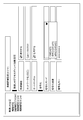
- FIG. 5 an example of the communication parameter setting screen displayed by the communication device 102 of the present embodiment is shown.
- the display method six patterns of the first to sixth display methods have been described.
- FIG. 5 and 6 show an example of a graphical user interface (GUI, Graphical User Interface) displayed as a setting screen by the communication device 102 in the first display method.
- GUI Graphical User Interface
- the item for setting the frequency band and the item for setting the authentication method and the encryption method are displayed on the same screen.
- FIG. 5 shows an example of the display of the setting screen when the 2.4 GHz band is selected as the frequency band to be used.
- FIG. 6 shows an example of the display of the setting screen when the 6 GHz band is selected as the frequency band to be used.
- the network name of the network constructed by the communication device 102, the wireless operation mode, and the use / non-use of the auto channel are displayed as items that can be set as communication parameters.
- the encryption method, the encryption strength, and the encryption key are displayed as items that can be set as communication parameters.
- the network name is an item for setting the SSID.
- the SSID is originally an identifier for identifying the communication device 102, but in the case of FIGS. 5 and 6, it is also used as a network name of the network constructed by the communication device 102.
- the wireless operation mode is an item for setting the frequency band of the network constructed by the communication device 102.
- the 2.4 GHz band is expressed as 802.11 n + g + b
- the 5 GHz band is expressed as 802.11 ac + n + g + a as an expression indicating the frequency band.
- the 6 GHz band is represented as 802.11ax, but the present invention is not limited to this. For example, symbols such as "/”, “ ⁇ ", and “” or blanks may be used instead of "+”. Alternatively, they may be simply expressed as 2.4 GHz band, 5 GHz band, and 6 GHz band, respectively.
- the 2.4 GHz band may be represented as Wi-Fi 4
- the 5 GHz band may be represented as Wi-Fi 5 + 4
- the 6 GHz band may be represented as Wi-Fi 6.
- Wi-Fi 6 is the name of an authentication program for interconnection of communication devices conforming to the IEEE802.11ax standard by Wi-Fi Alliance.
- Wi-Fi 4 and Wi-Fi 5 are the names of the certification programs of the IEEE802.11n standard and the IEEE802.11ac standard, respectively.
- there is an item for setting the frequency band on the setting screen but instead of this, there may be an item for setting the frequency channel. In this case, the user selects the frequency channel to be set from each of the 2.4 GHz band, 5 GHz band, and 6 GHz band frequency channels.
- the communication device 102 makes a determination based on the content set in the wireless setting mode in the determination of S402 in FIG. When the content corresponding to the 6 GHz band is selected in the wireless setting mode, the communication device 102 determines Yes in S402.
- Whether or not to use the auto channel is a setting item for setting whether or not the communication device 102 automatically selects the frequency channel to be used in the set frequency band.
- a setting item for setting a frequency channel may be displayed in place of or in addition to this item.
- Encryption is a setting item that sets the encryption method and authentication method.
- the encryption method and the authentication method are collectively set by one setting item.
- Open, OWE AES
- WPA2-PSK TKIP / AES
- WPA2-PSK AES
- WPA / WPA2-PSK TKIP / AES
- WPA2-EAP AES
- WPA2-PSK / WPA3-SAE AES
- WPA3-SAE AES
- WPA3-EAP AES
- WPA2 / WPA3-EAP AES
- OWE indicates an Open that uses OWE as a key sharing method. This option may be expressed as Open (AES) instead of OWE (AES).
- TKIP / AES indicates that TKIP may be used as the encryption method or AES may be used.
- WPA / WPA2-PSK indicates that WPA-PSK may be used or WPA2-PSK may be used as the authentication method.
- WPA2-PSK / WPA3-SAE indicates that WPA-PSK or WPA3-SAE may be used as the authentication method.
- PSK is an abbreviation for Pre-Shared Key and indicates an authentication method that uses a key sharing method using a pre-shared key.
- EAP is an abbreviation for Extensible Authentication Protocol, and is an authentication method using an authentication server corresponding to the IEEE 802.1X standard. It may be expressed as Enterprise instead of EAP. Note that PSK does not require such an authentication server. Further, it may be expressed as Personal instead of SAE.
- WPA or WPA2 may be used as the authentication method as in WPA / WPA2-PSK, it may be described as MIX or WPA2 MIX.
- WPA2 or WPA3 may be used as the authentication method, it may be described as MIX or WPA3 MIX.
- Encryption strength is an item for setting the key length of the key used for encryption.
- the key length can be selected from 128 bits, 192 bits, and 256 bits. The larger the number of bits in the key length, the higher the security. If the key length is determined by default, this item does not have to be displayed on the setting screen.
- the encryption key is an item for setting a pre-shared key when WPA or WPA2 is selected as the authentication method.
- WPA3 When WPA3 is selected as the authentication method, it also serves as an item for setting the WPA3 password.
- the user can enter any character string or a combination of letters and numbers.
- WPA or WPA2 When WPA or WPA2 is set as the authentication method, the communication device 103, which is an STA, cannot participate in the network constructed by the communication device 102 unless it knows the pre-shared key set in the communication device 102. Similarly, even when WPA3 is set as the authentication method, the communication device 103 cannot participate in the network constructed by the communication device 102 unless it knows the password of WPA3 set in the communication device 102.
- the pre-shared key or WPA3 password may be shared between the communication devices 102 and 103 by being manually entered into the communication device 103 by the user, or may be shared by wireless communication such as NFC or Bluetooth. ..
- the communication device 102 Since the communication device 102 supports both authentication methods and encryption methods for communication in the 2.4 GHz band and 5 GHz band, as shown in FIG. 5, all the encryption methods and authentication methods are used. The combination is displayed as an option for this item. On the other hand, since the communication device 102 supports only some authentication methods and encryption methods for communication in the 6 GHz band, as shown in FIG. 6, among the combinations of the encryption methods and the authentication methods. , Only a part is displayed as an option of this item. Specifically, only the options indicating the combination of the WPA3 and OWE method Open supported as the 6 GHz band authentication method and the AES supported as the 6 GHz band encryption method are displayed. In S407 of FIG. 4, the communication device 102 is switched from the display as shown in FIG. 5 to the display as shown in FIG.
- FIG. 6 is a diagram showing an example of a communication parameter setting screen when the 6 GHz band is selected as the frequency band to be used in the first display method.
- the communication device 102 supports WPA3 as an authentication method and Open that uses OWE as a key sharing method in 6 GHz band communication, and supports AES as an encryption method. Therefore, a combination of these is supported. Is displayed as an encryption option. Specifically, only OWE (AES), WPA3-SAE (AES), and WPA3-EAP (AES) are displayed. When switching from the screen of FIG. 5 to the screen of FIG. 6, when the value set in the encryption key is not used as the password of WPA3 (when it is determined as No in S408 of FIG. 4), this item is displayed. Leave blank.
- the user can select the authentication method available in the selected frequency band. Easy to recognize. Further, by displaying only the authentication methods supported in the communication of the selected frequency band, it is possible to prevent the communication from being disabled due to the user mistakenly selecting an authentication method that cannot be used. This allows the user to easily select the authentication method supported in the selected frequency band.
- the authentication method and the encryption method are combined into one setting item, but the present invention is not limited to this, and each may be displayed as a separate setting item.
- "encryption" is used as the name of the setting item that summarizes the authentication method and the encryption method, but the present invention is not limited to this, and the authentication method, the security method, the encryption mode, and the like. Other names such as may be used.
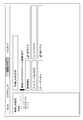
- FIG. 7 and 8 show an example of a graphical user interface that the communication device 102 displays as a setting screen in the second display method.
- different setting screens are displayed for each frequency band.
- FIG. 7 shows an example of the display of the communication parameter setting screen in the 2.4 GHz band.
- FIG. 8 shows an example of the display of the communication parameter setting screen in the 6 GHz band. 7 and 8 are displayed by the user selecting "detailed wireless setting (2.4 GHz)" or “detailed wireless setting (6 GHz)" from the menu on the left side of the figure, respectively.
- the communication device 102 determines Yes in S402 of FIG. 4 according to the selection of "detailed wireless setting (6 GHz)" and the setting to use the wireless function. Further, in S407 of FIG.
- the communication device 102 switches the display from the setting screen as shown in FIG. 7 to the setting screen as shown in FIG.
- the communication device 102 may display the setting screen as shown in FIG. 7 in the same manner as when “Detailed wireless setting (2.4 GHz)” is selected. Good.
- the presence / absence of the wireless function of the communication device 102, the network name of the network to be constructed, and the presence / absence of the auto channel can be set as communication parameters.
- the encryption mode, the encryption strength, and the encryption key are displayed as items that can be set as communication parameters.
- Whether or not to use the wireless function is an item for setting whether or not to use the wireless function in the selected frequency band. For example, when the wireless function is set to be used on the setting screen in which the 2.4 GHz band is selected and displayed in the menu on the left side, the 2.4 GHz band is selected as the frequency band used by the communication device 102.
- the communication device 102 determines Yes in S402 according to the setting to use the wireless function on the displayed setting screen in which the 6 GHz band is selected in the menu on the left side. Note that the communication device 102 may be automatically set not to be used for wireless functions in other frequency bands, depending on the user's setting to use the wireless function for a certain frequency band.
- the network name and whether or not the auto channel is used are the same as in FIGS. 5 and 6.
- the encryption mode is a setting item in which the authentication method and the encryption method can be set together, and is the same as the setting item of "encryption" shown in FIG.
- the communication device 102 displays all supported authentication and encryption combinations, as in FIG.
- the communication device 102 has the authentication method and the encryption method supported in the communication in the 6 GHz band as in FIG. Show only combinations.
- the encryption strength and encryption key are the same as in FIGS. 5 and 6.
- the contents of the corresponding setting items of the setting screen of FIG. 8 are set according to the contents set in the setting items of the setting screen of FIG. 7. May be determined.
- WPA2-PSK is selected as the encryption mode of FIG. 7
- WPA3-SAE is displayed as the default value as the encryption mode. You may.
- WPA2-EAP is selected as the encryption mode of FIG. 7
- the communication device 102 displays WPA3-EAP as the default value as the encryption mode when switching to the setting screen of FIG. May be good.
- the communication device 102 may display WPA3-EAP as the default value of the encryption mode regardless of the setting contents in the encryption mode of FIG. 7.
- the communication device 102 switches between the authentication method and the encryption method that can be set according to which frequency band the user sets the communication parameter. As a result, the user can easily select the authentication method and the encryption method supported in the set frequency band.
- the communication device 102 may prepare a setting screen corresponding to each frequency band as a tab, or may prepare another screen displayed by selecting a link according to the frequency band. ..
- the setting screen may be provided with a free entry field that the user can freely enter, and the screen of FIG. 8 may be displayed in response to the user entering "6 GHz" in the free entry field.
- 9 to 12 show an example of a graphical user interface that the communication device 102 displays as a setting screen in the third display method.
- the third display method different setting screens are displayed for each frequency band, and the authentication method and the encryption method are displayed as separate setting items.
- 9 and 10 show an example of displaying the communication parameter setting screen in the 2.4 GHz band
- FIG. 9 shows an example of displaying the authentication method option
- FIG. 10 shows an example of displaying the encryption method option.
- It was. 11 and 12 show an example of displaying the communication parameter setting screen in the 6 GHz band
- FIG. 11 shows an example of displaying the authentication method option
- FIG. 12 shows an example of displaying the encryption method option. Indicated.
- the communication device 102 determines Yes in S402 of FIG. 4 according to the selection of "basic (6 GHz)" and the setting to use the wireless function. Further, in S407 of FIG. 4, the communication device 102 switches the display from the setting screen as shown in FIGS. 9 and 10 to the setting screen as shown in FIGS. 11 and 12. When “basic (5 GHz)” is selected, the communication device 102 may display the setting screens as shown in FIGS. 9 and 10 in the same manner as when “basic (2.4 GHz)” is selected. ..
- the presence / absence of the wireless function of the communication device 102, the wireless channel, the double speed mode band, the SSID, the wireless authentication, and the wireless encryption are displayed.
- the encryption key is displayed as an item that can be set as a communication parameter.
- the wireless channel is a setting item for setting the frequency channel used for communication in the selected frequency band.
- the communication device 102 selects a frequency channel that is relatively uncrowded as the frequency channel to be used, based on the number of received Request Requests. The user can also specify a specific frequency channel.
- the frequency channel corresponding to the selected frequency band is displayed as a selectable option.
- the double speed mode is an item for setting the bandwidth used for communication in the selected frequency band.
- the user can select any of 20 MHz, 40 MHz, 80 MHz, 160 MHz, and 320 MHz as the bandwidth to be used.
- an option indicating that the double speed mode is not used may be included as an option.
- the SSID is a setting item similar to the network name shown in FIGS. 5 and 6.
- Wireless authentication is an item for setting the authentication method of the network constructed by the communication device 102.
- the wireless encryption is an item for setting the encryption method of the network constructed by the communication device 102.
- the authentication method and the encryption method are collectively set by one setting item, but in the third display method, they are set by different setting items.
- the communication device 102 displays all the supported authentication methods as options.
- the communication device 102 displays all the supported encryption methods as options as shown in FIG. Specifically, TKIP, AES, and TKIP / AES are displayed as encryption method options. In addition, TKIP / AES may be expressed as MIX.
- the communication device 102 displays only the authentication method supported in the communication of the 6 GHz band. Specifically, OWE, WPA3-SAE, and WPA3-EAP are displayed as authentication method options.
- the communication device 102 sets the communication parameters in the 6 GHz band, as shown in FIG. 12, only the encryption method supported in the communication in the 6 GHz band is displayed. Specifically, AES is displayed as an encryption method option.
- the communication device 102 supports only AES as the encryption method of the 6 GHz band, even if the setting item of the encryption method of the 6 GHz band is fixedly set to AES. Good.
- the encryption key is the same as in FIGS. 5 and 6.
- the communication device 102 switches each display according to the selected frequency band, so that the user can use the user. You can easily select the appropriate authentication method and encryption method.
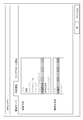
- FIG. 13 and 14 show an example of a graphical user interface that the communication device 102 displays as a setting screen in the fourth display method.
- the frequency band to be used is set by a setting screen in which the authentication method and the encryption method to be used are different.
- FIG. 13 shows an example of the display of the setting screen for setting the frequency band to be used.
- FIG. 14 shows an example of the display of the setting screen for setting the authentication method and the encryption method to be used.
- FIG. 13 is displayed when "WILERESS" is selected by the user from the menu at the top of the figure.
- FIG. 14 is displayed when "SECURITY" is selected by the user from the menu at the upper part in the drawing.
- the communication device 102 On the display screen in which "WILERESS” is selected, "802.11ax (6 GHz)” is further selected from the menu on the left side of the figure, and "Use” is selected for the wireless function. Therefore, it is determined as Yes in S402 of FIG. Further, the communication device 102 switches the setting screen displayed when "SECURITY" is selected by the user in S407 of FIG. 4 to the setting screen as shown in FIG.
- FIG. 13 shows an example of the setting screen displayed when "WILERESS" is selected in the upper menu.
- a menu for transitioning to the setting screen corresponding to each frequency band is displayed on the left side of the setting screen.
- Each frequency band is displayed as "802.11a / n / ac (5GHz)", “802.11b / g / n (2.4GHz)", and "802.11ax (6GHz)", respectively. It should be noted that it may be simply displayed as 5 GHz, 2.4 GHz, and 6 GHz.
- a setting screen for setting the presence / absence of the wireless function, the network name, and the presence / absence of the auto channel as communication parameters as shown in FIG. 13 is displayed. Is displayed. In this case, for example, in the case of the setting screen in which the 2.4 GHz band is selected from the menu on the left side and displayed, it is possible to set whether or not to use the 2.4 GHz band wireless function.
- Whether or not to use the wireless function is an item for setting whether or not to use the wireless function in the selected frequency band. For example, when the wireless function is set to be used on the setting screen in which the 2.4 GHz band is selected and displayed in the menu on the left side, the 2.4 GHz band is selected as the frequency band used by the communication device 102.
- the communication device 102 determines Yes in S402 according to the setting to use the wireless function on the displayed setting screen in which the 6 GHz band is selected in the menu on the left side. Note that the communication device 102 may be automatically set not to be used for wireless functions in other frequency bands, depending on the user's setting to use the wireless function for a certain frequency band.
- the network name and whether or not the auto channel is used are the same as in FIGS. 5 and 6.
- FIG. 14 shows an example of a setting screen displayed when "SECURITY" is selected in the upper menu.
- the encryption of the communication device 102, the encryption strength, and the encryption key are displayed as items that can be set as communication parameters.
- the encryption is an item for collectively setting the authentication method and the encryption method used by the communication device 102 for communication, as in FIGS. 5 and 6.
- the authentication method and encryption supported in the 6 GHz band are set in the setting screen shown in FIG. Only the combination with the conversion method is displayed.
- the encryption setting items include all supported authentication methods and combinations of encryption methods, as in FIG. Displayed as a choice.
- the setting screen shown in FIG. 14 is displayed.
- the display of the setting screen for setting the authentication method can be switched according to the set frequency band.
- the user will be able to easily set an appropriate authentication method.
- the display of the encryption method according to the set frequency band the user can easily set an appropriate encryption method.
- the combination of the authentication method and the encryption method is set using a common setting screen for all frequency bands, but the present invention is not limited to this.
- the communication device 102 may be able to set each authentication method and encryption method by setting screens different for each frequency band. Specifically, the communication device 102 has a 2.4 GHz band authentication method and encryption method setting screen, a 5 GHz band authentication method and encryption method setting screen, and a 6 GHz band authentication method and encryption.
- the conversion method setting screen may be displayed separately.
- the frequency band and the authentication method are set on different setting screens, but the present invention is not limited to this.
- the setting items for setting the authentication method and the encryption method may be displayed on the setting screen following each item displayed on the frequency band setting screen.
- each item shown in FIG. 14 may be displayed in the form of a folding menu that is expanded and displayed when a link is selected.
- a link called "detailed setting” may be displayed following the setting item shown in FIG.
- Each item shown in FIG. 14 is expanded and displayed in response to the user selecting the "detailed settings" link.
- a link to the setting screen of FIG. 14 may be provided at the bottom of the setting item shown in FIG.
- the user can easily transition to the authentication method and encryption method setting screen after setting the frequency band. become.
- FIG. 15 to 16 show an example of a graphical user interface that the communication device 102 displays as a setting screen in the fifth display method.
- the authentication method and the encryption method are set by a setting screen different from the frequency band setting screen.
- the authentication method and the encryption method are set by separate setting items.
- FIG. 15 shows an example of the display of the setting screen for setting the frequency band to be used.
- FIG. 16 shows an example of the display of the setting screen for setting the authentication method and the encryption method when the 2.4 GHz band or the 5 GHz band is selected as the frequency band to be used.
- FIG. 17 shows an example of the display of the setting screen for setting the authentication method and the encryption method when the 6 GHz band is selected as the frequency band to be used.
- FIG. 15 shows an example of a setting screen displayed when a user is instructed to display a setting screen for setting a frequency band or a frequency channel.
- the band used by the communication device 102 and the frequency are displayed as items that can be set as communication parameters.
- 2.4 GHz band priority (excluding 5 GHz band), 2.4 GHz band priority (excluding 6 GHz band), 5 GHz band priority (excluding 2.4 GHz band), and 5 GHz band priority (excluding 6 GHz band) Displayed as a choice.
- the options for 2.4 GHz band only, 5 GHz band only, and 6 GHz band only are options indicating the use of only the specified frequency band, and when these options are selected, the other frequency bands are not used.
- the options of 2.4 GHz band priority, 5 GHz band priority, and 6 GHz band priority give priority to the use of the specified frequency band, but if the specified frequency band is not suitable for use due to congestion etc., another frequency band is selected. It is an option that can be used. If 2.4 GHz band priority and 5 GHz band priority are selected and the set authentication method and encryption method are not supported for 6 GHz band communication, the 6 GHz band is used. do not.
- the communication device 102 may display only those supported in the 6 GHz band as options for the authentication method and the encryption method. .. In this case, the communication device 102 may use the 6 GHz band even when the 2.4 GHz band priority and the 5 GHz band priority are selected.
- Dual-band and Triple-band are options that can establish and maintain networks in each of the specified frequency bands. For example, when Dual-band (2.4 GHz band, 5 GHz band) is selected, the communication device 102 establishes a network in both the 2.4 GHz band and the 5 GHz band, respectively. In this case, the communication device 102 simultaneously maintains two networks that differ in frequency band.
- the communication device 102 When Triple-band is selected, the communication device 102 maintains three networks with different frequency bands at the same time. Options such as 2.4 GHz band priority (excluding 5 GHz band) that prioritize a specific frequency band and exclude another frequency band give priority to the use of a specific frequency band, but do not use the frequency band specified for exclusion. It is an option to do so. In this case, the communication device 102 does not use the frequency band designated to be excluded regardless of the set authentication method or encryption method.
- Options such as 2.4 GHz band priority (excluding 5 GHz band) that prioritize a specific frequency band and exclude another frequency band give priority to the use of a specific frequency band, but do not use the frequency band specified for exclusion. It is an option to do so. In this case, the communication device 102 does not use the frequency band designated to be excluded regardless of the set authentication method or encryption method.
- the frequency to be used is a setting item for setting the frequency channel or type to be used in the specified frequency band.
- the type is a general term for a plurality of frequency channels, and can be selected from three types of W52 (36ch to 48ch), W53 (52ch to 62ch), and W56 (100ch to 140ch) in the 5 GHz band.
- the user can select one or more frequency channels or types.
- a plurality of frequency bands can be used. When selected, the frequency channel or type to be used can be specified for each frequency band.
- the frequency band and the frequency channel used by the communication device 102 for communication are set.
- the setting screen as shown in FIG. 16 is used as the setting screen for selecting at least one of the authentication method and the encryption method. Is displayed.
- setting items for setting the authentication method and the encryption method are displayed separately.
- the communication device 102 selectively displays all the authentication methods supported by the communication device 102 as the authentication method options. Specifically, the same options as in FIG. 9 are displayed.
- the communication device 102 can selectably display all the encryption methods supported by the communication device 102 as options for the encryption method. Specifically, the same options as in FIG. 10 are displayed.
- the setting as shown in FIG. 17 is set as a setting screen for selecting at least one of the authentication method and the encryption method.
- the screen is displayed.
- the setting items for setting the authentication method and the encryption method are displayed separately.
- the communication device 102 selectively displays the authentication method supported by the communication device 102 in the communication of the 6 GHz band as an option of the authentication method. Specifically, the same options as in FIG. 11 are displayed as selectable, and the other options are grayed out so that they cannot be selected.
- the communication device 102 can selectably display the encryption method supported by the communication device 102 in the communication of the 6 GHz band as an option of the encryption method. Specifically, the same options as in FIG. 10 are displayed as selectable, and the other options are grayed out so that they cannot be selected. Note that, in FIG. 17, the communication device 102 may not display the non-selectable options and may display only the selectable options.
- the user can easily switch the authentication method and the encryption method to be displayed in a selectable manner depending on whether or not the option selected as the frequency band to be used includes the 6 GHz band.
- the appropriate authentication method and encryption method can be selected.
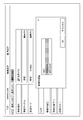
- FIG. 18 and 19 show an example of a graphical user interface that the communication device 102 displays as a setting screen in the sixth display method.
- the display of the authentication method and the encryption method is switched according to the frequency band selected.
- communication parameters can be set for each frequency band.
- FIG. 18 shows an example of the display of the setting screen for setting the communication parameters for the communication in the 6 GHz band, which is displayed when "Basic (6 GHz)" is selected from the upper tab menu.
- FIG. 19 shows an example of the display of the pop-up menu displayed when the authentication method is set in FIG.
- the communication device 102 determines Yes in S402 of FIG. 4 according to the fact that "basic (6 GHz)" is selected from the upper tab menu and the wireless function is set to be used.
- FIG. 18 shows an example of the display of the setting screen for setting the communication parameters for the communication in the 6 GHz band.
- the presence / absence of the wireless function of the communication device 102, the wireless channel, the band of the double speed mode, the SSID, the wireless authentication, the wireless encryption, and the encryption are displayed.
- the key is displayed as an item that can be set as a communication parameter.
- Each setting item has a link to "edit", and when the link is selected by the user, the corresponding item can be edited. Specifically, it becomes possible to input to the corresponding item, and the options of the corresponding item are displayed. In the present embodiment, the input fields and options are displayed as pop-up menus, but the present invention is not limited to this. You may enter directly into each item displayed in FIG. 18, or you may display a pull-down menu. In addition, instead of the link, the editing may be possible in response to the reception of the voice input instructing the user to edit the corresponding item.
- the wireless channel and double speed mode are the same as those in FIGS. 9 to 12.
- the SSID is the same as the network name shown in FIGS. 5 and 6.
- Wireless authentication is a setting item for setting the authentication method used by the communication device 102.
- the authentication method supported by the communication device 102 in the communication of the 6 GHz band is displayed as an option. Specifically, the same options as in FIG. 11 are displayed.
- the 2.4 GHz band or the 5 GHz band is selected as the frequency band to be used, all the authentication methods supported by the communication device 102 are displayed as options. Specifically, the same options as in FIG. Is displayed.
- Wireless encryption is a setting item for selecting the encryption method used by the communication device 102.
- the encryption method supported by the communication device 102 in the communication of the 6 GHz band is displayed as an option. Specifically, the same options as in FIG. 12 are displayed.
- the encryption method supported by the communication device 102 in the 6 GHz band communication is only AES. Therefore, in this case, AES may be set as a fixed value in this item.
- the 2.4 GHz band or the 5 GHz band is selected as the frequency band to be used, all the encryption methods supported by the communication device 102 are displayed as options, specifically, the same as in FIG. Choices are displayed.
- the encryption key is the same as in FIGS. 5 and 6.
- the communication device 102 switches the pop-up menu options displayed when the user instructs to edit the authentication method and the encryption method, for example, as shown in FIG. As a result, the user can select an appropriate authentication method and encryption method according to the frequency band used.
- the user can easily perform an appropriate authentication method by switching the display as the authentication method or the selectable display options according to the frequency band to be used. Can be set.
- the user can easily set an appropriate encryption method by displaying as an encryption method or switching the display option depending on the frequency band used. be able to.
- the setting screens shown as the first to sixth display methods items for setting other communication parameters may be added on the setting screen.
- one of the setting items may not be displayed.
- at least one setting item included in the setting screen of any of the first to sixth display methods may be included in the setting screen of the other display method.
- the communication device 102 switches the display of at least one of the authentication method and the encryption method to only the one that supports it according to the frequency band selected when it is used, but the present invention is not limited to this.
- the communication device 102 may be controlled so as to limit the combination of a specific frequency band and a specific authentication method or a specific encryption method. Specifically, when used, an authentication method or an encryption method that is not supported in the selected frequency band may be selected and restricted from being set as a communication parameter. For example, the communication device 102 may display all options for at least one of the authentication method and the encryption method regardless of which frequency band is selected. In this case, the communication device 102 notifies the user of an error when an authentication method or an encryption method that is not supported in the frequency band selected for use is selected.
- the communication device 102 may notify the user of an error when the completion of the setting is instructed in a state where an authentication method or an encryption method that is not supported in the frequency band selected for use is selected. ..
- the error notification to the user is specifically to display a screen indicating the error on the display unit (notification unit) of the communication device 102.
- the communication device 102 may notify the user by reproducing an error sound indicating an error and outputting it from the speaker (notification unit). In this case, the communication device 102 may notify the user that there is no problem in the setting when at least one of the authentication method or the encryption method supported in the frequency band selected for use is selected. ..
- the communication device 102 displays a screen indicating that there is no problem in the setting on the display unit (notification unit).
- the communication device 102 may reproduce a sound indicating that there is no problem in the setting and output the sound from the output unit (notification unit) to notify the user.
- the communication device 102 notifies the user of the completion of the setting when the completion of the setting is instructed while at least one of the authentication method or the encryption method supported in the frequency band selected for use is selected. You may.
- the communication device 102 displays a screen indicating the completion of setting on the display unit (notification unit).
- the communication device 102 may reproduce the sound indicating the completion of the setting and output the sound from the output unit (notification unit) to notify the user.
- the communication device 102 may switch the frequency band to be selectably displayed according to at least one of the authentication method or the encryption method selected to be used. Specifically, when the WPA3 or OWE method Open is selected as the authentication method, the communication device 102 displays the 6 GHz band as the frequency band so as to be selectable. In this case, the communication device 102 may display the 5 GHz band and the 2.4 GHz band as frequency bands so as to be selectable. On the other hand, when the WPA, WPA2, or Open, which is not the OWE method, is selected as the authentication method, the communication device 102 selectively displays the 5 GHz band and the 2.4 GHz band as the frequency band.
- the communication device 102 does not display the 6 GHz band, or displays it, but displays it by graying out or the like so that it cannot be selected.
- the communication device 102 selectively displays the 6 GHz band as the frequency band.
- the communication device 102 may display the 5 GHz band and the 2.4 GHz band as frequency bands so as to be selectable.
- the 5 GHz band and the 2.4 GHz band are selectively displayed as the frequency band, and the 6 GHz band is not displayed or is displayed but is grayed out and displayed. It is displayed so that it cannot be selected.
- At least a part of the authentication methods that can be used is different between the case of communicating using the 2.4 GHz band or the 5 GHz band as the frequency band and the case of communicating using the 6 GHz band.
- at least one of the authentication method or the encryption method supported for each of the 2.4 GHz band, 5 GHz band, and 6 GHz band may be different.
- the communication device 102 may display only one of the authentication method and the encryption method supported by each on the communication parameter setting screen, depending on which frequency band is selected. Good.
- the communication devices 102 and 103 can communicate in another frequency band in addition to or instead of the 2.4 GHz band, 5 GHz band, and 6 GHz band, the same screen display may be performed.
- the authentication method supported in the communication in the other frequency band is selected. It may be displayed on the setting screen.
- the encryption method if the supported encryption method is different from the 2.4 GHz band, 5 GHz band, and 6 GHz band, only the encrypted method supported in the communication in the other frequency band is displayed on the setting screen. You may do so.
- the communication device 102 is said to support all the authentication methods of Open, WPA, WPA2, and WPA3 in the communication of the 2.4 GHz band and the 5 GHz band, but the present invention is not limited to this.
- the communication device 102 may not support at least one of these authentication methods in communication in the 2.4 GHz band and the 5 GHz band.
- the unsupported authentication method is a selectable option on the setting screen when the 2.4 GHz band and the 5 GHz band are selected. It may not be displayed.
- the setting screen shown in FIGS. 5 or 7 does not display the options including WPA3, or the option including WPA3 is not displayed. It may not be displayed as selectable.
- the communication device 102 supports TKIP and AES as encryption methods in communication in the 2.4 GHz band and the 5 GHz band, but the present invention is not limited to this.
- the communication device 102 does not have to support AES in communication in the 2.4 GHz band and the 5 GHz band.
- the unsupported encryption method can be selected on the setting screen when the 2.4 GHz band and the 5 GHz band are selected. It may not be displayed as.
- the communication device 102 is supposed to perform communication conforming to the IEEE802.11ax standard in the communication of the 2.4 GHz band, the 5 GHz band, and the 6 GHz band, but the present invention is not limited to this.
- the communication device 102 may perform communication conforming to the IEEE 802.11 series standard, which differs depending on the frequency band.
- the communication device 102 may perform communication conforming to the IEEE802.11ax standard as communication in the 6 GHz band, and perform communication conforming to the IEEE802.11b standard as communication in the 2.4 GHz band.
- the communication conforming to the IEEE802.11g standard or the IEEE802.11n standard may be performed instead of the communication conforming to the IEEE802.11b standard.
- the communication device 102 may perform communication conforming to the IEEE802.11a standard, the IEEE802.11n standard, or the IEEE802.11ac standard as the communication in the 5 GHz band.
- the communication device 102 may perform communication conforming to the same communication standard as communication in any two frequency bands.
- the communication parameter of the communication device 102 is set via the setting screen, but the present invention is not limited to this, and the communication parameter may be set via the system console.
- the setting may be made via the display unit of the communication device 102 or the system console displayed on the display unit of another communication device connected via wired communication or wireless communication.
- a command is a string containing numbers and letters. By inputting a command to specify the 6 GHz band as the frequency band used by the user, the frequency band to be used is set to 6 GHz.
- the command at this time is, for example, a character string such as "set band ax6".
- the system console returns a response indicating that the setting is not possible. For example, when the user inputs "set wpa_key_mgmt WPA-PSK" which is a command to specify WPA-PSK as the authentication method, the system console outputs "NG”.
- the system console returns "OK" indicating that the setting is possible as a response.
- the encryption method is, for example, a character string such as "set band ax6”.
- the system console When the user inputs a command that specifies an encryption method that is not supported in the 6 GHz band, the system console outputs a non-configurable response. When the user inputs a command that specifies an encryption method supported in the 6 GHz band, the system console outputs a response indicating that the encryption method can be set. Note that the frequency band may not be specified first, but the authentication method or encryption method may be specified first by the user. If an authentication method or encryption method that is not supported in the 6 GHz band is specified by the user and a command that specifies the 6 GHz band is entered as the frequency band to be used, the system console outputs a response indicating that the setting is not possible. ..
- the system console responds indicating that it can be set. Output.
- the operation of the communication device 102 as an AP is not started. You may do it.
- the command to start the operation as an AP is, for example, "AP enable".
- the cause may be notified to the user.
- the flowchart of the communication device 102 shown in FIG. 4 may be realized by hardware.
- a dedicated circuit may be generated on the FPGA from a computer program for realizing each step, and this may be used.
- FPGA is an abbreviation for Field Programmable Gate Array.
- a Gate Array circuit may be formed in the same manner as the FPGA and realized as hardware. Further, it may be realized by ASIC (Application Specific Integrated Circuit).
- the present invention supplies a program that realizes one or more functions of the above-described embodiment to a system or device via a network or storage medium, and one or more processors in the computer of the system or device reads and executes the program. It can also be realized by the processing to be performed. It can also be realized by a circuit (for example, ASIC) that realizes one or more functions.
Landscapes
- Engineering & Computer Science (AREA)
- Computer Networks & Wireless Communication (AREA)
- Signal Processing (AREA)
- Computer Security & Cryptography (AREA)
- General Engineering & Computer Science (AREA)
- Theoretical Computer Science (AREA)
- Human Computer Interaction (AREA)
- Physics & Mathematics (AREA)
- General Physics & Mathematics (AREA)
- Mobile Radio Communication Systems (AREA)
Abstract
Description
Claims (37)
- 通信装置であって、
IEEE802.11シリーズ規格に準拠した無線通信を実行する場合に使用する周波数帯を選択する第1の選択手段と、
IEEE802.11シリーズ規格に準拠した無線通信を実行する場合に使用する認証方式を選択する第2の選択手段と、
前記第1の選択手段による所定の周波数帯の選択と、前記第2の選択手段による所定の認証方式の選択との組み合わせを制限するように、ユーザに通知を行う通知部を制御する制御手段と、
を有することを特徴とする通信装置。 - 前記制御手段は、前記第1の選択手段によって前記所定の周波数帯が選択された場合、前記通知部である表示部において前記所定の認証方式を選択可能に表示せず、前記所定の認証方式と異なる別の認証方式を選択可能に表示するように制御し、
前記第1の選択手段によって前記所定の周波数帯と異なる周波数帯が選択された場合、前記表示部において前記所定の認証方式を選択可能に表示するように制御することを特徴とする請求項1に記載の通信装置。 - 前記制御手段は、前記第1の選択手段によって前記所定の周波数帯と異なる周波数帯が選択された場合であっても、前記表示部において前記別の認証方式を選択可能に表示するように制御することを特徴とする請求項2に記載の通信装置。
- 前記制御手段は、前記第1の選択手段によって前記所定の周波数帯が選択された場合、前記表示部において前記所定の認証方式をグレーアウトして表示するように制御することを特徴とする請求項2または3に記載の通信装置。
- 前記制御手段は、前記第1の選択手段によって前記所定の周波数帯が選択された場合、前記表示部において前記所定の認証方式を表示しないように制御することを特徴とする請求項2または3に記載の通信装置。
- 前記制御手段は、前記第1の選択手段によって前記所定の周波数帯が選択された場合、前記表示部において所定の暗号化方式を選択可能に表示せず、前記所定の暗号化方式と異なる別の暗号化方式を選択可能に表示するように制御し、
前記第1の選択手段によって前記所定の周波数帯と異なる周波数帯が選択された場合、前記表示部において前記所定の暗号化方式を選択可能に表示するように制御することを特徴とする請求項2から5の何れか1項に記載の通信装置。 - 前記制御手段は、前記第1の選択手段によって前記所定の周波数帯と異なる周波数帯が選択された場合であっても、前記表示部において前記別の暗号化方式を選択可能に表示するように制御することを特徴とする請求項6に記載の通信装置。
- 前記別の暗号化方式は、AES(Advanced Encryption Standard)であることを特徴とする請求項6または7に記載の通信装置。
- 前記所定の暗号化方式は、TKIP(Temporal Key IntegrityProtocol)であることを特徴とする請求項6から8の何れか1項に記載の通信装置。
- 前記制御手段は、前記第1の選択手段によって前記所定の周波数帯が選択された場合、前記表示部において前記所定の暗号化方式をグレーアウトして表示するように制御することを特徴とする請求項6から9の何れか1項に記載の通信装置。
- 前記制御手段は、前記選択手段によって前記所定の周波数帯が選択された場合、前記表示部において前記所定の暗号化方式を表示しないように制御することを特徴とする請求項6から9の何れか1項に記載の通信装置。
- 前記制御手段は、前記第2の選択手段によって前記所定の認証方式が選択された場合、前記通知部である表示部において前記所定の周波数帯を選択可能に表示せず、前記所定の周波数帯と異なる周波数帯を選択可能に表示するように制御し、
前記第2の選択手段によって前記所定の認証方式と異なる別の認証方式が選択された場合、前記表示部において前記所定の周波数帯を選択可能に表示するように制御することを特徴とする請求項1に記載の通信装置。 - 前記制御手段は、前記第2の選択手段によって前記別の認証方式が選択された場合であっても、前記表示部において前記所定の周波数帯と異なる周波数帯を選択可能に表示するように制御することを特徴とする請求項12に記載の通信装置。
- 前記制御手段は、前記第2の選択手段によって前記所定の認証方式が選択された場合、前記表示部において前記所定の周波数帯をグレーアウトして表示するように制御することを特徴とする請求項12または13に記載の通信装置。
- 前記制御手段は、前記第2の選択手段によって前記所定の認証方式が選択された場合、前記表示部において前記所定の周波数帯を表示しないように制御することを特徴とする請求項12または13に記載の通信装置。
- IEEE802.11シリーズ規格に準拠した無線通信を実行する場合に使用する暗号化方式を選択する第3の選択手段をさらに有し、
前記制御手段は、前記第3の選択手段によって所定の暗号化方式が選択された場合、表示部において所定の周波数帯を選択可能に表示せず、前記所定の周波数帯と異なる周波数帯を選択可能に表示するように制御し、
前記第3の選択手段によって前記所定の暗号化方式と異なる別の暗号化方式が選択された場合、前記表示部において前記所定の周波数帯を選択可能に表示するように制御することを特徴とする請求項12から15の何れか1項に記載の通信装置。 - 前記制御手段は、前記第3の選択手段によって前記別の暗号化方式が選択された場合であっても、前記表示部において前記所定の周波数帯と異なる周波数帯を選択可能に表示するように制御することを特徴とする請求項16に記載の通信装置。
- 前記別の暗号化方式は、AES(Advanced Encryption Standard)であることを特徴とする請求項16または17に記載の通信装置。
- 前記所定の暗号化方式は、TKIP(Temporal Key IntegrityProtocol)であることを特徴とする請求項16から18の何れか1項に記載の通信装置。
- 前記制御手段は、前記第3の選択手段によって前記所定の暗号化方式が選択された場合、前記表示部において前記所定の周波数帯をグレーアウトして表示するように制御することを特徴とする請求項16から19の何れか1項に記載の通信装置。
- 前記制御手段は、前記第3の選択手段によって前記所定の暗号化方式が選択された場合、前記表示部において前記所定の周波数帯を表示しないように制御することを特徴とする請求項16から19の何れか1項に記載の通信装置。
- 前記制御手段は、前記第1の選択手段によって所定の周波数帯が選択され、かつ前記第2の選択手段によって所定の認証方式が選択された場合、ユーザにエラーを通知するように前記通知部を制御することを特徴とする請求項1に記載の通信装置。
- 前記制御手段は、前記第1の選択手段によって前記所定の周波数帯が選択され、かつ前記第2の選択手段によって前記所定の認証手段と異なる別の認証方式が選択された場合、あるいは前記第1の選択手段によって前記所定の周波数帯と異なる周波数帯が選択され、かつ前記第2の選択手段によって前記所定の認証方式または前記別の認証方式が選択された場合、設定に問題がないことをユーザに通知するように前記通知部を制御することを特徴とする請求項22に記載の通信装置。
- IEEE802.11シリーズ規格に準拠した無線通信を実行する場合に使用する暗号化方式を選択する第3の選択手段をさらに有し、
前記制御手段は、前記第1の選択手段によって前記所定の周波数帯が選択され、かつ前記第3の選択手段によって所定の暗号化方式が選択された場合、ユーザにエラーを通知するように前記通知部を制御することを特徴とする請求項22または23に記載の通信装置。 - 前記制御手段は、前記第1の選択手段によって前記所定の周波数帯が選択され、かつ前記第3の選択手段によって前記所定の暗号化方式と異なる別の暗号化方式が選択された場合、あるいは前記第1の選択手段によって前記所定の周波数帯と異なる周波数帯が選択され、かつ前記第3の選択手段によって前記所定の暗号化方式または前記別の暗号化方式が選択された場合、設定に問題がないことをユーザに通知するように前記通知部を制御することを特徴とする請求項24に記載の通信装置。
- 前記別の暗号化方式は、AES(Advanced Encryption Standard)であることを特徴とする請求項25に記載の通信装置。
- 前記所定の暗号化方式は、TKIP(Temporal Key IntegrityProtocol)であることを特徴とする請求項24から26の何れか1項に記載の通信装置。
- 前記制御手段は、エラーを通知するエラー音を出力することで、ユーザにエラーを通知するように前記通知部を制御することを特徴とする請求項22から27の何れか1項に記載の通信装置。
- 前記制御手段は、エラーを通知する画面を表示することで、ユーザにエラーを通知するように前記通知部である表示部を制御することを特徴とする請求項22から27の何れか1項に記載の通信装置。
- 前記別の認証方式は、WPA(Wi-Fi Protected Access)3と、鍵共有方式としてOWE(Opportunistic Wireless Encryption)方式を使用するOpenとの少なくとも何れか1つの認証方式であることを特徴とする請求項2から29の何れか1項に記載の通信装置。
- 前記所定の周波数帯と異なる周波数帯は、2.4GHz帯または5GHz帯であることを特徴とする請求項2から30の何れか1項に記載の通信装置。
- 前記所定の認証方式は、鍵共有方式としてOWE方式を使用しないOpenと、WPAと、WPA2との少なくとも何れか1つの認証方式であることを特徴とする請求項1から31の何れか1項に記載の通信装置。
- 前記所定の周波数帯は、6GHz帯であることを特徴とする請求項1から32の何れか1項に記載の通信装置。
- 前記通知部は、前記通信装置に備えられた通知部であることを特徴とする請求項1から33の何れか1項に記載の通信装置。
- 前記通知部は、前記通信装置と有線または無線で通信する他の通信装置に備えられた表示部であることを特徴とする請求項1から33の何れか1項に記載の通信装置。
- 通信装置の制御方法であって、
IEEE802.11シリーズ規格に準拠した無線通信を実行する場合に使用する周波数帯を選択する第1の選択工程と、
IEEE802.11シリーズ規格に準拠した無線通信を実行する場合に使用する認証方式を選択する第2の選択工程と、
前記第1の選択工程における所定の周波数帯の選択と、前記第2の選択工程における所定の認証方式の選択との組み合わせを制限するように、ユーザに通知を行う通知部を制御する制御工程と、
を有することを特徴とする制御方法。 - コンピュータを請求項1から35のいずれか1項に記載の通信装置の各手段として機能させるためのプログラム。
Priority Applications (7)
| Application Number | Priority Date | Filing Date | Title |
|---|---|---|---|
| EP20907756.9A EP4084570A4 (en) | 2019-12-24 | 2020-12-10 | COMMUNICATION DEVICE, CONTROL METHOD AND PROGRAM |
| KR1020227024076A KR102775525B1 (ko) | 2019-12-24 | 2020-12-10 | 통신 장치, 제어 방법, 및 기억 매체 |
| CN202510214105.5A CN119865928A (zh) | 2019-12-24 | 2020-12-10 | 通信装置、控制方法和程序 |
| CN202080089689.3A CN114902791B (zh) | 2019-12-24 | 2020-12-10 | 通信装置、控制方法和程序 |
| KR1020257006429A KR20250030534A (ko) | 2019-12-24 | 2020-12-10 | 통신 장치, 제어 방법, 및 기억 매체 |
| US17/845,420 US12402109B2 (en) | 2019-12-24 | 2022-06-21 | Communication apparatus and control method for enabling a combination of a frequency band and an authentication method to be appropriately set |
| US19/263,264 US20250338265A1 (en) | 2019-12-24 | 2025-07-08 | Communication apparatus, control method, and storage medium |
Applications Claiming Priority (2)
| Application Number | Priority Date | Filing Date | Title |
|---|---|---|---|
| JP2019-233223 | 2019-12-24 | ||
| JP2019233223A JP7387421B2 (ja) | 2019-12-24 | 2019-12-24 | 通信装置、制御方法、およびプログラム |
Related Child Applications (1)
| Application Number | Title | Priority Date | Filing Date |
|---|---|---|---|
| US17/845,420 Continuation US12402109B2 (en) | 2019-12-24 | 2022-06-21 | Communication apparatus and control method for enabling a combination of a frequency band and an authentication method to be appropriately set |
Publications (1)
| Publication Number | Publication Date |
|---|---|
| WO2021131756A1 true WO2021131756A1 (ja) | 2021-07-01 |
Family
ID=76575523
Family Applications (1)
| Application Number | Title | Priority Date | Filing Date |
|---|---|---|---|
| PCT/JP2020/046106 Ceased WO2021131756A1 (ja) | 2019-12-24 | 2020-12-10 | 通信装置、制御方法、およびプログラム |
Country Status (6)
| Country | Link |
|---|---|
| US (2) | US12402109B2 (ja) |
| EP (1) | EP4084570A4 (ja) |
| JP (4) | JP7387421B2 (ja) |
| KR (2) | KR102775525B1 (ja) |
| CN (2) | CN119865928A (ja) |
| WO (1) | WO2021131756A1 (ja) |
Cited By (1)
| Publication number | Priority date | Publication date | Assignee | Title |
|---|---|---|---|---|
| EP4354923A4 (en) * | 2021-06-09 | 2025-05-07 | Canon Kabushiki Kaisha | COMMUNICATION DEVICE, COMMUNICATION METHOD, AND PROGRAM |
Families Citing this family (8)
| Publication number | Priority date | Publication date | Assignee | Title |
|---|---|---|---|---|
| JP7562354B2 (ja) * | 2020-09-28 | 2024-10-07 | キヤノン株式会社 | 通信装置、制御方法、およびプログラム |
| JP7699958B2 (ja) * | 2021-05-26 | 2025-06-30 | キヤノン株式会社 | 通信装置、通信装置の制御方法、およびプログラム |
| WO2022259858A1 (ja) * | 2021-06-09 | 2022-12-15 | キヤノン株式会社 | 通信装置、通信方法、およびプログラム |
| JP2023121535A (ja) * | 2022-02-21 | 2023-08-31 | キヤノン株式会社 | 通信装置、制御方法、およびプログラム |
| JP7409619B2 (ja) * | 2022-04-26 | 2024-01-09 | キヤノン株式会社 | 画像形成装置 |
| JP2024175515A (ja) * | 2023-06-06 | 2024-12-18 | キヤノン株式会社 | 通信装置、制御方法、及び、プログラム |
| CN120018115A (zh) * | 2023-11-09 | 2025-05-16 | 荣耀终端股份有限公司 | 网络连接方法、电子设备及计算机可读存储介质 |
| JP7844538B2 (ja) * | 2024-04-30 | 2026-04-13 | キヤノン株式会社 | 通信装置、通信装置の制御方法、プログラム |
Citations (4)
| Publication number | Priority date | Publication date | Assignee | Title |
|---|---|---|---|---|
| JP2011199458A (ja) | 2010-03-18 | 2011-10-06 | Brother Industries Ltd | 無線通信システム |
| JP2019029689A (ja) * | 2017-07-25 | 2019-02-21 | キヤノン株式会社 | 画像形成装置及びその制御方法、並びにプログラム |
| JP2019036776A (ja) * | 2017-08-10 | 2019-03-07 | キヤノン株式会社 | 通信装置、制御方法及びプログラム |
| JP2019129376A (ja) * | 2018-01-23 | 2019-08-01 | キヤノン株式会社 | 電子機器およびその制御方法 |
Family Cites Families (21)
| Publication number | Priority date | Publication date | Assignee | Title |
|---|---|---|---|---|
| KR100749720B1 (ko) * | 2006-08-18 | 2007-08-16 | 삼성전자주식회사 | 다중 인증 정책을 지원하는 접속노드 장치 및 방법 |
| JP5538692B2 (ja) * | 2008-08-08 | 2014-07-02 | キヤノン株式会社 | 通信装置、通信装置の制御方法、コンピュータプログラム |
| US8812833B2 (en) * | 2009-06-24 | 2014-08-19 | Marvell World Trade Ltd. | Wireless multiband security |
| US20140177548A1 (en) * | 2012-12-26 | 2014-06-26 | Kabushiki Kaisha Toshiba | Electronic device, wireless communication device, and communication control method |
| JP2013093913A (ja) * | 2013-02-19 | 2013-05-16 | Canon Inc | 通信システム、情報処理装置、通信方法及び認証方法 |
| JP2015048691A (ja) * | 2013-09-04 | 2015-03-16 | 日本精機株式会社 | 車両セキュリティ装置 |
| US9887836B1 (en) * | 2014-09-26 | 2018-02-06 | Amazon Technologies, Inc. | Unified management of cryptographic keys using virtual keys and referrals |
| JP6584210B2 (ja) * | 2015-08-10 | 2019-10-02 | キヤノン株式会社 | 通信装置およびその制御方法、プログラム、並びに記憶媒体 |
| DE102015222308A1 (de) * | 2015-11-12 | 2017-05-18 | Volkswagen Aktiengesellschaft | Vorrichtung, Verfahren und Computerprogramm zur Frequenzbandauswahl |
| US10896429B2 (en) * | 2016-03-09 | 2021-01-19 | Talon Systems Software, Inc. | Method and system for auditing and verifying vehicle identification numbers (VINs) with crowdsourcing |
| JP6752622B2 (ja) * | 2016-05-23 | 2020-09-09 | キヤノン株式会社 | 通信装置及び通信方法、プログラム |
| US10972451B2 (en) * | 2016-11-23 | 2021-04-06 | Harman Becker Automotive Systems Gmbh | Band steering of client devices to dual-band legacy access points |
| JP7013130B2 (ja) * | 2017-02-10 | 2022-01-31 | キヤノン株式会社 | 情報処理装置、制御方法及びプログラム |
| JP6667476B2 (ja) * | 2017-06-30 | 2020-03-18 | キヤノン株式会社 | 通信装置、制御方法及びプログラム |
| US20190037595A1 (en) * | 2017-07-27 | 2019-01-31 | Qualcomm Incorporated | Managing unscheduled uplink access |
| JP6885258B2 (ja) * | 2017-08-09 | 2021-06-09 | トヨタ自動車株式会社 | 携帯端末装置および認証システム |
| JP6552561B2 (ja) * | 2017-08-10 | 2019-07-31 | キヤノン株式会社 | 通信装置、制御方法及びプログラム |
| US10169587B1 (en) * | 2018-04-27 | 2019-01-01 | John A. Nix | Hosted device provisioning protocol with servers and a networked initiator |
| US11509651B2 (en) * | 2018-04-30 | 2022-11-22 | Telecom Italia S.P.A. | Method and system for secure automatic login through a mobile device |
| WO2019240541A1 (ko) * | 2018-06-14 | 2019-12-19 | 엘지전자 주식회사 | 무선랜 시스템에서 상향링크 데이터를 수신하는 방법 및 장치 |
| US11297496B2 (en) * | 2018-08-31 | 2022-04-05 | Hewlett Packard Enterprise Development Lp | Encryption and decryption of management frames |
-
2019
- 2019-12-24 JP JP2019233223A patent/JP7387421B2/ja active Active
-
2020
- 2020-12-10 EP EP20907756.9A patent/EP4084570A4/en active Pending
- 2020-12-10 CN CN202510214105.5A patent/CN119865928A/zh active Pending
- 2020-12-10 KR KR1020227024076A patent/KR102775525B1/ko active Active
- 2020-12-10 KR KR1020257006429A patent/KR20250030534A/ko active Pending
- 2020-12-10 WO PCT/JP2020/046106 patent/WO2021131756A1/ja not_active Ceased
- 2020-12-10 CN CN202080089689.3A patent/CN114902791B/zh active Active
-
2022
- 2022-06-21 US US17/845,420 patent/US12402109B2/en active Active
-
2023
- 2023-11-13 JP JP2023193168A patent/JP7577818B2/ja active Active
-
2024
- 2024-10-22 JP JP2024185995A patent/JP7775413B2/ja active Active
-
2025
- 2025-07-08 US US19/263,264 patent/US20250338265A1/en active Pending
- 2025-10-31 JP JP2025184183A patent/JP2026012918A/ja active Pending
Patent Citations (4)
| Publication number | Priority date | Publication date | Assignee | Title |
|---|---|---|---|---|
| JP2011199458A (ja) | 2010-03-18 | 2011-10-06 | Brother Industries Ltd | 無線通信システム |
| JP2019029689A (ja) * | 2017-07-25 | 2019-02-21 | キヤノン株式会社 | 画像形成装置及びその制御方法、並びにプログラム |
| JP2019036776A (ja) * | 2017-08-10 | 2019-03-07 | キヤノン株式会社 | 通信装置、制御方法及びプログラム |
| JP2019129376A (ja) * | 2018-01-23 | 2019-08-01 | キヤノン株式会社 | 電子機器およびその制御方法 |
Non-Patent Citations (2)
| Title |
|---|
| IAN SHERLOCK: "WFA liaison update", IEEE 802.22-19/1660R0, 18 September 2019 (2019-09-18), pages 1 - 4, XP055837815, Retrieved from the Internet <URL:mentor.ieee.org/802.11/dcn/19/11-19-1660-00-0000-wfa-liaison-update.pptx> [retrieved on 20210104] * |
| See also references of EP4084570A4 |
Cited By (1)
| Publication number | Priority date | Publication date | Assignee | Title |
|---|---|---|---|---|
| EP4354923A4 (en) * | 2021-06-09 | 2025-05-07 | Canon Kabushiki Kaisha | COMMUNICATION DEVICE, COMMUNICATION METHOD, AND PROGRAM |
Also Published As
| Publication number | Publication date |
|---|---|
| JP2026012918A (ja) | 2026-01-27 |
| JP2025011317A (ja) | 2025-01-23 |
| JP2021103806A (ja) | 2021-07-15 |
| US20220322353A1 (en) | 2022-10-06 |
| JP2024010248A (ja) | 2024-01-23 |
| KR102775525B1 (ko) | 2025-03-06 |
| JP7775413B2 (ja) | 2025-11-25 |
| EP4084570A4 (en) | 2024-01-17 |
| EP4084570A1 (en) | 2022-11-02 |
| US20250338265A1 (en) | 2025-10-30 |
| KR20250030534A (ko) | 2025-03-05 |
| CN114902791B (zh) | 2025-03-18 |
| CN114902791A (zh) | 2022-08-12 |
| US12402109B2 (en) | 2025-08-26 |
| KR20220116230A (ko) | 2022-08-22 |
| JP7577818B2 (ja) | 2024-11-05 |
| JP7387421B2 (ja) | 2023-11-28 |
| CN119865928A (zh) | 2025-04-22 |
Similar Documents
| Publication | Publication Date | Title |
|---|---|---|
| JP7577818B2 (ja) | 通信装置、制御方法、およびプログラム | |
| US20240107306A1 (en) | Communication apparatus, communication method, and storage medium | |
| JP2017112552A (ja) | 通信装置、制御方法、および、プログラム | |
| JP2020167468A (ja) | 通信装置、通信方法及びプログラム | |
| US20240121607A1 (en) | Communication apparatus, communication method, and storage medium | |
| WO2024029341A1 (ja) | 通信装置、通信方法、及び、プログラム | |
| JP7562354B2 (ja) | 通信装置、制御方法、およびプログラム | |
| JP6618346B2 (ja) | 通信装置、制御方法、および、プログラム | |
| US12363533B2 (en) | Communication apparatus, method of controlling communication apparatus, and non-transitory computer-readable storage medium | |
| US20250113400A1 (en) | Information processing apparatus, control method thereof, and storage medium | |
| US20250007675A1 (en) | Communication apparatus, control method, and computer-readable storage medium | |
| CN117441364A (zh) | 通信装置、通信方法及程序 | |
| JP2022188745A (ja) | 通信装置、通信方法、およびプログラム | |
| JP2022188744A (ja) | 通信装置、通信方法、およびプログラム | |
| JP2024058294A (ja) | 無線通信装置、無線通信装置の制御方法およびプログラム | |
| WO2024106145A1 (ja) | 無線通信装置、制御方法、及び、プログラム | |
| WO2023053699A1 (ja) | 通信装置およびその制御方法、通信システム | |
| CN117441365A (zh) | 通信装置、通信方法和程序 |
Legal Events
| Date | Code | Title | Description |
|---|---|---|---|
| 121 | Ep: the epo has been informed by wipo that ep was designated in this application |
Ref document number: 20907756 Country of ref document: EP Kind code of ref document: A1 |
|
| ENP | Entry into the national phase |
Ref document number: 20227024076 Country of ref document: KR Kind code of ref document: A |
|
| NENP | Non-entry into the national phase |
Ref country code: DE |
|
| ENP | Entry into the national phase |
Ref document number: 2020907756 Country of ref document: EP Effective date: 20220725 |
|
| WWD | Wipo information: divisional of initial pct application |
Ref document number: 1020257006429 Country of ref document: KR |
|
| WWP | Wipo information: published in national office |
Ref document number: 1020257006429 Country of ref document: KR |
|
| WWG | Wipo information: grant in national office |
Ref document number: 202080089689.3 Country of ref document: CN |