WO2022044904A1 - 情報処理装置及び情報処理方法 - Google Patents
情報処理装置及び情報処理方法 Download PDFInfo
- Publication number
- WO2022044904A1 WO2022044904A1 PCT/JP2021/030145 JP2021030145W WO2022044904A1 WO 2022044904 A1 WO2022044904 A1 WO 2022044904A1 JP 2021030145 W JP2021030145 W JP 2021030145W WO 2022044904 A1 WO2022044904 A1 WO 2022044904A1
- Authority
- WO
- WIPO (PCT)
- Prior art keywords
- content
- information
- display
- user
- selection
- Prior art date
- Legal status (The legal status is an assumption and is not a legal conclusion. Google has not performed a legal analysis and makes no representation as to the accuracy of the status listed.)
- Ceased
Links
Images






Classifications
-
- H—ELECTRICITY
- H04—ELECTRIC COMMUNICATION TECHNIQUE
- H04N—PICTORIAL COMMUNICATION, e.g. TELEVISION
- H04N21/00—Selective content distribution, e.g. interactive television or video on demand [VOD]
- H04N21/40—Client devices specifically adapted for the reception of or interaction with content, e.g. set-top-box [STB]; Operations thereof
- H04N21/45—Management operations performed by the client for facilitating the reception of or the interaction with the content or administrating data related to the end-user or to the client device itself, e.g. learning user preferences for recommending movies, resolving scheduling conflicts
- H04N21/4508—Management of client data or end-user data
- H04N21/4532—Management of client data or end-user data involving end-user characteristics, e.g. viewer profile, preferences
-
- G—PHYSICS
- G06—COMPUTING OR CALCULATING; COUNTING
- G06F—ELECTRIC DIGITAL DATA PROCESSING
- G06F3/00—Input arrangements for transferring data to be processed into a form capable of being handled by the computer; Output arrangements for transferring data from processing unit to output unit, e.g. interface arrangements
- G06F3/01—Input arrangements or combined input and output arrangements for interaction between user and computer
- G06F3/048—Interaction techniques based on graphical user interfaces [GUI]
- G06F3/0481—Interaction techniques based on graphical user interfaces [GUI] based on specific properties of the displayed interaction object or a metaphor-based environment, e.g. interaction with desktop elements like windows or icons, or assisted by a cursor's changing behaviour or appearance
- G06F3/0482—Interaction with lists of selectable items, e.g. menus
-
- G—PHYSICS
- G06—COMPUTING OR CALCULATING; COUNTING
- G06F—ELECTRIC DIGITAL DATA PROCESSING
- G06F3/00—Input arrangements for transferring data to be processed into a form capable of being handled by the computer; Output arrangements for transferring data from processing unit to output unit, e.g. interface arrangements
- G06F3/01—Input arrangements or combined input and output arrangements for interaction between user and computer
- G06F3/048—Interaction techniques based on graphical user interfaces [GUI]
- G06F3/0484—Interaction techniques based on graphical user interfaces [GUI] for the control of specific functions or operations, e.g. selecting or manipulating an object, an image or a displayed text element, setting a parameter value or selecting a range
- G06F3/04842—Selection of displayed objects or displayed text elements
-
- G—PHYSICS
- G06—COMPUTING OR CALCULATING; COUNTING
- G06F—ELECTRIC DIGITAL DATA PROCESSING
- G06F3/00—Input arrangements for transferring data to be processed into a form capable of being handled by the computer; Output arrangements for transferring data from processing unit to output unit, e.g. interface arrangements
- G06F3/16—Sound input; Sound output
- G06F3/167—Audio in a user interface, e.g. using voice commands for navigating, audio feedback
-
- H—ELECTRICITY
- H04—ELECTRIC COMMUNICATION TECHNIQUE
- H04N—PICTORIAL COMMUNICATION, e.g. TELEVISION
- H04N21/00—Selective content distribution, e.g. interactive television or video on demand [VOD]
- H04N21/40—Client devices specifically adapted for the reception of or interaction with content, e.g. set-top-box [STB]; Operations thereof
- H04N21/43—Processing of content or additional data, e.g. demultiplexing additional data from a digital video stream; Elementary client operations, e.g. monitoring of home network or synchronising decoder's clock; Client middleware
- H04N21/431—Generation of visual interfaces for content selection or interaction; Content or additional data rendering
- H04N21/4312—Generation of visual interfaces for content selection or interaction; Content or additional data rendering involving specific graphical features, e.g. screen layout, special fonts or colors, blinking icons, highlights or animations
-
- H—ELECTRICITY
- H04—ELECTRIC COMMUNICATION TECHNIQUE
- H04N—PICTORIAL COMMUNICATION, e.g. TELEVISION
- H04N21/00—Selective content distribution, e.g. interactive television or video on demand [VOD]
- H04N21/40—Client devices specifically adapted for the reception of or interaction with content, e.g. set-top-box [STB]; Operations thereof
- H04N21/43—Processing of content or additional data, e.g. demultiplexing additional data from a digital video stream; Elementary client operations, e.g. monitoring of home network or synchronising decoder's clock; Client middleware
- H04N21/431—Generation of visual interfaces for content selection or interaction; Content or additional data rendering
- H04N21/4312—Generation of visual interfaces for content selection or interaction; Content or additional data rendering involving specific graphical features, e.g. screen layout, special fonts or colors, blinking icons, highlights or animations
- H04N21/4314—Generation of visual interfaces for content selection or interaction; Content or additional data rendering involving specific graphical features, e.g. screen layout, special fonts or colors, blinking icons, highlights or animations for fitting data in a restricted space on the screen, e.g. EPG data in a rectangular grid
-
- H—ELECTRICITY
- H04—ELECTRIC COMMUNICATION TECHNIQUE
- H04N—PICTORIAL COMMUNICATION, e.g. TELEVISION
- H04N21/00—Selective content distribution, e.g. interactive television or video on demand [VOD]
- H04N21/40—Client devices specifically adapted for the reception of or interaction with content, e.g. set-top-box [STB]; Operations thereof
- H04N21/43—Processing of content or additional data, e.g. demultiplexing additional data from a digital video stream; Elementary client operations, e.g. monitoring of home network or synchronising decoder's clock; Client middleware
- H04N21/431—Generation of visual interfaces for content selection or interaction; Content or additional data rendering
- H04N21/4312—Generation of visual interfaces for content selection or interaction; Content or additional data rendering involving specific graphical features, e.g. screen layout, special fonts or colors, blinking icons, highlights or animations
- H04N21/4316—Generation of visual interfaces for content selection or interaction; Content or additional data rendering involving specific graphical features, e.g. screen layout, special fonts or colors, blinking icons, highlights or animations for displaying supplemental content in a region of the screen, e.g. an advertisement in a separate window
-
- H—ELECTRICITY
- H04—ELECTRIC COMMUNICATION TECHNIQUE
- H04N—PICTORIAL COMMUNICATION, e.g. TELEVISION
- H04N21/00—Selective content distribution, e.g. interactive television or video on demand [VOD]
- H04N21/40—Client devices specifically adapted for the reception of or interaction with content, e.g. set-top-box [STB]; Operations thereof
- H04N21/43—Processing of content or additional data, e.g. demultiplexing additional data from a digital video stream; Elementary client operations, e.g. monitoring of home network or synchronising decoder's clock; Client middleware
- H04N21/434—Disassembling of a multiplex stream, e.g. demultiplexing audio and video streams, extraction of additional data from a video stream; Remultiplexing of multiplex streams; Extraction or processing of SI; Disassembling of packetised elementary stream
- H04N21/4345—Extraction or processing of SI, e.g. extracting service information from an MPEG stream
-
- H—ELECTRICITY
- H04—ELECTRIC COMMUNICATION TECHNIQUE
- H04N—PICTORIAL COMMUNICATION, e.g. TELEVISION
- H04N21/00—Selective content distribution, e.g. interactive television or video on demand [VOD]
- H04N21/40—Client devices specifically adapted for the reception of or interaction with content, e.g. set-top-box [STB]; Operations thereof
- H04N21/43—Processing of content or additional data, e.g. demultiplexing additional data from a digital video stream; Elementary client operations, e.g. monitoring of home network or synchronising decoder's clock; Client middleware
- H04N21/442—Monitoring of processes or resources, e.g. detecting the failure of a recording device, monitoring the downstream bandwidth, the number of times a movie has been viewed, the storage space available from the internal hard disk
- H04N21/44213—Monitoring of end-user related data
- H04N21/44222—Analytics of user selections, e.g. selection of programmes or purchase activity
-
- H—ELECTRICITY
- H04—ELECTRIC COMMUNICATION TECHNIQUE
- H04N—PICTORIAL COMMUNICATION, e.g. TELEVISION
- H04N21/00—Selective content distribution, e.g. interactive television or video on demand [VOD]
- H04N21/40—Client devices specifically adapted for the reception of or interaction with content, e.g. set-top-box [STB]; Operations thereof
- H04N21/45—Management operations performed by the client for facilitating the reception of or the interaction with the content or administrating data related to the end-user or to the client device itself, e.g. learning user preferences for recommending movies, resolving scheduling conflicts
- H04N21/466—Learning process for intelligent management, e.g. learning user preferences for recommending movies
- H04N21/4668—Learning process for intelligent management, e.g. learning user preferences for recommending movies for recommending content, e.g. movies
-
- H—ELECTRICITY
- H04—ELECTRIC COMMUNICATION TECHNIQUE
- H04N—PICTORIAL COMMUNICATION, e.g. TELEVISION
- H04N21/00—Selective content distribution, e.g. interactive television or video on demand [VOD]
- H04N21/40—Client devices specifically adapted for the reception of or interaction with content, e.g. set-top-box [STB]; Operations thereof
- H04N21/47—End-user applications
- H04N21/475—End-user interface for inputting end-user data, e.g. personal identification number [PIN], preference data
-
- H—ELECTRICITY
- H04—ELECTRIC COMMUNICATION TECHNIQUE
- H04N—PICTORIAL COMMUNICATION, e.g. TELEVISION
- H04N21/00—Selective content distribution, e.g. interactive television or video on demand [VOD]
- H04N21/40—Client devices specifically adapted for the reception of or interaction with content, e.g. set-top-box [STB]; Operations thereof
- H04N21/47—End-user applications
- H04N21/482—End-user interface for programme selection
-
- H—ELECTRICITY
- H04—ELECTRIC COMMUNICATION TECHNIQUE
- H04N—PICTORIAL COMMUNICATION, e.g. TELEVISION
- H04N21/00—Selective content distribution, e.g. interactive television or video on demand [VOD]
- H04N21/40—Client devices specifically adapted for the reception of or interaction with content, e.g. set-top-box [STB]; Operations thereof
- H04N21/47—End-user applications
- H04N21/482—End-user interface for programme selection
- H04N21/4826—End-user interface for programme selection using recommendation lists, e.g. of programmes or channels sorted out according to their score
-
- H—ELECTRICITY
- H04—ELECTRIC COMMUNICATION TECHNIQUE
- H04N—PICTORIAL COMMUNICATION, e.g. TELEVISION
- H04N21/00—Selective content distribution, e.g. interactive television or video on demand [VOD]
- H04N21/80—Generation or processing of content or additional data by content creator independently of the distribution process; Content per se
- H04N21/81—Monomedia components thereof
- H04N21/8126—Monomedia components thereof involving additional data, e.g. news, sports, stocks, weather forecasts
- H04N21/8133—Monomedia components thereof involving additional data, e.g. news, sports, stocks, weather forecasts specifically related to the content, e.g. biography of the actors in a movie, detailed information about an article seen in a video programme
-
- H—ELECTRICITY
- H04—ELECTRIC COMMUNICATION TECHNIQUE
- H04N—PICTORIAL COMMUNICATION, e.g. TELEVISION
- H04N21/00—Selective content distribution, e.g. interactive television or video on demand [VOD]
- H04N21/80—Generation or processing of content or additional data by content creator independently of the distribution process; Content per se
- H04N21/83—Generation or processing of protective or descriptive data associated with content; Content structuring
- H04N21/84—Generation or processing of descriptive data, e.g. content descriptors
Definitions
- This disclosure relates to an information processing device and an information processing method.
- the channel that the user wants to watch that is, the content that the user wants is not always displayed.
- the content that the user wants to watch is not displayed, it is difficult to easily watch the content that the user wants because a complicated operation is required to select the content that the user wants to watch.
- the process of acquiring the content selection information of the user, the process of determining the display content and the selection candidate information of the content based on the content selection information, the display content, and the selection candidate information Provided is an information processing apparatus including a control unit that performs a process of outputting a corresponding first display image and a process of outputting the corresponding first display image.
- a process of acquiring user content selection information a process of determining display content and content selection candidate information based on the content selection information, the display content, and the selection thereof.
- An information processing method is provided that performs a process of outputting a first display image corresponding to candidate information.
- First Embodiment 1-1 Basic configuration example 1-2.
- Functional configuration example 1-3 Display screen when the usual filter is selected (TV menu, usual program guide) 1-4. Priority when selecting the usual filter 1-5.
- First display processing when the usual filter is selected (TV menu) 1-6.
- Second display process when the usual filter is selected (usual program guide) 1-7.
- Third display process (voice input operation) when the usual filter is selected 1-8.
- Second Embodiment 2-1 Display screen when genre filter is selected (TV menu, favorite program list) 2-2. Priority when selecting a genre filter 2-3.
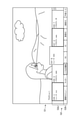
- FIG. 1 is a diagram for explaining an outline of the information processing apparatus according to the first embodiment.
- FIG. 2 is a block diagram showing a hardware configuration of the information processing apparatus according to the first embodiment.
- the information processing apparatus 100 distributes from a broadcast signal broadcast from a radio tower 200 by each broadcasting station or from an Internet 220 (specifically, a content distribution server communicatively connected via the Internet). It functions as a receiving device for receiving the content data to be broadcast.
- the information processing device 100 is a television device including a display screen (display). On the display screen, for example, as shown in FIG. 1, the image G1 of the display content is displayed on the entire screen (the entire area of the screen), and the TV menu (mini program guide) G2 which is the user interface image (UI image) is displayed. It is displayed in the lower area of the screen.
- the information processing device 100 is not limited to a television device, but is external to a smartphone, a projector, a car navigation system, a computer, a set-top box (STB), a recorder having a recording / playback function, a player having a playback function, or the like. It may be a device (external device). For example, set-top boxes, recorders, and players are used by being connected to television devices.
- the information processing apparatus 100 includes a camera 101, a microphone 102, an input device 103, a communication I / F (interface) 104, a memory 105, a tuner 106, a decoder 107, a display 108, a speaker 109, and a remote control I. It includes / F110, a bus 111, and a processor 112.
- the camera 101 has an image pickup device such as a CCD (Charge Coupled Device) or a CMOS (Complementary Metal Oxide Semiconductor) and captures an image.
- the image captured by the camera 101 (for example, each frame constituting the moving image) is treated as an input image for processing by the information processing apparatus 100.
- the microphone 102 collects the voice emitted by the user and generates a voice signal.
- the voice signal generated by the microphone 102 is treated as input voice for voice recognition by the information processing apparatus 100.
- the input device 103 is a device used by the user to directly operate the information processing device 100.
- the input device 103 includes buttons, switches, dials, and the like arranged in the housing of the information processing device 100.
- the input device 103 detects a user's input operation (user input)
- the input device 103 generates an input signal corresponding to the detected user's input operation.
- the communication I / F 104 mediates communication between the information processing device 100 and another device (external device).
- the communication I / F 104 supports any wireless or wired communication protocol and establishes a communication connection with other devices.
- the communication I / F 104 receives a content signal from an external device (for example, an Internet distribution server) and extracts content data from the content signal.
- an external device for example, an Internet distribution server
- the communication I / F 104 is composed of a communication device or the like for connecting to a network.
- the network connected to the communication I / F 104 is a network connected by wire or wireless, for example, the Internet, a home LAN (Local Area Network), or the like.
- the communication I / F 104 is a communication card for wired or wireless LAN, Bluetooth (registered trademark), Wi-Fi (registered trademark), WUSB (Wireless USB), or the like.
- the communication I / F 104 may be a connection port such as a USB (Universal Serial Bus) terminal, an optical audio terminal, or an HDMI (registered trademark) (High-Definition Multimedia Interface) terminal.
- the communication I / F 104 may be, for example, a router for optical communication, a router for ADSL (Asymmetric Digital Subscriber Line), a modem for various communications, or the like.
- the communication I / F 104 transmits and receives signals and the like to and from the Internet and other communication devices using a predetermined protocol such as TCP / IP.
- the memory 105 is composed of a storage medium such as a semiconductor memory or a hard disk, and stores programs and data for processing by the information processing apparatus 100, as well as content data.
- the data stored in the memory 105 includes, for example, data required for various processes described later.
- a part or all of the program and data may be acquired from an external data source (for example, a data server, network storage, an external memory, etc.) without being stored in the memory 105.
- the tuner 106 extracts and demodulates a content signal of a desired channel from a broadcast signal received via an antenna (not shown). Then, the tuner 106 outputs the demodulated content signal to the decoder 107.
- the decoder 107 decodes the content data from the content signal input from the tuner 106. Further, the decoder 107 may decode the content data from the content signal received via the communication I / F 104. A content image is generated based on the content data decoded by the decoder 107.
- the display 108 has a screen (display screen) composed of an LCD (Liquid Crystal Display), an OLED (Organic light-Emitting Diode), a CRT (Cathode Ray Tube), or the like.
- the display 108 displays an image generated by the information processing apparatus 100 on the screen.
- the speaker 109 has a circuit element such as a diaphragm and an amplifier, and outputs audio based on an output audio signal generated by the information processing apparatus 100.
- the volume of the speaker 109 can be changed according to a user's input operation to the input device 103 and a user's input operation to a local terminal such as a remote controller.
- the remote control I / F 110 receives a remote control signal (for example, an infrared signal or another radio signal) transmitted from a local terminal such as a remote controller used by the user. Further, when the remote control I / F 110 detects the remote control signal, it generates an input signal corresponding to the detected remote control signal.
- a remote control signal for example, an infrared signal or another radio signal
- the remote control I / F 110 detects the remote control signal, it generates an input signal corresponding to the detected remote control signal.
- the local terminal for example, a smartphone, a tablet terminal, a personal computer (PC), or the like may be used in addition to the remote controller.
- the bus 111 interconnects a camera 101, a microphone 102, an input device 103, a communication I / F 104, a memory 105, a tuner 106, a decoder 107, a display 108, a speaker 109, a remote control I / F 110, and a processor 112.
- the processor 112 is, for example, a CPU (Central Processing Unit) or a DSP (Digital Signal Processor).
- the processor 112 realizes various functions of the information processing apparatus 100 described later by executing a program stored in the memory 105 or another storage medium.
- the information processing apparatus 100 does not have to have the camera 101, and the microphone 102 is an external device (for example, a voice terminal such as a smart speaker or a mobile terminal such as a smartphone) connected to the information processing device 100.
- the microphone 102 is an external device (for example, a voice terminal such as a smart speaker or a mobile terminal such as a smartphone) connected to the information processing device 100.
- it may be provided in an input terminal such as a remote controller.
- the information processing device 100 receives video and audio data from external devices such as recorders, game machines, PCs, digital cameras, and smartphones connected via the communication I / F 104, and receives video and audio data to display 108 and speakers 109. It is a device that can output and reproduce from. Further, it is possible to connect a plurality of external devices to the information processing device 100 (or, it is possible to connect a plurality of external devices via a distributor). In a situation where one or more external devices are connected to the information processing device 100, the user can select or switch the external device by the input operation of the user.
- FIG. 3 is a block diagram showing a configuration of a logical function of the information processing apparatus according to the first embodiment.
- the information processing apparatus 100 includes a voice acquisition unit 120, a feature DB (database) 140, a control unit 160, a history DB 172, and a preference DB 174.
- the control unit 160 includes a voice recognition unit 130, an application unit 150, a search control unit 162, a selection control unit 164, and a display control unit 166.
- control unit 160 may cause an external control function to execute the process (control process) described below instead of executing the process itself.
- the voice acquisition unit 120 acquires the voice signal generated by the microphone 102 as input voice. Then, the voice acquisition unit 120 outputs the acquired input voice to the voice recognition unit 130.
- the voice recognition unit 130 recognizes the user's voice based on the input voice input from the voice acquisition unit 120. For example, the voice recognition unit 130 converts the input voice into a text indicating the content, and outputs the text to the control unit 160 or the application unit 150.
- the voice reception and voice recognition start processing may be started automatically, or may be started by using a button or an icon arranged on a local terminal such as a remote controller.
- the voice recognition unit 130 may identify the speaker (user) by using the voice feature data stored in the feature DB 140 in recognizing the input voice input from the voice acquisition unit 120.
- the voice recognition unit 130 outputs the identification result of the speaker to the control unit 160 and the application unit 150.
- the information processing apparatus 100 performs voice recognition processing, but the present invention is not limited to this.
- the voice recognition process may be performed by an external device connected to the information processing device 100.
- the external device for example, a smart speaker, a smartphone, a tablet terminal, a local terminal such as a PC, a server on the Internet, or the like is used.
- the feature DB 140 stores in advance the voice feature data used for voice recognition by the voice recognition unit 130.
- the voice feature data includes, for example, a voice feature amount indicating the characteristics of the utterance for each user.
- the feature DB 140 may store image feature data used for image recognition.
- the image feature data includes, for example, a known image feature amount of a predetermined portion such as a user's hand or face. This image feature data may include face image data for each user.
- the feature DB 140 may be built in the information processing device 100, or may be built on an external device such as an external server.
- the history DB 172 stores history information related to viewing history and reservation history of contents (broadcast programs, recorded programs, Internet distribution programs, applications, etc.).
- the viewing history includes the viewing time and viewing time of the content, the number of times the application is used and the usage time (application selection information), the user information, the user's search history, the selection history for the search result, and the like.
- the reservation history includes the reserved time of the content, the reserved viewing time, and the like.
- the history information is generated for each user (for example, father, mother, son, etc.), is associated with each user, and is stored in the history DB 172. Such history information is included in the content selection information (content selection record information) used for searching and determining the content to be viewed by the user.
- the history information is generated for each user, but is not limited to this, and may not be generated for each user. Further, the history information is obtained by detecting the user's viewing history and reservation history by the information processing apparatus 100, but the history information is not limited to this.
- the history information may be acquired from various external devices and set in the history DB 172. Further, the history DB 172 may be built in the information processing device 100, or may be built on an external device such as an external server.
- the preference DB 174 stores the user's preference information.
- the preference information includes, for example, information on a user's favorite sport, sports team, entertainer, singer, writer, original author of drama, character, and the like.
- the preference information is generated for each user (for example, father, mother, son, etc.), is associated with each user, and is stored in the history DB 172.
- Such history information is included in the content selection information used for searching and determining the content to be viewed by the user.
- the preference information is generated for each user, but is not limited to this, and may not be generated for each user. Further, the preference information is obtained by detecting the user's preference (for example, which content the user often viewed) based on the history information or the like, but the preference information is not limited to this.
- the preference information may be set in the preference DB 174 in advance by a user input operation or the like. Further, the preference DB 174 may be built in the information processing device 100, or may be built on an external device such as an external server.
- the application unit 150 executes various application functions of the information processing device 100.
- the application unit 150 executes a program reproduction function, an electronic program guide display function, a recording setting function, an external input switching function, a photo reproduction function, a moving image reproduction function, a music reproduction function, an Internet browsing function, an image recognition function, and the like.
- the application unit 150 outputs the application image (including the content image) and the sound generated through the application function to the control unit 160. At least a part of the application function cooperates with the voice recognition unit 130 to receive voice input from the user.
- the program playback function requires a distinction between a user's input operation to the input device 103 and a local terminal, and a user's voice input operation recognized by the voice recognition unit 130 (hereinafter, simply referred to as a user's input operation).
- a user's voice input operation recognized by the voice recognition unit 130
- the electronic program guide display function displays the electronic program guide and changes the channel, time zone, etc. according to the input operation of the user.
- the recording setting function sets the recording date and time and the channel according to the input operation of the user.
- the recorded program data is stored in the memory 105 of the information processing apparatus 100.
- the external input switching function switches the external input according to the input operation of the user.
- the photo reproduction function reproduces the photograph taken on the input specified date according to the input operation of the user.
- the Internet browsing function executes an Internet search using the input keyword according to the input operation of the user.
- the image recognition function recognizes an input image captured by the camera 101 and input to the application unit 150.
- image recognition for example, the predetermined image feature amount extracted from the input image is collated with the image feature amount stored in advance by the feature DB 140 for a predetermined part of the user's body (for example, face, hand, etc.). Recognize the part of.
- the image recognition function identifies the user by face recognition, accepts the user's gesture input, and recognizes a predetermined gesture from the movement of the hand.
- the user identification function for specifying the user is executed by the application unit 150.
- the profile function identifies the user according to, for example, an input operation of the user or human biometric information (for example, voice, face, etc.).
- one GUI is selected by a user input operation to a GUI (graphic user interface) displayed for each user, and a user corresponding to the selected GUI is specified.
- voice recognition by the voice recognition unit 130 or image recognition by the image recognition function is executed, and the user is specified.
- voice recognition eg, voiceprint matching
- image recognition eg, face matching
- identify the user by a voice keyword. For example, when a dad says “Show me his usual program”, the dad is identified by the keyword "Dad”, and the history information and preference information of the identified dad are read from the history DB172 and the preference DB174. Is done.
- the search control unit 162 performs a process of searching for the content desired by the user based on the content selection information including the history information and the preference information according to the input operation of the user. For example, the search control unit 162 responds to a user's input operation, and based on content selection information including history information and preference information, a channel (channel number or channel name) or program name currently being broadcast or being distributed on the Internet, or a program name, or , Search for recorded program channels, program names, etc. Then, the search control unit 162 determines the content obtained by the search as the selection candidate content, and generates the selection candidate information of the content related to the determined selection candidate content.
- the recorded program may be stored in the memory 105, or may be stored in an external device such as a recorder connected via the communication I / F 104.
- the selection control unit 164 performs a process of selecting one content (display content) to be displayed on the entire screen of the display 108 from the selection candidate content (content selection candidate information) which is the search result of the search control unit 162.
- the selection control unit 164 may select one selection candidate content when there is one selection candidate content, but when there are a plurality of selection candidate contents, the selection control unit 164 selects the content which is highly likely to be requested by the user. , Select one display content according to predetermined criteria.
- the predetermined standard is, for example, a priority based on content selection information including history information and preference information.
- the selection control unit 164 determines the individual priority of the plurality of selection candidate contents according to one or both of the history information and the preference information in the content selection information.
- the user is specified by the user's input operation, voice recognition, image recognition (face recognition), etc., and the history information and preference information according to the identified user are obtained from the history DB 172 and the preference DB 174. can get.
- the selection control unit 164 may raise the priority of channels, programs, genres, etc. that the viewing user often watches based on one or both of the history information and the preference information of the specified user (viewing user). , Raise the priority of channels, programs, genres, etc. that viewers often record.
- the genre is a classification according to the content content, and examples of the genre include news, variety, music, drama, movie, documentary, and the like.
- the selection control unit 164 raises the priority of the channel / program / genre for each time zone or day of the week in the order of the longest viewing time or recording time in the latest predetermined period (for example, one month). The selection control unit 164 determines the program having the highest priority as the display content.
- the selection control unit 164 may calculate the priority according to the combination of users and the number of users. For example, based on the viewing history, channels / programs / genres that are often watched by family members, channels / programs / genres that are often watched by parents only, channels / programs / genres that are often watched by children only, etc. It is possible to specify and calculate the priority in each case as appropriate. Further, even when the user's identification information cannot be acquired, the selection control unit 164 determines the priority of channels / programs / genres that are often viewed in the current time zone, programs / genres that are often recorded, and the like. You may try to make it higher.
- the selection control unit 164 may raise the priority of, for example, the most recently selected channel, program, or genre based only on the viewing history, regardless of the person or time. Further, when the selection candidate content which is the search result includes the recorded program, the selection control unit 164 raises the priority of the unviewed program or lowers the priority of the watched program. May be good.
- the display control unit 166 controls the display of the image via the display 108. For example, the display control unit 166 generates an image according to the search result and the selection result according to the search result by the search control unit 162 and the selection result by the selection control unit 164, and outputs and displays the image on the display 108. Further, the display control unit 166 causes the display 108 to display the application image input from the application unit 150.
- the display control unit 166 performs a process of displaying the image G1 of the selected display content on the entire screen of the display 108 according to the selection result by the selection control unit 164 (see FIG. 1). Further, the display control unit 166 generates a TV menu G2 corresponding to the selection candidate content according to the selection candidate content (content selection candidate information) which is the search result by the search control unit 162, and displays it on the screen of the display 108. Perform processing (see FIG. 1). At this time, the TV menu G2 is superimposed on the image G1 of the display content displayed on the entire screen of the display 108, and is displayed in a predetermined area (for example, the lower area of the screen) of a part of the screen of the display 108 (FIG. 1). reference).
- a predetermined area for example, the lower area of the screen
- This TV menu G2 is automatically turned off, for example, when there is no input operation by the user for a certain period of time after the display.
- the display time of the TV menu G2 is set in advance, it may be changed based on user setting information, preference information, and the like.
- the display contents differ depending on the filter selection according to the user's input operation, but the display screen when the usual filter is selected and the display image when the genre filter is selected will be described in detail later.
- the filter is a filter for selecting channels and programs that the user wants to watch, and various filters exist in the TV menu G2.
- the control unit 160 controls (processes) the entire information processing device 100 in addition to each control of the search control unit 162, the selection control unit 164, and the display control unit 166. For example, the control unit 160 performs a process of turning on the power of the entire information processing apparatus 100 including the display 108 (return from the standby state) in response to a user input operation. Further, the control unit 160 activates the program reproduction application by the application unit 150, and performs a process of displaying the image G1 of the display content selected by the selection control unit 164 on the display 108. At this time, the control unit 160 also performs a process of superimposing and displaying the television menu G2 on the image G1 of the display content.
- the functional configuration of the information processing apparatus 100 according to the first embodiment has been specifically described above.
- the functional configuration of the information processing apparatus 100 shown in FIG. 3 is an example, and is not limited thereto.
- at least a part of the functional configuration of the information processing device 100 shown in FIG. 3 may be in an external device (for example, a local terminal or a server on the cloud) that communicates with the information processing device 100.
- FIG. 4 is a diagram for explaining a first display screen at the time of usual filter selection according to the first embodiment.
- FIG. 5 is a diagram for explaining a second display screen at the time of usual filter selection according to the first embodiment.
- the image G1 of the display content is displayed on the entire screen of the display 108, and the television menu G2 is displayed in the lower region of the screen of the display 108.
- the television menu G2 is a user interface image (UI image) having an image G2a showing a first selection row and an image G2b showing a second selection row.
- the image G2a showing the first selection column is an image showing the item images corresponding to the selection candidate contents for each channel arranged side by side in the horizontal direction of the screen of the display 108 so as to be selectable.
- the image G2b showing the second selection column is an image showing the filter names (category information) for each type arranged in the horizontal direction of the screen of the display 108 so as to be selectable.
- filter names categories
- the filters include, but are not limited to, filters such as terrestrial waves and BS, filters for sports and movies (genre filters), filters for sports types such as soccer and baseball, and the like, for example.
- filters such as terrestrial waves and BS
- filters for sports and movies genre filters
- filters for sports types such as soccer and baseball, and the like, for example.
- categories such as team filters, actor filters, and original author filters.
- external device filters such as STBs and recorders, external input filters such as HDMI (registered trademark), and application filters such as VOD (Video on Demand) applications and streaming applications.
- the image G1 of the display content is switched to the content image of the channel based on the selected item image. Further, when any of the filters is selected, the image G1 of the display content may be switched to the content image corresponding to the selected filter, and the television menu G2 corresponding to the selected filter may be displayed.
- the display content and the selection candidate content are selected based on the history information included in the content selection information. Information) is decided. Then, as shown in FIG. 4, the image G1 of the determined display content is displayed on the entire screen of the display 108, and further, the TV menu G2 having the item image corresponding to the determined selection candidate content and each filter name is displayed. It is displayed in the lower area of the screen of the display 108.
- Each item image is arranged in the horizontal direction of the screen of the display 108 in the order of priority in the television menu G2. For example, each item image is arranged in descending order of priority from the left.
- the usual filter it is not necessary to change only the item image in the TV menu G2 and not change the image G1 of the display content.
- the selection frame or the cursor is placed on each filter of the TV menu G2, only the item image in the TV menu G2 is changed, and the filter is selected by pressing the enter button provided on the remote controller. Then, the display content may be changed to the display content corresponding to the usual filter or the display content of the content source corresponding to the filter.
- the item images may be arranged in the upper area of the screen of the display 108 in the order of priority in the horizontal direction of the screen, or in the left side area or the right side area of the screen of the display 108 in the order of priority in the vertical direction of the screen. They may be lined up. Alternatively, each item image may be randomly displayed on the entire screen of the display 108 so that the priority can be seen, and the display style is not particularly limited.
- the usual program guide G3 is displayed on the entire screen of the display 108.
- the usual program guide G3 is a user interface image having a program guide image G3a and an image G3b showing a selection sequence.
- the program guide image G3a is an image showing item images corresponding to the selection candidate contents determined above side by side in each time zone. Each item image is arranged in the vertical direction of the screen of the display 108 in the order of priority in the program guide image G3a.
- each item image is arranged in descending order of priority.
- the image G3b showing the selection column is an image showing the filter names (category information) for each type arranged in the horizontal direction of the screen of the display 108 so as to be selectable.
- the image G3b showing the selection sequence is displayed in the upper area of the screen of the display 108.
- filter names categories information
- FIG. 5 as in FIG. 4, for example, “soccer”, “usual program”, “BS”, “CS”, “advanced BS”, “advanced CS” and the like are shown as filter names.
- an image showing an operation corresponding to the switching process between the TV menu G2 and the usual program guide G3 may be displayed.
- a remote controller operation for example, a remote controller down button pressing operation
- voice utterance for example, a remote controller down button pressing operation
- a screen including the usual program guide G3 on the screen including the TV menu G2 shown in FIG. For example, it is conceivable to display an image showing "Open the program guide").
- the TV menu G2 and the usual program guide G3 have the usual filter (filter name in FIG. 4: "usual program") at positions corresponding to each other.
- the corresponding positions are, for example, the same positional relationship in the column direction in which the filter names are lined up.
- the corresponding position is, for example, when the TV menu G2 is displayed in the lower area of the screen of the display 108, the image G3b of the usual program guide G3 is the upper area of the screen of the display 108 (in the screen of the display 108). It is a positional relationship displayed in the display area on the opposite side of the display area of the TV menu G2).
- Filters other than the usual filters may be displayed at the corresponding positions, and all filters correspond to the TV menu G2 and the usual program guide G3. It may be displayed at the position. Further, during the switching process between the TV menu G2 and the usual program guide G3, the image G2b showing the second selection row of the TV menu G2 and the image G3b showing the selection row of the usual program guide G3 are seamlessly switched. May be good. For example, the image may be displayed so that the image G2b showing the second selection row of the television menu G2 moves to the position corresponding to the image G3b showing the selection row of the usual program guide G3.
- the image may be displayed so that the image G2b showing the second selection row of the television menu G2 moves to the position corresponding to the image G3b showing the selection row of the usual program guide G3.
- the item image includes the currently broadcast program of the channel obtained by the search, the recorded program, and the like, and the currently broadcast program and the recorded program are displayed at the same time.
- the search control unit 162 outputs the search result including the recorded program of the searched channel.
- the channel name may be displayed in a predetermined display mode in the item image, and the title of the broadcast program currently being broadcast on the channel may be displayed.
- a channel number, a channel or broadcast station mark, or the like may be displayed, that is, information related to the channel, program, or the like is displayed.
- the selected item image may be highlighted so as to be different from other item images, and the selected item image has an icon such as "select”. May be added.
- information indicating the viewing state of each content for example, a bar indicating the previous playback position (viewed position) may be displayed in each item image, and a "NEW" mark or the like is displayed for unviewed content. It may be done.
- the item image includes channel information, the name of the content (program title, etc.), the outline of the content, and whether the content is a currently broadcast program or a recorded program.
- Information indicating whether it is a VOD item, an Internet-distributed program, or the like may be displayed, or a still image or a moving image thumbnail may be displayed.
- Information about channels and contents, still images, and video thumbnails may be obtained from distribution sources of each content, or may be obtained from different sources such as a program information transmission server. Further, the video thumbnail of the content displayed in the item image may be acquired from a video distribution server, memory, or the like and played before the user selects the content.
- a video thumbnail of a broadcast program may be acquired from a VOD server, or a video recorded of the broadcast program may be played back in an item image as a video thumbnail of the broadcast program.
- the still image and the moving image thumbnail the early part of the content may be used, an arbitrary position in the content may be used, or a moving image dedicated to the thumbnail may be used.
- various information such as still images and moving images may be acquired from various external devices such as servers and recorders.
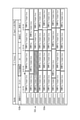
- FIG. 6 is a first diagram for explaining the priority at the time of usual filter selection according to the first embodiment.
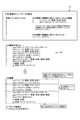
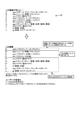
- FIG. 7 is a second diagram for explaining the priority at the time of usual filter selection according to the first embodiment.
- the "channels used” by the user are A to J.
- the “channels and programs that the user habitually watches at that time” are "A” and "aaa”, and “D” and “ddd”.
- the "genres that the user habitually sees at that time” are "news" and "variety”.
- Uppercase letters are channel names, and lowercase letters are program names.
- “channels used” and “channels and programs habitually watched at that time” are arranged in descending order of priority from the top in FIG.
- the "genres that are habitually viewed at that time” are arranged in descending order of priority from the left in FIG. In addition, the priority is higher in the order of "channels used", “genres habitually watched at that time”, and “channels and programs habitually watched at that time”.
- the history information J1 as shown in FIG. 6 (upper row) is stored in the history DB 172 for each day of the week and time zone. Therefore, the history information for each day of the week and the time zone is obtained, and the history information for one week is stored in the history DB 172.
- the priority of the channel and the program (content) is determined by the selection control unit 164.
- the channel and the program are based on the history information J1. As shown in FIG. 6 (lower row), they are sorted in order of priority, for example, they are sorted in descending order of priority from the top in FIG.
- the channel name is "C”
- the program name is "ccc”
- the priority is raised because it is "the channel and the program that is habitually watched at that time”.
- the channel and the program are based on the history information J1. , As shown in FIG. 7 (lower row), they are sorted in order of priority, for example, they are sorted in descending order of priority from the top in FIG.
- the channel name is "C” and the program name is "xxx”
- Examples of program genres include news, variety, sports, documentary, drama, movies, music, and the like. By setting a favorite genre in advance, the user may be able to search for a more detailed genre, for example, content having a plurality of genre attributes such as a documentary about music.
- the genre of the program is taken as an example here, the genre of the content is not limited to this example, and may be, for example, video, music, images, applications, etc., and video content such as jazz, rock, and ballad. It may be a content genre other than.
- the priority of the selection candidate content may be determined based on the preference information. Further, the priority may be determined in consideration of the setting (user setting information) made by the user for the channel or the content. For example, the user can specify the priority of the channel or content itself, or the program included in the viewing schedule list, the content added to favorites, or the program reserved for recording is given higher priority. You may. Further, the priority may be determined by combining the user's preference information or history information with the preference information or history information of another person such as the user's family or friend, or the preference information of another person such as the user's family or friend. And the priority may be determined only from the history information.
- FIG. 8 is a flowchart showing the flow of the first display process at the time of usual filter selection according to the first embodiment.
- step S1 when the control unit 160 of the information processing apparatus 100 detects an input operation of a user who turns on the power of the information processing apparatus 100 (step S1), the control unit 160 of the information processing apparatus 100 turns on the power of the information processing apparatus 100 (step S1). Step S2). As a result, the display 108 is turned on.
- the control unit 160 determines whether or not the power is turned on at intervals of a predetermined time or longer (step S3). If the power is not turned on at intervals of a predetermined time or longer (NO in step S3), the display control unit 166 performs a process of displaying the display contents of the channel selected when the power is turned off on the display 108 (step). S4), the process is terminated.
- the search control unit 162 selects selection candidate content from a plurality of contents corresponding to the current time zone based on the content selection information. Search and determine (step S5).
- the selection control unit 164 selects and determines one display content (content to be displayed on the entire screen of the display 108) from the selection candidate contents obtained by the search by the search control unit 162 based on the content selection information. (Step S6).
- the display control unit 166 performs a process of displaying an image G1 (video) of the display content determined by the selection control unit 164 on the display 108 (channel selection), and a television menu G2 corresponding to one or more selection candidate contents. Is generated and displayed on the display 108 (step S7). For example, the selection control unit 164 raises the priority of the content frequently viewed in the current time zone and the day of the week based on the content selection information, and sets the content having the highest priority as the display content. Further, the display control unit 166 generates the TV menu G2 by arranging the item images corresponding to the selection candidate contents in the order of priority.
- the selection control unit 164 determines whether or not another channel has been selected by the user's input operation (step S8).
- the selection control unit 164 determines the selected other channel as the display channel, and the display control unit 166 determines the determined display channel.
- the process of displaying the image (video) G1 of the display content of the above on the display 108 is performed (step S9).
- a certain time for example, about several seconds to a dozen seconds
- the display control unit 166 displays the TV menu G2. Is performed (step S11).
- the final channel selection result is stored in the history DB 172 as the user's viewing history together with the time information and the user's identification information, and is used when the priority is calculated by the selection control unit 164 at the time of the next channel selection. ..
- information on the viewing history of the user is accumulated, and selection candidate content is requested based on the history information in which the amount of information has increased.
- the possibility that the selection candidate content becomes the content desired by the user is improved, so that the user can more reliably watch the desired content.
- the content is searched based on the user's content selection information (for example, history information), and the content obtained by the search is the selection candidate content. Is determined as. Further, in determining the display content, the priority of each selection candidate content is determined based on the content selection information of the user, and the channel having the highest priority is determined as the display content. Further, each selection candidate content is arranged in the order of priority, a TV menu G2 including an item image and a filter name corresponding to each selection candidate content arranged in the order of priority is created, and the TV menu G2 is generated together with the image G1 of the display content. Is displayed.
- the user's content selection information for example, history information
- the content that the user is likely to desire is automatically presented to the user, so that the user can watch the desired content without performing the complicated operation of selecting a channel. be.
- This allows the user to easily view the desired content.
- the displayed content is not what the user wants, the user will immediately reselect the channel.
- the user can visually recognize the TV menu G2 and change the content (channel change). This allows the user to easily select and view the desired content.
- the usual filter is preferentially used at startup, but it is not limited to this, and it does not have to be preferentially used, or it is always according to the user selection (user setting information). Filter may be used preferentially.
- the control unit 160 determines whether or not the usual filter of the TV menu G2 has been used a predetermined number of times (for example, 10 times) or not, and whether or not the function introduction of the usual filter has never been displayed. ..
- the control unit 160 gives priority to the usual filter when the usual filter of the TV menu G2 is used a predetermined number of times (for example, 10 times) or more, or when the function introduction of the usual filter is never displayed.
- the control unit 160 performs a process of preferentially using the usual filter.
- the control unit 160 is, for example, a number (number of stories or a number). List in ascending order (series number, etc.), select the content with the youngest number (example of priority), excluding the content that has been viewed or that can be judged to have been almost finished, such as before the staff roll, and play it on the display 108.
- the processing may be performed. By including not only the unviewed content but also the content whose viewing is interrupted in the middle of the execution selection target, it is possible to play the content continuously or from the beginning without excluding the content that was viewed halfway. Further, the information processing apparatus 100 may preferentially select the content that has been viewed halfway. In this case, in step S5, it is possible to search and determine the selection candidate content other than the content corresponding to the current time zone.
- the content with the highest priority may be selected and the series of each drama may be displayed in the item image.
- the user specifies another serial drama series
- the content with the highest priority in the serial drama series is selected and played, and then other episodes in the series are displayed as item images. Processing may be performed.
- the viewing user can be identified by voice recognition or the like
- the information processing apparatus 100 refers to the viewing history of the viewing user and refers to the viewing state of the viewing user with respect to the searched content, thereby personalizing the playback control. It is also possible to realize.
- the information processing apparatus 100 searches for contents, and when a plurality of contents are searched, the image G1 of the display contents most likely requested by the user is predetermined. It is automatically selected according to the criteria and displayed on the display screen, and the TV menu G2 corresponding to the selection candidate content which is the search result is displayed. As a result, even if there are a plurality of selection candidates, the content is automatically selected and displayed, which saves the user time and effort and allows the user to easily view the desired content. Further, by displaying it as the TV menu G2 corresponding to the selection candidate content, it becomes possible to assist the user in selecting other content, so that the user can easily select and watch the desired content. can.
- FIG. 9 is a flowchart showing the flow of the second display process at the time of usual filter selection according to the first embodiment.
- the control unit 160 of the information processing apparatus 100 determines whether or not the TV menu G2 at the time of usual filter selection is displayed (step S21).
- the TV menu G2 at the time of the usual filter selection is displayed on the display 108 (YES in step S21)
- the first input operation includes, for example, a down button pressing operation provided on the remote controller.
- step S22 When there is no first input operation (NO in step S22), a certain period of time (for example, about several seconds to a dozen seconds) has elapsed from the display of the TV menu at the time of usual filter selection, and a timeout occurs (YES in step S23). , The display control unit 166 controls to end the display of the TV menu G2 (step S24). On the other hand, when there is a first input operation (YES in step S22), the display control unit 166 ends the display of the TV menu G2 and controls to output and display the usual program guide G3 on the display 108 (YES). Step S25).
- control unit 160 determines whether or not another channel has been selected by the user's input operation (step S26).
- the selection control unit 164 selects the selected other channel as the display channel, and the display control unit 166 selects the selected display channel.
- Control is performed to display the image (video) G1 of the display content of the above on the display 108 (step S27), and the usual display of the program guide G3 is terminated (step 28).
- step S29 determines whether or not there is a second input operation.
- the display control unit 166 ends the usual display of the program guide G3 and performs a process of displaying the original TV menu G2 on the display 108 (step S30). .. After that, the process is returned to step S21.
- the second input operation includes, for example, an operation of pressing an up button provided on the remote controller.
- the usual program guide G3 makes it possible to present the selection candidate content that the user is likely to desire to the user, so that the user performs a complicated operation of selecting a channel. You can avoid it and easily select and watch the desired content. Further, since it is possible to smoothly switch between the usual program guide G3 and the usual TV menu G2 when the filter is selected, the convenience of the user can be improved. Further, in steps S21 to S30 of the flowchart shown in FIG. 9, the switching process between the usual program guide G3 and the TV menu G2 when the usual filter is selected has been described, but a filter other than the usual filter is selected in the TV menu G2. Even if this is the case, if there is a first input operation, the display may be switched to a full-screen program guide corresponding to a filter other than the usual filter selected in the TV menu G2.
- FIG. 8 is a flowchart showing the flow of the first display process at the time of usual filter selection according to the first embodiment.
- the input operation is a voice input operation (voice input operation).
- voice input operation when the information processing apparatus 100 detects the user's spoken voice (for example, "predetermined call” + “show usual program") by the microphone 102, the voice recognition unit 130 recognizes the voice input. ..
- the power state of the information processing apparatus 100 at this time is that voice can be detected by the microphone 102 (that is, power is being supplied to the processor 112 and the microphone 102), and the display 108 is turned off (that is, to the display 108). It is a standby state in which the power supply is not performed.
- the same processing as in FIG. 8 is performed after step S2 in which the power is turned on.
- step S1 when the user speaks "predetermined call” + “show the usual program” in step S1, the power is turned on in step S2, and through steps S3 to S6, the image G1 of the display content and the image G1 of the display content are displayed in step S7.
- the TV menu G2 corresponding to the selection candidate content is displayed (see FIG. 4).
- the user can start the device from the standby state by voice input, and the image G1 of the desired display content and the television menu G2 corresponding to the selection candidate content are automatically displayed on the screen.
- the user can more easily activate the information processing apparatus 100 by voice input operation, avoid the complicated operation of selecting a channel, and more easily view the desired content.
- step S1 If the user makes an utterance requesting a program to be watched regularly, such as "predetermined call” + "show the usual program” in step S1, the power is turned on in step S2, and then the step is taken. You may proceed to the content determination process of step S4 without determining whether or not the power is turned on at intervals of a predetermined time or more in S3. In this case, if the user makes an utterance to turn on the power of the TV such as "predetermined call” + "turn on the TV” in step S1, the determination process of step S3 may be performed. ..
- the user's utterance may be started without a predetermined call by the user inputting and operating a button or the like arranged on the remote controller or inputting and operating a mobile terminal such as a smartphone. ..
- the voice reception may be performed not on the information processing apparatus 100 side but on the remote controller or the smartphone side.
- the reception of voice input can also be performed by a voice device (for example, a smart speaker) connected to the information processing device 100.
- the voice device may transmit the detected user voice to a voice recognition server on the cloud.
- the information processing device 100 automatically turns on the power by the control signal transmitted from the voice device or the server on the cloud, and displays the content requested by the user.
- the control unit 160 determines whether or not the setting for STB viewing is completed when the STB is connected to the information processing device 100, and STB. If the setting for viewing is completed, the viewing process on the STB is executed, and if the setting for STB viewing is not completed, the viewing process on the information processing device 100 side (built-in tuner) is executed. You may do so. That is, it is possible to change the process according to the setting status of the connected device.
- the information processing apparatus 100 accepts voice input by the user even in the standby state, and when a voice input (content output instruction) requesting content reproduction is detected, the power is turned on and the user Can display the content requested by. Therefore, the user can more easily activate the information processing apparatus 100 by voice input operation, avoid the complicated operation of selecting a channel, and more easily view the desired content.
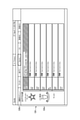
- FIG. 10 is a first diagram for explaining the usual filter setting screen according to the first embodiment.
- FIG. 11 is a second diagram for explaining the usual filter setting screen according to the first embodiment.
- the display control unit 166 performs a process of displaying the setting image G4 for confirming whether or not to preferentially tune in to the usual program in a part of the display 108.
- the control unit 160 sets whether or not to preferentially tune in to the usual program according to the input operation of the user.
- the user's setting information includes information indicating that the usual program is preferentially selected, and when the user performs an input operation to select "No", the input operation is performed.
- the user setting information includes information indicating that the usual program is not preferentially selected.
- the control unit 160 performs a process of preferentially selecting the usual program. In this way, the user can set whether or not to preferentially tune in to the usual program, so that the degree of freedom of choice of the user can be increased and the convenience of the user can be improved.
- the display control unit 166 performs a process of displaying the setting image G5 related to the usual channel list (usual filter) on the display 108.
- the setting image G5 is a user interface image (UI image), and whether or not the user preferentially selects the usual program by inputting and operating the setting image G5, broadcasting, favorite channel list, genre, and himself / herself. It becomes possible to set keywords and genres of. Since the user can perform an input operation to select a desired element in each item and set each item, the degree of freedom of choice of the user can be increased and the convenience of the user can be improved.
- the display control unit 166 preferentially selects the channel of the usual program, that is, restricts the use of the usual filter. May be good. For example, when going to the bathroom for a short time, it is possible to suppress the change of the channel when the TV is temporarily turned off and returned, so that the convenience of the user can be improved.
- the setting image G5 may include an item that allows the user to set a predetermined time for limiting channel selection based on the usual filter.
- the favorite filter filter name: "favorite”
- the display control unit 166 when the display control unit 166 is selected when the power is turned off, the display control unit 166 of the usual program.
- Channels may be preferentially selected, i.e. limiting the use of usual filters. As a result, it becomes possible to preferentially display favorite contents, so that the convenience of the user can be improved.
- the information processing apparatus 100 acquires user content selection information (for example, history information such as user viewing history and recording reservation, and user preference information). Then, a content output instruction related to the content selection information (for example, an instruction by a user's input operation or a voice input operation) is acquired.
- the information processing apparatus 100 acquires the content output instruction, it determines the display content and the content selection candidate information (selection candidate content) based on the content selection information, and corresponds to the image G1 of the display content and the content selection candidate information.
- the TV menu G2 which is an example of the first display image to be displayed, is output to the display 108.
- the TV menu G2 at the time of usual filter selection is created based on one or both of the service (channel) and the content used by the user within a predetermined period (for example, one month). This makes it possible to reliably provide content that is likely to be desired by the user according to one or both of the services and contents used by the user within a predetermined period, so that the user desires the content. Can be easily selected. As a result, the user can easily view the desired content.
- the TV menu G2 at the time of usual filter selection changes according to one or both of the time zone and the day of the week. This makes it possible to provide content that is likely to be desired by the user according to one or both of the time zone and the day of the week, so that the user can easily select the desired content. As a result, the user can easily view the desired content.
- the TV menu G2 at the time of usual filter selection is the content acquisition means (for example, terrestrial broadcasting, satellite broadcasting, set-top box (STB), HDMI (registered trademark), etc.) and the type of content (for example, sports, drama, etc.).
- the content acquisition means for example, terrestrial broadcasting, satellite broadcasting, set-top box (STB), HDMI (registered trademark), etc.
- the type of content for example, sports, drama, etc.
- Has a plurality of selectable category information for example, various filters
- the user can select each category information, so that the processing corresponding to the category information selected by the user can be performed, and the degree of freedom of choice of the user is increased to improve the convenience of the user. Can be improved.
- the TV menu G2 at the time of usual filter selection has subcategory information (for example, sports name, drama name, etc.) regarding the type of content (for example, sports, drama, etc.). Further, the TV menu G2 at the time of usual filter selection has subcategory information (for example, team name or actor name) regarding an element (for example, a team or an actor) included in the content.
- subcategory information regarding the content type or element is provided to the user, so that the user can grasp the subcategory information regarding the content type or element and easily select the desired content. As a result, the user can easily view the desired content.
- content selection candidates selection candidate contents
- the content selection candidates are arranged in an order suitable for the user and provided to the user, so that the user can easily select the desired content. As a result, the user can easily view the desired content.
- control unit 160 has a third display corresponding to the content information interface from the display content and the output of the TV menu G2 when the usual filter is selected, based on the user input operation for the TV menu G2 when the usual filter is selected.
- a process of switching to an output for displaying the usual program guide G3, which is an example of an image, on the entire screen is performed.
- the TV menu G2 and the usual program guide G3 at the time of selecting the usual filter have category information (for example, the usual filter "usual program") that can be selected at the corresponding positions.
- category information for example, the usual filter "usual program”
- the category information can be easily visually recognized, and the switching can be performed without discomfort, which improves the convenience of the user. Can be done.
- content selection candidates selection candidate content
- the content selection candidates are arranged in an order suitable for the user and provided to the user, so that the user can easily select the desired content. As a result, the user can easily view the desired content.
- control unit 160 outputs and sets the setting images G4 and G5, which are examples of the setting information for selecting to display the image G1 of the display content selected based on the content selection information at the time of startup. Based on the user selection for the images G4 and G5, the process of displaying the image G1 of the display content selected based on the content selection information at the time of startup is performed. As a result, the user can select whether or not to display the image G1 of the display content selected based on the content selection information at the time of startup, so that the user's freedom of choice is increased and the user's convenience is improved. Can be improved.
- the content output instruction may be a user's utterance.
- the user can more easily output the image G1 and the television menu G2 of the display content to the display 108 by the voice input operation, so that the user can more easily view the desired content.
- control unit 160 performs a process of specifying the user based on the utterance of the user, and in a process of determining the display content and the selection candidate information (selection candidate content) of the content, the control unit 160 is based on the content selection information of the specified user. , Determine display content and content selection candidate information.
- Second embodiment> The difference between the second embodiment and the first embodiment is the display screen at the time of selecting the genre filter and the processing related to the display screen. Hereinafter, the differences from the first embodiment will be mainly described.
- FIG. 12 is a diagram for explaining a first display screen at the time of selecting a genre filter according to the second embodiment.
- FIG. 13 is a diagram for explaining a second display screen at the time of selecting a genre filter according to the second embodiment.
- the image G1 of the display content is displayed on the entire screen of the display 108, and the television menu G2 is displayed in the lower region of the screen of the display 108.
- the television menu G2 is a user interface image (UI image) having an image G2a showing a first selection row and an image G2b showing a second selection row.
- the image G2a showing the first selection column is an image showing the item images corresponding to the selection candidate contents for each channel arranged side by side in the horizontal direction of the screen of the display 108 so as to be selectable.
- the image G2a also includes, for example, an emblem image of a team corresponding to the selection candidate content.
- the image G2b showing the second selection column is an image showing the filter names (category information) for each type arranged side by side in the horizontal direction of the screen of the display 108 so as to be selectable.
- filter names categories information
- FIG. 12 for example, "soccer”, “terrestrial digital broadcasting”, “Sports”, “CS”, “altitude BS”, “altitude CS” and the like are shown as filter names.
- the image G1 of the display content is based on the selected item image. You can switch to the content image of the channel.
- the image G1 of the displayed content is switched to the content image corresponding to the selected filter, and the TV menu G2 corresponding to the selected filter is displayed.
- a sports filter (filter name: "Sports" in FIG. 12), which is a genre filter, is selected
- display content and selection candidate content are selected based on the preference information included in the content selection information.
- Candidate information is decided.
- the image G1 of the determined display content is displayed on the entire screen of the display 108, and further, the TV menu G2 having the item image corresponding to the determined selection candidate content and each filter name is displayed. It is displayed in the lower area of the screen of the display 108.
- Each item image is arranged in the horizontal direction of the screen of the display 108 in the order of priority in the television menu G2. For example, each item image is arranged in descending order of priority from the left.
- the team emblem image is also displayed at the position corresponding to the selection candidate content.
- related information such as images and explanations corresponding to selection candidate information such as photographs of players belonging to the team and explanations of teams. May be displayed. Further, it may be displayed so as to indicate that the related information is commonly related to the plurality of selection candidate information.
- the preference program table G6 is displayed on the entire screen of the display 108.
- the preference program guide G6 is a user interface image having a program guide image G6a and an image G6b showing a selection sequence.
- the program guide image G6a is an image showing side by side the item images corresponding to the selection candidate contents determined above.
- the item images are arranged in the program guide image G6a in the vertical direction of the screen of the display 108 in order of priority. For example, each item image is arranged in descending order of priority.
- the image G6b showing the selection column is an image showing the filter names (category information) for each type arranged side by side in the horizontal direction of the screen of the display 108 so as to be selectable.
- the image G6b showing the selection column is displayed in the upper area of the screen of the display 108.
- as the filter name for example, "soccer”, “terrestrial digital broadcasting”, “Sports”, “CS”, “altitude BS”, “altitude CS” and the like are shown.
- the TV menu G2 and the favorite program table G6 have a sports filter (filter name: "Sports" in FIG. 12) at positions corresponding to each other.
- the corresponding positions are, for example, the same positional relationship in the column direction in which the filter names are lined up.
- the corresponding position is, for example, when the TV menu G2 is displayed in the lower area of the screen of the display 108, the image G6b of the favorite program table G6 is the upper area of the screen of the display 108 (television on the screen of the display 108). It is a positional relationship displayed in the display area on the opposite side of the display area of the menu G2).
- each item image of the favorite program table G6 it is possible to apply the same display mode as each item image of the TV menu G2 or the usual program table G3, that is, the display mode according to the first embodiment.
- the display mode For example, channel information, content name (program title, etc.), content outline, whether the content is currently a broadcast program, a recorded program, a VOD item, an Internet distribution program, etc.
- Information may be displayed, and still images or moving image thumbnails may be displayed.
- the genre filter may be included together in the selection column including the usual filter (see FIGS. 4 and 5) in the TV menu G2 and the usual program guide G3. .. That is, the TV menu G2 or the usual program guide G3 may include a genre filter in the selection column in addition to the usual filter.
- the TV menu G2 (TV menu G2 in which the usual filter is selected) determined based on the content selection information is displayed at the time of startup, and the TV menu G2 also includes a genre filter.
- FIG. 14 is a first diagram for explaining the priority at the time of selecting the genre filter according to the second embodiment.
- FIG. 15 is a second diagram for explaining the priority at the time of selecting the genre filter according to the second embodiment.
- the selection control unit 164 changes the priority for determining the display order of the item images in the TV menu G2, as shown in FIG. 14, according to the amount of information of the content selection information.
- preference information is obtained from the history information included in the content selection information, it is determined that the user likes the content as the viewing time of the content is longer, and the information about the content is added to the preference information, and the preference is obtained.
- the information is updated. That is, the user's preference is learned from the history information and the information is acquired, and the acquired information is reflected in the user's preference information. Therefore, as the amount of history information increases, the amount of preference information also increases. It should be noted that the preference information is not only obtained from the history information, but may be set by a user input operation.
- the priority of the "viewable channel” is higher than that of the "invisible channel”.
- the amount of preference information exceeds the first predetermined value, as shown in FIG. 14 (2), a "favorite small genre” is set in the “viewable channel”, and the “favorite small genre” is set. The priority of is the highest in the "viewable channels”.
- the amount of preference information exceeds the second predetermined value (> the first predetermined value)
- the “favorite small genre” is added.
- a “favorite team” is set, and the priority of the "favorite team” is the highest “in the channels that can be seen”.
- FIG. 14 (4) only the “favorite team” is set in the "viewable channel", and the priority of the "favorite team” is the highest “in the viewable channel”. Be raised.
- the user's “favorite sports team” is “ ⁇ baseball team” and “ ⁇ ” as the user's preference information J4. It is set to “soccer team”, and the user's “favorite small genre” is set to “soccer", “baseball” and “golf”.
- the priority of "favorite sports team” is higher than that of "favorite small genre”.
- "favorite sports team” and “favorite small genre” are arranged in descending order of priority from the left in FIG.
- Such user preference information J4 is stored in the preference DB 174 for each user. There is sports as a category, baseball, soccer, and golf as subcategories, and teams as subcategories.
- the priority of the channel and the program (content) is determined by the selection control unit 164. For example, as shown in FIG. 15 (lower), channels and programs obtained from a program guide on the Internet or an electronic program guide from each broadcasting station based on the preference information J4 as shown in FIG. 15 (upper). They are sorted in order of priority, for example, from the left in FIG. 15 in descending order of priority. The priority of "programs that can be watched (for example, programs of the channel being used or free programs)" is higher than that of "programs that cannot be watched”.
- the filter as in the first embodiment described above, there are dramas, variety shows, movies, music, etc. in addition to sports.
- the name of the original author or the name of an actor may be set as a favorite original author, and a domestic drama may be set as a favorite small genre.
- An entertainer's name may be set for variety shows, and a singer's name may be set for music.
- FIG. 16 is a flowchart showing the flow of the first display process at the time of selecting the genre filter according to the second embodiment.
- the control unit 160 of the information processing apparatus 100 determines whether or not the genre filter in the TV menu G2 is selected (step S31).
- the search control unit 162 is based on the genre related to the selected genre filter, that is, the selected genre and content selection information (for example, preference information).
- Selection candidate content is searched for and determined from a plurality of contents corresponding to the current time zone (step S32).
- the selection control unit 164 displays one display content (content to be displayed on the entire screen of the display 108) based on the selected genre and content selection information from the selection candidate contents obtained by the search by the search control unit 162. Select and determine (step S33).
- the display control unit 166 performs a process of displaying an image G1 (video) of the display content selected by the selection control unit 164 on the display 108 (channel selection), and a television menu G2 corresponding to one or more selection candidate contents. Is generated and displayed on the display 108 (step S34). For example, the selection control unit 164 raises the priority of a favorite sport, sports team, or the like based on the content selection information, and sets the content having the highest priority as the display content. Further, the display control unit 166 generates the TV menu G2 by arranging the item images corresponding to the selection candidate contents in the order of priority.
- the selection control unit 164 determines whether or not another channel has been selected by the user's input operation (step S35). When another channel is selected by the input operation of the user (YES in step S35), the selection control unit 164 determines the selected other channel as the display channel, and the display control unit 166 determines the determined display channel.
- the process of displaying the image (video) G1 of the display content of the above on the display 108 is performed (step S36). After that, when a certain time (for example, about several seconds to a dozen seconds) has elapsed from the display of the TV menu G2 or the selection of another channel and a time-out occurs (YES in step S37), the display control unit 166 displays the TV menu G2. Is performed (step S38).
- the final channel selection result is stored in the history DB 172 as the user's viewing history and stored in the preference DB 174 as the preference information together with the time information and the user's identification information, and is stored in the preference DB 174 as the preference information. It is used when calculating the priority according to 164.
- information on the user's viewing history and preferences is accumulated, and selection candidate content is requested based on the history information and preference information for which the amount of information has increased.
- the possibility that the selection candidate content becomes the content desired by the user is improved, so that the user can more reliably watch the desired content.
- the content is searched based on the selected genre and the content selection information (for example, preference information) of the user, and the content is obtained by the search.
- Content is determined as selection candidate content.
- the priority of each selection candidate content is determined based on the content selection information of the user, and the channel having the highest priority is determined as the display content.
- each selection candidate content is arranged in the order of priority, a TV menu G2 including an item image and a filter name corresponding to each selection candidate content arranged in the order of priority is created, and the TV menu G2 is generated together with the image G1 of the display content. Is displayed.
- the content that the user is likely to desire is automatically presented to the user, so that the user can watch the desired content without performing a complicated operation of selecting a channel. be.
- This allows the user to easily view the desired content.
- the displayed content is not what the user wants, the user will immediately reselect the channel.
- the user can visually recognize the TV menu G2 and change the content (channel change). This allows the user to easily select and view the desired content.
- the display content is automatically selected when the genre filter is selected, and the image of the selected content is displayed on the display 108, but the present invention is not limited to this, and the display content is not selected and the displayed content is displayed.
- the image of may be displayed as it is. That is, the processing of step S33 and the display content display processing of step S34 shown in FIG. 16 may not be performed.
- the genre filter is set to be automatically selected at startup, the display content is automatically selected when the genre filter is selected, and the image of the selected content is displayed on the display 108. good.
- FIG. 9 is a flowchart showing the flow of the second display process at the time of usual filter selection according to the first embodiment.
- step S21 shown in FIG. 9 the control unit 160 of the information processing apparatus 100 determines whether or not the TV menu G2 at the time of selecting the genre filter is displayed. Since the same processing as in FIG. 9 is performed except for the processing in step S21, the description thereof will be omitted. However, the "usual program guide" in steps S25, S28 and S30 shown in FIG. 9 is changed to the "favorite program guide".
- the preference program table G6 makes it possible to present the selection candidate content that the user is likely to desire to the user, so that the user avoids a complicated operation of selecting a channel.
- the desired content can be easily selected and viewed.
- it is possible to smoothly switch between the favorite program table G6 and the TV menu G2 when the usual filter is selected the convenience of the user can be improved.
- FIG. 17 is a second diagram for explaining a second display screen (preference program table) at the time of selecting a genre filter according to the second embodiment.
- the search control unit 162 searches for contents (programs) that the user is likely to be interested in, for example, using big data (huge data group) obtained from the outside via a network based on the user's preference information. ..
- the display control unit 166 adds and recommends the content obtained by the search by the search control unit 162 to the preference program table G6.
- the favorite original author "XXXX” is displayed on the preference program table G6, and the content of the author (for example, the work to be created) close to the original author "XXXX” is displayed.
- Content related to "YYYY”, which is a close writer) is displayed. This makes it possible to recommend writers who are likely to be interested (like) by the user and provide the contents of other writers (original authors) to users who only see the contents of a specific original author. ..
- the user can broaden the selection range to select the desired content and improve the convenience of the user. Can be done. Even when the entertainer's name is included in the preference information as a favorite entertainer, the same processing can be performed.
- keywords for example, reversal, predicament, etc.
- content corresponding to other dramas described by keywords may be recommended.
- search for keywords for example, space, physics, etc.
- the stored entertainer's face image is analyzed, compared with the face images of other entertainers, and the entertainer who is similar to the remembered entertainer. May be specified and the content in which the specified entertainer appears may be recommended.
- related information including illustrations, photographs, or explanatory texts such as a recommended personal image of a celebrity or a career introduction text of a writer may be displayed on the preference program table G6 so as to be associated with a plurality of contents. ..
- a GUI for presenting a screen for displaying information on recommended writers and entertainers may be displayed in the preference program table G6 so as to be associated with a plurality of contents.
- Displaying the GUI so as to correspond to a plurality of contents means to display a group of contents related to a writer or an entertainer on the favorite program table G6 (for example, a group of contents enclosed by a vertical bar shown in FIG. 17). It may include displaying correspondingly.
- the content obtained by the search is added to the favorite program table G6 and recommended, but it is not limited to this, and for example, it is added to the usual program table G3 and recommended. You may do it.
- the TV menu G2 may also include recommended contents corresponding to the favorite program table G6 and the usual program table G3.
- the control unit 160 has selection candidate information (for example, selection) of contents according to the category information based on the user selection corresponding to the category information (for example, various filters).
- the process of outputting the TV menu G2, which is an example of the second display image corresponding to the candidate content) is performed.
- the selection candidate content according to the category information that the user is likely to desire to the user, so that the user can easily select and view the desired content.
- content selection candidates selection candidate contents
- the content selection candidates are arranged in an order suitable for the user and provided to the user, so that the user can easily select the desired content. As a result, the user can easily view the desired content.
- control unit 160 has a third display image corresponding to the content information interface from the display content and the output of the TV menu G2 when the usual filter is selected, based on the user operation for the TV menu G2 when the usual filter is selected.
- a process of switching to an output for displaying the favorite program table G6, which is an example, on the entire screen is performed.
- the preference program table G6 makes it possible to provide the user with suitable content selection candidates, so that the user can easily select the desired content. As a result, the user can easily view the desired content.
- content selection candidates for example, selection candidate content
- the content selection candidates are arranged in an order suitable for the user and provided to the user, so that the user can easily select the desired content. As a result, the user can easily view the desired content.
- selection candidates are added and recommended based on the content selection information. As a result, it becomes possible to present the content that the user is likely to be interested in, so that the selection range for selecting the content desired by the user can be widened and the convenience of the user can be improved.
- the control panel may have a user interface image for SD (Standard Definition) program non-display setting. By default, the setting is off.
- SD program non-display setting is set to on, the SD program is hidden in the TV menu G2.
- HD High Definition
- SD High Definition
- programs (contents) that many people do not want may be deleted from the TV menu.
- a plurality of elements may be selectively displayed, such as whether to display subtitles or dubbing in the TV menu.
- the user can make various settings, it is possible to customize the TV menu G2 when the usual filter is selected and the TV menu G2 when the genre filter is selected according to the user's preference. .. This makes it easier for the user to select the desired content, so that the user's desired content can be viewed more reliably, and as a result, the user's convenience can be improved.
- FIG. 18 is a diagram for explaining a selectable display of the usual filter according to another embodiment.
- the display control unit 166 When the amount of information of the content selection information (for example, the operation log) is equal to or less than a predetermined amount, the display control unit 166 initially initializes the "usual program" which is the filter name of the usual filter, as shown in the screen A1 of FIG. Performs processing that is not included in the TV menu (TV menu other than when the usual filter is selected) G2 in the settings. On the other hand, when the amount of information of the content selection information exceeds a predetermined amount, the display control unit 166 automatically includes the "usual program" in the default TV menu G2 as shown in the screen A2 of FIG. conduct.
- the "usual program" which is the filter name of the usual filter
- an image introducing the function of the usual filter is displayed, or always. You may also introduce the function of the filter by voice.
- the amount of information of the content selection information is less than or equal to a predetermined amount, an image prompting the accumulation of the content selection information is displayed or a voice prompting the accumulation of the content selection information is output in order to accumulate the content selection information. It may be done.
- selectable category information for selecting the usual filter for example, "for example,” of the usual filter " If the usual program ”
- selectable category information for selecting the usual filter is placed.
- the user can select the usual filter, so that the process based on the content selection information having a sufficient amount of information is executed. .. That is, it is possible to determine whether or not to display an image of selectable category information corresponding to the usual filter based on the usage status of the device. Therefore, it is possible to more reliably provide the content desired by the user, and the user can easily view the desired content.
- the display / non-display of selectable category information for selecting the usual filter selection (outputting the TV menu G2 at the time of the usual filter selection) is controlled, but the present limitation is limited to this.
- the display / non-display of selectable category information for selecting a genre filter (outputting the TV menu G2 when the genre filter is selected) may be controlled in the same manner.
- FIG. 19 is a first diagram for explaining customization of the usual program guide according to another embodiment.
- FIG. 20 is a second diagram for explaining customization of the usual program guide according to another embodiment.
- FIG. 21 is a third diagram for explaining customization of the usual program guide according to another embodiment.
- FIGS. 19 to 21 a part of the usual program guide is shown.
- the user may not be satisfied with the usual program guide G3 (for example, a list of frequently viewed channels and programs).
- the display control unit 166 performs a process of customizing the usual program guide G3 according to the input operation.
- the display control unit 166 may perform a process of customizing the favorite program guide G6.
- the result of customization for the usual program guide G3 or favorite program guide G6 may be reflected in the presentation of the selection candidate content in the TV menu G2.
- a fixed channel is a channel (content) added or set by the user.
- a dynamic channel is a channel (content) that dynamically changes according to the logic of "usual program”.
- a UI image for example, a UI image having a different color
- the fixed channel to which the pin is pressed becomes a new dynamic channel.
- the new dynamic channel will be lower than the fixed channel and will move below the fixed channel, for example under the fixed channel and at the top of the dynamic channel group.
- the selected dynamic channel is always selected. It is deleted from the program guide G3 of.
- the fixed channel may be deleted by the same operation.
- the selected channel when an additional operation is performed with a channel (content) selected in a filter other than the usual filter, for example, using a remote controller, the selected channel is always selected. It is added to the program guide G3 of. At this time, the selected channel may be added to favorites.
- the order of the selection candidate contents is changed by the user operation.
- selection candidate content is added or deleted by user operation. That is, the user rearranges, deletes, or adds the selection candidate content in the usual program guide G3 (or favorite program guide G6), for example, by rearranging, deleting, or adding the usual program guide G3 (or favorite program guide G6).
- FIG. 22 is a first diagram for explaining highlighting of a television menu according to another embodiment.
- FIG. 23 is a second diagram for explaining the highlighting of the television menu according to another embodiment.
- the same content may be broadcast by a high-quality new service with higher radio band utilization efficiency and an old service with reduced radio band allocation.
- some programs are transmitted only by the new broadcasting standard, and some programs are transmitted only by the old broadcasting standard. Since it is possible to distinguish these by highlighting and present the content to the user, it becomes easier for the user to select the desired content, and the user's desired content can be viewed more reliably. As a result, the convenience of the user can be improved.
- an icon for example, "standard 1" G7 indicating a broadcasting standard is displayed on the item image corresponding to the content for which the broadcasting standard needs to be clearly specified in each item image of the television menu G2.
- Content that requires a clear broadcast standard is, for example, content that has the same content but is broadcast under a different broadcast standard.
- the color for example, red
- the edge of the item image corresponding to the content for which the broadcasting standard needs to be clearly conspicuous is conspicuous. It may be modified and highlighted.
- the item image corresponding to the specific content is highlighted and displayed.
- the item image corresponding to the content broadcast in a specific broadcasting standard corresponding to the difference in broadcasting standard is emphasized.
- it becomes easier for the user to select the desired content the content desired by the user can be viewed more reliably, and as a result, the convenience of the user can be improved.
- the content based on a newer broadcasting standard may be preferentially selected. This may be done in either case, whether the channel is tuned with the usual filter or normal.
- high-quality content corresponds to high resolution (4K / 8K, etc.), high bit depth (high bit rate), high brightness (HDR, etc.), high frame rate (HFR, etc.), and high color gamut. be.
- the filter name displayed on the TV menu G2 a filter name that can select a first broadcasting standard and a second broadcasting standard older than the first broadcasting standard may be added.
- a description indicating that the program is transmitted by a plurality of standards is described in a TV menu G2 (for example, a mini program guide) or an EPG.
- an icon may be displayed, or the display method of the TV menu G2 or EPG may be changed according to the standard.
- the above description, icon display, and change in display method may indicate only those related to standards different from the currently selected broadcasting standard, or correspond to newer standards (transmitting high-quality content). Only things may be shown.
- broadcast metadata is information used for broadcast scans, and the receiving device may create a list of receivable channel information according to the broadcast metadata. Further, the list may be displayed on the screen as, for example, an EPG or a TV menu.
- the broadcast metadata may be delivered by communication. That is, the communication metadata is exactly or almost the same as the broadcast metadata.
- this communication metadata data in which information on broadcast content is added to the description regarding Internet content (communication content) may be distributed by communication. This may be quite different from the broadcast metadata.
- Broadcast content (s) and communication content (s) may be compared and preferentially selected for the highest quality content. This may be performed in either case, whether the channel is tuned to the usual channel or the channel is tuned normally. Further, the broadcast content may be prioritized due to the problem of delay or the like, or the frequently used source may be preferentially selected.
- High-quality content may be determined based on only one of resolution, bit depth (bit rate), brightness, frame rate, and color gamut, or may be determined based on a plurality of colors. It may be determined based on criteria such as delay, broadcast reception sensitivity, and communication line speed.
- each communication content may be specified by an Internet content identifier.
- each communication content may include broadcast recording content and communication-downloaded content. After displaying the same content as a group, an icon indicating the distribution source, an icon indicating the content being broadcast, and an icon indicating the recorded content may be displayed to indicate from which source the content can be obtained.
- the content to be searched and executed has been described mainly based on video content such as a broadcast program, but any content that can be executed by the device / apparatus realized by the present disclosure.
- the type of content does not matter.
- the content to be reproduced may be audio content (for example, a musical piece), and the musical piece is reproduced by an application that can be executed by the information processing apparatus 100.
- the target to be searched based on the priority may be audio content or an application that reproduces audio content. In those cases, one song or application is selected based on the same procedure as any of the above embodiments or a combination thereof, and the song or application that is not selected is selected as a selection candidate, and the television corresponding to the selection candidate.
- the menu is displayed on the display 108.
- an album art image (jacket image) of a musical piece, a user interface image of an application, or the like is displayed as selected content.
- the channel described in each of the above embodiments may be a channel such as a radio or a music distribution station that broadcasts audio content such as music.
- Other types of content such as still image content and WEB pages can be processed by the same procedure.
- the usual filter and each genre filter can be used even when the program guide button is pressed on the remote controller or the program guide display is requested based on voice input.
- the full-screen program guide may be displayed in the selected state. Further, the program guide may be displayed with the usual filter or each genre filter selected only at the time of transition from the TV menu, and when the full-screen program guide is displayed without going through the TV menu G2.
- the full-screen program guide may be displayed with the filter of the content source being viewed (for example, terrestrial digital broadcasting) selected.
- the user may be able to select whether or not to preferentially display the usual program guide G3 or favorite program guide G6 without going through the TV menu G2 on the setting screen or the like shown in FIG.
- a dedicated button may be provided on the remote controller, or a predetermined request operation may be performed using remote controller input, voice input, gesture input, or the like. (For example, continuous pressing of the program guide button or utterance such as "Open the usual program guide") may be accepted.
- a computer program for exerting the functions of the information processing device 100 on the hardware such as the CPU, ROM, and RAM built in the information processing device 100.
- a computer-readable storage medium that stores the computer program.
- Addendum> This technology can also take the following configurations.
- (1) The process of acquiring the user's content selection information and Based on the content selection information, the process of determining the display content and the content selection candidate information, and The process of outputting the display content and the first display image corresponding to the selection candidate information, Equipped with a control unit to perform Information processing equipment.
- (2) The first display image is created based on either or both of the services and contents used by the user within a predetermined period.
- (3) The first display image changes depending on one or both of the time zone and the day of the week.
- (4) The first display image has a plurality of selectable category information corresponding to the content acquisition means or the content type.
- the information processing apparatus according to any one of (1) to (3).
- the control unit performs a process of outputting a second display image corresponding to the selection candidate information of the content corresponding to the category information based on the user selection corresponding to the category information.
- the information processing apparatus according to (4) above.
- content selection candidates are arranged in an order based on the content selection information.
- the information processing apparatus according to (5) above.
- In the first display image content selection candidates are arranged in an order based on the content selection information.
- the information processing apparatus according to any one of (1) to (6).
- the control unit displays a third display image corresponding to the content information interface on the entire screen from the output of the display content and the first display image based on the user operation for the first display image.
- the first display image and the third display image have categorical information that can be selected at corresponding positions.
- content selection candidates are arranged in an order based on the content selection information.
- the first display image or the third display image has subcategory information regarding elements included in the content.
- the first display image or the third display image comprises at least one of an illustration, a photograph or a descriptive text associated with an element contained in the content.
- the selection candidate is added and recommended based on the content selection information.
- the information processing apparatus according to any one of (10) to (12).
- the order of the selection candidates is changed, added or deleted by a user operation.
- the information processing apparatus according to any one of (10) to (13).
- the control unit determines whether to display the display content or the first display image based on the usage status of the information processing device.
- the information processing apparatus according to any one of (1) to (14).
- the control unit determines whether to display the display content or the first display image based on the elapsed time from the previous activation of the information processing device.
- the information processing apparatus according to (15) above.
- the control unit Processing to output setting information for selecting to display the display content selected based on the content selection information at startup, and A process of displaying the display content selected based on the content selection information at startup based on the user selection for the setting information, and a process of displaying the display content selected based on the content selection information.
- the information processing apparatus according to any one of (1) to (16).
- the control unit The process of acquiring the content output instruction related to the content selection information and When the content output instruction is acquired, the process of determining the display content and the selection candidate information, and I do, The information processing apparatus according to any one of (1) to (17).
- the content output instruction is a user's utterance.
- the control unit A process of acquiring content selection information corresponding to the user who made the utterance based on the utterance of the user, and a process of acquiring the content selection information.
- a process of determining the display content and the selection candidate information based on the acquired content selection information, and I do The information processing apparatus according to (18) above.
- (20) The computer The process of acquiring the user's content selection information and Based on the content selection information, the process of determining the display content and the content selection candidate information, and The process of outputting the display content and the first display image corresponding to the selection candidate information, I do, Information processing method.
- Information processing device 102
- Microphone 103
- Input device 104
- Communication I / F (interface) 105
- Memory 106
- Tuner 107
- Decoder 108
- Display 112
- Processor 120
- Voice acquisition unit 130
- Voice recognition unit 140
- Feature DB (database) 150
- Application section 160
- Control section 162
- Search control section 164
- Selection control section 166
- Display control section 172 History DB (database)
- Preference DB database
Landscapes
- Engineering & Computer Science (AREA)
- Multimedia (AREA)
- Signal Processing (AREA)
- Databases & Information Systems (AREA)
- Human Computer Interaction (AREA)
- Theoretical Computer Science (AREA)
- General Engineering & Computer Science (AREA)
- Physics & Mathematics (AREA)
- Health & Medical Sciences (AREA)
- General Health & Medical Sciences (AREA)
- General Physics & Mathematics (AREA)
- Social Psychology (AREA)
- Computer Networks & Wireless Communication (AREA)
- Audiology, Speech & Language Pathology (AREA)
- Software Systems (AREA)
- Marketing (AREA)
- Business, Economics & Management (AREA)
- User Interface Of Digital Computer (AREA)
- Two-Way Televisions, Distribution Of Moving Picture Or The Like (AREA)
Abstract
Description
1.第1の実施形態
1-1.基本構成例
1-2.機能構成例
1-3.いつものフィルタ選択時の表示画面(テレビメニュー、いつもの番組表)
1-4.いつものフィルタ選択時の優先度
1-5.いつものフィルタ選択時の第1の表示処理(テレビメニュー)
1-6.いつものフィルタ選択時の第2の表示処理(いつもの番組表)
1-7.いつものフィルタ選択時の第3の表示処理(音声入力操作)
1-8.いつものフィルタの設定画面
1-9.第1の実施形態に係る要旨
2.第2の実施形態
2-1.ジャンルフィルタ選択時の表示画面(テレビメニュー、嗜好番組表)
2-2.ジャンルフィルタ選択時の優先度
2-3.ジャンルフィルタ選択時の第1の表示処理(テレビメニュー)
2-4.ジャンルフィルタ選択時の第2の表示処理(嗜好番組表)
2-5.嗜好番組表の推薦表示
2-6.第2の実施形態に係る要旨
3.他の実施形態
3-1.コントロールパネルによる各種設定
3-2.いつものフィルタの選択可能表示
3-3.いつもの番組表のカスタマイズ
3-4.テレビメニューの強調表示
4.付記
<1-1.基本構成例>
第1の実施形態に係る情報処理装置の基本構成について図1及び図2を参照して説明する。図1は、第1の実施形態に係る情報処理装置の概要を説明するための図である。図2は、第1の実施形態に係る情報処理装置のハードウェア構成を示すブロック図である。
次に、第1の実施形態に係る情報処理装置の機能構成について図3を参照して説明する。図3は、第1の実施形態に係る情報処理装置の論理的機能の構成を示すブロック図である。
次に、第1の実施形態に係るいつものフィルタ選択時の第1の表示画面(テレビメニュー:第1の表示画像)について図4を参照し、また、いつものフィルタ選択時の第2の表示画面(いつもの番組表:第3の表示画像)について図5を参照して説明する。図4は、第1の実施形態に係るいつものフィルタ選択時の第1の表示画面を説明するための図である。図5は、第1の実施形態に係るいつものフィルタ選択時の第2の表示画面を説明するための図である。
次に、第1の実施形態に係るコンテンツ選択情報(履歴情報)に基づくいつものフィルタ選択時の優先度について図6及び図7を参照して説明する。図6は、第1の実施形態に係るいつものフィルタ選択時の優先度を説明するための第1の図である。図7は、第1の実施形態に係るいつものフィルタ選択時の優先度を説明するための第2の図である。
次に、第1の実施形態に係るいつものフィルタ選択時の第1の表示処理について図8を参照して説明する。図8は、第1の実施形態に係るいつものフィルタ選択時の第1の表示処理の流れを示すフローチャートである。
次に、第1の実施形態に係るいつものフィルタ選択時の第2の表示処理について図9を参照して説明する。図9は、第1の実施形態に係るいつものフィルタ選択時の第2の表示処理の流れを示すフローチャートである。
次に、第1の実施形態に係るいつものフィルタ選択時の第3の表示処理(音声入力操作)について図8を参照して説明する。図8は、第1の実施形態に係るいつものフィルタ選択時の第1の表示処理の流れを示すフローチャートである。
次に、第1の実施形態に係るいつものフィルタの設定画面(設定画像)について図10及び図11を参照して説明する。図10は、第1の実施形態に係るいつものフィルタの設定画面を説明するための第1の図である。図11は、第1の実施形態に係るいつものフィルタの設定画面を説明するための第2の図である。
以上説明したように、第1の実施形態によれば、情報処理装置100は、ユーザのコンテンツ選択情報(例えば、ユーザの視聴履歴や録画予約等の履歴情報、また、ユーザの嗜好情報)を取得し、コンテンツ選択情報に関連するコンテンツ出力指示(例えば、ユーザの入力操作や音声入力操作による指示)を取得する。情報処理装置100は、コンテンツ出力指示を取得すると、コンテンツ選択情報に基づき、表示コンテンツとコンテンツの選択候補情報(選択候補コンテンツ)を決定し、表示コンテンツの画像G1と、コンテンツの選択候補情報に対応する第1の表示画像の一例であるテレビメニューG2をディスプレイ108に出力する。これにより、ユーザが希望する可能性が高いコンテンツを自動的にユーザに提示することが可能になるので、ユーザは希望するコンテンツを容易に視聴することができる。さらに、ユーザが希望する可能性が高い選択候補コンテンツもユーザに提示することが可能になるので、ユーザは希望するコンテンツを容易に選択して視聴することができる。
第2の実施形態において第1実施形態と異なる点は、ジャンルフィルタ選択時の表示画面及びその表示画面に係る処理である。以下、第1の実施形態との相違点を中心に説明を行う。
第2の実施形態に係るジャンルフィルタ選択時の第1の表示画面(テレビメニュー:第2の表示画像)について図12を参照し、また、ジャンルフィルタ選択時の第2の表示画面(嗜好番組表:第3の表示画像)について図13を参照して説明する。図12は、第2の実施形態に係るジャンルフィルタ選択時の第1の表示画面を説明するための図である。図13は、第2の実施形態に係るジャンルフィルタ選択時の第2の表示画面を説明するための図である。
次に、第2の実施形態に係るジャンルフィルタ選択時の優先度について図14及び図15を参照して説明する。図14は、第2の実施形態に係るジャンルフィルタ選択時の優先度を説明するための第1の図である。図15は、第2の実施形態に係るジャンルフィルタ選択時の優先度を説明するための第2の図である。
次に、第2の実施形態に係る情報処理装置100が行う表示処理、すなわちジャンルフィルタ選択時の第1の表示処理(テレビメニュー)について図16を参照して説明する。図16は、第2の実施形態に係るジャンルフィルタ選択時の第1の表示処理の流れを示すフローチャートである。
次に、第2の実施形態に係るジャンルフィルタ選択時の第2の表示処理について図9を参照して説明する。ただし、図9は、第1の実施形態に係るいつものフィルタ選択時の第2の表示処理の流れを示すフローチャートである。
次に、第2の実施形態に係る嗜好番組表の推薦表示について図17を参照して説明する。図17は、第2の実施形態に係るジャンルフィルタ選択時の第2の表示画面(嗜好番組表)を説明するための第2の図である。
以上説明したように、第2の実施形態によれば、制御部160は、カテゴリ情報(例えば、各種フィルタ)に対応するユーザ選択に基づいて、カテゴリ情報に応じたコンテンツの選択候補情報(例えば選択候補コンテンツ)に対応する第2の表示画像の一例であるテレビメニューG2を出力する処理を行う。これにより、ユーザが希望する可能性が高いカテゴリ情報に応じた選択候補コンテンツをユーザに提示することが可能になるので、ユーザは希望するコンテンツを容易に選択して視聴することができる。
<3-1.コントロールパネルによる各種設定>
次に、他の実施形態に係るコントロールパネルによる各種設定について説明する。
次に、いつものフィルタの選択可能表示について図18を参照して説明する。図18は、他の実施形態に係るいつものフィルタの選択可能表示を説明するための図である。
次に、他の実施形態に係るいつもの番組表のカスタマイズについて図19から図21を参照して説明する。図19は、他の実施形態に係るいつもの番組表のカスタマイズを説明するための第1の図である。図20は、他の実施形態に係るいつもの番組表のカスタマイズを説明するための第2の図である。図21は、他の実施形態に係るいつもの番組表のカスタマイズを説明するための第3の図である。なお、図19から図21においては、いつもの番組表の一部が示されている。
次に、他の実施形態に係るテレビメニューの強調表示について図22及び図23を参照して説明する。図22は、他の実施形態に係るテレビメニューの強調表示を説明するための第1の図である。図23は、他の実施形態に係るテレビメニューの強調表示を説明するための第2の図である。
本技術は以下のような構成も取ることができる。
(1)
ユーザのコンテンツ選択情報を取得する処理と、
前記コンテンツ選択情報に基づいて、表示コンテンツと、コンテンツの選択候補情報を決定する処理と、
前記表示コンテンツと、前記選択候補情報に対応する第1の表示画像を出力する処理と、
を行う制御部を備える、
情報処理装置。
(2)
前記第1の表示画像は、所定の期間内にユーザが利用したサービス及びコンテンツのどちらか一方又は両方に基づいて作成される、
前記(1)に記載の情報処理装置。
(3)
前記第1の表示画像は、時間帯及び曜日のどちらか一方又は両方に応じて変化する、
前記(1)又は(2)に記載の情報処理装置。
(4)
前記第1の表示画像は、コンテンツの取得手段又はコンテンツの種類に対応する複数の選択可能なカテゴリ情報を有する、
前記(1)~(3)のいずれか一つに記載の情報処理装置。
(5)
前記制御部は、前記カテゴリ情報に対応するユーザ選択に基づいて、前記カテゴリ情報に応じた前記コンテンツの選択候補情報に対応する第2の表示画像を出力する処理を行う、
前記(4)に記載の情報処理装置。
(6)
前記第2の表示画像では、前記コンテンツ選択情報に基づく順番でコンテンツの選択候補が配置される、
前記(5)に記載の情報処理装置。
(7)
前記第1の表示画像では、前記コンテンツ選択情報に基づく順番でコンテンツの選択候補が配置される、
前記(1)~(6)のいずれか一つに記載の情報処理装置。
(8)
前記制御部は、前記第1の表示画像に対するユーザ操作に基づいて、前記表示コンテンツと前記第1の表示画像の出力から、コンテンツ情報インタフェースに対応する第3の表示画像を画面全体に表示するための出力に切り替える処理を行う、
前記(1)~(7)のいずれか一つに記載の情報処理装置。
(9)
前記第1の表示画像と前記第3の表示画像は、対応する位置に選択可能なカテゴリ情報を有する、
前記(8)に記載の情報処理装置。
(10)
前記第3の表示画像では、前記コンテンツ選択情報に基づく順番でコンテンツの選択候補が配置される、
前記(8)又は(9)に記載の情報処理装置。
(11)
前記第1の表示画像又は前記第3の表示画像は、コンテンツに含まれる要素に関する下位カテゴリ情報を有する、
前記(8)~(10)のいずれか一つに記載の情報処理装置。
(12)
前記第1の表示画像又は前記第3の表示画像は、コンテンツに含まれる要素に関連するイラストレーション、写真又は説明文の少なくとも1つを含む、
前記(11)に記載の情報処理装置。
(13)
前記第1の表示画像又は前記第3の表示画像では、前記コンテンツ選択情報に基づいて前記選択候補が追加されて推薦される、
前記(10)~(12)のいずれか一つに記載の情報処理装置。
(14)
前記第3の表示画像では、前記選択候補の順番の変更、追加又は削除がユーザ操作によって行われる、
前記(10)~(13)のいずれか一つに記載の情報処理装置。
(15)
前記制御部は、情報処理装置の使用状況に基づいて、前記表示コンテンツ又は前記第1の表示画像の表示を行うか決定する、
前記(1)~(14)のいずれか一つに記載の情報処理装置。
(16)
前記制御部は、情報処理装置の前回の起動からの経過時間に基づいて、前記表示コンテンツ又は前記第1の表示画像を表示するか決定する、
前記(15)に記載の情報処理装置。
(17)
前記制御部は、
起動時に前記コンテンツ選択情報に基づいて選択された表示コンテンツを表示することを選択するための設定情報を出力する処理と、
前記設定情報に対するユーザ選択に基づいて、起動時に前記コンテンツ選択情報に基づいて選択された表示コンテンツを表示する処理と、
を行う、
前記(1)~(16)のいずれか一つに記載の情報処理装置。
(18)
前記制御部は、
前記コンテンツ選択情報に関連するコンテンツ出力指示を取得する処理と、
前記コンテンツ出力指示を取得した場合、前記表示コンテンツと前記選択候補情報を決定する処理と、
を行う、
前記(1)~(17)のいずれか一つに記載の情報処理装置。
(19)
前記コンテンツ出力指示は、ユーザの発話であり、
前記制御部は、
前記ユーザの発話に基づいて、発話を行ったユーザに対応するコンテンツ選択情報を取得する処理と、
取得したコンテンツ選択情報に基づいて、前記表示コンテンツと前記選択候補情報を決定する処理と、
を行う、
前記(18)に記載の情報処理装置。
(20)
コンピュータが、
ユーザのコンテンツ選択情報を取得する処理と、
前記コンテンツ選択情報に基づいて、表示コンテンツと、コンテンツの選択候補情報を決定する処理と、
前記表示コンテンツと、前記選択候補情報に対応する第1の表示画像を出力する処理と、
を行う、
情報処理方法。
102 マイクロフォン
103 入力デバイス
104 通信I/F(インタフェース)
105 メモリ
106 チューナ
107 デコーダ
108 ディスプレイ
112 プロセッサ
120 音声取得部
130 音声認識部
140 特徴DB(データベース)
150 アプリケーション部
160 制御部
162 検索制御部
164 選択制御部
166 表示制御部
172 履歴DB(データベース)
174 嗜好DB(データベース)
G1 表示コンテンツの画像
G2 テレビメニュー
G3 いつもの番組表
G4 設定画像
G5 設定画像
G6 嗜好番組表
Claims (20)
- ユーザのコンテンツ選択情報を取得する処理と、
前記コンテンツ選択情報に基づいて、表示コンテンツと、コンテンツの選択候補情報を決定する処理と、
前記表示コンテンツと、前記選択候補情報に対応する第1の表示画像を出力する処理と、
を行う制御部を備える、
情報処理装置。 - 前記第1の表示画像は、所定の期間内にユーザが利用したサービス及びコンテンツのどちらか一方又は両方に基づいて作成される、
請求項1に記載の情報処理装置。 - 前記第1の表示画像は、時間帯及び曜日のどちらか一方又は両方に応じて変化する、
請求項1に記載の情報処理装置。 - 前記第1の表示画像は、コンテンツの取得手段又はコンテンツの種類に対応する複数の選択可能なカテゴリ情報を有する、
請求項1に記載の情報処理装置。 - 前記制御部は、前記カテゴリ情報に対応するユーザ選択に基づいて、前記カテゴリ情報に応じた前記コンテンツの選択候補情報に対応する第2の表示画像を出力する処理を行う、
請求項4に記載の情報処理装置。 - 前記第2の表示画像では、前記コンテンツ選択情報に基づく順番でコンテンツの選択候補が配置される、
請求項5に記載の情報処理装置。 - 前記第1の表示画像では、前記コンテンツ選択情報に基づく順番でコンテンツの選択候補が配置される、
請求項1に記載の情報処理装置。 - 前記制御部は、前記第1の表示画像に対するユーザ操作に基づいて、前記表示コンテンツと前記第1の表示画像の出力から、コンテンツ情報インタフェースに対応する第3の表示画像を画面全体に表示するための出力に切り替える処理を行う、
請求項1に記載の情報処理装置。 - 前記第1の表示画像と前記第3の表示画像は、対応する位置に選択可能なカテゴリ情報を有する、
請求項8に記載の情報処理装置。 - 前記第3の表示画像では、前記コンテンツ選択情報に基づく順番でコンテンツの選択候補が配置される、
請求項8に記載の情報処理装置。 - 前記第1の表示画像又は前記第3の表示画像は、コンテンツに含まれる要素に関する下位カテゴリ情報を有する、
請求項8に記載の情報処理装置。 - 前記第1の表示画像又は前記第3の表示画像は、コンテンツに含まれる要素に関連するイラストレーション、写真又は説明文の少なくとも1つを含む、
請求項11に記載の情報処理装置。 - 前記第1の表示画像又は前記第3の表示画像では、前記コンテンツ選択情報に基づいて前記選択候補が追加されて推薦される、
請求項10に記載の情報処理装置。 - 前記第3の表示画像では、前記選択候補の順番の変更、追加又は削除がユーザ操作によって行われる、
請求項10に記載の情報処理装置。 - 前記制御部は、情報処理装置の使用状況に基づいて、前記表示コンテンツ又は前記第1の表示画像の表示を行うか決定する、
請求項1に記載の情報処理装置。 - 前記制御部は、情報処理装置の前回の起動からの経過時間に基づいて、前記表示コンテンツ又は前記第1の表示画像を表示するか決定する、
請求項15に記載の情報処理装置。 - 前記制御部は、
起動時に前記コンテンツ選択情報に基づいて選択された表示コンテンツを表示することを選択するための設定情報を出力する処理と、
前記設定情報に対するユーザ選択に基づいて、起動時に前記コンテンツ選択情報に基づいて選択された表示コンテンツを表示する処理と、
を行う、
請求項1に記載の情報処理装置。 - 前記制御部は、
前記コンテンツ選択情報に関連するコンテンツ出力指示を取得する処理と、
前記コンテンツ出力指示を取得した場合、前記表示コンテンツと前記選択候補情報を決定する処理と、
を行う、
請求項1に記載の情報処理装置。 - 前記コンテンツ出力指示は、ユーザの発話であり、
前記制御部は、
前記ユーザの発話に基づいて、発話を行ったユーザに対応するコンテンツ選択情報を取得する処理と、
取得したコンテンツ選択情報に基づいて、前記表示コンテンツと前記選択候補情報を決定する処理と、
を行う、
請求項18に記載の情報処理装置。 - コンピュータが、
ユーザのコンテンツ選択情報を取得する処理と、
前記コンテンツ選択情報に基づいて、表示コンテンツと、コンテンツの選択候補情報を決定する処理と、
前記表示コンテンツと、前記選択候補情報に対応する第1の表示画像を出力する処理と、
を行う、
情報処理方法。
Priority Applications (6)
| Application Number | Priority Date | Filing Date | Title |
|---|---|---|---|
| CN202180051675.7A CN115917493A (zh) | 2020-08-28 | 2021-08-18 | 信息处理装置和信息处理方法 |
| US18/041,647 US12413815B2 (en) | 2020-08-28 | 2021-08-18 | Information processing device and information processing method |
| JP2022544489A JP7774567B2 (ja) | 2020-08-28 | 2021-08-18 | 情報処理装置及び情報処理方法 |
| EP21861332.1A EP4207789A4 (en) | 2020-08-28 | 2021-08-18 | Information processing device and information processing method |
| US19/302,378 US20260046481A1 (en) | 2020-08-28 | 2025-08-18 | Information processing device and information processing method |
| JP2025190983A JP2026015453A (ja) | 2020-08-28 | 2025-11-11 | 情報処理装置及び情報処理方法 |
Applications Claiming Priority (2)
| Application Number | Priority Date | Filing Date | Title |
|---|---|---|---|
| JP2020-145069 | 2020-08-28 | ||
| JP2020145069 | 2020-08-28 |
Related Child Applications (2)
| Application Number | Title | Priority Date | Filing Date |
|---|---|---|---|
| US18/041,647 A-371-Of-International US12413815B2 (en) | 2020-08-28 | 2021-08-18 | Information processing device and information processing method |
| US19/302,378 Continuation US20260046481A1 (en) | 2020-08-28 | 2025-08-18 | Information processing device and information processing method |
Publications (1)
| Publication Number | Publication Date |
|---|---|
| WO2022044904A1 true WO2022044904A1 (ja) | 2022-03-03 |
Family
ID=80355081
Family Applications (1)
| Application Number | Title | Priority Date | Filing Date |
|---|---|---|---|
| PCT/JP2021/030145 Ceased WO2022044904A1 (ja) | 2020-08-28 | 2021-08-18 | 情報処理装置及び情報処理方法 |
Country Status (5)
| Country | Link |
|---|---|
| US (2) | US12413815B2 (ja) |
| EP (1) | EP4207789A4 (ja) |
| JP (2) | JP7774567B2 (ja) |
| CN (1) | CN115917493A (ja) |
| WO (1) | WO2022044904A1 (ja) |
Cited By (3)
| Publication number | Priority date | Publication date | Assignee | Title |
|---|---|---|---|---|
| US20240179620A1 (en) * | 2022-11-30 | 2024-05-30 | Panasonic Intellectual Property Management Co., Ltd. | In-vehicle radio device and service channel selection candidate providing method |
| WO2024220450A1 (en) * | 2023-04-20 | 2024-10-24 | Mcnulty Scott F | System, and method to curate and present content based on a person's biometric identifier information |
| JP2025520611A (ja) * | 2022-11-16 | 2025-07-03 | 北京字跳▲網▼絡技▲術▼有限公司 | メディアコンテンツ推奨方法、装置、デバイス、可読記憶媒体、および製品 |
Families Citing this family (1)
| Publication number | Priority date | Publication date | Assignee | Title |
|---|---|---|---|---|
| KR102695229B1 (ko) * | 2020-04-24 | 2024-08-16 | 삼성전자주식회사 | 전자장치 및 그 제어방법 |
Citations (3)
| Publication number | Priority date | Publication date | Assignee | Title |
|---|---|---|---|---|
| JP2010263510A (ja) | 2009-05-11 | 2010-11-18 | Funai Electric Co Ltd | 選局装置 |
| JP2016086342A (ja) * | 2014-10-28 | 2016-05-19 | Necパーソナルコンピュータ株式会社 | 情報処理装置、情報処理方法およびプログラム |
| WO2020121776A1 (ja) * | 2018-12-11 | 2020-06-18 | ソニー株式会社 | 受信装置および制御方法 |
Family Cites Families (11)
| Publication number | Priority date | Publication date | Assignee | Title |
|---|---|---|---|---|
| JP3918917B2 (ja) * | 2002-01-11 | 2007-05-23 | 船井電機株式会社 | Epg画面表示機能を備えたデジタル/アナログ放送受像機 |
| KR20030070275A (ko) * | 2002-02-23 | 2003-08-30 | 삼성전자주식회사 | 선호 채널 관리 장치 및 방법과 이를 이용한 시청률 조사장치 및 방법 |
| US9247300B2 (en) | 2003-04-03 | 2016-01-26 | Cox Communications, Inc. | Content notification and delivery |
| KR101487833B1 (ko) * | 2007-12-20 | 2015-01-30 | 삼성전자 주식회사 | 프로그램 기준의 epg 시스템 및 그 방법 |
| JP2010282136A (ja) | 2009-06-08 | 2010-12-16 | Toshiba Corp | 映像表示制御装置、映像表示制御方法およびこの制御方法を用いる映像機器 |
| US9445036B2 (en) | 2009-06-30 | 2016-09-13 | Rovi Guides, Inc. | Methods and systems for content scheduling across multiple devices |
| US20140053198A1 (en) * | 2012-08-17 | 2014-02-20 | Flextronics Ap, Llc | Live television application information panel |
| US9407751B2 (en) * | 2012-09-13 | 2016-08-02 | Intel Corporation | Methods and apparatus for improving user experience |
| US11074618B2 (en) * | 2013-06-13 | 2021-07-27 | Blackberry Limited | Method and apparatus pertaining to history-based content-sharing recommendations |
| US9986299B2 (en) * | 2014-09-22 | 2018-05-29 | DISH Technologies L.L.C. | Scheduled programming recommendation system |
| US9654819B2 (en) * | 2014-10-30 | 2017-05-16 | Verizon Patent And Licensing Inc. | Methods and systems for providing source-agnostic access to media programs |
-
2021
- 2021-08-18 CN CN202180051675.7A patent/CN115917493A/zh active Pending
- 2021-08-18 EP EP21861332.1A patent/EP4207789A4/en active Pending
- 2021-08-18 US US18/041,647 patent/US12413815B2/en active Active
- 2021-08-18 WO PCT/JP2021/030145 patent/WO2022044904A1/ja not_active Ceased
- 2021-08-18 JP JP2022544489A patent/JP7774567B2/ja active Active
-
2025
- 2025-08-18 US US19/302,378 patent/US20260046481A1/en active Pending
- 2025-11-11 JP JP2025190983A patent/JP2026015453A/ja active Pending
Patent Citations (3)
| Publication number | Priority date | Publication date | Assignee | Title |
|---|---|---|---|---|
| JP2010263510A (ja) | 2009-05-11 | 2010-11-18 | Funai Electric Co Ltd | 選局装置 |
| JP2016086342A (ja) * | 2014-10-28 | 2016-05-19 | Necパーソナルコンピュータ株式会社 | 情報処理装置、情報処理方法およびプログラム |
| WO2020121776A1 (ja) * | 2018-12-11 | 2020-06-18 | ソニー株式会社 | 受信装置および制御方法 |
Non-Patent Citations (1)
| Title |
|---|
| See also references of EP4207789A4 |
Cited By (3)
| Publication number | Priority date | Publication date | Assignee | Title |
|---|---|---|---|---|
| JP2025520611A (ja) * | 2022-11-16 | 2025-07-03 | 北京字跳▲網▼絡技▲術▼有限公司 | メディアコンテンツ推奨方法、装置、デバイス、可読記憶媒体、および製品 |
| US20240179620A1 (en) * | 2022-11-30 | 2024-05-30 | Panasonic Intellectual Property Management Co., Ltd. | In-vehicle radio device and service channel selection candidate providing method |
| WO2024220450A1 (en) * | 2023-04-20 | 2024-10-24 | Mcnulty Scott F | System, and method to curate and present content based on a person's biometric identifier information |
Also Published As
| Publication number | Publication date |
|---|---|
| JP7774567B2 (ja) | 2025-11-21 |
| US12413815B2 (en) | 2025-09-09 |
| EP4207789A1 (en) | 2023-07-05 |
| US20230328319A1 (en) | 2023-10-12 |
| EP4207789A4 (en) | 2024-02-28 |
| US20260046481A1 (en) | 2026-02-12 |
| JPWO2022044904A1 (ja) | 2022-03-03 |
| JP2026015453A (ja) | 2026-01-29 |
| CN115917493A (zh) | 2023-04-04 |
Similar Documents
| Publication | Publication Date | Title |
|---|---|---|
| JP7774567B2 (ja) | 情報処理装置及び情報処理方法 | |
| JP5328658B2 (ja) | 関連性に基づいてメディアガイダンス検索結果を提示する | |
| US8285726B2 (en) | Presenting media guidance search results based on relevancy | |
| US8312484B1 (en) | Systems and methods for blocking selected commercials | |
| JP5346924B2 (ja) | 予定の衝突の間に重複メディアコンテンツを録画するためのシステムおよび方法 | |
| JP7808143B2 (ja) | 受信装置および制御方法 | |
| US7996399B2 (en) | Presenting media guidance search results based on relevancy | |
| JPH11261908A (ja) | 番組及び又は情報の選択支援装置 | |
| CN1322439A (zh) | 用于根据内容和观众概况推荐节目的电视系统 | |
| JP2002185881A (ja) | 情報出力制御装置、情報出力制御方法、及び記憶媒体 | |
| JP2012520052A (ja) | 現在視聴中の番組に関連する媒体又はその他のコンテンツへの対話的アクセス | |
| JP4776235B2 (ja) | 情報処理装置および方法、並びにプログラム | |
| JP2013101660A (ja) | 関連性に基づいてメディアガイダンス検索結果を提示する | |
| US12244907B2 (en) | System and method for automated audio transitions in a multi-window video environment | |
| WO2021197068A1 (zh) | 显示设备及内容推荐方法 | |
| JP5154476B2 (ja) | 番組録画装置、記録番組録画方法、プログラム | |
| US9094731B2 (en) | Method for providing multimedia content list, and multimedia apparatus applying the same | |
| WO2022094305A1 (en) | Method for recommending a media resource, method for playing recommendation media resource, and display apparatus | |
| JP2018098721A (ja) | 情報処理装置及び情報処理方法 | |
| JP2013117979A (ja) | 映像表示装置およびメニュー画面表示方法 |
Legal Events
| Date | Code | Title | Description |
|---|---|---|---|
| 121 | Ep: the epo has been informed by wipo that ep was designated in this application |
Ref document number: 21861332 Country of ref document: EP Kind code of ref document: A1 |
|
| ENP | Entry into the national phase |
Ref document number: 2022544489 Country of ref document: JP Kind code of ref document: A |
|
| NENP | Non-entry into the national phase |
Ref country code: DE |
|
| ENP | Entry into the national phase |
Ref document number: 2021861332 Country of ref document: EP Effective date: 20230328 |
|
| WWG | Wipo information: grant in national office |
Ref document number: 18041647 Country of ref document: US |