EP0908852A2 - Verbesserte Mensch-Maschine Schnittstelle - Google Patents
Verbesserte Mensch-Maschine Schnittstelle Download PDFInfo
- Publication number
- EP0908852A2 EP0908852A2 EP98117428A EP98117428A EP0908852A2 EP 0908852 A2 EP0908852 A2 EP 0908852A2 EP 98117428 A EP98117428 A EP 98117428A EP 98117428 A EP98117428 A EP 98117428A EP 0908852 A2 EP0908852 A2 EP 0908852A2
- Authority
- EP
- European Patent Office
- Prior art keywords
- touch
- area
- processor
- sensitive
- user interface
- Prior art date
- Legal status (The legal status is an assumption and is not a legal conclusion. Google has not performed a legal analysis and makes no representation as to the accuracy of the status listed.)
- Withdrawn
Links
- 238000007639 printing Methods 0.000 claims description 63
- 238000000034 method Methods 0.000 claims description 19
- 230000006870 function Effects 0.000 claims description 9
- 230000008859 change Effects 0.000 claims description 5
- 238000013461 design Methods 0.000 description 5
- 238000005516 engineering process Methods 0.000 description 5
- 239000012528 membrane Substances 0.000 description 5
- 238000013459 approach Methods 0.000 description 4
- 238000004891 communication Methods 0.000 description 4
- 238000009429 electrical wiring Methods 0.000 description 3
- 230000014509 gene expression Effects 0.000 description 3
- 239000004973 liquid crystal related substance Substances 0.000 description 3
- 230000000007 visual effect Effects 0.000 description 3
- 230000008901 benefit Effects 0.000 description 2
- 230000008878 coupling Effects 0.000 description 2
- 238000010168 coupling process Methods 0.000 description 2
- 238000005859 coupling reaction Methods 0.000 description 2
- 230000009467 reduction Effects 0.000 description 2
- 230000006978 adaptation Effects 0.000 description 1
- 230000004397 blinking Effects 0.000 description 1
- 238000013479 data entry Methods 0.000 description 1
- 238000000151 deposition Methods 0.000 description 1
- 238000010586 diagram Methods 0.000 description 1
- 230000000694 effects Effects 0.000 description 1
- 229920001971 elastomer Polymers 0.000 description 1
- 239000000806 elastomer Substances 0.000 description 1
- 239000011521 glass Substances 0.000 description 1
- 238000002372 labelling Methods 0.000 description 1
- 239000011159 matrix material Substances 0.000 description 1
- 230000004048 modification Effects 0.000 description 1
- 238000012986 modification Methods 0.000 description 1
- 230000001681 protective effect Effects 0.000 description 1
- 230000001105 regulatory effect Effects 0.000 description 1
- 230000007723 transport mechanism Effects 0.000 description 1
Images



Classifications
-
- G—PHYSICS
- G07—CHECKING-DEVICES
- G07B—TICKET-ISSUING APPARATUS; FARE-REGISTERING APPARATUS; FRANKING APPARATUS
- G07B17/00—Franking apparatus
- G07B17/00185—Details internally of apparatus in a franking system, e.g. franking machine at customer or apparatus at post office
- G07B17/00193—Constructional details of apparatus in a franking system
-
- G—PHYSICS
- G07—CHECKING-DEVICES
- G07B—TICKET-ISSUING APPARATUS; FARE-REGISTERING APPARATUS; FRANKING APPARATUS
- G07B17/00—Franking apparatus
- G07B17/00185—Details internally of apparatus in a franking system, e.g. franking machine at customer or apparatus at post office
- G07B17/00193—Constructional details of apparatus in a franking system
- G07B2017/00266—Man-machine interface on the apparatus
-
- G—PHYSICS
- G07—CHECKING-DEVICES
- G07B—TICKET-ISSUING APPARATUS; FARE-REGISTERING APPARATUS; FRANKING APPARATUS
- G07B17/00—Franking apparatus
- G07B17/00185—Details internally of apparatus in a franking system, e.g. franking machine at customer or apparatus at post office
- G07B17/00193—Constructional details of apparatus in a franking system
- G07B2017/00266—Man-machine interface on the apparatus
- G07B2017/00274—Mechanical, e.g. keyboard
- G07B2017/00282—Touch screen
Definitions
- the invention relates to postage meters (franking machines) and relates more particularly to a improved man-machine interface relating thereto.
- This application claims priority from provisional application number 60/059,099 filed September 16, 1997, which is hereby incorporated by reference.
- a machine give the user the opportunity for solution of the user's problems as easily, intuitively, and fast as possible.
- the user may need to configure the meter generally, or may need to set up the meter for applying some postage value to a particular mail piece.
- One approach is to provide a large touch screen, typically with a graphics display.
- the large touch screen may make it unnecessary to provide a separate physical keyboard at all.
- a large touch screen is expensive, and can be fragile.
- For some repeatedly executed keyboard functions it may be desirable to retain at least some physical keys separate from the screen, even if other functions are carried out on the touch screen.
- Still another approach is to provide "soft keys", which are keys devoid of any physical labeling, juxtaposed with a large screen (typically a graphical liquid crystal display screen), a portion of which is dedicated to providing labels for the keys.
- a set of soft keys can have one set of meanings (and labels) in one context, and may have a different set of meanings (and labels) in another context.
- the result is to reduce the number of keys needed, and is also to provide some capability to modify the machine for use in different countries.
- One such postage meter system is shown in US Pat. No. 5,437,010 to Blackman et al.
- a postage meter (franking machine) having a limited number of physical (mechanical) keys associated with frequently performed tasks, and a touch-sensitive display of limited size with regions associated with rarely performed tasks.
- a receiving area is provided which can receive a printed sheet, and a touch-sensitive area is juxtaposed with the sheet, permitting user selection of items on the printed sheet.
- a scrolled display of subsets of a character set the user may readily create text strings on the touch-sensitive display of limited size.
- a history is kept of frequently selected print parameters, and the user can scroll through a list derived from the history.
- a postage meter (franking machine) system in accordance with the invention.
- a processor 250 mediates most of the activities of the postage meter 270.
- the processor 250 includes a microprocessor and memory containing a stored program, as well as RAM and nonvolatile memory, all omitted for clarity in Fig. 12.
- the nonvolatile memory can be EEPROM.
- a keyboard 257 with physical keys is communicatively coupled with the processor 250, typically by means of electrical wiring.
- a display 252 is communicatively coupled with the the processor 250, typically by means of electrical wiring.
- the display may be a text display of as little as two lines of sixteen characters each, or for example it may be a graphical display.
- the display is a liquid-crystal display.
- superposed on the display 252 is a touch-sensitive pad 251, communicatively coupled with the processor 250, typically by electrical wiring.
- the pad 251 can be a pressure-sensitive pad using elastomers between row and column electrodes, thus measuring resistance or capacitance at the row and column intersections. Alternatively it can be a conductive pad that measures conductivity as the finger touches row and column intersections. Other well-known technologies for touch-sensitive pads may also be used.
- a print means 253, 254 is controlled by the processor 250 and prints on mail pieces 255.
- the print means is an ink-jet print head 254 which is transported by a head transport mechanism 253.
- the particular printing technology used and the physical arrangement of the print means can be any of a number of well-known technologies.
- a personal computer 256 communicatively coupled with the postage meter 270.
- the communicative coupling can be an asynchronous serial data line, or can be ethernet, or can be by means of infrared serial data communication, for example.
- the particular coupling may be any of a number of well-known technologies.
- the communications between the personal computer 256 and the postage meter 270 may be cryptographically secure.
- a text display 56 with a touch-sensitive membrane 54 with a touch-sensitive membrane 54.
- a protective glass plate 57 is between the display 56 and the membrane 54.
- Row-and-column intersections 53 are sensitive to touch, which with many technologies means that they are sensitive to pressure.
- the touch-sensitive intersections correspond on a one-to-one basis with the characters 55 that appear on the display 56.
- FIG. 3 there is shown in plan view a man-machine interface with a text display 58 and a hardware keyboard 60, including hardware cursor keys 61 and associated cursor points 59 on the display.
- This arrangement is not optimal because it calls for a large number of physical (mechanical) keys.
- FIG. 1 there is shown in plan view a man-machine interface with a text display 51 and a hardware keyboard 52.
- the display 51 has touch areas 50.
- a minimum of hardware keys is used along with a chap character display, along with a touch-sensitive film. Each character is sensitive to pressure and activates the corresponding term on the display.
- the benefit is a reduction of the required number of hardware keys, a reduction of the number of user steps to a particular result, and an intuitive user interface.
- the combination of hardware keys for the basic, most-used functions (which is quick), together with the touch screen for versatility of user inputs, is superior to a design that uses only a touch screen or a design that uses only hardware keys.
- the arrangement is quite flexible and permits modification and adaptation of the postage meter to languages, countries, and versions of software, all by mere software changes (with no costly hardware changes required).
- Several visual cues may be employed by the software engineer to indicate which items on the display screen are touch-sensitive. Such a item can be blinking, or can be shown in reverse video, or can be framed in a box or rectangle.
- a frequently performed task is presumably performed many times in a typical day, for example once per mail piece.
- a rarely performed task might be performed less often than once a day.
- the frequently performed tasks will as a general rule be associated with the hardware (physical) keys.
- the rarely performed tasks will as a general rule be associated with the "soft" keys, that is, the touch-sensitive areas at the display.
- a typical postage meter design is preferably hardware-identical or nearly identical across many countries, yet is likely to be deployed into any of a number of countries with a variety of different languages. It is preferable to set up the processor so that it displays on the display screen legends in a selected language depending on the country in which the meter is to be used.
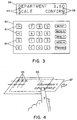
- Fig. 4 shows in perspective view an apparatus including a printed slide-in sheet 67 underneath a transparent touch-sensitive membrane 66.
- a touch-sensitive film is fixed on the postage meter in a way that permits a piece of paper to be inserted as into an envelope.
- the user can configure a particular solution (an image or text item, typically) and can then print it out. For example if the user is able to print any of several ads in the ad region 202 (Fig. 11) then the several ads can all be printed onto a paper sheet 67. This is inserted under the film 66.
- the user can then select the concerned feature (such as an ad or user-selected print field), by pressing the film.
- Fig. 4 The arrangement of Fig. 4 is quite versatile. It is cheap and yet very flexible. Graphics or text can be selected equally conveniently, and additional keys or user features can be added to the postage meter with this arrangement.
- the printing means of the postage meter is set up so that it can print postage indicia on mail pieces and can print items of information on a sheet.
- a receiving area is shaped to receive the sheet, and the receiving area has a substantially transparent touch-sensitive pad 66 overlaid thereupon, the pad 66 having a plurality of touch-sensitive areas 65 disposed across its area.
- the printing means prints items of information on the sheet 67 positioned such that when the sheet is inserted into the receiving area, then the items of information are juxtaposed with associated touch-sensitive areas 65.
- Fig. 5 shows in time sequence the steps to select a user parameter.
- a high-value (high postage value) limit which can be adjusted by the user.
- the starting value 70 (Fig. 5) is shown in screen 71. With repeated presses of the touch-sensitive pad the value is selected as shown at 72, 73, 74. This avoids data entry errors ad minimizes the interruption of work procedures. Importantly, the user is not permitted to change the contents of the list of scrolled values. This technique may be applied to other parameters such as the low-funds warning.
- a traditional problem with postage meters is that user-definable expressions, such as departments to which postage totals are charged, are typically limited to numerical values in a table, since the user input device is little more than a numeric keypad. It would be desirable to permit user input of generalized characters including letters, numbers, and other language-specific characters. This would permit user-definable expressions, such as departments, to be in clear text, including the language-specific characters.
- Fig. 6 shows a user mode in which a user-definable expression (text string) is being entered.
- the display 80 requires only two lines.
- An upper line 81 shows the written text, that is, the text string being entered.
- a lower line 82 permits the user to have access to all available characters.
- An arrow 83 shows where other characters than the visible ones are hidden. Touching an arrow 83 by means of a finger 84 moves the listed characters in the indicated direction. Touching a character 85 (Fig. 7) writes it into the display 86.
- numeric keys are used to enter letters and other characters, which requires that alphabet indications appear on the keys. With the user input arrangement just described, the numeric keys do not require alphabetic (letter) indications.
- the user interface comprises a display screen 80 with a substantially transparent touch-sensitive pad overlaid thereupon, said pad having a multiplicity of touch-sensitive areas disposed across its area, each said touch-sensitive area having a respective associated area of said display screen.
- the processor displays on a first portion 81 of the display screen a text string, and displays on a second portion of the display screen 82 a displayed one of a plurality of subsets of a character set together with a symbol 83 indicative of a change of the displayed one of the plurality of subsets. If the user touches one of the displayed elements 85 (Fig. 7), the selected displayed element is added to the text string at 86 (Fig. 7).
- a green light shows if the machine is ready to operate.
- the green light is preferably a high-brightness light-emitting diode, located at the upper left side of the display.
- An acoustic signal may augment the visual signal. This frees up space in the display that would otherwise be required to communicate a "ready" message.
- An advantageous feature of a postage meter according to the invention is the provision of an alarm clock. Normally there is a daily routine associated with the postage meter, with a deadline associated with the last possible time for depositing mail at the post office or in a collection box. To assist the user in meeting this time, an alert function is built into the postage meter. In a specific submenu, the user can set the time of the alarm. If the alarm time has been set, then the postage meter produces a acoustic signal (such as a beep or series of beeps) which persists until cleared by the user or until a predetermined interval has passed. The interval is likewise user-settable.
- a acoustic signal such as a beep or series of beeps
- numeric short cut for access to various submenus.
- the user can press a "short cut” key followed by several numeric digits. This takes the user to a position in a submenu.
- the user manual or other product literature can refer to the submenu positions by means of the numeric short cuts.
- the numerical short cut value is shown on the screen as well.
- Fig. 9 shows steps in the user selection of an address to be printed on a mail piece along with a postage indicium.
- Existing address data in a personal computer is desirably transferred to the postage meter and printed on a letter or other mail piece.
- a communications link or interface permits communications between the personal computer 90 and the postage meter. The result is that the postage meter becomes an addressing machine.
- the print head needs to be able to reach an address field location. With many print means designs, this calls for a second print head or a removable print head.
- the addresses in the personal computer 90 are viewed on a screen 91 of the personal computer 90. If entry 93 is desired (with screen reference numeral "001", then at the postage meter display 92 a selection is made by pressing the "print" selection 94.
- the postage meter has a printing means for printing a postage indicium on a mall piece, and the printing means is further disposed to print an addressee field on the mail piece separate from the postage indicium.
- the user selects one of the address datums at said user interface, the address datum is received at the postage meter from the personal computer 90, and the printing means prints the postage indicium and the address datum on the mail piece.
- the user selection could optionally be done at the personal computer 90 instead.
- Fig. 10 shows in time sequence the steps to select a user parameter.
- the user is able to scroll through a pre-programmed list, a user-defined list, or a list based on historical values of the parameter of interest.
- the display 110 shows a parameter 111, and the user learns that it may be scrolled by means of a flashing cursor 112 or some other visual indication such as reverse video or a framed rectangle around the changeable parameter.
- Each touch of the parameter scrolls through a value 113, 114, 115, or 116.
- the elements selected in this way can be any frequently used elements, such as franked values (postage amounts), department names or numbers, and scale parameters.
- a chief benefit of this approach is the quick availability of the elements, and the avoidance of errors in the case of complicated entries.
- the postage meter Based on the most frequently entered values, the postage meter creates automatically a list of the most frequently used values. This can be superior to a preprogrammed list because the preprogrammed list may not be up to date. There is no need for changes to the list to be manually performed by the user nor for changes to be performed by a service engineer, because the list is updated automatically.
- the meter captures all values and automatically creates a list of the most frequent values (perhaps five most frequent different values). Then, during franking mode, a list of such values can be scrolled based on actual daily needs.
- the processor 250 (Fig. 12) is programmed to keep a history of values of particular user-selected parameters.
- the history is used to develop a list which can be sorted in order, typically numerical order.
- the value is changed to a second value ad a third value in sequence.
- Fig. 11 shows a imprint on a mail piece including a postage indicium 201, 200 and a user-selected text field 203 along with an optional advertisement image 202.
- a user-defined text field is available, located outside of the postal area, taking into account any pertinent postal regulations. The user is able to enter user-defined text into the postage meter ad the text is printed by the postage meter onto the mail piece. This provides a cost-free way of placing user-defined information such as a return address onto the mail piece. Typically the text field would be to the left of the ad field 202.
- the print means is set up for printing a postage indicium on a mail piece, and is further set up to print a print field 203 on the mail piece adjacent the postage indicium 201, 200.
- the print means prints on the mail piece a postage indicium 201, 200; and prints on the mail piece within the print field 203 a user-selected item of information unrelated to the content of the postal indicium 201, 200.
- a user could select a user-selected text or image for printing in the text field 203 is by means of the above-described printed sheet 67 (Fig. 4).
- the user would cause the postage meter to print items of information on a sheet 67 (Fig. 4), and would insert the sheet 67 into a receiving area under a touch-sensitive pad 66.
- the user would touch an area 65 on the pad 66 associated with one of said items of information.
- the result would be that when postage is printed (Fig. 11), then there would be printed on said mail piece within said print field 203 the image associated with the item of information associated with the touched area 65 on the pad 66.
- the printed image in field 203 could be a text image or a graphical image.
Landscapes
- Physics & Mathematics (AREA)
- General Physics & Mathematics (AREA)
- Devices For Checking Fares Or Tickets At Control Points (AREA)
- Management, Administration, Business Operations System, And Electronic Commerce (AREA)
Applications Claiming Priority (4)
| Application Number | Priority Date | Filing Date | Title |
|---|---|---|---|
| US5909997P | 1997-09-16 | 1997-09-16 | |
| US09/152,959 US6295523B1 (en) | 1997-09-16 | 1998-09-14 | Man-machine interface |
| US152959 | 1998-09-14 | ||
| US59099 | 2002-01-25 |
Publications (2)
| Publication Number | Publication Date |
|---|---|
| EP0908852A2 true EP0908852A2 (de) | 1999-04-14 |
| EP0908852A3 EP0908852A3 (de) | 2000-12-27 |
Family
ID=26738360
Family Applications (1)
| Application Number | Title | Priority Date | Filing Date |
|---|---|---|---|
| EP98117428A Withdrawn EP0908852A3 (de) | 1997-09-16 | 1998-09-15 | Verbesserte Mensch-Maschine Schnittstelle |
Country Status (3)
| Country | Link |
|---|---|
| US (2) | US6295523B1 (de) |
| EP (1) | EP0908852A3 (de) |
| CA (1) | CA2247584A1 (de) |
Cited By (4)
| Publication number | Priority date | Publication date | Assignee | Title |
|---|---|---|---|---|
| US6295523B1 (en) * | 1997-09-16 | 2001-09-25 | Ascom Hasler Mailing Systems Ag | Man-machine interface |
| EP1739628A3 (de) * | 2005-06-30 | 2007-04-04 | Pitney Bowes Inc. | Bedienfeldetikett für eine Frankierungsdruckvorrichtung |
| EP1464043A4 (de) * | 2001-02-23 | 2007-08-29 | Ascom Hasler Mailing Sys Inc | Benutzerschnittstelle für ein frankiersystem |
| WO2011103342A1 (en) * | 2010-02-18 | 2011-08-25 | Sulaiman Alkazi | Configurable multilingual keyboard |
Families Citing this family (7)
| Publication number | Priority date | Publication date | Assignee | Title |
|---|---|---|---|---|
| US20020077991A1 (en) * | 2000-06-26 | 2002-06-20 | Peter Heimann | Franking machine control |
| US20020133471A1 (en) * | 2001-02-23 | 2002-09-19 | Fetneh Eskandari | Configuration enablement of franking system |
| AU2002325010A1 (en) | 2001-09-17 | 2003-04-01 | United States Postal Service | Customized item cover |
| WO2004070620A1 (en) * | 2002-09-04 | 2004-08-19 | United States Postal Services | Digital cancellation mark |
| US20060136348A1 (en) * | 2004-12-15 | 2006-06-22 | Pascal Charroppin | Mailing system user interface |
| JP6036123B2 (ja) * | 2012-10-01 | 2016-11-30 | 富士ゼロックス株式会社 | 情報表示装置及びプログラム |
| US10957445B2 (en) | 2017-10-05 | 2021-03-23 | Hill-Rom Services, Inc. | Caregiver and staff information system |
Citations (1)
| Publication number | Priority date | Publication date | Assignee | Title |
|---|---|---|---|---|
| US5437010A (en) | 1990-12-19 | 1995-07-25 | Pitney Bowes Inc. | Embedded user interface accessible by an external device |
Family Cites Families (29)
| Publication number | Priority date | Publication date | Assignee | Title |
|---|---|---|---|---|
| US4527468A (en) * | 1984-10-29 | 1985-07-09 | Pitney Bowes Inc. | Apparatus for separating multiple webs of documents into discrete documents and forming the discrete documents into predetermined batches |
| US4568072A (en) * | 1984-10-29 | 1986-02-04 | Pitney Bowes Inc. | Interactive system for defining initial configurations for an inserter system |
| US4527790A (en) * | 1984-10-29 | 1985-07-09 | Pitney Bowes Inc. | Apparatus and method for separating multiple webs of documents having the capability for orderly shut-down and re-start of operation |
| US5059960A (en) | 1986-12-22 | 1991-10-22 | Eastman Kodak Company | Control panel |
| US4811240A (en) * | 1986-12-22 | 1989-03-07 | International Business Machines Corporation | System for creating and controlling interactive graphic display screens |
| GB8830421D0 (en) * | 1988-12-30 | 1989-03-01 | Alcatel Business Systems | Postage stamp machine |
| US5191329A (en) * | 1989-11-13 | 1993-03-02 | Samreus Philip N | Data entry device with automatic sheet identification |
| JPH03208194A (ja) * | 1990-01-10 | 1991-09-11 | Yuuseidaijin | 国際郵便処理システム |
| EP0499497A3 (en) | 1991-01-14 | 1993-02-10 | Alcatel Satmam | Four cue keyboard |
| US5586037A (en) * | 1991-04-01 | 1996-12-17 | Pi Electronics, Inc. | Automated self-service mail processing and storing systems |
| US5656799A (en) * | 1991-04-10 | 1997-08-12 | U-Ship, Inc. | Automated package shipping machine |
| JPH04338814A (ja) * | 1991-05-16 | 1992-11-26 | Canon Inc | タッチパネル式情報処理装置 |
| US5390005A (en) * | 1992-07-13 | 1995-02-14 | Konica Corporation | Operation-panel-indicating method for a copying machine |
| JP3208194B2 (ja) | 1992-09-30 | 2001-09-10 | 三洋電機株式会社 | 流路切換装置 |
| US5410326A (en) * | 1992-12-04 | 1995-04-25 | Goldstein; Steven W. | Programmable remote control device for interacting with a plurality of remotely controlled devices |
| GB9226810D0 (en) | 1992-12-23 | 1993-02-17 | Neopost Ltd | Mailing system |
| US5884292A (en) * | 1993-05-06 | 1999-03-16 | Pitney Bowes Inc. | System for smart card funds refill |
| US5457636A (en) * | 1993-07-29 | 1995-10-10 | Pitney Bowes Inc. | Postal finishing kiosk |
| US5606507A (en) * | 1994-01-03 | 1997-02-25 | E-Stamp Corporation | System and method for storing, retrieving and automatically printing postage on mail |
| US5510992A (en) * | 1994-01-03 | 1996-04-23 | Post N Mail, L.C. | System and method for automatically printing postage on mail |
| FR2721730B1 (fr) | 1994-06-22 | 1996-08-23 | Clifford Holding Ltd | Boîtier de commande à clavier coopérant avec une carte à mémoire qui rend le boîtier et le clavier fonctionnels. |
| JP3312710B2 (ja) * | 1994-12-21 | 2002-08-12 | 株式会社サトー | ラベルプリンタ |
| KR960024839A (ko) | 1994-12-29 | 1996-07-20 | 김광호 | 소프트 키보드를 이용한 휴대용 정보 단말기 및 정보 입력방법 |
| DE59510980D1 (de) | 1995-03-07 | 2005-01-27 | Frama Ag | Vorrichtung für die Bestimmung eines Frankierwertes |
| DE19534530A1 (de) | 1995-09-08 | 1997-03-13 | Francotyp Postalia Gmbh | Verfahren zur Absicherung von Daten und Programmcode einer elektronischen Frankiermaschine |
| US5819240A (en) * | 1995-10-11 | 1998-10-06 | E-Stamp Corporation | System and method for generating personalized postage indica |
| US5717597A (en) * | 1995-10-11 | 1998-02-10 | E-Stamp Corporation | System and method for printing personalized postage indicia on greeting cards |
| US5737729A (en) * | 1996-06-04 | 1998-04-07 | Denman; Donald E. | Interactive kiosk for selecting and sending mail pieces |
| US6295523B1 (en) * | 1997-09-16 | 2001-09-25 | Ascom Hasler Mailing Systems Ag | Man-machine interface |
-
1998
- 1998-09-14 US US09/152,959 patent/US6295523B1/en not_active Expired - Lifetime
- 1998-09-15 EP EP98117428A patent/EP0908852A3/de not_active Withdrawn
- 1998-09-16 CA CA002247584A patent/CA2247584A1/en not_active Abandoned
-
2001
- 2001-08-22 US US09/938,298 patent/US20020083023A1/en not_active Abandoned
Patent Citations (1)
| Publication number | Priority date | Publication date | Assignee | Title |
|---|---|---|---|---|
| US5437010A (en) | 1990-12-19 | 1995-07-25 | Pitney Bowes Inc. | Embedded user interface accessible by an external device |
Cited By (5)
| Publication number | Priority date | Publication date | Assignee | Title |
|---|---|---|---|---|
| US6295523B1 (en) * | 1997-09-16 | 2001-09-25 | Ascom Hasler Mailing Systems Ag | Man-machine interface |
| EP1464043A4 (de) * | 2001-02-23 | 2007-08-29 | Ascom Hasler Mailing Sys Inc | Benutzerschnittstelle für ein frankiersystem |
| EP1739628A3 (de) * | 2005-06-30 | 2007-04-04 | Pitney Bowes Inc. | Bedienfeldetikett für eine Frankierungsdruckvorrichtung |
| US7533067B2 (en) | 2005-06-30 | 2009-05-12 | Pitney Bowes Inc. | Control panel label for a postage printing device |
| WO2011103342A1 (en) * | 2010-02-18 | 2011-08-25 | Sulaiman Alkazi | Configurable multilingual keyboard |
Also Published As
| Publication number | Publication date |
|---|---|
| EP0908852A3 (de) | 2000-12-27 |
| US6295523B1 (en) | 2001-09-25 |
| US20020083023A1 (en) | 2002-06-27 |
| CA2247584A1 (en) | 1999-03-16 |
Similar Documents
| Publication | Publication Date | Title |
|---|---|---|
| US6295523B1 (en) | Man-machine interface | |
| JP2002178589A (ja) | 印刷装置および印刷方法 | |
| US6177925B1 (en) | Customized overlay template for alarm control panel keypad | |
| WO1986002473A1 (en) | Data entry terminal and process | |
| EP1241014B1 (de) | Druckvorrichtung | |
| JP2004252703A (ja) | Posシステムにおけるディスプレイ表示方式 | |
| US20020000145A1 (en) | Machine for cutting sheets of materials in stacks | |
| US7100121B2 (en) | Franking system user interface | |
| JPH1067145A (ja) | ラベルプリンタ | |
| JP2014231166A (ja) | プリンタ、及び、そのプリンタを備えた装置 | |
| JP5617234B2 (ja) | ラベル発行装置 | |
| EP0273764B1 (de) | Textverarbeitungssystem | |
| JP3614072B2 (ja) | ラベルプリンタ | |
| JP3362719B2 (ja) | ラベルプリンタ | |
| JP5987879B2 (ja) | ラベル発行装置 | |
| JP2642020B2 (ja) | ラベル印字装置 | |
| JP4047952B2 (ja) | プリンタ | |
| JP2000326563A (ja) | ラベルプリンタ | |
| JP2968529B2 (ja) | ラベルプリンタ | |
| JP3054179B2 (ja) | ラベルプリンタ | |
| JPS6160434A (ja) | プライスラベラ | |
| JPH0751372B2 (ja) | ラベルプリンタ | |
| JP2667089B2 (ja) | ラベル印字装置 | |
| JP2000020223A (ja) | 電子式キャッシュレジスター | |
| JP2623120B2 (ja) | 顧客管理装置 |
Legal Events
| Date | Code | Title | Description |
|---|---|---|---|
| PUAI | Public reference made under article 153(3) epc to a published international application that has entered the european phase |
Free format text: ORIGINAL CODE: 0009012 |
|
| AK | Designated contracting states |
Kind code of ref document: A2 Designated state(s): AT BE CH DE ES FR GB IT LI NL SE |
|
| AX | Request for extension of the european patent |
Free format text: AL;LT;LV;MK;RO;SI |
|
| RIC1 | Information provided on ipc code assigned before grant |
Free format text: 7G 07B 17/00 A, 7G 06F 3/033 B |
|
| PUAL | Search report despatched |
Free format text: ORIGINAL CODE: 0009013 |
|
| AK | Designated contracting states |
Kind code of ref document: A3 Designated state(s): AT BE CH CY DE DK ES FI FR GB GR IE IT LI LU MC NL PT SE |
|
| AX | Request for extension of the european patent |
Free format text: AL;LT;LV;MK;RO;SI |
|
| 17P | Request for examination filed |
Effective date: 20010626 |
|
| AKX | Designation fees paid |
Free format text: AT BE CH DE ES FR GB IT LI NL SE |
|
| 17Q | First examination report despatched |
Effective date: 20080526 |
|
| STAA | Information on the status of an ep patent application or granted ep patent |
Free format text: STATUS: THE APPLICATION HAS BEEN WITHDRAWN |
|
| 18W | Application withdrawn |
Effective date: 20111116 |