EP0984368A2 - Verfahren zum Herstellen von Verweisen zwischen Dateien von Datenbanken und Computernetzwerk - Google Patents
Verfahren zum Herstellen von Verweisen zwischen Dateien von Datenbanken und Computernetzwerk Download PDFInfo
- Publication number
- EP0984368A2 EP0984368A2 EP99116975A EP99116975A EP0984368A2 EP 0984368 A2 EP0984368 A2 EP 0984368A2 EP 99116975 A EP99116975 A EP 99116975A EP 99116975 A EP99116975 A EP 99116975A EP 0984368 A2 EP0984368 A2 EP 0984368A2
- Authority
- EP
- European Patent Office
- Prior art keywords
- file
- target
- screen
- computer network
- database
- Prior art date
- Legal status (The legal status is an assumption and is not a legal conclusion. Google has not performed a legal analysis and makes no representation as to the accuracy of the status listed.)
- Granted
Links
Images


Classifications
-
- G—PHYSICS
- G06—COMPUTING OR CALCULATING; COUNTING
- G06F—ELECTRIC DIGITAL DATA PROCESSING
- G06F16/00—Information retrieval; Database structures therefor; File system structures therefor
- G06F16/90—Details of database functions independent of the retrieved data types
- G06F16/93—Document management systems
- G06F16/94—Hypermedia
Definitions
- the invention relates to a method for producing references between Files from databases stored on a storage medium
- Central computers of a computer network are stored, the Computer network further at least one operating unit for Communication with the central computer and for viewing the content which includes files on a screen.
- references are made between files in a database usually during the construction of the database or in the immediate Connection to this by appropriate programming work Database specialist.
- This way of making references between Files has several disadvantages: For large databases, this is Creating the references is extremely time consuming and delays the Commissioning of the database in the computer network. Furthermore, the The corresponding programming work is carried out by specialists expensive. In addition, it may happen that the programming specialist manufactured during or after the creation of the database References between the files do not meet the information needs of one User when using the computer network later correspond.
- the production of References between files after commissioning the corresponding Databases in the computer network whereby the one described above, Time loss occurring in the usual procedures is avoided. Further omitted those with the usual creation of references by one Database related costs.
- the references manufactured user-oriented since the corresponding assignment of a Target file for an initial file viewed by the user himself, usually at his place of work, when working with the corresponding databases. This not only ensures that the references necessary or helpful in daily work between files are actually created, but you avoid also the appearance of useless references that occur when working with the Disrupt computer network, waste time and storage space on the storage medium of the central computer.
- Allow on the other hand those produced in a user-oriented manner using the method according to the invention References between files that the user can use at a later, renewed Viewing the source file enters a target file view command, with which he can directly access the target file and put it on the Can display that he or another user at a previous use of the source file computer network assigned.
- a target database display command when viewing the source file can be entered if there is no reference between the Source file and one of the files of the target database is saved, one Selection display of the target database on the screen causes that at User selects a target file from the target database automatically a mapping information is stored that the output file and the Destination file indicates, and that from the mapping information automatically or triggered manually, a corresponding reference made and is saved.
- the selection display of the target database in which no target file of the Output file has been assigned, for example, in one to do this on the screen that opens on the screen, like this from numerous graphic computer interfaces is known.
- the user selects a target file from the target database and window assigns them to the source file.
- the method provides that the user issue a referral command can be entered, the creation and storage of the reference from the Allocation information caused.
- the user does not create here only the above-mentioned assignment information, but it causes itself the creation and storage of the reference on the storage medium of the central computer.
- one of the central computers constantly running monitoring program that generated by the user Map information in a statistics file that preferably stores also the frequency of the production of the same assignment information stores, and that at an optional time Referral commands can be entered manually or generated automatically are, optionally for all or better just a part of the Allocation information, preferably according to their frequency.
- the You can manually enter the referrer commands here for example by a computer network administrator who Statistics file evaluates.
- the automatic generation of references can be done by another program executed by the central computer be carried out, which evaluates the statistics file accordingly.
- mapping information stored in the statistics file each Users also provide an individual characterization of their interests, what e.g. can be used advantageously for training purposes.
- mapping information in such a statistics file can be particularly useful in a computer network with multiple Operating units and / or more users the case that one source file different target files in one and the same Target database have been assigned.
- a predetermined Only one target file can be assigned to the source file in each target database is, it is therefore provided that when different occur Mapping information using the same source file different target files in the same target database link from the mapping information with the greatest frequency of Reference is made.
- Procedural references from the given source file to several Target files should be offered in the same target database, so can optionally create the references decentrally through the Users can be done in the manner described above. Using References can then be made using special reference windows on the Screen, which is a selection display of all target files in one and Show the same target database for the specified source file.
- the method according to the invention simplifies working with files in Databases in a computer network that have a central computer Storage medium and an operating unit for communication with the Central computer and to view the content of the files on one Screen includes means for referencing between Files based on what a user uses when using the Assignment of a target file to a computer network Target database for an initially viewed source file of a Source database and for entering a target file display command for the immediate display of the target file on the screen at a later, re-examination of the original file are provided.
- the Control panel screen a touch-sensitive screen (touch screen) is.
- touch-sensitive screen commands are predefined by tapping on the screen Fields entered.
- the Control unit from a single component, namely the touch-sensitive screen, which may be special space-saving and clearly arranged at the workplace and for example, largely insensitive to a keyboard against those in technical companies such as Auto repair shops usual Interferences (dust, material particles, heat, grease, oil etc.).
- the operating unit has a keyboard and / or a cursor control device, especially computer mouse, for communication with the central computer.
- a cursor control device especially computer mouse
- a field "test and setting data” for calling up the test and Setting data of a selected component / a selected position; on "Parts” field for calling up the part number and ordering one selected component / position; a field “repair instructions” to call up the repair instructions for a selected component a selected position; a field “additional work” to get the a selected component / a selected position test and Additional work; a "theory” field for retrieving a selected one Component / theoretical assigned to a selected position Information; a field “link” for placing a link between one selected component / position and another file; on “Print” field for printing the screen view.
- the fields "Test and setting data”, “Parts”, “Repair instructions”, “Additional work” and “Theory” correspond to typical databases, on the in a technical operation such. B. a car workshop a workplace such as B. a lift for car repairs, is accessed. Tapping one of these fields corresponds to the one above Described target file display command, simultaneously tapping the The "link” field corresponds to the target database display command described above.
- the field “print” causes the printout of the Screen view on an optionally connected printer, so certain information in printed form at such places of the Can be taken from which the screen is not visible.
- the touch-sensitive screen displays the following fields: one field "Cursor” for selecting components shown on the screen or positions and a field “Enter” to confirm and thus select the selected components or positions.
- one Control unit with a common screen, such as. B. one commercially available PC, these functions can be used by the corresponding Keys on the keyboard and / or from the cursor control device, such as e.g. B. a computer mouse or a trackball.
- the computer network can be designed so that one Operating unit from set references in a references database can be saved, which is assigned only to this control unit. Consequently only those references are available to a user at a workstation That he created between files in the past.
- references are in a references database can be stored in central computers of other computer networks is transferable, preferably over a wide area network (WAN) Connection.
- WAN wide area network
- Such a WAN connection offers the possibility that the computer network with at least one second comparable computer network, in particular in a comparable technical operation, is connected for comparison and, if necessary, updating on the respective central computers saved references.
- a user provides the information that he has for Referrals considered meaningful not only to his colleagues in the same technical operation, but also users in other, comparable Operationally available and vice versa from their references benefit.
- the computer network is like this connected to a wide area network, especially the Internet, that certain files from anyone else to this wide area network connected computers are accessible from.
- a wide area network especially the Internet
- it serves Computer network not only as an internal tool, but also also as an advertising and information device to the outside world.
- a car repair shop connected to a car dealer can give you one potential customers, for example, certain images or technical Information about vehicles will be offered. This execution also opens up the possibility that a customer from home the Internet about the status of one made on his vehicle Repair informed.
- FIG. 1 shows schematically the structure of a computer network 10 for Implementation of the method according to the invention.
- a central computer (Server) 12 is connected to operating units 16 via lines 14, which in this example are touch-sensitive screens (touch screens) 17 are trained. While the touch sensitive Screens 17 at different workplaces within a company are set up, the central computer 12 is often in one for this specially designed, enclosed space.
- the central computer 12 is further connected to a conventional printer 20 via a printer cable 18, which is preferably set up so that it is different from, with Operating units 16 equipped workstations easily accessible is. In this way, it becomes accessible to users of the computer network 10 enables a printout of a viewed file also in such places to take her to work, from which screen 17 is not is visible.
- the central computer 12 is also over a WAN connection 24 connected to a wide area network. This enables in communicating with similar ones as described above Computer networks in other companies as well as access to certain information on the central computer 12 from the outside about the Internet.
- Each database 22A-22E contains a certain content area information in the form of files, which the user views on the screen 17 at his workplace can.
- each database 22A-22E includes an initially empty one References database 22A'-22E ', in the mapping information which are stored in the respective database 22A-22E existing source files with target files in other databases 22A-22E connect. So, for example, an output file in the Source database 22A a target file in the target database 22B assigned, then one made from this assignment information Reference in the reference database 22A 'of the initial database 22A saved. It is possible in the method according to the invention, but not necessary, also in the area 22B 'of the target database 22B in which the Target file is located to save a corresponding information.
- the inventive method for producing and using References between files when using the computer network 10 2 and 3 using the example of one in a motor vehicle workshop used computer network 10 explained.
- the user in In this case, a car mechanic receives at the start of work on the touch-sensitive screen 17 an overview of all for him planned work orders, if necessary also with time of the desired ones Completion or with a list of priorities.
- the cursor field 26H allows the cursor to be positioned anywhere (Screen pointer) C on screen 17 and is divided into four subfields, namely an upper, a lower, a left and a right subfield, divided up.
- Tapping on the respective subfield within the cursor field 26H moves the cursor C in the corresponding direction on the Screen 17.
- the work order selected in this way is indicated by Confirm with the enter field 261 selected. It either appears immediately or after further, similar selection processes, the exploded drawing of a component to be machined on the screen 17 (see Fig. 2).
- the stand for each of the individual parts that make up the component User information in files from the databases "test and Setting data "22A,” Parts "22B,” Repair instructions "22C, "Additional work” 22D and "Theory” 22E are available.
- "Test and setting data” database 22A Information about the target distances of items included that includes "Parts” database 22B Order data such as the associated part number and allows ordering a part from a warehouse, the "Repair Instructions” database 22C contains the instructions for example for installing a new one Clutch disc, the "Additional Work” database includes information for subsequent work such as the adjustment of the clutch and the "Theory” database 22E contains general structure information a coupling and the materials used.
- Cursor field 26H and Enter field 26I For example, in Fig. 2 the Cursor C on the approximately shown in the mine of the screen 17 Diaphragm spring M of the clutch positioned and then the enter field 261 have been actuated, whereby the selected item M on the Screen 17 optically highlighted, e.g. highlighted in color or in one different brightness level than the other individual parts.
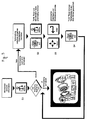
- the user taps a field 26A-26E, which is associated with database 22A-22E from which it desires information. In the flow chart of FIG. 3, this is based on the example of a desired one Information from the "Theory" database 22E explained.
- Target file rendering command which is the immediate rendering of an already assigned target file.
- touch-sensitive screen 17 can be provided that after selecting an item M on the screen 17 all those Touch fields 26A-26E optically highlighted, e.g. B. are highlighted in color, those databases 22A-22E are assigned in which already Target files of the source file containing the selected component have been assigned. For example, in Fig.
- step S1 Database 22A-22E If the item M selected on the screen 17 in the by Tap the corresponding field 26A-26E selected in step S1 Database 22A-22E, however, has not yet been assigned a target file, so an information window appears on the screen 17 in which the user is asked to create a reference yourself.
- step S2 users simultaneously use the "link" field 26F and the field 26A-26E associated with the desired database 22A-22E on.
- This target database display command causes one to open Window on the screen 17, in which a selection representation of the Target database is displayed.
- This selection display can preferably in one known by the "file managers" of various operating systems done graphically.
- the "Cursor” field 26H and the "Enter” field 26I Users in a step S3 directories and files within the Open target database 26E until it has the information you want found the target file containing it.
- the "Link" field again 26F in a final step S4 it stores the Assignment information about the assignment of the found target file to the the initial file containing initial item M from.
- the storage of the assignment information may vary Interpretation of the computer network 10 as a reference creation command act directly on the creation and storage of the reference causes the storage medium of the central computer 12. It is also possible that the assignment information in a statistics file on the Storage medium of the central computer 12 is stored, and that later based on this stored mapping information manually (e.g. by a network administrator) or automatically (by a program executed by the central computer 12, preferably at night) getting produced.
- the wide area network connection 24 is used Communication with companies, one of which is the car workshop Receives components and / or information, usually with one Manufacturing plant. Furthermore, the WAN connection 24 in the beginning described way of providing information to third parties Participant of the wide area network, especially for customers of the car workshop.
- the presented method for creating references between files of databases in the computer network described is not on use in the technical operation mentioned as an example, and especially not for use in the vehicle workshop mentioned as an example limited. Rather, it can be on any computer network, even in a single computer not connected to a network by placing references between different files under Avoiding the disadvantages described above more common Want to create referral methods.
- the Number and designation of the databases, between their files References should be made, not to those described in the Embodiment examples limited.
Landscapes
- Engineering & Computer Science (AREA)
- Databases & Information Systems (AREA)
- Theoretical Computer Science (AREA)
- Business, Economics & Management (AREA)
- General Business, Economics & Management (AREA)
- Data Mining & Analysis (AREA)
- Physics & Mathematics (AREA)
- General Engineering & Computer Science (AREA)
- General Physics & Mathematics (AREA)
- Information Retrieval, Db Structures And Fs Structures Therefor (AREA)
Abstract
Description
- Fig. 1
- einen schematischen Aufbau des Computernetzwerks zur Durchführung des erfindungsgemäßen Verfahrens;
- Fig. 2
- eine typische Ansicht eines berührungsempfindlichen Bildschirms (touch screen) aus Fig. 1; und
- Fig. 3
- ein Flußdiagramm zur Erläuterung der Verwendung bzw. Herstellung von Verweisen in dem Computernetzwerk aus Fig. 1 unter Einsatz des berührungsempfindlichen Bildschirms aus Fig. 2.
Claims (21)
- Verfahren zum Herstellen von Verweisen zwischen Dateien von Datenbanken (22A-22E), die auf einem Speichermedium eines Zentralcomputers (12) eines Computernetzwerks (10) gespeichert sind, wobei das Computernetzwerk (10) ferner wenigstens eine Bedienungseinheit (16) zur Kommunikation mit dem Zentralcomputer (12) und zur Betrachtung des Inhalts der Dateien auf einem Bildschirm (17) umfaßt,
dadurch gekennzeichnet,
daß das Herstellen eines Verweises zwischen Dateien auf Grundlage der von einem Benutzer bei der Verwendung des Computernetzwerks (10) vorgenommenen Zuordnung einer Zieldatei einer Zieldatenbank (22A-22E) zu einer anfänglich betrachteten Ausgangsdatei einer Ausgangsdatenbank (22A-22E) erfolgt, und daß bei einer späteren, erneuten Betrachtung der Ausgangsdatei ein Zieldateidarstellungsbefehl eingebbar ist zur unmittelbaren Darstellung der Zieldatei auf dem Bildschirm (17). - Verfahren nach Anspruch 1, dadurch gekennzeichnet, daßbei Betrachtung der Ausgangsdatei ein Zieldatenbankdarstellungsbefehl eingebbar ist, der dann, wenn noch kein Verweis zwischen der Ausgangsdatei und einer der Dateien der Zieldatenbank (22A-22E) gespeichert ist, eine Auswahldarstellung der Zieldatenbank (22A-22E) auf dem Bildschirm (17) veranlaßt, daß bei Auswahl einer Zieldatei der Zieldatenbank (22A-22E) durch den Benutzer selbsttätig eine Zuordnungsinformation gespeichert wird, die die Ausgangsdatei und die Zieldatei angibt, und daß aus der Zuordnungsinformation selbsttätig oder manuell ausgelöst, ein entsprechender Verweis hergestellt und abgespeichert wird.
- Verfahren nach Anspruch 1 oder 2, dadurch gekennzeichnet, daß bei Betrachtung der Ausgangsdatei ein bzw. der Zieldatenbankdarstellungsbefehl eingebbar ist, der dann, wenn bereits ein Verweis zwischen der Ausgangsdatei und einer Zieldatei der Zieldatenbank (22A-22E) gespeichert ist, eine unmittelbare Darstellung der Zieldatei auf dem Bildschirm (17) veranlaßt.
- Verfahren nach Anspruch 2 oder 3, dadurch gekennzeichnet, daß vom Benutzer ein Verweisherstellungsbefehl eingebbar ist, der die Herstellung und Abspeicherung des Verweises aus der Zuordnungsinformation veranlaßt.
- Verfahren nach Anspruch 2 oder 3, dadurch gekennzeichnet, daß ein von dem Zentralcomputer (12) ständig ausgeführtes Überwachungsprogramm die vom Benutzer erzeugten Zuordnungsinformationen in einer Statistikdatei speichert, die vorzugsweise auch die Häufigkeit der Herstellung gleicher Zuordnungsinformationen speichert, und daß zu einem wahlweisen Zeitpunkt Verweisherstellungsbefehle manuell eingebbar oder selbsttätig erzeugbar sind, wahlweise für sämtliche oder besser nur einen Teil der Zuordnungsinformationen, vorzugsweise entsprechend ihrer Häufigkeit.
- Verfahren nach Anspruch 5, dadurch gekennzeichnet, daß bei Auftreten von unterschiedlichen Zuordnungsinformationen, die ein und dieselbe Ausgangsdatei mit unterschiedlichen Zieldateien in ein und derselben Zieldatenbank verknüpfen, aus der Zuordnungsinformation mit der größten Häufigkeit der Verweis hergestellt wird.
- Verfahren zum Herstellen von Verweisen zwischen Dateien von Datenbanken (22A-22E), die auf einem Speichermedium eines Zentralcomputers (12) eines Computernetzwerks (10) gespeichert sind, wobei das Computernetzwerk (10) ferner wenigstens eine Bedienungseinheit (16) zur Kommunikation mit dem Zentralcomputer (12) und zur Betrachtung des Inhalts der Dateien auf einem Bildschirm (17) umfaßt
dadurch gekennzeichnet,
daß das Herstellen eines Verweises zwischen Dateien auf Grundlage der von einem Benutzer bei der Verwendung des Computernetzwerks (10) vorgenommenen Zuordnung einer Zieldatei einer Zieldatenbank (22A-22E) zu einer anfänglich betrachteten Ausgangsdatei einer Ausgangsdatenbank (22A-22E) erfolgt, und daß bei einer späteren, erneuten Betrachtung der Ausgangsdatei ein Zieldateidarstellungsbefehl eingebbar ist zur unmittelbaren Darstellung der Zieldatei auf dem Bildschirm (17), dergestalt, daß bei Betrachtung der Ausgangsdatei ein Zieldatenbankdarstellungsbefehl eingebbar ist, der dann, wenn noch kein Verweis zwischen der Ausgangsdatei und einer der Dateien der Zieldatenbank (22A-22E) gespeichert ist, eine Auswahldarstellung der Zieldatenbank (22A-22E) auf dem Bildschirm (17) veranlaßt, wobei bei Auswahl einer Zieldatei der Zieldatenbank (22A-22E) durch den Benutzer selbsttätig eine Zuordnungsinformation gespeichert wird, die die Ausgangsdatei und die Zieldatei angibt, und wobei aus der Zuordnungsinformation selbsttätig oder manuell ausgelöst, ein entsprechender Verweis hergestellt und abgespeichert wird, wohingegen der Zieldatenbankdarstellungsbefehl dann, wenn bereits ein Verweis zwischen der Ausgangsdatei und einer Zieldatei der Zieldatenbank (22A-22E) gespeichert ist, eine unmittelbare Darstellung der Zieldatei auf dem Bildschirm (17) veranlaßt. - Verfahren zum Herstellen von Verweisen zwischen Dateien von Datenbanken (22A-22E), die auf einem Speichermedium eines Zentralcomputers (12) eines Computernetzwerks (10) gespeichert sind, wobei das Computernetzwerk (10) ferner wenigstens eine Bedienungseinheit (16) zur Kommunikation mit dem Zentralcomputer (12) und zur Betrachtung des Inhalts der Dateien auf einem Bildschirm (17) umfaßt,
dadurch gekennzeichnet,
daß das Herstellen eines Verweises zwischen Dateien auf Grundlage der von einem Benutzer bei der Verwendung des Computernetzwerks (10) vorgenommenen Zuordnung einer Zieldatei einer Zieldatenbank (22A-22E) zu einer anfänglich betrachteten Ausgangadatei einer Ausgangsdatenbank (22A-22E) erfolgt, und daß bei einer späteren, erneuten Betrachtung der Ausgangsdatei ein Zieldateidarstellungsbefehl eingebbar ist zur unmittelbaren Darstellung der Zieldatei auf dem Bildschirm (17), wobei ein von dem Zentralcomputer (12) ständig ausgeführtes Überwachungsprogramm vom Benutzer erzeugte Zuordnungsinformationen, die die Ausgangsdatei und die Zieldatei angeben, in einer Statistikdatei speichert, die vorzugsweise auch die Häufigkeit der Herstellung gleicher Zuordnungsinformationen speichert, und wobei zu einem wahlweisen Zeitpunkt Verweisherstellungsbefehle manuell eingebbar oder selbsttätig erzeugbar sind, wahlweise für sämtliche oder besser nur einen Teil der Zuordnungsinformationen, vorzugsweise entsprechend ihrer Häufigkeit. - Verfahren nach einem der vorhergehenden Ansprüche, dadurch gekennzeichnet, daß der Zieldateidarstellungsbefehl durch Auswählen, insbesondere Anklicken, einer Felds, beispielsweise eines Icons, auf dem Bildschirm (17) eingebbar ist, welches Feld der die Zieldatei enthaltenden Zieldatenbank (22A-22E) zugeordnet ist.
- Verfahren nach Anspruch 9, dadurch gekennzeichnet, daß bei Betrachtung der Ausgangsdatei nach dem Auswählen eines Gegenstands auf den Bildschirm (17) all jene Felder optisch hervorgehoben, beispielsweise farbig unterlegt werden, die solchen Datenbanken (22A-22E) zugeordnet sind, in denen bereits Zieldateien der Ausgangsdatei zugeordnet worden sind.
- Computernetzwerk zur Durchführung des Verfahrens nach einem der vorhergehenden Ansprüche, umfassend einen Zentralcomputer (12) mit Speichermedium und eine Bedienungseinheit (16) zur Kommunikation mit dem Zentralcomputer (12) und zur Betrachtung des Inhalts der Dateien auf einem Bildschirm (17), wobei Mittel zum Herstellen eines Verweises zwischen Dateien auf Grundlage der von einem Benutzer bei der Verwendung des Computernetzwerks (10) vorgenommenen Zuordnung einer Zieldatei einer Zieldatenbank (22A-22E) zueineranfänglich betrachteten Ausgangsdatei einer Ausgangsdatenbank (22A-22E) und zum Eingeben eines Zieldateidarstellungsbefehls zur unmittelbaren Darstellung der Zieldatei auf dem Bildschirm (17) bei einer späteren, erneuten Betrachtung der Ausgangsdatei vorgesehen sind.
- Computernetzwerk nach Anspruch 11, dadurch gekennzeichnet, daß der Bildschirm (17) der Bedienungseinheit ein berührungsempfindlicher Bildschirm (touch screen) ist.
- Computernetzwerk nach Anspruch 11 oder 12, dadurch gekennzeichnet, daß die Bedienungseinheit (16) eine Tastatur und/oder eine Cursor-Steuervorrichtung, insbesondere Computermaus, zur Kommunikation mit dem Zentralcomputer (12) aufweist.
- Computernetzwerk nach einem der Ansprüche 11 bis 13, dadurch gekennzeichnet, daß bei Einsetzen des Computernetzwerks in einem technischen Betrieb der Bildschirm (17) wenigstens eines der folgenden Felder anzeigt:ein Feld "Prüf- und Einstelldaten" (26A) zum Abrufen der Prüf- und Einstelldaten eines angewählten Bauteils/einer angewählten Position;ein Feld "Teile" (26B) zum Aufrufen der Teilenummer und zum Bestellen eines angewählten Bauteils/einer angewählten Position;ein Feld "Reparatur-Anleitung" (26C) zum Abrufen der Reparatur-Anleitung eines angewählten Bauteils/einer angewählten Position;ein Feld "Zusatzarbeiten" (26D) zum Abrufen der einem angewählten Bauteil/einer angewählten Position zugeordneten Prüf-und Zusatzarbeiten;ein Feld "Theorie" (26E) zum Abrufen von einem angewählten Bauteil/einer angewählten Position zugeordneten theoretischen Informationen;ein Feld "link" (26F) zum Setzen eines Verweises zwischen einem angewählten Bauteil/einer angewählten Position und einer anderen Datei;ein Feld "print" (26G) zum Ausdrucken der Bildschirmansicht.
- Computernetzwerk nach Anspruch 12 und 14, dadurch gekennzeichnet, daß der berührungsempfindliche Bildschirm (17) folgende Felder anzeigt:ein Feld "Cursor" (26H) zum Anwählen von auf dem Bildschirm (17) dargestellten Bauteilen oder Positionen;ein Feld "Enter" (261) zum Bestätigen und somit Auswählen der angewählten Bauteile oder Positionen.
- Computernetzwerk nach einem der Ansprüche 11 bis 15, dadurch gekennzeichnet, daß von einer Bedienungseinheit (16) aus gesetzte Verweise in einer Verweise-Datenbank (22A'-22E') abspeicherbar sind, die nur dieser Bedienungseinheit (16) zugeordnet ist.
- Computernetzwerk nach einem der Ansprüche 11 bis 15, dadurch gekennzeichnet, daß von einer Bedienungseinheit (16) aus gesetzte Verweise in einer Verweise-Datenbank (22A'-22E') abspeicherbar sind, die sämtlichen Bedienungseinheiten (16) gemeinsam ist.
- Computernetzwerk nach einem der Ansprüche 11 bis 17, dadurch gekennzeichnet, daß die Verweise in einer Verweise-Datenbank (22A'-22E') abspeicherbar sind, die in Zentralcomputer (12) anderer Computernetzwerke (10) übertragbar ist, vorzugsweise über eine Weitverkehrsnetz-(WAN; Wide-Area-Network-) Verbindung (24).
- Computernetzwerk nach Anspruch 18, dadurch gekennzeichnet, daß das Computernetzwerk (10) mit wenigstens einem zweiten Computernetzwerk (10) nach einem der Ansprüche 7-14, insbesondere in einem vergleichbaren technischen Betrieb, verbunden ist zum Vergleichen und ggf. Aktualisieren von auf den jeweiligen Zentralcomputern (12) gespeicherten Verweisen.
- Computernetzwerk nach einem der Ansprüche 11 bis 19, dadurch gekennzeichnet, daß es über eine Weitverkehrsnetz-Verbindung (24) mit einem anderen Computer, insbesondere in einem anderen Betrieb, wie z.B. Herstellerwerk, verbunden ist, von dem es neue Daten zu den möglichen Ausgangs- und Zieldatenbanken (22A-22E) zum Speichern auf dem Speichermedium seines Zentralcomputers (12) empfängt.
- Computernetzwerk nach einem der Ansprüche 11 bis 20, dadurch gekennzeichnet, daß es derart an ein Weitverkehrsnetz, insbesondere das Internet, angeschlossen ist, daß bestimmte Dateien von jedem anderen an dieses Weitverkehrsnetz angeschlossenen Computer aus zugänglich sind.
Applications Claiming Priority (2)
| Application Number | Priority Date | Filing Date | Title |
|---|---|---|---|
| DE19840000A DE19840000A1 (de) | 1998-09-02 | 1998-09-02 | Verfahren zum Herstellen von Verweisen zwischen Dateien von Datenbanken und Computernetzwerk |
| DE19840000 | 1998-09-02 |
Publications (3)
| Publication Number | Publication Date |
|---|---|
| EP0984368A2 true EP0984368A2 (de) | 2000-03-08 |
| EP0984368A3 EP0984368A3 (de) | 2005-07-13 |
| EP0984368B1 EP0984368B1 (de) | 2008-09-03 |
Family
ID=7879572
Family Applications (1)
| Application Number | Title | Priority Date | Filing Date |
|---|---|---|---|
| EP99116975A Expired - Lifetime EP0984368B1 (de) | 1998-09-02 | 1999-08-27 | Verfahren zum Herstellen von Verweisen zwischen Dateien von Datenbanken und Computernetzwerk |
Country Status (3)
| Country | Link |
|---|---|
| EP (1) | EP0984368B1 (de) |
| AT (1) | ATE407406T1 (de) |
| DE (2) | DE19840000A1 (de) |
Cited By (1)
| Publication number | Priority date | Publication date | Assignee | Title |
|---|---|---|---|---|
| US10261979B2 (en) | 2015-09-23 | 2019-04-16 | Yandex Europe Ag | Method and apparatus for rendering a screen-representation of an electronic document |
Family Cites Families (6)
| Publication number | Priority date | Publication date | Assignee | Title |
|---|---|---|---|---|
| SE466073B (sv) * | 1988-07-07 | 1991-12-09 | Asea Atom Ab | Presentationssystem foer laenkning av med hjaelp av en presentationsenhet presenterad information |
| DE69031491T2 (de) * | 1990-04-10 | 1998-03-26 | Ibm | Hypertextdatenverarbeitungssystem und Verfahren |
| DE69400870T2 (de) * | 1993-07-19 | 1997-05-15 | Taligent Inc | Dynamisches verknüpfungssystem |
| US5657460A (en) * | 1995-04-11 | 1997-08-12 | Data View, Inc. | System and method for storing and displaying data |
| US5708825A (en) * | 1995-05-26 | 1998-01-13 | Iconovex Corporation | Automatic summary page creation and hyperlink generation |
| US5790121A (en) * | 1996-09-06 | 1998-08-04 | Sklar; Peter | Clustering user interface |
-
1998
- 1998-09-02 DE DE19840000A patent/DE19840000A1/de not_active Ceased
-
1999
- 1999-08-27 AT AT99116975T patent/ATE407406T1/de not_active IP Right Cessation
- 1999-08-27 DE DE59914859T patent/DE59914859D1/de not_active Expired - Lifetime
- 1999-08-27 EP EP99116975A patent/EP0984368B1/de not_active Expired - Lifetime
Cited By (1)
| Publication number | Priority date | Publication date | Assignee | Title |
|---|---|---|---|---|
| US10261979B2 (en) | 2015-09-23 | 2019-04-16 | Yandex Europe Ag | Method and apparatus for rendering a screen-representation of an electronic document |
Also Published As
| Publication number | Publication date |
|---|---|
| ATE407406T1 (de) | 2008-09-15 |
| EP0984368A3 (de) | 2005-07-13 |
| EP0984368B1 (de) | 2008-09-03 |
| DE19840000A1 (de) | 2000-03-09 |
| DE59914859D1 (de) | 2008-10-16 |
Similar Documents
| Publication | Publication Date | Title |
|---|---|---|
| DE69423204T2 (de) | Mehrzweckbenutzerschnittstelle | |
| DE69817158T2 (de) | Benutzerschnittstellen-Mechanismus zur Manipulierung von Kontexten in Computerverwaltungsapplikationen | |
| DE69329966T2 (de) | Prozedurorientierte benutzerschnittstelle | |
| EP1110127B1 (de) | Informations-, bedien- und/oder beobachtungssystem mit modellbasierter benutzeroberfläche und verfahren zum modellbasierten bedienen und/oder beobachten | |
| DE112008000527T5 (de) | Verfahren und System zum Erzeugen eines Kontrollsystembenutzerinterfaces | |
| DE10144390A1 (de) | Visualisierung eines Vergleichsergebnisses mindestens zweier in Verzeichnisbäumen organisierter Datenstrukturen | |
| DE102018206653B4 (de) | Verfahren zum dynamischen Anpassen einer Bedienvorrichtung in einem Kraftfahrzeug sowie Bedienvorrichtung und Kraftfahrzeug | |
| DE10052014B4 (de) | Verfahren zum Steuern und Aktualisieren des Bediensystems für eine Druckmaschine | |
| EP1701258A1 (de) | Darstellung hierarchischer Softwarestrukturen | |
| DE4329886A1 (de) | Ablaufsteuerungssystem für Druckereien | |
| DE112012006050T5 (de) | Bildschirmdatenerzeugungsvorrichtung für programmierbare Anzeigevorrichtung | |
| DE10320268B4 (de) | Vorrichtung und Verfahren zum Auffinden und Darstellen von Informationen | |
| DE10112973C2 (de) | Fahrzeugrechner-System | |
| EP0984368B1 (de) | Verfahren zum Herstellen von Verweisen zwischen Dateien von Datenbanken und Computernetzwerk | |
| EP1315057A1 (de) | Vorrichtung und Verfahren zur Erstellung und/oder Änderung von NC-Programmen oder NC-Tabellen | |
| DE3413604A1 (de) | Universelles verfahren zur benutzung elektronisch gesteuerter technischer systeme mit geringer zahl von eingabetasten | |
| DE68926119T2 (de) | Verfahren zur anzeige oder zum speichern von beziehungsänderungen zwischen objekten in einem datenverarbeitungssystem | |
| DE102018100362A1 (de) | Verfahren zum Steuern von Anzeigen einer Spinn- oder Spulmaschine | |
| DE69811127T2 (de) | Verfahren um objekte in den arbeitsbereich in eine rechneranwendung einzubringen | |
| DE10131956A1 (de) | Verfahren und System zur Inbetriebsetzung von MES-Komponenten | |
| EP3561750A1 (de) | Computerimplementiertes verfahren zur datenbankgestützten konfiguration und visualisierung einer fahrwerksanordnung | |
| DE10132956A1 (de) | Fahrzeugrechner-System und Verfahren zur Darstellung eines hierarchisch gegliederten Auswahlmenüs | |
| DE102009037165A1 (de) | Vorrichtung zur Steuerung einer Werkzeugmaschine | |
| EP1470473B1 (de) | Verfahren, computersystem und computerprogramm-modul zum erstellen von dokumentenbearbeitungsaufträgen aus variablen, seitenindividuellen daten und aus resourcendaten | |
| EP1191465A1 (de) | Rechnergestützte Konfigurationssysteme und Verfahren |
Legal Events
| Date | Code | Title | Description |
|---|---|---|---|
| PUAI | Public reference made under article 153(3) epc to a published international application that has entered the european phase |
Free format text: ORIGINAL CODE: 0009012 |
|
| AK | Designated contracting states |
Kind code of ref document: A2 Designated state(s): AT BE CH CY DE DK ES FI FR GB GR IE IT LI LU MC NL PT SE |
|
| AX | Request for extension of the european patent |
Free format text: AL;LT;LV;MK;RO;SI |
|
| RAP1 | Party data changed (applicant data changed or rights of an application transferred) |
Owner name: RAUCHFUSS, INGRID |
|
| RIN1 | Information on inventor provided before grant (corrected) |
Inventor name: RAUCHFUSS, INGRID |
|
| PUAL | Search report despatched |
Free format text: ORIGINAL CODE: 0009013 |
|
| AK | Designated contracting states |
Kind code of ref document: A3 Designated state(s): AT BE CH CY DE DK ES FI FR GB GR IE IT LI LU MC NL PT SE |
|
| AX | Request for extension of the european patent |
Extension state: AL LT LV MK RO SI |
|
| 17P | Request for examination filed |
Effective date: 20051223 |
|
| AKX | Designation fees paid |
Designated state(s): AT BE CH CY DE DK ES FI FR GB GR IE IT LI LU MC NL PT SE |
|
| 17Q | First examination report despatched |
Effective date: 20060829 |
|
| GRAP | Despatch of communication of intention to grant a patent |
Free format text: ORIGINAL CODE: EPIDOSNIGR1 |
|
| GRAS | Grant fee paid |
Free format text: ORIGINAL CODE: EPIDOSNIGR3 |
|
| RAP1 | Party data changed (applicant data changed or rights of an application transferred) |
Owner name: RAUCHFUSS, INGRID |
|
| RIN1 | Information on inventor provided before grant (corrected) |
Inventor name: RAUCHFUSS, INGRID |
|
| GRAA | (expected) grant |
Free format text: ORIGINAL CODE: 0009210 |
|
| AK | Designated contracting states |
Kind code of ref document: B1 Designated state(s): AT BE CH CY DE DK ES FI FR GB GR IE IT LI LU MC NL PT SE |
|
| REG | Reference to a national code |
Ref country code: GB Ref legal event code: FG4D Free format text: NOT ENGLISH |
|
| REG | Reference to a national code |
Ref country code: CH Ref legal event code: EP |
|
| REG | Reference to a national code |
Ref country code: IE Ref legal event code: FG4D Free format text: LANGUAGE OF EP DOCUMENT: GERMAN |
|
| REF | Corresponds to: |
Ref document number: 59914859 Country of ref document: DE Date of ref document: 20081016 Kind code of ref document: P |
|
| REG | Reference to a national code |
Ref country code: SE Ref legal event code: TRGR |
|
| PG25 | Lapsed in a contracting state [announced via postgrant information from national office to epo] |
Ref country code: NL Free format text: LAPSE BECAUSE OF FAILURE TO SUBMIT A TRANSLATION OF THE DESCRIPTION OR TO PAY THE FEE WITHIN THE PRESCRIBED TIME-LIMIT Effective date: 20080903 Ref country code: ES Free format text: LAPSE BECAUSE OF FAILURE TO SUBMIT A TRANSLATION OF THE DESCRIPTION OR TO PAY THE FEE WITHIN THE PRESCRIBED TIME-LIMIT Effective date: 20081214 |
|
| PG25 | Lapsed in a contracting state [announced via postgrant information from national office to epo] |
Ref country code: FI Free format text: LAPSE BECAUSE OF FAILURE TO SUBMIT A TRANSLATION OF THE DESCRIPTION OR TO PAY THE FEE WITHIN THE PRESCRIBED TIME-LIMIT Effective date: 20080903 |
|
| NLV1 | Nl: lapsed or annulled due to failure to fulfill the requirements of art. 29p and 29m of the patents act | ||
| REG | Reference to a national code |
Ref country code: IE Ref legal event code: FD4D |
|
| PG25 | Lapsed in a contracting state [announced via postgrant information from national office to epo] |
Ref country code: IE Free format text: LAPSE BECAUSE OF FAILURE TO SUBMIT A TRANSLATION OF THE DESCRIPTION OR TO PAY THE FEE WITHIN THE PRESCRIBED TIME-LIMIT Effective date: 20080903 |
|
| PG25 | Lapsed in a contracting state [announced via postgrant information from national office to epo] |
Ref country code: PT Free format text: LAPSE BECAUSE OF FAILURE TO SUBMIT A TRANSLATION OF THE DESCRIPTION OR TO PAY THE FEE WITHIN THE PRESCRIBED TIME-LIMIT Effective date: 20090203 |
|
| PLBE | No opposition filed within time limit |
Free format text: ORIGINAL CODE: 0009261 |
|
| STAA | Information on the status of an ep patent application or granted ep patent |
Free format text: STATUS: NO OPPOSITION FILED WITHIN TIME LIMIT |
|
| PG25 | Lapsed in a contracting state [announced via postgrant information from national office to epo] |
Ref country code: DK Free format text: LAPSE BECAUSE OF FAILURE TO SUBMIT A TRANSLATION OF THE DESCRIPTION OR TO PAY THE FEE WITHIN THE PRESCRIBED TIME-LIMIT Effective date: 20080903 |
|
| 26N | No opposition filed |
Effective date: 20090604 |
|
| BERE | Be: lapsed |
Owner name: RAUCHFUSS, INGRID Effective date: 20090831 |
|
| PG25 | Lapsed in a contracting state [announced via postgrant information from national office to epo] |
Ref country code: MC Free format text: LAPSE BECAUSE OF NON-PAYMENT OF DUE FEES Effective date: 20090831 |
|
| REG | Reference to a national code |
Ref country code: CH Ref legal event code: PL |
|
| PG25 | Lapsed in a contracting state [announced via postgrant information from national office to epo] |
Ref country code: LI Free format text: LAPSE BECAUSE OF NON-PAYMENT OF DUE FEES Effective date: 20090831 Ref country code: CH Free format text: LAPSE BECAUSE OF NON-PAYMENT OF DUE FEES Effective date: 20090831 |
|
| PG25 | Lapsed in a contracting state [announced via postgrant information from national office to epo] |
Ref country code: BE Free format text: LAPSE BECAUSE OF NON-PAYMENT OF DUE FEES Effective date: 20090831 |
|
| PG25 | Lapsed in a contracting state [announced via postgrant information from national office to epo] |
Ref country code: GR Free format text: LAPSE BECAUSE OF FAILURE TO SUBMIT A TRANSLATION OF THE DESCRIPTION OR TO PAY THE FEE WITHIN THE PRESCRIBED TIME-LIMIT Effective date: 20081204 |
|
| PG25 | Lapsed in a contracting state [announced via postgrant information from national office to epo] |
Ref country code: AT Free format text: LAPSE BECAUSE OF NON-PAYMENT OF DUE FEES Effective date: 20090827 |
|
| PG25 | Lapsed in a contracting state [announced via postgrant information from national office to epo] |
Ref country code: LU Free format text: LAPSE BECAUSE OF NON-PAYMENT OF DUE FEES Effective date: 20090827 |
|
| PG25 | Lapsed in a contracting state [announced via postgrant information from national office to epo] |
Ref country code: CY Free format text: LAPSE BECAUSE OF FAILURE TO SUBMIT A TRANSLATION OF THE DESCRIPTION OR TO PAY THE FEE WITHIN THE PRESCRIBED TIME-LIMIT Effective date: 20080903 |
|
| REG | Reference to a national code |
Ref country code: FR Ref legal event code: PLFP Year of fee payment: 17 |
|
| PGFP | Annual fee paid to national office [announced via postgrant information from national office to epo] |
Ref country code: GB Payment date: 20150828 Year of fee payment: 17 Ref country code: DE Payment date: 20150831 Year of fee payment: 17 |
|
| PGFP | Annual fee paid to national office [announced via postgrant information from national office to epo] |
Ref country code: SE Payment date: 20150828 Year of fee payment: 17 Ref country code: FR Payment date: 20150828 Year of fee payment: 17 |
|
| PGFP | Annual fee paid to national office [announced via postgrant information from national office to epo] |
Ref country code: IT Payment date: 20150831 Year of fee payment: 17 |
|
| REG | Reference to a national code |
Ref country code: DE Ref legal event code: R119 Ref document number: 59914859 Country of ref document: DE |
|
| REG | Reference to a national code |
Ref country code: SE Ref legal event code: EUG |
|
| GBPC | Gb: european patent ceased through non-payment of renewal fee |
Effective date: 20160827 |
|
| PG25 | Lapsed in a contracting state [announced via postgrant information from national office to epo] |
Ref country code: SE Free format text: LAPSE BECAUSE OF NON-PAYMENT OF DUE FEES Effective date: 20160828 |
|
| REG | Reference to a national code |
Ref country code: FR Ref legal event code: ST Effective date: 20170428 |
|
| PG25 | Lapsed in a contracting state [announced via postgrant information from national office to epo] |
Ref country code: FR Free format text: LAPSE BECAUSE OF NON-PAYMENT OF DUE FEES Effective date: 20160831 Ref country code: GB Free format text: LAPSE BECAUSE OF NON-PAYMENT OF DUE FEES Effective date: 20160827 Ref country code: DE Free format text: LAPSE BECAUSE OF NON-PAYMENT OF DUE FEES Effective date: 20170301 |
|
| PG25 | Lapsed in a contracting state [announced via postgrant information from national office to epo] |
Ref country code: IT Free format text: LAPSE BECAUSE OF NON-PAYMENT OF DUE FEES Effective date: 20160827 |