EP1152585A2 - Configuration audio pour téléphonie par ordinateur - Google Patents
Configuration audio pour téléphonie par ordinateur Download PDFInfo
- Publication number
- EP1152585A2 EP1152585A2 EP01301332A EP01301332A EP1152585A2 EP 1152585 A2 EP1152585 A2 EP 1152585A2 EP 01301332 A EP01301332 A EP 01301332A EP 01301332 A EP01301332 A EP 01301332A EP 1152585 A2 EP1152585 A2 EP 1152585A2
- Authority
- EP
- European Patent Office
- Prior art keywords
- computer
- audio configuration
- setting
- optimal
- audio
- Prior art date
- Legal status (The legal status is an assumption and is not a legal conclusion. Google has not performed a legal analysis and makes no representation as to the accuracy of the status listed.)
- Withdrawn
Links
Images




Classifications
-
- G—PHYSICS
- G06—COMPUTING OR CALCULATING; COUNTING
- G06F—ELECTRIC DIGITAL DATA PROCESSING
- G06F3/00—Input arrangements for transferring data to be processed into a form capable of being handled by the computer; Output arrangements for transferring data from processing unit to output unit, e.g. interface arrangements
- G06F3/16—Sound input; Sound output
-
- H—ELECTRICITY
- H04—ELECTRIC COMMUNICATION TECHNIQUE
- H04M—TELEPHONIC COMMUNICATION
- H04M1/00—Substation equipment, e.g. for use by subscribers
- H04M1/247—Telephone sets including user guidance or feature selection means facilitating their use
-
- H—ELECTRICITY
- H04—ELECTRIC COMMUNICATION TECHNIQUE
- H04M—TELEPHONIC COMMUNICATION
- H04M1/00—Substation equipment, e.g. for use by subscribers
- H04M1/253—Telephone sets using digital voice transmission
- H04M1/2535—Telephone sets using digital voice transmission adapted for voice communication over an Internet Protocol [IP] network
-
- H—ELECTRICITY
- H04—ELECTRIC COMMUNICATION TECHNIQUE
- H04M—TELEPHONIC COMMUNICATION
- H04M1/00—Substation equipment, e.g. for use by subscribers
- H04M1/60—Substation equipment, e.g. for use by subscribers including speech amplifiers
- H04M1/6033—Substation equipment, e.g. for use by subscribers including speech amplifiers for providing handsfree use or a loudspeaker mode in telephone sets
Definitions
- the present invention relates to audio configuration for computer systems. More particularly, the invention relates to validating an audio configuration of a computer for computer telephony.
- circuit-switched telephone backbone is composed of dedicated copper wires or fiber optic cables that are typically owned by the telephone companies.
- the telephone companies charge telephone call fees, based on the duration of the call and the distance between the caller and receiver, that are designed to cover the costs for installing, expanding and maintaining the telephone backbone.
- Computer telephony can offer significant cost savings because dedicated network connections are replaced by network connections shared among many users, which results in much more efficient use of bandwidth and reduced wiring costs. Additionally, in theory, computer telephony can offer easier administration.
- One of the major problems facing computer telephony clients is that they are executing on computers with general purpose operating systems. These general purpose operating systems are designed to support a wide variety of applications so there are typically a very large number of audio configuration settings. Although the numerous audio configuration settings allow the computers to be very flexible and adaptable to a wide variety of applications, there is a considerable increase in complexity in audio configuration. Audio configuration errors and less-than-optimal configurations are common, which often results in a variety of audio quality problems that in turn impede the effectiveness of computer telephony systems.
- a major disadvantage of utilizing information technology experts for audio configuration is the high cost of employing the experts, which will inevitably be passed on to the companies that are utilizing the computer telephony systems. Additionally, these companies will be further frustrated by the difficulty in getting computer telephony to work correctly, as they are used to traditional telephones that were plugged in and simply worked.
- the present invention provides innovative techniques for validating an audio configuration of a computer.
- one or a series of audio configuration settings of the computer are retrieved and compared to a stored optimal setting or settings.
- a report can then be generated to a user that indicates the audio configuration settings that should be changed, which can be specifically optimized according to the specific hardware of the computer system. In this manner, users can quickly and efficiently verify the audio configuration of their computers.
- the invention provides a computer implemented method of validating an audio configuration of a computer.
- An audio configuration setting of the computer is retrieved.
- the retrieved audio configuration setting is compared to a stored optimal setting. If the audio configuration setting is not equal to the stored optimal setting, a report, indicating that the audio configuration setting of the computer is not optimal, is displayed to a user.
- the stored optimal setting can be a specific value or a range of values that can be stored locally on the computer or remotely on a network.
- the invention provides a computer implemented method of validating an audio configuration of a computer. Multiple audio configuration settings of the computer are retrieved. The audio configuration settings are analyzed. If the audio configuration setting is not optimal in relation to one or more of the other audio configuration settings, a report, indicating that an audio configuration setting of the computer is not optimal, is displayed to a user.
- the audio configuration settings can be analyzed by computing a Boolean calculation, numerical calculation or the like.
- FIG. 1 illustrates an example of a computer system that can be used to execute the software of an embodiment of the invention and use hardware embodiments.
- FIG. 1 shows a computer system 1 that includes a display 3, screen 5, cabinet 7, keyboard 9, and mouse 11. Mouse 11 can have one or more buttons for interacting with a graphical user interface (GUI).
- Cabinet 7 houses a CD-ROM drive 13, system memory and a hard drive (see FIG. 2) which can be utilized to store and retrieve software programs incorporating computer code that implements aspects of the invention, data for use with the invention, and the like.
- CD-ROM 15 is shown as an exemplary computer readable storage medium, other computer readable storage media including floppy disk, tape, flash memory, system memory, and hard drive can be utilized.
- a data signal embodied in a carrier wave e.g., in a network including the Internet
- a carrier wave e.g., in a network including the Internet
- FIG. 2 shows a system block diagram of computer system 1 used to execute a software of an embodiment of the invention or use hardware embodiments.
- computer system 1 includes monitor 3 and keyboard 9, and mouse 11.
- Computer system 1 further includes subsystems such as a central processor 51, 'system memory 53, fixed storage 55 (e.g., hard drive), removable storage 57 (e.g., CD-ROM drive), display adapter 59, sound card 61, transducers 63 (speakers, microphones, and the like), and network interface 65.
- the network interface may provide the communication to the computer telephony network.
- Other computer systems suitable for use with the invention can include additional or fewer subsystems.
- another computer system could include more than one processor 51 (i.e., a multi-processor system) or a cache memory.
- the system bus architecture of computer system 1 is represented by arrows 67. However, these arrows are illustrative of any interconnection scheme serving to link the subsystems. For example, a local bus could be utilized to connect the central processor to the system memory and/or display adapter.
- Computer system 1 shown in FIG. 2 is but an example of a computer system suitable for use with the invention. Other computer architectures having different configurations of subsystems can also be utilized.
- FIG. 3 shows a flow chart of a process of validating an audio configuration of a computer, according to a specific embodiment of the invention.
- the process can be initiated any number of ways, such as by a direct request of a user (e.g., clicking on a window object), upon start up of a computer telephony application, upon completion of installing a computer telephony application, and by remote access by information technology support personnel.
- a step 101 an audio configuration setting of the computer is retrieved. Audio configuration settings are typically stored in a configuration database, which is the Registry in WINDOWS operating systems. Other operating systems have analogous mechanisms for storing configuration information.
- the audio configuration setting is compared to a stored optimal setting at a step 103.
- the optimal setting can be a specific value or can specify a range of values.
- a report indicating that one or more audio configuration settings is not optimal if any were not equal to the stored optimal setting or settings, is displayed to a user.
- Generation of the report typically involves combining the non-optimal audio configuration settings that were logged at step 107.
- the report can indicate to the user the particular audio configuration settings that are not optimal, the reasons the audio configuration setting should be changed, the value that the audio configuration settings should be changed to, and additional instructions on how the user can implement the changes. In cases where a configuration setting is wrong, and there is only one correct reassignment, this correction can be made automatically and the user is advised.
- the report has been described as indicating the non-optimal configuration settings, however, the report can also include the audio configuration settings that are equal to or within optimal settings.
- the flow chart described in reference to FIG. 3 can be utilized to validate an audio configuration of a computer and, more specifically, to validate the configuration for computer telephony applications.
- Another complication is that some hardware manufacturers (e.g., video card manufacturers) design their hardware so that it is better suited for some specific applications.
- FIG. 4 shows a flowchart of a process of validating an audio configuration of a computer that takes into account the hardware of the computer.
- the computer is examined to determine hardware of the computer.
- an audio configuration setting of the computer is retrieved.
- the identification of hardware installed on the computer such as audio and video cards, is specified in a configuration database.
- the configuration database is the Registry.
- Software can examine the contents of the configuration database to determine the hardware of the computer.
- Other operating systems have similar mechanisms (including configuration files) that store this information.
- step 205 It is then determined at a step 205 whether an optimal setting for the hardware of the computer is stored locally. If so, the system proceeds to step 209. However, if the stored optimal setting is not found locally, a network, such as a local area network or the Internet is accessed to retrieve the stored optimal setting at a step 207. For example, hardware manufacturers can store optimal settings for their hardware on their web site. It should be noted that not all of the configuration settings may be dependent upon the hardware of the computer and these configuration settings can be handled as described in reference to FIG. 3.
- the audio configuration setting is compared to the stored optimal setting.
- the optimal setting can be a specific value or a range of values. If the audio configuration setting is determined at a step 211 not to be equal to the stored optimal setting, then the non-optimal audio configuration setting is logged at a step 213. If it is determined at a step 215 that there are more audio configuration settings to test, the system continues to step 203 to test the additional audio configuration settings.
- a report indicating that an audio configuration setting (or settings) is not optimal if the audio configuration setting is not equal to the stored optimal setting, is displayed.
- An example of a report that can be displayed is shown in FIG. 8 and will be described later in more detail in reference to that figure.
- FIG. 5 shows a flowchart of a process of validating an audio configuration of a computer that analyzes multiple audio configuration settings in relation to one another.
- a step 251 multiple audio configuration settings of the computer are retrieved.
- the audio configuration settings then are analyzed at a step 253.
- the analysis can include Boolean, numerical or other calculations in order to determine if an audio configuration setting (or settings) is optimal or appropriate in relation to the other audio configuration setting or settings.
- step 255 it is determined that an audio configuration setting is not optimal in relation to the other audio configuration settings, then the non-optimal audio configuration setting is logged at a step 257. Otherwise, it is determined whether there are more audio configuration settings to test at a step 259. The system continues to step 251 if there are more audio configuration settings to be tested.
- a report indicating that one or more audio configuration settings is not optimal if any were not optimal in relation to another audio configuration setting or settings, is displayed to a user.
- the report can indicate to the user the particular audio configuration settings that are not optimal, the reasons the audio configuration setting should be changed, the value that the audio configuration settings should be changed to, and additional instructions on how the user can implement the changes.
- FIGs. 3, 4 and 5 have described different types of analysis that can be utilized to test audio configuration settings. Although the flow charts have been described as different embodiments for ease of illustration, embodiments of the invention can include the tests of one or more of the flow charts.
- FIG. 6 shows a block diagram of one embodiment of the invention.
- a telephony client graphical user interface (GUI) 301 can be shown in screen 5 of computer system 1 (shown in FIG. 1).
- GUI 301 is shown to include a configuration validation button 303.
- a local program database 305 can be accessed in order to determine stored optimal settings for the audio configuration.
- a network such as web-based database 307 can be accessed to identify other optimal settings.
- web-based database 307 can store optimal settings for specific hardware. Once stored optimal settings are retrieved from a remote network, the optimal settings can be stored locally on the computer for subsequent use.
- FIG. 6 illustrates that a series of audio configuration validation checks can be performed with the output results being displayed on GUI 301.
- a first configuration validation check 309 is performed and output results 311 of the first check are displayed to the user.
- typical embodiments include a series of validation checks that end with a last configuration validation check 313 and output results 315 of the last check that are displayed in GUI 301. The output results can be combined into a single report for the user to view.
- remote activation 317 of audio validation checks can be initiated by technical support personnel, and activation 319 of audio validation checks at the end of installation also can be initiated.
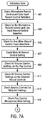
- the linear series of audio validation checks can be performed on a computer telephony system utilizing the WINDOWS (95, 98, and NT) operating system with a widely deployed sound card and driver installed, the SoundBlaster 16 / AWE line.
- Analogous checks can be made on other computer telephony systems. For example, other less popular sound cards and drivers may require many of the same tests, but there can be some variations based on the capability of the card, the driver and the associated sound card software.
- the Microphone Record Control and Line Input Record Control selection is checked. If the Microphone Record Control is not selected and the Line Input Record Control is selected, a message, sent to verify that a user's microphone is designed to be connected to the Line In port of the sound card as has been specified, can be displayed to the user. This message is generated because this is the correct audio configuration in only a small minority of cases. Additionally, a message can be issued that tells the user to verify that if this is the correct configuration, he should verify that the physical connection of the microphone is to the Line In port of the sound card.
- a message can be displayed that indicates: if the user's microphone is designed to be connected to the Microphone Input, then the user needs to insure that the microphone is connected to the Microphone Input port on the sound card and to reconfigure the Microphone Record Control to be selected instead of the Line Input Record Control.
- the Mute All Record Control setting is checked at a test 407. If the Mute All Record Control is selected, a message can be displayed to the user that this is an error that will prevent sending any audio from this computer telephony system to the network.
- a message can be output for any volume control that is set above 70% of maximum advising the user that driving amplifiers in this top range can lead to clipping. Also, the user can be advised to reduce the volume control to 70% and then to increase the volume on the external speakers until the desired level is reached. The user can also be informed that if the volume on the external speakers are set to over 70% of maximum, a higher power amplifier may be needed so that a lower volume setting on the external speakers can be used in order to receive better audio quality.
- All the volume control settings on the selected Record Controls are checked at a test 411. If any volume control setting is above 70% of maximum, the user can be advised that driving such preamplifiers in this top range can lead to clipping. If the user has to set the volume control setting to above 70% in order to get adequate volume at the far end, the user can be advised to investigate whether the microphone is plugged into the correct input port, whether the microphone's output voltage is sufficient, and whether the microphone's impedance is matched to the specifications of the sound card. If not,'a message can be displayed advising the user that better sound quality can be obtained by either using a different microphone with specifications better matching the sound card or by inserting an intervening microphone amplifier.
- non-midpoint settings are defined as being more than 5% from the nominal midpoint value.
- the midpoint range occupies the central 10% of the balance range.
- the Play Control Microphone Mute setting is checked at a test 415. If the Play Control Microphone Mute setting is not selected, a message can be displayed advising the user that the output of the speakers will contain a mix of audio from the far end and his own amplified voice. This sidetone signal is far too loud with the SoundBlaster driver and cannot be appropriately adjusted with this driver. Thus, this mute setting should be selected (which turns off the sidetone) on this sound card and driver combination.
- the Play Control Wave Mute setting is checked in test 431. If the Play Control Wave Mute setting is selected, a message is displayed advising the user that this setting turns off the playing of computer telephony audio through his output device and is almost always an error in the audio configuration for this system.
- the Play Control Advanced area for Microphone Boost activation is checked on WINDOWS 95 only. If the Microphone Boost activation is selected, the user is advised that background noise and/or echo are likely to be at unacceptably high levels. Microphone Boost activation permits the use of microphones that are not well matched to the sound card being used. However, Microphone Boost activation accomplishes this result through excessive, inherently high noise amplification. The user will be advised if this item is selected that it is much better to have a microphone that both matches the sound card being used and has this setting turned off. Another possibility is that the microphone is matched correctly but this setting was selected by mistake and the microphone record volume was reduced to compensate.
- the user is advised to simply deselect the Microphone Boost activation setting and increase the Record Control microphone volume setting, which will reduce background noise levels being transmitted.
- selecting this setting is almost always an error if one wishes to have high sound quality, and the user will be advised of the specifics of this setting.
- the Play Control Advanced area Bass setting is checked at a test 435. If this setting is in the upper 33% of the range, a message is output that such a bass enhancement is associated with lower levels of vocal clarity and that reducing this setting can increase vocal clarity.
- the Play Control Advanced area Treble setting can be checked at a test 437. If this setting is in the lower 33% of the range, a message can be output that such treble minimization is associated with lower levels of vocal clarity and that increasing this setting can increase vocal clarity.
- the unused inputs on Play Control are checked at a test 439.
- a message can be displayed informing users that if they notice persistent background noise is being transmitted, they should try to mute the unused input in this control. For some sound cards, this will reduce background noise levels. Users that are not experiencing background noise problems can ignore this message.
- the processor type and speed are checked. If the processor type and speed are below a recommended minimum, a message, reminding the user that audio quality and other problems may occur when running this computer telephony client on under powered systems, can be output. In a similar manner, the memory size is checked at a test 443. If the memory size is below a recommended minimum, the message reminding the user that audio quality and other problems may occur when running this computer telephony client on under powered systems.
- the video driver is checked for overuse of the PCI bus.
- Some video drivers are known for their overly aggressive use of the PCI bus. A list of these video drivers is consulted and if a match is obtained, a message is displayed to advise that the use of the installed video driver can result in audio quality problems. If a video driver known to be more compatible with high audio quality exists for the card and the operating system being used, a message can be displayed specifying the exact name of that driver and where it can be obtained. In some embodiments, the better driver can be automatically located and downloaded (e.g., from the Internet).
- the sound card driver can also be checked to determine if it uses lower fidelity analog-to-digital (or digital-to-analog) conversion for one of the two paths open for a full duplex connection at a test 463.
- Some very popular sound cards support 16-bit A/D conversion for the first path opened but only 8-bit A/D conversion for the other path of a full duplex link.
- the user can be advised that if one direction of the communication from their computer telephony client is always low quality regardless of the end point, the lower fidelity conversion can be the cause.
- the user can be advised that the best solution is the replacement of the sound card with one that supports 16-bit or better A/D in both directions.
- the Registry can be checked to see if the current audio configuration settings of the sound card are causing any conflicts. If the settings are causing a conflict, a message can be displayed informing the user exactly what resource (IRQ, port address or DMA) is conflicting and that the user should resolve his conflict in the Control Panel. Some misconfigurations in this area result in poor sound quality, and many misconfigurations can prevent the audio from working at all.
- Full duplex operation is checked at a test 467.
- Full duplex operation is checked by opening the sound card for both input and output. If either the hardware or software driver do not permit this operation, a message notes the lack of full duplex support and advises the user that the installation of either an appropriate full duplex driver or a full duplex card and driver combination is required. The open connections to the sound card for both input and output should also be closed before the validation tests continue.
- the software versions are checked for all installed software.
- a message is displayed indicating any software that is older than the oldest release or any software that is known to be incompatible with any other installed software.
- the predetermined value is a variable set to initially 400 milliseconds.
- FIG. 8 shows a screen display including a window 501 that includes a report of the result from the validation tests as described in reference to FIGs. 7A-7C.
- a window 501 indicates that after performing the automated audio configuration validation, some audio configuration settings were determined to be incorrect or not optimal.
- a result 503 indicates that the Mute All Record Control is selected and that this will prevent sending audio. Additionally, result 503 includes a recommendation to the user to de-select the Mute All Record Control setting.
- a help button 505 can be activated and the user will be shown how to make the recommended audio configuration change.
- Result 503 can be generated from validation test 407 in FIG. 7A.
- a result 507 indicates that the Play Control setting is greater than 70% and that a setting above 70% clipping may be evident. Additionally, result 507 recommends to the user to lower the Play Control to 70%. As before, a help button 509 may be activated by the user in order to receive more detained inspections on changing the audio configuration as recommended. Result 507 may be generated from validation test 409 in FIG. 7A.
- the report shown in FIG. 8 only the validation tests that recommended an audio configuration change were shown.
- the report can include results from all the validation tests whether an audio configure change is recommended or not. It should be evident that the information and layout of the report can be varied greatly and the invention is not limited by the embodiment described herein.
Landscapes
- Engineering & Computer Science (AREA)
- Signal Processing (AREA)
- Theoretical Computer Science (AREA)
- Human Computer Interaction (AREA)
- General Health & Medical Sciences (AREA)
- Audiology, Speech & Language Pathology (AREA)
- Health & Medical Sciences (AREA)
- Physics & Mathematics (AREA)
- General Engineering & Computer Science (AREA)
- General Physics & Mathematics (AREA)
- Computer Vision & Pattern Recognition (AREA)
- Telephonic Communication Services (AREA)
- Monitoring And Testing Of Exchanges (AREA)
Applications Claiming Priority (2)
| Application Number | Priority Date | Filing Date | Title |
|---|---|---|---|
| US527074 | 2000-03-16 | ||
| US09/527,074 US6731993B1 (en) | 2000-03-16 | 2000-03-16 | Computer telephony audio configuration |
Publications (2)
| Publication Number | Publication Date |
|---|---|
| EP1152585A2 true EP1152585A2 (fr) | 2001-11-07 |
| EP1152585A3 EP1152585A3 (fr) | 2004-06-09 |
Family
ID=24099989
Family Applications (1)
| Application Number | Title | Priority Date | Filing Date |
|---|---|---|---|
| EP01301332A Withdrawn EP1152585A3 (fr) | 2000-03-16 | 2001-02-15 | Configuration audio pour téléphonie par ordinateur |
Country Status (2)
| Country | Link |
|---|---|
| US (1) | US6731993B1 (fr) |
| EP (1) | EP1152585A3 (fr) |
Families Citing this family (28)
| Publication number | Priority date | Publication date | Assignee | Title |
|---|---|---|---|---|
| US7844477B2 (en) | 2001-12-31 | 2010-11-30 | Genworth Financial, Inc. | Process for rule-based insurance underwriting suitable for use by an automated system |
| US7818186B2 (en) | 2001-12-31 | 2010-10-19 | Genworth Financial, Inc. | System for determining a confidence factor for insurance underwriting suitable for use by an automated system |
| US8793146B2 (en) | 2001-12-31 | 2014-07-29 | Genworth Holdings, Inc. | System for rule-based insurance underwriting suitable for use by an automated system |
| US8005693B2 (en) | 2001-12-31 | 2011-08-23 | Genworth Financial, Inc. | Process for determining a confidence factor for insurance underwriting suitable for use by an automated system |
| US7844476B2 (en) | 2001-12-31 | 2010-11-30 | Genworth Financial, Inc. | Process for case-based insurance underwriting suitable for use by an automated system |
| US7895062B2 (en) * | 2001-12-31 | 2011-02-22 | Genworth Financial, Inc. | System for optimization of insurance underwriting suitable for use by an automated system |
| US7899688B2 (en) * | 2001-12-31 | 2011-03-01 | Genworth Financial, Inc. | Process for optimization of insurance underwriting suitable for use by an automated system |
| US20030131074A1 (en) * | 2002-01-07 | 2003-07-10 | Cheng-Shing Lai | Device and method that enables voice mailbox in internet communication products |
| US7457266B2 (en) * | 2002-08-16 | 2008-11-25 | Samsung Electronics Co., Ltd. | System and method for routing data packets in a 1xEV-DV wireless network |
| US7367063B1 (en) * | 2002-09-17 | 2008-04-29 | Cisco Technology, Inc. | Methods and apparatus for providing security to a computerized device |
| US7813945B2 (en) | 2003-04-30 | 2010-10-12 | Genworth Financial, Inc. | System and process for multivariate adaptive regression splines classification for insurance underwriting suitable for use by an automated system |
| US7383239B2 (en) * | 2003-04-30 | 2008-06-03 | Genworth Financial, Inc. | System and process for a fusion classification for insurance underwriting suitable for use by an automated system |
| US7801748B2 (en) | 2003-04-30 | 2010-09-21 | Genworth Financial, Inc. | System and process for detecting outliers for insurance underwriting suitable for use by an automated system |
| US7698159B2 (en) * | 2004-02-13 | 2010-04-13 | Genworth Financial Inc. | Systems and methods for performing data collection |
| US7243068B2 (en) * | 2004-09-10 | 2007-07-10 | Soliloquy Learning, Inc. | Microphone setup and testing in voice recognition software |
| US8566125B1 (en) | 2004-09-20 | 2013-10-22 | Genworth Holdings, Inc. | Systems and methods for performing workflow |
| US7210633B2 (en) * | 2004-11-19 | 2007-05-01 | Intermec Ip Corp. | Self-compensating speaker volume control system for data collection terminal |
| US7958131B2 (en) * | 2005-08-19 | 2011-06-07 | International Business Machines Corporation | Method for data management and data rendering for disparate data types |
| US8977636B2 (en) * | 2005-08-19 | 2015-03-10 | International Business Machines Corporation | Synthesizing aggregate data of disparate data types into data of a uniform data type |
| US8266220B2 (en) * | 2005-09-14 | 2012-09-11 | International Business Machines Corporation | Email management and rendering |
| US8694319B2 (en) * | 2005-11-03 | 2014-04-08 | International Business Machines Corporation | Dynamic prosody adjustment for voice-rendering synthesized data |
| US8271107B2 (en) * | 2006-01-13 | 2012-09-18 | International Business Machines Corporation | Controlling audio operation for data management and data rendering |
| US9135339B2 (en) * | 2006-02-13 | 2015-09-15 | International Business Machines Corporation | Invoking an audio hyperlink |
| US9196241B2 (en) | 2006-09-29 | 2015-11-24 | International Business Machines Corporation | Asynchronous communications using messages recorded on handheld devices |
| US9318100B2 (en) | 2007-01-03 | 2016-04-19 | International Business Machines Corporation | Supplementing audio recorded in a media file |
| US8219402B2 (en) | 2007-01-03 | 2012-07-10 | International Business Machines Corporation | Asynchronous receipt of information from a user |
| DE102008022710A1 (de) * | 2008-05-07 | 2009-11-12 | Henkel Ag & Co. Kgaa | Aufhellmittel mit kationischen Acylpyridiniumderivaten, Co-Bleichaktivatoren und Wasserstoffperoxid |
| JP6011479B2 (ja) * | 2013-07-08 | 2016-10-19 | 富士ゼロックス株式会社 | アプリケーション管理装置、アプリケーション管理システムおよびプログラム |
Family Cites Families (17)
| Publication number | Priority date | Publication date | Assignee | Title |
|---|---|---|---|---|
| US20040071278A1 (en) | 1985-07-10 | 2004-04-15 | Ronald A. Katz | Multiple format telephonic interface control system |
| US5655148A (en) * | 1994-05-27 | 1997-08-05 | Microsoft Corporation | Method for automatically configuring devices including a network adapter without manual intervention and without prior configuration information |
| US5740436A (en) * | 1995-06-06 | 1998-04-14 | Apple Computer, Inc. | System architecture for configuring input and output devices of a computer |
| US5797028A (en) | 1995-09-11 | 1998-08-18 | Advanced Micro Devices, Inc. | Computer system having an improved digital and analog configuration |
| US5983068A (en) | 1996-02-29 | 1999-11-09 | Tomich; John Louis | Photonic home area network |
| US6009151A (en) | 1996-08-27 | 1999-12-28 | Data Race, Inc. | PC card modem with microphone and speaker connectivity |
| US5896443A (en) | 1997-01-10 | 1999-04-20 | Intel Corporation | Phone line computer networking |
| US5822718A (en) * | 1997-01-29 | 1998-10-13 | International Business Machines Corporation | Device and method for performing diagnostics on a microphone |
| US6009519A (en) * | 1997-04-04 | 1999-12-28 | Andrea Electronics, Corp. | Method and apparatus for providing audio utility software for use in windows applications |
| US6009398A (en) | 1997-04-18 | 1999-12-28 | U S West, Inc. | Calendar system with direct and telephony networked voice control interface |
| US6011851A (en) | 1997-06-23 | 2000-01-04 | Cisco Technology, Inc. | Spatial audio processing method and apparatus for context switching between telephony applications |
| US5870465A (en) | 1997-08-21 | 1999-02-09 | Data Race, Inc. | Telephony adapter system for providing a user with a virtual presence to an office |
| US5943649A (en) * | 1997-10-29 | 1999-08-24 | International Business Machines Corporation | Configuring an audio interface for different microphone types |
| US5974383A (en) * | 1997-10-29 | 1999-10-26 | International Business Machines Corporation | Configuring an audio mixer in an audio interface |
| US6067084A (en) * | 1997-10-29 | 2000-05-23 | International Business Machines Corporation | Configuring microphones in an audio interface |
| US6434222B1 (en) * | 1998-04-17 | 2002-08-13 | Siemens Information And Communication Networks, Inc. | Apparatus and method for automated multi-media messaging system information updating |
| US6492999B1 (en) * | 1999-02-25 | 2002-12-10 | International Business Machines Corporation | Connecting and optimizing audio input devices |
-
2000
- 2000-03-16 US US09/527,074 patent/US6731993B1/en not_active Expired - Fee Related
-
2001
- 2001-02-15 EP EP01301332A patent/EP1152585A3/fr not_active Withdrawn
Also Published As
| Publication number | Publication date |
|---|---|
| EP1152585A3 (fr) | 2004-06-09 |
| US6731993B1 (en) | 2004-05-04 |
Similar Documents
| Publication | Publication Date | Title |
|---|---|---|
| US6731993B1 (en) | Computer telephony audio configuration | |
| JP3339039B2 (ja) | 音声アプリケーション用のユーザ選択可能入力装置 | |
| USRE44248E1 (en) | System for transferring personalize matter from one computer to another | |
| US6009519A (en) | Method and apparatus for providing audio utility software for use in windows applications | |
| US5983369A (en) | Online simultaneous/altering-audio/video/voice data based service and support for computer systems | |
| KR101020071B1 (ko) | 오디오 출력 검증 방법 및 장치와 컴퓨터 판독가능 매체 | |
| US6499015B2 (en) | Voice interaction method for a computer graphical user interface | |
| US20030043180A1 (en) | Method and apparatus for providing user support through an intelligent help agent | |
| US20090094395A1 (en) | Kvm switch having a media and information center and multi-computer system incorporating the same | |
| EP3982356B1 (fr) | Enregistreur de son, instrument à cordes et procédé de commande d'enregistreur de son | |
| US20020138600A1 (en) | Method, apparatus and program for multi-machine network install using writeable media | |
| US6492999B1 (en) | Connecting and optimizing audio input devices | |
| US6275805B1 (en) | Maintaining input device identity | |
| JP2003076651A (ja) | コンピュータ及びコンピュータの外部機器の動作状態の表示方法 | |
| US20030139932A1 (en) | Control apparatus | |
| US20080109223A1 (en) | Information processing apparatus, method and program | |
| CN115145779A (zh) | 一种车机测试方法、装置、电子设备和存储介质 | |
| US20030046410A1 (en) | Method and apparatus for providing entitlement information for interactive support | |
| US20050138617A1 (en) | Adaptive discovery and configuration of a user-selected input/output device | |
| US6674451B1 (en) | Preventing audio feedback | |
| US6504553B2 (en) | Trouble shooting a wrong audio source | |
| US20040119659A1 (en) | System and method for configuring a multi-user computer system | |
| CN105895133A (zh) | 一种音频播放方法、装置和终端设备 | |
| US7825323B2 (en) | Electrical music apparatus capable of connecting with external device | |
| US20050223386A1 (en) | Comprehensive collection of hardware device information for diagnostics |
Legal Events
| Date | Code | Title | Description |
|---|---|---|---|
| PUAI | Public reference made under article 153(3) epc to a published international application that has entered the european phase |
Free format text: ORIGINAL CODE: 0009012 |
|
| AK | Designated contracting states |
Kind code of ref document: A2 Designated state(s): AT BE CH CY DE DK ES FI FR GB GR IE IT LI LU MC NL PT SE TR |
|
| AX | Request for extension of the european patent |
Free format text: AL;LT;LV;MK;RO;SI |
|
| PUAL | Search report despatched |
Free format text: ORIGINAL CODE: 0009013 |
|
| AK | Designated contracting states |
Kind code of ref document: A3 Designated state(s): AT BE CH CY DE DK ES FI FR GB GR IE IT LI LU MC NL PT SE TR |
|
| AX | Request for extension of the european patent |
Extension state: AL LT LV MK RO SI |
|
| RIC1 | Information provided on ipc code assigned before grant |
Ipc: 7G 06F 9/445 B Ipc: 7G 06F 3/16 B Ipc: 7H 04M 1/60 B Ipc: 7H 04M 1/247 A |
|
| 17P | Request for examination filed |
Effective date: 20040906 |
|
| 17Q | First examination report despatched |
Effective date: 20041004 |
|
| AKX | Designation fees paid |
Designated state(s): DE FR GB IT |
|
| STAA | Information on the status of an ep patent application or granted ep patent |
Free format text: STATUS: THE APPLICATION IS DEEMED TO BE WITHDRAWN |
|
| 18D | Application deemed to be withdrawn |
Effective date: 20050415 |