EP1909204A2 - Verfahren und System zur Tastaturverwaltung und zur Navigation unter Zeichnungsobjekten - Google Patents
Verfahren und System zur Tastaturverwaltung und zur Navigation unter Zeichnungsobjekten Download PDFInfo
- Publication number
- EP1909204A2 EP1909204A2 EP07019320A EP07019320A EP1909204A2 EP 1909204 A2 EP1909204 A2 EP 1909204A2 EP 07019320 A EP07019320 A EP 07019320A EP 07019320 A EP07019320 A EP 07019320A EP 1909204 A2 EP1909204 A2 EP 1909204A2
- Authority
- EP
- European Patent Office
- Prior art keywords
- network
- drawings
- objects
- keyboard
- navigating
- Prior art date
- Legal status (The legal status is an assumption and is not a legal conclusion. Google has not performed a legal analysis and makes no representation as to the accuracy of the status listed.)
- Withdrawn
Links
Images










Classifications
-
- G—PHYSICS
- G06—COMPUTING OR CALCULATING; COUNTING
- G06F—ELECTRIC DIGITAL DATA PROCESSING
- G06F3/00—Input arrangements for transferring data to be processed into a form capable of being handled by the computer; Output arrangements for transferring data from processing unit to output unit, e.g. interface arrangements
- G06F3/01—Input arrangements or combined input and output arrangements for interaction between user and computer
- G06F3/048—Interaction techniques based on graphical user interfaces [GUI]
- G06F3/0487—Interaction techniques based on graphical user interfaces [GUI] using specific features provided by the input device, e.g. functions controlled by the rotation of a mouse with dual sensing arrangements, or of the nature of the input device, e.g. tap gestures based on pressure sensed by a digitiser
- G06F3/0489—Interaction techniques based on graphical user interfaces [GUI] using specific features provided by the input device, e.g. functions controlled by the rotation of a mouse with dual sensing arrangements, or of the nature of the input device, e.g. tap gestures based on pressure sensed by a digitiser using dedicated keyboard keys or combinations thereof
-
- G—PHYSICS
- G06—COMPUTING OR CALCULATING; COUNTING
- G06F—ELECTRIC DIGITAL DATA PROCESSING
- G06F3/00—Input arrangements for transferring data to be processed into a form capable of being handled by the computer; Output arrangements for transferring data from processing unit to output unit, e.g. interface arrangements
- G06F3/01—Input arrangements or combined input and output arrangements for interaction between user and computer
- G06F3/02—Input arrangements using manually operated switches, e.g. using keyboards or dials
- G06F3/023—Arrangements for converting discrete items of information into a coded form, e.g. arrangements for interpreting keyboard generated codes as alphanumeric codes, operand codes or instruction codes
- G06F3/0238—Programmable keyboards
-
- G—PHYSICS
- G06—COMPUTING OR CALCULATING; COUNTING
- G06F—ELECTRIC DIGITAL DATA PROCESSING
- G06F3/00—Input arrangements for transferring data to be processed into a form capable of being handled by the computer; Output arrangements for transferring data from processing unit to output unit, e.g. interface arrangements
- G06F3/01—Input arrangements or combined input and output arrangements for interaction between user and computer
- G06F3/048—Interaction techniques based on graphical user interfaces [GUI]
- G06F3/0484—Interaction techniques based on graphical user interfaces [GUI] for the control of specific functions or operations, e.g. selecting or manipulating an object, an image or a displayed text element, setting a parameter value or selecting a range
- G06F3/04845—Interaction techniques based on graphical user interfaces [GUI] for the control of specific functions or operations, e.g. selecting or manipulating an object, an image or a displayed text element, setting a parameter value or selecting a range for image manipulation, e.g. dragging, rotation, expansion or change of colour
-
- G—PHYSICS
- G06—COMPUTING OR CALCULATING; COUNTING
- G06F—ELECTRIC DIGITAL DATA PROCESSING
- G06F3/00—Input arrangements for transferring data to be processed into a form capable of being handled by the computer; Output arrangements for transferring data from processing unit to output unit, e.g. interface arrangements
- G06F3/01—Input arrangements or combined input and output arrangements for interaction between user and computer
- G06F3/048—Interaction techniques based on graphical user interfaces [GUI]
- G06F3/0487—Interaction techniques based on graphical user interfaces [GUI] using specific features provided by the input device, e.g. functions controlled by the rotation of a mouse with dual sensing arrangements, or of the nature of the input device, e.g. tap gestures based on pressure sensed by a digitiser
- G06F3/0489—Interaction techniques based on graphical user interfaces [GUI] using specific features provided by the input device, e.g. functions controlled by the rotation of a mouse with dual sensing arrangements, or of the nature of the input device, e.g. tap gestures based on pressure sensed by a digitiser using dedicated keyboard keys or combinations thereof
- G06F3/04892—Arrangements for controlling cursor position based on codes indicative of cursor displacements from one discrete location to another, e.g. using cursor control keys associated to different directions or using the tab key
-
- G—PHYSICS
- G06—COMPUTING OR CALCULATING; COUNTING
- G06F—ELECTRIC DIGITAL DATA PROCESSING
- G06F30/00—Computer-aided design [CAD]
-
- G—PHYSICS
- G06—COMPUTING OR CALCULATING; COUNTING
- G06F—ELECTRIC DIGITAL DATA PROCESSING
- G06F30/00—Computer-aided design [CAD]
- G06F30/10—Geometric CAD
- G06F30/12—Geometric CAD characterised by design entry means specially adapted for CAD, e.g. graphical user interfaces [GUI] specially adapted for CAD
Definitions
- This invention relates generally to computing systems, and in particular, to a method and system for managing and navigating among drawing objects.
- Drawing objects refer to any type of element that is part of a system/assembly. Often the drawing objects are interconnected either individually or as a part of sub-assemblies. For example, in electrical wiring diagrams, drawing objects include modules, plugs, switches, buses, power sources, grounds, wires, connectors, etc.
- a method for navigating drawings on a computing system comprising: loading drawings and associated object data; arranging the drawings and the associated object data into at least one network; selecting parameters for mapping keys in a keyboard; displaying the drawings; and manipulating the drawings.
- a system for navigating drawings on a computing system comprising: a drawing object module for collecting the drawing objects and storing the drawing objects in a database; an object linkage module for receiving the drawing objects from the database and linking the drawing objects together into at least one network; and a user interface, having a keyboard, for displaying the at least one network, wherein keys on the keyboard are mapped to specific commands, and wherein a user navigates the drawing objects using the mapped keys.
- Figure 1B shows the internal architecture of the computing system of Figure 1;
- Figure 2 shows a system for navigating drawing objects in a drawing, according to one aspect of the present invention
- Figure 5 shows an example of a schematic diagram for use in navigating objects, according to one aspect of the present invention
- Figures 8A-8G show an example of navigating on a schematic and highlighting different objects, according to one aspect of the present invention.
- Figures 9A-9C show an example of building a simple row and column network for a wiring diagram, according to one aspect of the present invention.
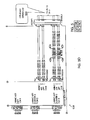
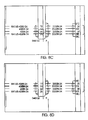
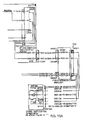
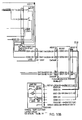
- Figures 10A-10D show an example of navigating near the edge of a drawing, according to one aspect of the present invention.
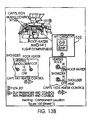
- Figures 13A-13E show an example of using the system and method of the present invention on component location drawing navigation networks
- Figures 14A-14E show an example of using the system and method of the present invention to navigate on parts pages and exploded views.
- a system and method are provided for navigating drawing objects in drawings (or diagrams) using mapped keys on a keyboard. This improves navigation on laptops, workstations, and devices with small form factors such as cell phones and PDA's.
- Figure 1A is a block diagram of a computing system 100A for executing computer executable process steps according to one aspect of the present invention.
- Figure 1 includes a host computer 100 and a monitor 111.
- Monitor 111 may be a CRT type, a LCD type, or any other type of color or monochrome display.
- keyboard 104 for entering data and user commands
- pointing device for example, a mouse
- Computer 100 includes a computer-readable memory storage device 108 for storing readable data. Besides other programs, storage device 108 can store application programs including web browsers and computer executable code, according to the present invention.
- a modem, an integrated services digital network (ISDN) connection, or the like also provide computer 100 with a Network connection 102 - to a network (e.g. the Internet), of computers within a company or entity in the company (for example: an Intranet).
- the network connection 102 allows computer 100 to download data files, application program files and computer-executable process steps embodying the present invention from the Internet.
- Computing system 100 includes an input/output interface 116 that operatively connects output display device such as monitors (111), input devices such as keyboards (104) and pointing device such as a mouse (106) to computing system 100.
- output display device such as monitors (111)
- input devices such as keyboards (104)
- pointing device such as a mouse (106)
- a storage device 120 (similar to storage device 108) also interfaces to computing system 100 through computer bus 118.
- Storage device 120 may be disks, tapes, drums, integrated circuits, or the like, operative to hold data by any means, including magnetically, electrically, optically, and the like.
- Storage device 120 stores operating system program files, application program files, computer-executable process steps, web-browsers and other files. Some of these files are stored on storage device 120 using an installation program. For example, CPU 112 executes computer-executable process steps of an installation program so that CPU 112 can properly execute the application program.
- Random access memory (“RAM”) 124 also interfaces to computer bus 118 to provide CPU 112 with access to memory storage. When executing stored computer-executable process steps from storage device 120, CPU 112 stores and executes the process steps out of RAM 124.
- ROM 122 Read only memory (“ROM”) 122 is provided to store invariant instruction sequences such as start-up instruction sequences or basic input/output operating system (BIOS) sequences.
- BIOS basic input/output operating system
- Network interface 114 may be adapted to one or more of a wide variety of networks, including local area networks, storage area networks, wide area networks, the Internet, and the like.
- a drawing object module 202 collects the drawing objects and stores them in a database 204.
- Drawing objects include, but are not limited to, wires, text references, off-sheet references, and selectable components, such as switches, pins, fuses, and others.
- An object linkage module 206 receives the objects from database 204 and links the objects together building various types of navigation networks (or “networks”), such as a row/column network and wiring diagram network.
- navigation networks or "networks”
- Object linkage module 206 is connected to a user interface 208, such as computing system 100A in Figure 1.
- User interface 208 displays the network containing drawing objects. Keys on keyboard 104 of user interface 208 are mapped to specific commands, such as up, down, left, right and the user navigates the drawing objects using the mapped keys.
- Figure 4 shows an example of keys on a keyboard that have been mapped to specific commands, according to one aspect of the present invention.
- selecting key '4' causes the diagram to show all the wires and selecting key '5' resets paths and components. This is by way of example only, and each user can determine what key is mapped with what command.
- Figure 5 shows an example of an electronic schematic diagram 508 for use in the present invention.
- Electronic schematic diagram 508 is a wiring diagram having navigable objects.
- Navigable objects include wires 500, text references 502, off-sheet references 504, and selectable components 506 such as switches, pins, fuses, and others.
- the system and method of the present invention allows a user to map keys on a keyboard with specific commands for navigating the drawing objects. For example, five commands could be used to navigate through the network. These commands include (1) Left; (2) Right; (3) Up; (4) Down; and (5) Select. These commands can be mapped to any key on the keyboard. In one aspect, the four cursor keys are mapped to the Left, Right, Up, and Down commands; and Enter is mapped to the Select command.
- Alternative keyboard mapping commands may include North, East, South, West, as well as diagonal navigation with NW, NE, SE, and SW. This increases the complexity of the navigation while yielding more precision and requiring fewer keystrokes to move to a desired object,
- More sophisticated networks link objects in task-related ways. For example, a wiring diagram network might link electrical components with regard to circuit continuity, while a logic diagram might link components with regard to the flow of diagnostic logic,
- the next object is selected by wrapping around to the next logical row or column. For example, navigating to the right off the edge of a drawing results in the left most object in the row below to be selected. Navigating to the left off the edge of a drawing results in the right-most object in the row above being selected. Navigating down off the edge of a drawing results in the top-most object in the next column to the right being selected. Navigating up off the edge of a drawing results in the bottom-most object in the previous column to the left being selected.
- Figures 10A-10D show an example of navigating near the edge of a drawing, according to one aspect of the present invention
- Figure 10A shows a wiring diagram with a pin highlighted near the edge of the drawing. If the user presses a key on the keyboard associated with the command "right” while on the highlighted pin 514, the object to the immediate right of pin 514 is highlighted, a wire 516, as shown in Figure 10B. If navigation is solely using a simple row and column network, the next "right” results in the first object in the next row 518 being selected, as shown in Figure 10C.
- Figure 10D shows that navigating using a more sophisticated "circuit-continuity-following" method results in following the wire to the next object 520 in the circuit.
- Figures 13,A-13E show an example of using the system and method of the present invention on component location drawing navigation networks.
- navigation occurs amongst four component locations 530-536.
- the user navigates to the right as shown in Figure 13B. If the user selects a component location, such as first component location 530, the first navigable object 538 in the location is highlighted as shown in Figure 13C.
- Figure 13D shows an example of the user selecting an off sheet reference to a detail; the system navigates to and chooses the detail on a separate drawing as shown in Figure 13E.
- auto-zooming can be used. This can be very useful while performing certain tasks, especially on devices with small form factors.
Landscapes
- Engineering & Computer Science (AREA)
- Theoretical Computer Science (AREA)
- General Engineering & Computer Science (AREA)
- Physics & Mathematics (AREA)
- General Physics & Mathematics (AREA)
- Human Computer Interaction (AREA)
- Geometry (AREA)
- Evolutionary Computation (AREA)
- Computer Hardware Design (AREA)
- Architecture (AREA)
- Computational Mathematics (AREA)
- Mathematical Analysis (AREA)
- Mathematical Optimization (AREA)
- Pure & Applied Mathematics (AREA)
- User Interface Of Digital Computer (AREA)
- Information Transfer Between Computers (AREA)
Applications Claiming Priority (1)
| Application Number | Priority Date | Filing Date | Title |
|---|---|---|---|
| US11/538,028 US8214789B2 (en) | 2006-10-02 | 2006-10-02 | Method and system for keyboard managing and navigating among drawing objects |
Publications (2)
| Publication Number | Publication Date |
|---|---|
| EP1909204A2 true EP1909204A2 (de) | 2008-04-09 |
| EP1909204A3 EP1909204A3 (de) | 2011-03-23 |
Family
ID=39016196
Family Applications (1)
| Application Number | Title | Priority Date | Filing Date |
|---|---|---|---|
| EP07019320A Withdrawn EP1909204A3 (de) | 2006-10-02 | 2007-10-02 | Verfahren und System zur Tastaturverwaltung und zur Navigation unter Zeichnungsobjekten |
Country Status (2)
| Country | Link |
|---|---|
| US (1) | US8214789B2 (de) |
| EP (1) | EP1909204A3 (de) |
Cited By (1)
| Publication number | Priority date | Publication date | Assignee | Title |
|---|---|---|---|---|
| EP2660740A3 (de) * | 2012-05-03 | 2016-10-19 | The Boeing Company | Komponentenanordnungssystem und Betriebsverfahren dafür |
Families Citing this family (14)
| Publication number | Priority date | Publication date | Assignee | Title |
|---|---|---|---|---|
| US7705849B2 (en) * | 2007-03-01 | 2010-04-27 | The Boeing Company | Intelligent lamm schematics |
| US20080301613A1 (en) * | 2007-06-01 | 2008-12-04 | Simon Edward Holdsworth | Designing wiring harnesses |
| US7735044B2 (en) * | 2007-06-05 | 2010-06-08 | Simon Edward Holdsworth | Combination of ground devices in wiring harness designs |
| US20090157209A1 (en) * | 2007-12-14 | 2009-06-18 | Simon Edward Holdsworth | Wire option expressions in wiring harness designs |
| CN102375899A (zh) * | 2010-08-16 | 2012-03-14 | 鸿富锦精密工业(深圳)有限公司 | 图形宽度检测系统及图形宽度检测方法 |
| JP5874339B2 (ja) * | 2011-11-18 | 2016-03-02 | 富士通株式会社 | 回路設計プログラム、回路設計方法、および回路設計装置 |
| DE102014207874A1 (de) * | 2014-04-25 | 2015-10-29 | Siemens Aktiengesellschaft | Verfahren zur automatisierten Erstellung eines eine technische Zeichnung charakterisierenden Datensatzes |
| US10719642B2 (en) | 2018-10-17 | 2020-07-21 | Caterpillar Inc. | Automated generation of electronics schematics with single wire tracing |
| IT201900000625A1 (it) * | 2019-01-15 | 2020-07-15 | Texa Spa | Metodo di redazione di schemi elettrici |
| US20220091707A1 (en) | 2020-09-21 | 2022-03-24 | MBTE Holdings Sweden AB | Providing enhanced functionality in an interactive electronic technical manual |
| US11967317B2 (en) | 2021-02-18 | 2024-04-23 | MBTE Holdings Sweden AB | Providing enhanced functionality in an interactive electronic technical manual |
| US12242711B2 (en) | 2021-05-19 | 2025-03-04 | MBTE Holdings Sweden AB | Providing enhanced functionality in an interactive electronic technical manual |
| US11947906B2 (en) | 2021-05-19 | 2024-04-02 | MBTE Holdings Sweden AB | Providing enhanced functionality in an interactive electronic technical manual |
| US12360651B2 (en) | 2022-11-02 | 2025-07-15 | MBTE Holdings Sweden AB | Providing enhanced functionality in an interactive electronic technical manual |
Citations (1)
| Publication number | Priority date | Publication date | Assignee | Title |
|---|---|---|---|---|
| US20050212823A1 (en) * | 2004-03-29 | 2005-09-29 | Uthe Robert T | System, method and software for intelligent zooming in a user interface |
Family Cites Families (13)
| Publication number | Priority date | Publication date | Assignee | Title |
|---|---|---|---|---|
| US5008847A (en) | 1983-01-21 | 1991-04-16 | The Laitram Corporation | Cursor selected keyboard keys displayed on the computer screen for entering alphanumeric characters and instructions, particularly for creating computer aided design and drafting patterns |
| US6516456B1 (en) * | 1997-01-27 | 2003-02-04 | Unisys Corporation | Method and apparatus for selectively viewing nets within a database editor tool |
| US6606731B1 (en) | 1999-08-05 | 2003-08-12 | The Boeing Company | Intelligent wiring diagram system |
| JP4325075B2 (ja) * | 2000-04-21 | 2009-09-02 | ソニー株式会社 | データオブジェクト管理装置 |
| CA2315456C (en) * | 2000-08-09 | 2009-10-13 | Semiconductor Insights Inc. | Schematic organization tool |
| US7200271B2 (en) | 2001-03-29 | 2007-04-03 | The Boeing Company | Method, computer program product, and system for performing automated text recognition and text search within a graphic file |
| US7246328B2 (en) * | 2001-03-29 | 2007-07-17 | The Boeing Company | Method, computer program product, and system for performing automated linking between sheets of a drawing set |
| US6766331B2 (en) | 2001-03-29 | 2004-07-20 | The Boeing Company | Method, computer program product, and system for creating and viewing an intelligent graphics file including parts information |
| US6996806B2 (en) * | 2001-09-21 | 2006-02-07 | International Business Machines Corporation | Graphical view of program structure during debugging session |
| US7383158B2 (en) * | 2002-04-16 | 2008-06-03 | Trane International Inc. | HVAC service tool with internet capability |
| US8020096B2 (en) * | 2003-06-24 | 2011-09-13 | International Business Machines Corporation | Method and system for providing integrated hot key configuration |
| US7529648B2 (en) | 2003-11-24 | 2009-05-05 | The Boeing Company | Method, system and computer program product for automatically generating a subset of task-based components from engineering and maintenance data |
| JP4318047B2 (ja) * | 2005-06-06 | 2009-08-19 | ソニー株式会社 | 3次元オブジェクト表示装置、3次元オブジェクト切替表示方法及び3次元オブジェクト表示プログラム |
-
2006
- 2006-10-02 US US11/538,028 patent/US8214789B2/en active Active
-
2007
- 2007-10-02 EP EP07019320A patent/EP1909204A3/de not_active Withdrawn
Patent Citations (1)
| Publication number | Priority date | Publication date | Assignee | Title |
|---|---|---|---|---|
| US20050212823A1 (en) * | 2004-03-29 | 2005-09-29 | Uthe Robert T | System, method and software for intelligent zooming in a user interface |
Cited By (1)
| Publication number | Priority date | Publication date | Assignee | Title |
|---|---|---|---|---|
| EP2660740A3 (de) * | 2012-05-03 | 2016-10-19 | The Boeing Company | Komponentenanordnungssystem und Betriebsverfahren dafür |
Also Published As
| Publication number | Publication date |
|---|---|
| US20080082948A1 (en) | 2008-04-03 |
| EP1909204A3 (de) | 2011-03-23 |
| US8214789B2 (en) | 2012-07-03 |
Similar Documents
| Publication | Publication Date | Title |
|---|---|---|
| EP1909204A2 (de) | Verfahren und System zur Tastaturverwaltung und zur Navigation unter Zeichnungsobjekten | |
| Horváth et al. | Factors contributing to the enhanced performance of the maxwhere 3d vr platform in the distribution of digital information | |
| US6715132B1 (en) | Datasheet browsing and creation with data-driven datasheet tabs within a microcontroller design tool | |
| US4984152A (en) | System for controlling computer processing utilizing a multifunctional cursor with decoupling of pointer and image functionalities in space and time | |
| US8600967B2 (en) | Automatic organization of browsing histories | |
| US6707454B1 (en) | Systems and methods for visualizing multi-dimensional data in spreadsheets and other data structures | |
| US8855983B2 (en) | Graphical user interface for viewing or editing an executable block diagram model | |
| US20140059477A1 (en) | Localized thumbnail preview of related content during spatial browsing | |
| US9336267B2 (en) | Method and system for navigation and visualization of data in relational and/or multidimensional databases | |
| US20130219331A1 (en) | Apparatus and method for positioning windows on a display | |
| US20050210399A1 (en) | Method and system for improved viewing and navigation of content | |
| US20040075693A1 (en) | Compact method of navigating hierarchical menus on an electronic device having a small display screen | |
| US20120017161A1 (en) | System and method for user interface | |
| JP2013140564A (ja) | コンテンツ要素間の関係を示すビジネス・インテリジェンス・ダッシュボード・アセンブリ・ツールのための方法、コンピューティング・システム、およびコンピュータ・プログラム | |
| KR20060065578A (ko) | 핸드헬드 계산 장치를 위한 라디얼 메뉴 인터페이스 | |
| US6141008A (en) | Method and system for providing size adjustment for a maximized window in a computer system graphical user interface | |
| EP2671191B1 (de) | Verfahren zur durchsuchung von dokumenten nach auf mehrwegsymbolen und -komponenten basierenden visuellen objekten | |
| Subramonyam et al. | Smartcues: a multitouch query approach for details-on-demand through dynamically computed overlays | |
| US20230126242A1 (en) | Cell image processing system and cell image processing method | |
| US20070198620A1 (en) | Modeling Environment with Generally Accessible Variables for Dynamically Linked Mathematical Representations | |
| KR20100122461A (ko) | 다면체를 이용한 그래픽 사용자 인터페이스 및 이를 구현하는 사용자 단말기 | |
| Knight et al. | Mediating diverse visualisations for comprehension | |
| US20070130534A1 (en) | Graphic user interface with multi-divisional window | |
| CN111142738B (zh) | 一种适用于可视化建站管理的选项卡式检视器系统与方法 | |
| KR100696284B1 (ko) | 전자기기에 대해 보조표시장치 및 보조입력장치의 기능을수행하는 보조장치 |
Legal Events
| Date | Code | Title | Description |
|---|---|---|---|
| PUAI | Public reference made under article 153(3) epc to a published international application that has entered the european phase |
Free format text: ORIGINAL CODE: 0009012 |
|
| AK | Designated contracting states |
Kind code of ref document: A2 Designated state(s): AT BE BG CH CY CZ DE DK EE ES FI FR GB GR HU IE IS IT LI LT LU LV MC MT NL PL PT RO SE SI SK TR |
|
| AX | Request for extension of the european patent |
Extension state: AL BA HR MK RS |
|
| PUAL | Search report despatched |
Free format text: ORIGINAL CODE: 0009013 |
|
| AK | Designated contracting states |
Kind code of ref document: A3 Designated state(s): AT BE BG CH CY CZ DE DK EE ES FI FR GB GR HU IE IS IT LI LT LU LV MC MT NL PL PT RO SE SI SK TR |
|
| AX | Request for extension of the european patent |
Extension state: AL BA HR MK RS |
|
| 17P | Request for examination filed |
Effective date: 20110728 |
|
| AKX | Designation fees paid |
Designated state(s): AT BE BG CH CY CZ DE DK EE ES FI FR GB GR HU IE IS IT LI LT LU LV MC MT NL PL PT RO SE SI SK TR |
|
| 17Q | First examination report despatched |
Effective date: 20140113 |
|
| STAA | Information on the status of an ep patent application or granted ep patent |
Free format text: STATUS: THE APPLICATION HAS BEEN WITHDRAWN |
|
| 18W | Application withdrawn |
Effective date: 20161209 |