EP2284698B1 - Modélisation de composants de systèmes intégrés utilisant les applications anciennes basées sur événements - Google Patents
Modélisation de composants de systèmes intégrés utilisant les applications anciennes basées sur événements Download PDFInfo
- Publication number
- EP2284698B1 EP2284698B1 EP10251285.2A EP10251285A EP2284698B1 EP 2284698 B1 EP2284698 B1 EP 2284698B1 EP 10251285 A EP10251285 A EP 10251285A EP 2284698 B1 EP2284698 B1 EP 2284698B1
- Authority
- EP
- European Patent Office
- Prior art keywords
- gui object
- gui
- modeling
- cinema
- gaps
- Prior art date
- Legal status (The legal status is an assumption and is not a legal conclusion. Google has not performed a legal analysis and makes no representation as to the accuracy of the status listed.)
- Active
Links
Images



Classifications
-
- G—PHYSICS
- G06—COMPUTING OR CALCULATING; COUNTING
- G06F—ELECTRIC DIGITAL DATA PROCESSING
- G06F8/00—Arrangements for software engineering
- G06F8/30—Creation or generation of source code
- G06F8/36—Software reuse
-
- G—PHYSICS
- G06—COMPUTING OR CALCULATING; COUNTING
- G06F—ELECTRIC DIGITAL DATA PROCESSING
- G06F8/00—Arrangements for software engineering
- G06F8/30—Creation or generation of source code
- G06F8/34—Graphical or visual programming
-
- G—PHYSICS
- G06—COMPUTING OR CALCULATING; COUNTING
- G06F—ELECTRIC DIGITAL DATA PROCESSING
- G06F8/00—Arrangements for software engineering
- G06F8/30—Creation or generation of source code
- G06F8/38—Creation or generation of source code for implementing user interfaces
Definitions
- This disclosure relates to a tool for extending a modeling environment using legacy event based applications.
- this disclosure relates to a tool that allows modelers to create modeling elements for a modeling environment toolbox from Graphical User Interface (GUI) Applications (GAPs), and generate source code to control and manipulate GUI objects of the GAPs represented by the modeling elements.
- GUI Graphical User Interface
- Integrated systems are composed of components that exchange information, also referred to as interoperating components.
- Components of integrated systems may include different legacy event-based applications such as Graphical User Interface (GUI) APplications (GAPs).
- GUI Graphical User Interface
- GAPs Graphical User Interface
- Organizations use legacy GAPs to assist business operations to automate business processes, for example, increasing the speed and effectiveness of information exchange.
- Modelers may use a unified modeling language (UML) diagramming application (e.g., the ArgoUMLTM application) that provides a set of graphical notation techniques to create models that describe a new integrated system.
- UML unified modeling language
- modelers find modeling new integrated systems that include GAPs difficult, because many GAPs are closed and monolithic and do not expose any programming interfaces or data in known formats.
- modelers desire to use GAPs as components in integrated systems, modelers find capturing the functionality and interfaces of GAPs as elements of UML-based models (e.g., classes and interfaces) difficult. Modelers find capturing properties of and dependencies between GUI objects a difficult exercise, because GUI models are often unavailable for legacy applications.
- modelers use a manual, laborious, and error-prone process to study GAPs and translate GUI objects into elements of UML as abstractions of the functionalities of these GAPs.
- Modelers find using GAPs in modeling environments difficult, since many legacy GAPs do not expose any programming interfaces. Modelers find capturing properties of and dependencies between GUI objects a difficult exercise because GUI models are often not available for legacy applications.
- GUI models can be extracted from the source code of GAPs, however, two fundamental limitations exist.
- the source code of GAPs often may be unavailable. For example, modeling may be outsourced to external organizations to who the source code of legacy applications may not be shared. Thus, the external organizations do not have the ability to derive precise GUI models from source code.
- the Microsoft WindowsTM Application Programming Interface (API) call CreateWindow used in a large number of GAPs, takes a number of parameter variables including a string variable that holds the value of the type of a GUI object, which often may be known only at runtime.
- API Application Programming Interface
- deriving models from the source code of GAPs depends on knowing the precise semantics of API calls that create and manipulate GUI objects (e.g., CreateWindow), building appropriate parsers and analyzers for languages used to create GUI applications, and developing Integration Development Environment (IDE)-specific tools that extract GUI models from IDE GUI resource repositories.
- IDE Integration Development Environment
- the number of tuples measures in terms of tens of thousands in the cartesian product of API calls ⁇ programming languages ⁇ IDEs, increasing the difficulty of identifying an approach that would work with source codebases of different GUI applications.
- GUI objects are not programming objects that can be modeled using standard elements of UML.
- GUI objects are created within corresponding GAPs using the underlying GUI frameworks, and the GUI objects are not part of any modeling environment.
- Some GUI objects require users to perform multiple actions on GAPs before the GUI objects are instantiated. Without embedding these actions in UML elements, modelers find creating UML models that can be transformed into source code that uses these GUI objects difficult.
- GAPs are written in many different languages and run on many different platforms. Many platform and language specific techniques for extracting data from GAPs exist. However, implementing these specific techniques in tools for different modeling platforms and languages results in multiple versions of the source code for the respective tools, increased costs to maintain the tools, and difficulties in maintaining and evolving different codebases.
- modelers find generating source code from UML models that include elements describing GUI objects difficult.
- Classes that represent GUI objects should contain code that accesses and manipulates these GUI objects, since these GUI objects are created dynamically in the GAPs processes and the contexts of the underlying GUI frameworks (e.g., MS-WindowsTM or JavaTM SWT - standard widget tool kit). Since models do not reflect the contexts in which GUI objects exist, modelers find maintaining and evolving these models with respective GAPs difficult.
- CINEMA Compositional Event-based Modeling of integrated Applications efficiently and non-invasively extends a UML modeling environment by defining modeling elements for the functionalities of GAPs and GUI objects of GAPs.
- CINEMA allows a user to model integrated systems that include legacy GAPs by navigating to GUI objects, selecting the GUI objects, and dragging and dropping the GUI objects onto a modeling canvas in order to create models.
- CINEMA uses a language-neutral underlying technology common to major computing platforms for controlling and manipulating GAPs.
- CINEMA disentangles UML modeling environments from GUI structures and hides connections between models and GAPs within CINEMA.
- CINEMA (1) facilitates users to create models of integrated systems using GAPs, (2) captures the structures and states during user's interactions with the GAP, and (3) specifies the type and the name of GUI objects used in models and subsequently deployed in a resulting integrated system.
- CINEMA may be used for data integration, GAP reuse, collaborative computing, and application migration to new platforms. Using CINEMA, modelers expend minimal development efforts to model integrated systems. CINEMA offers, for example, an attractive alternative to rewriting legacy applications by simply reusing the legacy applications in integrated systems. CINEMA provides an efficient and non-invasive way to allow engineers to use existing GAPs to create composite models that CINEMA uses to extend the modeling environment. CINEMA combines a nonstandard use of accessibility technologies for accessing and controlling GAPs. CINEMA extends a UML modeling environment, and allows modelers to create models of integrated systems using the features of GAPs. CINEMA reverses standard modeling direction from requirements to applications (e.g., GAPs to requirements) by allowing engineers to use existing GAPs from which to create composite models.
- requirements to applications e.g., GAPs to requirements
- CINEMA allows a user (e.g., modeler) to model GAPs as programming objects and GUI objects of these GAPs as fields of these programming objects, and perform actions on these programming objects by invoking methods on the programming objects.
- a user e.g., modeler
- GUI objects GUI objects
- CINEMA allows a user (e.g., modeler) to model GAPs as programming objects and GUI objects of these GAPs as fields of these programming objects, and perform actions on these programming objects by invoking methods on the programming objects.
- IS/MEs integrated systems and modeling environments
- Accessibility technologies expose a special interface whose methods can be invoked and the values of whose fields can be set and retrieved to control the GUI objects.
- CINEMA combines a nonstandard use of accessibility technologies in order to access and control GAPs in a uniform way.
- CINEMA uses a visualization mechanism that enables users to create models of integrated systems composing GUI objects of GAPs by performing point-and-click and drag-and-drop operations on GAPs.
- CINEMA uses an accessibility layer and hooks to inject event listeners into GAPs. The event listeners respond to events that CINEMA records in order to create modeling elements that extend a UML modeling environment (e.g., EclipseTM software- released under the Eclipse Public License (EPL) 1.0 open source license).
- EPL Eclipse Public License
- Accessibility technologies provide different aids to disabled computer users. Some of the aids provided by accessibility technologies include screen readers for the visually impaired, visual indicators or captions for users with hearing loss, and software to compensate for motion disabilities. Most computing platforms include accessibility technologies, since electronic and information technology products and services are required to meet the Electronic and Information Accessibility Standards. For example, MicrosoftTM Active Accessibility (MSAATM) technology is designed to improve the way accessibility aids work with applications running on MS-WindowsTM, and Sun MicrosystemsTM Accessibility technology assists disabled users who run software on top of the Java Virtual Machine (JVMTM). Accessibility technologies are incorporated into computing platforms, as well as libraries, and applications in order to expose information about user interface elements.
- MSAATM MicrosoftTM Active Accessibility
- JVMTM Java Virtual Machine
- Accessibility technologies provide a wealth of sophisticated services required to retrieve attributes of GUI objects, set and retrieve values for the GUI objects, and generate and intercept different events. For example, MSAATM for WindowsTM may be used, although, using a different accessibility technology will yield similar results. Although no standard for accessibility Application Programming Interface (API) calls exists, different technologies offer similar API calls, suggesting a slow convergence towards a common programming standard for accessibility technologies. Accessibility technologies exploit the fact that GUI objects expose a well-known interface that exports methods for accessing and manipulating the properties and the behavior of these objects. For example, a MS-WindowsTM GUI object that implements the IAccessibleTM interface allows the GUI object to be accessed and controlled using MSAATM API calls. Accessibility technologies allow programmers to write code to access and control GUI objects as standard programming object.
- API Application Programming Interface
- GUI objects can also register callback functions for different events produced by GUI objects thereby obtaining timely information about states of the GUI objects. For example, if a GUI object receives an incorrect input and the GAP shows an error message dialog informing the user about the mistake, then a previously registered callback can intercept the event that signals the creation of the error message dialog, dismiss the events, and send an "illegal input” message to the tool and/or programming instructions that control the GAP.
- Hooks are user-defined libraries that contain callback functions (or simply callbacks), which are written in accordance with certain rules dictated by accessibility technologies.
- the accessibility layer loads predefined hook libraries in the process space of the GAP and registers addresses of callbacks that may be invoked in response to specified events. Since hooks "live" in the process spaces of GAPs, the hooks' callbacks can affect every aspect of execution of these GAPs. Hooks enable users to extend the functionality of GAPs, specifically to integrate hooks with GAPs without changing the source code of the GAP. Writing hooks does not require any knowledge about the source code of GAPs.
- a hook library may be generic for all GAPs.
- a hook is injected into a GAP, listens to events generated by the GAP, and executes instructions received from integrated systems. As an example instruction, a hook may disable a button until a certain event occurs. Hook libraries allow programmers to change the functionalities of existing GAPs without modifying the source code of the GAPs.
- the functions of a generic hook include receiving commands to perform actions on GUI objects, reporting events that occur within GAPs, and invoking predefined functions in response to certain commands and events.
- CINEMA enables modelers to create models of integrated systems that employ legacy GAPs using a high-degree of automation. Models created using CINEMA may represent integrated systems capable of providing functionality in large-scale distributed enterprise environments that orchestrate different GAPs located on different computers and running on different platforms (e.g., operating systems and system configurations). CINEMA provides a non-invasive way to create models and generate source code to control GAPS. CINEMA allows modelers to create models using GUI objects with only a basic knowledge of how to interact with GAPs in order to accomplish business tasks. CINEMA allows modelers to create models using GUI objects without writing code for the models, knowledge of the source code of components, parsing any source code, and without writing complicated code to change program executables.
- FIG. 1 illustrates a system configuration 100 for a system and tool referred to as CompositioNal Event-based Modeling of integrated Applications (CINEMA) 102 (e.g., a modeling tool) that enables users to model and create integrated systems composing GAPs and other programming components (e.g., web services).
- CINEMA CompositioNal Event-based Modeling of integrated Applications
- the CINEMA system configuration 100 includes the CINEMA system 102, which includes a memory 104 coupled to a processor 106, communicating through a communication interface 108 to components of the CINEMA system configuration 100.
- the CINEMA system configuration 100 further includes a user interface 110, GAPs 112, users 114 (e.g., modelers), integrated systems (e.g., 116 and 118) and composite integrated systems 172 (e.g., compose GAPs 112 and integrates systems such as 116 and 118).
- GAPs 112 e.g., modelers
- integrated systems e.g., 116 and 118
- composite integrated systems 172 e.g., compose GAPs 112 and integrates systems such as 116 and 118.
- the memory 104 stores compositional event-based modeling (CINEMA) instructions 120 that when executed by the processor 106 cause the processor to receive, through the user interface 110, a graphical user interface (GUI) object definition 122 of a GUI object 124 of an external GUI application (GAP) 112.
- GUI graphical user interface
- GAP external GUI application
- the user 114 selects the GUI object 124 from the external GAP 112.
- the GUI object definition 122 includes a GUI object properties set 126.
- CINEMA 102 may invoke the external GAPs 112.
- the external GAPs 112 are separate from CINEMA 102.
- the external GAPs 112 may run without CINEMA 102 running and/or without CINEMA 102 invoking the external GAPs 112.
- external GAPs 112 run in a separate process space and shares no variables with CINEMA 102.
- external GAPs 112 run in the process space of CINEMA 102 when CINEMA 102 invokes the external GAPs 112.
- the user 114 may configure CINEMA 102 to operate with external GAPs 112 running in one of three isolation modes, including a low isolation, medium isolation, and high isolation mode.
- an external GAP 112 runs in the same process space as CINEMA 102 when CINEMA 102 invokes the external GAPs 112.
- the medium mode multiple GAPs 112 run in one process space, while CINEMA 102 runs in a separate process space.
- each of the multiple GAPs 112 run in separate process spaces, and CINEMA 102 runs in still another separate process space.
- the user 114 may select the isolation mode based on the system computing resources available to the CINEMA system configuration 100 and/or the particular GAPs 112 the user 114 desires to use for modeling.
- CINEMA 102 includes a modeling element palette 128 that includes an existing modeling element 130, and a modeling canvas 132.
- CINEMA 102 allows the user 114 to create, in the modeling element palette 130, a new modeling element 134 from the GUI object definition 122 by generating a modeling element class 136 for the GUI object 124 to obtain the new modeling element 134.
- CINEMA 102 generates the modeling element class 136 by defining an action 138 performed by the GUI object 124, a modeling element type 140, a data type 142, and a function 144 performed by a method 146 of the GUI object 124.
- the user 114 defines the action 138, element type 140, data type 142, and function 144 for the modeling element class 136 for the new modeling element 134.
- CINEMA 102 generates the new modeling element 134 by transcoding the GUI object definition to obtain a modeling element representation for the GUI modeling element.
- CINEMA 102 generates code that mimics a human-driven procedure of interacting with the GAPs 112, referred to as transcoding.
- CINEMA 102 transcodes the GUI object properties set 126 into transcoded GUI object instructions 148 (e.g., programming instructions) that a resulting integrated system and/or composite integrated system (e.g., 116, 118 and 172) may execute to control and manipulate GUI objects 124 of GAPs 112.
- the compositional event-based modeling instructions 120 cause the processor to transcode the GUI object properties set 126 to obtain transcoded GUI object instructions 148 configured to locate, manipulate and control the GUI object 124.
- CINEMA 102 may also generate exception handling code that handles exceptions that may be thrown while controlling GAPs 112 (e.g., showing a message box informing users about incorrectly formatted input).
- the compositional event-based modeling instructions 120 may further cause the processor to bind 150 the transcoded GUI object instructions 148 to obtain processor 106 executable model instructions 152 that cause the processor 106 to manipulate the GUI object 124 according to a model 154 created using the new modeling element 134.
- the GUI object properties set 126 includes: a GUI object access method 802 that determines how to access the GUI object 124, and GUI object navigation information 804 that captures how to navigate to the GUI object 124 in the GAP 112.
- the GUI object properties set 126 further includes: GUI object identifier information 806; geometry information 808; access rights 810; read and write constraints 812; input parameters 814; transient values 816; and return parameters 818.
- CINEMA 102 transcodes the GUI object properties set 126 in order to create the new modeling element 134 and generates programming instructions (e.g., transcoded GUI object instructions 148) for an integrated system and/or composite integrated system (e.g., 116, 118 and 172) to use to control and manipulate GAPs 112 and other components (e.g., web services and other GAPs), discussed in detail below.
- programming instructions e.g., transcoded GUI object instructions 142
- an integrated system and/or composite integrated system e.g., 116, 118 and 172
- GAPs 112 and other components e.g., web services and other GAPs
- the GUI object properties set 126 provides CINEMA 102 information about the structure of the GAP 112 and the GUI object 124 using accessibility-enabled interfaces 156 (e.g., accessibility API calls), that CINEMA 102 records while the user 114 interacts (e.g., user interactions) with the GAP 112, GUI object 124, and the sequence of GUI screens 158 of the GAP 112.
- CINEMA 102 uses the accessibility API calls 156 and hooks 160 (e.g., event listeners) in GAPs 112 to receive the GUI object properties set 126.
- the hooks 160 respond to events that CINEMA 102 captures as the GUI object properties set 126.
- CINEMA may use the GUI object properties set 126 to generate source code (e.g., model instructions 152) of a chosen programming language (e.g., language selection 162) from the model 154, and compile and execute the source code (e.g., model instructions 152).
- CINEMA 102 may generate exception handling code 164 that handles exceptions that may be thrown while controlling GAPs 112 (e.g., showing a message box informing users about incorrectly formatted input) using the model instructions 152.
- Table 1 shows how CINEMA 102, in one implementation, creates a GUI object class (e.g., new modeling element 134) for a GUI object 124.
- notifyListeners(); ⁇ /** ⁇ @inheritDoc ⁇ */ public void removeEventListener(CINEMAEventListener ⁇ Reference> listener) ⁇ eventProvider_.removeEventEistener(listener); ⁇ /** * Removes the class from the reference. * * @param theClass * The smart class to remove. */ public void removeClass(SmartClass theClass) ⁇ if (theClass ! null) ⁇ smartClasses_remove(theClass); ⁇ notifyListeners(); ⁇ /** * Sets the description of the service. * * @param description * The description of the service.
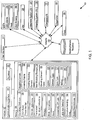
- FIG. 2 illustrates the CINEMA user interface (CINEMA UI) 200.
- the CINEMA UI 200 includes a tool bar 202, modeling palette 204, element properties 206 areas, and modeling canvas 208.
- the CINEMA instructions 120 cause the processor 106 to display, in a graphical user interface (e.g., CINEMA UI 200), the model 154 in the modeling canvas 208.
- CINEMA 102 uses the GUI object properties set 126 to display in the modeling palette 204 a structural representation (e.g., GAP1 hierarchy 210 and GAP2 hierarchy 211) of GAPs 112.
- the GAP hierarchy 210 includes graphical representations of the GUI screens 158 (e.g., 212 and 214) and GUI objects 124 within each GUI screen 158 (e.g., new modeling elements 216 and 218).
- CINEMA 102 may display the modeling palette 204 when the user selects the CINEMA class explorer 220.
- CINEMA 102 uses the GUI object properties set 126 to generate GUI object classes 136 (e.g., 222 and 224) for the GUI objects 124.
- Table 2 shows an example of how CINEMA 102, in one implementation, captures operations (e.g., functions and/or methods) for a new modeling element 134 for a GUI object 124.
- CINEMA 102 identifies the GAP 112 (e.g., state machine) and GUI object 124 from which the user 114 captures operations for a new modeling element 134 (e.g., referred to as className in Table 2 and Table 3 below).
- the user 114 performs actions on the GUI object 124 in order to capture the operations (e.g., functions and/or methods) for the new modeling element 134.
- the user 114 drags and drops the GUI object 124 onto the modeling canvas 132 and CINEMA creates the new modeling element 134 in the modeling palette 128.
- Table 2 - Capture Operations for a New Modeling Element /** SmartClass captures the operations (e.g., function and/or method) of a GUI object for a new modeling element.
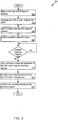
- FIG. 3 illustrates the logic flow CINEMA 102 may take to create a new modeling element 134 (e.g., 216 and 218) from a GUI object of a GAP 112.
- the user 114 and/or CINEMA 102 may also start a GAP 112 that includes a GUI object 124 of interest from which the user 114 creates a new modeling 134 (e.g., 216 and 218) (302).
- CINEMA 102 starts a listener (e.g., proxy 166) and dispatcher (168), in communication with a hook 160 injected in GAP 112, in order to capture information and control the GUI object 124.
- a listener e.g., proxy 166
- dispatcher 168
- the user 114 navigates the GUI screens 158 of the GAP 112 in order to locate the GUI object 124 (304). In one implementation, the user 114 moves a cursor over a GUI object 124 of a GAP 112 (306). The user 114 performs actions on the GUI object 124 so that CINEMA may capture the operations and transition states that occur for the GUI object 124 (308) (310).
- CINEMA 102 uses accessibility API calls 156 to obtain information (e.g., GUI object properties set 126) about the GUI object 124. CINEMA 102 receives and/or captures actions (e.g., the operations and transition states) that describe states of the GAP 112. CINEMA 102 generates a GUI object class (e.g., 136, 222, and 234).
- the GUI object class (e.g., 136, 222, and 234) includes methods (e.g., 146 and 226) that control the GAP 112 and GUI object 124 by setting and getting values of the GUI objects 124 and cause actions that enable the GAP 112 to switch to different states.
- the user 114 may draw a frame around the GUI object 124 with a tooltip window displaying the information (e.g., GUI object properties set 126) about the selected GUI object 124.
- the user 114 then drags the GUI object 124 (e.g., a visual image representation of the GUI object 124) onto the modeling canvas 208 (312).
- CINEMA 102 creates a new modeling element 134 (e.g., 216 and 218).
- the new modeling element 134 e.g., 216 and 218) includes attributes that hold information about locating and controlling the GUI object 124 in the corresponding GAP 112 (314).
- CINEMA 102 adds the new modeling element 134 (e.g., 216 and 218) to the modeling palette 128 (e.g., 204) so that the new modeling element may be used to create models 154.
- FIG. 4 illustrates a state diagram 400 for the tifecyde of a GUI object 124.
- CINEMA 102 receives and/or captures actions (e.g., the operations and transition states) that describe states of the GAP 112.
- Figure 4 shows the GUI object states (e.g., e.g., 402, 404, 406 and 408) of a GUI object 124 as ovals and transitions (e.g., 410, 412, 414, 416 and 418) between the GUI object states as arrows.
- GUI object states e.g., e.g., 402, 404, 406 and 408
- GAPs 112 represent GUI objects 124 internally as data structures whose records specify values of properties of the GUI objects 124.
- a GAP allocates a record for the GUI object and initializes the fields of the GUI object 124 to some values.
- a user may not access the GUI object 124.
- the state of the GUI object 124 transitions (e.g., 410) from the GUI object state created 402 to the GUI object state deactivated 404.
- GUI object state activated 406 the GUI object may be visible and available for user interactions.
- the GUI object 124 may transition (e.g., 412 and 414), between the GUI object states deactivated 404 and activated 406, an indefinite number of times during the lifetime of the GUI object 124. For example, going back and forth between multiple screens (e.g., 158) in a GAP 112 hides (deactivates) one screen containing GUI objects 124 and activates another screen. Switching between the GUI object states deactivated 404 and activated 406 may not change the values that the GUI object 124 holds. Even so, a user 114 may not act on the GUI object 124 in the GUI object state deactivated 404.
- the GUI object state may transition (e.g., 416 and 418) to destroyed 408, for example when the GAP stops.
- CINEMA 102 receives and/or captures actions (e.g., the operations and transition states) that describe the states of the GAP 112 in order to determine how the new modeling element 134 may be used in a model 154.
- the user 114 may model a particular screen 230 for the model 154 by selecting a corresponding screen 232 tab in the CINEMA UI 200.
- CINEMA UI 200 displays the modeling canvas 208 that corresponds to the screen the user 114 desires to design for the model 154.
- the user 114 may specify the functions 144 that each GUI object 124 performs in the model 154.
- the user 114 may specify which GUI objects (e.g., 222 and 224) receive values and/or serve as inputs and which GUI objects produce output results (e.g., 234 and 236).
- a user 114 uses CINEMA 102 to create a model 154 using the modeling elements.(e.g., 216 and 218) by dragging and dropping the modeling elements (e.g., 216 and 218) onto the modeling canvas 208.
- Figure 2 shows a diagrammatic representation of the new modeling elements (e.g., 216 and 218) as object classes (e.g., 234 and 222, respectively).
- the user 114 connects the modeling elements (e.g., object classes 234 and 222) using connectors (e.g., 238, 240, 242) that specify dependencies between the modeling elements (e.g., object classes).
- the user 114 may generate model instructions 152 that cause the processor 106 to manipulate the GUI object 124 according to a model 154 created using the new modeling element 134.
- FIG. 5 illustrates the logic flow CINEMA 102 may take to generate processor executable model instructions 152 for a GUI object 124 according to a model 154.
- CINEMA 102 uses accessibility API calls 156 to obtain information (e.g., the GUI object properties set 126) about the GUI object 124 (502).
- CINEMA 102 creates a new modeling element 134 from the GUI object properties set 126 for the GUI object 124 (504).
- the user 114 defines a model 154 using the new modeling element 134 (506) by placing the new modeling element 134 on the modeling canvas 208.
- the user 114 defines an action 138, element type 140, a data type 142, and function 144 for the modeling element class 136 for the new modeling element 134 (508).
- the user 114 defines dependencies (e.g., shown as connectors 238 and 240 on the modeling canvas 208) between the modeling elements (e.g., 234 and 222) (510) by placing modeling connectors (e.g., 238 and 240) between the modeling elements in the modeling canvas 208, and/or placing a modeling connector (e.g., 242) on an individual modeling element 250.
- dependencies e.g., shown as connectors 238 and 240 on the modeling canvas 208 between the modeling elements (e.g., 234 and 222) (510) by placing modeling connectors (e.g., 238 and 240) between the modeling elements in the modeling canvas 208, and/or placing a modeling connector (e.g., 242) on an individual modeling element 250.
- compositional event-based modeling instructions 120 use the GUI object properties set 126, the modeling element class 136 and modeling dependencies 170 to transcode the new modeling element 134 into programming instructions (e.g., transcoded GUI object instructions 148) (512).
- An integrated system and/or composite integrated system e.g., 116, 118 and 172 may execute the transcoded GUI object instructions to locate, control and manipulate GUI objects 124 of GAPs 112.
- CINEMA 102 records the states of a GAP 112 using the hook 160, listener (e.g., proxy 166) and dispatcher 168.
- GAPs 112 may be represented by a tree structure that includes GUI screens 158 and GUI objects 124 within each GUI screen 158, along with the attributes of each GUI screen 158 and GUI object 124, and GUI object 124 functions (e.g., methods).
- CINEMA 102 traverses the GUI tree of the GAP 112 post-order, using accessibility technology, in order to capture the GUI object properties set 126. For each node of the GUI tree of the GAP 112, CINEMA 102 emits code for a GUI object class (e.g., 222 and 224) for a GUI object 124.
- a GUI object class e.g., 222 and 22
- a user 114 may retrieve data from and enter data into the GUI objects 124 of the GAP 112.
- the user may initiate transitions (e.g., GUI object state changes) by causing some actions (e.g., select a menu item or click on a button).
- a GAP 112 may perform some computations based on the user's 114 actions and present different GUI screens 158.
- the user 114 may continue the cycle until the user 114 has allowed CINEMA 102 to capture all the desired actions of the GAP 112.
- Table 3 shows a declaration of a transcoded GUI object class (e.g., 222 and 224) for a GUI object 124.
- CINEMA 102 links generated GUI object classes (e.g., 136, 222 and 224) to GUI objects 124.
- the transcoded GUI object instructions 148 may include a GUI object class declaration, as shown in Table 3.
- the GUI object class declaration includes methods for locating the given GUI object 124 in the GAP 112, setting and getting the values for the GUI object 124, and performing an action on the GUI object 124.
- GUI objects 124 include semantically meaningful types of the data that users 114 use to model the GUI objects 124 as new modeling elements 134 (e.g., 216 and 218).
- CINEMA 102 allows users 114 to type GUI objects 124 and bind names to the GUI objects 124.
- a user 114 captures the properties of GUI objects 124 and assigns names and types to the GUI objects 124. For example, a user 114 may assign different names but the same type to different GUI objects 124 that hold values of the same semantic concept (e.g., addresses or credit card numbers) even though the GUI objects 124 may be hosted by different GAPs 112.
- the operating system assigns a positive integer number to each window (e.g., a particular GUI object 124) that identifies the order number in which a GUI object 124 takes focus when navigating through GUI screens 158.
- the GUI order number is represented by the private variable Elementld, which is initialized with a negative number (shown in line 2 of Table 3).
- the private method Locate takes the process identifier of the GAP 112 as a parameter and retrieves the Elementld for a given GUI object 124 for the GAP 112 (shown in line 3 of Table 3).
- CINEMA 102 uses the accessibility API functions to obtain information (e.g., the GUI object properties set 126) about GUI objects 124 in the GUI tree that lie in the path to the given GUI object 124.
- the method Locate uses the location information (e.g., the GUI object properties set 126) to navigate to the GUI object 124 and obtain the GUI object's identifier, which CINEMA 102 uses in methods setValue, getValue, and Dolt (shown in lines 6, 7 and 8 of Table 3) to access the GUI object 124.
- Methods setValue and getValue (shown in lines 6 and 7 of Table 3) set and retrieve values of GUI objects 124.
- the type of the data is string, unless the user specifies the type as integer or float.
- the code for setValue and getValue methods uses the accessibility API functions with the ElementId to locate the GUI object 124 in the GUI screen 158 and set or retrieve the value of the GUI object 124.
- Dolt (shown in line 8 of Table 3) takes an argument that specifies an action taken relating to the GUI object 124, and where the argument for the method Dolt is null, a default action provided by the accessibility API function is executed.
- CINEMA 102 generates exception handling code 164 that handles exceptions that may be thrown while controlling GAPs 112 (e.g., showing a message box informing users about incorrectly formatted input) using the methods.
- CINEMA 102 may prompt the user 114 to select a source code language to use in order to generate source code of a chosen language from the model 154 (514), and compile and execute the source code 152.
- CINEMA binds the transcoded GUI object instructions 148 to obtain the processor executable model instructions 152 that an integrated system (e.g., 116 and 118) and/or composite integrated system 172 may execute to locate, control, and manipulate the GUI objects 124 (516).
- Binding GUI object classes e.g., transcoded GUI object instructions 148) to instances of the GUI objects 124 using the operator "new" is a straightforward procedure in modern Object Oriented (OO) languages such as JavaTM.
- OO Object Oriented
- GUI objects appear asynchronously and GAPs 112 change the states of the GUI objects 124 as a result of internal computations.
- a user 114 may not specify how to manage the lifecycle of GUI objects 124 using an integrated system, a user 114 may use CINEMA 102 to deploy GUI objects 124 as programming objects (e.g., transcoded GUI object instructions 148) in the source code of integrated systems and/or composite integration systems (e.g., 172, 116, and 118).
- CINEMA 102 defines bindings between programming objects (e.g., transcoded GUI object instructions 148) in models 154 and GUI objects 124. Recall that GUI objects 124 exist within the contexts of corresponding GAPs 112, and programming objects (e.g., a modeling element GUI object class 136, 222, and 234) in models 154 represent corresponding GUI objects 124. CINEMA 102 serves as a connector between models 154 and GAPs 112 that enables the programming objects to bind to respective GUI objects 124. Using CINEMA 102, the lifecycle of a programming object may be tightly linked to the lifecycle of a GUI object 124 to which the programming object represents.
- programming objects e.g., transcoded GUI object instructions 1448
- GUI objects 124 exist within the contexts of corresponding GAPs 112
- programming objects e.g., a modeling element GUI object class 136, 222, and 234
- CINEMA 102 serves as a connector between models 154 and GAPs 112 that enables
- GUI object instructions 1408 Some operations do not make sense when performed on programming objects, e.g., using the operator new to create objects.
- bindings between programming objects e.g., transcoded GUI object instructions 1448 and GUI objects 124 determine what operations may be performed on programming objects, so that the programming objects do not throw runtime exceptions.
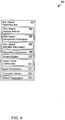
- Figure 6 illustrates the operations 600 that may be safely performed on a GUI object 124 of a GAP 112 as programming object.
- CINEMA 102 transforms a GUI object 124 of a GAP 112 into a modeling element (e.g., 134, 216 and 218), a model 154 composed with the modeling element (e.g., 134, 216 and 218) becomes tightly connected to the GAP 112 that hosts the GUI object 124.
- CINEMA 102 connects the GUI object classes (e.g., 136, 222 and 234) and interfaces to the corresponding GUI objects 124.
- CINEMA 102 considers the operations (e.g., read, write, invoke) that may be safely performed on a programming object a function of the instantiation time of the corresponding GUI object 124 and the types of bindings 602.
- the 'GUI Object Instantiation Time' 604 indicates at what point in the execution of a GAP 112 the GAP 112 instantiates a GUI object 124 hosted by the GAP 112.
- the 'GUI Object Instantiation Time' 604 identifies three time frames, including: past 606, current 608, and future 610.
- a GUI object 124 may be instantiated in the past 606, which indicates that the GUI object 124 was previously available to users to perform actions on the GUI object 124 up to some point during the execution of the GAP 112.
- a currently available (e.g., current 608) GUI object 124 allows users to perform different actions, and some GUI object 124 may be instantiated at some point in the future 610.
- a user 114 may find predicting the values held by a GUI object 124 instantiated in future difficult.
- CINEMA 102 allows the user 114 to set the values of a GUI object 124 using programming object counterparts, so that when the GAP 112 instantiates the GUI object 124 the values of the GUI object 124 may be set.
- the active 612 binding between a GUI object 124 and programming object indicates the GUI object 124 is activated (e.g., 406) on a GUI screen 158.
- the passive 614 binding indicates the GUI object 124 is in a deactivated state (e.g., 404).
- the static 618 binding indicates the GUI object 124 may be considered a static variable, such as in JavaTM. A static variable is activated when the variable's scope is reentered.
- a GUI object 124 exists on a screen that is overshadowed by another screen (e.g., layers in web browsers), and even though the GUI object 124 is not accessible by a user 114, operations may be performed on the GUI object 124. In such situations, the binding for the GUI object 124 may be considered static rather than passive.
- Operations for three combinations of instantiation time and binding specifiers are prohibited, including: past and active 620; current and passive 622; and future and active 624.
- the symbol 'X' indicates prohibited operations for particular combinations of instantiation time and binding specifiers.
- a GUI object 124 cannot have an active 612 binding when the GUI object was instantiated in the past 606.
- a GUI object 214 instantiated at some point in time in future 610 may not have an active 612 binding.
- a GUI object 124 that is currently available (e.g., 608) cannot be considered passive 614.
- Three types of operations may be performed on a GUI object 124, including reading values from, writing values into, and invoking methods (e.g., actions, operations and/or functions) on the GUI object 124.
- reading values from, writing values into, and invoking methods e.g., actions, operations and/or functions
- invoking methods e.g., actions, operations and/or functions
- the values of the GUI object 124 are retrieved and stored, so that the values of the GUI object 124 may be retrieved at a later time.
- the values of the GUI object 124 may be set, even if the GUI object 124 is not yet instantiated by a GAP 112.
- the set value for the GUI object 124 may be stored so that when the GUI object 124 is created and activated, the GUI object's 124 value will be set.
- Table 4 shows how CINEMA 102, in one implementation, generates a web service from a model 154.
- File folder new File(getOutputFolder()); if (folder.exists()) ⁇ try ⁇ // do the equivalent of "rm -r *" FileUtils.deleteDirectory(folder); ⁇ catch (IOException e) ⁇ LOGGER.error("Unable to delete [" + getOutputFolder() + "] due to:", e); ⁇ ⁇ // make the empty directories folder.mkdirs(); ⁇ /** * Creates the "build.xml" files and deploy the file. * * @throws IOException * If there is an error creating the file.
- createBuiIdXml throws IOException ⁇
- String filePath getOutputFolder();
- String fileName "build.xml”; createFile(filePath, fileName, BUILD_XML_TEMPLATE);
- ⁇ private void createFile(String folderPath, String fileName, String templateFilePath) throws IOException ⁇ // make the file and create a stream File exportedFolder new File(folderPath); exportedFolder.mkdirs();
- File exportedFile new File(exportedFolder.getAbsolutePath() + "/" + fileName);
- FileWriter fileWriter new FileWriter(exportedFile); // translate the service to a Java file // templateEngine_.translate(reference_, fileWriter, templateFilePath); // cleanup and close the stream fileWriter.flush(); fileWriter.close(); // debug
- Table 5 shows how CINEMA 102, in one implementation, generates JavaTM code from the GUI object class.
- Table 5 An example of Creating JavaTM code from the GUI Object Class private void createJavalmplementation() throws IOException ⁇ for (SmartClass theClass : reference_.getSmartClasses()) ⁇
- String packageDirectory theClass.getPackageName().replace(".", "/”);
- String filePath getOutputFolder() + "/src/" + packageDirectory + "/”;
- String fileName element.getAlias() + ".java”;
- Table 6 shows how CINEMA 102, in one implementation, generates XML for a GAP 112.
- Table 6 - Generating XML from a GAP /** * Converts a GAP (e.g., state machine) into XML.
- GAP e.g., state machine
- Figure 7 shows the measurements 700 for the effort expended to create web services using CINEMA 102 compared with the programming effort expended to create an identical service using the source code of GAPs 112.
- EA expense accounting
- InE invoices and estimates
- the EA GAP and InE GAP are closed and monolithic GAPs 112 that run on MS-WindowsTM.
- InE allows users to create and print invoices, estimates, and statements, and to track customer payments and unpaid invoices.
- CINEMA 102 allows a user to create models and web services for GAPs 112 without writing any additional code, modifying the applications, or accessing their proprietary data stores.
- CINEMA 102 may be used to create web services from the GAPs 112 using basic information about how users interact with the GAPs 112 to accomplish tasks.
- the measurements 700 refer to one example implementation of CINEMA 102, that included Windows XP ProTM on a computer with Intel PentiumTM IV 3.2GHz CPU and 2GB of RAM.
- the 'GAP name state no.' 702 column lists the names of the GAPs (e.g., 704) and the comma-separated GAP state identifier 706 that is the sequence number of the GUI screens 158.
- the visible, invisible and used columns e.g., 708, 710 and 712
- shown under the 'number of GUI elements' 714 indicate the number of visible and invisible GUI elements (e.g., GUI objects 124) and the number of GUI elements including the parents of the GUI elements in the hierarchy that were used as parameters and/or action targets in web services.
- the state XML bytes column 716 illustrates the size of the XML generated by CINEMA 102 to describe the given state of the GAP 112.
- the time sec column 718 illustrates the amount of time taken to generate and parse the state
- CINEMA 102 The effort required to create web services using CINEMA 102 was compared with the programming effort to create the same service by using the source code of GAPs 112.
- An application was built with accounting functionality. Using approximately nine hours to create and test the accounting GAP. Then, a web service was created using MicrosoftTM Visual Studio 2005, which has the state-of-the-art support for automating tasks for building web services. Within approximately one hour the user extracted the code from the accounting GAP, moved the code to the web service project, and compiled and debugged the code using the Studio. In contrast to the above scenarios, using CINEMA 102, a user spent less than ten minutes to generate a web service.
- CINEMA 102 Alternatives to CINEMA 102 include the UniFrameTM framework is a framework for building integrated systems by assembling pre-developed heterogeneous and distributed software components.
- the glue/wrapper code that realizes the interoperation among distributed and heterogeneous software components can be generated from a descriptive model.
- the UniFrameTM framework requires users to write code for models and possess the knowledge of the source code of components.
- a modeler may use a web browser-shell that integrates a command interpreter into the browser's location box to automate HTML interfaces.
- a browser-shell wraps legacy CLPs with an HTML/CGI graphical interface. The web browser-shell approach depends heavily upon parsing HTML and extracting data from the command line input/output.
- Code patching and binary rewriting techniques modify the binary code of executable programs in order to control and manipulate them when integrating these programs into composite systems.
- code patching and binary rewriting techniques are platform-dependent and require programmers to write complicated code to change program executables. Programmers find using code patching and binary rewriting techniques difficult and error prone, and often cause applications to become unstable and crash.
- Extracting information from GAPs and GUI elements, using the various other unworkable techniques may be referred to as screen-scraping.
- Macro recorders use this technique by recording the user's mouse movements and keystrokes, then playing them back by inserting simulated mouse and keyboard events in the system queue.
- the logic, circuitry, and processing described above may be encoded or stored in a machine-readable or computer-readable medium such as a compact disc read only memory (CDROM), magnetic or optical disk, flash memory, random access memory (RAM) or read only memory (ROM), erasable programmable read only memory (EPROM) or other machine-readable medium as, for examples, instructions for execution by a processor, controller, or other processing device.
- a machine-readable or computer-readable medium such as a compact disc read only memory (CDROM), magnetic or optical disk, flash memory, random access memory (RAM) or read only memory (ROM), erasable programmable read only memory (EPROM) or other machine-readable medium as, for examples, instructions for execution by a processor, controller, or other processing device.
- the medium may be implemented as any device that contains, stores, communicates, propagates, or transports executable instructions for use by or in connection with an instruction executable system, apparatus, or device.
- the logic may be implemented as analog or digital logic using hardware, such as one or more integrated circuits, or one or more processors executing instructions; or in software in an application programming interface (API) or in a Dynamic Link Library (DLL), functions available in a shared memory or defined as local or remote procedure calls; or as a combination of hardware and software.
- hardware such as one or more integrated circuits, or one or more processors executing instructions; or in software in an application programming interface (API) or in a Dynamic Link Library (DLL), functions available in a shared memory or defined as local or remote procedure calls; or as a combination of hardware and software.
- API application programming interface
- DLL Dynamic Link Library
- the logic may be represented in a signal or a propagated-signal medium.
- the instructions that implement the logic of any given program may take the form of an electronic, magnetic, optical, electromagnetic, infrared, or other type of signal.
- the systems described above may receive such a signal at a communication interface, such as an optical fiber interface, antenna, or other analog or digital signal interface, recover the instructions from the signal, store them in a machine-readable memory, and/or execute them with a processor.
- the systems may include additional or different logic and may be implemented in many different ways.
- a processor may be implemented as a controller, microprocessor, microcontroller, application specific integrated circuit (ASIC), discrete logic, or a combination of other types of circuits or logic.
- memories may be DRAM, SRAM, Flash, or other types of memory.
- Parameters (e.g., conditions and thresholds) and other data structures may be separately stored and managed, may be incorporated into a single memory or database, or may be logically and physically organized in many different ways.
- Programs and instructions may be parts of a single program, separate programs, or distributed across several memories and processors.
Landscapes
- Engineering & Computer Science (AREA)
- Software Systems (AREA)
- General Engineering & Computer Science (AREA)
- Theoretical Computer Science (AREA)
- Physics & Mathematics (AREA)
- General Physics & Mathematics (AREA)
- Human Computer Interaction (AREA)
- Stored Programmes (AREA)
Claims (8)
- Procédé de création d'un nouvel élément de modélisation (134) pour une palette d'éléments de modélisation (128) d'un outil de modélisation (102), dans lequel la palette d'éléments de modélisation est agencée pour présenter un ou plusieurs éléments de modélisation (130), le procédé comprenant les étapes consistant à :configurer l'outil de modélisation (102) pour fonctionner avec des applications "GUI" d'interface utilisateur graphique externe "GAP" (112) dans un mode d'isolation sélectionné par l'utilisateur choisi dans le groupe comprenant : un premier mode dans lequel un GAP externe (112) s'exécute dans le même espace de processus que l'outil de modélisation (102) lorsque l'outil de modélisation (102) invoque les GAP externes (112) ; un second mode dans lequel plusieurs GAP (112) s'exécutent dans un espace de processus et l'outil de modélisation (102) s'exécute dans un espace de processus séparé ; et un troisième mode dans lequel chacun des GAP (112) fonctionne dans des espaces de processus séparés et l'outil de modélisation (102) fonctionne dans un autre espace de processus séparé, un utilisateur (114) pouvant sélectionner un mode d'isolation dans le groupe comprenant le premier mode, le deuxième mode et le troisième mode sur la base des ressources de calcul du système et / ou des GAP particuliers (112) que l'utilisateur souhaite utiliser pour la modélisation ;recevoir une définition d'objet GUI (122) d'un objet GUI (124) sélectionné dans le GAP s'exécutant à l'extérieur de l'outil de modélisation (102) ;générer le nouvel élément de modélisation (134) compatible avec l'outil de modélisation (102) à partir de la définition d'objet GUI (122) ; etajouter le nouvel élément de modélisation (134) dans la palette d'éléments de modélisation (128).
- Procédé selon la revendication 1, dans lequel l'étape de réception comprend les étapes consistant à :recevoir une définition d'objet GUI (122) comprenant n'importe quelle combinaison des éléments suivants :des informations de géométrie qui localisent l'objet GUI (124) dans le GAP ;des contraintes d'accès pour l'objet GUI (124) dans le GAP ; etdes paramètres d'entrée ou de sortie pour l'objet GUI (124).
- Procédé selon la revendication 1 ou la revendication 2, dans lequel l'étape de génération comprend l'étape consistant à :transcoder la définition d'objet GUI pour obtenir une représentation d'élément de modélisation pour l'élément de modélisation GUI.
- Procédé selon l'une quelconque des revendications précédentes, dans lequel l'étape de réception comprend l'étape consistant à :recevoir une définition d'objet GUI (122) comprenant n'importe quelle combinaison des élément suivants :une méthode d'accès à un objet GUI pour effectuer une opération sur l'objet GUI (124) ; etdes informations de navigation d'objet GUI spécifiant comment atteindre l'objet GUI (124) dans le GAP.
- Procédé selon la revendication 4, dans lequel les informations de navigation d'objet GUI comprennent une séquence d'écran pour atteindre l'objet GUI (124) à partir d'un état sélectionné du GAP.
- Procédé selon l'une quelconque des revendications précédentes, dans lequel l'étape de réception comprend l'étape consistant à :recevoir la définition d'objet GUI (122) à travers une couche d'accessibilité et un crochet dans le GAP.
- Support lisible par ordinateur ayant des instructions exécutables par ordinateur adaptées pour amener un système informatique à exécuter le procédé selon l'une quelconque des revendications précédentes.
- Système comprenant :un processeur ; etune mémoire couplée au processeur, la mémoire comprenant des instructions qui, lorsqu'elles sont exécutées par le processeur, amènent le processeur à exécuter le procédé selon l'une quelconque des revendications 1 à 6.
Applications Claiming Priority (1)
| Application Number | Priority Date | Filing Date | Title |
|---|---|---|---|
| US12/540,739 US8479150B2 (en) | 2009-08-13 | 2009-08-13 | Compositional modeling of integrated systems using event-based legacy applications |
Publications (2)
| Publication Number | Publication Date |
|---|---|
| EP2284698A1 EP2284698A1 (fr) | 2011-02-16 |
| EP2284698B1 true EP2284698B1 (fr) | 2018-01-31 |
Family
ID=42972128
Family Applications (1)
| Application Number | Title | Priority Date | Filing Date |
|---|---|---|---|
| EP10251285.2A Active EP2284698B1 (fr) | 2009-08-13 | 2010-07-19 | Modélisation de composants de systèmes intégrés utilisant les applications anciennes basées sur événements |
Country Status (4)
| Country | Link |
|---|---|
| US (1) | US8479150B2 (fr) |
| EP (1) | EP2284698B1 (fr) |
| CN (1) | CN101996078B (fr) |
| CA (1) | CA2711274C (fr) |
Families Citing this family (13)
| Publication number | Priority date | Publication date | Assignee | Title |
|---|---|---|---|---|
| CA2706747A1 (fr) * | 2010-06-29 | 2010-09-08 | Ibm Canada Limited - Ibm Canada Limitee | Editeur de sortie a code etendu pour langages de domaines |
| US20120030649A1 (en) * | 2010-08-02 | 2012-02-02 | Advanced Bionics AG, c/o Froriep Renggli | Methods and Systems for Automatic Generation of Multithread-Safe Software Code |
| US9037913B2 (en) | 2012-04-30 | 2015-05-19 | Microsoft Technology Licensing, Llc | Dynamic event generation for user interface control |
| US20130311974A1 (en) * | 2012-05-16 | 2013-11-21 | Zoltan Albrecht | Debugger integration of reporting tool renderer |
| CN103513976B (zh) * | 2012-06-29 | 2018-06-12 | 中兴通讯股份有限公司 | 业务流程建模方法及装置 |
| CN105320504B (zh) * | 2014-06-25 | 2018-08-17 | 成都普中软件有限公司 | 一种基于软件元视图构造软件视图的可视软件建模方法 |
| US9792091B2 (en) * | 2014-12-12 | 2017-10-17 | Sap Se | Quantitative evaluation and optimization of user interface software design |
| US9501607B1 (en) * | 2015-06-09 | 2016-11-22 | Globalfoundries Inc. | Composite views for IP blocks in ASIC designs |
| KR101715816B1 (ko) * | 2015-08-26 | 2017-03-13 | (주)포제 | 접근성을 이용하는 정보 보안 장치 및 정보 보안 방법 |
| US10664404B2 (en) * | 2016-02-04 | 2020-05-26 | Sap Se | User interface state transitions |
| CN108681426B (zh) * | 2018-05-25 | 2020-08-11 | 第四范式(北京)技术有限公司 | 用于针对数据执行特征处理的方法及系统 |
| US11061872B2 (en) | 2018-10-16 | 2021-07-13 | International Business Machines Corporation | Integrating a legacy static system with an event-based system |
| US11782814B2 (en) * | 2021-01-05 | 2023-10-10 | Oracle International Corporation | Visualizations for learned software interfaces |
Family Cites Families (18)
| Publication number | Priority date | Publication date | Assignee | Title |
|---|---|---|---|---|
| US209356A (en) * | 1878-10-29 | Improvement in millstone-feeders | ||
| US5301301A (en) | 1991-01-30 | 1994-04-05 | National Instruments Corporation | Polymorphic dataflow block diagram system and method for programming a computer |
| US5680619A (en) * | 1995-04-03 | 1997-10-21 | Mfactory, Inc. | Hierarchical encapsulation of instantiated objects in a multimedia authoring system |
| US6141665A (en) * | 1996-06-28 | 2000-10-31 | Fujitsu Limited | Model-based job supporting system and method thereof |
| US6262729B1 (en) * | 1997-04-14 | 2001-07-17 | Apple Computer, Inc. | Method and apparatus for binding user interface objects to application objects |
| US6980218B1 (en) * | 2000-08-23 | 2005-12-27 | Nintendo Co., Ltd. | Method and apparatus for efficient generation of texture coordinate displacements for implementing emboss-style bump mapping in a graphics rendering system |
| US20030065527A1 (en) * | 2001-09-28 | 2003-04-03 | Zerotime Labs, L.L.C. | Financial transfer modeling editor system and method |
| WO2003077079A2 (fr) * | 2002-03-08 | 2003-09-18 | Enleague Systems, Inc | Procedes et systemes destines a modeler et a utiliser des ressources informatiques sur un reseau distribue heterogene au moyen d'ontologies semantiques |
| WO2005008544A1 (fr) * | 2003-07-11 | 2005-01-27 | Computer Associates Think, Inc. | Systeme et procede de partage d'objets de modeles multiples |
| US20060168577A1 (en) * | 2005-01-21 | 2006-07-27 | Melo Antonio A V | Software development system and method |
| US8336025B1 (en) * | 2007-02-08 | 2012-12-18 | The Mathworks, Inc. | Pattern modeling methods and systems |
| US8656342B2 (en) | 2007-02-23 | 2014-02-18 | Accenture Global Services Limited | Composing integrated systems using GUI-based applications and web services |
| US7971183B2 (en) | 2007-02-23 | 2011-06-28 | Accenture Global Services Limited | Tool for converting legacy applications to web services |
| US7971184B2 (en) * | 2007-02-23 | 2011-06-28 | Accenture Global Services Limited | GUI-based application to web services conversion system |
| US8181153B2 (en) | 2007-06-29 | 2012-05-15 | Accenture Global Services Limited | Refactoring monolithic applications into dynamically reconfigurable applications |
| US8122444B2 (en) | 2007-08-02 | 2012-02-21 | Accenture Global Services Limited | Legacy application decommissioning framework |
| US9448705B2 (en) * | 2007-11-05 | 2016-09-20 | Trimble Navigation Limited | Configuring graphical displays |
| CA2669603A1 (fr) * | 2009-06-18 | 2010-12-18 | Ibm Canada Limited - Ibm Canada Limitee | Outil de modelisation graphique |
-
2009
- 2009-08-13 US US12/540,739 patent/US8479150B2/en not_active Expired - Fee Related
-
2010
- 2010-07-19 CN CN201010285867.8A patent/CN101996078B/zh not_active Expired - Fee Related
- 2010-07-19 EP EP10251285.2A patent/EP2284698B1/fr active Active
- 2010-07-19 CA CA2711274A patent/CA2711274C/fr active Active
Non-Patent Citations (1)
| Title |
|---|
| None * |
Also Published As
| Publication number | Publication date |
|---|---|
| CA2711274A1 (fr) | 2011-02-13 |
| US20110041117A1 (en) | 2011-02-17 |
| US8479150B2 (en) | 2013-07-02 |
| CN101996078A (zh) | 2011-03-30 |
| CA2711274C (fr) | 2015-12-08 |
| CN101996078B (zh) | 2015-04-29 |
| EP2284698A1 (fr) | 2011-02-16 |
Similar Documents
| Publication | Publication Date | Title |
|---|---|---|
| US8479150B2 (en) | Compositional modeling of integrated systems using event-based legacy applications | |
| US6804686B1 (en) | System and methodology for providing fixed UML layout for an object oriented class browser | |
| US7240328B2 (en) | System and method for visual application development without programming | |
| US7685604B2 (en) | Business process execution language (BPEL) application generator for legacy interfaces | |
| US6968536B2 (en) | Frame component container | |
| US7051316B2 (en) | Distributed computing component system with diagrammatic graphical representation of code with separate delineated display area by type | |
| AU2010308132B2 (en) | Automated enterprise software development | |
| Lumpe | A π-Calculus Based Approach to Software Composition. | |
| US20110283257A1 (en) | Supporting and deploying distributed computing components | |
| KR20060087999A (ko) | 확장가능 워크플로 모델에 관한 선언적 표현 | |
| JP2006107478A (ja) | ワークフローを設計するための拡張可能フレームワーク | |
| US20060143592A1 (en) | Pluggable model framework | |
| Parsons et al. | An architectural pattern for designing component‐based application frameworks | |
| Zdun | Pattern language for the design of aspect languages and aspect composition frameworks | |
| Kufner et al. | Restful state machines and sql database | |
| Grechanik et al. | Creating web services from gui-based applications | |
| Braubach et al. | Tool-supported interpreter-based user interface architecture for ubiquitous computing | |
| Randhawa | Maintainability and Multi-platform Development | |
| Rinaldi | Implementation of a software interface layer between a model-based-design tool and embedded graphic frameworks | |
| Klander | Core Visual C++ 6 | |
| Evjen et al. | Professional VB 2005 | |
| Fürnweger | A legacy system migration and software evolution | |
| Evjen et al. | Professional VB 2005 with. Net 3.0 | |
| Virani | A scenario-based model-driven engineering framework | |
| Neema | Toward enhancing reusability of component middleware DSMLS using generalization and step-wise refinement |
Legal Events
| Date | Code | Title | Description |
|---|---|---|---|
| PUAI | Public reference made under article 153(3) epc to a published international application that has entered the european phase |
Free format text: ORIGINAL CODE: 0009012 |
|
| AK | Designated contracting states |
Kind code of ref document: A1 Designated state(s): AL AT BE BG CH CY CZ DE DK EE ES FI FR GB GR HR HU IE IS IT LI LT LU LV MC MK MT NL NO PL PT RO SE SI SK SM TR |
|
| AX | Request for extension of the european patent |
Extension state: BA ME RS |
|
| RAP1 | Party data changed (applicant data changed or rights of an application transferred) |
Owner name: ACCENTURE GLOBAL SERVICES LIMITED |
|
| 17P | Request for examination filed |
Effective date: 20110816 |
|
| 17Q | First examination report despatched |
Effective date: 20120712 |
|
| GRAP | Despatch of communication of intention to grant a patent |
Free format text: ORIGINAL CODE: EPIDOSNIGR1 |
|
| INTG | Intention to grant announced |
Effective date: 20170410 |
|
| GRAJ | Information related to disapproval of communication of intention to grant by the applicant or resumption of examination proceedings by the epo deleted |
Free format text: ORIGINAL CODE: EPIDOSDIGR1 |
|
| INTC | Intention to grant announced (deleted) | ||
| GRAP | Despatch of communication of intention to grant a patent |
Free format text: ORIGINAL CODE: EPIDOSNIGR1 |
|
| INTG | Intention to grant announced |
Effective date: 20170831 |
|
| GRAS | Grant fee paid |
Free format text: ORIGINAL CODE: EPIDOSNIGR3 |
|
| GRAA | (expected) grant |
Free format text: ORIGINAL CODE: 0009210 |
|
| AK | Designated contracting states |
Kind code of ref document: B1 Designated state(s): AL AT BE BG CH CY CZ DE DK EE ES FI FR GB GR HR HU IE IS IT LI LT LU LV MC MK MT NL NO PL PT RO SE SI SK SM TR |
|
| REG | Reference to a national code |
Ref country code: GB Ref legal event code: FG4D Ref country code: CH Ref legal event code: EP |
|
| REG | Reference to a national code |
Ref country code: AT Ref legal event code: REF Ref document number: 967951 Country of ref document: AT Kind code of ref document: T Effective date: 20180215 |
|
| REG | Reference to a national code |
Ref country code: IE Ref legal event code: FG4D |
|
| REG | Reference to a national code |
Ref country code: DE Ref legal event code: R096 Ref document number: 602010048335 Country of ref document: DE |
|
| REG | Reference to a national code |
Ref country code: NL Ref legal event code: MP Effective date: 20180131 |
|
| REG | Reference to a national code |
Ref country code: LT Ref legal event code: MG4D |
|
| REG | Reference to a national code |
Ref country code: FR Ref legal event code: PLFP Year of fee payment: 9 |
|
| REG | Reference to a national code |
Ref country code: AT Ref legal event code: MK05 Ref document number: 967951 Country of ref document: AT Kind code of ref document: T Effective date: 20180131 |
|
| PG25 | Lapsed in a contracting state [announced via postgrant information from national office to epo] |
Ref country code: FI Free format text: LAPSE BECAUSE OF FAILURE TO SUBMIT A TRANSLATION OF THE DESCRIPTION OR TO PAY THE FEE WITHIN THE PRESCRIBED TIME-LIMIT Effective date: 20180131 Ref country code: ES Free format text: LAPSE BECAUSE OF FAILURE TO SUBMIT A TRANSLATION OF THE DESCRIPTION OR TO PAY THE FEE WITHIN THE PRESCRIBED TIME-LIMIT Effective date: 20180131 Ref country code: NL Free format text: LAPSE BECAUSE OF FAILURE TO SUBMIT A TRANSLATION OF THE DESCRIPTION OR TO PAY THE FEE WITHIN THE PRESCRIBED TIME-LIMIT Effective date: 20180131 Ref country code: HR Free format text: LAPSE BECAUSE OF FAILURE TO SUBMIT A TRANSLATION OF THE DESCRIPTION OR TO PAY THE FEE WITHIN THE PRESCRIBED TIME-LIMIT Effective date: 20180131 Ref country code: NO Free format text: LAPSE BECAUSE OF FAILURE TO SUBMIT A TRANSLATION OF THE DESCRIPTION OR TO PAY THE FEE WITHIN THE PRESCRIBED TIME-LIMIT Effective date: 20180430 Ref country code: LT Free format text: LAPSE BECAUSE OF FAILURE TO SUBMIT A TRANSLATION OF THE DESCRIPTION OR TO PAY THE FEE WITHIN THE PRESCRIBED TIME-LIMIT Effective date: 20180131 |
|
| PG25 | Lapsed in a contracting state [announced via postgrant information from national office to epo] |
Ref country code: GR Free format text: LAPSE BECAUSE OF FAILURE TO SUBMIT A TRANSLATION OF THE DESCRIPTION OR TO PAY THE FEE WITHIN THE PRESCRIBED TIME-LIMIT Effective date: 20180501 Ref country code: IS Free format text: LAPSE BECAUSE OF FAILURE TO SUBMIT A TRANSLATION OF THE DESCRIPTION OR TO PAY THE FEE WITHIN THE PRESCRIBED TIME-LIMIT Effective date: 20180531 Ref country code: AT Free format text: LAPSE BECAUSE OF FAILURE TO SUBMIT A TRANSLATION OF THE DESCRIPTION OR TO PAY THE FEE WITHIN THE PRESCRIBED TIME-LIMIT Effective date: 20180131 Ref country code: LV Free format text: LAPSE BECAUSE OF FAILURE TO SUBMIT A TRANSLATION OF THE DESCRIPTION OR TO PAY THE FEE WITHIN THE PRESCRIBED TIME-LIMIT Effective date: 20180131 Ref country code: BG Free format text: LAPSE BECAUSE OF FAILURE TO SUBMIT A TRANSLATION OF THE DESCRIPTION OR TO PAY THE FEE WITHIN THE PRESCRIBED TIME-LIMIT Effective date: 20180430 Ref country code: SE Free format text: LAPSE BECAUSE OF FAILURE TO SUBMIT A TRANSLATION OF THE DESCRIPTION OR TO PAY THE FEE WITHIN THE PRESCRIBED TIME-LIMIT Effective date: 20180131 Ref country code: PL Free format text: LAPSE BECAUSE OF FAILURE TO SUBMIT A TRANSLATION OF THE DESCRIPTION OR TO PAY THE FEE WITHIN THE PRESCRIBED TIME-LIMIT Effective date: 20180131 |
|
| PG25 | Lapsed in a contracting state [announced via postgrant information from national office to epo] |
Ref country code: EE Free format text: LAPSE BECAUSE OF FAILURE TO SUBMIT A TRANSLATION OF THE DESCRIPTION OR TO PAY THE FEE WITHIN THE PRESCRIBED TIME-LIMIT Effective date: 20180131 Ref country code: RO Free format text: LAPSE BECAUSE OF FAILURE TO SUBMIT A TRANSLATION OF THE DESCRIPTION OR TO PAY THE FEE WITHIN THE PRESCRIBED TIME-LIMIT Effective date: 20180131 Ref country code: IT Free format text: LAPSE BECAUSE OF FAILURE TO SUBMIT A TRANSLATION OF THE DESCRIPTION OR TO PAY THE FEE WITHIN THE PRESCRIBED TIME-LIMIT Effective date: 20180131 Ref country code: AL Free format text: LAPSE BECAUSE OF FAILURE TO SUBMIT A TRANSLATION OF THE DESCRIPTION OR TO PAY THE FEE WITHIN THE PRESCRIBED TIME-LIMIT Effective date: 20180131 |
|
| REG | Reference to a national code |
Ref country code: DE Ref legal event code: R097 Ref document number: 602010048335 Country of ref document: DE |
|
| PG25 | Lapsed in a contracting state [announced via postgrant information from national office to epo] |
Ref country code: SK Free format text: LAPSE BECAUSE OF FAILURE TO SUBMIT A TRANSLATION OF THE DESCRIPTION OR TO PAY THE FEE WITHIN THE PRESCRIBED TIME-LIMIT Effective date: 20180131 Ref country code: DK Free format text: LAPSE BECAUSE OF FAILURE TO SUBMIT A TRANSLATION OF THE DESCRIPTION OR TO PAY THE FEE WITHIN THE PRESCRIBED TIME-LIMIT Effective date: 20180131 Ref country code: SM Free format text: LAPSE BECAUSE OF FAILURE TO SUBMIT A TRANSLATION OF THE DESCRIPTION OR TO PAY THE FEE WITHIN THE PRESCRIBED TIME-LIMIT Effective date: 20180131 Ref country code: CZ Free format text: LAPSE BECAUSE OF FAILURE TO SUBMIT A TRANSLATION OF THE DESCRIPTION OR TO PAY THE FEE WITHIN THE PRESCRIBED TIME-LIMIT Effective date: 20180131 |
|
| PLBE | No opposition filed within time limit |
Free format text: ORIGINAL CODE: 0009261 |
|
| STAA | Information on the status of an ep patent application or granted ep patent |
Free format text: STATUS: NO OPPOSITION FILED WITHIN TIME LIMIT |
|
| 26N | No opposition filed |
Effective date: 20181102 |
|
| PG25 | Lapsed in a contracting state [announced via postgrant information from national office to epo] |
Ref country code: SI Free format text: LAPSE BECAUSE OF FAILURE TO SUBMIT A TRANSLATION OF THE DESCRIPTION OR TO PAY THE FEE WITHIN THE PRESCRIBED TIME-LIMIT Effective date: 20180131 |
|
| REG | Reference to a national code |
Ref country code: CH Ref legal event code: PL |
|
| PG25 | Lapsed in a contracting state [announced via postgrant information from national office to epo] |
Ref country code: LU Free format text: LAPSE BECAUSE OF NON-PAYMENT OF DUE FEES Effective date: 20180719 Ref country code: MC Free format text: LAPSE BECAUSE OF FAILURE TO SUBMIT A TRANSLATION OF THE DESCRIPTION OR TO PAY THE FEE WITHIN THE PRESCRIBED TIME-LIMIT Effective date: 20180131 |
|
| REG | Reference to a national code |
Ref country code: BE Ref legal event code: MM Effective date: 20180731 |
|
| PG25 | Lapsed in a contracting state [announced via postgrant information from national office to epo] |
Ref country code: LI Free format text: LAPSE BECAUSE OF NON-PAYMENT OF DUE FEES Effective date: 20180731 Ref country code: CH Free format text: LAPSE BECAUSE OF NON-PAYMENT OF DUE FEES Effective date: 20180731 |
|
| PG25 | Lapsed in a contracting state [announced via postgrant information from national office to epo] |
Ref country code: BE Free format text: LAPSE BECAUSE OF NON-PAYMENT OF DUE FEES Effective date: 20180731 |
|
| PG25 | Lapsed in a contracting state [announced via postgrant information from national office to epo] |
Ref country code: MT Free format text: LAPSE BECAUSE OF NON-PAYMENT OF DUE FEES Effective date: 20180719 |
|
| PG25 | Lapsed in a contracting state [announced via postgrant information from national office to epo] |
Ref country code: TR Free format text: LAPSE BECAUSE OF FAILURE TO SUBMIT A TRANSLATION OF THE DESCRIPTION OR TO PAY THE FEE WITHIN THE PRESCRIBED TIME-LIMIT Effective date: 20180131 |
|
| PG25 | Lapsed in a contracting state [announced via postgrant information from national office to epo] |
Ref country code: HU Free format text: LAPSE BECAUSE OF FAILURE TO SUBMIT A TRANSLATION OF THE DESCRIPTION OR TO PAY THE FEE WITHIN THE PRESCRIBED TIME-LIMIT; INVALID AB INITIO Effective date: 20100719 Ref country code: PT Free format text: LAPSE BECAUSE OF FAILURE TO SUBMIT A TRANSLATION OF THE DESCRIPTION OR TO PAY THE FEE WITHIN THE PRESCRIBED TIME-LIMIT Effective date: 20180131 |
|
| PG25 | Lapsed in a contracting state [announced via postgrant information from national office to epo] |
Ref country code: MK Free format text: LAPSE BECAUSE OF NON-PAYMENT OF DUE FEES Effective date: 20180131 Ref country code: CY Free format text: LAPSE BECAUSE OF FAILURE TO SUBMIT A TRANSLATION OF THE DESCRIPTION OR TO PAY THE FEE WITHIN THE PRESCRIBED TIME-LIMIT Effective date: 20180131 |
|
| PGFP | Annual fee paid to national office [announced via postgrant information from national office to epo] |
Ref country code: GB Payment date: 20220606 Year of fee payment: 13 |
|
| PGFP | Annual fee paid to national office [announced via postgrant information from national office to epo] |
Ref country code: FR Payment date: 20220609 Year of fee payment: 13 |
|
| PGFP | Annual fee paid to national office [announced via postgrant information from national office to epo] |
Ref country code: DE Payment date: 20220531 Year of fee payment: 13 |
|
| P01 | Opt-out of the competence of the unified patent court (upc) registered |
Effective date: 20230523 |
|
| REG | Reference to a national code |
Ref country code: DE Ref legal event code: R119 Ref document number: 602010048335 Country of ref document: DE |
|
| GBPC | Gb: european patent ceased through non-payment of renewal fee |
Effective date: 20230719 |
|
| PG25 | Lapsed in a contracting state [announced via postgrant information from national office to epo] |
Ref country code: DE Free format text: LAPSE BECAUSE OF NON-PAYMENT OF DUE FEES Effective date: 20240201 Ref country code: GB Free format text: LAPSE BECAUSE OF NON-PAYMENT OF DUE FEES Effective date: 20230719 |
|
| PG25 | Lapsed in a contracting state [announced via postgrant information from national office to epo] |
Ref country code: FR Free format text: LAPSE BECAUSE OF NON-PAYMENT OF DUE FEES Effective date: 20230731 |
|
| PGFP | Annual fee paid to national office [announced via postgrant information from national office to epo] |
Ref country code: IE Payment date: 20250610 Year of fee payment: 16 |