EP2584473A2 - Erzeuger für dynamische Präsentation - Google Patents
Erzeuger für dynamische Präsentation Download PDFInfo
- Publication number
- EP2584473A2 EP2584473A2 EP12193186.9A EP12193186A EP2584473A2 EP 2584473 A2 EP2584473 A2 EP 2584473A2 EP 12193186 A EP12193186 A EP 12193186A EP 2584473 A2 EP2584473 A2 EP 2584473A2
- Authority
- EP
- European Patent Office
- Prior art keywords
- slide
- property
- presentation
- formatted
- slides
- Prior art date
- Legal status (The legal status is an assumption and is not a legal conclusion. Google has not performed a legal analysis and makes no representation as to the accuracy of the status listed.)
- Withdrawn
Links
Images












Classifications
-
- G—PHYSICS
- G06—COMPUTING OR CALCULATING; COUNTING
- G06F—ELECTRIC DIGITAL DATA PROCESSING
- G06F40/00—Handling natural language data
- G06F40/10—Text processing
- G06F40/166—Editing, e.g. inserting or deleting
- G06F40/186—Templates
-
- Y—GENERAL TAGGING OF NEW TECHNOLOGICAL DEVELOPMENTS; GENERAL TAGGING OF CROSS-SECTIONAL TECHNOLOGIES SPANNING OVER SEVERAL SECTIONS OF THE IPC; TECHNICAL SUBJECTS COVERED BY FORMER USPC CROSS-REFERENCE ART COLLECTIONS [XRACs] AND DIGESTS
- Y10—TECHNICAL SUBJECTS COVERED BY FORMER USPC
- Y10S—TECHNICAL SUBJECTS COVERED BY FORMER USPC CROSS-REFERENCE ART COLLECTIONS [XRACs] AND DIGESTS
- Y10S707/00—Data processing: database and file management or data structures
- Y10S707/99931—Database or file accessing
Definitions
- the present invention is generally directed to a data processing, program controlled system for developing enhanced presentations for speaking engagements and the like. More particularly, the present invention provides a collection of tools and controls that substantially streamline the process of creating, editing and finalizing professional quality, computer generated presentations.
- Modem corporate life is now periodically punctuated with meetings having as a centerpiece a computer generated presentation utilizing presentation graphics programs, such as PowerPoint® by Microsoft®, Presentations® by Corel®, and others.
- presentation graphics programs such as PowerPoint® by Microsoft®, Presentations® by Corel®, and others.
- the subject of the presentations is unlimited, spanning almost every aspect of professional business activity, from simple sales pitches to sophisticated analysis of potential take-over candidates.
- the common theme to these presentations is the need for eye-catching graphics and text, dispersed with the core - but sometimes less appealing - data.
- the modem retail presentation software package has evolved to a highly functional, incredibly powerful and versatile presentation slide creator, with hundreds of possible variations for presentation styles. Indeed, the level of operating sophistication of the packages renders them almost unusable without dozens if not hundreds of hours of practice or training. While these retail products often include a separate package of style templates to ease and simplify operation, navigation through these templates themselves is an incredibly tricky process.
- programs e.g. , spreadsheet
- a programming tool set is provided for use in conjunction with a retail presentation graphics package.
- a representative package and the preferred platform for the present invention is the PowerPoint® product distributed by Microsoft®Inc.
- the tools and supplemental programming associated with the present invention include formatting software for structuring the presentation slide, including ancillary graphics and branding characteristics, a template and logo library, global presentation context template and related tools for maintaining presentation integrity.
- selectively configured USER assistance programs are provided to enhance user access and implementation of the presentation development tools.
- PresLink includes as part of its feature set, the capability to seamlessly connect remote data sources, such as spreadsheets, to a newly developed presentation for use in one or more slides thereof.
- PresLink configures the remote data and establishes the network links to facilitate the data transfer - either static or dynamic - to become part of and to conform in appearance to the presentation under development.
- PresLink ensures that the data tables, once transferred, are inserted with the proper level of formatting information to maintain the common branding appearance and style consistent with governing corporate policy.
- Figures 1- 31 are provided as illustrations relating to the practice of the present invention, wherein:
- PresBuilder the product and system of the present invention is generally known as PresBuilder, with this term generally encompassing the features and capabilities provided by the inventive software tool set and associated with building sophisticated presentations.
- PresBuilder envisions on a basic level, the use of multiple slides supporting either a projection based presentation ("projection scheme") or a handout presentation ("print scheme”).
- projection scheme projection based presentation
- print scheme handout presentation
- PresBuilder simplifies the creation of both by applying pre-package color schemes to the same foundation slide set.
- This foundation slide set is the presentation template and includes the following individual slides:
- the Standard Content Slide is the universal template for each succeeding slide in the presentation, i.e., the starting point for building individual slides on diverging subject areas.
- the Standard Content Slide in a preferred mode is a PowerPoint® template that is further enhanced with embedded information that works in conj unction with system software. For example and by way of illustration only, managed shapes are used in the Slide Header, Section Header, Sub Header, and Slide Number as applied to the standard content slide. In contrast, shapes used to populate the "content" section of the slide are non-managed. The various features forming slide topology are discussed in further detail, infra.
- Style Guide includes guidelines for select aesthetic considerations, such as location of color, font, etc. This style guide will provide information, tutorials and guidance that conforms specifically to the needs of the industry or market addressed by the presentation.
- shape is used to generically include objects found in a presentation graphics package (PowerPoint) slides, such as the slide header, a chart (static or dynamic), a table or similar.
- the system stores a configuration file that includes a property set (width, font, size, etc.) for each shape in a slide.
- This property set can be established and stored by the process of "tagging.”
- Tagged sets are created, stored and used by a software agent, known as the Assistant to assist in the slide review process.
- Compliant shapes have a property set that match the tagged properties for that shape.
- Managed shapes comprise tagged property sets that cannot be altered without special keys.
- the system operates in conjunction with select software agents to assist in the developing presentation.
- a core software agent is known as the "Assistant.”
- the Assistant provides the main functionality associated with the presentation building process and further ensures consistency within the presentation by identifying and fixing non-compliant shapes. Specifically, the Assistant allows the user to:
- Tagging is a save/storage process that collects the "current" or “default” properties of a shape and stores these in the Assistant Tagged file.
- Assistant Tagged properties can fall within the following illustrative categories for a slide:
- Tagged shapes have enhanced flexibility in use. Changes can be made to the shape properties; however, these changes can be quickly reverted back to the initial tagged values seamlessly.
- a non-compliant shape refers to a shape that has a current property set that differs from the stored tagged set for that shape. This can arise in several ways. For example, reformatting a tagged shape, without updating, creates a non-compliant shape as a discrepancy develops between the current and tagged property set.
- the Assistant operates both to identify non-compliant shapes and to correct these, either globally or through individual adjustments of shape properties.
- Invocation of the Assistant triggers a display box that highlights properties of an individual shape that are in non-compliance (typically, these properties are depicted in red; compliant properties in blue).
- Prompts provide for converting the non-compliant values to compliant values consistent with the current Tags. In this way, Users can easily review changes that have been made by other Users and either accept the changes or easily revert them back to the original settings.
- a separate feature of the present invention resides in its ability to import charts and tables into a presentation using a linking program.
- Application of this feature requires the use of pre-formatted slides, known as Model slides.
- the slide builder enables the easy insertion of branded charts and tables into generally accepted positions within a slide. For example, rather than just inserting a slide, Users can easily build slides and insert shapes into consistent locations on one or more slides thereby maintaining a standard format across the presentation. These slides include formatting codes and property sets that conform to the purposes of the selected model.
- Model slides may be created and stored in a library available for selection and insertion into a presentation. Exemplary slides include Text and Tables, Team Page, Charts (standard and special), Diagrams, Qualifications, and Grid Layouts.
- Model slides are used to receive charts to ensure that color/size are properly formatted.
- a wide range of charting styles e.g., bar, pie, column, etc., may be pre-formatted into the library of Model slides thus substantially simplifying the chart/slide creation process-
- SlideBuilder streamlines the slide assembly process while preserving the branding attributes in the presentation. This tool operates in accord with typical "wizard" based conventions, but with a greatly expanded repertoire of functions specific to the industry/business of the User.
- SlideBuilder accesses multiple formats and templates custom for that client and allows for higher quality slide structures. Once selected, custom layouts are constructed for easy insertion of bulleted lists, charts, and tables. Using automated aspect ratio control for charts reduces improper or distorting chart stretching when imported into the Slide. This functionality is also applied to Tables. SlideBuilder further permits re-use of pre-existing slides into an updated presentation.
- Client logos are often an important cosmetic in any presentation, and mandate precise use.
- the system includes a client logo library, specific to that industry and functionality to ensure that the logo is properly positioned with the presentation (a "footer,” “cover” or “content” selection is provided).
- PresLink automates the transfer from a selected existing Excel® table. Alternately, the data can be manually entered.
- ActiveGraph® a separate software application known as ActiveGraph® is used. This commercially available software tool combines the powerful analytical engine and access to large data stores and the facility to link corporate legacy programs with the presentation graphics slide. Menu driven prompts delineate the particulars of the graphed data for use in the slide, e.g., time period, interval, CUSIP, tickers, etc. Advanced processing analytics prepare the data for select organization on the graph as applied to the appropriate model slide.
- Tables are inserted into Model slides in a similar fashion. Tables are imported in a picture based format.
- the principal importation mechanism is a tool called PresLink, a custom spreadsheet linking tool for Excel® (or other) spreadsheet-based data. Tables may also be taken from a word processor.
- the word processor is preferably Word® by Microsoft® because the formatting conventions are consistent with PowerPoint® presentation graphics, making movement into a Model slide essentially seamless.
- Spreadsheet linking allows users to seamlessly create data-based charts and tables conforming to the formats associated with the presentation graphics software or typical word processing software, e.g., Word®.
- the PresLink software tool accomplishes this functionality and comprises code to establish a custom Toolbar, File Manager, Help Wizard, and Linking Menu to guide user operations.
- This tool is illustratively demonstrated here using Excel® based spreadsheets, and creates dynamic links so that changes in the data stored within the spreadsheet will be transferred to the presentation.
- a single-click menu icon allows for instant "refresh" of the imported graph or chart from the originating application (e.g., Excel®).
- the spreadsheet linking tool applies stored table formats to spreadsheet output in the Table building process.
- a presentation build menu is configured into the menu bar for Excel® which includes functions to apply a select Table format, update the Colors Palette, Reapply Last Style, (undo style) and Toggle Gridlines.
- the Table Format menu triggers multiple entries, including style choices for Headings, Rows, Subtotal, Total, Highlights, and box attributes (thin or thick).
- the "Table” is available for export to the presentation graphics software and placement into a slide as a Shape. This is accomplished by the linking tool and triggered by a menu entry off the spreadsheet toolbar, e.g. , "Export Range to PowerPoint” or alternatively, to Word "Export Range to Word.”
- the Tool takes the selected and formatted data range and transfers this using the file manager to the PowerPoint shape directory for use in PowerPoint, but stored as a picture file for use.
- the present invention fully utilizes the extensive tools, guides and wizards already a part of the retail presentation graphics' product. These extant tools are incredibly rich and powerful and become an important asset in the overall capabilities of the enhanced system of the present invention. Specifically, these enhancements apply state of the art nomenclatures and "assist" techniques to the specific programming features of the present invention.
- the general hardware platform is a PC-based network, linking multiple PC workstations (10) with plural servers for controlling communication, storing content and processing data.
- PC PC
- a local server (30) and second servers (20), via Novell and/or Microsoft network protocols.
- Main Server mainframe - legacy programs
- databases 50
- other workstations 60
- the network is further equipped with a document management software package to properly control access to database libraries, etc.
- workstations are equipped with retail-based presentation graphics' software and the inventive tool set for enhanced operation of this software.
- One or more legacy application(s) reside on the mainframe (40) available for access and use in the graphs/charts/tables during the presentation build cycle.
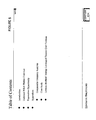
- Logic begins with system Start block 100 and the selection of a presentation, PMT(I); at test 110, the system queries if the selected presentation is new or previously developed. If new ("Yes" to test 110), logic branches to block 140 and the system loads default parameters to initially populate the presentation with stored configuration data, default (I). Thereafter, the system automatically constructs the Title slide, block 150, the Table of Contents slide; block 160, and an initial Tab slide, block 170. If, however, PMT(I) is an existing presentation, the system checks to see if the presentation already conforms to the system embedded configuration. If conversion is needed ("Yes" to test 120), the presentation configuration data is converted to a conforming set, block 130.
- Standard Content slide Standard (I,1) for the initial, post-Table of Contents slide entry.
- this slide is a blank slate, ready for custom design.
- This process begins by selecting a "Model” slide from the template library ("Yes” to test 190) for use, depending on the nature of content to be added.
- Model slides reside in a library and provide selectively constructed templates that are designed for industry specific content.
- brokerage houses are often involved in promoting highly focused, but complex investment services to large institutional clients. This is facilitated by use of "pitch books," i.e., slide presentations that capture the features and benefits of the services offered to that client.
- the library of Model slides will be largely dedicated to template having characteristics of that style pitch book content, including such items as a roster of team members, and graphs and tables reflecting past deals and return performance, etc.
- Model slide library be populated by slide styles that conform to the presentation needs for that industry, e.g. , aerospace, semiconductor, manufacturing, charitable fund raising, lobbying consultants, news organizations, and the like.
- a Model slide is selected from the library, block 200, and inserted into the presentation, block 210.
- a non-model slide may be selected and inserted, via test 220 and blocks 230-240.
- the Model slide may be crafted to its intended purposes with the addition of one or more shapes.
- both Standard and Model slides begin with preformatted shapes corresponding to headers/footers, etc. This ensures proper and consistent branding throughout the presentation.
- tables, charts and text may be added and additional software tools, such as ActiveGraph® (commercially available) and PresLink exist to facilitate this process.
- This process is generically depicted in Figure 2B , starting at 250 with the "Add Shape" test.
- a positive response branches logic to block 260 and the selected shape is inserted.
- Test 270 offers the user the option to modify Shape (1), with edits entered at block 280.
- the system Assistant may be invoked at test 290.
- the Shape is selected and the Assistant compares the associated property set, block 310. If in compliance ("Yes" to test 320), logic continues to store command, block 330. However, if the shape is not in compliance, the user can bring it into compliance, test 325 and block 325. This process is repeated for each shape selected in the presentation.
- the PresBuilder Toolbar is depicted in Figure 3 and otherwise appears across the top of the display during a presentation build session.
- the array provides eleven selectable buttons for invoking various elements of the PresBuilder operation.
- Tab 350 invokes the PresBuilder Assistant, discussed previously to facilitate shape control within the Slides.
- Tab 355 includes drop down menu selections to build or insert Slides directly.
- Tab 360 provides a drop down menu to a custom selection of shapes for insertion.
- Icons 365 present a selection of standard colors, etc. acceptable for use in the Slide.
- Icon 370 toggles the current slide between color/style attributes for print (pitchbook) and projection.
- Icon 380 toggles the display of Slide numbers.
- Icon 375 adjusts or creates Table of Content and Tab pages.
- Icon 390 resets the shape properties to the default settings.
- Tab 385 corrects bulleted text.
- Tab 400 drops a menu of commands to control alignment and distribution of shapes within the Slide.
- Tab 395 accesses system Help functions.
- block descriptors are provided above and below the toolbar indicating the functionality for each button and/or icon. These descriptors are not on-screen, but are otherwise available in content through the help system.
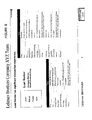
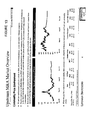
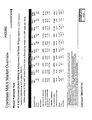
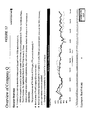
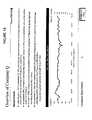
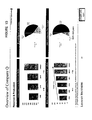
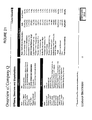
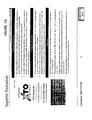
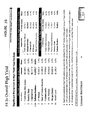
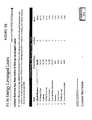
- This example provides a presentation involving sophisticated graphics, tables, charts, and a common branching theme suggesting creation by a professional graphics company or department.
- This illustration while made by the inventors' staff and not investment bankers, per se, was constructed using the foregoing software and system operations.
- a pitch book is prepared for a potential client GE, by the investment bankers, Lehman Brothers.
- the creation process follows the protocols described above.
- a template is pulled from the library, comprising some common graphic elements typical for this kind of presentation.
- system parameters trigger the creation of Title slide, Table of Contents, and initial Tab slide.
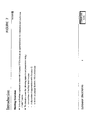
- individual slides are sequentially created with the Model slide ensuring a common theme in each; see, e.g., Caption placement and Title bar thickness in pages 6-12. Operation proceeds with each slide in sequence, and typically involves invocation of the slide builder tool as discussed previously. Format selection is dictated by Slide content in terms of shapes, logos, tables, charts, etc. Slides include pre-formatted templates ( e.g. , "team") or "logo" slides). Tables and charts are created in their native programs, such as Excel® and automatically formatted to comply with branching colors, etc., so as to match the formatting elements of the template selected through the linking process.
- a detailed sophisticated presentation can be developed that further includes a common branching theme and appointments rendering a cohesive presentation.
- the inventive platform provides the tools and programming that permits persons without significant background in graphics presentation work to achieve clear, crisp presentations that have a professional quality to their overall appearance.
Landscapes
- Engineering & Computer Science (AREA)
- Theoretical Computer Science (AREA)
- Audiology, Speech & Language Pathology (AREA)
- Health & Medical Sciences (AREA)
- Computational Linguistics (AREA)
- General Health & Medical Sciences (AREA)
- Physics & Mathematics (AREA)
- General Engineering & Computer Science (AREA)
- General Physics & Mathematics (AREA)
- Artificial Intelligence (AREA)
- Processing Or Creating Images (AREA)
- User Interface Of Digital Computer (AREA)
- Electrically Operated Instructional Devices (AREA)
- Image Generation (AREA)
Applications Claiming Priority (2)
| Application Number | Priority Date | Filing Date | Title |
|---|---|---|---|
| US10/812,212 US7428704B2 (en) | 2004-03-29 | 2004-03-29 | Dynamic presentation generator |
| EP05730861A EP1743260A4 (de) | 2004-03-29 | 2005-03-25 | Dynamischer präsentationsgenerator |
Related Parent Applications (1)
| Application Number | Title | Priority Date | Filing Date |
|---|---|---|---|
| EP05730861.1 Division | 2005-03-25 |
Publications (1)
| Publication Number | Publication Date |
|---|---|
| EP2584473A2 true EP2584473A2 (de) | 2013-04-24 |
Family
ID=34991344
Family Applications (3)
| Application Number | Title | Priority Date | Filing Date |
|---|---|---|---|
| EP05730861A Withdrawn EP1743260A4 (de) | 2004-03-29 | 2005-03-25 | Dynamischer präsentationsgenerator |
| EP12193187.7A Withdrawn EP2584474A2 (de) | 2004-03-29 | 2005-03-25 | Erzeuger für dynamische Präsentation |
| EP12193186.9A Withdrawn EP2584473A2 (de) | 2004-03-29 | 2005-03-25 | Erzeuger für dynamische Präsentation |
Family Applications Before (2)
| Application Number | Title | Priority Date | Filing Date |
|---|---|---|---|
| EP05730861A Withdrawn EP1743260A4 (de) | 2004-03-29 | 2005-03-25 | Dynamischer präsentationsgenerator |
| EP12193187.7A Withdrawn EP2584474A2 (de) | 2004-03-29 | 2005-03-25 | Erzeuger für dynamische Präsentation |
Country Status (3)
| Country | Link |
|---|---|
| US (2) | US7428704B2 (de) |
| EP (3) | EP1743260A4 (de) |
| WO (1) | WO2005098677A2 (de) |
Families Citing this family (48)
| Publication number | Priority date | Publication date | Assignee | Title |
|---|---|---|---|---|
| US7246316B2 (en) * | 1999-11-30 | 2007-07-17 | Siebel Systems, Inc. | Methods and apparatus for automatically generating presentations |
| US20050050320A1 (en) * | 2003-09-02 | 2005-03-03 | Microsoft Corporation | Branding framework |
| US7620896B2 (en) * | 2004-01-08 | 2009-11-17 | International Business Machines Corporation | Intelligent agenda object for showing contextual location within a presentation application |
| US8689097B2 (en) * | 2004-03-31 | 2014-04-01 | Satyam Computer Services Ltd. | System and method for automatic generation of presentations based on agenda |
| US20060085449A1 (en) * | 2004-10-19 | 2006-04-20 | Juergen Sattler | Method and system for generating presentation materials |
| US7500194B2 (en) * | 2005-05-13 | 2009-03-03 | Microsoft Corporation | Applying a slide layout with an arbitrary number of placeholders |
| US7737996B2 (en) * | 2005-12-01 | 2010-06-15 | Microsoft Corporation | Techniques for automated animation |
| US8812945B2 (en) * | 2006-10-11 | 2014-08-19 | Laurent Frederick Sidon | Method of dynamically creating real time presentations responsive to search expression |
| US8667160B1 (en) * | 2007-02-02 | 2014-03-04 | Max Haot | System and method for internet audio/video delivery |
| US8346583B2 (en) * | 2007-09-26 | 2013-01-01 | Wells Fargo Bank, N.A. | Economic opportunity pursuit management and presentation generation |
| US20090138508A1 (en) * | 2007-11-28 | 2009-05-28 | Hebraic Heritage Christian School Of Theology, Inc | Network-based interactive media delivery system and methods |
| US9037974B2 (en) * | 2007-12-28 | 2015-05-19 | Microsoft Technology Licensing, Llc | Creating and editing dynamic graphics via a web interface |
| US8339403B2 (en) | 2008-04-16 | 2012-12-25 | Microsoft Corporation | Multi-layered slide transitions |
| US20090327897A1 (en) * | 2008-06-26 | 2009-12-31 | Flypaper Studio, Inc. | System and Method For An Interactive Presentation System |
| US20100064222A1 (en) | 2008-09-08 | 2010-03-11 | Apple Inc. | Object-aware transitions |
| US7721209B2 (en) * | 2008-09-08 | 2010-05-18 | Apple Inc. | Object-aware transitions |
| US20100118037A1 (en) * | 2008-09-08 | 2010-05-13 | Apple Inc. | Object-aware transitions |
| US8775918B2 (en) * | 2008-10-07 | 2014-07-08 | Visual Software Systems Ltd. | System and method for automatic improvement of electronic presentations |
| USD625356S1 (en) * | 2009-02-12 | 2010-10-12 | Eveready Battery Company, Inc. | Typographic character |
| CA2707286A1 (en) * | 2009-06-11 | 2010-12-11 | X2O Media Inc. | System and method for generating multimedia presentations |
| US9129260B2 (en) * | 2010-10-04 | 2015-09-08 | Donald Kent Neary | Methods and apparatus for submitting and reviewing auditions |
| US9354779B2 (en) | 2012-03-12 | 2016-05-31 | Microsoft Technology Licensing, Llc | Providing theme variations in a user interface |
| US10025857B2 (en) * | 2012-06-27 | 2018-07-17 | Joel Chetzroni | Slideshow builder and method associated thereto |
| USD725663S1 (en) * | 2012-09-07 | 2015-03-31 | Sodick Co., Ltd. | Display screen with graphical user interface |
| USD726747S1 (en) * | 2012-09-07 | 2015-04-14 | Sodick Co., Ltd. | Display screen with graphical user interface |
| USD736227S1 (en) * | 2012-09-07 | 2015-08-11 | Sodick Co., Ltd. | Display screen with graphical user interface |
| USD735740S1 (en) * | 2012-09-07 | 2015-08-04 | Sodick Co., Ltd. | Display screen with graphical user interface |
| US9483161B2 (en) * | 2013-03-15 | 2016-11-01 | Groupsystems Corporation | Controllable display of a collaboration framework system |
| EP3014484A4 (de) * | 2013-06-28 | 2017-05-03 | Microsoft Technology Licensing, LLC | Auswahl und bearbeitung visueller elemente mit attributgruppen |
| US9619128B2 (en) | 2013-07-01 | 2017-04-11 | Microsoft Technology Licensing, Llc | Dynamic presentation prototyping and generation |
| WO2015042901A1 (en) | 2013-09-29 | 2015-04-02 | Microsoft Technology Licensing, Llc | Media presentation effects |
| US9836203B2 (en) | 2014-07-25 | 2017-12-05 | Axiom One Ltd. | Grid-based visual design environment |
| KR102294134B1 (ko) * | 2014-10-30 | 2021-08-25 | 마이크로소프트 테크놀로지 라이센싱, 엘엘씨 | 하이브리드 슬라이드-캔버스 프리젠테이션을 합성하기 위한 저작 도구 |
| US20160224535A1 (en) * | 2015-01-30 | 2016-08-04 | Bank Of America Corporation | Automated data conversion and presentation utility |
| US11494712B1 (en) * | 2015-02-09 | 2022-11-08 | Opal Labs Inc. | Automated presentation engine and associated system and method |
| US10224027B2 (en) * | 2015-06-01 | 2019-03-05 | Sinclair Broadcast Group, Inc. | Rights management and syndication of content |
| US20180095945A1 (en) * | 2016-09-30 | 2018-04-05 | Wipro Limited | Methods and systems for creating new presentations using existing presentations |
| US10242672B2 (en) | 2016-10-28 | 2019-03-26 | Microsoft Technology Licensing, Llc | Intelligent assistance in presentations |
| US10372800B2 (en) * | 2017-11-09 | 2019-08-06 | International Business Machines Corporation | Cognitive slide management method and system |
| US11295073B2 (en) | 2018-08-01 | 2022-04-05 | Microsoft Technology Licensing, Llc | Cross-application ingestion and restructuring of spreadsheet content |
| US11681760B2 (en) | 2018-08-01 | 2023-06-20 | Microsoft Technology Licensing, Llc | Cross-application ingestion and restructuring of content |
| US11182538B2 (en) * | 2018-08-01 | 2021-11-23 | Microsoft Technology Licensing, Llc | Conversational user interface logic for cross-application ingestion and restructuring of content |
| US11113447B2 (en) | 2018-08-01 | 2021-09-07 | Microsoft Technology Licensing, Llc | Cross-application ingestion and restructuring of slide presentation content |
| US10824805B2 (en) | 2018-10-22 | 2020-11-03 | Astute Review, LLC | Systems and methods for automated review and editing of presentations |
| US11468786B2 (en) * | 2019-10-16 | 2022-10-11 | Adobe Inc. | Generating tool-based smart-tutorials |
| US11113322B2 (en) | 2020-01-07 | 2021-09-07 | Bank Of America Corporation | Dynamically generating strategic planning datasets based on collecting, aggregating, and filtering distributed data collections |
| US20220113857A1 (en) * | 2020-10-08 | 2022-04-14 | Luckeyou, Inc. | Systems and methods for web-based sales enablement platforms |
| US11775748B1 (en) * | 2022-05-09 | 2023-10-03 | Prezent Inc. | Systems and methods for content creation based on audience preference and contextual factors |
Family Cites Families (18)
| Publication number | Priority date | Publication date | Assignee | Title |
|---|---|---|---|---|
| US5890131A (en) * | 1996-04-19 | 1999-03-30 | Skymark Corporation | Project organization and optimization tool and method of use thereof |
| US6008807A (en) * | 1997-07-14 | 1999-12-28 | Microsoft Corporation | Method and system for controlling the display of objects in a slide show presentation |
| US7246316B2 (en) * | 1999-11-30 | 2007-07-17 | Siebel Systems, Inc. | Methods and apparatus for automatically generating presentations |
| US20010042249A1 (en) * | 2000-03-15 | 2001-11-15 | Dan Knepper | System and method of joining encoded video streams for continuous play |
| US20020087496A1 (en) * | 2000-04-05 | 2002-07-04 | Stirpe Paul A. | System, method and applications for knowledge commerce |
| AU2001287421A1 (en) * | 2000-08-21 | 2002-03-04 | Thoughtslinger Corporation | Simultaneous multi-user document editing system |
| US20020103698A1 (en) * | 2000-10-31 | 2002-08-01 | Christian Cantrell | System and method for enabling user control of online advertising campaigns |
| US6629104B1 (en) * | 2000-11-22 | 2003-09-30 | Eastman Kodak Company | Method for adding personalized metadata to a collection of digital images |
| US7028262B2 (en) * | 2000-12-29 | 2006-04-11 | International Business Machines Corporation | Method and system for designing a theme and associating it with a collaboration space user interface |
| US20020087402A1 (en) * | 2001-01-02 | 2002-07-04 | Zustak Fred J. | User selective advertising |
| WO2002057898A1 (en) * | 2001-01-16 | 2002-07-25 | Brainshark, Inc. | Method of and system for composing, delivering, viewing and managing audio-visual presentations over a communications network |
| US6725219B2 (en) * | 2001-03-13 | 2004-04-20 | Seiko Epson Corporation | Internet presentation system |
| US7454708B2 (en) * | 2001-05-25 | 2008-11-18 | Learning Tree International | System and method for electronic presentations with annotation of preview material |
| US20030231202A1 (en) * | 2002-06-18 | 2003-12-18 | Parker Kathryn L. | System and method for facilitating presentation of a themed slide show |
| US20040107010A1 (en) * | 2002-08-12 | 2004-06-03 | King William A. | Planning support system and method |
| US6783252B1 (en) * | 2003-04-21 | 2004-08-31 | Infocus Corporation | System and method for displaying projector system identification information |
| US20050031314A1 (en) * | 2003-08-05 | 2005-02-10 | Alvaro Galdos | System and method for dissemination of audio-visual program information |
| US7292710B2 (en) * | 2004-02-26 | 2007-11-06 | Xerox Corporation | System for recording image data from a set of sheets having similar graphic elements |
-
2004
- 2004-03-29 US US10/812,212 patent/US7428704B2/en not_active Expired - Fee Related
-
2005
- 2005-03-25 EP EP05730861A patent/EP1743260A4/de not_active Withdrawn
- 2005-03-25 WO PCT/US2005/010097 patent/WO2005098677A2/en not_active Ceased
- 2005-03-25 EP EP12193187.7A patent/EP2584474A2/de not_active Withdrawn
- 2005-03-25 EP EP12193186.9A patent/EP2584473A2/de not_active Withdrawn
-
2008
- 2008-01-18 US US12/016,958 patent/US7607089B2/en not_active Expired - Fee Related
Non-Patent Citations (1)
| Title |
|---|
| None |
Also Published As
| Publication number | Publication date |
|---|---|
| US7607089B2 (en) | 2009-10-20 |
| US7428704B2 (en) | 2008-09-23 |
| US20080178089A1 (en) | 2008-07-24 |
| EP1743260A2 (de) | 2007-01-17 |
| US20050216431A1 (en) | 2005-09-29 |
| WO2005098677A3 (en) | 2007-10-04 |
| WO2005098677A2 (en) | 2005-10-20 |
| EP1743260A4 (de) | 2011-08-03 |
| EP2584474A2 (de) | 2013-04-24 |
Similar Documents
| Publication | Publication Date | Title |
|---|---|---|
| US7607089B2 (en) | Dynamic presentation generator | |
| US6832351B1 (en) | Method and system for previewing and printing customized business forms | |
| US6990636B2 (en) | Enterprise workflow screen based navigational process tool system and method | |
| US8479093B2 (en) | Metamodel-based automatic report generation | |
| CA2135524C (en) | International data processing system | |
| US6799299B1 (en) | Method and apparatus for creating stylesheets in a data processing system | |
| US6070175A (en) | Method of file editing using framemaker enhanced by application programming interface clients | |
| US7398214B2 (en) | Method for translating slide presentations into different languages | |
| US20020061506A1 (en) | Authoring and delivering training courses | |
| JP4612069B2 (ja) | データを表現し操作する方法 | |
| US8606607B2 (en) | Translation processing using a translation memory | |
| JP4981268B2 (ja) | カラー化されたテンプレートプレビュー | |
| US20060136819A1 (en) | Method, system, ane computer-readable medium for applying a global formatting scheme to a chart in an electronic document | |
| EP1376338A2 (de) | Bereitstellung von kontextsensitiven Hilfsmitteln und Hilfsinformation in rechnererzeugten Dokumenten | |
| CA2263459A1 (en) | Document producing support system | |
| JP2003522991A (ja) | 双方向アプリケーション生成システム及びテキスト処理システム | |
| US9135234B1 (en) | Collaborative generation of digital content with interactive reports | |
| US8370763B1 (en) | System and method for creating an electronic-calendar entry | |
| US7000182B1 (en) | assistant for creation of layouts or reports for databases | |
| US20050216887A1 (en) | Document development platform | |
| HK1184566A (en) | Dynamic presentation generator | |
| HK1184567A (en) | Dynamic presentation generator | |
| Fridlund | Freelance Graphics for Windows version 2.1 | |
| Axelrod et al. | Skinning the Cat This Way and That: Using ODS to Create Word Documents That Work for You | |
| Greitzer et al. | Hypermedia‐based rapid interface prototyping |
Legal Events
| Date | Code | Title | Description |
|---|---|---|---|
| PUAI | Public reference made under article 153(3) epc to a published international application that has entered the european phase |
Free format text: ORIGINAL CODE: 0009012 |
|
| AC | Divisional application: reference to earlier application |
Ref document number: 1743260 Country of ref document: EP Kind code of ref document: P |
|
| AK | Designated contracting states |
Kind code of ref document: A2 Designated state(s): AT BE BG CH CY CZ DE DK EE ES FI FR GB GR HU IE IS IT LI LT LU MC NL PL PT RO SE SI SK TR |
|
| RIN1 | Information on inventor provided before grant (corrected) |
Inventor name: MESSUTI, DORIAN Inventor name: COOPER, BARRY Inventor name: LOCKHART, JAMES BICKNELL Inventor name: ZEE, WARNER Inventor name: BAKER, JOHN Inventor name: IPECKI, HAKAN |
|
| REG | Reference to a national code |
Ref country code: HK Ref legal event code: DE Ref document number: 1184566 Country of ref document: HK |
|
| STAA | Information on the status of an ep patent application or granted ep patent |
Free format text: STATUS: THE APPLICATION HAS BEEN WITHDRAWN |
|
| 18W | Application withdrawn |
Effective date: 20150825 |
|
| REG | Reference to a national code |
Ref country code: HK Ref legal event code: WD Ref document number: 1184566 Country of ref document: HK |