EP2947555A2 - Terminal à écran tactile capacitif et procédé de saisie y relatif - Google Patents
Terminal à écran tactile capacitif et procédé de saisie y relatif Download PDFInfo
- Publication number
- EP2947555A2 EP2947555A2 EP13800897.4A EP13800897A EP2947555A2 EP 2947555 A2 EP2947555 A2 EP 2947555A2 EP 13800897 A EP13800897 A EP 13800897A EP 2947555 A2 EP2947555 A2 EP 2947555A2
- Authority
- EP
- European Patent Office
- Prior art keywords
- capacitance
- input
- region
- module
- display
- Prior art date
- Legal status (The legal status is an assumption and is not a legal conclusion. Google has not performed a legal analysis and makes no representation as to the accuracy of the status listed.)
- Ceased
Links
Images


Classifications
-
- G—PHYSICS
- G06—COMPUTING OR CALCULATING; COUNTING
- G06F—ELECTRIC DIGITAL DATA PROCESSING
- G06F3/00—Input arrangements for transferring data to be processed into a form capable of being handled by the computer; Output arrangements for transferring data from processing unit to output unit, e.g. interface arrangements
- G06F3/01—Input arrangements or combined input and output arrangements for interaction between user and computer
- G06F3/03—Arrangements for converting the position or the displacement of a member into a coded form
- G06F3/041—Digitisers, e.g. for touch screens or touch pads, characterised by the transducing means
- G06F3/0416—Control or interface arrangements specially adapted for digitisers
-
- G—PHYSICS
- G06—COMPUTING OR CALCULATING; COUNTING
- G06F—ELECTRIC DIGITAL DATA PROCESSING
- G06F3/00—Input arrangements for transferring data to be processed into a form capable of being handled by the computer; Output arrangements for transferring data from processing unit to output unit, e.g. interface arrangements
- G06F3/01—Input arrangements or combined input and output arrangements for interaction between user and computer
- G06F3/048—Interaction techniques based on graphical user interfaces [GUI]
- G06F3/0484—Interaction techniques based on graphical user interfaces [GUI] for the control of specific functions or operations, e.g. selecting or manipulating an object, an image or a displayed text element, setting a parameter value or selecting a range
- G06F3/04842—Selection of displayed objects or displayed text elements
-
- G—PHYSICS
- G06—COMPUTING OR CALCULATING; COUNTING
- G06F—ELECTRIC DIGITAL DATA PROCESSING
- G06F3/00—Input arrangements for transferring data to be processed into a form capable of being handled by the computer; Output arrangements for transferring data from processing unit to output unit, e.g. interface arrangements
- G06F3/01—Input arrangements or combined input and output arrangements for interaction between user and computer
- G06F3/03—Arrangements for converting the position or the displacement of a member into a coded form
- G06F3/041—Digitisers, e.g. for touch screens or touch pads, characterised by the transducing means
- G06F3/0412—Digitisers structurally integrated in a display
-
- G—PHYSICS
- G06—COMPUTING OR CALCULATING; COUNTING
- G06F—ELECTRIC DIGITAL DATA PROCESSING
- G06F3/00—Input arrangements for transferring data to be processed into a form capable of being handled by the computer; Output arrangements for transferring data from processing unit to output unit, e.g. interface arrangements
- G06F3/01—Input arrangements or combined input and output arrangements for interaction between user and computer
- G06F3/048—Interaction techniques based on graphical user interfaces [GUI]
- G06F3/0487—Interaction techniques based on graphical user interfaces [GUI] using specific features provided by the input device, e.g. functions controlled by the rotation of a mouse with dual sensing arrangements, or of the nature of the input device, e.g. tap gestures based on pressure sensed by a digitiser
- G06F3/0488—Interaction techniques based on graphical user interfaces [GUI] using specific features provided by the input device, e.g. functions controlled by the rotation of a mouse with dual sensing arrangements, or of the nature of the input device, e.g. tap gestures based on pressure sensed by a digitiser using a touch-screen or digitiser, e.g. input of commands through traced gestures
-
- G—PHYSICS
- G06—COMPUTING OR CALCULATING; COUNTING
- G06F—ELECTRIC DIGITAL DATA PROCESSING
- G06F2203/00—Indexing scheme relating to G06F3/00 - G06F3/048
- G06F2203/041—Indexing scheme relating to G06F3/041 - G06F3/045
- G06F2203/04101—2.5D-digitiser, i.e. digitiser detecting the X/Y position of the input means, finger or stylus, also when it does not touch, but is proximate to the digitiser's interaction surface and also measures the distance of the input means within a short range in the Z direction, possibly with a separate measurement setup
-
- G—PHYSICS
- G06—COMPUTING OR CALCULATING; COUNTING
- G06F—ELECTRIC DIGITAL DATA PROCESSING
- G06F2203/00—Indexing scheme relating to G06F3/00 - G06F3/048
- G06F2203/041—Indexing scheme relating to G06F3/041 - G06F3/045
- G06F2203/04111—Cross over in capacitive digitiser, i.e. details of structures for connecting electrodes of the sensing pattern where the connections cross each other, e.g. bridge structures comprising an insulating layer, or vias through substrate
-
- G—PHYSICS
- G06—COMPUTING OR CALCULATING; COUNTING
- G06F—ELECTRIC DIGITAL DATA PROCESSING
- G06F2203/00—Indexing scheme relating to G06F3/00 - G06F3/048
- G06F2203/048—Indexing scheme relating to G06F3/048
- G06F2203/04805—Virtual magnifying lens, i.e. window or frame movable on top of displayed information to enlarge it for better reading or selection
-
- G—PHYSICS
- G06—COMPUTING OR CALCULATING; COUNTING
- G06F—ELECTRIC DIGITAL DATA PROCESSING
- G06F2203/00—Indexing scheme relating to G06F3/00 - G06F3/048
- G06F2203/048—Indexing scheme relating to G06F3/048
- G06F2203/04806—Zoom, i.e. interaction techniques or interactors for controlling the zooming operation
-
- G—PHYSICS
- G06—COMPUTING OR CALCULATING; COUNTING
- G06F—ELECTRIC DIGITAL DATA PROCESSING
- G06F2203/00—Indexing scheme relating to G06F3/00 - G06F3/048
- G06F2203/048—Indexing scheme relating to G06F3/048
- G06F2203/04808—Several contacts: gestures triggering a specific function, e.g. scrolling, zooming, right-click, when the user establishes several contacts with the surface simultaneously; e.g. using several fingers or a combination of fingers and pen
-
- G—PHYSICS
- G06—COMPUTING OR CALCULATING; COUNTING
- G06F—ELECTRIC DIGITAL DATA PROCESSING
- G06F3/00—Input arrangements for transferring data to be processed into a form capable of being handled by the computer; Output arrangements for transferring data from processing unit to output unit, e.g. interface arrangements
- G06F3/01—Input arrangements or combined input and output arrangements for interaction between user and computer
- G06F3/03—Arrangements for converting the position or the displacement of a member into a coded form
- G06F3/041—Digitisers, e.g. for touch screens or touch pads, characterised by the transducing means
- G06F3/044—Digitisers, e.g. for touch screens or touch pads, characterised by the transducing means by capacitive means
Definitions
- the present invention relates to the field of terminal communications, and more particularly, to a terminal with capacitive touch screen and an input method thereof.
- the embodiment of the present invention provides a terminal with capacitive touch screen and an input method thereof, to enlarge a region to be touched by a user, thus to increase the input efficiency and improve the user experience.
- the step of selecting to input within a region where the display is enlarged comprises:
- the step of judging whether a user has inputs within the region where the display is enlarged or not within a preset period of time, and if yes, selecting corresponding options to input within the region where the display is enlarged according to input information of user comprises:
- the input method further comprises:
- the step Before detecting the capacitance value between each point in the touch screen and the input device as another capacitance electrode, it further comprises a step of setting a first preset capacitance threshold, and the step comprises:
- the embodiment of the present invention further provides a terminal with capacitive touch screen, comprising: a detecting module, a processing module, an enlarging modules and a selecting module;
- the detecting module is configured to: detect a capacitance value between each point in a touch screen and an input device as another capacitance electrode, record position information of points at which the capacitance value is greater than a first preset capacitance threshold and report the position information to the processing module;
- the processing module is configured to: process the reported position information of points to obtain a pre-touch region;
- the enlarging module is configured to: enlarge a display in the pre-touch region; and the selecting module is configured to: select to input within a region where the display is enlarged.
- the selecting module comprises a judging module and an inputting module; the judging module is configured to: judge whether a user has inputs within the region where the display is enlarged within a preset period of time or not, and if yes, notify the inputting module to select corresponding options for inputting within the region where the display is enlarged according to input information of user.
- the judging module comprises a capacitance detecting sub-module and a capacitance judging sub-module; the capacitance detecting sub-module is configured to: detect a capacitance value between each point within the region where the display is enlarged and an input device as another capacitance electrode; and the capacitance judging sub-module is configured to: judge whether there are points at which the capacitance value is greater than a second preset capacitance threshold or not, and if yes, determine that the user has inputs within the region where the display is enlarged, and notify the inputting module to select and input options corresponding to the points at which the capacitance value is greater than the second preset capacitance threshold.
- the inputting module is further configured to: when the capacitance judging sub-module determines that there are no points at which the capacitance value is greater than the second preset capacitance threshold, automatically select one option to input within the region where the display is enlarged according to a preset rule, or, not perform any operation and continue to wait for user input.
- the terminal further comprises a threshold setting module; the threshold setting module is configured to: test corresponding capacitance values between each point in the touch screen and the input device at different distance intervals, and set the first preset capacitance threshold according to the test result.
- the input method in accordance with the embodiment of the present invention determines the region to be touched by the user in advance by comparing the capacitance values before the input device contacts the touch screen, and enlarges the display within the region to facilitate the user to perform selecting and inputting; the input method in accordance with the embodiment of the present invention greatly improves the capacitive screen input operation experience and increases the input efficiency.
- the embodiment of the present invention uses the basic principles of capacitive touch screen, and when an input device, such as a human finger, which works as another capacitance electrode approaches from far to near until contacting, the scanned capacitance value changes from not detectable, to detected as small, and finally to detected as large.
- an input device such as a human finger
- it may first set the first threshold which is defined as an "approaching event”, and further trigger enlarging the corresponding region, and after the user touches, the device will detect a second threshold which is defined as a "touching event”.
- a second threshold which is defined as a "touching event”.
- the input device in the embodiment of the present invention refers to all objects, such as a living body with charges, which are capable of forming a capacitor with a capacitive touch screen, and a general living body with charges refers to the human body, and in the related art the terminal is generally operated by forming a capacitor with a human finger and a capacitive touch screen.
- the input method determines the region to be touched by the user in advance before the input device contacts the touch screen, enlarges the display within the region, which facilitates the input of user and improves the operation experience of user. It solves the problems in the related art that the user touch input is easily a wrong input due to arranging and displaying "letters", “numbers”, “strokes” and “symbols” in a limited size.
- step 204 it is to select to input within the region where the display is enlarged.
- the display within the region is enlarged in the abovementioned step 203, and the enlargement factor, the boundary processing of the enlarged icon, the shape of the enlarged region, and how to process the covered icon can be determined by itself, for example, it can be determined in advance that the enlargement factor is 2; the shape of the enlarged region is a bubble shape; the boundary is processed through bold double strips; the covered icon is "opaque and half displayed" and does not respond to the touch, and so on.
- the process of selecting to input within the region where the display is enlarged in the abovementioned step 103 may comprise:
- the input method After enlarging the pre-touch region, the input method according to the present embodiment detects whether the user has inputs within the region where the display is enlarged in the preset period of time or not, and if yes, it indicates that the user has made an input selection, and the terminal will input the option selected by the user, and if no, it indicates that the user does not make an input selection or the input does not meet the requirements, then the terminal has two processing methods, one is selecting to input within the region where the display is enlarged according to the preset rule, for example, selecting a first character to input; the other is not performing any operation and continuing to wait for user input.
- the input method further comprises a step of setting the first preset capacitance threshold before detecting the capacitance value between each point in the touch screen and the input device as another capacitance electrode, and the step specifically comprises:
- FIG. 4 shows the relationship between the distance and the capacitance value, wherein the 401 coordinate axis represents the capacitance values, and the 402 coordinate axis represents the position information, that is, the coordinates of the pre-contact point or the contact point of the finger at the touch screen; the thick parabola 405 represents the touch point; the black dashed parabola 404 represents valid approaching points (near points), and the black parabola 403 represents invalid approaching points (far points).
- a capacitor will be formed when the finger is approaching the capacitive touch screen, and the capacitance value is relatively small, and the capacitance value becomes larger when the finger is approaching nearer, for example, the pre-contact point of the finger and touch screen at 403 represents that the finger is not near enough to the touch screen; and the pre-contact point of the finger and touch screen at 404 represents that the finger is near enough to the touch screen. Therefore in the process of the finger approaching the capacitive touch screen in a practical case, the capacitance value at the corresponding position can be obtained, and then the first preset capacitance threshold can be set according to a result of test. For example, the capacitance value at 404 can be selected as the first preset threshold.
- the capacitance formed by the same closeness are different when the material is different and the ITO (Indium tin oxide) thickness and the thickness of dielectric layer are different.
- performance of the selected touch driving IC Integrated Circuit
- distinguishing the "approaching event” is different when the sampling accuracy of driving IC is different, i.e., the accuracy of reading the capacitance value is different;
- the "distance” corresponding to the actual finger approaching event requires a lot of empirical values, and the most appropriate "distance value” is determined by acquiring the appropriate finger approaching distance in a large-scale.
- the setting of the first preset capacitance threshold in the present embodiment can be implemented during the device development, and the threshold is a fixed value after the device is out of factory, of course, other selections can be made, for example, the user sets the value.
- the input method of the present embodiment can be applied to all devices with the capacitive touch screen, such as a mobile phone with capacitive touch screen, a PAD and so on.
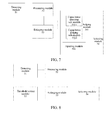
- the present embodiment provides a terminal with capacitive touch screen, comprising: a detecting module 51, a processing module 52, a enlarging module 53 and a selecting module 54;
- the detecting module 51 is used to detect a capacitance value between each point in the touch screen and an input device as another capacitance electrode, record position information of points at which the capacitance value is greater than the first preset capacitance threshold and report it to the processing module 52;
- the processing module 52 is configured to process the reported position information of the points to obtain a pre-touch region;
- the enlarging module 53 is configured to enlarge the display in the pre-touch region;
- the selecting module 54 is configured to: select to input within the region where the display is enlarged.
- the terminal determines the region to be touched by the user in advance before the input device contacts the touch screen, enlarges the display within the region, which facilitates the input of user and improves the user operation experience. It solves the problems in the related art that the user touch input may be easily a wrong input due to arranging and displaying "letters", “numbers”, “strokes” and “symbols” in a limited size.
- the selecting module 54 in the terminal with capacitive touch screen in the present embodiment may comprise a judging module 541 and an inputting module 542; the judging module 541 is configured to: judge whether the user has inputs within the region where the display is enlarged within a preset period of time or not, and if yes, notify the inputting module 542 to select a corresponding option to input within the region where the display is enlarged according to the input information of user.
- the terminal may select to input within the region where the display is enlarged according to the input information of user.
- the terminal in the present embodiment may judge the position of pre-contact point of input device, such as the finger, in advance, and enlarge the region, which enables the user to touch easily.
- the judging module 541 in the terminal comprises a capacitance detecting sub-module 5411 and a capacitance judging sub-module 5412;
- the capacitance detecting sub-module 5411 is configured to: detect the capacitance value between each point within the region where the display is enlarged and the input device as another capacitance electrode;
- the capacitance judging sub-module 5412 is configured to: judge whether there are points at which the capacitance value is greater than the second preset capacitance threshold or not, and if yes, determine that the user has inputs within the region where the display is enlarged, and notify the inputting module to select and input options corresponding to the points at which the capacitance value is greater than the second preset capacitance threshold.
- the terminal according to the present embodiment judges whether the user has inputs in the region where the display is enlarged or not through the second preset capacitance threshold, and for the second preset capacitance threshold, generally the touch screen provider may provide a relatively good value, or the method for setting the first preset capacitance threshold can be used to obtain the second preset capacitance threshold.
- the abovementioned inputting module 542 is further configured to: when the capacitance judging sub-module 5412 determines that there are no points at which the capacitance value is greater than the second preset capacitance threshold, automatically select one option to input within the region where the display is enlarged according to the preset rule, or, not perform any operation and continue to wait for the user input.
- the terminal according to the present embodiment further comprises a threshold setting module 55; the threshold setting module 55 is configured to: test corresponding capacitance values between each point in the touch screen and the input device at different distance intervals, and set the first preset capacitance threshold according to the test result.
- the setting of the first preset capacitance threshold in the present embodiment can be implemented during the device development, and the threshold is a fixed value after the device is out of factory, of course other selections can be made, for example, the user sets the value.
- the input method according to the present embodiment can be applied to all devices with the capacitive touch screen, such as a mobile phone with capacitive touch screen, a PAD and so on.
- the input method in accordance with the embodiment of the present invention determines the region to be touched by the user in advance by comparing the capacitance values before the input device contacts the touch screen, and enlarges the display within the region to facilitate the user perform selecting and inputting; the input method in accordance with the embodiment of the present invention greatly improves the experience of capacitive screen input operation and increases the input efficiency.
Landscapes
- Engineering & Computer Science (AREA)
- General Engineering & Computer Science (AREA)
- Theoretical Computer Science (AREA)
- Human Computer Interaction (AREA)
- Physics & Mathematics (AREA)
- General Physics & Mathematics (AREA)
- Position Input By Displaying (AREA)
- User Interface Of Digital Computer (AREA)
- Input From Keyboards Or The Like (AREA)
Applications Claiming Priority (2)
| Application Number | Priority Date | Filing Date | Title |
|---|---|---|---|
| CN201310069114.7A CN104035699A (zh) | 2013-03-05 | 2013-03-05 | 电容式触摸屏终端及其输入方法 |
| PCT/CN2013/078163 WO2013182099A2 (fr) | 2013-03-05 | 2013-06-27 | Terminal à écran tactile capacitif et procédé de saisie y relatif |
Publications (2)
| Publication Number | Publication Date |
|---|---|
| EP2947555A2 true EP2947555A2 (fr) | 2015-11-25 |
| EP2947555A4 EP2947555A4 (fr) | 2015-12-16 |
Family
ID=49712744
Family Applications (1)
| Application Number | Title | Priority Date | Filing Date |
|---|---|---|---|
| EP13800897.4A Ceased EP2947555A4 (fr) | 2013-03-05 | 2013-06-27 | Terminal à écran tactile capacitif et procédé de saisie y relatif |
Country Status (4)
| Country | Link |
|---|---|
| US (1) | US20160004377A1 (fr) |
| EP (1) | EP2947555A4 (fr) |
| CN (1) | CN104035699A (fr) |
| WO (1) | WO2013182099A2 (fr) |
Families Citing this family (4)
| Publication number | Priority date | Publication date | Assignee | Title |
|---|---|---|---|---|
| CN104461217A (zh) * | 2014-12-22 | 2015-03-25 | 百度在线网络技术(北京)有限公司 | 输入法的实现方法和装置 |
| CN107272962A (zh) * | 2017-06-30 | 2017-10-20 | 努比亚技术有限公司 | 显示放大方法、终端及计算机可读存储介质 |
| EP4050465B1 (fr) | 2019-12-09 | 2024-08-21 | Huawei Technologies Co., Ltd. | Procédé et appareil de réglage de région de commande tactile |
| CN112379819A (zh) * | 2020-11-20 | 2021-02-19 | 深圳市商汤科技有限公司 | 按键调整方法、装置、电子设备及存储介质 |
Family Cites Families (20)
| Publication number | Priority date | Publication date | Assignee | Title |
|---|---|---|---|---|
| US7760187B2 (en) * | 2004-07-30 | 2010-07-20 | Apple Inc. | Visual expander |
| US20010016226A1 (en) * | 1999-12-15 | 2001-08-23 | International Business Machines Corporation | Method for preparing the surface of a dielectric |
| US8381135B2 (en) * | 2004-07-30 | 2013-02-19 | Apple Inc. | Proximity detector in handheld device |
| US20060244733A1 (en) * | 2005-04-28 | 2006-11-02 | Geaghan Bernard O | Touch sensitive device and method using pre-touch information |
| JP2008009759A (ja) * | 2006-06-29 | 2008-01-17 | Toyota Motor Corp | タッチパネル装置 |
| US8063330B2 (en) * | 2007-06-22 | 2011-11-22 | Nokia Corporation | Uniform threshold for capacitive sensing |
| US20090251422A1 (en) * | 2008-04-08 | 2009-10-08 | Honeywell International Inc. | Method and system for enhancing interaction of a virtual keyboard provided through a small touch screen |
| US8576181B2 (en) * | 2008-05-20 | 2013-11-05 | Lg Electronics Inc. | Mobile terminal using proximity touch and wallpaper controlling method thereof |
| US8680650B2 (en) * | 2009-02-03 | 2014-03-25 | Micron Technology, Inc. | Capacitor structures having improved area efficiency |
| EP2474885A1 (fr) * | 2009-09-02 | 2012-07-11 | Nec Corporation | Dispositif d'affichage |
| JP2011134271A (ja) * | 2009-12-25 | 2011-07-07 | Sony Corp | 情報処理装置、情報処理方法およびプログラム |
| US8810543B1 (en) * | 2010-05-14 | 2014-08-19 | Cypress Semiconductor Corporation | All points addressable touch sensing surface |
| WO2012132802A1 (fr) * | 2011-03-28 | 2012-10-04 | 富士フイルム株式会社 | Dispositif d'écran tactile, procédé d'affichage associé et programme d'affichage |
| US20120287065A1 (en) * | 2011-05-10 | 2012-11-15 | Kyocera Corporation | Electronic device |
| JP6073782B2 (ja) * | 2011-05-16 | 2017-02-01 | パナソニック インテレクチュアル プロパティ コーポレーション オブ アメリカPanasonic Intellectual Property Corporation of America | 表示装置、表示制御方法及び表示制御プログラム、並びに、入力装置、入力支援方法及びプログラム |
| US9081450B1 (en) * | 2011-06-09 | 2015-07-14 | Maxim Integrated Products, Inc. | Identifying hover and/or palm input and rejecting spurious input for a touch panel |
| CN102830862A (zh) * | 2011-06-15 | 2012-12-19 | 比亚迪股份有限公司 | 用于电容触摸屏的定位方法及定位装置、触控系统 |
| US8872804B2 (en) * | 2011-07-21 | 2014-10-28 | Qualcomm Mems Technologies, Inc. | Touch sensing display devices and related methods |
| CN102375642B (zh) * | 2011-12-06 | 2017-02-01 | 天马微电子股份有限公司 | 一种电容式触摸屏及触摸终端 |
| CN102866815B (zh) * | 2012-09-03 | 2015-07-01 | 北京京东方光电科技有限公司 | 一种电容式内嵌触摸屏及显示装置 |
-
2013
- 2013-03-05 CN CN201310069114.7A patent/CN104035699A/zh active Pending
- 2013-06-27 US US14/770,094 patent/US20160004377A1/en not_active Abandoned
- 2013-06-27 WO PCT/CN2013/078163 patent/WO2013182099A2/fr not_active Ceased
- 2013-06-27 EP EP13800897.4A patent/EP2947555A4/fr not_active Ceased
Also Published As
| Publication number | Publication date |
|---|---|
| US20160004377A1 (en) | 2016-01-07 |
| CN104035699A (zh) | 2014-09-10 |
| WO2013182099A2 (fr) | 2013-12-12 |
| WO2013182099A3 (fr) | 2014-02-06 |
| EP2947555A4 (fr) | 2015-12-16 |
Similar Documents
| Publication | Publication Date | Title |
|---|---|---|
| RU2533934C1 (ru) | Способ и терминал отображения списка контактов | |
| US10739967B2 (en) | Window moving method of mobile device and apparatus thereof | |
| CN107741824B (zh) | 对可重定位触摸表面上的姿态朝向的检测 | |
| CN103488419B (zh) | 通信终端的操作方法及通信终端 | |
| US10073493B2 (en) | Device and method for controlling a display panel | |
| CN105243345B (zh) | 一种电子设备防误触的方法及电子设备 | |
| TW201011605A (en) | Method capable of preventing mistakenly triggering a touch panel | |
| BR112012024270B1 (pt) | método e dispositivo para o julgamento de pressionamento de tecla com base em tela sensível ao toque | |
| CN107506109A (zh) | 一种启动应用程序的方法及移动终端 | |
| CN104704462A (zh) | 非文本用户输入 | |
| WO2013167063A2 (fr) | Terminal à écran tactile, dispositif de commande et procédé de fonctionnement d'un terminal à écran tactile | |
| CN103164067A (zh) | 判断触摸输入的方法及电子设备 | |
| CN106227488A (zh) | 一种提醒消息的显示方法及移动终端 | |
| CN106445235A (zh) | 一种触摸起始位置识别方法及移动终端 | |
| EP2947555A2 (fr) | Terminal à écran tactile capacitif et procédé de saisie y relatif | |
| CN107102805A (zh) | 一种显示方法及显示装置 | |
| CN105630363A (zh) | 虚拟按钮的显示方法及其电子装置与显示虚拟按钮的装置 | |
| CN106371595B (zh) | 一种调出消息通知栏的方法及移动终端 | |
| CN106873874A (zh) | 一种应用程序开启方法及移动终端 | |
| JP2015026375A (ja) | タッチパネルの入力信号識別方法 | |
| CN107122721A (zh) | 一种指纹识别方法及终端 | |
| JP2015148857A (ja) | 情報閲覧装置及びオブジェクト選択制御プログラム並びにオブジェクト選択制御方法 | |
| JP2015222455A (ja) | 入力装置、入力無効化方法、入力無効化プログラム、及びコンピュータ読み取り可能な記録媒体 | |
| CN103294383B (zh) | 移动终端和触摸屏键盘的应用方法 | |
| JP2012238128A (ja) | 背面入力機能を有する情報機器、背面入力方法、およびプログラム |
Legal Events
| Date | Code | Title | Description |
|---|---|---|---|
| PUAI | Public reference made under article 153(3) epc to a published international application that has entered the european phase |
Free format text: ORIGINAL CODE: 0009012 |
|
| 17P | Request for examination filed |
Effective date: 20150820 |
|
| AK | Designated contracting states |
Kind code of ref document: A2 Designated state(s): AL AT BE BG CH CY CZ DE DK EE ES FI FR GB GR HR HU IE IS IT LI LT LU LV MC MK MT NL NO PL PT RO RS SE SI SK SM TR |
|
| AX | Request for extension of the european patent |
Extension state: BA ME |
|
| A4 | Supplementary search report drawn up and despatched |
Effective date: 20151117 |
|
| RIC1 | Information provided on ipc code assigned before grant |
Ipc: G06F 3/044 20060101ALN20151111BHEP Ipc: G06F 3/048 20130101AFI20151111BHEP Ipc: G06F 3/041 20060101ALI20151111BHEP Ipc: G06F 3/0488 20130101ALI20151111BHEP Ipc: G06F 3/0484 20130101ALI20151111BHEP |
|
| DAX | Request for extension of the european patent (deleted) | ||
| STAA | Information on the status of an ep patent application or granted ep patent |
Free format text: STATUS: EXAMINATION IS IN PROGRESS |
|
| 17Q | First examination report despatched |
Effective date: 20171128 |
|
| REG | Reference to a national code |
Ref country code: DE Ref legal event code: R003 |
|
| STAA | Information on the status of an ep patent application or granted ep patent |
Free format text: STATUS: THE APPLICATION HAS BEEN REFUSED |
|
| 18R | Application refused |
Effective date: 20190218 |