EP3736675A1 - Procédé pour effectuer une opération sur un écran tactile et terminal - Google Patents
Procédé pour effectuer une opération sur un écran tactile et terminal Download PDFInfo
- Publication number
- EP3736675A1 EP3736675A1 EP20160864.3A EP20160864A EP3736675A1 EP 3736675 A1 EP3736675 A1 EP 3736675A1 EP 20160864 A EP20160864 A EP 20160864A EP 3736675 A1 EP3736675 A1 EP 3736675A1
- Authority
- EP
- European Patent Office
- Prior art keywords
- displayed
- entry
- track
- touch operation
- terminal
- Prior art date
- Legal status (The legal status is an assumption and is not a legal conclusion. Google has not performed a legal analysis and makes no representation as to the accuracy of the status listed.)
- Granted
Links
Images




Classifications
-
- G—PHYSICS
- G06—COMPUTING OR CALCULATING; COUNTING
- G06F—ELECTRIC DIGITAL DATA PROCESSING
- G06F3/00—Input arrangements for transferring data to be processed into a form capable of being handled by the computer; Output arrangements for transferring data from processing unit to output unit, e.g. interface arrangements
- G06F3/01—Input arrangements or combined input and output arrangements for interaction between user and computer
- G06F3/048—Interaction techniques based on graphical user interfaces [GUI]
- G06F3/0484—Interaction techniques based on graphical user interfaces [GUI] for the control of specific functions or operations, e.g. selecting or manipulating an object, an image or a displayed text element, setting a parameter value or selecting a range
-
- G—PHYSICS
- G06—COMPUTING OR CALCULATING; COUNTING
- G06F—ELECTRIC DIGITAL DATA PROCESSING
- G06F3/00—Input arrangements for transferring data to be processed into a form capable of being handled by the computer; Output arrangements for transferring data from processing unit to output unit, e.g. interface arrangements
- G06F3/01—Input arrangements or combined input and output arrangements for interaction between user and computer
- G06F3/048—Interaction techniques based on graphical user interfaces [GUI]
- G06F3/0487—Interaction techniques based on graphical user interfaces [GUI] using specific features provided by the input device, e.g. functions controlled by the rotation of a mouse with dual sensing arrangements, or of the nature of the input device, e.g. tap gestures based on pressure sensed by a digitiser
- G06F3/0488—Interaction techniques based on graphical user interfaces [GUI] using specific features provided by the input device, e.g. functions controlled by the rotation of a mouse with dual sensing arrangements, or of the nature of the input device, e.g. tap gestures based on pressure sensed by a digitiser using a touch-screen or digitiser, e.g. input of commands through traced gestures
- G06F3/04883—Interaction techniques based on graphical user interfaces [GUI] using specific features provided by the input device, e.g. functions controlled by the rotation of a mouse with dual sensing arrangements, or of the nature of the input device, e.g. tap gestures based on pressure sensed by a digitiser using a touch-screen or digitiser, e.g. input of commands through traced gestures for inputting data by handwriting, e.g. gesture or text
-
- G—PHYSICS
- G06—COMPUTING OR CALCULATING; COUNTING
- G06F—ELECTRIC DIGITAL DATA PROCESSING
- G06F3/00—Input arrangements for transferring data to be processed into a form capable of being handled by the computer; Output arrangements for transferring data from processing unit to output unit, e.g. interface arrangements
- G06F3/01—Input arrangements or combined input and output arrangements for interaction between user and computer
- G06F3/048—Interaction techniques based on graphical user interfaces [GUI]
- G06F3/0481—Interaction techniques based on graphical user interfaces [GUI] based on specific properties of the displayed interaction object or a metaphor-based environment, e.g. interaction with desktop elements like windows or icons, or assisted by a cursor's changing behaviour or appearance
- G06F3/0482—Interaction with lists of selectable items, e.g. menus
-
- G—PHYSICS
- G06—COMPUTING OR CALCULATING; COUNTING
- G06F—ELECTRIC DIGITAL DATA PROCESSING
- G06F3/00—Input arrangements for transferring data to be processed into a form capable of being handled by the computer; Output arrangements for transferring data from processing unit to output unit, e.g. interface arrangements
- G06F3/01—Input arrangements or combined input and output arrangements for interaction between user and computer
- G06F3/048—Interaction techniques based on graphical user interfaces [GUI]
- G06F3/0484—Interaction techniques based on graphical user interfaces [GUI] for the control of specific functions or operations, e.g. selecting or manipulating an object, an image or a displayed text element, setting a parameter value or selecting a range
- G06F3/04842—Selection of displayed objects or displayed text elements
-
- G—PHYSICS
- G06—COMPUTING OR CALCULATING; COUNTING
- G06F—ELECTRIC DIGITAL DATA PROCESSING
- G06F3/00—Input arrangements for transferring data to be processed into a form capable of being handled by the computer; Output arrangements for transferring data from processing unit to output unit, e.g. interface arrangements
- G06F3/01—Input arrangements or combined input and output arrangements for interaction between user and computer
- G06F3/048—Interaction techniques based on graphical user interfaces [GUI]
- G06F3/0487—Interaction techniques based on graphical user interfaces [GUI] using specific features provided by the input device, e.g. functions controlled by the rotation of a mouse with dual sensing arrangements, or of the nature of the input device, e.g. tap gestures based on pressure sensed by a digitiser
- G06F3/0488—Interaction techniques based on graphical user interfaces [GUI] using specific features provided by the input device, e.g. functions controlled by the rotation of a mouse with dual sensing arrangements, or of the nature of the input device, e.g. tap gestures based on pressure sensed by a digitiser using a touch-screen or digitiser, e.g. input of commands through traced gestures
-
- G—PHYSICS
- G06—COMPUTING OR CALCULATING; COUNTING
- G06F—ELECTRIC DIGITAL DATA PROCESSING
- G06F3/00—Input arrangements for transferring data to be processed into a form capable of being handled by the computer; Output arrangements for transferring data from processing unit to output unit, e.g. interface arrangements
- G06F3/01—Input arrangements or combined input and output arrangements for interaction between user and computer
- G06F3/048—Interaction techniques based on graphical user interfaces [GUI]
- G06F3/0484—Interaction techniques based on graphical user interfaces [GUI] for the control of specific functions or operations, e.g. selecting or manipulating an object, an image or a displayed text element, setting a parameter value or selecting a range
- G06F3/0485—Scrolling or panning
Definitions
- the present invention relates to the terminal field, and in particular, to a method for performing an operation on a terminal touchscreen and a terminal.
- a touchscreen is widely used in terminal products such as mobile phones and tablet computers.
- two methods are normally available. One method is selecting multiple displayed entries on a touchscreen one by one until all required entries are selected. The other method is, when the device provides a select-all operation, directly selecting all entries. For example, when an SMS message needs to be sent to a group of contacts in a mobile phone, the contacts need to be selected one by one until the group of contacts required by the user is selected, or all contacts are directly selected.
- Embodiments of the present invention provide a method for performing an operation on a touchscreen and a terminal, which can implement free selection and a batch operation on several entries of displayed entries, thereby improving an operation speed of a user.
- the method for performing an operation on a touchscreen and the terminal provided by the embodiments of the present invention, it is detected whether a user performs a sliding operation on a preset area of a touchscreen, and when it is detected that the user performs the sliding operation on the preset area, a preset operation is performed on each displayed entry that a track of the sliding operation passes through, thereby avoiding an entry-by-entry operation performed by the user on displayed entries, implementing free selection and a batch operation on several entries of the displayed entries, and reducing operation time of the user.
- This embodiment of the present invention provides a method for performing an operation on a touchscreen, which, as shown in FIG. 1 , includes the following steps:
- the preset area is a part of a current operation interface.
- the terminal performs the preset operation on each entry of the displayed entries that the track of the touch operation passes through.
- the preset operation is a select operation or a deselect operation performed on the entry.
- entries currently displayed on a touchscreen are a contact list.
- a user performs a touch operation.
- a track of the touch operation of the user is a sliding track on a preset area
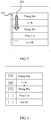
- the touch operation 302 is performed within the preset area 301 shown in FIG. 3
- a preset operation is performed on each contact entry that the track of the touch operation of the user passes through.
- the preset operation specifically is a select operation on the contact entries. Accordingly, an effect after the selection is performed is shown in FIG. 4 . If the touch operation is performed outside the preset area, displayed content is displayed after flipping, which is the same as a touchscreen display solution in the prior art and is not described herein.
- a scope of the preset area may be preset on the terminal and is a part of the current operation interface.
- the preset area may have different positions and sizes for different display interfaces and displayed entries.
- a scope of the preset area 301 may be either a scope in which contact check boxes shown in the figure are located or another preset scope.
- the method for performing an operation on a touchscreen and the terminal provided by this embodiment of the present invention, it is detected whether a user performs a sliding operation on a preset area of a touchscreen, and when it is detected that the user performs the sliding operation on the preset area, a preset operation is performed on each displayed entry that a track of the sliding operation passes through, thereby avoiding an entry-by-entry operation performed by the user on displayed entries, implementing free selection and a batch operation on several entries of the displayed entries, and reducing operating time of the user.
- This embodiment of the present invention provides a method for performing an operation on a touchscreen, which, as shown in FIG. 5 , includes the following steps:
- the preset operation of step 503 may further be: uniformly performing a select operation or a deselect operation on the multiple entries that the track of the touch operation passes through. For example, when the multiple entries that the track of the touch operation passes through include a selected entry and an unselected entry, no detection is performed on a quantity and a select operation is performed on all entries that the track of the touch operation passes through, or a deselect operation is performed on all entries that the track of the touch operation passes through.
- the preset operation of step 503 may further be performing a different preset operation according to a difference between the number of selected entries and the number of unselected entries. Specifically, the following steps may be included:
- FIG. 3 An example shown in which currently displayed entries on a touchscreen are a contact list is described.
- a track of the touch operation is a sliding track on a preset area 301
- content currently displayed on the touchscreen is retained and does not flip, and a preset operation is performed on each entry of displayed entries that the sliding operation of the user passes through.
- the preset operation specifically is selecting a displayed entry; accordingly, an effect after selection is performed is shown in FIG. 4 , where three entries of Zhang San, Li Si, and Wang Wu are selected. If a touch operation is performed again in a case shown in FIG.
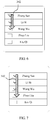
- a track of the touch operation is still a sliding track on the preset area 301, as shown in FIG. 6
- a track 302 of the touch operation slides and passes through the three selected entries, accordingly, the three entries are deselected and a display state returns to a case shown in FIG. 2 .
- a select operation or a deselect operation may be uniformly performed on the entries that the track passes through, or a select operation or a deselect may be selectively performed according to a difference between the number of selected entries and the number of deselected entries. If the select operation is performed, a display result is shown in FIG. 8 .
- a scope of the preset area may be preset on the terminal and is a part of the current operation interface.
- the preset area may have different positions and sizes for different display interfaces and displayed entries.
- a scope of the preset area 301 may be either a scope in which contact check boxes shown in the figure are located or another preset scope.
- At least one of the following actions may further be performed: when the track of the touch operation of the user reaches an upper/lower edge or a left/right edge of the preset area, slide upward/downward displayed content on the touchscreen, or slide, to the left/right, displayed content on the touchscreen; and save the content selected or content deselected by the track of the touch operation.
- a track of a touch operation thereof may be in a left-right direction or an up-down direction.
- a flipping operation is performed and the content selected or content deselected by the track of the touch operation is saved.
- the reaching, by the track of the touch operation of the user, the upper/lower edge or left/right edge of the preset area may be implemented by using a method of periodically detecting a position of the track or by sending a signal to a processor when the touch operation is sensed at the edge of the screen, which is not limited in this embodiment of the present invention.
- a displayed entry is a contact list
- the displayed entry is not limited thereto in an actual scenario, and may also be an audio list, an SMS message list, and an image list, and the like.
- the terminal in this embodiment of the present invention may be an electronic device having a touchscreen, such as a mobile phone, a smart mobile terminal, and a navigator.
- the method for performing an operation on a touchscreen and the terminal provided by the embodiment of the present invention, it is detected whether a user performs a sliding operation on a preset area of a touchscreen, and when it is detected that the user performs the sliding operation on the preset area, a preset operation is performed on each displayed entry that a track of the sliding operation passes through, thereby avoiding an entry-by-entry operation performed by the user on displayed entries, implementing free selection and a batch operation on several entries of the displayed entries, and reducing operating time of the user.
- Embodiment 2 of the present invention it may further be implemented that when the user's sliding operation reaches an edge of the preset area, in a case where an operation that has been performed is stored, displayed content may be flipped, thereby facilitating an actual application.
- the terminal includes a user operation receiving unit 91 and an action unit 92.
- the user operation receiving unit 91 is configured to receive a touch operation when content currently displayed on the touchscreen is a displayed entry, where the displayed entry is data information displayed on a current interface; the displayed entry corresponds to a data entry stored in a terminal; and the touchscreen refers to a screen on which an operation may be performed by using a finger or a stylus as a touch device. It should be noted that performing an operation by a user by using a motion sensing gesture also falls within a scope defined by this embodiment of the present invention, which is not described in detail here for the convenience of description, and is described in detail later.
- the action unit 92 is configured to perform, when a track of the touch operation is a sliding track on a preset area, a preset operation on each entry that the track of the touch operation passes through, where the preset area is a part of a current operation interface. If the touch operation is performed on the preset area, the terminal performs the preset operation on each entry of the displayed entry that the track of the touch operation passes through. Alternatively, the preset operation is a select operation or a deselect operation performed on the entry.
- a scope of the preset area may be preset on the terminal and is a part of the current operation interface. The preset area may have different positions and sizes for different display interfaces and displayed entries. As shown in FIG. 3 , a scope of the preset area 301 may be either a scope in which contact check boxes shown in the figure are located or another preset scope.
- the action unit 92 may include a selecting subunit 921 and a deselecting subunit 922.
- the selecting subunit 921 is specifically configured to perform, when an entry that the track of the touch operation passes through is an unselected entry, a select operation on the entry; and the deselecting subunit 922 is configured to perform, when an entry that the track of the touch operation passes through is a selected entry, a deselect operation on the entry.
- the action unit 92 may include a first action subunit 923, configured to uniformly perform, when multiple entries that the track of the touch operation passes through include both a selected entry and an unselected entry, a select operation or a deselect operation on the multiple entries that the track of the touch operation passes through.
- the action unit 92 may include a detecting subunit 924, a second action subunit 925 and/or a third action subunit 926.
- the detecting subunit 924 is configured to detect, when multiple entries that the track of the touch operation passes through include both a selected entry and an unselected entry, the number of selected entries and the number of deselected entries of the multiple entries that the track of the touch operation passes through.
- the second action subunit 925 is configured to perform, when the number of the selected entries is not less than the number of the deselected entries of the multiple entries that the track of the touch operation passes through, a deselect operation on the multiple entries that the track of the touch operation passes through.
- the third action subunit 926 is configured to perform, when the number of the selected entries is less than the number of the deselected entries of the multiple entries that the track of the touch operation passes through, a select operation on the multiple entries that the track of the touch operation passes through.
- the terminal may further include at least one of a first sliding unit 93 and a second sliding unit 94.
- the first sliding unit 93 is configured to, when the track of the touch operation is the sliding track on the preset area and the track of the touch operation reaches an upper/lower edge of the preset area, flip upward/downward the content currently displayed on the touchscreen.
- the second sliding unit 94 is configured to, when the track of the touch operation is the sliding track on the preset area and the track of the touch operation reaches a left/right edge of the preset area, flip, to the left/right, the content currently displayed on the touchscreen.
- the terminal in this embodiment of the present invention it is detected whether a user performs a sliding operation on a preset area of a touchscreen, and when it is detected that the user performs the sliding operation on the preset area, a preset operation is performed on each displayed entry that a track of the sliding operation passes through, thereby avoiding an entry-by-entry operation performed by the user on displayed entries, implementing free selection and a batch operation on several entries of the displayed entries, and reducing operation time of the user.
- the terminal according to this embodiment of the present invention may be an electronic device having a touchscreen, such as a mobile phone, a smart mobile terminal, and a navigator.
- the technical solutions described in the present invention are applicable not only to a touchscreen, and may also be applicable to another field, such as a motion sensing field.
- the method includes the following: 1401. Receive an action of a user when content currently displayed on a screen is a displayed entry, where the displayed entry corresponds to a data entry stored in a terminal.
- the apparatus When a track of the action of the user is a sliding track on a preset area, perform a preset operation on each entry that the track of the touch operation passes through, where the preset area is a part of a current operation interface.
- the action of the user may be collected by using a sensor.
- the preset operation may be a select/deselect operation on the displayed entry.
- the program may be stored in a computer readable storage medium. When the program runs, the steps of the method embodiments are performed.
- the foregoing storage medium includes: any medium that can store program code, such as a ROM, a RAM, a magnetic disk, or an optical disc.
Landscapes
- Engineering & Computer Science (AREA)
- General Engineering & Computer Science (AREA)
- Theoretical Computer Science (AREA)
- Human Computer Interaction (AREA)
- Physics & Mathematics (AREA)
- General Physics & Mathematics (AREA)
- User Interface Of Digital Computer (AREA)
- Position Input By Displaying (AREA)
Priority Applications (1)
| Application Number | Priority Date | Filing Date | Title |
|---|---|---|---|
| EP20160864.3A EP3736675B1 (fr) | 2012-03-06 | 2012-03-06 | Procédé pour effectuer une opération sur un écran tactile et terminal |
Applications Claiming Priority (3)
| Application Number | Priority Date | Filing Date | Title |
|---|---|---|---|
| EP12736969.2A EP2738654B1 (fr) | 2012-03-06 | 2012-03-06 | Procédé de fonctionnement d'écran tactile et terminal |
| PCT/CN2012/072006 WO2012097759A2 (fr) | 2012-03-06 | 2012-03-06 | Procédé de fonctionnement d'écran tactile et terminal |
| EP20160864.3A EP3736675B1 (fr) | 2012-03-06 | 2012-03-06 | Procédé pour effectuer une opération sur un écran tactile et terminal |
Related Parent Applications (2)
| Application Number | Title | Priority Date | Filing Date |
|---|---|---|---|
| EP12736969.2A Division-Into EP2738654B1 (fr) | 2012-03-06 | 2012-03-06 | Procédé de fonctionnement d'écran tactile et terminal |
| EP12736969.2A Division EP2738654B1 (fr) | 2012-03-06 | 2012-03-06 | Procédé de fonctionnement d'écran tactile et terminal |
Publications (2)
| Publication Number | Publication Date |
|---|---|
| EP3736675A1 true EP3736675A1 (fr) | 2020-11-11 |
| EP3736675B1 EP3736675B1 (fr) | 2024-05-22 |
Family
ID=46516161
Family Applications (2)
| Application Number | Title | Priority Date | Filing Date |
|---|---|---|---|
| EP12736969.2A Active EP2738654B1 (fr) | 2012-03-06 | 2012-03-06 | Procédé de fonctionnement d'écran tactile et terminal |
| EP20160864.3A Active EP3736675B1 (fr) | 2012-03-06 | 2012-03-06 | Procédé pour effectuer une opération sur un écran tactile et terminal |
Family Applications Before (1)
| Application Number | Title | Priority Date | Filing Date |
|---|---|---|---|
| EP12736969.2A Active EP2738654B1 (fr) | 2012-03-06 | 2012-03-06 | Procédé de fonctionnement d'écran tactile et terminal |
Country Status (5)
| Country | Link |
|---|---|
| US (3) | US20140237399A1 (fr) |
| EP (2) | EP2738654B1 (fr) |
| CN (1) | CN102741799B (fr) |
| ES (1) | ES2845274T3 (fr) |
| WO (1) | WO2012097759A2 (fr) |
Families Citing this family (16)
| Publication number | Priority date | Publication date | Assignee | Title |
|---|---|---|---|---|
| US9131457B2 (en) | 2010-08-12 | 2015-09-08 | Samsung Electronics Co., Ltd. | Apparatus and method for transmission of uplink sounding reference signals in a wireless network |
| EP2738654B1 (fr) | 2012-03-06 | 2020-12-02 | Huawei Device Co., Ltd. | Procédé de fonctionnement d'écran tactile et terminal |
| CN102662555B (zh) * | 2012-03-06 | 2015-01-21 | 华为终端有限公司 | 一种终端复选操作方法和终端 |
| CN102707887B (zh) * | 2012-05-11 | 2015-02-11 | 广东欧珀移动通信有限公司 | 基于安卓平台的listView中列表项的滑选方法 |
| WO2015109530A1 (fr) * | 2014-01-24 | 2015-07-30 | 宇龙计算机通信科技(深圳)有限公司 | Procédé d'opération par lot et dispositif d'opération par lot |
| CN103885689B (zh) | 2014-03-07 | 2017-11-28 | 联想(北京)有限公司 | 信息处理方法和电子设备 |
| US9392095B2 (en) * | 2014-04-03 | 2016-07-12 | Lg Electronics Inc. | Mobile terminal and control method for the mobile terminal |
| CN104881350B (zh) * | 2015-04-30 | 2019-03-19 | 百度在线网络技术(北京)有限公司 | 用于确定用户体验及辅助确定用户体验的方法和装置 |
| CN105183336A (zh) * | 2015-06-05 | 2015-12-23 | 努比亚技术有限公司 | 一种多媒体界面的切换方法及终端 |
| CN106527878B (zh) * | 2015-09-09 | 2019-12-27 | 阿里巴巴集团控股有限公司 | 一种对象处理的方法与设备 |
| CN106020640A (zh) * | 2016-05-11 | 2016-10-12 | 北京奇虎科技有限公司 | 移动终端及图库对象选定控制方法、装置 |
| CN106569682B (zh) * | 2016-10-31 | 2020-08-21 | 南京飞米农业科技有限公司 | 触摸屏显示内容选择装置和方法 |
| CN108205410A (zh) * | 2016-12-19 | 2018-06-26 | 广州市动景计算机科技有限公司 | 便携式电子终端及待操作对象选定装置与方法 |
| DK180359B1 (en) | 2019-04-15 | 2021-02-03 | Apple Inc | Accelerated scrolling and selection |
| EP3743799A1 (fr) * | 2019-04-15 | 2020-12-02 | Apple Inc. | Défilement et sélection accélérés |
| US20220342517A1 (en) * | 2021-04-21 | 2022-10-27 | Sap Se | Selecting all items or displayed items |
Citations (7)
| Publication number | Priority date | Publication date | Assignee | Title |
|---|---|---|---|---|
| WO2004066117A2 (fr) * | 2003-01-14 | 2004-08-05 | Mirant Americas, Inc. | Interface amelioree pour selectionner et effectuer des operations sur des objets |
| US20070229471A1 (en) * | 2006-03-30 | 2007-10-04 | Lg Electronics Inc. | Terminal and method for selecting displayed items |
| US20080250354A1 (en) * | 2007-04-03 | 2008-10-09 | Samsung Electronics Co. Ltd. | Multiple item selection method for a mobile terminal |
| US20090213086A1 (en) * | 2006-04-19 | 2009-08-27 | Ji Suk Chae | Touch screen device and operating method thereof |
| US20090282332A1 (en) * | 2008-05-12 | 2009-11-12 | Nokia Corporation | Apparatus, method and computer program product for selecting multiple items using multi-touch |
| US20100265185A1 (en) * | 2009-04-17 | 2010-10-21 | Nokia Corporation | Method and Apparatus for Performing Operations Based on Touch Inputs |
| US20120030566A1 (en) * | 2010-07-28 | 2012-02-02 | Victor B Michael | System with touch-based selection of data items |
Family Cites Families (40)
| Publication number | Priority date | Publication date | Assignee | Title |
|---|---|---|---|---|
| JP3475235B2 (ja) | 1999-03-08 | 2003-12-08 | 東京農工大学長 | 表示装置の表示内容制御方法 |
| JP2001184167A (ja) | 1999-12-24 | 2001-07-06 | Fuji Xerox Co Ltd | 入力装置及び入力方法 |
| US6639612B2 (en) | 2001-10-11 | 2003-10-28 | International Business Machines Corporation | Ad hoc check box selection |
| US6901556B2 (en) | 2002-05-09 | 2005-05-31 | International Business Machines Corporation | Non-persistent stateful ad hoc checkbox selection |
| JP4173718B2 (ja) * | 2002-10-31 | 2008-10-29 | 富士通株式会社 | ウィンドウ切替装置及びウィンドウ切替プログラム |
| US7683889B2 (en) | 2004-12-21 | 2010-03-23 | Microsoft Corporation | Pressure based selection |
| JP2007025023A (ja) | 2005-07-13 | 2007-02-01 | Xanavi Informatics Corp | ナビゲーション装置 |
| KR100781706B1 (ko) | 2006-08-16 | 2007-12-03 | 삼성전자주식회사 | 휴대 단말기의 리스트 스크롤 장치 및 방법 |
| CN101617288A (zh) * | 2007-01-07 | 2009-12-30 | 苹果公司 | 用于平移显示内容的便携式多功能设备、方法和图形用户界面 |
| KR101457679B1 (ko) * | 2007-03-02 | 2014-11-04 | 엘지전자 주식회사 | 정보 표시 단말기 및 방법 |
| JP5049641B2 (ja) * | 2007-05-07 | 2012-10-17 | キヤノン株式会社 | コンテンツ表示制御装置及びコンテンツ表示制御方法 |
| JP4775332B2 (ja) * | 2007-06-14 | 2011-09-21 | ブラザー工業株式会社 | 画像選択装置および画像選択方法 |
| JP4867812B2 (ja) | 2007-06-19 | 2012-02-01 | ブラザー工業株式会社 | 画像選択装置および画像選択プログラム |
| US8212786B2 (en) | 2007-06-14 | 2012-07-03 | Brother Kogyo Kabushiki Kaisha | Image-selecting device and storage medium storing image-selecting program |
| US9619143B2 (en) | 2008-01-06 | 2017-04-11 | Apple Inc. | Device, method, and graphical user interface for viewing application launch icons |
| US8533618B2 (en) | 2007-10-11 | 2013-09-10 | International Business Machines Corporation | Changing multiple boolean state items in a user interface |
| JP5524868B2 (ja) * | 2009-02-02 | 2014-06-18 | パナソニック株式会社 | 情報表示装置 |
| JP5428436B2 (ja) | 2009-03-25 | 2014-02-26 | ソニー株式会社 | 電子機器、表示制御方法およびプログラム |
| US20100289743A1 (en) * | 2009-05-15 | 2010-11-18 | AFA Micro Co. | Laser pointer and gesture-based input device |
| CN101893982B (zh) | 2009-05-18 | 2013-07-03 | 深圳富泰宏精密工业有限公司 | 电子装置及其用户界面的控制方法 |
| KR101646922B1 (ko) | 2009-05-19 | 2016-08-23 | 삼성전자 주식회사 | 휴대 단말기의 통신 관련 기능 운용 방법 및 이를 지원하는 휴대 단말기 |
| JP2011028635A (ja) | 2009-07-28 | 2011-02-10 | Sony Corp | 表示制御装置、表示制御方法およびコンピュータプログラム |
| JP2011060111A (ja) * | 2009-09-11 | 2011-03-24 | Hoya Corp | 表示装置 |
| CN102033690B (zh) * | 2009-09-29 | 2012-08-22 | 联想(北京)有限公司 | 一种确定对象的方法及便携设备 |
| CN101727282B (zh) | 2009-11-26 | 2012-07-18 | 广东欧珀电子工业有限公司 | 一种交互界面动画的实现方法 |
| CN102096543A (zh) | 2009-12-15 | 2011-06-15 | 和硕联合科技股份有限公司 | 使用者介面的控制方法 |
| JP2011154555A (ja) * | 2010-01-27 | 2011-08-11 | Fujitsu Toshiba Mobile Communications Ltd | 電子機器 |
| US9274682B2 (en) * | 2010-02-19 | 2016-03-01 | Microsoft Technology Licensing, Llc | Off-screen gestures to create on-screen input |
| CN101943995A (zh) | 2010-09-01 | 2011-01-12 | 惠州Tcl移动通信有限公司 | 一种移动终端及其触摸屏的显示信息处理方法和装置 |
| CN102117175A (zh) * | 2010-09-29 | 2011-07-06 | 北京搜狗科技发展有限公司 | 一种滑行输入中文的方法、装置和触摸屏输入法系统 |
| KR20130052743A (ko) * | 2010-10-15 | 2013-05-23 | 삼성전자주식회사 | 항목 선택 방법 |
| US10338672B2 (en) | 2011-02-18 | 2019-07-02 | Business Objects Software Ltd. | System and method for manipulating objects in a graphical user interface |
| WO2012169176A1 (fr) * | 2011-06-07 | 2012-12-13 | パナソニック株式会社 | Appareil électronique |
| US20120320057A1 (en) * | 2011-06-15 | 2012-12-20 | Harris Corporation | Communications system including data server storing 3d geospatial model and mobile electronic device to display 2d images based upon the 3d geospatial model |
| CN102262507A (zh) * | 2011-06-28 | 2011-11-30 | 中兴通讯股份有限公司 | 一种利用多点触控实现对象批量选择的方法和装置 |
| CN103019577B (zh) | 2011-09-26 | 2018-11-09 | 联想(北京)有限公司 | 选择对象的方法及装置、控制方法和控制装置 |
| KR20130097331A (ko) * | 2012-02-24 | 2013-09-03 | 삼성전자주식회사 | 터치 스크린을 구비하는 전자기기에서 객체를 선택하기 위한 장치 및 방법 |
| EP2738654B1 (fr) | 2012-03-06 | 2020-12-02 | Huawei Device Co., Ltd. | Procédé de fonctionnement d'écran tactile et terminal |
| CN102662555B (zh) | 2012-03-06 | 2015-01-21 | 华为终端有限公司 | 一种终端复选操作方法和终端 |
| US8917953B2 (en) * | 2012-10-26 | 2014-12-23 | Realnetworks, Inc. | Method and system to perform dynamic layout of photographs |
-
2012
- 2012-03-06 EP EP12736969.2A patent/EP2738654B1/fr active Active
- 2012-03-06 ES ES12736969T patent/ES2845274T3/es active Active
- 2012-03-06 CN CN201280000171.3A patent/CN102741799B/zh active Active
- 2012-03-06 EP EP20160864.3A patent/EP3736675B1/fr active Active
- 2012-03-06 WO PCT/CN2012/072006 patent/WO2012097759A2/fr not_active Ceased
-
2014
- 2014-04-25 US US14/262,207 patent/US20140237399A1/en not_active Abandoned
-
2017
- 2017-09-18 US US15/707,685 patent/US10599302B2/en active Active
-
2020
- 2020-02-25 US US16/800,548 patent/US11314393B2/en active Active
Patent Citations (7)
| Publication number | Priority date | Publication date | Assignee | Title |
|---|---|---|---|---|
| WO2004066117A2 (fr) * | 2003-01-14 | 2004-08-05 | Mirant Americas, Inc. | Interface amelioree pour selectionner et effectuer des operations sur des objets |
| US20070229471A1 (en) * | 2006-03-30 | 2007-10-04 | Lg Electronics Inc. | Terminal and method for selecting displayed items |
| US20090213086A1 (en) * | 2006-04-19 | 2009-08-27 | Ji Suk Chae | Touch screen device and operating method thereof |
| US20080250354A1 (en) * | 2007-04-03 | 2008-10-09 | Samsung Electronics Co. Ltd. | Multiple item selection method for a mobile terminal |
| US20090282332A1 (en) * | 2008-05-12 | 2009-11-12 | Nokia Corporation | Apparatus, method and computer program product for selecting multiple items using multi-touch |
| US20100265185A1 (en) * | 2009-04-17 | 2010-10-21 | Nokia Corporation | Method and Apparatus for Performing Operations Based on Touch Inputs |
| US20120030566A1 (en) * | 2010-07-28 | 2012-02-02 | Victor B Michael | System with touch-based selection of data items |
Also Published As
| Publication number | Publication date |
|---|---|
| EP2738654B1 (fr) | 2020-12-02 |
| US20180004378A1 (en) | 2018-01-04 |
| EP3736675B1 (fr) | 2024-05-22 |
| US20200192536A1 (en) | 2020-06-18 |
| EP2738654A2 (fr) | 2014-06-04 |
| WO2012097759A2 (fr) | 2012-07-26 |
| US10599302B2 (en) | 2020-03-24 |
| CN102741799B (zh) | 2014-12-24 |
| US11314393B2 (en) | 2022-04-26 |
| EP2738654A4 (fr) | 2015-03-18 |
| US20140237399A1 (en) | 2014-08-21 |
| WO2012097759A3 (fr) | 2013-02-21 |
| CN102741799A (zh) | 2012-10-17 |
| ES2845274T3 (es) | 2021-07-26 |
Similar Documents
| Publication | Publication Date | Title |
|---|---|---|
| US11314393B2 (en) | Method for performing operation to select entries on touchscreen and terminal | |
| JP6100287B2 (ja) | 端末複数選択操作方法及び端末 | |
| US9013422B2 (en) | Device, method, and storage medium storing program | |
| EP2825944B1 (fr) | Traitement d'entrées de survol sur un écran tactile | |
| US8633909B2 (en) | Information processing apparatus, input operation determination method, and input operation determination program | |
| US10126914B2 (en) | Information processing device, display control method, and computer program recording medium | |
| CN105117156B (zh) | 一种信息处理方法及电子设备 | |
| US9501215B2 (en) | Image display device, image display control method, program and information storage medium | |
| EP2757459A1 (fr) | Appareil et procédé pour système d'affichage de bord-à-bord adaptatif pour dispositifs tactiles multiples | |
| CN104238927B (zh) | 智能终端应用程序的控制方法和装置 | |
| CA2812288A1 (fr) | Dispositif electronique portable et son procede de commande | |
| CN102508573A (zh) | 一种通过滑屏实现快速定位的方法及设备 | |
| CN106445972A (zh) | 页面显示方法及装置 | |
| GB2490575A (en) | Enabling a first or second function according to an actuation area's size, shape, orientation on a touch sensitive display | |
| US20160070467A1 (en) | Electronic device and method for displaying virtual keyboard | |
| KR101451534B1 (ko) | 휴대용 전자 장치 및 그 제어 방법 | |
| EP2584449A1 (fr) | Appareil de traitement d'informations, procédé de contrôle d'affichage et produit de programme informatique | |
| US20170038935A1 (en) | Information processing device, information display method, and recording medium | |
| US20200057549A1 (en) | Analysis device equipped with touch panel device, method for display control thereof, and program | |
| CN103914228A (zh) | 一种移动终端及其触摸屏的操作方法 | |
| CN107608592B (zh) | 一种列表中的列表项的选择方法及装置 | |
| US9158451B2 (en) | Terminal having touch screen and method for displaying data thereof | |
| CN106202432A (zh) | 一种移动终端界面的调整方法和装置 | |
| CN112534389B (zh) | 显示装置以及显示控制程序 | |
| US20120262380A1 (en) | Apparatus, method, computer program and user interface |
Legal Events
| Date | Code | Title | Description |
|---|---|---|---|
| PUAI | Public reference made under article 153(3) epc to a published international application that has entered the european phase |
Free format text: ORIGINAL CODE: 0009012 |
|
| STAA | Information on the status of an ep patent application or granted ep patent |
Free format text: STATUS: REQUEST FOR EXAMINATION WAS MADE |
|
| 17P | Request for examination filed |
Effective date: 20200304 |
|
| AC | Divisional application: reference to earlier application |
Ref document number: 2738654 Country of ref document: EP Kind code of ref document: P |
|
| AK | Designated contracting states |
Kind code of ref document: A1 Designated state(s): AL AT BE BG CH CY CZ DE DK EE ES FI FR GB GR HR HU IE IS IT LI LT LU LV MC MK MT NL NO PL PT RO RS SE SI SK SM TR |
|
| STAA | Information on the status of an ep patent application or granted ep patent |
Free format text: STATUS: EXAMINATION IS IN PROGRESS |
|
| 17Q | First examination report despatched |
Effective date: 20220531 |
|
| REG | Reference to a national code |
Ref country code: DE Ref legal event code: R079 Free format text: PREVIOUS MAIN CLASS: G06F0003048000 Ipc: G06F0003048830 Ref country code: DE Ref legal event code: R079 Ref document number: 602012080819 Country of ref document: DE Free format text: PREVIOUS MAIN CLASS: G06F0003048000 Ipc: G06F0003048830 |
|
| RAP1 | Party data changed (applicant data changed or rights of an application transferred) |
Owner name: GODO KAISHA IP BRIDGE 1 |
|
| RIC1 | Information provided on ipc code assigned before grant |
Ipc: G06F 3/04842 20220101ALI20231004BHEP Ipc: G06F 3/04883 20220101AFI20231004BHEP |
|
| GRAP | Despatch of communication of intention to grant a patent |
Free format text: ORIGINAL CODE: EPIDOSNIGR1 |
|
| STAA | Information on the status of an ep patent application or granted ep patent |
Free format text: STATUS: GRANT OF PATENT IS INTENDED |
|
| INTG | Intention to grant announced |
Effective date: 20231130 |
|
| GRAS | Grant fee paid |
Free format text: ORIGINAL CODE: EPIDOSNIGR3 |
|
| RAP1 | Party data changed (applicant data changed or rights of an application transferred) |
Owner name: HUAWEI TECHNOLOGIES CO., LTD. |
|
| GRAA | (expected) grant |
Free format text: ORIGINAL CODE: 0009210 |
|
| STAA | Information on the status of an ep patent application or granted ep patent |
Free format text: STATUS: THE PATENT HAS BEEN GRANTED |
|
| AC | Divisional application: reference to earlier application |
Ref document number: 2738654 Country of ref document: EP Kind code of ref document: P |
|
| AK | Designated contracting states |
Kind code of ref document: B1 Designated state(s): AL AT BE BG CH CY CZ DE DK EE ES FI FR GB GR HR HU IE IS IT LI LT LU LV MC MK MT NL NO PL PT RO RS SE SI SK SM TR |
|
| REG | Reference to a national code |
Ref country code: GB Ref legal event code: FG4D |
|
| REG | Reference to a national code |
Ref country code: CH Ref legal event code: EP |
|
| REG | Reference to a national code |
Ref country code: DE Ref legal event code: R096 Ref document number: 602012080819 Country of ref document: DE |
|
| REG | Reference to a national code |
Ref country code: IE Ref legal event code: FG4D |
|
| REG | Reference to a national code |
Ref country code: NL Ref legal event code: FP |
|
| REG | Reference to a national code |
Ref country code: LT Ref legal event code: MG9D |
|
| PG25 | Lapsed in a contracting state [announced via postgrant information from national office to epo] |
Ref country code: IS Free format text: LAPSE BECAUSE OF FAILURE TO SUBMIT A TRANSLATION OF THE DESCRIPTION OR TO PAY THE FEE WITHIN THE PRESCRIBED TIME-LIMIT Effective date: 20240922 |
|
| PG25 | Lapsed in a contracting state [announced via postgrant information from national office to epo] |
Ref country code: BG Free format text: LAPSE BECAUSE OF FAILURE TO SUBMIT A TRANSLATION OF THE DESCRIPTION OR TO PAY THE FEE WITHIN THE PRESCRIBED TIME-LIMIT Effective date: 20240522 |
|
| PG25 | Lapsed in a contracting state [announced via postgrant information from national office to epo] |
Ref country code: HR Free format text: LAPSE BECAUSE OF FAILURE TO SUBMIT A TRANSLATION OF THE DESCRIPTION OR TO PAY THE FEE WITHIN THE PRESCRIBED TIME-LIMIT Effective date: 20240522 Ref country code: FI Free format text: LAPSE BECAUSE OF FAILURE TO SUBMIT A TRANSLATION OF THE DESCRIPTION OR TO PAY THE FEE WITHIN THE PRESCRIBED TIME-LIMIT Effective date: 20240522 |
|
| PG25 | Lapsed in a contracting state [announced via postgrant information from national office to epo] |
Ref country code: GR Free format text: LAPSE BECAUSE OF FAILURE TO SUBMIT A TRANSLATION OF THE DESCRIPTION OR TO PAY THE FEE WITHIN THE PRESCRIBED TIME-LIMIT Effective date: 20240823 |
|
| PG25 | Lapsed in a contracting state [announced via postgrant information from national office to epo] |
Ref country code: PT Free format text: LAPSE BECAUSE OF FAILURE TO SUBMIT A TRANSLATION OF THE DESCRIPTION OR TO PAY THE FEE WITHIN THE PRESCRIBED TIME-LIMIT Effective date: 20240923 |
|
| REG | Reference to a national code |
Ref country code: AT Ref legal event code: MK05 Ref document number: 1689309 Country of ref document: AT Kind code of ref document: T Effective date: 20240522 |
|
| PG25 | Lapsed in a contracting state [announced via postgrant information from national office to epo] |
Ref country code: ES Free format text: LAPSE BECAUSE OF FAILURE TO SUBMIT A TRANSLATION OF THE DESCRIPTION OR TO PAY THE FEE WITHIN THE PRESCRIBED TIME-LIMIT Effective date: 20240522 |
|
| PG25 | Lapsed in a contracting state [announced via postgrant information from national office to epo] |
Ref country code: AT Free format text: LAPSE BECAUSE OF FAILURE TO SUBMIT A TRANSLATION OF THE DESCRIPTION OR TO PAY THE FEE WITHIN THE PRESCRIBED TIME-LIMIT Effective date: 20240522 |
|
| PG25 | Lapsed in a contracting state [announced via postgrant information from national office to epo] |
Ref country code: PL Free format text: LAPSE BECAUSE OF FAILURE TO SUBMIT A TRANSLATION OF THE DESCRIPTION OR TO PAY THE FEE WITHIN THE PRESCRIBED TIME-LIMIT Effective date: 20240522 |
|
| PG25 | Lapsed in a contracting state [announced via postgrant information from national office to epo] |
Ref country code: LV Free format text: LAPSE BECAUSE OF FAILURE TO SUBMIT A TRANSLATION OF THE DESCRIPTION OR TO PAY THE FEE WITHIN THE PRESCRIBED TIME-LIMIT Effective date: 20240522 |
|
| PG25 | Lapsed in a contracting state [announced via postgrant information from national office to epo] |
Ref country code: PT Free format text: LAPSE BECAUSE OF FAILURE TO SUBMIT A TRANSLATION OF THE DESCRIPTION OR TO PAY THE FEE WITHIN THE PRESCRIBED TIME-LIMIT Effective date: 20240923 Ref country code: PL Free format text: LAPSE BECAUSE OF FAILURE TO SUBMIT A TRANSLATION OF THE DESCRIPTION OR TO PAY THE FEE WITHIN THE PRESCRIBED TIME-LIMIT Effective date: 20240522 Ref country code: NO Free format text: LAPSE BECAUSE OF FAILURE TO SUBMIT A TRANSLATION OF THE DESCRIPTION OR TO PAY THE FEE WITHIN THE PRESCRIBED TIME-LIMIT Effective date: 20240822 Ref country code: LV Free format text: LAPSE BECAUSE OF FAILURE TO SUBMIT A TRANSLATION OF THE DESCRIPTION OR TO PAY THE FEE WITHIN THE PRESCRIBED TIME-LIMIT Effective date: 20240522 Ref country code: IS Free format text: LAPSE BECAUSE OF FAILURE TO SUBMIT A TRANSLATION OF THE DESCRIPTION OR TO PAY THE FEE WITHIN THE PRESCRIBED TIME-LIMIT Effective date: 20240922 Ref country code: HR Free format text: LAPSE BECAUSE OF FAILURE TO SUBMIT A TRANSLATION OF THE DESCRIPTION OR TO PAY THE FEE WITHIN THE PRESCRIBED TIME-LIMIT Effective date: 20240522 Ref country code: GR Free format text: LAPSE BECAUSE OF FAILURE TO SUBMIT A TRANSLATION OF THE DESCRIPTION OR TO PAY THE FEE WITHIN THE PRESCRIBED TIME-LIMIT Effective date: 20240823 Ref country code: FI Free format text: LAPSE BECAUSE OF FAILURE TO SUBMIT A TRANSLATION OF THE DESCRIPTION OR TO PAY THE FEE WITHIN THE PRESCRIBED TIME-LIMIT Effective date: 20240522 Ref country code: ES Free format text: LAPSE BECAUSE OF FAILURE TO SUBMIT A TRANSLATION OF THE DESCRIPTION OR TO PAY THE FEE WITHIN THE PRESCRIBED TIME-LIMIT Effective date: 20240522 Ref country code: BG Free format text: LAPSE BECAUSE OF FAILURE TO SUBMIT A TRANSLATION OF THE DESCRIPTION OR TO PAY THE FEE WITHIN THE PRESCRIBED TIME-LIMIT Effective date: 20240522 Ref country code: AT Free format text: LAPSE BECAUSE OF FAILURE TO SUBMIT A TRANSLATION OF THE DESCRIPTION OR TO PAY THE FEE WITHIN THE PRESCRIBED TIME-LIMIT Effective date: 20240522 Ref country code: RS Free format text: LAPSE BECAUSE OF FAILURE TO SUBMIT A TRANSLATION OF THE DESCRIPTION OR TO PAY THE FEE WITHIN THE PRESCRIBED TIME-LIMIT Effective date: 20240822 |
|
| PG25 | Lapsed in a contracting state [announced via postgrant information from national office to epo] |
Ref country code: DK Free format text: LAPSE BECAUSE OF FAILURE TO SUBMIT A TRANSLATION OF THE DESCRIPTION OR TO PAY THE FEE WITHIN THE PRESCRIBED TIME-LIMIT Effective date: 20240522 |
|
| PG25 | Lapsed in a contracting state [announced via postgrant information from national office to epo] |
Ref country code: EE Free format text: LAPSE BECAUSE OF FAILURE TO SUBMIT A TRANSLATION OF THE DESCRIPTION OR TO PAY THE FEE WITHIN THE PRESCRIBED TIME-LIMIT Effective date: 20240522 |
|
| PG25 | Lapsed in a contracting state [announced via postgrant information from national office to epo] |
Ref country code: CZ Free format text: LAPSE BECAUSE OF FAILURE TO SUBMIT A TRANSLATION OF THE DESCRIPTION OR TO PAY THE FEE WITHIN THE PRESCRIBED TIME-LIMIT Effective date: 20240522 |
|
| PG25 | Lapsed in a contracting state [announced via postgrant information from national office to epo] |
Ref country code: SK Free format text: LAPSE BECAUSE OF FAILURE TO SUBMIT A TRANSLATION OF THE DESCRIPTION OR TO PAY THE FEE WITHIN THE PRESCRIBED TIME-LIMIT Effective date: 20240522 Ref country code: RO Free format text: LAPSE BECAUSE OF FAILURE TO SUBMIT A TRANSLATION OF THE DESCRIPTION OR TO PAY THE FEE WITHIN THE PRESCRIBED TIME-LIMIT Effective date: 20240522 |
|
| PG25 | Lapsed in a contracting state [announced via postgrant information from national office to epo] |
Ref country code: SM Free format text: LAPSE BECAUSE OF FAILURE TO SUBMIT A TRANSLATION OF THE DESCRIPTION OR TO PAY THE FEE WITHIN THE PRESCRIBED TIME-LIMIT Effective date: 20240522 |
|
| PG25 | Lapsed in a contracting state [announced via postgrant information from national office to epo] |
Ref country code: SM Free format text: LAPSE BECAUSE OF FAILURE TO SUBMIT A TRANSLATION OF THE DESCRIPTION OR TO PAY THE FEE WITHIN THE PRESCRIBED TIME-LIMIT Effective date: 20240522 Ref country code: SK Free format text: LAPSE BECAUSE OF FAILURE TO SUBMIT A TRANSLATION OF THE DESCRIPTION OR TO PAY THE FEE WITHIN THE PRESCRIBED TIME-LIMIT Effective date: 20240522 Ref country code: RO Free format text: LAPSE BECAUSE OF FAILURE TO SUBMIT A TRANSLATION OF THE DESCRIPTION OR TO PAY THE FEE WITHIN THE PRESCRIBED TIME-LIMIT Effective date: 20240522 Ref country code: EE Free format text: LAPSE BECAUSE OF FAILURE TO SUBMIT A TRANSLATION OF THE DESCRIPTION OR TO PAY THE FEE WITHIN THE PRESCRIBED TIME-LIMIT Effective date: 20240522 Ref country code: DK Free format text: LAPSE BECAUSE OF FAILURE TO SUBMIT A TRANSLATION OF THE DESCRIPTION OR TO PAY THE FEE WITHIN THE PRESCRIBED TIME-LIMIT Effective date: 20240522 Ref country code: CZ Free format text: LAPSE BECAUSE OF FAILURE TO SUBMIT A TRANSLATION OF THE DESCRIPTION OR TO PAY THE FEE WITHIN THE PRESCRIBED TIME-LIMIT Effective date: 20240522 |
|
| PG25 | Lapsed in a contracting state [announced via postgrant information from national office to epo] |
Ref country code: IT Free format text: LAPSE BECAUSE OF FAILURE TO SUBMIT A TRANSLATION OF THE DESCRIPTION OR TO PAY THE FEE WITHIN THE PRESCRIBED TIME-LIMIT Effective date: 20240522 |
|
| REG | Reference to a national code |
Ref country code: DE Ref legal event code: R097 Ref document number: 602012080819 Country of ref document: DE |
|
| PLBE | No opposition filed within time limit |
Free format text: ORIGINAL CODE: 0009261 |
|
| STAA | Information on the status of an ep patent application or granted ep patent |
Free format text: STATUS: NO OPPOSITION FILED WITHIN TIME LIMIT |
|
| PG25 | Lapsed in a contracting state [announced via postgrant information from national office to epo] |
Ref country code: SI Free format text: LAPSE BECAUSE OF FAILURE TO SUBMIT A TRANSLATION OF THE DESCRIPTION OR TO PAY THE FEE WITHIN THE PRESCRIBED TIME-LIMIT Effective date: 20240522 |
|
| 26N | No opposition filed |
Effective date: 20250225 |
|
| PG25 | Lapsed in a contracting state [announced via postgrant information from national office to epo] |
Ref country code: SE Free format text: LAPSE BECAUSE OF FAILURE TO SUBMIT A TRANSLATION OF THE DESCRIPTION OR TO PAY THE FEE WITHIN THE PRESCRIBED TIME-LIMIT Effective date: 20240522 |
|
| PG25 | Lapsed in a contracting state [announced via postgrant information from national office to epo] |
Ref country code: MC Free format text: LAPSE BECAUSE OF FAILURE TO SUBMIT A TRANSLATION OF THE DESCRIPTION OR TO PAY THE FEE WITHIN THE PRESCRIBED TIME-LIMIT Effective date: 20240522 |
|
| REG | Reference to a national code |
Ref country code: CH Ref legal event code: H13 Free format text: ST27 STATUS EVENT CODE: U-0-0-H10-H13 (AS PROVIDED BY THE NATIONAL OFFICE) Effective date: 20251024 |
|
| PG25 | Lapsed in a contracting state [announced via postgrant information from national office to epo] |
Ref country code: LU Free format text: LAPSE BECAUSE OF NON-PAYMENT OF DUE FEES Effective date: 20250306 |
|
| GBPC | Gb: european patent ceased through non-payment of renewal fee |
Effective date: 20250306 |
|
| REG | Reference to a national code |
Ref country code: BE Ref legal event code: MM Effective date: 20250331 |
|
| PG25 | Lapsed in a contracting state [announced via postgrant information from national office to epo] |
Ref country code: GB Free format text: LAPSE BECAUSE OF NON-PAYMENT OF DUE FEES Effective date: 20250306 |
|
| PG25 | Lapsed in a contracting state [announced via postgrant information from national office to epo] |
Ref country code: BE Free format text: LAPSE BECAUSE OF NON-PAYMENT OF DUE FEES Effective date: 20250331 |
|
| PG25 | Lapsed in a contracting state [announced via postgrant information from national office to epo] |
Ref country code: CH Free format text: LAPSE BECAUSE OF NON-PAYMENT OF DUE FEES Effective date: 20250331 |
|
| PG25 | Lapsed in a contracting state [announced via postgrant information from national office to epo] |
Ref country code: IE Free format text: LAPSE BECAUSE OF NON-PAYMENT OF DUE FEES Effective date: 20250306 |
|
| PGFP | Annual fee paid to national office [announced via postgrant information from national office to epo] |
Ref country code: NL Payment date: 20260213 Year of fee payment: 15 |
|
| PGFP | Annual fee paid to national office [announced via postgrant information from national office to epo] |
Ref country code: DE Payment date: 20260204 Year of fee payment: 15 |
|
| PGFP | Annual fee paid to national office [announced via postgrant information from national office to epo] |
Ref country code: FR Payment date: 20260209 Year of fee payment: 15 |