EP4036757A1 - Vorrichtung zum suchen von mehreren anzeigen - Google Patents
Vorrichtung zum suchen von mehreren anzeigen Download PDFInfo
- Publication number
- EP4036757A1 EP4036757A1 EP22153690.7A EP22153690A EP4036757A1 EP 4036757 A1 EP4036757 A1 EP 4036757A1 EP 22153690 A EP22153690 A EP 22153690A EP 4036757 A1 EP4036757 A1 EP 4036757A1
- Authority
- EP
- European Patent Office
- Prior art keywords
- display
- processor
- button
- screen
- displayed
- Prior art date
- Legal status (The legal status is an assumption and is not a legal conclusion. Google has not performed a legal analysis and makes no representation as to the accuracy of the status listed.)
- Ceased
Links
Images























































Classifications
-
- B—PERFORMING OPERATIONS; TRANSPORTING
- B60—VEHICLES IN GENERAL
- B60K—ARRANGEMENT OR MOUNTING OF PROPULSION UNITS OR OF TRANSMISSIONS IN VEHICLES; ARRANGEMENT OR MOUNTING OF PLURAL DIVERSE PRIME-MOVERS IN VEHICLES; AUXILIARY DRIVES FOR VEHICLES; INSTRUMENTATION OR DASHBOARDS FOR VEHICLES; ARRANGEMENTS IN CONNECTION WITH COOLING, AIR INTAKE, GAS EXHAUST OR FUEL SUPPLY OF PROPULSION UNITS IN VEHICLES
- B60K35/00—Instruments specially adapted for vehicles; Arrangement of instruments in or on vehicles
-
- B—PERFORMING OPERATIONS; TRANSPORTING
- B60—VEHICLES IN GENERAL
- B60K—ARRANGEMENT OR MOUNTING OF PROPULSION UNITS OR OF TRANSMISSIONS IN VEHICLES; ARRANGEMENT OR MOUNTING OF PLURAL DIVERSE PRIME-MOVERS IN VEHICLES; AUXILIARY DRIVES FOR VEHICLES; INSTRUMENTATION OR DASHBOARDS FOR VEHICLES; ARRANGEMENTS IN CONNECTION WITH COOLING, AIR INTAKE, GAS EXHAUST OR FUEL SUPPLY OF PROPULSION UNITS IN VEHICLES
- B60K35/00—Instruments specially adapted for vehicles; Arrangement of instruments in or on vehicles
- B60K35/10—Input arrangements, i.e. from user to vehicle, associated with vehicle functions or specially adapted therefor
-
- B—PERFORMING OPERATIONS; TRANSPORTING
- B60—VEHICLES IN GENERAL
- B60K—ARRANGEMENT OR MOUNTING OF PROPULSION UNITS OR OF TRANSMISSIONS IN VEHICLES; ARRANGEMENT OR MOUNTING OF PLURAL DIVERSE PRIME-MOVERS IN VEHICLES; AUXILIARY DRIVES FOR VEHICLES; INSTRUMENTATION OR DASHBOARDS FOR VEHICLES; ARRANGEMENTS IN CONNECTION WITH COOLING, AIR INTAKE, GAS EXHAUST OR FUEL SUPPLY OF PROPULSION UNITS IN VEHICLES
- B60K35/00—Instruments specially adapted for vehicles; Arrangement of instruments in or on vehicles
- B60K35/20—Output arrangements, i.e. from vehicle to user, associated with vehicle functions or specially adapted therefor
- B60K35/21—Output arrangements, i.e. from vehicle to user, associated with vehicle functions or specially adapted therefor using visual output, e.g. blinking lights or matrix displays
- B60K35/211—Output arrangements, i.e. from vehicle to user, associated with vehicle functions or specially adapted therefor using visual output, e.g. blinking lights or matrix displays producing three-dimensional [3D] effects, e.g. stereoscopic images
-
- B—PERFORMING OPERATIONS; TRANSPORTING
- B60—VEHICLES IN GENERAL
- B60K—ARRANGEMENT OR MOUNTING OF PROPULSION UNITS OR OF TRANSMISSIONS IN VEHICLES; ARRANGEMENT OR MOUNTING OF PLURAL DIVERSE PRIME-MOVERS IN VEHICLES; AUXILIARY DRIVES FOR VEHICLES; INSTRUMENTATION OR DASHBOARDS FOR VEHICLES; ARRANGEMENTS IN CONNECTION WITH COOLING, AIR INTAKE, GAS EXHAUST OR FUEL SUPPLY OF PROPULSION UNITS IN VEHICLES
- B60K35/00—Instruments specially adapted for vehicles; Arrangement of instruments in or on vehicles
- B60K35/20—Output arrangements, i.e. from vehicle to user, associated with vehicle functions or specially adapted therefor
- B60K35/21—Output arrangements, i.e. from vehicle to user, associated with vehicle functions or specially adapted therefor using visual output, e.g. blinking lights or matrix displays
- B60K35/22—Display screens
-
- B—PERFORMING OPERATIONS; TRANSPORTING
- B60—VEHICLES IN GENERAL
- B60K—ARRANGEMENT OR MOUNTING OF PROPULSION UNITS OR OF TRANSMISSIONS IN VEHICLES; ARRANGEMENT OR MOUNTING OF PLURAL DIVERSE PRIME-MOVERS IN VEHICLES; AUXILIARY DRIVES FOR VEHICLES; INSTRUMENTATION OR DASHBOARDS FOR VEHICLES; ARRANGEMENTS IN CONNECTION WITH COOLING, AIR INTAKE, GAS EXHAUST OR FUEL SUPPLY OF PROPULSION UNITS IN VEHICLES
- B60K35/00—Instruments specially adapted for vehicles; Arrangement of instruments in or on vehicles
- B60K35/20—Output arrangements, i.e. from vehicle to user, associated with vehicle functions or specially adapted therefor
- B60K35/26—Output arrangements, i.e. from vehicle to user, associated with vehicle functions or specially adapted therefor using acoustic output
-
- B—PERFORMING OPERATIONS; TRANSPORTING
- B60—VEHICLES IN GENERAL
- B60K—ARRANGEMENT OR MOUNTING OF PROPULSION UNITS OR OF TRANSMISSIONS IN VEHICLES; ARRANGEMENT OR MOUNTING OF PLURAL DIVERSE PRIME-MOVERS IN VEHICLES; AUXILIARY DRIVES FOR VEHICLES; INSTRUMENTATION OR DASHBOARDS FOR VEHICLES; ARRANGEMENTS IN CONNECTION WITH COOLING, AIR INTAKE, GAS EXHAUST OR FUEL SUPPLY OF PROPULSION UNITS IN VEHICLES
- B60K35/00—Instruments specially adapted for vehicles; Arrangement of instruments in or on vehicles
- B60K35/20—Output arrangements, i.e. from vehicle to user, associated with vehicle functions or specially adapted therefor
- B60K35/28—Output arrangements, i.e. from vehicle to user, associated with vehicle functions or specially adapted therefor characterised by the type of the output information, e.g. video entertainment or vehicle dynamics information; characterised by the purpose of the output information, e.g. for attracting the attention of the driver
-
- B—PERFORMING OPERATIONS; TRANSPORTING
- B60—VEHICLES IN GENERAL
- B60K—ARRANGEMENT OR MOUNTING OF PROPULSION UNITS OR OF TRANSMISSIONS IN VEHICLES; ARRANGEMENT OR MOUNTING OF PLURAL DIVERSE PRIME-MOVERS IN VEHICLES; AUXILIARY DRIVES FOR VEHICLES; INSTRUMENTATION OR DASHBOARDS FOR VEHICLES; ARRANGEMENTS IN CONNECTION WITH COOLING, AIR INTAKE, GAS EXHAUST OR FUEL SUPPLY OF PROPULSION UNITS IN VEHICLES
- B60K35/00—Instruments specially adapted for vehicles; Arrangement of instruments in or on vehicles
- B60K35/20—Output arrangements, i.e. from vehicle to user, associated with vehicle functions or specially adapted therefor
- B60K35/29—Instruments characterised by the way in which information is handled, e.g. showing information on plural displays or prioritising information according to driving conditions
-
- B—PERFORMING OPERATIONS; TRANSPORTING
- B60—VEHICLES IN GENERAL
- B60K—ARRANGEMENT OR MOUNTING OF PROPULSION UNITS OR OF TRANSMISSIONS IN VEHICLES; ARRANGEMENT OR MOUNTING OF PLURAL DIVERSE PRIME-MOVERS IN VEHICLES; AUXILIARY DRIVES FOR VEHICLES; INSTRUMENTATION OR DASHBOARDS FOR VEHICLES; ARRANGEMENTS IN CONNECTION WITH COOLING, AIR INTAKE, GAS EXHAUST OR FUEL SUPPLY OF PROPULSION UNITS IN VEHICLES
- B60K35/00—Instruments specially adapted for vehicles; Arrangement of instruments in or on vehicles
- B60K35/60—Instruments characterised by their location or relative disposition in or on vehicles
-
- B—PERFORMING OPERATIONS; TRANSPORTING
- B60—VEHICLES IN GENERAL
- B60R—VEHICLES, VEHICLE FITTINGS, OR VEHICLE PARTS, NOT OTHERWISE PROVIDED FOR
- B60R16/00—Electric or fluid circuits specially adapted for vehicles and not otherwise provided for; Arrangement of elements of electric or fluid circuits specially adapted for vehicles and not otherwise provided for
- B60R16/02—Electric or fluid circuits specially adapted for vehicles and not otherwise provided for; Arrangement of elements of electric or fluid circuits specially adapted for vehicles and not otherwise provided for electric constitutive elements
-
- G—PHYSICS
- G06—COMPUTING OR CALCULATING; COUNTING
- G06F—ELECTRIC DIGITAL DATA PROCESSING
- G06F16/00—Information retrieval; Database structures therefor; File system structures therefor
- G06F16/90—Details of database functions independent of the retrieved data types
- G06F16/903—Querying
- G06F16/9032—Query formulation
-
- G—PHYSICS
- G06—COMPUTING OR CALCULATING; COUNTING
- G06F—ELECTRIC DIGITAL DATA PROCESSING
- G06F16/00—Information retrieval; Database structures therefor; File system structures therefor
- G06F16/90—Details of database functions independent of the retrieved data types
- G06F16/903—Querying
- G06F16/9035—Filtering based on additional data, e.g. user or group profiles
-
- G—PHYSICS
- G06—COMPUTING OR CALCULATING; COUNTING
- G06F—ELECTRIC DIGITAL DATA PROCESSING
- G06F16/00—Information retrieval; Database structures therefor; File system structures therefor
- G06F16/90—Details of database functions independent of the retrieved data types
- G06F16/903—Querying
- G06F16/9038—Presentation of query results
-
- G—PHYSICS
- G06—COMPUTING OR CALCULATING; COUNTING
- G06F—ELECTRIC DIGITAL DATA PROCESSING
- G06F3/00—Input arrangements for transferring data to be processed into a form capable of being handled by the computer; Output arrangements for transferring data from processing unit to output unit, e.g. interface arrangements
- G06F3/01—Input arrangements or combined input and output arrangements for interaction between user and computer
- G06F3/048—Interaction techniques based on graphical user interfaces [GUI]
- G06F3/0481—Interaction techniques based on graphical user interfaces [GUI] based on specific properties of the displayed interaction object or a metaphor-based environment, e.g. interaction with desktop elements like windows or icons, or assisted by a cursor's changing behaviour or appearance
- G06F3/04817—Interaction techniques based on graphical user interfaces [GUI] based on specific properties of the displayed interaction object or a metaphor-based environment, e.g. interaction with desktop elements like windows or icons, or assisted by a cursor's changing behaviour or appearance using icons
-
- G—PHYSICS
- G06—COMPUTING OR CALCULATING; COUNTING
- G06F—ELECTRIC DIGITAL DATA PROCESSING
- G06F3/00—Input arrangements for transferring data to be processed into a form capable of being handled by the computer; Output arrangements for transferring data from processing unit to output unit, e.g. interface arrangements
- G06F3/01—Input arrangements or combined input and output arrangements for interaction between user and computer
- G06F3/048—Interaction techniques based on graphical user interfaces [GUI]
- G06F3/0481—Interaction techniques based on graphical user interfaces [GUI] based on specific properties of the displayed interaction object or a metaphor-based environment, e.g. interaction with desktop elements like windows or icons, or assisted by a cursor's changing behaviour or appearance
- G06F3/0482—Interaction with lists of selectable items, e.g. menus
-
- G—PHYSICS
- G06—COMPUTING OR CALCULATING; COUNTING
- G06F—ELECTRIC DIGITAL DATA PROCESSING
- G06F3/00—Input arrangements for transferring data to be processed into a form capable of being handled by the computer; Output arrangements for transferring data from processing unit to output unit, e.g. interface arrangements
- G06F3/14—Digital output to display device ; Cooperation and interconnection of the display device with other functional units
- G06F3/1423—Digital output to display device ; Cooperation and interconnection of the display device with other functional units controlling a plurality of local displays, e.g. CRT and flat panel display
-
- B—PERFORMING OPERATIONS; TRANSPORTING
- B60—VEHICLES IN GENERAL
- B60K—ARRANGEMENT OR MOUNTING OF PROPULSION UNITS OR OF TRANSMISSIONS IN VEHICLES; ARRANGEMENT OR MOUNTING OF PLURAL DIVERSE PRIME-MOVERS IN VEHICLES; AUXILIARY DRIVES FOR VEHICLES; INSTRUMENTATION OR DASHBOARDS FOR VEHICLES; ARRANGEMENTS IN CONNECTION WITH COOLING, AIR INTAKE, GAS EXHAUST OR FUEL SUPPLY OF PROPULSION UNITS IN VEHICLES
- B60K2360/00—Indexing scheme associated with groups B60K35/00 or B60K37/00 relating to details of instruments or dashboards
- B60K2360/11—Instrument graphical user interfaces or menu aspects
- B60K2360/115—Selection of menu items
-
- B—PERFORMING OPERATIONS; TRANSPORTING
- B60—VEHICLES IN GENERAL
- B60K—ARRANGEMENT OR MOUNTING OF PROPULSION UNITS OR OF TRANSMISSIONS IN VEHICLES; ARRANGEMENT OR MOUNTING OF PLURAL DIVERSE PRIME-MOVERS IN VEHICLES; AUXILIARY DRIVES FOR VEHICLES; INSTRUMENTATION OR DASHBOARDS FOR VEHICLES; ARRANGEMENTS IN CONNECTION WITH COOLING, AIR INTAKE, GAS EXHAUST OR FUEL SUPPLY OF PROPULSION UNITS IN VEHICLES
- B60K2360/00—Indexing scheme associated with groups B60K35/00 or B60K37/00 relating to details of instruments or dashboards
- B60K2360/143—Touch sensitive instrument input devices
- B60K2360/1438—Touch screens
Definitions
- the present invention relates to an apparatus for searching using multiple displays.
- a search for only a specific menu may be performed within a limited area in a vehicle internal display.
- the present invention is directed to providing an apparatus capable of performing an integrated search using separate upper/lower displays (multiple displays) disposed at different positions.
- an apparatus for searching using multiple displays including an input part configured to receive an integrated search command signal, a memory in which a program for controlling an integrated search function to be displayed on at least one of an upper display and a lower display according to the integrated search command signal is stored, and a processor configured to execute the program, wherein the processor controls display of an integrated search window for at least one of the lower display disposed in a cockpit and the upper display disposed above the lower display.
- the processor may use selection information about a user profile to display a search result for each menu corresponding to the user profile and a search word.
- the processor may control to display a list of the items in the menu according to a recent use order for each menu according to the user profile.
- the processor may control to display a list corresponding to the search word according to a predetermined order.
- the processor may control to arrange and display a list for each predetermined menu on the upper display and to display information having high usage frequency for each predetermined menu on the lower display.
- the processor may control to display information according to a recent use order for each predetermined menu on the upper display, and, when a search word is input on the lower display, the processor may control to display a list corresponding to the search word on the upper display according to a predetermined order.
- the processor may control such that the integrated search window is displayed using the lower display.
- the processor may control such that the integrated search window is displayed using the upper display.
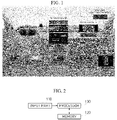
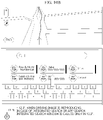
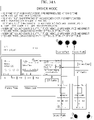
- FIG. 1 is a conceptual diagram of an integrated cockpit according to an embodiment of the present invention.
- a 12.3-inch upper display and a controller integrated with a 13.2-inch monitor are disposed in the integrated cockpit.
- the 12.3-inch upper display may be operated in a passenger mode, and the controller integrated with a 13.2-inch monitor is connected to a cluster, driver state warning (DSW), blooming sound, the 12.3-inch upper display, three-dimensional (3D) pattern lighting, a headrest speaker, a surround view module (SVM), a knob operation system, an air vent, gradient lighting, and a camera monitor system (CMS) camera.
- DSW driver state warning
- SVM surround view module
- knob operation system an air vent
- gradient lighting gradient lighting
- CMS camera monitor system
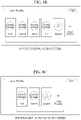
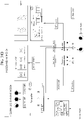
- FIG. 2 illustrates an apparatus for searching using multiple displays according to an embodiment of the present invention.
- the apparatus for searching using multiple displays includes an input part 110 configured to receive an integrated search command signal, a memory 120 in which a program for controlling an integrated search function to be displayed on at least one of the upper display and the lower display according to the integrated search command signal is stored, and a processor 130 configured to execute the program.
- the processor 130 controls display of an integrated search window for at least one of the lower display disposed in a cockpit and the upper display disposed above the lower display.
- the processor 130 controls to display a search result for each menu corresponding to a user profile using selection information about the user profile.
- the processor 130 controls to display a list of the items in the menu according to a recent use order for each menu according to the user profile.
- the processor 130 controls to display a list corresponding to the search word according to a predetermined order.
- the processor 130 controls to arrange and display a list for each predetermined menu on the upper display and to display information having high usage frequency for each predetermined menu on the lower display.
- the processor 130 controls to display information according to a recent use order for each predetermined menu on the upper display, and when a search word is input to the lower display, the processor 130 controls to display a list corresponding to the search word on the upper display according to a predetermined order.
- the processor 130 controls such that the integrated search window is displayed using the lower display.
- the processor 130 controls such that the integrated search window is displayed using the upper display when the passenger mode is being executed.
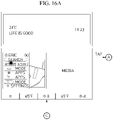
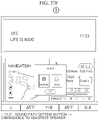
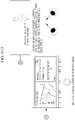
- FIG. 3 illustrates a global menu according to an embodiment of the present invention.
- a temperature In the upper display, a temperature, a phrase (e.g., Life Is Good), and current time information (e.g., 11:23) are displayed.
- a phrase e.g., Life Is Good
- current time information e.g., 11:23
- Contents displayed on the upper display are not limited to those illustrated in FIGS. 3A and 3B .
- an existing navigation information display area and media display area are displayed dark or dimmed, and the global menu is displayed.
- Each configuration of the global menu shown in FIG. 3B is defined as in Table 1 below.
- Table 1 No. Component Function execution form Global menu state 1 User Profile - Pop-up - Reduce 2 Search - Pop-up - Reduce 3 Front Camera - 12.3": execute App - Maintain 4 SVM - 12.3": execute App 12.3": Maintain - 13.2”: execute App - 13.2": Reduce 5 Mode Change - Global menu toggle - Maintain 6 Apps - Pop-up - Reduce 7 ASCC - Widget - Reduce 8 Drive Mode - Global menu toggle - Maintain 9 Settings - Pop-up - Reduce
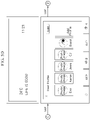
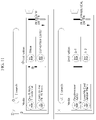
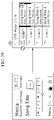
- FIG. 4 illustrates a profile according to an embodiment of the present invention.
- a profile image and name of each user are displayed in a user profile of the lower display, and guest and profile addition buttons are provided according to a left/right scroll area.
- FIG. 4B illustrates a case in which up to six user profiles are displayed on a screen of the lower display
- FIG. 4C illustrates a case in which a profile list is arranged in a center of a pop-up window.
- Each configuration of the user profile shown in FIG. 4 is defined as in Table 2 below.
- Table 2 No. Component Description 1 Close button - When touched, pop-up disappeared 2 Title - Display user profile text 3 Current set profile - Focus process - Display registered image+name 4 Profile list - Previously registered profile list - When profile is added, corresponding profile list is enlarged - When touched, apply corresponding profile 5 Guest profile - Display default image+geust - When touched, apply guest profile 6 Profile add button - When touched, enter profile addition screen - Dummy button 7 Right fixed button - 4 dispose [Guest] and [Add Profile] buttons on right side of profile list 8 Edit button - When touched, enter edit mode - Dummy button
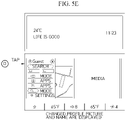
- FIG. 5 illustrates a profile change process according to an embodiment of the present invention.
- a profile image and name corresponding to the changed profile are displayed.
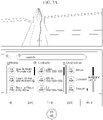
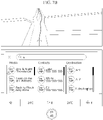
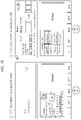
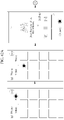
- FIGS. 6A and 6B respectively illustrate a before-search screen and a search result screen according to an embodiment of the present invention.
- FIG. 6A illustrates a case in which media, contacts, and destinations are each arranged in recent order before a search is conducted
- FIG. 6B illustrates a case in which the media, the contacts, and the destinations are each arranged in alphabetical order according to the search result.
- an integrated search screen is displayed on an upper display screen and a lower display screen.
- the media, the contacts, and the destinations of the upper display before the search is conducted are sorted and displayed in order they were recently selected, contacted, and set, and frequently searched media, contacts and destinations are displayed at an uppermost end of the lower display.
- the media, the contacts, and the destinations may each be displayed in consideration of both a usage frequency and an alphabetical order.
- the configuration of the integrated search screen shown in FIG. 6 is defined as in Table 3 below.
- Table 3 No. Component Description 1 Close button - When touched, pop-up disappeared 2 Search window - Display prompt 3 Frequently searched search word button - Always display one frequently search word for each category - When touched, execute corresponding function 4 Media recent search result list - Title+list structure - Music: thumbnail+1 st line song title+2 nd line artist name - Video: thumbnail+video title - When touched, execute corresponding media 5 Contacts recent search result list - Title+list structure - Thumbnail+1 st line contact name+2n d line phone number - Dummy list touch not allowed 6 Destination recent search result list - Title+list structure - Destination icon+destination name - When touched, execute navigation 7 List scroll bar - When there are more than N lists, display scroll bar 8 Search word matching display - Display color for word matched for input search word
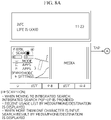
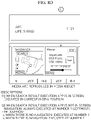
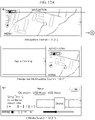
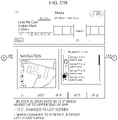
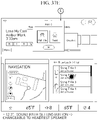
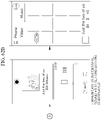
- FIGS. 7A and 7B respectively illustrate a before-search screen and a search result screen of the lower display during a navigation operation of the upper display according to an embodiment of the present invention.
- Navigation information is displayed on the upper display, and the integrated search screen is displayed on the lower display.
- FIG. 7A illustrates a case in which media, contacts, and destinations are each arranged in recent order before a search is conducted
- FIG. 7B illustrates a case in which the media, the contacts, and the destinations are each arranged in alphabetical order according to the search result.
- the media, the contacts, and the destinations of the lower display before a search is conducted are each arranged and displayed in order they are recently selected, contacted, and set.
- the media, the contacts, and the destinations may each be displayed in consideration of both a usage frequency and an alphabetical order.
- the configuration of the integrated search screen shown in FIG. 7 is defined as in Table 4 below.
- Table 4 No. Component Description 1 Close button - When touched, pop-up disappeared 2 Search window - Display prompt 3 Media recent search result list - Title+list structure - Music: thumbnail+1 st line song title+2 nd line artist name - Video: thumbnail+video title - When touched, execute corresponding media 4 Contacts recent search result list - Title+list structure - Thumbnail+1 st line contact name+2 nd line phone number - Dummy list touch not allowed 5 Destination recent search result list - Title+list structure - Destination icon+destination name - When touched, execute navigation 6 List scroll bar - When there are more than N lists, display scroll bar 7 Search word matching display - Display color for word matched for input search word
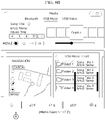
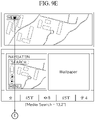
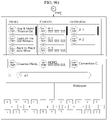
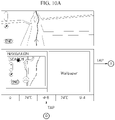
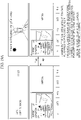
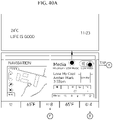
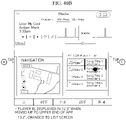
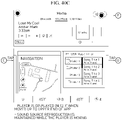
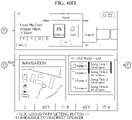
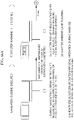
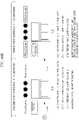
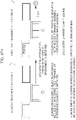
- FIGS. 8 to 10 illustrate an integrated search process according to an embodiment of the present invention.
- an integrated search pop-up when moving to an integrated search, an integrated search pop-up is provided, a recent usage list is displayed for each of the media, the contacts, and the destinations, and when a search word is input to the search window, a search result for each of the media, the contacts, and the destination is displayed.
- the media, the contacts, and the destinations are displayed in recent usage order or alphabetical order on the upper display and a frequently searched search word button may be displayed on the lower display.
- the corresponding media are reproduced in a media widget, and when the contact is selected, a function of making/transmitting a phone call/message to the corresponding contact may be selected, and when the specific destination is selected, a navigation widget enters a preview screen for a route to the corresponding destination.
- the execution app When an execution app for the search result is in the screen of the lower display, the execution app is executed following the search and the search result in the corresponding position.
- the execution app for the search result When the execution app for the search result is not in the screen, the navigation is executed on the leftmost side.
- a media or phone widget is executed on the leftmost side, and when the navigation is in the screen, the media or phone widget is executed in a position on the right side of the navigation.
- the integrated search window is called.
- media, contacts, and destinations are displayed in recent usage order, and when a search word is input, related media, contacts, and destinations are displayed in alphabetical order or Korean alphabetical order.
- navigation information is displayed on the upper display, and when the "search" icon is selected from the navigation widget of the lower display, the navigation information is continuously displayed on the upper display, and the integrated search window is called only on the lower display (i.e., the upper display is not used for displaying the integrated search window).
- summary information about a route to the selected destination is displayed in the navigation widget of the lower display.
- the navigation information is displayed through the upper display and route guidance information is also displayed through the navigation widget of the lower display.
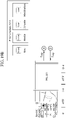
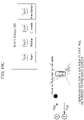
- FIGS. 11 and 12 illustrate an integrated search in the passenger mode according to an embodiment of the present invention.
- the media and the destinations are arranged and displayed in recent use order, and after the search is conducted, search results for the media and the destinations according to the search are arranged and displayed in alphabetical order.
- an icon related to "search” is selected from the navigation widget on the upper display
- an icon related to "search” is selected from the navigation widget when the navigation and other apps are being executed in a multitasking manner, or an icon related to "search” is selected from the media widget
- the integrated search window is displayed, selection histories for the media and the destinations are displayed in recent order, and search results for the media and the destinations according to the search word input are displayed in alphabetical order.
- information is provided using an image of a front-facing camera, and information about surrounding objects of a vehicle is provided using a surround-view monitoring device, but there is a problem in that a captured image of a limited area is displayed through a display of a fixed area.
- the present invention is directed to providing an apparatus capable of intuitively recognizing an image, which is obtained according to an image capturing angle, by a driver using multiple displays, and providing a surround-view monitoring screen according to display settings and a driving situation.
- FIG. 13 illustrates an apparatus for controlling monitoring a front-facing camera image and a surround view using multiple displays according to an embodiment of the present invention.
- the apparatus for controlling monitoring a front-facing camera image and a surround view using multiple displays includes an input part 210 configured to receive a vehicle surroundings confirmation request signal, a memory 220 in which a program for controlling to display a front image and a surround-view monitoring image upon receiving the vehicle surroundings confirmation request signal is stored, and a processor 230 configured to execute the program.
- the processor 230 controls to display the image using at least one of the lower display disposed in the cockpit and the upper display disposed above the lower display, and controls an image capturing angle or an image display area to be adjusted according to the operation of a knob.
- the processor 230 adjusts the image capturing angle of the front-facing camera or the display area of the acquired front image in response to knob angle operation in a preset range.
- the processor 230 controls to display an image acquired through an under-vehicle recognition camera in response to knob angle operation deviating from the preset range.
- the processor 230 controls to overlay and display at least one of an overall width of the vehicle and a guide line for a wheel position of the vehicle on the image.
- the processor 230 controls to display a surround-view monitoring image on the upper display in the case of a driver mode, and controls to display the surround-view monitoring image on the lower display in the case of a passenger mode.
- the processor 230 controls the surround-view monitoring image to be displayed on the upper display or the lower display according to a request for displaying the surround-view monitoring image, or a reverse gear "R.”
- the processor 230 controls a pop-up screen to be called and to wait for a request for displaying an image.
- FIG. 14 illustrates an upper display screen and a lower display screen in a default mode according to an embodiment of the present invention.
- An image acquired using the front-facing camera is displayed on the upper display, and a widget is displayed on the lower display.
- a warning phrase is displayed in an overlay form, angle information of the camera acquiring a current image is displayed, object detection information is displayed, and vehicle overall width information is displayed.
- the configuration of the front-facing camera screen of the upper display shown in FIG. 14 is as shown in Table 6 below.
- Table 6 No. Component Description 1 Warning phrase - Display warning phrase in overlay form 2 Camera angle - When knob rotated, display view angle adjustment icon 3 Object Detection - detect animal (vehicle/pedestrian) and express real-time in overlay box form 4 Vehicle overall width guide - Display vehicle overall width guide in overlay form
- FIG. 15 illustrates image display in consideration of an image size according to an embodiment of the present invention.
- an upper display area is 1920 ⁇ 720, and a lower display area is 1920 ⁇ 1080.
- the image is enlarged according to a horizontal width of 1920 of the display.
- some images may be displayed on one of the upper display and the lower display.
- an image corresponding to an entire image size may be displayed across the area of the upper display and the area of the lower display.
- knob operation information it is possible to adjust which portion of the image acquired using the camera is to be displayed.
- a lower portion of the image acquired corresponding thereto may be adjusted to be displayed on the upper display.
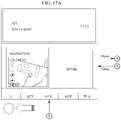
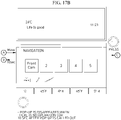
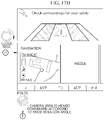
- FIGS. 16 and 17 illustrate front image display according to an embodiment of the present invention.
- a front-facing camera icon is selected from the lower display to request a front-facing camera image to be displayed on the upper display.
- an angle of the knob is adjusted to adjust an image capturing angle of the front-facing camera in real time according to the angle.
- the camera for recognizing the underside of the vehicle is activated, and an under-vehicle image is displayed on the upper display.
- a guide line for the overall width and a guide line for a vehicle wheel position is overlayed on the image and the overlayed image is displayed, thereby supporting the driver to easily avoid an obstacle.
- the front-facing camera image display is ended.
- the pop-up screen disappears.
- the display area of the image acquired using the front-facing camera is selected, or the image capturing angle of the front-facing camera is adjusted.
- the image acquired through the under-vehicle recognition camera is displayed on the upper display, and at least one of the guide information about the overall width of the vehicle and the guide information about the vehicle wheel position is overlayed on the image and the overlayed image is displayed.
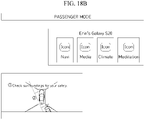
- FIGS. 18 and 19 illustrate surround-view monitoring screen display according to an embodiment of the present invention.
- widget information is displayed on the lower display and an SVM screen is displayed on the upper display.
- the upper display is linked with a mobile phone of a passenger, and the SVM screen is displayed on the lower display.
- the SVM screen is automatically displayed on the upper or lower display in the case of the reverse gear R.
- Warning phrases and a vehicle top view image as shown in Table 7 below are displayed in the SVM screen.
- Table 7 No. Component Description 1 Warning phrase - Display warning phrase in overlay form 2 Vehicle image - Display vehicle top view image
- the SVM screen is executed in the form of a global pop-up.
- the SVM screen is displayed on the lower display.
- the lower display When the reverse gear R is released or a signal, which is generated by touching any one point in the entire area of the lower display on which the SVM screen is displayed, is received, the lower display returns to the previous screen.
- the present invention is directed to providing a navigation control apparatus capable of supporting a driver to easily check route guidance information by controlling navigation according to a situation using multiple displays.
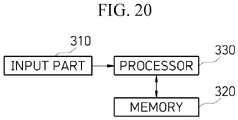
- FIG. 20 illustrates a navigation control apparatus using multiple displays according to an embodiment of the present invention.
- the navigation control apparatus using multiple displays includes an input part 310 configured to receive a navigation request signal, a memory 320 in which a program for controlling to display navigation information using multiple displays upon receiving the navigation request signal is stored, and a processor 330 configured to execute the program.
- the processor 330 controls to display the navigation information using at least one of the lower display disposed in the cockpit and the upper display disposed above the lower display.
- the processor 330 controls to display the navigation information on the lower display and the upper display
- the processor 330 controls search and menu buttons to not be exposed in the other area.
- the processor 330 uses response information according to the calling of the pop-up window to display a 3D driving image or an augmented reality (AR) driving image on the upper display.
- AR augmented reality
- the processor 330 changes the upper display to an area for passenger content viewing and maintains the display of the navigation information through the lower display.
- the processor 330 moves the navigation widget to an area in the screen of the lower display.
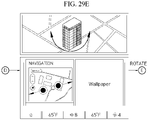
- the processor 330 In setting a destination, the processor 330 provides 3D image information and provides a destination confirmation function using a rotation function to support route guidance setting for a specific point of the destination.
- the processor 330 controls to provide the route guidance information through the lower display.
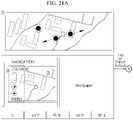
- FIG. 21 illustrates navigation display before driving according to an embodiment of the present invention.
- a map image is displayed, and, when there is a touch event, a search button, an enlargement/reduction button, and a menu button are displayed.
- the map image is displayed, and the search, enlargement/reduction, and menu buttons are always displayed.
- FIG. 22 illustrates navigation display during driving according to an embodiment of the present invention.
- a 3D driving image is displayed, and, when a touch event is generated, a search button, an enlargement/reduction button, and an end button are displayed.
- a 2D driving image is displayed, and the search, enlargement/reduction, and end buttons are always displayed.
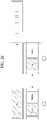
- FIG. 23 illustrates an operation using the lower display according to an embodiment of the present invention
- FIG. 24 illustrates an operation using the upper display according to an embodiment of the present invention.
- the upper display when a navigation app is being operated on the lower display, the upper display does not display the search/menu buttons.
- the lower display when the navigation app is being operated on the upper display, the lower display does not display the search/menu buttons.
- FIGS. 23 and 24 The configuration and definition of the navigation widget screen shown in FIGS. 23 and 24 are as shown in Table 10 below.
- Table 10 No. Component Description 1 12.3" screen - Display driving route 2 Current position icon - Display current driving position icon 3 Widget title - Display navigation text 4 Search button - Enter search screen 5 Map enl argement/reducti on button - Enlarge/reduce map at specific ratio 6 Compass button - Due-north direction fixed button - Operate button on/off toggle 7 Menu button - Display destination list: 1/2/3 - Setting button
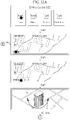
- FIG. 25 illustrates navigation setting using the upper display according to an embodiment of the present invention.
- a user may check 3D information through an operation of rotating a building, and as a result of the check, the user may set a point to reach even for the same destination (e.g., the destination may be set, such as an entrance of an underground parking lot at a front door of a department store, an entrance of an outdoor parking lot at a back door of a department store, or the like)
- a route preview screen is provided, and here, a destination name, an estimated required time/distance, an estimated residual battery power upon arrival at the destination, a route guidance start button, a button for returning to the previous screen, and the like are displayed on the upper display.
- the upper display displays a 3D route guidance screen as the route guidance start button is pressed, and returns to the destination setting screen as the end button is pressed on the corresponding screen.
- FIGS. 26 and 27 illustrate a situation according to a change to a passenger mode while navigation is being executed, according to an embodiment of the present invention.
- the navigation guidance on the upper display is ended, and route guidance information is provided through the lower display.
- the upper display resumes navigation screen display that was previously executed.
- the navigation widget is being executed on an area outside the screen of the lower display.
- the upper display resumes the navigation screen display that was previously executed.
- FIG. 28 illustrates a situation according to a change to the passenger mode while the navigation is not executed, according to an embodiment of the present invention.
- the widget arrangement on the lower display is maintained even when the mode is changed to the passenger mode.
- the upper display resumes wallpaper display that was previously executed.
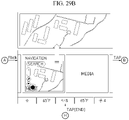
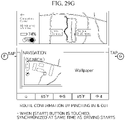
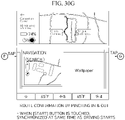
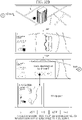
- FIG. 29 illustrates a destination search process using the lower display according to an embodiment of the present invention
- navigation information is displayed on the upper display.
- Vertical linkage is not allowed according to pinch in and pinch out, and panning.
- the driver may register a desired point as the destination using the 3D map image information.
- the upper display displays route information, and when the route guidance start button is pressed, the upper display displays 3D navigation information and the lower display displays 2D navigation information.
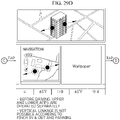
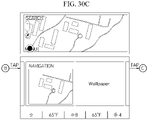
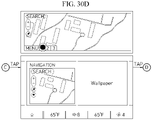
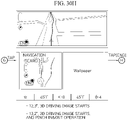
- FIG. 30 illustrates a destination search process using the upper display according to an embodiment of the present invention.
- navigation information is displayed on the upper display.
- the driver may register a desired point as the destination using the 3D map image information.
- Vertical linkage is not allowed according to pinch in and pinch out, and panning.
- the upper display displays route information, and when the route guidance start button is pressed, the upper display displays 3D navigation information and the lower display displays 2D navigation information.
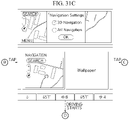
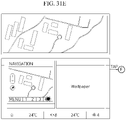
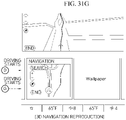
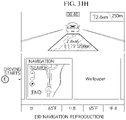
- FIG. 31 illustrates 3D navigation and AR navigation settings according to an embodiment of the present invention.
- a navigation setting window is displayed to receive a selection for 3D navigation or AR navigation.
- FIG. 31 illustrates navigation display during driving according to the 3D navigation and the AR navigation.
- FIG. 32 illustrates navigation control in the passenger mode according to an embodiment of the present invention.
- 2D image information about the destination and 3D image information about the destination are displayed on the screen of the upper display.
- the passenger rotates a place displayed as an object on the screen of the upper display to request route guidance to a final destination place.
- the upper display displays guidance information about a route to the destination and displays a "Toss" button.
- the route guidance information is displayed in the 2D driving image on the navigation app of the lower display.
- the present invention is directed to providing a media sound multi-connection control apparatus using multiple displays capable of simultaneously reproducing different media through AVN and a mobile device and selecting a sound source output device, simultaneously reproducing media through the multiple displays, and forming sound bubbles to prevent sound source interference between a vehicle speaker and a headrest speaker.
- FIG. 33 illustrates a media sound multi-connection control apparatus using multiple displays according to an embodiment of the present invention.
- the media sound multi-connection control apparatus using multiple displays includes an input part 410 configured to receive a content execution request signal, a memory 420 in which a program for controlling media and sound multi-connection using multiple displays upon receiving the content execution request signal is stored, and a processor 430 configured to execute the program.
- the processor 430 controls to display a player screen according to the content execution request signal using at least one of the lower display disposed in the cockpit and the upper display disposed above the lower display.
- the processor 430 controls such that a sound source is output to an in-vehicle speaker and a headrest speaker using a sound path setting signal.
- the processor 430 controls to display a player screen on the upper display and to display a list screen on the lower display.
- the processor 430 moves the player screen to the lower display, and controls to maintain the sound source reproduction during the movement.
- the processor 430 controls the upper display to be turned off and controls the lower display to reproduce the entire screen.
- the processor 430 controls the entire screen to be reproduced on the upper display, and controls to display an existing widget on the lower display and display a display-off button on the lower display.
- the processor 430 turns off the lower display.
- the processor 430 controls the upper display to be turned off and the entire screen to be reproduced on the lower display
- the processor 430 controls to display a function bar on the lower display when a knob disposed at a lower end of the lower display is operated or a touch is input to the lower display.
- the processor 430 controls a sound source of the content being reproduced on the upper display to be output through the headrest speaker, and controls a sound source of the content reproduced on the lower display to be output through the in-vehicle speaker.
- FIG. 34 illustrates media multi-connection in a driver mode and a passenger mode according to an embodiment of the present invention.
- USB universal serial bus
- Bluetooth audio and video casts of a smartphone may be reproduced simultaneously with the USB music and video reproduction.
- Bluetooth audio and video casts of the smartphone may be simultaneously reproduced, and the same file may not be reproduced.
- An input for setting a sound source output to the vehicle speaker or the headrest speaker is received from a user through a sound path setting button of the lower display.
- An input for setting a sound source output to the vehicle speaker or the headrest speaker is received from a user through a sound path setting button of a smartphone.
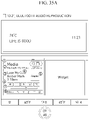
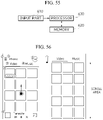
- FIG. 35 illustrates Bluetooth audio reproduction according to an embodiment of the present invention.
- FIG. 35 illustrates a case in which Bluetooth audio is reproduced on the lower display and a case in which Bluetooth audio is reproduced on the upper display.
- FIG. 36 illustrates a Bluetooth audio list according to an embodiment of the present invention.
- the Bluetooth audio list includes a button for returning to a previous screen, an area for displaying information about Bluetooth-connected devices, and a song information area.
- the sound path setting button is used when setting a sound path as the in-vehicle speaker or the headrest speaker.
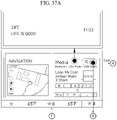
- FIG. 37 illustrates a Bluetooth audio reproduction process according to an embodiment of the present invention.
- the default screen is displayed on the upper display, and navigation information and media information are displayed on the lower display.
- the setting may be changed such that the path is changed to the in-vehicle speaker or the headrest speaker.
- the setting may be changed such that the path is changed to the in-vehicle speaker or the headrest speaker.
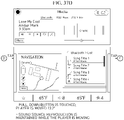
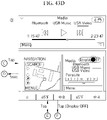
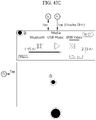
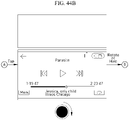
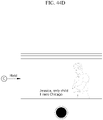
- the media player app When the pull-down button on the upper display is pressed, the media player app is moved to the lower display and the sound source reproduction is maintained while the player is moving.
- FIG. 38 illustrates USB music reproduction according to an embodiment of the present invention.
- FIG. 38 illustrates a case in which the default screen is displayed on the upper display and USB music is reproduced on the lower display, and a case in which USB music is reproduced on the upper display and a USB music list is displayed on the lower display.
- FIG. 39 illustrates a USB music reproduction list according to an embodiment of the present invention.
- FIG. 40 illustrates a USB music reproduction process according to an embodiment of the present invention.
- the default screen is displayed on the upper display, and navigation information and media information are displayed on the lower display.
- the setting may be changed such that the path is changed to the in-vehicle speaker or the headrest speaker.
- the media player app When an operation for moving the media app to the upper display from the lower display to the upper display is input, the media player app is displayed on the upper display, and the screen is changed to the list screen on the lower display.
- the media player app When the pull-down button on the upper display is pressed, the media player app is moved to the lower display and the sound source reproduction is maintained while the player is moving.
- the setting may be changed such that the path is changed to the in-vehicle speaker or the headrest speaker.
- FIG. 41 illustrates USB video reproduction according to an embodiment of the present invention.
- FIG. 41 illustrates a case in which the default screen is displayed on the upper display and a video is reproduced on the lower display, and a case in which a video is reproduced on the upper display and video related information is displayed on the lower display.
- FIG. 42 illustrates a USB video reproduction list according to an embodiment of the present invention.
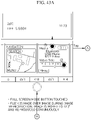
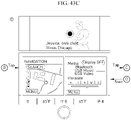
- FIG. 43 illustrates the movement of a video between the displays according to an embodiment of the present invention.
- the lower display When a display-off button is touched in a media information display area of the lower display, the lower display is turned off, and when an area of the lower display that is turned off is touched, the upper display is turned off and the entire screen is reproduced on the lower display.
- FIG. 44 illustrates a knob operation process according to an embodiment of the present invention.
- FIG. 45 illustrates a simultaneous video reproduction process according to an embodiment of the present invention.
- the upper display is linked to a passenger's mobile device, and navigation information and media information are displayed on the lower display.
- a media sound source reproduced on the lower display is output through blooming sound (in-vehicle speaker), and a media sound source reproduced on the upper display is output through the headrest speaker.
- each speaker forms a sound bubble to prevent sound sources provided to the driver and the passenger from interfering each other.
- the present invention is directed to providing an apparatus capable of providing a function that allows a vehicle passenger to meditate by controlling the multiple displays, the speaker, and a mood lamp in the vehicle.
- FIG. 46 illustrates a meditation function-providing apparatus using multiple displays according to an embodiment of the present invention.
- the meditation function-providing apparatus using multiple displays includes an input part 510 configured to receive a meditation function request signal, a memory 520 in which a program for providing a meditation function using multiple displays upon receiving the mediation function request signal is stored, and a processor 530 configured to execute the program.
- the processor 530 uses at least one of the lower display disposed in the cockpit and the upper display disposed above the lower display and provides the meditation function in conjunction with the speaker and the mood lamp.
- the processor 530 controls to turn off the lower display and to display a meditation app execution screen on the upper display.
- the processor 530 controls to perform an event operation on the meditation app execution screen according to a knob operating direction.
- the processor 530 controls to display the meditation app execution screen on the upper display.
- the processor 530 controls to display a meditation multi-tasking screen on the upper display, and controls to display a media thumbnail screen when an app drawer button is touched and the meditation app is selected.
- the processor 530 controls the sound source, which is linked with the meditation app displayed on the upper display, to be output through the passenger headrest speaker, and controls a sound source of media, whose execution screen is displayed on the lower display, to be output through the in-vehicle speaker.
- the processor 530 controls the headrest speaker and the in-vehicle speaker to form sound bubbles.
- FIG. 47 illustrates a meditation execution screen in the driver mode according to an embodiment of the present invention.
- a meditation app execution screen is displayed on the upper display, the lower display is turned off, and a knob display is also turned off.
- the mood lamp and the blooming speaker are linked to the meditation app so that the color and sound thereof are set.
- FIG. 48 illustrates a meditation execution screen in the passenger mode according to an embodiment of the present invention.
- the meditation app is executed on the upper display, and the lower display displays navigation information, media information, or the like as a normal screen operation, and a normal operation is performed on the knob display.
- the blooming speaker reproduces a sound source of content displayed through the lower display, and a passenger seat headrest speaker reproduces a meditation app sound.
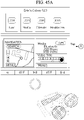
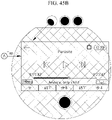
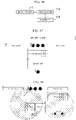
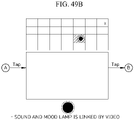
- FIG. 49 illustrates a meditation function-providing process according to an embodiment of the present invention.
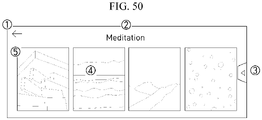
- FIG. 50 illustrates a meditation screen in the passenger mode according to an embodiment of the present invention.
- the meditation screen displayed on the upper display displays a button for returning to the previous screen when touched, an area in which a title is displayed, an app drawer button, a meditation thumbnail button, and a meditation icon.
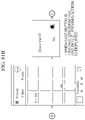
- FIG. 51 illustrates a meditation function-providing process in the passenger mode according to an embodiment of the present invention.
- the upper display displays information about a linked passenger mobile device.
- the meditation screen shown in FIG. 50 is displayed.
- the headrest speaker and the mood lamp of the passenger seat are linked with the execution of the app so that a sound source and a mood light thereof are set.
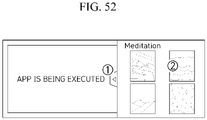
- FIG. 52 illustrates a meditation multi-tasking screen in the passenger mode according to an embodiment of the present invention.
- an app drawer button provides an app drawer open/close button.
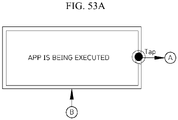
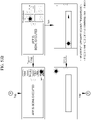
- FIG. 53 illustrates a meditation function-providing process in the passenger mode according to an embodiment of the present invention.
- apps such as a navigation app, a media app, a meditation app, and the like are displayed according to a touch on the app drawer button, a meditation function is provided according to the execution of the meditation app and the touch on the meditation thumbnail button, and in conjunction with the meditation app, a sound source is reproduced by the passenger seat headrest speaker and the mood lamp is set.
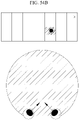
- FIG. 54 illustrates sound bubble formation when the mediation function is provided in the passenger mode according to an embodiment of the present invention.
- the passenger seat headrest speaker when the upper display is linked with the mobile device of the passenger in the passenger mode to display the meditation app execution screen, the passenger seat headrest speaker outputs a sound source according to the execution of the meditation app.
- the media sound source reproduced on the lower display is output through the blooming speaker.
- the headrest speaker and the blooming speaker form sound bubbles to prevent sound sources provided to the driver and the passenger from interfering with each other.
- the present invention is directed to providing a control apparatus for media cast between a mobile device and an IVI system capable of continuously reproducing media running on the mobile device, in the IVI system, selecting the in-vehicle speaker or the headrest speaker as an output device, and preventing sound source interference between the in-vehicle speaker and the passenger headrest speaker.
- FIG. 55 illustrates a control apparatus for media cast between a mobile device and an IVI system according to an embodiment of the present invention.
- the control device for media cast between an IVI system and a mobile device includes an input part 610 configured to receive a cast request from the mobile device, a memory 620 in which a program for reproducing content of the mobile device on the in-vehicle display according to the cast request is stored, and a processor 630 configured to execute the program.
- the processor 630 controls to provide a cast service using the upper display disposed above the lower display disposed in the cockpit.
- the processor 630 controls the reproduction of content in response to a signal input through a controller screen displayed on the mobile device.
- the processor 630 controls a sound path to be set as the in-vehicle speaker or the headrest speaker according to an input on a sound path setting button.
- the processor 630 controls to display the sound path setting button when the cast is successful.
- the processor 630 controls to display a screen previous to the cast on the upper display.
- the processor 630 controls the corresponding content to be directly executed on the upper display according to the cast request.
- FIG. 56 illustrates a smartphone app home screen according to an embodiment of the present invention.
- a smartphone app screen includes a title area, a menu button, a video tab, a music tab, a thumbnail, a motion-sickness reduction operation button, a casting flag, and a mini player.
- FIG. 57 illustrates a smartphone app video player screen according to an embodiment of the present invention.
- the smartphone app video player screen includes a button for returning to a previous screen when touched, a video title, a cast button, a control button, and a progress bar, and when a hardware volume button of the mobile device is operated, the volume of content being reproduced is adjusted.
- the cast button When the cast button is touched, the content is displayed on the upper display through the cast function.
- FIG. 58 illustrates a smartphone app music player screen according to an embodiment of the present invention.
- the smartphone app music player screen includes a minimization button for minimizing to a mini-player when touched, a sound source thumbnail image, content information, a progress bar, a control button, a volume control bar, a sound path setting button, and a cast button
- the cast button When the cast button is touched, the content is displayed on the upper display through the cast function.
- a current set sound path (the in-vehicle speaker or the headrest speaker) is displayed, and when the button is touched, a sound path change pop-up window is displayed, and when the cast is performed, the default sound path is a headrest speaker.
- FIG. 59 illustrates a controller screen during smartphone app cast according to an embodiment of the present invention.
- the controller screen includes a button for minimizing to a mini-player when touched, a sound video or source thumbnail image, content information, a progress bar, a control button, a volume control bar, a sound path setting button, and a cast button
- the cast button When the cast button is touched, the content is displayed on the upper display through the cast function.
- a current set sound path (the in-vehicle speaker or the headrest speaker) is displayed, and when the button is touched, a sound path change pop-up window is displayed, and when the cast is performed, the default sound path is the headrest speaker.
- FIG. 60 illustrates a content position change according to an embodiment of the present invention.
- a position for searching for content may be changed to the mobile device and the vehicle.
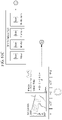
- FIG. 61 illustrates a video cast process according to an embodiment of the present invention.
- a video selected in the mobile device is displayed on the upper display according to a cast request, and during the cast, a minimization button, a thumbnail image, content information, a progress bar, a control button, a volume control bar, a sound path setting button, and a cast button are displayed on the controller screen.
- the video is seamlessly reproduced on the mobile device.
- the screen in the upper display is returned to a widget screen of the mobile device of the passenger.
- a local video may be reproduced on the lower display, and when the cast button is touched, the video is immediately reproduced even when the passenger screen app is being executed in the passenger mode.
- FIG. 62 illustrates a music cast process according to an embodiment of the present invention.
- the cast button When the cast button is touched, the cast is performed on the upper display, the sound path setting button is displayed when the cast is successful.
- the currently reproducing player screen is changed to the minimization screen and displayed, and the app home screen is displayed.
- a driver state is monitored to provide warnings, but there is a limitation in that criteria for providing the warnings are not subdivided, and there is a problem in that the warnings are limited to being provided only to the driver.
- the present invention is directed to providing an apparatus for providing a stepwise warning according to a driver state capable of determining whether to provide a warning by subdividing criteria for providing warnings according to the driver state, and notifying a passenger of an inattentive state of a driver.
- FIG. 63 illustrates an apparatus for providing a stepwise warning according to a driver state according to an embodiment of the present invention.
- the apparatus for providing a stepwise warning according to a driver state includes an input part 710 configured to receive a driver state detection result, a memory 720 in which a program for classifying warning steps using the driver state detection result and providing a predetermined warning according to the driver state detection result is stored, and a processor 730 configured to execute the program.
- the processor 730 provides a warning using a warning message output, a warning sound output, lamp lighting, and the like.
- the processor 730 outputs a warning message using the upper display disposed above the lower display disposed in the cockpit, and controls to output the warning message when a predetermined warning step is on the upper display that moved to a passenger side according to a passenger mode.
- the processor 730 controls to output a warning sound to a passenger headrest speaker according to a predetermined warning step.
- the processor 730 provides a warning for a predetermined period of time according to warning steps classified using the driver state detection result.
- the processor 730 as a first step, outputs a warning message to a cluster and turns a cluster ambient lamp on.
- the processor 730 controls an interior mood lamp to be additionally turned on, and to output a warning sound.
- the processor 730 controls to change and display colors of the cluster ambient lamp and the interior mood lamp, controls a beep to be output at a faster reproduction speed, and turns an emergency light on.
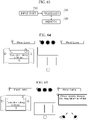
- FIG. 64 illustrates DSW implementation in a driver mode according to an embodiment of the present invention.
- the cluster When negligence in keeping eyes forward, fatigue, or drowsiness is detected in the driver mode, the cluster is provided with a warning message through a warning pop-up.
- the cluster ambient lamp flashes with different colors according to the warning step.
- the mood lamp flashes with different colors according to the warning step.
- the blooming sound is reproduced with a different warning sound according to the warning step.
- Whether the emergency light flashes is determined according to the warning step.
- FIG. 65 illustrates DSW implementation in the passenger mode according to an embodiment of the present invention.
- the cluster When negligence in keeping eyes forward, fatigue, or drowsiness is detected in the passenger mode, the cluster is provided with a warning message through warning pop-up.
- the cluster ambient lamp flashes with different colors according to the warning step.
- the mood lamp flashes with different colors according to the warning step.
- the blooming sound is reproduced with a different warning sound according to the warning step.
- Whether the emergency light flashes is determined according to the warning step.
- the upper display is in a state of being moved toward the passenger side according to the passenger mode, and a driver state classification result and a warning message according to the driver state classification result are provided to the upper display.
- the passenger headrest speaker outputs different warning sounds due to the warning steps according to the driver state.
- FIG. 66 illustrates a stepwise warning-providing process in the driver mode according to an embodiment of the present invention.
- a cluster pop-up phrase is displayed and a cluster ambient lamp is turned on.
- a cluster pop-up phrase is displayed, the cluster ambient lamp is turned on, the interior mood lamp is turned on, and a warning sound is reproduced using the in-vehicle speaker.
- a cluster pop-up phrase is displayed, the cluster ambient lamp is turned on in a color (e.g., red color) different from that in the second step, and the interior mood lamp is turned on in a color (e.g., red color) different from that in the second step, and a warning sound (e.g., a warning sound reproduced with a faster period), which is different from that in the second step, is reproduced using the in-vehicle speaker, and the emergency light is turned on.
- a warning sound e.g., a warning sound reproduced with a faster period
- FIG. 67 illustrates a stepwise warning-providing process in the passenger mode according to an embodiment of the present invention.
- a cluster pop-up phrase is displayed, the cluster ambient lamp is turned on, the interior mood lamp is turned on, and a warning sound is reproduced using the in-vehicle speaker.
- a warning message is provided using the upper display moved to the passenger side according to the passenger mode.
- a cluster pop-up phrase is displayed, the cluster ambient lamp is turned on in a color (e.g., red color) different from that in the second step, and the interior mood lamp is turned on in a color (e.g., red color) different from that in the second step, and a warning sound (e.g., a warning sound reproduced with a faster period), which is different from that in the second step, is reproduced using the in-vehicle speaker, and the emergency light is turned on.
- a warning message is provided to the upper display, and a warning sound is output through the passenger headrest speaker.
- the method according to an embodiment of the present invention may be implemented in a computer system or recorded in a recording medium.
- the computer system may include at least one processor, a memory, a user input device, a data communication bus, a user output device, and a storage. Each of the components described above performs data communication over the data communication bus.
- the computer system may further include a network interface coupled to a network.
- the processor may be a central processing unit (CPU), or a semiconductor device that processes instructions stored in the memory and/or storage.
- the memory and storage may include various types of volatile or non-volatile storage media.
- the memory may include a read-only memory (ROM) memory and a random access memory (RAM).
- ROM read-only memory
- RAM random access memory
- the method according to an embodiment of the present invention may be implemented as a computer-executable method.
- computer-readable instructions may perform the method according to the present invention.
- an integrated search is performed using upper/lower displays arranged in an integrated cockpit, so that there is an effect of increasing search convenience of a driver and a passenger.
Landscapes
- Engineering & Computer Science (AREA)
- Theoretical Computer Science (AREA)
- Mechanical Engineering (AREA)
- Combustion & Propulsion (AREA)
- Transportation (AREA)
- Chemical & Material Sciences (AREA)
- General Engineering & Computer Science (AREA)
- Physics & Mathematics (AREA)
- Databases & Information Systems (AREA)
- General Physics & Mathematics (AREA)
- Computational Linguistics (AREA)
- Data Mining & Analysis (AREA)
- Human Computer Interaction (AREA)
- Mathematical Physics (AREA)
- User Interface Of Digital Computer (AREA)
- Navigation (AREA)
- Fittings On The Vehicle Exterior For Carrying Loads, And Devices For Holding Or Mounting Articles (AREA)
Applications Claiming Priority (7)
| Application Number | Priority Date | Filing Date | Title |
|---|---|---|---|
| KR1020210011865A KR20220108640A (ko) | 2021-01-27 | 2021-01-27 | 복수의 디스플레이를 이용한 내비게이션 제어 장치 |
| KR1020210011864A KR20220108639A (ko) | 2021-01-27 | 2021-01-27 | 복수의 디스플레이를 이용한 미디어 사운드 멀티커넥션 제어 장치 |
| KR1020210011861A KR20220108636A (ko) | 2021-01-27 | 2021-01-27 | 운전자 상태에 따른 단계별 경고 제공 장치 |
| KR1020210011867A KR20220108641A (ko) | 2021-01-27 | 2021-01-27 | 복수의 디스플레이를 이용한 검색 장치 |
| KR1020210011863A KR20220108638A (ko) | 2021-01-27 | 2021-01-27 | 복수의 디스플레이를 이용한 메디테이션 기능 제공 장치 |
| KR1020210011866A KR20220108886A (ko) | 2021-01-27 | 2021-01-27 | 복수의 디스플레이를 이용한 전방 카메라 영상 및 서라운드 뷰 모니터링 제어 장치 |
| KR1020210011862A KR20220108637A (ko) | 2021-01-27 | 2021-01-27 | Ivi 시스템과 모바일 디바이스의 미디어 캐스트 제어 장치 |
Publications (1)
| Publication Number | Publication Date |
|---|---|
| EP4036757A1 true EP4036757A1 (de) | 2022-08-03 |
Family
ID=80122028
Family Applications (1)
| Application Number | Title | Priority Date | Filing Date |
|---|---|---|---|
| EP22153690.7A Ceased EP4036757A1 (de) | 2021-01-27 | 2022-01-27 | Vorrichtung zum suchen von mehreren anzeigen |
Country Status (3)
| Country | Link |
|---|---|
| US (1) | US12019846B2 (de) |
| EP (1) | EP4036757A1 (de) |
| CN (1) | CN114801735B (de) |
Families Citing this family (6)
| Publication number | Priority date | Publication date | Assignee | Title |
|---|---|---|---|---|
| USD973062S1 (en) * | 2019-08-29 | 2022-12-20 | Google Llc | Display screen or portion thereof with graphical user interface |
| DE102021116211A1 (de) * | 2021-06-23 | 2022-12-29 | Dr. Ing. H.C. F. Porsche Aktiengesellschaft | Bedienelement zum Bedienen eines Entertainmentsystems für ein Kraftfahrzeug |
| USD1122935S1 (en) | 2022-02-24 | 2026-04-21 | Sony Group Corporation | Display panel or screen or portion thereof with animated graphical user interface |
| JP1736612S (de) * | 2022-02-24 | 2023-02-13 | ||
| US12587782B2 (en) | 2023-07-18 | 2026-03-24 | Adeia Guides Inc. | Beamforming systems for personalized in-vehicle audio delivery to multiple passengers simultaneously |
| US12204742B1 (en) * | 2023-07-18 | 2025-01-21 | Adeia Guides Inc. | Beamforming systems for personalized in-vehicle audio delivery to multiple passengers simultaneously |
Family Cites Families (26)
| Publication number | Priority date | Publication date | Assignee | Title |
|---|---|---|---|---|
| DE19932776A1 (de) * | 1999-07-14 | 2001-01-25 | Volkswagen Ag | Verfahren und Vorrichtung zur Darstellung von Eingabeoptionen |
| US7340686B2 (en) * | 2005-03-22 | 2008-03-04 | Microsoft Corporation | Operating system program launch menu search |
| JP2007314014A (ja) * | 2006-05-25 | 2007-12-06 | Kenwood Corp | 車載装置、プログラム、及び車載装置における使用データ決定方法 |
| JP4842070B2 (ja) * | 2006-09-25 | 2011-12-21 | アルパイン株式会社 | 車載用ナビゲーション装置、検索用データの作成方法及び誘導経路の探索方法 |
| GB2447967B (en) * | 2007-03-30 | 2012-03-28 | Ge Aviat Systems Ltd | Aircraft displays and display arrangements |
| US20090281727A1 (en) * | 2008-05-06 | 2009-11-12 | Matsushita Electric Industrial Co., Ltd. | Car navigation system |
| US9411907B2 (en) * | 2010-04-26 | 2016-08-09 | Salesforce.Com, Inc. | Method and system for performing searches in a multi-tenant database environment |
| US9652541B1 (en) * | 2011-01-19 | 2017-05-16 | A9.Com, Inc. | In-line editing of search refinements |
| US9940387B2 (en) * | 2011-07-28 | 2018-04-10 | Lexisnexis, A Division Of Reed Elsevier Inc. | Search query generation using query segments and semantic suggestions |
| JP5986468B2 (ja) * | 2012-09-25 | 2016-09-06 | 富士通テン株式会社 | 表示制御装置、表示システム及び表示制御方法 |
| US20140188920A1 (en) * | 2012-12-27 | 2014-07-03 | Sangita Sharma | Systems and methods for customized content |
| DE102013003036B4 (de) * | 2013-02-22 | 2018-03-29 | Audi Ag | Kraftwagen-Infotainmentsystem mit Suchfunktionalität |
| US20140359499A1 (en) * | 2013-05-02 | 2014-12-04 | Frank Cho | Systems and methods for dynamic user interface generation and presentation |
| US9600228B2 (en) * | 2013-09-16 | 2017-03-21 | Here Global B.V. | Enhanced system and method for static query generation and entry |
| EP3092563A2 (de) * | 2014-01-06 | 2016-11-16 | Johnson Controls Technology Company | Darstellung und interaktion mit audiovisuellem inhalt in einem fahrzeug |
| US20150242510A1 (en) * | 2014-02-25 | 2015-08-27 | Quixey, Inc. | Interactive Search Results |
| WO2015153474A1 (en) * | 2014-03-31 | 2015-10-08 | Monticello Enterprises LLC | System and method for providing a single input field having multiple processing possibilities |
| US10511580B2 (en) * | 2014-03-31 | 2019-12-17 | Monticello Enterprises LLC | System and method for providing a social media shopping experience |
| US9881089B2 (en) * | 2014-04-28 | 2018-01-30 | Verizon New Jersey Inc. | Pop-up search box |
| JP6432233B2 (ja) * | 2014-09-15 | 2018-12-05 | 株式会社デンソー | 車両用機器制御装置、制御内容検索方法 |
| KR102315339B1 (ko) * | 2015-02-02 | 2021-10-20 | 삼성전자주식회사 | 디스플레이 장치의 이의 디스플레이 방법 |
| JP2017165215A (ja) * | 2016-03-15 | 2017-09-21 | 本田技研工業株式会社 | 車両用表示装置 |
| DE102016218011A1 (de) * | 2016-09-20 | 2018-03-22 | Volkswagen Aktiengesellschaft | Benutzerschnittstelle für den Zugriff auf eine Menge von Funktionen, Verfahren und computerlesbares Speichermedium zum Bereitstellen einer Benutzerschnittstelle für den Zugriff auf eine Menge von Funktionen |
| DE102016221466B4 (de) * | 2016-11-02 | 2019-02-21 | Audi Ag | Verfahren zum Verarbeiten einer Benutzereingabe und Kraftfahrzeug mit einer Datenverarbeitungseinrichtung |
| US20200104427A1 (en) * | 2018-09-28 | 2020-04-02 | Microsoft Technology Licensing, Llc. | Personalized neural query auto-completion pipeline |
| US20220172039A1 (en) * | 2020-11-30 | 2022-06-02 | Microsoft Technology Licensing, Llc | Machine learning techniques to predict document type for incomplete queries |
-
2022
- 2022-01-27 EP EP22153690.7A patent/EP4036757A1/de not_active Ceased
- 2022-01-27 CN CN202210103779.4A patent/CN114801735B/zh active Active
- 2022-01-27 US US17/586,362 patent/US12019846B2/en active Active
Non-Patent Citations (3)
| Title |
|---|
| UNKNOWN: "MAZDA NAVIGATION SYSTEM OWNER'S MANUAL", 1 January 2019 (2019-01-01), pages 1 - 84, XP055932113, Retrieved from the Internet <URL:https://owners-manual.mazda.com/gen/en/navi/gen_navi_en_v1.pdf> [retrieved on 20220616] * |
| UNKNOWN: "Quickguide Multimedia / Multimedia Navi Pro", 1 January 2019 (2019-01-01), pages 1 - 8, XP055932170, Retrieved from the Internet <URL:https://www.opel.ie/content/dam/opel/ireland/owners/manuals/pdf/insignia/my19-5/QG_Multimedia_Navi_Pro_Insignia_MY_195_ID-OINBCMME1901-en.pdf> [retrieved on 20220616] * |
| UNKNOWN: "Sensus Navigation", 31 October 2020 (2020-10-31), pages 1 - 42, XP055931240, Retrieved from the Internet <URL:https://web.archive.org/web/20201031170405if_/https://az685612.vo.msecnd.net/pdfs/19w46/SensusNavigation_MY20_en-GB_TP31734/SensusNavigation_MY20_en-GB_TP31734.pdf> [retrieved on 20220614] * |
Also Published As
| Publication number | Publication date |
|---|---|
| US12019846B2 (en) | 2024-06-25 |
| CN114801735B (zh) | 2025-10-31 |
| CN114801735A (zh) | 2022-07-29 |
| US20220236840A1 (en) | 2022-07-28 |
Similar Documents
| Publication | Publication Date | Title |
|---|---|---|
| EP4036757A1 (de) | Vorrichtung zum suchen von mehreren anzeigen | |
| US10684811B2 (en) | Vehicle communication between peripheral electronic devices, lighting systems, and methods | |
| CN110618800B (zh) | 一种界面显示的方法、装置、设备和存储介质 | |
| US20220121412A1 (en) | Vehicle information display apparatus and method | |
| CN111480194B (zh) | 信息处理装置、信息处理方法、程序、显示系统和移动物体 | |
| CN112738447B (zh) | 一种基于智能座舱的视频会议方法和智能座舱 | |
| CN105751994A (zh) | 车辆及其控制方法 | |
| WO2015146283A1 (ja) | 車両用機器 | |
| WO2017186011A1 (zh) | 电子地图索引方法、装置、终端设备和用户界面系统 | |
| US12269338B2 (en) | Apparatus and method for controlling vehicle using rotation information of mobile terminal | |
| KR20220108639A (ko) | 복수의 디스플레이를 이용한 미디어 사운드 멀티커넥션 제어 장치 | |
| KR102124197B1 (ko) | 이동 단말기를 이용한 차량 인포테인먼트 장치의 제어 시스템 및 그 동작 방법 | |
| WO2023060960A1 (zh) | 用于控制车辆的方法、电子设备和车辆 | |
| KR20220108640A (ko) | 복수의 디스플레이를 이용한 내비게이션 제어 장치 | |
| KR20170041418A (ko) | 차량용 디스플레이 장치 및 그 제어방법 | |
| JP2022088089A (ja) | 制御装置、車両、およびプログラム | |
| KR20220108637A (ko) | Ivi 시스템과 모바일 디바이스의 미디어 캐스트 제어 장치 | |
| KR20220108886A (ko) | 복수의 디스플레이를 이용한 전방 카메라 영상 및 서라운드 뷰 모니터링 제어 장치 | |
| CN117261925A (zh) | 一种基于单屏场景的副驾便捷智能交互系统及方法 | |
| KR20220108636A (ko) | 운전자 상태에 따른 단계별 경고 제공 장치 | |
| KR20220108638A (ko) | 복수의 디스플레이를 이용한 메디테이션 기능 제공 장치 | |
| KR102933671B1 (ko) | 차량 정보 표시 장치 및 그 방법 | |
| KR102867705B1 (ko) | 차량 정보 표시 장치 및 그 방법 | |
| KR102933669B1 (ko) | 차량 정보 표시 장치 및 그 방법 | |
| KR102933668B1 (ko) | 차량 정보 표시 장치 및 그 방법 |
Legal Events
| Date | Code | Title | Description |
|---|---|---|---|
| PUAI | Public reference made under article 153(3) epc to a published international application that has entered the european phase |
Free format text: ORIGINAL CODE: 0009012 |
|
| STAA | Information on the status of an ep patent application or granted ep patent |
Free format text: STATUS: REQUEST FOR EXAMINATION WAS MADE |
|
| 17P | Request for examination filed |
Effective date: 20220127 |
|
| AK | Designated contracting states |
Kind code of ref document: A1 Designated state(s): AL AT BE BG CH CY CZ DE DK EE ES FI FR GB GR HR HU IE IS IT LI LT LU LV MC MK MT NL NO PL PT RO RS SE SI SK SM TR |
|
| STAA | Information on the status of an ep patent application or granted ep patent |
Free format text: STATUS: EXAMINATION IS IN PROGRESS |
|
| 17Q | First examination report despatched |
Effective date: 20231205 |
|
| STAA | Information on the status of an ep patent application or granted ep patent |
Free format text: STATUS: THE APPLICATION HAS BEEN REFUSED |
|
| 18R | Application refused |
Effective date: 20241118 |