JP2004102902A - Method and system for guiding educational lecture, and program therefor - Google Patents
Method and system for guiding educational lecture, and program therefor Download PDFInfo
- Publication number
- JP2004102902A JP2004102902A JP2002266952A JP2002266952A JP2004102902A JP 2004102902 A JP2004102902 A JP 2004102902A JP 2002266952 A JP2002266952 A JP 2002266952A JP 2002266952 A JP2002266952 A JP 2002266952A JP 2004102902 A JP2004102902 A JP 2004102902A
- Authority
- JP
- Japan
- Prior art keywords
- course
- educational
- education
- data
- company
- Prior art date
- Legal status (The legal status is an assumption and is not a legal conclusion. Google has not performed a legal analysis and makes no representation as to the accuracy of the status listed.)
- Pending
Links
- 238000000034 method Methods 0.000 title claims abstract description 58
- 238000012545 processing Methods 0.000 claims abstract description 18
- 230000008569 process Effects 0.000 claims description 38
- 230000008859 change Effects 0.000 claims description 15
- 238000012217 deletion Methods 0.000 claims description 5
- 230000037430 deletion Effects 0.000 claims description 5
- 238000012423 maintenance Methods 0.000 claims description 4
- 230000008520 organization Effects 0.000 description 54
- 238000010586 diagram Methods 0.000 description 45
- 238000012549 training Methods 0.000 description 13
- 238000004891 communication Methods 0.000 description 9
- 239000000463 material Substances 0.000 description 9
- 230000007115 recruitment Effects 0.000 description 6
- 238000000605 extraction Methods 0.000 description 4
- 238000009434 installation Methods 0.000 description 4
- 238000012790 confirmation Methods 0.000 description 3
- 239000000284 extract Substances 0.000 description 3
- 235000014510 cooky Nutrition 0.000 description 2
- 238000009826 distribution Methods 0.000 description 2
- 230000000694 effects Effects 0.000 description 2
- 230000006870 function Effects 0.000 description 2
- 238000004519 manufacturing process Methods 0.000 description 2
- 238000007639 printing Methods 0.000 description 2
- 238000012360 testing method Methods 0.000 description 2
- 125000002066 L-histidyl group Chemical group [H]N1C([H])=NC(C([H])([H])[C@](C(=O)[*])([H])N([H])[H])=C1[H] 0.000 description 1
- 230000001174 ascending effect Effects 0.000 description 1
- 238000013461 design Methods 0.000 description 1
- 238000005516 engineering process Methods 0.000 description 1
- 230000006872 improvement Effects 0.000 description 1
- 230000001915 proofreading effect Effects 0.000 description 1
- 230000009467 reduction Effects 0.000 description 1
- 230000004044 response Effects 0.000 description 1
- 238000003860 storage Methods 0.000 description 1
Images
























Landscapes
- Management, Administration, Business Operations System, And Electronic Commerce (AREA)
Abstract
Description
【0001】
【発明の属する技術分野】
この発明は、例えば企業内で教育担当者が社員に推奨する教育講座を絞込み、絞込んだ教育講座を社員に案内するような教育講座案内方法とそのシステム、そのプログラム、及び記録媒体に関する。
【0002】
【従来の技術】
従来、大企業の教育部門等では、様々な教育団体から提供されている膨大な教育講座を取捨選択し、厳選した教育講座を冊子にまとめ、これを推奨する教育講座として社員に案内するといったことが行われている。社員は配布された冊子を閲覧し、分野、報奨金の有無、受講料、受講期間等の情報を取得して、受講希望するか否かを決定している。
【0003】
このようにして教育部門が教育講座を厳選するには膨大な量の作業が発生しており、例えば教育団体によって教育講座に関する諸情報の記載方法が異なるなど、非効率的な部分が多かった。
【0004】
このように教育講座の案内(パンフレット等)を取捨選択して閲覧するシステムとして、大学や予備校、学習塾等の教育機関の口座や講演会のパンフレットの中から最も適したものから順番にパンフレット送付希望者側のPC上で閲覧できる電子パンフレット配信/閲覧方法及び電子パンフレットシステムが提案されている(特許文献1参照)。
【0005】
また、教育に関するシステムとしては、個々の学習者のレベルに応じた個別教育が可能な教育システム、教育方法および記録媒体、並びに学習支援装置も提案されている(特許文献2参照)。
【0006】
【特許文献1】
特開2001−41977号公報
【特許文献2】
特開2002−108190号公報。
【0007】
【発明が解決しようとする課題】
しかし、特許文献1の電子パンフレットシステムは、受講希望者が直接必要なパンフレット等を取捨選択することを想定しており、大企業等の教育部門で利用できるものではなかった。
【0008】
また、特許文献2の教育システムは、個々の学習者のレベルに応じた教材を教材候補の中から適当に自動選択するものであり、大企業等の教育部門で自由に比較検討して厳選できるようなものではなかった。
【0009】
この発明は、教育管理者(大企業等の教育部門)が教育講座を絞込み、絞り込んだ講座を社員に案内することができるような教育講座案内方法とそのシステム、そのプログラム、及び記録媒体を提供し、冊子作成に要していた労力を大幅に削減して、業務効率化による経費節減と利便性の向上を図ることを目的とする。
【0010】
【課題を解決するための手段】
この発明は、教育講座に関する複数の講座データをデータベースに格納し、該データベースから教育管理者が講座絞込み手段で必要な講座データを絞り込む絞込み処理を許容し、該絞込まれた講座データを受講希望者が講座閲覧手段で閲覧できるようにして、前記教育講座を案内する教育講座案内方法であることを特徴とする。
【0011】
これにより、教育管理者(例えば大企業の教育部門の担当者等)が受講希望者(例えば社員等の受講申込対象者)に奨励する教育講座を厳選し、厳選した教育講座を社員が閲覧するといったことが可能となる。またこれにより、社員は厳選された教育講座から受講を希望する教育講座を選択するといったことが可能となる。
【0012】
好ましい実施の形態として、前記データベースをサーバに格納し、アクセス権設定手段で該サーバへのアクセス権の設定を許容し、所定のアクセス権が設定された前記教育管理者及び前記受講希望者に対して前記サーバにネットワークを介して端末でアクセスすることを許容することができる。
【0013】
これにより、社員等の受講希望者は、会社で支給されているパソコン等の端末を利用して講座データを閲覧することが可能となり、該受講希望者に閲覧を許容する講座データを教育管理者が制限する、あるいは閲覧は許容しても受講申込可能な講座データを制限するといったことが可能となる。
【0014】
また好ましい実施の形態として、前記講座データを複数の講座提供事業者が提供する各講座データとし、所定のアクセス権が設定された該講座提供事業者に対し、提供する講座データの追加と削除又は/及び変更を講座メンテナンス手段で許容することができる。
これにより、複数の講座提供事業者が、各自の教育講座に関する講座データを管理することが可能となる。
【0015】
またこの発明は、前記教育講座案内方法を実行可能に構成した教育講座案内システムとすることができる。
これにより、実際に教育講座案内システムを稼動し、効率良く教育講座を案内することが可能となる。
【0016】
またこの発明は、教育講座に関する複数の講座データが格納されたデータベースから必要な講座データを絞込み可能な絞込み処理と、該絞込まれた講座データを閲覧可能な閲覧処理とを設定した教育講座案内プログラムとすることができる。
これにより、教育講座案内プログラムをインストールして教育講座案内システムを構築する、あるいは教育講座案内方法を利用することが可能となり、市販のパーソナルコンピュータやワークステーション等、汎用コンピュータを利用することが可能となる。
【0017】
またこの発明は、前記教育講座案内方法で使用する講座データ、又は/及び、請求項5記載の教育講座案内プログラムを記録した記録媒体とすることができる。
これにより、講座データ又は/及び教育講座案内プログラムを記録媒体に記録して利用する、あるいは記録媒体からコンピュータにインストールすることが可能となる。
【0018】
【発明の効果】
この発明により、教育管理者は多数ある教育講座から任意の教育講座を絞り込むことが可能となり、絞り込んだ教育講座を受講希望者に案内することができる。
【0019】
また、講座提供事業者は自己の提供する教育講座の講座データを自由に追加と削除又は/及び変更することができ、データベースを効率良く運用して常時最新情報を利用できる環境を提供することができる。
【0020】
【発明の実施の形態】
この発明の一実施形態を以下図面と共に説明する。
まず、図1に示すシステム構成図と共に、教育講座案内システム1のシステム構成について説明する。
【0021】
教育講座案内システム1の要となる講座案内管理サーバ11は、システム管理業者の社内に設置し、ルータ10を介してインターネット2に接続している。 該講座案内管理サーバ11は、講座データベース20(講座DB)を備えており、該講座データベース20内に教育講座の案内に必要な各種データを格納している。
【0022】
教育講座を提供する教育団体(図示の例では英語研究会)の社内には、パーソナルコンピュータで構成した団体PC31を設置する。該団体PC31は、ルータ30を介してインターネット2に接続している。
【0023】
教育講座を社員に推奨する企業(図示の例ではA株式会社)の社内には、ルータ50を設置して、各部署のネットワークを統合した社内ネットワーク5をインターネット2に接続している。前記社内ネットワーク5には、各部署のルータ50a、50b、…が接続されており、各ルータルータ50a、50b、…には、それぞれの部署ネットワーク5a、5b、…を介して、それぞれ企業PC51(51a、51b、…)を接続している。
【0024】
以上のシステム構成により、教育団体の講座管理者は団体PC31で、企業の教育担当者は企業PC51aで、企業の社員は企業PC51bで、それぞれ講座案内管理サーバ11にアクセスして必要な処理を実行することができる。
【0025】
次に、図2に示す回路ブロック図と共に講座案内管理サーバ11の内部構成について説明する。
講座案内管理サーバ11はパーソナルコンピュータで構成し、CPU、ROM及びRAMで構成する制御装置13とI/Oインターフェース12を本体内に備える。
【0026】
前記制御装置13には、前記I/Oインターフェース12を介してモニタ14、キーボード15、マウス16、CD−ROMドライブ17、通信装置18、及びハードディスク19を接続する。なお、通信装置18及びハードディスク19は本体内に内蔵し、他の装置は本体外に外付けする。
【0027】
前記モニタ14は、制御装置13から受信するRGB信号に従って、文字等の記号及び図形等の画像を表示する。この画像には、システム管理に必要な画面を含む。
【0028】
前記キーボード15は、ユーザ登録を行う際のIDやパスワード等の文字入力、数値入力を許容し、入力された文字や数値等を入力信号として前記制御装置13に送信する。
【0029】
前記マウス16は、カーソルを動かしてアイコンをクリックする等の命令を制御装置13に伝えるためのポインティングデバイスであり、座標信号及びクリック信号を入力信号として制御装置13に送信する。
【0030】
前記CD−ROMドライブ17は、インストールCD−ROM21に記録されたインストールプログラム(教育講座案内システム1の構築に必要なプログラムをインストールするプログラム)等、CD−ROMに記録のデータやプログラムを読込み、該読込信号を制御装置13に送信する。
【0031】
前記通信装置18は、ルータ10(図1)を介してインターネット2(図1)に接続するための通信装置であり、制御装置13から受信する通信信号に従って、インターネット2越しに団体PC31、企業PC51と通信し、団体PC31、企業PC51から受信したデータを通信信号として制御装置13に送信する。
【0032】
前記ハードディスク19は、制御装置13から受信する書込信号に従ってデータやプログラムの追加、変更、削除を実行する。これにより、ユーザテーブル20A、講座テーブル20B、企業採用講座テーブル20C、申込履歴テーブル20Dを格納した講座データベース(DB)20、システム管理プログラム(PG)20E、講座管理プログラム20F、講座絞込みプログラム20G、及び、絞込み講座閲覧プログラム20Hの追加、変更、削除を可能にしている。
【0033】
なお、前記システム管理プログラム20E、講座管理プログラム20F、講座絞込みプログラム20G、及び絞込み講座閲覧プログラム20HはCGI(Common Gateway Interface)で作成し、講座案内管理サーバ11をWEBサーバとして機能させるために組み込まれたApache上で動作する。
【0034】
また、団体PC31、及び企業PC51は、講座案内管理サーバ11と同様にパーソナルコンピュータで構成しており、I/Oインターフェース、制御装置、モニタ、キーボード、マウス、CD−ROMドライブ、通信装置、及びハードディスクを備えている。ハードディスク内には、前述のデータベース及びプログラムは格納しておらず、WEBブラウザを格納している。
【0035】
以上の構成により、講座案内管理サーバ11、団体PC31、又は企業PC51のWEBブラウザを起動し、該WEBブラウザによって講座案内管理サーバ11内の各プログラムを実行し、講座データベース20内の各々が必要なデータを追加、変更、削除する、あるいは閲覧することが可能となる。
【0036】
次に、図3〜図6に示すデータ構造説明図と共に、講座データベース20に格納しているデータの構造について説明する。
図3は、講座案内管理サーバ11にアクセス可能なユーザを管理するユーザテーブル(ファイル)20Aを示しており、以下の各フィールド(項目)で構成している。
【0037】
ユーザID:システム管理者、教育団体、教育担当者、社員等のID。
パスワード:アクセス権の有無を認証するパスワード。
ユーザ区分:1=システム管理者,2=教育団体,3=教育担当者,4=社員。
関連ID:参照可能な講座データ等を特定するためのID。
企業名:システム管理者、教育団体、教育担当者、社員等の名称。
担当者:企業や団体の担当者名。
郵便番号:ユーザの郵便番号。
住所:ユーザの住所。
電話番号:ユーザの電話番号。
FAX:ユーザのFAX。
Eメール:ユーザのE−mail。
【0038】
このようにユーザテーブル20Aを構成することで、パスワードによるユーザ認証、アクセス権の設定、参照可能な講座データの特定等を可能にしている。
【0039】
図4は、各教育団体の提供する教育講座の案内情報を格納した講座テーブル(ファイル)20Bを示しており、以下の各フィールド(項目)で構成している。
【0040】
講座ID:講座毎に割り当てたユニークナンバー。
講座名:講座の名称。
受講期間(月):講座の受講期間。
受講料:講座を受講するのに必要な料金。
ねらい:講座のねらい。
カリキュラム:講座のカリキュラム。
特記事項:CDプレイヤが必要等の特記事項。
教材内容など:使用する教材の内容等。
カテゴリ:カテゴリ別表示や検索に使用するための分類。複数登録可。
追加キーワード:検索に使用するための追加キーワード等。複数登録可。
公開限定企業ID:専用講座を提供する特定企業のID。
教育団体ID:その講座を提供する教育団体のID。
【0041】
このように講座テーブル20Bを構成することで、例えばある教育団体がアクセスすれば教育団体IDによって該教育団体の提供する講座データのみを表示し、教育講座の追加、変更、削除を許容することができる。
また、受講料や受講期間で検索する、カテゴリで検索する等、教育担当者及び社員は様々な検索方法で目的とする教育講座を探すことが可能となる。
【0042】
図5は、教育担当者が自己の企業で採用するものとして絞り込んだ教育講座を示す企業採用講座テーブル20Cを示し、以下の各フィールド(項目)で構成する。
【0043】
企業ID:企業を特定する企業ID。
講座ID:講座を特定する講座ID。
【0044】
このように企業採用講座テーブル20Cを構成することで、企業の教育担当者が社員に推奨する教育講座を絞り込むことが可能となり、該企業の社員には絞り込まれた教育講座のみを閲覧可能にするといったことができる。
【0045】
図8は、企業の社員が受講申込した履歴のデータを示す申込履歴テーブル20Dを示し、以下の各フィールド(項目)で構成する。
【0046】
氏名:受講者の氏名。
氏名フリガナ:受講者氏名のフリガナ。
郵便番号:受講者の郵便番号。
住所:受講者の住所。
電話番号:受講者の電話番号。
Eメール:受講者のE−mailアドレス。
申込日:申込を行った日時。
コース名:受講された教育講座の名称。
受講期間:該教育講座の受講期間。
受講料:受講に必要な金額。申込後に値上がり等しても申込時の金額となる。
関連ID:所属を示すID。例えばA株式会社の社員なら20000037。
教育団体ID:教育団体を示すID、例えば英語研究会の提供する講義の申し込みなら2000009。
本申込:本申込を行ったか否か。
このように申込履歴テーブル20Dを構成することで、申込履歴を教育団体や企業毎に素早く表示し、全受講者を確認することが可能となる。
【0047】
以上のテーブル構造により、システム管理業者が管理するユーザテーブル20Aと、教育団体が管理する講座テーブル20Bと、教育担当者が管理する企業採用講座テーブル20Cとを相互にリンクして有用に活用することができる。
【0048】
なお、前記各テーブルの各フィールドは、IDであればInteger(整数型)、名称であれば文字型等、適宜の型で定義する。また、各IDは数値で構成しているが、例えばユーザID等はアルファベットも許容して憶えやすいIDを設定可能にしても良い。
【0049】
次に、各利用者(システム管理業者、教育団体、企業の教育担当者、企業の社員)のアクセス権について、図7に示す説明図と共に説明する。
【0050】
システム管理業者は、全ユーザ情報(ユーザテーブル20A)の読書き、全講座情報(講座テーブル20B)の読込み、全申込者情報(申込履歴テーブル20D)の読込みができる。
教育団体は、自団体の提供する教育講座に関する講座情報の読書きができる。
【0051】
企業の教育担当者は、全講座情報の読込み、自企業で採用している教育講座の講座情報の読込み、自企業の採用講座情報(企業採用講座テーブル20C)の読書き、自企業の社員が受講申込を行った申込者情報の読込みができる。
企業の社員は、自企業の採用している教育講座に関する講座情報の読込みができる。
【0052】
以上のようにアクセス権を設定してシステムを構築することで、各利用者に必要最小限の権限を付与し、他者の不注意によるデータ改竄や他企業への情報漏洩等を防止することができる。
【0053】
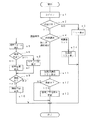
次に、図8に示す処理フロー図と共に、図9〜図17の画面イメージ説明図を参照して、システム管理プログラム20Eに従って講座案内管理サーバ11の制御装置13が実行するシステム管理処理について説明する。
【0054】
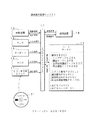
システム管理者によって講座案内管理サーバ11のWEBブラウザ(又はインターネット2に接続した他のPC端末のWEBブラウザ)が起動されてシステム管理者用のURL(Uniform Resource Locator)、すなわち講座案内管理サーバ11内のシステム管理者用のWEBページにアクセスされると、講座案内管理サーバ11はWEBブラウザに対し、図9に示す管理者ログイン画面を表示する(ステップn1)。(以下このシステム管理処理の説明において、表示とは講座案内管理サーバ11のモニタ又は前記PC端末のモニタでの表示を意味する)。
【0055】
システム管理者にIDとパスワードがキーボードで入力され、マウスでOKボタンがクリックされると、講座案内管理サーバ11はユーザテーブル20Aを参照して登録済みのID及びパスワードと照合し、認証可否を判断する(ステップn2)。認証NGの場合はエラー表示を行って処理を終了する(ステップn3)。
【0056】
認証OKの場合は図10に示すコントロールパネルを表示し、システム管理者にID&パスワード発行が選択(クリック)された場合には(ステップn4)、図11〜図13のIDパスワード発行画面のいずれか一つを表示し、ID&パスワード発行処理を実行する(ステップn5)。
【0057】
ここでは、図10のコントロールパネルで、教育団体用が選択されれば教育団体(図11)、企業担当者用が選択されれば企業担当者(図12)、社員用が選択されれば社員用(図13)の各画面を表示し、ID&パスワード発行処理を実行する。なお、ここで登録されたID及びパスワード等のユーザデータは、講座データベース20のユーザテーブル20A(図3)に格納する。
【0058】
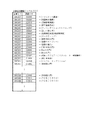
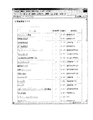
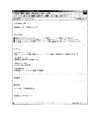
前記コントロールパネルで、システム管理者に全登録講座リストが選択されると(ステップn6)、制御装置13は講座テーブル20Bを参照して全ての講座データを読込み、図14に示す全登録講座リストを表示する(ステップn7)。なお、該全登録講座リストの教育講座名(コース名)が選択されると(例えば旅行英会話)、図15に示すように選択された教育講座の詳細画面(旅行英会話の詳細画面)を表示する。
【0059】
前記コントロールパネルで、システム管理者に全申込者リストが選択されると(ステップn8)、制御装置13は申込履歴テーブル20Dを参照して全ての申込者データを読込み、図16に示す全申込者リスト(受講者リスト)を表示する(ステップn9)。
【0060】
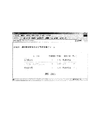
前記コントロールパネルで、システム管理者に申込状況管理フォームが選択されると(ステップn10)、制御装置13は申込履歴テーブル20Dを参照して全ての申込者データを読込み、教育団体又は企業毎にグループ化してまとめ(例えばSQL(Structured Query Language)のGroup by句を利用)、申込状況管理フォームを表示する(ステップn11)。ここで、教育団体別申込データが選択された場合には、図17の(A)に示す申込状況管理フォーム(教育団体別)を表示し、企業別申込データが選択された場合には、図17の(B)に示す申込状況管理フォーム(企業別)を表示する
以上の動作により、システム管理者によるユーザ登録(ID&パスワード発行)、全登録講座の確認、教育講座の内容確認、全受講者リストの確認、及び、企業別又は教育団体別の申込状況の確認を許容することができる。
システム管理者はこれらの登録、確認処理に基づいて、システム利用料等の課金額を決定する、受講料の支払とつき合わせて支払確認を行うといったことができる。
【0061】
次に、図18に示す処理フロー図と共に、図19〜図23の画面イメージ説明図を参照して、講座管理プログラム20Fに従って講座案内管理サーバ11の制御装置13が実行する講座管理処理について説明する。
【0062】
教育団体の講座管理員によって団体PC31のWEBブラウザが起動されて教育団体用のURL、すなわち講座案内管理サーバ11内の教育団体用のWEBページにアクセスされると、講座案内管理サーバ11はWEBブラウザに対し、図19の(C)に示す教育団体ログイン画面を表示(以下この講座管理処理の説明において、表示とは団体PC31のモニタでの表示を意味する)する(ステップp1)。
【0063】
講座管理員にIDとパスワードがキーボードで入力され、マウスでOKボタンがクリックされると、講座案内管理サーバ11はユーザテーブル20Aを参照して登録済みのID及びパスワードと照合し、認証可否を判断する(ステップp2)。認証NGの場合はエラー表示を行って処理を終了する(ステップp3)。 認証OKの場合は図19の(D)に示すコントロールパネルを表示し、講座管理員に処理を選択させる(ステップp4)。
【0064】
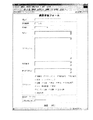
講座管理員に講座登録フォームが選択された場合には、図20に示す講座登録フォームを表示し、講座管理員に教育講座を登録させる講座登録処理を実行する(ステップp5)。このとき入力されて登録される教育講座の講座データは、講座テーブル20B(図4)に追加(insert into)して登録する。
【0065】
講座管理員に図19の(D)の画面で登録済み講座リストが選択された場合には、制御措置13が講座テーブル20B(図4)から講座管理員の所属する教育団体と教育団体IDが一致する講座データを抽出し、図21に示す登録済み講座リストを表示する(ステップp6)。
【0066】
制御装置13は、講座管理員に講座名(コース名)を選択して講座内容を確認するか、変更ボタンを選択して講座内容を変更するかの処理選択をさせる(ステップp7)。
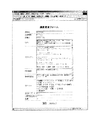
【0067】
講座管理員によって講座名(コース名)が選択された場合には(例えば英会話入門が選択)、図22に示すように講座内容の詳細画面を表示する(ステップp8)。
【0068】
講座管理員によって変更が選択された場合には(例えば旅行英会話の変更)、選択された教育講座に該当する講座データを、講座IDをキーにして講座テーブル20B(図4)から探し出し(FindFirst)、図23に示すように講座変更フォームを表示する(ステップp9)。
【0069】
講座管理員によってキャンセルボタンが選択された場合には講座データに対して何ら変更することなく終了し(ステップp10)、更新ボタンが選択された場合には、講座テーブル20B(図4)の講座IDが一致する講座データを画面に表示されている内容に変更(update)する(ステップp11)。ここで、画面上の廃講ボタンは該当する講座データを削除するためのボタンであり、更新ボタンが選択された際にここにチェックが入っていた場合には、講座IDが一致する講座データを削除(delete)する。
【0070】
以上の動作により、教育団体の講座管理者は、自団体内の団体PC31でインターネット2を介して講座案内管理サーバ11にアクセスし、講座データの追加、変更、削除を実行することができる。この追加、変更、削除については、ログイン処理で入力するIDによって操作できる講座データが自団体のものに限られるため、誤って他の教育団体の講座データを編集してしまう、あるいは他の教育団体に講座データが編集されてしまうといったことを防止できる。
【0071】
次に、図24に示す処理フロー図と共に、図25〜図32の画面イメージ説明図を参照して、講座絞込みプログラム20Gに従って講座案内管理サーバ11の制御装置13が実行する講座絞込み処理について説明する。
【0072】
企業の教育担当者によって企業PC51aのWEBブラウザが起動されて教育担当者用のURL、すなわち講座案内管理サーバ11内の教育担当者用のWEBページにアクセスされると、講座案内管理サーバ11はWEBブラウザに対し、図25の(E)に示す教育担当者ログイン画面を表示(以下この講座絞込み処理の説明において、表示とは企業PC51aのモニタでの表示を意味する)する(ステップs1)。
【0073】
教育担当者にIDとパスワードがキーボードで入力され、マウスでOKボタンがクリックされると、講座案内管理サーバ11はユーザテーブル20Aを参照して登録済みのID及びパスワードと照合し、認証可否を判断する(ステップs2)。認証NGの場合はエラー表示を行って処理を終了する(ステップs3)。
【0074】
認証OKの場合は図25の(F)に示すコントロールパネルを表示し、教育担当者に処理を選択させる(ステップs4)。
【0075】
該コントロールパネルで教育担当者に講座検索フォームが選択されると、制御装置13は、図26に示す教育担当者用講座検索フォームを表示する(ステップs5)。なお、ここでのカテゴリは単純にHTMLに記述しており、静的に表示する。
【0076】
制御装置13は教育担当者に検索方法を選択させ(ステップs6)、キーワードを入力して検索ボタンを押下するキーワード検索が選択された場合には、講座テーブル20Bを参照して講座データをキーワードに基づいて抽出する。該抽出は、入力されたキーワードがデータ内(講座名、ねらい、カリキュラム、特記事項、教材内容、カテゴリ、追加キーワード等)に存在する講座データを抽出して実行し、抽出結果を検索結果として図27に示す講座検索結果及び採用フォームを表示する(ステップs7)。このとき、制御装置13は企業採用講座テーブル20Cも参照し、既に採用している講座が存在する場合には、採用済みの講座の採用チェックボックスにチェックを入れた状態で表示する。
【0077】
前記ステップs6でカテゴリが選択された場合には、講座テーブル20Bを参照し、入力されたカテゴリと一致するカテゴリがカテゴリ項目内に存在する講座データを抽出し(例えば語学のカテゴリ)、図28に示すように一覧表示する(ステップs8)。このように講座データをカテゴリに分類しておくことで、目的の講座データを容易に探すことを可能にしている。なおこのとき、前記ステップs7と同様に採用済みの講座の採用チェックボックスにチェックを入れて表示する。
【0078】
図27は登録ボタン、又は図28で更新ボタンが押下された場合には(ステップs9)、採用チェックボックスにチェックがされている講座データの講座IDを、教育担当者の所属する企業の企業IDと共に企業採用講座テーブル20Cに追加(Add)し、逆に既にチェックされていた講座でチェックが外された講座を削除(Delete)する(ステップs10)。
【0079】
なお、リセットボタンが押下されると、制御装置13は企業採用講座テーブル20Cを参照し、現在採用している講座の採用チェックボックスのみにチェックを入れて再表示する。
【0080】
前記ステップs4で図25の(F)の採用済み講座リスト表示が選択された場合には、企業採用講座テーブル20Cから企業IDが一致するデータを抽出し、抽出後に残った講座IDと一致する講座テーブル20Bの講座データを図29に示す採用済講座リストとして表示する(ステップs11)。このとき、採用チェックボックスには全てチェックを入れて表示する。
【0081】
教育担当者によって更新ボタンが押下されると(ステップs12)、チェックされている講座を採用と、チェックが外されている講座を不採用として企業採用講座テーブル20Cを更新する(ステップs13)。すなわち、チェックが外された講座を企業採用講座テーブル20Cから削除(Delete)して、チェックがされていた講座のみを企業採用講座テーブル20Cに格納するように更新する。なお、リセットボタンが押下された場合には、全ての講座(すなわち現在採用されている講座)にチェックを入れて再表示を実行する。
【0082】
なお、図27〜図29に示した各画面において、講座名(コース名)が選択された場合には、図30、図31に示すように講座内容を詳細に表示する。
【0083】
前記ステップs4で図25の(F)に示した受講者リスト表示が選択された場合には、申込履歴テーブル20D(図6)を参照して企業IDが教育担当者の企業IDと一致するデータを抽出し、図32に示す受講者リストを表示する(ステップs14)。
【0084】
以上の動作により、企業の教育担当者は自社の社員に推奨する教育講座を厳選して選択することが可能となる。この選択の際には、キーワードによる検索やカテゴリによる検索が利用でき、また複数の似通った講座を比較するといったこともできて、大変便利に絞り込むことが可能となる。
【0085】
従来の冊子であれば、記載形式が教育団体によって全くといってよいほど異なっていたが、全ての教育団体の講座データを項目別に統一して表示することで、複数の教育団体の教育講座内容が見やすくなり、迅速・的確に比較して絞り込むことが可能となる。
【0086】
次に、図33に示す処理フロー図と共に、図34〜図38の画面イメージ説明図を参照して、絞込み講座閲覧プログラム20Hに従って講座案内管理サーバ11の制御装置13が実行する絞込み講座閲覧処理について説明する。
【0087】
企業の社員によって企業PC51bのWEBブラウザが起動されて社員用のURL、すなわち講座案内管理サーバ11内の社員用のWEBページにアクセスされると、講座案内管理サーバ11はWEBブラウザに対し、図34に示す教育担当者ログイン画面を表示する(ステップt1)。(以下この絞込み講座閲覧処理の説明において、表示とは企業PC51bのモニタでの表示を意味する)。
【0088】
社員にIDとパスワードがキーボードで入力され、マウスでOKボタンがクリックされると、講座案内管理サーバ11はユーザテーブル20Aを参照して登録済みのID及びパスワードと照合し、認証可否を判断する(ステップt2)。認証NGの場合はエラー表示を行って処理を終了する(ステップt3)。
【0089】
認証OKの場合は図35に示す社員用講座検索フォームを表示する(ステップt4)。なお、ここでのカテゴリは単純にHTMLに記述しており、静的に表示する。
【0090】
制御装置13は社員に検索方法を選択させ(ステップt)、キーワードを入力して検索ボタンを押下するキーワード検索が選択された場合には、講座テーブル20Bを参照し、前述の講座絞込み処理で絞り込まれた講座の中でキーワードに基づいて講座データを抽出する。
【0091】
すなわち、ユーザテーブル20Aから前記社員のログインしたユーザIDに対応する関連IDを参照し、講座テーブル20Bから該関連IDと講座IDが一致する講座データを抽出する。抽出した講座データの中で、入力されたキーワードがデータ内(講座名、ねらい、カリキュラム、特記事項、教材内容、カテゴリ、追加キーワード等)に存在する講座データを抽出して実行し、抽出結果を検索結果として図36に示す講座検索結果及び受講申込フォームを表示する(ステップt6)。
【0092】
前記ステップt5でカテゴリが選択された場合には、講座テーブル20Bを参照し、入力されたカテゴリと一致するカテゴリがカテゴリ項目内に存在する講座データを抽出し(例えば語学のカテゴリ)、図37に示すように一覧表示する(ステップt7)。なお、図36又は図37に示した各画面において、講座名(コース名)が選択された場合には、図30、図31に示したように講座内容を詳細に表示する。
【0093】
図36又は図37に示した画面で、申込のチェックボックスにチェック(例えば旅行英会話)がされて申込ボタンが押下されると、制御装置13は図38に示す受講申込フォームを表示する(ステップt9)。なお、リセットボタンが押下された場合には、申込のチェックボックスのチェックを全て外して再表示する。
【0094】
ここで氏名等が入力され、申し込みボタンが押下されると、制御装置13は申込履歴テーブル20Dに申し込みデータを追加(insert into)する等の申し込み処理を実行する(ステップt10)。なお、リセットボタンが押下された場合には、入力された氏名等を白紙状態にして再表示する。
【0095】
以上の動作により、社員は自社の教育担当者によって絞り込まれた教育講座の中から、自分が受講を希望する教育講座を探し出して申し込むことができる。
【0096】
なお、以上の各処理においてログイン後のユーザの識別にはCookieを使用すると良い。すなわち、各端末(団体PC31、企業PC51a、企業PC51b、システム管理者が使用する端末PC)のハードディスクに保存するCookieを利用することで、アクセスしてきた端末を認識して適切な処理を行うことができる。
【0097】
また、カテゴリを単純にHTMLで記述して表示しているが、拡張性を考慮して講座データベース20内にカテゴリテーブルを作成し、該カテゴリテーブルを参照してCGIで教育担当者用講座検索フォームを動的に生成するように構成しても良い。この場合は、カテゴリの追加、変更、削除が的確に実行でき、例えば講座テーブル20Bに格納するカテゴリを追加したにも関わらず、HTML記述の訂正を忘れて追加カテゴリが画面上に表示されないといったことを防止できる。
【0098】
以上のように構築した教育講座案内システム1により、教育団体は自己の教育講座に関する講座データを管理しておけば、毎年カタログ(冊子)を作成して企業に営業をかけるといったことをしなくとも、企業で採用する講座の候補としてもらうことが可能となる。
【0099】
また、企業毎にカタログを制作する必要もなくなり、カタログ制作及び印刷に要する費用を激減してコストダウンを図ることができる。すなわち、同じ教育講座であってもカタログ毎にデザイン制作、文字校正、製版、印刷、製本といった工程が必要であったが、教育講座毎に講座テーブル20Bに登録する講座データの文字だけをチェックすればよいこととなる。
【0100】
また、企業の教育担当者は常時最新の講座データを閲覧して絞込みを行うことができるため、教育団体のカタログが完成することを待つ必要がなくなり、また社員に配布する推奨講座案内カタログを作成する時間も削減できるため、余裕を持って手軽に教育講座を絞り込むことができる。
【0101】
また、教育団体がカタログ作成後に開講予定の講座を追加・変更・削除したい場合や、企業の依頼によって講座を追加・変更するような場合にも柔軟にすることが可能となる。
【0102】
また、社員は推奨講座案内カタログのページを見ながら何ページかを交互に見比べて比較するような煩わしさから開放され、WEBブラウザで複数のウィンドウを開き、複数の教育講座を並べて比較することが可能となる。
【0103】
このようにして、教育団体の講座管理員、教育担当者、社員の負担を大幅に軽減し、効率良く利便性の高い教育講座の案内環境を提供することが可能となる。
【0104】
なお、講座データは講座テーブルに格納するのではなく、教育団体の講座管理員が作成したHTML文をテキスト保存するように構成しても良い。この場合は各教育団体の講座管理員が自由なWEBページのレイアウトを作成することができる。
【0105】
また、講座テーブル20Bに「開講/廃講」の項目を設け、廃講ボタンがチェックされた場合には該当する講座データを企業側で見えなくするように構成しても良い。この場合は、一時的に中断している講座を一端廃講扱いにしておき、再開する場合にはチェックをはずすだけで開講状態に戻すことができる。
【0106】
また、講座データベース20を格納するサーバ、CGIを実行可能にするサーバ、URLの指定によってアクセス可能なWEBサーバは、それぞれ別々のサーバで構成し、各サーバ間で通信可能に構成しても良い。これにより、サーバ毎にセキュリティを保持することが可能となり、不正アクセスによるデータ改竄等を効果的に防止することが可能となる。
【0107】
また、講座案内管理サーバ11にはApacheではなくIIS(Internet Information Server)を組み込み、プログラムはCGIではなくASP(Active Server Pages)で作成する等、WEBブラウザからの要求に従ってWEBサーバが動的なページを送信可能な他の構成とすることができる。
【0108】
また、ユーザ登録時の個人情報送信や、ユーザ認証時のID及びパスワード送信には、SSL(Secure Socket Layer)等の暗号化技術を利用しても良い。これにより、IDとパスワード等の情報の漏洩を防止して講座案内管理サーバ11への不正アクセスを回避することができる。
【0109】
また、全登録講座リストや全申込者リスト、検索結果等の一覧表示は、教育講座名、受講者名、教育団体名(実施団体名)、受講料等の項目で、昇順や降順等、システム管理者、教育担当者、又は社員の望む形に並び替えて表示可能に構成しても良い。これにより、システム管理者、教育担当者、又は社員の利便性が向上し、例えば教育担当者が似通った内容の講座を受講料別に表示させて社員に推奨する講座を絞り込む、あるいは社員が受講したい教育講座を受講期間別に表示させて受講計画を立てるといったことが可能になる。
【0110】
また、教育講座の案内に関するデータのみではなく、講座で使用するテキスト、音声、映像等の講座データを講座データベース20に格納しても良い。これにより、講座の教育形態によっては、教育講座案内システム1のみで教育講座の案内から教育の実施までを完結させることができる。さらに修了試験を実施する等の試験機能を備え、教育効果を判定可能に構成しても良い。
【0111】
また、ID及びパスワードはシステム管理者、教育団体、教育担当者、社員でそれぞれの共通ID及び共通パスワードを使用する構成としたが、個人毎にID及びパスワードを発行しても良い。
【0112】
これにより、例えば社員同士でIDとパスワードを口頭で確認することが横行し、第三者に聞かれてしまうといった形での情報漏洩を回避できる。また、例えば社員を個人毎に登録しておけば、申込の際に毎回氏名や住所等を入力する手間を省略するといったことも可能となる。
【0113】
また、社員が自分の申し込んだ講座を一覧表示して確認できるように構成しても良い。これにより、二重申込を防止することができる。
【0114】
また、社員による申込処理が実行されると、社員当てに申込確認をE−mailで送信するように構成しても良い。これにより、社員は自分の申込が正常に実行できていることを確認することができる。
【0115】
さらに前記E−mailでの申込確認を利用し、企業のイントラネットでの承認ルートを経由して本申込を行うように構成しても良い。これにより、例えば企業で補助金を出すために受講申込には上司等の承認が必要といった場合に、必要な承認を経てから本申込を行うことができる。
【0116】
また、申込履歴テーブル20Dで本申込が完了した社員を集計し、企業毎若しくは社員毎に請求書を発行する処理を、講座案内管理サーバ11又は申込履歴テーブル20Dにアクセス可能な端末PCで実行可能に構成しても良い。この場合、企業単位で請求すのであれば締め日でまとめて請求する、あるいは本申込受付毎に請求する等、企業の都合に合わせて請求処理を実行すると良い。これにより、請求書発行に関する事務処理を軽減することができる。
【0117】
また、請求書のみならず電子マネーによる電子決済を実行し、企業からは受講料を引き落とし、教育団体には講座提供料を振り込むように構成しても良い。この場合、教育団体に振り込む口座提供料からシステム利用手数料を差し引き、システム管理業者が該システム利用手数料を取得するように構成しても良い。これにより、決済を迅速かつ正確に実行することができ、事務処理を軽減することができる。
【0118】
また、教育団体毎に特定企業に対して割引価格で提供するための割引テーブルを備えても良い。これにより、教育団体はお得意様に割引サービスを行うといったことが可能となり、教育担当者及び社員は割引価格が表示された教育講座を閲覧することができる。
【0119】
また、収納処理として、申込履歴テーブル20D(若しくは本申込を別に行う場合は本申込履歴テーブル)を利用し、企業毎に締め日で申込データをまとめて受講料の請求書を発行する(又は銀行引落等による課金をする)、あるいは申込受け付け時に企業又は/及び社員に対して受講料の請求書を発行する(又は銀行引落等による課金をする)ように構成しても良い。これにより、申込データから洩れや間違いがないように請求(集金)を行うことができると共に、請求処理に要する労力を削減することができる。
【0120】
また、申込可能期間を設定し、教育講座毎に申し込み可能期間を制限しても良い。これにより、教育団体は開講前に受講者数を把握し、スムーズに講義を行うことが可能となる。
【0121】
また、教育講座毎に受講対象者レベルを設定し、これを数字、文字、又はグラフ等で表示しても良い。これにより、例えば難易度の表示、管理職向けやリーダー向けや一般社員向け等の表示を行うことができる。なお、この受講対象者レベルは、教育講座内でさらに特定企業用にカスタマイズした表記を備えても良い。
【0122】
また、前記インターネット2は、専用回線、又はイントラネット等のローカルエリアネットワークで構成しても良い。
【0123】
また、前記講座案内管理サーバ11は、パーソナルコンピュータに限らずワークステーションで構成しても良い。
【0124】
また、前記講座絞込みプログラム20Gは、講座案内管理サーバ11の制御装置13で実行するのではなく、企業PC51aの制御装置で実行するように構成しても良い。
【0125】
また、前記絞込み講座閲覧プログラム20Hは、講座案内管理サーバ11の制御装置13で実行するのではなく、企業PC51bの制御装置で実行するように構成しても良い。
【0126】
また、前記システム管理プログラム20Eは、講座案内管理サーバ11で直接実行することのみ可能とし、他のPC端末からのアクセスではできないように構成しても良い。これにより、インターネット2を介してのデータ改竄や個人情報の漏洩を防止することができる。
【0127】
また、前記講座管理プログラム20Fは、講座案内管理サーバ11の制御装置13で実行するのではなく、団体PC31の制御装置で実行するように構成しても良い。
【0128】
また、前記講座データベース20は、SQLデータベースに限らずOracle等の他のデータベースを使用しても良い。
【0129】
また、前記講座データベース20の各テーブルは教育団体、教育担当者、社員毎に分割して構成しても良く、またデータベースのテーブルに替えてテキストファイルで構成しても良い。テキストファイルで構成して場合にはデータベースエンジンを省略し、CGIを駆使して教育講座案内システム1を構成することもできる。
【0130】
前記インストールCD−ROM21は、フロッピーディスクやMO等の記録媒体でも良く、またインターネット等のネットワークに接続されたコンピュータのハードディスクでも良い。ハードディスクの場合はダウンロードしてインストールすることができる。
【0131】
前記団体PC31、企業PC51a、企業PC51b、及び端末PCは、デスクトップ型コンピュータ、ノート型コンピュータ、PDA(Personal Digital Assistance)や携帯電話等の携帯情報端末、又はこれらの複数で構成しても良い。PDAや携帯電話等の携帯情報端末でも講座データが閲覧可能に構成する場合には、PHP(Hypertext Preprocessor)を利用する、あるいはJavaScriptによってブラウザを判定すると良い。
【0132】
前記絞込み講座閲覧処理は、絞り込まれた講座のみを閲覧するのではなく、全講座を表示して申し込みの可否を表示するように設定しても良い。この場合は、申込不可能な講座をも社員が閲覧できるため、社員が教育担当者に対して絞込み講座の対象に入れる希望を提出するといったことが可能となる。
【0133】
また、各プログラム(20E〜20H)は、CGIに限らずJAVAやC言語等の他の言語で作成しても良い。
【0134】
また、各プログラム(20E〜20H)と共に講座データベース20をインストール又は実行可能なCD−ROM等の記録媒体を作成し、該記録媒体をたとえば1年毎や半年毎といった周期で企業に配布しても良い。
【0135】
この場合は、該記録媒体を利用してスタンドアローンのPCで使用する、あるいはイントラネットを構築した社内のPCで使用するといったことが可能となる。これにより、インターネット2を介する通信を極力少なくする、あるいは排除することが可能となり、処理速度を向上すると共にセキュリティレベルを向上することができる。さらには、企業毎にプログラムをカスタマイズすることも可能となり、notes等のグループウェアに組み込むことも可能となる。
【0136】
さらにこの場合は、部署や役職をチェックボックスによる選択形式にする、社員番号の入力によって住所や氏名等の記載を省略するといったことが可能となり、社員の申込の利便性が向上する。この利便性向上は、先に図と共に説明したインターネットを利用してのシステム構成であれば、受講申込フォーム(図38)を企業毎にカスタマイズして実現することもできる。
【0137】
また、講座データベース20に記録の各データは、アクセス権に基づいてCSV(Comma Separated Values)形式等の汎用形式でデータ出力可能に構成しても良い。これにより企業で自由にデータを2次利用することが可能となり、例えば特選講座を社内報で通達する際に利用するといったことが可能となる。
【0138】
また、前記記録媒体配布においては、講座データベース20を格納した講座案内管理サーバ11と団体PC31を利用し、講座データベース20を各教育団体が更新できるように構成しても良い。
【0139】
またその代わりに、各教育団体で所定フォーマットに基づいて独自に作成された講座データベース20を、システム管理業者がデータ通信(又は記録媒体)等で受け取り、各教育団体の講座データをシステム管理業者がまとめて前述の記録媒体を作成し、企業に配布するように構成しても良い。
【0140】
これらにより、各教育団体の講座データを格納した講座データベース20の作成を効率化し、企業ではインターネットではなく記録媒体を利用してセキュリティを確保することが可能となる。
【0141】
また、教育講座は、
1)会場に受講者を集めて教育を行う講義形式の教育講座、
2)講師を招いて知識を高めるセミナー形式の教育講座、
3)ビデオやテキスト等の教育教材を送付して通信教育を行う教育講座、
4)主にCD−ROMをベースとした教材利用による教育を行うCBT(Computer Based Training)、
5)ネットワークを利用して自由な時間にそれぞれの進捗に合わせて最新の教材で学習できるWBT(Web Based Training)、
のいずれか1つ又は複数若しくは全部で構成することができる。このように様々な形式の教育講座を取り揃えることで、企業の教育担当者や社員が選択できる教育形式を増加させることができ、企業の教育担当者及び社員の満足度を向上させることができる。
【0142】
この発明の構成と、上述の実施形態との対応において、
この発明のネットワークは、実施形態のインターネット2に対応し、
以下同様に、
サーバは、講座案内管理サーバ11に対応し、
データベースは、講座データベース20に対応し、
アクセス権設定手段は、システム管理プログラム20Eを実行する制御装置13に対応し、
講座メンテナンス手段は、講座管理プログラム20Fを実行する制御装置13に対応し、
講座絞込み手段は、講座絞込みプログラム20Gを実行する制御装置13に対応し、
講座閲覧手段は、絞込み講座閲覧プログラム20Hを実行する制御装置13に対応し、
記録媒体は、インストールCD−ROM21に対応し、
端末は、団体PC31、企業PC51a、企業PC51b、及び端末PCに対応し、
絞込み処理は、講座絞込み処理に対応し、
閲覧処理は、絞込み講座閲覧処理に対応し、
教育講座案内プログラムは、講座絞込みプログラム及び絞込み講座閲覧プログラムに対応し、
講座提供事業者は、教育団体に対応し、
教育管理者は、教育担当者に対応し、
受講希望者は、社員に対応するも、
この発明は、上述の実施形態の構成のみに限定されるものではなく、多くの実施の形態を得ることができる。
【図面の簡単な説明】
【図1】教育講座案内システムのシステム構成図。
【図2】講座案内管理サーバの回路ブロック図。
【図3】ユーザテーブル20Aのデータ構造説明図。
【図4】講座テーブル20Bのデータ構造説明図。
【図5】企業採用講座テーブル20Cのデータ構造説明図。
【図6】申込履歴テーブル20Dのデータ構造説明図。
【図7】各利用者のアクセス権の説明図。
【図8】システム管理処理時の講座案内管理サーバの動作を示す処理フロー図。
【図9】画面イメージ説明図。
【図10】コントロールパネルの画面イメージ説明図。
【図11】教育団体用のIDパスワード発行画面の画面イメージ説明図。
【図12】企業担当者用のIDパスワード発行画面の画面イメージ説明図。
【図13】社員用のIDパスワード発行画面の画面イメージ説明図。
【図14】全登録講座リストの画面イメージ説明図。
【図15】教育講座の詳細画面の画面イメージ説明図。
【図16】全申込者リストの画面イメージ説明図。
【図17】申込状況管理フォームの画面イメージ説明図。
【図18】講座管理処理時の講座案内管理サーバの動作を示す処理フロー図。
【図19】教育団体ログイン画面とコントロールパネルの画面イメージ説明図。
【図20】講座登録フォームの画面イメージ説明図。
【図21】登録済み講座リストの画面イメージ説明図。
【図22】講座内容の詳細画面の画面イメージ説明図。
【図23】講座変更フォームの画面イメージ説明図。
【図24】講座絞込み処理時の講座案内管理サーバの動作を示す処理フロー図。
【図25】教育担当者ログイン画面とコントロールパネルの画面イメージ説明図。
【図26】教育担当者用講座検索フォームの画面イメージ説明図。
【図27】講座検索結果及び採用フォームの画面イメージ説明図。
【図28】カテゴリ別一覧表示の画面イメージ説明図。
【図29】採用済講座リストの画面イメージ説明図。
【図30】講座内容を詳細の画面イメージ説明図。
【図31】講座内容を詳細の画面イメージ説明図。
【図32】受講者リストの画面イメージ説明図。
【図33】絞込み講座閲覧処理時の講座案内管理サーバの動作を示す処理フロー図。
【図34】教育担当者ログイン画面の画面イメージ説明図。
【図35】社員用講座検索フォームの画面イメージ説明図。
【図36】講座検索結果及び受講申込フォームの画面イメージ説明図。
【図37】カテゴリ別一覧表示の画面イメージ説明図。
【図38】受講申込フォームの画面イメージ説明図。
【符号の説明】
1…教育講座案内システム
2…インターネット
11…講座案内管理サーバ
13…制御装置
20…講座データベース
20E…システム管理プログラム
20F…講座管理プログラム
20G…講座絞込みプログラム
20H…絞込み講座閲覧プログラム
21…インストールCD−ROM
31…団体PC
51a…企業PC(教育担当者用)
51b…企業PC(社員用)[0001]
TECHNICAL FIELD OF THE INVENTION
The present invention relates to a training course guidance method and a system, a program, and a recording medium for, for example, narrowing down training courses recommended by an educator to employees in a company and guiding the narrowed training courses to employees.
[0002]
[Prior art]
Conventionally, in the education department of a large company, a large number of educational courses provided by various educational organizations are selected and compiled, and carefully selected educational courses are compiled into a booklet, and guided to employees as recommended educational courses. Has been done. Employees view the distributed booklet and obtain information such as the field, the presence or absence of a reward, the tuition fee, and the duration of the course, and decide whether or not to wish to take the course.
[0003]
In this way, an enormous amount of work has occurred for the education department to carefully select educational courses, and there have been many inefficient parts, for example, the method of describing various information on educational courses differs depending on the educational organization.
[0004]
In this way, as a system for selecting and browsing information on educational courses (brochures, etc.), brochures are sent in the order of the most suitable from among the accounts of educational institutions such as universities, preparatory schools, study cram schools, and pamphlets of lectures. An electronic brochure distribution / browsing method and an electronic brochure system that can be browsed on a PC of an applicant have been proposed (see Patent Document 1).
[0005]
Further, as a system related to education, an education system, an education method, a recording medium, and a learning support device capable of performing individual education according to the level of each learner have been proposed (see Patent Document 2).
[0006]
[Patent Document 1]
JP 2001-41977 A
[Patent Document 2]
JP-A-2002-108190.
[0007]
[Problems to be solved by the invention]
However, the electronic brochure system of
[0008]
Further, the education system of
[0009]
The present invention provides an education course guidance method, a system, a program, and a recording medium that enable an education manager (education department of a large company or the like) to narrow down education courses and guide employees to the narrowed courses. The purpose of the present invention is to significantly reduce the labor required for creating a booklet, thereby reducing costs and improving convenience by improving work efficiency.
[0010]
[Means for Solving the Problems]
The present invention stores a plurality of course data relating to an education course in a database, allows an education manager to narrow down required course data by the course narrowing means from the database, and requests the course data to receive the narrowed course data. This is a training course guidance method for guiding a training course by allowing a user to browse through the course browsing means.
[0011]
As a result, the education manager (for example, a person in charge of the education section of a large company) carefully selects training courses to be encouraged to those who want to take the course (for example, employees who are eligible to apply for training), and the employees browse the carefully selected training courses. It becomes possible. This also allows the employee to select an education course he / she wants to attend from carefully selected education courses.
[0012]
As a preferred embodiment, the database is stored in a server, and access right setting means permits setting of an access right to the server. Thus, access to the server by a terminal via a network can be permitted.
[0013]
As a result, employees who wish to attend the course can view the course data using a personal computer or other terminal provided by the company. However, it is possible to limit the course data that can be applied for a course even if viewing is permitted.
[0014]
Further, as a preferred embodiment, the course data is set as each course data provided by a plurality of course providers, and the course provider to which a predetermined access right is set is added or deleted or provided. And / or changes can be tolerated by the course maintenance means.
As a result, a plurality of course providers can manage course data relating to their own education courses.
[0015]
Further, the present invention can be an education course guidance system configured to be able to execute the above-mentioned education course guidance method.
This makes it possible to actually operate the education course guidance system and efficiently guide the education course.
[0016]
Further, the present invention provides an educational course guide in which a narrowing process capable of narrowing down necessary course data from a database storing a plurality of course data relating to an educational course and a browsing process capable of browsing the narrowed course data are set. It can be a program.
This makes it possible to install an educational course guidance program to build an educational course guidance system, or to use an educational course guidance method, and to use a general-purpose computer such as a commercially available personal computer or workstation. Become.
[0017]
According to the present invention, there can be provided a recording medium in which the course data used in the method for guiding an education course and / or the education course guidance program described in
As a result, the course data and / or the educational course guidance program can be recorded on the recording medium and used, or can be installed on the computer from the recording medium.
[0018]
【The invention's effect】
According to the present invention, an education manager can narrow down an arbitrary educational course from a large number of educational courses, and can guide the narrowed educational course to a candidate.
[0019]
In addition, the course provider can freely add, delete, and / or change the course data of the educational courses provided by the course provider, and provide an environment where the database can be operated efficiently and the latest information can always be used. it can.
[0020]
BEST MODE FOR CARRYING OUT THE INVENTION
An embodiment of the present invention will be described below with reference to the drawings.
First, the system configuration of the education
[0021]
A course
[0022]
In a company of an educational organization (English study group in the illustrated example) that provides educational courses, an organization PC 31 composed of a personal computer is installed. The group PC 31 is connected to the
[0023]
A
[0024]
With the above system configuration, the course manager of the educational organization is the organization PC 31, the educator of the enterprise is the enterprise PC 51 a, and the employee of the enterprise is the
[0025]
Next, the internal configuration of the course
The course
[0026]
A
[0027]
The
[0028]
The keyboard 15 allows a character input such as an ID and a password and a numerical value input when performing user registration, and transmits the input character, numerical value and the like to the control device 13 as an input signal.
[0029]
The mouse 16 is a pointing device for transmitting a command such as moving a cursor and clicking an icon to the control device 13, and transmits a coordinate signal and a click signal to the control device 13 as input signals.
[0030]
The CD-
[0031]
The communication device 18 is a communication device for connecting to the Internet 2 (FIG. 1) via the router 10 (FIG. 1). According to a communication signal received from the control device 13, the group PC 31 and the
[0032]
The
[0033]
The system management program 20E, the course management program 20F, the course narrowing program 20G, and the narrowed course browsing program 20H are created by CGI (Common Gateway Interface), and are incorporated in order to make the course
[0034]
Further, the group PC 31 and the
[0035]
With the above configuration, the WEB browser of the course
[0036]
Next, the data structure stored in the
FIG. 3 shows a user table (file) 20A for managing users who can access the course
[0037]
User ID: IDs of a system administrator, an educational organization, an educator, and an employee.
Password: A password that authenticates access rights.
User classification: 1 = system administrator, 2 = educational organization, 3 = education staff, 4 = employee.
Related ID: ID for specifying course data that can be referred to.
Company name: Name of system administrator, educational organization, educator, employee, etc.
Contact person: The name of the person in charge of the company or organization.
Postcode: The postcode of the user.
Address: The address of the user.
Phone Number: The user's phone number.
FAX: User's FAX.
E-mail: E-mail of the user.
[0038]
By configuring the user table 20A in this manner, it is possible to perform user authentication using a password, set access rights, specify course data that can be referred to, and the like.
[0039]
FIG. 4 shows a course table (file) 20B in which guidance information of an educational course provided by each educational organization is stored, and is composed of the following fields (items).
[0040]
Course ID: A unique number assigned to each course.
Course name: The name of the course.
Attendance period (month): The attendance period of the course.
Attendance fee: Fee required to take the course.
Aim: The aim of the course.
Curriculum: Curriculum of the course.
Special notes: Special notes such as the need for a CD player.
Contents of teaching materials: Contents of teaching materials to be used.
Category: Classification for use in category display and search. Multiple registration is possible.
Additional keywords: Additional keywords used for search. Multiple registration is possible.
Public limited company ID: ID of a specific company that provides a dedicated course.
Educational organization ID: ID of the educational organization that provides the course.
[0041]
By configuring the course table 20B in this way, for example, if a certain educational organization accesses, only the course data provided by the educational organization can be displayed by the educational organization ID, and addition, change, and deletion of the educational course can be permitted. it can.
In addition, a person in charge of education and an employee can search for a target educational course by various search methods, such as searching by a tuition fee or a course period, or searching by category.
[0042]
FIG. 5 shows a company recruitment course table 20C showing the education courses that the educator has narrowed down to employ in his or her company, and is composed of the following fields (items).
[0043]
Company ID: A company ID for specifying a company.
Course ID: A course ID for specifying a course.
[0044]
By configuring the company recruitment course table 20C in this way, it becomes possible for the educator of the company to narrow down the training courses recommended to employees, and to allow employees of the company to view only the narrowed training courses. And so on.
[0045]
FIG. 8 shows an application history table 20D showing the data of the history of the company employees applying for attendance, and is composed of the following fields (items).
[0046]
Name: The name of the student.
Full name: The full name of the student.
Postcode: The postcode of the student.
Address: Student address.
Phone Number: Student's phone number.
E-mail: E-mail address of the student.
Application date: Date and time of application.
Course name: The name of the educational course taken.
Attendance period: Attendance period of the educational course.
Attendance fee: The amount required for attending. Even if the price increases after the application, it will be the amount at the time of application.
Related ID: ID indicating affiliation. For example, 20000037 for an employee of A Corporation.
Educational group ID: ID indicating the educational group, for example, 2000009 if applying for a lecture provided by the English language study group.
Main application: Whether or not this application has been made.
By configuring the application history table 20D in this way, it is possible to quickly display the application history for each educational organization or company, and to confirm all students.
[0047]
With the above-described table structure, the user table 20A managed by the system management company, the course table 20B managed by the educational organization, and the company recruitment course table 20C managed by the educator are mutually linked and used effectively. Can be.
[0048]
Each field of each table is defined as an appropriate type such as an integer (integer type) for an ID and a character type for a name. In addition, although each ID is configured by a numerical value, for example, the user ID and the like may be set to an easily memorable ID by allowing alphabets.
[0049]
Next, the access right of each user (a system manager, an educational organization, a company's educator, and a company's employee) will be described with reference to the explanatory diagram shown in FIG.
[0050]
The system manager can read and write all user information (user table 20A), read all course information (course table 20B), and read all applicant information (application history table 20D).
Educational organizations can read and write course information on educational courses provided by their organizations.
[0051]
The person in charge of education of the company reads all course information, reads the course information of the education course adopted by the company, reads and writes the course information of the company (company recruitment course table 20C), and the employees of the company You can read the information of the applicant who has applied for the course.
Employees of a company can read course information on education courses adopted by the company.
[0052]
By setting the access right as described above and constructing the system, the minimum necessary authority is given to each user, and data tampering due to carelessness of others and leakage of information to other companies are prevented. Can be.
[0053]
Next, the system management process executed by the control device 13 of the course
[0054]
The WEB browser of the course information management server 11 (or the WEB browser of another PC terminal connected to the Internet 2) is started by the system administrator, and the URL (Uniform Resource Locator) for the system administrator, that is, the inside of the course
[0055]
When the ID and the password are input to the system administrator with the keyboard and the OK button is clicked with the mouse, the course
[0056]
If the authentication is OK, the control panel shown in FIG. 10 is displayed. If the ID and password issuance is selected (clicked) by the system administrator (step n4), one of the ID password issuance screens of FIGS. One is displayed and an ID & password issuance process is executed (step n5).
[0057]
Here, in the control panel of FIG. 10, if an organization for an educational organization is selected, an educational organization (FIG. 11) is selected. If an organization for a company is selected, an employee of the enterprise is selected (FIG. 12). (FIG. 13) is displayed, and an ID & password issuance process is executed. The user data such as the ID and the password registered here are stored in the user table 20A (FIG. 3) of the
[0058]
When the system administrator selects the all registered course list on the control panel (step n6), the control device 13 reads all the course data with reference to the course table 20B, and reads the all registered course list shown in FIG. It is displayed (step n7). When an education course name (course name) in the list of all registered courses is selected (for example, travel English conversation), a detailed screen (travel English conversation detail screen) of the selected education course is displayed as shown in FIG. .
[0059]
When the list of all applicants is selected by the system administrator on the control panel (step n8), the control device 13 reads all applicant data with reference to the application history table 20D, and displays all applicant data shown in FIG. A list (participant list) is displayed (step n9).
[0060]
When an application status management form is selected by the system administrator on the control panel (step n10), the control device 13 reads all the application data with reference to the application history table 20D and sets the group for each educational organization or company. Then, the application status management form is displayed (step n11), and the application status management form is displayed (for example, using a Group By phrase in SQL (Structured Query Language)) (step n11). Here, when the application data for each educational organization is selected, an application status management form (for each educational organization) shown in FIG. 17A is displayed, and when the application data for each company is selected, FIG. Display the application status management form (by company) shown in 17 (B)
By the above operations, the system administrator can perform user registration (issue ID & password), check all registered courses, check the contents of educational courses, check the list of all students, and check the application status by company or educational organization. Can be tolerated.
Based on these registration and confirmation processes, the system administrator can determine the amount to be charged such as the system usage fee, and can confirm the payment in conjunction with the payment of the tuition fee.
[0061]
Next, a course management process executed by the control device 13 of the course
[0062]
When the course manager of the educational organization starts the web browser of the group PC 31 and accesses the URL for the educational organization, that is, the web page for the educational organization in the course
[0063]
When the ID and the password are input to the course manager by the keyboard and the OK button is clicked with the mouse, the course
[0064]
When the course registration form is selected by the course manager, a course registration form shown in FIG. 20 is displayed, and a course registration process is performed to allow the course manager to register an educational course (step p5). At this time, the course data of the educational course to be input and registered is added (insert into) to the course table 20B (FIG. 4) and registered.
[0065]
When the registered course list is selected by the course manager on the screen shown in FIG. 19D, the control unit 13 determines from the course table 20B (FIG. 4) the educational organization and the educational organization ID to which the course manager belongs. The matching course data is extracted, and the registered course list shown in FIG. 21 is displayed (step p6).
[0066]
The control device 13 allows the course manager to select a course name (course name) to confirm the course contents or to select a process to change the course contents by selecting a change button (step p7).
[0067]
When a course name (course name) is selected by the course manager (for example, introduction to English conversation is selected), a detailed screen of the course contents is displayed as shown in FIG. 22 (step p8).
[0068]
When a change is selected by the course manager (for example, a change in travel English conversation), the course data corresponding to the selected educational course is searched from the course table 20B (FIG. 4) using the course ID as a key (FindFirst). Then, a course change form is displayed as shown in FIG. 23 (step p9).
[0069]
If the cancel button is selected by the course manager, the process ends without any change to the course data (step p10), and if the update button is selected, the course ID in the course table 20B (FIG. 4). Is changed (updated) to the contents displayed on the screen (step p11). Here, the abolished course button on the screen is a button for deleting the corresponding course data, and if the check is selected when the update button is selected, the course data with the matching course ID is deleted. Delete.
[0070]
With the above operation, the course manager of the educational organization can access the course
[0071]
Next, the course narrowing process executed by the control device 13 of the course
[0072]
When the web browser of the corporate PC 51a is activated by the educator of the company and accesses the URL for the educator, that is, the web page for the educator in the course
[0073]
When the ID and the password are input to the educator by the keyboard and the OK button is clicked by the mouse, the course
[0074]
If the authentication is OK, the control panel shown in FIG. 25F is displayed, and the educator selects a process (step s4).
[0075]
When the course search form is selected by the educator on the control panel, the controller 13 displays the educator course search form shown in FIG. 26 (step s5). Note that the category here is simply described in HTML and is displayed statically.
[0076]
The controller 13 allows the educator to select a search method (step s6). If a keyword search in which a keyword is entered and a search button is pressed is selected, the course data is converted to a keyword by referring to the course table 20B. Extract based on The extraction is performed by extracting and executing the course data in which the input keyword exists in the data (the course name, the purpose, the curriculum, the special notes, the contents of the teaching material, the category, the additional keyword, etc.), and the extraction result is used as a search result. The course search result and the adoption form shown in FIG. 27 are displayed (step s7). At this time, the control device 13 also refers to the company adoption course table 20C, and if there is a course that has already been adopted, displays the check box of the adoption of the course that has been adopted.
[0077]
When a category is selected in step s6, the course table 20B is referenced to extract the course data in which a category matching the input category exists in the category item (for example, a language category). A list is displayed as shown (step s8). By classifying the course data in this way, it is possible to easily search for the desired course data. At this time, as in the case of the step s7, a check is made in the adoption check box of the course which has already been adopted and displayed.
[0078]
FIG. 27 shows a case where the registration button or the update button in FIG. 28 is pressed (step s9), and the course ID of the course data whose recruitment check box is checked is replaced with the company ID of the company to which the education staff belongs. At the same time, it adds (Add) to the company recruitment course table 20C, and deletes (Delete) a course that has been unchecked among courses that have already been checked (Step s10).
[0079]
When the reset button is pressed, the control device 13 refers to the company employment course table 20C, checks only the employment check box of the course currently adopted, and redisplays it.
[0080]
When the adopted course list display of FIG. 25 (F) is selected in step s4, data matching the company ID is extracted from the company adopted course table 20C, and the course matching the remaining course ID after the extraction is extracted. The course data in the table 20B is displayed as an adopted course list shown in FIG. 29 (step s11). At this time, all the adoption check boxes are checked and displayed.
[0081]
When the update button is pressed by the educator (step s12), the checked course is adopted, and the unchecked course is rejected, and the company adopted course table 20C is updated (step s13). In other words, the unchecked course is deleted (Delete) from the company adoption course table 20C, and only the checked course is updated to be stored in the company adoption course table 20C. When the reset button is pressed, all courses (that is, courses currently adopted) are checked and redisplay is performed.
[0082]
When a course name (course name) is selected on each screen shown in FIGS. 27 to 29, the contents of the course are displayed in detail as shown in FIGS.
[0083]
If the student list display shown in FIG. 25 (F) is selected in step s4, the data whose company ID matches the company ID of the person in charge of education with reference to the application history table 20D (FIG. 6). Is extracted and the student list shown in FIG. 32 is displayed (step s14).
[0084]
With the above operation, the educator of the company can carefully select and select the education course recommended for the employee of the company. At the time of this selection, a search by a keyword or a search by a category can be used, and a plurality of similar courses can be compared, so that it is possible to narrow down the search very conveniently.
[0085]
In the case of the conventional booklet, the description format was almost completely different depending on the educational organizations, but by displaying the course data of all educational organizations unified by item, the contents of the educational courses of multiple educational organizations This makes it easier to see, and it is possible to quickly and accurately compare and narrow down.
[0086]
Next, referring to the screen image explanatory diagrams of FIGS. 34 to 38 together with the processing flow diagram shown in FIG. 33, the narrowed course browsing process executed by the control device 13 of the course
[0087]
When the employee of the company activates the web browser of the
[0088]
When the employee inputs the ID and password with the keyboard and clicks the OK button with the mouse, the course
[0089]
If the authentication is OK, the employee course search form shown in FIG. 35 is displayed (step t4). Note that the category here is simply described in HTML and is displayed statically.
[0090]
The control device 13 prompts the employee to select a search method (step t). If a keyword search in which a keyword is entered and a search button is pressed is selected, the controller 13 refers to the course table 20B and narrows down by the course narrowing process described above. The course data is extracted based on the keywords in the selected course.
[0091]
In other words, the user refers to the related ID corresponding to the user's logged-in user ID from the user table 20A, and extracts the course data whose course ID matches the related ID from the course table 20B. In the extracted course data, extract and execute the course data in which the input keyword exists in the data (course name, aim, curriculum, special instructions, teaching material contents, category, additional keywords, etc.), and execute the extraction result. The course search result and the attendance application form shown in FIG. 36 are displayed as the search result (step t6).
[0092]
When a category is selected in step t5, the course data is extracted (for example, a language category) in which a category matching the input category exists in the category item with reference to the course table 20B. A list is displayed as shown (step t7). When a course name (course name) is selected on each screen shown in FIG. 36 or FIG. 37, the contents of the course are displayed in detail as shown in FIG. 30 and FIG.
[0093]
When the check box of the application is checked (for example, travel English conversation) on the screen shown in FIG. 36 or 37 and the application button is pressed, the control device 13 displays the attendance application form shown in FIG. 38 (step t9). ). When the reset button is pressed, all application check boxes are unchecked and the application is displayed again.
[0094]
Here, when the name and the like are input and the application button is pressed, the control device 13 executes an application process such as adding application data to the application history table 20D (insert into) (step t10). When the reset button is pressed, the input name and the like are blanked and displayed again.
[0095]
Through the above operation, the employee can find out and apply for an education course he / she wants to attend from among the education courses narrowed down by the in-house education staff.
[0096]
In each of the above processes, it is preferable to use a Cookie to identify the user after logging in. That is, by using the Cookie stored in the hard disk of each terminal (the group PC 31, the company PC 51a, the
[0097]
Although the categories are simply described and displayed in HTML, a category table is created in the
[0098]
With the educational
[0099]
In addition, there is no need to produce a catalog for each company, and the cost required for catalog production and printing can be drastically reduced, thereby achieving cost reduction. That is, although the same educational course requires processes such as design production, character proofreading, plate making, printing, and bookbinding for each catalog, only the characters of the course data to be registered in the course table 20B for each educational course need to be checked. That would be good.
[0100]
In addition, since the educator of the company can always browse the latest course data and refine it, there is no need to wait for the catalog of the educational organization to be completed, and a recommended course guide catalog to be distributed to employees Since the time required for the training can be reduced, it is possible to easily narrow down the education courses with plenty of time.
[0101]
It is also possible to provide flexibility when an educational organization wants to add, change, or delete a course scheduled to be opened after creating a catalog, or when adding or changing a course at the request of a company.
[0102]
In addition, employees are freed from the hassle of comparing and comparing several pages while viewing the pages of the recommended course guide catalog. It is possible to open multiple windows on a web browser and compare multiple educational courses side by side. It becomes possible.
[0103]
In this way, it is possible to greatly reduce the burden on the course managers, educators, and employees of the educational organization, and to provide an efficient and convenient guide environment for educational courses.
[0104]
Instead of storing the course data in the course table, an HTML sentence created by the course manager of the educational organization may be stored as text. In this case, the course manager of each educational organization can create a free web page layout.
[0105]
In addition, an item of “starting course / discontinued course” may be provided in the course table 20B so that when the discontinued course button is checked, the corresponding course data is made invisible on the company side. In this case, the temporarily interrupted course may be temporarily discarded, and when the course is restarted, the course can be returned to the open state by simply removing the check.
[0106]
The server that stores the
[0107]
The web server responds to a request from the web browser, such as by incorporating an IIS (Internet Information Server) instead of Apache into the course
[0108]
Further, encryption technology such as SSL (Secure Socket Layer) may be used for transmitting personal information at the time of user registration and transmitting ID and password at the time of user authentication. This makes it possible to prevent information such as an ID and a password from being leaked and to prevent unauthorized access to the course
[0109]
In addition, the list of all registered courses, all applicants, and search results are displayed in a system such as ascending or descending order, which includes the names of educational courses, students, educational organizations (implementing organizations), and tuition fees. It may be configured such that it can be rearranged and displayed in a form desired by an administrator, an educator, or an employee. This improves the convenience for system administrators, educators, or employees.For example, educators want to display courses with similar contents by tuition fee and narrow down the courses recommended to employees, or employees want to take courses It is possible to display an educational course according to a course period and make a course plan.
[0110]
The
[0111]
In addition, the system administrator, the educational organization, the person in charge of education, and the employee use the common ID and the common password for the ID and the password. However, the ID and the password may be issued for each individual.
[0112]
As a result, for example, it is possible to prevent the information leakage in a form in which the employees verbally confirm the ID and the password between the employees and are asked by a third party. Further, for example, if an employee is registered for each individual, it is possible to omit the trouble of inputting a name, an address and the like every time when applying.
[0113]
In addition, a configuration may be employed in which employees can list and confirm courses that they have applied for. Thereby, double application can be prevented.
[0114]
Further, when an application process is performed by an employee, an application confirmation may be transmitted to the employee by e-mail. Thus, the employee can confirm that his / her application has been executed normally.
[0115]
Further, the present application may be configured to perform the main application via an approval route on a company intranet by using the application confirmation in the E-mail. In this way, for example, in a case where the attendance application requires approval from a supervisor or the like in order to issue a subsidy in a company, the main application can be made after the necessary approval.
[0116]
In addition, the process of counting the employees who have completed this application in the application history table 20D and issuing a bill for each company or each employee can be executed by the course
[0117]
In addition, not only the bill but also electronic settlement by electronic money may be executed, the tuition fee may be deducted from the company, and the course provision fee may be transferred to the educational organization. In this case, the system usage fee may be subtracted from the account providing fee to be transferred to the educational organization, and the system management company may acquire the system usage fee. As a result, the settlement can be executed quickly and accurately, and the paperwork can be reduced.
[0118]
Further, a discount table for providing a specific company at a discount price for each educational organization may be provided. As a result, the educational organization can provide the customer with a discount service, and the person in charge of education and the employee can browse the educational course in which the discount price is displayed.
[0119]
In addition, as a storage process, the application history table 20D (or the main application history table when the main application is performed separately) is used to collect application data on the closing date for each company and issue a bill for the tuition (or bank debit). Etc.) or an invoice for a tuition fee may be issued to a company or / and an employee when an application is received (or a fee may be charged by bank debit or the like). As a result, billing (collection) can be performed so that there is no omission or error from the application data, and the labor required for billing processing can be reduced.
[0120]
Further, an application possible period may be set, and the application possible period may be limited for each educational course. As a result, the educational organization can grasp the number of attendees before the course starts, and can smoothly give a lecture.
[0121]
Further, the level of the subject to be attended may be set for each educational course, and this may be displayed by a number, a character, a graph, or the like. As a result, for example, it is possible to display a difficulty level, a display for managers, a leader, or a general employee. Note that the attendee level may include a notation customized for a specific company in the education course.
[0122]
Further, the
[0123]
The course
[0124]
Further, the course narrowing program 20G may be configured to be executed not by the control device 13 of the course
[0125]
Further, the narrowed-down course browsing program 20H may not be executed by the control unit 13 of the course
[0126]
Further, the system management program 20E may be configured so that it can only be directly executed by the course
[0127]
Further, the course management program 20F may be configured not to be executed by the control device 13 of the course
[0128]
The
[0129]
Further, each table of the
[0130]
The installation CD-
[0131]
The group PC 31, the corporate PC 51a, the
[0132]
The narrowed course browsing process may be set so as to display not only the narrowed courses but also all courses and display whether or not the application is possible. In this case, the employee can view the course that cannot be applied, so that the employee can submit a request to the educator to be included in the narrowed course.
[0133]
In addition, each program (20E to 20H) is not limited to CGI and may be created in another language such as JAVA or C language.
[0134]
In addition, a recording medium such as a CD-ROM in which the
[0135]
In this case, the recording medium can be used on a stand-alone PC, or can be used on an in-house PC having an intranet. This makes it possible to reduce or eliminate communication via the
[0136]
Further, in this case, it is possible to select a department or position by a check box, or to omit entry of an address or name by inputting an employee number, thereby improving the convenience of employee application. This improvement in convenience can be realized by customizing the attendance application form (FIG. 38) for each company if the system configuration uses the Internet described above with reference to the drawings.
[0137]
Further, each data recorded in the
[0138]
Further, in the distribution of the recording medium, the
[0139]
Alternatively, the system management company receives the
[0140]
As a result, the efficiency of creating the
[0141]
In addition, education course,
1) Lecture-style education courses in which participants are gathered at the venue and educated,
2) Seminar-style education courses that invite instructors to enhance knowledge,
3) Education courses to send distance learning by sending educational materials such as videos and texts,
4) CBT (Computer Based Training), which mainly provides education using teaching materials based on CD-ROM,
5) WBT (Web Based Training), which allows you to learn with the latest teaching materials according to your progress at your free time using the network.
, Or a plurality or all of them. By providing various types of educational courses in this way, the number of educational formats that can be selected by educators and employees of the company can be increased, and the satisfaction of educators and employees of the company can be improved.
[0142]
In correspondence between the configuration of the present invention and the above embodiment,
The network of the present invention corresponds to the
Similarly,
The server corresponds to the course
The database corresponds to the
The access right setting means corresponds to the control device 13 that executes the system management program 20E,
The course maintenance means corresponds to the control device 13 that executes the course management program 20F,
The course narrowing-down means corresponds to the control device 13 that executes the course narrowing-down program 20G,
The course browsing means corresponds to the control device 13 that executes the narrowed course browsing program 20H,
The recording medium corresponds to the installation CD-
The terminals correspond to the group PC 31, the company PC 51a, the
The narrowing down process corresponds to the course narrowing down process,
The browsing process corresponds to the narrowing course browsing process,
Education course guidance program corresponds to course narrowing program and narrowing course browsing program,
Course providers respond to educational organizations,
The education manager responds to the educator,
Students who wish to attend will respond to employees,
The present invention is not limited to the configuration of the above-described embodiment, but can obtain many embodiments.
[Brief description of the drawings]
FIG. 1 is a system configuration diagram of an education course guidance system.
FIG. 2 is a circuit block diagram of a course guidance management server.
FIG. 3 is a diagram illustrating a data structure of a user table 20A.
FIG. 4 is a diagram illustrating a data structure of a course table 20B.
FIG. 5 is an explanatory diagram of a data structure of a company employment course table 20C.
FIG. 6 is an explanatory diagram of a data structure of an application history table 20D.
FIG. 7 is an explanatory diagram of access rights of each user.
FIG. 8 is a processing flowchart showing the operation of the course guidance management server during the system management processing.
FIG. 9 is an explanatory diagram of a screen image.
FIG. 10 is an explanatory diagram of a screen image of a control panel.
FIG. 11 is a diagram illustrating a screen image of an ID password issuance screen for an educational organization.
FIG. 12 is an explanatory diagram of a screen image of an ID password issuance screen for a company representative.
FIG. 13 is an explanatory diagram of a screen image of an employee ID password issuance screen.
FIG. 14 is an explanatory diagram of a screen image of a list of all registered courses.
FIG. 15 is an explanatory diagram of a screen image of a detailed screen of an educational course.
FIG. 16 is an explanatory diagram of a screen image of a list of all applicants.
FIG. 17 is an explanatory diagram of a screen image of an application status management form.
FIG. 18 is a processing flowchart showing the operation of the course guidance management server during the course management processing.
FIG. 19 is an explanatory diagram of a screen image of an educational group login screen and a control panel.
FIG. 20 is an explanatory diagram of a screen image of a course registration form.
FIG. 21 is an explanatory diagram of a screen image of a registered course list.
FIG. 22 is an explanatory diagram of a screen image of a detailed screen of course contents.
FIG. 23 is an explanatory diagram of a screen image of a course change form.
FIG. 24 is a processing flowchart showing the operation of the course guidance management server during course narrowing processing.
FIG. 25 is an explanatory diagram of a screen image of an education staff login screen and a control panel.
FIG. 26 is an explanatory diagram of a screen image of a course search form for an educator.
FIG. 27 is an explanatory diagram of a screen image of a course search result and an adoption form.
FIG. 28 is an explanatory diagram of a screen image of a list display by category.
FIG. 29 is an explanatory diagram of a screen image of an adopted course list.
FIG. 30 is an explanatory diagram of a screen image showing details of course contents.
FIG. 31 is an explanatory diagram of a screen image showing details of course contents.
FIG. 32 is an explanatory diagram of a screen image of a student list.
FIG. 33 is a processing flowchart showing the operation of the course guidance management server during the narrowed course browsing processing.
FIG. 34 is an explanatory diagram of a screen image of an education staff login screen.
FIG. 35 is an explanatory diagram of a screen image of a course search form for employees.
FIG. 36 is an explanatory diagram of a screen image of a course search result and a course application form.
FIG. 37 is an explanatory diagram of a screen image of a list display by category.
FIG. 38 is an explanatory diagram of a screen image of a course application form.
[Explanation of symbols]
1. Education course information system
2. Internet
11: Course information management server
13 ... Control device
20… Course database
20E: System management program
20F… Course management program
20G: Course narrowing program
20H… Narrowing course browsing program
21: Installation CD-ROM
31… Group PC
51a… Company PC (for education staff)
51b: Corporate PC (for employees)
Claims (6)
該データベースから教育管理者が講座絞込み手段で必要な講座データを絞り込む絞込み処理を許容し、
該絞込まれた講座データを受講希望者が講座閲覧手段で閲覧できるようにして、前記教育講座を案内する
教育講座案内方法。Store multiple course data related to education courses in a database,
From the database, the education manager allows a narrowing process of narrowing down necessary course data by a course narrowing means,
An educational course guidance method for guiding the educational course by allowing the applicant who wants to attend the course data to be browsed by the course browsing means.
アクセス権設定手段で該サーバへのアクセス権の設定を許容し、
所定のアクセス権が設定された前記教育管理者及び前記受講希望者に対して前記サーバにネットワークを介して端末でアクセスすることを許容する
請求項1記載の教育講座案内方法。Storing the database on a server,
Permitting the setting of the access right to the server by the access right setting means,
2. The education course guidance method according to claim 1, wherein the education manager and the student who want to take the course, to which a predetermined access right is set, are allowed to access the server with a terminal via a network.
所定のアクセス権が設定された該講座提供事業者に対し、提供する講座データの追加と削除又は/及び変更を講座メンテナンス手段で許容する
請求項2記載の教育講座案内方法。The course data as each course data provided by a plurality of course providers,
3. The education course guidance method according to claim 2, wherein the course maintenance company to which a predetermined access right is set allows addition, deletion, and / or change of course data to be provided by course maintenance means.
前記データベース、前記講座絞込み手段、及び前記講座閲覧手段を備えて実行可能に構成した
教育講座案内システム。The method for guiding an education course according to claim 1, 2 or 3,
An education course guidance system configured to be executable including the database, the course narrowing means, and the course browsing means.
該絞込まれた講座データを閲覧可能な閲覧処理とを設定した
教育講座案内プログラム。A narrowing-down process capable of narrowing down necessary course data from a database in which a plurality of course data related to an education course is stored;
An educational course guide program in which browsing processing capable of browsing the narrowed course data is set.
記録媒体。A recording medium for recording the course data used in the method for guiding an education course according to claim 1, 2 or 3, and / or the program for guiding an education course according to claim 5.
Priority Applications (1)
| Application Number | Priority Date | Filing Date | Title |
|---|---|---|---|
| JP2002266952A JP2004102902A (en) | 2002-09-12 | 2002-09-12 | Method and system for guiding educational lecture, and program therefor |
Applications Claiming Priority (1)
| Application Number | Priority Date | Filing Date | Title |
|---|---|---|---|
| JP2002266952A JP2004102902A (en) | 2002-09-12 | 2002-09-12 | Method and system for guiding educational lecture, and program therefor |
Publications (1)
| Publication Number | Publication Date |
|---|---|
| JP2004102902A true JP2004102902A (en) | 2004-04-02 |
Family
ID=32265621
Family Applications (1)
| Application Number | Title | Priority Date | Filing Date |
|---|---|---|---|
| JP2002266952A Pending JP2004102902A (en) | 2002-09-12 | 2002-09-12 | Method and system for guiding educational lecture, and program therefor |
Country Status (1)
| Country | Link |
|---|---|
| JP (1) | JP2004102902A (en) |
Cited By (2)
| Publication number | Priority date | Publication date | Assignee | Title |
|---|---|---|---|---|
| JP2021099766A (en) * | 2019-12-23 | 2021-07-01 | 翼 篠原 | Target-selective learning support platform, learning support device, and program |
| JP2024040687A (en) * | 2022-09-13 | 2024-03-26 | Npo法人日本ケアマネジャー協会 | e-learning management device |
-
2002
- 2002-09-12 JP JP2002266952A patent/JP2004102902A/en active Pending
Cited By (4)
| Publication number | Priority date | Publication date | Assignee | Title |
|---|---|---|---|---|
| JP2021099766A (en) * | 2019-12-23 | 2021-07-01 | 翼 篠原 | Target-selective learning support platform, learning support device, and program |
| JP7054245B2 (en) | 2019-12-23 | 2022-04-13 | 翼 篠原 | Target-selective learning support platform, learning support device and program |
| JP2024040687A (en) * | 2022-09-13 | 2024-03-26 | Npo法人日本ケアマネジャー協会 | e-learning management device |
| JP7841708B2 (en) | 2022-09-13 | 2026-04-07 | Npo法人日本ケアマネジャー協会 | e-learning management system |
Similar Documents
| Publication | Publication Date | Title |
|---|---|---|
| Ehrenpreis et al. | Implementing a chatbot on a library website | |
| US8787820B2 (en) | Content creation in an online learning environment | |
| US9053500B2 (en) | Internet-based education support system and method with multi-language capability | |
| US6813474B2 (en) | System and method for creating, processing and managing educational content within and between schools | |
| US20040153508A1 (en) | Internet-based education support system, method and medium providing security attributes in modular, extensible components | |
| Walsh et al. | Digital humanities in the iSchool | |
| US20040153509A1 (en) | Internet-based education support system, method and medium with modular text-editing component for use in a web-based application | |
| US20030222900A1 (en) | Computer assisted and/or implemented process and system for selecting, storing, and retrieving slides and slidekits, including to a personal folder, for healthcare providers | |
| US20020194100A1 (en) | Computerized portfolio and assessment system | |
| US20080086678A1 (en) | System and method for preparing distributable multimedia presentations over the internet | |
| Ganaee et al. | Pakistani university library web sites: Features, contents, and maintenance issues | |
| KR102226193B1 (en) | Contents distribution management method and apparatus | |
| AU2008203205B2 (en) | A computerized portfolio and assessment system | |
| US20020115052A1 (en) | Electronic editor tool for educational courses in an on-line educational system | |
| Borchert | Untangling the jungle of e-journal access issues using CRM software | |
| JP2004102902A (en) | Method and system for guiding educational lecture, and program therefor | |
| Blackmon | Student privacy and data literacy: An educational opportunity | |
| CA2496285C (en) | Internet-based education support system, method and medium providing security attributes in modular, extensible components | |
| JP7818753B2 (en) | Donation support device and donation support program | |
| AU2002219962A1 (en) | A computerized portfolio and assessment system | |
| JP2006276396A (en) | Educational system and educational management device | |
| Yadav | Open Access Publishing | |
| Ubogu et al. | Library subject portals: an investigation of possibilities for the University of the Witwatersrand Library | |
| Leung et al. | Information Literacy General Resources, Tools and How to Access Them | |
| Baker | The Service Side of Systems Librarianship |
Legal Events
| Date | Code | Title | Description |
|---|---|---|---|
| A621 | Written request for application examination |
Free format text: JAPANESE INTERMEDIATE CODE: A621 Effective date: 20050809 |
|
| A131 | Notification of reasons for refusal |
Free format text: JAPANESE INTERMEDIATE CODE: A131 Effective date: 20080415 |
|
| A521 | Request for written amendment filed |
Free format text: JAPANESE INTERMEDIATE CODE: A523 Effective date: 20080611 |
|
| A131 | Notification of reasons for refusal |
Free format text: JAPANESE INTERMEDIATE CODE: A131 Effective date: 20080805 |
|
| RD13 | Notification of appointment of power of sub attorney |
Free format text: JAPANESE INTERMEDIATE CODE: A7433 Effective date: 20080808 |
|
| A521 | Request for written amendment filed |
Free format text: JAPANESE INTERMEDIATE CODE: A821 Effective date: 20080811 |
|
| A521 | Request for written amendment filed |
Free format text: JAPANESE INTERMEDIATE CODE: A523 Effective date: 20081002 |
|
| A02 | Decision of refusal |
Free format text: JAPANESE INTERMEDIATE CODE: A02 Effective date: 20081216 |