JP2009151702A - Information processing apparatus, information processing method, and program - Google Patents
Information processing apparatus, information processing method, and program Download PDFInfo
- Publication number
- JP2009151702A JP2009151702A JP2007330952A JP2007330952A JP2009151702A JP 2009151702 A JP2009151702 A JP 2009151702A JP 2007330952 A JP2007330952 A JP 2007330952A JP 2007330952 A JP2007330952 A JP 2007330952A JP 2009151702 A JP2009151702 A JP 2009151702A
- Authority
- JP
- Japan
- Prior art keywords
- document
- display
- information
- information processing
- page
- Prior art date
- Legal status (The legal status is an assumption and is not a legal conclusion. Google has not performed a legal analysis and makes no representation as to the accuracy of the status listed.)
- Pending
Links
Images






Classifications
-
- G—PHYSICS
- G06—COMPUTING OR CALCULATING; COUNTING
- G06F—ELECTRIC DIGITAL DATA PROCESSING
- G06F3/00—Input arrangements for transferring data to be processed into a form capable of being handled by the computer; Output arrangements for transferring data from processing unit to output unit, e.g. interface arrangements
- G06F3/12—Digital output to print unit, e.g. line printer, chain printer
- G06F3/1201—Dedicated interfaces to print systems
- G06F3/1202—Dedicated interfaces to print systems specifically adapted to achieve a particular effect
- G06F3/1203—Improving or facilitating administration, e.g. print management
- G06F3/1207—Improving or facilitating administration, e.g. print management resulting in the user being informed about print result after a job submission
-
- G—PHYSICS
- G06—COMPUTING OR CALCULATING; COUNTING
- G06F—ELECTRIC DIGITAL DATA PROCESSING
- G06F3/00—Input arrangements for transferring data to be processed into a form capable of being handled by the computer; Output arrangements for transferring data from processing unit to output unit, e.g. interface arrangements
- G06F3/12—Digital output to print unit, e.g. line printer, chain printer
- G06F3/1201—Dedicated interfaces to print systems
- G06F3/1223—Dedicated interfaces to print systems specifically adapted to use a particular technique
- G06F3/1237—Print job management
- G06F3/1244—Job translation or job parsing, e.g. page banding
- G06F3/1246—Job translation or job parsing, e.g. page banding by handling markup languages, e.g. XSL, XML, HTML
-
- G—PHYSICS
- G06—COMPUTING OR CALCULATING; COUNTING
- G06F—ELECTRIC DIGITAL DATA PROCESSING
- G06F3/00—Input arrangements for transferring data to be processed into a form capable of being handled by the computer; Output arrangements for transferring data from processing unit to output unit, e.g. interface arrangements
- G06F3/12—Digital output to print unit, e.g. line printer, chain printer
- G06F3/1201—Dedicated interfaces to print systems
- G06F3/1223—Dedicated interfaces to print systems specifically adapted to use a particular technique
- G06F3/1237—Print job management
- G06F3/1259—Print job monitoring, e.g. job status
-
- G—PHYSICS
- G06—COMPUTING OR CALCULATING; COUNTING
- G06F—ELECTRIC DIGITAL DATA PROCESSING
- G06F3/00—Input arrangements for transferring data to be processed into a form capable of being handled by the computer; Output arrangements for transferring data from processing unit to output unit, e.g. interface arrangements
- G06F3/12—Digital output to print unit, e.g. line printer, chain printer
- G06F3/1201—Dedicated interfaces to print systems
- G06F3/1223—Dedicated interfaces to print systems specifically adapted to use a particular technique
- G06F3/1275—Print workflow management, e.g. defining or changing a workflow, cross publishing
- G06F3/1276—Print workflow management, e.g. defining or changing a workflow, cross publishing within a printer driver, e.g. driver resides either on a server or on a client
-
- G—PHYSICS
- G06—COMPUTING OR CALCULATING; COUNTING
- G06F—ELECTRIC DIGITAL DATA PROCESSING
- G06F3/00—Input arrangements for transferring data to be processed into a form capable of being handled by the computer; Output arrangements for transferring data from processing unit to output unit, e.g. interface arrangements
- G06F3/12—Digital output to print unit, e.g. line printer, chain printer
- G06F3/1201—Dedicated interfaces to print systems
- G06F3/1278—Dedicated interfaces to print systems specifically adapted to adopt a particular infrastructure
- G06F3/1284—Local printer device
-
- G—PHYSICS
- G06—COMPUTING OR CALCULATING; COUNTING
- G06F—ELECTRIC DIGITAL DATA PROCESSING
- G06F3/00—Input arrangements for transferring data to be processed into a form capable of being handled by the computer; Output arrangements for transferring data from processing unit to output unit, e.g. interface arrangements
- G06F3/12—Digital output to print unit, e.g. line printer, chain printer
- G06F3/1201—Dedicated interfaces to print systems
- G06F3/1278—Dedicated interfaces to print systems specifically adapted to adopt a particular infrastructure
- G06F3/1285—Remote printer device, e.g. being remote from client or server
Landscapes
- Engineering & Computer Science (AREA)
- Theoretical Computer Science (AREA)
- Human Computer Interaction (AREA)
- Physics & Mathematics (AREA)
- General Engineering & Computer Science (AREA)
- General Physics & Mathematics (AREA)
- Accessory Devices And Overall Control Thereof (AREA)
- User Interface Of Digital Computer (AREA)
Abstract
【課題】 従来、印刷処理の進捗の表示においては、印刷がすすんでいることはわかるが、実際にどこまで印刷されたか、現在処理されているのはドキュメントのどの内容に対応するものなのか、といった具体的な情報の提供が不足していた。
【解決手段】 上記課題を解決するために、本発明は、アプリケーションを用いてユーザから印刷指示されたドキュメントに関する印刷処理の進捗の情報を情報処理装置の表示部に表示するために、前記ドキュメントの文書構造(しおりの構造)に関する情報と前記ドキュメントのページ数を用いて、印刷処理の進捗を表示するための表示情報を生成し、前記生成工程で生成された表示情報を表示部に表示する。さらに、前記ドキュメントに関する印刷処理の進捗に基づくイベントを受信した際にそのイベントに基づき前記表示情報を更新し、該更新された表示情報を表示部に表示することを特徴とする。
【選択図】 図4PROBLEM TO BE SOLVED: Conventionally, in the display of the progress of printing processing, it can be seen that printing is proceeding, but how far it has actually been printed, what content of the document is currently being processed, etc. There was a lack of specific information.
In order to solve the above-described problem, the present invention provides a display unit of an information processing apparatus for displaying information on a progress of print processing regarding a document instructed to be printed by a user using an application. Display information for displaying the progress of the printing process is generated using information relating to the document structure (bookmark structure) and the number of pages of the document, and the display information generated in the generation step is displayed on the display unit. Further, when an event based on the progress of the printing process related to the document is received, the display information is updated based on the event, and the updated display information is displayed on the display unit.
[Selection] Figure 4
Description
本発明は、情報処理装置、情報処理方法、及びプログラムに関するものである。特に情報処理装置における、プリンタでの処理の進捗の表示に関する。 The present invention relates to an information processing apparatus, an information processing method, and a program. In particular, the present invention relates to display of processing progress in a printer in an information processing apparatus.
ユーザが情報処置装置(パーソナルコンピュータなどを含む)で作成した文書を印刷するよう操作した場合、ユーザは、アプリケーションの印刷ダイアログより印刷状況の情報を得ていた。 When a user operates to print a document created by an information processing apparatus (including a personal computer), the user has obtained information on the printing status from the print dialog of the application.
ここで、例えばMicrosoft社のオペレーティングシステムであるMicrosoft Windows(登録商標)における既存のGDI(Graphic Device Interface)印刷パスにおける例を説明する。アプリケーションは[印刷]ダイアログボックスを表示し、ユーザへ印刷処理中であることをフィードバックする。このアプリケーションからのフィードバックの内容は次のようなものである。
・ファイル名(アプリケーション固有フォーマット)
・対象プリンタ名
・ページ番号
また、印刷データはオペレーティングシステム(OS)のシステムスプーラによりスプールされる。ユーザはこのシステムスプーラから、対象プリンタを選択し表示されるスプールリストから印刷状態の参照ができた。このシステムスプーラからのフィードバックの内容は次であった。
・ジョブ名(アプリケーションが付与)
・状態
・ページ番号
システムとして、プリンタドライバの前後で印刷状態表示おこなわれていた。また、GDI印刷パスのプリンタドライバ、特に印刷データを生成するグラフィックス・ドライバは、GDIから順次呼び出され動作するため印刷状況を把握することが難しかった。
Here, an example of an existing GDI (Graphic Device Interface) print path in Microsoft Windows (registered trademark), which is an operating system of Microsoft Corporation, will be described. The application displays a [Print] dialog box and provides feedback to the user that printing is in progress. The contents of the feedback from this application are as follows.
・ File name (application specific format)
-Target printer name-Page number The print data is spooled by the system spooler of the operating system (OS). From this system spooler, the user could select the target printer and refer to the print status from the displayed spool list. The contents of feedback from this system spooler were as follows.
-Job name (assigned by the application)
-Status and page number As a system, the print status was displayed before and after the printer driver. Also, printer drivers in the GDI print path, particularly graphics drivers that generate print data, are called sequentially from GDI and operate, so it is difficult to grasp the print status.
しかしながら、Microsoft社のオペレーティングシステムであるMicrosoft Windows(登録商標) Vistaにおいて印刷システムが変更された。該システムでは既存のGDI(Graphic Device Interface)印刷パスに加え、XPS(XML Paper Specification)印刷パスをサポートするように拡張されている。GDI、XPSの双方の印刷パスのシステムスプーラの操作は、従来のWindows(登録商標)と変わらないが、XPS印刷パスは、XPSスプールファイルを使用する。印刷対象のデータに関しては、アプリケーションの発行から印刷ドライバまたはプリンタでの処理までこのXPS形式を維持する。このXPS形式は、クロスプラットフォーム文書を作成するための、オープンな電子ドキュメント形式であり、スプールファイル形式と位置付けられている(非特許文献1)。XPS形式のファイルにはドキュメント本体だけでなく、PrintTicketとよぶ印刷設定も含まれている。このPrintTicketにより印刷時の体裁などの印刷設定も維持され相互参照可能となっている。例えばバナー設定JobPrimaryBannerSheetは、Standard(プリンタでバナーをつける)、Custom(アプリケーションで指定したページをバナーとする)、None(バナーをつけない)の3つの選択でき、アプリケーションは実行した設定を記述しやすく、他のソフトウェアからは設定が参照しやすくなっている(非特許文献1)。XPS印刷パスのプリンタドライバのグラフィックス・フィルタパイプラインでは、ドキュメントや印刷設定を参照、操作できるようになった。(特許文献1)
一方、情報処理装置上のデータの視覚化において、ファイルの特定属性を中心にして通常ファイルリストとは異なる表示方法を提供するものもあった。(特許文献2)
On the other hand, in the visualization of data on the information processing apparatus, there are some that provide a display method that is different from the normal file list centering on a specific attribute of the file. (Patent Document 2)
従来の印刷状態表示にはドキュメントごとに応じた表示ができず、さらなる改良が望まれている。 The conventional print status display cannot display according to each document, and further improvement is desired.
アプリケーションが独自フォーマットの文書ファイルを管理しており、下位の印刷プロセスは、その内容を基本的に参照することができなかった。また、印刷がすすんでいることはわかるが、実際にどこまで印刷されたかドキュメントとの対応に関する具体的な情報の提供は不足していた。 The application manages the document file of the original format, and the lower-level printing process cannot basically refer to the contents. In addition, although it can be seen that printing is progressing, provision of specific information on how much the actual printing has been performed and the correspondence with the document has been insufficient.
また、アプリケーション(スプール前)とシステムスプーラ(スプール後)で印刷情報の参照先が別となっている。 Also, the reference destination of the print information is different between the application (before spooling) and the system spooler (after spooling).
また、レイアウト変更やページ挿入、印刷ページのカウントが変わっていてもスプール前後で共有できない。レンダリングプロセスでのカウント処理、アプリケーションの印刷設定参照やデバイスへの設定指示、これらの相互参照が難しかった。 Even if the layout change, page insertion, or print page count changes, it cannot be shared before and after spooling. Count processing in the rendering process, application print setting reference, device setting instruction, and cross-reference of these were difficult.
本発明は、ユーザにより印刷指示されたドキュメントの文書構造(しおりの構造(詳細、後述))に関する情報と用いて、ユーザに対して適切な印刷処理の進捗の情報を通知するための手法を提供することを目的とする。 The present invention provides a method for notifying the user of appropriate print processing progress information using information related to the document structure (bookmark structure (details, described later)) of a document instructed to be printed by the user. The purpose is to do.
上記課題を解決するために、本発明の情報処理装置は、アプリケーションを用いてユーザから印刷指示されたドキュメントに関する印刷処理の進捗の情報を表示する情報処理装置であって、前記ドキュメントの文書構造に関する情報と前記ドキュメントのページ数を用いて、印刷処理の進捗を表示する表示手段と、前記表示手段による表示を、前記ドキュメントに関する印刷処理の進捗に基づいて更新する更新手段とを備えることを特徴とする。 In order to solve the above-described problems, an information processing apparatus according to the present invention is an information processing apparatus that displays information on a progress of a printing process regarding a document instructed to be printed by a user using an application, and relates to a document structure of the document. A display unit that displays the progress of the printing process using the information and the number of pages of the document; and an update unit that updates the display by the display unit based on the progress of the printing process related to the document. To do.
以上の構成により、本発明はユーザにより印刷指示されたドキュメントの文書構造(しおりの構造(詳細、後述))に関する情報と用いて、ユーザに対して適切な印刷処理の進捗の情報を通知できる。 With the above configuration, the present invention can notify the user of appropriate print processing progress information using information related to the document structure (bookmark structure (details, described later)) of the document instructed to be printed by the user.
(実施例1)
以下、図面を参照して本発明の実施形態を詳細に説明する。なお、以下の説明においては、コンピュータとプリンタとからなるシステムに基づいて説明を行うが、本発明は上記構成に限定されるものではない。
Example 1
Hereinafter, embodiments of the present invention will be described in detail with reference to the drawings. In the following description, a description will be given based on a system including a computer and a printer, but the present invention is not limited to the above configuration.
印刷システムの構成
図1は、本発明の実施形態に係る印刷システムの構成を示すブロック図である。なお、本発明の機能が実行されるのであれば、単体の機器であっても、複数の機器からなるシステムであっても、LAN,WAN等のネットワークを介して接続され、処理が行われるシステムであっても本発明を適用できる。
Configuration of Printing System FIG. 1 is a block diagram showing a configuration of a printing system according to an embodiment of the present invention. As long as the function of the present invention is executed, a system in which processing is performed by being connected via a network such as a LAN or WAN, whether it is a single device or a system composed of a plurality of devices. Even so, the present invention can be applied.
同図において、コンピュータ3000は、ROM3のプログラム用ROMあるいは外部メモリ11に記憶された文書処理プログラム等に基づいて以降で後述される本発明の各実施形態に係わる処理を含む印刷処理の実行を制御するCPU1を備えている。ここで印刷処理は、図形、イメージ、文字、表(表計算等を含む)等が混在した文書処理およびそれに基づく。このCPU1がシステムバス4に接続される各デバイスの制御を総括する。また、ROM3のプログラム用ROMあるいは外部メモリ11には、CPU1の制御プログラムであるオペレーティングシステムプログラム(以下OS)等が記憶されている。また、ROM3のフォント用ROMあるいは外部メモリ11には上記文書処理の際に使用するフォントデータ等が記憶されている。さらに、ROM3のデータ用ROMあるいは外部メモリ11には上記文書処理等を行う際に使用する各種データが記憶されている。RAM2は、CPU1の主メモリ、ワークエリア等として機能する。
In the figure, a
キーボードコントローラ(KBC)5は、キーボード9や不図示のポインティングデバイスからのキー入力を制御する。CRTコントローラ(CRTC)6は、地紋画像の表示を含む、CRTディスプレイ(CRT)10による表示を制御する。7はディスクコントローラ(DKC)を示し、ブートプログラム、各種のアプリケーション、フォントデータ、ユーザファイル、編集ファイル、プリンタ制御コマンド生成プログラム(以下プリンタドライバ)等を記憶するハードディスク(HD)、フロッピー(登録商標)ディスク(FD)等の外部メモリ11とのアクセスを制御する。プリンタコントローラ(PRTC)8は、双方向性インタフェース(インタフェース)21を介してプリンタ1500に接続されて、プリンタ1500との通信制御処理を実行する。
A keyboard controller (KBC) 5 controls key input from a
なお、CPU1は、CRT10上の不図示のマウスカーソル等で指示されたコマンドに基づいて、予め登録された種々のウィンドウを開き、種々のデータ処理を実行する。ユーザは印刷を実行する際、印刷の設定に関するウィンドウを開き、プリンタの設定や、印刷モードの選択を含むプリンタドライバに対する印刷処理方法の設定を行うことができる。
The
プリンタ1500は、そのCPU12によって制御される。プリンタCPU12は、ROM13に記憶された制御プログラム等、あるいは外部メモリ14に記憶された制御プログラム等に基づいてシステムバス15に接続される印刷部(プリンタエンジン)17に印刷出力情報としての画像信号を出力する。
The
また、このROM13のプログラムROMには、CPU12の制御プログラム等が記憶される。また、ROM13のフォント用ROMには上記印刷出力情報を生成する際に使用するフォントデータ等が記憶される。また、ROM13のデータ用ROMには、ハードディスク等の外部メモリ14がないプリンタの場合には、コンピュータ上で利用される情報等が記憶されている。
Further, a control program for the
CPU12は入力部18を介してコンピュータとの通信処理が可能となっている。これにより、プリンタ内の情報等をコンピュータ3000に通知できる。RAM19は、CPU12の主メモリや、ワークエリア等として機能するRAMである。また、図示しない増設ポートに接続されるオプションRAMによりメモリ容量を拡張することができるように構成されている。なお、RAM19は、出力情報展開領域、環境データ格納領域、NVRAM等に用いられる。
The
前述したハードディスク(HD)、ICカード等の外部メモリ14は、メモリコントローラ(MC)20によりアクセスを制御される。外部メモリ14は、オプションとして接続され、フォントデータ、エミュレーションプログラム、フォームデータ等を記憶する。また、18は前述した操作パネルで操作のためのスイッチおよびLED表示器等である。
Access to the above-described
また、プリンタ1500は図示しないNVRAMを有し、操作パネル1501からのプリンタモード設定情報を記憶するようにしてもよい。
The
印刷部17は本実施形態では電子写真方式のエンジンとしている。従って、地紋画像を含む印刷データはトナーのドットによって最終的に紙などの媒体上に記録される。なお、本発明における印刷の方式はこのような電子写真方式に限られないことはもちろんである。例えば、インクジェット方式など、ドットを形成して印刷を行ういずれの方式のプリンタにも本発明を適用することができる。
The
図2は、図1に示したコンピュータ3000における印刷処理のための基本的な一構成を示す図である。アプリケーション201、グラフィックエンジン202、プリンタドライバ203、およびシステムスプーラ204は、外部メモリ11に保存されたファイルとして存在する。そして、これらは、OSやそのモジュールを利用するモジュールによってRAM2にロードされて実行されるプログラムモジュールである。
FIG. 2 is a diagram showing a basic configuration for print processing in the
また、アプリケーション201およびプリンタドライバ203は、外部メモリ11のFDや不図示のCD−ROM、あるいは不図示のネットワークを経由して外部メモリ11のHDに追加することが可能となっている。外部メモリ11に保存されているアプリケーション201はRAM2にロードされて実行される。しかし。このアプリケーション201からプリンタ1500に対して印刷を行う際には、同様にRAM2にロードされ実行可能となっているグラフィックエンジン202を利用して出力(描画)を行う。グラフィックエンジン202は、プリンタなどのプリンタごとに用意されたプリンタドライバ203を外部メモリ11からRAM2にロードし、アプリケーション201の出力をプリンタドライバ203に設定する。
Further, the
従来からWindows(登録商標)における、GDI印刷パスの説明をする。グラフィックエンジン202はアプリケーション201から受け取るGDI(Graphic Device Interface)関数をDDI(Device Driver Interface)関数に変換して、プリンタドライバ203へ出力する。プリンタドライバ203は、グラフィックエンジン202から受け取ったDDI関数に基づいて、プリンタが認識可能な制御コマンド、例えばPDL(Page Description Language)に変換する。変換されたプリンタ制御コマンドは、OSによってRAM2にロードされたシステムスプーラ204を経てインタフェース21経由でプリンタ1500へ印刷データとして出力される仕組みとなっている。
Conventionally, a GDI print path in Windows (registered trademark) will be described. The
Windows(登録商標) Vistaにおいては、基本構成は同じであるが新規となるXPS印刷パスが追加された。グラフィックエンジン202はアプリケーション201から受け取る共通ドキュメントをプリンタドライバ203へ出力する。プリンタドライバ203は、グラフィックエンジン202から受け取った共通ドキュメントを、プリンタが認識可能な制御コマンド、例えばPDLに変換する。変換されたプリンタ制御コマンドは、OSによってRAM2にロードされたシステムスプーラ204を経てインタフェース21経由でプリンタ1500へ印刷データとして出力される仕組みとなっている。なお、プリンタが共通ドキュメントを認識可能であれば、変換はせずに出力することも可能である。
In Windows (registered trademark) Vista, a new XPS printing pass is added, although the basic configuration is the same. The
従来例の概要
図3はGDI印刷パスにおける従来形の説明である。
Overview of Conventional Example FIG. 3 is a description of a conventional type in the GDI printing pass.
アプリケーション201は、アプリケーション独自のドキュメント305を持っている。アプリケーション201からこのドキュメント305の印刷をおこなう。アプリケーション201はドキュメント305を処理しながらグラフィックスエンジン202を動かし、その状況はアプリケーション201が印刷ダイアログ306として表示する。印刷ダイアログ306の具体例が[印刷]ダイアログ307で、ドキュメント305のページ番号が動作状況として表示される。これらの動作に応じプリンタドライバ203が生成した印刷データは、システムスプーラ204によりスプール308へわたされる。システムスプーラ204はこのスプール308の状態をスプールリスト308として表示する。スプールリスト308は、プリンタフォルダ310を開き、プリンタリスト311の中の対象プリンタを開くと表示されるプリンタ312で確認することができる。図3の従来例においては、ドキュメント305を参照できないプリンタドライバ203は印刷状況表示に関与しにくい構成であった。データの参照できるアプリケーション201とシステムスプーラ204が印刷状況表示をおこなっていた。
The
本実施形態の構成概説
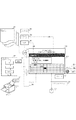
図4はXPS印刷パスにおける本システムの概要図である。
Outline of Configuration of Present Embodiment FIG. 4 is a schematic diagram of the present system in the XPS printing pass.
アプリケーション201から印刷をおこなう。アプリケーション201がグラフィックスエンジン202を動かした結果は、プリンタドライバのフィルタ・パイプライン403へドキュメント(共通データ)405としてわたされる。アプレット410はプリンタドライバ403およびプリンタ1500などの動作を印刷状況411として表示する。印刷状況411の一例としては、標準ウィンドウ412のようにメッセージとアイコンで概況表示、クリック等で拡張される拡張ウィンドウ413でメッセージとグラフを含めた詳細状況表示をおこなう。アプレットの機能を介して表示される表示情報には、ドキュメント405およびその目次情報を含めることができる。プリンタドライバ403やアプレット410はドキュメント405が参照できるため印刷状況表示に関与できるようになった。
Printing is performed from the
図5を用いて本実施形態のシステム構成の概説をおこなう。 The system configuration of this embodiment will be outlined with reference to FIG.
アプレット410は、標準ウィンドウ412および拡張ウィンドウ413で構成される。アプレット410の表示は、共通ドキュメント405や印刷パスからの情報の505、各印刷プロセスのイベント508、OSシステムおよびタイマのイベント510らから構築される。アプレット410は、サービスとして常時起動されている、あるいはプリンタドライバ403やシステム510からのイベントにより起動・終了どちらの形態でもよい。
The
共通ドキュメント405や印刷パスからの情報は、ジョブ(名)501、ドキュメント・ページ構造502、しおりの情報(文書構造)503とそれらの文字列504がアプレット410の入力となる。これらが処理され、表示文字や進捗グラフX,Y軸として出力へ反映される。各印刷プロセスのイベント508は、プリンタドライバのフィルタ・パイプライン403からの共通ドキュメント405の通過イベント506、プリンタ1500の排紙イベント507らが入力となる。これらのホスト、およびデバイス上のイベントが処理され、状態の切り替えや進捗グラフ上のプロットとして出力へ反映される。OSシステムおよびタイマのイベント510は、システムのタイマイベント509らが入力となる。このイベントが処理され、進捗状態の基準として出力へ反映される。入出力処理は後述する。
As information from the
従って、アプレット410は、共通ドキュメント405や印刷パスからの情報の505を表示内容やグラフ軸に用い、OSシステムおよびタイマのイベント510を基準として、各印刷プロセスのイベント508をハンドリングしながら表示状態を更新してゆく。
Accordingly, the
本システムの入力系の説明
ここで図6をもちい共通ドキュメント405であるXPSスプールファイルの構造を説明する。XPSスプールファイル405は3層構造からなる。第1層にFixed Document Sequense601(以下、ジョブと略す)が、次にFixed Document602(以下、ドキュメントと略す)が、最下層にFixed Page603(以下、ページと略す)が存在する。これらは、3層からなるXMLファイルの集合である。それぞれの階層はレベルとも呼ばれる。実際の描画データとなる文書の各ページはページレベルに置かれ、1つのドキュメントレベルの中に複数ページが含まれる。また、1つのXPSスプールファイル405の中に複数のドキュメントを持つことができるため、ジョブが複数のドキュメントを管理している。これらはすべてXMLで記載されているが、リソースデータのようなバイナリデータはイメージ604、フォント605といった形で、そのままXPSスプールファイル405の中に含まれている。印刷設定であるPrintTicket606は、ジョブレベル、ドキュメントレベル、ページレベルのすべてのレベルで持つことができ、ページごとに印刷設定を切り替えることが可能になっている。また、PrintTicket606の中にある印刷設定の機能1つ1つにも、どのレベルに対して適用するのかが示されており、機能名称の接頭辞(Prefix)で定義されている。たとえば、“Job”が機能の接頭辞としてつけば、ジョブレベルの機能設定ということになる。PrintTicketはプリンタやプリンタドライバが持つ機能をFeatureというタグで、機能の選択肢をOptionというタグで表している。ScoredPropertyやPropertyはOptionに付随する属性情報であり、ParameterInitは機能の値を表している。サムネイル607は、最初のページのスナップショット画像ファイルになっており、ページをレンダリングしなくてもこの画像を使用することでページを見ることができるので、複数のXPSスプールファイル405の一覧表示などに役立つ。コアプロパティ608は文書の属性(プロパティ)情報を持っていて、文書名、リビジョン、編集者などの情報が含まれている。Document Structure609はドキュメントレベルに付属する情報で、ドキュメントの章の区切りなどに基づく文書構造が記載されている。これらのデータが圧縮され1つのファイルとなっているのが、XPSスプールファイル405である。
Description of Input System of the System Here, the structure of the XPS spool file which is the
図7をもちい、共通ドキュメント405および印刷パスからの情報の処理説明をおこなう。
With reference to FIG. 7, processing of information from the
アプレット410は、共通ドキュメント405およびXPS印刷パスのJOBINFO700からジョブ(名)701、総ページ数702、しおりの有無703、しおりの構造(文書構造)704を得る。ジョブ(名)701はJOBINFO700から取得する。総ページ数702は、共通ドキュメント405の内容からカウントする。
The
ここで、しおりとは目次のようなものであり、前述のDocument Structureに記載される。しおりの情報(文書構造)は、木構造で記載され、例えば、各ノードに対して設定される値(名称)に、文書における各章のタイトルなどが設定され得る。しおりの有無703はDocument Structure Outlineタグの有無である。ここで、しおりの情報自体が無いならば、当然、しおり無しとなる。なお、ジョブ(名)701は、しおりの構造704のルートに名称が付与されていれば、その名称をもちいることもできる。またジョブ識別するためにJOBINFO700からジョブ情報705を取得する。システムJobIDから別のJobID’を生成し共通ドキュメント405にプライベートタグとして追記しておく。これらの情報は、システムイベントからアプレット410が取得するか、フィルタ・パイプライン403を含む後段の印刷プロセスからアプレット410にわたされる。
Here, the bookmark is a table of contents and is described in the above-mentioned Document Structure. Bookmark information (document structure) is described in a tree structure. For example, the title of each chapter in the document can be set as a value (name) set for each node. The presence / absence of a
図8をもちい、“しおり”について補足説明する。共通ドキュメントに対しシステム側でビューア801が用意されることが多い。このビューア801で文書805をオープンしたときのアウトライン809が“しおり”の構造を表示したものである。
A supplementary explanation of “bookmark” will be given with reference to FIG. A
図9をもちい、プリンタドライバのフィルタ・パイプライン403からの情報(イベント)の処理説明をおこなう。以下で示すイベントを処理されることで、印刷の進捗表示が更新されたり、処理の状況の表示が更新されたりする。
The processing of information (events) from the filter /
アプレット410のイベントハンドラ900は、プリンタドライバのフィルタ・パイプライン403へイベント登録920とイベント削除930をおこなう。プリンタドライバのフィルタ・パイプライン403は、ハンドラ900へ登録イベントが発生時にイベントを送出する。送出されるイベントには、ジョブ開始と終了イベント(901、909)、多段フィルタのTOPおよびBOTTOMフィルタのページ処理開始と終了イベント(902、903、904、905)、物理ページの区切りイベント906がある。これらのイベントには、ドキュメントの何ページ目のページデータを処理対象としたイベントかを識別するためのページ識別情報が含まれる。加えて、送出されるイベントには、ドキュメント区切りイベント907、キャンセルイベント908、エラーイベント909などがある。物理ページの区切り(ページプログレス)イベント906は、物理ページが進む際に送出される。もしドキュメントのページ進行を変更したなら、ページ変更データも付与する。レイアウトを2Upへ変更したとすると、ページ変更データは、’2’である。フィルタ・パイプライン403は、2ページ進行をハンドラ900へ通知するものである。ページ進行を止める場合、ページ変更データは‘0’となる。
The
図10をもちい、プリンタ1500からの情報(イベント)の処理説明をおこなう。以下で示すイベントを処理されることで、印刷の進捗表示が更新されたり、処理の状況の表示が更新されたりする。
The processing of information (event) from the
処理は図9のプリンタドライバのフィルタ・パイプライン403と同じである。アプレット410のイベントハンドラ1000は、プリンタ1500へイベント登録1020とイベント削除1030をおこなう。プリンタ1500は、ハンドラ1000へ登録イベントが発生時にイベントを送出する。送出されるイベントは、ジョブ開始と終了イベント(1001、1006)、物理ページの区切りイベント1002、ドキュメントの区切りイベント1003、キャンセルイベント1004、エラーイベント1005などである。図10から省略したが、ページ処理開始と終了イベントは図9と同様に処理してよい。
The processing is the same as that of the filter /
図11をもちい、アプレット410の動作データを説明する。
The operation data of the
アプレット410は図8〜図10で説明した情報の処理をおこないイベントハンドラ1101をもつ。アプレット410は、動作のためワークデータ1103を作成する。このワークデータ1103にはユーザの設定が反映され、ドキュメント情報1104、ジョブ情報1105を下位に持つ。ジョブ情報1105には、図7で説明したデータが格納される。ジョブ情報1105は、下位にページと時間を関連付けるページ管理テーブル1106、時間管理テーブル1107と各イベント元の時間テーブル1108を持つ。このジョブ情報1104以下の構造はジョブ毎に生成される。
The
ここまででアプレット410について、入力系を主にした説明をおこなってきた。次はアプレット410の出力系である進捗表示の構成方法の説明をおこなう。
Up to this point, the
本システムの出力系である表示構成の説明
図12をもちいて、アプレット410の進捗表示の構成の基本的な考え方を説明する。
Description of Display Configuration as Output System of This System The basic concept of the progress display configuration of the
アプレット410は、ドキュメントの総ページ数の有無1201、プリンタ1500の排紙イベントの有無1202、共通ドキュメントのしおりの構造に関する情報の有無1203の3つの条件から表示構成を決定する。ここでは、表示構成パターンは8種となる。共通ドキュメントのしおりの構造に関する情報の有無1203は四角で囲まれた領域の内外として図示されている。
The
アプレット410からユーザに提供される進捗情報は、(1)〜(8)で異なる。(1)は提供する情報として総ページ数、排紙、しおりの情報が有るので情報量が多く、逆に(8)は総ページ数、排紙、しおりの情報が無いので情報量も少なくなる。アプレット410がユーザに提供する情報として、(1)が最も望ましい条件を示す領域である。なお、以降(1)〜(8)の分類を表示構成パターンとよぶ。
The progress information provided to the user from the
図13をもちいて、アプレット410のメッセージによる表示制御を説明する。
The display control by the message of the
アプレット410により提供される、メッセージとしての表示構成1301には(ジョブ名)、(ドキュメント名)、(しおり名)、(状況)、(カウンタ)、(プリンタ名)(コメント)が含まれる。
The
3行目の(プリンタ名)は、取得した静的な情報がはいり、基本的に処理の遷移に対応した表示内容の更新はない。 In the third line (printer name), the acquired static information is entered, and basically, the display content corresponding to the process transition is not updated.
ここでは、以降、簡略化のため(ジョブ名)(コメント)の図示は省略する。 Hereafter, illustration of (job name) (comment) is omitted for simplification.
1行目の(ドキュメント名)は、ジョブが複数ドキュメントを含めばジョブ内で表示更新がおこなわれる。 The first line (document name) is updated in the job if the job includes a plurality of documents.
2行目は、ジョブ内で逐次表示が更新される(しおり名)、(状況)、(カウンタ)が含まれる。(しおり名)は前述のしおりの有無1203で表示の有無がかわる。しおり構造704があれば(しおり名)に文字列が反映される。(状況)は排紙1202の有無により内容がかわり、有れば“印刷中”、無ければ“処理中”とする。(カウンタ)は、総ページ1201の有無により内容がかわり、有れば現ページ/総ページをそのまま、もしくは割合%で表示し、無ければ現ページを表示する。(カウンタ)の表示は(しおり名)が有れば表示しなくともよい。
The second line includes (bookmark name), (situation), and (counter) whose display is sequentially updated in the job. The presence / absence of display of (bookmark name) depends on the presence /
ここまで説明した表示構成1301から生成される具体例と表示構成パターンの関係を1302から1308に示した。
Relationships between specific examples generated from the
1302はしおり1203と排紙1202が有る場合で、(しおり名)に“第1章 はじめに”が表示され、(状況)には印刷中が表示され、(カウンタ)は省略されており、表示構成パターンとしては(1)(5)に該当する。
1302 is a
なお1308は表示パターン(1)で(カウンタ)の表示を省略しない例である。
1303はしおり1203が無いので(しおり名)が省略、排紙1202は有るので(カウンタ)に現ページ/総ページの割合が表示されており、表示構成パターンとしては(3)に該当する。
Since 1303 has no bookmark 1203 (bookmark name) is omitted and the
1304は、しおり1203が有るが、排紙1202が無いため、(状況)が処理中となっており、表示構成パターンとしては(2)、(6)に該当する。以下同様に1305、1306、1307は構成され、それぞれ表示構成パターンとして(4)、(7)、(8)が該当する。
以上、アプレット410の表示動作の考え方とメッセージ・ベースの動作を示した。
As above, the concept of the display operation of the
図14を用いて本システムの動作の流れを説明する。 The operation flow of this system will be described with reference to FIG.
印刷に関連する処理が開始され、アプレットはプリンタドライバのフィルタ・パイプライン403かプリンタ1500から開始イベント1401を受け取る。アプレットは、標準ウィンドウ1402に(プリンタ名)、(ドキュメント名)、(状況)をセット、(状況)を印刷中に、アイコンを印刷中アイコン1403へ切り替える。アプレットの標準ウィンドウ1402をクリック1404すると拡張ウィンドウ1405が表示される。この拡張ウィンドウ1405は、より詳細な情報、グラフ1406も表示する。グラフ1406の表示構成については後述する。印刷に関連する処理が終了し、アプレットはプリンタドライバのフィルタ・パイプライン403かプリンタ1500から終了イベント1406を受け取る。アプレットは、標準ウィンドウ1407の(状況)を印刷完了に、アイコンを印刷完了アイコン1408へ切り替える。その後アプレットは、一定時間待ち、標準ウィンドウ1410(状況)を印刷待ちにして、アイコンを印刷待ちアイコン1410へ切り替える。
Processing related to printing is started, and the applet receives a
図15、図16をもちいて、アプレット410のグラフ配置制御を説明する。
The graph layout control of the
図12、13で説明した3つの条件に含まれる、しおりと総ページの2条件の有無によりグラフ軸が変化する説明である。しおりと総ページのいずれかの参照ならアプレットが配置するグラフは、軸が1つの1次元グラフまでとなる。しおりと総ページの2条件とも参照できるとアプレットが配置するグラフは、軸が2つある2次元グラフにできる。
まず、図15は1次元グラフの配置例である。拡張ウィンドウ1501は、しおりが有った場合、それをY軸とした一次元グラフ1502を表示しており、表示構成パターンとしては(1)(2)(5)(6)に該当する。グラフ1502のY軸は、メッセージの(状況)と合致した全てのしおりに対する現在の処理中のデータに対応するしおりの相対的な進行状況を表示するためのグラフ1502の軸となる。グラフ1502の表示エリアサイズにフィットするよう表示上のスケールを拡大縮小する。
This is an explanation in which the graph axis changes depending on the presence or absence of two conditions of bookmarks and total pages included in the three conditions described in FIGS. If the reference is either a bookmark or a total page, the graph placed by the applet is limited to a one-dimensional graph with one axis. The graph arranged by the applet when it can be referred to as both the bookmark and the total page condition can be a two-dimensional graph having two axes.
First, FIG. 15 is an arrangement example of a one-dimensional graph. When there is a bookmark, the
拡張ウィンドウ1503は、総ページ1201が有った場合、それをX軸とした一次元グラフ1504を表示しており、表示構成パターンとしては(3)(4)に該当する。グラフ1504の表示エリアサイズにフィットするよう表示上のスケールを拡大縮小する。
When there is a
拡張ウィンドウ1505は、総ページ1201としおり1203の双方が無かったため、グラフはおいておらず、表示構成パターンとしては(7)(8)に該当する。
The extended window 1505 does not include both the
次に、図16は2次元グラフの配置例である。拡張ウィンドウ1601は、総ページ1201としおりの双方が有ったときで、ページをX軸、しおりをY軸とした二次元グラフ1602を表示しており、表示構成パターンとしては(1)(3)に該当する。2次元グラフ1602は、図15のグラフ1502と1504で表現される通知内容を、1つのグラフで通知できるように表現したものになる。グラフの詳細描画例は後述するが、仮にこの2次元グラフ1602に進捗を示す線をひくとすると、しおりとページの関係をしめす折線グラフとなる。フィルタ・パイプライン403やプリンタ1500のイベントがこの折線上にプロット1603されることになる。
Next, FIG. 16 is an arrangement example of a two-dimensional graph. The
図17をもちいて、アプレット410のグラフ表示例を説明する。
A graph display example of the
グラフ1701は、9ページのドキュメントの印刷進捗を示し、X軸がページである1次元グラフである。このグラフ上にプリンタドライバのフィルタ・パイプライン403のトップフィルタとボトムフィルタの通過イベント(1702、1703)、およびプリンタ1500の排紙イベント1704がプロットされている。プロット間は線1705、1706で接続している。各プロットはイベントにあわせ左から右へ移動し最終的に排紙イベントが最終ページに移動すれば印刷は完了となる。グラフ1701では、4ページ目が排紙処理中であり、7ページ目がフィルタートップ(処理開始)であることが示されている。
A
グラフ1711は、グラフ1701と同様であるが、プロット間を線1705、1706で接続せずに全体を矩形であらわした例である。プリンタドライバのフィルタ・パイプライン403のトップフィルタとボトムフィルタの通過イベント(1712、1713)、およびプリンタ1500の排紙イベント1714は矩形の縦線で、プロット間は矩形の横線で表現されている。
A
グラフ1721は、9ページ5セクションのドキュメントの印刷進捗を示し、X軸がページでY軸がしおりの構造である2次元グラフである。共通データにしおりの情報があった場合、X軸のみのグラフ1701がY軸方向へ拡張されグラフ1721が表示されるととらえると理解しやすい。この2次元グラフ1721上のしおり(Y)とページ(X)の関係をしめす折れ線は、印刷データが進行する線となる。進行線1727上をプリンタドライバのフィルタ・パイプライン403のトップフィルタとボトムフィルタの通過イベント(1722、1723)、およびプリンタ1500の排紙イベント1724がプロットされている。プロット間は線で接続している。各プロットはイベントにあわせ左上から右下へ移動し最終的に排紙イベントが右下へ移動すれば印刷は完了となる。また、グラフ1721上にはしおりの構造をレベル1725として表現したものやしおり名1728を表示することができる。もしグラフの表示領域が小さい場合は、全てを描画する必要はない。
A
グラフ1721のラベルやテキストを省いたものがグラフ1731になり、文字列情報は図13のように別途表示されているため不足はない。
The
なお、このグラフはしおり数×ページ数のピクセル表示領域があれば、1ピクセルは、しおりとページの関係を正確に表示していることになる。しおり数かページ数がグラフ表示領域より大きい場合、縮小表示が必要となる。例えば幅を100%とし表示領域にあわせた比を計算し軸毎に縮小し、軸には10%や20%単位で刻みをいれればよい。 In this graph, if there is a pixel display area of the number of bookmarks × the number of pages, one pixel accurately displays the relationship between the bookmark and the page. When the number of bookmarks or the number of pages is larger than the graph display area, reduced display is required. For example, the width is set to 100%, the ratio according to the display area is calculated, the axis is reduced for each axis, and the axis may be stepped in units of 10% or 20%.
図18をもちいて、アプレット410のオプション設定を説明する。
The option setting of the
アプレット410の標準ウィンドウ1810にあるボタンを押す1802と[オプション]ダイアログ1803が開く。このダイアログ1803を用いてアプレット410の表示に関する設定を行う。
A button 1802 in the standard window 1810 of the
OFF1806にチェックするとアプレット410は、進捗表示を行わない。
If
ON1804にチェックされた場合、Option1805には、[□しおりがあるとき]、[□ジョブが大きいとき]、[□排紙に時間がかかっているとき]のチェックボックスが有効になる。[□しおりがあるとき]をONにするとアプレット410は、しおりがあるときだけ進捗表示をおこなう。[□ジョブが大きいとき]をONにするとアプレット410は、ジョブのサイズがある閾値をこえたときだけ進捗表示をおこなう。[□排紙に時間がかかっているとき]をONにするとアプレット410は、連続するページの排紙された時間の間隔が閾値をこえたときだけ進捗表示をおこなう。尚、Option1805で設定されるような表示は、アプレットが印刷処理の途中で処理時間が所定時間より長くかかると判定したときにだけ進捗表示がなされるよう制御されるものであってもよい。
When
本システムのフローチャート
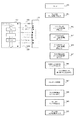
図19において、アプレット410の印刷処理の進捗に応じた表示に関する処理をフローチャートを用いて説明する。
Flowchart of the System In FIG. 19, processing related to display according to the progress of print processing of the
ステップ2002でアプレット410は、印刷処理の対象となる共通ドキュメントおよびXPS印刷パスのJOBINFOから“ジョブ名”を取得する。
In step 2002, the
ステップ2003でアプレット410は、印刷処理の対象となる共通ドキュメントおよびXPS印刷パスのJOBINFOから“プリンタ名”を取得する。
In step 2003, the
ステップ2010でアプレット410は、共通ドキュメントおよびXPS印刷パスのJOBINFOからページの総数を得る(文書構造を参照しながら数える)。総ページ数がえられた(ステップ2011)なら、ステップ2013でアプレット410は“カウンタ”を割合とする。総ページ数がえられなければ、ステップ2014でアプレット140は“カウンタ”をページとする。
In step 2010, the
ステップ2020でアプレット410は印刷処理の対象となる共通ドキュメントにしおりがあるか否かを判断する。ステップ2020において、しおりがあると判断された場合、ステップ2021でアプレット410は、しおりの構造(文書構造)を解析する。
In step 2020, the
ステップ2022でアプレット410は、しおりの構造において最上位のルート(例えば図8で表示される“pn2仕様書”という値が設定されるノード)の下位にノードがあるか否かを判断する。
In step 2022, the
ステップ2022でしおりの構造においてルートの下位にノードがあると判断された場合、ステップ2024でアプレット410は、表示項目となる項目“しおり”の値として下位ノード文字列(例えば図8で表示される“表紙”という値)を取得する。
If it is determined in step 2022 that there is a node below the route in the bookmark structure, the
ステップ2025で、ルートのノードに値(例えば図8で表示される“pn2仕様書”)があるなら、ステップ2026でアプレット410は表示項目となる項目“ドキュメント名”の値を更新する。
If there is a value (for example, “pn2 specification” displayed in FIG. 8) in the root node in step 2025, the
ステップ2027でアプレット410は、しおりを用いることができるので表示に項目として”カウンタ”を用いないように制御する。
In step 2027, the
しおりのルートにノードがない(ステップ2022)なら、ステップ2028でアプレット410は、表示項目となる項目”しおり”の値をルートのノードに設定されている文字列とする。
If there is no node in the bookmark root (step 2022), in step 2028, the
ステップ2020で印刷処理の対象となる共通ドキュメントにしおりがないと判断された場合、アプレット410は、ステップ2029で表示の項目として”しおり”用いないよう制御する。
If it is determined in step 2020 that there is no bookmark in the common document to be printed, the
ステップ2030でアプレット410は、プリンタのプロセスからのイベントよりプリンタのページプログレスイベントが取得できるか否かを判断する。
In step 2030, the
ステップ2030でページプログレスイベントが取得できると判断された場合、C(ステップ2031)を経由して、ステップ2032でアプレットは表示項目の”状況”を印刷中とする。 If it is determined in step 2030 that a page progress event can be acquired, the applet determines that the “status” of the display item is being printed in step 2032 via C (step 2031).
ステップ2030でページプログレスイベントが取得できないと判断された場合、ステップ2033でアプレット410は、ホストコンピュータのページプログレスがとれるか否かを判断する。ホストコンピュータのページプログレスイベントがとれると判断された場合、C’(ステップ2034)を経由して、ステップ2035で表示項目の“状況”を処理中とする。
If it is determined in step 2030 that a page progress event cannot be acquired, the
ステップ2040で、A(ステップ2011)、B(ステップ2023)、及びC(ステップ2031)またはA(ステップ2011)、B(ステップ2023)、及びC’(ステップ2033)の全て通過しているか否かを判断する。 Whether or not all of A (step 2011), B (step 2023), and C (step 2031) or A (step 2011), B (step 2023), and C ′ (step 2033) have passed in step 2040 Judging.
ステップ2040において通過していると判断された場合、ステップ2041でアプレット410はグラフが2次元となる判断ができる。
If it is determined in step 2040 that it has passed, the
ステップ2040において通過していないと判断された場合、ステップ2042でアプレット410は、グラフを1次元までの表示になることを判断する。
If it is determined in step 2040 that it has not passed, the
ステップ2043でアプレット410は、A、B、C(C’)の通過状況に応じてグラフのX、Y軸を設定する。
In step 2043, the
ステップ2060にて、アプレット410は、各表示項目である“ドキュメント”、“しおり”、“状況”、“カウンタ”をホストコンピュータやプリンタで取得されるイベントにあわせ更新していく。表示は、グラフも同期し更新される。
In step 2060, the
図20において、アプレット410の印刷処理の進捗に応じたグラフ表示に関する処理をフローチャートを用いて説明する。ここでは具体的に2次元グラフを描画する例を説明する。
In FIG. 20, a process related to graph display corresponding to the progress of the printing process of the
ステップ2101でアプレット410はページ管理テーブル1106を作成する。
In step 2101, the
ステップ2102でアプレット410は時間管理テーブル1107を作成する。
In step 2102, the
さらにステップ2103でアプレット410はイベント元ごとに時間表1108を作成する。
In step 2103, the
ステップ2111でアプレット410は、総ページ数を確認し、ステップ2112で総しおり数を確認する。
In step 2111, the
ステップ2113でアプレット410は、グラフ表示領域のサイズを取得し、ステップ2114で表示領域にはいるようにグラフをスケールする。ステップ2115でアプレット410は、そのX,Yのスケール値を保持する。アプレット410は次に軸などのグラフの静的な部分を描画する。ステップ2121でアプレット410はグラフ枠を描画し、その枠にたいしてステップ2122でページ数の軸を、ステップ2123でしおり項目の軸を描画する。
In step 2113, the
ステップ2125でアプレット410は文字列1726を、ステップ2124でページ数としおり項目の関係を示す進捗線を描画する。これらのグラフの静的部分の描画順序は前後しても問題ない。
In step 2125, the
そして、アプレット410はプロット等のグラフの動的部分を描画する処理へ移る。
Then, the
ステップ2131でアプレット410はドキュメント・ページのイベントを管理するループに入り、ステップ2132で通知されたイベントの発信元を識別する。ステップ2133でアプレット410は、現イベントとジョブの状態識別をおこなう。
In step 2131, the
ステップ2314で、ステップ2133における識別に基づきエラーイベントか否かの判断を行う。エラーイベントと判断された場合、ステップ2135でエラー状態へ遷移する。そしてステップ2136でアプレット410は、ドキュメント処理がエラーとしてループ継続状態にする。エラーイベントと判断されなかった場合は、ステップ2137に遷移する。
In step 2314, it is determined whether the event is an error event based on the identification in step 2133. If it is determined as an error event, the process transits to an error state in step 2135. In step 2136, the
ステップ2317でステップ2133における識別に基づきキャンセルイベントか否かを判断する。キャンセルイベントと判断された場合、アプレット410はステップ2138でキャンセル状態へ移る。そして、ステップ2139でドキュメント処理がキャンセルとしてループ終了にする。キャンセルイベントと判断されなかった場合、ステップ2140に遷移する。
In step 2317, it is determined based on the identification in step 2133 whether or not it is a cancel event. If it is determined that the event is a cancel event, the
ステップ2140でアプレット410はページプログレスのイベント(例えば906など)およびページ変更データを処理する。
In step 2140, the
ステップ2141でアプレット410は識別に対応するイベントの進行状態を示す時間表および時間管理テーブルを更新する。ステップ2141でアプレット410はグラフのプロットを更新し、ステップ2142でプロット間の接続線を更新する。
In step 2141, the
ドキュメント・ページの処理が終了すると、アプレット410はステップ2143でループをぬける。
When processing of the document page is complete,
アプレット410は、各所から送信されたイベントの共有手段は提供するが、印刷処理を実行している各プロセスへキャンセルの指示はしない。
The
ステップ2151でアプレット410は、ユーザが確認できるように一定時間経過を待ち、その後ステップ2152でグラフを消去する。ステップ2161でアプレット410はイベント元ごとの時間表を解放、ステップ2162で時間管理テーブルを解放、ステップ2163でページ管理テーブルを解放する。
In step 2151, the
図21でアプレット410における印刷処理の進捗の表示に関するオプション設定の処理をフローチャートを用いて説明する。本処理は、図19で示す処理の後に実行される。
The option setting process regarding the display of the progress of the printing process in the
ステップ2202でアプレット410は、図18で示した設定において進捗表示がOFFに設定されている場合、ステップ2203で実際の表示をおこなわないよう制御する(OFF)。進捗表示がONと設定されている場合は、ステップ2205に遷移する。
In step 2202, if the progress display is set to OFF in the setting shown in FIG. 18, the
アプレット410はステップ2205以降で図18の設定画面を介して設定されたOptionを識別する。
The
ステップ2206で、アプレット410は、設定項目“しおりがあるとき”がONか否か(チェックされているか否か)を判断する。設定項目“しおりがあるとき”がOFFの場合、ステップ2208に遷移する。設定項目“しおりがあるとき”がONで、前述のステップ2023のBを通過していない(ステップ2207)なら、ステップ2203でアプレット410は進捗表示を行わないよう制御する(OFF)。ステップ2023のBを通過してい場合はステップ2208に遷移する。
In step 2206, the
ステップ2208でアプレット410は、設定項目”ジョブが大きいとき”がONか否か(チェックされているか否か)を判断する。ここで設定項目”ジョブが大きいとき”がONと判断された場合、ステップ2209のDを経由して、ステップ2210に遷移する。設定項目”ジョブが大きいとき”がOFFと判断された場合、そのままステップ2210に遷移する。
In
ステップ2210でアプレット410は、設定項目”排紙に時間がかかっているとき”がONか否か(チェックされているか否か)を判断する。ここで設定項目”排紙に時間がかかっているとき”がONと判断された場合、ステップ2211のEを経由して、ステップ2212に遷移する。設定項目”排紙に時間がかかっているとき”がOFFと判断された場合、そのままステップ2212に遷移する。
In step 2210, the
ステップ2212でアプレット410は、D(ステップ2209)及びE(ステップ2211)を経由したかを判断する。D及びEを経由していれば、ステップ2213でアプレット410は表示無効で動作開始し、ステップ2221以降の処理による判定により実際の表示を行うように制御することになる(OFF→ON)(ステップ2214)。D及びEを経由していなければ、アプレット410は実際の表示を行うように制御する(ON)。
In
ステップ2221以降は動作中の表示切り替えの判定である。ステップ2222でアプレットによる進捗表示を行うか否かの設定がステップ2214での設定(OFF−>ON)で動作しているか否かを判定する。設定(OFF−>ON)で動作している場合、アプレット410はジョブサイズあるいはページ処理時間が規定閾値を超えたとき(ステップ2223)に、ステップ2224で表示を有効に切り替える。ステップ2225でアプレット410は表示をONとし、図15や図16に示すような表示を行うよう制御する。
Steps 2221 and after are display switching determinations during operation. In step 2222, it is determined whether or not the setting of whether or not to display the progress by the applet is operating according to the setting in step 2214 (OFF-> ON). When operating with the setting (OFF-> ON), the
現在、印刷処理に用いる文書ファイルはオープンな電子ドキュメント形式であり、スプールファイル形式と位置付けられる文書ファイルであれば、下位の印刷プロセスはその内容を参照できるようになる。本発明においては、このプロセスの位置付けの変更にあわせ、従来の印刷状態表示がもっていた課題を改善する。 Currently, a document file used for printing processing is in an open electronic document format, and if it is a document file positioned as a spool file format, the lower-level printing process can refer to the contents. In the present invention, in accordance with the change in the positioning of this process, the problem that the conventional print status display has is improved.
具体的には、文書ファイル(ドキュメント)の文書構造(しおりの構造)に関する情報をもちい具体性のある表示が行える。また、表示内容として、ホストコンピュータ内の複数のフィルタにおける処理の進捗、プリンタから取得した印刷後の排紙の情報を更に反映する。つまり、しおりの情報と印刷パスにおける各プロセスの処理の進捗を識別可能に表示することができる。よって、ユーザは、現在何ページ目をどこで処理していて、もしくは印刷が終了していて、更にそのページはどのような内容であったかをしおりの情報から理解することができる。 More specifically, it is possible to display with specific information using information on the document structure (bookmark structure) of the document file (document). Further, the display contents further reflect the progress of processing in a plurality of filters in the host computer and the information of the discharged paper obtained from the printer. That is, it is possible to display the bookmark information and the progress of processing of each process in the print pass in an identifiable manner. Thus, the user can understand from the bookmark information what page is currently being processed and where the printing has been completed and what the page was.
(実施例2)本システムの応用例1
図22をもちいて、本システムの応用例1を説明する。
(Example 2) Application example 1 of this system
An application example 1 of this system will be described with reference to FIG.
フィルタ・パイプライン2303、アプレット2310、印刷状況表示部2311、これまで説明した本システムの各印刷プロセスをプリンタ1500の中に配置されている。本実施例においては、プリンタは自身の表示部に印刷データの進捗表示を行う。
A
本実施例の特徴として、共通ドキュメント405がプリンタ1500に渡されると、アプレット2310の標準ウィンドウ2321が表示される。そのウィンドウをタップ(2322)すると拡張ウィンドウ2323が表示される。なお、リモートアクセス手段をもちい、アプレット2310の動作および表示をホスト側から参照することも可能である。
As a feature of this embodiment, when the
(実施例3)本システムの応用例2
図23、図24をもちいて本システムの応用例2を説明する。
(Example 3) Application example 2 of this system
An application example 2 of this system will be described with reference to FIGS.
図23は、応用例2の概要図である。本システムは、ホストコンピュータの印刷プロセスにおいて追加プログラムによる追加プロセスがある場合、その追加プロセスも含めた印刷プロセスの判断やその進捗の表示方法をアプレット410により提供する。例えば追加プロセスとは、印刷される画像をログとして取得するといった印刷監視処理に係るプロセスなどを示す。本応用例では印刷監視系フィルタの存在をアプレット経由でユーザに認識させ、アプレットの進捗表示のカスタマイズに利用することを目的とする。
FIG. 23 is a schematic diagram of Application Example 2. When there is an additional process by an additional program in the printing process of the host computer, this system provides the
フィルタ・パイプライン403内の追加プロセスAAAは、ハンドラ900へ登録イベント発生時にイベントを送出する。印刷プロセスが送信するプロセス追加イベント(2411)はプロセスの”名称”をパラメータに持つ。印刷プロセスが送信するコメント設定イベント(2412)は、対象プロセス名と表示する“文字列”、動作、色をパラメータに持つ。印刷プロセスが送信するプロット設定イベント(2413)は、対象プロセス名と表示する形状、動作、色をパラメータに持つ。その形状パラメータは長方形/正方形/円/楕円、動作パラメータは、点灯/点滅/消灯のコマンドがある(2414)。
The additional process AAA in the
IT管理者がプリンタドライバ403のフィルタ・パイプラインにAAAという名称の印刷データの監視用の追加フィルタを設置する。この監視用フィルタが動作していることをアプレット経由でユーザに認識させる処理について説明する。
The IT administrator installs an additional filter for monitoring print data named AAA in the filter pipeline of the
プロセスAAAは、自身のプロセスをハンドラへ登録、コメントに”―AAAフィルタ 監視中―”の文字列を設定、プロットに長方形、点滅を設定する。アプレット410の拡張ウィンドウ2421にはプロセスAAAのコメント2422と、グラフ2323上のプロット2424が追加される。
The process AAA registers its own process in the handler, sets a character string of “-AAA filter monitoring in progress” to a comment, and sets a rectangle and blinking to a plot. A comment 2422 of the process AAA and a plot 2424 on the
図24は、応用例2における処理を以下、フローチャートを用いて説明する。 FIG. 24 is a flowchart for explaining the processing in the application example 2.
印刷プロセスのイベント送信(2500)処理について説明する。 An event transmission (2500) process of the printing process will be described.
ステップ2501で印刷プロセスはプロセス追加イベントを送信する。ステップ2502で印刷プロセスは、コメント設定イベントを送信する。ステップ2503で印刷プロセスは、プロット設定イベントを送信する。
In
アプレットのイベント受信(2510)処理について説明する。 The applet event reception (2510) process will be described.
ステップ2511でアプレット410は、受信したプロセス追加イベントに基づき追加プロセスをイベント元リストに追加する。ステップ2512でアプレットは受信したコメント設定を保存する。ステップ2513で、アプレットは受信したプロット設定を保存する。
In
アプレットのコメント表示(2520)処理について説明する。 The applet comment display (2520) process will be described.
アプレット410は、コメント設定がある(ステップ2521)なら、ステップ2522で保存されているコメントを順にパラメータを設定しながら表示する。
If there is a comment setting (step 2521), the
アプレットのプロット表示(2530)処理について説明する。 The applet plot display (2530) process will be described.
アプレット410は、プロット設定がある(ステップ2531)なら、ステップ2532で保存されている該当プロットを指定パラメータで描画する。
If there is a plot setting (step 2531), the
ここまで説明をおこなってきた印刷進捗の表示と制御は、表示される印刷状況を情報として記録および配信する処理に適用できることはいうまでもない。情報を共通ドキュメントに埋め込む、情報をログに残す、あるいは転送する場合も同様とみなせる。 Needless to say, the display and control of the printing progress described so far can be applied to the process of recording and distributing the displayed printing status as information. The same applies when embedding information in a common document, leaving information in a log, or transferring it.
なお、本発明は、複数の機器(例えばコンピュータ、インタフェース機器、リーダ、プリンタなど)から構成されるシステムに適用しても、一つの機器からなる装置(複写機、プリンタ、ファクシミリ装置など)に適用してもよい。 Note that the present invention can be applied to an apparatus (copier, printer, facsimile machine, etc.) consisting of a single device even if it is applied to a system consisting of a plurality of devices (eg, computer, interface device, reader, printer, etc.). May be.
また、本発明の目的は、前述した実施形態で示したフローチャートの手順を実現するプログラムコードを記憶した記憶媒体から、システムあるいは装置のコンピュータ(またはCPUやMPU)が読出し実行することによっても達成される。 The object of the present invention can also be achieved by reading and executing a system or apparatus computer (or CPU or MPU) from a storage medium storing program codes for realizing the procedures of the flowcharts shown in the above-described embodiments. The
この場合、記憶媒体から読み出されたプログラムコード自体が前述した実施形態の機能を実現することになり、そのプログラムコードを記憶した記憶媒体は本発明を構成することになる。 In this case, the program code itself read from the storage medium realizes the functions of the above-described embodiments, and the storage medium storing the program code constitutes the present invention.
プログラムコードを供給するための記憶媒体としては、例えば、フロッピー(登録商標)ディスク、ハードディスク、光ディスク、光磁気ディスク、CD−ROM、CD−R、磁気テープ、不揮発性のメモリカード、ROMなどを用いることができる。 As a storage medium for supplying the program code, for example, a floppy (registered trademark) disk, hard disk, optical disk, magneto-optical disk, CD-ROM, CD-R, magnetic tape, nonvolatile memory card, ROM, or the like is used. be able to.
また、前述のプログラムコードの指示に基づき、コンピュータ上で稼動しているOS(オペレーティングシステム)などが実際の処理の一部または全部を行い、その処理によって前述した実施形態の機能が実現される場合も含まれる。 Further, when the OS (operating system) running on the computer performs part or all of the actual processing based on the instruction of the program code, the function of the above-described embodiment is realized by the processing. Is also included.
更に、記憶媒体から読出されたプログラムコードが、コンピュータに挿入された機能拡張ボードやコンピュータに接続された機能拡張ユニットに備わるメモリに書き込まれる。その後、そのプログラムコードの指示に基づき、その機能拡張ボードや機能拡張ユニットに備わるCPUなどが実際の処理の一部または全部を行い、その処理によって前述した実施形態の機能が実現される場合も含まれる。 Further, the program code read from the storage medium is written in a memory provided in a function expansion board inserted into the computer or a function expansion unit connected to the computer. After that, the CPU of the function expansion board or function expansion unit performs part or all of the actual processing based on the instruction of the program code, and the function of the above-described embodiment is realized by the processing. It is.
1 CPU
1500 プリンタ
3000 コンピュータ
1 CPU
1500
Claims (19)
前記ドキュメントの文書構造に関する情報と前記ドキュメントのページ数を用いて、印刷処理の進捗を表示する表示手段と、
前記表示手段による表示を、前記ドキュメントに関する印刷処理の進捗に基づいて更新する更新手段とを備えることを特徴とする情報処理装置。 An information processing apparatus that displays information on a progress of print processing related to a document instructed to be printed by a user using an application,
Display means for displaying the progress of the printing process using information on the document structure of the document and the number of pages of the document;
An information processing apparatus comprising: an updating unit configured to update a display by the display unit based on a progress of a printing process related to the document.
前記判断手段により前記ドキュメントの文書構造に関する情報が、当該ドキュメントに対して設定されていると判断された場合、前記表示手段は前記ドキュメントの文書構造に関する情報と前記ドキュメントのページ数を用いて表示を行い、前記判断手段により前記ドキュメントの文書構造に関する情報が、当該ドキュメントに対して設定されていないと判断された場合、前記表示手段は前記ドキュメントのページ数を用いて前記表示を行うことを特徴とする請求項1に記載の情報処理装置。 A judgment means for judging whether or not information on the document structure of the document is set for the document;
When it is determined by the determination means that the information related to the document structure of the document is set for the document, the display means displays using the information related to the document structure of the document and the number of pages of the document. And when the determination means determines that the information regarding the document structure of the document is not set for the document, the display means performs the display using the number of pages of the document. The information processing apparatus according to claim 1.
前記更新手段は、前記受信手段で受信したイベントに基づき前記表示手段による表示を更新することを特徴とする請求項1または請求項2に記載の情報処理装置。 Receiving means for receiving an event based on the progress of the printing process relating to the document;
The information processing apparatus according to claim 1, wherein the updating unit updates display by the display unit based on an event received by the receiving unit.
前記受信手段は、前記ドキュメントのページ識別情報と、当該ページ識別情報で示すドキュメントのページデータが前記フィルタの処理を通過したことをイベントとして受信し、
前記更新手段は、前記受信手段で受信したイベントに基づき、前記複数のフィルタの各々が処理している前記ドキュメントのページを識別可能に表示するために表示を更新することを特徴とする請求項3に記載の情報処理装置。 The document is processed through a plurality of filters in the information processing apparatus,
The receiving means receives, as an event, page identification information of the document and page data of the document indicated by the page identification information has passed the filter processing,
The update means updates the display based on the event received by the receiving means to display the document page processed by each of the plurality of filters in an identifiable manner. The information processing apparatus described in 1.
前記更新手段は、前記受信手段で受信したイベントに基づき、前記プリンタにより排紙された前記ドキュメントのページを識別可能に表示するために表示を更新することを特徴とする請求項3または請求項4に記載の情報処理装置。 The receiving means is communicably connected to the information processing apparatus, and from the printer that prints the document, page identification information of the document and page data of the document indicated by the page identification information are discharged by the printer. Received as an event,
5. The update unit according to claim 3, wherein the update unit updates the display to display the document page ejected by the printer in an identifiable manner based on the event received by the reception unit. The information processing apparatus described in 1.
前記表示手段は、印刷処理の進捗を表示する際に、ユーザにより追加された追加フィルタの名称を表示し、
前記更新手段は、前記追加フィルタが処理している前記ドキュメントのページを識別可能に表示するために表示を更新することを特徴とする請求項1乃至請求項5のいずれか1項に記載の情報処理装置。 The information processing apparatus can add a filter by a user,
The display means displays the name of the additional filter added by the user when displaying the progress of the printing process,
6. The information according to claim 1, wherein the updating unit updates the display so that the page of the document processed by the additional filter is identifiable. Processing equipment.
ドキュメントの名称として前記ドキュメントのジョブ名を用いることを特徴とする請求項1乃至請求項7のいずれか1項に記載の情報処理装置。 In the display by the display means, the name of the document instructed to be printed by the user is included,
The information processing apparatus according to claim 1, wherein a job name of the document is used as a document name.
前記表示手段による表示において、ユーザにより印刷指示された前記ドキュメントの名称が含まれ、
ドキュメントの名称として前記ドキュメントの文書構造に関する情報のルートのノードに設定された値を用いることを特徴とする請求項1乃至請求項7のいずれか1項に記載の情報処理装置。 Information on the document structure of the document is described in a tree structure,
In the display by the display means, the name of the document instructed to be printed by the user is included,
8. The information processing apparatus according to claim 1, wherein a value set in a node of a route of information related to the document structure of the document is used as a document name. 9.
前記ドキュメントの文書構造に関する情報と前記ドキュメントのページ数を用いて、印刷処理の進捗を表示部に表示するための表示工程と、
前記表示工程による表示を、前記ドキュメントに関する印刷処理の進捗に基づいて更新する更新工程とを備えることを特徴とする情報処理方法。 An information processing method in an information processing apparatus for displaying, on a display unit, information on a progress of print processing related to a document instructed to be printed by a user using an application,
A display step for displaying the progress of the printing process on the display unit using the information on the document structure of the document and the number of pages of the document;
An information processing method comprising: an update step of updating the display in the display step based on a progress of a printing process related to the document.
前記判断工程により前記ドキュメントの文書構造に関する情報が、当該ドキュメントに対して設定されていると判断された場合、前記表示工程において前記ドキュメントの文書構造に関する情報と前記ドキュメントのページ数を用いて表示を行い、前記判断工程により前記ドキュメントの文書構造に関する情報が、当該ドキュメントに対して設定されていないと判断された場合、前記表示工程において前記ドキュメントのページ数を用いて前記表示を行うことを特徴とする請求項10に記載の情報処理方法。 A determination step of determining whether or not information on the document structure of the document is set for the document;
If it is determined in the determination step that information regarding the document structure of the document is set for the document, the display step displays information using the information regarding the document structure of the document and the number of pages of the document. And performing the display using the number of pages of the document in the display step when it is determined by the determination step that information regarding the document structure of the document is not set for the document. The information processing method according to claim 10.
前記更新工程において、前記受信工程で受信したイベントに基づき前記表示工程による表示を更新することを特徴とする請求項10または請求項11に記載の情報処理方法。 A receiving step of receiving an event based on a progress of a printing process regarding the document;
The information processing method according to claim 10 or 11, wherein in the updating step, the display by the display step is updated based on the event received in the receiving step.
前記受信工程は、前記ドキュメントのページ識別情報と、当該ページ識別情報で示すドキュメントのページデータが前記フィルタの処理を通過したことをイベントとして受信し、
前記更新工程において、前記受信工程で受信したイベントに基づき、前記複数のフィルタの各々が処理している前記ドキュメントのページを識別可能に表示を更新することを特徴とする請求項12に記載の情報処理方法。 The document is processed through a plurality of filters in the information processing apparatus,
The reception step receives, as an event, page identification information of the document and page data of the document indicated by the page identification information has passed the processing of the filter,
13. The information according to claim 12, wherein in the updating step, the display is updated so that the page of the document processed by each of the plurality of filters can be identified based on the event received in the receiving step. Processing method.
前記更新工程において、前記受信工程で受信したイベントに基づき、前記プリンタにより排紙された前記ドキュメントのページを識別可能に表示を更新することを特徴とする請求項12または請求項13に記載の情報処理方法。 In the receiving step, the page identification information of the document and the page data of the document indicated by the page identification information are ejected by the printer from a printer that is communicably connected to the information processing apparatus and prints the document. Received as an event,
14. The information according to claim 12, wherein the updating step updates the display so that the page of the document ejected by the printer can be identified based on the event received in the receiving step. Processing method.
前記表示工程において、印刷処理の進捗を表示する際に、ユーザにより追加された追加フィルタの名称を表示し、
前記更新工程において、前記追加フィルタが処理している前記ドキュメントのページを識別可能に表示を更新することを特徴とする請求項10乃至請求項14のいずれか1項に記載の情報処理方法。 The information processing apparatus can add a filter by a user,
In the display step, when displaying the progress of the printing process, the name of the additional filter added by the user is displayed.
15. The information processing method according to claim 10, wherein in the updating step, the display is updated so that the page of the document processed by the additional filter can be identified.
ドキュメントの名称として前記ドキュメントのジョブ名を用いることを特徴とする請求項10乃至請求項16のいずれか1項に記載の情報処理方法。 In the display by the display step, the name of the document instructed to be printed by the user is included,
The information processing method according to any one of claims 10 to 16, wherein a job name of the document is used as a document name.
前記表示工程による表示において、ユーザにより印刷指示された前記ドキュメントの名称が含まれ、
ドキュメントの名称として前記ドキュメントの文書構造に関する情報のルートのノードに設定された値を用いることを特徴とする請求項10乃至請求項16のいずれか1項に記載の情報処理方法。 Information on the document structure of the document is described in a tree structure,
In the display by the display step, the name of the document instructed to be printed by the user is included,
The information processing method according to any one of claims 10 to 16, wherein a value set in a root node of information on the document structure of the document is used as a document name.
Priority Applications (3)
| Application Number | Priority Date | Filing Date | Title |
|---|---|---|---|
| JP2007330952A JP2009151702A (en) | 2007-12-21 | 2007-12-21 | Information processing apparatus, information processing method, and program |
| US12/336,720 US8319997B2 (en) | 2007-12-21 | 2008-12-17 | Information processing apparatus to display information about progress of print processing, information processing method, and storage medium |
| CNA2008101864458A CN101464784A (en) | 2007-12-21 | 2008-12-19 | Information processing apparatus, information processing method, and storage medium |
Applications Claiming Priority (1)
| Application Number | Priority Date | Filing Date | Title |
|---|---|---|---|
| JP2007330952A JP2009151702A (en) | 2007-12-21 | 2007-12-21 | Information processing apparatus, information processing method, and program |
Publications (1)
| Publication Number | Publication Date |
|---|---|
| JP2009151702A true JP2009151702A (en) | 2009-07-09 |
Family
ID=40788250
Family Applications (1)
| Application Number | Title | Priority Date | Filing Date |
|---|---|---|---|
| JP2007330952A Pending JP2009151702A (en) | 2007-12-21 | 2007-12-21 | Information processing apparatus, information processing method, and program |
Country Status (3)
| Country | Link |
|---|---|
| US (1) | US8319997B2 (en) |
| JP (1) | JP2009151702A (en) |
| CN (1) | CN101464784A (en) |
Families Citing this family (5)
| Publication number | Priority date | Publication date | Assignee | Title |
|---|---|---|---|---|
| KR20100074565A (en) * | 2008-12-24 | 2010-07-02 | 삼성전자주식회사 | Method for changing thumbnail, and print controling apparatus |
| KR20110051052A (en) * | 2009-11-09 | 2011-05-17 | 삼성전자주식회사 | Print control method and print control terminal device |
| JP5807460B2 (en) * | 2011-09-08 | 2015-11-10 | 株式会社リコー | Information processing apparatus, program, and storage medium |
| JP6209862B2 (en) * | 2013-05-24 | 2017-10-11 | 富士通株式会社 | Program, job monitoring support method, information processing apparatus and system |
| JP6855268B2 (en) * | 2017-02-10 | 2021-04-07 | キヤノン株式会社 | Information processing device, control method and program of information processing device |
Family Cites Families (10)
| Publication number | Priority date | Publication date | Assignee | Title |
|---|---|---|---|---|
| US5706411A (en) * | 1992-11-09 | 1998-01-06 | Microsoft Corporation | Printer status user interface and methods relating thereto |
| US6268924B1 (en) | 1996-06-06 | 2001-07-31 | Microsoft Corporation | Document object having a print interface for programmatic automation by a using program |
| JP3287787B2 (en) * | 1997-06-03 | 2002-06-04 | キヤノン株式会社 | Output control method and device |
| JP4454819B2 (en) * | 2000-09-20 | 2010-04-21 | キヤノン株式会社 | Digital camera, control method of digital camera |
| JP3835322B2 (en) * | 2002-03-22 | 2006-10-18 | ブラザー工業株式会社 | Printing system, printing device, web server, progress display data providing server, program |
| US9886309B2 (en) | 2002-06-28 | 2018-02-06 | Microsoft Technology Licensing, Llc | Identity-based distributed computing for device resources |
| US20050052659A1 (en) * | 2003-09-05 | 2005-03-10 | Jacobsen Dana A. | Progress indicator for graphical display on printers |
| JP2005165634A (en) * | 2003-12-02 | 2005-06-23 | Canon Inc | Printing system, progress display processing method, storage medium storing program readable by computer, and program |
| US7788592B2 (en) | 2005-01-12 | 2010-08-31 | Microsoft Corporation | Architecture and engine for time line based visualization of data |
| JP2006350674A (en) * | 2005-06-16 | 2006-12-28 | Kyocera Mita Corp | Job progress status display device and method |
-
2007
- 2007-12-21 JP JP2007330952A patent/JP2009151702A/en active Pending
-
2008
- 2008-12-17 US US12/336,720 patent/US8319997B2/en not_active Expired - Fee Related
- 2008-12-19 CN CNA2008101864458A patent/CN101464784A/en active Pending
Also Published As
| Publication number | Publication date |
|---|---|
| CN101464784A (en) | 2009-06-24 |
| US20090161157A1 (en) | 2009-06-25 |
| US8319997B2 (en) | 2012-11-27 |
Similar Documents
| Publication | Publication Date | Title |
|---|---|---|
| JP3720740B2 (en) | Distributed printing system, distributed printing control method, storage medium, and program | |
| JP3984890B2 (en) | Printing control apparatus and method, computer program, and storage medium | |
| US10691387B2 (en) | Information processing apparatus, information processing method, and storage medium | |
| JP5782865B2 (en) | Printer driver | |
| EP2424208B1 (en) | Information processing apparatus, output control method, and storage medium | |
| JP4520340B2 (en) | PRINT CONTROL DEVICE, CONTROL METHOD FOR PRINT CONTROL DEVICE, PRINT CONTROL PROGRAM, AND RECORDING MEDIUM | |
| US20100131566A1 (en) | Information processing method, information processing apparatus, and storage medium | |
| JP5031514B2 (en) | Data processing apparatus and data processing method | |
| JP2008077210A (en) | Image display apparatus and program | |
| JP2009151702A (en) | Information processing apparatus, information processing method, and program | |
| JP5807460B2 (en) | Information processing apparatus, program, and storage medium | |
| JP2009110080A (en) | Program, print data processing apparatus and printing system | |
| US9253343B2 (en) | Information processing apparatus, control method, and storage medium for providing a preview and/or display of a main display document generated from all parts of a print document | |
| JP2005107845A (en) | Document processing apparatus, document processing method, computer-readable storage medium storing program, and program | |
| JP2009020553A (en) | Device and program for managing electronic file | |
| JP2001043051A (en) | Information processing apparatus, control method therefor, and storage medium | |
| US20070146760A1 (en) | Print System and Programs for Use in Print System | |
| JP2011182322A (en) | Print control program, computer readable recording medium, information processor, printer, and printing system | |
| JP3399461B2 (en) | Printing system | |
| US8160469B2 (en) | Information processing apparatus, method for controlling the information processing apparatus, and storage medium | |
| JP4054544B2 (en) | Information processing apparatus, information processing method, print control program, print processing apparatus, print processing method, and print processing program | |
| JP5494561B2 (en) | Information processing apparatus, image forming apparatus, program, and information processing method | |
| JP2015176231A (en) | Information processing apparatus, information processing method, and information processing system | |
| JP4794812B2 (en) | Preview display method and preview display device | |
| JP4586839B2 (en) | Image processing apparatus, printing system, and program |
Legal Events
| Date | Code | Title | Description |
|---|---|---|---|
| RD04 | Notification of resignation of power of attorney |
Free format text: JAPANESE INTERMEDIATE CODE: A7424 Effective date: 20100201 |
|
| RD01 | Notification of change of attorney |
Free format text: JAPANESE INTERMEDIATE CODE: A7421 Effective date: 20100630 |