JP2010093473A - Image processing method and image processor - Google Patents
Image processing method and image processor Download PDFInfo
- Publication number
- JP2010093473A JP2010093473A JP2008260436A JP2008260436A JP2010093473A JP 2010093473 A JP2010093473 A JP 2010093473A JP 2008260436 A JP2008260436 A JP 2008260436A JP 2008260436 A JP2008260436 A JP 2008260436A JP 2010093473 A JP2010093473 A JP 2010093473A
- Authority
- JP
- Japan
- Prior art keywords
- data
- application
- transferred
- image
- image processing
- Prior art date
- Legal status (The legal status is an assumption and is not a legal conclusion. Google has not performed a legal analysis and makes no representation as to the accuracy of the status listed.)
- Granted
Links
Images




Classifications
-
- H—ELECTRICITY
- H04—ELECTRIC COMMUNICATION TECHNIQUE
- H04N—PICTORIAL COMMUNICATION, e.g. TELEVISION
- H04N1/00—Scanning, transmission or reproduction of documents or the like, e.g. facsimile transmission; Details thereof
- H04N1/32—Circuits or arrangements for control or supervision between transmitter and receiver or between image input and image output device, e.g. between a still-image camera and its memory or between a still-image camera and a printer device
- H04N1/32037—Automation of particular transmitter jobs, e.g. multi-address calling, auto-dialing
-
- H—ELECTRICITY
- H04—ELECTRIC COMMUNICATION TECHNIQUE
- H04N—PICTORIAL COMMUNICATION, e.g. TELEVISION
- H04N1/00—Scanning, transmission or reproduction of documents or the like, e.g. facsimile transmission; Details thereof
- H04N1/00127—Connection or combination of a still picture apparatus with another apparatus, e.g. for storage, processing or transmission of still picture signals or of information associated with a still picture
- H04N1/00129—Connection or combination of a still picture apparatus with another apparatus, e.g. for storage, processing or transmission of still picture signals or of information associated with a still picture with a display device, e.g. CRT or LCD monitor
-
- H—ELECTRICITY
- H04—ELECTRIC COMMUNICATION TECHNIQUE
- H04N—PICTORIAL COMMUNICATION, e.g. TELEVISION
- H04N1/00—Scanning, transmission or reproduction of documents or the like, e.g. facsimile transmission; Details thereof
- H04N1/00127—Connection or combination of a still picture apparatus with another apparatus, e.g. for storage, processing or transmission of still picture signals or of information associated with a still picture
- H04N1/00204—Connection or combination of a still picture apparatus with another apparatus, e.g. for storage, processing or transmission of still picture signals or of information associated with a still picture with a digital computer or a digital computer system, e.g. an internet server
- H04N1/00209—Transmitting or receiving image data, e.g. facsimile data, via a computer, e.g. using e-mail, a computer network, the internet, I-fax
- H04N1/00222—Transmitting or receiving image data, e.g. facsimile data, via a computer, e.g. using e-mail, a computer network, the internet, I-fax details of image data generation or reproduction, e.g. scan-to-email or network printing
-
- H—ELECTRICITY
- H04—ELECTRIC COMMUNICATION TECHNIQUE
- H04N—PICTORIAL COMMUNICATION, e.g. TELEVISION
- H04N1/00—Scanning, transmission or reproduction of documents or the like, e.g. facsimile transmission; Details thereof
- H04N1/00127—Connection or combination of a still picture apparatus with another apparatus, e.g. for storage, processing or transmission of still picture signals or of information associated with a still picture
- H04N1/00204—Connection or combination of a still picture apparatus with another apparatus, e.g. for storage, processing or transmission of still picture signals or of information associated with a still picture with a digital computer or a digital computer system, e.g. an internet server
- H04N1/00209—Transmitting or receiving image data, e.g. facsimile data, via a computer, e.g. using e-mail, a computer network, the internet, I-fax
- H04N1/00222—Transmitting or receiving image data, e.g. facsimile data, via a computer, e.g. using e-mail, a computer network, the internet, I-fax details of image data generation or reproduction, e.g. scan-to-email or network printing
- H04N1/00233—Transmitting or receiving image data, e.g. facsimile data, via a computer, e.g. using e-mail, a computer network, the internet, I-fax details of image data generation or reproduction, e.g. scan-to-email or network printing details of image data reproduction, e.g. network printing or remote image display
-
- H—ELECTRICITY
- H04—ELECTRIC COMMUNICATION TECHNIQUE
- H04N—PICTORIAL COMMUNICATION, e.g. TELEVISION
- H04N1/00—Scanning, transmission or reproduction of documents or the like, e.g. facsimile transmission; Details thereof
- H04N1/32—Circuits or arrangements for control or supervision between transmitter and receiver or between image input and image output device, e.g. between a still-image camera and its memory or between a still-image camera and a printer device
- H04N1/32037—Automation of particular transmitter jobs, e.g. multi-address calling, auto-dialing
- H04N1/32085—Automation of other tasks, e.g. repetitive execution or sequencing
-
- H—ELECTRICITY
- H04—ELECTRIC COMMUNICATION TECHNIQUE
- H04N—PICTORIAL COMMUNICATION, e.g. TELEVISION
- H04N2201/00—Indexing scheme relating to scanning, transmission or reproduction of documents or the like, and to details thereof
- H04N2201/0008—Connection or combination of a still picture apparatus with another apparatus
- H04N2201/0065—Converting image data to a format usable by the connected apparatus or vice versa
Landscapes
- Engineering & Computer Science (AREA)
- General Engineering & Computer Science (AREA)
- Multimedia (AREA)
- Signal Processing (AREA)
- Automation & Control Theory (AREA)
- Computing Systems (AREA)
- Facsimiles In General (AREA)
- Stored Programmes (AREA)
Abstract
Description
本発明は、スキャンした画像データを、所望のアプリケーションで開くための画像処理方法及び画像処理装置に関する。 The present invention relates to an image processing method and an image processing apparatus for opening scanned image data with a desired application.
従来、読み取ったイメージデータを簡易解析し、適応アプリケーションプログラムの決定及び決定した適応アプリケーションプログラムの起動指示が知られている(たとえば、特許文献1参照)。 Conventionally, read image data is simply analyzed to determine an adaptive application program and an instruction to start the determined adaptive application program (see, for example, Patent Document 1).
また、周辺装置のユーザ・インタフェースからスキャンし、選択したアプリケーションへ転送するシステムが知られている(たとえば、特許文献2参照)。この従来例は、選択したアプリケーションがテキストデータを扱うことを基本とするアプリケーションの場合、イメージを適切なテキストファイルに変換する。
しかし、特許文献1記載の従来例では、解析して得られたイメージデータの種類に応じてどのアプリケーションを起動するのかを判定するので、解析結果によっては、必ずしもユーザが希望する適切なアプリケーションに転送されない場合があるという問題がある。
However, in the conventional example described in
また、特許文献2記載の従来例では、ホストコンピュータと周辺機器とでアプリケーション情報に関する通信を行い、ホストコンピュータにインストールされているアプリケーションを周辺機器側に表示する。したがって、特許文献2記載の発明では、転送先のアプリケーションを毎回周辺機器側で選択する必要があるという問題がある。
In the conventional example described in
本発明は、ホストコンピュータに接続された周辺機器によって毎回転送先のアプリケーションを選択しなくても、所望のアプリケーションに転送することができる情報処理方法を提供することを目的とする。 An object of the present invention is to provide an information processing method capable of transferring to a desired application without selecting a transfer destination application every time by a peripheral device connected to a host computer.
また、本発明は、スキャンした画像データを、転送先のアプリケーション上で、正常に表示することができる情報処理方法を提供することを目的とする。 It is another object of the present invention to provide an information processing method capable of normally displaying scanned image data on a transfer destination application.
本発明は、画像読取機能を具備する周辺装置においてスキャンを実行し、読み取ったデータをホストコンピュータのアプリケーションで表示する方法において、ユーザが使用したいアプリケーションを起動し、アクティブにしたアプリケーションでデータを表示する情報処理方法である。 According to the present invention, in a method of executing a scan in a peripheral device having an image reading function and displaying the read data with an application of a host computer, the user starts an application that the user wants to use and displays the data with the activated application. Information processing method.
本発明によれば、スキャンした画像データを表示するために起動するアプリケーションを指定せずに、スキャンした画像データを、ユーザが意図したアプリケーションで表示することができ、利便性が大きく向上するという効果を奏する。 According to the present invention, it is possible to display scanned image data with an application intended by the user without specifying an application to be started to display the scanned image data, and the convenience is greatly improved. Play.
また、本発明によれば、他のアプリケーションで表示させるために上記指定内容を変更せずに、スキャンした画像データを、ユーザが意図したアプリケーションで表示することができ、利便性が大きく向上するという効果を奏する。 Further, according to the present invention, it is possible to display scanned image data in an application intended by the user without changing the above-mentioned designated content for display in another application, which greatly improves convenience. There is an effect.
また、スキャンした画像データを転送先のアプリケーションの表示能力(テキストデータのみ、画像データのみ、または両方)に応じた表示用データに変換して転送するので、アプリケ−ションに応じて正常に表示することができるという効果を奏する。 In addition, since the scanned image data is converted into display data according to the display capability (only text data, only image data, or both) of the transfer destination application and transferred, it is displayed normally according to the application. There is an effect that can be.
発明を実施するための最良の形態は、次の実施例である。 The best mode for carrying out the invention is the following embodiment.
図1は、本発明の実施例1である情報処理装置100を示すブロック図である。
FIG. 1 is a block diagram illustrating an
情報処理装置100は、画像読取機能を具備する周辺装置においてスキャンを実行し、読み取ったデータをホストコンピュータ上のアプリケーションで表示する画像処理装置の例である。つまり、情報処理装置100は、ホストPCであり、画像読取機能を具備する周辺装置においてスキャンを実行し、読み取ったデータをホストコンピュータ上のアプリケーションで表示する方法を実現する装置であり、スキャナ10に接続されている。情報処理装置100は、CPU1と、一次記憶装置2と、二次記憶装置3と、I/F部4と、入力装置5と、出力装置6と、システムバス7とを有する。
The
スキャナ10は、CPU11と、ROM12と、RAM13と、通信部14と、表示部15と、読取制御部16と、操作部17と、システムバス18とを有する。
The
CPU1は、中央演算処理部であり、データや命令を演算、判断、制御し、一次記憶装置2に格納されたプログラムの実行などを行う。一次記憶装置2は、主にメモリであり、二次記憶装置3に記憶されているプログラムなどをロードし、格納する。
The
二次記憶装置3は、たとえばハードディスクである。実施例1では、プログラムを、二次記憶装置3に格納し、プログラム実行時に、一次記憶装置2にロードし、CPU1で実行する。I/F部4は、読み取り機能を有するスキャナなどとの間で通信し、たとえばUSBインタフェースが、I/F部4の例である。
The
入力装置5は、たとえばマウスやキーボードの他、コントローラなどである。出力装置6は、たとえばディスプレイである。システムバス7は、CPU1とI/F部4や出力装置6や記憶装置2、3との間で、命令やデータ転送をするための伝送経路である。I/F部4を介して、スキャナ10が情報処理装置100に接続される。
The
CPU11は、マイクロプロセッサなどによって構成されているCPUであり、ROM12に記憶されているプログラムに従って、RAM13、通信部、表示部、読取制御部、操作部を制御する。RAM13は、読取制御部16から送られ、スキャンした画像データを格納する。
The CPU 11 is a CPU configured by a microprocessor or the like, and controls the
通信部14は、RAM13に格納されているデータや、スキャナ10からのボタンイベント情報を、情報処理装置100に送り、逆に、情報処理装置100からスキャナを制御するためのコマンドを受けたりする場合等に、通信する。
The
読取制御部16は、DMAコントローラ、画像処理IC、CMOSロジックICなどによって構成され、読み取られた画像データを、多値化または2値化し、そのデータを順次RAM13に送る。
The
表示部15は、LED等によって構成され、スキャナの動作設定や動作時の状態を表示する。操作部17は、電源スイッチ、リセットスイッチ、操作選択ボタン、スキャンボタン等によって構成され、ユーザによって自由に操作可能である。
The
図2は、実施例1における情報処理方法において、アクティブなアプリケーションに、転送先を設定するために、情報処理装置100上で起動されるユーティリティのユーザインタフェース20の一例を示す表示画面の模式図である。
FIG. 2 is a schematic diagram of a display screen illustrating an example of a user interface 20 of a utility activated on the
ユーザインタフェース20は、イベント選択部21と、動作設定部22と、起動アプリケーション設定部23とを表示する。
The user interface 20 displays an event selection unit 21, an
イベント選択部21は、スキャナ10から送られたボタンイベントに応じた動作を切り替える。イベントは、JPEG形式にして保存や、PDF形式にして保存や、アプリケーションに転送する等、様々なイベントを選択することができる。
The event selection unit 21 switches the operation according to the button event sent from the
動作設定部22は、イベント選択部21で選択されているイベントを、スキャナ10からボタンイベントを受けた時の動作設定を行う。
The
起動アプリケーション設定部23は、イベント選択部21において『アプリケーションで開く』イベントを選択した場合に表示され、スキャン画像データを転送するアプリケーションを設定する。この設定を、アクティブなアプリケーションに設定する。
The activation
CPU1は、上記周辺装置からのスキャン開始イベントを、ホストコンピュータに発行する工程を実現し、また、上記周辺装置の読み取り動作を制御可能なスキャナドライバを利用してスキャンするユーティリティを起動する工程を実現する。また、CPU1は、上記スキャン開始イベントによって上記ユーティリティが起動されたかどうかを判定する工程を実現する。
The
スキャナ10は、上記スキャン開始イベントの発行時の読み取り設定に従って、スキャナドライバを使用して画像を読み取る工程を実現する例である。
The
CPU1は、さらに上記スキャン開始イベントの発行時にアクティブであるアプリケーションの実行パスを取得する工程を実現する。
The
I/F部4は、上記アクティブであるアプリケーションに、スキャンデータを転送する工程を実現する。
The I /
次に、実施例1の動作について説明する。 Next, the operation of the first embodiment will be described.
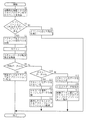
図3は、実施例1の動作を示すフローチャートである。 FIG. 3 is a flowchart illustrating the operation of the first embodiment.
S2で、情報処理装置100は、スキャナ10の操作部17で『アプリケーションで開く』イベントが選択され、通信部14から送られるイベントを検出する。
In S <b> 2, the
S3で、情報処理装置100は、OSのサービス等を利用し、ユーティリティを起動する。ユーティリティは、イベントがアプリケーションを開くものであるかどうかを判定する。イベントの内容は、OSのAPI等を使用することによって取得する。OSのサービスやAPIを使用せずに、イベントを取得するためのツールを使用するようにしてもよい。
In S3, the
『アプリケーションで開く』イベントと異なるイベントである場合、S4で、図2のイベント選択部21で設定した内容に応じた処理、たとえば、スキャンし、PDF形式で保存し、E−MAILに添付する等のイベントに応じた処理を行う。 If the event is different from the “open with application” event, in S4, processing according to the contents set by the event selection unit 21 in FIG. 2, for example, scanning, saving in PDF format, attaching to E-MAIL, etc. Process according to the event.
S5で、『アプリケーションで開く』イベントであると判断されると、ユーティリティは、現在アクティブなアプリケーションの実行パスを、複数のOSのAPIを使用して取得する。たとえば、OSがWindows(登録商標)である場合、まず、アクティブなウィンドウのハンドルを取得し、そのウィンドウハンドルから、そのウィンドウを作成したプロセスIDを取得する。 If it is determined in S5 that the event is an “open with application” event, the utility acquires the execution path of the currently active application using APIs of a plurality of OSs. For example, when the OS is Windows (registered trademark), first, the handle of the active window is acquired, and the process ID that created the window is acquired from the window handle.
または、最前面のウィンドウのハンドルを取得した後に、そのウィンドウのクラス情報を取得し、ユーティリティが保持するデータを転送する対象のクラスであれば、そのウィンドウハンドルからプロセスIDを取得する。ユーティリティが保持するデータを転送する対象外のクラスであれば、その背面のウィンドウのハンドルを取得し、同様の処理を行う。 Alternatively, after obtaining the handle of the frontmost window, the class information of the window is obtained, and if the class is a target for transferring data held by the utility, the process ID is obtained from the window handle. If it is a class that does not transfer the data held by the utility, the handle of the window behind it is acquired and the same processing is performed.
そして、スナップショットによって、全プロセス情報を取得し、アクティブなウィンドウを作成したプロセスのIDと比較する。プロセスIDが一致するプロセス情報から、アプリケーションのパスが決定する。 Then, all process information is acquired by the snapshot and compared with the ID of the process that created the active window. The application path is determined from the process information with the matching process ID.
また、アクティブなウィンドウのハンドルを取得する代わりに、次のようにしてもよい。つまり、ウィンドウハンドル一覧をOSから取得し、ウィンドウの重なり順にウィンドウハンドルを取得できる場合、最初に得られたウィンドウハンドルを現在アクティブなウィンドウのハンドルとして使用することもできる。 Further, instead of acquiring the handle of the active window, the following may be performed. That is, when the window handle list is acquired from the OS and the window handles can be acquired in the overlapping order of the windows, the first obtained window handle can be used as the handle of the currently active window.
また、起動中のアプリケーションが全て最小化状態であり、現在アクティブなアプリケーションが存在しないか、またはデスクトップ画面が表示されている状態であると判定した場合は、次のように、アクティブなアプリケーションであるとみなす。つまり、この場合、OSのAPIを使用して得ることのできるウィンドウの重なりの順番を示すZオーダーの最上位の値のウィンドウを、アクティブなアプリケーションであるとみなす。 If it is determined that all running applications are minimized and there is no currently active application or the desktop screen is displayed, the application is active as follows: It is considered. That is, in this case, the window having the highest value in the Z order indicating the order of overlapping of windows that can be obtained using the API of the OS is regarded as an active application.
実行パスとしてシステムのダイナミックリンクライブラリ(DLL)が取得された場合、DLLは、アプリケーションではないので、起動することはできない。したがって、次にZオーダーが上位となるウィンドウのハンドルを用いて、アクティブなアプリケーションを決定する。 When the system dynamic link library (DLL) is acquired as an execution path, the DLL cannot be started because it is not an application. Therefore, the active application is determined by using the handle of the window having the next highest Z order.
上記手法以外に、OS側で現在アクティブなアプリケーションパスを取得できるAPIが用意されている場合、それを用いるようにしてもよい。アクティブなアプリケーションパスの決定手法は、上記手法に限定されない。 In addition to the above method, when an API that can acquire the currently active application path is prepared on the OS side, it may be used. The method for determining an active application path is not limited to the above method.
S6で、図2の動作設定部22で設定した内容で、スキャナドライバを介して、スキャナ10でスキャンを行う。
In S6, the
スキャン完了後に、S7で、スキャンデータの転送形式を判定する。この判定をする場合、ダイアログを表示し、ユーザに選択させることによって判定する。また、過去に本操作を行ったことがあるアプリケーションに関して、前回の結果を保持し、ダイアログを表示せずに、前回選択された結果に従い、処理を続行することができる。S8で、転送データ形式が画像データのみであれば、S9で、スキャンした画像データをコマンドライン引数として、S5で取得したアクティブなアプリケーションを起動する。このときに、画像データを転送していることを、転送先のアプリケーションに知らせるために、画像データのパスに加え、パラメータを追加したコマンドライン引数で、アプリケーションを起動する。 After the scan is completed, the transfer format of the scan data is determined in S7. When making this determination, a dialog is displayed to allow the user to make a selection. In addition, with respect to an application that has performed this operation in the past, the previous result is retained, and the process can be continued according to the result selected last time without displaying a dialog. If the transfer data format is only image data in S8, the active application acquired in S5 is activated in S9 using the scanned image data as a command line argument. At this time, in order to notify the transfer destination application that the image data is being transferred, the application is started with a command line argument to which a parameter is added in addition to the path of the image data.
コマンドラインの例は、次の記述によって表すことができる。“c:¥program files¥microsoft office¥office12¥winword.exe”/i“c:¥Image_0001.bmp”“c:¥Image_0002.bmp”。なお、「microsoft」は、登録商標である。 An example command line can be represented by the following description: "C: \ program files \ microsoft office \ office12 \ windowword.exe" / i "c: \ Image_0001.bmp" "c: \ Image_0002.bmp". “Microsoft” is a registered trademark.
S10で、転送データ形式がテキストデータのみであると判断されると、S11で、ユーティリティは、スキャンしたデータをテキスト化し、S12で、テキスト化したデータを保存し、スキャンしたデータを破棄する。つまり、スキャンしたデータは、テキスト化後は不要であるので、二次記憶装置3から削除される。S13では、ユーティリティは、S12で保存したテキストデータのパスをコマンドライン引数に指定し、S5で取得したアクティブなアプリケーションを起動する。
If it is determined in S10 that the transfer data format is only text data, the utility converts the scanned data to text in S11, stores the text data in S12, and discards the scanned data. In other words, the scanned data is unnecessary after the text conversion, and is deleted from the
S8、S10ともにNOであれば、転送データ形式が画像データとテキストデータとの両方であると判断され、ユーティリティは、S15で、スキャンしたデータをテキスト化し、S16で、テキスト化したデータを二次記憶装置3に保存する。S17で、ユーティリティは、スキャンした画像データとS16で保存したテキストデータとを、コマンドライン引数として、S5で取得したアクティブなアプリケーション転送しそれぞれ実行する。
If both S8 and S10 are NO, it is determined that the transfer data format is both image data and text data, and the utility converts the scanned data into text in S15, and the converted data is converted into secondary data in S16. Save in the
その際、画像データを転送するときには、画像データを転送していることを、転送先のアプリケーションに知らせるために、画像データのパスに加え、パラメータを追加してコマンドライン起動を行う。 At that time, when transferring the image data, in addition to the image data path, a command line is activated to notify the transfer destination application that the image data is being transferred.
図4は、スキャナで読み込んだデータが、アプリケーション上に転送された様子を示す図である。 FIG. 4 is a diagram illustrating a state in which data read by the scanner is transferred onto the application.
図4(1)は、転送するデータがテキストのみである場合を示し、図4(2)は、転送するデータが画像のみである場合を示し、図4(3)は、転送するデータがテキストと画像とである場合を示す模式図である。 4 (1) shows a case where the data to be transferred is only text, FIG. 4 (2) shows a case where the data to be transferred is only an image, and FIG. 4 (3) shows that the data to be transferred is text. It is a schematic diagram which shows the case where it is and an image.
図5は、本発明の実施例2の動作を示すフローチャートである。 FIG. 5 is a flowchart showing the operation of the second embodiment of the present invention.
実施例2は、実施例1の処理方法において、スキャンデータの転送形式の判定を、ダイアログ上でユーザに選択させずに、転送形式を自動的に決定する実施例である。 The second embodiment is an embodiment in which, in the processing method of the first embodiment, the transfer format is automatically determined without allowing the user to select the scan data transfer format on the dialog.
S18〜S30、S45、S55〜S65、S75〜S85は、実施例1の図3に示すフローチャートと共通するので、その説明を省略する。 Since S18 to S30, S45, S55 to S65, and S75 to S85 are common to the flowchart shown in FIG. 3 of the first embodiment, description thereof is omitted.
S35で、スキャンした画像データを、画像領域と文字領域とに分離する。
分離処理は、任意の手法で行ってもよく、実施例2では、従来から知られている高速フーリエ変換で得られた値によって判別する。S40で、画像領域のみが検出されるか、または文字領域が検出されなければ、画像データのみであると見なし、S45で、画像データをアクティブなアプリケーションへ転送する。S50で、文字領域のみが検出されたと判断されると、テキストデータのみであると見なし、S55〜S65の処理を行う。その際に、アクティブなアプリケーションがテキストデータを扱うことができないアプリケーションであれば、テキストデータを画像データに変換して送付する。
In S35, the scanned image data is separated into an image area and a character area.
The separation process may be performed by any method, and in the second embodiment, the separation process is performed based on a value obtained by a conventionally known fast Fourier transform. If only the image area is detected in S40 or if no character area is detected, it is assumed that only the image data is present, and in S45, the image data is transferred to the active application. If it is determined in S50 that only the character area has been detected, only the text data is considered, and the processes in S55 to S65 are performed. At that time, if the active application cannot handle text data, the text data is converted into image data and sent.
S40、S50ともにNOであれば、画像データとテキストデータとの両方であると見なし、S75〜S85の処理を行う。その際に、アクティブなアプリケーションが画像データを扱うことができないアプリケーションであれば、テキストデータだけを転送し、テキストを扱うことができないアプリケーションであれば、テキストデータを画像データに変換して転送する。 If both S40 and S50 are NO, it is considered that both the image data and the text data, and the processes of S75 to S85 are performed. At that time, if the active application cannot handle image data, only text data is transferred. If the application cannot handle text, the text data is converted into image data and transferred.
上記実施例1、2の機能を実現するソフトウエアのプログラムコード(プログラム)を想定してもよい。また、このプログラムコードを記録した記録媒体を、システムまたは装置に供給し、そのシステムまたは装置のコンピュータ(またはCPUまたはMPU)が記録媒体に格納されたプログラムコードを読み出し実行するようにしてもよい。この場合、記憶媒体から読み出されたプログラムコード自体が、上記実施例1、2の機能を実現し、そのプログラムコードを記憶した記憶媒体は、本発明を構成する。 Software program codes (programs) for realizing the functions of the first and second embodiments may be assumed. Alternatively, a recording medium in which the program code is recorded may be supplied to a system or apparatus, and a computer (or CPU or MPU) of the system or apparatus may read and execute the program code stored in the recording medium. In this case, the program code itself read from the storage medium realizes the functions of the first and second embodiments, and the storage medium storing the program code constitutes the present invention.
プログラムコードを供給するための記憶媒体は、たとえば、フレキシブルディスク、ハードディスク、光ディスク、光磁気ディスク、CD−ROM、CD−R、磁気テープ、不揮発性のメモリカード、ROM、DVDである。 The storage medium for supplying the program code is, for example, a flexible disk, hard disk, optical disk, magneto-optical disk, CD-ROM, CD-R, magnetic tape, nonvolatile memory card, ROM, DVD.
また、コンピュータが読み出したプログラムコードの指示に基づいて、コンピュータ上で稼動しているOperating System(OS)などが、実際の処理の一部または全部を行い、その処理によって上記実施例の機能が実現される場合も含まれる。 Also, based on the instruction of the program code read by the computer, the operating system (OS) running on the computer performs part or all of the actual processing, and the functions of the above-described embodiments are realized by the processing. This is also included.
さらに、記憶媒体から読み出されたプログラムコードが、コンピュータに挿入された機能拡張ボードやコンピュータに接続された機能拡張ユニットに設けられているメモリに書き込む。その後に、そのプログラムコードの指示に基づいて、その機能拡張ボードや機能拡張ユニットに設けられているCPUなどが、実際の処理の一部または全部を行い、その処理によって上記実施例の機能が実現される場合も含まれる。 Further, the program code read from the storage medium is written in a memory provided in a function expansion board inserted into the computer or a function expansion unit connected to the computer. After that, the CPU of the function expansion board or function expansion unit performs part or all of the actual processing based on the instruction of the program code, and the functions of the above embodiments are realized by the processing. This is also included.
また、上記記憶媒体は、請求項1から請求項8のいずれか1項に記載のスキャンデータの転送方法を実行させるプログラムを格納したことを特徴とするコンピュータが読み取り可能な記憶媒体でもよい。
The storage medium may be a computer-readable storage medium storing a program for executing the scan data transfer method according to any one of
そして、周辺装置とコンピュータとが一体に形成された画像処理装置であって、上記画像処理装置の構成によって上記実施例の機能が実現される場合も当然含まれる。 In addition, the image processing apparatus in which the peripheral device and the computer are integrally formed, and the case where the functions of the above-described embodiments are realized by the configuration of the image processing apparatus is naturally included.
上記実施例は、上記アクティブであるアプリケーションに、読み取ったデータを転送する前に、次の3つの選択肢のうちの1つを、ユーザが選択する工程を有する実施例である。 In the above embodiment, the user selects one of the following three options before transferring the read data to the active application.
上記3つの選択肢は、画像データのみを転送する選択肢、画像データから文字を識別してテキストデータに変換したデータのみを転送する選択肢、または画像データとテキストデータとの両方を転送する選択肢である。 The above three options are an option to transfer only image data, an option to transfer only data obtained by identifying characters from image data and converted to text data, or an option to transfer both image data and text data.
また、上記実施例は、上記アクティブであるアプリケーションに、読み取ったデータを転送する前に、上記3つの選択肢のうちの1つを、画像データを解析した結果に従って判定する工程を有する実施例である。 Further, the above embodiment is an embodiment having a step of determining one of the three options according to the result of analyzing the image data before transferring the read data to the active application. .
上記実施例は、上記アクティブであるアプリケーションにスキャンデータを転送する際に、転送データの種別を示す情報を付加してデータを転送する実施例である。 In the above embodiment, when scan data is transferred to the active application, information indicating the type of transfer data is added and the data is transferred.
さらに、上記実施例は、上記転送したデータ形式と転送したアプリケーションの実行パスとを保持し、前回と同じアプリケーションに転送する場合、転送する画像データ形式の選択や画像データの解析をせずに前回と同じデータ形式で転送する実施例である。 Furthermore, the above embodiment holds the transferred data format and the execution path of the transferred application, and when transferring to the same application as the previous time, without selecting the image data format to be transferred or analyzing the image data, This is an embodiment in which data is transferred in the same data format.
しかも、上記実施例は、上記アクティブであるアプリケーションが存在しない場合、ウィンドウが最前面にあるアプリケーションにデータを転送する実施例である。 In addition, in the above embodiment, when there is no active application, data is transferred to the application whose window is in the foreground.
そして、上記実施例において、ウィンドウの最前面は、ウィンドウの重なりの順番を示す情報が一番上である面である。 In the above embodiment, the forefront of the window is the surface on which information indicating the order of overlap of the windows is the top.
加えて、上記実施例は、上記ユーティリティがデータ転送を行わない特定のウィンドウに関する情報を保持し、上記ウィンドウが最前面となる場合、その背面にあるウィンドウのアプリケーションに対してデータを転送する工程を有する実施例である。 In addition, in the above embodiment, the utility stores information about a specific window to which data transfer is not performed, and when the window is in the foreground, the step of transferring data to the application of the window at the back of the window is performed. This is an embodiment.
また、上記実施例における工程を手段に置き換えれば、上記実施例を装置の発明として把握することができる。 If the steps in the above embodiment are replaced with means, the above embodiment can be grasped as an invention of the apparatus.
100…情報処理装置、
10…スキャナ、
21…イベント選択部、
22…動作設定部、
23…起動アプリケーション設定部。
100: Information processing device,
10 ... Scanner,
21 ... Event selection part,
22 ... operation setting part,
23: Activation application setting unit.
Claims (18)
スキャン開始イベントを発行する工程を有し、
上記スキャン開始イベントを発行した時にホストコンピュータ上でアクティブなアプリケーションの実行パスを取得する工程を有し、
スキャンを実行することで読み取ったデータを、上記実行パスを用いてアプリケーションに転送する工程を有することを特徴とする画像処理方法。 In an image processing method for executing scanning in a peripheral device having an image reading function and displaying the read data by an application on a host computer,
A step of issuing a scan start event;
Obtaining an execution path of an active application on the host computer when issuing the scan start event,
An image processing method comprising a step of transferring data read by executing a scan to an application using the execution path.
上記アクティブであるアプリケーションに、読み取ったデータを転送する前に、画像データのみを転送するのか、または画像データから文字を識別してテキストデータに変換したデータのみを転送するのか、または画像データとテキストデータとの両方を転送するのかを、ユーザが選択する工程を有することを特徴とする画像処理方法。 In claim 1,
Before transferring the scanned data to the active application, only the image data is transferred, or only the data that has been identified from the image data and converted into text data is transferred, or the image data and text An image processing method comprising a step of a user selecting whether to transfer both data and data.
上記アクティブであるアプリケーションに、読み取ったデータを転送する前に、画像データのみを転送するのか、または画像データから文字を識別してテキストデータに変換したデータのみを転送するのか、または画像データとテキストデータとの両方を転送するのかを、画像データを解析した結果に従って判定する工程を有することを特徴とする画像処理方法。 In claim 1,
Before transferring the scanned data to the active application, only the image data is transferred, or only the data that has been identified from the image data and converted into text data is transferred, or the image data and text An image processing method comprising a step of determining whether to transfer both data and data according to a result of analyzing the image data.
上記アクティブであるアプリケーションにスキャンデータを転送する際に、転送データの種別を示す情報を付加してデータを転送することを特徴とする画像処理方法。 In Claim 1 to Claim 3,
An image processing method characterized in that when scan data is transferred to the active application, information indicating the type of transfer data is added and the data is transferred.
上記転送したデータ形式と転送したアプリケーションの実行パスとを保持し、前回と同じアプリケーションに転送する場合、転送する画像データ形式の選択や画像データの解析をせずに前回と同じデータ形式で転送することを特徴とする画像処理方法。 In any one of Claims 2-4,
When the above transferred data format and the execution path of the transferred application are retained and transferred to the same application as the previous time, the image data is transferred in the same data format as before without selecting the image data format to be transferred or analyzing the image data. An image processing method.
上記アクティブであるアプリケーションが存在しない場合、ウィンドウが最前面にあるアプリケーションにデータを転送することを特徴とする画像処理方法。 In any one of Claims 1-5,
An image processing method, comprising: transferring data to an application having a window in the foreground when there is no active application.
ウィンドウの最前面は、ウィンドウの重なりの順番を示す情報が一番上である面であることを特徴とする画像処理方法。 In claim 6,
An image processing method characterized in that the forefront of a window is a surface on which information indicating the order of overlapping of windows is the top.
表示されているウィンドウの情報を取得する工程と、
ユーティリティがデータ転送を行わない特定のウィンドウに関する情報を保持し、上記ウィンドウが最前面となる場合、その背面にあるウィンドウのアプリケーションに対してデータを転送する工程とを有することを特徴とする画像処理方法。 In any one of Claims 1-7,
Obtaining information about the displayed window; and
An image processing comprising: storing information about a specific window to which data is not transferred, and transferring the data to an application of the window on the back side when the window is at the front Method.
スキャン開始イベントを発行する手段を有し、
上記スキャン開始イベントを発行した時にホストコンピュータ上でアクティブなアプリケーションの実行パスを取得する手段を有し、
スキャンを実行することで読み取ったデータを、上記実行パスを用いてアプリケーションに転送する手段を有することを特徴とする画像処理装置。 In an image processing apparatus that executes scanning in a peripheral device having an image reading function and displays the read data by an application on a host computer,
A means for issuing a scan start event;
Means for acquiring an execution path of an active application on the host computer when the scan start event is issued;
An image processing apparatus comprising means for transferring data read by executing a scan to an application using the execution path.
上記アクティブであるアプリケーションに、読み取ったデータを転送する前に、画像データのみを転送するのか、または画像データから文字を識別してテキストデータに変換したデータのみを転送するのか、または画像データとテキストデータとの両方を転送するのかを、ユーザが選択する手段を有することを特徴とする画像処理装置。 In claim 11,
Before transferring the scanned data to the active application, only the image data is transferred, or only the data that has been identified from the image data and converted into text data is transferred, or the image data and text An image processing apparatus having means for a user to select whether to transfer both data and data.
上記アクティブであるアプリケーションに、読み取ったデータを転送する前に、画像データのみを転送するのか、または画像データから文字を識別してテキストデータに変換したデータのみを転送するのか、または画像データとテキストデータとの両方を転送するのかを、画像データを解析した結果に従って判定する手段を有することを特徴とする画像処理装置。 In claim 11,
Before transferring the scanned data to the active application, only the image data is transferred, or only the data that has been identified from the image data and converted into text data is transferred, or the image data and text An image processing apparatus comprising: means for determining whether to transfer both data according to a result of analyzing image data.
上記アクティブであるアプリケーションにスキャンデータを転送する際に、転送データの種別を示す情報を付加してデータを転送することを特徴とする画像処理装置。 In claims 11 to 13,
An image processing apparatus, wherein when the scan data is transferred to the active application, information indicating the type of transfer data is added and the data is transferred.
上記転送したデータ形式と転送したアプリケーションの実行パスとを保持し、前回と同じアプリケーションに転送する場合、転送する画像データ形式の選択や画像データの解析をせずに前回と同じデータ形式で転送することを特徴とする画像処理装置。 In any one of Claims 12-14,
When the above transferred data format and the execution path of the transferred application are retained and transferred to the same application as the previous time, the image data is transferred in the same data format as before without selecting the image data format to be transferred or analyzing the image data. An image processing apparatus.
上記アクティブであるアプリケーションが存在しない場合、ウィンドウが最前面にあるアプリケーションにデータを転送することを特徴とする画像処理装置。 In any one of Claims 11-15,
An image processing apparatus, wherein, when there is no active application, data is transferred to an application whose window is in the foreground.
ウィンドウの最前面は、ウィンドウの重なりの順番を示す情報が一番上である面であることを特徴とする画像処理装置。 In claim 16,
An image processing apparatus characterized in that the forefront of a window is a surface on which information indicating the order of overlapping of windows is the top.
表示されているウィンドウの情報を取得する手段と、
ユーティリティがデータ転送を行わない特定のウィンドウに関する情報を保持し、上記ウィンドウが最前面となる場合、その背面にあるウィンドウのアプリケーションに対してデータを転送する手段とを有することを特徴とする画像処理装置。 In any one of Claims 11-17,
Means for obtaining information about the displayed window;
Image processing characterized in that the utility stores information relating to a specific window to which no data is transferred, and when the window is in the foreground, means for transferring data to the window application on the back of the window. apparatus.
Priority Applications (2)
| Application Number | Priority Date | Filing Date | Title |
|---|---|---|---|
| JP2008260436A JP5319229B2 (en) | 2008-10-07 | 2008-10-07 | Data processing method and image processing apparatus |
| US12/573,457 US8345302B2 (en) | 2008-10-07 | 2009-10-05 | Image processing method |
Applications Claiming Priority (1)
| Application Number | Priority Date | Filing Date | Title |
|---|---|---|---|
| JP2008260436A JP5319229B2 (en) | 2008-10-07 | 2008-10-07 | Data processing method and image processing apparatus |
Publications (3)
| Publication Number | Publication Date |
|---|---|
| JP2010093473A true JP2010093473A (en) | 2010-04-22 |
| JP2010093473A5 JP2010093473A5 (en) | 2011-11-24 |
| JP5319229B2 JP5319229B2 (en) | 2013-10-16 |
Family
ID=42075585
Family Applications (1)
| Application Number | Title | Priority Date | Filing Date |
|---|---|---|---|
| JP2008260436A Expired - Fee Related JP5319229B2 (en) | 2008-10-07 | 2008-10-07 | Data processing method and image processing apparatus |
Country Status (2)
| Country | Link |
|---|---|
| US (1) | US8345302B2 (en) |
| JP (1) | JP5319229B2 (en) |
Cited By (1)
| Publication number | Priority date | Publication date | Assignee | Title |
|---|---|---|---|---|
| JP2017073159A (en) * | 2016-12-01 | 2017-04-13 | カシオ計算機株式会社 | Information terminal and program |
Families Citing this family (4)
| Publication number | Priority date | Publication date | Assignee | Title |
|---|---|---|---|---|
| JP5879920B2 (en) * | 2011-10-21 | 2016-03-08 | 株式会社リコー | Image processing apparatus, image processing method, and program |
| USD916713S1 (en) * | 2012-04-05 | 2021-04-20 | Welch Allyn, Inc. | Display screen with graphical user interface for patient central monitoring station |
| USD771118S1 (en) | 2014-03-27 | 2016-11-08 | Google Inc. | Portion of a display panel with a graphical user interface |
| USD870140S1 (en) | 2018-08-17 | 2019-12-17 | Beijing Microlive Vision Technology Co., Ltd. | Display screen or portion thereof with an animated graphical user interface |
Citations (3)
| Publication number | Priority date | Publication date | Assignee | Title |
|---|---|---|---|---|
| JP2000316065A (en) * | 1999-02-19 | 2000-11-14 | Compaq Computer Corp | System and method for enabling a user to select and scan a host system target application from a peripheral |
| JP2003152934A (en) * | 2001-11-19 | 2003-05-23 | Canon Inc | Facsimile communication management device and facsimile communication management method |
| JP2006135877A (en) * | 2004-11-09 | 2006-05-25 | Konica Minolta Business Technologies Inc | Image processing system, image processing apparatus, and image processing program |
Family Cites Families (3)
| Publication number | Priority date | Publication date | Assignee | Title |
|---|---|---|---|---|
| JPH10275209A (en) | 1995-11-09 | 1998-10-13 | Pfu Ltd | Image data processing system and image data processing method |
| US20090013255A1 (en) * | 2006-12-30 | 2009-01-08 | Matthew John Yuschik | Method and System for Supporting Graphical User Interfaces |
| US8712757B2 (en) * | 2007-01-10 | 2014-04-29 | Nuance Communications, Inc. | Methods and apparatus for monitoring communication through identification of priority-ranked keywords |
-
2008
- 2008-10-07 JP JP2008260436A patent/JP5319229B2/en not_active Expired - Fee Related
-
2009
- 2009-10-05 US US12/573,457 patent/US8345302B2/en not_active Expired - Fee Related
Patent Citations (3)
| Publication number | Priority date | Publication date | Assignee | Title |
|---|---|---|---|---|
| JP2000316065A (en) * | 1999-02-19 | 2000-11-14 | Compaq Computer Corp | System and method for enabling a user to select and scan a host system target application from a peripheral |
| JP2003152934A (en) * | 2001-11-19 | 2003-05-23 | Canon Inc | Facsimile communication management device and facsimile communication management method |
| JP2006135877A (en) * | 2004-11-09 | 2006-05-25 | Konica Minolta Business Technologies Inc | Image processing system, image processing apparatus, and image processing program |
Cited By (1)
| Publication number | Priority date | Publication date | Assignee | Title |
|---|---|---|---|---|
| JP2017073159A (en) * | 2016-12-01 | 2017-04-13 | カシオ計算機株式会社 | Information terminal and program |
Also Published As
| Publication number | Publication date |
|---|---|
| US8345302B2 (en) | 2013-01-01 |
| JP5319229B2 (en) | 2013-10-16 |
| US20100085600A1 (en) | 2010-04-08 |
Similar Documents
| Publication | Publication Date | Title |
|---|---|---|
| JP4077996B2 (en) | Data processing apparatus, data processing method, and storage medium storing computer-readable program | |
| US9367266B2 (en) | Information processing apparatus, control method, and storage medium | |
| US20110075207A1 (en) | Information processing apparatus and method thereof | |
| JP2001306207A (en) | Recording medium recording a program that supports drag-and-drop processing | |
| JP2009085622A (en) | Sample analyzer and data processing apparatus | |
| JP2009181291A (en) | Information processing apparatus, information processing method, and program | |
| CN109976681B (en) | Information processing apparatus, image forming apparatus, and computer-readable recording medium | |
| US20140325526A1 (en) | Information processing system, information processing method, and recording medium storing information processing program | |
| US9304726B2 (en) | Printing system and control method to generate a print job from a mobile device | |
| JP5319229B2 (en) | Data processing method and image processing apparatus | |
| US8559026B2 (en) | Image processing device having plurality of control units | |
| US20050273729A1 (en) | Information processor and file processing method | |
| US9794437B2 (en) | Information processing apparatus, information processing system, and information processing method | |
| JP2025178398A (en) | Support Program | |
| CN100444139C (en) | Driver invoking apparatus and methods using shortcut keys | |
| JP4218655B2 (en) | Information processing apparatus and program | |
| US9690521B2 (en) | Print control device and recording medium | |
| JP2005332072A (en) | Data processing device, card-type removable storage device, and data processing method | |
| JP2008098994A (en) | Scanner driver and scanner driver cooperation device | |
| JP6943076B2 (en) | Information processing equipment and programs | |
| JP2001092646A (en) | Device driver switching system | |
| US12499190B2 (en) | Information processing device and information processing program | |
| JP2017173909A (en) | Information processing system, information processing apparatus, information processing method, and program | |
| JP2015022509A (en) | Information processing apparatus, information processing method, and program | |
| US20260119780A1 (en) | Control method and non-transitory computer readable storage medium |
Legal Events
| Date | Code | Title | Description |
|---|---|---|---|
| A521 | Request for written amendment filed |
Free format text: JAPANESE INTERMEDIATE CODE: A523 Effective date: 20111006 |
|
| A621 | Written request for application examination |
Free format text: JAPANESE INTERMEDIATE CODE: A621 Effective date: 20111006 |
|
| A977 | Report on retrieval |
Free format text: JAPANESE INTERMEDIATE CODE: A971007 Effective date: 20120924 |
|
| A131 | Notification of reasons for refusal |
Free format text: JAPANESE INTERMEDIATE CODE: A131 Effective date: 20120928 |
|
| A521 | Request for written amendment filed |
Free format text: JAPANESE INTERMEDIATE CODE: A523 Effective date: 20121127 |
|
| TRDD | Decision of grant or rejection written | ||
| A01 | Written decision to grant a patent or to grant a registration (utility model) |
Free format text: JAPANESE INTERMEDIATE CODE: A01 Effective date: 20130614 |
|
| A61 | First payment of annual fees (during grant procedure) |
Free format text: JAPANESE INTERMEDIATE CODE: A61 Effective date: 20130711 |
|
| R151 | Written notification of patent or utility model registration |
Ref document number: 5319229 Country of ref document: JP Free format text: JAPANESE INTERMEDIATE CODE: R151 |
|
| RD03 | Notification of appointment of power of attorney |
Free format text: JAPANESE INTERMEDIATE CODE: R3D03 |
|
| LAPS | Cancellation because of no payment of annual fees |