JP4981653B2 - Media content management system and media content management method - Google Patents
Media content management system and media content management method Download PDFInfo
- Publication number
- JP4981653B2 JP4981653B2 JP2007333937A JP2007333937A JP4981653B2 JP 4981653 B2 JP4981653 B2 JP 4981653B2 JP 2007333937 A JP2007333937 A JP 2007333937A JP 2007333937 A JP2007333937 A JP 2007333937A JP 4981653 B2 JP4981653 B2 JP 4981653B2
- Authority
- JP
- Japan
- Prior art keywords
- content
- media content
- user
- product
- server
- Prior art date
- Legal status (The legal status is an assumption and is not a legal conclusion. Google has not performed a legal analysis and makes no representation as to the accuracy of the status listed.)
- Expired - Fee Related
Links
- 238000007726 management method Methods 0.000 title claims description 89
- 238000000034 method Methods 0.000 claims description 62
- 238000012545 processing Methods 0.000 claims description 26
- 230000015572 biosynthetic process Effects 0.000 claims description 19
- 238000003786 synthesis reaction Methods 0.000 claims description 19
- 238000004891 communication Methods 0.000 claims description 14
- 230000005540 biological transmission Effects 0.000 claims description 8
- 238000013523 data management Methods 0.000 description 37
- 239000000203 mixture Substances 0.000 description 19
- 238000013500 data storage Methods 0.000 description 15
- 238000004519 manufacturing process Methods 0.000 description 5
- 239000002131 composite material Substances 0.000 description 3
- 238000012790 confirmation Methods 0.000 description 3
- 238000010586 diagram Methods 0.000 description 2
- 238000012986 modification Methods 0.000 description 2
- 230000004048 modification Effects 0.000 description 2
- 230000002194 synthesizing effect Effects 0.000 description 2
- 125000002066 L-histidyl group Chemical group [H]N1C([H])=NC(C([H])([H])[C@](C(=O)[*])([H])N([H])[H])=C1[H] 0.000 description 1
- 230000003247 decreasing effect Effects 0.000 description 1
- 238000010295 mobile communication Methods 0.000 description 1
- 230000001360 synchronised effect Effects 0.000 description 1
Images


Landscapes
- Storage Device Security (AREA)
- Processing Or Creating Images (AREA)
Description
本発明は、ネットワークによるメディアコンテンツ管理システム、及びメディアコンテンツ管理方法に関する。 The present invention relates to a network media content management system and a media content management method.
従来より、ネットワークを介して流通するデジタルコンテンツの不正使用を防止する技術が考えられている。 Conventionally, a technique for preventing unauthorized use of digital content distributed via a network has been considered.
例えば、特許文献1においては、ネットワークを介して配布されたデジタルコンテンツの不正な二次使用を防止するため、ダウンロードを要求するクライアント端末について利用者の認証を行い、この認証結果に基づいて、ダウンロード対象のデジタルコンテンツについて合成ルールを設定することが開示されている。
しかしながら、特許文献1に記載の技術の場合、正当な権原のない利用者に対し不正な二次使用を防止することは可能である。一方、逆に二次使用を許可することによってデジタルコンテンツの普及を図る場合においては、認証結果に基づいて、ダウンロード対象のデジタルコンテンツについて合成ルールを決定することが、二次利用の普及を妨げる要因となる。また、デジタルコンテンツを提供した側から見れば、自らが提供したデジタルコンテンツがどのようなコンテンツに二次利用されたのか追跡して把握することができないという問題もあった。
However, in the case of the technique described in
本発明の課題は、メディアコンテンツの二次利用を許可する提供者にとって、二次利用されたメディアコンテンツの内容の把握を容易にさせることである。 An object of the present invention, taking the provider to allow secondary use of the media content is to facilitate the understanding of the contents of the secondary use media content.
請求項1に記載の発明は、
外部から入力された第1のメディアコンテンツを受信する第1の受信手段と、
前記第1の受信手段によって受信された前記第1のメディアコンテンツを記憶し、管理する第1の記憶管理手段と、
前記第1のメディアコンテンツが含まれる第2のメディアコンテンツを生成するために外部から入力された成果物情報及び前記第1のメディアコンテンツと合成されるべき個人コンテンツを受信する第2の受信手段と、
前記第2の受信手段によって受信された前記成果物情報を取得する取得手段と、
前記第2の受信手段によって受信された前記成果物情報を前記第1のメディアコンテンツと関連付けて記憶し、管理する第2の記憶管理手段と、
前記第2の受信手段によって受信された前記個人コンテンツを記憶し、管理する第3の記憶管理手段と、
外部からの入力によって、前記第1のメディアコンテンツ、前記成果物情報、及び前記個人コンテンツに基づいて前記第2のメディアコンテンツを生成する生成手段と、
前記生成手段によって生成された前記第2のメディアコンテンツを通信回線を介してネットワークに公開する公開手段と、
前記外部からダウンロード要求がある場合に、前記生成手段によって生成された前記第2のメディアコンテンツに電子透かし処理を施し、当該電子透かし処理を施した第2のメディアコンテンツを前記ダウンロード要求元の外部に送信する第1の送信手段と、
を備えることを特徴としている。
The invention described in
First receiving means for receiving first media content input from the outside;
First storage management means for storing and managing the first media content received by the first receiving means;
Second receiving means for receiving product information input from the outside in order to generate second media content including the first media content and personal content to be combined with the first media content; ,
Obtaining means for obtaining the product information received by the second receiving means;
Second storage management means for storing and managing the product information received by the second receiving means in association with the first media content;
Third storage management means for storing and managing the personal content received by the second receiving means;
Generating means for generating the second media content based on the first media content, the product information, and the personal content by an external input;
Publishing means for publishing the second media content generated by the generating means to a network via a communication line;
When there is a download request from the outside, the second media content generated by the generation unit is digitally watermarked, and the second media content subjected to the digital watermark processing is outside the download request source. First transmitting means for transmitting;
It is characterized by having.
請求項2に記載の発明は、請求項1に記載の発明において、
前記第2の受信手段によって前記成果物情報が受信されたか否かを判断する判断手段を更に備え、
前記取得手段は、前記判断手段によって受信されたと判断された当該成果物情報を取得することを特徴としている。
The invention according to
A judgment means for judging whether or not the product information is received by the second receiving means;
The acquisition unit acquires the product information determined to be received by the determination unit.
請求項3に記載の発明は、請求項2に記載の発明において、
前記外部が前記第2のメディアコンテンツを生成するための生成プログラムを記憶する生成プログラム記憶手段と、
前記生成プログラム記憶手段に記憶される生成プログラムを前記外部に送信する第2の送信手段と、
を更に備えることを特徴としている。
The invention according to
Generation program storage means for storing a generation program for the outside to generate the second media content;
Second transmission means for transmitting the generation program stored in the generation program storage means to the outside;
Is further provided.
請求項4に記載の発明は、請求項1から3の何れか一項に記載の発明において、
前記第1の記憶管理手段は、前記第1のメディアコンテンツと関連付けて当該第1のメディアコンテンツの創作者情報を更に記憶し、
前記取得手段によって前記成果物情報が取得されると、当該成果物情報に対応付けられている第1のメディアコンテンツの創作者情報を前記第1の記憶管理手段から抽出し、抽出された当該創作者情報に基づいて創作者に通知する通知手段と、
を更に備えることを特徴としている。
The invention according to
The first storage management means further stores creator information of the first media content in association with the first media content;
When the product information is acquired by the acquisition unit, the creator information of the first media content associated with the product information is extracted from the first storage management unit, and the extracted creation Notification means for notifying the creator based on the creator information;
Is further provided.
請求項5に記載の発明は、請求項1から4の何れか一項に記載の発明において、
前記第1のメディアコンテンツはCG画像であり、前記第2のメディアコンテンツは前記CG画像が合成された撮影画像であり、前記成果物情報は前記撮影画像に合成される前記CG画像の合成状態を示す合成パラメータを含むことを特徴としている。
The invention according to
The first media content is a CG image, the second media content is a captured image obtained by combining the CG image, and the product information indicates a combined state of the CG image combined with the captured image. It is characterized by including the synthesis parameters shown.
請求項6に記載の発明は、
第1の受信手段が、外部から入力された第1のメディアコンテンツを受信する第1の受信工程と、
第1の記憶管理手段が、前記第1の受信工程によって受信された前記第1のメディアコンテンツを記憶し、管理する第1の記憶管理工程と、
第2の受信手段が、外部から入力された前記第1のメディアコンテンツが含まれる第2のメディアコンテンツを生成するための前記成果物情報及び前記第1のメディアコンテンツと合成するための個人コンテンツを受信する第2の受信工程と、
取得手段が、前記第2の受信工程によって受信された前記成果物情報を取得する取得工程と、
第2の記憶管理手段が、前記第2の受信工程によって受信された前記成果物情報を前記第1のメディアコンテンツと関連付けて記憶し、管理する第2の記憶管理工程と、
第3の記憶管理手段が、前記第2の受信工程によって受信された前記個人コンテンツを記憶し、管理する第3の記憶管理工程と、
生成手段が、外部からの要求によって、前記第1のメディアコンテンツ、前記成果物情報、及び前記個人コンテンツに基づいて前記第2のメディアコンテンツを生成する生成工程と、
送信手段が、前記外部からダウンロード要求がある場合に、前記生成工程によって生成された前記第2のメディアコンテンツに電子透かし処理を施し、当該電子透かし処理を施した第2のメディアコンテンツを前記ダウンロード要求元の外部に送信する送信工程と、
を含むことを特徴としている。
The invention described in claim 6
A first receiving step in which the first receiving means receives the first media content input from the outside;
A first storage management step for storing and managing the first media content received by the first reception step;
The second receiving means outputs the product information for generating the second media content including the first media content input from the outside, and the personal content for combining with the first media content. A second receiving step for receiving;
An obtaining unit for obtaining the product information received by the second receiving step;
A second storage management step for storing and managing the product information received in the second receiving step in association with the first media content;
A third storage management step for storing and managing the personal content received by the second reception step;
A generating step for generating the second media content based on the first media content, the product information, and the personal content according to an external request;
When there is a download request from the outside, the transmission means performs a digital watermark process on the second media content generated by the generation step, and downloads the second media content subjected to the digital watermark process. A transmission process to send to the original outside,
It is characterized by including.
本発明によれば、メディアコンテンツの二次利用を許可する提供者にとって、二次利用されたメディアコンテンツの内容の把握が容易になる。 According to the present invention, it becomes easy for a provider who permits secondary use of media content to grasp the content of the media content that has been secondary used.
〔実施形態1〕
まず、本発明の実施形態1について説明する。
図1に、実施形態1におけるメディアコンテンツ管理システム1の構成例を示す。図1に示すように、メディアコンテンツ管理システム1は、コンテンツ管理サーバ10、ユーザ成果物サーバ11、ユーザデータ管理サーバ12、DB(Data Base)サーバ20、著作権管理契約サーバ30、課金サーバ40、検索サーバ50、アプリケーションサーバ60によって構成され、アプリケーションサーバ60とユーザ端末100は通信ネットワークNを介してデータ送受信可能に接続されている。通信ネットワークNは、例えば、WAN(Wide Area Network)やインターネット等の通信ネットワークにより構成されるが、LAN(Local Area Network)等を含めてもよく、電話回線、専用線、移動体通信網、通信衛星網、CATV(Cable Television)回線、インターネットプロバイダ等を含めてもよい。
First,
FIG. 1 shows a configuration example of a media
また、コンテンツ管理サーバ10、ユーザ成果物サーバ11、ユーザデータ管理サーバ12、DBサーバ20、著作権管理契約サーバ30、課金サーバ40、検索サーバ50、及びアプリケーションサーバ60は、図1に示すようにそれぞれがLAN等のネットワークを介して、データ送受信可能に接続されている。
Further, the
コンテンツ管理サーバ10、ユーザ成果物サーバ11、ユーザデータ管理サーバ12、DBサーバ20、著作権管理契約サーバ30、課金サーバ40、検索サーバ50、アプリケーションサーバ60、及びユーザ端末100はそれぞれプログラムとの協働により動作し、それぞれはCPU、記憶部、RAM(Random Access Memory)、入力部、表示部、通信部等から構成されている。
The
コンテンツ管理サーバ10は、第1の記憶管理手段として機能し、メディアコンテンツの著作者(創作者)であるクリエイターによって、著作権管理契約サーバ30を介してアップロードされた第1のメディアコンテンツとしてのメディアコンテンツ(以下、単にコンテンツという)が記憶され、管理されている。コンテンツは、ユーザに対して販売するデータであり、例えばクリエイターが作成した3DCG(3Dimention Computer Graphics)等で構成されるオブジェクトファイルが挙げられる。
ユーザ成果物サーバ11は、第2の記憶管理手段として機能し、ユーザによってユーザ端末100からアップロードされた写真等の画像データ(以下、個人コンテンツという)と、クリエイターによってアップロードされたコンテンツが合成され、第2のメディアコンテンツとして生成されるメディアコンテンツ(以下、成果物という)の生成に必要な情報が記憶され、管理されている。
ユーザデータ管理サーバ12は、第3の記憶管理手段として機能し、ユーザの氏名やクレジットカード情報等の個人情報や、アプリケーションサーバ60を介してユーザによってアップロードされた個人コンテンツが記憶され、管理されている。
The
The user
The user
DBサーバ20は、コンテンツDB21、成果物DB22、及びユーザDB23、により構成され、画像データや各種ユーザ情報等の情報をデータベースとして記憶され、管理されている。コンテンツDB21のデータベースの内容は、コンテンツ管理サーバ10にコピーされ、コンテンツ管理サーバ10によって記憶され、管理されている。成果物DB22のデータベースの内容は、ユーザ成果物サーバ11にコピーされ、ユーザ成果物サーバ11によって記憶され、管理されている。ユーザDB23のデータベースの内容は、ユーザデータ管理サーバ12にコピーされ、ユーザデータ管理サーバ12によって記憶され、管理されている。
コンテンツ管理サーバ10、ユーザ成果物サーバ11、及びユーザデータ管理サーバ12は、定期的にDBサーバ20と同期を取り、内容を一致させている。例えば、一定時間経過ごとに同期を取るようにしてもよいし、ユーザ端末100から個人コンテンツがアップロードされたタイミング等で同期を取ってもよい。
The DB
The
図2に、コンテンツDB21のデータ格納例を示す。
図2に示すように、コンテンツDB21は、クリエイターによってアップロードされたコンテンツについての情報を記憶するデータベースであり、コンテンツDBメインテーブルT1によって構成される。コンテンツDBメインテーブルT1は、図2に示すように、「コンテンツID」フィールド、「ユーザID」フィールド、「形式」フィールド、「容量」フィールド、「保管場所」フィールド、「サムネイル保管場所」フィールド、「キーワード」フィールド、「ジャンル」フィールド、「利用価格」フィールド、及び「利用可能回数」フィールドを有する。
FIG. 2 shows an example of data storage in the
As shown in FIG. 2, the
「コンテンツID」フィールドは、クリエイターがアップロードしたコンテンツに一意に割り当てられたコンテンツIDを格納する。「ユーザID」フィールドは、クリエイターに一意に割り当てられたユーザIDを格納する。「形式」フィールドは、コンテンツのデータ形式を格納する。「容量」フィールドは、コンテンツのデータ容量を格納する。「保管場所」フィールドは、コンテンツを保管しているディレクトリを格納する。「サムネイル保管場所」フィールドは、コンテンツのサムネイルを保管しているディレクトリを格納する。「キーワード」フィールドは、ユーザが所望するコンテンツを検索するときのキーワードを格納する。「ジャンル」フィールドは、コンテンツの属するジャンルを格納する。「利用価格」フィールドは、コンテンツの利用価格を格納する。「利用可能回数」フィールドは、当該コンテンツの利用可能回数を格納する。 The “content ID” field stores a content ID uniquely assigned to the content uploaded by the creator. The “user ID” field stores a user ID uniquely assigned to the creator. The “format” field stores the data format of the content. The “capacity” field stores the data capacity of the content. The “storage location” field stores a directory in which content is stored. The “thumbnail storage location” field stores a directory in which thumbnails of content are stored. The “keyword” field stores a keyword used when searching for content desired by the user. The “genre” field stores the genre to which the content belongs. The “use price” field stores the use price of the content. The “usable number” field stores the number of times the content can be used.
図3に、成果物DB22のデータ格納例を示す。
成果物DB22は、成果物を生成する際に必要である成果物情報(後述する合成パラメータ、コンテンツID、及び後述する個人コンテンツID)等を記憶するデータベースであり、図3に示すように、成果物DBメインテーブルT2、使用コンテンツテーブルT3、及び使用個人コンテンツテーブルT4から構成される。
FIG. 3 shows an example of data storage in the
The
図3(a)に、成果物DBメインテーブルT2のデータ格納例を示す。成果物DBメインテーブルT2は、成果物に関する基本情報を記憶するテーブルである。図3(a)に示すように、成果物DBメインテーブルは、「成果物ID」フィールド、「製作日」フィールド、「ユーザID」フィールド、「合成パラメータ」フィールド、「サムネイル格納場所」フィールド、及び「利用ログ格納場所」フィールドを有する。 FIG. 3A shows a data storage example of the product DB main table T2. The deliverable DB main table T2 is a table that stores basic information related to deliverables. As shown in FIG. 3A, the product DB main table includes a “product ID” field, a “production date” field, a “user ID” field, a “synthesis parameter” field, a “thumbnail storage location” field, and It has a “use log storage location” field.
「成果物ID」フィールドは、各成果物に一意に割り当てられた成果物IDを格納する。「製作日」フィールドは、各成果物が作成された日時を格納する。「ユーザID」フィールドは、成果物を作成したユーザIDを格納する。「合成パラメータ」フィールドは、成果物に関する合成パラメータを格納する。合成パラメータとは、個人コンテンツ(写真等の画像データ等)を下位レイヤーとしてその上位レイヤーに合成表示されるクリエイターが作成したコンテンツ(3DCG等で構成されるオブジェクトファイル)の合成状態を示す情報であり、詳細には、合成表示されるコンテンツの大きさ、合成表示位置、コンテンツの表示方向、コンテンツに照射される光源の照射方向(ライティング)等の座標情報を示す。成果物は、この合成パラメータを基にコンテンツと個人コンテンツを合成して生成される。「サムネイル格納場所」フィールドは、成果物のサムネイルを保管しているディレクトリを格納する。「利用ログ格納場所」フィールドは、後述する成果物公開処理によって得られた利用ログを保管しているディレクトリを格納する。 The “product ID” field stores a product ID uniquely assigned to each product. The “production date” field stores the date and time when each deliverable was created. The “user ID” field stores the user ID that created the deliverable. The “synthesis parameter” field stores a synthesis parameter related to the deliverable. The composite parameter is information indicating a composite state of content (an object file composed of 3DCG) created by a creator that displays personal content (image data such as a photograph) as a lower layer on a higher layer. In detail, coordinate information such as the size of the content to be combined and displayed, the combined display position, the display direction of the content, and the irradiation direction (lighting) of the light source irradiated to the content is shown. A deliverable is generated by synthesizing content and personal content based on this synthesis parameter. The “thumbnail storage location” field stores a directory in which thumbnails of deliverables are stored. The “use log storage location” field stores a directory that stores use logs obtained by a product release process described later.
図3(b)に、使用コンテンツテーブルT3のデータ格納例を示す。使用コンテンツテーブルT3は、成果物を作成する際に使用したコンテンツのコンテンツIDを記憶するものである。図3(b)の例では、1つの成果物に対して合成できるコンテンツを4つまでとしている。図3(b)に示すように、使用コンテンツテーブルT3は、「成果物ID」フィールド、「コンテンツID1」フィールド、「コンテンツID2」フィールド、「コンテンツID3」フィールド、及び「コンテンツID4」フィールドを有する。 FIG. 3B shows a data storage example of the used content table T3. The used content table T3 stores the content ID of the content used when creating the deliverable. In the example of FIG. 3B, the number of contents that can be combined with one product is limited to four. As shown in FIG. 3B, the used content table T3 has a “delivered product ID” field, a “content ID1” field, a “content ID2” field, a “content ID3” field, and a “content ID4” field.
「成果物ID」フィールドは、成果物IDを格納する。「コンテンツID1」フィールド、「コンテンツID2」フィールド、「コンテンツID3」フィールド、及び「コンテンツID4」フィールドは、成果物作成の際に使用されたコンテンツに対応するコンテンツIDを格納する。使用したコンテンツが4つ以内の場合、コンテンツIDを格納しないフィールドにはNULL値が格納される。
The “product ID” field stores a product ID. The “
図3(c)に、使用個人コンテンツテーブルT4のデータ格納例を示す。使用個人コンテンツテーブルT4は、成果物を作成する際に使用した個人コンテンツの個人コンテンツIDを記憶するものである。図3(c)の例では、1つの成果物に対して合成できる個人コンテンツが4つまでとしている。図3(c)に示すように、使用個人コンテンツテーブルT4は、「成果物ID」フィールド、「個人コンテンツID1」フィールド、「個人コンテンツID2」フィールド、「個人コンテンツID3」フィールド、及び「個人コンテンツID4」フィールドを有する。 FIG. 3C shows a data storage example of the used personal content table T4. The used personal content table T4 stores the personal content ID of the personal content used when creating the deliverable. In the example of FIG. 3C, the number of personal contents that can be combined with one product is up to four. As shown in FIG. 3C, the used personal content table T4 includes a “delivered product ID” field, a “personal content ID1” field, a “personal content ID2” field, a “personal content ID3” field, and a “personal content ID4”. "Field.
「成果物ID」フィールドは、成果物IDを格納する。「個人コンテンツID1」フィールド、「個人コンテンツID2」フィールド、「個人コンテンツID3」フィールド、及び「個人コンテンツID4」フィールドは、成果物生成の際にユーザがアップロードした個人コンテンツに一意に割り当てられた個人コンテンツIDを格納する。使用した個人コンテンツが4つ未満の場合、個人コンテンツIDを格納しないフィールドにはNULL値が格納される。
The “product ID” field stores a product ID. The “
図4に、ユーザDB23のデータ格納例を示す。
ユーザDB23は、ユーザに関する情報を記憶するものであり、図4に示すように、個人コンテンツテーブルT5、個人情報テーブルT6、及び購入コンテンツテーブルT7から構成される。
FIG. 4 shows an example of data storage in the user DB 23.
The user DB 23 stores information related to users, and includes a personal content table T5, a personal information table T6, and a purchase content table T7 as shown in FIG.
図4(a)に、個人コンテンツテーブルT5のデータ格納例を示す。個人コンテンツテーブルT5は、ユーザがアップロードした個人コンテンツについての情報を記憶するものである。図4(a)に示すように、個人コンテンツテーブルT5は、「個人コンテンツID」フィールド、「ユーザID」フィールド、「形式」フィールド、「容量」フィールド、及び「保管場所」フィールドを有する。 FIG. 4A shows an example of data storage in the personal content table T5. The personal content table T5 stores information about personal content uploaded by the user. As shown in FIG. 4A, the personal content table T5 includes a “personal content ID” field, a “user ID” field, a “format” field, a “capacity” field, and a “storage location” field.
「個人コンテンツID」フィールドは、個人コンテンツごとに一意に対応付けられた個人コンテンツIDを格納する。「ユーザID」フィールドは、ユーザIDを格納する。「形式」フィールドは、個人コンテンツのデータ形式を格納する。「容量」フィールドは、個人コンテンツのデータ容量を格納する。「保管場所」フィールドは、個人コンテンツの保管場所を格納する。 The “personal content ID” field stores a personal content ID uniquely associated with each personal content. The “user ID” field stores a user ID. The “format” field stores the data format of the personal content. The “capacity” field stores the data capacity of the personal content. The “storage location” field stores the storage location of the personal content.
図4(b)に、個人情報テーブルT6のデータ格納例を示す。個人情報テーブルT6は、ユーザの個人情報を記憶するものである。図4(b)に示すように、個人情報テーブルT6は、「ユーザID」フィールド、「パスワード」フィールド、「氏名」フィールド、「メールアドレス」フィールド、「クレジットカード情報」フィールドを有する。 FIG. 4B shows a data storage example of the personal information table T6. The personal information table T6 stores user personal information. As shown in FIG. 4B, the personal information table T6 includes a “user ID” field, a “password” field, a “name” field, a “mail address” field, and a “credit card information” field.
「ユーザID」フィールドは、ユーザIDを格納する。「パスワード」フィールドは、ユーザIDごとに設定されたパスワードを格納する。「氏名」フィールドは、ユーザの氏名を格納する。「メールアドレス」フィールドは、ユーザのメールアドレスを格納する。「クレジットカード情報」フィールドは、ユーザのクレジットカード情報を格納する。 The “user ID” field stores a user ID. The “password” field stores a password set for each user ID. The “name” field stores the name of the user. The “mail address” field stores the mail address of the user. The “credit card information” field stores the credit card information of the user.
図4(c)に、購入コンテンツテーブルT7のデータ格納例を示す。購入コンテンツテーブルT7は、ユーザが購入したコンテンツに関する情報を記憶するものである。図4(c)に示すように、購入コンテンツテーブルT7は、「ユーザID」フィールド、「コンテンツID」フィールド、「購入日」フィールド、及び「利用回数」フィールドを有する。 FIG. 4C shows a data storage example of the purchase content table T7. The purchase content table T7 stores information related to the content purchased by the user. As shown in FIG. 4C, the purchase content table T7 includes a “user ID” field, a “content ID” field, a “purchase date” field, and a “usage count” field.
「ユーザID」フィールドは、ユーザIDを格納する。「コンテンツID」フィールドは、ユーザが購入したコンテンツのコンテンツIDを格納する。「購入日」フィールドは、コンテンツを購入した日付を格納する。「利用回数」は、ユーザが購入したコンテンツの残り利用回数を格納する。 The “user ID” field stores a user ID. The “content ID” field stores the content ID of the content purchased by the user. The “purchase date” field stores the date when the content is purchased. “Use count” stores the remaining use count of the content purchased by the user.
著作権管理契約サーバ30は、第1の受信手段として機能し、クリエイターがクリエイターの有する端末(図示せず)によりコンテンツデータをコンテンツ管理サーバ10にアップロードする際に、クリエイターの有する端末に対し著作権保護に関する規約の同意及びコンテンツデータの要求を行う。クリエイターの有する端末(図示せず)が、コンテンツデータをアップロードする際には、著作権管理契約サーバ30と接続を行う。
The copyright
以下、クリエイターがコンテンツデータをコンテンツDB21にアップロードする際の入力操作の流れを図を用いて説明する。
図5(a)に、クリエイターがコンテンツデータをアップロードする際にクリエイターの有する端末に表示される著作権管理契約画面G1を示す。著作権管理契約画面G1は、著作権管理契約のテキストを記載する領域G1a、ラジオボタンG1bとG1c、「OK」ボタンG1d等から構成される。著作権管理契約画面G1は、クリエイターの有する端末が著作権管理契約サーバ30に接続され、著作権管理契約サーバ30から送信されるログイン画面(図示せず)上で、クリエイターによって自己のユーザIDとパスワードが入力される。著作権管理契約サーバ30にログインがされた後に表示される。
この時入力されるユーザIDとパスワードは、著作権管理契約サーバ30を介して、ユーザデータ管理サーバ12に保存された個人情報テーブルT6と照合が行われて認証される。本実施の形態では、ユーザIDを所有する者は、自己の作成したコンテンツをアップロードして販売するクリエイターとしても、他人のコンテンツを購入して利用するユーザとしてもログインすることができる。つまり、著作権管理契約サーバ30と接続すればクリエイターとして、アプリケーションサーバ60と接続すればユーザとして、メディアコンテンツ管理システム1を利用することができる。一方、クリエイターとしてメディアコンテンツ管理システム1を利用する際には、ユーザとして利用する時のユーザIDと別のユーザIDを入力させる構成としてもよい。
Hereinafter, the flow of an input operation when a creator uploads content data to the
FIG. 5 (a) shows a copyright management contract screen G1 displayed on the terminal of the creator when the creator uploads the content data. The copyright management contract screen G1 includes an area G1a in which the text of the copyright management contract is written, radio buttons G1b and G1c, an “OK” button G1d, and the like. The copyright management contract screen G1 is displayed on the login screen (not shown) transmitted from the copyright
The user ID and password input at this time are authenticated by collating with the personal information table T6 stored in the user
クリエイターの操作により、著作権管理契約画面G1上の「同意します」のラジオボタンG1bが選択され、「OK」ボタンG1dが押下されると、後述するアップロードデータ選択画面G2に遷移する。「同意しません」のラジオボタンG1cが選択され、「OK」ボタンG1dが押下されると、著作権管理契約に同意しなかったとして画面は終了する。 When the “I agree” radio button G1b on the copyright management contract screen G1 is selected by the creator's operation and the “OK” button G1d is pressed, the screen changes to an upload data selection screen G2 described later. If the radio button G1c of “I do not agree” is selected and the “OK” button G1d is pressed, the screen is terminated as if the copyright management contract was not agreed.
図5(b)に、クリエイターがコンテンツデータをアップロードする際に表示されるアップロードデータ選択画面G2を示す。アップロードデータ選択画面G2は、「アップロードデータ選択」タグG2a、「参照」ボタンG2b、「キーワード」タグG2c、「ジャンル選択」タグG2d、「利用回数」タグG2e、「利用料金」タグG2f、及び「OK」ボタン等G2gから構成される。 FIG. 5B shows an upload data selection screen G2 displayed when the creator uploads content data. The upload data selection screen G2 includes an “upload data selection” tag G2a, a “reference” button G2b, a “keyword” tag G2c, a “genre selection” tag G2d, a “usage count” tag G2e, a “use charge” tag G2f, and “ It is composed of G2g such as an “OK” button.
アップロードデータ選択画面G2において、クリエイターの操作により、「参照」ボタンG2bが押下され、アップロードされる画像データが格納されているフォルダが指定されると、「アップロードデータ選択」タグG2aに、アップロードするコンテンツが指定される。次いで、クリエイターの操作により、「キーワード」タグG2cに、キーワードが入力される。そして、「ジャンル選択」タグG2dに、コンテンツに関するジャンルが選択される。アップロードデータ選択画面G2の例では、「キーワード」タグG2cは自由に入力ができ、「ジャンル選択」タグG2dはプルダウンメニューから選択するようにしているが、入力形式は本実施例に限られたものではない。
次いで、クリエイターの操作により、コンテンツを利用する際の利用回数が「利用回数」タグG2eに入力され、「利用料金」タグG2fに入力される。図5(b)の例では、ユーザは50円を支払えば、このコンテンツを5回使用することができる。
In the upload data selection screen G2, when a “reference” button G2b is pressed by a creator's operation and a folder storing image data to be uploaded is specified, content to be uploaded is displayed in an “upload data selection” tag G2a. Is specified. Next, a keyword is input to the “keyword” tag G2c by the operation of the creator. Then, the genre related to the content is selected in the “genre selection” tag G2d. In the example of the upload data selection screen G2, the “keyword” tag G2c can be freely input, and the “genre selection” tag G2d is selected from the pull-down menu. However, the input format is limited to this embodiment. is not.
Next, the number of times of using the content is input to the “use count” tag G2e and the “use charge” tag G2f by the creator's operation. In the example of FIG. 5B, if the user pays 50 yen, this content can be used five times.
「OK」ボタンG2gが押下されると、入力されたデータが著作権管理契約サーバ30を介し、コンテンツ管理サーバ10にアップロードされ、コンテンツDBメインテーブルT1に格納される。具体的には、アップロードされたコンテンツに対して、コンテンツ管理サーバ10により一意にコンテンツIDが割り振られ、コンテンツのサムネイルが作成される。コンテンツとコンテンツのサムネイルは、コンテンツ管理サーバ10により予め指定された指定フォルダに格納される。また、コンテンツ管理サーバ10によりコンテンツDBメインテーブルT1に、新たなレコードとして、コンテンツIDが「コンテンツID」フィールドに、アップロードしたクリエイターのユーザIDが「ユーザID」フィールドに、コンテンツのデータ形式が「形式」フィールドに、コンテンツのデータ容量が「容量」フィールドに、コンテンツを格納したフォルダが「保管場所」フィールドに、コンテンツのサムネイルを格納したフォルダが「サムネイル保管場所」フィールドに、入力されたキーワードが「キーワード」フィールドに、選択されたジャンルが「ジャンル」フィールドに、アップロードデータ選択画面G2で入力された利用価格が「利用価格」フィールドに、アップロードデータ選択画面G2で入力された利用可能回数が「利用可能回数」フィールドにそれぞれ格納される。
以上述べた操作により、コンテンツのアップロードが完了する。
When the “OK” button G2g is pressed, the input data is uploaded to the
The content upload is completed by the operations described above.
課金サーバ40は、ユーザが購入したコンテンツの費用の集計を行い、ユーザに対して費用の請求を行う。
The
検索サーバ50は、コンテンツ管理サーバ10に格納されたコンテンツの検索を行う。
The
アプリケーションサーバ60は、ユーザ端末100に対して、各サービスを利用するためのアプリケーションの提供を行い、ユーザ端末100からの入力に応じて処理を行ったり、コンテンツ管理サーバ10、ユーザ成果物サーバ11、ユーザデータ管理サーバ12、及び検索サーバ50に対して、ユーザ端末100から受信した入力情報等を送信する。
The
次に、実施形態1におけるメディアコンテンツ管理システム1の主要な動作についてフローチャートを参照して詳細に説明する。
Next, main operations of the media
(コンテンツ購入処理)
図6に、ユーザデータ管理サーバ12、検索サーバ50、アプリケーションサーバ60、及びユーザ端末100により実行されるコンテンツ購入処理のフローを示す。当該処理は、アプリケーションサーバ60からユーザ端末100に対して提供されたアプリケーションへ、ユーザ端末100からコンテンツ購入の指示が入力された際に実行される。
コンテンツ購入処理は、コンテンツ管理サーバ10に格納されたコンテンツの購入を行う処理である。
なお、当該処理が行われる前提として、予めログイン画面(図示せず)上でユーザ端末100からの入力により、ユーザIDとパスワードがアプリケーションサーバ60に対して送信され、ユーザデータ管理サーバ12により認証が行われている。
(Content purchase processing)
FIG. 6 shows a flow of content purchase processing executed by the user
The content purchase process is a process for purchasing content stored in the
As a premise that the processing is performed, a user ID and a password are transmitted to the
図7(a)に、コンテンツ購入処理が実行された際、ユーザ端末100に表示されるコンテンツ検索画面G3を示す。コンテンツ検索画面G3は、キーワード入力タグG3a、ジャンル選択タグG3b、及び「検索」ボタンG3c等から構成される。
FIG. 7A shows a content search screen G3 displayed on the
まず、コンテンツ検索画面G3がユーザ端末100に表示され、キーワードやジャンル等のユーザ端末100からの入力が待ち受けられる(ステップS601)。次いで、ユーザ端末100からの入力により、キーワード入力タグG3aに対してキーワードの入力、又はジャンル選択タグG3bに対してジャンルの選択が行われ、検索ボタンが押下される(ステップS602)。
First, the content search screen G3 is displayed on the
ステップS602で入力されたキーワード又は選択されたジャンルがアプリケーションサーバ60を介して検索サーバ50に送信されると、検索サーバ50によって、ユーザ端末100から送信されたキーワード又はジャンルを検索条件として、コンテンツ管理サーバ10のコンテンツDBメインテーブルT1に格納された情報が検索される(ステップS603)。
When the keyword input in step S602 or the selected genre is transmitted to the
ステップS603で実行される検索処理は、キーワードとコンテンツ管理サーバ10内に格納されたコンテンツDBメインテーブルT1の「キーワード」フィールドに格納された情報との完全一致としてもよいし、前後部分一致としてもよい。ジャンルが入力された場合には、「ジャンル」フィールドに格納された情報との完全一致とする。
The search process executed in step S603 may be a complete match between the keyword and the information stored in the “keyword” field of the content DB main table T1 stored in the
検索サーバ50によって、ステップS603で得られた検索結果が抽出され、アプリケーションサーバ60を介し、ユーザ端末100に対して送信される(ステップS604)。ユーザ端末100が受信した検索結果をもとに、ユーザ端末100には検索結果画面G4が表示される(ステップS605)。
The search result obtained in step S603 is extracted by the
図7(b)に、ステップS605でユーザ端末100に表示される検索結果画面G4を示す。検索結果画面G4は、ステップS602でユーザ端末100から送信された検索条件に合致したコンテンツの、サムネイルG4a、ラジオボタンG4b、利用価格情報表示領域G4c、及び「購入」ボタンG4d等から構成される。
FIG. 7B shows a search result screen G4 displayed on the
次いで、ユーザ端末100からの入力において、検索結果画面G4内に表示されたコンテンツに対応したラジオボタンG4bにチェックが入力され、購入ボタンG4dが押下されると、アプリケーションサーバ60に、ラジオボタンG4bがチェックされたコンテンツのコンテンツIDが送信される(ステップS606)。
Next, in the input from the
ステップS606において、ユーザ端末100から入力された、購入するコンテンツのコンテンツIDがアプリケーションサーバ60に送信されると、アプリケーションサーバ60は、購入規約内容をユーザ端末100に対して送信され(ステップS607)、ユーザ端末100には購入規約画面G5が表示される。
In step S606, when the content ID of the content to be purchased input from the
図7(c)に、ユーザ端末100において、アプリケーションサーバ60から送信された購入規約内容に基づき表示される購入規約画面G5を示す。購入規約画面G5は、購入時の規約を記載したテキストG5a、ラジオボタンG5bとG5c、及び「OK」ボタンG5d等から構成される。
FIG. 7C shows a purchase agreement screen G5 displayed on the
ユーザ端末100に購入規約画面G5が表示され、ユーザ端末100の操作により「同意します」のラジオボタンG5bが選択され、「OK」ボタンG5dが押下されると、アプリケーションサーバ60に対して購入規約に同意した旨が送信される(ステップS608)。「同意しない」のラジオボタンG5cが選択され、「OK」ボタンG5dが押下されると処理は終了する。
When the purchase agreement screen G5 is displayed on the
購入規約に同意した旨が、アプリケーションサーバ60においてユーザ端末100から受信されると、ユーザ端末100から送信されたコンテンツIDと、このユーザのユーザIDがユーザデータ管理サーバ12に送信される(ステップS609)。
When the
ユーザデータ管理サーバ12において、ユーザデータ管理サーバ12内に格納された購入コンテンツテーブルT7に、ユーザの購入内容が保存される(ステップS610)。具体的には、購入コンテンツテーブルT7の「ユーザID」フィールドに、受信したユーザIDが、「コンテンツID」フィールドに、受信したコンテンツIDが、「購入日」フィールドに、コンテンツ購入処理を行った日付が、「利用回数」フィールドに、当該コンテンツIDに該当するコンテンツDBメインテーブルT1内のレコードの「利用可能回数」フィールドに格納された利用可能回数が、新たなレコードとして登録される。購入コンテンツテーブルT7への登録が完了したら、ユーザデータ管理サーバ12により、アプリケーションサーバ60を介してユーザ端末100に購入内容の確認画面(図示せず)が送信される。ユーザ端末100には、受信された購入内容の確認情報に基づいて確認画面が表示される(ステップS611)、処理は終了する。
In the user
(成果物生成処理)
図8に、ユーザ成果物サーバ11、ユーザデータ管理サーバ12、アプリケーションサーバ60、及びユーザ端末100によって実行される成果物生成処理のフローを示す。当該処理は、アプリケーションサーバ60からユーザ端末100に提供されたアプリケーションに対して、ユーザが過去に購入したコンテンツを指定し、成果物生成指示が入力された際に実行される。
成果物生成処理は、ユーザが過去に購入したコンテンツと、ユーザ端末100が所有する個人コンテンツを合成して成果物を生成する処理である。
ユーザ成果物サーバ11は、成果物生成処理により、成果物情報を取得する取得手段として機能する。アプリケーションサーバ60は、成果物生成処理により、第2の受信手段、成果物の生成手段、及びクリエイターに通知する通知手段として機能する。
(Product generation processing)
FIG. 8 shows a flow of a product generation process executed by the
The product generation process is a process of generating a product by synthesizing content purchased in the past by the user and personal content owned by the
The
図9(a)に、成果物生成処理が実行された際、ユーザ端末100に表示される個人コンテンツ選択画面G6を示す。個人コンテンツ選択画面G6は、プレビュー領域G6a、ラジオボタンG6b及びG6c、「参照」ボタンG6d、及び「OK」ボタンG6e等から構成される。
FIG. 9A shows a personal content selection screen G6 displayed on the
まず、ユーザ端末100に個人コンテンツ選択画面G6が表示され、「参照」ボタンG6dが押下されると、個人コンテンツが格納されている、ユーザ端末100内のフォルダが選択される(ステップS801)。個人コンテンツ選択画面G6のプレビュー領域G6aに、選択された個人コンテンツが表示され、「OK」ボタンG6eが押下されると、この個人コンテンツのデータがアプリケーションサーバ60に対してアップロードされる(ステップS802)。
First, when the personal content selection screen G6 is displayed on the
ユーザデータ管理サーバ12において、アプリケーションサーバ60を介して、個人コンテンツを受信されると(ステップS803)、受信された個人コンテンツに対し、個人コンテンツIDが付与される(ステップS804)。そして、ユーザデータ管理サーバ12によって、この個人コンテンツが予め指定されたフォルダに保存され、ユーザデータ管理サーバ12に格納された個人コンテンツテーブルT5に対して、アップロードされた個人コンテンツに関する情報が記憶される(ステップS805)。具体的には、個人コンテンツテーブルT5の「個人コンテンツID」フィールドに、ステップS804で付与された個人コンテンツIDが、「ユーザID」フィールドに、ユーザIDが、「形式」フィールドに、個人コンテンツのデータ形式が、「容量」フィールドに、個人コンテンツのデータ容量が、「保管場所」フィールドに、個人コンテンツを保管したフォルダが、新しいレコードとして登録される(ステップS805)。個人コンテンツテーブルT5への登録が完了すると、アプリケーションサーバ60を介して、ユーザ端末100にアップロードが完了した旨と、この個人コンテンツの個人コンテンツIDが送信される。ユーザ端末100においては、アップロードが完了した旨が表示される(ステップS806)。
When the user
次いで、ユーザ端末100においてユーザによって予め指定されたコンテンツと個人コンテンツが、後述する合成指示画面G7に表示される(ステップS807)。
Next, the content and personal content designated in advance by the user at the
図9(b)に、ステップS807で表示される合成指示画面G7を示す。合成指示画面G7は、画像合成領域G7a、ラジオボタンG7b、G7c、「決定」ボタンG7d等から構成される。画像合成領域は、ユーザが過去に購入したコンテンツのうち、ユーザが指定したコンテンツと、個人コンテンツの合成指示を入力するための領域である。 FIG. 9B shows the composition instruction screen G7 displayed in step S807. The composition instruction screen G7 includes an image composition area G7a, radio buttons G7b and G7c, a “decision” button G7d, and the like. The image composition area is an area for inputting a content designated by the user out of contents purchased by the user in the past and an instruction to compose personal content.
合成指示画面G7から画像合成の指示が行われると、ユーザ端末100から合成パラメータがアプリケーションサーバ60に対して送信される(ステップS808)。アプリケーションサーバ60によって、受信した合成パラメータをもとに成果物が生成され、ユーザ端末100に対してこの成果物が送信される(ステップS809)。
When an image composition instruction is issued from the composition instruction screen G7, composition parameters are transmitted from the
次いで、ステップS809で生成された合成画像がユーザ端末100に表示される(ステップS810)。再度、合成実施指示がユーザ端末100から入力されたかチェックされる(ステップS811)。合成実施指示が入力された場合(ステップS811;NO)、ステップS808に戻る。使用するコンテンツの追加の指定が入力された場合には、アプリケーションサーバ60は、コンテンツ管理サーバ10から、指定されたコンテンツを取得し、合成指示画面G7に表示するよう処理が行われる。合成実施指示が入力されず(ステップS811;YES)、ラジオボタンG7bにチェックがなされ、合成指示画面G7の「決定」ボタンG7dが押下されると、成果物情報がアプリケーションサーバ60に送信され、アプリケーションサーバ60によって成果物のサムネイルが作成される(ステップS812)。次いで、アプリケーションサーバ60によって、ユーザ成果物サーバ11に対して、ユーザID、成果物情報、及びサムネイルが送信され、ユーザ成果物サーバ11に保存される(ステップS813)。具体的には、成果物のサムネイルが、ユーザ成果物サーバ11の予め指定されたフォルダに格納され、ユーザ成果物サーバ11に格納された成果物DBメインテーブルT2に対して、新しいレコードとして「成果物ID」フィールドに、成果物に一意に割り当てられた成果物IDが、「製作日」フィールドに、成果物生成処理が行われた日付が、「ユーザID」フィールドに、ユーザIDが、「合成パラメータ」フィールドに、合成パラメータが、「サムネイル格納場所」フィールドには、成果物のサムネイルを格納したフォルダが、「利用ログ格納場所」フィールドに、後述する成果物公開処理によって作成される利用ログの格納フォルダが登録される。
Next, the composite image generated in step S809 is displayed on the user terminal 100 (step S810). Again, it is checked whether or not a synthesis execution instruction has been input from the user terminal 100 (step S811). When the composition execution instruction is input (step S811; NO), the process returns to step S808. When the designation for adding the content to be used is input, the
また、同時に使用コンテンツテーブルT3の「成果物ID」フィールドに成果物IDが、「コンテンツID1」フィールド、「コンテンツID2」フィールド、「コンテンツID3」フィールド、又は「コンテンツID4」フィールドには、コンテンツIDが格納される。成果物作成の際に使用したコンテンツが4つ未満の場合はNULL値が格納される。 At the same time, the product ID is displayed in the “product ID” field of the use content table T3, and the content ID is stored in the “content ID1” field, the “content ID2” field, the “content ID3” field, or the “content ID4” field. Stored. A NULL value is stored when there are less than four contents used in creating the deliverable.
同様に、使用個人コンテンツテーブルT4の「成果物ID」フィールドに、成果物IDが、「個人コンテンツID1」フィールド、「個人コンテンツID2」フィールド、「個人コンテンツID3」フィールド、又は「個人コンテンツID4」フィールドには、個人コンテンツIDが格納される。 Similarly, in the “product ID” field of the used personal content table T4, the product ID is “personal content ID1” field, “personal content ID2” field, “personal content ID3” field, or “personal content ID4” field. Stores the personal content ID.
ユーザ成果物サーバ11による登録が完了した後、ユーザ成果物サーバ11からユーザデータ管理サーバ12への指示により、コンテンツ使用の対価として成果物生成処理によって使用されたコンテンツの利用回数を1減らし(ステップS814)、アプリケーションサーバ60を介してこのコンテンツをアップロードしたクリエイターに対して電子メールが送付され、このクリエイターのコンテンツ二次利用された旨が通知される(ステップS815)。具体的には、ユーザIDとコンテンツIDに該当するユーザデータ管理サーバ12の購入コンテンツテーブルT7のレコードの利用回数を1回減らし、成果物生成処理の際に使用されたコンテンツに対応付けられたユーザIDのクリエイターに対して、個人情報テーブルT6が参照され、コンテンツが利用された旨が通知される。
After registration by the user
(成果物公開処理)
図10に、ユーザ成果物サーバ11、アプリケーションサーバ60、及びユーザ端末100により実行される成果物公開処理のフローを示す。当該処理は、アプリケーションサーバ60からユーザ端末100に提供されたアプリケーションに対して、ユーザ端末100から成果物公開の指示が入力された際に実行される。
成果物公開処理は、ユーザ端末100からユーザ成果物サーバ11に格納された成果物の一覧を要求し、ユーザの欲する成果物を閲覧可能に表示する処理である。当該成果物の作成者が閲覧する場合は、この成果物のダウンロードを可能とする。
アプリケーションサーバ60は、成果物公開処理により、成果物を公開する公開手段、及び成果物を送信する送信手段として機能する。
(Product release processing)
FIG. 10 shows a flow of a product publishing process executed by the
The deliverable publishing process is a process of requesting a list of deliverables stored in the user
The
まず、ユーザ端末100からの入力により、成果物一覧がアプリケーションサーバ60に対して要求される(ステップS1001)。成果物一覧の要求は、ユーザ成果物サーバ11に格納された全データが要求されてもよいし、コンテンツID等を入力して、検索サーバ50によって絞り込み検索が行われる構成としてもよい。
First, a list of deliverables is requested from the
アプリケーションサーバ60によって、ユーザ端末100から受信した成果物一覧要求がユーザ成果物サーバ11に送信され、ユーザ成果物サーバ11によって成果物のサムネイルと成果物IDがアプリケーションサーバ60に対して送信される(ステップS1002)。アプリケーションサーバ60によって、成果物一覧リストが作成され、ユーザ端末100に送信される(ステップS1003)。
The
図11(a)に、成果物一覧リストがユーザ端末100に送信された際、ユーザ端末100に表示される成果物一覧画面G8を示す。成果物一覧画面G8は、複数の成果物のサムネイルG8a等から構成される。
FIG. 11A shows a deliverable list screen G8 displayed on the
ユーザ端末100において、成果物一覧画面G8が表示されると(ステップS1004)。成果物一覧画面G8に表示されたサムネイルG8aが選択されると、選択されたサムネイルG8aに対応する成果物IDがアプリケーションサーバ60に対して送信される(ステップS1005)。 When the product list screen G8 is displayed on the user terminal 100 (step S1004). When the thumbnail G8a displayed on the product list screen G8 is selected, the product ID corresponding to the selected thumbnail G8a is transmitted to the application server 60 (step S1005).
アプリケーションサーバ60において、成果物IDが受信されると、当該成果物IDがユーザ成果物サーバ11に対して要求され、ユーザ成果物サーバ11によって、当該成果物情報がアプリケーションサーバ60に対して送信される(ステップS1006)。
アプリケーションサーバ60は、受信した成果物情報をもとに成果物が生成される(ステップS1007)。ステップS1007によって生成された成果物は、ユーザ端末100に対して送信され、ユーザ端末100に成果物公開画面G9が表示される(ステップS1008)。
When the product ID is received in the
The
図11(b)に、ステップS1008で成果物を受信した際、ユーザ端末100に表示される成果物公開画面G9を示す。成果物公開画面G9は、成果物の画像データG9a、ユーザIDタグG9b、パスワードタグG9c、及び「ダウンロード」ボタンG9d等から構成される。
ステップS1008までの処理により、ユーザが他のユーザに公開している成果物を閲覧することができる。以降の処理は、成果物を作成したユーザのみが行える処理である。
FIG. 11B shows a product publication screen G9 displayed on the
Through the processing up to step S1008, the user can browse the deliverables made public to other users. The subsequent processing is processing that can be performed only by the user who created the deliverable.
ユーザ端末100において、成果物公開画面G9上での入力により、ユーザIDタグG9bにユーザIDが、パスワードタグG9cにパスワードがそれぞれ入力され「ダウンロード」ボタンG9dが押下されると、アプリケーションサーバ60を介して、ユーザデータ管理サーバ12で認証が行われ、認証結果がユーザ端末100送信される(ステップS1009)。具体的には、成果物公開画面G9から入力されたユーザIDとパスワードと、ユーザデータ管理サーバ12内に格納された個人情報テーブルT6の「ユーザID」フィールドと「パスワード」フィールドを比較することによって認証が行われる。
In the
認証結果が不当と判断された場合(ステップS1009;NO)、処理は終了する。正当なユーザであるとの認証結果であった場合(ステップS1009;YES)、ユーザ端末100において、成果物のダウンロード要求がアプリケーションサーバ60に対して行われる(ステップS1010)。アプリケーションサーバ60によって、ステップS1007で生成された成果物がJPEG(Joint Photographic Experts Group)形式に変換される(ステップS1011)。アプリケーションサーバ60によって、ステップS1011で得られたJPEG形式の成果物データに、電子透かし等の著作権保護処理が施され、ユーザ端末100に送信される(ステップS1012)。
If it is determined that the authentication result is invalid (step S1009; NO), the process ends. When the authentication result indicates that the user is a valid user (step S1009; YES), the
ユーザ端末100によって、著作権保護処理が施された成果物データがダウンロードされ、ダウンロード完了通知がアプリケーションサーバ60に対して送信される(ステップS1013)。
The product data subjected to the copyright protection processing is downloaded by the
アプリケーションサーバ60からの指示により、ユーザデータ管理サーバ12において利用ログが作成され、ユーザ成果物サーバ11によって成果物に係るコンテンツをアップロードしたクリエイターのメールアドレスを抽出するよう指示が行われ、アプリケーションサーバ60によって、当該クリエイターに対して通知が行われる(ステップS1014)。具体的には、ユーザデータ管理サーバ12によって、個人情報テーブルT6が参照され、成果物に使用されたコンテンツをアップロードしたクリエイターのユーザIDと一致するレコード中の「メールアドレス」フィールドに格納されたメールアドレスに対して当該コンテンツがダウンロードされた旨の通知が行われる。そして、ユーザ成果物サーバ11によって利用ログが作成され、予め定められたディレクトリに保存される。
In response to an instruction from the
以上説明したように、メディアコンテンツ管理システム1においては、コンテンツ、個人コンテンツ、及び成果物をそれぞれ関連付けて、コンテンツ管理サーバ10、ユーザ成果物サーバ11、及びユーザデータ管理サーバ12で保存し、管理している。
従って、ユーザにダウンロードされた成果物に使用されたコンテンツをサーバ側で一括して管理することができるため、不正な改変が行われた疑いのある成果物に使用されたコンテンツを特定することができる。また、クリエイターが意図しない改変が行われた際に、どのユーザが作成した成果物であるかを突き止めることができる。
As described above, in the media
Accordingly, since the content used for the product downloaded by the user can be collectively managed on the server side, it is possible to identify the content used for the product that is suspected of being tampered with. it can. In addition, when a modification unintended by the creator is made, it is possible to determine which user has created the product.
また、コンテンツと個人コンテンツをアプリケーションサーバ60で合成し、生成された成果物をアプリケーションサーバ60が通信ネットワークNを介してユーザ端末100に送信することにより、ユーザ端末100は成果物を取得することができる。本実施の形態のように、コンテンツがCGであった場合、ユーザの好みに応じてコンテンツの二次利用を行った成果物の作成作業を容易に行うことができる。
Further, the content and the personal content are synthesized by the
また、成果物生成処理において成果物が生成され対価としてコンテンツの利用回数が1減った際、クリエイターのコンテンツが使用された旨を通知することによって、クリエイターは自分の著作物がどのように改変されたかを知ることができる。その結果、自己のコンテンツがクリエイターの意図しない成果物に対して使用された場合、この成果物の使用を禁止したり、このクリエイターがアップロードしたコンテンツの使用をユーザに対して禁止したりする対策を、サービス提供者に対して要求することもできる。 In addition, when a product is generated in the product generation process and the number of times the content is used is reduced by one, the creator is notified how the creator's content has been used by notifying that the creator's content has been used. Can know. As a result, if your content is used for a product that is not intended by the creator, take measures to prohibit the use of this product or to prohibit users from using the content uploaded by this creator. It can also be requested from the service provider.
〔実施形態2〕
以下、本発明の実施形態2について説明する。
実施形態1においては、ユーザ端末100とアプリケーションサーバ60等の各サーバとの協働による成果物生成処理により、成果物の生成を行った。しかし、ユーザ端末100がUTP(Unshielded Twist Pair cable)等の有線ケーブルを使用してアプリケーションサーバ60と接続が行える時はよいが、無線LAN等のように接続が比較的途切れやすい通信方式によって接続を行う場合には、成果物生成処理の途中でデータのやり取りが中断され、スムーズなサービス提供を行うことができない可能性がある。
そこで、実施形態2においては、アプリケーションサーバ60との接続切断の影響を抑えるため、ユーザ端末100側で成果物生成処理(実施形態1と区別するため、成果物生成処理Bとする)を行うことにより、アプリケーションサーバ60との接続の回数を少なくし、スムーズなサービス提供を可能とする。
[Embodiment 2]
Hereinafter,
In the first embodiment, a product is generated by a product generation process in cooperation with the
Therefore, in the second embodiment, in order to suppress the influence of the disconnection with the
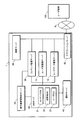
図12に、実施形態2における成果物生成ソフトウェア200と、成果物生成ソフトウェアの各種データを格納するフォルダの構成例を示す。図12に示すように、本実施形態における成果物生成ソフトウェア200は、レンダラー201、3DCG(3Dimention Computer Graphics)エディタ202、管理ソフト203、管理用DB204、通信モジュール205、から構成され、管理ソフト203は、ユーザデータフォルダ206、購入コンテンツフォルダ207、成果物フォルダ208とデータのやり取りを行う。
FIG. 12 shows a configuration example of the
レンダラー201は、3次元画像の画像処理を行うソフトウェアである。
3DCGエディタ202は、ユーザ端末100において成果物等の画像の閲覧及び加工を行うためのエディタである。
The
The
管理ソフト203は、後述する成果物生成処理Bを行う際に最初に起動するソフトウェアである。
The
管理用DB204は、管理ソフト203を動作させるための各種データを格納する。
The
通信モジュール205は、アプリケーションサーバ60と通信を行うためのモジュールである。
The
ユーザデータフォルダ206は、実施形態1のユーザDB23と同様の構成であり、ユーザ端末100のユーザが有するユーザIDに対応するレコードのみが抽出され、保存されている。購入コンテンツフォルダ207は、ユーザが購入したコンテンツデータを保存する。成果物フォルダ208は、実施形態1の成果物DB22と同様の構成であり、ユーザ端末100のユーザが有するユーザIDに対応するレコードのみが抽出され、保存されている。
ユーザデータフォルダ206、購入コンテンツフォルダ207、及び成果物フォルダ208は、ユーザ端末100の操作では直接アクセスすることができず、管理ソフト203からの入力に対してのみ応答する。
The
The
実施形態2におけるその他の構成は、実施形態1で説明したのと同様であるので説明を省略する。 Other configurations in the second embodiment are the same as those described in the first embodiment, and thus description thereof is omitted.
次に、実施形態2における動作について説明する。
実施形態2では、アプリケーションサーバ60は、成果物生成ソフトウェア200を記憶する生成プログラム記憶手段、及び成果物生成ソフトウェアをユーザ端末100からの要求により送信する送信手段として機能する。成果物生成ソフトウェア200はアプリケーションサーバ60に格納されていて、ユーザ端末100から要求があった際、ユーザ端末100に対して送信される。成果物生成ソフトウェア200のダウンロードと同時に、購入コンテンツフォルダ207、成果物フォルダ208、及びユーザデータフォルダ206がユーザ端末100にダウンロードされる。
Next, the operation in the second embodiment will be described.
In the second embodiment, the
(成果物生成処理B)
実施形態2における成果物生成処理Bでは、図13に示すフローで処理が行われる。成果物生成処理Bは、ユーザ端末100からの指示により、成果物生成ソフトウェア200が起動され、成果物生成に使用するコンテンツの指示が購入コンテンツフォルダ207に対してなされた場合に行われる。
(Product generation processing B)
In the product generation process B according to the second embodiment, the process is performed according to the flow shown in FIG. The product generation process B is performed when the
まず、ユーザ端末100に個人コンテンツ選択画面G6が表示され、「参照」ボタンG6dが押下され、個人コンテンツを格納しているユーザ端末100内のフォルダが選択される(ステップS1201)。個人コンテンツ選択画面G6のプレビュー領域G6aに、選択された個人コンテンツが表示され、「OK」ボタンG6eが押下されると、管理ソフト203の動作により、この個人コンテンツに個人コンテンツIDが付与される(ステップS1202)。次いで、個人コンテンツと個人コンテンツIDがユーザデータフォルダ206に保存される(ステップS1203)。
First, the personal content selection screen G6 is displayed on the
次いで、保存完了画面(図示せず)がユーザ端末100に表示され、3DCGエディタ202が起動される(ステップS1204)。次いで、合成指示画面G7がユーザ端末100に表示され、合成指示画面G7上の操作により、合成パラメータが3DCGエディタ202に対して入力される(ステップS1205)。3DCGエディタ202は、合成パラメータに基づき、コンテンツと個人コンテンツの合成を行い(ステップS1206)、生成された成果物が、合成指示画面G7に表示される(ステップS1207)。
Next, a save completion screen (not shown) is displayed on the
そして、再度合成パラメータがユーザ端末100から入力されたかチェックされる(ステップS1208)。合成パラメータが入力された場合(ステップS1208;NO)、ステップS1206に戻る。使用するコンテンツの追加の指定が入力された場合、管理ソフト203は購入コンテンツフォルダ207から、このコンテンツを取得し、合成指示画面G7に表示するよう処理が行われる。合成パラメータが入力されず(ステップS1208;YES)、合成指示画面G7の「決定」ボタンが押下されると、管理ソフト203によりサムネイルが作成され、サムネイルと成果物情報が成果物フォルダ208に保存される(ステップS1209)。次いで、使用されたコンテンツに対応する、ユーザデータフォルダ206の購入コンテンツテーブルT7の利用回数が1減少される(ステップS1210)。
Then, it is checked again whether the synthesis parameter has been input from the user terminal 100 (step S1208). When the synthesis parameter is input (step S1208; NO), the process returns to step S1206. When an instruction to add content to be used is input, the
(判断処理)
図14に、ユーザ成果物サーバ11、ユーザデータ管理サーバ12、アプリケーションサーバ60、及びユーザ端末100により実行される判断処理のフローを示す。当該処理は、ユーザ端末100とアプリケーションサーバ60が接続された際に、アプリケーションサーバ60で実行される。
アプリケーションサーバ60は、判断処理によりユーザ端末100から成果物に関する情報が転送されたかどうかを判断する判断手段として機能する。
判断処理は、ユーザ端末100内のユーザデータフォルダ206の内容とユーザデータ管理サーバ12の内容の比較と、成果物フォルダ208の内容とユーザ成果物サーバ11の内容の比較を行う。比較の結果、内容が相違していれば、ユーザデータ管理サーバ12にはユーザデータフォルダ206の内容を反映させ、ユーザ成果物サーバ11には成果物フォルダ208の内容を反映させる。
(Judgment process)
FIG. 14 shows a flow of determination processing executed by the
The
In the determination process, the contents of the
まず、ユーザ端末100の操作によりアプリケーションサーバ60に対して接続が行われると、ユーザデータフォルダ206と成果物フォルダ208の内容がアプリケーションサーバ60に対してアップロードされる(ステップS1401)。アプリケーションサーバ60によって、ユーザデータフォルダ206と成果物フォルダ208の内容がアップロードされたと判断されると、ユーザ端末100からアップロードされたユーザデータフォルダ206の内容がユーザデータ管理サーバ12に対して送信される(ステップS1402)。
First, when a connection is made to the
アプリケーションサーバ60からユーザデータフォルダ206の内容を受信したユーザデータ管理サーバ12によって、ユーザデータ管理サーバ12に格納された内容との比較判断が行われる(ステップS1403)。内容が相違していれば(ステップS1403;YES)、ユーザ成果物サーバ11から個人コンテンツをアップロードする旨の指示がアプリケーションサーバ60を介してユーザ端末100に対して送信され、ユーザ端末100によって個人コンテンツがアプリケーションサーバ60に対してアップロードされる(ステップS1404)。ステップS1404によってアップロードされた個人コンテンツが、アプリケーションサーバ60を介してユーザデータ管理サーバ12に送信されると、ユーザ成果物サーバ11によって情報の更新が行われる(ステップS1405)。具体的には、受信した個人コンテンツデータが予め指定されたフォルダに格納され、個人コンテンツテーブルT5、及び購入コンテンツテーブルT7に対して、ステップS1402でアプリケーションサーバ60から送信されたユーザデータフォルダ206の内容が反映される。
内容が相違していなければ(ステップS1403;NO)、ステップS1406へ進み、処理が継続される。
The user
If the contents are not different (step S1403; NO), the process proceeds to step S1406 and the process is continued.
次いで、アプリケーションサーバ60によって、ユーザ端末100からアップロードされた成果物フォルダ208の内容がユーザ成果物サーバ11に対して送信される(ステップS1406)。
アプリケーションサーバ60から成果物フォルダ208の内容が受信されると、ユーザ成果物サーバ11によって、ユーザ成果物サーバ11に格納された内容との比較判断が行われる(ステップS1407)。内容が相違していれば(ステップS1407;YES)、成果物サーバによって情報の更新が行われる(ステップS1408)。具体的には、成果物DBメインテーブルT2、使用コンテンツテーブルT3、及び使用個人コンテンツテーブルT4に対して、ステップS1406でアプリケーションサーバ60から送信された成果物フォルダ208の内容が反映される。
内容が相違していなければ(ステップS1407;NO)、処理は終了する。
Next, the contents of the
When the contents of the
If the contents are not different (step S1407; NO), the process ends.
このように、成果物生成処理Bではユーザ端末100内で成果物を生成する。成果物生成処理Bが実行されると、ユーザデータフォルダ206と成果物フォルダ208内の各テーブルが更新される。ユーザデータフォルダ206と成果物フォルダ208の内容は、アプリケーションサーバ60と接続された際にアップロードされ、それぞれユーザデータ管理サーバ12とユーザ成果物サーバ11に対して内容が反映される。アプリケーションサーバ60に更新内容をアップロードするタイミングは、新たなコンテンツを購入するためにコンテンツ購入処理を起動した時とする構成としてもよいし、他のタイミングでアプリケーションサーバと接続したときに自動的に送信される構成としてもよい。また、アプリケーションサーバ60は、ユーザ端末100と接続した際、ユーザデータフォルダ206及び成果物フォルダ208の内容とユーザデータ管理サーバ12及びユーザ成果物サーバ11の内容を比較し、相違する場合に更新を指示する判断を行う。
実施形態2においては、アプリケーションサーバ60の判断によって更新されたユーザ成果物サーバ11の情報をもとに、成果物公開処理が行われ、ユーザ端末100で生成された成果物を公開することができる。
Thus, in the product generation process B, a product is generated in the
In the second embodiment, a product publishing process is performed based on the information of the
以上説明したように、実施形態2においては、アプリケーションサーバ60で保存された成果物生成処理Bを行う成果物生成ソフトウェア200をユーザ端末100に対して送信し、ユーザ端末100は、この成果物生成ソフトウェア200をもとに成果物生成処理Bをユーザ端末100で行うため、アプリケーションサーバ60との接続回数を少なくすることができる。その結果、成果物生成処理Bの最中に接続の切断が発生しないため、ユーザはスムーズに成果物を生成することができる。また、購入キャラフォルダ207、成果物フォルダ208、及びユーザデータフォルダ206によってコンテンツデータ等を保存し、それぞれのフォルダが定期的にコンテンツ管理サーバ10、ユーザ成果物サーバ11、及びユーザデータ管理サーバ12と同期を取り、内容を一致させることによって、メディアコンテンツ管理システム1のサービス提供者は、成果物と使用コンテンツの対応付けをすることができる。
As described above, in the second embodiment, the
なお、上記各実施の形態における記述は、本発明に係るメディアコンテンツ管理システム1の好適な一例であり、これに限定されるものではない。
例えば、上記実施形態においては、メディアコンテンツとしてCG等の画像データを例に取り説明したが、画像データに限定されない。例えば、音楽等の音声データや動画データであってもよい。つまり、クリエイターが動画データをアップロードし、この動画データを購入したユーザが、自己のコメントとしてテキストデータをアップロードし、動画データと合成処理を行う構成としてもよい。この場合は、クリエイターの作成した動画データとユーザのコメントを対応付けて管理することができる。クリエイターは、自己がアップロードした動画データに意図しないコメントや改変が加えられた時は、このユーザを特定することができる。
Note that the description in each of the above embodiments is a preferred example of the media
For example, in the embodiment described above, image data such as CG has been described as an example of media content, but the present invention is not limited to image data. For example, audio data such as music or moving image data may be used. In other words, the creator may upload the moving image data, and the user who purchased the moving image data may upload the text data as his / her comment and perform the composition processing with the moving image data. In this case, the video data created by the creator and the user's comment can be managed in association with each other. The creator can specify this user when an unintended comment or modification is added to the video data uploaded by the creator.
また、上記実施形態においては、ユーザ端末100としてパーソナルコンピュータの画面を例に挙げて説明したが、ユーザ端末100は携帯電話等の可搬型通信機器や多機能デジタルカメラであってもよい。例えば、ユーザ端末100が携帯電話の場合は、携帯電話に上記実施形態2のように合成アプリケーションをダウンロードして、携帯電話で撮影した写真とコンテンツを合成する構成としてもよい。多機能デジタルカメラの場合は、家電量販店等に設置された端末と多機能デジタルカメラを接続し、多機能デジタルカメラ上の操作によって合成処理を行う構成としてもよい。
In the above embodiment, the screen of a personal computer has been described as an example of the
その他、メディアコンテンツ管理システム1を構成する各装置の細部構成及び細部動作に関しても、発明の趣旨を逸脱することのない範囲で適宜変更可能である。
In addition, the detailed configuration and detailed operation of each device configuring the media
1 メディアコンテンツ管理システム
10 コンテンツ管理サーバ
11 ユーザ成果物サーバ
12 ユーザデータ管理サーバ
20 DBサーバ
21 コンテンツDB
22 成果物DB
23 ユーザDB
30 著作権管理契約サーバ
40 課金サーバ
50 検索サーバ
60 アプリケーションサーバ
100 ユーザ端末
200 成果物生成ソフトウェア
201 レンダラー
202 3DCGエディタ
203 管理ソフト
204 管理用DB
205 通信モジュール
206 ユーザデータフォルダ
207 購入コンテンツフォルダ
208 成果物フォルダ
DESCRIPTION OF
22 Product DB
23 User DB
30 Copyright
205
Claims (6)
前記第1の受信手段によって受信された前記第1のメディアコンテンツを記憶し、管理する第1の記憶管理手段と、
前記第1のメディアコンテンツが含まれる第2のメディアコンテンツを生成するために外部から入力された成果物情報及び前記第1のメディアコンテンツと合成されるべき個人コンテンツを受信する第2の受信手段と、
前記第2の受信手段によって受信された前記成果物情報を取得する取得手段と、
前記第2の受信手段によって受信された前記成果物情報を前記第1のメディアコンテンツと関連付けて記憶し、管理する第2の記憶管理手段と、
前記第2の受信手段によって受信された前記個人コンテンツを記憶し、管理する第3の記憶管理手段と、
外部からの入力によって、前記第1のメディアコンテンツ、前記成果物情報、及び前記個人コンテンツに基づいて前記第2のメディアコンテンツを生成する生成手段と、
前記生成手段によって生成された前記第2のメディアコンテンツを通信回線を介してネットワークに公開する公開手段と、
前記外部からダウンロード要求がある場合に、前記生成手段によって生成された前記第2のメディアコンテンツに電子透かし処理を施し、当該電子透かし処理を施した第2のメディアコンテンツを前記ダウンロード要求元の外部に送信する第1の送信手段と、
を備えることを特徴とするメディアコンテンツ管理システム。 First receiving means for receiving first media content input from the outside;
First storage management means for storing and managing the first media content received by the first receiving means;
Second receiving means for receiving product information input from the outside in order to generate second media content including the first media content and personal content to be combined with the first media content; ,
Obtaining means for obtaining the product information received by the second receiving means;
Second storage management means for storing and managing the product information received by the second receiving means in association with the first media content;
Third storage management means for storing and managing the personal content received by the second receiving means;
Generating means for generating the second media content based on the first media content, the product information, and the personal content by an external input;
Publishing means for publishing the second media content generated by the generating means to a network via a communication line;
When there is a download request from the outside, the second media content generated by the generation unit is digitally watermarked, and the second media content subjected to the digital watermark processing is outside the download request source. First transmitting means for transmitting;
A media content management system comprising:
前記取得手段は、前記判断手段によって受信されたと判断された当該成果物情報を取得することを特徴とする請求項1に記載のメディアコンテンツ管理システム。 A judgment means for judging whether or not the product information is received by the second receiving means;
The media content management system according to claim 1, wherein the acquisition unit acquires the product information determined to be received by the determination unit.
前記生成プログラム記憶手段に記憶される生成プログラムを前記外部に送信する第2の送信手段と、
を更に備えることを特徴とする請求項2に記載のメディアコンテンツ管理システム。 Generation program storage means for storing a generation program for the outside to generate the second media content;
Second transmission means for transmitting the generation program stored in the generation program storage means to the outside;
The media content management system according to claim 2 , further comprising:
前記取得手段によって前記成果物情報が取得されると、当該成果物情報に対応付けられている第1のメディアコンテンツの創作者情報を前記第1の記憶管理手段から抽出し、抽出された当該創作者情報に基づいて創作者に通知する通知手段と、
を更に備えることを特徴とする請求項1から3の何れか一項に記載のメディアコンテンツ管理システム。 The first storage management means further stores creator information of the first media content in association with the first media content;
When the product information is acquired by the acquisition unit, the creator information of the first media content associated with the product information is extracted from the first storage management unit, and the extracted creation Notification means for notifying the creator based on the creator information;
The media content management system according to any one of claims 1 to 3 , further comprising:
第1の記憶管理手段が、前記第1の受信工程によって受信された前記第1のメディアコンテンツを記憶し、管理する第1の記憶管理工程と、
第2の受信手段が、外部から入力された前記第1のメディアコンテンツが含まれる第2のメディアコンテンツを生成するための前記成果物情報及び前記第1のメディアコンテンツと合成するための個人コンテンツを受信する第2の受信工程と、
取得手段が、前記第2の受信工程によって受信された前記成果物情報を取得する取得工程と、
第2の記憶管理手段が、前記第2の受信工程によって受信された前記成果物情報を前記第1のメディアコンテンツと関連付けて記憶し、管理する第2の記憶管理工程と、
第3の記憶管理手段が、前記第2の受信工程によって受信された前記個人コンテンツを記憶し、管理する第3の記憶管理工程と、
生成手段が、外部からの要求によって、前記第1のメディアコンテンツ、前記成果物情報、及び前記個人コンテンツに基づいて前記第2のメディアコンテンツを生成する生成工程と、
公開手段が、前記生成工程によって生成された前記第2のメディアコンテンツを通信回線を介してネットワークに公開する公開工程と、
送信手段が、前記外部からダウンロード要求がある場合に、前記生成工程によって生成された前記第2のメディアコンテンツに電子透かし処理を施し、当該電子透かし処理を施した第2のメディアコンテンツを前記ダウンロード要求元の外部に送信する送信工程と、
を含むことを特徴とするメディアコンテンツ管理方法。 A first receiving step in which the first receiving means receives the first media content input from the outside;
A first storage management step for storing and managing the first media content received by the first reception step;
The second receiving means outputs the product information for generating the second media content including the first media content input from the outside, and the personal content for combining with the first media content. A second receiving step for receiving;
An obtaining unit for obtaining the product information received by the second receiving step;
A second storage management step for storing and managing the product information received in the second receiving step in association with the first media content;
A third storage management step for storing and managing the personal content received by the second reception step;
A generating step for generating the second media content based on the first media content, the product information, and the personal content according to an external request;
A publishing step for publishing the second media content generated by the generating step to a network via a communication line;
When there is a download request from the outside, the transmission means performs a digital watermark process on the second media content generated by the generation step, and downloads the second media content subjected to the digital watermark process. A transmission process to send to the original outside,
A media content management method comprising:
Priority Applications (1)
| Application Number | Priority Date | Filing Date | Title |
|---|---|---|---|
| JP2007333937A JP4981653B2 (en) | 2007-12-26 | 2007-12-26 | Media content management system and media content management method |
Applications Claiming Priority (1)
| Application Number | Priority Date | Filing Date | Title |
|---|---|---|---|
| JP2007333937A JP4981653B2 (en) | 2007-12-26 | 2007-12-26 | Media content management system and media content management method |
Publications (2)
| Publication Number | Publication Date |
|---|---|
| JP2009157564A JP2009157564A (en) | 2009-07-16 |
| JP4981653B2 true JP4981653B2 (en) | 2012-07-25 |
Family
ID=40961541
Family Applications (1)
| Application Number | Title | Priority Date | Filing Date |
|---|---|---|---|
| JP2007333937A Expired - Fee Related JP4981653B2 (en) | 2007-12-26 | 2007-12-26 | Media content management system and media content management method |
Country Status (1)
| Country | Link |
|---|---|
| JP (1) | JP4981653B2 (en) |
Family Cites Families (5)
| Publication number | Priority date | Publication date | Assignee | Title |
|---|---|---|---|---|
| JPH11167594A (en) * | 1997-09-30 | 1999-06-22 | Fuji Photo Film Co Ltd | Order information recording medium and order file production device for photograph service |
| JP4677661B2 (en) * | 2000-10-16 | 2011-04-27 | ソニー株式会社 | Video ordering system and method |
| JP3950737B2 (en) * | 2002-05-10 | 2007-08-01 | キヤノン株式会社 | Image management apparatus, method and program |
| JP4705324B2 (en) * | 2003-12-26 | 2011-06-22 | 富士通株式会社 | Data operation method |
| JP2007164795A (en) * | 2006-12-15 | 2007-06-28 | Matsushita Electric Ind Co Ltd | Data receiver |
-
2007
- 2007-12-26 JP JP2007333937A patent/JP4981653B2/en not_active Expired - Fee Related
Also Published As
| Publication number | Publication date |
|---|---|
| JP2009157564A (en) | 2009-07-16 |
Similar Documents
| Publication | Publication Date | Title |
|---|---|---|
| JP4143329B2 (en) | Server apparatus, control method thereof, and program thereof | |
| US9602679B2 (en) | Distributed printing social network | |
| JP2022022239A (en) | System for publishing digital images | |
| US20100287070A1 (en) | Digital content management, playback and delivery | |
| JP5703748B2 (en) | Management system, management method, and temporary storage document server | |
| TW200920093A (en) | Apparatuses, methods, systems and user interfaces for a portable, image-processing transmitter and automated contractual image dealer and transmitter | |
| JP7204272B1 (en) | Digital token provision system, digital token provision program and digital token provision method | |
| TW200910116A (en) | Container reputation | |
| JP4251794B2 (en) | Information distribution system, information distribution method, information supply apparatus, and information supply method | |
| CN102165461B (en) | Methods and systems for providing easy access to information and for sharing services | |
| US20090210512A1 (en) | System, method, and program product for creating and sharing digital image output data across a network | |
| JP2002170070A (en) | Presentation material publishing system, presentation material publishing server, presentation material publishing method, and storage medium for presentation material publishing program | |
| KR102107315B1 (en) | Art work management system and art work management method using the system | |
| JP2013097579A (en) | Information providing system, information providing method and program | |
| JP5681310B2 (en) | Electronic book display shelf sharing system and electronic book distribution support system | |
| JP2010072900A (en) | Storage device, content disclosure system, and program | |
| JP4981653B2 (en) | Media content management system and media content management method | |
| JP7285640B2 (en) | PROPERTY MANAGEMENT DEVICE AND PROPERTY MANAGEMENT METHOD | |
| JP2009157565A (en) | Media content management system and media content management method | |
| JPWO2005117438A1 (en) | Streaming video distribution system | |
| JP6181231B1 (en) | Voice guide providing system | |
| JP2006338100A (en) | Computerized content operation device and computer program | |
| JP3950737B2 (en) | Image management apparatus, method and program | |
| JP2003030195A (en) | Video information mediation method | |
| JP7611625B1 (en) | Digital content lending method and program |
Legal Events
| Date | Code | Title | Description |
|---|---|---|---|
| A621 | Written request for application examination |
Free format text: JAPANESE INTERMEDIATE CODE: A621 Effective date: 20101014 |
|
| A977 | Report on retrieval |
Free format text: JAPANESE INTERMEDIATE CODE: A971007 Effective date: 20120117 |
|
| A131 | Notification of reasons for refusal |
Free format text: JAPANESE INTERMEDIATE CODE: A131 Effective date: 20120124 |
|
| A521 | Request for written amendment filed |
Free format text: JAPANESE INTERMEDIATE CODE: A523 Effective date: 20120323 |
|
| TRDD | Decision of grant or rejection written | ||
| A01 | Written decision to grant a patent or to grant a registration (utility model) |
Free format text: JAPANESE INTERMEDIATE CODE: A01 Effective date: 20120417 |
|
| A01 | Written decision to grant a patent or to grant a registration (utility model) |
Free format text: JAPANESE INTERMEDIATE CODE: A01 |
|
| A61 | First payment of annual fees (during grant procedure) |
Free format text: JAPANESE INTERMEDIATE CODE: A61 Effective date: 20120420 |
|
| FPAY | Renewal fee payment (event date is renewal date of database) |
Free format text: PAYMENT UNTIL: 20150427 Year of fee payment: 3 |
|
| R150 | Certificate of patent or registration of utility model |
Free format text: JAPANESE INTERMEDIATE CODE: R150 |
|
| LAPS | Cancellation because of no payment of annual fees |