WO2016126083A1 - Procédé, dispositif électronique et support d'enregistrement pour notifier des informations de situation environnante - Google Patents
Procédé, dispositif électronique et support d'enregistrement pour notifier des informations de situation environnante Download PDFInfo
- Publication number
- WO2016126083A1 WO2016126083A1 PCT/KR2016/001131 KR2016001131W WO2016126083A1 WO 2016126083 A1 WO2016126083 A1 WO 2016126083A1 KR 2016001131 W KR2016001131 W KR 2016001131W WO 2016126083 A1 WO2016126083 A1 WO 2016126083A1
- Authority
- WO
- WIPO (PCT)
- Prior art keywords
- electronic device
- images
- situation information
- image
- surrounding situation
- Prior art date
- Legal status (The legal status is an assumption and is not a legal conclusion. Google has not performed a legal analysis and makes no representation as to the accuracy of the status listed.)
- Ceased
Links
Images




Classifications
-
- G—PHYSICS
- G06—COMPUTING OR CALCULATING; COUNTING
- G06V—IMAGE OR VIDEO RECOGNITION OR UNDERSTANDING
- G06V20/00—Scenes; Scene-specific elements
- G06V20/20—Scenes; Scene-specific elements in augmented reality scenes
-
- G—PHYSICS
- G06—COMPUTING OR CALCULATING; COUNTING
- G06Q—INFORMATION AND COMMUNICATION TECHNOLOGY [ICT] SPECIALLY ADAPTED FOR ADMINISTRATIVE, COMMERCIAL, FINANCIAL, MANAGERIAL OR SUPERVISORY PURPOSES; SYSTEMS OR METHODS SPECIALLY ADAPTED FOR ADMINISTRATIVE, COMMERCIAL, FINANCIAL, MANAGERIAL OR SUPERVISORY PURPOSES, NOT OTHERWISE PROVIDED FOR
- G06Q50/00—Information and communication technology [ICT] specially adapted for implementation of business processes of specific business sectors, e.g. utilities or tourism
- G06Q50/10—Services
-
- G—PHYSICS
- G06—COMPUTING OR CALCULATING; COUNTING
- G06Q—INFORMATION AND COMMUNICATION TECHNOLOGY [ICT] SPECIALLY ADAPTED FOR ADMINISTRATIVE, COMMERCIAL, FINANCIAL, MANAGERIAL OR SUPERVISORY PURPOSES; SYSTEMS OR METHODS SPECIALLY ADAPTED FOR ADMINISTRATIVE, COMMERCIAL, FINANCIAL, MANAGERIAL OR SUPERVISORY PURPOSES, NOT OTHERWISE PROVIDED FOR
- G06Q99/00—Subject matter not provided for in other groups of this subclass
-
- G—PHYSICS
- G06—COMPUTING OR CALCULATING; COUNTING
- G06V—IMAGE OR VIDEO RECOGNITION OR UNDERSTANDING
- G06V40/00—Recognition of biometric, human-related or animal-related patterns in image or video data
- G06V40/20—Movements or behaviour, e.g. gesture recognition
-
- G—PHYSICS
- G10—MUSICAL INSTRUMENTS; ACOUSTICS
- G10L—SPEECH ANALYSIS TECHNIQUES OR SPEECH SYNTHESIS; SPEECH RECOGNITION; SPEECH OR VOICE PROCESSING TECHNIQUES; SPEECH OR AUDIO CODING OR DECODING
- G10L13/00—Speech synthesis; Text to speech systems
-
- H—ELECTRICITY
- H04—ELECTRIC COMMUNICATION TECHNIQUE
- H04N—PICTORIAL COMMUNICATION, e.g. TELEVISION
- H04N23/00—Cameras or camera modules comprising electronic image sensors; Control thereof
- H04N23/60—Control of cameras or camera modules
- H04N23/63—Control of cameras or camera modules by using electronic viewfinders
- H04N23/631—Graphical user interfaces [GUI] specially adapted for controlling image capture or setting capture parameters
- H04N23/632—Graphical user interfaces [GUI] specially adapted for controlling image capture or setting capture parameters for displaying or modifying preview images prior to image capturing, e.g. variety of image resolutions or capturing parameters
-
- H—ELECTRICITY
- H04—ELECTRIC COMMUNICATION TECHNIQUE
- H04N—PICTORIAL COMMUNICATION, e.g. TELEVISION
- H04N23/00—Cameras or camera modules comprising electronic image sensors; Control thereof
- H04N23/60—Control of cameras or camera modules
- H04N23/63—Control of cameras or camera modules by using electronic viewfinders
- H04N23/633—Control of cameras or camera modules by using electronic viewfinders for displaying additional information relating to control or operation of the camera
Definitions
- Various embodiments relate to an electronic device and a method for notifying surrounding situation information.
- the prior art has a disadvantage in that it is not possible to provide image information at a time desired by the user.
- the prior art is limited in providing useful information desired by a user.
- a method of notifying surrounding situation information by an electronic device may include: monitoring a value indicating a movement of the electronic device; Determining whether the state of the electronic device is in a stop state based on a value representing the movement of the electronic device; Acquiring surrounding situation information of the electronic device to be notified to the user when the state of the electronic device is in the stopped state; And outputting the surrounding situation information.
- an electronic device may include a camera; And monitoring a value indicating a movement of the electronic device, determining whether the state of the electronic device is in a stop state based on a value indicating the movement of the electronic device, and when the state of the electronic device is in a stop state, And a controller configured to obtain surrounding situation information of the electronic device to be notified to the user by using an image of the surrounding environment of the electronic device photographed by the camera, and output the surrounding situation information.
- accessibility may be greatly improved by recognizing information included in a preview image of a camera to visually impaired persons and providing surrounding situation information.
- general users may be provided with a desired background recommendation guide when taking a picture based on the recognition result of the preview image, thereby increasing user convenience.
- FIG. 1 illustrates a network environment including an electronic device according to various embodiments of the present disclosure.
- FIG. 2 is a diagram illustrating a main configuration of an electronic device for performing a method of notifying surrounding situation information.
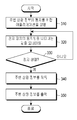
- FIG. 3 is a flowchart illustrating a method of notifying surrounding situation information according to various embodiments of the present disclosure.
- 4 to 6 are diagrams for describing a method of notifying surrounding situation information.
- FIG. 7 is a flowchart illustrating a method of notifying surrounding situation information according to various embodiments of the present disclosure.
- FIG. 8 is a diagram for explaining a method of notifying surrounding situation information.
- FIG. 9 is a flowchart illustrating a method of notifying surrounding situation information according to various embodiments of the present disclosure.
- FIG. 10 is a flowchart illustrating a method of notifying surrounding situation information according to various embodiments of the present disclosure.
- FIG. 11 is a flowchart illustrating a method of notifying surrounding situation information according to various embodiments of the present disclosure.
- FIG. 12 is a flowchart illustrating a method of notifying surrounding situation information according to various embodiments of the present disclosure.
- FIG. 13 is a perspective view illustrating a head wearable device according to various embodiments.
- FIG. 14 is a view for explaining the operation of the head worn device.
- 15 is a flowchart illustrating a method of notifying surrounding situation information according to various embodiments of the present disclosure.
- expressions such as “A or B,” “at least one of A or / and B,” or “one or more of A or / and B”, “A / B”, etc., are used to indicate all possible Combinations.
- “A or B,” “at least one of A and B,” or “at least one of A or B”, includes (1) at least one A, (2) at least one B, Or (3) both of cases including at least one A and at least one B.
- first,” “second,” “first,” or “second,” and the like used in various embodiments may modify various components regardless of order and / or importance, and such components. It does not limit them.
- the above expressions may be used to distinguish one component from another.
- the first user device and the second user device may represent different user devices regardless of the order or importance.
- the first component may be referred to as a second component, and similarly, the second component may be renamed to the first component.
- One component (such as a first component) is "(functionally or communicatively) coupled with / to" to another component (such as a second component) or " When referred to as “connected to”, it should be understood that any component may be directly connected to the other component or may be connected through another component (eg, a third component).
- a component e.g., a first component
- another component e.g., a second component
- no other component e.g., a third component
- the expression “configured to” used in this document is, for example, “suitable for,” “having the capacity to,” depending on the circumstances. It may be used interchangeably with “designed to,” “adapted to,” “made to,” or “capable of.”
- the term “configured to” may not necessarily mean only “specifically designed to” in hardware. Instead, in some situations, the expression “device configured to” may mean that the device “can” along with other devices or components.
- the phrase “processor configured (or set up) to perform A, B, and C” may execute a dedicated processor (eg, an embedded processor) or one or more software programs stored in a memory device to perform the operation. By doing so, it may mean a general-purpose processor (for example, a CPU or an application processor) capable of performing the corresponding operations.
- the electronic device may be a smartphone, a tablet personal computer, a mobile phone, an image phone, an e-book reader. reader, desktop personal computer (PC), laptop personal computer (PC), netbook computer, workstation, server, personal digital assistant (PDA), portable multimedia player (PMP), MP3 player , Mobile medical devices, cameras, or wearable devices (e.g. smart glasses, head-mounted-device (HMD)), electronic clothing, electronic bracelets, electronic necklaces, electronic accessories (appcessory), an electronic tattoo, a smart mirror, or a smart watch.
- PC personal computer
- PC netbook computer
- PMP portable multimedia player
- MP3 player MP3 player
- the electronic device may be a smart home appliance.
- Smart home appliances are, for example, televisions, digital video disk (DVD) players, audio, refrigerators, air conditioners, vacuum cleaners, ovens, microwave ovens, washing machines, air purifiers, set-top boxes, home automation Home automation control panel, security control panel, TV box (e.g. Samsung HomeSync TM, Apple TV TM, or Google TV TM), game console (e.g. Xbox TM, PlayStation TM), electronics It may include at least one of a dictionary, an electronic key, a camcorder, or an electronic picture frame.
- DVD digital video disk
- the electronic device may include a variety of medical devices (e.g., various portable medical measuring devices such as blood glucose meters, heart rate monitors, blood pressure meters, or body temperature meters), magnetic resonance angiography (MRA), magnetic resonance imaging (MRI), Such as CT (computed tomography, imaging or ultrasound), navigation devices, global positioning system receivers, event data recorders (EDRs), flight data recorders (FDRs), automotive infotainment devices, ships Electronic equipment (e.g. ship navigation systems, gyro compasses, etc.), avionics, security devices, vehicle head units, industrial or home robots, automatic teller's machines (financial institutions), shop POS (point of sales) or Internet of things (e.g. light bulbs, sensors, electrical or gas meters, sprinkler devices, fire alarms, thermostats, street lights, toasters, Exercise equipment, hot water tank, heater, boiler, and the like.
- medical devices e.g., various portable medical measuring devices such as blood glucose meters, heart rate monitors, blood pressure meters, or body
- an electronic device may be a piece of furniture or a building / structure, an electronic board, an electronic signature receiving device, a projector, or various measuring devices (eg, Water, electricity, gas, or radio wave measuring instrument).
- the electronic device may be a combination of one or more of the aforementioned various devices.
- An electronic device according to an embodiment may be a flexible electronic device.
- the electronic device according to the embodiment of the present disclosure is not limited to the above-described devices, and may include a new electronic device according to technology development.
- the term user may refer to a person who uses an electronic device or a device (eg, an artificial intelligence electronic device) that uses an electronic device.
- a device eg, an artificial intelligence electronic device
- FIG. 1 illustrates a network environment including an electronic device according to various embodiments of the present disclosure.
- an electronic device 101 in a network environment 100 includes a bus 110, a controller 120, a memory 130, an input / output unit 150, a display unit 160, a communication unit 170, a sensor unit 180, and a camera 190. can do.
- the electronic device 101 may omit at least one of the above components or additionally include other components.
- the bus 110 may, for example, connect circuits of the components 120, 130, 150-190 to each other, and provide a circuit for transmitting communication (eg, control messages and / or data) between the components. It may include.
- the controller 120 may include one or more of a central processing unit (CPU), an application processor (AP), or a communication processor (CP).
- the controller 120 may execute, for example, an operation or data processing related to control and / or communication of at least one other component of the electronic device 101.
- the controller 120 may be referred to as a processor, may include the processor as a part thereof, or may configure the processor.
- the memory 130 may include a volatile and / or nonvolatile memory.
- the memory 130 may store, for example, commands or data related to at least one other element of the electronic device 101.
- the memory 130 may store software and / or a program 140.
- the program 140 may be, for example, a kernel 141, middleware 143, an application programming interface (API) 145, and / or an application program 147 (or “application”). And the like.
- At least a portion of the kernel 141, the middleware 143, or the API 145 may be referred to as an operating system (OS).
- OS operating system
- the kernel 141 may be, for example, system resources used to execute an operation or function implemented in other programs (eg, middleware 143, API 145, or application program 147).
- the bus 110, the controller 120, or the memory 130 may be controlled or managed.
- the kernel 141 may control or manage system resources by accessing individual components of the electronic device 101 from the middleware 143, the API 145, or the application program 147. Can provide an interface.
- the middleware 143 may serve as an intermediary for allowing the API 145 or the application program 147 to communicate with the kernel 141 to exchange data.
- the middleware 143 may be connected to at least one application of the application program 147 in relation to the work requests received from the application program 147. For example, to control the work request (eg, scheduling or load balancing) using a method such as assigning a priority to use the bus 110, the controller 120, or the memory 130, and the like. Can be.
- the API 145 is, for example, an interface for the application 147 to control functions provided by the kernel 141 or the middleware 143. For example, file control, window control, and image. It may include at least one interface or function (eg, a command) for processing or character control.
- the input / output unit 150 may serve as, for example, an interface capable of transferring a command or data input from a user or another external device to other component (s) of the electronic device 101.
- the input / output unit 150 may output a command or data received from other component (s) of the electronic device 101 to a user or another external device.
- the input / output unit 150 may include, for example, a speaker 152, a vibrating element 154, a plurality of buttons, a microphone, a connector, a keypad, a mouse, a trackball, a joystick, cursor direction keys, or a cursor control ( cursor control) and the like.
- the speaker 152 outputs sound corresponding to various signals (for example, a wireless signal, a broadcast signal, a digital audio file, a digital video file, or a photo capture) under the control of the controller 120. Can be printed as The speaker 152 may output sound corresponding to a function performed by the electronic device 101. One or more speakers 152 may be formed at appropriate locations or locations of the electronic device 101.
- the vibration element 154 may convert an electrical signal into mechanical vibration under the control of the controller 120. For example, when the electronic device 101 in the vibration mode receives a voice call from another electronic device (not shown), the vibration device 154 may operate. One or more vibration devices 154 may be formed in the electronic device 101. The vibrating element 154 may operate in response to a touch operation of a user who touches the display unit 160 and a continuous movement of a touch on the display unit 160.
- the button may be formed on the front, side, and / or rear of the electronic device 101.
- the button may include a power / lock button, a volume button, a menu button, a home button, a back button, a search button, and the like. It may include.
- the button may output a signal corresponding to pressing or releasing of the user to the controller 120.
- the microphone may generate an electrical signal by receiving a voice or sound and output the signal to the controller 120.
- the connector may be used as an interface for connecting the electronic device 101 to a server, an external electronic device, or a power source. Under the control of the controller 120, data stored in the memory 130 of the electronic device 101 may be transmitted to or received from an external device through a wired cable connected to the connector.
- the wired cable connected to the connector can be powered from the power source or the battery can be charged.
- the display unit 160 may be, for example, a liquid crystal display (LCD), a light emitting diode (LED) display, an organic light emitting diode (OLED) display, a microelectromechanical systems (MEMS) display, or an electronic paper ( electronic paper) display.
- the display unit 160 may display various contents (for example, text, an image, a video, an icon, a symbol, etc.) under the control of the controller 120.
- the display unit 160 may include a touch screen.
- the display unit 160 may receive a touch, gesture, proximity, or hovering input using an electronic pen or a part of a user's body.
- the communication unit 170 may perform communication between the electronic device 101 and an external device (eg, the first external electronic device 102, the second external electronic device 104, or the server 106). Can be set.
- the communication unit 170 may be connected to the network 162 through wireless or wired communication to communicate with the external device (eg, the second external electronic device 104 or the server 106).
- the communication unit 170 may include a communication processor (CP), and the communication processor may configure one of a plurality of modules constituting the communication unit 170.
- the communication processor may be included in the controller 120.
- the wireless communication is, for example, a cellular communication protocol, and includes, for example, long term evolution (LTE), LTE Advanced (LTE-A), Code Division Multiple Access (CDMA), Wideband CDMA (WCDMA), and UMTS (Universal). At least one of a mobile telecommunication system), a wireless broadband (WiBro), a global system for mobile communications (GSM), and the like may be used.
- the wired communication may include, for example, at least one of a universal serial bus (USB), a high definition multimedia interface (HDMI), a reduced standard 232 (RS-232), a plain old telephone service (POTS), and the like. .
- the network 162 is a telecommunications network, for example, a computer network (eg, LAN or WAN), the Internet, a telephone network, an IP Multimedia Core Network Subsystem (IMS) PDN. It may include at least one of (Packet Data Network), 3rd Generation Partnership Project (3GPP) / 3rd Generation Partnership Project 2 (3GPP2) core network.
- a computer network eg, LAN or WAN
- IMS IP Multimedia Core Network Subsystem
- IMS IP Multimedia Core Network Subsystem
- It may include at least one of (Packet Data Network), 3rd Generation Partnership Project (3GPP) / 3rd Generation Partnership Project 2 (3GPP2) core network.
- 3GPP 3rd Generation Partnership Project
- 3GPP2 3rd Generation Partnership Project 2
- the sensor unit 180 may include at least one sensor that detects a state of the electronic device 101. For example, the sensor unit 180 detects a movement of the electronic device 101 (eg, rotation of the electronic device 101, acceleration or vibration of the electronic device 101). (E.g., acceleration sensor), GPS sensor 184, proximity sensor that detects whether the user is approaching the electronic device 101, illuminance sensor that detects the amount of light around the electronic device 101, earth magnetic field Geo-magnetic sensor that detects the point of the compass of the electronic device 101, Gravity sensor that detects the direction of gravity, and altitude by measuring atmospheric pressure It may include at least one sensor, such as an altimeter.
- a movement of the electronic device 101 eg, rotation of the electronic device 101, acceleration or vibration of the electronic device 101.
- GPS sensor 184 e.g., GPS sensor 184
- proximity sensor that detects whether the user is approaching the electronic device 101
- illuminance sensor that detects the amount of light around the electronic device 101
- the GPS sensor 184 receives radio waves from a plurality of GPS satellites (not shown) on Earth's orbit, and uses the time of arrival from the GPS satellites to the electronic device 101 for the electronic wave. The location of the device 101 can be calculated.
- the camera 190 may capture a still image or a video under the control of the controller 120.
- the camera 190 may include a lens system, an image sensor, and the like.
- the camera 190 converts an optical signal input (or photographed) through the lens system into an electrical image signal (or digital image) through the image sensor and outputs it to the controller 120, and the user outputs the camera.
- a moving image or a still image may be captured.
- the camera 190 further includes at least one of a barrel unit performing zoom in / zoom out to photograph the subject, a motor unit controlling the movement of the barrel unit, and a flash providing an auxiliary light source necessary to photograph the subject. can do.
- Each of the first and second external electronic devices 102 and 104 may be a device of the same or different type as the electronic device 101.
- the server 106 may include a group of one or more servers.
- all or some of the operations executed in the electronic device 101 may be executed in another or a plurality of electronic devices (for example, the electronic devices 102 and 104 or the server 106).
- the electronic device 101 when the electronic device 101 needs to perform a function or service automatically or by request, the electronic device 101 instead of executing the function or the service by itself or Additionally, at least some functions associated with the request may be requested to another device (eg, the electronic device 102 or 104 or the server 106).
- the other electronic device may execute the requested function or additional function and transmit the result to the electronic device 101.
- the electronic device 101 may process the received result as it is or additionally to provide the requested function or service.
- cloud computing, distributed computing, or client-server computing technology may be used.
- the controller 120 processes at least some of information obtained from other components (for example, at least one of the memory 130, the input / output unit 150, the communication unit 170, etc.), and various methods. Can be used as For example, the controller 120 may perform at least some functions of the electronic device 101 such that the electronic device 101 interworks with another electronic device (for example, the electronic devices 102 and 104 or the server 106). Can be controlled.
- FIG. 2 is a diagram illustrating a main configuration of an electronic device for performing a method of notifying surrounding situation information.
- the main components of the electronic device 101 may include a camera 190, a memory 130, and a controller 120.
- the camera 190 may photograph a surrounding environment of the electronic device 101, and output the photographed image to the controller 120.
- the memory 130 may include an image storage 131 storing at least one image received from the camera 190 or the controller 120, and a target database storing data or information about a subject to be recognized ( 132 and a category database 133 that stores data or information on composition and placement of subjects.
- the image storage unit 131 may store an image received from the camera 190 or the controller 120 in a file form, and the image file may have various formats and extensions.
- BMP (* .BMP, * .RLE), JPEG (* .JPG), Compuserve GIF (* .GIF), PNG (*. PNG), Photoshop (*, PSD, * .PDD), TIFF (* .TIF), Acrobat PDF (* .PDF), RAW (* .RAW), Illustrator (* .AI), Illustrator, Photoshop EPS (*.
- EPS Amiga IFF
- FlaschPix (* .FPX)
- Filmstrip (* .FRM)
- PCX (* .PCX)
- PICT File (* .PCT, * .PIC)
- Pixar (* .PXR)
- Scitex (*. SCT)
- Targa (*. TGA, * .VDA, * .ICB, * .VST), etc.
- the data about the subject stored in the target database 132 may include a subject image and feature point information (or may be referred to as a feature image, a feature pattern, etc.) of the subject image.
- feature points may be edges, corners, image patterns, contours, and the like.
- the category database 133 stores a plurality of composition information.
- Each of the composition information may include information about a plurality of subjects.
- the information about each subject may include information about the type (or name) of the subject and the subject. Information about the location, size, direction, category, and the like may be included.
- Type information of the subject may be a person, a plant, an animal, a building, a road, a feature, or a natural object (eg, an ocean, a river, a lake, a sky, etc.).
- a natural object eg, an ocean, a river, a lake, a sky, etc.
- the location information of the subject may be a representative point (eg, a center point) position of the subject and positions of corner points defining the subject.
- a position may be represented by a coordinate, a ratio (eg, 1/3 point of the total horizontal size from the left end of the image, 1/3 point of the full vertical size from the top of the image, etc.), and the like.
- the size information of the subject may include constant values, coordinates (coordinates of corner points), ratios (e.g., 1/3 of the total horizontal size from the left edge of the image, 1/3 of the total vertical size from the top of the image, etc.). ) And the like.
- the direction information of the subject indicates the pose, azimuth, or direction of the subject, and for example, may indicate information about which direction the subject is facing (eg, front, left, right, top, bottom, etc.).
- the direction information of the subject is a two-dimensional or three-dimensional rectangular coordinate system, front, left, right, upper side, lower five azimuth, front, left, right, upper side, lower side, upper left side, lower left side, upper right side, lower right side 9 It can be represented by the orientation.
- the category may indicate a category / type (eg, a city intersection, a crosswalk, a beach, a riverside, a front of a building / side of a road, India, etc.) of the entire scene represented by the entire input image.
- a category / type eg, a city intersection, a crosswalk, a beach, a riverside, a front of a building / side of a road, India, etc.
- the category database 133 may store a plurality of information in the form of a plurality of records.
- Each record Ai (1 ⁇ i ⁇ n, where n is an integer equal to or greater than 1) includes fields such as a subject type Bi, a subject position / size Ci, a subject direction Di, and a category Ei of the entire scene.
- a plurality of subject information may correspond to each category Ei, and each subject information may include a subject type Bi, a plurality of subject positions / sizes Ci, a plurality of subject directions Di, and the like.
- m is an integer of 1 or greater than n.
- each object information may correspond to a plurality of categories.
- the subject position / size Ci may be represented by coordinates of diagonal corner points defining the subject, or may be represented by the subject center position and the size of the subject.
- Each field may have one or a plurality of values, and each value may be a constant, a coordinate, a vector, a matrix, or the like.
- the controller 120 may recognize a subject from an image photographed by the camera 190 or an image stored in the image storage 131 of the memory 130.
- the controller 120 may recognize what the subject is in the input image through a recognition algorithm according to the type of the subject.
- the controller 120 may recognize which direction the subject is facing (ie, the position and pose of the subject).
- the controller 120 recognizes a subject registered in the target database 132 from an input image through an algorithm such as Scale Invariant Feature Transform (SIFT) and Speeded Up Robust Features (SURF), and templates the recognized subject. ) Can be estimated by applying a) -based matching method.
- SIFT says, “Lowe, David G. (1999). "Object recognition from local scale-invariant features". Proceedings of the International Conference on Computer Vision. 2. pp. 11501157. doi: 10.1109 / ICCV.1999.790410.
- SURF is entitled “Bay, H., Tuytelaars, T., Gool, LV,“ SURF: Speeded Up Robust Features ”, Proceedings of the ninth European Conference on Computer Vision, May 2006.
- the controller 120 may recognize a subject registered in the target database 132 from the input image, and estimate a pose of the subject based on 2D or 3D subject information stored in the target database 132.
- the controller 120 may recognize a subject in the input image.
- the controller 120 may refer to the target database 132 for such recognition, and the controller 120 may recognize an image area matching the subject registered in the target database 132 in the input image.
- the controller 120 may recognize the subject without referring to the target database 132 according to the type of recognition object. For example, the controller 120 detects edge feature points and corner feature points in the input image.
- a planar subject such as a rectangle, a circle, a polygon, or the like defined by edge feature points and corner feature points may be recognized.
- the controller 120 may search for category information matching the composition / arrangement of the subjects recognized by the category database 133.
- the controller 120 may detect a category corresponding to the types, positions, and / or directions of the subjects.
- the controller 120 may include information about recognized subjects (eg, types, locations, and / or directions of recognized subjects), categories of recognized subjects, and / or location information (eg, information) of the electronic device 101. Based on the location information through the GPS sensor 184, the surrounding situation information (eg, text, image, voice, vibration, sound) is generated, and the surrounding situation information is generated by a corresponding component / device (eg, the input / output of the input / output). The controller 150 may output the output to the unit 150, the communication unit 170, and the first external electronic device 102.
- recognized subjects eg, types, locations, and / or directions of recognized subjects
- categories of recognized subjects e.g, information
- location information e.g, information of the electronic device 101.
- the surrounding situation information eg, text, image, voice, vibration, sound
- the surrounding situation information is generated by a corresponding component / device (eg, the input / output of the input / output).
- the controller 150 may output the output to the unit 150
- FIG. 3 is a flowchart illustrating a method of notifying surrounding situation information according to various embodiments of the present disclosure.
- 4 to 6 are diagrams for describing a method of notifying surrounding situation information.
- the notification method of the surrounding situation information may include 310 to 350 operations.
- the controller eg, the controller 120 of the electronic device (eg, the electronic device 101) may execute an application (eg, a voice recognition application) for notification of surrounding situation information according to a user input or automatic setting.
- an application eg, a voice recognition application
- the user input may be a user's hovering gesture, a touch gesture or a user's gaze, the user's motion gesture, or a voice command.
- the application may be executed according to a user's selection or automatic setting, and the screen of the application may be displayed through a display unit (eg, the display unit 160) of the electronic device.
- the screen of the application may be referred to as a graphical user interface (GUI), an application screen, an application window, or the like.
- GUI graphical user interface
- the application may be a basic provided application or a user installed application installed in the electronic device by the manufacturer of the electronic device.
- the screen may correspond to an image viewed through the display unit when the application is executed.
- an input / output unit eg, input / output unit 150
- a sensor unit eg, sensor unit 180
- a communication unit eg, communication unit 170
- a camera eg, User input may be received through the camera 190 or the display unit.
- a user selects a button, an icon or a menu (or a menu item) through the input / output unit or the display unit, inputs text through the input / output unit or the display unit, inputs a voice command through the microphone of the input / output unit, or
- a gesture or motion input may be performed through a camera, or an execution command of a specific application may be input wirelessly through the communication unit.
- the gesture or motion input may be performed by the user, for example, by using a hand or a finger to track a set pattern of the linear, circular, polygonal (triangular, square), zigzag, etc. in the air within the camera's field of view or the sensing range of the sensor module. You can tell if you draw.
- the gesture may be referred to as a spatial gesture to distinguish it from the touch gesture.
- the touch gesture may include a case of directly touching the display unit or a case of hovering the display unit.
- a home screen 410 is displayed on the display unit 406 of the electronic device 401, and an item 420 for executing an application for notification of surrounding situation information on the home screen 410. Can be displayed.
- a user input 430 for selecting the item 420 may be received (or sensed or detected).
- the application may be executed.
- a screen of the application may be displayed, or a screen of another application (for example, a camera application) associated with the application may be displayed.
- the application may be executed in the background with no screen display or only an identifier of the application displayed on the screen.
- the controller may monitor a value indicating the movement of the electronic device.
- the controller may acquire images of a surrounding environment of the electronic device photographed by the camera.
- the controller may acquire a value representing the movement of the subject in the images as a value representing the movement of the electronic device.
- the controller may select a sub-animal (eg, a building, a road, a bridge, etc.) among the subjects in the images.
- the controller may acquire a value representing the movement of the floating object in the images as a value representing the movement of the electronic device.
- the controller may estimate a global motion of another image based on the selected reference image among the images.
- global movement may mean movement of the entire subjects mainly due to camera movement, such as camera movement and rotation.
- Local movement may mean movement of some of the subjects or a portion of one subject.
- the estimation of motion may mean obtaining a motion vector or a matrix. Since many methods for estimating global motion are known, the detailed description thereof is omitted.
- the controller may acquire a value representing the movement of the electronic device by using a motion sensor (eg, the motion sensor 182) of the electronic device.
- a motion sensor eg, the motion sensor 182
- the controller may acquire both a value representing the movement of the subject in the images and a value representing the movement of the electronic device using the motion sensor.
- the controller may determine whether the state of the electronic device is in the stopped state based on a value representing the movement of the electronic device. If the state of the electronic device is not a stop state, the controller may repeat operation 320. When the state of the electronic device is in the stop state, the controller may perform operation 340.
- the controller may compare a value representing the movement of the electronic device with a predetermined threshold value.
- the controller may determine that the state of the electronic device is a stop state when the value representing the movement of the electronic device is equal to or less than the predetermined threshold value.
- the controller may determine that the state of the electronic device is not a stop state (ie, a movement state).
- the controller may compare values representing the movement of the electronic device with a predetermined threshold value for a predetermined time (for example, 1 to 3 seconds).
- the controller may determine that the state of the electronic device is a stop state when the values representing the movement of the electronic device for the predetermined time are less than or equal to the predetermined threshold value.
- Values representing the movement of the electronic device may be input to the controller at regular intervals.
- the controller may be configured to control the second values after the first value indicating the movement of the electronic device during the predetermined time from the time when the first value indicating the movement of the electronic device becomes less than or equal to the predetermined threshold value. It may be determined whether or not to remain below the determined threshold.
- the control unit may determine that the state of the electronic device is not a stop state (ie, a movement state) when at least one of the values representing the movement of the electronic device during the predetermined time exceeds the predetermined threshold value. Can be determined.
- the controller determines that values representing movements of the electronic device, which are subsequently input, are equal to or less than the predetermined threshold value during the predetermined time. It can be determined whether or not to remain.
- the controller acquires both a value representing a movement of a subject in images and a value representing a movement of the electronic device using a motion sensor, and the two values are respectively threshold values for the predetermined time. If it is maintained below or below, it may be determined that the state of the electronic device is a stop state.
- the controller may obtain surrounding situation information of the electronic device to be notified to the user.
- the controller may acquire an image of a surrounding environment of the electronic device photographed by the camera.
- the controller may be photographed by the camera after a point in time when the state of the electronic device is determined to be stationary, photographed by the camera before the point in time, or before / after the point in time.
- An image of the surrounding environment of the electronic device captured by the electronic device may be acquired.
- the controller may acquire information about subjects in the image as surrounding situation information.
- the controller may acquire information on the composition of the subjects and the name of each subject in the image of the surrounding environment as the surrounding situation information.
- the controller may determine the category of the entire scene of the image based on the composition of the subjects in the image of the surrounding environment.
- the controller may acquire a category of all scenes of the image as surrounding situation information.
- the controller may determine a category of the entire scene of the corresponding image based on the composition of the subjects in the image, for each of the images of the surrounding environment.
- the controller may obtain information on a category overlapping at least one or more times among categories determined for the images as the surrounding situation information.
- the controller may recognize the subjects in the image for each of the images of the surrounding environment.
- the controller may obtain information on at least one subject overlapping at least one of the subjects in the images as the surrounding situation information.
- the controller may output the surrounding situation information.
- the controller may display the surrounding situation information visually, acoustically, and tactilely.
- the controller may convert the text into audio and output the converted audio.
- the surrounding situation information is a warning message
- the controller may output a warning sound and / or a vibration.
- the method of outputting the surrounding situation information may include displaying text information on a popup window, displaying text information on a screen, displaying on the upper indicator of the entire screen of the display unit, lamp blinking, and audio. Signal output, talkback, text-to-speech, vibration, and the like.
- the method of outputting the surrounding situation information may include any method of providing information to the user by any means that the user can recognize.
- the controller may output the surrounding situation information as a voice through a speaker (eg, the speaker 152) of the input / output unit.
- a speaker eg, the speaker 152
- the environment 510 of the electronic device 501 includes an A forest and a B road 514 having a plurality of trees 512.
- the electronic device 501 may display an image 520 (eg, a live preview image) of the surrounding environment 510 on the display unit 506 through a camera (eg, a camera 190). Unlike the present example, the electronic device 501 may include a transparent display unit, and a user may view the surrounding environment 510 as it is through the transparent display unit.
- a camera eg, a camera 190
- the electronic device 501 may use the target database (eg, the target database 132) stored in the memory (eg, the memory 130) to display the subjects (eg, forest, tree 522, Road 524)).
- the target database eg, the target database 132 stored in the memory (eg, the memory 130) to display the subjects (eg, forest, tree 522, Road 524)).
- the electronic device 501 may determine a category (eg, a forest road) of an entire scene represented by the entire image 520 using a category database (eg, a category database 133) stored in a memory.
- a category eg, a forest road
- a category database eg, a category database 133
- the electronic device 501 may recognize the location of the electronic device 501 using a GPS sensor (GPS sensor 184). For example, the electronic device 501 may determine specific names (eg, A forest, B road) of the subjects using the recognized location.
- GPS sensor 184 GPS sensor 184
- specific names eg, A forest, B road
- the electronic device 501 may generate surrounding situation information based on information on a subject, category information, and / or location information, and output the surrounding situation information. For example, the electronic device 501 may display the surrounding situation information (for example, the message 530 “There is a road in the forest A in the front.”) On the display unit 506.
- the electronic device 501 may output the surrounding situation information (eg, the message “There is a road in A forest in the front”) through a speaker (eg, the speaker 152) as a voice.
- the surrounding situation information eg, the message “There is a road in A forest in the front”
- a speaker eg, the speaker 152
- the electronic device 501 transmits the surrounding situation information (for example, the message “There is a road in A forest in the front.”) Through a communication unit (eg, the communication unit 170).
- the external electronic device may transmit the surrounding situation information to the electronic device 102.
- the electronic device 501 may display a virtual image (eg, A forest 541 or B) representing information on a subject (eg, tree 522 or road 524) in the image 520. Road) may be displayed on the display unit 506.
- a virtual image eg, A forest 541 or B
- a subject eg, tree 522 or road 5214 in the image 520.
- Road may be displayed on the display unit 506.
- the electronic device 601 may display an image 610 (eg, a live preview image) of photographing a surrounding environment through the camera (eg, the camera 190) on the display unit 606.
- the electronic device 601 may include a transparent display unit, and a user may view the surrounding environment as it is through the transparent display unit.
- the electronic device 601 uses a target database (for example, the target database 132) stored in a memory (for example, the memory 130) to display the subjects (for example, the sky 611 and the building) in the image 610. 612, the center line 613, the road 614, the car 615, and the sidewalk 616.
- a target database for example, the target database 132 stored in a memory (for example, the memory 130) to display the subjects (for example, the sky 611 and the building) in the image 610. 612, the center line 613, the road 614, the car 615, and the sidewalk 616.
- the electronic device 601 may determine a category (eg, overpass) of the entire scene represented by the entire image 610 using a category database (eg, the category database 133) stored in a memory.
- a category database eg, the category database 133
- the electronic device 601 may recognize the location of the electronic device 601 using a GPS sensor (GPS sensor 184). For example, the electronic device 601 may determine a specific name of the subjects (eg, C-highway, D-building) using the recognized location.
- GPS sensor 184 GPS sensor 184
- the electronic device 601 may determine a specific name of the subjects (eg, C-highway, D-building) using the recognized location.
- the electronic device 601 may generate surrounding situation information based on information on a subject, information about a category, and / or location information, and may output the surrounding situation information. For example, the electronic device 601 may display, on the display unit 606, the surrounding situation information (for example, the message 620 of “C is on the sidewalk at the side of the C elevated road. The vehicle is passing by”). have.
- the electronic device 601 may output a voice through the speaker (for example, the speaker 152), for example, the message “Now, the vehicle is passing by”. have.
- the electronic device 601 transmits the surrounding situation information (for example, the message “You are in a sidewalk along the C highway. The vehicle is passing by.”) Through a communication unit (eg, the communication unit 170).
- the first electronic device 102 may transmit to the first external electronic device 102, and the external electronic device may output the surrounding situation information.
- the electronic device 601 may display a virtual image indicating information on a subject in the image 610 on the display unit 606.
- FIG. 7 is a flowchart illustrating a method of notifying surrounding situation information according to various embodiments of the present disclosure.
- 8 is a diagram for explaining a method of notifying surrounding situation information.
- the notification method of the surrounding situation information may include operations 710 to 740.
- the controller eg, the controller 120 of the electronic device (eg, the electronic device 101) uses the acceleration sensor, which is a motion sensor (eg, the motion sensor 182), to display acceleration values for the plurality of axes. Can be obtained.
- the acceleration sensor which is a motion sensor (eg, the motion sensor 182)
- an X axis corresponding to the vertical direction (or the longitudinal direction) of the electronic device 801 is set, and the electronic device 801
- the Y axis corresponding to the horizontal direction (or the width direction) of is set, and the Z axis (direction perpendicular to the surface of the display portion) perpendicular to the X axis and Y axis can be set.
- An acceleration sensor of the electronic device 801 may include an acceleration value (ie, an X-axis acceleration value) generated as the electronic device 801 moves along an X axis (+ X axis direction or ⁇ X axis direction), and the electronic Acceleration values (ie, Y-axis acceleration values) that occur as the device 801 moves along the Y-axis (+ Y-axis direction or -Y-axis direction), and the electronic device 801 is Z-axis (+ Z-axis direction).
- an acceleration value that is, a Z-axis acceleration value generated by moving along the -Z axis direction may be output.
- the controller may calculate a motion vector 810 by vector sum of an X-axis acceleration value, a Y-axis acceleration value, and a Z-axis acceleration value input from the acceleration sensor.
- the controller may compare each of the acceleration values for the plurality of axes with a predetermined threshold value.
- the controller may determine that the state of the electronic device is not a stop state when at least one of the acceleration values is greater than or equal to the predetermined threshold value.
- the controller may determine that the state of the electronic device is a stop state when all of the acceleration values (or the magnitude of the motion vector) are less than the predetermined threshold value. If the state of the electronic device is not a stop state (or at least one of the acceleration values is greater than or equal to the predetermined threshold value), the controller may repeat operation 710. When the state of the electronic device is in a stop state (or when all of the acceleration values are less than the predetermined threshold value), the controller may perform operation 730.
- the controller may compare each of the acceleration values for the plurality of axes with a predetermined threshold value for a predetermined time.
- the controller may determine that the state of the electronic device is at a stop state when all of the acceleration values (or the magnitude of the motion vector) are less than the predetermined threshold value during the predetermined time.
- Acceleration values (or motion vectors) may be input to the controller at regular intervals.
- the controller may further include the sizes of the second motion vectors after the first motion vector indicating the motion of the electronic device from the time when the size of the first motion vector indicating the motion of the electronic device becomes less than the predetermined threshold value. It may be determined whether or not to remain below the predetermined threshold for the predetermined time.
- the control unit may determine that the state of the electronic device is not at a stop state (ie, when at least one of the magnitudes of the motion vectors representing the movement of the electronic device during the predetermined time exceeds the predetermined threshold value. State).
- the controller determines that the magnitudes of the motion vectors representing the movement of the electronic device, which are subsequently input, are determined during the predetermined time. It may be determined whether it remains below the threshold.
- the controller may acquire surrounding situation information of the electronic device to be notified to the user.
- the controller may output the surrounding situation information.
- the controller may display the surrounding situation information visually, acoustically, and tactilely.
- the notification method of the surrounding situation information may include operations 910 to 960.
- the controller eg, the controller 120 of the electronic device (eg, the electronic device 101) may acquire an image of the surrounding environment of the electronic device captured by the camera (eg, the camera 190). Can be.
- the controller may be photographed by the camera after a point in time when the state of the electronic device is determined to be stationary, photographed by the camera before the point in time, or before / after the point in time.
- An image of the surrounding environment of the electronic device captured by the electronic device may be acquired.
- the controller may calculate values representing sharpness (ie, sharpness values) or values representing blur (ie, blur values) of at least some of the images.
- the controller may select one of the images as a reference image and compare the selected reference image to calculate sharpness values or blur values relative to the remaining ones of the images. For example, the controller may select the first image captured by the camera as the reference image after the time when the state of the electronic device is determined to be the stop state. For example, the controller may generate a difference image of an image different from the reference image, and determine the thickness of the edge portion of the subject as a blur value in the difference image.
- the difference image may be an image having, as the pixel value of the position, a value obtained by subtracting the pixel value of the same position of the other image from each pixel value of the reference image.
- the controller may calculate a sharpness value or a blur value for each of the images. For example, the controller may determine the thickness of the edge portion of the subject in each image as a blur value of the image.
- the controller may calculate sharpness values or blur values for the resized images after resizing the images to a larger size.
- the controller may arrange the images according to sharpness values or blur values. For example, the controller may arrange the images in the order in which blur values are small.
- the controller may select an image having a predetermined rank or more (or number) among the images. For example, the controller may select the top three images from among 10-30 images input after the reference image.
- the controller may obtain surrounding situation information of the electronic device to be notified to the user from the selected images.
- the controller may output the surrounding situation information.
- the controller may display the surrounding situation information visually, acoustically, and tactilely.
- the notification method of the surrounding situation information may include operations 1010 to 1050.
- the controller eg, the controller 120 of the electronic device (eg, the electronic device 101) may acquire images of the surrounding environment of the electronic device captured by the camera (eg, the camera 190). Can be.
- the controller may be photographed by the camera after a point in time when the state of the electronic device is determined to be stationary, photographed by the camera before the point in time, or before / after the point in time. Images of the surrounding environment of the electronic device captured by the electronic device may be acquired.
- the controller may retrieve category information corresponding to the composition / arrangement of the subjects recognized in the database (eg, the category database 133) stored in the memory (eg, the memory 130) for each image. have.
- the controller may determine a corresponding category based on types, positions, and / or directions of subjects.
- the controller may sort the categories according to the number of overlaps. For example, the controller may sort the categories in order of increasing number of duplicates.
- the controller may select a category of a predetermined rank or more (or the number) among the categories. For example, the controller may select a top one category from among the categories.
- the controller may output the surrounding situation information including the selected category.
- the notification method of the surrounding situation information may include operations 1110 to 1150.
- the controller eg, the controller 120 of the electronic device (eg, the electronic device 101) may acquire images of the surrounding environment of the electronic device captured by the camera (eg, the camera 190). Can be.
- the controller may be photographed by the camera after a point in time when the state of the electronic device is determined to be stationary, photographed by the camera before the point in time, or before / after the point in time. Images of the surrounding environment of the electronic device captured by the electronic device may be acquired.
- the controller may recognize the subjects registered in the database (eg, the target database 132) stored in the memory (eg, the memory 130) in each of the images.
- the controller may determine a name of a subject recognized in each image based on the database.
- the controller may sort the names of the recognized subjects according to the number of overlaps. For example, the controller may sort the names of all the objects recognized in the images according to the number of overlaps. For example, the controller may sort the names determined for each of the recognized subjects. For example, different names may be determined for the same subject according to the quality or state of each image. The controller may sort the names in order of increasing number of duplicates.
- the controller may select names having a predetermined rank or more (or number) among the names. For example, the controller may select names duplicated at least once from the names.
- the controller may output the surrounding situation information including the name of the selected subject.
- the notification method of the surrounding situation information may include operations 1210 to 1260.
- the controller eg, the controller 120 of the electronic device 1201 (eg, the electronic device 101) may determine an application (eg, a voice recognition application) for notification of surrounding situation information according to a user input or automatic setting. ) Can be executed.
- the user input may be a user's hovering gesture, a touch gesture or a user's gaze, the user's motion gesture, or a voice command.
- the electronic device 1201 may receive an execution command from the head worn device HMD 1202 and execute the application according to the execution command.
- the head wearable device 1202 may have an overall appearance of glasses, and may be referred to as a wearable display device or smart glasses.
- the head worn device 1202 may have a configuration that is the same as or similar to that of the electronic device 1201.
- the electronic device 1201 and the head worn device 1202 may be wirelessly connected to each other through a scheme such as WiFi, Bluetooth, or the like.
- the head worn device 1202 may execute the application by itself or transmit an execution command of the application to the electronic device 1201 according to a user input.
- the electronic device 1201 may monitor a value indicating the movement of the electronic device 1201 and / or the head worn device 1202.
- the electronic device 1201 may acquire images of a surrounding environment of the electronic device 1201 captured by a camera (eg, the camera 190).
- the electronic device 1201 may obtain a value representing the movement of the subject in the images as a value representing the movement of the electronic device 1201.
- the electronic device 1201 may acquire a value representing the movement of the electronic device 1201 using a motion sensor (eg, the motion sensor 182).
- a motion sensor eg, the motion sensor 182
- the electronic device 1201 may receive a value representing the movement of the head worn device 1202 from the head worn device 1202.
- the electronic device 1201 receives an image of the surrounding environment photographed by the camera of the head worn device 1202 from the head worn device 1202, and the electronic device 1201 A value representing the movement of the head worn device 1202 may be obtained from the image.
- the electronic device 1201 may receive an image of the surrounding environment photographed by the camera of the head worn device 1202 from the head worn device 1202. For example, after the electronic device 1201 determines that the state of the electronic device 1201 or the head wearable device 1202 is in a stopped state, the electronic device 1201 may notify the head wearable device 1202 of the image. You can also request a transfer. In an embodiment, operation 1230 may be performed before operation 1220.
- the electronic device 1201 may generate surrounding situation information to be notified to the user from the received image.
- the electronic device 1201 may generate information about the composition of the subjects in the image of the surrounding environment and the name of each subject as the surrounding situation information.
- the electronic device 1201 may transmit the surrounding situation information to the head worn device 1202.
- the head worn device 1202 may output the surrounding situation information.
- FIG. 13 is a perspective view illustrating a head wearable device according to various embodiments. 14 is a view for explaining the operation of the head worn device.
- the head worn device 1202 includes a housing 1310, first and second windows 1320, 1325, first and second projectors 1330, 1335, camera 1340, and motion sensor 1350. , A power button 1361, a touch sensor 1362, and first and second speakers 1370 and 1375.
- the housing 1310 may mount some components of the head wearable device 1202 therein, and other components of the head wearable device 1202 may be partially exposed to the outside. It may be installed in the housing 1310.
- the head worn device 1202 may include a configuration of the electronic device illustrated in FIG. 1 (eg, the bus 110, the controller 120, the memory 130, the input / output unit 150, and the communication unit 170).
- the sensor unit 180 may include some or all of the sensor units 180.
- the housing 1310 may include a front frame 1311 to which the first and second windows 1320 and 1325 facing the right and left eyes of the user are fixed and extend from both ends of the front frame 1311. It may include the first and second temple frames (1312, 1313). The right eye and the left eye may be referred to as the first eye and the second eye. The first and second windows 1320 and 1325 may be referred to as first and second glasses.
- a camera 1340 may be disposed in front of the front frame 1311, and a power button 1361 and a touch sensor 1362 may be further disposed on the top and side surfaces of the front frame 1311.
- the camera 1340 is disposed in front of the front frame 1311 so as to face the front, and the image of the surrounding environment in front of the head wearable device 1202 is transferred to the processor of the head wearable device 1202. You can print
- the motion sensor 1350 detects movement of the head worn device 1202 (eg, rotation of the head worn device 1202, acceleration or vibration of the head worn device 1202), A value representing the movement of the head worn device 1202 may be output to the processor.
- the power button 1361 may be disposed on an upper surface of the front frame 1311, and power of the head worn device 1202 may be turned on / off through a user input through the power button 1361. .
- the touch sensor 1362 may be disposed on the side of the front frame 1311, detect at least one touch / hovering input, and output the input information to the processor.
- the first projector 1330 may be disposed between the user's right eye and the first window 1320, and may project light that forms an image to the right eye.
- the second projector 1335 may be disposed between the user's left eye and the second window 1325, and may project light that forms an image to the left eye.
- the surrounding environment of the head worn device 1202 includes a tree 1420.
- the head worn device 1202 may transmit an image of the surrounding environment photographed through the camera 1340 to the electronic device 1201.
- the head worn device 1202 may receive surrounding situation information including a text message and an image from the electronic device 1201.
- the head worn device 1202 converts the text message into a voice message, and converts the voice message 1440 (eg, “the tree in front of it”) into first and / or second speakers 1370. , 1375).
- the voice message 1440 eg, “the tree in front of it”
- the head worn device 1202 may provide a virtual image 1430 by projecting light, which forms the image, onto the user's eye 1410 using the first and / or second projectors 1330, 1335.
- the virtual image may be an image in which the tree 1420 that is remote from the user is enlarged and displayed.
- the virtual image may be a high resolution (or high definition) image of the tree 1420, an image of increased sharpness, a vector graphics image, an image at a short distance, or an image captured when the amount of light is abundant in time (i.e., , Images taken with high ambient light).
- the notification method of the surrounding situation information may include operations 1510 to 1560.
- the controller eg, the controller 120 of the electronic device 1501 (eg, the electronic device 101) may determine an application (eg, a voice recognition application) for notification of surrounding situation information according to a user input or automatic setting. ) Can be executed.
- the user input may be a user's hovering gesture, a touch gesture or a user's gaze, the user's motion gesture, or a voice command.
- the electronic device 1501 may be another electronic device (eg, the first external electronic device 102, the second external electronic device 104, or the server 106, or a wearable device (eg, a head worn type).
- Device 1202, smart watch e.g., smart watch
- the electronic device 1501 may monitor a value indicating the movement of the electronic device 1501 or the wearable device.
- the electronic device 1501 may transmit an image of the surrounding environment captured by the camera (eg, the camera 190) to the server 1502 (eg, the server 106).
- the electronic device 1501 may transmit an image of the surrounding environment to the server 1502 after a point in time when the state of the electronic device 1501 or the wearable device is determined to be in a stopped state.
- operation 1530 may be performed before operation 1520.
- the server 1502 may have a configuration that is the same as or similar to that of the electronic device 1501.
- the server 1502 may generate surrounding situation information to be notified to the user from the received image.
- the server 1502 may generate information about the composition of the subjects in the image of the surrounding environment and the name of each subject as the surrounding situation information.
- the server 1502 may transmit the surrounding situation information to the electronic device 1501.
- the electronic device 1501 may output the surrounding situation information by itself or through the wearable device.
- the above-described electronic device may perform a function of the head worn device 1202 shown in FIG. 12 or the server 1502 shown in FIG. 15 with respect to the external device. .
- a method of notifying surrounding situation information by an electronic device may include: monitoring a value indicating a movement of the electronic device; Determining whether the state of the electronic device is in a stop state based on a value representing the movement of the electronic device; Acquiring surrounding situation information of the electronic device to be notified to the user when the state of the electronic device is in the stopped state; And outputting the surrounding situation information.
- the monitoring of the value representing the movement of the electronic device may include obtaining images of a surrounding environment of the electronic device photographed through a camera of the electronic device; And acquiring a value representing a movement of a subject in the images as a value representing a movement of the electronic device.
- the monitoring of the value representing the movement of the electronic device may include obtaining images of a surrounding environment of the electronic device photographed through a camera of the electronic device; Selecting a side animal among the subjects in the images; And acquiring a value representing the movement of the floating object in the images as a value representing the movement of the electronic device.
- the monitoring of the value representing the movement of the electronic device may include acquiring a value representing the movement of the electronic device using a motion sensor of the electronic device.
- the monitoring of the value representing the movement of the electronic device may include obtaining acceleration values for a plurality of axes using an acceleration sensor of the electronic device, wherein the state of the electronic device may be changed. Determining whether or not the operation is stationary includes: comparing each of the acceleration values for the plurality of axes with a predetermined threshold value; If at least one of the acceleration values is equal to or greater than the predetermined threshold value, the method may include determining that the state of the electronic device is not a stop state.
- the operation of determining whether the state of the electronic device is at a stop state may include: comparing a value representing the movement of the electronic device with a predetermined threshold value; And when the value representing the movement of the electronic device is less than or equal to the predetermined threshold value, determining that the state of the electronic device is in a stop state.
- the operation of determining whether the state of the electronic device is in a stationary state may include: comparing values representing the movement of the electronic device with a predetermined threshold value for a predetermined time; And when the values representing the movement of the electronic device during the predetermined time are less than or equal to the predetermined threshold value, determining that the state of the electronic device is a stop state.
- the monitoring operation and the operation of determining whether the state of the electronic device is in the stop state may be repeated.
- the acquiring surrounding context information of the electronic device may include obtaining an image of the surrounding environment of the electronic device photographed through a camera of the electronic device; And acquiring information about subjects in the image as the surrounding situation information.
- the acquiring surrounding context information of the electronic device may include obtaining an image of the surrounding environment of the electronic device photographed through a camera of the electronic device; And acquiring information on the composition of the subjects in the image and the name of each subject as the surrounding situation information.
- the acquiring surrounding context information of the electronic device may include obtaining an image of the surrounding environment of the electronic device photographed through a camera of the electronic device; Determining a category of an entire scene of the image based on the composition of the subjects in the image; And acquiring a category of the entire scene of the image as the surrounding situation information.
- the acquiring surrounding context information of the electronic device may include obtaining images of the surrounding environment of the electronic device photographed through a camera of the electronic device; Calculating values indicative of sharpness or blur for the images; Selecting some of the images based on values indicative of the sharpness or blur; And acquiring information about subjects in the selected images as the surrounding situation information.
- the acquiring surrounding context information of the electronic device may include obtaining images of the surrounding environment of the electronic device photographed through a camera of the electronic device; Calculating values indicative of sharpness or blur relative to the remaining ones of the images, compared to a selected reference image of the images; Selecting some of the remaining images based on the values indicative of the sharpness or blur; And acquiring information about subjects in the selected images as the surrounding situation information.
- the acquiring surrounding context information of the electronic device may include obtaining images of the surrounding environment of the electronic device photographed through a camera of the electronic device; For each of the images, determining a category of the entire scene of the image based on the composition of the subjects in the image; The method may include obtaining, as the surrounding situation information, information about a category that is duplicated at least once among the categories determined for the images.
- the acquiring surrounding context information of the electronic device may include obtaining images of the surrounding environment of the electronic device photographed through a camera of the electronic device; For each of the images, determining a category of the entire scene of the image based on the composition of the subjects in the image; Sorting the categories determined for the images according to the number of overlaps; And acquiring, as the surrounding situation information, information about a category having a predetermined rank or higher among the sorted categories.
- the acquiring surrounding context information of the electronic device may include obtaining images of the surrounding environment of the electronic device photographed through a camera of the electronic device; For each of the images, recognizing subjects in the image; The method may include obtaining, as the surrounding context information, at least one object of at least one of the subjects in the images.
- the acquiring surrounding context information of the electronic device may include obtaining images of the surrounding environment of the electronic device photographed through a camera of the electronic device; For each of the images, recognizing subjects in the image; Arranging names of subjects in the images according to the number of overlaps; And acquiring, as the surrounding situation information, information about a name having a predetermined rank or higher among names of the sorted subjects.
- the outputting of the surrounding situation information may include outputting the surrounding situation information by voice.
- an electronic device may include a camera; And monitoring a value indicating a movement of the electronic device, determining whether the state of the electronic device is in a stop state based on a value indicating the movement of the electronic device, and when the state of the electronic device is in a stop state, And a controller configured to obtain surrounding situation information of the electronic device to be notified to the user by using an image of the surrounding environment of the electronic device photographed by the camera, and output the surrounding situation information.
- the controller may acquire images of a surrounding environment of the electronic device photographed by the camera, and acquire a value representing a movement of a subject in the images as a value representing movement of the electronic device. Can be configured.
- the controller may acquire images of a surrounding environment of the electronic device photographed by the camera, select a sub-animal among subjects in the images, and move the floating object in the images. It may be configured to obtain a value representing a as a value representing the movement of the electronic device.
- the controller may be configured to acquire a value indicating a movement of the electronic device by using a motion sensor of the electronic device.
- the controller may acquire acceleration values for a plurality of axes using an acceleration sensor of the electronic device, compare each of the acceleration values for the plurality of axes with a predetermined threshold value, and When at least one of the acceleration values is equal to or greater than the predetermined threshold value, the electronic device may be configured to determine that the state of the electronic device is not a stop state.
- the controller may compare a value representing the movement of the electronic device with a predetermined threshold value, and when the value representing the movement of the electronic device is less than or equal to the predetermined threshold value, the state of the electronic device may be changed.
- the controller may compare values representing the movement of the electronic device with a predetermined threshold value for a predetermined time, and values representing the movement of the electronic device during the predetermined time may be determined using the predetermined threshold value.
- the electronic device may be configured to determine that the state of the electronic device is a stop state.
- the controller when the state of the electronic device is not a stop state, the controller may be configured to determine whether the monitoring operation and the state of the electronic device are a stop state.
- the controller may be configured to acquire an image of a surrounding environment of the electronic device photographed through a camera of the electronic device and to obtain information about subjects in the image as the surrounding situation information. have.
- the controller may acquire an image of a surrounding environment of the electronic device photographed by the camera, and obtain information about the composition of the subjects and the name of each subject as the surrounding situation information. Can be configured.
- the controller may acquire an image of a surrounding environment of the electronic device photographed by the camera, determine a category of the entire scene of the image, based on the composition of the subjects in the image, And obtain the category of the entire scene of the image as the surrounding situation information.
- the controller may acquire images of a surrounding environment of the electronic device photographed by the camera, calculate values representing sharpness or blur for the images, and calculate the sharpness or blur.
- the values indicative of may be configured to select some of the images, to obtain information about the subjects in the selected images as the surrounding situation information.
- the controller may acquire images of the surrounding environment of the electronic device photographed by the camera, and compare the image with a reference image selected from the images, and the relative sharpness of the remaining images among the images. Or calculate values representing blur, select some of the remaining images based on the values representing the sharpness or blur, and obtain information about the subjects in the selected images as the surrounding situation information. It can be configured to.
- the controller may acquire images of a surrounding environment of the electronic device photographed by the camera, and for each of the images, based on the composition of the subjects in the image, the entirety of the corresponding image may be obtained. It may be configured to determine the category of the scene, and to obtain information about the category overlapping at least one or more times among the categories determined for the images as the surrounding situation information.
- the controller may acquire images of a surrounding environment of the electronic device photographed by the camera, and for each of the images, based on the composition of the subjects in the image, the entirety of the corresponding image may be obtained. It may be configured to determine a category of the scene, to sort the categories determined for the images according to the number of overlaps, and to obtain information about the category of the sorted category or more than a predetermined rank as the surrounding situation information.
- the controller may acquire images of a surrounding environment of the electronic device photographed by the camera, recognize, for each of the images, the subjects in the corresponding image, and among the subjects in the images. It may be configured to obtain information about at least one subject overlapping at least one or more times as the surrounding situation information.
- the controller may acquire images of a surrounding environment of the electronic device photographed by the camera of the electronic device, recognize, for each of the images, the subjects in the corresponding image, and The names of the subjects may be sorted according to the number of overlaps, and information about a name having a predetermined rank or more among the names of the sorted subjects may be obtained as the surrounding situation information.
- the controller may be configured to output the surrounding situation information as a voice using an input / output unit of the electronic device.
- Each of the above-described elements of the electronic device according to various embodiments of the present disclosure may be composed of one or more components, and the name of the corresponding element may vary according to the type of the electronic device.
- An electronic device according to various embodiments of the present disclosure may be configured to include at least one of the above-described components, and some components may be omitted or further include other additional components.
- some of the components of the electronic device according to various embodiments of the present disclosure may be combined to form one entity, and thus may perform the same functions of the corresponding components before being combined.
- unit used in various embodiments of the present invention may refer to a unit including one or a combination of two or more of hardware, software, or firmware. .
- the term “unit” may be used interchangeably with terms such as unit, logic, logical block, component, or circuit.
- ⁇ Part may be a minimum unit or part of an integrally formed part.
- ⁇ Part may be a minimum unit or part of performing one or more functions.
- ⁇ Part may be implemented mechanically or electronically.
- an " ⁇ part” according to various embodiments of the present invention may be an application-specific integrated circuit (ASIC) chip, field-programmable gate arrays (FPGAs) or programmable that perform certain operations, known or developed in the future. It may include at least one of a programmable-logic device.
- ASIC application-specific integrated circuit
- FPGAs field-programmable gate arrays
- an apparatus eg, modules or functions thereof
- method eg, operations
- an apparatus eg, modules or functions thereof
- method eg, operations
- the present invention may be, for example, computer readable in the form of a programming module. It may be implemented by instructions stored in a computer-readable storage media. When the command is executed by one or more processors (for example, the processor 120), the one or more processors may perform a function corresponding to the command.
- the computer-readable storage medium may be, for example, the memory 130.
- At least a part of the programming module may be implemented (for example, executed) by, for example, the processor 120.
- At least some of the programming modules may include at least one of, for example, a module, a program, a routine, sets of instructions, and a process for performing one or more functions.
- the computer-readable recording medium includes magnetic media such as hard disks, floppy disks, and magnetic tapes, and optical recording media such as compact disc read only memory (CD-ROM) and digital versatile disc (DVD).
- Media, magneto-optical media, such as floppy disks, and program instructions such as read only memory, random access memory, flash memory, Hardware device specifically configured to store and perform modules).
- the program instructions may also include high-level language code that can be executed by a computer using an interpreter as well as machine code such as produced by a compiler.
- the hardware device described above may be configured to operate as one or more software modules to perform the operations of the various embodiments of the present invention, and vice versa.
- Modules or programming modules may include at least one or more of the aforementioned components, omit some of them, or further include additional components.
- Operations performed by modules, programming modules, or other components in accordance with various embodiments of the present invention may be executed in a sequential, parallel, repetitive, or heuristic manner. In addition, some operations may be executed in a different order, may be omitted, or other operations may be added.
- a storage medium storing instructions, wherein the instructions are configured to cause the at least one processor to perform at least one operation when executed by at least one processor, the at least one The operation of the method may include: monitoring a value indicating a movement of the electronic device; Determining whether the state of the electronic device is in a stop state based on a value representing the movement of the electronic device; Acquiring surrounding situation information of the electronic device to be notified to the user when the state of the electronic device is in the stopped state; And outputting the surrounding situation information.
Landscapes
- Engineering & Computer Science (AREA)
- Business, Economics & Management (AREA)
- Physics & Mathematics (AREA)
- Multimedia (AREA)
- Theoretical Computer Science (AREA)
- General Physics & Mathematics (AREA)
- Health & Medical Sciences (AREA)
- Tourism & Hospitality (AREA)
- Human Computer Interaction (AREA)
- General Business, Economics & Management (AREA)
- General Health & Medical Sciences (AREA)
- Signal Processing (AREA)
- Marketing (AREA)
- Strategic Management (AREA)
- Primary Health Care (AREA)
- Human Resources & Organizations (AREA)
- Economics (AREA)
- Computer Vision & Pattern Recognition (AREA)
- Psychiatry (AREA)
- Social Psychology (AREA)
- Computational Linguistics (AREA)
- Audiology, Speech & Language Pathology (AREA)
- Acoustics & Sound (AREA)
- User Interface Of Digital Computer (AREA)
Abstract
Selon divers modes de réalisation, un procédé de notification d'informations de situation environnante par un dispositif électronique peut comprendre les opérations de : surveillance d'une valeur indiquant un mouvement du dispositif électronique ; détermination si un état du dispositif électronique est un état arrêté, sur la base de la valeur indiquant un mouvement du dispositif électronique ; et acquisition d'informations de situation environnante du dispositif électronique, qui seront notifiées à un utilisateur, lorsque l'état du dispositif électronique est un état arrêté ; et livraison des informations de situation environnante.
Priority Applications (1)
| Application Number | Priority Date | Filing Date | Title |
|---|---|---|---|
| US15/548,606 US10748000B2 (en) | 2015-02-06 | 2016-02-02 | Method, electronic device, and recording medium for notifying of surrounding situation information |
Applications Claiming Priority (2)
| Application Number | Priority Date | Filing Date | Title |
|---|---|---|---|
| KR10-2015-0018708 | 2015-02-06 | ||
| KR1020150018708A KR102337209B1 (ko) | 2015-02-06 | 2015-02-06 | 주변 상황 정보를 통지하기 위한 방법, 전자 장치 및 저장 매체 |
Publications (1)
| Publication Number | Publication Date |
|---|---|
| WO2016126083A1 true WO2016126083A1 (fr) | 2016-08-11 |
Family
ID=56564349
Family Applications (1)
| Application Number | Title | Priority Date | Filing Date |
|---|---|---|---|
| PCT/KR2016/001131 Ceased WO2016126083A1 (fr) | 2015-02-06 | 2016-02-02 | Procédé, dispositif électronique et support d'enregistrement pour notifier des informations de situation environnante |
Country Status (3)
| Country | Link |
|---|---|
| US (1) | US10748000B2 (fr) |
| KR (1) | KR102337209B1 (fr) |
| WO (1) | WO2016126083A1 (fr) |
Families Citing this family (6)
| Publication number | Priority date | Publication date | Assignee | Title |
|---|---|---|---|---|
| US11876941B1 (en) | 2016-06-20 | 2024-01-16 | Pipbin, Inc. | Clickable augmented reality content manager, system, and network |
| US11785161B1 (en) | 2016-06-20 | 2023-10-10 | Pipbin, Inc. | System for user accessibility of tagged curated augmented reality content |
| US10607463B2 (en) * | 2016-12-09 | 2020-03-31 | The Boeing Company | Automated object and activity tracking in a live video feed |
| JP7042167B2 (ja) * | 2018-06-13 | 2022-03-25 | 本田技研工業株式会社 | 車両制御装置、車両制御方法、およびプログラム |
| KR102621604B1 (ko) * | 2018-10-01 | 2024-01-08 | 한국전력공사 | 화재용 소화가스 방출 제어 방법 및 이를 이용한 소화가스 방출 제어 장치 |
| KR102219732B1 (ko) * | 2018-10-16 | 2021-02-24 | 한국전자통신연구원 | 2.5 마이크로미터 이하 미세먼지(pm2.5) 측정 및 정보 제공 장치 및 방법 |
Citations (6)
| Publication number | Priority date | Publication date | Assignee | Title |
|---|---|---|---|---|
| KR20090105531A (ko) * | 2008-04-03 | 2009-10-07 | 슬림디스크 주식회사 | 카메라센서로 찍은 문서 이미지를 시각장애인에게 음성으로알려주는 방법 및 장치 |
| KR100957575B1 (ko) * | 2009-10-01 | 2010-05-11 | (주)올라웍스 | 단말기의 움직임 또는 자세에 기초하여 비주얼 서치를 수행하기 위한 방법, 단말기 및 컴퓨터 판독 가능한 기록 매체 |
| KR20100114819A (ko) * | 2009-04-16 | 2010-10-26 | 한국전자통신연구원 | 모바일 환경에서의 증강 현실 구현 방법 및 이를 위한 장치 |
| KR20120062165A (ko) * | 2010-12-06 | 2012-06-14 | 엘지전자 주식회사 | 이동 단말기 및 그 제어방법 |
| KR20120074669A (ko) * | 2010-12-28 | 2012-07-06 | 주식회사 팬택 | 증강 현실 제공 단말기 |
| KR20140139319A (ko) * | 2013-05-27 | 2014-12-05 | 테크빌닷컴 주식회사 | 모바일 단말기를 이용한 영상 인식 및 증강 현실 제공 방법, 이를 이용한 모바일 단말기 및 컴퓨터 판독 가능한 기록 매체 |
Family Cites Families (8)
| Publication number | Priority date | Publication date | Assignee | Title |
|---|---|---|---|---|
| KR100405636B1 (ko) | 2000-05-23 | 2003-11-15 | 이성환 | 시각 장애인용 착용 가능 보행 안내 장치 및 방법 |
| JP4380252B2 (ja) * | 2003-07-22 | 2009-12-09 | ソニー株式会社 | 撮像装置および撮像方法 |
| WO2005038710A1 (fr) * | 2003-10-17 | 2005-04-28 | Matsushita Electric Industrial Co., Ltd. | Procede de determination de mouvement d'unite mobile, dispositif et systeme de navigation |
| JP3837572B2 (ja) | 2004-03-16 | 2006-10-25 | 国立大学法人東京工業大学 | 視覚障害者用画像認識装置、その方法及びプログラム |
| AU2006265801B2 (en) | 2005-07-01 | 2011-07-14 | Martek Biosciences Corporation | Polyunsaturated fatty acid-containing oil product and uses and production thereof |
| US8064759B1 (en) * | 2009-04-15 | 2011-11-22 | Dp Technologies, Inc. | Method and apparatus for motion-state based image acquisition |
| US8289400B2 (en) * | 2009-06-05 | 2012-10-16 | Apple Inc. | Image capturing device having continuous image capture |
| KR20120088320A (ko) | 2011-01-31 | 2012-08-08 | 한상진 | 시각장애인을 위한 사물인식 및 보행안내 장치 |
-
2015
- 2015-02-06 KR KR1020150018708A patent/KR102337209B1/ko active Active
-
2016
- 2016-02-02 WO PCT/KR2016/001131 patent/WO2016126083A1/fr not_active Ceased
- 2016-02-02 US US15/548,606 patent/US10748000B2/en active Active
Patent Citations (6)
| Publication number | Priority date | Publication date | Assignee | Title |
|---|---|---|---|---|
| KR20090105531A (ko) * | 2008-04-03 | 2009-10-07 | 슬림디스크 주식회사 | 카메라센서로 찍은 문서 이미지를 시각장애인에게 음성으로알려주는 방법 및 장치 |
| KR20100114819A (ko) * | 2009-04-16 | 2010-10-26 | 한국전자통신연구원 | 모바일 환경에서의 증강 현실 구현 방법 및 이를 위한 장치 |
| KR100957575B1 (ko) * | 2009-10-01 | 2010-05-11 | (주)올라웍스 | 단말기의 움직임 또는 자세에 기초하여 비주얼 서치를 수행하기 위한 방법, 단말기 및 컴퓨터 판독 가능한 기록 매체 |
| KR20120062165A (ko) * | 2010-12-06 | 2012-06-14 | 엘지전자 주식회사 | 이동 단말기 및 그 제어방법 |
| KR20120074669A (ko) * | 2010-12-28 | 2012-07-06 | 주식회사 팬택 | 증강 현실 제공 단말기 |
| KR20140139319A (ko) * | 2013-05-27 | 2014-12-05 | 테크빌닷컴 주식회사 | 모바일 단말기를 이용한 영상 인식 및 증강 현실 제공 방법, 이를 이용한 모바일 단말기 및 컴퓨터 판독 가능한 기록 매체 |
Also Published As
| Publication number | Publication date |
|---|---|
| KR102337209B1 (ko) | 2021-12-09 |
| US10748000B2 (en) | 2020-08-18 |
| KR20160096966A (ko) | 2016-08-17 |
| US20180012073A1 (en) | 2018-01-11 |
Similar Documents
| Publication | Publication Date | Title |
|---|---|---|
| WO2020032555A1 (fr) | Dispositif électronique et procédé pour fournir une notification liée à une image affichée par l'intermédiaire d'un affichage et à une image stockée en mémoire sur la base d'une analyse d'image | |
| WO2019039771A1 (fr) | Dispositif électronique pour mémoriser des informations de profondeur en relation avec une image en fonction des propriétés d'informations de profondeur obtenues à l'aide d'une image, et son procédé de commande | |
| WO2017142342A1 (fr) | Dispositif électronique et son procédé de fonctionnement | |
| WO2020204668A1 (fr) | Dispositif électronique et procédé permettant de commander une caméra à l'aide d'un dispositif électronique externe | |
| WO2018199542A1 (fr) | Dispositif électronique et procédé d'affichage d'image par un dispositif électronique | |
| WO2018012945A1 (fr) | Procédé et dispositif d'obtention d'image, et support d'enregistrement associé | |
| WO2014182052A1 (fr) | Procédé et appareil de fourniture de contenus comprenant des informations de réalité augmentée | |
| WO2016032292A1 (fr) | Procédé de photographie et dispositif électronique | |
| WO2017043936A1 (fr) | Procédé de mesure d'angles entre des afficheurs et dispositif électronique faisant appel à celui-ci | |
| WO2015102317A1 (fr) | Appareil et procédé de traitement d'image | |
| WO2017014415A1 (fr) | Appareil de capture d'image et son procédé de fonctionnement | |
| WO2016126083A1 (fr) | Procédé, dispositif électronique et support d'enregistrement pour notifier des informations de situation environnante | |
| WO2021025509A1 (fr) | Appareil et procédé d'affichage d'éléments graphiques selon un objet | |
| WO2019203579A1 (fr) | Procédé de génération d'informations de profondeur et dispositif électronique prenant en charge ledit procédé | |
| WO2017039341A1 (fr) | Dispositif d'affichage et procédé de commande correspondant | |
| WO2020159262A1 (fr) | Dispositif électronique et procédé de traitement de données de ligne incluses dans des données de trame d'image dans de multiples intervalles | |
| WO2016036044A1 (fr) | Procédé de traitement de données d'image et dispositif électronique le prenant en charge | |
| WO2019059562A1 (fr) | Dispositif électronique comprenant une pluralité de caméras utilisant un mode d'obturateur roulant | |
| WO2018182375A1 (fr) | Dispositif électronique et procédé de fourniture de contenu pouvant être colorié | |
| WO2019017585A1 (fr) | Dispositif électronique de commande de la mise au point d'une lentille et procédé de commande associé | |
| WO2015126044A1 (fr) | Procédé de traitement d'image et appareil électronique associé | |
| WO2020171558A1 (fr) | Procédé de fourniture de contenus de réalité augmentée et dispositif électronique associé | |
| WO2022010193A1 (fr) | Dispositif électronique d'amélioration d'image et procédé de fonctionnement de caméra de dispositif électronique | |
| WO2019143050A1 (fr) | Dispositif électronique et procédé de commande de mise au point automatique de caméra | |
| WO2020171333A1 (fr) | Dispositif électronique et procédé pour fournir un service correspondant à une sélection d'objet dans une image |
Legal Events
| Date | Code | Title | Description |
|---|---|---|---|
| 121 | Ep: the epo has been informed by wipo that ep was designated in this application |
Ref document number: 16746824 Country of ref document: EP Kind code of ref document: A1 |
|
| WWE | Wipo information: entry into national phase |
Ref document number: 15548606 Country of ref document: US |
|
| NENP | Non-entry into the national phase |
Ref country code: DE |
|
| 122 | Ep: pct application non-entry in european phase |
Ref document number: 16746824 Country of ref document: EP Kind code of ref document: A1 |