EP4571476A2 - Interfaces utilisateur d'application de santé - Google Patents
Interfaces utilisateur d'application de santé Download PDFInfo
- Publication number
- EP4571476A2 EP4571476A2 EP25173936.3A EP25173936A EP4571476A2 EP 4571476 A2 EP4571476 A2 EP 4571476A2 EP 25173936 A EP25173936 A EP 25173936A EP 4571476 A2 EP4571476 A2 EP 4571476A2
- Authority
- EP
- European Patent Office
- Prior art keywords
- user interface
- affordance
- health
- electronic device
- user
- Prior art date
- Legal status (The legal status is an assumption and is not a legal conclusion. Google has not performed a legal analysis and makes no representation as to the accuracy of the status listed.)
- Pending
Links
Images





































Classifications
-
- G—PHYSICS
- G16—INFORMATION AND COMMUNICATION TECHNOLOGY [ICT] SPECIALLY ADAPTED FOR SPECIFIC APPLICATION FIELDS
- G16H—HEALTHCARE INFORMATICS, i.e. INFORMATION AND COMMUNICATION TECHNOLOGY [ICT] SPECIALLY ADAPTED FOR THE HANDLING OR PROCESSING OF MEDICAL OR HEALTHCARE DATA
- G16H10/00—ICT specially adapted for the handling or processing of patient-related medical or healthcare data
- G16H10/60—ICT specially adapted for the handling or processing of patient-related medical or healthcare data for patient-specific data, e.g. for electronic patient records
-
- G—PHYSICS
- G16—INFORMATION AND COMMUNICATION TECHNOLOGY [ICT] SPECIALLY ADAPTED FOR SPECIFIC APPLICATION FIELDS
- G16H—HEALTHCARE INFORMATICS, i.e. INFORMATION AND COMMUNICATION TECHNOLOGY [ICT] SPECIALLY ADAPTED FOR THE HANDLING OR PROCESSING OF MEDICAL OR HEALTHCARE DATA
- G16H10/00—ICT specially adapted for the handling or processing of patient-related medical or healthcare data
- G16H10/60—ICT specially adapted for the handling or processing of patient-related medical or healthcare data for patient-specific data, e.g. for electronic patient records
- G16H10/65—ICT specially adapted for the handling or processing of patient-related medical or healthcare data for patient-specific data, e.g. for electronic patient records stored on portable record carriers, e.g. on smartcards, RFID tags or CD
-
- A—HUMAN NECESSITIES
- A61—MEDICAL OR VETERINARY SCIENCE; HYGIENE
- A61B—DIAGNOSIS; SURGERY; IDENTIFICATION
- A61B5/00—Measuring for diagnostic purposes; Identification of persons
- A61B5/0002—Remote monitoring of patients using telemetry, e.g. transmission of vital signals via a communication network
-
- A—HUMAN NECESSITIES
- A61—MEDICAL OR VETERINARY SCIENCE; HYGIENE
- A61B—DIAGNOSIS; SURGERY; IDENTIFICATION
- A61B5/00—Measuring for diagnostic purposes; Identification of persons
- A61B5/02—Detecting, measuring or recording for evaluating the cardiovascular system, e.g. pulse, heart rate, blood pressure or blood flow
- A61B5/024—Measuring pulse rate or heart rate
- A61B5/02438—Measuring pulse rate or heart rate with portable devices, e.g. worn by the patient
-
- A—HUMAN NECESSITIES
- A61—MEDICAL OR VETERINARY SCIENCE; HYGIENE
- A61B—DIAGNOSIS; SURGERY; IDENTIFICATION
- A61B5/00—Measuring for diagnostic purposes; Identification of persons
- A61B5/68—Arrangements of detecting, measuring or recording means, e.g. sensors, in relation to patient
- A61B5/6801—Arrangements of detecting, measuring or recording means, e.g. sensors, in relation to patient specially adapted to be attached to or worn on the body surface
- A61B5/6802—Sensor mounted on worn items
- A61B5/681—Wristwatch-type devices
-
- A—HUMAN NECESSITIES
- A61—MEDICAL OR VETERINARY SCIENCE; HYGIENE
- A61B—DIAGNOSIS; SURGERY; IDENTIFICATION
- A61B5/00—Measuring for diagnostic purposes; Identification of persons
- A61B5/68—Arrangements of detecting, measuring or recording means, e.g. sensors, in relation to patient
- A61B5/6887—Arrangements of detecting, measuring or recording means, e.g. sensors, in relation to patient mounted on external non-worn devices, e.g. non-medical devices
- A61B5/6898—Portable consumer electronic devices, e.g. music players, telephones, tablet computers
-
- A—HUMAN NECESSITIES
- A61—MEDICAL OR VETERINARY SCIENCE; HYGIENE
- A61B—DIAGNOSIS; SURGERY; IDENTIFICATION
- A61B5/00—Measuring for diagnostic purposes; Identification of persons
- A61B5/74—Details of notification to user or communication with user or patient; User input means
- A61B5/742—Details of notification to user or communication with user or patient; User input means using visual displays
-
- A—HUMAN NECESSITIES
- A61—MEDICAL OR VETERINARY SCIENCE; HYGIENE
- A61B—DIAGNOSIS; SURGERY; IDENTIFICATION
- A61B5/00—Measuring for diagnostic purposes; Identification of persons
- A61B5/74—Details of notification to user or communication with user or patient; User input means
- A61B5/7455—Details of notification to user or communication with user or patient; User input means characterised by tactile indication, e.g. vibration or electrical stimulation
-
- A—HUMAN NECESSITIES
- A61—MEDICAL OR VETERINARY SCIENCE; HYGIENE
- A61B—DIAGNOSIS; SURGERY; IDENTIFICATION
- A61B5/00—Measuring for diagnostic purposes; Identification of persons
- A61B5/74—Details of notification to user or communication with user or patient; User input means
- A61B5/7475—User input or interface means, e.g. keyboard, pointing device, joystick
-
- G—PHYSICS
- G06—COMPUTING OR CALCULATING; COUNTING
- G06F—ELECTRIC DIGITAL DATA PROCESSING
- G06F1/00—Details not covered by groups G06F3/00 - G06F13/00 and G06F21/00
- G06F1/16—Constructional details or arrangements
- G06F1/1613—Constructional details or arrangements for portable computers
- G06F1/163—Wearable computers, e.g. on a belt
-
- G—PHYSICS
- G06—COMPUTING OR CALCULATING; COUNTING
- G06F—ELECTRIC DIGITAL DATA PROCESSING
- G06F1/00—Details not covered by groups G06F3/00 - G06F13/00 and G06F21/00
- G06F1/16—Constructional details or arrangements
- G06F1/1613—Constructional details or arrangements for portable computers
- G06F1/1633—Constructional details or arrangements of portable computers not specific to the type of enclosures covered by groups G06F1/1615 - G06F1/1626
- G06F1/1684—Constructional details or arrangements related to integrated I/O peripherals not covered by groups G06F1/1635 - G06F1/1675
- G06F1/1694—Constructional details or arrangements related to integrated I/O peripherals not covered by groups G06F1/1635 - G06F1/1675 the I/O peripheral being a single or a set of motion sensors for pointer control or gesture input obtained by sensing movements of the portable computer
-
- G—PHYSICS
- G06—COMPUTING OR CALCULATING; COUNTING
- G06F—ELECTRIC DIGITAL DATA PROCESSING
- G06F1/00—Details not covered by groups G06F3/00 - G06F13/00 and G06F21/00
- G06F1/16—Constructional details or arrangements
- G06F1/1613—Constructional details or arrangements for portable computers
- G06F1/1633—Constructional details or arrangements of portable computers not specific to the type of enclosures covered by groups G06F1/1615 - G06F1/1626
- G06F1/1684—Constructional details or arrangements related to integrated I/O peripherals not covered by groups G06F1/1635 - G06F1/1675
- G06F1/1698—Constructional details or arrangements related to integrated I/O peripherals not covered by groups G06F1/1635 - G06F1/1675 the I/O peripheral being a sending/receiving arrangement to establish a cordless communication link, e.g. radio or infrared link, integrated cellular phone
-
- G—PHYSICS
- G06—COMPUTING OR CALCULATING; COUNTING
- G06F—ELECTRIC DIGITAL DATA PROCESSING
- G06F3/00—Input arrangements for transferring data to be processed into a form capable of being handled by the computer; Output arrangements for transferring data from processing unit to output unit, e.g. interface arrangements
- G06F3/01—Input arrangements or combined input and output arrangements for interaction between user and computer
-
- G—PHYSICS
- G06—COMPUTING OR CALCULATING; COUNTING
- G06F—ELECTRIC DIGITAL DATA PROCESSING
- G06F3/00—Input arrangements for transferring data to be processed into a form capable of being handled by the computer; Output arrangements for transferring data from processing unit to output unit, e.g. interface arrangements
- G06F3/01—Input arrangements or combined input and output arrangements for interaction between user and computer
- G06F3/048—Interaction techniques based on graphical user interfaces [GUI]
- G06F3/0481—Interaction techniques based on graphical user interfaces [GUI] based on specific properties of the displayed interaction object or a metaphor-based environment, e.g. interaction with desktop elements like windows or icons, or assisted by a cursor's changing behaviour or appearance
- G06F3/0482—Interaction with lists of selectable items, e.g. menus
-
- G—PHYSICS
- G06—COMPUTING OR CALCULATING; COUNTING
- G06F—ELECTRIC DIGITAL DATA PROCESSING
- G06F3/00—Input arrangements for transferring data to be processed into a form capable of being handled by the computer; Output arrangements for transferring data from processing unit to output unit, e.g. interface arrangements
- G06F3/01—Input arrangements or combined input and output arrangements for interaction between user and computer
- G06F3/048—Interaction techniques based on graphical user interfaces [GUI]
- G06F3/0484—Interaction techniques based on graphical user interfaces [GUI] for the control of specific functions or operations, e.g. selecting or manipulating an object, an image or a displayed text element, setting a parameter value or selecting a range
-
- G—PHYSICS
- G06—COMPUTING OR CALCULATING; COUNTING
- G06F—ELECTRIC DIGITAL DATA PROCESSING
- G06F3/00—Input arrangements for transferring data to be processed into a form capable of being handled by the computer; Output arrangements for transferring data from processing unit to output unit, e.g. interface arrangements
- G06F3/01—Input arrangements or combined input and output arrangements for interaction between user and computer
- G06F3/048—Interaction techniques based on graphical user interfaces [GUI]
- G06F3/0484—Interaction techniques based on graphical user interfaces [GUI] for the control of specific functions or operations, e.g. selecting or manipulating an object, an image or a displayed text element, setting a parameter value or selecting a range
- G06F3/0485—Scrolling or panning
-
- G—PHYSICS
- G06—COMPUTING OR CALCULATING; COUNTING
- G06F—ELECTRIC DIGITAL DATA PROCESSING
- G06F3/00—Input arrangements for transferring data to be processed into a form capable of being handled by the computer; Output arrangements for transferring data from processing unit to output unit, e.g. interface arrangements
- G06F3/01—Input arrangements or combined input and output arrangements for interaction between user and computer
- G06F3/048—Interaction techniques based on graphical user interfaces [GUI]
- G06F3/0487—Interaction techniques based on graphical user interfaces [GUI] using specific features provided by the input device, e.g. functions controlled by the rotation of a mouse with dual sensing arrangements, or of the nature of the input device, e.g. tap gestures based on pressure sensed by a digitiser
- G06F3/0488—Interaction techniques based on graphical user interfaces [GUI] using specific features provided by the input device, e.g. functions controlled by the rotation of a mouse with dual sensing arrangements, or of the nature of the input device, e.g. tap gestures based on pressure sensed by a digitiser using a touch-screen or digitiser, e.g. input of commands through traced gestures
-
- G—PHYSICS
- G06—COMPUTING OR CALCULATING; COUNTING
- G06F—ELECTRIC DIGITAL DATA PROCESSING
- G06F3/00—Input arrangements for transferring data to be processed into a form capable of being handled by the computer; Output arrangements for transferring data from processing unit to output unit, e.g. interface arrangements
- G06F3/01—Input arrangements or combined input and output arrangements for interaction between user and computer
- G06F3/048—Interaction techniques based on graphical user interfaces [GUI]
- G06F3/0487—Interaction techniques based on graphical user interfaces [GUI] using specific features provided by the input device, e.g. functions controlled by the rotation of a mouse with dual sensing arrangements, or of the nature of the input device, e.g. tap gestures based on pressure sensed by a digitiser
- G06F3/0488—Interaction techniques based on graphical user interfaces [GUI] using specific features provided by the input device, e.g. functions controlled by the rotation of a mouse with dual sensing arrangements, or of the nature of the input device, e.g. tap gestures based on pressure sensed by a digitiser using a touch-screen or digitiser, e.g. input of commands through traced gestures
- G06F3/04886—Interaction techniques based on graphical user interfaces [GUI] using specific features provided by the input device, e.g. functions controlled by the rotation of a mouse with dual sensing arrangements, or of the nature of the input device, e.g. tap gestures based on pressure sensed by a digitiser using a touch-screen or digitiser, e.g. input of commands through traced gestures by partitioning the display area of the touch-screen or the surface of the digitising tablet into independently controllable areas, e.g. virtual keyboards or menus
-
- G—PHYSICS
- G16—INFORMATION AND COMMUNICATION TECHNOLOGY [ICT] SPECIALLY ADAPTED FOR SPECIFIC APPLICATION FIELDS
- G16H—HEALTHCARE INFORMATICS, i.e. INFORMATION AND COMMUNICATION TECHNOLOGY [ICT] SPECIALLY ADAPTED FOR THE HANDLING OR PROCESSING OF MEDICAL OR HEALTHCARE DATA
- G16H20/00—ICT specially adapted for therapies or health-improving plans, e.g. for handling prescriptions, for steering therapy or for monitoring patient compliance
- G16H20/30—ICT specially adapted for therapies or health-improving plans, e.g. for handling prescriptions, for steering therapy or for monitoring patient compliance relating to physical therapies or activities, e.g. physiotherapy, acupressure or exercising
-
- H—ELECTRICITY
- H04—ELECTRIC COMMUNICATION TECHNIQUE
- H04M—TELEPHONIC COMMUNICATION
- H04M1/00—Substation equipment, e.g. for use by subscribers
- H04M1/72—Mobile telephones; Cordless telephones, i.e. devices for establishing wireless links to base stations without route selection
- H04M1/724—User interfaces specially adapted for cordless or mobile telephones
- H04M1/72403—User interfaces specially adapted for cordless or mobile telephones with means for local support of applications that increase the functionality
-
- A—HUMAN NECESSITIES
- A61—MEDICAL OR VETERINARY SCIENCE; HYGIENE
- A61B—DIAGNOSIS; SURGERY; IDENTIFICATION
- A61B2560/00—Constructional details of operational features of apparatus; Accessories for medical measuring apparatus
- A61B2560/02—Operational features
- A61B2560/0242—Operational features adapted to measure environmental factors, e.g. temperature, pollution
-
- A—HUMAN NECESSITIES
- A61—MEDICAL OR VETERINARY SCIENCE; HYGIENE
- A61B—DIAGNOSIS; SURGERY; IDENTIFICATION
- A61B5/00—Measuring for diagnostic purposes; Identification of persons
- A61B5/02—Detecting, measuring or recording for evaluating the cardiovascular system, e.g. pulse, heart rate, blood pressure or blood flow
- A61B5/024—Measuring pulse rate or heart rate
-
- A—HUMAN NECESSITIES
- A61—MEDICAL OR VETERINARY SCIENCE; HYGIENE
- A61B—DIAGNOSIS; SURGERY; IDENTIFICATION
- A61B5/00—Measuring for diagnostic purposes; Identification of persons
- A61B5/103—Measuring devices for testing the shape, pattern, colour, size or movement of the body or parts thereof, for diagnostic purposes
- A61B5/11—Measuring movement of the entire body or parts thereof, e.g. head or hand tremor or mobility of a limb
- A61B5/1118—Determining activity level
-
- G—PHYSICS
- G06—COMPUTING OR CALCULATING; COUNTING
- G06F—ELECTRIC DIGITAL DATA PROCESSING
- G06F2203/00—Indexing scheme relating to G06F3/00 - G06F3/048
- G06F2203/041—Indexing scheme relating to G06F3/041 - G06F3/045
- G06F2203/04105—Pressure sensors for measuring the pressure or force exerted on the touch surface without providing the touch position
-
- H—ELECTRICITY
- H04—ELECTRIC COMMUNICATION TECHNIQUE
- H04M—TELEPHONIC COMMUNICATION
- H04M2250/00—Details of telephonic subscriber devices
- H04M2250/12—Details of telephonic subscriber devices including a sensor for measuring a physical value, e.g. temperature or motion
-
- H—ELECTRICITY
- H04—ELECTRIC COMMUNICATION TECHNIQUE
- H04M—TELEPHONIC COMMUNICATION
- H04M2250/00—Details of telephonic subscriber devices
- H04M2250/22—Details of telephonic subscriber devices including a touch pad, a touch sensor or a touch detector
-
- H—ELECTRICITY
- H04—ELECTRIC COMMUNICATION TECHNIQUE
- H04M—TELEPHONIC COMMUNICATION
- H04M2250/00—Details of telephonic subscriber devices
- H04M2250/60—Details of telephonic subscriber devices logging of communication history, e.g. outgoing or incoming calls, missed calls, messages or URLs
Definitions
- the present disclosure relates generally to computer user interfaces, and more specifically to techniques and user interfaces for managing health information and functions.
- Electronic devices collect, store, and access health-related information for users. Such devices provide the user with the ability to manage health information and corresponding functions using the electronic device.
- Some techniques for managing health information and functions using electronic devices are generally cumbersome and inefficient. For example, some existing techniques use a complex and time-consuming user interface, which can include multiple key presses or keystrokes. Existing techniques require more time than necessary, wasting user time and device energy. This latter consideration is particularly important in battery-operated devices.
- the present technique provides electronic devices with faster, more efficient methods and interfaces for managing health information and functions.
- Such methods and interfaces optionally complement or replace other methods for managing health information and functions.
- Such methods and interfaces reduce the cognitive burden on a user and produce a more efficient human-machine interface.
- For battery-operated computing devices, such methods and interfaces conserve power and increase the time between battery charges.
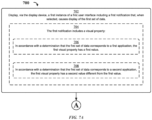
- a method is described. In some embodiments, the method is performed at an electronic device with a display device. In some embodiments, the method comprises: displaying, via the display device, a first instance of a first user interface including a first notification that, when selected, causes display of a first set of data; and after displaying the first instance of the first user interface, displaying a second instance of the first user interface, where: in accordance with a determination that a set of interaction criteria are met, the set of interaction criteria including a criterion that is met when the first set of data has been displayed, and in accordance with a determination that a first set of removal criteria are not met, the first set of removal criteria including a first criterion that is based on a first period of time, the second instance of the first user interface includes the first notification; in accordance with a determination that the set of interaction criteria are met and in accordance with a determination that the first set of removal criteria are met, the second instance of the first user interface does not include the first notification
- a non-transitory computer-readable storage medium storing one or more programs configured to be executed by one or more processors of an electronic device with a display device.
- the one or more programs include instructions for: displaying, via the display device, a first instance of a first user interface including a first notification that, when selected, causes display of a first set of data; and after displaying the first instance of the first user interface, displaying a second instance of the first user interface, where: in accordance with a determination that a set of interaction criteria are met, the set of interaction criteria including a criterion that is met when the first set of data has been displayed, and in accordance with a determination that a first set of removal criteria are not met, the first set of removal criteria including a first criterion that is based on a first period of time, the second instance of the first user interface includes the first notification; in accordance with a determination that the set of interaction criteria are met and in accordance with a determination that the first set
- a transitory computer-readable storage medium storing one or more programs configured to be executed by one or more processors of an electronic device with a display device.
- the one or more programs include instructions for: displaying, via the display device, a first instance of a first user interface including a first notification that, when selected, causes display of a first set of data; and after displaying the first instance of the first user interface, displaying a second instance of the first user interface, where: in accordance with a determination that a set of interaction criteria are met, the set of interaction criteria including a criterion that is met when the first set of data has been displayed, and in accordance with a determination that a first set of removal criteria are not met, the first set of removal criteria including a first criterion that is based on a first period of time, the second instance of the first user interface includes the first notification; in accordance with a determination that the set of interaction criteria are met and in accordance with a determination that the first set of removal
- an electronic device includes: a display device; one or more processors; and memory storing one or more programs configured to be executed by the one or more processors, the one or more programs including instructions for: displaying, via the display device, a first instance of a first user interface including a first notification that, when selected, causes display of a first set of data; and after displaying the first instance of the first user interface, displaying a second instance of the first user interface, where: in accordance with a determination that a set of interaction criteria are met, the set of interaction criteria including a criterion that is met when the first set of data has been displayed, and in accordance with a determination that a first set of removal criteria are not met, the first set of removal criteria including a first criterion that is based on a first period of time, the second instance of the first user interface includes the first notification; in accordance with a determination that the set of interaction criteria are met and in accordance with a determination that the
- an electronic device includes: a display device; means for displaying, via the display device, a first instance of a first user interface including a first notification that, when selected, causes display of a first set of data; and means, after displaying the first instance of the first user interface, for displaying a second instance of the first user interface, where: in accordance with a determination that a set of interaction criteria are met, the set of interaction criteria including a criterion that is met when the first set of data has been displayed, and in accordance with a determination that a first set of removal criteria are not met, the first set of removal criteria including a first criterion that is based on a first period of time, the second instance of the first user interface includes the first notification; in accordance with a determination that the set of interaction criteria are met and in accordance with a determination that the first set of removal criteria are met, the second instance of the first user interface does not include the first notification; in accordance with a determination
- a method is described. In some embodiments, the method is performed at an electronic device with a display device. In some embodiments, the method comprises: receiving first health data; receiving a request to display a first user interface; in response to receiving the request, displaying, via the display device, the first user interface including: a first region: in accordance with a determination that a type of data corresponding to the first health data has been identified by user input, including a first representation of the first health data; and in accordance with a determination that the type of data corresponding to the first health data has not been identified by user input, not including the representation of the first health data; and a second region: in accordance with a determination that a first set of highlight criteria are met, including a second representation of the first health data different from the first representation; and in accordance with a determination that the first set of highlight criteria are not met, not including the second representation of the first health data.
- a non-transitory computer-readable storage medium storing one or more programs configured to be executed by one or more processors of an electronic device with a display device.
- the one or more programs include instructions for: receiving first health data; receiving a request to display a first user interface; in response to receiving the request, displaying, via the display device, the first user interface including: a first region: in accordance with a determination that a type of data corresponding to the first health data has been identified by user input, including a first representation of the first health data; and in accordance with a determination that the type of data corresponding to the first health data has not been identified by user input, not including the representation of the first health data; and a second region: in accordance with a determination that a first set of highlight criteria are met, including a second representation of the first health data different from the first representation; and in accordance with a determination that the first set of highlight criteria are not met, not including the second representation of the first health data.
- a transitory computer-readable storage medium storing one or more programs configured to be executed by one or more processors of an electronic device with a display device.
- the one or more programs include instructions for: receiving first health data; receiving a request to display a first user interface; in response to receiving the request, displaying, via the display device, the first user interface including: a first region: in accordance with a determination that a type of data corresponding to the first health data has been identified by user input, including a first representation of the first health data; and in accordance with a determination that the type of data corresponding to the first health data has not been identified by user input, not including the representation of the first health data; and a second region: in accordance with a determination that a first set of highlight criteria are met, including a second representation of the first health data different from the first representation; and in accordance with a determination that the first set of highlight criteria are not met, not including the second representation of the first health data.
- an electronic device includes: a display device; one or more processors; and memory storing one or more programs configured to be executed by the one or more processors, the one or more programs including instructions for: receiving first health data; receiving a request to display a first user interface; in response to receiving the request, displaying, via the display device, the first user interface including: first region: in accordance with a determination that a type of data corresponding to the first health data has been identified by user input, including a first representation of the first health data; and in accordance with a determination that the type of data corresponding to the first health data has not been identified by user input, not including the representation of the first health data; and a second region: in accordance with a determination that a first set of highlight criteria are met, including a second representation of the first health data different from the first representation; and in accordance with a determination that the first set of highlight criteria are not met, not including the second representation of the first health data.
- an electronic device includes: a display device; means for receiving first health data; means for receiving a request to display a first user interface; and means, responsive to receiving the request, for displaying, via the display device, the first user interface including: a first region: in accordance with a determination that a type of data corresponding to the first health data has been identified by user input, including a first representation of the first health data; and in accordance with a determination that the type of data corresponding to the first health data has not been identified by user input, not including the representation of the first health data; and a second region: in accordance with a determination that a first set of highlight criteria are met, including a second representation of the first health data different from the first representation; and in accordance with a determination that the first set of highlight criteria are not met, not including the second representation of the first health data.
- a method is described.
- the method is performed at an electronic device with a display device.
- the method comprises: receiving clinical health record data corresponding to a particular health institution; receiving a request to display a first user interface; and in response to receiving the request, displaying, via the display device, the first user interface including: a first region corresponding to a first type of clinical health record, where the first region includes: in accordance with a determination that a first clinical health record of the first type of clinical health record fails to meet a first set of graphing criteria, a first textual representation for the first clinical health record based on the clinical health record data, where the first user interface does not include a graphical representation for the first clinical health record; and in accordance with a determination that the first clinical health meets the first set of graphing criteria, a first graphical representation for the first clinical health record based on the clinical health record data; and a second region corresponding to a second type of clinical health record, where the second region includes: in accordance with a determination that a first clinical health record of
- a non-transitory computer-readable storage medium storing one or more programs configured to be executed by one or more processors of an electronic device with a display device.
- the one or more programs include instructions for: receiving clinical health record data corresponding to a particular health institution; receiving a request to display a first user interface; and in response to receiving the request, displaying, via the display device, the first user interface including: a first region corresponding to a first type of clinical health record, where the first region includes: in accordance with a determination that a first clinical health record of the first type of clinical health record fails to meet a first set of graphing criteria, a first textual representation for the first clinical health record based on the clinical health record data, where the first user interface does not include a graphical representation for the first clinical health record; and in accordance with a determination that the first clinical health meets the first set of graphing criteria, a first graphical representation for the first clinical health record based on the clinical health record data; and a second region
- a transitory computer-readable storage medium storing one or more programs configured to be executed by one or more processors of an electronic device with a display device.
- the one or more programs include instructions for: receiving clinical health record data corresponding to a particular health institution; receiving a request to display a first user interface; and in response to receiving the request, displaying, via the display device, the first user interface including: a first region corresponding to a first type of clinical health record, where the first region includes: in accordance with a determination that a first clinical health record of the first type of clinical health record fails to meet a first set of graphing criteria, a first textual representation for the first clinical health record based on the clinical health record data, where the first user interface does not include a graphical representation for the first clinical health record; and in accordance with a determination that the first clinical health meets the first set of graphing criteria, a first graphical representation for the first clinical health record based on the clinical health record data; and a second region corresponding
- an electronic device includes: a display device; one or more processors; and memory storing one or more programs configured to be executed by the one or more processors, the one or more programs including instructions for: receiving clinical health record data corresponding to a particular health institution; receiving a request to display a first user interface; and in response to receiving the request, displaying, via the display device, the first user interface including: a first region corresponding to a first type of clinical health record, where the first region includes: in accordance with a determination that a first clinical health record of the first type of clinical health record fails to meet a first set of graphing criteria, a first textual representation for the first clinical health record based on the clinical health record data, where the first user interface does not include a graphical representation for the first clinical health record; and in accordance with a determination that the first clinical health meets the first set of graphing criteria, a first graphical representation for the first clinical health record based on the clinical health record data; and a
- an electronic device includes: a display device; means for receiving clinical health record data corresponding to a particular health institution; means for receiving a request to display a first user interface; and means, responsive to receiving the request, for displaying, via the display device, the first user interface including: a first region corresponding to a first type of clinical health record, where the first region includes: in accordance with a determination that a first clinical health record of the first type of clinical health record fails to meet a first set of graphing criteria, a first textual representation for the first clinical health record based on the clinical health record data, where the first user interface does not include a graphical representation for the first clinical health record; and in accordance with a determination that the first clinical health meets the first set of graphing criteria, a first graphical representation for the first clinical health record based on the clinical health record data; and a second region corresponding to a second type of clinical health record, where the second region includes: in accordance with a determination that
- a method is described.
- the method is performed at an electronic device with a display device.
- the method comprises: receiving clinical health record data, including: first clinical health record data corresponding to a first type of clinical health record; and second clinical health record data corresponding to a second type of clinical health record; receiving a request to display a first user interface; in response to receiving the request, displaying, via the display device, the first user interface, including: a first representation, based on the first clinical health record data, for a first clinical health record of the first type of clinical health record; while displaying the first user interface, receiving first user input corresponding to selection of the first representation; in response to receiving the first user input: displaying, via the display device, a second user interface, including: a second representation, based on the first clinical health record data, for the first clinical health record of the first type of clinical health record, where the second representation is different from the first representation; and a third representation, based on the first clinical health record data, for
- a non-transitory computer-readable storage medium storing one or more programs configured to be executed by one or more processors of an electronic device with a display device.
- the one or more programs include instructions for: receiving clinical health record data, including: first clinical health record data corresponding to a first type of clinical health record; and second clinical health record data corresponding to a second type of clinical health record; receiving a request to display a first user interface; in response to receiving the request, displaying, via the display device, the first user interface, including: a first representation, based on the first clinical health record data, for a first clinical health record of the first type of clinical health record; while displaying the first user interface, receiving first user input corresponding to selection of the first representation; in response to receiving the first user input: displaying, via the display device, a second user interface, including: a second representation, based on the first clinical health record data, for the first clinical health record of the first type of clinical health record, where the second representation is different from the first
- a transitory computer-readable storage medium storing one or more programs configured to be executed by one or more processors of an electronic device with a display device.
- the one or more programs include instructions for: receiving clinical health record data, including: first clinical health record data corresponding to a first type of clinical health record; and second clinical health record data corresponding to a second type of clinical health record; receiving a request to display a first user interface; in response to receiving the request, displaying, via the display device, the first user interface, including: a first representation, based on the first clinical health record data, for a first clinical health record of the first type of clinical health record; while displaying the first user interface, receiving first user input corresponding to selection of the first representation; in response to receiving the first user input: displaying, via the display device, a second user interface, including: a second representation, based on the first clinical health record data, for the first clinical health record of the first type of clinical health record, where the second representation is different from the first representation;
- an electronic device includes: a display device; one or more processors; and memory storing one or more programs configured to be executed by the one or more processors, the one or more programs including instructions for: receiving clinical health record data, including: first clinical health record data corresponding to a first type of clinical health record; and second clinical health record data corresponding to a second type of clinical health record; receiving a request to display a first user interface; in response to receiving the request, displaying, via the display device, the first user interface, including: a first representation, based on the first clinical health record data, for a first clinical health record of the first type of clinical health record; while displaying the first user interface, receiving first user input corresponding to selection of the first representation; in response to receiving the first user input: displaying, via the display device, a second user interface, including: a second representation, based on the first clinical health record data, for the first clinical health record of the first type of clinical health record, where the second representation is different from
- an electronic device includes: a display device; means for receiving clinical health record data, including: first clinical health record data corresponding to a first type of clinical health record; and second clinical health record data corresponding to a second type of clinical health record; means for receiving a request to display a first user interface; means, responsive to receiving the request, for displaying, via the display device, the first user interface, including: a first representation, based on the first clinical health record data, for a first clinical health record of the first type of clinical health record; means, while displaying the first user interface, for receiving first user input corresponding to selection of the first representation; means, responsive to receiving the first user input, for: displaying, via the display device, a second user interface, including: a second representation, based on the first clinical health record data, for the first clinical health record of the first type of clinical health record, where the second representation is different from the first representation; and a third representation, based on the first clinical health record data, for a
- a method is described.
- the method is performed at an electronic device with a display device, where the electronic device is associated with a first user account.
- the method comprises: receiving a request to display a first user interface; in response to receiving the first request, displaying, via the display device, the first user interface, including: a first portion, including a first category affordance; and a second portion including a first shared affordance corresponding to a second user account; while displaying the first user interface: receiving first user input corresponding to selection of the first category affordance; and receiving second user input corresponding to selection of the first shared affordance; in response to receiving the first user input, displaying, via the display device, a second user interface, including a representation of first health data associated with the first user account for the first category; in response to receiving the second user input, displaying, via the display device, a third user interface, including: a first portion, including: a second category affordance corresponding to health data associated with the second user account for
- a non-transitory computer-readable storage medium storing one or more programs configured to be executed by one or more processors of an electronic device, associated with a first user account, with a display device.
- the one or more programs include instructions for: receiving a request to display a first user interface; in response to receiving the first request, displaying, via the display device, the first user interface, including: a first portion, including a first category affordance; and a second portion including a first shared affordance corresponding to a second user account; while displaying the first user interface: receiving first user input corresponding to selection of the first category affordance; and receiving second user input corresponding to selection of the first shared affordance; in response to receiving the first user input, displaying, via the display device, a second user interface, including a representation of first health data associated with the first user account for the first category; in response to receiving the second user input, displaying, via the display device, a third user interface, including: a first portion, including: a second category afford
- a transitory computer-readable storage medium storing one or more programs configured to be executed by one or more processors of an electronic device, associated with a first user account, with a display device.
- the one or more programs include instructions for: receiving a request to display a first user interface; in response to receiving the first request, displaying, via the display device, the first user interface, including: a first portion, including a first category affordance; and a second portion including a first shared affordance corresponding to a second user account; while displaying the first user interface: receiving first user input corresponding to selection of the first category affordance; and receiving second user input corresponding to selection of the first shared affordance; in response to receiving the first user input, displaying, via the display device, a second user interface, including a representation of first health data associated with the first user account for the first category; in response to receiving the second user input, displaying, via the display device, a third user interface, including: a first portion, including: a second category affordance
- an electronic device associated with a first user account includes: a display device; one or more processors; and memory storing one or more programs configured to be executed by the one or more processors, the one or more programs including instructions for: receiving a request to display a first user interface; in response to receiving the first request, displaying, via the display device, the first user interface, including: a first portion, including a first category affordance; and a second portion including a first shared affordance corresponding to a second user account; while displaying the first user interface: receiving first user input corresponding to selection of the first category affordance; and receiving second user input corresponding to selection of the first shared affordance; in response to receiving the first user input, displaying, via the display device, a second user interface, including a representation of first health data associated with the first user account for the first category; in response to receiving the second user input, displaying, via the display device, a third user interface, including: a first portion, including: a
- an electronic device associated with a first user account includes: a display device; means for receiving a request to display a first user interface; means, responsive to receiving the first request, for displaying, via the display device, the first user interface, including: a first portion, including a first category affordance; and a second portion including a first shared affordance corresponding to a second user account; means, while displaying the first user interface, for: receiving first user input corresponding to selection of the first category affordance; and receiving second user input corresponding to selection of the first shared affordance; means, responsive to receiving the first user input, for displaying, via the display device, a second user interface, including a representation of first health data associated with the first user account for the first category; means, responsive to receiving the second user input, for displaying, via the display device, a third user interface, including: a first portion, including: a second category affordance corresponding to health data associated with the second user account for the first category; means, while
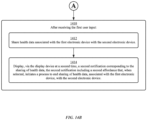
- a method is described. In some embodiments, the method is performed at a first electronic device with a display device. In some embodiments, the method comprises: receiving a request to share health data associated with the first electronic device; in response to receiving the request, displaying, via the display device at a first time, a first notification, including a first affordance that, when selected, initiates a process for sharing of health data, associated with the first electronic device, with a second electronic device; while displaying the notification, receiving a first user input corresponding to selection of the first affordance; in response to receiving the first user input, initiating a process for sharing of health data, associated with the first electronic device, with the second electronic device; and after receiving the first user input: sharing health data associated with the first electronic device with the second electronic device; and displaying, via the display device at a second time, a second notification corresponding to the sharing of health data, the second notification including a second affordance that, when selected, initiates a process to end sharing of health data, associated with the first
- a non-transitory computer-readable storage medium storing one or more programs configured to be executed by one or more processors of a first electronic device with a display device.
- the one or more programs include instructions for: receiving a request to share health data associated with the first electronic device; in response to receiving the request, displaying, via the display device at a first time, a first notification, including a first affordance that, when selected, initiates a process for sharing of health data, associated with the first electronic device, with a second electronic device; while displaying the notification, receiving a first user input corresponding to selection of the first affordance; in response to receiving the first user input, initiating a process for sharing of health data, associated with the first electronic device, with the second electronic device; and after receiving the first user input: sharing health data associated with the first electronic device with the second electronic device; and displaying, via the display device at a second time, a second notification corresponding to the sharing of health data, the second notification including a second affordance that
- a transitory computer-readable storage medium storing one or more programs configured to be executed by one or more processors of a first electronic device with a display device.
- the one or more programs include instructions for: receiving a request to share health data associated with the first electronic device; in response to receiving the request, displaying, via the display device at a first time, a first notification, including a first affordance that, when selected, initiates a process for sharing of health data, associated with the first electronic device, with a second electronic device; while displaying the notification, receiving a first user input corresponding to selection of the first affordance; in response to receiving the first user input, initiating a process for sharing of health data, associated with the first electronic device, with the second electronic device; and after receiving the first user input: sharing health data associated with the first electronic device with the second electronic device; and displaying, via the display device at a second time, a second notification corresponding to the sharing of health data, the second notification including a second affordance that, when
- a first electronic device includes: a display device; one or more processors; and memory storing one or more programs configured to be executed by the one or more processors, the one or more programs including instructions for: receiving a request to share health data associated with the first electronic device; in response to receiving the request, displaying, via the display device at a first time, a first notification, including a first affordance that, when selected, initiates a process for sharing of health data, associated with the first electronic device, with a second electronic device; while displaying the notification, receiving a first user input corresponding to selection of the first affordance; in response to receiving the first user input, initiating a process for sharing of health data, associated with the first electronic device, with the second electronic device; and after receiving the first user input: sharing health data associated with the first electronic device with the second electronic device; and displaying, via the display device at a second time, a second notification corresponding to the sharing of health data, the second notification including a second
- a first electronic device includes: a display device; means for receiving a request to share health data associated with the first electronic device; means, responsive to receiving the request, for displaying, via the display device at a first time, a first notification, including a first affordance that, when selected, initiates a process for sharing of health data, associated with the first electronic device, with a second electronic device; means, while displaying the notification, for receiving a first user input corresponding to selection of the first affordance; means, responsive to receiving the first user input, for initiating a process for sharing of health data, associated with the first electronic device, with the second electronic device; and means, after receiving the first user input, for: sharing health data associated with the first electronic device with the second electronic device; and displaying, via the display device at a second time, a second notification corresponding to the sharing of health data, the second notification including a second affordance that, when selected, initiates a process to end sharing of health data, associated with the
- Executable instructions for performing these functions are, optionally, included in a non-transitory computer-readable storage medium or other computer program product configured for execution by one or more processors. Executable instructions for performing these functions are, optionally, included in a transitory computer-readable storage medium or other computer program product configured for execution by one or more processors.
- devices are provided with faster, more efficient methods and interfaces for managing health information and functions, thereby increasing the effectiveness, efficiency, and user satisfaction with such devices.
- Such methods and interfaces can complement or replace other methods for managing health information and functions.
- FIGS. 1A-1B , 2 , 3 , 4A-4B , and 5A-5H provide a description of exemplary devices for performing the techniques for managing event notifications.
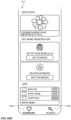
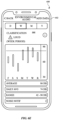
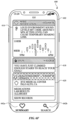
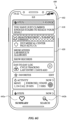
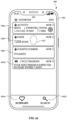
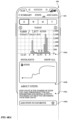
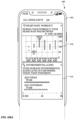
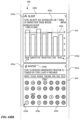
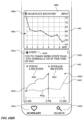
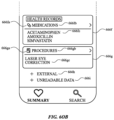
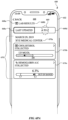
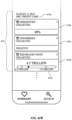
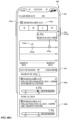
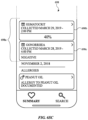
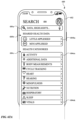
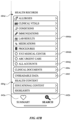
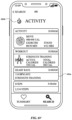
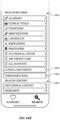
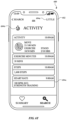
- FIGS. 6A-6Z illustrate exemplary user interfaces related to viewing health data using an electronic device, in accordance with some embodiments.
- FIGS. 7A-7B are a flow diagram illustrating a method for managing notifications using an electronic device, in accordance with some embodiments.
- FIGS. 8A-8B are a flow diagram illustrating a method for managing display of health-related information using an electronic device, in accordance with some embodiments.
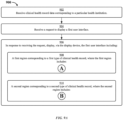
- FIGS. 9A-9B are a flow diagram illustrating a method for managing display of clinical health record representations using an electronic device, in accordance with some embodiments.
- FIGS. 10A-10B are a flow diagram illustrating a method for managing display of clinical health record representations using an electronic device, in accordance with some embodiments.
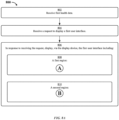
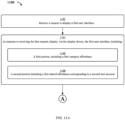
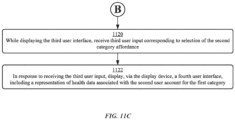
- FIGS. 11A-11C are a flow diagram illustrating a method for managing display of health-related information for various user accounts using an electronic device, in accordance with some embodiments.
- the user interfaces in FIGS. 6A-6Z are used to illustrate the processes described below, including the processes in FIGS. 7A-7B , 8A-8B , 9A-9B , 10A-10B , 11A-11C .
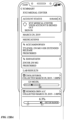
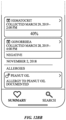
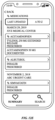
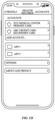
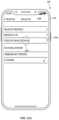
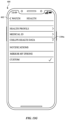
- FIGS. 12AA-12I illustrate exemplary user interfaces related to viewing health data using an electronic device, in accordance with some embodiments.
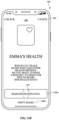
- FIGS. 13A-13G illustrate exemplary user interfaces related to sharing health data using an electronic device, in accordance with some embodiments.
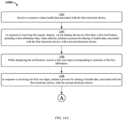
- FIGS. 14A-14B are a flow diagram illustrating methods related to sharing health data, in accordance with some embodiments.
- the user interfaces in FIGS. 13A-13G are used to illustrate the processes described below, including the processes in FIGS. 14A-14B .
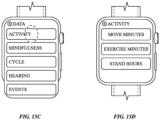
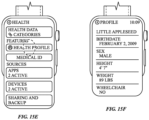
- FIGS. 15A-15F illustrate exemplary user interfaces related to viewing health data using an electronic device, in accordance with some embodiments.
- first means "first,” “second,” etc. to describe various elements, these elements should not be limited by the terms. These terms are only used to distinguish one element from another.
- a first touch could be termed a second touch, and, similarly, a second touch could be termed a first touch, without departing from the scope of the various described embodiments.
- the first touch and the second touch are both touches, but they are not the same touch.
- if is, optionally, construed to mean “when” or “upon” or “in response to determining” or “in response to detecting,” depending on the context.
- phrase “if it is determined” or “if [a stated condition or event] is detected” is, optionally, construed to mean “upon determining” or “in response to determining” or “upon detecting [the stated condition or event]” or “in response to detecting [the stated condition or event],” depending on the context.
- the device is a portable communications device, such as a mobile telephone, that also contains other functions, such as PDA and/or music player functions.
- portable multifunction devices include, without limitation, the iPhone ® , iPod Touch ® , and iPad ® devices from Apple Inc. of Cupertino, California.
- Other portable electronic devices such as laptops or tablet computers with touch-sensitive surfaces (e.g., touch screen displays and/or touchpads), are, optionally, used.
- the device is not a portable communications device, but is a desktop computer with a touch-sensitive surface (e.g., a touch screen display and/or a touchpad).
- the electronic device is a computer system that is in communication (e.g., via wireless communication, via wired communication) with a display generation component.
- the display generation component is configured to provide visual output, such as display via a CRT display, display via an LED display, or display via image projection.
- the display generation component is integrated with the computer system. In some embodiments, the display generation component is separate from the computer system.
- displaying includes causing to display the content (e.g., video data rendered or decoded by display controller 156) by transmitting, via a wired or wireless connection, data (e.g., image data or video data) to an integrated or external display generation component to visually produce the content.
- content e.g., video data rendered or decoded by display controller 1566
- data e.g., image data or video data
- an electronic device that includes a display and a touch-sensitive surface is described. It should be understood, however, that the electronic device optionally includes one or more other physical user-interface devices, such as a physical keyboard, a mouse, and/or a joystick.
- the device typically supports a variety of applications, such as one or more of the following: a drawing application, a presentation application, a word processing application, a website creation application, a disk authoring application, a spreadsheet application, a gaming application, a telephone application, a video conferencing application, an e-mail application, an instant messaging application, a workout support application, a photo management application, a digital camera application, a digital video camera application, a web browsing application, a digital music player application, and/or a digital video player application.
- applications such as one or more of the following: a drawing application, a presentation application, a word processing application, a website creation application, a disk authoring application, a spreadsheet application, a gaming application, a telephone application, a video conferencing application, an e-mail application, an instant messaging application, a workout support application, a photo management application, a digital camera application, a digital video camera application, a web browsing application, a digital music player application, and/or a digital video player application.
- the various applications that are executed on the device optionally use at least one common physical user-interface device, such as the touch-sensitive surface.
- One or more functions of the touch-sensitive surface as well as corresponding information displayed on the device are, optionally, adjusted and/or varied from one application to the next and/or within a respective application.
- a common physical architecture (such as the touch-sensitive surface) of the device optionally supports the variety of applications with user interfaces that are intuitive and transparent to the user.
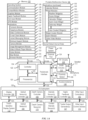
- FIG. 1A is a block diagram illustrating portable multifunction device 100 with touch-sensitive display system 112 in accordance with some embodiments.
- Touch-sensitive display 112 is sometimes called a "touch screen” for convenience and is sometimes known as or called a "touch-sensitive display system.”
- Device 100 includes memory 102 (which optionally includes one or more computer-readable storage mediums), memory controller 122, one or more processing units (CPUs) 120, peripherals interface 118, RF circuitry 108, audio circuitry 110, speaker 111, microphone 113, input/output (I/O) subsystem 106, other input control devices 116, and external port 124.
- Device 100 optionally includes one or more optical sensors 164.
- Device 100 optionally includes one or more contact intensity sensors 165 for detecting intensity of contacts on device 100 (e.g., a touch-sensitive surface such as touch-sensitive display system 112 of device 100).
- Device 100 optionally includes one or more tactile output generators 167 for generating tactile outputs on device 100 (e.g., generating tactile outputs on a touch-sensitive surface such as touch-sensitive display system 112 of device 100 or touchpad 355 of device 300). These components optionally communicate over one or more communication buses or signal lines 103.
- the term "intensity" of a contact on a touch-sensitive surface refers to the force or pressure (force per unit area) of a contact (e.g., a finger contact) on the touch-sensitive surface, or to a substitute (proxy) for the force or pressure of a contact on the touch-sensitive surface.
- the intensity of a contact has a range of values that includes at least four distinct values and more typically includes hundreds of distinct values (e.g., at least 256).
- Intensity of a contact is, optionally, determined (or measured) using various approaches and various sensors or combinations of sensors. For example, one or more force sensors underneath or adjacent to the touch-sensitive surface are, optionally, used to measure force at various points on the touch-sensitive surface.
- force measurements from multiple force sensors are combined (e.g., a weighted average) to determine an estimated force of a contact.
- a pressure-sensitive tip of a stylus is, optionally, used to determine a pressure of the stylus on the touch-sensitive surface.
- the size of the contact area detected on the touch-sensitive surface and/or changes thereto, the capacitance of the touch-sensitive surface proximate to the contact and/or changes thereto, and/or the resistance of the touch-sensitive surface proximate to the contact and/or changes thereto are, optionally, used as a substitute for the force or pressure of the contact on the touch-sensitive surface.
- the substitute measurements for contact force or pressure are used directly to determine whether an intensity threshold has been exceeded (e.g., the intensity threshold is described in units corresponding to the substitute measurements).
- the substitute measurements for contact force or pressure are converted to an estimated force or pressure, and the estimated force or pressure is used to determine whether an intensity threshold has been exceeded (e.g., the intensity threshold is a pressure threshold measured in units of pressure).
- intensity of a contact as an attribute of a user input allows for user access to additional device functionality that can otherwise not be accessible by the user on a reduced-size device with limited real estate for displaying affordances (e.g., on a touch-sensitive display) and/or receiving user input (e.g., via a touch-sensitive display, a touch-sensitive surface, or a physical/mechanical control such as a knob or a button).
- the term "tactile output” refers to physical displacement of a device relative to a previous position of the device, physical displacement of a component (e.g., a touch-sensitive surface) of a device relative to another component (e.g., housing) of the device, or displacement of the component relative to a center of mass of the device that will be detected by a user with the user's sense of touch.
- a component e.g., a touch-sensitive surface
- another component e.g., housing
- the tactile output generated by the physical displacement will be interpreted by the user as a tactile sensation corresponding to a perceived change in physical characteristics of the device or the component of the device.
- a touch-sensitive surface e.g., a touch-sensitive display or trackpad
- movement of a touch-sensitive surface is, optionally, interpreted by the user as a "down click" or "up click" of a physical actuator button.
- a user will feel a tactile sensation such as an "down click” or “up click” even when there is no movement of a physical actuator button associated with the touch-sensitive surface that is physically pressed (e.g., displaced) by the user's movements.
- movement of the touch-sensitive surface is, optionally, interpreted or sensed by the user as "roughness" of the touch-sensitive surface, even when there is no change in smoothness of the touch-sensitive surface. While such interpretations of touch by a user will be subject to the individualized sensory perceptions of the user, there are many sensory perceptions of touch that are common to a large majority of users.
- a tactile output is described as corresponding to a particular sensory perception of a user (e.g., an "up click,” a “down click,” “roughness")
- the generated tactile output corresponds to physical displacement of the device or a component thereof that will generate the described sensory perception for a typical (or average) user.
- device 100 is only one example of a portable multifunction device, and that device 100 optionally has more or fewer components than shown, optionally combines two or more components, or optionally has a different configuration or arrangement of the components.
- the various components shown in FIG. 1A are implemented in hardware, software, or a combination of both hardware and software, including one or more signal processing and/or application-specific integrated circuits.
- Memory 102 optionally includes high-speed random access memory and optionally also includes non-volatile memory, such as one or more magnetic disk storage devices, flash memory devices, or other non-volatile solid-state memory devices.
- Memory controller 122 optionally controls access to memory 102 by other components of device 100.
- Peripherals interface 118 can be used to couple input and output peripherals of the device to CPU 120 and memory 102.
- the one or more processors 120 run or execute various software programs and/or sets of instructions stored in memory 102 to perform various functions for device 100 and to process data.
- peripherals interface 118, CPU 120, and memory controller 122 are, optionally, implemented on a single chip, such as chip 104. In some other embodiments, they are, optionally, implemented on separate chips.
- RF (radio frequency) circuitry 108 receives and sends RF signals, also called electromagnetic signals.
- RF circuitry 108 converts electrical signals to/from electromagnetic signals and communicates with communications networks and other communications devices via the electromagnetic signals.
- RF circuitry 108 optionally includes well-known circuitry for performing these functions, including but not limited to an antenna system, an RF transceiver, one or more amplifiers, a tuner, one or more oscillators, a digital signal processor, a CODEC chipset, a subscriber identity module (SIM) card, memory, and so forth.
- an antenna system an RF transceiver, one or more amplifiers, a tuner, one or more oscillators, a digital signal processor, a CODEC chipset, a subscriber identity module (SIM) card, memory, and so forth.
- SIM subscriber identity module
- RF circuitry 108 optionally communicates with networks, such as the Internet, also referred to as the World Wide Web (WWW), an intranet and/or a wireless network, such as a cellular telephone network, a wireless local area network (LAN) and/or a metropolitan area network (MAN), and other devices by wireless communication.
- the RF circuitry 108 optionally includes well-known circuitry for detecting near field communication (NFC) fields, such as by a short-range communication radio.
- NFC near field communication
- the wireless communication optionally uses any of a plurality of communications standards, protocols, and technologies, including but not limited to Global System for Mobile Communications (GSM), Enhanced Data GSM Environment (EDGE), high-speed downlink packet access (HSDPA), high-speed uplink packet access (HSUPA), Evolution, Data-Only (EV-DO), HSPA, HSPA+, Dual-Cell HSPA (DC-HSPDA), long term evolution (LTE), near field communication (NFC), wideband code division multiple access (W-CDMA), code division multiple access (CDMA), time division multiple access (TDMA), Bluetooth, Bluetooth Low Energy (BTLE), Wireless Fidelity (Wi-Fi) (e.g., IEEE 802.11a, IEEE 802.11b, IEEE 802.11g, IEEE 802.11n, and/or IEEE 802.11ac), voice over Internet Protocol (VoIP), Wi-MAX, a protocol for e-mail (e.g., Internet message access protocol (IMAP) and/or post office protocol (POP)), instant messaging (e.
- Audio circuitry 110, speaker 111, and microphone 113 provide an audio interface between a user and device 100.
- Audio circuitry 110 receives audio data from peripherals interface 118, converts the audio data to an electrical signal, and transmits the electrical signal to speaker 111.
- Speaker 111 converts the electrical signal to human-audible sound waves.
- Audio circuitry 110 also receives electrical signals converted by microphone 113 from sound waves.
- Audio circuitry 110 converts the electrical signal to audio data and transmits the audio data to peripherals interface 118 for processing. Audio data is, optionally, retrieved from and/or transmitted to memory 102 and/or RF circuitry 108 by peripherals interface 118.
- audio circuitry 110 also includes a headset jack (e.g., 212, FIG. 2 ). The headset jack provides an interface between audio circuitry 110 and removable audio input/output peripherals, such as output-only headphones or a headset with both output (e.g., a headphone for one or both ears) and input (e.g., a microphone
- I/O subsystem 106 couples input/output peripherals on device 100, such as touch screen 112 and other input control devices 116, to peripherals interface 118.
- I/O subsystem 106 optionally includes display controller 156, optical sensor controller 158, depth camera controller 169, intensity sensor controller 159, haptic feedback controller 161, and one or more input controllers 160 for other input or control devices.
- the one or more input controllers 160 receive/send electrical signals from/to other input control devices 116.
- the other input control devices 116 optionally include physical buttons (e.g., push buttons, rocker buttons, etc.), dials, slider switches, joysticks, click wheels, and so forth.
- input controller(s) 160 are, optionally, coupled to any (or none) of the following: a keyboard, an infrared port, a USB port, and a pointer device such as a mouse.
- the one or more buttons optionally include an up/down button for volume control of speaker 111 and/or microphone 113.
- the one or more buttons optionally include a push button (e.g., 206, FIG. 2 ).
- the electronic device is a computer system that is in communication (e.g., via wireless communication, via wired communication) with one or more input devices.
- the one or more input devices include a touch-sensitive surface (e.g., a trackpad, as part of a touch-sensitive display).
- the one or more input devices include one or more camera sensors (e.g., one or more optical sensors 164 and/or one or more depth camera sensors 175), such as for tracking a user's gestures (e.g., hand gestures) as input.
- the one or more input devices are integrated with the computer system. In some embodiments, the one or more input devices are separate from the computer system.
- a quick press of the push button optionally disengages a lock of touch screen 112 or optionally begins a process that uses gestures on the touch screen to unlock the device, as described in U.S. Patent Application 11/322,549, "Unlocking a Device by Performing Gestures on an Unlock Image," filed December 23, 2005 , U.S. Pat. No. 7,657,849 , which is hereby incorporated by reference in its entirety.
- a longer press of the push button e.g., 206) optionally turns power to device 100 on or off.
- the functionality of one or more of the buttons are, optionally, user-customizable.
- Touch screen 112 is used to implement virtual or soft buttons and one or more soft keyboards.
- Touch-sensitive display 112 provides an input interface and an output interface between the device and a user.
- Display controller 156 receives and/or sends electrical signals from/to touch screen 112.
- Touch screen 112 displays visual output to the user.
- the visual output optionally includes graphics, text, icons, video, and any combination thereof (collectively termed "graphics"). In some embodiments, some or all of the visual output optionally corresponds to user-interface objects.
- Touch screen 112 has a touch-sensitive surface, sensor, or set of sensors that accepts input from the user based on haptic and/or tactile contact.
- Touch screen 112 and display controller 156 (along with any associated modules and/or sets of instructions in memory 102) detect contact (and any movement or breaking of the contact) on touch screen 112 and convert the detected contact into interaction with user-interface objects (e.g., one or more soft keys, icons, web pages, or images) that are displayed on touch screen 112.
- user-interface objects e.g., one or more soft keys, icons, web pages, or images
- a point of contact between touch screen 112 and the user corresponds to a finger of the user.
- Touch screen 112 optionally uses LCD (liquid crystal display) technology, LPD (light emitting polymer display) technology, or LED (light emitting diode) technology, although other display technologies are used in other embodiments.
- Touch screen 112 and display controller 156 optionally detect contact and any movement or breaking thereof using any of a plurality of touch sensing technologies now known or later developed, including but not limited to capacitive, resistive, infrared, and surface acoustic wave technologies, as well as other proximity sensor arrays or other elements for determining one or more points of contact with touch screen 112.
- touch sensing technologies now known or later developed, including but not limited to capacitive, resistive, infrared, and surface acoustic wave technologies, as well as other proximity sensor arrays or other elements for determining one or more points of contact with touch screen 112.
- projected mutual capacitance sensing technology is used, such as that found in the iPhone ® and iPod Touch ® from Apple Inc. of Cupertino, California.
- a touch-sensitive display in some embodiments of touch screen 112 is, optionally, analogous to the multi-touch sensitive touchpads described in the following U.S. Patents: 6,323,846 (Westerman et al. ), 6,570,557 (Westerman et al. ), and/or 6,677,932 (Westerman ), and/or U.S. Patent Publication 2002/0015024A1 , each of which is hereby incorporated by reference in its entirety.
- touch screen 112 displays visual output from device 100, whereas touch-sensitive touchpads do not provide visual output.
- a touch-sensitive display in some embodiments of touch screen 112 is described in the following applications: (1) U.S. Patent Application No. 11/381,313, "Multipoint Touch Surface Controller,” filed May 2, 2006 ; (2) U.S. Patent Application No. 10/840,862, “Multipoint Touchscreen,” filed May 6, 2004 ; (3) U.S. Patent Application No. 10/903,964, "Gestures For Touch Sensitive Input Devices," filed July 30, 2004 ; (4) U.S. Patent Application No. 11/048,264, “Gestures For Touch Sensitive Input Devices,” filed January 31, 2005 ; (5) U.S. Patent Application No.
- Touch screen 112 optionally has a video resolution in excess of 100 dpi. In some embodiments, the touch screen has a video resolution of approximately 160 dpi.
- the user optionally makes contact with touch screen 112 using any suitable object or appendage, such as a stylus, a finger, and so forth.
- the user interface is designed to work primarily with finger-based contacts and gestures, which can be less precise than stylus-based input due to the larger area of contact of a finger on the touch screen.
- the device translates the rough finger-based input into a precise pointer/cursor position or command for performing the actions desired by the user.
- device 100 in addition to the touch screen, device 100 optionally includes a touchpad for activating or deactivating particular functions.
- the touchpad is a touch-sensitive area of the device that, unlike the touch screen, does not display visual output.
- the touchpad is, optionally, a touch-sensitive surface that is separate from touch screen 112 or an extension of the touch-sensitive surface formed by the touch screen.
- Power system 162 for powering the various components.
- Power system 162 optionally includes a power management system, one or more power sources (e.g., battery, alternating current (AC)), a recharging system, a power failure detection circuit, a power converter or inverter, a power status indicator (e.g., a light-emitting diode (LED)) and any other components associated with the generation, management and distribution of power in portable devices.
- power sources e.g., battery, alternating current (AC)
- AC alternating current
- a recharging system e.g., a recharging system
- a power failure detection circuit e.g., a power failure detection circuit
- a power converter or inverter e.g., a power converter or inverter
- a power status indicator e.g., a light-emitting diode (LED)
- Device 100 optionally also includes one or more optical sensors 164.
- FIG. 1A shows an optical sensor coupled to optical sensor controller 158 in I/O subsystem 106.
- Optical sensor 164 optionally includes charge-coupled device (CCD) or complementary metal-oxide semiconductor (CMOS) phototransistors.
- CCD charge-coupled device
- CMOS complementary metal-oxide semiconductor
- Optical sensor 164 receives light from the environment, projected through one or more lenses, and converts the light to data representing an image.
- imaging module 143 also called a camera module
- optical sensor 164 optionally captures still images or video.
- an optical sensor is located on the back of device 100, opposite touch screen display 112 on the front of the device so that the touch screen display is enabled for use as a viewfinder for still and/or video image acquisition.
- an optical sensor is located on the front of the device so that the user's image is, optionally, obtained for video conferencing while the user views the other video conference participants on the touch screen display.
- the position of optical sensor 164 can be changed by the user (e.g., by rotating the lens and the sensor in the device housing) so that a single optical sensor 164 is used along with the touch screen display for both video conferencing and still and/or video image acquisition.
- FIG. 1A shows a depth camera sensor coupled to depth camera controller 169 in I/O subsystem 106.
- Depth camera sensor 175 receives data from the environment to create a three dimensional model of an object (e.g., a face) within a scene from a viewpoint (e.g., a depth camera sensor).
- a viewpoint e.g., a depth camera sensor.
- depth camera sensor 175 is optionally used to determine a depth map of different portions of an image captured by the imaging module 143.
- a depth camera sensor is located on the front of device 100 so that the user's image with depth information is, optionally, obtained for video conferencing while the user views the other video conference participants on the touch screen display and to capture selfies with depth map data.
- the depth camera sensor 175 is located on the back of device, or on the back and the front of the device 100.
- the position of depth camera sensor 175 can be changed by the user (e.g., by rotating the lens and the sensor in the device housing) so that a depth camera sensor 175 is used along with the touch screen display for both video conferencing and still and/or video image acquisition.
- Device 100 optionally also includes one or more contact intensity sensors 165.
- FIG. 1A shows a contact intensity sensor coupled to intensity sensor controller 159 in I/O subsystem 106.
- Contact intensity sensor 165 optionally includes one or more piezoresistive strain gauges, capacitive force sensors, electric force sensors, piezoelectric force sensors, optical force sensors, capacitive touch-sensitive surfaces, or other intensity sensors (e.g., sensors used to measure the force (or pressure) of a contact on a touch-sensitive surface).
- Contact intensity sensor 165 receives contact intensity information (e.g., pressure information or a proxy for pressure information) from the environment.
- contact intensity information e.g., pressure information or a proxy for pressure information
- At least one contact intensity sensor is collocated with, or proximate to, a touch-sensitive surface (e.g., touch-sensitive display system 112). In some embodiments, at least one contact intensity sensor is located on the back of device 100, opposite touch screen display 112, which is located on the front of device 100.
- a touch-sensitive surface e.g., touch-sensitive display system 112
- at least one contact intensity sensor is located on the back of device 100, opposite touch screen display 112, which is located on the front of device 100.
- Device 100 optionally also includes one or more proximity sensors 166.
- FIG. 1A shows proximity sensor 166 coupled to peripherals interface 118. Alternately, proximity sensor 166 is, optionally, coupled to input controller 160 in I/O subsystem 106. Proximity sensor 166 optionally performs as described in U.S. Patent Application Nos.
- the proximity sensor turns off and disables touch screen 112 when the multifunction device is placed near the user's ear (e.g., when the user is making a phone call).
- Device 100 optionally also includes one or more tactile output generators 167.
- FIG. 1A shows a tactile output generator coupled to haptic feedback controller 161 in I/O subsystem 106.
- Tactile output generator 167 optionally includes one or more electroacoustic devices such as speakers or other audio components and/or electromechanical devices that convert energy into linear motion such as a motor, solenoid, electroactive polymer, piezoelectric actuator, electrostatic actuator, or other tactile output generating component (e.g., a component that converts electrical signals into tactile outputs on the device).
- Contact intensity sensor 165 receives tactile feedback generation instructions from haptic feedback module 133 and generates tactile outputs on device 100 that are capable of being sensed by a user of device 100.
- At least one tactile output generator is collocated with, or proximate to, a touch-sensitive surface (e.g., touch-sensitive display system 112) and, optionally, generates a tactile output by moving the touch-sensitive surface vertically (e.g., in/out of a surface of device 100) or laterally (e.g., back and forth in the same plane as a surface of device 100).
- a touch-sensitive surface e.g., touch-sensitive display system 112
- at least one tactile output generator sensor is located on the back of device 100, opposite touch screen display 112, which is located on the front of device 100.
- Device 100 optionally also includes one or more accelerometers 168.
- FIG. 1A shows accelerometer 168 coupled to peripherals interface 118.
- accelerometer 168 is, optionally, coupled to an input controller 160 in I/O subsystem 106.
- Accelerometer 168 optionally performs as described in U.S. Patent Publication No. 20050190059 , "Accelerationbased Theft Detection System for Portable Electronic Devices," and U.S. Patent Publication No. 20060017692 , “Methods And Apparatuses For Operating A Portable Device Based On An Accelerometer,” both of which are incorporated by reference herein in their entirety.
- information is displayed on the touch screen display in a portrait view or a landscape view based on an analysis of data received from the one or more accelerometers.
- Device 100 optionally includes, in addition to accelerometer(s) 168, a magnetometer and a GPS (or GLONASS or other global navigation system) receiver for obtaining information concerning the location and orientation (e.g., portrait or landscape) of device 100.
- GPS or GLONASS or other global navigation system
- the software components stored in memory 102 include operating system 126, communication module (or set of instructions) 128, contact/motion module (or set of instructions) 130, graphics module (or set of instructions) 132, text input module (or set of instructions) 134, Global Positioning System (GPS) module (or set of instructions) 135, and applications (or sets of instructions) 136.
- memory 102 FIG. 1A or 370 ( FIG. 3 ) stores device/global internal state 157, as shown in FIGS. 1A and 3 .
- Device/global internal state 157 includes one or more of: active application state, indicating which applications, if any, are currently active; display state, indicating what applications, views or other information occupy various regions of touch screen display 112; sensor state, including information obtained from the device's various sensors and input control devices 116; and location information concerning the device's location and/or attitude.
- Operating system 126 e.g., Darwin, RTXC, LINUX, UNIX, OS X, iOS, WINDOWS, or an embedded operating system such as VxWorks
- Operating system 126 includes various software components and/or drivers for controlling and managing general system tasks (e.g., memory management, storage device control, power management, etc.) and facilitates communication between various hardware and software components.
- Communication module 128 facilitates communication with other devices over one or more external ports 124 and also includes various software components for handling data received by RF circuitry 108 and/or external port 124.
- External port 124 e.g., Universal Serial Bus (USB), FIREWIRE, etc.
- USB Universal Serial Bus
- FIREWIRE FireWire
- the external port is a multi-pin (e.g., 30-pin) connector that is the same as, or similar to and/or compatible with, the 30-pin connector used on iPod ® (trademark of Apple Inc.) devices.
- Contact/motion module 130 optionally detects contact with touch screen 112 (in conjunction with display controller 156) and other touch-sensitive devices (e.g., a touchpad or physical click wheel).
- Contact/motion module 130 includes various software components for performing various operations related to detection of contact, such as determining if contact has occurred (e.g., detecting a finger-down event), determining an intensity of the contact (e.g., the force or pressure of the contact or a substitute for the force or pressure of the contact), determining if there is movement of the contact and tracking the movement across the touch-sensitive surface (e.g., detecting one or more finger-dragging events), and determining if the contact has ceased (e.g., detecting a finger-up event or a break in contact).
- Contact/motion module 130 receives contact data from the touch-sensitive surface. Determining movement of the point of contact, which is represented by a series of contact data, optionally includes determining speed (magnitude), velocity (magnitude and direction), and/or an acceleration (a change in magnitude and/or direction) of the point of contact. These operations are, optionally, applied to single contacts (e.g., one finger contacts) or to multiple simultaneous contacts (e.g., "multitouch"/multiple finger contacts). In some embodiments, contact/motion module 130 and display controller 156 detect contact on a touchpad.
- contact/motion module 130 uses a set of one or more intensity thresholds to determine whether an operation has been performed by a user (e.g., to determine whether a user has "clicked" on an icon).
- at least a subset of the intensity thresholds are determined in accordance with software parameters (e.g., the intensity thresholds are not determined by the activation thresholds of particular physical actuators and can be adjusted without changing the physical hardware of device 100). For example, a mouse "click" threshold of a trackpad or touch screen display can be set to any of a large range of predefined threshold values without changing the trackpad or touch screen display hardware.
- a user of the device is provided with software settings for adjusting one or more of the set of intensity thresholds (e.g., by adjusting individual intensity thresholds and/or by adjusting a plurality of intensity thresholds at once with a system-level click "intensity" parameter).
- Contact/motion module 130 optionally detects a gesture input by a user.
- Different gestures on the touch-sensitive surface have different contact patterns (e.g., different motions, timings, and/or intensities of detected contacts).
- a gesture is, optionally, detected by detecting a particular contact pattern.
- detecting a finger tap gesture includes detecting a finger-down event followed by detecting a finger-up (liftoff) event at the same position (or substantially the same position) as the finger-down event (e.g., at the position of an icon).
- detecting a finger swipe gesture on the touch-sensitive surface includes detecting a finger-down event followed by detecting one or more finger-dragging events, and subsequently followed by detecting a finger-up (liftoff) event.
- Graphics module 132 includes various known software components for rendering and displaying graphics on touch screen 112 or other display, including components for changing the visual impact (e.g., brightness, transparency, saturation, contrast, or other visual property) of graphics that are displayed.
- graphics includes any object that can be displayed to a user, including, without limitation, text, web pages, icons (such as user-interface objects including soft keys), digital images, videos, animations, and the like.
- graphics module 132 stores data representing graphics to be used. Each graphic is, optionally, assigned a corresponding code. Graphics module 132 receives, from applications etc., one or more codes specifying graphics to be displayed along with, if necessary, coordinate data and other graphic property data, and then generates screen image data to output to display controller 156.
- Haptic feedback module 133 includes various software components for generating instructions used by tactile output generator(s) 167 to produce tactile outputs at one or more locations on device 100 in response to user interactions with device 100.
- Text input module 134 which is, optionally, a component of graphics module 132, provides soft keyboards for entering text in various applications (e.g., contacts 137, e-mail 140, IM 141, browser 147, and any other application that needs text input).
- applications e.g., contacts 137, e-mail 140, IM 141, browser 147, and any other application that needs text input).
- GPS module 135 determines the location of the device and provides this information for use in various applications (e.g., to telephone 138 for use in location-based dialing; to camera 143 as picture/video metadata; and to applications that provide location-based services such as weather widgets, local yellow page widgets, and map/navigation widgets).
- applications e.g., to telephone 138 for use in location-based dialing; to camera 143 as picture/video metadata; and to applications that provide location-based services such as weather widgets, local yellow page widgets, and map/navigation widgets).
- Applications 136 optionally include the following modules (or sets of instructions), or a subset or superset thereof:
- Examples of other applications 136 that are, optionally, stored in memory 102 include other word processing applications, other image editing applications, drawing applications, presentation applications, JAVA-enabled applications, encryption, digital rights management, voice recognition, and voice replication.
- contacts module 137 are, optionally, used to manage an address book or contact list (e.g., stored in application internal state 192 of contacts module 137 in memory 102 or memory 370), including: adding name(s) to the address book; deleting name(s) from the address book; associating telephone number(s), e-mail address(es), physical address(es) or other information with a name; associating an image with a name; categorizing and sorting names; providing telephone numbers or e-mail addresses to initiate and/or facilitate communications by telephone 138, video conference module 139, e-mail 140, or IM 141; and so forth.
- an address book or contact list e.g., stored in application internal state 192 of contacts module 137 in memory 102 or memory 370
- telephone module 138 are optionally, used to enter a sequence of characters corresponding to a telephone number, access one or more telephone numbers in contacts module 137, modify a telephone number that has been entered, dial a respective telephone number, conduct a conversation, and disconnect or hang up when the conversation is completed.
- the wireless communication optionally uses any of a plurality of communications standards, protocols, and technologies.
- video conference module 139 includes executable instructions to initiate, conduct, and terminate a video conference between a user and one or more other participants in accordance with user instructions.
- e-mail client module 140 includes executable instructions to create, send, receive, and manage e-mail in response to user instructions.
- e-mail client module 140 makes it very easy to create and send e-mails with still or video images taken with camera module 143.
- the instant messaging module 141 includes executable instructions to enter a sequence of characters corresponding to an instant message, to modify previously entered characters, to transmit a respective instant message (for example, using a Short Message Service (SMS) or Multimedia Message Service (MMS) protocol for telephony-based instant messages or using XMPP, SIMPLE, or IMPS for Internet-based instant messages), to receive instant messages, and to view received instant messages.
- SMS Short Message Service
- MMS Multimedia Message Service
- XMPP extensible Markup Language
- SIMPLE Session Initiation Protocol
- IMPS Internet Messaging Protocol
- transmitted and/or received instant messages optionally include graphics, photos, audio files, video files and/or other attachments as are supported in an MMS and/or an Enhanced Messaging Service (EMS).
- EMS Enhanced Messaging Service
- instant messaging refers to both telephony-based messages (e.g., messages sent using SMS or MMS) and Internet-based messages (e.g., messages sent using XMP
- workout support module 142 includes executable instructions to create workouts (e.g., with time, distance, and/or calorie burning goals); communicate with workout sensors (sports devices); receive workout sensor data; calibrate sensors used to monitor a workout; select and play music for a workout; and display, store, and transmit workout data.
- create workouts e.g., with time, distance, and/or calorie burning goals
- communicate with workout sensors sports devices
- receive workout sensor data calibrate sensors used to monitor a workout
- select and play music for a workout and display, store, and transmit workout data.
- camera module 143 includes executable instructions to capture still images or video (including a video stream) and store them into memory 102, modify characteristics of a still image or video, or delete a still image or video from memory 102.
- image management module 144 includes executable instructions to arrange, modify (e.g., edit), or otherwise manipulate, label, delete, present (e.g., in a digital slide show or album), and store still and/or video images.
- modify e.g., edit
- present e.g., in a digital slide show or album
- browser module 147 includes executable instructions to browse the Internet in accordance with user instructions, including searching, linking to, receiving, and displaying web pages or portions thereof, as well as attachments and other files linked to web pages.
- calendar module 148 includes executable instructions to create, display, modify, and store calendars and data associated with calendars (e.g., calendar entries, to-do lists, etc.) in accordance with user instructions.
- widget modules 149 are mini-applications that are, optionally, downloaded and used by a user (e.g., weather widget 149-1, stocks widget 149-2, calculator widget 149-3, alarm clock widget 149-4, and dictionary widget 149-5) or created by the user (e.g., user-created widget 149-6).
- a widget includes an HTML (Hypertext Markup Language) file, a CSS (Cascading Style Sheets) file, and a JavaScript file.
- a widget includes an XML (Extensible Markup Language) file and a JavaScript file (e.g., Yahoo! Widgets).
- the widget creator module 150 are, optionally, used by a user to create widgets (e.g., turning a user-specified portion of a web page into a widget).
- search module 151 includes executable instructions to search for text, music, sound, image, video, and/or other files in memory 102 that match one or more search criteria (e.g., one or more user-specified search terms) in accordance with user instructions.
- search criteria e.g., one or more user-specified search terms
- video and music player module 152 includes executable instructions that allow the user to download and play back recorded music and other sound files stored in one or more file formats, such as MP3 or AAC files, and executable instructions to display, present, or otherwise play back videos (e.g., on touch screen 112 or on an external, connected display via external port 124).
- device 100 optionally includes the functionality of an MP3 player, such as an iPod (trademark of Apple Inc.).
- map module 154 are, optionally, used to receive, display, modify, and store maps and data associated with maps (e.g., driving directions, data on stores and other points of interest at or near a particular location, and other location-based data) in accordance with user instructions.
- maps e.g., driving directions, data on stores and other points of interest at or near a particular location, and other location-based data
- online video module 155 includes instructions that allow the user to access, browse, receive (e.g., by streaming and/or download), play back (e.g., on the touch screen or on an external, connected display via external port 124), send an e-mail with a link to a particular online video, and otherwise manage online videos in one or more file formats, such as H.264.
- instant messaging module 141 rather than e-mail client module 140, is used to send a link to a particular online video.
- modules and applications corresponds to a set of executable instructions for performing one or more functions described above and the methods described in this application (e.g., the computer-implemented methods and other information processing methods described herein).
- modules e.g., sets of instructions
- video player module is, optionally, combined with music player module into a single module (e.g., video and music player module 152, FIG. 1A ).
- memory 102 optionally stores a subset of the modules and data structures identified above. Furthermore, memory 102 optionally stores additional modules and data structures not described above.
- device 100 is a device where operation of a predefined set of functions on the device is performed exclusively through a touch screen and/or a touchpad.
- a touch screen and/or a touchpad as the primary input control device for operation of device 100, the number of physical input control devices (such as push buttons, dials, and the like) on device 100 is, optionally, reduced.
- the predefined set of functions that are performed exclusively through a touch screen and/or a touchpad optionally include navigation between user interfaces.
- the touchpad when touched by the user, navigates device 100 to a main, home, or root menu from any user interface that is displayed on device 100.
- a "menu button" is implemented using a touchpad.
- the menu button is a physical push button or other physical input control device instead of a touchpad.
- FIG. 1B is a block diagram illustrating exemplary components for event handling in accordance with some embodiments.
- memory 102 FIG. 1A
- 370 FIG. 3
- event sorter 170 e.g., in operating system 126
- application 136-1 e.g., any of the aforementioned applications 137-151, 155, 380-390.
- Event sorter 170 receives event information and determines the application 136-1 and application view 191 of application 136-1 to which to deliver the event information.
- Event sorter 170 includes event monitor 171 and event dispatcher module 174.
- application 136-1 includes application internal state 192, which indicates the current application view(s) displayed on touch-sensitive display 112 when the application is active or executing.
- device/global internal state 157 is used by event sorter 170 to determine which application(s) is (are) currently active, and application internal state 192 is used by event sorter 170 to determine application views 191 to which to deliver event information.
- application internal state 192 includes additional information, such as one or more of: resume information to be used when application 136-1 resumes execution, user interface state information that indicates information being displayed or that is ready for display by application 136-1, a state queue for enabling the user to go back to a prior state or view of application 136-1, and a redo/undo queue of previous actions taken by the user.
- Event monitor 171 receives event information from peripherals interface 118.
- Event information includes information about a sub-event (e.g., a user touch on touch-sensitive display 112, as part of a multi-touch gesture).
- Peripherals interface 118 transmits information it receives from I/O subsystem 106 or a sensor, such as proximity sensor 166, accelerometer(s) 168, and/or microphone 113 (through audio circuitry 110).
- Information that peripherals interface 118 receives from I/O subsystem 106 includes information from touch-sensitive display 112 or a touch-sensitive surface.
- event monitor 171 sends requests to the peripherals interface 118 at predetermined intervals. In response, peripherals interface 118 transmits event information. In other embodiments, peripherals interface 118 transmits event information only when there is a significant event (e.g., receiving an input above a predetermined noise threshold and/or for more than a predetermined duration).
- event sorter 170 also includes a hit view determination module 172 and/or an active event recognizer determination module 173.
- Hit view determination module 172 provides software procedures for determining where a sub-event has taken place within one or more views when touch-sensitive display 112 displays more than one view. Views are made up of controls and other elements that a user can see on the display.
- the application views (of a respective application) in which a touch is detected optionally correspond to programmatic levels within a programmatic or view hierarchy of the application. For example, the lowest level view in which a touch is detected is, optionally, called the hit view, and the set of events that are recognized as proper inputs are, optionally, determined based, at least in part, on the hit view of the initial touch that begins a touch-based gesture.
- Hit view determination module 172 receives information related to sub-events of a touch-based gesture.
- hit view determination module 172 identifies a hit view as the lowest view in the hierarchy which should handle the sub-event. In most circumstances, the hit view is the lowest level view in which an initiating sub-event occurs (e.g., the first sub-event in the sequence of sub-events that form an event or potential event).
- the hit view typically receives all sub-events related to the same touch or input source for which it was identified as the hit view.
- Active event recognizer determination module 173 determines which view or views within a view hierarchy should receive a particular sequence of sub-events. In some embodiments, active event recognizer determination module 173 determines that only the hit view should receive a particular sequence of sub-events. In other embodiments, active event recognizer determination module 173 determines that all views that include the physical location of a sub-event are actively involved views, and therefore determines that all actively involved views should receive a particular sequence of sub-events. In other embodiments, even if touch sub-events were entirely confined to the area associated with one particular view, views higher in the hierarchy would still remain as actively involved views.
- Event dispatcher module 174 dispatches the event information to an event recognizer (e.g., event recognizer 180). In embodiments including active event recognizer determination module 173, event dispatcher module 174 delivers the event information to an event recognizer determined by active event recognizer determination module 173. In some embodiments, event dispatcher module 174 stores in an event queue the event information, which is retrieved by a respective event receiver 182.
- an event recognizer e.g., event recognizer 180.
- event dispatcher module 174 delivers the event information to an event recognizer determined by active event recognizer determination module 173.
- event dispatcher module 174 stores in an event queue the event information, which is retrieved by a respective event receiver 182.
- operating system 126 includes event sorter 170.
- application 136-1 includes event sorter 170.
- event sorter 170 is a stand-alone module, or a part of another module stored in memory 102, such as contact/motion module 130.
- application 136-1 includes a plurality of event handlers 190 and one or more application views 191, each of which includes instructions for handling touch events that occur within a respective view of the application's user interface.
- Each application view 191 of the application 136-1 includes one or more event recognizers 180.
- a respective application view 191 includes a plurality of event recognizers 180.
- one or more of event recognizers 180 are part of a separate module, such as a user interface kit or a higher level object from which application 136-1 inherits methods and other properties.
- a respective event handler 190 includes one or more of: data updater 176, object updater 177, GUI updater 178, and/or event data 179 received from event sorter 170.
- Event handler 190 optionally utilizes or calls data updater 176, object updater 177, or GUI updater 178 to update the application internal state 192.
- one or more of the application views 191 include one or more respective event handlers 190.
- one or more of data updater 176, object updater 177, and GUI updater 178 are included in a respective application view 191.
- a respective event recognizer 180 receives event information (e.g., event data 179) from event sorter 170 and identifies an event from the event information.
- Event recognizer 180 includes event receiver 182 and event comparator 184.
- event recognizer 180 also includes at least a subset of: metadata 183, and event delivery instructions 188 (which optionally include sub-event delivery instructions).
- Event receiver 182 receives event information from event sorter 170.
- the event information includes information about a sub-event, for example, a touch or a touch movement.
- the event information also includes additional information, such as location of the sub-event.
- the event information optionally also includes speed and direction of the sub-event.
- events include rotation of the device from one orientation to another (e.g., from a portrait orientation to a landscape orientation, or vice versa), and the event information includes corresponding information about the current orientation (also called device attitude) of the device.
- Event comparator 184 compares the event information to predefined event or sub-event definitions and, based on the comparison, determines an event or sub-event, or determines or updates the state of an event or sub-event.
- event comparator 184 includes event definitions 186.
- Event definitions 186 contain definitions of events (e.g., predefined sequences of sub-events), for example, event 1 (187-1), event 2 (187-2), and others.
- sub-events in an event (187) include, for example, touch begin, touch end, touch movement, touch cancellation, and multiple touching.
- the definition for event 1 (187-1) is a double tap on a displayed object.
- the double tap for example, comprises a first touch (touch begin) on the displayed object for a predetermined phase, a first liftoff (touch end) for a predetermined phase, a second touch (touch begin) on the displayed object for a predetermined phase, and a second liftoff (touch end) for a predetermined phase.
- the definition for event 2 (187-2) is a dragging on a displayed object.
- the dragging for example, comprises a touch (or contact) on the displayed object for a predetermined phase, a movement of the touch across touch-sensitive display 112, and liftoff of the touch (touch end).
- the event also includes information for one or more associated event handlers 190.
- event definition 187 includes a definition of an event for a respective user-interface object.
- event comparator 184 performs a hit test to determine which user-interface object is associated with a sub-event. For example, in an application view in which three user-interface objects are displayed on touch-sensitive display 112, when a touch is detected on touch-sensitive display 112, event comparator 184 performs a hit test to determine which of the three user-interface objects is associated with the touch (sub-event). If each displayed object is associated with a respective event handler 190, the event comparator uses the result of the hit test to determine which event handler 190 should be activated. For example, event comparator 184 selects an event handler associated with the sub-event and the object triggering the hit test.
- the definition for a respective event (187) also includes delayed actions that delay delivery of the event information until after it has been determined whether the sequence of sub-events does or does not correspond to the event recognizer's event type.
- a respective event recognizer 180 determines that the series of sub-events do not match any of the events in event definitions 186, the respective event recognizer 180 enters an event impossible, event failed, or event ended state, after which it disregards subsequent sub-events of the touch-based gesture. In this situation, other event recognizers, if any, that remain active for the hit view continue to track and process sub-events of an ongoing touch-based gesture.
- a respective event recognizer 180 includes metadata 183 with configurable properties, flags, and/or lists that indicate how the event delivery system should perform sub-event delivery to actively involved event recognizers.
- metadata 183 includes configurable properties, flags, and/or lists that indicate how event recognizers interact, or are enabled to interact, with one another.
- metadata 183 includes configurable properties, flags, and/or lists that indicate whether sub-events are delivered to varying levels in the view or programmatic hierarchy.
- a respective event recognizer 180 activates event handler 190 associated with an event when one or more particular sub-events of an event are recognized.
- a respective event recognizer 180 delivers event information associated with the event to event handler 190. Activating an event handler 190 is distinct from sending (and deferred sending) sub-events to a respective hit view.
- event recognizer 180 throws a flag associated with the recognized event, and event handler 190 associated with the flag catches the flag and performs a predefined process.
- event delivery instructions 188 include sub-event delivery instructions that deliver event information about a sub-event without activating an event handler. Instead, the sub-event delivery instructions deliver event information to event handlers associated with the series of sub-events or to actively involved views. Event handlers associated with the series of sub-events or with actively involved views receive the event information and perform a predetermined process.
- data updater 176 creates and updates data used in application 136-1. For example, data updater 176 updates the telephone number used in contacts module 137, or stores a video file used in video player module.
- object updater 177 creates and updates objects used in application 136-1. For example, object updater 177 creates a new user-interface object or updates the position of a user-interface object.
- GUI updater 178 updates the GUI. For example, GUI updater 178 prepares display information and sends it to graphics module 132 for display on a touch-sensitive display.
- event handler(s) 190 includes or has access to data updater 176, object updater 177, and GUI updater 178.
- data updater 176, object updater 177, and GUI updater 178 are included in a single module of a respective application 136-1 or application view 191. In other embodiments, they are included in two or more software modules.
- event handling of user touches on touch-sensitive displays also applies to other forms of user inputs to operate multifunction devices 100 with input devices, not all of which are initiated on touch screens.
- mouse movement and mouse button presses optionally coordinated with single or multiple keyboard presses or holds; contact movements such as taps, drags, scrolls, etc. on touchpads; pen stylus inputs; movement of the device; oral instructions; detected eye movements; biometric inputs; and/or any combination thereof are optionally utilized as inputs corresponding to sub-events which define an event to be recognized.
- FIG. 2 illustrates a portable multifunction device 100 having a touch screen 112 in accordance with some embodiments.
- the touch screen optionally displays one or more graphics within user interface (UI) 200.
- UI user interface
- a user is enabled to select one or more of the graphics by making a gesture on the graphics, for example, with one or more fingers 202 (not drawn to scale in the figure) or one or more styluses 203 (not drawn to scale in the figure).
- selection of one or more graphics occurs when the user breaks contact with the one or more graphics.
- the gesture optionally includes one or more taps, one or more swipes (from left to right, right to left, upward and/or downward), and/or a rolling of a finger (from right to left, left to right, upward and/or downward) that has made contact with device 100.
- inadvertent contact with a graphic does not select the graphic.
- a swipe gesture that sweeps over an application icon optionally does not select the corresponding application when the gesture corresponding to selection is a tap.
- Device 100 optionally also include one or more physical buttons, such as "home" or menu button 204.
- menu button 204 is, optionally, used to navigate to any application 136 in a set of applications that are, optionally, executed on device 100.
- the menu button is implemented as a soft key in a GUI displayed on touch screen 112.
- device 100 includes touch screen 112, menu button 204, push button 206 for powering the device on/off and locking the device, volume adjustment button(s) 208, subscriber identity module (SIM) card slot 210, headset jack 212, and docking/charging external port 124.
- Push button 206 is, optionally, used to turn the power on/off on the device by depressing the button and holding the button in the depressed state for a predefined time interval; to lock the device by depressing the button and releasing the button before the predefined time interval has elapsed; and/or to unlock the device or initiate an unlock process.
- device 100 also accepts verbal input for activation or deactivation of some functions through microphone 113.
- Device 100 also, optionally, includes one or more contact intensity sensors 165 for detecting intensity of contacts on touch screen 112 and/or one or more tactile output generators 167 for generating tactile outputs for a user of device 100.
- FIG. 3 is a block diagram of an exemplary multifunction device with a display and a touch-sensitive surface in accordance with some embodiments.
- Device 300 need not be portable.
- device 300 is a laptop computer, a desktop computer, a tablet computer, a multimedia player device, a navigation device, an educational device (such as a child's learning toy), a gaming system, or a control device (e.g., a home or industrial controller).
- Device 300 typically includes one or more processing units (CPUs) 310, one or more network or other communications interfaces 360, memory 370, and one or more communication buses 320 for interconnecting these components.
- Communication buses 320 optionally include circuitry (sometimes called a chipset) that interconnects and controls communications between system components.
- Device 300 includes input/output (I/O) interface 330 comprising display 340, which is typically a touch screen display.
- I/O interface 330 also optionally includes a keyboard and/or mouse (or other pointing device) 350 and touchpad 355, tactile output generator 357 for generating tactile outputs on device 300 (e.g., similar to tactile output generator(s) 167 described above with reference to FIG. 1A ), sensors 359 (e.g., optical, acceleration, proximity, touch-sensitive, and/or contact intensity sensors similar to contact intensity sensor(s) 165 described above with reference to FIG. 1A ).
- sensors 359 e.g., optical, acceleration, proximity, touch-sensitive, and/or contact intensity sensors similar to contact intensity sensor(s) 165 described above with reference to FIG. 1A ).
- Memory 370 includes high-speed random access memory, such as DRAM, SRAM, DDR RAM, or other random access solid state memory devices; and optionally includes non-volatile memory, such as one or more magnetic disk storage devices, optical disk storage devices, flash memory devices, or other non-volatile solid state storage devices. Memory 370 optionally includes one or more storage devices remotely located from CPU(s) 310. In some embodiments, memory 370 stores programs, modules, and data structures analogous to the programs, modules, and data structures stored in memory 102 of portable multifunction device 100 ( FIG. 1A ), or a subset thereof. Furthermore, memory 370 optionally stores additional programs, modules, and data structures not present in memory 102 of portable multifunction device 100.
- memory 370 of device 300 optionally stores drawing module 380, presentation module 382, word processing module 384, website creation module 386, disk authoring module 388, and/or spreadsheet module 390, while memory 102 of portable multifunction device 100 ( FIG. 1A ) optionally does not store these modules.
- Each of the above-identified elements in FIG. 3 is, optionally, stored in one or more of the previously mentioned memory devices.
- Each of the above-identified modules corresponds to a set of instructions for performing a function described above.
- the above-identified modules or programs (e.g., sets of instructions) need not be implemented as separate software programs, procedures, or modules, and thus various subsets of these modules are, optionally, combined or otherwise rearranged in various embodiments.
- memory 370 optionally stores a subset of the modules and data structures identified above. Furthermore, memory 370 optionally stores additional modules and data structures not described above.
- FIG. 4A illustrates an exemplary user interface for a menu of applications on portable multifunction device 100 in accordance with some embodiments. Similar user interfaces are, optionally, implemented on device 300.
- user interface 400 includes the following elements, or a subset or superset thereof:
- icon labels illustrated in FIG. 4A are merely exemplary.
- icon 422 for video and music player module 152 is labeled "Music" or "Music Player.”
- Other labels are, optionally, used for various application icons.
- a label for a respective application icon includes a name of an application corresponding to the respective application icon.
- a label for a particular application icon is distinct from a name of an application corresponding to the particular application icon.
- FIG. 4B illustrates an exemplary user interface on a device (e.g., device 300, FIG. 3 ) with a touch-sensitive surface 451 (e.g., a tablet or touchpad 355, FIG. 3 ) that is separate from the display 450 (e.g., touch screen display 112).
- Device 300 also, optionally, includes one or more contact intensity sensors (e.g., one or more of sensors 359) for detecting intensity of contacts on touch-sensitive surface 451 and/or one or more tactile output generators 357 for generating tactile outputs for a user of device 300.
- one or more contact intensity sensors e.g., one or more of sensors 359
- tactile output generators 357 for generating tactile outputs for a user of device 300.
- the device detects inputs on a touch-sensitive surface that is separate from the display, as shown in FIG. 4B .
- the touch-sensitive surface e.g., 451 in FIG. 4B
- the touch-sensitive surface has a primary axis (e.g., 452 in FIG. 4B ) that corresponds to a primary axis (e.g., 453 in FIG. 4B ) on the display (e.g., 450).
- the device detects contacts (e.g., 460 and 462 in FIG.
- finger inputs e.g., finger contacts, finger tap gestures, finger swipe gestures
- one or more of the finger inputs are replaced with input from another input device (e.g., a mouse-based input or stylus input).
- a swipe gesture is, optionally, replaced with a mouse click (e.g., instead of a contact) followed by movement of the cursor along the path of the swipe (e.g., instead of movement of the contact).
- a tap gesture is, optionally, replaced with a mouse click while the cursor is located over the location of the tap gesture (e.g., instead of detection of the contact followed by ceasing to detect the contact).
- multiple user inputs are simultaneously detected, it should be understood that multiple computer mice are, optionally, used simultaneously, or a mouse and finger contacts are, optionally, used simultaneously.
- FIG. 5A illustrates exemplary personal electronic device 500.
- Device 500 includes body 502.
- device 500 can include some or all of the features described with respect to devices 100 and 300 (e.g., FIGS. 1A-4B ).
- device 500 has touch-sensitive display screen 504, hereafter touch screen 504.
- touch screen 504 optionally includes one or more intensity sensors for detecting intensity of contacts (e.g., touches) being applied.
- the one or more intensity sensors of touch screen 504 (or the touch-sensitive surface) can provide output data that represents the intensity of touches.
- the user interface of device 500 can respond to touches based on their intensity, meaning that touches of different intensities can invoke different user interface operations on device 500.
- Exemplary techniques for detecting and processing touch intensity are found, for example, in related applications: International Patent Application Serial No. PCT/US2013/040061, titled “Device, Method, and Graphical User Interface for Displaying User Interface Objects Corresponding to an Application,” filed May 8, 2013 , published as WIPO Publication No. WO/2013/169849 , and International Patent Application Serial No. PCT/US2013/069483, titled “Device, Method, and Graphical User Interface for Transitioning Between Touch Input to Display Output Relationships,” filed November 11, 2013 , published as WIPO Publication No. WO/2014/105276 , each of which is hereby incorporated by reference in their entirety.
- device 500 has one or more input mechanisms 506 and 508.
- Input mechanisms 506 and 508, if included, can be physical. Examples of physical input mechanisms include push buttons and rotatable mechanisms.
- device 500 has one or more attachment mechanisms. Such attachment mechanisms, if included, can permit attachment of device 500 with, for example, hats, eyewear, earrings, necklaces, shirts, jackets, bracelets, watch straps, chains, trousers, belts, shoes, purses, backpacks, and so forth. These attachment mechanisms permit device 500 to be worn by a user.
- FIG. 5B depicts exemplary personal electronic device 500.
- device 500 can include some or all of the components described with respect to FIGS. 1A , 1B , and 3 .
- Device 500 has bus 512 that operatively couples I/O section 514 with one or more computer processors 516 and memory 518.
- I/O section 514 can be connected to display 504, which can have touch-sensitive component 522 and, optionally, intensity sensor 524 (e.g., contact intensity sensor).
- I/O section 514 can be connected with communication unit 530 for receiving application and operating system data, using Wi-Fi, Bluetooth, near field communication (NFC), cellular, and/or other wireless communication techniques.
- Device 500 can include input mechanisms 506 and/or 508.
- Input mechanism 506 is, optionally, a rotatable input device or a depressible and rotatable input device, for example.
- Input mechanism 508 is, optionally, a button, in some examples.
- Input mechanism 508 is, optionally, a microphone, in some examples.
- Personal electronic device 500 optionally includes various sensors, such as GPS sensor 532, accelerometer 534, directional sensor 540 (e.g., compass), gyroscope 536, motion sensor 538, and/or a combination thereof, all of which can be operatively connected to I/O section 514.
- sensors such as GPS sensor 532, accelerometer 534, directional sensor 540 (e.g., compass), gyroscope 536, motion sensor 538, and/or a combination thereof, all of which can be operatively connected to I/O section 514.
- Memory 518 of personal electronic device 500 can include one or more non-transitory computer-readable storage mediums, for storing computer-executable instructions, which, when executed by one or more computer processors 516, for example, can cause the computer processors to perform the techniques described below, including processes 700-1100 ( FIGS. 7A-7B , 8A-8B , 9A-9B , 10A-10B , 11A-11C ) and 1400 ( FIGS 14A-14B ).
- a computer-readable storage medium can be any medium that can tangibly contain or store computer-executable instructions for use by or in connection with the instruction execution system, apparatus, or device. In some examples, the storage medium is a transitory computer-readable storage medium.
- the storage medium is a non-transitory computer-readable storage medium.
- the non-transitory computer-readable storage medium can include, but is not limited to, magnetic, optical, and/or semiconductor storages. Examples of such storage include magnetic disks, optical discs based on CD, DVD, or Blu-ray technologies, as well as persistent solid-state memory such as flash, solid-state drives, and the like.
- Personal electronic device 500 is not limited to the components and configuration of FIG. 5B , but can include other or additional components in multiple configurations.
- the term "affordance” refers to a user-interactive graphical user interface object that is, optionally, displayed on the display screen of devices 100, 300, and/or 500 ( FIGS. 1A , 3 , and 5A-5B ).
- an image e.g., icon
- a button e.g., button
- text e.g., hyperlink
- the term "focus selector” refers to an input element that indicates a current part of a user interface with which a user is interacting.
- the cursor acts as a "focus selector” so that when an input (e.g., a press input) is detected on a touch-sensitive surface (e.g., touchpad 355 in FIG. 3 or touch-sensitive surface 451 in FIG. 4B ) while the cursor is over a particular user interface element (e.g., a button, window, slider, or other user interface element), the particular user interface element is adjusted in accordance with the detected input.
- a touch screen display e.g., touch-sensitive display system 112 in FIG.
- a detected contact on the touch screen acts as a "focus selector" so that when an input (e.g., a press input by the contact) is detected on the touch screen display at a location of a particular user interface element (e.g., a button, window, slider, or other user interface element), the particular user interface element is adjusted in accordance with the detected input.
- an input e.g., a press input by the contact
- a particular user interface element e.g., a button, window, slider, or other user interface element
- focus is moved from one region of a user interface to another region of the user interface without corresponding movement of a cursor or movement of a contact on a touch screen display (e.g., by using a tab key or arrow keys to move focus from one button to another button); in these implementations, the focus selector moves in accordance with movement of focus between different regions of the user interface.
- the focus selector is generally the user interface element (or contact on a touch screen display) that is controlled by the user so as to communicate the user's intended interaction with the user interface (e.g., by indicating, to the device, the element of the user interface with which the user is intending to interact).
- a focus selector e.g., a cursor, a contact, or a selection box
- a press input is detected on the touch-sensitive surface (e.g., a touchpad or touch screen) will indicate that the user is intending to activate the respective button (as opposed to other user interface elements shown on a display of the device).
- the term "characteristic intensity" of a contact refers to a characteristic of the contact based on one or more intensities of the contact.
- the characteristic intensity is based on multiple intensity samples.
- the characteristic intensity is, optionally, based on a predefined number of intensity samples, or a set of intensity samples collected during a predetermined time period (e.g., 0.05, 0.1, 0.2, 0.5, 1, 2, 5, 10 seconds) relative to a predefined event (e.g., after detecting the contact, prior to detecting liftoff of the contact, before or after detecting a start of movement of the contact, prior to detecting an end of the contact, before or after detecting an increase in intensity of the contact, and/or before or after detecting a decrease in intensity of the contact).
- a predefined time period e.g., 0.05, 0.1, 0.2, 0.5, 1, 2, 5, 10 seconds
- a characteristic intensity of a contact is, optionally, based on one or more of: a maximum value of the intensities of the contact, a mean value of the intensities of the contact, an average value of the intensities of the contact, a top 10 percentile value of the intensities of the contact, a value at the half maximum of the intensities of the contact, a value at the 90 percent maximum of the intensities of the contact, or the like.
- the duration of the contact is used in determining the characteristic intensity (e.g., when the characteristic intensity is an average of the intensity of the contact over time).
- the characteristic intensity is compared to a set of one or more intensity thresholds to determine whether an operation has been performed by a user.
- the set of one or more intensity thresholds optionally includes a first intensity threshold and a second intensity threshold.
- a contact with a characteristic intensity that does not exceed the first threshold results in a first operation
- a contact with a characteristic intensity that exceeds the first intensity threshold and does not exceed the second intensity threshold results in a second operation
- a contact with a characteristic intensity that exceeds the second threshold results in a third operation.
- a comparison between the characteristic intensity and one or more thresholds is used to determine whether or not to perform one or more operations (e.g., whether to perform a respective operation or forgo performing the respective operation), rather than being used to determine whether to perform a first operation or a second operation.
- FIG. 5C illustrates detecting a plurality of contacts 552A-552E on touch-sensitive display screen 504 with a plurality of intensity sensors 524A-524D.
- FIG. 5C additionally includes intensity diagrams that show the current intensity measurements of the intensity sensors 524A-524D relative to units of intensity.
- the intensity measurements of intensity sensors 524A and 524D are each 9 units of intensity
- the intensity measurements of intensity sensors 524B and 524C are each 7 units of intensity.
- an aggregate intensity is the sum of the intensity measurements of the plurality of intensity sensors 524A-524D, which in this example is 32 intensity units.
- each contact is assigned a respective intensity that is a portion of the aggregate intensity.
- each of contacts 552A, 552B, and 552E are assigned an intensity of contact of 8 intensity units of the aggregate intensity
- each of contacts 552C and 552D are assigned an intensity of contact of 4 intensity units of the aggregate intensity.
- Ij A ⁇ (Dj/ ⁇ Di)
- Dj is the distance of the respective contact j to the center of force
- the operations described with reference to FIGS. 5C-5D can be performed using an electronic device similar or identical to device 100, 300, or 500.
- a characteristic intensity of a contact is based on one or more intensities of the contact.
- the intensity sensors are used to determine a single characteristic intensity (e.g., a single characteristic intensity of a single contact). It should be noted that the intensity diagrams are not part of a displayed user interface, but are included in FIGS. 5C-5D to aid the reader.
- a portion of a gesture is identified for purposes of determining a characteristic intensity.
- a touch-sensitive surface optionally receives a continuous swipe contact transitioning from a start location and reaching an end location, at which point the intensity of the contact increases.
- the characteristic intensity of the contact at the end location is, optionally, based on only a portion of the continuous swipe contact, and not the entire swipe contact (e.g., only the portion of the swipe contact at the end location).
- a smoothing algorithm is, optionally, applied to the intensities of the swipe contact prior to determining the characteristic intensity of the contact.
- the smoothing algorithm optionally includes one or more of: an unweighted sliding-average smoothing algorithm, a triangular smoothing algorithm, a median filter smoothing algorithm, and/or an exponential smoothing algorithm.
- these smoothing algorithms eliminate narrow spikes or dips in the intensities of the swipe contact for purposes of determining a characteristic intensity.
- the intensity of a contact on the touch-sensitive surface is, optionally, characterized relative to one or more intensity thresholds, such as a contact-detection intensity threshold, a light press intensity threshold, a deep press intensity threshold, and/or one or more other intensity thresholds.
- the light press intensity threshold corresponds to an intensity at which the device will perform operations typically associated with clicking a button of a physical mouse or a trackpad.
- the deep press intensity threshold corresponds to an intensity at which the device will perform operations that are different from operations typically associated with clicking a button of a physical mouse or a trackpad.
- the device when a contact is detected with a characteristic intensity below the light press intensity threshold (e.g., and above a nominal contact-detection intensity threshold below which the contact is no longer detected), the device will move a focus selector in accordance with movement of the contact on the touch-sensitive surface without performing an operation associated with the light press intensity threshold or the deep press intensity threshold.
- a characteristic intensity below the light press intensity threshold e.g., and above a nominal contact-detection intensity threshold below which the contact is no longer detected
- these intensity thresholds are consistent between different sets of user interface figures.
- An increase of characteristic intensity of the contact from an intensity below the light press intensity threshold to an intensity between the light press intensity threshold and the deep press intensity threshold is sometimes referred to as a "light press” input.
- An increase of characteristic intensity of the contact from an intensity below the deep press intensity threshold to an intensity above the deep press intensity threshold is sometimes referred to as a "deep press” input.
- An increase of characteristic intensity of the contact from an intensity below the contact-detection intensity threshold to an intensity between the contact-detection intensity threshold and the light press intensity threshold is sometimes referred to as detecting the contact on the touch-surface.
- a decrease of characteristic intensity of the contact from an intensity above the contact-detection intensity threshold to an intensity below the contact-detection intensity threshold is sometimes referred to as detecting liftoff of the contact from the touch-surface.
- the contact-detection intensity threshold is zero. In some embodiments, the contact-detection intensity threshold is greater than zero.
- one or more operations are performed in response to detecting a gesture that includes a respective press input or in response to detecting the respective press input performed with a respective contact (or a plurality of contacts), where the respective press input is detected based at least in part on detecting an increase in intensity of the contact (or plurality of contacts) above a press-input intensity threshold.
- the respective operation is performed in response to detecting the increase in intensity of the respective contact above the press-input intensity threshold (e.g., a "down stroke" of the respective press input).
- the press input includes an increase in intensity of the respective contact above the press-input intensity threshold and a subsequent decrease in intensity of the contact below the press-input intensity threshold, and the respective operation is performed in response to detecting the subsequent decrease in intensity of the respective contact below the press-input threshold (e.g., an "up stroke" of the respective press input).
- FIGS. 5E-5H illustrate detection of a gesture that includes a press input that corresponds to an increase in intensity of a contact 562 from an intensity below a light press intensity threshold (e.g., "IT L ”) in FIG. 5E , to an intensity above a deep press intensity threshold (e.g., "IT D ”) in FIG. 5H .
- the gesture performed with contact 562 is detected on touch-sensitive surface 560 while cursor 576 is displayed over application icon 572B corresponding to App 2, on a displayed user interface 570 that includes application icons 572A-572D displayed in predefined region 574.
- the gesture is detected on touch-sensitive display 504.
- the intensity sensors detect the intensity of contacts on touch-sensitive surface 560.
- the device determines that the intensity of contact 562 peaked above the deep press intensity threshold (e.g., "IT D ").
- Contact 562 is maintained on touch-sensitive surface 560.
- reduced-scale representations 578A-578C e.g., thumbnails
- the intensity which is compared to the one or more intensity thresholds, is the characteristic intensity of a contact. It should be noted that the intensity diagram for contact 562 is not part of a displayed user interface, but is included in FIGS. 5E-5H to aid the reader.
- the display of representations 578A-578C includes an animation.
- representation 578A is initially displayed in proximity of application icon 572B, as shown in FIG. 5F .
- representation 578A moves upward and representation 578B is displayed in proximity of application icon 572B, as shown in FIG. 5G .
- representations 578A moves upward, 578B moves upward toward representation 578A, and representation 578C is displayed in proximity of application icon 572B, as shown in FIG. 5H .
- Representations 578A-578C form an array above icon 572B.
- the animation progresses in accordance with an intensity of contact 562, as shown in FIGS.
- the intensity, on which the progress of the animation is based is the characteristic intensity of the contact.
- the operations described with reference to FIGS. 5E-5H can be performed using an electronic device similar or identical to device 100, 300, or 500.
- the device employs intensity hysteresis to avoid accidental inputs sometimes termed "jitter," where the device defines or selects a hysteresis intensity threshold with a predefined relationship to the press-input intensity threshold (e.g., the hysteresis intensity threshold is X intensity units lower than the press-input intensity threshold or the hysteresis intensity threshold is 75%, 90%, or some reasonable proportion of the press-input intensity threshold).
- the hysteresis intensity threshold is X intensity units lower than the press-input intensity threshold or the hysteresis intensity threshold is 75%, 90%, or some reasonable proportion of the press-input intensity threshold.
- the press input includes an increase in intensity of the respective contact above the press-input intensity threshold and a subsequent decrease in intensity of the contact below the hysteresis intensity threshold that corresponds to the press-input intensity threshold, and the respective operation is performed in response to detecting the subsequent decrease in intensity of the respective contact below the hysteresis intensity threshold (e.g., an "up stroke" of the respective press input).
- the press input is detected only when the device detects an increase in intensity of the contact from an intensity at or below the hysteresis intensity threshold to an intensity at or above the press-input intensity threshold and, optionally, a subsequent decrease in intensity of the contact to an intensity at or below the hysteresis intensity, and the respective operation is performed in response to detecting the press input (e.g., the increase in intensity of the contact or the decrease in intensity of the contact, depending on the circumstances).
- the descriptions of operations performed in response to a press input associated with a press-input intensity threshold or in response to a gesture including the press input are, optionally, triggered in response to detecting either: an increase in intensity of a contact above the press-input intensity threshold, an increase in intensity of a contact from an intensity below the hysteresis intensity threshold to an intensity above the press-input intensity threshold, a decrease in intensity of the contact below the press-input intensity threshold, and/or a decrease in intensity of the contact below the hysteresis intensity threshold corresponding to the press-input intensity threshold.
- the operation is, optionally, performed in response to detecting a decrease in intensity of the contact below a hysteresis intensity threshold corresponding to, and lower than, the press-input intensity threshold.
- an "installed application” refers to a software application that has been downloaded onto an electronic device (e.g., devices 100, 300, and/or 500) and is ready to be launched (e.g., become opened) on the device.
- a downloaded application becomes an installed application by way of an installation program that extracts program portions from a downloaded package and integrates the extracted portions with the operating system of the computer system.
- open application or "executing application” refer to a software application with retained state information (e.g., as part of device/global internal state 157 and/or application internal state 192).
- An open or executing application is, optionally, any one of the following types of applications:
- closing an application refers to software applications without retained state information (e.g., state information for closed applications is not stored in a memory of the device). Accordingly, closing an application includes stopping and/or removing application processes for the application and removing state information for the application from the memory of the device. Generally, opening a second application while in a first application does not close the first application. When the second application is displayed and the first application ceases to be displayed, the first application becomes a background application.
- UI user interfaces
- portable multifunction device 100 such as portable multifunction device 100, device 300, or device 500.
- FIGS. 6A-6Z illustrate exemplary user interfaces related to viewing health data, in accordance with some embodiments.
- the user interfaces in these figures are used to illustrate the processes described below, including the processes in FIGS. 7A-7B , 8A-8B , 9A-9B , 10A-10B , and 11A-11C .
- FIG. 6A depicts first electronic device 600 (e.g., a phone) displaying lock user interface 604 via touch-sensitive display device 602 at a first time (e.g., 9:45).
- first electronic device 600 includes one or more features of devices 100, 300, or 500.
- lock user interface 604 relates to a user interface displayed when first electronic device transitions out of an inactive mode. As depicted in FIG. 6A , lock user interface 604 includes multiple notifications (e.g., notification 604a and notification 604b) issued (e.g., caused to be displayed by first electronic device 600) by processes executing on first electronic device 600.
- notifications e.g., notification 604a and notification 604b
- notification 604a was issued by an activity process corresponding to an activity application (as indicated by icon 604aa).
- user interface elements corresponding to the activity application will include icon 604aa (or some variant of icon 604aa, such as a smaller or larger version of icon 604aa).
- notification 604a includes (1) a time that notification 604a was issued (e.g., time 604ad, which indicates "NOW,” referring to 9:45) and (2) a description regarding why notification 604a was issued (e.g., 604ac).
- notification 604b was issued by a clinical health record (CHR) process corresponding to a CHR application (as indicated by icon 604ba).
- CHR clinical health record
- user interface elements corresponding to the CHR application will include icon 604ba (or some variant of icon 604ba, such as a smaller or larger version of icon 604ba).
- notification 604b includes (1) a time that notification 604b was issued (e.g., time 604bd, which indicates "8:00 AM”) and (2) a description regarding why notification 604b was issued (e.g., 604bc).
- FIG. 6B depicts second electronic device 606 (e.g., a watch) displaying notification 610 via touch-sensitive display device 608 at a second time (e.g., 10:24) after the first time.
- second electronic device 606 includes one or more features of devices 100, 300, 500, or 600.
- notification 610 was issued (e.g., caused to be displayed by second electronic device 606) by a hearing process corresponding to a hearing application (as indicated by icon 610a) executing on second electronic device 606.
- user interface elements corresponding to the hearing application will include icon 610a (or some variant of icon 610a, such as a smaller or larger version of icon 610a).
- notification 610 includes a description regarding why notification 610 was issued (e.g., 610b).
- FIG. 6C depicts first electronic device 600 displaying home user interface 612 via touch-sensitive display device 602 at a third time after the second time.
- Home user interface 612 includes multiple icons, each icon corresponding to a different application.
- home user interface 612 includes health icon 612a to initiate a health application and/or display a user interface of the health application.
- FIG. 6C depicts first electronic device 600 receiving user input 613 corresponding to health icon 612a.
- user input 613 is received via touch-sensitive display device 602 and corresponds to selection of health icon 612a (e.g., a tap gesture on health icon 612a).
- other forms of an input can be used, such as a click via a mouse.
- user input 613 causes a different user interface to be displayed via touch-sensitive display device 602, such as display of a user interface of the health application, as depicted in FIG. 6DA .
- FIGS. 6DA-6DD depict first electronic device 600 displaying summary user interface 614 via touch-sensitive display device 602 at a fourth time after the third time.
- summary user interface 614 is a user interface of the health application. As depicted in FIGS.
- summary user interface 614 includes multiple regions that include different affordances, the regions including a notification region (e.g., the notification region including first notification affordance 616, second notification affordance 618, and third notification affordance 620), a logging region (e.g., the logging region including logging affordance 622), a favorites region (e.g., the favorites region including first favorite affordance 626a, second favorite affordance 626b, third favorite affordance 626c, fourth favorite affordance 626d, fifth favorite affordance 626e, sixth favorite affordance 626f, and show all health data affordance 628), a highlights region (e.g., the highlights region including first highlight affordance 630, second highlight affordance 632, and show all highlights affordance 634), a health records region (e.g., the health records region including first health records affordance 636, second health records affordance 638, and show all records affordance 640), an education region, a get more from health region, and an apps region.
- a notification region e.g
- the notification region includes affordances for health-related notifications that have been issued/displayed by a device associated with an account logged into the health application.
- the health-related notifications can be from first electronic device 600 (e.g., notification 604a and notification 604b, as depicted in FIG. 6A ) or another electronic device (e.g., second electronic device 606) linked (e.g., both logged into a single account or paired, such as is performed with a smart phone and a corresponding smart watch) to either first electronic device 600 or the account (e.g., notification 610, as depicted in FIG. 6B ).
- the notification region is a location to display information associated with health-related notifications in one location that can be viewed after the health-related notifications are initially displayed.
- the notification region includes first notification affordance 616, second notification affordance 618, and third notification affordance 620.
- first notification affordance 616 corresponds to (e.g., includes information from) notification 610.
- second notification affordance 618 corresponds to (e.g., includes information from) notification 604a.
- third notification affordance 620 corresponds to (e.g., includes information from) notification 604b.
- notification affordances in the notification region are ordered by date that a corresponding notification was initially issued (e.g., a most recent notification is first, a next most recent notification is next, and so on).
- notification affordances are removed from the notification region after a particular amount of time has passed.
- the particular amount of time varies based on an amount of user interaction associated with a respective notification affordance or the data related to the affordance. For example, a first notification affordance is removed quicker than a second notification affordance when the first notification affordance (or a notification corresponding to the first notification affordance) is interacted with by a user and the second notification affordance is not interacted with by a user.
- a first notification affordance is removed quicker than a second notification affordance when the first notification affordance (or a notification corresponding to the first notification affordance) is displayed for a longer amount of time than the second notification affordance (or a notification corresponding to the second notification affordance).
- a first notification affordance is removed quicker than a second notification affordance when the first notification affordance (or a notification corresponding to the first notification affordance) is associated with a type of health data that is viewed (or interacted with) by a user more often than a type of health data that is associated with the second notification affordance (or a notification corresponding to the second notification affordance).
- a first notification affordance is removed quicker than a second notification affordance when the first notification affordance (or a notification corresponding to the first notification affordance) has more information (e.g., more detailed information) or more important information (e.g., as defined by the health application) than the second notification affordance (or a notification corresponding to the second notification affordance).
- a first notification affordance is removed quicker than a second notification affordance when the data corresponding to the first notification affordance is viewed on another device (e.g.., device 608) (e.g., even if the first notification affordance is not interacted with on device 600).
- another device e.g.., device 608
- Such removal criteria is discussed further with respect to FIG. 6F-6H .
- First notification affordance 616 includes icon 616a, indicating that a notification (e.g., notification 610) corresponding to first notification affordance 616 was issued by an application (e.g., the hearing application) represented by icon 616a.
- First notification affordance 616 includes a header that is visually distinct from the rest of first notification affordance 616, the header including title 616b (indicating what first notification affordance 616 relates to) and time 616c (indicating a time that a notification corresponding to first notification affordance 616 was initially issued).
- the header is visually distinct from the rest of first notification affordance 616 by being a particular pattern or color that corresponds to the hearing application.
- user interface elements related to the hearing application will include an element that is the particular pattern or color.
- first notification affordance 616 includes content 616d, which (in some examples) is at least a portion of content included in the notification corresponding to first notification affordance 616.
- Second notification affordance 618 includes icon 618a, indicating that a notification (e.g., notification 604a) corresponding to second notification affordance 618 was issued by an application (e.g., the activity application) represented by icon 618a.
- Second notification affordance 618 includes a header that is visually distinct from the rest of second notification affordance 618 (and visually distinct from the headers of first notification affordance 616 and third notification affordance 620), the header including title 618b (indicating what second notification affordance 618 relates to) and time 618c (indicating a time that a notification corresponding to second notification affordance 618 was initially issued).
- the header is visually distinct from other elements by being a particular pattern or color that corresponds to the activity application.
- second notification affordance 618 includes content 618d, which (in some examples) is at least a portion of content included in the notification corresponding to second notification affordance 618.
- Third notification affordance 620 includes icon 620a, indicating that a notification (e.g., notification 604b) corresponding to third notification affordance 620 was issued by an application (e.g., the CHR application) represented by icon 620a.
- Third notification affordance 620 includes a header that is visually distinct from the rest of third notification affordance 620 (and visually distinct from the headers of first notification affordance 616 and second notification affordance 618), the header including title 620b (indicating what third notification affordance 620 relates to) and time 620c (indicating a time that a notification corresponding to third notification affordance 620 was initially issued).
- the header is visually distinct from other elements by being a particular pattern or color that corresponds to the CHR application.
- third notification affordance 620 includes icon 620d and content 620e, which (in some examples) is at least a portion of content included in the notification corresponding to third notification affordance 620.
- icon 620d corresponds to a clinical institution that generated a notification associated with third notification affordance 620. In such examples, icon 620d is different from icon 620a.
- selection of a notification affordance causes a user interface of the health application to be displayed, the user interface associated with a corresponding application.
- selection of first notification affordance 616 causes a user interface of the health application to be displayed, the user interface including information from the hearing application (sometimes referred to as a hearing data room, as depicted in FIG. 6E and further discussed below).
- the logging region includes affordances for logging data.
- logging affordance 622 relates to logging a cycle.
- Logging affordance 622 includes icon 622a, representative of a logging application corresponding to logging affordance 622 (e.g., a cycle tracking application).
- Logging affordance 622 also includes content 622b, describing logging affordance 622 and indicating a last time that a user has logged information associated with the logging application.
- Logging affordance 622 also includes graphic 622c, indicating whether logging criteria are met (e.g.: when logging criteria are not met, graphic 622c is a plus sign, indicating that a user has not logged a minimum number of times; when logging criteria are met, graphic 622c is a check mark, indicating that a user has logged a minimum number of times).
- logging affordance 622 when selected causes a user interface to be displayed that allows a user to log a cycle. In other examples, the act of selecting logging affordance 622 causes a cycle to be logged.
- a color or pattern associated with a portion of logging affordance 622 are a particular color or pattern corresponding to the logging application.
- the particular color or pattern in some examples, is used on at least a portion of user elements displayed in the health application that correspond to the logging application.
- the particular color or pattern is visually distinct from colors/patterns used for other applications (e.g., the activity application, the hearing application, the CHR application, or other logging applications).
- the favorites region includes affordances for health-related data that a user has indicated as one of their favorites (as depicted in FIG. 6I and discussed below).
- the favorites region prior to the user indicating a favorite, includes one or more pre-defined affordances corresponding to health-related data that a system has determined that the user would favorite (e.g., based on a device owned by the user, interactions of the user, the like, default favorites, or any combination thereof).
- the favorites region includes first favorite affordance 626a, second favorite affordance 626b, third favorite affordance 626c, fourth favorite affordance 626d, fifth favorite affordance 626e, sixth favorite affordance 626f, and show all health data affordance 628.
- First favorite affordance 626a, second favorite affordance 626b, and third favorite affordance 626c correspond to health data from an activity application, as indicated by, for example, icon 626aa.
- each favorite affordance is visually distinct to represent a corresponding application (e.g., a font color of title 626ab, in some examples, corresponds to the activity application).
- the element that makes each favorite affordance visually distinct is consistent across different user interface elements (e.g., if a color is the element that is visually distinct, other user interface elements corresponding to the activity application will include the same color (e.g., the header in second notification affordance 618, in some examples, is the same color as the font of "ACTIVITY" in first favorite affordance 626a).
- first favorite affordance 626a includes a time stamp for the last time health data 626ac (e.g., move, exercise, and stand metrics) was updated.
- last time health data 626ac e.g., move, exercise, and stand metrics
- fourth favorite affordance 626d includes icon 626da, which is a smaller version of icon 622a depicted in FIG. 6DA .
- icon 626da is a smaller version of icon 622a depicted in FIG. 6DA .
- Such correspondence illustrates that different user interface elements related to the same application, in some examples, include the same icon to represent the application.
- Icon 626ea and icon 626fa are further examples of icons corresponding to different applications.
- title 626db in some examples, is colored similarly to "CYCLE TRACKING" in content 622b, to further indicate that both relate to the same application.
- show all health data affordance 628 causes a user interface to be displayed that includes representations of all health data corresponding to the account associated with the health application.
- An example of such a user interface is depicted in FIGS. 12AA-12AB .
- the highlights region includes graphical representations of health data over periods of time that are identified by the health application. For example, a particular graphical representation is displayed when it meets highlight criteria and is not displayed when it does not meet the highlight criteria.
- the highlight criteria is based on differences between health data in time periods, time a user has spent viewing a particular graphic, interaction by a user with a particular graphic or element of interface 614, or any combination thereof.
- FIG. 6DB depicts electronic device displaying first highlight affordance 630 in the highlight region of summary user interface 614 via touch-sensitive display device 602.
- First highlight affordance 630 includes icon 630a, indicating that first highlight affordance 630 primarily relates to a heart rate application (in some examples, first highlight affordance 630 secondarily relates to a second application (e.g., a workout application) such that first highlight affordance 630 is based on data from the second application).
- a portion of first highlight affordance 630 is visually distinguished to identify that first highlight affordance 630 primarily relates to the heart rate application (e.g., a font color for title 630b, in some examples, is a particular color corresponding to the heart rate application).
- First highlight affordance 630 also includes description 630c to indicate information illustrated by first highlight affordance 630 (e.g., such as a range of values reached during a workout).
- first highlight affordance 630 includes graph 630d with representations for heart rate during a workout.
- Graph 630d includes minimum indication 630e, indicating a minimum value for heart rate during the workout, and maximum indication 630f, indicating a maximum value for heart rate during the workout. Such indications are determined by comparing heart rates at different times during a time period corresponding to the workout to identify a minimum and maximum.
- FIG. 6DC depicts electronic device displaying second highlight affordance 632 in the highlight region of summary user interface 614 via touch-sensitive display device 602.
- Second highlight affordance 632 includes icon 630a, indicating that second highlight affordance 632 relates to an environmental audio application.
- a portion of second highlight affordance 632 is visually distinguished to identify that second highlight affordance 632 relates to the environmental audio application (e.g., a font color for title 632b, in some examples, is a particular color corresponding to the environmental audio application).
- Second highlight affordance 632 also includes description 632c to indicate information illustrated by second highlight affordance 632 (e.g., such as how the average environmental audio level for today is 4 dB higher than the average for yesterday).
- second highlight affordance 632 includes a graph with an average representation for today (e.g., 632d) and an average representation for yesterday (e.g., 632e).
- each of the an average representation for today and the average representation for yesterday includes a graphical representation of the average and a textual representation of the average.
- the graph represents an amount of a single health data metric compared between time periods of the same length.
- the highlights region also includes show all highlights affordance 634.
- selection of show all highlights affordance 634 causes a user interface corresponding to the health application to be displayed, such as show all highlights user interface as depicted in FIGS. 6MA-6MD .
- the health records region includes affordances (e.g., first health records affordance 636 and second health records affordance 638) corresponding to each clinical institution that has sent health record data regarding the account associated with the health application.
- first health records affordance 636 indicates that it corresponds to XYZ Medical Center in Palo Alto, CA (see 636d).
- second health records affordance 638 indicates that it corresponds to ABC Urgent Care in San Jose, CA (see 638d).
- each affordance in the health records region includes a title indicating that the affordance corresponds to health records (e.g., title 636a and title 638a). As depicted in FIG. 6DC , each affordance in the health records region also includes an indication of when a most recent health record from the corresponding clinical institution was received (e.g., first health records affordance 636 includes time indication 636b of 8:00 AM and second health records affordance 638 includes time indication 638b of 6:00 AM).
- the affordances in the health records region are ordered based on when a most recent health record from the corresponding clinical institution was received (e.g., first health records affordance 636 is above second health records affordance 638 based on a most recent health record corresponding to first health records affordance 636 being received after a most recent health record corresponding to second health records affordance 638).
- the affordances in the health records region are ordered based on when health records updates were initially issued/generated for the account (e.g., first health records affordance 636 is above second health records affordance 638 based on a first health record corresponding to first health records affordance 636 being generated before a second health record corresponding to second health records affordance 638).
- the affordances in the health records region are ordered based on a user-defined ordering, such as designating primary and secondary institutions (e.g., where primary institutions are above secondary institutions).
- primary institutions e.g., where primary institutions are above secondary institutions.
- only primary institutions are represented in the health records region, where secondary institutions can be navigated to using show all health records affordance 640.
- selection of show all health records affordance 640 causes a user interface of the health application to be displayed, the user interface including all health records received for the account associated with the health application (as depicted in FIGS. 6OA-6OB ).
- each affordance in the health records region includes an indication of which records have been received from the corresponding institution.
- first health records affordance 636 includes indication 636e, which indicates that health records corresponding to medications, lab results, and other records have been received from XYZ Medical Center.
- indication 636e is ordered based on when health records were received (e.g., medications is before lab results because a health record with health data corresponding to medications was received more recent than a health record with health data corresponding to lab results was received).
- second health records affordance 638 includes indication 638e, which indicates that health records corresponding to medications have been received from ABC Urgent Care.
- the education region includes affordances that, when selected, cause a user interface to be displayed with educational content.
- the get more from health region includes affordances that, when selected, cause a user interface to be displayed to configure the health application.
- the apps region includes affordances corresponding to different applications that are determined to relate to the account of the health application.
- summary user interface 614 includes a pair of affordances (e.g., summary affordance 642a and search affordance 642b) at the bottom of summary user interface 614 to indicate which section of the health application that a current user interface relates (e.g., the visually distinct affordance (e.g., bolded) indicates which section).
- selection of a section of the health application that a current user interface does not relate causes a user interface corresponding to the selected section to be displayed (e.g., if search affordance 642b is selected, a user interface corresponding to the search section is displayed, as depicted in FIG. 6TA-6TB ).
- selection of an affordance corresponding to a section that relates to the current user interface causes a home interface of the selected section to be displayed (e.g., summary user interface 614 as depicted in FIG. 6DA for the summary section and search user interface 684 as depicted in FIGS. 6TA-6TB ).
- FIG. 6DA depicts first electronic device 600 receiving user input 615 corresponding to first notification affordance 616.
- user input 615 is received via touch-sensitive display device 602 and corresponds to a selection gesture (e.g., tap) on first notification affordance 616.
- a selection gesture e.g., tap
- other forms of selection can be used, such as a click using a mouse.
- user input 615 causes a different user interface to be displayed via touch-sensitive display device 602, such as display of environmental audio data room user interface 644 of the health application as depicted in FIG. 6E .
- FIG. 6E depicts first electronic device 600 displaying environmental audio data room user interface 644 via touch-sensitive display device 602 at a fifth time after the fourth time.
- environmental audio data room user interface 644 is a user interface of the health application with information from the environmental audio application.
- environmental audio data room user interface 644 includes a graph with data indicating noise levels detected by a device throughout a week.
- the data is stored in a location associated with the environmental audio application and can be viewed within a user interface of the environmental audio application.
- Environmental audio data room user interface 644 further includes time scale affordances at the top indicating different time scales (e.g., "D” indicating a day, "W” indicating a week, "M” indicating a month, and "Y” indicating a year).
- time scale affordances e.g., "D” indicating a day, "W” indicating a week, "M” indicating a month, and "Y” indicating a year.
- time scale affordance indicating week is selected, causing the graph to indicate noise levels detected throughout a week.
- selection of a different time scale affordance causes the graph to change to indicate noise levels detected throughout a selected time scale.
- environmental audio data room user interface 644 includes a number of affordances at the bottom textually indicating information depicted by the graph. For example, there is a first affordance indicating the average throughout the week, a second affordance indicating a daily average throughout the week, a third affordance indicating a range throughout the week, and a number of noise notifications that were issued by the environmental audio application throughout the week.
- selection of one of the affordances causes the graph to be modified to highlight data in the graph that corresponds to the selected affordance.
- selection of the average affordance can cause a line to be inserted in the graph that indicates the average.
- selection of the daily average affordance can cause points to be inserted in each bar for each day in the graph to indicate the average for the respective day.
- selection of the range affordance can cause a portion of the graph to be highlighted where the minimum and maximum of the range occurred throughout the week.
- selection of the noise notification affordance can cause a portion of the graph to be highlighted that caused the noise notifications to be issued.
- FIG. 6F depicts first electronic device 600 displaying summary user interface 614 via touch-sensitive display device 602 at a sixth time after the fifth time.
- summary user interface 614 is displayed in response to user input corresponding to selection of the back button at the top left of environmental audio data room user interface 644 (which is depicted in FIG. 6E without the user input).
- Summary user interface 614 as depicted in FIG. 6F is scrolled down relative to summary user interface 614 as depicted in FIG. 6DA (e.g., the text "SUMMARY" at the top left and the icon of the account at the top right are no longer displayed).
- FIG. 6F depicts that first notification affordance 616 is still displayed in summary user interface 614 after first notification affordance 616 was interacted with (e.g., selected, as depicted in FIG. 6DA ).
- FIG. 6F also depicts that second notification affordance 618 and third notification affordance 620 are also still displayed in summary user interface 614.
- FIG. 6G depicts first electronic device 600 displaying summary user interface 614 via touch-sensitive display device 602 at a seventh time after the sixth time.
- summary user interface 614 is displayed in response to user input corresponding to re-display of summary user interface 614.
- FIG. 6G depicts that first notification affordance 616 is no longer displayed in summary user interface 614, even though second notification affordance 618 and third notification affordance 620 were received before first notification affordance 616. Such illustrates that notification affordances that are interacted with are, in some examples, removed in a shorter time than notification affordances that are not interacted with. FIG. 6G depicts that second notification affordance 618 and third notification affordance 620 are still displayed in summary user interface 614.
- FIG. 6H depicts first electronic device 600 displaying summary user interface 614 via touch-sensitive display device 602 at an eighth time after the seventh time.
- summary user interface 614 is re-displayed relative to touch-sensitive display device 602 at the seventh time (as depicted in FIG. 6G ).
- FIG. 6H depicts that third notification affordance 620 is no longer displayed in summary user interface 614, due at least partially to (1) a notification corresponding to third notification affordance 620 being issued before a notification corresponding to second notification affordance 618 and (2) neither the notification corresponding to third notification affordance 620, third notification affordance 620, the notification corresponding to second notification affordance 618, nor second notification affordance 618 has been interacted with by a user.
- notification affordances that have not been interacted with are removed based on chronological order when issued (e.g., older notification affordances are removed first).
- FIG. 6H depicts that second notification affordance 618 is still displayed in summary user interface 614.
- FIG. 6H depicts first electronic device 600 receiving user input 625 corresponding to edit affordance 624.
- user input 625 is received via touch-sensitive display device 602 and corresponds to a selection gesture (e.g., tap) on edit affordance 624. In other examples, other forms of selection can be used, such as a click using a mouse.
- user input 625 causes a different user interface to be displayed via touch-sensitive display device 602, such as display of edit user interface 646 as depicted in FIG. 6I .
- FIG. 6I depicts first electronic device 600 displaying edit user interface 646 via touch-sensitive display device 602 at a ninth time after the eighth time.
- edit user interface 646 is a user interface of the health application allowing a user to add and/or remove favorites to be displayed in the favorites region of summary user interface 614.
- edit user interface 646 includes existing data affordance 646a and all affordance 646b for switching between views of edit user interface 646.
- user input corresponding to selection of existing data affordance 646a causes edit user interface 646 to display an existing data view, as depicted in FIG. 6I and discussed below.
- user input corresponding to selection of all affordance 646b causes edit user interface 646 to display an all data view (not illustrated), which includes all possible health data types for adding and/or removing from the favorites region.
- edit user interface 646 includes representations for health data types that the account has at least some health data for (e.g., a representation of a health data type is displayed when the health application has access to health data of the health data type for the account (e.g., there has been at least some health data of the health data type stored for the account)).
- edit user interface 646 in the view corresponding to existing data affordance 646a does not include any representations for health data types for which the account has no health data for (e.g., a representation for a health data type is not displayed when the health application does not have access to health data of the health data type for the account (e.g., there is no health data of the health data type stored for the account)).
- selection of a representation of a health data type causes a favorite affordance for the health data type to be added to the favorites region of summary user interface 614, allowing a user to view stored data for the health data type from summary user interface 614.
- a representation of a health data type is indicated as being selected by including an indication that is visually distinct from other indications within the representation.
- representation 646c includes an indication indicating that a favorite affordance for the health data type corresponding to representation 646c is to be displayed in the favorites region of summary user interface 614.
- representation 646d includes an indication indicating that a favorite affordance for the health data type corresponding to representation 646c is not to be displayed in the favorites region of summary user interface 614.
- groups of representations for health data types are displayed via edit user interface 646.
- edit user interface 646 includes a group of representations corresponding to activity, body measurements, and heart, where each representation within a group of representations is related.
- FIG. 6J depicts first electronic device 600 displaying summary user interface 614 via touch-sensitive display device 602 at a tenth time after the ninth time.
- summary user interface 614 is displayed in response to user input corresponding to selection of the done button at the top right of edit user interface 646 (which is depicted in FIG. 6I without the user input).
- Summary user interface 614 as depicted in FIG. 6J is scrolled down relative to summary user interface 614 as depicted in FIG. 6H (e.g., logging affordance 622 is no longer displayed in FIG. 6J ).
- FIG. 6J depicts first electronic device 600 receiving user input 627 corresponding to second favorite affordance 626b.
- user input 627 is received via touch-sensitive display device 602 and corresponds to a selection gesture (e.g., tap) on second favorite affordance 626b.
- a selection gesture e.g., tap
- other forms of selection can be used, such as a click using a mouse.
- user input 627 causes a different user interface to be displayed via touch-sensitive display device 602, such as display of steps data room user interface 648 as depicted in FIGS. 6KA-6KB .
- FIGS. 6KA-6KB depict first electronic device 600 displaying steps data room user interface 648 via touch-sensitive display device 602 at an eleventh time after the tenth time.
- steps data room user interface 648 is displayed in response to user input corresponding to selection of second favorite affordance 626b in summary user interface 614, as depicted in FIG. 6J .
- steps data room user interface 648 is a user interface of the health application with information from the activity application. As depicted in FIG. 6KA , steps data room user interface 648 includes graph 648a with representations of health data associated with steps throughout a day. In some examples, the health data is stored in a location associated with the activity application and can be viewed within a user interface of the activity application.
- Steps data room user interface 648 further includes time scale affordances at the top indicating different time scales (e.g., "D” indicating a day, "W” indicating a week, "M” indicating a month, and "Y” indicating a year).
- time scale affordances e.g., "D” indicating a day, "W” indicating a week, "M” indicating a month, and "Y” indicating a year.
- the time scale affordance indicating day is selected, causing the graph to indicate number of steps detected throughout a day.
- selection of a different time scale affordance causes the graph to change to indicate number of steps detected throughout a selected time scale.
- Steps data room user interface 648 includes a highlight section including highlights associated with steps. As depicted in FIG. 6KA , steps data room user interface 648 includes a single highlight (e.g., 648b) depicting how the number of steps increased over a time period. It should be recognized that other highlights might be included in the highlight section. In some examples, identifying which highlights to display in steps data room user interface 648 includes a similar determination as discussed above for the highlights region. Steps data room user interface 648 further includes description 648c regarding what it means to be a step and add affordance 468 to cause steps to be added to the favorites region in summary user interface 614.
- description 648c regarding what it means to be a step and add affordance 468 to cause steps to be added to the favorites region in summary user interface 614.
- steps data room user interface 648 includes (1) steps apps section 648e with links to suggested apps related to steps (e.g., a link to an app store or a link to an application installed on first electronic device 600), (2) options section 648f with various options related to steps, and (3) education section 648g with affordances, which, when selected, cause a user interface to be displayed with content pertaining to steps.
- steps apps section 648e with links to suggested apps related to steps (e.g., a link to an app store or a link to an application installed on first electronic device 600)
- options section 648f with various options related to steps
- education section 648g with affordances
- FIG. 6L depicts first electronic device 600 displaying summary user interface 614 via touch-sensitive display device 602 at a twelfth time after the eleventh time.
- summary user interface 614 is displayed in response to user input corresponding to selection of the back to summary affordance at the top left of steps data room user interface 648 (which is depicted in FIG. 6KA without the user input).
- Summary user interface 614 as depicted in FIG. 6L is scrolled down relative to summary user interface 614 as depicted in FIG. 6J (e.g., the favorites region is no longer displayed and the highlights region is displayed in FIG. 6L ).
- FIG. 6L depicts first electronic device 600 receiving user input 635 corresponding to show all highlights affordance 634.
- user input 635 is received via touch-sensitive display device 602 and corresponds to a selection gesture (e.g., tap) on show all highlights affordance 634. In other examples, other forms of selection can be used, such as a click using a mouse.
- user input 635 causes a different user interface to be displayed via touch-sensitive display device 602, such as display of all highlights user interface 650 as depicted in FIGS. 6MA-6MD .
- FIGS. 6MA-6MD depict first electronic device 600 displaying all highlights user interface 650 via touch-sensitive display device 602 at a thirteenth time after the twelfth time.
- all highlights user interface 650 is displayed in response to user input corresponding to selection of show all highlights affordance 634 in summary user interface 614, as depicted in FIG. 6L .
- all highlights user interface 650 is a user interface of the health application with a list of highlights currently identified (e.g., identifying is based on the determination discussed above regarding the highlights region, such that not all highlights generated are included in all highlights user interface 650 (e.g., only highlights meeting a display criteria are displayed in all highlights user interface 650) by the health application for the account.
- FIG. 6MA depicts first electronic device 600 displaying first highlight affordance 630 and second highlight affordance 632, which were also displayed in the highlights region of summary user interface 614 and discussed above.
- FIG. 6MB depicts first electronic device 600 displaying third highlight affordance 652 via touch-sensitive display device 602.
- Third highlight affordance 652 includes icon 652a, indicating that third highlight affordance 652 relates to a sleep application. In some examples, a portion of third highlight affordance 652 is visually distinguished to identify that third highlight affordance 652 relates to the sleep application (e.g., a font color for title 652b, in some examples, is a particular color corresponding to the sleep application).
- Second highlight affordance 632 also includes description 652c to indicate information illustrated by third highlight affordance 652 (e.g., such as how a user slept an average of 7 hours and 55 minutes this week).
- third highlight affordance 652 includes a graph with representations of how much a user slept each day of the week.
- the graph also includes average line 652e to visually indicate an average over the week.
- the graph represents an average over a time period (e.g., a week) that is broken into sub time periods (e.g., days).
- FIG. 6MB depicts first electronic device 600 displaying fourth highlight affordance 654 via touch-sensitive display device 602.
- Fourth highlight affordance 654 includes icon 654a, indicating that fourth highlight affordance 654 primarily relates to a water application (in some examples, fourth highlight affordance 654 secondarily relates to a calendar application). In some examples, a portion of fourth highlight affordance 654 is visually distinguished to identify that fourth highlight affordance 654 relates to the water application (e.g., a font color for title 654b, in some examples, is a particular color corresponding to the water application).
- Fourth highlight affordance 654 also includes description 652c to indicate information illustrated by fourth highlight affordance 654 (e.g., such as how a user logged water 21 days in the last 4 weeks).
- fourth highlight affordance 654 includes calendar 654d with representations for each day having an indication whether a user logged water for a respective day.
- representation 654f is visually distinguished from some other representations (e.g., representation 654e, indicating that a user logged water on a day corresponding to representation 654f and did not log water on a day corresponding to representation 654e).
- calendar 654d represents frequency of a single health data metric compared between time periods of the same length.
- FIG. 6MC depicts first electronic device 600 displaying fifth highlight affordance 656 via touch-sensitive display device 602.
- Fifth highlight affordance 656 includes icon 656a, indicating that fifth highlight affordance 656 primarily relates to a navigation application (in some examples, fifth highlight affordance 656 secondarily relates to a workout application). In some examples, a portion of fifth highlight affordance 656 is visually distinguished to identify that fifth highlight affordance 656 primarily relates to the navigation application (e.g., a font color for title 656b, in some examples, is a particular color corresponding to the navigation application).
- Fifth highlight affordance 656 also includes description 656c to indicate information illustrated by fifth highlight affordance 656 (e.g., such as that a user logged a run of 3.1 miles at an average pace of 8:51).
- fifth highlight affordance 656 includes map 656d with an indication in map 656d of a route of the run.
- Fifth highlight affordance 656 also includes textual information regarding the run, including distance measurement 656e (which is in addition to and larger than the distance included in description 656c), duration 656f, and calories 656g.
- FIG. 6MC depicts first electronic device 600 displaying sixth highlight affordance 658 via touch-sensitive display device 602.
- Sixth highlight affordance 658 includes icon 658a, indicating that sixth highlight affordance 658 relates to a workout application.
- a portion of sixth highlight affordance 658 is visually distinguished to identify that sixth highlight affordance 658 relates to the workout application (e.g., a font color for title 658b, in some examples, is a particular color corresponding to the workout application).
- Sixth highlight affordance 658 also includes description 658c to indicate information illustrated by sixth highlight affordance 658 (e.g., such as that a user burned a total of 6500 calories today).
- sixth highlight affordance 658 includes 4 different representations of different workouts recorded in a day. Each workout includes an icon corresponding to the type of workout, identification information (e.g., a name) of the type of workout, a length of time of the respective workout, and a number of calories burned during the respective workout. In some examples, sixth highlight affordance 658 represents multiple workouts for a single day in a single highlight with heath data for the single day.
- FIG. 6MD depicts first electronic device 600 displaying seventh highlight affordance 660 via touch-sensitive display device 602.
- Seventh highlight affordance 660 includes icon 660a, indicating that seventh highlight affordance 660 primarily relates to a vitals application.
- a portion of seventh highlight affordance 660 is visually distinguished to identify that seventh highlight affordance 660 relates to the vitals application (e.g., a font color for title 660b, in some examples, is a particular color corresponding to the vitals application).
- seventh highlight affordance 660 does not include a description to indicate information illustrated by seventh highlight affordance 660, showing that not all highlights have such a description.
- seventh highlight affordance 660 includes graph 660c depicting a beats per minute for a user over time, illustrating how the beats per minute reduced from a high point to a lower point.
- FIG. 6MD depicts first electronic device 600 displaying eighth highlight affordance 662 via touch-sensitive display device 602.
- Eighth highlight affordance 662 includes icon 662a, indicating that eighth highlight affordance 662 relates to an activity application.
- a portion of eighth highlight affordance 662 is visually distinguished to identify that eighth highlight affordance 662 relates to the activity application (e.g., a font color for title 662b, in some examples, is a particular color corresponding to the activity application).
- Eighth highlight affordance 662 also includes description 662c to indicate information illustrated by eighth highlight affordance 662 (e.g., such as that a user has taken more steps today than they normally do at this time of day).
- eighth highlight affordance 662 includes graph 662d comparing an activity metric for a day (e.g., a current day) over a previous average.
- graph 662d includes today line 662h and a previous average line (comprising first portion 662g and second portion 662i).
- Today line 662h depicts a number of steps for a user as time has progressed during a day up until the current time.
- the previous average line depicts a number of steps for a user as time has progressed on average during a number of days prior to the current day.
- First portion 662g represents time up until the current time and second portion 662i represents time after the current time.
- Graph 662d also includes a textual indication regarding a number of steps for today and a number of steps as of this time on average over the number of days prior to the current day.
- sixth highlight affordance 658 represents average over a time period compared to today with instantaneous update of information.
- FIG. 6N depicts first electronic device 600 displaying summary user interface 614 via touch-sensitive display device 602 at a fourteenth time after the thirteenth time.
- summary user interface 614 is displayed in response to user input corresponding to selection of summary affordance 642a in all highlights user interface 650 (which is depicted in FIG. 6MD without the user input).
- Summary user interface 614 as depicted in FIG. 6N is scrolled down relative to summary user interface 614 as depicted in FIG. 6L (e.g., the highlights region is no longer displayed and the health records region is displayed in FIG. 6N ).
- FIG. 6N depicts first electronic device 600 receiving user input 641 corresponding to show all health records affordance 640.
- user input 641 is received via touch-sensitive display device 602 and corresponds to a selection gesture (e.g., tap) on show all health records affordance 640.
- a selection gesture e.g., tap
- other forms of selection can be used, such as a click using a mouse.
- user input 641 causes a different user interface to be displayed via touch-sensitive display device 602, such as display of all health data user interface 664 as depicted in FIGS. 6OA-6OB .
- FIGS. 6OA-6OB depict first electronic device 600 displaying all health data user interface 664 via touch-sensitive display device 602 at a fifteenth time after the fourteenth time.
- all health data user interface 664 is displayed in response to user input corresponding to selection of show all health records affordance 640 in summary user interface 614, as depicted in FIG. 6N .
- all health data user interface 664 is a user interface of the health application with a list of health data received for the account. As depicted in FIG. 6OA , all health data user interface 664 includes all data affordance 664a and health records affordance 664b for switching between views of all health data user interface 664. For example, user input corresponding to selection of all data affordance 664a causes all health data user interface 664 to display an all data view, as depicted in FIG. 12AA . Similarly, user input corresponding to selection of health records affordance 664b causes all health data user interface 664 to display a health record view (as depicted in FIGS. 6OA-6OB ), which includes all health records received for the account.
- the health record view is displayed instead of the all data view.
- the all data view is displayed instead of the health record view.
- all health data user interface 664 includes representations for health record types (e.g., representation 666 is for allergies, representation 666b is for clinical vitals, representation 666c is for conditions, representation 666d is for immunizations, representation 666e is for lab results, representation 666f is for medications, and representation 666g is for procedures).
- representations for health record types are ordered alphabetically (e.g., allergies before clinical vitals before conditions before immunizations before lab results before medications before procedures).
- each representation in the health record view includes an icon corresponding to the health record type (e.g., icon 666aa corresponds to allergies, icon 666ba corresponds to clinical vitals, icon 666ca corresponds to conditions, icon 666da corresponds to immunizations, icon 666ea corresponds to lab results, icon 666fa corresponds to medications, icon 666ga corresponds to procedures).
- a user interface of the health application that includes a user interface element corresponding to the health record type will include a version of the corresponding icon.
- each representation in the health record view includes a list of information corresponding to the respective health record type.
- representation 666a which corresponds to allergies, includes a list of items for which health records have indicated that a user associated with the account is allergic to (e.g., pollen, mold, avocado, and shellfish).
- the list of information is ordered based on recency (e.g., items that have been more recently identified for a health record type are ordered in front of (e.g., above) items that have less recently been identified for the health record type).
- all health data user interface 664 in the health record view will include a representation for a health record type even when there is no health records for the health record type.
- all health data user interface 664 includes external affordance 666h. Selection of external affordance 666h causes a user interface of the health application to be displayed, the user interface including information from one or more external sources (e.g., sources external to first electronic device 600). As depicted in FIG. 6OB , all health data user interface 664 includes unreadable data affordance 666i. Selection of unreadable data affordance 666i causes a user interface of the health application to be displayed, the user interface including representations of health records that could not be parsed by a process associated with the health application.
- FIG. 6OA depicts first electronic device 600 receiving user input 667 corresponding to representation 666e.
- user input 667 is received via touch-sensitive display device 602 and corresponds to a selection gesture (e.g., tap) on representation 666e.
- a selection gesture e.g., tap
- other forms of selection can be used, such as a click using a mouse.
- user input 667 causes a different user interface to be displayed via touch-sensitive display device 602, such as display of lab result data room user interface 668 as depicted in FIGS. 6PA-6PB .
- FIGS. 6PA-6PB depict first electronic device 600 displaying lab result data room user interface 668 via touch-sensitive display device 602 at a sixteenth time after the fifteenth time.
- lab result data room user interface 668 is displayed in response to user input corresponding to selection of representation 666e in all health data user interface 664 as depicted in FIG. 6OA .
- lab result data room user interface 668 is displayed in response to user input corresponding to a notification representation in summary user interface 614 indicating that lab results (e.g., and no other health record types) have been updated.
- lab result data room user interface 668 is displayed in response to searching for lab results using search user interface 684 as depicted in FIG. 6TB and selecting an affordance corresponding to lab result data room user interface 668 in search results.
- lab result data room user interface 668 includes icon 668a and title 668b corresponding to and indicating the health record type "lab result.”
- user interface elements corresponding to the health record type "lab result” include an icon similar to icon 668a.
- lab result data room user interface 668 includes last updated affordance 668c and A-to-Z affordance 668d for switching between views of lab result data room user interface 668.
- user input corresponding to selection of last updated affordance 668c causes lab result data room user interface 668 to display a first view, as depicted in FIGS. 6PA-6PB .
- user input corresponding to selection of A-to-Z affordance 668d causes lab result data room user interface 668 to display a second view, as depicted in FIG. 6Q .
- lab result data room user interface 668 includes multiple regions (e.g., region 670 and region 672), each region corresponding to a different date that health records within the region were generated (e.g., collected, taken, or otherwise created by a clinical institution).
- the multiple regions are ordered by date, such that regions corresponding to more recent dates are before regions corresponding to later dates.
- lab result data room user interface 668 includes region 670 (which is indicated to correspond to March 29, 2019) (as depicted in FIG. 6PA ) higher in a list than (e.g., before) region 672 (which is indicated to correspond to August 15, 2019) (as depicted in FIG. 6PB ).
- each region included in lab result data room user interface 668 includes one or more representations of health records.
- region 670 includes two representations of two separate health records: representation 670b and representation 670c.
- region 672 includes three representations: representation 672b, representation 672c, and representation 672d.
- representations within a region are included in a sub-region corresponding to a clinical institution associated with the health records.
- representation 670b and representation 670c are included in a sub-region that corresponds to XYZ Medical Center, indicating that health records corresponding to representation 670b and representation 670c were received from (e.g., generated by) XYZ Medical Center.
- representation 672b, representation 672c, and representation 672d are included in a sub-region that corresponds to ABC Urgent Care, indicating that the health records corresponding to representation 672b, representation 672c, and representation 672d were received from (e.g., generated by) ABC Urgent Care.
- lab result data room user interface 668 can includes representations from multiple clinical institutions.
- representations of health records in lab result data room user interface 668 include an icon indicating a corresponding health record type (as discussed above).
- representations of health records in lab result data room user interface 668 include information corresponding to a respective health record. For example, information in 670b includes the word "collected,” indicating that a corresponding health record was collected on the associated date (e.g., March 29, 2019).
- the information in representation 670b further includes a graph illustrating a corresponding health record.
- the graph in representation 670b includes multiple indications of a value (e.g., "125 MG/DL") included in the corresponding health record and a range defined for the value (e.g., 0 to 200, which is a minimum and maximum value).
- the multiple indications include a textual indication (e.g., the text) and a graphical representation (e.g., the dot in the visual representation of the range).
- the value is considered to meet particular criteria (e.g., criteria related to whether the value is acceptable, such as criteria set by a governing body) when the value is within the range.
- the range is included in the corresponding health record. In other examples, the range is known by the health application, such as from being provided by a remote source (such as a clinical institution).
- FIG. 6PA depicts representation 670c including a graph illustrating a corresponding health record.
- the graph in representation 670c includes multiple indications of a value (e.g., "6.3%") included in the corresponding health record and a range defined for the value (e.g., 5.7 to 6.3, which is a minimum and maximum value).
- the multiple indications include a textual indication (e.g., the text) and a graphical representation (e.g., the dot in the visual representation of the range).
- the value is considered to meet particular criteria (e.g., criteria related to whether the value is acceptable, such as criteria set by a governing body) when the value is within the range.
- the range is included in the corresponding health record. In other examples, the range is known by the health application, such as from being provided by a remote source (such as a clinical institution).
- FIG. 6PB depicts representation 672b including information from a corresponding health record.
- the information in representation 672b includes a single indication (e.g., a textual indication) of a value (e.g., "40%") included in the corresponding health record and no indication of a range defined for the value.
- the information in representation 672b does not include a graph (and/or an indication of a range) because the health application is unable to identify a range for the value (e.g., the corresponding health record did not include the range and/or an institution has not provided the range).
- FIG. 6PB depicts representation 672c including information from a corresponding health record.
- the information in representation 672c includes a single indication (e.g., a textual indication) of a value (e.g., "NEGATIVE") included in the corresponding health record.
- the information in representation 672b does not include a graph (and/or an indication of a range) because the value is less than a minimum number of possible values for the corresponding health record (in some examples, the minimum number of possible values is three (e.g., binary values will not be graphed).
- FIG. 6PB depicts representation 672d including a graph illustrating a corresponding health record.
- the graph in representation 672d includes multiple indications of a value (e.g., "4.5 trillion") included in the corresponding health record and a range defined for the value (e.g., 5.32 to 5.72 trillion, which is a minimum and maximum value).
- the multiple indications include a textual indication (e.g., the text) and a graphical representation (e.g., the dot in the visual representation of the range).
- the value is considered to meet particular criteria (e.g., criteria related to whether the value is acceptable, such as criteria set by a governing body) when the value is within the range.
- the range is included in the corresponding health record.
- the range is known by the health application, such as from being provided by a remote source (such as a clinical institution).
- FIG. 6PB illustrates that some representations can include graphs while other representations do not include a graph, even representations corresponding to the same health record type. Such a result, in some examples, is due to some health records not including ranges and/or being binary values.
- FIG. 6PA depicts first electronic device 600 receiving user input 669 corresponding to A-to-Z affordance 668d.
- user input 669 is received via touch-sensitive display device 602 and corresponds to a selection gesture (e.g., tap) on A-to-Z affordance 668d.
- a selection gesture e.g., tap
- other forms of selection can be used, such as a click using a mouse.
- user input 669 causes a different view of lab result data room user interface 668 to be displayed via touch-sensitive display device 602, such as the A-to-Z view depicted in FIG. 6Q .
- FIG. 6Q depicts first electronic device 600 displaying an A-to-Z view of lab result data room user interface 668 via touch-sensitive display device 602 at a seventeenth time after the sixteenth time.
- the A-to-Z view is displayed in response to user input corresponding to selection of A-to-Z affordance 668d in lab result data room user interface 668 as depicted in FIG. 6PA .
- the A-to-Z view includes last updated affordance 668c and A-to-Z affordance 668d for switching between views of lab result data room user interface 668.
- user input corresponding to selection of last updated affordance 668c causes lab result data room user interface 668 to display a first view, as depicted in FIGS. 6PA-6PB .
- user input corresponding to selection of A-to-Z affordance 668d causes lab result data room user interface 668 to display a second view, as depicted in FIG. 6Q .
- the A-to-Z view includes a list of affordances for different lab results, each affordance corresponding to a different type of lab result.
- the list of affordances are alphabetically ordered by each affordance's corresponding type of lab result (e.g., a cholesterol affordance (e.g., affordance 674a) is before a creatine affordance (e.g., affordance674b)).
- each affordance in the list of affordances includes an indication regarding a number of health records associated with a corresponding type of lab result. For example, the "12" in affordance 674a indicates that the health system has received 12 health records corresponding to cholesterol.
- FIG. 6Q depicts first electronic device 600 receiving user input 675 corresponding to affordance 674c.
- user input 675 is received via touch-sensitive display device 602 and corresponds to a selection gesture (e.g., tap) on affordance 674c.
- a selection gesture e.g., tap
- other forms of selection can be used, such as a click using a mouse.
- user input 675 causes a different user interface to be displayed via touch-sensitive display device 602, such as hemoglobin user interface 676 depicted in FIGS. 6RA-6RB .
- FIGS. 6RA-6RB depict first electronic device 600 displaying hemoglobin user interface 676 via touch-sensitive display device 602 at an eighteenth time after the seventeenth time.
- hemoglobin user interface 676 is displayed in response to user input corresponding to selection of affordance 674c in lab result data room user interface 668 as depicted in FIG. 6Q .
- hemoglobin user interface 676 is displayed in response to user input corresponding to selection of affordance 670c in lab result data room user interface 668 as depicted in FIG. 6PA .
- hemoglobin user interface 676 is a user interface of the health application with information based on health records corresponding to Hemoglobin A1C.
- hemoglobin user interface 676 includes a graph with data indicating values obtained from health records corresponding to Hemoglobin A1C throughout a year.
- a first health record can indicate that results for a first Hemoglobin A1C test were 6.3% (e.g., the first health record corresponds to affordance 680a)
- a second health record can indicate that results for a second Hemoglobin A1C test were 7.3% (e.g., the second health record corresponds to affordance 680b)
- a third health record can indicate that results for a third Hemoglobin A1C test were 6% (e.g., the third health record corresponds to affordance 680c).
- the graph includes an indication for the first health record (e.g., 676cc), the second health record (e.g., 676ca), and the third health record (e.g., 676cb).
- the graph also includes representation 676cd, providing additional information regarding one of the health records in the graph. As depicted in FIG. 6RA , representation 676cd relates to the first health record.
- representation 676cd relates to the first health record in response to user input on indication 676cc and/or selection of an affordance on a different user inter to cause hemoglobin user interface 676 to be displayed, the affordance corresponding to a health record associated with indication 676cc (e.g., affordance 670c as depicted in FIG. 6PA ).
- hemoglobin user interface 676 includes time scale affordances at the top indicating different time scales (e.g., "W” indicating a week, "M” indicating a month, "Y” indicating a year, and "5Y” indicating 5 years).
- time scale affordance indicating year is selected, causing the graph to indicate health records throughout a year.
- selection of a different time scale affordance causes the graph to change to indicate health records detected throughout a selected time scale.
- hemoglobin user interface 676 includes out of range affordance 678. Selection of out of range affordance 678 causes indications in the graph to be visually distinguished (e.g., highlighted) that correspond to a value that is out of a defined range, as discussed above.
- FIG. 6RA depicts first electronic device 600 receiving user input 681 corresponding to affordance 680a.
- user input 681 is received via touch-sensitive display device 602 and corresponds to a selection gesture (e.g., tap) on affordance 680a.
- a selection gesture e.g., tap
- other forms of selection can be used, such as a click using a mouse.
- user input 681 causes a different user interface to be displayed via touch-sensitive display device 602, such as lab result record user interface 682 depicted in FIG. 6SA .
- FIG. 6SA depicts first electronic device 600 displaying lab result record user interface 682 via touch-sensitive display device 602 at a nineteenth time after the eighteenth time.
- lab result record user interface 682 is displayed in response to user input corresponding to selection of affordance 680a in hemoglobin user interface 676 as depicted in FIG. 6RA .
- lab result record user interface 682 includes detailed information regarding a particular health record.
- the detailed information includes a date when the particular health record was collected, a date when the particular health record was received by the health application, alternate names for the particular health record (e.g., as identified from either a remote source or other health records associated with the account of the health application), a clinical institution associated with the particular health record, and other information included in the particular health record.
- FIGS. 6SA-6SB depict first electronic device 600 displaying XYZ medical center user interface 698 via touch-sensitive display device 602.
- XYZ medical center user interface 698 is displayed in response to user input corresponding to selection of first health records affordance 636 in the health records region of summary user interface 614 as depicted in FIG. 6DC .
- XYZ medical center user interface 698 includes multiple regions (e.g., regions for different days), each region corresponding to a different date that health records within the region were generated (e.g., collected, taken, or otherwise created by a clinical institution). In some examples, the multiple regions are ordered by date, such that regions corresponding to more recent dates are before regions corresponding to later dates. For example, XYZ medical center user interface 698 includes a region corresponding to March 29, 2019, (as depicted in FIG. 6SB ) higher in a list than (e.g., before) a region corresponding to November 2, 2018 (as depicted in FIG. 6SC ).
- each region included in XYZ medical center user interface 698 includes one or more sub-regions, each sub-region corresponding to a different health records type (e.g., allergies, medications, etc.) within the sub-region.
- a different health records type e.g., allergies, medications, etc.
- multiple sub-regions are ordered alphabetically (e.g., allergies before medications) (not illustrated).
- each sub-region included in XYZ medical center user interface 698 includes one or more representations of health records.
- sub-region 698a includes four representations of four separate health records, such as representation 670b (as also depicted and described in FIG. 6PA ), representation 670c (as also depicted and described in FIG. 6PA ), representation 698b (similar to 672b as depicted and described in FIG. 6PB , but from XYZ Medical Center instead of ABC Urgent Care), and representation 698c (similar to 672c as depicted and described in FIG. 6PB , but from XYZ Medical Center instead of ABC Urgent Care).
- FIGS. 6SA-6SB illustrate that some representations can include graphs while other representations do not include a graph, even representations corresponding to the same health record type. Such a result, in some examples, is due to some health records not including ranges and/or being binary values. While FIGS. 6SA-6SB depict a user interface for a single clinical institution, it should be recognized that similar techniques can be used for a user interface with representations for health records from multiple clinical institutions.
- FIG. 6TA depicts first electronic device 600 displaying search user interface 684 via touch-sensitive display device 602 at a twentieth time after the nineteenth time.
- search user interface 684 is displayed in response to user input corresponding to selection of search affordance 642b in any user interface of health application, such as summary user interface 614.
- search user interface 684 includes search area 684a for inserting a search query to use to search the health application.
- search area 684a for inserting a search query to use to search the health application.
- first electronic device 600 receives user input corresponding to a string (e.g., a user types in a string using a keyboard) while focusing on search area 684a (e.g., an insertion marker is located within search area 684a) and a request to perform a search
- first electronic device 600 searches data associated with the health application based on the string, as depicted in FIG. 6U and further discussed below.
- search user interface 684 includes four groups of affordances: shared health data affordances 684b, health categories affordances 684c, health records affordances 684d, and health content affordances 684g. In some examples, search user interface 684 includes less groups of affordances, such as not including shared health data affordances 684b when first electronic device 600 is not receiving shared health data from another device.
- affordances of shared health data affordances 684b relate to other accounts for which are linked with the account associated with the health application.
- linking includes a connection between the two accounts such that health data recorded for one account is sent to the other account.
- FIG. 6TA depicts that shared health data affordances 684b includes affordance 684ba.
- affordance 684ba relates to an account associated with "Little Appleseed” such that selection of affordance 684ba causes display of a user interface for the account associated with "Little Appleseed" (e.g., a user interface allowing a user to view health data associated with the account associated with "Little Appleseed”), as depicted in FIG. 6XA and discussed below.
- affordances of health categories affordances 684c relate to categories of health data types.
- health categories affordances 684c represents a hierarchy of health data, allowing a user to navigate to particular health data through one or more user inputs.
- health categories affordances 684c includes affordance 684ca corresponding to activity health data type (e.g., a type of health data corresponding to activity).
- the activity health data type corresponds to health data stored by an activity application.
- health categories affordances 684c includes affordance 684ck corresponding to vitals health data type (e.g., a type of health data corresponding to vitals).
- the vitals health data type corresponds to health data stored by a vitals application.
- selection of an affordance of health categories affordances 684c causes a user interface of the health application to be displayed, the user interface including health data associated with a respective health data type, as depicted in FIGS. 6V-6W and discussed below.
- affordances of health records affordances 684d relate to categories of health records, as discussed above.
- health records affordances 684d represents a hierarchy of health records, allowing a user to navigate to a particular health record through one or more user inputs.
- health records affordances 684d includes affordance 684de corresponding to lab results (e.g., a type of health record).
- selection of affordance 684de causes a user interface to be displayed, the user interface including lab results health records.
- Health records affordances 684d also include affordances related to clinical institutions (e.g., affordance 684h).
- Selection of an affordance related to a clinical institution causes a user interface of the health application to be displayed, the user interface including heath records gathered by the clinical institution.
- Selection of an affordance related to all accounts causes a user interface of the health application to be displayed, the user interface including all heath records.
- search user interface 684 includes affordance 684e for viewing clinical documents. Selection of affordance 684e causes a user interface of the health application to be displayed, the user interface including clinical documents. As depicted in FIG. 6TB , search user interface 684 includes affordance 684f for viewing unreadable data (e.g., data that the health application (or a process related to the health application) is unable to parse (e.g., interpret or read). Selection of affordance 684f causes a user interface of the health application to be displayed, the user interface including representations of health records that were unable to be parsed by the health application (or a process related to the health application).
- unreadable data e.g., data that the health application (or a process related to the health application) is unable to parse (e.g., interpret or read).
- Selection of affordance 684f causes a user interface of the health application to be displayed, the user interface including representations of health records that were unable to be parsed by the health application (or a process related
- affordances of health content affordances 684g relate to links to other health content.
- health content affordances 684g includes an affordance to view educational content. Selection of such an affordance causes a user interface of the health application to be displayed, the user interface including educational content.
- health content affordances 684g includes an affordance to view highlights, which were discussed above. Selection of such an affordance causes a user interface of the health application to be displayed, the user interface including one or more highlight representations.
- FIG. 6U depicts first electronic device 600 displaying search user interface 684 via touch-sensitive display device 602 at a twenty-first time after the twentieth time.
- search user interface 684 (as depicted in FIG. 6U ) is displayed in response to a user requesting to search for a string entered into search area 684a.
- FIG. 6U depicts that a user has entered "BLOOD PRESS" into search area 684a, causing search results to be displayed corresponding to a search for "BLOOD PRESS" using the health application.
- the user requesting to search for the string causes the search results to replace (e.g., cease to display) the four groups of affordances in search user interface 684 depicted in FIGS. 6TA-6TB .
- first search result 684h includes health data (e.g., health data detected by first electronic device 600 or another device linked to either first electronic device 600 or the account associated with the health application).
- first search result 684h includes a representation of blood pressure detected for a user associated with the account.
- second search result 684i includes health record data (e.g., health records received by first electronic device 600 from, for example, a clinical institution).
- second search result 685i includes blood pressure that was included in a health record.
- the search results include categories of highlights determined to be related to the string.
- FIG. 6U depicts that the search results include heart highlights affordance 685ja (e.g., an affordance related to highlights associated with the heart) and vitals highlights affordance 685jb (e.g., an affordance related to highlights associated with vitals).
- selection of a highlight affordances causes a user interface of the health application to be displayed, the user interface including one or more highlight representations related to the respective category of highlights.
- the search results include categories of health data determined to be related to the string (684k). Such categories correspond to health categories affordances 684c discussed above.
- FIG. 6U depicts that the search results include heart category affordance 684ka, vitals affordance 684kb, and clinical vitals affordance 684kc.
- the categories of health data represents a hierarchy of health records, allowing a user to navigate to a particular health record through one or more user inputs. For example, selection of an affordance corresponding to a category of health data causes a user interface to be displayed, the user interface including health records corresponding to the category.
- FIG. 6V depicts first electronic device 600 displaying activity user interface 686 via touch-sensitive display device 602 at a twenty-second time after the twenty-first time.
- activity user interface 686 is displayed in response to user input corresponding to selection of affordance 684ca in search user interface 684.
- activity user interface 686 includes representations of health data related to activity for the account associated with the health application.
- activity user interface 686 includes representation 686a with heart rate data during strength training.
- FIG. 6W depicts first electronic device 600 displaying vitals user interface 688 via touch-sensitive display device 602 at a twenty-third time after the twenty-second time.
- vitals user interface 688 is displayed in response to user input corresponding to selection of affordance 684ck in search user interface 684.
- vitals user interface 688 includes representations of health data related to vitals for the account associated with the health application.
- activity user interface 686 includes representation 688a with heart rate data during strength training.
- Representation 688a is an example that health data included in one category (e.g., vitals) can be included in another category (e.g., activity).
- heart rate data during strength training is associated with both activity and vitals.
- health data has a primary and a secondary health category.
- FIGS. 6XA-6XB depict first electronic device 600 displaying child search user interface 690 via touch-sensitive display device 602 at a twenty-fourth time after the twenty-third time.
- child search user interface 690 and user interfaces navigated from affordances included in child search user interface 690 are read-only (as compared to search user interface 684, which, in some examples, allows a user to add/remove/edit data when navigating to data associated with the account of the health application).
- child search user interface 690 is displayed in response to user input corresponding to selection of affordance 684ba in search user interface 684.
- child search user interface 690 is a version of search user interface 684 for an account linked to the account associated with the health application.
- child search user interface 690 includes search area 692a (similar to search area 684a in search user interface 684, except that search area 692a searches data corresponding to Little Appleseed instead of the account associated with the health application), health categories affordances 692b (similar to health categories affordances 684c in search user interface 684, except that health categories affordances 692b is associated with data corresponding to Little Appleseed instead of the account associated with the health application), health records affordances 692c (similar to health records affordances 684d in search user interface 684, except that health records affordances 692c is associated with data corresponding to Little Appleseed instead of the account associated with the health application), and health content affordances 692e (similar to health content affordances 684g in search user interface 684).
- child search user interface 690 does not include shared health data affordances (e.g., shared health data affordances 684ba). In other examples, child search user interface 690 includes shared health data affordances for devices that are linked to Little Appleseed's account.
- FIG. 6Y depicts first electronic device 600 displaying activity user interface 694 via touch-sensitive display device 602 at a twenty-fifth time after the twenty-fourth time.
- activity user interface 694 is displayed in response to user input corresponding to selection of activity affordance in child search user interface 690.
- activity user interface 694 includes representations of health data related to activity for Little Appleseed's account (e.g., as indicated by indication 694a).
- activity user interface 694 includes representation 694c with heart rate data during strength training for Little Appleseed.
- FIG. 6Z depicts first electronic device 600 displaying vitals user interface 696 via touch-sensitive display device 602 at a twenty-sixth time after the twenty-fifth time.
- vitals user interface 696 is displayed in response to user input corresponding to selection of vitals affordance in child search user interface 690.
- vitals user interface 696 includes representations of health data related to vitals for Little Appleseed's account (e.g., as indicated by indication 696a).
- vitals user interface 696 includes representation 696c with heart rate data during strength training for Little Appleseed.
- Representation 696c is an example that health data included in one category (e.g., vitals) can be included in another category (e.g., activity).
- heart rate data during strength training is associated with both activity and vitals.
- health data has a primary and a secondary health category.
- FIGS. 7A-7B are a flow diagram illustrating a method for managing notifications using an electronic device in accordance with some embodiments.
- Method 700 is performed at a device (e.g., 100, 300, 500, 600, 606) with a display device.
- Some operations in method 700 are, optionally, combined, the orders of some operations are, optionally, changed, and some operations are, optionally, omitted.
- the electronic device (e.g., 600, 606) is a computer system.
- the computer system is optionally in communication (e.g., wired communication, wireless communication) with a display generation component and with one or more input devices.
- the display generation component is configured to provide visual output, such as display via a CRT display, display via an LED display, or display via image projection.
- the display generation component is integrated with the computer system.
- the display generation component is separate from the computer system.
- the one or more input devices are configured to receive input, such as a touch-sensitive surface receiving user input.
- the one or more input devices are integrated with the computer system.
- the one or more input devices are separate from the computer system.
- the computer system can transmit, via a wired or wireless connection, data (e.g., image data or video data) to an integrated or external display generation component to visually produce the content (e.g., using a display device) and can receive, a wired or wireless connection, input from the one or more input devices.
- data e.g., image data or video data
- an integrated or external display generation component to visually produce the content (e.g., using a display device)
- receive, a wired or wireless connection, input from the one or more input devices e.g., image data or video data
- method 700 provides an intuitive way for managing notifications.
- the method reduces the cognitive burden on a user for viewing and acting on notifications, thereby creating a more efficient human-machine interface.
- the electronic device displays (702), via the display device, a first instance (e.g., 614, as depicted in FIG. 6DA ) of a first user interface including a first notification (e.g., 616, 618, 620) (e.g., a notification affordance) that, when selected, causes display of a first set of data (e.g., 644) (e.g., notification data, data generated or received (e.g., from an external device) at a first time; health data; sensor data; biometric data; physical activity data; clinical data).
- a first notification e.g., 616, 618, 620
- a notification affordance e.g., a notification affordance
- the first notification includes a first visual property (704) (e.g., a color (e.g., depicted as pattern in header of 616, which includes 616b and 616c, pattern in header of 618, which includes 618a, 618b and 618c, and pattern in header of 620, which includes 620a, 620b, and 620c) (e.g., a foreground color, a background color, inclusion (or exclusion) of a respective icon).
- a determination that the first set of data corresponds to e.g., was generated by) a first application
- the first visual property has a first value (e.g., blue).
- the first visual property in accordance with (708) a determination that the first set of data corresponds to a second application, the first visual property has a second value (e.g., red) different from the first value.
- Specifying a visual quality (e.g., color) of a notification based on the corresponding application provides the user with feedback that helps identify the application.
- Providing improved visual feedback to the user enhances the operability of the device and makes the user-device interface more efficient (e.g., by helping the user to provide proper inputs and reducing user mistakes when operating/interacting with the device) which, additionally, reduces power usage and improves battery life of the device by enabling the user to use the device more quickly and efficiently.
- the electronic device After displaying the first instance of the first user interface, the electronic device displays (710) (e.g., in response to an input corresponding to a request to display the first user interface) a second instance (e.g., 614, as depicted in FIG. 6G ) of the first user interface.
- a second instance e.g., 614, as depicted in FIG. 6G
- the second instance of the first user interface does not include the first notification ( FIG. 6G-6H ).
- a determination that the set of interaction criteria are not met and in accordance with a determination that a second set of removal criteria are not met, the second set of removal criteria including a second criterion that is based on a second period of time (e.g., a period time that must be exceeded to meet the second criterion; a period of time determined from when the first set of data was received or generated; a period of time determined from when a notification corresponding to the first set of data was first displayed) that is greater than the first period of time
- the second instance of the first user interface includes the first notification ( FIG. 6G-6H ).
- the second period of time is less than the first period of time.
- the second instance of the first user interface does not include the first notification ( FIG. 6G-6H ).
- a notification is displayed (or redisplayed) in a first user interface for a period of time that varies based on whether the notification has been interacted with.
- a notification that has not been interacted with is displayed for a period of time that is greater than for a notification that has been interacted with.
- Displaying the first notification based on whether the set of interaction criteria and the sets of removal criteria are met enables the user to view relevant notifications without providing unwanted notifications.
- Performing an operation when a set of conditions has been met without requiring further user input enhances the operability of the device and makes the user-device interface more efficient (e.g., by helping the user to provide proper inputs and reducing user mistakes when operating/interacting with the device) which, additionally, reduces power usage and improves battery life of the device by enabling the user to use the device more quickly and efficiently.
- the electronic device receives, from an external device (e.g., a smart watch that includes one or more sensors (e.g., biometric sensors)), a second set of data, wherein the first set of data corresponds to the second set of data (e.g., 610).
- an external device e.g., a smart watch that includes one or more sensors (e.g., biometric sensors)
- the first set of data corresponds to the second set of data (e.g., 610).
- the external device is in a paired relationship with the electronic device (e.g., both devices are associated with the same user account and have a persistent relationship).
- the second set of data is the first set of data.
- the second set of data is included in the first set of data.
- the first set of data is derived from (e.g., calculated based on) the second set of data.
- the second set of data is sensor data from one or more sensors of the external device.
- the second set of data includes clinical health data (e.g., 604b) (e.g., medical records from a health institution; test results from a clinical testing lab).
- the electronic device includes a set of one or more sensors (e.g., biometric sensors).
- the electronic device receives (e.g., detecting), via the set of one or more sensors, a third set of data (e.g., 604a).
- the first set of data corresponds to the third set of data.
- the third set of data is the first set of data.
- the third set of data is included in the first set of data.
- the first set of data is derived from (e.g., calculated based on) the third set of data.
- the electronic device displays a second user interface (e.g., any user interface other than the summary tab of the health application, such as a lock screen) including a second notification corresponding to the third set of data.
- a second user interface e.g., any user interface other than the summary tab of the health application, such as a lock screen
- the second user interface is different from the first user interface.
- the second notification includes the same content as the first notification.
- the first notification is included in a first list of notifications.
- the first list of notifications is ordered based on chronological or reverse chronological order (e.g., based on an initial notification issuance time; based on a time when data that is displayed when a respective notification is selected was generated or received) (e.g., FIG.6DA ).
- Ordering the first list based on chronological or reverse chronological order structures provides the user with feedback about the sequence in which the notifications were generated.
- Providing improved visual feedback to the user enhances the operability of the device and makes the user-device interface more efficient (e.g., by helping the user to provide proper inputs and reducing user mistakes when operating/interacting with the device) which, additionally, reduces power usage and improves battery life of the device by enabling the user to use the device more quickly and efficiently.
- the electronic device while displaying the first notification (e.g., in the first instance or the second instance of the first user interface), the electronic device receives a first input (e.g., 615) corresponding to selection of the first notification.
- a first input e.g., 615
- the electronic device in response to receiving the first input, displays, via the first display device, a second user interface (e.g., 644) (e.g., that includes the first set of data.
- the first set of data corresponds to a first application and the second user interface includes additional data and/or information from the first application.
- the first set of data corresponds to a first data type (e.g., biometric data, sensor data).
- the second user interface includes: a first affordance that, when selected, causes display of a first value (e.g., a first average) of the first data type; and a second affordance that, when selected, causes display of a second value (e.g., a second average that based on a different filter (e.g., a time filter, a source filter) than the first average) of the first data type that is different from the first value (e.g., average and daily average affordances in 644).
- a first value e.g., a first average
- a second affordance e.g., a second average that based on a different filter (e.g., a time filter, a source filter) than the first average) of the first data type that is different from the first value (e.g., average and daily average affordances in 644).
- methods 800, 900, 1000, 1100, and 1400 optionally include one or more of the characteristics of the various methods described above with reference to method 700. For brevity, these details are not repeated below.
- FIGS. 8A-8B are a flow diagram illustrating a method for managing display of health-related information using an electronic device in accordance with some embodiments.
- Method 800 is performed at a device (e.g., 100, 300, 500, 600) with a display device. Some operations in method 800 are, optionally, combined, the orders of some operations are, optionally, changed, and some operations are, optionally, omitted.
- the electronic device is a computer system.
- the computer system is optionally in communication (e.g., wired communication, wireless communication) with a display generation component and with one or more input devices.
- the display generation component is configured to provide visual output, such as display via a CRT display, display via an LED display, or display via image projection.
- the display generation component is integrated with the computer system.
- the display generation component is separate from the computer system.
- the one or more input devices are configured to receive input, such as a touch-sensitive surface receiving user input.
- the one or more input devices are integrated with the computer system.
- the one or more input devices are separate from the computer system.
- the computer system can transmit, via a wired or wireless connection, data (e.g., image data or video data) to an integrated or external display generation component to visually produce the content (e.g., using a display device) and can receive, a wired or wireless connection, input from the one or more input devices.
- data e.g., image data or video data
- an integrated or external display generation component to visually produce the content (e.g., using a display device)
- receive, a wired or wireless connection, input from the one or more input devices e.g., image data or video data
- method 800 provides an intuitive way for managing display of health-related information.
- the method reduces the cognitive burden on a user for viewing health-related information, thereby creating a more efficient human-machine interface.
- the electronic device receives (802) first health data (e.g., physical activity performed by a user; data detected via one or more biometric sensors) (e.g., see 626b).
- first health data e.g., physical activity performed by a user; data detected via one or more biometric sensors
- the first health data is received over a period of time.
- the first health data is received together, as a set.
- the electronic device receives (804) a request (e.g., 613) (e.g., a request to view a summary tab of a health application, such as a user tapping on an icon for the health application or a user tapping on an affordance for the summary tab) to display a first user interface (e.g., 614).
- a request e.g., 613
- a request to view a summary tab of a health application such as a user tapping on an icon for the health application or a user tapping on an affordance for the summary tab
- a first user interface e.g., 614
- the electronic device displays (806), via the display device, the first user interface (e.g., 614) including a first region (e.g., the favorites region in 614) (808) (e.g., favorites section).
- the first user region in accordance with (812) a determination that a type of data (e.g., activity, environmental noise, etc.) corresponding to the first health data has been identified by user input (e.g., a user has favorited the type of data), includes a first representation (e.g., 626a) of the first health data (e.g., a number of steps made during a current day).
- the first user region in accordance with (814) a determination that the type of data corresponding to the first health data has not been identified by user input (e.g., the user has not favorited the type of data), does not include the representation of the first health data.
- the electronic device displays (806), via the display device, the first user interface including a second region (e.g., the highlights region in 614) (810) (e.g., highlights section).
- the second region in accordance with (816) a determination that a first set of highlight criteria are met (e.g., a system determines that the representation corresponding to the health data should be displayed to a user), includes a second representation (e.g., 630, 632 652, 654, 656, 658, 660, 662) of the first health data different from the first representation (e.g., a graphical representation comparing health data for a first health metric over a first time period with health data for the first health metric over a second time period different from the first time period).
- a second representation e.g., 630, 632 652, 654, 656, 658, 660, 662
- representations that are displayed in the second region are not user-customizable/user-selectable.
- representations that are displayed in the second region include a comparison of the health data to health data that corresponds to a different period of time than the period time of the health data.
- the second region in accordance with (818) a determination that the first set of highlight criteria are not met (e.g., a system determines that the representation corresponding to the health data should not be displayed to a user), does not include the second representation of the first health data.
- Including the second representation of the first health data based on the first set of highlight criteria being met enables the device to display relevant information and to avoid using display space when the information is not relevant.
- Performing an operation when a set of conditions has been met without requiring further user input enhances the operability of the device and makes the user-device interface more efficient (e.g., by helping the user to provide proper inputs and reducing user mistakes when operating/interacting with the device) which, additionally, reduces power usage and improves battery life of the device by enabling the user to use the device more quickly and efficiently.
- the health data includes health data for a first plurality of time periods (e.g., days, weeks, months).
- the first representation of the health data includes: a first indication (e.g., a text indication, a graphical indication; an indication of a first metric (e.g., steps, miles, calories)) of the health data corresponding to a first time period (e.g., today) of the first plurality of time periods; and a second indication (e.g., a text indication, a graphical indication) of the health data corresponding to a second time period (e.g., yesterday) of the first plurality of time periods that is different from the first time period.
- the first representation includes a bar graph having values for today compared to values for yesterday (e.g., 632).
- Providing different indications for different time periods provides the user with feedback about the stored data that corresponds to the respective time periods.
- Providing improved visual feedback to the user enhances the operability of the device and makes the user-device interface more efficient (e.g., by helping the user to provide proper inputs and reducing user mistakes when operating/interacting with the device) which, additionally, reduces power usage and improves battery life of the device by enabling the user to use the device more quickly and efficiently.
- the first time period of the first plurality of time periods corresponds to a specific instance of a recurring time interval (e.g., specific hours of a day, specific day in a week or a month).
- the second time period of the first plurality of time periods is a plurality of instances.
- all of the instances of the recurring time interval available in the health data) of the recurring time interval e.g., multiple Mondays of weeks; multiple mornings of days).
- the first indication is a value of a health metric for the Mondays of a week and the second indication is an average value of the health metric for all Mondays (e.g., 662).
- the health data includes health data for a second plurality of time periods (e.g., days, weeks, months).
- the first representation of the health data includes a third indication of the health data corresponding to the frequency (e.g., as a ratio, as a percentage, as a fraction (e.g., 4 days out of the last week)) of the occurrence of a first health event (e.g., a health-related event) within the second plurality of time periods (e.g., a day, a week, a year) (e.g., 654).
- the health data includes health data for a third plurality of time periods (e.g., days, weeks, months).
- the first representation of the health data includes: a fourth indication of an average value of the health data for the third plurality of time periods (e.g., an average for the week); a fifth indication corresponding to the value of the health data for a first time period of the third plurality of time periods (e.g., a day within the week); and a sixth indication corresponding to the value of the health data for a second time period of the third plurality of time periods (e.g., a day within the week) that is different from the first time period of the plurality of time periods (e.g., 652).
- the first representation includes a seventh indication corresponding to a first physical activity tracking session (e.g., a first workout). In some embodiments, the first representation includes an eighth indication corresponding to a second physical activity tracking session. In some embodiments, the first and second physical activity tracking sessions are different types of workouts (e.g., running and swimming). In some embodiments, the first physical activity tracking session and the second physical activity tracking session correspond to the same time period (e.g., same day, same week, same month). In some embodiments, a ninth indication of the health data (e.g., total calories burned, an average pace) that is based on the first physical activity tracking session and the second physical activity tracking session (e.g., 658).
- a ninth indication of the health data e.g., total calories burned, an average pace
- Displaying an indication of the health data that is based on the first and second physical activity tracking sessions provides the user with feedback, using the indication, about both the sessions.
- Providing improved visual feedback to the user enhances the operability of the device and makes the user-device interface more efficient (e.g., by helping the user to provide proper inputs and reducing user mistakes when operating/interacting with the device) which, additionally, reduces power usage and improves battery life of the device by enabling the user to use the device more quickly and efficiently.
- the first set of highlight criteria includes a criterion that is based on a factor selected from the group consisting of: a relationship (e.g., a mathematical relationship (e.g., a difference)) between a first portion (e.g., a portion corresponding to a first time period (e.g., a day)) of the health data and a second portion (e.g., a portion corresponding to a second time period (e.g., a week)) of the health data, a degree of user interaction with the health data, and a duration of time in which a representation (e.g., any representation) of the health data has been displayed (e.g., on the electronic device).
- a relationship e.g., a mathematical relationship (e.g., a difference)) between a first portion (e.g., a portion corresponding to a first time period (e.g., a day)) of the health data and a second portion (e.g., a portion
- the first representation is included in a first list of representation.
- the first list of representations is ordered based on the types of data of the health data (e.g., physical activity data is grouped together; heart-related data is grouped together) (e.g., 660).
- methods 700, 900, 1000, 1100, and 1400 optionally include one or more of the characteristics of the various methods described above with reference to method 800. For brevity, these details are not repeated below.
- FIGS. 9A-9B is a flow diagram illustrating a method for managing display of clinical health record representations using an electronic device in accordance with some embodiments.
- Method 900 is performed at a device (e.g., 100, 300, 500, 600, 606) with a display device.
- a device e.g., 100, 300, 500, 600, 606
- Some operations in method 900 are, optionally, combined, the orders of some operations are, optionally, changed, and some operations are, optionally, omitted.
- the electronic device (e.g., 600, 606) is a computer system.
- the computer system is optionally in communication (e.g., wired communication, wireless communication) with a display generation component and with one or more input devices.
- the display generation component is configured to provide visual output, such as display via a CRT display, display via an LED display, or display via image projection.
- the display generation component is integrated with the computer system.
- the display generation component is separate from the computer system.
- the one or more input devices are configured to receive input, such as a touch-sensitive surface receiving user input.
- the one or more input devices are integrated with the computer system.
- the one or more input devices are separate from the computer system.
- the computer system can transmit, via a wired or wireless connection, data (e.g., image data or video data) to an integrated or external display generation component to visually produce the content (e.g., using a display device) and can receive, a wired or wireless connection, input from the one or more input devices.
- data e.g., image data or video data
- an integrated or external display generation component to visually produce the content (e.g., using a display device)
- receive, a wired or wireless connection, input from the one or more input devices e.g., image data or video data
- method 900 provides an intuitive way for managing display of clinical health record representations.
- the method reduces the cognitive burden on a user for accessing clinical health records, thereby creating a more efficient human-machine interface.
- the electronic device receives (902) clinical health record data corresponding to a particular health institution (e.g., 672a, XYZ Medical Center in 698).
- the electronic device receives (904) a request (e.g., 667, tap first health records affordance 636 in summary user interface 614) (e.g., a request to view all clinical health records for XYZ Medical Center) to display a first user interface (e.g., 668, 698).
- the electronic device displays (906), via the display device, the first user interface (e.g., 668, 698).
- the first user interface includes a first region (e.g., 672, 698a) (908) corresponding to a first type of clinical health record (e.g., 668b, 698a, a lab results region).
- the first region includes, in accordance with (912) a determination that a first clinical health record of the first type of clinical health record fails to meet a first set of graphing criteria (e.g., the first clinical health record either (1) does not include a range for the first clinical health record or (2) includes binary information (which, in some examples, does not achieve benefit from graphing)), a first textual representation (e.g., 672b, 672c, 698b, 698c) for the first clinical health record based on the clinical health record data, wherein the first user interface does not include a graphical representation (e.g., a non-textual graphical representation) for the first clinical health record.
- a first clinical health record of the first type of clinical health record fails to meet a first set of graphing criteria (e.g., the first clinical health record either (1) does not include a range for the first clinical health record or (2) includes binary information (which, in some examples, does not achieve benefit from graphing)), a first textual representation (e.g., 672
- the first region includes, in accordance with (914) a determination that the first clinical health meets the first set of graphing criteria (e.g., the first clinical health record includes a range for the first clinical health record and includes non-binary information (which, in some examples, achieves benefit from graphing)), a first graphical representation (e.g., 672d in 668) (e.g., 670b and 670c in 698) for the first clinical health record based on the clinical health record data.
- a first graphical representation e.g., 672d in 668
- 670b and 670c in 698
- the electronic device displays (906), via the display device, the first user interface including a second region (e.g., a different date range in 668, the medications region in 698) (910) corresponding to a second type of clinical health record (e.g., medications region).
- a second region e.g., a different date range in 668, the medications region in 698
- a second type of clinical health record e.g., medications region
- the second region includes, in accordance with (916) a determination that a second clinical health record of the second type of clinical health record fails to meet the first set of graphing criteria (e.g., the second clinical health record either (1) does not include a range for the second clinical health record or (2) includes binary information (which, in some examples, does not achieve benefit from graphing)), a second textual representation for the second clinical health record based on the clinical health record data, wherein the user interface does not include a graphical representation for the second clinical health record.
- the first set of graphing criteria e.g., the second clinical health record either (1) does not include a range for the second clinical health record or (2) includes binary information (which, in some examples, does not achieve benefit from graphing)
- a second textual representation for the second clinical health record based on the clinical health record data, wherein the user interface does not include a graphical representation for the second clinical health record.
- the second reason includes, in accordance with (918) a determination that the second clinical health record meets the first set of graphing criteria (e.g., the second clinical health record includes a range for the second clinical health record and includes non-binary information (which, in some examples, achieves benefit from graphing)), a second graphical representation for the second clinical health record based on the clinical health record data.
- Displaying textual representations or graphical representations for health records provides the user with feedback about whether the health record meets the graphing criteria and enables the user to more quickly and efficient access information related to the record.
- Providing improved visual feedback to the user enhances the operability of the device and makes the user-device interface more efficient (e.g., by helping the user to provide proper inputs and reducing user mistakes when operating/interacting with the device) which, additionally, reduces power usage and improves battery life of the device by enabling the user to use the device more quickly and efficiently.
- the first set of graphing criteria are met (e.g., the first set of graphing criteria includes a criterion that is met when the clinic health record includes a range for the clinical health record) for a respective clinical health record when the respective clinical health record (e.g., the first clinical health record) corresponds to health data that includes a range of data (e.g., a minimum and maximum value that defines a range, where a data value corresponding to the respective clinical health record is considered to meet particular criteria (e.g., criteria related to whether the data value is acceptable, such as criteria set by a governing body)) (e.g., 670b, 670c).
- a range of data e.g., a minimum and maximum value that defines a range, where a data value corresponding to the respective clinical health record is considered to meet particular criteria (e.g., criteria related to whether the data value is acceptable, such as criteria set by a governing body)
- criteria e.g., 670b, 670c
- the first set of graphing criteria are not met (e.g., the first set of graphing criteria includes a criterion that is met when the clinic health record includes non-binary numeric data) for a respective clinical health record when the respective clinical health record (e.g., the first clinical health record) corresponds to health data that is binary (e.g., having binary states (positive or negative; up or down; prescribed or not prescribed)) (e.g., 698c).
- binary e.g., having binary states (positive or negative; up or down; prescribed or not prescribed
- the first region includes a plurality of representations (e.g., textual representations) of clinical health records.
- the plurality of representations is ordered primarily by a date (e.g., chronological by the date, reverse chronologically by the date) and secondarily by a health record type associated with each clinical health record of each representation of the plurality of representations.
- record types include medications, lab results, symptoms, ailments, treatments.
- Ordering the representations by date first, then by health record type provides the user with feedback about the corresponding date order of the records and the type of record.
- Providing improved visual feedback to the user enhances the operability of the device and makes the user-device interface more efficient (e.g., by helping the user to provide proper inputs and reducing user mistakes when operating/interacting with the device) which, additionally, reduces power usage and improves battery life of the device by enabling the user to use the device more quickly and efficiently.
- the first region includes a second plurality of representations (e.g., textual representations) of clinical health records.
- the second plurality of representations is ordered primarily by a health record type and secondarily by a date (e.g., chronological by the date, reverse chronologically by the date) associated with each clinical health record of each representation of the second plurality of representations.
- health record types include medications, lab results, symptoms, ailments, treatments.
- Ordering the representations by health record type first, then by date provides the user with feedback about the corresponding type of record and the date order of the records.
- Providing improved visual feedback to the user enhances the operability of the device and makes the user-device interface more efficient (e.g., by helping the user to provide proper inputs and reducing user mistakes when operating/interacting with the device) which, additionally, reduces power usage and improves battery life of the device by enabling the user to use the device more quickly and efficiently.
- the first region includes a third plurality of representations (e.g., textual representations) of clinical health records that each correspond to a clinical health record that is associated with a first date (e.g., a date of when the record was received (e.g., received by the electronic device)) and a second date (e.g., a date corresponding to a health event (e.g., when a test was performed, when a prescription was written) of the clinical health record) different from the first date.
- the third plurality of representations is ordered by, in accordance with a determination that the first user interface is a user interface of a first interface type (e.g., a summary user interface), the first date.
- the third plurality of representations is ordered by, in accordance with a determination that the first user interface is a user interface of a second interface type (e.g., a user interface for a specific type of health data) different from the first interface type, the second date.
- a second interface type e.g., a user interface for a specific type of health data
- methods 700, 800, 1000, 1100, and 1400 optionally include one or more of the characteristics of the various methods described above with reference to method 900. For brevity, these details are not repeated below.
- FIGS. 10A-10B is a flow diagram illustrating a method for managing display of clinical health record representations using an electronic device in accordance with some embodiments.
- Method 1000 is performed at a device (e.g., 100, 300, 500, 600) with a display device. Some operations in method 1000 are, optionally, combined, the orders of some operations are, optionally, changed, and some operations are, optionally, omitted.
- the electronic device is a computer system.
- the computer system is optionally in communication (e.g., wired communication, wireless communication) with a display generation component and with one or more input devices.
- the display generation component is configured to provide visual output, such as display via a CRT display, display via an LED display, or display via image projection.
- the display generation component is integrated with the computer system.
- the display generation component is separate from the computer system.
- the one or more input devices are configured to receive input, such as a touch-sensitive surface receiving user input.
- the one or more input devices are integrated with the computer system.
- the one or more input devices are separate from the computer system.
- the computer system can transmit, via a wired or wireless connection, data (e.g., image data or video data) to an integrated or external display generation component to visually produce the content (e.g., using a display device) and can receive, a wired or wireless connection, input from the one or more input devices.
- data e.g., image data or video data
- an integrated or external display generation component to visually produce the content (e.g., using a display device)
- receive, a wired or wireless connection, input from the one or more input devices e.g., image data or video data
- method 1000 provides an intuitive way for managing display of clinical health record representations.
- the method reduces the cognitive burden on a user for accessing clinical health record, thereby creating a more efficient human-machine interface.
- the electronic device receives (1002) clinical health record data, including: first clinical health record data corresponding to a first type of clinical health record (e.g., medication); and second clinical health record data corresponding to a second type of clinical health record (e.g., lab results) (e.g., 668).
- the electronic device receives (1004) a request (e.g., a request (e.g., 667, to view all clinical health records for a health record type) to display a first user interface (e.g., 668).
- the electronic device displays (1006), via the display device, the first user interface (e.g., 668), including a first representation (e.g., 674c), based on the first clinical health record data, for a first clinical health record of the first type of clinical health record (e.g., an Acetaminophen health record (where the type of clinical health record is a medicine)).
- the first user interface e.g., 668
- a first representation e.g., 674c
- the electronic device While displaying the first user interface, the electronic device receives (1008) first user input (e.g., 675) corresponding to selection of the first representation.
- first user input e.g., 675
- the electronic device displays (1010), via the display device, a second user interface (e.g., 676) (e.g., an Acetaminophen user interface with representations for different health records corresponding to Acetaminophen).
- the second user interface includes a second representation (e.g., 680a) (1012), based on the first clinical health record data, for the first clinical health record of the first type of clinical health record, wherein the second representation is different from the first representation (e.g., a more-detailed representation for the Acetaminophen health record).
- the second user interface includes a third representation (e.g., 680b) (1014), based on the first clinical health record data, for a second clinical health record of the first type of clinical health record, wherein the third representation is different from the second representation and the second clinical health record of the first type is different from the first clinical health record (e.g., a more-detailed representation of another Acetaminophen health record) of the first type.
- a third representation e.g., 680b
- the electronic device While displaying the second user interface, the electronic device receives (1016) second user input (e.g., 681) corresponding to selection of the third representation.
- second user input e.g., 681
- the electronic device displays (1018), via the display device, a third user interface (e.g., 682) (e.g., an Acetaminophen user interface with a detailed representation for a particular Acetaminophen record), including a fourth representation, based on the first clinical health record data, for the first clinical health record of the first type of clinical health record (e.g., a most-detailed representation for the Acetaminophen health record), wherein the fourth representation is different from the first representation, and wherein the fourth representation is different from the second representation.
- a third user interface e.g., 682
- an Acetaminophen user interface with a detailed representation for a particular Acetaminophen record e.g., a fourth representation, based on the first clinical health record data, for the first clinical health record of the first type of clinical health record (e.g., a most-detailed representation for the Acetaminophen health record), wherein the fourth representation is different from the first representation, and
- the request to display the first user interface is received while displaying, via the display device, a fourth user interface (e.g., FIG. 12AA ) that includes a fifth representation, based on the second clinical health record data, for a second clinical health record of the second type of clinical health record (e.g., a Cholesterol health record (where the type of clinical health record is a lab result)).
- a fourth user interface e.g., FIG. 12AA
- a fifth representation based on the second clinical health record data, for a second clinical health record of the second type of clinical health record (e.g., a Cholesterol health record (where the type of clinical health record is a lab result)).
- the fourth user interface includes a plurality of representations (e.g., representations of clinical health records of the first type and/or second type) of clinical health records.
- the plurality of representations is ordered primarily by a date (e.g., chronological by the date, reverse chronologically by the date) and secondarily by a health record type associated with each clinical health record of each representation of the plurality of representations.
- health record types include medications, lab results, symptoms, ailments, treatments.
- Ordering the representations by date first, then by health record type provides the user with feedback about the corresponding date order of the records and the type of record.
- Providing improved visual feedback to the user enhances the operability of the device and makes the user-device interface more efficient (e.g., by helping the user to provide proper inputs and reducing user mistakes when operating/interacting with the device) which, additionally, reduces power usage and improves battery life of the device by enabling the user to use the device more quickly and efficiently.
- the second user interface includes a second plurality of representations (e.g., representations of clinical health records of the first type and/or second type) of clinical health records.
- the second plurality of representations ordered by a date (e.g., chronological by the date, reverse chronologically by the date).
- Ordering the representations by health record type first, then by date provides the user with feedback about the corresponding type of record and the date order of the records.
- Providing improved visual feedback to the user enhances the operability of the device and makes the user-device interface more efficient (e.g., by helping the user to provide proper inputs and reducing user mistakes when operating/interacting with the device) which, additionally, reduces power usage and improves battery life of the device by enabling the user to use the device more quickly and efficiently.
- the first representation in accordance with a first set of graphic criteria is met, includes a graphical indication of the first clinical health record (e.g., a graph of the health data in the clinical health record).
- the first set of graphic criteria are met when the clinical health record includes non-binary numeric data (e.g., data sufficient to provide a multi-point graph).
- the first representation in accordance with the first set of graphic criteria not being met, does not include the graphical indication of the first clinical health record (e.g., a graph of the health data in the clinical health record).
- the first set of graphic criteria are met when the clinical health record includes non-binary numeric data (e.g., data sufficient to provide a multi-point graph).
- the first representation includes a first detail (e.g., first information, first piece of data, within the record) of the first clinical health record.
- the second representation includes the first detail and a second detail, different from the first detail, of the first clinical health record.
- the fourth representation includes the first detail, the second detail, and a third detail, different from the first and second details, of the first clinical health record.
- the representation of the first clinical health record becomes progressive more detailed, as the hierarchy of the user interface is traversed.
- the second user interface includes a graphical representation (e.g., a graph) of a first portion (e.g., a portion corresponding to a first time period) of the first clinical health record data.
- the graphical representation includes an indication of a relationship (e.g., a comparison) between a first sub-portion of the first clinical health record data and a second sub-portion of the first clinical health record data.
- the second user interface includes a first affordance.
- the electronic device receives an input corresponding to selection of the first affordance.
- the electronic device in response to receiving the input corresponding to selection of the first affordance, visually distinguishes (e.g., emphasizing, highlighting, deemphasizing) a portion of the graphical representation that corresponds to a first sub-portion of the first portion of the first clinical health record data that matches a first filter condition (e.g., a filter that identifies data that falls outside of a clinical range (e.g., a healthy range) for the first clinical health record data).
- a first filter condition e.g., a filter that identifies data that falls outside of a clinical range (e.g., a healthy range) for the first clinical health record data.
- Visually distinguishing a portion of the graphical representation that corresponds to an aspect that matches a first filter condition provides the user with feedback that the first filter condition has been matched.
- Providing improved visual feedback to the user enhances the operability of the device and makes the user-device interface more efficient (e.g., by helping the user to provide proper inputs and reducing user mistakes when operating/interacting with the device) which, additionally, reduces power usage and improves battery life of the device by enabling the user to use the device more quickly and efficiently.
- the first clinical health record of the first type of clinical health record was received from (e.g., was sourced from, was generated by) a first data source (e.g., data supplier; a clinical health data source (e.g., a clinician)).
- a first data source e.g., data supplier; a clinical health data source (e.g., a clinician)
- the second clinical health record of the first type of clinical health record was received from a second data source that is different from the first data source.
- the fourth representation includes an indication of a data source (e.g., data provider) of the first clinical health record.
- the fourth representation includes an indication of a primary identifier (e.g., a primary name, such as Hemoglobin A1c) of the first type of clinical health record and a secondary identifier (e.g., secondary or alternative name, such as Gylcated Hemoglobin, Glycosylated Hemoglobin, and HbA1c) of the first type of clinical health record.
- a primary identifier e.g., a primary name, such as Hemoglobin A1c
- secondary identifier e.g., secondary or alternative name, such as Gylcated Hemoglobin, Glycosylated Hemoglobin, and HbA1c
- the fourth representation includes an indication of a first date corresponding to when the first clinical health record was received by the electronic device and an indication of a second date corresponding to when the first clinical health record was created (e.g., created by the electronic device or externally).
- methods 700, 800, 900, 1100, and 1400 optionally include one or more of the characteristics of the various methods described above with reference to method 1000. For brevity, these details are not repeated below.
- FIGS. 11A-11C is a flow diagram illustrating a method for display of health-related information using an electronic device in accordance with some embodiments.
- Method 1100 is performed at a device (e.g., 100, 300, 500, 600) with a display device. Some operations in method 1100 are, optionally, combined, the orders of some operations are, optionally, changed, and some operations are, optionally, omitted.
- the electronic device is a computer system.
- the computer system is optionally in communication (e.g., wired communication, wireless communication) with a display generation component and with one or more input devices.
- the display generation component is configured to provide visual output, such as display via a CRT display, display via an LED display, or display via image projection.
- the display generation component is integrated with the computer system.
- the display generation component is separate from the computer system.
- the one or more input devices are configured to receive input, such as a touch-sensitive surface receiving user input.
- the one or more input devices are integrated with the computer system.
- the one or more input devices are separate from the computer system.
- the computer system can transmit, via a wired or wireless connection, data (e.g., image data or video data) to an integrated or external display generation component to visually produce the content (e.g., using a display device) and can receive, a wired or wireless connection, input from the one or more input devices.
- data e.g., image data or video data
- an integrated or external display generation component to visually produce the content (e.g., using a display device)
- receive, a wired or wireless connection, input from the one or more input devices e.g., image data or video data
- method 1100 provides an intuitive way for display of health-related information.
- the method reduces the cognitive burden on a user for viewing health-related information, thereby creating a more efficient human-machine interface.
- the electronic device receives (1102) request (e.g., request to view search user interface 684) to display a first user interface (e.g., search user interface 684) (e.g., a request to view a search tab of a health application, such as a user tapping on an icon for the health application or a user tapping on an affordance for the search tab).
- request e.g., request to view search user interface 684
- first user interface e.g., search user interface 684
- a request to view a search tab of a health application such as a user tapping on an icon for the health application or a user tapping on an affordance for the search tab.
- the electronic device displays (1104), via the display device, the first user interface (e.g., search user interface 684) (e.g., the search tab of the health application).
- the first user interface includes a first portion (e.g., 684c) (1106) (e.g., a health category section), including a first category affordance (e.g., 684ca) (e.g., activity affordance) (e.g., a category of health data; a category of biometric sensor data; an activity category).
- the first user interface includes a second portion (e.g., 684b) (1108) (e.g., a shared health data section) including a first shared affordance (e.g., 684ba) (e.g., Little Appleseed affordance) corresponding to a second user account (e.g., Little Appleseed account).
- the second portion is included in the first user interface in accordance with a determination that the first user account is associated with a second user account (e.g., a child account) different from the first user account.
- the electronic device receives (1112) first user input corresponding to selection of the first category affordance. While (1110) displaying the first user interface, the electronic device receives (1114) second user input corresponding to selection of the first shared affordance.
- the electronic device displays (1116), via the display device, a second user interface (e.g., 686) (e.g., a user interface with health data for the selected health category, such as activity, for a user's account associated with the electronic device), including a representation (e.g., 686a) of first health data (e.g., a first discrete health record) associated with the first user account for the first category (e.g., activity).
- a second user interface e.g., 686
- first health data e.g., a first discrete health record
- the electronic device displays (1118), via the display device, a third user interface (e.g., 690) (e.g., a user interface with health categories for Little Appleseed).
- the third user interface includes a first portion (e.g., 692b).
- the first portion includes a second category affordance (e.g., an activity affordance) corresponding to health data associated with the second user account for the first category (e.g., activity).
- the electronic device While displaying the third user interface, the electronic device receives (1120) third user input corresponding to selection of the second category affordance. In response to receiving the third user input, the electronic device displays (1122), via the display device, a fourth user interface (e.g., 694) (e.g., a user interface with health data for the selected health category, such as activity, for Little Appleseed), including a representation (e.g., 694c) of health data associated with the second user account for the first category.
- a fourth user interface e.g., 694
- a representation e.g., 694c
- the first health data associated with the first user account for the first category is also associated with the first user account for a second category (e.g., the first health data is represented in multiple categories accessible from the first user interface).
- the first user interface includes a second category affordance corresponding to health data associated with the first user account for a second category different from the first category and, in response to a user input corresponding to the second category affordance, an additional (e.g., a fourth) user interface is displayed that includes the first health data (e.g., 688).
- the fourth user interface does not include an option (e.g., an editing affordance; any options) for modifying the representation of health data associated with the second user account for the first category (or, in some embodiments, for modifying the health data associated with the second user account for the first category).
- an option e.g., an editing affordance; any options
- the electronic device while displaying the first user interface, receives a first set of inputs corresponding to a request to search health data accessible to the electronic device (e.g., health data stored on the electronic device, health data stored on a remote device (e.g., a server) that is accessible to the electronic device), including one or more inputs corresponding to entry of a search string (e.g., a text string of one or more characters).
- a search string e.g., a text string of one or more characters.
- the first user interface includes a search field and the one or more inputs correspond to entry of the search string are provided in the search field (e.g., FIG. 6U ).
- the electronic device in response to receiving the set of inputs, displays a plurality of search results including: a first set of one or more search results including a representation of second health data associated with the first user account, wherein the second health data associated with the first user account is associated with a first source (e.g., one or more sensors of the electronic device, one or more sensors of an external device that is associated with the first user account, an external device that is not associated with the first user account (e.g., a clinical source)); and a second set of one or more search results including a representation of third health data associated with the first user account, wherein the third health data associated with the first user account is associated with a second source different from the first source (e.g., FIG. 6U ).
- a first source e.g., one or more sensors of the electronic device, one or more sensors of an external device that is associated with the first user account, an external device that is not associated with the first user account (e.g., a clinical source)
- Displaying search results including representations of health data from different sources provides the user with feedback about health data from varying sources on a single user interface.
- Providing improved visual feedback to the user enhances the operability of the device and makes the user-device interface more efficient (e.g., by helping the user to provide proper inputs and reducing user mistakes when operating/interacting with the device) which, additionally, reduces power usage and improves battery life of the device by enabling the user to use the device more quickly and efficiently.
- the electronic device ceases to display the first portion and the second portion of the first user interface (e.g., FIG. 6U ).
- Ceasing to display the first portion and the second portion of the first user interface enables the device to display other content at those same locations.
- Increasing the availability of display space for content enhances the operability of the device and makes the user-device interface more efficient (e.g., by helping the user to provide proper inputs and reducing user mistakes when operating/interacting with the device) which, additionally, reduces power usage and improves battery life of the device by enabling the user to use the device more quickly and efficiently.
- the first user interface includes a third portion (e.g., 684d) including a first health record affordance that, when selected, displays a representation of health data associated with the first user account that was received from a first external source (e.g., clinical health records; health records provided by a medical professional).
- a first external source e.g., clinical health records; health records provided by a medical professional.
- the representation of health data associated with the first user account for the first category corresponds to health data that satisfied a set of formatting criteria (e.g., a set of criteria that governs whether data is displayable in the second user interface).
- health data e.g., clinical health data
- the third portion includes a first affordance.
- the electronic device receives a fourth user input corresponding to selection of the first affordance.
- the electronic device displays a set of health data that did not satisfy the set of formatting criteria (e.g., 684f).
- methods 700, 800, 900, 1000, and 1400 optionally include one or more of the characteristics of the various methods described above with reference to method 1100. For brevity, these details are not repeated below.
- FIGS. 12AA-12AB depict an all health data user interface.
- the all health data user interface is displayed in response to selection of all health data affordance 628 depicted in FIG. 6DA .
- FIGS. 12BA-12BB depict an XYZ Medical Center user interface.
- the XYZ Medical Center user interface is displayed in response to selection of third notification affordance 620 depicted in FIG. 6DA , first health records affordance 636 depicts in FIG. 6DC , or title 670a depicted in FIG. 6PA .
- FIG. 12C depicts an albuterol user interface.
- the albuterol user interface is displayed in response to selection of albuterol affordance in FIG. 12BA .
- FIG. 12D depicts a hematocrit user interface.
- the hematocrit user interface is displayed in response to selection of hematocrit affordance in FIG. 6PB , hematocrit affordance in FIG. 6Q , or hematocrit affordance in FIG. 12BB .
- FIGS. 12E-12F depicts a medications user interface.
- the medications user interface is displayed in response to selection of affordance 666F in FIG. 6OB , medications affordance in FIG. 12AA , or medications affordance in FIG. 12BA .
- FIGS. 12G-12I depicts user interfaces related to a profile. In some examples, the user interface are navigated to by selecting a picture on a user interface matching the picture at the top of FIG. 12G .
- FIGS. 13A-13G illustrate exemplary user interfaces related to sharing health data, in accordance with some embodiments.
- the user interfaces in these figures are used to illustrate the processes described below, including the processes in FIGS. 14A-14B .
- FIG. 13A depicts first electronic device 600 displaying health user interface 1304 via touch-sensitive display device 602 at a first time.
- first electronic device 600 includes one or more features of devices 100, 300, 500, 606.
- Health user interface 1304 relates to health data for a user associated with first electronic device 600 (e.g., the user logged into a first account via first electronic device 600).
- Health user interface 1304 includes a number of affordances, including child's health data affordance 1304a.
- selection of child's health data affordance 1304a causes a user interface (e.g., share user interface 1306 as depicted in FIG. 13B ) to be displayed, as further discussed below.
- FIG. 13A depicts first electronic device 600 receiving user input 1305 corresponding to child's health data affordance 1304a.
- user input 1305 is received via touch-sensitive display device 602 and corresponds to a selection gesture (e.g., tap) on child's health data affordance 1304a. In other examples, other forms of selection can be used, such as a click using a mouse.
- user input 1305 causes a different user interface to be displayed via touch-sensitive display device 602, such as display of share user interface 1306 as depicted in FIG. 13B .
- user input 1305 causes a request to be sent to a second electronic device requesting for the second electronic device to share health data with first electronic device 600.
- the second electronic device is associated with a second account different from but linked to the first account (e.g., the second account corresponds to a child account of the first account).
- FIG. 13B depicts first electronic device 600 displaying share user interface 1306 via touch-sensitive display device 602 at a second time after the first time.
- share user interface 1306 is displayed in response to (e.g., without any additional user input) selection of child's health data affordance 1304a on health user interface 1304, as depicted in 13A.
- Share user interface 1306 includes request affordance 1304a. Selection of request affordance 1304a causes a request to be sent to a second electronic device (e.g., second electronic device 1308) for the second electronic device to share health data with first electronic device 600. In some examples, before displaying share user interface 1306, a user interface to identify an account for which to request to share is displayed (e.g., to identify Emma's account) (not illustrated).
- FIG. 13C depicts second electronic device 1308 displaying notification 1312 via touch-sensitive display device 1310 at a third time after the second time.
- notification 1312 is a notification that was issued (e.g., caused to be displayed by second electronic device 1308) from a process executing on second electronic device 1308.
- the process can be a health process associated with a health application.
- notification 1312 is issued in response to a determination that a user associated with first electronic device 600 has requested for second electronic device 1308 to share health data with first electronic device 600, as depicted in FIG. 13B .
- notification 1312 includes allow affordance 1323a and don't allow affordance 1323b.
- Selection of allow affordance 1323a causes second electronic device 1308 to initiate a process for sending health data to first electronic device 600.
- second electronic device 1308 transitions into a mode where new health data that is associated with second electronic device 1308 is sent to first electronic device 600 for display via first electronic device 600.
- selection of allow affordance 1323a also causes second electronic device 1308 to initiate a process for sending old health data to first electronic device 600 (e.g., health data associated with second electronic device 1308 that was obtained before selection of allow affordance 1323a).
- selection of don't allow affordance 1323b causes second electronic device 1308 to not share health data with first electronic device 600.
- selection of don't allow affordance 1323b also causes health data from second electronic device 1308 to not be backed up to another device (e.g., a backup server) due to the selection causing there to not be memory allocated for second electronic device 1308 on a backup server (e.g., health cloud space is not created for the second account when second electronic device 1308 selects don't allow affordance 1323b).
- another device e.g., a backup server
- selection of don't allow affordance 1323b causes health data from second electronic device 1308 to still be backed up to another device (e.g., a backup server) (e.g., health cloud space is created for the second account when second electronic device 1308 selects don't allow affordance 1323b).
- backup data associated with second electronic device 1308 is separate from backup data associated with first electronic device 600 (e.g., first electronic device 600 stores its health data in a separate location from second electronic device 1308).
- FIG. 13D depicts first electronic device 600 displaying health user interface 1304 via touch-sensitive display device 602 at a fourth time after the third time.
- Health user interface 1304 depicted in FIG. 13D is the same user interface depicted in FIG. 13A .
- the difference with health user interface 1304 as depicted in FIG. 13D is that it includes health data section 1314 with multiple affordances associated with second electronic device 1308.
- health data section 1314 is included in health user interface 1304 in response to selection of allow affordance 1323a on second electronic device 1308 (as depicted in FIG. 13C ).
- Health data section 1314 includes health data affordance 1314a and stop affordance 1314b.
- health data affordance 1314a when selected, causes first electronic device 600 to display a user interface (e.g., a user interface corresponding to the health application) with health data corresponding to Emma (e.g., the user associated with second electronic device 1308).
- a user interface e.g., a user interface corresponding to the health application
- Emma e.g., the user associated with second electronic device 1308.
- FIGS. 6XA-6XB An example of such a user interface is depicted in FIGS. 6XA-6XB .
- stop affordance 1314b when selected, causes first electronic device 600 to (1) stop receiving health data corresponding to second electronic device 1308 and (2) delete any health data corresponding to second electronic device 1308 that is stored in memory associated with first electronic device 600 (e.g., health data corresponding to second electronic device 1308 is not deleted from second electronic device 1308 or another device used to backup health data corresponding to second electronic device 1308 (e.g., a backup server)).
- first electronic device 600 when selected, causes first electronic device 600 to (1) stop receiving health data corresponding to second electronic device 1308 and (2) delete any health data corresponding to second electronic device 1308 that is stored in memory associated with first electronic device 600 (e.g., health data corresponding to second electronic device 1308 is not deleted from second electronic device 1308 or another device used to backup health data corresponding to second electronic device 1308 (e.g., a backup server)).
- notification 1318 includes view affordance 1316a and dismiss affordance 1316b.
- Selection of view affordance 1316a causes second electronic device 1308 to display a different user interface via touch-sensitive display device 602, such as sharing options user interface 1318 as depicted in FIG. 13F .
- selection of view affordance 1316a causes first electronic device 600 to (1) stop receiving health data corresponding to second electronic device 1308 and (2) delete any health data corresponding to second electronic device 1308 that is stored in memory associated with first electronic device 600 (e.g., health data corresponding to second electronic device 1308 is not deleted from second electronic device 1308 or another device used to backup health data corresponding to second electronic device 1308 (e.g., a backup server)).
- Selection of dismiss affordance 1316b causes second electronic device 1308 to forgo display of notification 1316.
- FIG. 13E depicts second electronic device 1308 receiving user input 1317 corresponding to view affordance 1316a.
- user input 1317 is received via touch-sensitive display device 1310 and corresponds to a selection gesture (e.g., tap) on view affordance 1316a.
- a selection gesture e.g., tap
- other forms of selection can be used, such as a click using a mouse.
- user input 1317 causes a different user interface to be displayed (e.g., sharing options user interface 1318, as depicted in FIG. 13F ).
- FIG. 13F depicts second electronic device 1308 displaying sharing options user interface 1318 via touch-sensitive display device 1310 at a sixth time after the fifth time.
- sharing options user interface 1318 is displayed in response to (e.g., without any additional user input) selection of view affordance 1316a on notification 1316, as depicted in 13E.
- Sharing options user interface 1318 includes stop affordance 1318a, backup affordance 1318b, and off affordance 1318c. Selection of stop affordance 1318a causes second electronic device 1308 to initiate a process to stop sharing health data with first electronic device 600. The process causes first electronic device 600 to (1) stop receiving health data corresponding to second electronic device 1308 and (2) delete any health data corresponding to second electronic device 1308 that is stored in memory associated with first electronic device 600 (e.g., health data corresponding to second electronic device 1308 is not deleted from second electronic device 1308 or another device used to backup health data corresponding to second electronic device 1308 (e.g., a backup server)).
- a backup server e.g., a backup server
- selection of stop affordance 1318a causes multiple devices (in addition to first electronic device 600) (e.g., all devices for which second electronic device 1308 is sharing health data with) to (1) stop receiving health data corresponding to second electronic device 1308 and (2) delete any health data corresponding to second electronic device 1308 that is stored in memory associated with the respective device 600 (e.g., health data corresponding to second electronic device 1308 is not deleted from second electronic device 1308 or another device used to backup health data corresponding to second electronic device 1308 (e.g., a backup server)).
- selection of stop affordance 1318a does not stop second electronic device 1308 from sharing health data with another device used to backup health data corresponding to second electronic device 1308 (e.g., a backup server) (e.g., second electronic device 1308 continues to backup health data to the backup server).
- selection of stop affordance 1318a also causes health data section 1314 to be removed from health user interface 1304 on first electronic device 600.
- first electronic device 600 is receiving health data from at least one other device according to techniques described herein
- selection of stop affordance 1318a causes user interface elements related to second electronic device 1308 to be removed from health data section 1314 but health data section 1314 will still be included in health user interface 1304 on first electronic device 600 for the other device.
- Selection of backup affordance 1318b causes second electronic device 1308 to stop sending health data to another device used to backup health data corresponding to second electronic device 1308 (e.g., a backup server). In some examples, selection of backup affordance 1318b also causes the other device to delete health data corresponding to second electronic device 1308 such that the health data corresponding to second electronic device 130 is only stored on second electronic device 1308.
- another device used to backup health data corresponding to second electronic device 1308 e.g., a backup server.
- selection of backup affordance 1318b also causes the other device to delete health data corresponding to second electronic device 1308 such that the health data corresponding to second electronic device 130 is only stored on second electronic device 1308.
- Selection of off affordance 1318c causes second electronic device 1308 to (1) turn off (e.g., stop) collection of health data corresponding to second electronic device 1308, (2) stop sending health data to another device used to backup health data corresponding to second electronic device 1308 (e.g., a backup server), (3) cause other devices to delete health data corresponding to second electronic device 1308 such that the health data corresponding to second electronic device 1308 is not stored on other devices, or (4) any combination thereof.
- turn off e.g., stop
- another device used to backup health data corresponding to second electronic device 1308 e.g., a backup server
- FIG. 13F depicts second electronic device 1308 receiving user input 1319 corresponding to stop affordance 1318a.
- user input 1319 is received via touch-sensitive display device 1310 and corresponds to a selection gesture (e.g., tap) on stop affordance 1318a.
- a selection gesture e.g., tap
- other forms of selection can be used, such as a click using a mouse.
- user input 1318a causes second electronic device 1308 to initiate a process to stop sharing health data with first electronic device 600.
- the process causes first electronic device 600 to (1) stop receiving health data corresponding to second electronic device 1308, (2) delete any health data corresponding to second electronic device 1308 that is stored in memory associated with first electronic device 600 (e.g., health data corresponding to second electronic device 1308 is not deleted from second electronic device 1308 or another device used to backup health data corresponding to second electronic device 1308 (e.g., a backup server)), and (3) health data section 1314 to be removed from health user interface 1304 on first electronic device 600, as depicted in 13G.
- FIG. 13G depicts first electronic device 600 displaying health user interface 1304 via touch-sensitive display device 602 at a seventh time after the sixth time. As depicted in FIG. 13G , health user interface 1304 no longer includes health data section 1314 (as depicted in FIG. 13D ).
- FIGS. 14A-14B is a flow diagram illustrating a method for managing shared health data using an electronic device in accordance with some embodiments.
- Method 1400 is performed at a device (e.g., 100, 300, 500, 600, 606, 1308) with a display device.
- Some operations in method 1400 are, optionally, combined, the orders of some operations are, optionally, changed, and some operations are, optionally, omitted.
- the electronic device (e.g., 600, 606, 1308) is a computer system.
- the computer system is optionally in communication (e.g., wired communication, wireless communication) with a display generation component and with one or more input devices.
- the display generation component is configured to provide visual output, such as display via a CRT display, display via an LED display, or display via image projection.
- the display generation component is integrated with the computer system.
- the display generation component is separate from the computer system.
- the one or more input devices are configured to receive input, such as a touch-sensitive surface receiving user input.
- the one or more input devices are integrated with the computer system.
- the one or more input devices are separate from the computer system.
- the computer system can transmit, via a wired or wireless connection, data (e.g., image data or video data) to an integrated or external display generation component to visually produce the content (e.g., using a display device) and can receive, a wired or wireless connection, input from the one or more input devices.
- data e.g., image data or video data
- an integrated or external display generation component to visually produce the content (e.g., using a display device)
- receive, a wired or wireless connection, input from the one or more input devices e.g., image data or video data
- method 1400 provides an intuitive way for related to sharing health data.
- the method reduces the cognitive burden on a user for managing shared health data, thereby creating a more efficient human-machine interface.
- the first electronic device receives (1402) a request (e.g., 1307) to share health data associated with (e.g., detected by) the first electronic device.
- the request to share is sent to the first electronic device in response to a second electronic device requesting that the first electronic device share health data.
- the first electronic device displays (1404), via the display device at a first time, a first notification (e.g., 1312) (e.g., a notification indicating that the second electronic device is requesting that the first electronic device share health data with the first electronic device), including a first affordance (e.g., 1323a) (e.g., an allow affordance) that, when selected, initiates a process for sharing of health data, associated with the first electronic device, with a second electronic device.
- a first notification e.g., 1312
- a notification e.g., a notification indicating that the second electronic device is requesting that the first electronic device share health data with the first electronic device
- a first affordance e.g., 1323a
- an allow affordance e.g., an allow affordance
- the first electronic device While displaying the notification, the first electronic device receives (1406) a first user input corresponding to selection of the first affordance.
- the first electronic device In response to receiving the first user input, the first electronic device initiates (1408) a process for sharing of health data, associated with the first electronic device, with the second electronic device.
- the first electronic device shares (1412) health data associated with the first electronic device with the second electronic device.
- the sending is performed in response to receiving the first user input.
- the first electronic device displays (1414), via the display device at a second time, a second notification (e.g., 1316) (e.g., a notification to confirm that a user associated with the first electronic device wishes to share health data with the second electronic device) corresponding to the sharing of health data, the second notification including a second affordance (e.g., 1316a) that, when selected, initiates a process to end sharing of health data, associated with the first electronic device, with the second electronic device.
- a second notification e.g., 1316
- a second affordance e.g., 1316a
- the second notification is displayed at a different time than the sending, such as a few days after receiving the first user input. In some embodiments, the second notification is displayed after the sending. In some embodiments, while displaying the second notification, receiving a set of one or more inputs that includes an input corresponding to selection of a third affordance (e.g., 1318a); and in response to receiving the set of one or more inputs (e.g., 1319), ceasing to share health data, associated with the first electronic device, with the second electronic device.
- a third affordance e.g., 1318a
- Displaying a notification that enables a user to end sharing of health data provides the user with feedback that the health data is being shared and enables the user to more efficiently access the interface for ending the sharing of the health data.
- Providing improved visual feedback to the user and reducing the number of inputs needed to perform an operation enhance the operability of the device and makes the user-device interface more efficient (e.g., by helping the user to provide proper inputs and reducing user mistakes when operating/interacting with the device) which, additionally, reduces power usage and improves battery life of the device by enabling the user to use the device more quickly and efficiently.
- the first electronic device while displaying the second notification, receives a set of one or more inputs that includes an input corresponding to selection of the second affordance (e.g.,, 1317). In some embodiments, in response to receiving the set of one or more inputs, the first electronic device ceases to share health data, associated with the first electronic device, with the second electronic device.
- the first electronic device after receiving the first user input, shares health data associated with the first electronic device with a third electronic device (e.g., a server storing health related data associated with the first electronic device). In some embodiments, after receiving the set of one or more inputs, the first electronic device continues to share health data associated with the first electronic device with the third electronic device (e.g., selection of the second affordance does not cause the device to stop sharing health data with the third electronic device).
- a third electronic device e.g., a server storing health related data associated with the first electronic device.
- the first notification includes a third affordance (e.g., 1323b) (e.g., a "do not allow sharing" affordance) that, when selected: causes the first electronic device to forgo initiating a process for sharing of health data, associated with the first electronic device, with the second electronic device (and, in some embodiments, transmitting information to the second electronic device indicating that the request to share health data was not granted); and causes the first electronic device to transmit a request to a fourth electronic device (e.g., a server storing health related data associated with the first electronic device) to accept health data (e.g., to allocate storage resources to accept health data) associated with the first electronic device.
- a third affordance e.g., 1323b
- the first notification includes a fourth affordance (e.g., 1323b) (e.g., a "do not allow sharing" affordance) that, when selected: causes the first electronic device to forgo initiating a process for sharing of health data, associated with the first electronic device, with the second electronic device (and, in some embodiments, transmitting information to the second electronic device indicating that the request to share health data was not granted); and causes the first electronic device to transmit a request to a fifth electronic device (e.g., a server storing health related data associated with the first electronic device) to accept health data (e.g., to allocate storage resources to accept health data) associated with the first electronic device.
- a fourth affordance e.g., 1323b
- the first electronic device is associated with a first user account (e.g., a primary user account; a health-related user account) and second electronic device is associated with a second user account that is different from the first user account.
- a first user account e.g., a primary user account; a health-related user account
- second electronic device is associated with a second user account that is different from the first user account.
- methods 700, 800, 900, 1000, and 1100 optionally include one or more of the characteristics of the various methods described above with reference to method 1400. For brevity, these details are not repeated below.
- FIGS. 15A-5F depict a flow through a heath user interface within a settings user interface on second electronic device 1308.
- this gathered data can include personal information data that uniquely identifies or can be used to contact or locate a specific person.
- personal information data can include demographic data, location-based data, telephone numbers, email addresses, twitter IDs, home addresses, data or records relating to a user's health or level of fitness (e.g., vital signs measurements, medication information, exercise information), date of birth, or any other identifying or personal information.
- the present disclosure recognizes that the use of such personal information data, in the present technology, can be used to the benefit of users.
- the personal information data can be used to deliver appropriate notifications and health summaries to the user. Accordingly, use of such personal information data enables users to manage their health information more efficiently.
- other uses for personal information data that benefit the user are also contemplated by the present disclosure. For instance, health and fitness data can be used to provide insights into a user's general wellness, or can be used as positive feedback to individuals using technology to pursue wellness goals.
- the present disclosure contemplates that the entities responsible for the collection, analysis, disclosure, transfer, storage, or other use of such personal information data will comply with well-established privacy policies and/or privacy practices.
- such entities should implement and consistently use privacy policies and practices that are generally recognized as meeting or exceeding industry or governmental requirements for maintaining personal information data private and secure.
- Such policies should be easily accessible by users, and should be updated as the collection and/or use of data changes.
- Personal information from users should be collected for legitimate and reasonable uses of the entity and not shared or sold outside of those legitimate uses. Further, such collection/sharing should occur after receiving the informed consent of the users. Additionally, such entities should consider taking any needed steps for safeguarding and securing access to such personal information data and ensuring that others with access to the personal information data adhere to their privacy policies and procedures.
- policies and practices should be adapted for the particular types of personal information data being collected and/or accessed and adapted to applicable laws and standards, including jurisdiction-specific considerations. For instance, in the US, collection of or access to certain health data may be governed by federal and/or state laws, such as the Health Insurance Portability and Accountability Act (HIPAA); whereas health data in other countries may be subject to other regulations and policies and should be handled accordingly. Hence different privacy practices should be maintained for different personal data types in each country.
- HIPAA Health Insurance Portability and Accountability Act
- the present disclosure also contemplates embodiments in which users selectively block the use of, or access to, personal information data. That is, the present disclosure contemplates that hardware and/or software elements can be provided to prevent or block access to such personal information data.
- the present technology can be configured to allow users to select to "opt in” or "opt out” of participation in the collection of personal information data during registration for services or anytime thereafter.
- users can select not to provide certain types of health-related information.
- users can select to limit the length of time health-related information is maintained or entirely prohibit the storage of health-related information.
- the present disclosure contemplates providing notifications relating to the access or use of personal information. For instance, a user may be notified upon downloading an app that their personal information data will be accessed and then reminded again just before personal information data is accessed by the app.
- personal information data should be managed and handled in a way to minimize risks of unintentional or unauthorized access or use. Risk can be minimized by limiting the collection of data and deleting data once it is no longer needed.
- data de-identification can be used to protect a user's privacy. De-identification may be facilitated, when appropriate, by removing specific identifiers (e.g., date of birth, etc.), controlling the amount or specificity of data stored (e.g., collecting location data a city level rather than at an address level), controlling how data is stored (e.g., aggregating data across users), and/or other methods.
- the present disclosure broadly covers use of personal information data to implement one or more various disclosed embodiments, the present disclosure also contemplates that the various embodiments can also be implemented without the need for accessing such personal information data. That is, the various embodiments of the present technology are not rendered inoperable due to the lack of all or a portion of such personal information data.
Landscapes
- Engineering & Computer Science (AREA)
- Health & Medical Sciences (AREA)
- Theoretical Computer Science (AREA)
- Life Sciences & Earth Sciences (AREA)
- General Engineering & Computer Science (AREA)
- Physics & Mathematics (AREA)
- Human Computer Interaction (AREA)
- Computer Hardware Design (AREA)
- General Physics & Mathematics (AREA)
- Medical Informatics (AREA)
- General Health & Medical Sciences (AREA)
- Public Health (AREA)
- Biophysics (AREA)
- Molecular Biology (AREA)
- Biomedical Technology (AREA)
- Pathology (AREA)
- Surgery (AREA)
- Animal Behavior & Ethology (AREA)
- Veterinary Medicine (AREA)
- Heart & Thoracic Surgery (AREA)
- Primary Health Care (AREA)
- Epidemiology (AREA)
- Computer Networks & Wireless Communication (AREA)
- Signal Processing (AREA)
- Physical Education & Sports Medicine (AREA)
- Cardiology (AREA)
- Multimedia (AREA)
- Physiology (AREA)
- User Interface Of Digital Computer (AREA)
- Medical Treatment And Welfare Office Work (AREA)
- Measuring And Recording Apparatus For Diagnosis (AREA)
- Two-Way Televisions, Distribution Of Moving Picture Or The Like (AREA)
Applications Claiming Priority (4)
| Application Number | Priority Date | Filing Date | Title |
|---|---|---|---|
| US201962856061P | 2019-06-01 | 2019-06-01 | |
| US16/880,714 US11152100B2 (en) | 2019-06-01 | 2020-05-21 | Health application user interfaces |
| PCT/US2020/035164 WO2020247257A2 (fr) | 2019-06-01 | 2020-05-29 | Interfaces utilisateur pour application de santé |
| EP20760607.0A EP3963426B1 (fr) | 2019-06-01 | 2020-05-29 | Interfaces utilisateur pour application de santé |
Related Parent Applications (2)
| Application Number | Title | Priority Date | Filing Date |
|---|---|---|---|
| EP20760607.0A Division-Into EP3963426B1 (fr) | 2019-06-01 | 2020-05-29 | Interfaces utilisateur pour application de santé |
| EP20760607.0A Division EP3963426B1 (fr) | 2019-06-01 | 2020-05-29 | Interfaces utilisateur pour application de santé |
Publications (2)
| Publication Number | Publication Date |
|---|---|
| EP4571476A2 true EP4571476A2 (fr) | 2025-06-18 |
| EP4571476A3 EP4571476A3 (fr) | 2025-08-27 |
Family
ID=73551385
Family Applications (2)
| Application Number | Title | Priority Date | Filing Date |
|---|---|---|---|
| EP25173936.3A Pending EP4571476A3 (fr) | 2019-06-01 | 2020-05-29 | Interfaces utilisateur d'application de santé |
| EP20760607.0A Active EP3963426B1 (fr) | 2019-06-01 | 2020-05-29 | Interfaces utilisateur pour application de santé |
Family Applications After (1)
| Application Number | Title | Priority Date | Filing Date |
|---|---|---|---|
| EP20760607.0A Active EP3963426B1 (fr) | 2019-06-01 | 2020-05-29 | Interfaces utilisateur pour application de santé |
Country Status (8)
| Country | Link |
|---|---|
| US (5) | US11152100B2 (fr) |
| EP (2) | EP4571476A3 (fr) |
| JP (4) | JP7129487B2 (fr) |
| KR (3) | KR102731002B1 (fr) |
| CN (3) | CN115756290A (fr) |
| AU (3) | AU2020239692B2 (fr) |
| DK (1) | DK202070620A1 (fr) |
| WO (1) | WO2020247257A2 (fr) |
Families Citing this family (73)
| Publication number | Priority date | Publication date | Assignee | Title |
|---|---|---|---|---|
| US8106856B2 (en) | 2006-09-06 | 2012-01-31 | Apple Inc. | Portable electronic device for photo management |
| CN102598086B (zh) * | 2009-09-04 | 2015-06-17 | 耐克创新有限合伙公司 | 监控和跟踪运动活动的设备及方法 |
| EP2480957B1 (fr) | 2009-09-22 | 2017-08-09 | Apple Inc. | Dispositif, procédé et interface utilisateur graphique pour manipuler des objets d'interface utilisateur |
| US20160019360A1 (en) | 2013-12-04 | 2016-01-21 | Apple Inc. | Wellness aggregator |
| US12080421B2 (en) | 2013-12-04 | 2024-09-03 | Apple Inc. | Wellness aggregator |
| US20150350146A1 (en) | 2014-05-29 | 2015-12-03 | Apple Inc. | Coordination of message alert presentations across devices based on device modes |
| KR102016160B1 (ko) | 2014-09-02 | 2019-08-29 | 애플 인크. | 경고를 관리하기 위한 축소된 크기의 인터페이스 |
| CN108133742B (zh) | 2014-09-02 | 2020-04-14 | 苹果公司 | 身体活动和健身监视器 |
| US11444710B2 (en) * | 2015-07-17 | 2022-09-13 | Origin Wireless, Inc. | Method, apparatus, and system for processing and presenting life log based on a wireless signal |
| US10304347B2 (en) | 2015-08-20 | 2019-05-28 | Apple Inc. | Exercised-based watch face and complications |
| DK201770423A1 (en) | 2016-06-11 | 2018-01-15 | Apple Inc | Activity and workout updates |
| US10736543B2 (en) | 2016-09-22 | 2020-08-11 | Apple Inc. | Workout monitor interface |
| US10845955B2 (en) | 2017-05-15 | 2020-11-24 | Apple Inc. | Displaying a scrollable list of affordances associated with physical activities |
| US10938950B2 (en) * | 2017-11-14 | 2021-03-02 | General Electric Company | Hierarchical data exchange management system |
| DK180241B1 (en) | 2018-03-12 | 2020-09-08 | Apple Inc | User interfaces for health monitoring |
| DK179992B1 (en) | 2018-05-07 | 2020-01-14 | Apple Inc. | Visning af brugergrænseflader associeret med fysiske aktiviteter |
| US11317833B2 (en) | 2018-05-07 | 2022-05-03 | Apple Inc. | Displaying user interfaces associated with physical activities |
| USD860242S1 (en) * | 2018-06-03 | 2019-09-17 | Apple Inc. | Electronic device with graphical user interface |
| DK201970532A1 (en) | 2019-05-06 | 2021-05-03 | Apple Inc | Activity trends and workouts |
| DK201970535A1 (en) | 2019-05-06 | 2020-12-21 | Apple Inc | Media browsing user interface with intelligently selected representative media items |
| US11477609B2 (en) | 2019-06-01 | 2022-10-18 | Apple Inc. | User interfaces for location-related communications |
| US11209957B2 (en) | 2019-06-01 | 2021-12-28 | Apple Inc. | User interfaces for cycle tracking |
| US11481094B2 (en) | 2019-06-01 | 2022-10-25 | Apple Inc. | User interfaces for location-related communications |
| US11152100B2 (en) | 2019-06-01 | 2021-10-19 | Apple Inc. | Health application user interfaces |
| US11228835B2 (en) | 2019-06-01 | 2022-01-18 | Apple Inc. | User interfaces for managing audio exposure |
| US11234077B2 (en) | 2019-06-01 | 2022-01-25 | Apple Inc. | User interfaces for managing audio exposure |
| WO2020247283A1 (fr) * | 2019-06-01 | 2020-12-10 | Apple Inc. | Interfaces utilisateur pour suivi de cycle |
| KR20220016503A (ko) | 2019-06-01 | 2022-02-09 | 애플 인크. | 다중 모드 활동 추적 사용자 인터페이스 |
| USD938438S1 (en) * | 2019-06-02 | 2021-12-14 | Apple Inc. | Electronic device with graphical user interface |
| US11270786B2 (en) * | 2019-06-26 | 2022-03-08 | International Business Machines Corporation | Context-based personalized activity schedule |
| US12002588B2 (en) | 2019-07-17 | 2024-06-04 | Apple Inc. | Health event logging and coaching user interfaces |
| CN114286975A (zh) | 2019-09-09 | 2022-04-05 | 苹果公司 | 调查研究用户界面 |
| USD944825S1 (en) * | 2019-09-24 | 2022-03-01 | Beijing Xiaomi Mobile Software Co., Ltd. | Mobile phone with graphical user interface |
| USD929420S1 (en) * | 2019-10-28 | 2021-08-31 | Facebook, Inc. | Display panel with news headlines graphical user interface |
| USD929421S1 (en) * | 2019-10-28 | 2021-08-31 | Facebook, Inc. | Display panel with news headlines graphical user interface |
| USD929418S1 (en) * | 2019-10-28 | 2021-08-31 | Facebook, Inc. | Display panel with news labels graphical user interface |
| USD929419S1 (en) * | 2019-10-28 | 2021-08-31 | Facebook, Inc. | Display panel with news headlines graphical user interface |
| USD931302S1 (en) * | 2019-10-28 | 2021-09-21 | Facebook, Inc. | Display panel with news labels graphical user interface |
| USD933082S1 (en) * | 2019-10-28 | 2021-10-12 | Facebook, Inc. | Display panel with news headlines graphical user interface |
| US11325003B2 (en) * | 2019-10-30 | 2022-05-10 | Melissa Picker | Athletic tracking device |
| DK181076B1 (en) | 2020-02-14 | 2022-11-25 | Apple Inc | USER INTERFACES FOR TRAINING CONTENT |
| DK181037B1 (en) | 2020-06-02 | 2022-10-10 | Apple Inc | User interfaces for health applications |
| AU2021283914A1 (en) | 2020-06-02 | 2023-01-19 | Apple Inc. | User interfaces for tracking of physical activity events |
| USD983811S1 (en) * | 2020-08-23 | 2023-04-18 | The Rocket Science Group Llc | Display screen or portion thereof with graphical user interface |
| US11698710B2 (en) | 2020-08-31 | 2023-07-11 | Apple Inc. | User interfaces for logging user activities |
| USD946597S1 (en) * | 2020-09-30 | 2022-03-22 | Masimo Corporation | Display screen or portion thereof with graphical user interface |
| USD946596S1 (en) * | 2020-09-30 | 2022-03-22 | Masimo Corporation | Display screen or portion thereof with graphical user interface |
| USD946598S1 (en) | 2020-09-30 | 2022-03-22 | Masimo Corporation | Display screen or portion thereof with graphical user interface |
| WO2022081679A1 (fr) * | 2020-10-13 | 2022-04-21 | Oura Health Oy | Fourniture de directives lors du repos et de la récupération |
| USD989098S1 (en) * | 2021-04-15 | 2023-06-13 | Samsung Electronics Co., Ltd. | Display screen or portion thereof with graphical user interface |
| USD978881S1 (en) * | 2021-04-30 | 2023-02-21 | World Champion Fantasy Inc. | Display screen with graphical user interface displaying fantasy sports player pop out |
| USD978882S1 (en) * | 2021-04-30 | 2023-02-21 | World Champion Fantasy Inc. | Display screen with graphical user interface displaying fantasy sports player pop out |
| USD978880S1 (en) * | 2021-04-30 | 2023-02-21 | World Champion Fantasy Inc. | Display screen with graphical user interface displaying fantasy sports player information |
| WO2022245669A1 (fr) | 2021-05-15 | 2022-11-24 | Apple Inc. | Interfaces utilisateur pour des entraînements de groupe |
| WO2022260857A1 (fr) * | 2021-06-06 | 2022-12-15 | Apple Inc. | Interfaces utilisateur associées à des données cliniques |
| US12354718B2 (en) | 2021-06-06 | 2025-07-08 | Apple Inc. | User interfaces related to clinical data |
| US12402808B2 (en) * | 2021-10-13 | 2025-09-02 | Oura Health Oy | Techniques for application personalization |
| USD973093S1 (en) * | 2022-04-13 | 2022-12-20 | S&P Global Inc. | Display screen with a transitional graphical user interface |
| USD1016844S1 (en) * | 2022-05-25 | 2024-03-05 | K-Bio HealthCare, Inc. | Display screen or portion thereof with graphical user interface |
| USD1038961S1 (en) * | 2022-06-03 | 2024-08-13 | Apple Inc. | Display screen or portion thereof with graphical user interface |
| USD1040166S1 (en) * | 2022-06-03 | 2024-08-27 | Apple Inc. | Display screen or portion thereof with graphical user interface |
| US11977729B2 (en) | 2022-06-05 | 2024-05-07 | Apple Inc. | Physical activity information user interfaces |
| US12023567B2 (en) | 2022-06-05 | 2024-07-02 | Apple Inc. | User interfaces for physical activity information |
| JP1748700S (ja) * | 2022-11-01 | 2023-07-14 | 睡眠情報表示用画像 | |
| US11890525B1 (en) | 2022-12-21 | 2024-02-06 | Google Llc | Providing biometric achievement user interface screens associated with biometric goals |
| TWI842409B (zh) * | 2023-02-23 | 2024-05-11 | 大陸商集創北方(珠海)科技有限公司 | 電平移位電路、電子晶片和資訊處理裝置 |
| USD1076946S1 (en) * | 2023-04-28 | 2025-05-27 | Spotify Ab | Display screen with graphical user interface |
| USD1089245S1 (en) * | 2023-07-24 | 2025-08-19 | Bold Limited | Display screen with graphical user interface |
| USD1077849S1 (en) * | 2023-07-24 | 2025-06-03 | Bold Limited | Display screen with graphical user interface |
| USD1081691S1 (en) * | 2023-08-09 | 2025-07-01 | Forward Lending, Inc. | Display screen with graphical user interface |
| US20250062018A1 (en) * | 2023-08-17 | 2025-02-20 | Cardiac Pacemakers, Inc. | Frequent flier alert and report |
| USD1090590S1 (en) * | 2024-06-05 | 2025-08-26 | Apple Inc. | Display screen or portion thereof with graphical user interface |
| CN121370110B (zh) * | 2025-12-24 | 2026-03-24 | 中国人民解放军西部战区总医院 | 一种便携式毛细血管再充盈时间检测仪 |
Citations (10)
| Publication number | Priority date | Publication date | Assignee | Title |
|---|---|---|---|---|
| US3859005A (en) | 1973-08-13 | 1975-01-07 | Albert L Huebner | Erosion reduction in wet turbines |
| US4826405A (en) | 1985-10-15 | 1989-05-02 | Aeroquip Corporation | Fan blade fabrication system |
| US6323846B1 (en) | 1998-01-26 | 2001-11-27 | University Of Delaware | Method and apparatus for integrating manual input |
| US6570557B1 (en) | 2001-02-10 | 2003-05-27 | Finger Works, Inc. | Multi-touch system and method for emulating modifier keys via fingertip chords |
| US6677932B1 (en) | 2001-01-28 | 2004-01-13 | Finger Works, Inc. | System and method for recognizing touch typing under limited tactile feedback conditions |
| US20050190059A1 (en) | 2004-03-01 | 2005-09-01 | Apple Computer, Inc. | Acceleration-based theft detection system for portable electronic devices |
| US20060017692A1 (en) | 2000-10-02 | 2006-01-26 | Wehrenberg Paul J | Methods and apparatuses for operating a portable device based on an accelerometer |
| US7657849B2 (en) | 2005-12-23 | 2010-02-02 | Apple Inc. | Unlocking a device by performing gestures on an unlock image |
| WO2013169849A2 (fr) | 2012-05-09 | 2013-11-14 | Industries Llc Yknots | Dispositif, procédé et interface utilisateur graphique permettant d'afficher des objets d'interface utilisateur correspondant à une application |
| WO2014105276A1 (fr) | 2012-12-29 | 2014-07-03 | Yknots Industries Llc | Dispositif, procédé et interface utilisateur graphique pour effectuer une transition entre des relations d'entrée tactile et de sortie d'affichage |
Family Cites Families (1005)
| Publication number | Priority date | Publication date | Assignee | Title |
|---|---|---|---|---|
| US3480943A (en) | 1967-04-03 | 1969-11-25 | Alphanumeric Inc | Pattern generator |
| US5642731A (en) | 1990-01-17 | 1997-07-01 | Informedix, Inc. | Method of and apparatus for monitoring the management of disease |
| JPH06187118A (ja) | 1992-12-21 | 1994-07-08 | Mitsubishi Electric Corp | ウィンドウシステム |
| GB2279782A (en) | 1993-07-01 | 1995-01-11 | Wellgain Precision Products Li | Menstrual cycle meter. |
| US5479378A (en) | 1993-12-17 | 1995-12-26 | Seiko Telecommunication Systems Inc. | Analog wristwatch paging receiver |
| US20100161353A1 (en) | 1994-10-26 | 2010-06-24 | Cybear, Llc | Prescription management system |
| US5812983A (en) | 1995-08-03 | 1998-09-22 | Kumagai; Yasuo | Computed medical file and chart system |
| US5894311A (en) | 1995-08-08 | 1999-04-13 | Jerry Jackson Associates Ltd. | Computer-based visual data evaluation |
| US5655094A (en) | 1995-09-29 | 1997-08-05 | International Business Machines Corporation | Pop up scroll bar |
| US6600696B1 (en) | 1995-11-29 | 2003-07-29 | Lynn Lynn | Woman's electronic monitoring device |
| US9042952B2 (en) | 1997-01-27 | 2015-05-26 | Lawrence A. Lynn | System and method for automatic detection of a plurality of SPO2 time series pattern types |
| KR20000076025A (ko) | 1997-03-07 | 2000-12-26 | 인포메딕스 인코포레이티드 | 환자 건강 상태 및 의료적 치료 요법의 실시간 감시 및 관리를 위한 방법, 장치 및 운영 체제 |
| JPH1145117A (ja) | 1997-07-25 | 1999-02-16 | Mitsubishi Electric Corp | メッセージ表示システム |
| JP3580519B2 (ja) | 1997-08-08 | 2004-10-27 | 株式会社ハドソン | 運動用補助計器 |
| US6298314B1 (en) | 1997-10-02 | 2001-10-02 | Personal Electronic Devices, Inc. | Detecting the starting and stopping of movement of a person on foot |
| AU2762899A (en) | 1998-02-17 | 1999-08-30 | Southern Research Institute | Patient data acquisition unit and data support system |
| JPH11253572A (ja) | 1998-03-09 | 1999-09-21 | Csk Corp | 健康増進用トレーニング装置 |
| EP1077046A4 (fr) | 1998-05-06 | 2002-05-29 | Matsushita Electric Industrial Co Ltd | Thermometre auriculaire a usage feminin |
| US6253075B1 (en) | 1998-05-19 | 2001-06-26 | Nokia Mobile Phones Ltd. | Method and apparatus for incoming call rejection |
| JP4305970B2 (ja) | 1998-06-05 | 2009-07-29 | ソニー株式会社 | 固体撮像素子の駆動方法 |
| US6484027B1 (en) | 1998-06-15 | 2002-11-19 | Sbc Technology Resources, Inc. | Enhanced wireless handset, including direct handset-to-handset communication mode |
| WO2000016568A1 (fr) | 1998-09-15 | 2000-03-23 | In Touch Technologies Limited | Services de communication |
| WO2000042911A1 (fr) | 1999-01-25 | 2000-07-27 | Masimo Corporation | Sphygmo-oxymetre universel a fonction d'amelioration |
| US6416471B1 (en) | 1999-04-15 | 2002-07-09 | Nexan Limited | Portable remote patient telemonitoring system |
| AU4805400A (en) | 1999-04-28 | 2000-11-10 | San Diego State University Foundation | Electronic medical record registry including data replication |
| AU6097600A (en) | 1999-07-15 | 2001-02-05 | Ebidenergy.Com | User interface to facilitate, analyze and manage resource consumption |
| JP2001076078A (ja) | 1999-09-07 | 2001-03-23 | Yasuo Kumagai | 医療情報閲覧システム、医療情報閲覧方法、および医療情報保管方法 |
| GB2355146B (en) | 1999-10-08 | 2004-01-07 | Nokia Mobile Phones Ltd | Radio communications device |
| US6941345B1 (en) | 1999-12-03 | 2005-09-06 | Nortel Networks Limited | Real-time, text-based messaging between devices in plural communities |
| US7413546B2 (en) | 1999-12-07 | 2008-08-19 | Univeristy Of Utah Research Foundation | Method and apparatus for monitoring dynamic cardiovascular function using n-dimensional representations of critical functions |
| US6597378B1 (en) | 2000-01-18 | 2003-07-22 | Seiko Epson Corporation | Display device, portable information processing apparatus, information storage medium, and electronic apparatus |
| US6661438B1 (en) | 2000-01-18 | 2003-12-09 | Seiko Epson Corporation | Display apparatus and portable information processing apparatus |
| US6587835B1 (en) | 2000-02-09 | 2003-07-01 | G. Victor Treyz | Shopping assistance with handheld computing device |
| JP2001325372A (ja) | 2000-03-08 | 2001-11-22 | Fujitsu Ltd | ヘルスケアデータ共有システム,ヘルスケアデータ共有方法およびヘルスケアデータ共有プログラム |
| WO2001069387A2 (fr) | 2000-03-16 | 2001-09-20 | Microsoft Corporation | Architecture de plate-forme d'avis |
| US20010039503A1 (en) | 2000-04-28 | 2001-11-08 | Chan Bryan K. | Method and system for managing chronic disease and wellness online |
| US6746371B1 (en) | 2000-04-28 | 2004-06-08 | International Business Machines Corporation | Managing fitness activity across diverse exercise machines utilizing a portable computer system |
| AU2001274942A1 (en) | 2000-05-25 | 2001-12-03 | Healthetech, Inc. | Weight control method using physical activity based parameters |
| US9183351B2 (en) | 2000-05-30 | 2015-11-10 | Vladimir Shusterman | Mobile system with network-distributed data processing for biomedical applications |
| US20130158368A1 (en) | 2000-06-16 | 2013-06-20 | Bodymedia, Inc. | System for monitoring and managing body weight and other physiological conditions including iterative and personalized planning, intervention and reporting capability |
| US7689437B1 (en) | 2000-06-16 | 2010-03-30 | Bodymedia, Inc. | System for monitoring health, wellness and fitness |
| WO2002013572A2 (fr) | 2000-08-07 | 2002-02-14 | Audia Technology, Inc. | Procede et appareil de filtrage et de compression de signaux sonores |
| US7166078B2 (en) | 2000-08-10 | 2007-01-23 | The Procter & Gamble Company | System and method for providing information based on menstrual data |
| US6603477B1 (en) | 2000-08-11 | 2003-08-05 | Ppg Industries Ohio, Inc. | Method of rendering a graphical display based on user's selection of display variables |
| TW533360B (en) | 2000-09-29 | 2003-05-21 | Intel Corp | Methods and apparatuses for presenting ordered heterogeneous information |
| US6475115B1 (en) | 2000-10-27 | 2002-11-05 | Thomas Candito | Computer exercise system |
| CN1256913C (zh) | 2000-11-14 | 2006-05-24 | 欧姆龙健康医疗事业株式会社 | 电子血压计 |
| JP2004533662A (ja) | 2000-11-17 | 2004-11-04 | シーメンス メディカル ソリューションズ ユーエスエー インコーポレイテッド | 複数日にわたって取得された患者の医療情報を処理するためのシステムおよび方法 |
| US6950839B1 (en) | 2001-01-11 | 2005-09-27 | Alesandra Green | Nature's friend |
| KR100405972B1 (ko) | 2001-01-11 | 2003-11-14 | 엘지전자 주식회사 | 오디오 신호 음량 자동 조정장치 |
| US6823312B2 (en) | 2001-01-18 | 2004-11-23 | International Business Machines Corporation | Personalized system for providing improved understandability of received speech |
| JP2002346013A (ja) | 2001-05-30 | 2002-12-03 | Sharp Corp | 運動インストラクション装置 |
| JP4860057B2 (ja) | 2001-06-06 | 2012-01-25 | 京セラ株式会社 | 通信端末装置 |
| JP3935328B2 (ja) | 2001-06-27 | 2007-06-20 | カシオ情報機器株式会社 | 医薬品服用督促通知システムおよび方法、センタ装置、及びプログラム |
| US7736272B2 (en) | 2001-08-21 | 2010-06-15 | Pantometrics, Ltd. | Exercise system with graphical feedback and method of gauging fitness progress |
| US20030040348A1 (en) | 2001-08-21 | 2003-02-27 | Martens Mark Hugo | Graphical workout feedback system |
| JP2003131655A (ja) | 2001-10-26 | 2003-05-09 | Casio Comput Co Ltd | グラフ表示装置、およびプログラム |
| JP2003157323A (ja) | 2001-11-19 | 2003-05-30 | Ntt Docomo Kansai Inc | 健康管理支援方法、健康管理支援システム、中央装置、コンピュータプログラム、及び記録媒体 |
| JP2003173226A (ja) | 2001-11-27 | 2003-06-20 | Internatl Business Mach Corp <Ibm> | 情報処理装置、プログラム及び座標入力方法 |
| US7143080B2 (en) | 2001-12-27 | 2006-11-28 | Tedesco Michael A | Method, system and apparatus for separately processing database queries |
| US20030130867A1 (en) | 2002-01-04 | 2003-07-10 | Rohan Coelho | Consent system for accessing health information |
| US7647320B2 (en) | 2002-01-18 | 2010-01-12 | Peoplechart Corporation | Patient directed system and method for managing medical information |
| US6826515B2 (en) | 2002-02-01 | 2004-11-30 | Plantronics, Inc. | Headset noise exposure dosimeter |
| US20040034288A1 (en) | 2002-02-20 | 2004-02-19 | Hennessy Gary R. | Chronic disease outcomes education and communication system |
| JP2003248721A (ja) | 2002-02-26 | 2003-09-05 | Ntt Data Corp | ユーザの生体情報を用いてユーザ又はユーザ以外の第三者に利益を供与するシステム |
| US8391989B2 (en) | 2002-12-18 | 2013-03-05 | Cardiac Pacemakers, Inc. | Advanced patient management for defining, identifying and using predetermined health-related events |
| US7047442B2 (en) | 2002-04-23 | 2006-05-16 | Agilent Technologies, Inc. | Electronic test program that can distinguish results |
| JP2003319912A (ja) | 2002-04-30 | 2003-11-11 | Higashi Nihon Medicom Kk | 健康管理システム |
| US7111157B1 (en) | 2002-05-08 | 2006-09-19 | 3Pardata, Inc. | Spurious input detection for firmware |
| JP4125039B2 (ja) | 2002-05-14 | 2008-07-23 | キヤノン株式会社 | 情報処理装置及びその制御方法及びそれをコンピュータに実行させるためのプログラム |
| JP2003337863A (ja) | 2002-05-17 | 2003-11-28 | Advanced It:Kk | 看護支援システム |
| CA2388150A1 (fr) | 2002-05-29 | 2003-11-29 | Ibm Canada Limited-Ibm Canada Limitee | Objet fenetre basculable pour interface utilisateur |
| WO2003107121A2 (fr) | 2002-06-18 | 2003-12-24 | Tradegraph, Llc | Systeme et procede d'analyse et d'affichage de transactions boursieres |
| US6992580B2 (en) | 2002-07-25 | 2006-01-31 | Motorola, Inc. | Portable communication device and corresponding method of operation |
| US9642562B2 (en) | 2002-08-19 | 2017-05-09 | Stout Solutions, Llc | Bio-surveillance system |
| JP2004080496A (ja) | 2002-08-20 | 2004-03-11 | Yamaha Corp | 音声信号再生装置 |
| US20040041841A1 (en) | 2002-08-27 | 2004-03-04 | Lemogne Stephane | Enhanced contact navigator with interactive tabs for managing network events in real time |
| JP2004102609A (ja) | 2002-09-09 | 2004-04-02 | Toshiba Corp | 移動通信端末 |
| JP2004113466A (ja) | 2002-09-26 | 2004-04-15 | Matsushita Electric Ind Co Ltd | 問診の方法 |
| US7523397B2 (en) | 2002-09-30 | 2009-04-21 | Microsoft Corporation | Centralized alert and notifications repository, manager, and viewer |
| US10607732B2 (en) | 2002-10-01 | 2020-03-31 | Zhou Tian Xing | Wearable digital device for personal health use for saliva, urine, and blood testing and mobile wrist watch powered by user body |
| TW563517U (en) | 2002-10-23 | 2003-11-21 | Wang Nai Dung | Wrist watch capable of recording body temperature and informing pregnable period |
| US9842188B2 (en) | 2002-10-29 | 2017-12-12 | Practice Velocity, LLC | Method and system for automated medical records processing with cloud computing |
| US7071940B2 (en) | 2002-10-30 | 2006-07-04 | Iviz, Inc. | Interactive data visualization and charting framework with self-detection of data commonality |
| US7111253B2 (en) | 2002-12-16 | 2006-09-19 | Palo Alto Research Center Incorporated | Method and apparatus for displaying hierarchical information |
| US20050165627A1 (en) | 2003-03-10 | 2005-07-28 | Medem, Inc. | Electronic personal health record system |
| US7300429B2 (en) | 2003-03-18 | 2007-11-27 | Catharos Medical Systems, Inc. | Methods and devices for retrieval of a medical agent from a physiological efferent fluid collection site |
| JP2004290335A (ja) | 2003-03-26 | 2004-10-21 | Tanita Corp | 婦人用体調管理装置 |
| WO2004086324A1 (fr) | 2003-03-28 | 2004-10-07 | Sound Safety Pty Ltd | Procede et appareil de commande de bruit personnel |
| US7457879B2 (en) | 2003-04-01 | 2008-11-25 | Microsoft Corporation | Notification platform architecture |
| JP2004318503A (ja) | 2003-04-16 | 2004-11-11 | Toshiba Corp | 行動管理支援装置、行動管理支援方法、および行動管理支援プログラム |
| US7311665B2 (en) | 2003-05-19 | 2007-12-25 | Alcohol Monitoring Systems, Inc. | Bio-information sensor monitoring system and method |
| US7707255B2 (en) | 2003-07-01 | 2010-04-27 | Microsoft Corporation | Automatic grouping of electronic mail |
| KR20030070871A (ko) | 2003-07-19 | 2003-09-02 | 서민식 | 인터넷을 기반으로 한 종합 건강관리 및 정보제공 방법 |
| JP2005046326A (ja) | 2003-07-28 | 2005-02-24 | Matsushita Electric Ind Co Ltd | 月経周期モニタ装置及び月経周期モニタ方法 |
| US8200775B2 (en) | 2005-02-01 | 2012-06-12 | Newsilike Media Group, Inc | Enhanced syndication |
| JP4341346B2 (ja) | 2003-08-29 | 2009-10-07 | カシオ計算機株式会社 | 撮影切替方法、撮像装置、及びプログラム |
| JP2005080720A (ja) | 2003-09-05 | 2005-03-31 | Tanita Corp | 生体電気インピーダンス測定装置 |
| US20050149362A1 (en) | 2003-12-30 | 2005-07-07 | Peterson Per A. | System and method for visually presenting digital patient information for future drug use resulting from dosage alteration |
| US20050197946A1 (en) | 2004-03-05 | 2005-09-08 | Chris Williams | Product data file for online marketplace sales channels |
| US7697960B2 (en) | 2004-04-23 | 2010-04-13 | Samsung Electronics Co., Ltd. | Method for displaying status information on a mobile terminal |
| US20050244013A1 (en) | 2004-04-29 | 2005-11-03 | Quest Technologies | Noise exposure monitoring device |
| JP2007536634A (ja) | 2004-05-04 | 2007-12-13 | フィッシャー−ローズマウント・システムズ・インコーポレーテッド | プロセス制御システムのためのサービス指向型アーキテクチャ |
| US7353466B2 (en) | 2004-05-28 | 2008-04-01 | Microsoft Corporation | System and method for generating message notification objects on dynamically scaled timeline |
| US20050272564A1 (en) | 2004-06-02 | 2005-12-08 | Johnson Health Tech Co., Ltd. | Exercise apparatus and method for tracking number of steps |
| JP4407391B2 (ja) | 2004-06-10 | 2010-02-03 | 日本電信電話株式会社 | 時間制御型コンテンツ提示方法及び装置及びプログラム |
| JP2006009427A (ja) | 2004-06-25 | 2006-01-12 | Soraana Techno:Kk | 床下収納装置 |
| US20060026245A1 (en) | 2004-07-07 | 2006-02-02 | Ivy Cunningham | System and method for data organization and display in an instant-messaging interface |
| JP2006079427A (ja) | 2004-09-10 | 2006-03-23 | Toshiba Tec Corp | 携帯情報機器 |
| US7730010B2 (en) | 2004-09-20 | 2010-06-01 | Microsoft Corporation | Method, system, and apparatus for maintaining user privacy in a knowledge interchange system |
| JP2006129429A (ja) | 2004-10-01 | 2006-05-18 | Haatec:Kk | 通信システムの端末機 |
| JP2006107134A (ja) | 2004-10-05 | 2006-04-20 | Japan Science & Technology Agency | 健康情報提供システム及びその方法 |
| JP4127833B2 (ja) | 2004-10-12 | 2008-07-30 | 株式会社東芝 | 携帯端末 |
| FI119044B (fi) | 2004-10-15 | 2008-07-15 | Polar Electro Oy | Sykemittari, menetelmä ja tietokoneohjelmistotuote |
| JP2008011865A (ja) | 2004-10-27 | 2008-01-24 | Sharp Corp | 健康管理装置及びこれを機能させるためのプログラム |
| US20060092177A1 (en) | 2004-10-30 | 2006-05-04 | Gabor Blasko | Input method and apparatus using tactile guidance and bi-directional segmented stroke |
| US20060099970A1 (en) | 2004-11-10 | 2006-05-11 | Morgan Scott D | Method and system for providing a log of mobile station location requests |
| US20060106741A1 (en) | 2004-11-17 | 2006-05-18 | San Vision Energy Technology Inc. | Utility monitoring system and method for relaying personalized real-time utility consumption information to a consumer |
| JP4301513B2 (ja) | 2004-11-26 | 2009-07-22 | インターナショナル・ビジネス・マシーンズ・コーポレーション | ポリシーを用いたアクセス制御効果の判定方法 |
| US7434230B2 (en) | 2004-12-02 | 2008-10-07 | International Business Machines Corporation | Method and system for time bounding notification delivery in an event driven system |
| US7254516B2 (en) | 2004-12-17 | 2007-08-07 | Nike, Inc. | Multi-sensor monitoring of athletic performance |
| US7634492B2 (en) | 2004-12-20 | 2009-12-15 | Microsoft Corporation | Aggregate data view |
| EP1834292A2 (fr) | 2004-12-21 | 2007-09-19 | Koninklijke Philips Electronics N.V. | Support et soins a distance de patients par des proches |
| US8160261B2 (en) | 2005-01-18 | 2012-04-17 | Sensaphonics, Inc. | Audio monitoring system |
| JP2006230679A (ja) | 2005-02-24 | 2006-09-07 | Toshiba Corp | 健康管理装置 |
| US8956292B2 (en) | 2005-03-02 | 2015-02-17 | Spacelabs Healthcare Llc | Trending display of patient wellness |
| WO2006094288A2 (fr) | 2005-03-04 | 2006-09-08 | Peterson Eric K | Procede et appareil pour la gestion mobile de sante et de bien-etre incorporant en temps reel entrainement et retroaction, appartenance et bienfaits |
| US8290181B2 (en) | 2005-03-19 | 2012-10-16 | Microsoft Corporation | Automatic audio gain control for concurrent capture applications |
| JP4983005B2 (ja) | 2005-04-12 | 2012-07-25 | 富士通株式会社 | 電子機器、優先接続装置、優先接続方法及び優先接続プログラム |
| US8308646B2 (en) | 2005-04-18 | 2012-11-13 | Mayo Foundation For Medical Education And Research | Trainable diagnostic system and method of use |
| CN100502415C (zh) | 2005-04-22 | 2009-06-17 | 英华达(上海)电子有限公司 | 手机中语音自动处理外来通信事件的方法 |
| US20100063840A1 (en) | 2005-05-03 | 2010-03-11 | Hoyme Kenneth P | System and method for managing coordination of collected patient data in an automated patient management system |
| KR100696316B1 (ko) | 2005-05-11 | 2007-03-20 | 홍승필 | 개인 정보 관리 방법 및 장치 |
| JP4507980B2 (ja) | 2005-05-24 | 2010-07-21 | 株式会社リコー | 画像形成装置および画像表示方法 |
| US7848765B2 (en) | 2005-05-27 | 2010-12-07 | Where, Inc. | Location-based services |
| KR100642379B1 (ko) | 2005-06-07 | 2006-11-03 | 엘지전자 주식회사 | 오디오 레벨 미터 제어장치 및 방법 |
| US7512541B2 (en) | 2005-06-27 | 2009-03-31 | Children's Mercy Hospital | System and method for collecting, organizing and presenting research-oriented medical information |
| JP2007006373A (ja) | 2005-06-27 | 2007-01-11 | Konica Minolta Business Technologies Inc | 書類データ管理システム、画像形成装置、書類データ管理方法、およびコンピュータプログラム |
| US7697926B2 (en) | 2005-07-29 | 2010-04-13 | Research In Motion Limited | Device and method for generating user notifications associated with tasks that are pending completion |
| US7778844B2 (en) | 2005-08-04 | 2010-08-17 | Idx Investment Corporation | System and method for managing the exchange of information between healthcare systems |
| EP1932389B1 (fr) | 2005-09-01 | 2021-06-16 | Widex A/S | Procede de dispositif de commande de compresseurs de bandes partagees pour prothese auditive |
| US20070056727A1 (en) | 2005-09-13 | 2007-03-15 | Key Energy Services, Inc. | Method and system for evaluating task completion times to data |
| GB2430319B (en) | 2005-09-15 | 2008-09-17 | Beaumont Freidman & Co | Audio dosage control |
| JP2007088521A (ja) | 2005-09-16 | 2007-04-05 | Nec Saitama Ltd | イヤホンの音漏れ防止装置、方法、プログラム及び携帯電話無線機 |
| US8270933B2 (en) | 2005-09-26 | 2012-09-18 | Zoomsafer, Inc. | Safety features for portable electronic device |
| US8725526B2 (en) | 2005-10-20 | 2014-05-13 | Mckesson Information Solutions Llc | Methods, systems, and apparatus for providing real time query support and graphical views of patient care information |
| US7941200B2 (en) | 2005-12-08 | 2011-05-10 | Roche Diagnostics Operations, Inc. | System and method for determining drug administration information |
| JP4440311B2 (ja) | 2005-12-27 | 2010-03-24 | 京セラ株式会社 | 通信装置、サーバ装置および通信制御方法 |
| JP2007199819A (ja) | 2006-01-24 | 2007-08-09 | Fujitsu Ltd | メッセージ表示制御プログラムおよびメッセージ表示制御装置 |
| US20100121700A1 (en) | 2006-02-02 | 2010-05-13 | David Wigder | System and method for incentive-based resource conservation |
| US8175656B2 (en) | 2006-02-24 | 2012-05-08 | Qualcomm Incorporated | System and method of displaying incoming communication alerts at a wireless device |
| US8725527B1 (en) | 2006-03-03 | 2014-05-13 | Dp Technologies, Inc. | Method and apparatus to present a virtual user |
| KR100672605B1 (ko) | 2006-03-30 | 2007-01-24 | 엘지전자 주식회사 | 아이템 선택 방법 및 이를 위한 단말기 |
| US20070250505A1 (en) | 2006-04-25 | 2007-10-25 | Sbc Knowledge Ventures, L.P. | Method and apparatus for defining a workflow |
| US20070250613A1 (en) | 2006-04-25 | 2007-10-25 | Sbc Knowledge Ventures, L.P. | Method and apparatus for configuring a workflow |
| CA2545339C (fr) | 2006-05-01 | 2014-07-08 | Lms Medical Systems Ltd. | Methode et dispositif affichant l'information sur le travail associee a une parturiente |
| US8684922B2 (en) | 2006-05-12 | 2014-04-01 | Bao Tran | Health monitoring system |
| US20070274531A1 (en) | 2006-05-24 | 2007-11-29 | Sony Ericsson Mobile Communications Ab | Sound pressure monitor |
| US20080195600A1 (en) | 2006-05-25 | 2008-08-14 | Deakter Daniel R | Efficient method and process to search structured and unstructured patient data to match patients to clinical drug/device trials |
| EP2030134A4 (fr) | 2006-06-02 | 2010-06-23 | Initiate Systems Inc | Système et procédé de génération automatique de pondérations pour un appariement probabiliste |
| EP2036398A2 (fr) | 2006-06-22 | 2009-03-18 | Personics Holdings Inc. | Procédés et dispositifs pour une signalisation de dommages d'audition et une intervention contre ceux-ci |
| US7894849B2 (en) * | 2006-07-10 | 2011-02-22 | Accenture Global Services Limited | Mobile personal services platform for providing feedback |
| WO2008011454A2 (fr) | 2006-07-18 | 2008-01-24 | Chacha Search, Inc. | Système de recherche anonyme utilisant des chercheurs humains |
| US20080032703A1 (en) | 2006-08-07 | 2008-02-07 | Microsoft Corporation | Location based notification services |
| US20080058626A1 (en) | 2006-09-05 | 2008-03-06 | Shinichi Miyata | Analytical meter with display-based tutorial module |
| CN101356493A (zh) | 2006-09-06 | 2009-01-28 | 苹果公司 | 用于照片管理的便携式电子装置 |
| US9304675B2 (en) | 2006-09-06 | 2016-04-05 | Apple Inc. | Portable electronic device for instant messaging |
| US7771320B2 (en) | 2006-09-07 | 2010-08-10 | Nike, Inc. | Athletic performance sensing and/or tracking systems and methods |
| US8924248B2 (en) | 2006-09-26 | 2014-12-30 | Fitbit, Inc. | System and method for activating a device based on a record of physical activity |
| JP2008104068A (ja) | 2006-10-20 | 2008-05-01 | Sky Kk | 着信通知システムとこのシステムに用いられる携帯通信端末 |
| KR20080038586A (ko) | 2006-10-30 | 2008-05-07 | 전윤호 | 청력손실을 방지하기 위한 오디오 볼륨 조절 방법 및 장치 |
| KR20080043472A (ko) | 2006-11-14 | 2008-05-19 | 삼성전자주식회사 | 휴대용 단말기의 메시지 관리 방법 및 장치 |
| TW200823678A (en) | 2006-11-22 | 2008-06-01 | Acer Inc | Method and electronic device for sharing data via instant message |
| US20080133742A1 (en) | 2006-11-30 | 2008-06-05 | Oz Communications Inc. | Presence model for presence service and method of providing presence information |
| KR101309284B1 (ko) | 2006-12-05 | 2013-09-16 | 삼성전자주식회사 | 오디오 사용자 인터페이스 처리 방법 및 장치 및 그를적용한 오디오 기기 |
| US20080256128A1 (en) | 2006-12-08 | 2008-10-16 | Clinical Ink, Llc | Systems and methods for source document management in clinical trials |
| US8157730B2 (en) | 2006-12-19 | 2012-04-17 | Valencell, Inc. | Physiological and environmental monitoring systems and methods |
| US7983426B2 (en) | 2006-12-29 | 2011-07-19 | Motorola Mobility, Inc. | Method for autonomously monitoring and reporting sound pressure level (SPL) exposure for a user of a communication device |
| US8689132B2 (en) | 2007-01-07 | 2014-04-01 | Apple Inc. | Portable electronic device, method, and graphical user interface for displaying electronic documents and lists |
| US7873655B2 (en) | 2007-01-17 | 2011-01-18 | Microsoft Corporation | Automated mobile communications |
| US20080177569A1 (en) | 2007-01-24 | 2008-07-24 | Qualcomm Incorporated | Mobile Phone Based Authentication and Authorization System and Process to Manage Sensitive Individual Records |
| JP2008183339A (ja) | 2007-01-31 | 2008-08-14 | Carecom:Kk | 看護支援システム |
| CN103182175B (zh) | 2007-02-14 | 2015-09-16 | 耐克创新有限合伙公司 | 运动信息的收集和显示 |
| US20080228045A1 (en) | 2007-02-23 | 2008-09-18 | Tia Gao | Multiprotocol Wireless Medical Monitors and Systems |
| JP2008225585A (ja) | 2007-03-08 | 2008-09-25 | Chiba Univ | 健康管理支援システム |
| GB0705564D0 (en) | 2007-03-23 | 2007-05-02 | Univ Birmingham | Feedback device |
| US8370355B2 (en) | 2007-03-29 | 2013-02-05 | International Business Machines Corporation | Managing entities within a database |
| JP2008269588A (ja) | 2007-03-29 | 2008-11-06 | Matsushita Electric Ind Co Ltd | 認識装置、認識方法及び認識プログラム |
| US8237558B2 (en) | 2007-03-30 | 2012-08-07 | University Health Network | Hand hygiene compliance system |
| US10032236B2 (en) | 2007-04-26 | 2018-07-24 | General Electric Company | Electronic health record timeline and the human figure |
| US8788077B2 (en) | 2007-04-27 | 2014-07-22 | Personics Holdings, LLC. | Designer control devices |
| US20080300110A1 (en) | 2007-05-29 | 2008-12-04 | Icon, Ip | Exercise device with exercise log and journal |
| EP2000934A1 (fr) | 2007-06-07 | 2008-12-10 | Koninklijke Philips Electronics N.V. | Système de réputation pour la fourniture d'une mesure de fiabilité de données sanitaires |
| JP5342113B2 (ja) | 2007-06-11 | 2013-11-13 | 株式会社ニデック | 医療情報管理システム |
| US9933937B2 (en) | 2007-06-20 | 2018-04-03 | Apple Inc. | Portable multifunction device, method, and graphical user interface for playing online videos |
| EP2205145A4 (fr) | 2007-07-06 | 2013-06-19 | Stereotaxis Inc | Gestion d'un affichage médical éloigné en direct |
| KR101459010B1 (ko) | 2007-07-23 | 2014-11-07 | 삼성전자주식회사 | 휴대용 단말기에서 청력 저하를 방지하기 위한 장치 및방법 |
| EP2020648A3 (fr) | 2007-07-25 | 2010-06-09 | TTE Indianapolis | Procédé et appareil pour la notification d'un événement système par une alarme d'urgence configurable |
| JP2009044365A (ja) | 2007-08-08 | 2009-02-26 | Sony Ericsson Mobilecommunications Japan Inc | 音声処理装置及び方法、携帯端末 |
| US8221290B2 (en) | 2007-08-17 | 2012-07-17 | Adidas International Marketing B.V. | Sports electronic training system with electronic gaming features, and applications thereof |
| US8194866B2 (en) | 2007-08-20 | 2012-06-05 | Smith Christopher M | Sound monitoring, data collection and advisory system |
| JP2009053758A (ja) | 2007-08-23 | 2009-03-12 | Toshiba Corp | 通信端末装置 |
| JP4935583B2 (ja) | 2007-08-28 | 2012-05-23 | オムロンヘルスケア株式会社 | 健康管理指針アドバイス装置 |
| US9244455B2 (en) | 2007-09-10 | 2016-01-26 | Fisher-Rosemount Systems, Inc. | Location dependent control access in a process control system |
| US8265665B2 (en) | 2007-09-21 | 2012-09-11 | Research In Motion Limited | Color differentiating a portion of a text message shown in a listing on a handheld communication device |
| CN101150810A (zh) | 2007-10-10 | 2008-03-26 | 叶志宝 | 一种实现菜单动态排序显示的手机装置及其方法 |
| JP2009095583A (ja) | 2007-10-19 | 2009-05-07 | Panasonic Corp | 健康情報収集システム、及び健康情報収集方法 |
| US7766794B2 (en) | 2007-11-02 | 2010-08-03 | Microsoft Corporation | Mobile exercise enhancement with virtual competition |
| US8910073B2 (en) | 2007-11-26 | 2014-12-09 | Qualcomm Incorporated | Enhancing visual continuity in scrolling operations |
| WO2009082377A1 (fr) | 2007-12-26 | 2009-07-02 | Hewlett-Packard Development Company, L.P. | Zoom et panoramique par molette tactile |
| US7996046B2 (en) | 2008-01-10 | 2011-08-09 | Microsoft Corporation | Smart alert charms for wireless devices |
| DE212009000019U1 (de) | 2008-01-10 | 2010-09-02 | Sound Id, Mountain View | Persönliches Schallsystem für die Anzeige eines Schalldruckpegels oder einer anderen Umgebungsbedingung |
| WO2009095908A2 (fr) | 2008-01-28 | 2009-08-06 | Medingo Ltd. | Détermination de dose de bolus pour un système de distribution de fluide thérapeutique |
| US8233943B1 (en) | 2008-01-29 | 2012-07-31 | Smith Micro Software, Inc | Selective activation of alerts for receipt and availability of data in a communication device |
| CN101981987B (zh) | 2008-01-30 | 2014-12-03 | 谷歌公司 | 移动设备事件的通知 |
| US8475339B2 (en) | 2008-02-04 | 2013-07-02 | Xiusolution Co., Ltd. | Apparatus and method for correcting life patterns in real time |
| US8910299B2 (en) | 2008-02-08 | 2014-12-09 | Steven Charles Michalske | Emergency information access on portable electronic devices |
| EP2260453A4 (fr) | 2008-02-14 | 2016-03-23 | Infomotion Sports Technologies Inc | Analyse électronique d'une performance athlétique |
| US8510126B2 (en) | 2008-02-24 | 2013-08-13 | The Regents Of The University Of California | Patient monitoring |
| US8213629B2 (en) | 2008-02-29 | 2012-07-03 | Personics Holdings Inc. | Method and system for automatic level reduction |
| US20090235253A1 (en) | 2008-03-12 | 2009-09-17 | Apple Inc. | Smart task list/life event annotator |
| JP2009232301A (ja) | 2008-03-25 | 2009-10-08 | Yamaha Corp | モニタコントロールシステム |
| EP2105330B1 (fr) | 2008-03-26 | 2011-04-27 | Honda Motor Co., Ltd. | Dispositif de commande d'un système de suspension |
| US20090245537A1 (en) | 2008-03-27 | 2009-10-01 | Michelle Morin | Automatic ipod volume adjustment |
| CA2632793A1 (fr) | 2008-04-01 | 2009-10-01 | Allone Health Group, Inc. | Serveur d'information, et systeme mobile de sortie de donnees et methode |
| EP2109055A1 (fr) | 2008-04-11 | 2009-10-14 | Universiteit Maastricht | Dispositif de surveillance psychologique portable |
| US20090259134A1 (en) | 2008-04-12 | 2009-10-15 | Levine Glenn N | Symptom recording patient interface system for a portable heart monitor |
| WO2009129402A1 (fr) | 2008-04-16 | 2009-10-22 | Nike International, Ltd. | Interface utilisateur de performances sportives pour dispositif mobile |
| US8146613B2 (en) | 2008-04-29 | 2012-04-03 | Resurgent Health & Medical, Llc | Wash chamber for surgical environment |
| US20090287103A1 (en) | 2008-05-14 | 2009-11-19 | Pacesetter, Inc. | Systems and methods for monitoring patient activity and/or exercise and displaying information about the same |
| TWI462590B (zh) | 2008-05-15 | 2014-11-21 | Asustek Comp Inc | 多媒體系統及其計時的方法 |
| EP2286361A2 (fr) | 2008-05-16 | 2011-02-23 | Medingo Ltd. | Dispositif et procédé pour soulager l hyperglycémie postprandiale |
| JP4605252B2 (ja) | 2008-05-21 | 2011-01-05 | 富士ゼロックス株式会社 | 医療情報アクセス制御装置および医療情報アクセス制御プログラム |
| US9516116B2 (en) | 2008-06-06 | 2016-12-06 | Apple Inc. | Managing notification service connections |
| US8099332B2 (en) | 2008-06-06 | 2012-01-17 | Apple Inc. | User interface for application management for a mobile device |
| US8200465B2 (en) | 2008-06-18 | 2012-06-12 | Terratek Inc. | Heterogeneous earth models for a reservoir field |
| US8996332B2 (en) | 2008-06-24 | 2015-03-31 | Dp Technologies, Inc. | Program setting adjustments based on activity identification |
| US8693663B2 (en) | 2008-06-27 | 2014-04-08 | Centurylink Intellectual Property Llc | System and method for implementing do-not-disturb during playback of media content |
| US8626112B2 (en) | 2008-07-03 | 2014-01-07 | Centurylink Intellectual Property Llc | Multi-button emergency message generation |
| US10089443B2 (en) | 2012-05-15 | 2018-10-02 | Baxter International Inc. | Home medical device systems and methods for therapy prescription and tracking, servicing and inventory |
| US20100010832A1 (en) | 2008-07-09 | 2010-01-14 | Willem Boute | System and Method for The Diagnosis and Alert of A Medical Condition Initiated By Patient Symptoms |
| US20100008650A1 (en) | 2008-07-10 | 2010-01-14 | Apple Inc. | Multi-model modes of one device |
| WO2010005547A1 (fr) | 2008-07-10 | 2010-01-14 | Breining Peter M | Régulateur de cycle luminescent et indicateur de fertilité |
| EP2327201B1 (fr) | 2008-07-15 | 2018-09-05 | Immersion Corporation | Systèmes et procédés de transmission de messages haptiques |
| US20130144653A1 (en) | 2008-08-05 | 2013-06-06 | Net.Orange, Inc. | System and method for visualizing patient treatment history in a network environment |
| CN101651870A (zh) | 2008-08-13 | 2010-02-17 | 深圳富泰宏精密工业有限公司 | 实现功能菜单动态排序的手机、系统及方法 |
| US8391503B2 (en) | 2008-08-22 | 2013-03-05 | Plantronics, Inc. | Wireless headset noise exposure dosimeter |
| US10375223B2 (en) | 2008-08-28 | 2019-08-06 | Qualcomm Incorporated | Notifying a user of events in a computing device |
| KR20110051265A (ko) | 2008-09-03 | 2011-05-17 | 하이지넥스 인코포레이티드 | 위생습관을 감시하는 방법 및 시스템 |
| US20100073162A1 (en) | 2008-09-05 | 2010-03-25 | Michael David Johnson | Hand washing reminder device and method |
| US8512211B2 (en) | 2008-09-05 | 2013-08-20 | Apple Inc. | Method for quickstart workout generation and calibration |
| US7894888B2 (en) | 2008-09-24 | 2011-02-22 | Chang Gung University | Device and method for measuring three-lead ECG in a wristwatch |
| WO2010042439A2 (fr) | 2008-10-06 | 2010-04-15 | Canfocus Technologies Inc. | Systèmes et procédés automatisés de gestion du temps |
| DE112009002284T5 (de) | 2008-10-20 | 2012-01-19 | Mitsubishi Electric Corp. | Vorrichtung und System zum Unterstützen bei der Verwendung von Ausrüstung |
| FI20085993A0 (fi) | 2008-10-21 | 2008-10-21 | Polar Electro Oy | Näyttömoodin valinta |
| US9323422B2 (en) | 2008-10-27 | 2016-04-26 | Autodesk, Inc. | Spatially-aware projection pen display |
| JP5419417B2 (ja) | 2008-10-29 | 2014-02-19 | 京セラ株式会社 | 携帯端末および表示制御プログラム |
| US20100119093A1 (en) | 2008-11-13 | 2010-05-13 | Michael Uzuanis | Personal listening device with automatic sound equalization and hearing testing |
| JP5185785B2 (ja) | 2008-11-19 | 2013-04-17 | オムロンヘルスケア株式会社 | 健康状態判断装置 |
| US20100132044A1 (en) | 2008-11-25 | 2010-05-27 | International Business Machines Corporation | Computer Method and Apparatus Providing Brokered Privacy of User Data During Searches |
| US8103250B2 (en) | 2008-12-04 | 2012-01-24 | At&T Mobility Ii Llc | System and method for sharing location data in a wireless communication network |
| JP5288177B2 (ja) | 2008-12-08 | 2013-09-11 | 株式会社日立メディコ | 保健指導支援システム及び保健指導業務の支援方法 |
| KR20100069737A (ko) | 2008-12-17 | 2010-06-25 | 삼성전자주식회사 | 오디오 신호 제어 방법 및 장치 |
| US20100162169A1 (en) | 2008-12-23 | 2010-06-24 | Nokia Corporation | Method, Apparatus and Computer Program Product for Providing a Dynamic Slider Interface |
| US8849458B2 (en) | 2008-12-23 | 2014-09-30 | Roche Diagnostics Operations, Inc. | Collection device with selective display of test results, method and computer program product thereof |
| US10437962B2 (en) | 2008-12-23 | 2019-10-08 | Roche Diabetes Care Inc | Status reporting of a structured collection procedure |
| US8619083B2 (en) | 2009-01-06 | 2013-12-31 | Microsoft Corporation | Multi-layer image composition with intermediate blending resolutions |
| JP5349063B2 (ja) | 2009-01-19 | 2013-11-20 | 株式会社コナミスポーツ&ライフ | 運動データ管理システム |
| US9858559B2 (en) | 2009-01-28 | 2018-01-02 | Headwater Research Llc | Network service plan design |
| US10460408B2 (en) | 2009-01-31 | 2019-10-29 | Mayo Foundation For Medical Education And Research | Presentation of critical patient data |
| JP2010181280A (ja) | 2009-02-05 | 2010-08-19 | Clarion Co Ltd | 移動体用画像記憶装置、ナビゲーション装置、移動体用画像記憶方法及びプログラム |
| JP4932861B2 (ja) | 2009-02-10 | 2012-05-16 | 日本電信電話株式会社 | 分散情報アクセスシステム、分散情報アクセス方法及びプログラム |
| US20100222645A1 (en) | 2009-02-27 | 2010-09-02 | Verizon Patent And Licensing Inc. | Health and wellness monitoring system |
| US8315606B2 (en) | 2009-02-27 | 2012-11-20 | Research In Motion Limited | System and method for intelligent call identification on a mobile communication device |
| US8152694B2 (en) | 2009-03-16 | 2012-04-10 | Robert Bosch Gmbh | Activity monitoring device and method |
| US20120065480A1 (en) | 2009-03-18 | 2012-03-15 | Badilini Fabio F | Stress monitor system and method |
| US9386139B2 (en) | 2009-03-20 | 2016-07-05 | Nokia Technologies Oy | Method and apparatus for providing an emotion-based user interface |
| US20100269157A1 (en) | 2009-04-20 | 2010-10-21 | Bettina Experton | System and Method for User Control of Authorizing and Tracking Access to Electronic Records |
| CA2929927C (fr) | 2009-04-26 | 2018-09-11 | Nike Innovate C.V. | Caracteristiques et fonctionnalite gps dans un systeme de montre d'athletisme |
| US20100281409A1 (en) | 2009-04-30 | 2010-11-04 | Nokia Corporation | Apparatus and method for handling notifications within a communications device |
| US20100280838A1 (en) | 2009-05-01 | 2010-11-04 | Adam Bosworth | Coaching Engine for a Health Coaching Service |
| US8200323B2 (en) * | 2009-05-18 | 2012-06-12 | Adidas Ag | Program products, methods, and systems for providing fitness monitoring services |
| US20100305965A1 (en) | 2009-05-29 | 2010-12-02 | Abbott Diabetes Care Inc. | Integrated report generation of medical data with varying levels of information |
| US10255566B2 (en) | 2011-06-03 | 2019-04-09 | Apple Inc. | Generating and processing task items that represent tasks to perform |
| US20100312138A1 (en) | 2009-06-09 | 2010-12-09 | Philip George Chelf Regas | Determining and/or Monitoring Physiological Conditions in Mammals |
| US20100321178A1 (en) | 2009-06-22 | 2010-12-23 | Douglas Deeds | Alert receiver with linking function |
| KR101590766B1 (ko) | 2009-06-26 | 2016-02-02 | 삼성전자주식회사 | 메시지를 그룹화하고 디스플레이하는 장치 및 방법 |
| US20110010195A1 (en) | 2009-07-08 | 2011-01-13 | Steven Charles Cohn | Medical history system |
| US20110010200A1 (en) | 2009-07-13 | 2011-01-13 | Kashif Firozvi | Patient and Physician Communication Tool |
| US8468033B2 (en) | 2009-07-21 | 2013-06-18 | Carexgen, Inc. | Cloud-based healthcare information exchange |
| US8321006B1 (en) | 2009-07-23 | 2012-11-27 | Humana Inc. | Biometric data display system and method |
| KR101067465B1 (ko) | 2009-08-13 | 2011-09-27 | 주식회사 루덴스플랜 | 위치정보 기능을 구비한 건강관리용 이동단말기 및 이를 이용한 건강관리 방법 |
| US20110057799A1 (en) | 2009-09-01 | 2011-03-10 | Yordan Gineff Taneff | Hand washing monitoring system |
| CN102598086B (zh) | 2009-09-04 | 2015-06-17 | 耐克创新有限合伙公司 | 监控和跟踪运动活动的设备及方法 |
| US8364250B2 (en) | 2009-09-15 | 2013-01-29 | Sotera Wireless, Inc. | Body-worn vital sign monitor |
| AU2009353343A1 (en) | 2009-09-29 | 2011-08-25 | Ephone International (S) Pte Ltd | Mobile phone for recording ECG |
| US8782063B2 (en) | 2009-10-20 | 2014-07-15 | Universal Research Solutions, Llc | Generation and data management of a medical study using instruments in an integrated media and medical system |
| JP5419153B2 (ja) | 2009-10-22 | 2014-02-19 | Necカシオモバイルコミュニケーションズ株式会社 | タッチ検出装置、電子機器、および、プログラム |
| US20110106557A1 (en) | 2009-10-30 | 2011-05-05 | iHAS INC | Novel one integrated system for real-time virtual face-to-face encounters |
| US8588733B2 (en) | 2009-11-11 | 2013-11-19 | Lifestream Corporation | Wireless device emergency services connection and panic button, with crime and safety information system |
| CN102696248B (zh) | 2009-11-17 | 2016-03-02 | 尖端解决方案有限公司 | 通讯管理功能 |
| US20110137678A1 (en) | 2009-12-04 | 2011-06-09 | Williams Michael C | System and method for a structured workout |
| US8758262B2 (en) | 2009-11-25 | 2014-06-24 | University Of Rochester | Respiratory disease monitoring system |
| US8421634B2 (en) | 2009-12-04 | 2013-04-16 | Microsoft Corporation | Sensing mechanical energy to appropriate the body for data input |
| JP5544158B2 (ja) | 2009-12-21 | 2014-07-09 | フクダ電子株式会社 | 生体情報測定装置および生体情報モニタ装置 |
| US8438592B2 (en) | 2009-12-22 | 2013-05-07 | Qualcomm Incorporated | Dynamic live content promoter for digital broadcast TV |
| US8972892B2 (en) | 2010-01-05 | 2015-03-03 | Qualcomm Incorporated | Notification in immersive applications |
| US8301121B2 (en) | 2010-01-22 | 2012-10-30 | Sony Ericsson Mobile Communications Ab | Regulating alerts generated by communication terminals responsive to sensed movement |
| US10453157B2 (en) | 2010-01-22 | 2019-10-22 | Deka Products Limited Partnership | System, method, and apparatus for electronic patient care |
| US20110195383A1 (en) | 2010-02-05 | 2011-08-11 | Melanie Weiss | Diet Management System |
| US9041730B2 (en) | 2010-02-12 | 2015-05-26 | Dexcom, Inc. | Receivers for analyzing and displaying sensor data |
| US20110214162A1 (en) | 2010-02-26 | 2011-09-01 | Nokia Corporation | Method and appartus for providing cooperative enablement of user input options |
| EP2545468A4 (fr) | 2010-03-08 | 2015-10-21 | Health Shepherd Inc | Procédé et appareil destinés à surveiller, analyser et optimiser un état physiologique de nutrition |
| US8589815B2 (en) | 2010-03-10 | 2013-11-19 | Microsoft Corporation | Control of timing for animations in dynamic icons |
| JP5569051B2 (ja) | 2010-03-11 | 2014-08-13 | オムロンヘルスケア株式会社 | 生体情報測定装置、生体情報管理システムおよび生体情報管理方法 |
| JP2011192126A (ja) | 2010-03-16 | 2011-09-29 | Denso It Laboratory Inc | 表示制御装置及び表示制御方法 |
| JP5392157B2 (ja) | 2010-03-19 | 2014-01-22 | 富士通株式会社 | モーション判定装置、モーション判定方法、およびコンピュータプログラム |
| GB201005026D0 (en) | 2010-03-25 | 2010-05-12 | Georgiou Archiveades | Method and system |
| US9275376B2 (en) | 2010-03-25 | 2016-03-01 | Nokia Technologies Oy | Method and apparatus for providing soft reminders |
| JP5026541B2 (ja) | 2010-03-26 | 2012-09-12 | シチズンホールディングス株式会社 | 電子血圧計 |
| JP5531711B2 (ja) | 2010-03-29 | 2014-06-25 | オムロンヘルスケア株式会社 | 健康管理支援装置、健康管理支援システムおよび健康管理支援プログラム |
| JP5560845B2 (ja) | 2010-03-30 | 2014-07-30 | ソニー株式会社 | 情報処理装置、画像出力方法及びプログラム |
| US20110246217A1 (en) | 2010-04-05 | 2011-10-06 | MobiSante Inc. | Sampling Patient Data |
| US20110254684A1 (en) | 2010-04-20 | 2011-10-20 | Vito Antoci | Bag Attachment for Alert Notification and Device Retrieval |
| US8719730B2 (en) | 2010-04-23 | 2014-05-06 | Ganz | Radial user interface and system for a virtual world game |
| KR20110121394A (ko) | 2010-04-30 | 2011-11-07 | 엘지전자 주식회사 | 영상표시장치 및 그 동작 방법 |
| WO2011139405A1 (fr) | 2010-05-07 | 2011-11-10 | Conscious Cycles Llc | Système pour surveiller la fertilité femelle |
| ITBO20100310A1 (it) | 2010-05-17 | 2011-11-18 | Technogym Spa | Sistema per monitorare l'attivita' fisica di un utente, supporto portatile di monitoraggio e metodo di monitoraggio. |
| US8995685B2 (en) | 2010-05-28 | 2015-03-31 | Echostar Technologies L.L.C. | Apparatus, systems and methods for limiting output volume of a media presentation device |
| JP5545645B2 (ja) | 2010-06-10 | 2014-07-09 | アルパイン株式会社 | 複数機器画像表示制御システム |
| US8549617B2 (en) | 2010-06-30 | 2013-10-01 | Juniper Networks, Inc. | Multi-service VPN network client for mobile device having integrated acceleration |
| US20120002510A1 (en) | 2010-07-02 | 2012-01-05 | Berman Jr Carl R | System and apparatus for automatically ensuring the appropriate duration for handwashing |
| US8285258B2 (en) | 2010-07-07 | 2012-10-09 | Research In Motion Limited | Pushed content notification and display |
| US10039970B2 (en) | 2010-07-14 | 2018-08-07 | Adidas Ag | Location-aware fitness monitoring methods, systems, and program products, and applications thereof |
| US20120023586A1 (en) | 2010-07-22 | 2012-01-26 | International Business Machines Corporation | Determining privacy risk for database queries |
| CN102339201A (zh) | 2010-07-23 | 2012-02-01 | 英业达股份有限公司 | 以图像呈现数据整合分析结果的显示系统及其方法 |
| GB2495066B (en) | 2010-07-26 | 2013-12-18 | Seven Networks Inc | Mobile application traffic optimization |
| JP2012045373A (ja) | 2010-07-26 | 2012-03-08 | Sharp Corp | 生体測定装置、生体測定方法、生体測定装置の制御プログラム、および、該制御プログラムを記録した記録媒体 |
| WO2012015543A2 (fr) | 2010-07-30 | 2012-02-02 | Fawzi Shaya | Système, procédé et appareil de réalisation d'examens médicaux virtuels en temps réel |
| US20160302666A1 (en) | 2010-07-30 | 2016-10-20 | Fawzi Shaya | System, method and apparatus for performing real-time virtual medical examinations |
| KR101817048B1 (ko) | 2010-08-09 | 2018-01-09 | 나이키 이노베이트 씨.브이. | 모바일 장치를 이용한 피트니스 모니터링 |
| US9532734B2 (en) | 2010-08-09 | 2017-01-03 | Nike, Inc. | Monitoring fitness using a mobile device |
| US10572721B2 (en) | 2010-08-09 | 2020-02-25 | Nike, Inc. | Monitoring fitness using a mobile device |
| US9940682B2 (en) | 2010-08-11 | 2018-04-10 | Nike, Inc. | Athletic activity user experience and environment |
| US11462321B2 (en) | 2010-08-12 | 2022-10-04 | Fenwal, Inc. | Mobile applications for blood centers |
| US20130268353A1 (en) | 2010-08-23 | 2013-10-10 | MobileBits Corporation | System and methods for delivering targeted marketing content to mobile device users based on geolocation |
| US20120051555A1 (en) | 2010-08-24 | 2012-03-01 | Qualcomm Incorporated | Automatic volume control based on acoustic energy exposure |
| KR101248562B1 (ko) | 2010-08-25 | 2013-03-28 | 교세라 가부시키가이샤 | 휴대전화기 및 그 제어방법 |
| JP5367911B2 (ja) | 2010-08-26 | 2013-12-11 | 京セラ株式会社 | 文字列検索装置 |
| US20120059664A1 (en) | 2010-09-07 | 2012-03-08 | Emil Markov Georgiev | System and method for management of personal health and wellness |
| US9282934B2 (en) | 2010-09-21 | 2016-03-15 | Cortical Dynamics Limited | Composite brain function monitoring and display system |
| WO2012040402A2 (fr) | 2010-09-21 | 2012-03-29 | Somaxis Incorporated | Procédés pour promouvoir la condition physique en relation avec des données électrophysiologiques |
| US8768309B2 (en) | 2010-09-29 | 2014-07-01 | At&T Intellectual Property I, L.P. | Reminders based on device presence |
| US8849610B2 (en) | 2010-09-30 | 2014-09-30 | Fitbit, Inc. | Tracking user physical activity with multiple devices |
| US8738323B2 (en) | 2010-09-30 | 2014-05-27 | Fitbit, Inc. | Methods and systems for metrics analysis and interactive rendering, including events having combined activity and location information |
| US10216893B2 (en) | 2010-09-30 | 2019-02-26 | Fitbit, Inc. | Multimode sensor devices |
| US9148483B1 (en) | 2010-09-30 | 2015-09-29 | Fitbit, Inc. | Tracking user physical activity with multiple devices |
| US10004406B2 (en) | 2010-09-30 | 2018-06-26 | Fitbit, Inc. | Portable monitoring devices for processing applications and processing analysis of physiological conditions of a user associated with the portable monitoring device |
| US9310909B2 (en) | 2010-09-30 | 2016-04-12 | Fitbit, Inc. | Methods, systems and devices for physical contact activated display and navigation |
| US9492341B2 (en) | 2010-10-08 | 2016-11-15 | Hill-Rom Services, Inc. | Hospital bed with graphical user interface having advanced functionality |
| US20120095313A1 (en) | 2010-10-15 | 2012-04-19 | Roche Diagnostics Operations, Inc. | Medical devices that support enhanced system extensibility for diabetes care |
| US20120102437A1 (en) | 2010-10-22 | 2012-04-26 | Microsoft Corporation | Notification Group Touch Gesture Dismissal Techniques |
| US20120108215A1 (en) | 2010-10-29 | 2012-05-03 | Nader Kameli | Remote notification device |
| US9011292B2 (en) | 2010-11-01 | 2015-04-21 | Nike, Inc. | Wearable device assembly having athletic functionality |
| US8974349B2 (en) | 2010-11-01 | 2015-03-10 | Nike, Inc. | Wearable device assembly having athletic functionality |
| EP2635938B1 (fr) | 2010-11-01 | 2022-09-07 | NIKE Innovate C.V. | Ensemble de dispositif pouvant être porté ayant une fonction athlétique |
| US9262002B2 (en) | 2010-11-03 | 2016-02-16 | Qualcomm Incorporated | Force sensing touch screen |
| KR101239348B1 (ko) | 2010-11-04 | 2013-03-06 | 김희곤 | 휴대용 맥박 측정기 |
| US9977874B2 (en) | 2011-11-07 | 2018-05-22 | Nike, Inc. | User interface for remote joint workout session |
| US8599014B2 (en) | 2010-11-05 | 2013-12-03 | Nokia Corporation | Method and apparatus for managing notifications |
| KR101200814B1 (ko) | 2010-12-01 | 2012-11-13 | 서울대학교산학협력단 | 근거리 무선 통신 기반의 개인 건강 기록 관리 방법 및 시스템 |
| KR20130135282A (ko) | 2010-12-10 | 2013-12-10 | 요타 디바이시스 아이피알 리미티드 | 이용자 인터페이스를 갖는 모바일 디바이스 |
| US8874665B2 (en) | 2010-12-13 | 2014-10-28 | At&T Mobility Ii Llc | Systems, apparatus and methods for facilitating display and management of information for communication devices |
| US8797350B2 (en) | 2010-12-20 | 2014-08-05 | Dr Systems, Inc. | Dynamic customizable human-computer interaction behavior |
| US20120158511A1 (en) | 2010-12-21 | 2012-06-21 | Microsoft Corporation | Provision of contextual advertising |
| KR101270514B1 (ko) | 2010-12-22 | 2013-06-03 | 사회복지법인 삼성생명공익재단 | 의료정보 교류 시스템 |
| US8369893B2 (en) | 2010-12-31 | 2013-02-05 | Motorola Mobility Llc | Method and system for adapting mobile device to accommodate external display |
| US9471145B2 (en) | 2011-01-06 | 2016-10-18 | Blackberry Limited | Electronic device and method of displaying information in response to a gesture |
| US8475367B1 (en) | 2011-01-09 | 2013-07-02 | Fitbit, Inc. | Biometric monitoring device having a body weight sensor, and methods of operating same |
| JP5452738B2 (ja) | 2011-02-10 | 2014-03-26 | 京セラ株式会社 | 入力装置 |
| US9588669B2 (en) | 2011-02-17 | 2017-03-07 | T-Mobile Usa, Inc. | Sticky messages |
| JP5238840B2 (ja) | 2011-02-22 | 2013-07-17 | 楽天株式会社 | 情報生成装置、情報生成方法、情報生成プログラム及び記録媒体 |
| US20130332286A1 (en) | 2011-02-22 | 2013-12-12 | Pedro J. Medelius | Activity type detection and targeted advertising system |
| US8810388B2 (en) | 2011-02-23 | 2014-08-19 | Peter G. Jacobs | Position tracking and mobility assessment system |
| JP5682369B2 (ja) | 2011-02-23 | 2015-03-11 | セイコーエプソン株式会社 | 拍動検出装置 |
| US10136845B2 (en) | 2011-02-28 | 2018-11-27 | Abbott Diabetes Care Inc. | Devices, systems, and methods associated with analyte monitoring devices and devices incorporating the same |
| CN103619255B (zh) | 2011-02-28 | 2016-11-02 | 雅培糖尿病护理公司 | 与分析物监测装置关联的装置、系统和方法以及结合了它们的装置 |
| US20130063383A1 (en) | 2011-02-28 | 2013-03-14 | Research In Motion Limited | Electronic device and method of displaying information in response to detecting a gesture |
| CN102111505B (zh) | 2011-03-04 | 2013-06-05 | 中山大学 | 一种移动终端短信息提示显示方法 |
| WO2012122434A2 (fr) | 2011-03-09 | 2012-09-13 | Humetrix.Com, Inc. | Système basé sur un dispositif mobile destiné à un échange automatisé et en temps réel d'un dossier médical |
| GB2503846A (en) | 2011-03-18 | 2014-01-08 | Antony-Euclid C Villa-Real | Global multi-purpose voice-controlled trans-lingual electronic talking and singing watch |
| JP5729759B2 (ja) | 2011-03-22 | 2015-06-03 | 埼玉日本電気株式会社 | 携帯電子機器、その制御方法及びプログラム |
| US20120283524A1 (en) | 2011-04-18 | 2012-11-08 | Cercacor Laboratories, Inc. | Pediatric monitor sensor steady game |
| JP6000615B2 (ja) | 2011-04-19 | 2016-09-28 | 東芝メディカルシステムズ株式会社 | 医用診断装置および医用データ収集システム |
| US9239672B2 (en) | 2011-04-20 | 2016-01-19 | Mellmo Inc. | User interface for data comparison |
| US8954115B2 (en) | 2011-04-28 | 2015-02-10 | Fujitsu Limited | Method and apparatus for informing a user through haptic signals |
| US9510763B2 (en) | 2011-05-03 | 2016-12-06 | Medtronic, Inc. | Assessing intra-cardiac activation patterns and electrical dyssynchrony |
| US20150073285A1 (en) | 2011-05-16 | 2015-03-12 | Alivecor, Inc. | Universal ecg electrode module for smartphone |
| KR101891803B1 (ko) | 2011-05-23 | 2018-08-27 | 삼성전자주식회사 | 터치스크린을 구비한 휴대 단말기의 화면 편집 방법 및 장치 |
| US8971924B2 (en) | 2011-05-23 | 2015-03-03 | Apple Inc. | Identifying and locating users on a mobile network |
| JP5849435B2 (ja) | 2011-05-23 | 2016-01-27 | ヤマハ株式会社 | 音響再生制御装置 |
| CN103607945B (zh) | 2011-05-23 | 2016-08-17 | Shl远程医药国际有限公司 | 心电图监测系统及方法 |
| JP5738673B2 (ja) | 2011-05-24 | 2015-06-24 | オムロンヘルスケア株式会社 | 血圧測定装置 |
| EP4344163A3 (fr) | 2011-06-05 | 2024-04-24 | Apple Inc. | Systèmes et procédés d'affichage de notifications reçues de multiples applications |
| US20120316455A1 (en) | 2011-06-10 | 2012-12-13 | Aliphcom | Wearable device and platform for sensory input |
| US20120316932A1 (en) | 2011-06-10 | 2012-12-13 | Aliphcom | Wellness application for data-capable band |
| US20160270717A1 (en) * | 2011-06-10 | 2016-09-22 | Aliphcom | Monitoring and feedback of physiological and physical characteristics using wearable devices |
| US8848929B2 (en) | 2011-06-14 | 2014-09-30 | Aegisound | Sound exposure monitoring system and method for operating the same |
| JP5762850B2 (ja) | 2011-06-28 | 2015-08-12 | 京セラ株式会社 | 携帯端末装置 |
| JP5829982B2 (ja) | 2011-06-28 | 2015-12-09 | 京セラ株式会社 | 電子機器、報知制御方法および制御プログラム |
| CN102395128B (zh) | 2011-06-30 | 2015-12-09 | 北京邮电大学 | 一种移动智能终端的恶意信息发送防御方法及其系统 |
| US20130002425A1 (en) | 2011-07-01 | 2013-01-03 | General Electric Company | Augmented reality excessive noise display and warning system |
| US9314699B2 (en) | 2011-07-01 | 2016-04-19 | Baydin, Inc. | Systems and methods for applying game mechanics to the completion of tasks by users |
| US9844344B2 (en) | 2011-07-05 | 2017-12-19 | Saudi Arabian Oil Company | Systems and method to monitor health of employee when positioned in association with a workstation |
| US10108783B2 (en) | 2011-07-05 | 2018-10-23 | Saudi Arabian Oil Company | Systems, computer medium and computer-implemented methods for monitoring health of employees using mobile devices |
| US9962083B2 (en) | 2011-07-05 | 2018-05-08 | Saudi Arabian Oil Company | Systems, computer medium and computer-implemented methods for monitoring and improving biomechanical health of employees |
| US10307104B2 (en) | 2011-07-05 | 2019-06-04 | Saudi Arabian Oil Company | Chair pad system and associated, computer medium and computer-implemented methods for monitoring and improving health and productivity of employees |
| JP2013017631A (ja) | 2011-07-11 | 2013-01-31 | Sumitomo Electric Ind Ltd | 手洗いモニタおよび手洗いモニタ方法 |
| EP2733591B1 (fr) | 2011-07-11 | 2019-05-08 | KDDI Corporation | Dispositif à interface utilisateur pouvant exécuter une entrée par le contact d'un doigt dans une pluralité de modes, procédé de détermination d'opération d'entrée et programme |
| WO2013015835A1 (fr) | 2011-07-22 | 2013-01-31 | Seven Networks, Inc. | Optimisation de trafic d'application mobile |
| JP2013048389A (ja) | 2011-08-29 | 2013-03-07 | Fujitsu Mobile Communications Ltd | 電子装置、そのカメラ制御プログラムおよびカメラ制御方法 |
| KR101873415B1 (ko) | 2011-09-08 | 2018-07-02 | 엘지전자 주식회사 | 이동 단말기 및 이의 제어방법 |
| US9020476B2 (en) | 2011-09-12 | 2015-04-28 | Leipzig Technology, Llc | System and method for remote care and monitoring using a mobile device |
| US20150142689A1 (en) | 2011-09-16 | 2015-05-21 | Movband, Llc Dba Movable | Activity monitor |
| US10463300B2 (en) | 2011-09-19 | 2019-11-05 | Dp Technologies, Inc. | Body-worn monitor |
| US9240215B2 (en) | 2011-09-20 | 2016-01-19 | Apple Inc. | Editing operations facilitated by metadata |
| US20130078958A1 (en) | 2011-09-23 | 2013-03-28 | Research In Motion Limited | System and method for managing transient notifications using sensors |
| WO2013051048A1 (fr) | 2011-10-03 | 2013-04-11 | 古野電気株式会社 | Dispositif ayant un panneau tactile, programme de commande d'affichage et procédé de commande d'affichage |
| US9880640B2 (en) | 2011-10-06 | 2018-01-30 | Amazon Technologies, Inc. | Multi-dimensional interface |
| WO2013055756A1 (fr) | 2011-10-10 | 2013-04-18 | Talko Inc. | Système de communication |
| MX346827B (es) | 2011-10-17 | 2017-04-03 | Koninklijke Philips Nv | Sistema de monitoreo medico con base en analisis del sonido en un entorno medico. |
| JP5739303B2 (ja) | 2011-10-25 | 2015-06-24 | 京セラ株式会社 | 携帯端末、ロック制御プログラムおよびロック制御方法 |
| US9235819B2 (en) | 2011-11-04 | 2016-01-12 | Canon Kabushiki Kaisha | Printing system, image forming apparatus, and method |
| KR20130056646A (ko) | 2011-11-22 | 2013-05-30 | (주)바소콤 | 생체정보 측정기기의 사용법 안내시스템 및 이를 이용한 사용법 안내방법 |
| US8594921B2 (en) | 2011-11-30 | 2013-11-26 | At&T Mobility Ii Llc | Comparison of multi-dimensional datasets |
| JP5944150B2 (ja) | 2011-12-05 | 2016-07-05 | 株式会社ビジネス・ブレークスルー | 携帯情報端末、携帯情報端末を制御するためのプログラムおよび遠隔教育方法 |
| US20130268398A1 (en) | 2011-12-06 | 2013-10-10 | The Procter & Gamble Company | Method of placing an absorbent article |
| US20130152005A1 (en) | 2011-12-09 | 2013-06-13 | Jeffrey Lee McLaren | System for managing medical data |
| US20140344721A1 (en) | 2011-12-21 | 2014-11-20 | Nokia Corporation | Apparatus and method for collating application events with contacts of an electronic device |
| CN102404458A (zh) | 2011-12-27 | 2012-04-04 | 上海华勤通讯技术有限公司 | 移动终端和联系人信息排序方法 |
| CA2928172C (fr) | 2012-01-04 | 2019-07-09 | Nike Innovate C.V. | Montre d'athletisme |
| EP2804530B1 (fr) | 2012-01-19 | 2018-04-18 | NIKE Innovate C.V. | Plateforme et interface multi-activité |
| WO2013112558A1 (fr) | 2012-01-23 | 2013-08-01 | Ferrara Michael N Jr | Accès sécurisé sans fil aux données médicales |
| US9098942B2 (en) | 2012-01-25 | 2015-08-04 | Oracle International Corporation | Legend indicator for selecting an active graph series |
| KR20130093837A (ko) | 2012-01-26 | 2013-08-23 | 연세대학교 산학협력단 | 의료 데이터 검색 방법 및 장치 |
| US11103747B1 (en) | 2012-02-04 | 2021-08-31 | Thomas Chu-Shan Chuang | Athletic training optimization |
| WO2013119562A1 (fr) | 2012-02-06 | 2013-08-15 | Mycare, Llc | Procédés de recherche de bases de données génomiques |
| US20130231575A1 (en) | 2012-02-17 | 2013-09-05 | Polar Electro Oy | Monitoring accumulated activity |
| US8988372B2 (en) | 2012-02-22 | 2015-03-24 | Avolonte Health LLC | Obtaining physiological measurements using a portable device |
| EP2631738B1 (fr) | 2012-02-24 | 2016-04-13 | BlackBerry Limited | Procédé et appareil pour adapter une interface utilisateur pour réduire l'obscurcissement |
| EP2631743B1 (fr) | 2012-02-24 | 2018-05-02 | BlackBerry Limited | Dispositif portatif avec visualisation de messages de notification |
| US9247525B2 (en) | 2012-03-16 | 2016-01-26 | Qualcomm Incorporated | Systems and methods for providing notifications |
| JP6212244B2 (ja) | 2012-03-16 | 2017-10-11 | オムロン株式会社 | 血圧関連情報表示装置 |
| JP5853813B2 (ja) | 2012-03-27 | 2016-02-09 | 船井電機株式会社 | 音声信号出力機器および音声出力システム |
| US20130262155A1 (en) | 2012-04-03 | 2013-10-03 | Thomas J. HinKamp | System and method for collection and distibution of medical information |
| US9339216B2 (en) | 2012-04-13 | 2016-05-17 | The United States Of America As Represented By The Department Of Veterans Affairs | Systems and methods for the screening and monitoring of inner ear function |
| US9504414B2 (en) | 2012-04-13 | 2016-11-29 | Adidas Ag | Wearable athletic activity monitoring methods and systems |
| US20130290879A1 (en) | 2012-04-30 | 2013-10-31 | Research In Motion Tat Ab | Displaying notification messages and messages on a portable electronic device |
| US20130304510A1 (en) | 2012-05-08 | 2013-11-14 | Drfirst.Com, Inc. | Health information exchange system and method |
| WO2013169865A2 (fr) | 2012-05-09 | 2013-11-14 | Yknots Industries Llc | Dispositif, procédé et interface d'utilisateur graphique pour déplacer un objet d'interface d'utilisateur en fonction d'une intensité d'une entrée d'appui |
| EP2847659B1 (fr) | 2012-05-09 | 2019-09-04 | Apple Inc. | Dispositif, procédé et interface graphique utilisateur permettant une transition entre des états d'affichage en réponse à un geste |
| WO2013169842A2 (fr) | 2012-05-09 | 2013-11-14 | Yknots Industries Llc | Dispositif, procédé, et interface utilisateur graphique permettant de sélectionner un objet parmi un groupe d'objets |
| WO2013169875A2 (fr) | 2012-05-09 | 2013-11-14 | Yknots Industries Llc | Dispositif, méthode et interface utilisateur graphique d'affichage de contenu associé à une affordance correspondante |
| WO2013173747A1 (fr) | 2012-05-18 | 2013-11-21 | Robert Matthew Pipke | Système et procédé de gestion de la santé d'un patient basée sur la priorité pour une population de patients |
| CN103425119B (zh) | 2012-05-23 | 2018-10-19 | 株式会社堀场制作所 | 测试系统、设备管理装置和车辆性能测试系统 |
| US8948821B2 (en) | 2012-05-27 | 2015-02-03 | Qualcomm Incorporated | Notification based on user context |
| US10037820B2 (en) | 2012-05-29 | 2018-07-31 | Medical Avatar Llc | System and method for managing past, present, and future states of health using personalized 3-D anatomical models |
| KR101395480B1 (ko) | 2012-06-01 | 2014-05-14 | 주식회사 팬택 | 필기 입력에 기초하여 어플리케이션을 실행하는 방법 및 그 단말 |
| US9800532B2 (en) | 2012-06-04 | 2017-10-24 | International Business Machines Corporation | Intelligent presentation of multiple proximate audible alerts |
| US20130325511A1 (en) | 2012-06-04 | 2013-12-05 | Charles E. Neagle, III | System and method for health and wellness mobile management |
| US10156455B2 (en) | 2012-06-05 | 2018-12-18 | Apple Inc. | Context-aware voice guidance |
| CN102790761B (zh) | 2012-06-13 | 2015-05-06 | 浙江浙大中控信息技术有限公司 | 一种区域医疗信息系统及访问权限控制方法 |
| US8949363B2 (en) | 2012-06-19 | 2015-02-03 | Blackberry Limited | Delayed or suspended alerts with multiple devices in proximity |
| US20130347018A1 (en) | 2012-06-21 | 2013-12-26 | Amazon Technologies, Inc. | Providing supplemental content with active media |
| US9599632B2 (en) | 2012-06-22 | 2017-03-21 | Fitbit, Inc. | Fitness monitoring device with altimeter |
| US9005129B2 (en) | 2012-06-22 | 2015-04-14 | Fitbit, Inc. | Wearable heart rate monitor |
| US8954135B2 (en) | 2012-06-22 | 2015-02-10 | Fitbit, Inc. | Portable biometric monitoring devices and methods of operating same |
| US9049998B2 (en) | 2012-06-22 | 2015-06-09 | Fitbit, Inc. | Biometric monitoring device with heart rate measurement activated by a single user-gesture |
| US20140180595A1 (en) | 2012-12-26 | 2014-06-26 | Fitbit, Inc. | Device state dependent user interface management |
| US8948832B2 (en) | 2012-06-22 | 2015-02-03 | Fitbit, Inc. | Wearable heart rate monitor |
| US9597014B2 (en) | 2012-06-22 | 2017-03-21 | Fitbit, Inc. | GPS accuracy refinement using external sensors |
| JP5718288B2 (ja) | 2012-06-25 | 2015-05-13 | 日本電信電話株式会社 | 疾病管理用行動記録端末及び疾病管理用行動記録方法 |
| US20130346922A1 (en) | 2012-06-26 | 2013-12-26 | Google Inc. | Insitu actions within presentation of notifications |
| US20140005947A1 (en) | 2012-06-28 | 2014-01-02 | Korea Electronics Technology Institute | Health care system and method using stress index acquired from heart rate variation |
| JP6173316B2 (ja) | 2012-07-05 | 2017-08-02 | パナソニックヘルスケアホールディングス株式会社 | 生活習慣病改善支援システム、生活習慣病改善支援方法、生活習慣病改善支援用コンピュータプログラム、及び、生活習慣病改善支援用コンピュータプログラムを格納したコンピュータ読み取り可能な記録媒体 |
| US20140019162A1 (en) | 2012-07-12 | 2014-01-16 | Keona Health, Inc. | Methods, systems, and devices for online triage |
| US9461833B1 (en) | 2012-07-13 | 2016-10-04 | Google Inc. | Coalesced notifications for social groups |
| WO2014015378A1 (fr) | 2012-07-24 | 2014-01-30 | Nexel Pty Ltd. | Dispositif informatique mobile, serveur d'application, support de stockage lisible par ordinateur et système pour calculer des indices de vitalité, détecter un danger environnemental, fournir une aide à la vision et détecter une maladie |
| US9174085B2 (en) | 2012-07-31 | 2015-11-03 | John Paul Foley | Exercise system and method |
| WO2014022711A1 (fr) | 2012-08-01 | 2014-02-06 | Yofimeter, Llc | Interface utilisateur pour des systèmes de surveillance d'analyte |
| CN103581413A (zh) | 2012-08-01 | 2014-02-12 | 中兴通讯股份有限公司 | 一种会话管理方法及终端 |
| US8995687B2 (en) | 2012-08-01 | 2015-03-31 | Sonos, Inc. | Volume interactions for connected playback devices |
| CN103596126A (zh) | 2012-08-15 | 2014-02-19 | 中兴通讯股份有限公司 | 一种个性化的增强服务方法及网络侧设备及移动用户设备 |
| US20140058873A1 (en) | 2012-08-22 | 2014-02-27 | Scanavo North America Ltd. | Virtual packaging and electronic gifting system and methodology |
| WO2014033673A1 (fr) | 2012-08-30 | 2014-03-06 | Koninklijke Philips N.V. | Procédé et dispositif utilisés dans un système de surveillance d'un patient pour aider celui-ci à exécuter une tâche |
| CN104603673B (zh) | 2012-09-03 | 2017-03-15 | Smi创新传感技术有限公司 | 头戴式系统以及使用头戴式系统计算和渲染数字图像流的方法 |
| CA2883852A1 (fr) | 2012-09-04 | 2014-03-13 | Whoop, Inc. | Systemes, dispositifs et procedes de surveillance et d'interpretation continues de la frequence cardiaque |
| KR20150139817A (ko) | 2012-09-05 | 2015-12-14 | 카운팅앱 메디컬 엘티디. | 폐용량 및 스태미너 측정 시스템 및 방법 |
| JP5884689B2 (ja) | 2012-09-11 | 2016-03-15 | カシオ計算機株式会社 | 携帯機器及びその制御方法、並びに、携帯機器の制御プログラム |
| WO2014043502A1 (fr) | 2012-09-14 | 2014-03-20 | Wicka James C | Système de gestion de la santé |
| US8823507B1 (en) | 2012-09-19 | 2014-09-02 | Amazon Technologies, Inc. | Variable notification alerts |
| US9852266B2 (en) | 2012-09-21 | 2017-12-26 | Md Revolution, Inc. | Interactive graphical user interfaces for implementing personalized health and wellness programs |
| US20240257986A1 (en) * | 2012-09-21 | 2024-08-01 | Md Revolution, Inc. | Systems and methods for implementing personalized health and wellness programs |
| US9652992B2 (en) | 2012-10-09 | 2017-05-16 | Kc Holdings I | Personalized avatar responsive to user physical state and context |
| US20150261918A1 (en) | 2012-10-11 | 2015-09-17 | William C. Thornbury, JR. | System and method for medical services through mobile and wireless devices |
| US10158391B2 (en) | 2012-10-15 | 2018-12-18 | Qualcomm Incorporated | Wireless area network enabled mobile device accessory |
| WO2014065846A1 (fr) | 2012-10-25 | 2014-05-01 | Blackberry Limited | Dispositif électronique et procédé d'affichage d'informations en réponse à la détection d'un geste |
| US9152211B2 (en) | 2012-10-30 | 2015-10-06 | Google Technology Holdings LLC | Electronic device with enhanced notifications |
| US20140129007A1 (en) * | 2012-11-06 | 2014-05-08 | Aliphcom | General health and wellness management method and apparatus for a wellness application using data associated with a data-capable band |
| US20140129243A1 (en) | 2012-11-08 | 2014-05-08 | Aliphcom | General health and wellness management method and apparatus for a wellness application using data associated with a data-capable band |
| US20140135592A1 (en) | 2012-11-13 | 2014-05-15 | Dacadoo Ag | Health band |
| US9606695B2 (en) * | 2012-11-14 | 2017-03-28 | Facebook, Inc. | Event notification |
| US9628424B2 (en) | 2012-11-15 | 2017-04-18 | Samsung Electronics Co., Ltd. | Apparatus and method for sharing time-sensitive data between devices with intermittent connectivity |
| US11237719B2 (en) | 2012-11-20 | 2022-02-01 | Samsung Electronics Company, Ltd. | Controlling remote electronic device with wearable electronic device |
| US10551928B2 (en) | 2012-11-20 | 2020-02-04 | Samsung Electronics Company, Ltd. | GUI transitions on wearable electronic device |
| CN104871095B (zh) | 2012-11-28 | 2018-10-12 | 蒙特雷斯拉多股份有限公司 | 便携式触摸电子物体 |
| US20140156291A1 (en) | 2012-11-30 | 2014-06-05 | Verizon Patent And Licensing Inc. | Methods and Systems for Facilitating Chronic Care of a Patient with a Chronic Medical Condition |
| US9865176B2 (en) | 2012-12-07 | 2018-01-09 | Koninklijke Philips N.V. | Health monitoring system |
| KR101940948B1 (ko) | 2012-12-13 | 2019-01-21 | 나이키 이노베이트 씨.브이. | 모바일 디바이스를 사용한 신체단련 모니터링 |
| US20140173521A1 (en) | 2012-12-17 | 2014-06-19 | Apple Inc. | Shortcuts for Application Interfaces |
| JP6075055B2 (ja) | 2012-12-20 | 2017-02-08 | カシオ計算機株式会社 | 表示端末装置、情報表示システム、情報表示制御方法、及び、プログラム |
| WO2014105752A1 (fr) | 2012-12-28 | 2014-07-03 | Revon Systems, Llc | Systèmes et procédés d'utilisation de dossiers médicaux électroniques conjointement avec des applications de patients |
| US9769106B2 (en) | 2012-12-28 | 2017-09-19 | Intel Corporation | Displaying notifications on a mobile computing device |
| US9886166B2 (en) | 2012-12-29 | 2018-02-06 | Nokia Technologies Oy | Method and apparatus for generating audio information |
| US20140189533A1 (en) | 2012-12-30 | 2014-07-03 | Avaya Inc. | Dynamic notification system and method |
| US9730620B2 (en) | 2012-12-31 | 2017-08-15 | Dexcom, Inc. | Remote monitoring of analyte measurements |
| US9801541B2 (en) | 2012-12-31 | 2017-10-31 | Dexcom, Inc. | Remote monitoring of analyte measurements |
| US8690578B1 (en) | 2013-01-03 | 2014-04-08 | Mark E. Nusbaum | Mobile computing weight, diet, nutrition, and exercise tracking system with enhanced feedback and data acquisition functionality |
| JP6062251B2 (ja) | 2013-01-11 | 2017-01-18 | 株式会社ソニー・インタラクティブエンタテインメント | 情報処理装置、情報処理方法、携帯端末、およびサーバ |
| US9098991B2 (en) | 2013-01-15 | 2015-08-04 | Fitbit, Inc. | Portable monitoring devices and methods of operating the same |
| JP6091222B2 (ja) | 2013-01-22 | 2017-03-08 | 株式会社Nttドコモ | 通信システム及びサーバ装置 |
| US20140213295A1 (en) | 2013-01-30 | 2014-07-31 | Whoozat Inc. | Systems and methods for location-based group tracking and notifications |
| KR102097495B1 (ko) | 2013-02-06 | 2020-04-06 | 엘지전자 주식회사 | 디지털 디바이스 및 그 제어 방법 |
| US10021188B2 (en) | 2013-02-07 | 2018-07-10 | Under Armour, Inc. | Athletic performance monitoring with dynamic proximity pairing |
| US20140222446A1 (en) | 2013-02-07 | 2014-08-07 | Cerner Innovation, Inc. | Remote patient monitoring system |
| US9682281B2 (en) | 2013-02-22 | 2017-06-20 | Nike, Inc. | Activity monitoring, tracking and synchronization |
| US20140240349A1 (en) | 2013-02-22 | 2014-08-28 | Nokia Corporation | Method and apparatus for presenting task-related objects in an augmented reality display |
| US20170000359A1 (en) | 2013-02-22 | 2017-01-05 | Cloud Ds, Inc., a corporation of Delaware | Comprehensive body vital sign monitoring system |
| JP2014165663A (ja) | 2013-02-25 | 2014-09-08 | Kyocera Corp | 携帯端末装置、プログラムおよび携帯端末装置の制御方法 |
| US10122827B2 (en) | 2013-02-25 | 2018-11-06 | Microsoft Technology Licensing, Llc | Interaction between devices displaying application status information |
| US9503409B2 (en) | 2013-02-25 | 2016-11-22 | Google Inc. | Suppression of extraneous alerts on multiple devices |
| US10025459B2 (en) | 2013-03-14 | 2018-07-17 | Airwatch Llc | Gesture-based workflow progression |
| US10223926B2 (en) | 2013-03-14 | 2019-03-05 | Nike, Inc. | Skateboard system |
| US9931036B2 (en) | 2013-03-14 | 2018-04-03 | Dexcom, Inc. | Systems and methods for processing and transmitting sensor data |
| US20160132046A1 (en) | 2013-03-15 | 2016-05-12 | Fisher-Rosemount Systems, Inc. | Method and apparatus for controlling a process plant with wearable mobile control devices |
| US9087234B2 (en) | 2013-03-15 | 2015-07-21 | Nike, Inc. | Monitoring fitness using a mobile device |
| US20140279728A1 (en) | 2013-03-15 | 2014-09-18 | Gary Skole | System and Method for Caring for a Person Afflicted with Dementia |
| US11144554B2 (en) | 2013-03-15 | 2021-10-12 | Parallax Behavioral Health, Inc. | Platform for optimizing goal progression |
| CN103235686A (zh) | 2013-03-29 | 2013-08-07 | 北京智谷睿拓技术服务有限公司 | 应用管理方法及装置 |
| KR101472397B1 (ko) | 2013-04-04 | 2014-12-12 | 주식회사 팬택 | 휴대용 단말 및 노티피케이션 정보 처리 방법 |
| CN103260059B (zh) | 2013-04-26 | 2016-03-30 | 华为技术有限公司 | 控制机顶盒设备、位置信息确定和信息发布的方法和设备 |
| US10905361B2 (en) | 2013-05-06 | 2021-02-02 | Promedica Health System, Inc. | Radial check device |
| US9612740B2 (en) | 2013-05-06 | 2017-04-04 | Barnes & Noble College Booksellers, Inc. | Swipe-based delete confirmation for touch sensitive devices |
| US20140344687A1 (en) | 2013-05-16 | 2014-11-20 | Lenitra Durham | Techniques for Natural User Interface Input based on Context |
| US20140358584A1 (en) | 2013-05-23 | 2014-12-04 | Lifenexus, Inc. | Electronic Health Record System |
| US20140354494A1 (en) | 2013-06-03 | 2014-12-04 | Daniel A. Katz | Wrist Worn Device with Inverted F Antenna |
| US9014790B2 (en) | 2013-06-03 | 2015-04-21 | Fitbit, Inc. | Heart rate data collection |
| US20160119389A1 (en) | 2013-06-04 | 2016-04-28 | Canfocus Technologies Inc. | System and method for managing interruptions by indicating an availability status on a communication device |
| DE202014004560U1 (de) | 2013-06-08 | 2014-09-12 | Apple Inc. | Vorrichtung und grafische Benutzerschnittstelle zum Synchronisieren zweier oder mehrerer Anzeigen |
| WO2014205422A2 (fr) | 2013-06-20 | 2014-12-24 | Parshionikar Uday | Systèmes, procédés, appareils, support lisible par ordinateur pour commander des dispositifs électroniques |
| KR101573512B1 (ko) | 2013-06-20 | 2015-12-01 | 주식회사 인포피아 | 그룹 구성원들을 위한 약물 복용 관리 장치 |
| US10004451B1 (en) | 2013-06-21 | 2018-06-26 | Fitbit, Inc. | User monitoring system |
| US10620785B2 (en) | 2013-06-27 | 2020-04-14 | Micro Focus Llc | Device for displaying electronic communications received from communications services |
| US20160143544A1 (en) | 2013-06-27 | 2016-05-26 | Hitachi, Ltd. | System for Calculating Biological Information Under Exercise Load, Biological Information Calculation Method, and Portable Information Terminal |
| US9338116B2 (en) | 2013-06-28 | 2016-05-10 | Blackberry Limited | Device and method for displaying and interacting with display objects |
| KR101474467B1 (ko) | 2013-07-09 | 2014-12-19 | 엘지전자 주식회사 | 이동 단말기 및 그것의 제어방법 |
| US9031247B2 (en) | 2013-07-16 | 2015-05-12 | iHear Medical, Inc. | Hearing aid fitting systems and methods using sound segments representing relevant soundscape |
| US9804746B2 (en) | 2013-07-19 | 2017-10-31 | Blackberry Limited | Actionable user input on displayed items |
| JP2015028686A (ja) | 2013-07-30 | 2015-02-12 | カシオ計算機株式会社 | ソーシャルタイムラインを作成する方法、ソーシャル・ネットワーク・サービスシステム、サーバー、端末並びにプログラム |
| US9589445B2 (en) | 2013-08-07 | 2017-03-07 | Nike, Inc. | Activity recognition with activity reminders |
| US20150379232A1 (en) | 2013-08-12 | 2015-12-31 | Orca Health, Inc. | Diagnostic computer systems and diagnostic user interfaces |
| US9720640B2 (en) | 2013-08-20 | 2017-08-01 | Hallmark Cards, Incorporated | Multifunction button |
| US10292648B2 (en) | 2013-08-23 | 2019-05-21 | Nike, Inc. | Energy expenditure device |
| CN105683976A (zh) | 2013-08-23 | 2016-06-15 | 耐克创新有限合伙公司 | 能量消耗设备 |
| EP3036670A1 (fr) | 2013-08-23 | 2016-06-29 | NIKE Innovate C.V. | Sessions d'activité athlétique et groupes |
| KR102238529B1 (ko) | 2013-08-27 | 2021-04-09 | 엘지전자 주식회사 | 디스플레이 디바이스 및 그룹 정보 설정 방법 |
| US20150066521A1 (en) | 2013-08-28 | 2015-03-05 | Cerner Innovation, Inc. | Emergency department status display |
| CN103474080A (zh) | 2013-09-02 | 2013-12-25 | 百度在线网络技术(北京)有限公司 | 基于码率切换的音频数据的处理方法及装置、系统 |
| KR101670808B1 (ko) | 2013-09-03 | 2016-10-31 | 삼성전자주식회사 | 알림을 제공하는 방법 및 그 전자 장치 |
| EP3042363A1 (fr) | 2013-09-04 | 2016-07-13 | Zero360, Inc. | Dispositif permettant de donner des alertes par stimulation électrique |
| US10265014B2 (en) | 2013-09-06 | 2019-04-23 | Somnology, Inc. | System and method for sleep disorder diagnosis and treatment |
| US9808206B1 (en) * | 2013-09-09 | 2017-11-07 | Scanadu, Inc. | Data acquisition quality and data fusion for personal portable wireless vital signs scanner |
| WO2015038684A1 (fr) | 2013-09-10 | 2015-03-19 | Polyera Corporation | Article à attacher comportant une signalisation, un affichage divisé et des fonctionnalités de messagerie |
| WO2014207294A1 (fr) | 2013-09-13 | 2014-12-31 | Polar Electro Oy | Système de surveillance de l'activité physique |
| US9959431B2 (en) | 2013-09-16 | 2018-05-01 | Google Technology Holdings LLC | Method and apparatus for displaying potentially private information |
| CN103500079A (zh) | 2013-09-17 | 2014-01-08 | 小米科技有限责任公司 | 通知消息显示方法、装置及电子设备 |
| US20150081210A1 (en) | 2013-09-17 | 2015-03-19 | Sony Corporation | Altering exercise routes based on device determined information |
| JP2015058218A (ja) | 2013-09-19 | 2015-03-30 | カシオ計算機株式会社 | バーチャル比較機能を備えた装置、システム、方法、プログラム |
| US9723354B2 (en) | 2013-09-20 | 2017-08-01 | Echostar Technologies L.L.C. | Wireless tuner sharing |
| KR20150034416A (ko) | 2013-09-26 | 2015-04-03 | 주식회사 인포피아 | 질병 관리 애플리케이션 제공 방법 및 이를 구현한 장치 |
| JP6347097B2 (ja) | 2013-10-07 | 2018-06-27 | セイコーエプソン株式会社 | 携帯機器および心拍到達時間計測制御方法 |
| US20150100348A1 (en) * | 2013-10-08 | 2015-04-09 | Ims Health Incorporated | Secure Method for Health Record Transmission to Emergency Service Personnel |
| US9681827B2 (en) | 2013-10-09 | 2017-06-20 | LEDO Networks, Inc. | Systems, methods, applications for smart sensing, motion activity monitoring, and motion activity pattern recognition |
| US20150106025A1 (en) | 2013-10-11 | 2015-04-16 | Sporttech, Llc | Method and System for Determining and Communicating a Performance Measure Using a Performance Measurement System |
| EP3060119B1 (fr) | 2013-10-21 | 2021-06-23 | Apple Inc. | Procédé de détection d'activité physique de l'utilisateur |
| US9500515B2 (en) | 2013-10-21 | 2016-11-22 | Mass Moment LLC | Multifunctional wearable audio-sensing electronic device |
| US20150110277A1 (en) | 2013-10-22 | 2015-04-23 | Charles Pidgeon | Wearable/Portable Device and Application Software for Alerting People When the Human Sound Reaches the Preset Threshold |
| US9420970B2 (en) | 2013-10-22 | 2016-08-23 | Mindstrong, LLC | Method and system for assessment of cognitive function based on mobile device usage |
| US20150120633A1 (en) | 2013-10-31 | 2015-04-30 | Health 123, Inc. | Wellness information analysis system |
| WO2015066491A2 (fr) | 2013-11-01 | 2015-05-07 | RIZVI, Avez, Ali | Utilisation et suivi d'hygiène manuelle dans un contexte clinique via des ordinateurs portables |
| US20150124067A1 (en) | 2013-11-04 | 2015-05-07 | Xerox Corporation | Physiological measurement obtained from video images captured by a camera of a handheld device |
| US9462438B2 (en) | 2013-11-14 | 2016-10-04 | Google Inc. | Do-not-disturb modes |
| JP6711750B2 (ja) | 2013-11-22 | 2020-06-17 | エムシー10 インコーポレイテッドMc10,Inc. | 心臓活動の検知および分析のためのコンフォーマルセンサシステム |
| WO2015079526A1 (fr) | 2013-11-28 | 2015-06-04 | 楽天株式会社 | Dispositif, procédé et programme de traitement d'informations |
| AU2013406817B2 (en) | 2013-12-04 | 2017-11-30 | Apple Inc. | Wellness registry |
| CN114520039A (zh) * | 2013-12-04 | 2022-05-20 | 苹果公司 | 生理数据的呈现 |
| US20160019360A1 (en) | 2013-12-04 | 2016-01-21 | Apple Inc. | Wellness aggregator |
| US12080421B2 (en) | 2013-12-04 | 2024-09-03 | Apple Inc. | Wellness aggregator |
| EP3079571A4 (fr) | 2013-12-12 | 2017-08-02 | Alivecor, Inc. | Procédés et systèmes de suivi et de notation de l'arythmie |
| US10561321B2 (en) | 2013-12-12 | 2020-02-18 | Alivecor, Inc. | Continuous monitoring of a user's health with a mobile device |
| CA2836431C (fr) | 2013-12-16 | 2018-02-20 | Blue Ocean Laboratories, Inc. | Systeme de sommeil pour obtenir des informations sur le sommeil |
| CN104720765A (zh) | 2013-12-20 | 2015-06-24 | 西安丁子电子信息科技有限公司 | 一种人体健康监测及诊断的手机医疗装置 |
| US9329833B2 (en) | 2013-12-20 | 2016-05-03 | Dell Products, L.P. | Visual audio quality cues and context awareness in a virtual collaboration session |
| US9723381B2 (en) | 2013-12-23 | 2017-08-01 | Nike, Inc. | Athletic monitoring system having automatic pausing of media content |
| JP6372077B2 (ja) | 2013-12-25 | 2018-08-15 | セイコーエプソン株式会社 | 生体情報測定装置及び生体情報測定装置の制御方法 |
| US10360368B2 (en) | 2013-12-27 | 2019-07-23 | Abbott Diabetes Care Inc. | Application interface and display control in an analyte monitoring environment |
| US9740825B2 (en) | 2013-12-31 | 2017-08-22 | Cerner Innovation, Inc. | Dynamic presentation of actionable content items |
| US20160270740A1 (en) | 2013-12-31 | 2016-09-22 | Senseonics, Incorporated | Wireless analyte monitoring |
| US12073073B2 (en) | 2013-12-31 | 2024-08-27 | Skimble, Inc. | Device, method, and graphical user interface for providing health coaching and fitness training services |
| WO2015103442A1 (fr) | 2014-01-02 | 2015-07-09 | Sensoria Inc. | Méthodes et systèmes de recueil de données, analyse, formulation et rapport de réaction spécifique à un utilisateur |
| CN104765627A (zh) | 2014-01-07 | 2015-07-08 | 联发科技(新加坡)私人有限公司 | 智能设备、可穿戴式设备及其应用程序安装及卸载方法 |
| WO2015108700A1 (fr) | 2014-01-14 | 2015-07-23 | Zsolutionz, LLC | Évaluation et retour d'une performance d'exercice basés sur des capteurs |
| EP3096215B1 (fr) | 2014-01-15 | 2020-02-05 | Yulong Computer Telecommunication Scientific (Shenzhen) Co. Ltd. | Appareil d'opérations d'un terminal et procédé d'opérations d'un terminal |
| WO2015107681A1 (fr) | 2014-01-17 | 2015-07-23 | 任天堂株式会社 | Système de traitement d'informations, serveur de traitement d'informations, programme de traitement d'informations et procédé de fourniture d'informations |
| US10893825B2 (en) | 2014-01-31 | 2021-01-19 | North Carolina State University | System and method of monitoring respiratory parameters |
| EP3821795B1 (fr) | 2014-02-03 | 2026-02-11 | NIKE Innovate C.V. | Visualisation de points d'activité |
| US10013601B2 (en) | 2014-02-05 | 2018-07-03 | Facebook, Inc. | Ideograms for captured expressions |
| US9842313B2 (en) | 2014-02-06 | 2017-12-12 | Oracle International Corporation | Employee wellness tracking and recommendations using wearable devices and human resource (HR) data |
| US20150227245A1 (en) | 2014-02-10 | 2015-08-13 | Polyera Corporation | Attachable Device with Flexible Electronic Display Orientation Detection |
| US9579060B1 (en) | 2014-02-18 | 2017-02-28 | Orbitol Research Inc. | Head-mounted physiological signal monitoring system, devices and methods |
| CN104840182B (zh) | 2014-02-19 | 2017-11-07 | 联想(北京)有限公司 | 一种信息处理的方法及电子设备 |
| CN105981083B (zh) | 2014-02-24 | 2019-01-08 | 索尼公司 | 智能可穿戴设备和用于优化输出的方法 |
| US9031812B2 (en) | 2014-02-27 | 2015-05-12 | Fitbit, Inc. | Notifications on a user device based on activity detected by an activity monitoring device |
| US9772985B2 (en) | 2014-02-28 | 2017-09-26 | Microsoft Technology Licensing, Llc | Communications control for resource constrained devices |
| EP2921899B1 (fr) | 2014-03-21 | 2018-07-04 | Samsung Electronics Co., Ltd | Visiocasque et procédé pour son opération |
| US10652504B2 (en) | 2014-03-28 | 2020-05-12 | Aetonix Systems | Simple video communication platform |
| KR101933289B1 (ko) | 2014-04-01 | 2018-12-27 | 애플 인크. | 링 컴퓨팅 디바이스를 위한 디바이스 및 방법 |
| US10446168B2 (en) | 2014-04-02 | 2019-10-15 | Plantronics, Inc. | Noise level measurement with mobile devices, location services, and environmental response |
| US20150286800A1 (en) | 2014-04-02 | 2015-10-08 | Santana Row Venture LLC | Cloud-based server for facilitating health and fitness programs for a plurality of users |
| US9491277B2 (en) | 2014-04-03 | 2016-11-08 | Melissa Vincent | Computerized method and system for global health, personal safety and emergency response |
| CN106104445A (zh) | 2014-04-04 | 2016-11-09 | 微软技术许可有限责任公司 | 可扩展应用表示和任务栏 |
| WO2015152937A1 (fr) | 2014-04-04 | 2015-10-08 | Empire Technology Development Llc | Modification de sortie sonore dans un dispositif de communication personnelle |
| KR102249086B1 (ko) | 2014-04-04 | 2021-05-10 | 삼성전자주식회사 | 레코딩 지원 전자장치 및 방법 |
| US20150286391A1 (en) | 2014-04-08 | 2015-10-08 | Olio Devices, Inc. | System and method for smart watch navigation |
| EP3128913B1 (fr) | 2014-04-10 | 2019-05-08 | Dexcom, Inc. | Détermination d'un indice d'urgence d'utilisateur associé à un état physiologique |
| CN103927175A (zh) | 2014-04-18 | 2014-07-16 | 深圳市中兴移动通信有限公司 | 背景界面随音频动态变化的方法和终端设备 |
| WO2015164404A1 (fr) | 2014-04-21 | 2015-10-29 | Alivecor, Inc. | Procédés et systèmes pour la surveillance cardiaque avec des dispositifs et accessoires mobiles |
| EP3137025B1 (fr) | 2014-04-26 | 2025-06-18 | Incora Health, Inc. | Capteur de température à cavité créée |
| US9344546B2 (en) | 2014-05-06 | 2016-05-17 | Fitbit, Inc. | Fitness activity related messaging |
| JP6406624B2 (ja) | 2014-05-13 | 2018-10-17 | パナソニックIpマネジメント株式会社 | 生体情報測定装置およびこの装置を備える生体情報測定システム |
| CN103944811B (zh) | 2014-05-15 | 2018-09-21 | 广州博冠信息科技有限公司 | 一种邮件提示方法和设备 |
| CN104023126B (zh) | 2014-05-16 | 2017-01-25 | 北京金山安全软件有限公司 | 签到方法及其装置 |
| CN103986813A (zh) | 2014-05-26 | 2014-08-13 | 深圳市中兴移动通信有限公司 | 音量设置方法和移动终端 |
| CA2949457A1 (fr) | 2014-05-27 | 2015-12-03 | Osiris Biomed 3D, Llc | Base de donnees et marche pour des dispositifs medicaux |
| US20150350146A1 (en) | 2014-05-29 | 2015-12-03 | Apple Inc. | Coordination of message alert presentations across devices based on device modes |
| US10236079B2 (en) | 2014-05-30 | 2019-03-19 | Apple Inc. | Managing user information—authorization masking |
| CN106415559B (zh) | 2014-05-30 | 2019-07-26 | 苹果公司 | 健康数据聚合器 |
| WO2015183756A1 (fr) | 2014-05-31 | 2015-12-03 | Apple Inc. | Interfaces utilisateur de messagerie pour la capture et la transmission d'un contenu multimédia et d'emplacement |
| US10313506B2 (en) | 2014-05-30 | 2019-06-04 | Apple Inc. | Wellness aggregator |
| US20150350141A1 (en) | 2014-05-31 | 2015-12-03 | Apple Inc. | Message user interfaces for capture and transmittal of media and location content |
| US10382378B2 (en) | 2014-05-31 | 2019-08-13 | Apple Inc. | Live location sharing |
| US10739187B2 (en) | 2014-06-02 | 2020-08-11 | Rosemount Inc. | Industrial audio noise monitoring system |
| US9801562B1 (en) | 2014-06-02 | 2017-10-31 | University Of Hawaii | Cardiac monitoring and diagnostic systems, methods, and devices |
| CN111840696B (zh) | 2014-06-03 | 2022-12-20 | 安姆根有限公司 | 可控制药物递送系统和使用方法 |
| JP5959771B2 (ja) | 2014-06-27 | 2016-08-02 | 株式会社東芝 | 電子機器、方法およびプログラム |
| EP4036685A1 (fr) | 2014-06-27 | 2022-08-03 | Apple Inc. | Interface utilisateur de taille réduite |
| US20160000379A1 (en) | 2014-07-01 | 2016-01-07 | Vadim Ivanovich Pougatchev | Method and apparatus for dynamic assessment and prognosis of the risks of developing pathological states |
| JP6074390B2 (ja) | 2014-07-15 | 2017-02-01 | 富士フイルム株式会社 | 診療支援装置、診療支援装置の作動方法及びプログラム、並びに診療支援システム |
| KR101659032B1 (ko) | 2014-07-25 | 2016-09-23 | 엘지전자 주식회사 | 이동 단말기 및 그것의 제어방법 |
| US9655525B2 (en) | 2014-07-25 | 2017-05-23 | Salutron Inc. | User-wearable devices that monitor exposure to blue light and recommend adjustments thereto |
| WO2016029039A1 (fr) | 2014-08-20 | 2016-02-25 | Puretech Management, Inc. | Systèmes et techniques permettant d'identifier et d'exploiter des liens entre la consommation multimédia et la santé |
| JP2016047154A (ja) | 2014-08-27 | 2016-04-07 | セイコーエプソン株式会社 | 生体情報計測装置 |
| US20160063215A1 (en) | 2014-08-29 | 2016-03-03 | Ebay Inc. | Travel health management system |
| JP6667233B2 (ja) | 2014-09-02 | 2020-03-18 | ナイキ イノベイト シーブイ | モバイル装置を用いた健康の監視 |
| KR102367550B1 (ko) | 2014-09-02 | 2022-02-28 | 삼성전자 주식회사 | 생체 신호를 이용한 카메라 모듈의 제어 |
| US9547419B2 (en) | 2014-09-02 | 2017-01-17 | Apple Inc. | Reduced size configuration interface |
| CN108133742B (zh) | 2014-09-02 | 2020-04-14 | 苹果公司 | 身体活动和健身监视器 |
| US10552009B2 (en) | 2014-09-02 | 2020-02-04 | Apple Inc. | Stopwatch and timer user interfaces |
| WO2016036552A1 (fr) | 2014-09-02 | 2016-03-10 | Apple Inc. | Interactions utilisateur pour une application de cartographie |
| KR102016160B1 (ko) | 2014-09-02 | 2019-08-29 | 애플 인크. | 경고를 관리하기 위한 축소된 크기의 인터페이스 |
| WO2016036545A1 (fr) | 2014-09-02 | 2016-03-10 | Apple Inc. | Interface de notification de taille reduite |
| KR20160028329A (ko) | 2014-09-03 | 2016-03-11 | 삼성전자주식회사 | 생체 정보를 측정하는 전자 장치 및 방법 |
| KR20170051458A (ko) | 2014-09-08 | 2017-05-11 | 메다소어 피티와이 엘티디 | 주입 시스템 |
| US20160066842A1 (en) | 2014-09-09 | 2016-03-10 | Polar Electro Oy | Wrist-worn apparatus for optical heart rate measurement |
| US20160073230A1 (en) | 2014-09-10 | 2016-03-10 | Umm AI-Qura University | Spatio-temporal method and system to implement boundary regulation |
| US20160078778A1 (en) | 2014-09-11 | 2016-03-17 | Matthew Ryan Holland | Online behavioral and physical health monitoring system |
| US10311211B2 (en) | 2014-09-18 | 2019-06-04 | Preventice Solutions, Inc. | Care plan administration using thresholds |
| US20160085397A1 (en) | 2014-09-23 | 2016-03-24 | Qualcomm Incorporated | Smart Watch Notification Manager |
| US10776739B2 (en) | 2014-09-30 | 2020-09-15 | Apple Inc. | Fitness challenge E-awards |
| KR101594486B1 (ko) | 2014-10-02 | 2016-02-17 | 주식회사 케이티 | 사용자 서비스 제공 방법 및 장치 |
| US20160098522A1 (en) | 2014-10-07 | 2016-04-07 | David Roey Weinstein | Method and system for creating and managing permissions to send, receive and transmit patient created health data between patients and health care providers |
| KR102269797B1 (ko) | 2014-10-08 | 2021-06-28 | 엘지전자 주식회사 | 웨어러블 디바이스 |
| KR101674127B1 (ko) | 2014-10-14 | 2016-11-09 | 서울대학교병원 | 당뇨 관리 방법 및 그 시스템 |
| US20160106398A1 (en) | 2014-10-15 | 2016-04-21 | Narmadha Kuppuswami | System and Method to Identify Abnormal Menstrual Cycles and Alert the User |
| US20160107031A1 (en) | 2014-10-20 | 2016-04-21 | Polar Electro Oy | Computing weight control profile |
| KR102360026B1 (ko) | 2014-10-23 | 2022-02-08 | 삼성전자주식회사 | 모바일 헬스 케어 장치 및 그 동작 방법 |
| US20160132645A1 (en) | 2014-11-07 | 2016-05-12 | Qsi Management, Llc | System and architecture for providing shared patient data notifications |
| US10638969B2 (en) | 2014-11-10 | 2020-05-05 | Walgreens Health Solutions, LLC | Wireless pressure ulcer alert methods and systems therefor |
| AR102615A1 (es) | 2014-11-14 | 2017-03-15 | Bayer Healthcare Llc | Analizador de analitos |
| US10130287B2 (en) | 2014-11-18 | 2018-11-20 | Audicus, Inc. | Hearing test system |
| WO2016086267A1 (fr) | 2014-12-02 | 2016-06-09 | Firefly Health Pty Ltd | Appareil et procédé pour surveiller un état d'hypoglycémie |
| US9648615B2 (en) | 2014-12-02 | 2017-05-09 | Cisco Technology, Inc. | Location measurement optimized off-channel scanning and grouping of access points |
| JP2018503177A (ja) | 2014-12-04 | 2018-02-01 | コーニンクレッカ フィリップス エヌ ヴェKoninklijke Philips N.V. | 家族歴に基づく動的なウェアラブルデバイス挙動 |
| US20160166195A1 (en) | 2014-12-15 | 2016-06-16 | Katarzyna Radecka | Energy and Food Consumption Tracking for Weight and Blood Glucose Control |
| US10085678B2 (en) | 2014-12-16 | 2018-10-02 | iHear Medical, Inc. | System and method for determining WHO grading of hearing impairment |
| US20160174857A1 (en) | 2014-12-22 | 2016-06-23 | Eggers & Associates, Inc. | Wearable Apparatus, System and Method for Detection of Cardiac Arrest and Alerting Emergency Response |
| KR20160076264A (ko) | 2014-12-22 | 2016-06-30 | 엘지전자 주식회사 | 이동 단말기 및 그것의 제어방법 |
| US20160189051A1 (en) | 2014-12-23 | 2016-06-30 | Junayd Fahim Mahmood | Method of conditionally prompting wearable sensor users for activity context in the presence of sensor anomalies |
| KR102311489B1 (ko) | 2015-01-06 | 2021-10-13 | 삼성전자주식회사 | 운동 기록에 대한 설명 정보를 제공하는 전자 장치 및 방법 |
| KR102343460B1 (ko) | 2015-01-06 | 2021-12-28 | 삼성전자주식회사 | 정보 표시 방법 및 이를 지원하는 전자 장치 |
| US10186014B2 (en) | 2015-01-06 | 2019-01-22 | Samsung Electronics Co., Ltd. | Information display method and electronic device for supporting the same |
| US20160210434A1 (en) | 2015-01-15 | 2016-07-21 | Umm Al-Qura University | Health information monitoring device and method |
| AU2016209318A1 (en) | 2015-01-21 | 2017-04-20 | Dexcom, Inc. | Continuous glucose monitor communication with multiple display devices |
| JP6608142B2 (ja) | 2015-01-28 | 2019-11-20 | 株式会社野村総合研究所 | サーバ装置 |
| GB2534950B (en) | 2015-02-02 | 2017-05-10 | Cirrus Logic Int Semiconductor Ltd | Loudspeaker protection |
| JP6675409B2 (ja) | 2015-02-03 | 2020-04-01 | コーニンクレッカ フィリップス エヌ ヴェKoninklijke Philips N.V. | 複数の健康パラメタを得るための方法、システム及びウェアラブル装置 |
| US10409961B2 (en) | 2015-02-04 | 2019-09-10 | Nike, Inc. | Predictable and adaptive personal fitness planning |
| US10354051B2 (en) | 2015-02-09 | 2019-07-16 | Forge Laboratories, Llc | Computer assisted patient navigation and information systems and methods |
| CN104567863A (zh) | 2015-02-11 | 2015-04-29 | 英华达(上海)科技有限公司 | 智能进场导引系统与方法 |
| CN104680459A (zh) | 2015-02-13 | 2015-06-03 | 北京康源互动健康科技有限公司 | 一种基于云平台的经期管理系统及方法 |
| US9782098B2 (en) | 2015-02-17 | 2017-10-10 | MD Biomedical, Inc. | Cardiovascular monitoring device |
| US10368744B1 (en) | 2015-02-17 | 2019-08-06 | Halo Wearables, Llc | Baselining user profiles from portable device information |
| KR102348489B1 (ko) | 2015-02-26 | 2022-01-07 | 삼성전자주식회사 | 전자 장치 및 전자 장치에서 신체 측정 부위 자동 인식 가능한 체성분 측정 방법 |
| EP3262548A1 (fr) | 2015-02-26 | 2018-01-03 | Oura Health Oy | Procédé et système d'évaluation de score de disponibilité d'un utilisateur |
| US10842436B2 (en) | 2015-02-26 | 2020-11-24 | Samsung Electronics Co., Ltd. | Electronic device and body composition measuring method of electronic device capable of automatically recognizing body part to be measured |
| US9849336B2 (en) | 2015-02-27 | 2017-12-26 | Polar Electro Oy | Team sport monitoring system |
| US9848802B2 (en) | 2015-02-27 | 2017-12-26 | Under Armour, Inc. | Activity tracking device and associated display |
| US10216351B2 (en) | 2015-03-08 | 2019-02-26 | Apple Inc. | Device configuration user interface |
| FR3033919B1 (fr) | 2015-03-20 | 2018-09-07 | Niel Vassort Thomas | Procede de generation d'une sequence video cyclique |
| JP6769015B2 (ja) | 2015-03-20 | 2020-10-14 | カシオ計算機株式会社 | 表示装置、表示制御方法、及びプログラム |
| WO2016151479A1 (fr) | 2015-03-24 | 2016-09-29 | Koninklijke Philips N.V. | Gestion intelligente d'alimentation de capteurs pour article vestimentaire de santé |
| JP6684820B2 (ja) | 2015-03-24 | 2020-04-22 | アレス トレーディング ソシエテ アノニム | 患者ケアシステム |
| WO2016161152A1 (fr) | 2015-03-31 | 2016-10-06 | University Of Pittsburgh - Of The Commonwealth System Of Higher Education | Dispositifs pouvant être portés, logiciel, systèmes et procédés de mesure d'électrophysiologie cardiaque |
| US20160292373A1 (en) | 2015-04-06 | 2016-10-06 | Preventice, Inc. | Adaptive user interface based on health monitoring event |
| US10075536B2 (en) | 2015-04-09 | 2018-09-11 | Apple Inc. | Transferring a pairing from one pair of devices to another |
| KR20160126446A (ko) * | 2015-04-23 | 2016-11-02 | 엘지전자 주식회사 | 웨어러블 디바이스 및 그 제어방법 |
| US9721452B2 (en) | 2015-04-24 | 2017-08-01 | WashSense, Inc. | Hand-wash management and compliance system |
| JP6421689B2 (ja) | 2015-04-27 | 2018-11-14 | オムロンヘルスケア株式会社 | 運動情報測定装置、運動支援方法、及び運動支援プログラム |
| US20160321932A1 (en) | 2015-04-29 | 2016-11-03 | Ying Chieh Mitchell | Systems and methods to achieve group exercise outcomes |
| CA2983551A1 (fr) | 2015-04-29 | 2016-11-03 | Ascensia Diabetes Care Holdings Ag | Systemes, procedes et appareils de gestion du diabete sans fil en fonction de l'emplacement |
| US20160317341A1 (en) | 2015-05-03 | 2016-11-03 | Adan Galvan | Multi-functional wearable-implemented method to provide fetus's life advancement and enhancements for pregnant mothers |
| US10524738B2 (en) | 2015-05-04 | 2020-01-07 | Cercacor Laboratories, Inc. | Noninvasive sensor system with visual infographic display |
| US20160328990A1 (en) | 2015-05-07 | 2016-11-10 | Dexcom, Inc. | System and method for educating users, including responding to patterns |
| US9907998B2 (en) | 2015-05-15 | 2018-03-06 | Polar Electro Oy | Wrist device having heart activity circuitry |
| JP6615493B2 (ja) | 2015-05-26 | 2019-12-04 | 株式会社野村総合研究所 | サーバ装置 |
| KR101723382B1 (ko) | 2015-05-29 | 2017-04-05 | (주)이든이노베이션 | 지속 가능한 헬스케어를 위한 소셜 네트워크 서비스를 제공하는 스마트 헬스케어 시스템 및 방법 |
| US20160346607A1 (en) | 2015-05-29 | 2016-12-01 | Jonathan Rapfogel | Apparatus for monitoring and encouraging physical exercise |
| KR20160142527A (ko) | 2015-06-03 | 2016-12-13 | 엘지전자 주식회사 | 디스플레이 장치 및 제어 방법 |
| US10318525B2 (en) | 2015-06-07 | 2019-06-11 | Apple Inc. | Content browsing user interface |
| US20160357861A1 (en) | 2015-06-07 | 2016-12-08 | Apple Inc. | Natural language event detection |
| US9626500B2 (en) | 2015-06-09 | 2017-04-18 | International Business Machines Corporation | Managing access to an electronic system |
| MX379477B (es) | 2015-06-17 | 2025-03-10 | Fraunhofer Ges Zur Foerderung Der Angewandten Foerschung E V | Control de intensidad para interacción del usuario en sistemas de codificación de audio |
| KR20160149911A (ko) | 2015-06-19 | 2016-12-28 | 삼성전자주식회사 | 생체 정보 측정 방법 및 이를 수행하는 전자 장치 |
| AU2016281828B2 (en) | 2015-06-22 | 2021-05-27 | D-Heart S.r.l. | Electronic system to control the acquisition of an electrocardiogram |
| US10366624B2 (en) | 2015-06-23 | 2019-07-30 | Rescon Ltd | Differentially weighted modifiable prescribed history reporting apparatus, systems, and methods for decision support and health |
| KR20170002035A (ko) | 2015-06-29 | 2017-01-06 | 엘지전자 주식회사 | 휴대용 기기 및 그의 체력 평가 방법 |
| WO2017002989A1 (fr) | 2015-06-30 | 2017-01-05 | 엘지전자 주식회사 | Terminal mobile de type montre et son procédé de commande |
| US11638550B2 (en) | 2015-07-07 | 2023-05-02 | Stryker Corporation | Systems and methods for stroke detection |
| WO2017010305A1 (fr) | 2015-07-15 | 2017-01-19 | 日本電気株式会社 | Dispositif d'authentification, système d'authentification, procédé d'authentification et programme |
| US10456088B2 (en) | 2015-07-16 | 2019-10-29 | Samsung Electronics Company, Ltd. | Performance of biological measurements in the presence of noise |
| US11444710B2 (en) | 2015-07-17 | 2022-09-13 | Origin Wireless, Inc. | Method, apparatus, and system for processing and presenting life log based on a wireless signal |
| US10750981B2 (en) | 2015-09-25 | 2020-08-25 | Sanmina Corporation | System and method for health monitoring including a remote device |
| US10932727B2 (en) | 2015-09-25 | 2021-03-02 | Sanmina Corporation | System and method for health monitoring including a user device and biosensor |
| US10671704B2 (en) | 2015-07-23 | 2020-06-02 | PrioBio, LLC | Predicting immune response |
| US10318958B2 (en) | 2015-07-28 | 2019-06-11 | Jong Ho Kim | Smart watch and operating method using the same |
| CN105045394A (zh) | 2015-08-03 | 2015-11-11 | 歌尔声学股份有限公司 | 一种可穿戴式电子终端中预设功能的启动方法和装置 |
| US10678890B2 (en) | 2015-08-06 | 2020-06-09 | Microsoft Technology Licensing, Llc | Client computing device health-related suggestions |
| US9880735B2 (en) | 2015-08-10 | 2018-01-30 | Apple Inc. | Devices, methods, and graphical user interfaces for manipulating user interface objects with visual and/or haptic feedback |
| KR102430941B1 (ko) | 2015-08-11 | 2022-08-10 | 삼성전자주식회사 | 생체 상태 정보 제공 방법 및 이를 지원하는 전자 장치 |
| JP2017035327A (ja) | 2015-08-11 | 2017-02-16 | セイコーエプソン株式会社 | 運動支援装置、運動支援システム、運動支援方法及び運動支援プログラム |
| KR102398716B1 (ko) | 2015-08-12 | 2022-05-17 | 삼성전자주식회사 | 생체 정보 검출 방법 및 그 방법을 처리하는 전자 장치 |
| KR20170020085A (ko) | 2015-08-13 | 2017-02-22 | 삼성전자주식회사 | 활동 정보 처리 방법 및 이를 지원하는 전자 장치 |
| JP2017040981A (ja) | 2015-08-17 | 2017-02-23 | 国立大学法人東北大学 | 健康情報処理装置、健康情報処理方法、健康情報処理プログラム、健康情報表示装置、健康情報表示方法、及び健康情報表示プログラム |
| US10304347B2 (en) | 2015-08-20 | 2019-05-28 | Apple Inc. | Exercised-based watch face and complications |
| US20170132395A1 (en) | 2015-08-25 | 2017-05-11 | Tom Futch | Connected Digital Health and Wellbeing Platform and System |
| US20170061091A1 (en) | 2015-08-26 | 2017-03-02 | Uptake Technologies, Inc. | Indication of Outreach Options for Healthcare Facility to Facilitate Patient Actions |
| GB201515657D0 (en) | 2015-09-03 | 2015-10-21 | Tomtom Int Bv | Heart rate monitor |
| JP6697985B2 (ja) | 2015-09-04 | 2020-05-27 | パラマウントベッド株式会社 | 生体情報出力装置 |
| WO2017042863A1 (fr) | 2015-09-07 | 2017-03-16 | 楽天株式会社 | Dispositif terminal, procédé de traitement d'informations et programme de traitement d'informations |
| US11030918B2 (en) | 2015-09-10 | 2021-06-08 | Kinetic Telemetry, LLC | Identification and analysis of movement using sensor devices |
| US10365811B2 (en) | 2015-09-15 | 2019-07-30 | Verizon Patent And Licensing Inc. | Home screen for wearable devices |
| US9824287B2 (en) | 2015-09-29 | 2017-11-21 | Huami Inc. | Method, apparatus and system for biometric identification |
| CN105554237A (zh) | 2015-09-29 | 2016-05-04 | 宇龙计算机通信科技(深圳)有限公司 | 一种防打扰模式的管理方法及用户终端 |
| US10872536B2 (en) | 2015-09-30 | 2020-12-22 | Apple Inc. | Fitness and social accountability |
| US20170086693A1 (en) | 2015-09-30 | 2017-03-30 | Aaron Peterson | User Interfaces for Heart Test Devices |
| CA3001350A1 (fr) | 2015-10-06 | 2017-04-13 | Raymond A. Berardinelli | Dispositif et procede pour montre intelligente |
| EP3359018A1 (fr) | 2015-10-08 | 2018-08-15 | Koninklijke Philips N.V. | Dispositif, système et procédé pour obtenir des informations de signes vitaux d'un sujet |
| CN106371816B (zh) | 2015-10-21 | 2020-11-27 | 北京智谷睿拓技术服务有限公司 | 左右手确定方法和设备 |
| US10158535B2 (en) * | 2015-10-30 | 2018-12-18 | Bank Of America Corporation | System for active configuration of devices based on user selection |
| US10165973B2 (en) | 2015-11-10 | 2019-01-01 | Elwha Llc | Pregnancy monitoring devices, systems, and related methods |
| US20170136297A1 (en) | 2015-11-13 | 2017-05-18 | Prince Penie | Fitness monitoring device |
| WO2017087642A1 (fr) | 2015-11-20 | 2017-05-26 | PhysioWave, Inc. | Procédés et appareils d'acquisition de paramètres sur la base d'une échelle |
| EP3380997A4 (fr) | 2015-11-24 | 2019-09-11 | dacadoo ag | Système et procédé d'acquisition, de traitement et de communication automatiques de données de santé |
| KR101809131B1 (ko) | 2015-11-26 | 2017-12-14 | 엘지전자 주식회사 | 웨어러블 디바이스 및 그것의 동작방법 |
| US10905371B2 (en) | 2015-11-29 | 2021-02-02 | my.Flow, Inc. | Automatic detection of human physiological phenomena |
| EP3383267B1 (fr) | 2015-12-02 | 2023-02-22 | Spry Health, Inc. | Systèmes et procédés de mesure de fréquence respiratoire non-invasive |
| KR102413108B1 (ko) | 2015-12-08 | 2022-06-27 | 삼성전자주식회사 | 터치 인식 방법 및 이를 수행하는 전자 장치 |
| CN108697341B (zh) | 2015-12-16 | 2022-03-04 | 塞仁护理公司 | 用于检测足部炎症的系统和方法 |
| KR102469562B1 (ko) | 2015-12-18 | 2022-11-22 | 삼성전자주식회사 | 개인의 전자 헬스 자료를 공유하기 위한 장치 및 방법 |
| US10874358B2 (en) | 2015-12-22 | 2020-12-29 | Joseph Insler | Method and device for automatic identification of an opioid overdose and injection of an opioid receptor antagonist |
| JP6603576B2 (ja) | 2015-12-25 | 2019-11-06 | 富士フイルム株式会社 | 診療支援装置とその作動方法および作動プログラム、並びに診療支援システム |
| JP6610251B2 (ja) | 2015-12-28 | 2019-11-27 | オムロンヘルスケア株式会社 | 血圧関連情報表示装置 |
| US11399721B2 (en) | 2015-12-28 | 2022-08-02 | Dexcom, Inc. | Systems and methods for remote and host monitoring communications |
| US11064952B2 (en) | 2015-12-30 | 2021-07-20 | Zoll Medical Corporation | External medical device that identifies a response activity |
| WO2017113366A1 (fr) | 2015-12-31 | 2017-07-06 | 华为技术有限公司 | Procédé de rappel basé sur un emplacement, dispositif d'indication, dispositif de rappel et terminal mobile |
| US20170213001A1 (en) * | 2016-01-21 | 2017-07-27 | Gazuntite Llc | Methods, systems, and computer-readable media for patient engagement and care coordination |
| CN105632508B (zh) | 2016-01-27 | 2020-05-12 | Oppo广东移动通信有限公司 | 音频处理方法及音频处理装置 |
| JP2017134689A (ja) | 2016-01-28 | 2017-08-03 | Kddi株式会社 | 各端末のユーザ状態を判定する管理サーバ、システム、プログラム及び方法 |
| EP4623821A3 (fr) | 2016-02-01 | 2025-12-31 | DexCom, Inc. | Système et procédé d'aide à la décision à l'aide de facteurs de mode de vie |
| US10150002B2 (en) * | 2016-02-10 | 2018-12-11 | Accenture Global Solutions Limited | Health tracking devices |
| US20170243508A1 (en) | 2016-02-19 | 2017-08-24 | Fitbit, Inc. | Generation of sedentary time information by activity tracking device |
| KR102395832B1 (ko) | 2016-02-23 | 2022-05-09 | 삼성전자주식회사 | 운동 정보 제공 방법 및 이를 지원하는 전자 장치 |
| WO2017144958A1 (fr) | 2016-02-26 | 2017-08-31 | Parag R Kudtarkar | Application intelligente destinée à un appareil d'hygiène absorbant multifonction jetable, système et procédés associés |
| US10692593B1 (en) | 2016-02-26 | 2020-06-23 | Allscripts Software, Llc | Identifying events in a badge of a graphical user interface |
| CN105771188B (zh) | 2016-03-02 | 2018-05-04 | 京东方科技集团股份有限公司 | 智能步行建议装置及方法 |
| KR102375215B1 (ko) | 2016-03-07 | 2022-03-16 | 쓰리엠 이노베이티브 프로퍼티즈 캄파니 | 개인 보호 장비에 대한 지능형 안전 모니터링 및 분석 시스템 |
| US10765408B2 (en) | 2016-03-10 | 2020-09-08 | Simple Design Ltd. | Methods and systems for fertility estimation |
| KR102205086B1 (ko) | 2016-03-22 | 2021-01-19 | 후아웨이 테크놀러지 컴퍼니 리미티드 | 애플리케이션의 사용을 제한하는 방법 및 단말기 |
| US10549173B2 (en) | 2016-03-28 | 2020-02-04 | Apple Inc. | Sharing updatable graphical user interface elements |
| JP6490023B2 (ja) * | 2016-03-30 | 2019-03-27 | 富士フイルム株式会社 | 生体情報通信装置、サーバ、生体情報通信方法及び生体情報通信プログラム |
| US9830800B2 (en) | 2016-03-31 | 2017-11-28 | Intel Corporation | Early warning of non-compliance with an established workflow in a work area |
| US10152947B2 (en) | 2016-04-06 | 2018-12-11 | Microsoft Technology Licensing, Llc | Display brightness updating |
| US20170293727A1 (en) | 2016-04-08 | 2017-10-12 | Apple Inc. | Intelligent blood pressure monitoring |
| US10332382B2 (en) | 2016-04-08 | 2019-06-25 | Hand-Scan, LLC | System and method for monitoring handwashing compliance including soap dispenser with integral hand-washing monitor and smart button system |
| US9801033B1 (en) | 2016-04-08 | 2017-10-24 | Vivint, Inc. | Family member tracking |
| US20170300643A1 (en) | 2016-04-18 | 2017-10-19 | Mobile Health Consumer, Inc. | Systems for facilitating user engagement and behavior to improve health outcomes |
| US20170300186A1 (en) | 2016-04-18 | 2017-10-19 | Peter Kuhar | Systems and methods for health management |
| US10674953B2 (en) | 2016-04-20 | 2020-06-09 | Welch Allyn, Inc. | Skin feature imaging system |
| US9721066B1 (en) | 2016-04-29 | 2017-08-01 | Centene Corporation | Smart fitness tracker |
| US10252145B2 (en) | 2016-05-02 | 2019-04-09 | Bao Tran | Smart device |
| US9813642B1 (en) | 2016-05-06 | 2017-11-07 | Snap Inc. | Dynamic activity-based image generation |
| US9769610B1 (en) | 2016-05-12 | 2017-09-19 | Google Inc. | Adaptive location sharing based on proximity |
| KR102502969B1 (ko) | 2016-05-12 | 2023-02-23 | 엘지전자 주식회사 | 와치타입 단말기 |
| US20170329933A1 (en) | 2016-05-13 | 2017-11-16 | Thomas Edwin Brust | Adaptive therapy and health monitoring using personal electronic devices |
| JP2017205147A (ja) | 2016-05-16 | 2017-11-24 | セイコーエプソン株式会社 | 生体情報処理装置、生体情報処理システム及び生体情報処理方法 |
| WO2017200570A1 (fr) | 2016-05-16 | 2017-11-23 | Google Llc | Objet interactif à modules électroniques multiples |
| US10488527B2 (en) | 2016-05-19 | 2019-11-26 | Fitbit, Inc. | Automatic tracking of geolocation data for exercises |
| JP2017211719A (ja) | 2016-05-23 | 2017-11-30 | 株式会社テクノメデイカ | 緊急通報システム |
| US20170364637A1 (en) * | 2016-05-24 | 2017-12-21 | ICmed, LLC | Mobile health management database, targeted educational assistance (tea) engine, selective health care data sharing, family tree graphical user interface, and health journal social network wall feed, computer-implemented system, method and computer program product |
| KR102561587B1 (ko) | 2016-06-01 | 2023-07-31 | 삼성전자주식회사 | 전자 장치 및 그의 동작 방법 |
| US10325514B2 (en) | 2016-06-02 | 2019-06-18 | Fitbit, Inc. | Systems and techniques for tracking sleep consistency and sleep goals |
| US10589159B2 (en) | 2016-06-02 | 2020-03-17 | Taylor Made Group, Llc | Water-filled punching bag with punch sensor assembly |
| KR20170138667A (ko) | 2016-06-08 | 2017-12-18 | 삼성전자주식회사 | 어플리케이션을 활성화하는 방법 및 이를 제공하는 전자 장치 |
| US11470461B2 (en) | 2016-06-09 | 2022-10-11 | Amp Llc | Systems and methods for health monitoring and providing emergency support |
| DK201770423A1 (en) | 2016-06-11 | 2018-01-15 | Apple Inc | Activity and workout updates |
| US20170357411A1 (en) | 2016-06-11 | 2017-12-14 | Apple Inc. | User interface for initiating a telephone call |
| WO2017213962A1 (fr) | 2016-06-11 | 2017-12-14 | Apple Inc. | Mises à jour d'activités et d'entraînement |
| US11216119B2 (en) | 2016-06-12 | 2022-01-04 | Apple Inc. | Displaying a predetermined view of an application |
| CN107517428A (zh) | 2016-06-17 | 2017-12-26 | 中兴通讯股份有限公司 | 一种信号输出方法和装置 |
| CN107545930A (zh) | 2016-06-24 | 2018-01-05 | 蓝荣培 | 一种基于网上个人专有健康档案的健康服务及教育的方法和系统 |
| US10426411B2 (en) | 2016-06-29 | 2019-10-01 | Samsung Electronics Co., Ltd. | System and method for providing a real-time signal segmentation and fiducial points alignment framework |
| US10445702B1 (en) | 2016-06-30 | 2019-10-15 | John E. Hunt | Personal adaptive scheduling system and associated methods |
| US11373740B2 (en) | 2016-07-04 | 2022-06-28 | Plano Pte Ltd | Apparatus and method for monitoring use of a device |
| JP6701021B2 (ja) * | 2016-07-22 | 2020-05-27 | キヤノン株式会社 | 通信装置、通信方法、およびプログラム |
| CN109475296B (zh) | 2016-08-12 | 2022-04-05 | 德克斯康公司 | 用于连续葡萄糖监测的健康数据可视化和用户支持工具的系统和方法 |
| US10602964B2 (en) | 2016-08-17 | 2020-03-31 | Koninklijke Philips N.V. | Location, activity, and health compliance monitoring using multidimensional context analysis |
| US20180056130A1 (en) * | 2016-08-31 | 2018-03-01 | Microsoft Technology Licensing, Llc | Providing insights based on health-related information |
| EP4400042A3 (fr) | 2016-08-31 | 2024-10-16 | Alivecor, Inc. | Dispositifs, systèmes et procédés de surveillance physiologique |
| KR20180025714A (ko) | 2016-09-01 | 2018-03-09 | 주식회사 플레이포식스 | 임신계획 관리 장치 및 임신계획 관리 방법 |
| US11207021B2 (en) | 2016-09-06 | 2021-12-28 | Fitbit, Inc | Methods and systems for labeling sleep states |
| US20180074464A1 (en) | 2016-09-09 | 2018-03-15 | Timex Group Usa, Inc. | Digital Display With Coordinated Analog Information Indicators |
| CN109691072B (zh) | 2016-09-09 | 2021-12-28 | 荣耀终端有限公司 | 用于推送通知的方法、装置、移动终端及图形用户界面 |
| EP3296819B1 (fr) | 2016-09-14 | 2019-11-06 | Nxp B.V. | Interface d'activation d'un utilisateur |
| US10817488B2 (en) | 2016-09-16 | 2020-10-27 | Oracle International Corporation | Historical data representation in cloud service |
| US10517527B2 (en) | 2016-09-16 | 2019-12-31 | Bose Corporation | Sleep quality scoring and improvement |
| US10736543B2 (en) | 2016-09-22 | 2020-08-11 | Apple Inc. | Workout monitor interface |
| US11682495B2 (en) | 2016-10-13 | 2023-06-20 | Carnegie Mellon University | Structured medical data classification system for monitoring and remediating treatment risks |
| US20180107962A1 (en) | 2016-10-14 | 2018-04-19 | Microsoft Technology Licensing, Llc | Stress and productivity insights based on computerized data |
| US20180110465A1 (en) | 2016-10-21 | 2018-04-26 | Reza Naima | Methods and systems for physiologic monitoring |
| US20180122214A1 (en) | 2016-10-27 | 2018-05-03 | Johnson Controls Technology Company | Hand hygiene system |
| US20180117414A1 (en) | 2016-10-31 | 2018-05-03 | Seiko Epson Corporation | Electronic device, display method, display system, and recording medium |
| CN106775615A (zh) | 2016-10-31 | 2017-05-31 | 北京小米移动软件有限公司 | 通知消息管理的方法和装置 |
| US11221749B2 (en) | 2016-10-31 | 2022-01-11 | Lenovo (Singapore) Pte. Ltd. | Electronic device with touchpad display |
| US20180129994A1 (en) | 2016-11-06 | 2018-05-10 | Microsoft Technology Licensing, Llc | Efficiency enhancements in task management applications |
| US20180137938A1 (en) | 2016-11-11 | 2018-05-17 | Medtronic Minimed, Inc. | Patient monitoring systems and methods with automated display toggling |
| JP2018079077A (ja) | 2016-11-16 | 2018-05-24 | セイコーエプソン株式会社 | 生体モニタリングシステム、携帯型電子機器、生体モニタリングプログラム、コンピューター読み取り可能な記録媒体、生体モニタリング方法、及び表示装置 |
| CN106709235A (zh) | 2016-11-21 | 2017-05-24 | 风跑体育发展(深圳)有限公司 | 一种运动训练数据处理方法及装置 |
| US20180140211A1 (en) | 2016-11-22 | 2018-05-24 | Seiko Epson Corporation | Workout information display method, workout information display system, server system, electronic device, information storage medium, and program |
| JP2018082783A (ja) | 2016-11-22 | 2018-05-31 | セイコーエプソン株式会社 | ワークアウト情報表示方法、ワークアウト情報表示システム、サーバーシステム、電子機器、情報記憶媒体及びプログラム |
| EP3558113A4 (fr) | 2016-12-21 | 2020-08-26 | Limited Liability Company "Gero" | Détermination du bien-être à l'aide de données d'activité |
| CN106725384A (zh) | 2016-12-29 | 2017-05-31 | 北京工业大学 | 一种用于孕妇体征监测的智能手环系统 |
| US20180189343A1 (en) * | 2016-12-30 | 2018-07-05 | Dropbox, Inc. | Notifications system for content collaborations |
| US10430214B2 (en) | 2016-12-30 | 2019-10-01 | Google Llc | Dynamically generating custom application onboarding tutorials |
| WO2018132507A1 (fr) | 2017-01-11 | 2018-07-19 | Abbott Diabetes Care Inc. | Systèmes, dispositifs et procédés de détection et d'évaluation d'épisode avec des guides de visite et des plans d'action |
| WO2018148356A1 (fr) | 2017-02-10 | 2018-08-16 | Honeywell International Inc. | Réseau réparti de dispositifs de surveillance et de mappage de bruit couplés en communication |
| HUE069886T2 (hu) | 2017-02-14 | 2025-04-28 | Hoffmann La Roche | Számítógéppel megvalósított eljárás és hordozható eszköz testfolyadék glükózszintjére vonatkozó glükózmonitorozási adatok elemzésére, valamint számítógéppel olvasható tartós adathordozó |
| US10395770B2 (en) | 2017-02-16 | 2019-08-27 | General Electric Company | Systems and methods for monitoring a patient |
| US20180239869A1 (en) | 2017-02-21 | 2018-08-23 | Under Armour, Inc. | Systems and methods for displaying health metrics in a calendar view |
| CN106901720A (zh) | 2017-02-22 | 2017-06-30 | 安徽华米信息科技有限公司 | 心电数据的采集方法、装置及可穿戴设备 |
| US20180255159A1 (en) | 2017-03-06 | 2018-09-06 | Google Llc | Notification Permission Management |
| US11141107B2 (en) | 2017-03-07 | 2021-10-12 | Fitbit, Inc. | Presenting health related messages to users of an activity/health monitoring platform |
| US11529074B2 (en) | 2017-03-10 | 2022-12-20 | Adidas Ag | Wellness and discovery systems and methods |
| DE112018001373T5 (de) | 2017-03-15 | 2019-11-28 | Omron Corporation | Blutdruckmessgerät und blutdruckmessverfahren |
| US10679488B2 (en) | 2017-04-05 | 2020-06-09 | Microsensor Labs, LLC | System and method for improving compliance with one or more protocols including hand hygiene and personal protective equipment protocols |
| TWI776878B (zh) | 2017-04-07 | 2022-09-11 | 美商通路實業集團國際公司 | 體重管理及活動追蹤系統 |
| GB201706543D0 (en) | 2017-04-25 | 2017-06-07 | Anitech Solutions Ltd | Geo-location fences-based transient messages |
| TWM583565U (zh) | 2017-04-25 | 2019-09-11 | 香港商夫倫茲有限公司 | 電腦實施系統和基於電腦的系統 |
| JP2018191122A (ja) | 2017-05-02 | 2018-11-29 | 三菱電機株式会社 | 音響制御装置、車載音響制御装置および音響制御プログラム |
| DK179412B1 (en) | 2017-05-12 | 2018-06-06 | Apple Inc | Context-Specific User Interfaces |
| US10845955B2 (en) | 2017-05-15 | 2020-11-24 | Apple Inc. | Displaying a scrollable list of affordances associated with physical activities |
| US10699247B2 (en) | 2017-05-16 | 2020-06-30 | Under Armour, Inc. | Systems and methods for providing health task notifications |
| CN109688442B (zh) | 2017-05-16 | 2021-06-04 | 苹果公司 | 用于家庭媒体控制的方法和界面 |
| US10757531B1 (en) | 2017-05-22 | 2020-08-25 | Amazon Technologies, Inc. | Time-restricted location-based service zone management |
| KR102401932B1 (ko) | 2017-05-25 | 2022-05-26 | 삼성전자주식회사 | 생체 정보를 측정하는 전자 장치와 이의 동작 방법 |
| DE202017002874U1 (de) | 2017-05-31 | 2017-09-07 | Apple Inc. | Benutzerschnittstelle für Kameraeffekte |
| WO2018222245A1 (fr) | 2017-06-02 | 2018-12-06 | Apple Inc. | Système de gestion de santé coopératif |
| US10194418B2 (en) | 2017-06-02 | 2019-01-29 | Apple Inc. | Determination and presentation of customized notifications |
| US11224782B2 (en) | 2017-06-04 | 2022-01-18 | Apple Inc. | Physical activity monitoring and motivating with an electronic device |
| US10701130B2 (en) | 2017-06-05 | 2020-06-30 | Vmware, Inc. | Methods and systems that use feedback to distribute and manage alerts |
| KR20200040752A (ko) | 2017-07-05 | 2020-04-20 | 팜 벤처스 그룹, 인코포레이티드 | 모바일 컴퓨팅 디바이스에서 컨텍스트 액션들을 서피싱하기 위한 개선된 사용자 인터페이스 |
| US11069220B2 (en) | 2017-07-10 | 2021-07-20 | Biovigil Hygiene Technologies, Llc | Hand cleanliness monitoring |
| US10817173B2 (en) * | 2017-07-14 | 2020-10-27 | Motorola Mobility Llc | Visually placing virtual control buttons on a computing device based on grip profile |
| KR20190008770A (ko) | 2017-07-17 | 2019-01-25 | 주식회사 헬스맥스 | 건강 컨설팅의 성공 예측 방법 |
| WO2019020977A1 (fr) | 2017-07-27 | 2019-01-31 | Grahame Anthony White | Système intégré de lavage des mains |
| JP6640798B2 (ja) | 2017-07-31 | 2020-02-05 | グリー株式会社 | アプリケーション利用管理プログラム、アプリケーション利用管理方法、サーバ、管理用プログラム及び管理ユーザ端末 |
| JP2019032461A (ja) | 2017-08-09 | 2019-02-28 | オムロンヘルスケア株式会社 | 画像表示プログラム、画像表示方法、及びコンピュータ装置 |
| JP6945383B2 (ja) | 2017-08-09 | 2021-10-06 | オムロンヘルスケア株式会社 | 評価依頼プログラム、評価依頼方法、及びコンピュータ装置 |
| US11087210B2 (en) * | 2017-08-18 | 2021-08-10 | MyFitnessPal, Inc. | Context and domain sensitive spelling correction in a database |
| JP2019036226A (ja) | 2017-08-21 | 2019-03-07 | セイコーエプソン株式会社 | 情報処理装置、情報処理方法、及び、システム |
| KR102390342B1 (ko) * | 2017-08-31 | 2022-04-26 | 삼성전자주식회사 | 사용자의 체중 관리를 위한 방법 및 그 전자 장치 |
| CN107361755A (zh) | 2017-09-06 | 2017-11-21 | 合肥伟语信息科技有限公司 | 带有血压异常提示的智能手表 |
| CN107591211A (zh) | 2017-09-15 | 2018-01-16 | 泾县麦蓝网络技术服务有限公司 | 基于移动终端控制的健康监护方法和系统 |
| US10426393B2 (en) | 2017-09-22 | 2019-10-01 | Aurora Flight Sciences Corporation | Systems and methods for monitoring pilot health |
| JP2019055076A (ja) | 2017-09-22 | 2019-04-11 | コニカミノルタ株式会社 | 服薬支援装置及びプログラム |
| CN107508995A (zh) | 2017-09-27 | 2017-12-22 | 咪咕动漫有限公司 | 一种来电音频播放方法及装置、计算机可读存储介质 |
| US11291401B2 (en) | 2017-10-03 | 2022-04-05 | Salutron, Inc. | Arrhythmia monitoring using photoplethysmography |
| US10957445B2 (en) | 2017-10-05 | 2021-03-23 | Hill-Rom Services, Inc. | Caregiver and staff information system |
| CN111182832A (zh) | 2017-10-06 | 2020-05-19 | Db诊断系统公司 | 诊断性听力健康系统中的声音干扰评估及其使用方法 |
| CN107713981A (zh) | 2017-10-09 | 2018-02-23 | 上海睦清视觉科技有限公司 | 一种ai眼科健康检测设备及其检测方法 |
| US11568975B2 (en) | 2017-10-12 | 2023-01-31 | Medtronic Minimed, Inc. | Intelligent medication delivery systems and methods for dose recommendation and management |
| US20190138696A1 (en) | 2017-11-08 | 2019-05-09 | Under Armour, Inc. | Systems and methods for sharing health and fitness stories |
| US11676734B2 (en) | 2017-11-15 | 2023-06-13 | Medtronic Minimed, Inc. | Patient therapy management system that leverages aggregated patient population data |
| JP6382433B1 (ja) | 2017-11-30 | 2018-08-29 | ユニファ株式会社 | 保育管理システム、サーバ装置、保育管理プログラム及び保育管理方法 |
| US10751571B2 (en) | 2017-12-20 | 2020-08-25 | Adidas Ag | Automatic cycling workout detection systems and methods |
| US11311250B2 (en) | 2017-12-26 | 2022-04-26 | Amrita Vishwa Vidyapeetham | Spectroscopic monitoring for the measurement of multiple physiological parameters |
| JP6881288B2 (ja) | 2017-12-27 | 2021-06-02 | オムロンヘルスケア株式会社 | 生体情報測定装置、方法およびプログラム |
| WO2019144054A1 (fr) | 2018-01-19 | 2019-07-25 | Johnson Controls Technology Company | Système de frottage chirurgical et d'hygiène des mains |
| US20190228847A1 (en) | 2018-01-22 | 2019-07-25 | Apple Inc. | Systems and methods for displaying aggregated health records |
| US11350912B2 (en) | 2018-01-23 | 2022-06-07 | FLO Living LLC | Female health tracking and diagnosis method |
| US20190228179A1 (en) | 2018-01-24 | 2019-07-25 | International Business Machines Corporation | Context-based access to health information |
| US11040246B2 (en) | 2018-02-06 | 2021-06-22 | Adidas Ag | Increasing accuracy in workout autodetection systems and methods |
| KR102042473B1 (ko) | 2018-02-06 | 2019-11-08 | 충북대학교 산학협력단 | 임상시험 관리 시스템 |
| WO2019168956A1 (fr) | 2018-02-27 | 2019-09-06 | Verana Health, Inc. | Sélection de site d'ophtalmologie mise en œuvre par ordinateur et outils d'identification de patients |
| US10817252B2 (en) | 2018-03-10 | 2020-10-27 | Staton Techiya, Llc | Earphone software and hardware |
| US20230101625A1 (en) | 2018-03-12 | 2023-03-30 | Apple Inc. | User interfaces for health monitoring |
| EP3734612B1 (fr) | 2018-03-12 | 2022-09-28 | Apple Inc. | Interfaces utilisateur pour la surveillance de la santé |
| DK180241B1 (en) | 2018-03-12 | 2020-09-08 | Apple Inc | User interfaces for health monitoring |
| US11129550B2 (en) | 2018-03-28 | 2021-09-28 | Lenovo (Singapore) Pte. Ltd. | Threshold range based on activity level |
| US10531180B2 (en) | 2018-04-06 | 2020-01-07 | Motorola Mobility Llc | Feed-forward, filter-based, acoustic control system |
| US11660053B2 (en) | 2018-04-16 | 2023-05-30 | Samsung Electronics Co., Ltd. | Apparatus and method for monitoring bio-signal measuring condition, and apparatus and method for measuring bio-information |
| US11948668B2 (en) | 2018-04-30 | 2024-04-02 | Prosumer Health Inc. | Individualized health platforms |
| US20240331820A1 (en) | 2018-04-30 | 2024-10-03 | Prosumer Health | Community based individualized health platforms |
| US11317833B2 (en) | 2018-05-07 | 2022-05-03 | Apple Inc. | Displaying user interfaces associated with physical activities |
| US11145294B2 (en) | 2018-05-07 | 2021-10-12 | Apple Inc. | Intelligent automated assistant for delivering content from user experiences |
| CN111796657B (zh) | 2018-05-07 | 2022-03-25 | 苹果公司 | 用于显示与身体活动相关联的用户界面的方法和设备 |
| DK179992B1 (en) | 2018-05-07 | 2020-01-14 | Apple Inc. | Visning af brugergrænseflader associeret med fysiske aktiviteter |
| FI128367B (en) | 2018-05-28 | 2020-04-15 | Oura Health Oy | OPTICAL SENSOR SYSTEM FOR WEARABLE EQUIPMENT, METHOD FOR CONTROLLING THE OPERATION OF THE OPTICAL SENSOR SYSTEM, AND THE CORRESPONDING COMPUTER SOFTWARE PRODUCT |
| JP7124453B2 (ja) | 2018-05-29 | 2022-08-24 | オムロンヘルスケア株式会社 | 投薬管理装置、投薬管理方法及び投薬管理プログラム |
| KR102457296B1 (ko) | 2018-05-29 | 2022-10-21 | 큐리어서 프로덕츠 인크. | 상호작용식 훈련 및 데몬스트레이션을 위한 반사 비디오 디스플레이 장치 및 그 사용 방법들 |
| WO2019232455A1 (fr) | 2018-05-31 | 2019-12-05 | The Quick Board, Llc | Système d'entraînement physique automatisé |
| AU2019100576C4 (en) | 2018-06-03 | 2020-01-30 | Apple Inc. | Accelerated task performance |
| KR102606689B1 (ko) | 2018-06-14 | 2023-11-28 | 삼성전자 주식회사 | 전자 장치에서 생체 정보 제공 방법 및 장치 |
| US10765409B2 (en) | 2018-06-28 | 2020-09-08 | Fitbit, Inc. | Menstrual cycle tracking |
| JP2020000651A (ja) | 2018-06-29 | 2020-01-09 | 日本電信電話株式会社 | 手洗い支援装置、方法およびプログラム |
| JP2019036328A (ja) | 2018-10-05 | 2019-03-07 | 株式会社FiNC Technologies | 健康管理サーバおよび健康管理サーバ制御方法並びに健康管理プログラム |
| US11514813B2 (en) | 2018-10-05 | 2022-11-29 | International Business Machines Corporation | Smart fitness system |
| US20200152305A1 (en) * | 2018-11-13 | 2020-05-14 | VP Health Group, Inc. | Healthcare compliance process over a network |
| US20220273204A1 (en) | 2018-12-19 | 2022-09-01 | Dexcom, Inc. | Intermittent Monitoring |
| US11389090B2 (en) | 2018-12-19 | 2022-07-19 | Dexcom, Inc. | Intermittent monitoring |
| CN109670007A (zh) | 2018-12-21 | 2019-04-23 | 哈尔滨工业大学 | 基于微信和gis的公众参与地理信息调查研究系统及其控制方法 |
| US10762990B1 (en) | 2019-02-01 | 2020-09-01 | Vignet Incorporated | Systems and methods for identifying markers using a reconfigurable system |
| US11771355B2 (en) | 2019-02-19 | 2023-10-03 | Firstbeat Analytics Oy | Methods and apparatus for analyzing and providing feedback of training effects, primary exercise benefits, training status, balance between training intensities and an automatic feedback system and apparatus for guiding future training |
| US20200273566A1 (en) | 2019-02-22 | 2020-08-27 | Starkey Laboratories, Inc. | Sharing of health-related data based on data exported by ear-wearable device |
| CA3035191A1 (fr) | 2019-02-28 | 2020-08-28 | Fian Technologies Inc. | Procede, systeme et dispositif de surveillance de lavage des mains |
| WO2020191299A1 (fr) | 2019-03-21 | 2020-09-24 | Health Innovators Incorporated | Systèmes et procédés de gestion dynamique et personnalisée de soins |
| WO2020198089A1 (fr) | 2019-03-22 | 2020-10-01 | Vitaltech Properties, Llc | Moniteur de vitrectomie pour bébé |
| US11468197B2 (en) | 2019-05-06 | 2022-10-11 | Apple Inc. | Configuring context-based restrictions for a computing device |
| DK201970532A1 (en) | 2019-05-06 | 2021-05-03 | Apple Inc | Activity trends and workouts |
| US20200380436A1 (en) | 2019-05-27 | 2020-12-03 | Joseph M. Bonomo | Employee Geo-Tracking Recorder & Processor Determining Potential Litigation Risk |
| US10565894B1 (en) | 2019-05-29 | 2020-02-18 | Vignet Incorporated | Systems and methods for personalized digital goal setting and intervention |
| US11234077B2 (en) | 2019-06-01 | 2022-01-25 | Apple Inc. | User interfaces for managing audio exposure |
| WO2020247283A1 (fr) | 2019-06-01 | 2020-12-10 | Apple Inc. | Interfaces utilisateur pour suivi de cycle |
| US11152100B2 (en) | 2019-06-01 | 2021-10-19 | Apple Inc. | Health application user interfaces |
| DK201970534A1 (en) | 2019-06-01 | 2021-02-16 | Apple Inc | User interfaces for monitoring noise exposure levels |
| US11209957B2 (en) | 2019-06-01 | 2021-12-28 | Apple Inc. | User interfaces for cycle tracking |
| US11477609B2 (en) | 2019-06-01 | 2022-10-18 | Apple Inc. | User interfaces for location-related communications |
| US11481094B2 (en) | 2019-06-01 | 2022-10-25 | Apple Inc. | User interfaces for location-related communications |
| US11228835B2 (en) | 2019-06-01 | 2022-01-18 | Apple Inc. | User interfaces for managing audio exposure |
| US12002588B2 (en) | 2019-07-17 | 2024-06-04 | Apple Inc. | Health event logging and coaching user interfaces |
| US11537997B2 (en) | 2019-07-18 | 2022-12-27 | Microsoft Technology Licensing, Llc | Providing task assistance to a user |
| CN114286975A (zh) | 2019-09-09 | 2022-04-05 | 苹果公司 | 调查研究用户界面 |
| DK181076B1 (en) | 2020-02-14 | 2022-11-25 | Apple Inc | USER INTERFACES FOR TRAINING CONTENT |
| US11990238B2 (en) | 2020-02-14 | 2024-05-21 | Dexcom, Inc. | Decision support and treatment administration systems |
| EP4135571A1 (fr) | 2020-04-17 | 2023-02-22 | Empatica Srl | Procédés et systèmes de prévision, détection et surveillance d'infections virales |
| EP4138644A1 (fr) | 2020-04-24 | 2023-03-01 | Smith & Nephew, Inc | Systèmes et procédés de gestion de la position d'une personne pour encourager le placement sur le ventre |
| DK181037B1 (en) | 2020-06-02 | 2022-10-10 | Apple Inc | User interfaces for health applications |
| AU2021283914A1 (en) | 2020-06-02 | 2023-01-19 | Apple Inc. | User interfaces for tracking of physical activity events |
| US20210401378A1 (en) | 2020-06-25 | 2021-12-30 | Oura Health Oy | Health Monitoring Platform for Illness Detection |
| WO2022010573A1 (fr) | 2020-07-08 | 2022-01-13 | Google Llc | Utilisation de capteurs de lumière ambiante et de capteurs d'audio ambiant pour déterminer la qualité du sommeil |
| WO2022035847A1 (fr) | 2020-08-11 | 2022-02-17 | Apple Inc. | Interfaces utilisateurs permettant de gérer des données de santé |
| US11771406B2 (en) | 2020-08-12 | 2023-10-03 | Apple Inc. | In-bed temperature array for menstrual cycle tracking |
| US11698710B2 (en) | 2020-08-31 | 2023-07-11 | Apple Inc. | User interfaces for logging user activities |
| WO2022061145A1 (fr) | 2020-09-18 | 2022-03-24 | January, Inc. | Systèmes, procédés et dispositifs pour surveiller, évaluer et présenter des informations liées à la santé, y compris des recommandations |
| US20240079130A1 (en) | 2022-09-06 | 2024-03-07 | Apple Inc. | User interfaces for health tracking |
| US20250125027A1 (en) | 2023-10-12 | 2025-04-17 | Apple Inc. | User interfaces for organizing user activities |
-
2020
- 2020-05-21 US US16/880,714 patent/US11152100B2/en active Active
- 2020-05-29 JP JP2020551585A patent/JP7129487B2/ja active Active
- 2020-05-29 AU AU2020239692A patent/AU2020239692B2/en not_active Ceased
- 2020-05-29 CN CN202211477528.9A patent/CN115756290A/zh active Pending
- 2020-05-29 US US17/041,415 patent/US11527316B2/en active Active
- 2020-05-29 KR KR1020237018399A patent/KR102731002B1/ko active Active
- 2020-05-29 WO PCT/US2020/035164 patent/WO2020247257A2/fr not_active Ceased
- 2020-05-29 EP EP25173936.3A patent/EP4571476A3/fr active Pending
- 2020-05-29 KR KR1020247037720A patent/KR20240166035A/ko active Pending
- 2020-05-29 CN CN202080039662.3A patent/CN113892078A/zh active Pending
- 2020-05-29 CN CN202111611270.2A patent/CN114035737B/zh active Active
- 2020-05-29 EP EP20760607.0A patent/EP3963426B1/fr active Active
- 2020-05-29 KR KR1020207033395A patent/KR102540102B1/ko active Active
- 2020-09-22 DK DKPA202070620A patent/DK202070620A1/en not_active Application Discontinuation
-
2022
- 2022-06-28 AU AU2022204568A patent/AU2022204568B2/en not_active Ceased
- 2022-08-22 JP JP2022131993A patent/JP7422826B2/ja active Active
- 2022-12-09 US US18/078,444 patent/US11842806B2/en active Active
-
2023
- 2023-09-20 US US18/370,833 patent/US12362056B2/en active Active
- 2023-10-17 AU AU2023251432A patent/AU2023251432B2/en active Active
-
2024
- 2024-01-16 JP JP2024004643A patent/JP7644850B2/ja active Active
-
2025
- 2025-02-28 JP JP2025031825A patent/JP2025093976A/ja active Pending
- 2025-04-30 US US19/194,669 patent/US20250259730A1/en active Pending
Patent Citations (11)
| Publication number | Priority date | Publication date | Assignee | Title |
|---|---|---|---|---|
| US3859005A (en) | 1973-08-13 | 1975-01-07 | Albert L Huebner | Erosion reduction in wet turbines |
| US4826405A (en) | 1985-10-15 | 1989-05-02 | Aeroquip Corporation | Fan blade fabrication system |
| US6323846B1 (en) | 1998-01-26 | 2001-11-27 | University Of Delaware | Method and apparatus for integrating manual input |
| US20020015024A1 (en) | 1998-01-26 | 2002-02-07 | University Of Delaware | Method and apparatus for integrating manual input |
| US20060017692A1 (en) | 2000-10-02 | 2006-01-26 | Wehrenberg Paul J | Methods and apparatuses for operating a portable device based on an accelerometer |
| US6677932B1 (en) | 2001-01-28 | 2004-01-13 | Finger Works, Inc. | System and method for recognizing touch typing under limited tactile feedback conditions |
| US6570557B1 (en) | 2001-02-10 | 2003-05-27 | Finger Works, Inc. | Multi-touch system and method for emulating modifier keys via fingertip chords |
| US20050190059A1 (en) | 2004-03-01 | 2005-09-01 | Apple Computer, Inc. | Acceleration-based theft detection system for portable electronic devices |
| US7657849B2 (en) | 2005-12-23 | 2010-02-02 | Apple Inc. | Unlocking a device by performing gestures on an unlock image |
| WO2013169849A2 (fr) | 2012-05-09 | 2013-11-14 | Industries Llc Yknots | Dispositif, procédé et interface utilisateur graphique permettant d'afficher des objets d'interface utilisateur correspondant à une application |
| WO2014105276A1 (fr) | 2012-12-29 | 2014-07-03 | Yknots Industries Llc | Dispositif, procédé et interface utilisateur graphique pour effectuer une transition entre des relations d'entrée tactile et de sortie d'affichage |
Also Published As
Similar Documents
| Publication | Publication Date | Title |
|---|---|---|
| AU2023251432B2 (en) | Health application user interfaces | |
| AU2023203050B2 (en) | Multi-modal activity tracking user interface | |
| EP4510149A2 (fr) | Interfaces utilisateur pour enregistrer des activités utilisateur | |
| US12380971B2 (en) | User interfaces related to signed clinical data | |
| WO2022155519A1 (fr) | Interfaces utilisateur pour surveiller la santé | |
| CN121844389A (zh) | 用于个性化健康指导的方法和用户界面 | |
| CN116724359A (zh) | 用于监视健康的用户界面 |
Legal Events
| Date | Code | Title | Description |
|---|---|---|---|
| PUAI | Public reference made under article 153(3) epc to a published international application that has entered the european phase |
Free format text: ORIGINAL CODE: 0009012 |
|
| STAA | Information on the status of an ep patent application or granted ep patent |
Free format text: STATUS: REQUEST FOR EXAMINATION WAS MADE |
|
| 17P | Request for examination filed |
Effective date: 20250502 |
|
| AC | Divisional application: reference to earlier application |
Ref document number: 3963426 Country of ref document: EP Kind code of ref document: P |
|
| AK | Designated contracting states |
Kind code of ref document: A2 Designated state(s): AL AT BE BG CH CY CZ DE DK EE ES FI FR GB GR HR HU IE IS IT LI LT LU LV MC MK MT NL NO PL PT RO RS SE SI SK SM TR |
|
| REG | Reference to a national code |
Ref country code: DE Ref legal event code: R079 Free format text: PREVIOUS MAIN CLASS: G06F0003048500 Ipc: G06F0001160000 |
|
| PUAL | Search report despatched |
Free format text: ORIGINAL CODE: 0009013 |
|
| AK | Designated contracting states |
Kind code of ref document: A3 Designated state(s): AL AT BE BG CH CY CZ DE DK EE ES FI FR GB GR HR HU IE IS IT LI LT LU LV MC MK MT NL NO PL PT RO RS SE SI SK SM TR |
|
| RIC1 | Information provided on ipc code assigned before grant |
Ipc: G06F 1/16 20060101AFI20250723BHEP Ipc: A61B 5/00 20060101ALI20250723BHEP Ipc: G06F 3/0482 20130101ALI20250723BHEP Ipc: G06F 3/0488 20220101ALI20250723BHEP Ipc: H04M 1/725 20210101ALI20250723BHEP Ipc: G06F 3/0485 20220101ALI20250723BHEP |
|
| GRAP | Despatch of communication of intention to grant a patent |
Free format text: ORIGINAL CODE: EPIDOSNIGR1 |
|
| STAA | Information on the status of an ep patent application or granted ep patent |
Free format text: STATUS: GRANT OF PATENT IS INTENDED |
|
| INTG | Intention to grant announced |
Effective date: 20260128 |
|
| GRAJ | Information related to disapproval of communication of intention to grant by the applicant or resumption of examination proceedings by the epo deleted |
Free format text: ORIGINAL CODE: EPIDOSDIGR1 |
|
| STAA | Information on the status of an ep patent application or granted ep patent |
Free format text: STATUS: REQUEST FOR EXAMINATION WAS MADE |