US4896223A - Display and input device - Google Patents
Display and input device Download PDFInfo
- Publication number
- US4896223A US4896223A US07/170,254 US17025488A US4896223A US 4896223 A US4896223 A US 4896223A US 17025488 A US17025488 A US 17025488A US 4896223 A US4896223 A US 4896223A
- Authority
- US
- United States
- Prior art keywords
- display
- mode
- input
- field
- equipment
- Prior art date
- Legal status (The legal status is an assumption and is not a legal conclusion. Google has not performed a legal analysis and makes no representation as to the accuracy of the status listed.)
- Expired - Lifetime
Links
- 230000006870 function Effects 0.000 claims abstract description 18
- 230000008859 change Effects 0.000 claims abstract description 10
- 230000005540 biological transmission Effects 0.000 description 9
- 230000000873 masking effect Effects 0.000 description 5
- 238000009966 trimming Methods 0.000 description 5
- 238000010276 construction Methods 0.000 description 2
- 230000009467 reduction Effects 0.000 description 2
- 102100035353 Cyclin-dependent kinase 2-associated protein 1 Human genes 0.000 description 1
- 101000760620 Homo sapiens Cell adhesion molecule 1 Proteins 0.000 description 1
- 101000737813 Homo sapiens Cyclin-dependent kinase 2-associated protein 1 Proteins 0.000 description 1
- 101000911772 Homo sapiens Hsc70-interacting protein Proteins 0.000 description 1
- 101001139126 Homo sapiens Krueppel-like factor 6 Proteins 0.000 description 1
- 101000710013 Homo sapiens Reversion-inducing cysteine-rich protein with Kazal motifs Proteins 0.000 description 1
- 101000661816 Homo sapiens Suppression of tumorigenicity 18 protein Proteins 0.000 description 1
- 101000661807 Homo sapiens Suppressor of tumorigenicity 14 protein Proteins 0.000 description 1
- 101000585359 Homo sapiens Suppressor of tumorigenicity 20 protein Proteins 0.000 description 1
- 102100037943 Suppression of tumorigenicity 18 protein Human genes 0.000 description 1
- 102100029860 Suppressor of tumorigenicity 20 protein Human genes 0.000 description 1
- 230000009471 action Effects 0.000 description 1
- 230000004075 alteration Effects 0.000 description 1
- 230000003247 decreasing effect Effects 0.000 description 1
- 238000001514 detection method Methods 0.000 description 1
- 238000010586 diagram Methods 0.000 description 1
- 238000005516 engineering process Methods 0.000 description 1
- 108090000237 interleukin-24 Proteins 0.000 description 1
- 239000004973 liquid crystal related substance Substances 0.000 description 1
- 230000004048 modification Effects 0.000 description 1
- 238000012986 modification Methods 0.000 description 1
- 230000003287 optical effect Effects 0.000 description 1
Images


Classifications
-
- G—PHYSICS
- G03—PHOTOGRAPHY; CINEMATOGRAPHY; ANALOGOUS TECHNIQUES USING WAVES OTHER THAN OPTICAL WAVES; ELECTROGRAPHY; HOLOGRAPHY
- G03G—ELECTROGRAPHY; ELECTROPHOTOGRAPHY; MAGNETOGRAPHY
- G03G15/00—Apparatus for electrographic processes using a charge pattern
- G03G15/50—Machine control of apparatus for electrographic processes using a charge pattern, e.g. regulating differents parts of the machine, multimode copiers, microprocessor control
-
- G—PHYSICS
- G03—PHOTOGRAPHY; CINEMATOGRAPHY; ANALOGOUS TECHNIQUES USING WAVES OTHER THAN OPTICAL WAVES; ELECTROGRAPHY; HOLOGRAPHY
- G03G—ELECTROGRAPHY; ELECTROPHOTOGRAPHY; MAGNETOGRAPHY
- G03G15/00—Apparatus for electrographic processes using a charge pattern
- G03G15/50—Machine control of apparatus for electrographic processes using a charge pattern, e.g. regulating differents parts of the machine, multimode copiers, microprocessor control
- G03G15/5016—User-machine interface; Display panels; Control console
- G03G15/502—User-machine interface; Display panels; Control console relating to the structure of the control menu, e.g. pop-up menus, help screens
Definitions
- This invention relates to a display and input device, and, more precisely, to a combined display and input device used for equipment incorporating a number of independant functions, such as copiers and facsimile machines.
- Such equipment causes problems such as not obtaining the copy picture images of the desired magnification, or not obtaining the desired number of copy picture images due to operator error. When such problems occur, the input operation must be restarted.
- the object of this invention is to provide a display and input device which can check the inputted operation information even in cases when the operating mode has changed and which, thus, can make more efficient use of this device.
- This invention is a display and input device incorporating a display unit and an input unit, which is used in combined equipment incorporating a number of equipments having independent functions.
- This is display and input device has the characteristic of being designed so that the display unit has a number of display modes which vary according to the input operation for the device, and when the display mode has changed, the operation information inputted prior to the change in the display mode is displayed by the display unit after the change.
- the input unit in the combined display and input device used in this combined equipment can be operated while looking at the information displayed on the display unit.
- the display unit changes to display a number of display modes in a certain operating mode according to the input operation for this input unit. Since, at this time, the inputted operation information for the display mode prior to the change is displayed in the display mode after the change, the operator of the device can execute an input operation while checking the information he has already inputted.
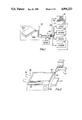
- FIG. 1 is a block diagram showing the construction of the combined equipment which includes a first preferred embodiment of the present invention
- FIG. 2 is an oblique cut-away view of the essential part showing the combined equipment shown in FIG. 1;
- FIG. 3 is a plan view showing a display for the Copy Mode in the first preferred embodiment
- FIG. 4 is a flow chart showing the display content in the Copy Mode of the first preferred embodiment
- FIG. 5 is a plan view showing a 2nd Generation Edit Screen Mode after the Copy Mode shown in FIG. 3;
- FIG. 6 is a flow chart showing the display content in the 2nd Generation Edit Screen Mode
- FIG. 7 is a plan view showing a 3rd Generation Edit Screen Mode after the Copy Mode shown in FIG. 3;
- FIG. 8 is a flow chart showing the display cantent in the 3rd Generation Edit Screen Mode
- FIG. 9 is a plan view showing the Facsimile Transmission Mode in the first preferred embodiment.
- Combined equipment 100 used in a first preferred embodiment of the present invention shown in FIG. 1 includes a combined display and input device 800, which is composed of and incorporates transparent touch panel 800a.
- Transparent touch panel 800a is a rectangular input unit: combined equipment 100 also includes flat display 800b, which is a display unit facing transparent touch panel 800a; a combined function unit 300; a memory 200 in which are pre-stored the control program for displaying the display areas and input areas for the various modes in combined display and input device 800 and the operation program which carries out operational control of combined function unit 300; and a controller 220 which loads the control programs from memory 200 and acts as a control device for setting the key input areas for transparent touch panel 800a and transmitting the key input signals and, at the same time, for executing the various displays (described below) for flat display 800b.
- Transparent touch panel 800a is composed of any of various detection systems, such as an optical system, a transparent conductive film (resistor film) system, a capacitance system or a pressure system. As described below, transparent touch panel 800a is designed to transmit touches of an operator's fingers to controller 220 as key input signals.
- Flat display 800b is composed of flat displays, such as a liquid crystal display (LCD), a plasma display (PDP), a light-emitting diode (LED) display, an electroluminescent display (ELD), an electrostatic memory projection type display (ECD), and CRT display.
- LCD liquid crystal display
- PDP plasma display
- LED light-emitting diode
- ELD electroluminescent display
- ECD electrostatic memory projection type display
- Combined function unit 300 comprises four types of equipment: a copier 120, a facsimile 130, a printer 140 and a scanner 150.
- combined equipment 100 has input sound generator unit 160, composed of a buzzer, a chime and an electro-synthetic sound generator, which generates any audible sound such as a buzzer sound, a chime sound or an electro-synthetic sound.
- input sound generator unit 160 composed of a buzzer, a chime and an electro-synthetic sound generator, which generates any audible sound such as a buzzer sound, a chime sound or an electro-synthetic sound.
- controller 220, combined function unit 300 and memory 200 are housed in cabinet 400.
- Combined display and input device 800 is installed at one corner of cabinet 400 in combined form, with transparent touch panel 800a on top and flat display 800b below.
- cabinet 400 also comprises a cover 500, a paper supply cassette 600 and a paper dispense tray 700.
- controller 220 loads the initial mode control program which is stored in memory 200. For example, if combined equipment 100 is set with the Copy Mode (COPY) as the initial mode, the content of the control program shown in FIG. 4 is loaded and, on the basis of this, display signals are sent to flat display 800b, and the display information and key input positions for the Copy Mode (COPY) are displayed in the display mode as shown in FIG. 3.
- COPD Copy Mode
- Mode field 90 contains the word MODE and four rectangular frames, which are superimposed but slightly shifted in relation to each other. In these superimposed frames, characters indicating copy (COPY), facsimile (FAX), printer (PRINTER) and scanner (SCANNER) are displayed in that order, starting from the top. Also, controller 220 sets a touch area, i.e., an area which, when touched with a finger, causes an electrical signal to be generated, for the whole area of Mode field 90.
- a touch area i.e., an area which, when touched with a finger, causes an electrical signal to be generated, for the whole area of Mode field 90.
- controller 220 displays Copy Specification field 10 immediately to the right of Mode field 90 (ST3).
- the following items are displayed in Copy Specification field 10, as shown in FIG. 3: Original Document Size 10a in the upper left-hand side (for example, the characters A4); Copy Paper Size 10b, on the upper right-hand side; arrow sign 10c between Original Document Size 10a and Copy Paper Size 10b and Number of Copies display section 10d below Copy Paper Size 10b.
- Input keys 10e for the number of copies are also displayed as, for instance, plus (+) for increasing the number of copies and minus (-) for decreasing the number of copies, beneath Number of Copies display section 10d. Both keys are approximately 5 ⁇ 5 mm.
- Controller 220 also displays Magnification Mode field 11 immediately to the right of Copy Specification field 10 (ST4).
- Magnification Mode field 11 are respectively displayed; Picture Image Magnification display section 11a at the top, Magnification Number display section 11b in the center and Magnification input keys 11c at the bottom.
- Picture Image Magnification display section 11a displays three superimposed paper graphics for reduction (Reduction, for example, 50%), standard (Standard: 100%) and enlargement (Enlargement: for example, 200%).
- controller 220 displays Photograph Mode field 12 positioned above with Edit Mode field 13 below, immediately to the right of Magnification Mode field 11 (ST5, ST6).
- Photograph Mode field 12 Document 12a and Camera 12b are displayed (ST105). Also, in Edit Mode field 13, mark 13a and the characters for edit (EDIT) 13b are displayed.
- controller 220 displays Message field 14 and Picture Image Density field 16 immediately to the right of Photograph Mode field 12 and Edit Mode field 13.
- Message field 14 is a rectangular shape designed to be displayed in the top right-hand corner of flat display 800b (ST7, ST8)).
- controller 220 displays Clear/Stop (C/S) field 17, which has a height of approximately 5 mm and a width of at least 5 mm, beneath Picture Image Density field 16 (ST9).
- C/S Clear/Stop
- controller 220 displays Print field 18, shown by a graphic of copy paper, beneath Message field 14 in the lower right-hand corner of flat display 800b (ST10). At the same time, it displays the Help (HELP) field 15 in the upper right-hand corner of Message field 14 (ST11).
- Print field 18 shown by a graphic of copy paper
- HELP Help
- controller 220 also transmits control signals to transparent touch panel 800a based on the control program. Controller 220 sets touch areas for the following: the areas for Copy Paper Size 10b and Number of Copies input keys 10e in Copy Specification field 10; the areas of Magnification input keys 11c of Magnification Mode field 11; the whole area of Photograph Mode field 12; the whole area of Edit Mode field 13; the whole of Help field 15; the areas of Light Copy display section 16a, Automatic display section 16b and Dark Copy display section 16c in Picture Image Density field 16; the whole area of Clear/Stop field 17 and the whole area of Print field 18.
- transparent touch panel 800a is designed not to exhibit any touch action if any sections other than the various areas described above are touched.
- an operator may input instructions to execute enlargement of an A4 size original document to an A4 size copy paper at 120% magnification and input to Number of Copies input keys 10e in this kind of Copy Mode.
- FIG. 5 shows the 2nd Generation Edit Screen Mode which is set by the single operation of Edit Mode field 13 in the Copy Mode shown in FIG. 3.
- controller 220 controls input sound generator 160 to generate an audible sound once and, at the same time, completely clears the Copy Mode shown in FIG. 3. Then controller 220 displays the frame line L shown in FIG. 5 on flat display 800b based on the control program shown in FIG. 6 (ST12). Next, controller 220 executes the display of Mode field 28 which is the same as Mode field 90 (ST13) and sets the touch area for this Mode field 28. Furthermore, controller 220 displays centering and Moving field 29 immediately to the right of Mode field 28 (ST14) and also executes the setting of touch areas in the required areas.
- Centering and Moving field 29 is composed of the following, displayed on flat display 800b: Original Document 29a, shown by edit mark [A] in the upper left corner; Centering display section 29b, shown by edit mark [A] in the center; Moving display section 29c, shown by edit mark [A] in the lower right corner, and arrows 29d.
- controller 220 displays Trimming and Masking field 30 immediately to the right of Centering and Moving field 29 (ST15) and sets touch areas in the required areas.
- controller 220 displays Message field 31 immediately to the right of Trimming and Masking field 30 (ST16) and also displays Help field 32 (ST17) together with setting the touch area for Help field 32.
- controller 220 executes the display of Clear field 35, Next field 33 and Return field 34, in that order, underneath Message field 31 (ST18, ST19, ST20), and also executes the setting of the touch areas for these fields.
- the operator of this device can execute various input operations in the 2nd Generation Edit Screen Mode while checking the inputted operation information the operator himself has already inputted.
- controller 220 displays the following items in order on flat display 800b (ST21 to ST30): frame line L; Mode field 35 similar to Mode field 28; Type of Edit and Setting Number display 36; Set Manual display field 37; Message field 38; Help field 39; Set field 40; Clear field 41; End field 42; Next field 43 and Return field 44.
- Setting Number display field 36 Edit Original Document 36a; Type of Edit display section 36b; Input Setting Number section 36c, composed of the numbers 1 to 6; Output Setting Number section 36d, composed of the numbers 1 to 6, and arrow 36e.
- Controller 220 displays Edit Original Document 36a in reverse (for instance, in white on a black ground) on the initial screen and, at the same time, causes the [1] part of Input Setting section 36c to light up.
- Edit Original Document 36a is displayed in regular form (black on a white ground) and controller 220 executes the display control required for editing such as the reverse display of Type of Edit display section 36b.
- controller 220 controls the display so that a Pen graphic 37b is shown at position (1) in Digitizer graphic 37a and, at the same time, when there is 1 input operation in Set field 40, it controls the display so that Pen graphic 37b is shown at position (2) in the Digitizer graphic.
- controller 220 sets the respective touch areas in Mode field 35, Help field 39, Set field 40, Clear field 41, End field 42, Next field 43 and Reture field 44.
- the operator can execute input operations while checking the inputted operation information.
- Mode field 90 is touched once with a finger. Then, controller 220 completely clears the display mode shown in FIG. 3 and, at the same tine as executing the display of frame line L for the Facsimile Mode shown in FIG. 9, controller 220 displays Mode field 56, in which the frame with the characters for facsimile (FAX) is uppermost, in the position of Mode field 90. At this time, a touch area is set for the whole area of Mode field 56 based on a similar control operation to those mentioned above.
- controller 220 executes the following, based on similar operations to the cases described above: the display of Transmission and Reception Switching field 57 and the setting of a touch area covering the while area of this field; the display of Original Document Density field 58 and the setting of touch areas for Dark display section 58a, Automatic display section 58b and Light display section 58c; the display of Photograph Mode field 59 and the setting of touch areas for Document 59a, Camera 59b and Camera Fine (FINE) 59c in this Photograph Mode field 59; the display of Dial field 60, which is composed of Telephone mark 60a, Telephone Number display section 60b, Short Dialling mark (*) 60c and ten-key 60d; the display of Timer Transmission field 61, composed of a Clock display, and the setting of the touch area for Timer Transmission field 61; the display of Password field 62 and the setting of a touch area for the whole area of Password field 62; the display of Polling Reception field 63 and the setting of a touch area for the whole area of this
Landscapes
- Engineering & Computer Science (AREA)
- Microelectronics & Electronic Packaging (AREA)
- Physics & Mathematics (AREA)
- General Physics & Mathematics (AREA)
- Human Computer Interaction (AREA)
- Control Or Security For Electrophotography (AREA)
- Facsimiles In General (AREA)
- Position Input By Displaying (AREA)
Applications Claiming Priority (2)
| Application Number | Priority Date | Filing Date | Title |
|---|---|---|---|
| JP62066967A JPS63231366A (ja) | 1987-03-19 | 1987-03-19 | 複合表示及び入力装置 |
| JP62-66967 | 1987-03-19 |
Publications (1)
| Publication Number | Publication Date |
|---|---|
| US4896223A true US4896223A (en) | 1990-01-23 |
Family
ID=13331301
Family Applications (1)
| Application Number | Title | Priority Date | Filing Date |
|---|---|---|---|
| US07/170,254 Expired - Lifetime US4896223A (en) | 1987-03-19 | 1988-03-18 | Display and input device |
Country Status (3)
| Country | Link |
|---|---|
| US (1) | US4896223A (de) |
| JP (1) | JPS63231366A (de) |
| DE (1) | DE3809676C2 (de) |
Cited By (25)
| Publication number | Priority date | Publication date | Assignee | Title |
|---|---|---|---|---|
| US4937762A (en) * | 1987-03-19 | 1990-06-26 | Kabushiki Kaisha Toshiba | Method and apparatus for combination information display and input operations |
| US5012280A (en) * | 1988-11-09 | 1991-04-30 | Ricoh Company, Ltd. | Copier which deletes inoperative functions from control panel |
| US5049931A (en) * | 1990-08-20 | 1991-09-17 | Xerox Corporation | Reproduction machine having a job run display screen with graphic symbol |
| US5121113A (en) * | 1990-04-02 | 1992-06-09 | Eastman Kodak Company | Printer status and control panel |
| US5131079A (en) * | 1988-03-28 | 1992-07-14 | Ricoh Company, Ltd. | Method of controlling a display and a display control device for a copying machine |
| EP0486160A3 (en) * | 1990-10-22 | 1992-11-25 | Touchfax Information Systems, Inc | Multi-purpose public facsimile transmission terminal |
| US5339168A (en) * | 1991-12-31 | 1994-08-16 | Xerox Corporation | Copier/duplicator network |
| US5363204A (en) * | 1990-03-19 | 1994-11-08 | At&T Bell Laboratories | Facsimile machine having user help capability |
| EP0707257A1 (de) | 1994-10-11 | 1996-04-17 | AT&T Corp. | Berührungsempfindlicher Bildschirm mit mechanisch auswählbaren Etikettanzeigen |
| WO1997018543A1 (en) * | 1995-11-13 | 1997-05-22 | Cirque Corporation | Apparatus and method for audible feedback from input device |
| US5696597A (en) * | 1988-05-11 | 1997-12-09 | Canon Kabushiki Kaisha | Data communication apparatus with display of parallel operation of on-line and off-line modes |
| US5796389A (en) * | 1994-08-22 | 1998-08-18 | International Game Technology | Reduced noise touch screen apparatus and method |
| US5818428A (en) * | 1993-01-21 | 1998-10-06 | Whirlpool Corporation | Appliance control system with configurable interface |
| US6003455A (en) * | 1998-03-05 | 1999-12-21 | Case Corporation | Regulator control |
| US6075519A (en) * | 1993-08-06 | 2000-06-13 | Minolta Co., Ltd. | Operational mode setting apparatus for display screen |
| US6130665A (en) * | 1998-04-01 | 2000-10-10 | Telefonaktiebolaget Lm Ericsson | Touch screen handling |
| US6225983B1 (en) * | 1990-10-11 | 2001-05-01 | Fuji Xerox Co., Ltd | Operation key registration system for a coordinate input device |
| US20040021698A1 (en) * | 2002-08-05 | 2004-02-05 | Baldwin Amanda K. | Intuitive touchscreen interface for a multifunction device and method therefor |
| EP1251408A3 (de) * | 2001-04-18 | 2004-02-11 | Xerox Corporation | Multi market optimierte Benutzerschnittstelle und damit versehene reprografische Maschine |
| US6773129B2 (en) * | 2000-02-26 | 2004-08-10 | Federal-Mogul World Wide, Inc. | Vehicle interior lighting systems using electroluminescent panels |
| US20050220526A1 (en) * | 2004-04-02 | 2005-10-06 | Meyers Eunice L | Easyreceipt electronic receipt storage deivce |
| US20060204311A1 (en) * | 2005-03-11 | 2006-09-14 | Hawkins Wynter S | High tech typewriter system |
| US20080117180A1 (en) * | 2006-11-16 | 2008-05-22 | Murata Machinery, Ltd. | Image forming apparatus and facsimile apparatus |
| US20110044044A1 (en) * | 2003-03-12 | 2011-02-24 | Lednium Technology Pty Limited | Lamp and a process for producing a lamp |
| US8820731B2 (en) | 2010-08-23 | 2014-09-02 | Sharp Kabushiki Kaisha | Image processing apparatus |
Families Citing this family (2)
| Publication number | Priority date | Publication date | Assignee | Title |
|---|---|---|---|---|
| JP3566048B2 (ja) * | 1997-10-24 | 2004-09-15 | シャープ株式会社 | 表示入力操作装置 |
| JP3566159B2 (ja) | 1999-12-08 | 2004-09-15 | シャープ株式会社 | 機能表示方法 |
Citations (4)
| Publication number | Priority date | Publication date | Assignee | Title |
|---|---|---|---|---|
| US4648062A (en) * | 1985-02-01 | 1987-03-03 | International Business Machines Corporation | Method for providing an on line help facility for interactive information handling systems |
| US4774590A (en) * | 1985-04-24 | 1988-09-27 | Canon Kabushiki Kaisha | Facsimile apparatus |
| US4803463A (en) * | 1982-09-21 | 1989-02-07 | Canon Kabushiki Kaisha | Key input means with changeable display means for displaying key functions |
| US4804950A (en) * | 1985-11-07 | 1989-02-14 | Spacelabs, Inc. | Table driven multichannel data acquisition and display for signal monitoring |
Family Cites Families (2)
| Publication number | Priority date | Publication date | Assignee | Title |
|---|---|---|---|---|
| GB2130837B (en) * | 1982-10-01 | 1987-04-23 | Canon Kk | Facsimile processing control |
| GB2163704B (en) * | 1984-07-10 | 1989-06-01 | Canon Kk | Image processing apparatus |
-
1987
- 1987-03-19 JP JP62066967A patent/JPS63231366A/ja active Pending
-
1988
- 1988-03-17 DE DE3809676A patent/DE3809676C2/de not_active Expired - Fee Related
- 1988-03-18 US US07/170,254 patent/US4896223A/en not_active Expired - Lifetime
Patent Citations (4)
| Publication number | Priority date | Publication date | Assignee | Title |
|---|---|---|---|---|
| US4803463A (en) * | 1982-09-21 | 1989-02-07 | Canon Kabushiki Kaisha | Key input means with changeable display means for displaying key functions |
| US4648062A (en) * | 1985-02-01 | 1987-03-03 | International Business Machines Corporation | Method for providing an on line help facility for interactive information handling systems |
| US4774590A (en) * | 1985-04-24 | 1988-09-27 | Canon Kabushiki Kaisha | Facsimile apparatus |
| US4804950A (en) * | 1985-11-07 | 1989-02-14 | Spacelabs, Inc. | Table driven multichannel data acquisition and display for signal monitoring |
Non-Patent Citations (2)
| Title |
|---|
| Japanese Patent Application No. 61 126643, by Kunihiro Shibuya and Tuyoshi Todome. * |
| Japanese Patent Application No. 61--126643, by Kunihiro Shibuya and Tuyoshi Todome. |
Cited By (32)
| Publication number | Priority date | Publication date | Assignee | Title |
|---|---|---|---|---|
| US5070467A (en) * | 1987-03-19 | 1991-12-03 | Kabushiki Kaisha Toshiba | Method and apparatus for combination information display and input operations |
| US4937762A (en) * | 1987-03-19 | 1990-06-26 | Kabushiki Kaisha Toshiba | Method and apparatus for combination information display and input operations |
| US5131079A (en) * | 1988-03-28 | 1992-07-14 | Ricoh Company, Ltd. | Method of controlling a display and a display control device for a copying machine |
| US6115145A (en) * | 1988-05-11 | 2000-09-05 | Canon Kabushiki Kaisha | Data communication apparatus with display of parallel operation of on-line and off-line modes |
| US5696597A (en) * | 1988-05-11 | 1997-12-09 | Canon Kabushiki Kaisha | Data communication apparatus with display of parallel operation of on-line and off-line modes |
| US5012280A (en) * | 1988-11-09 | 1991-04-30 | Ricoh Company, Ltd. | Copier which deletes inoperative functions from control panel |
| US5363204A (en) * | 1990-03-19 | 1994-11-08 | At&T Bell Laboratories | Facsimile machine having user help capability |
| US5121113A (en) * | 1990-04-02 | 1992-06-09 | Eastman Kodak Company | Printer status and control panel |
| US5049931A (en) * | 1990-08-20 | 1991-09-17 | Xerox Corporation | Reproduction machine having a job run display screen with graphic symbol |
| US6225983B1 (en) * | 1990-10-11 | 2001-05-01 | Fuji Xerox Co., Ltd | Operation key registration system for a coordinate input device |
| EP0486160A3 (en) * | 1990-10-22 | 1992-11-25 | Touchfax Information Systems, Inc | Multi-purpose public facsimile transmission terminal |
| US5339168A (en) * | 1991-12-31 | 1994-08-16 | Xerox Corporation | Copier/duplicator network |
| US5818428A (en) * | 1993-01-21 | 1998-10-06 | Whirlpool Corporation | Appliance control system with configurable interface |
| US6075519A (en) * | 1993-08-06 | 2000-06-13 | Minolta Co., Ltd. | Operational mode setting apparatus for display screen |
| US6734843B2 (en) | 1994-08-22 | 2004-05-11 | Igt | Reduced noise touch screen apparatus and method |
| US6476798B1 (en) | 1994-08-22 | 2002-11-05 | International Game Technology | Reduced noise touch screen apparatus and method |
| US5796389A (en) * | 1994-08-22 | 1998-08-18 | International Game Technology | Reduced noise touch screen apparatus and method |
| EP0707257A1 (de) | 1994-10-11 | 1996-04-17 | AT&T Corp. | Berührungsempfindlicher Bildschirm mit mechanisch auswählbaren Etikettanzeigen |
| US5767457A (en) * | 1995-11-13 | 1998-06-16 | Cirque Corporation | Apparatus and method for audible feedback from input device |
| WO1997018543A1 (en) * | 1995-11-13 | 1997-05-22 | Cirque Corporation | Apparatus and method for audible feedback from input device |
| US6003455A (en) * | 1998-03-05 | 1999-12-21 | Case Corporation | Regulator control |
| US6130665A (en) * | 1998-04-01 | 2000-10-10 | Telefonaktiebolaget Lm Ericsson | Touch screen handling |
| US6773129B2 (en) * | 2000-02-26 | 2004-08-10 | Federal-Mogul World Wide, Inc. | Vehicle interior lighting systems using electroluminescent panels |
| EP1251408A3 (de) * | 2001-04-18 | 2004-02-11 | Xerox Corporation | Multi market optimierte Benutzerschnittstelle und damit versehene reprografische Maschine |
| US20040021698A1 (en) * | 2002-08-05 | 2004-02-05 | Baldwin Amanda K. | Intuitive touchscreen interface for a multifunction device and method therefor |
| US20110044044A1 (en) * | 2003-03-12 | 2011-02-24 | Lednium Technology Pty Limited | Lamp and a process for producing a lamp |
| US20050220526A1 (en) * | 2004-04-02 | 2005-10-06 | Meyers Eunice L | Easyreceipt electronic receipt storage deivce |
| US20060204311A1 (en) * | 2005-03-11 | 2006-09-14 | Hawkins Wynter S | High tech typewriter system |
| US20080117180A1 (en) * | 2006-11-16 | 2008-05-22 | Murata Machinery, Ltd. | Image forming apparatus and facsimile apparatus |
| US8820731B2 (en) | 2010-08-23 | 2014-09-02 | Sharp Kabushiki Kaisha | Image processing apparatus |
| US10093509B2 (en) | 2010-08-23 | 2018-10-09 | Sharp Kabushiki Kaisha | Image processing apparatus |
| US10532906B2 (en) | 2010-08-23 | 2020-01-14 | Sharp Kabushiki Kaisha | Image processing apparatus |
Also Published As
| Publication number | Publication date |
|---|---|
| DE3809676C2 (de) | 1994-03-31 |
| JPS63231366A (ja) | 1988-09-27 |
| DE3809676A1 (de) | 1988-12-01 |
Similar Documents
| Publication | Publication Date | Title |
|---|---|---|
| US4896223A (en) | Display and input device | |
| US5070467A (en) | Method and apparatus for combination information display and input operations | |
| US7185289B1 (en) | Device and method for changing languages on a display | |
| US7184032B2 (en) | Tactile overlays for screens | |
| US6028591A (en) | Keyboard with flexible display and prompt capability | |
| EP0978767B1 (de) | Energiesparsteuerung für Bilderzeugungsgeräte in einem digitalen Netzwerk | |
| US4799083A (en) | Machine-operator interface methods | |
| US6236389B1 (en) | Image editing apparatus capable of setting image processing region on display screen | |
| US5555104A (en) | Operation unit of electronic equipment utilizing visually displayed functions on a touch screen | |
| WO1994010793A1 (en) | Integral computer scanning system | |
| CN102572163B (zh) | 信息输入装置、其控制方法以及图像处理装置 | |
| JPS60124724A (ja) | タッチパネル入力装置 | |
| US5990873A (en) | Single-key input system | |
| KR100563431B1 (ko) | 복사장치용조작원제어유닛 | |
| JPS63231464A (ja) | 複合表示及び入力装置 | |
| US5627532A (en) | Switch panel device | |
| JP2864755B2 (ja) | 画像記録装置 | |
| JP2002344683A (ja) | 画像処理システム | |
| JPS63279269A (ja) | 複合表示及び入力装置 | |
| JPS63243969A (ja) | 複合表示及び入力装置 | |
| JPH04149574A (ja) | 画像形成装置 | |
| JPH11120169A (ja) | 画像表示装置および画面設定プログラムを記録する記録媒体 | |
| JPH04354014A (ja) | キーボード | |
| JPH0329186Y2 (de) | ||
| JPS62272285A (ja) | 画像形成装置の操作表示装置 |
Legal Events
| Date | Code | Title | Description |
|---|---|---|---|
| AS | Assignment |
Owner name: KABUSHIKI KAISHA TOSHIBA, 72, HORIKAWA-CHO, SAIWAI Free format text: ASSIGNMENT OF ASSIGNORS INTEREST.;ASSIGNOR:TODOME, TUYOSHI;REEL/FRAME:004961/0347 Effective date: 19880329 Owner name: KABUSHIKI KAISHA TOSHIBA, A CORP. OF JAPAN, JAPAN Free format text: ASSIGNMENT OF ASSIGNORS INTEREST;ASSIGNOR:TODOME, TUYOSHI;REEL/FRAME:004961/0347 Effective date: 19880329 |
|
| STCF | Information on status: patent grant |
Free format text: PATENTED CASE |
|
| FEPP | Fee payment procedure |
Free format text: PAYOR NUMBER ASSIGNED (ORIGINAL EVENT CODE: ASPN); ENTITY STATUS OF PATENT OWNER: LARGE ENTITY |
|
| FPAY | Fee payment |
Year of fee payment: 4 |
|
| FPAY | Fee payment |
Year of fee payment: 8 |
|
| FPAY | Fee payment |
Year of fee payment: 12 |