WO2011065249A1 - Terminal d'informations portable, procédé de commande d'entrée, et programme - Google Patents
Terminal d'informations portable, procédé de commande d'entrée, et programme Download PDFInfo
- Publication number
- WO2011065249A1 WO2011065249A1 PCT/JP2010/070321 JP2010070321W WO2011065249A1 WO 2011065249 A1 WO2011065249 A1 WO 2011065249A1 JP 2010070321 W JP2010070321 W JP 2010070321W WO 2011065249 A1 WO2011065249 A1 WO 2011065249A1
- Authority
- WO
- WIPO (PCT)
- Prior art keywords
- touch
- touch operation
- information terminal
- specific
- portable information
- Prior art date
- Legal status (The legal status is an assumption and is not a legal conclusion. Google has not performed a legal analysis and makes no representation as to the accuracy of the status listed.)
- Ceased
Links
Images









Classifications
-
- G—PHYSICS
- G06—COMPUTING OR CALCULATING; COUNTING
- G06F—ELECTRIC DIGITAL DATA PROCESSING
- G06F3/00—Input arrangements for transferring data to be processed into a form capable of being handled by the computer; Output arrangements for transferring data from processing unit to output unit, e.g. interface arrangements
- G06F3/01—Input arrangements or combined input and output arrangements for interaction between user and computer
- G06F3/03—Arrangements for converting the position or the displacement of a member into a coded form
- G06F3/041—Digitisers, e.g. for touch screens or touch pads, characterised by the transducing means
- G06F3/0416—Control or interface arrangements specially adapted for digitisers
- G06F3/0418—Control or interface arrangements specially adapted for digitisers for error correction or compensation, e.g. based on parallax, calibration or alignment
- G06F3/04186—Touch location disambiguation
-
- H—ELECTRICITY
- H04—ELECTRIC COMMUNICATION TECHNIQUE
- H04M—TELEPHONIC COMMUNICATION
- H04M2250/00—Details of telephonic subscriber devices
- H04M2250/22—Details of telephonic subscriber devices including a touch pad, a touch sensor or a touch detector
Definitions
- the present invention relates to a portable information terminal including a touch panel display unit capable of detecting a touch.
- a portable information terminal represented by a mobile phone, a PDA (Personal Digital Assistant), and an electronic notebook generally has a display unit for displaying text and images on a display screen such as a liquid crystal display, and an input for inputting commands and data by a user operation. Department.
- Some personal digital assistants employ a touch panel type for the input unit.
- An information terminal employing a touch panel type as an input unit is disclosed in, for example, Japanese translations of PCT publication No. 2009-522669 (hereinafter referred to as Patent Document 1).
- Patent Document 1 Japanese translations of PCT publication No. 2009-522669
- the screen size can be increased with respect to the device size as compared with the case where the display unit and the input unit are arranged at different positions.
- the hand may accidentally touch the display screen.
- a user interface component UI component; User Interface component
- the portable information terminal executes processing corresponding to the UI component.
- the portable information terminal performs a process unintended by the user due to an erroneous touch that the user accidentally touches the display screen.
- a portable information terminal equipped with a touch panel type input unit in order to prevent execution of processing due to an erroneous touch, it is determined whether the input touch operation is due to an erroneous touch, and operations due to an erroneous touch are not accepted. It is necessary to do so. However, it is difficult to accurately determine an operation intended by the user and an operation caused by an erroneous touch.
- the operation intended by the user is erroneously determined to be an operation due to an erroneous touch
- the processing desired by the user is not executed, and the convenience of the user is impaired.
- a process unintended by the user is executed, which may cause a serious problem.
- Patent Document 2 discloses a technique for preventing an erroneous operation in a digital camera provided with a touch panel type input device.
- the camera disclosed in Patent Literature 2 changes an area for receiving an operation from the touch panel according to an operation state such as shooting or reproduction. Thereby, in each operation state, an erroneous operation unintended by the user is reduced.
- Patent Document 3 a technique for preventing an erroneous operation in an apparatus capable of simultaneously opening a plurality of windows on a display screen is disclosed in Japanese Patent Application Laid-Open No. 11-327735 (hereinafter referred to as Patent Document 3).
- Patent Document 3 when a plurality of windows are displayed in an overlapping manner, input by touching the lower window is invalidated. This is because the operation intended by the user is likely to be performed on the window displayed at the top, and is unlikely to be performed on the lower window. This reduces the possibility that the device performs an operation unintended by the user.
- Patent Document 2 it is necessary to determine in advance a region where an operation from the touch panel can be accepted for each operation state.
- a device such as a camera that has a limited function or operating state may be used.
- the application or user Since the display position of the window is appropriately changed by this operation, it is not possible to predetermine a region for receiving the operation.
- the user cannot input to windows other than the window displayed at the top of the plurality of overlapping windows.
- the user may want to input to the lower window depending on the purpose. If a window that accepts an operation is distinguished from a window that does not accept an operation, the original convenience of a portable information terminal that can open a plurality of windows is impaired.
- One of the objects of the present invention is to provide a technique for effectively reducing the influence of erroneous touch in a general-purpose portable information terminal having a touch panel display.
- a portable information terminal executes a process corresponding to a user interface component when detecting a touch on a touch panel type display unit capable of detecting a touch and a user interface component displayed on the display unit.
- the control unit is configured such that the touch operation on the display unit is a specific touch operation, and the user interface component specified by the touch operation is variable whether or not the corresponding process is executed. In the case of a specific user interface component, the processing corresponding to the specified user interface component is not executed.
- an input control method includes a touch panel display unit capable of detecting a touch, and detects a touch on a user interface component displayed on the display unit, and supports the user interface component.
- a touch panel display unit capable of detecting a touch, and detects a touch on a user interface component displayed on the display unit, and supports the user interface component.
- Is an input control method in a portable information terminal that executes a process to perform a touch operation on the display unit is a specific touch operation, and whether or not a user interface component specified by the touch operation executes a corresponding process is variable In the case of a specific user interface component, the processing corresponding to the designated user interface component is not executed.
- a program includes a touch panel display unit capable of detecting a touch, and detects a touch on a user interface component displayed on the display unit, and performs processing corresponding to the user interface component.
- a program for causing a portable information terminal to execute a process the touch operation on the display unit is a specific touch operation, and the user interface component specified by the touch operation is executing the corresponding process If the user interface component is variable, the portable information terminal is caused to execute processing that does not execute processing corresponding to the specified user interface component.
- FIG. 1 is a diagram illustrating an example of an application that runs on a portable information terminal.
- FIG. 2 is a block diagram showing a configuration of the portable information terminal according to the first embodiment.
- FIG. 3 is a diagram illustrating an example of a UI component table.
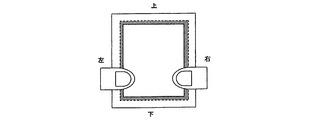
- FIG. 4A is a diagram for explaining an operation in which a user grasps a portable information terminal and then grasps the hand after separating the hand from the portable information terminal.
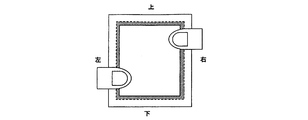
- FIG. 4B is a diagram for explaining an operation in which a user grasps the portable information terminal and then grasps and grasps the hand once from the portable information terminal.
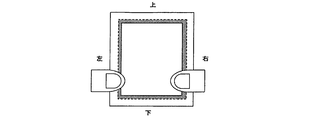
- FIG. 4C is a diagram for explaining an operation in which a user grasps a portable information terminal and then grasps and grasps the hand once from the portable information terminal.
- FIG. 4A is a diagram for explaining an operation in which a user grasps a portable information terminal and then grasps the hand after separating the hand from the portable information terminal.
- FIG. 4B is a diagram for explaining an operation in which
- FIG. 5A is a diagram for explaining an operation in which the user rotates the portable information terminal.
- FIG. 5B is a diagram for explaining an operation in which the user rotates the portable information terminal.
- FIG. 5C is a diagram for explaining an operation in which the user rotates the portable information terminal.
- FIG. 5D is a diagram for explaining an operation in which the user rotates the portable information terminal.
- FIG. 5E is a diagram for explaining an operation in which the user rotates the portable information terminal.
- FIG. 5F is a diagram for explaining an operation in which the user rotates the portable information terminal.
- FIG. 6 is a flowchart showing processing of the control unit 2 when a touch operation is input.
- FIG. 7 is a block diagram showing the configuration of the portable information terminal according to the second embodiment.
- FIG. 8A is a diagram for explaining an operation of rotating the portable information terminal in a direction perpendicular to the display screen.
- FIG. 8B is a diagram for explaining an operation of rotating the portable information terminal in a
- the portable information terminal of this embodiment has a touch panel type display unit capable of detecting a touch.
- An application that operates on a portable information terminal has a user interface component (UI component) for providing a necessary function for each application. If the UI component is arranged at a position where the user touches the display unit by mistake, the application having the UI component executes processing corresponding to the UI component. As a result, the portable information terminal performs a process unintended by the user due to an erroneous touch that the user accidentally touches the display unit. The degree of the influence of the erroneous touch when the mobile information terminal is used by the user differs depending on the UI component that is erroneously touched.
- an erroneous touch operation is performed on a portion that only displays character information, a reference button for referring to specific information, or the like.
- a serious problem occurs.
- a specific UI component (hereinafter referred to as a specific UI component) is registered in advance.
- the portable information terminal detects a touch operation that designates a UI component displayed on the display unit, the portable information terminal is likely to have a specific touch (hereinafter referred to as a specific touch operation) that is likely to be due to an erroneous touch. ). Further, the portable information terminal determines whether or not the designated UI component is a specific UI component.
- the portable information terminal invalidates the touch operation and does not execute processing corresponding to the specific UI component.
- the portable information terminal executes processing corresponding to the UI component.
- the user Since the user usually uses the portable information terminal in his / her hand, he often changes the portable information terminal during use. In general, the user holds the portable information terminal by grasping both end portions of the portable information terminal, and when the portable information terminal is changed, the user temporarily releases one hand and either end of the portable information terminal. I will grab the part.
- the size of the device and the size of the screen are increasing, and the area without a sensor for determining contact is becoming smaller. Therefore, when the user grasps the end portion of the portable information terminal, there is a high possibility that the user erroneously touches the vicinity of one side of the display unit.
- the portable information terminal changes the touch to the vicinity of one side of the display unit within a certain time after the continuous touch to the vicinity of one side of the display unit is released. It is determined that the specific touch operation has occurred.
- FIG. 2 is a block diagram showing the configuration of the portable information terminal according to the first embodiment.
- the portable information terminal 10 in the first embodiment has a display unit 1, a control unit 2, and a storage device 3.
- the display unit 1 is a display device having a display screen for displaying an image.
- the display unit 1 displays an image according to an instruction from the control unit 2.
- the display unit 1 has a touch panel type input function that senses a touch on a display screen and a region around the display screen.
- the display unit 1 detects a touch from the user, and notifies the control unit 2 of touch information indicating a touch state.
- the touch information includes information indicating whether or not the touch is performed, information on the touched coordinates, and information indicating the strength of the touch.
- the control unit 2 controls the overall operation of the portable information terminal 10.
- the control unit 2 executes each application that runs on the portable information terminal.
- the control unit 2 causes the display unit 1 to display a screen of an application to be executed, a result of processing executed by the application, and the like.
- the control unit 2 is notified of touch information from the display unit 1.
- a specific UI component that should be restricted from executing the corresponding process is registered as a UI component table.
- the UI component table is not managed for each application, but is commonly managed for the entire system of the portable information terminal.
- FIG. 3 An example of a UI parts table is shown in FIG. As shown in FIG. 3, in the UI component table, identification information, related applications, valid flags, and target ranges are managed for each specific UI component.
- identification information information for specifying the specific UI component is specified as identification information.
- ID Identity
- information for specifying the specific UI component is specified as identification information.
- ID information for example, ID (Identification) information fixedly determined for each UI component may be used, or a relative display position in the application of each UI component may be used.
- an application in which the specific UI part is used is specified as the related application.
- a target range in which execution of processing corresponding to each specific UI component is restricted is specified as the target range.
- the control unit 2 performs the corresponding processing only when a specific touch operation is performed on the specific UI component of the application specified by the related application. Execution is restricted.
- the control unit 2 performs the corresponding processing when a specific touch operation is performed on the specific UI component of all applications on the portable information terminal. Execution is restricted.
- an application in which execution of processing corresponding to each specific UI component is restricted is referred to as a target application.
- the “call button” is used in an application other than the telephone application.
- execution of the corresponding process is not limited. That is, a “call” which is a normal corresponding process is performed.
- the UI component “transfer button” is erroneously touched, even if the “transfer button” is used in an application other than the bank settlement application, execution of the corresponding process is restricted.
- the UI component table when a specific touch operation is performed on the specific UI component, whether to limit the execution of the process corresponding to the specific UI component is specified as the valid flag.
- the UI component table is updated by the user at an arbitrary timing.
- the control unit 2 analyzes the UI layout of the application and automatically registers the UI parts that the application has in the UI parts table.
- the control unit 2 recognizes the current display position of the UI component displayed by the application during execution of the application. Then, the control unit 2 compares the touched coordinate information included in the touch information notified from the display unit 1 with the current display position of the UI component, so that the input touch operation selects the UI component. It is determined whether or not it is specified. When the input touch operation specifies a UI component, the control unit 2 determines whether or not the touch is a specific touch operation that is likely to be caused by an erroneous touch. When the input touch operation is a specific touch operation, the control unit 2 determines whether or not the designated UI component is a specific UI component.
- control unit 2 determines whether or not the UI component specified based on the identification information registered in the UI component table is a specific UI component.
- the control unit 2 invalidates the touch and does not execute the process corresponding to the designated UI component.
- the control unit 2 determines whether or not the input touch operation is a specific touch operation based on whether or not the touch operation is a touch operation generated by a change of hand.
- the user may once grasp the hand holding the portable information terminal after separating it from the portable information terminal. At this time, if the grasping hand accidentally touches the display screen, the portable information terminal may execute a process unintended by the user due to the erroneous touch.
- FIGS. 4A to 4C are diagrams for explaining an operation in which a user grasps a portable information terminal and then grasps the hand after separating the hand from the portable information terminal.
- the user first holds the portable information terminal by grasping the left end portion and the right end portion of the portable information terminal. Thereafter, as shown in FIG. 4B, the user once releases the hand holding the right end portion of the portable information terminal in order to change the portable information terminal. Then, as shown in FIG. 4C, the user grasps the right end portion of the portable information terminal. Note that the end portion that the user grasps after grasping an end portion of the portable information terminal and then grasps it is not limited to the end portion grasped, and may be an arbitrary end portion.
- control unit 2 determines that a touch on the vicinity of an arbitrary side of the display screen within a certain period of time after the continuous touch on the vicinity of one side of the display screen is released is a specific touch operation generated by holding the screen. It is determined that
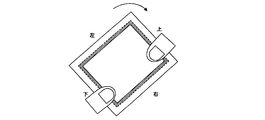
- the display screen of a portable information terminal generally adopting a touch panel type is rectangular. Therefore, the user may use the display screen in the portrait display or the landscape display by rotating the portable information terminal by 90 degrees. When rotating the portable information terminal, the user usually changes the portable information terminal.
- the portable information terminal executes a process corresponding to the UI component. As a result, the portable information terminal executes a process that is not intended by the user due to an erroneous touch.
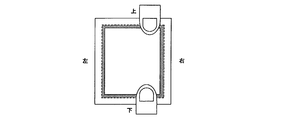
- FIG. 5A to FIG. 5F are diagrams for explaining an operation in which the user rotates the portable information terminal.
- the user first holds the portable information terminal in a form in which the left and right end portions of the portable information terminal are gripped and the display screen is used vertically. Thereafter, as shown in FIG. 5B, the user once releases the hand holding the right end portion of the portable information terminal in order to rotate the portable information terminal. Then, as shown in FIG. 5C, the user grasps the upper end portion of the portable information terminal. Similarly, as shown in FIG. 5D, the user once removes the hand holding the left end portion of the portable information terminal and grasps the lower end portion of the portable information terminal. Then, as shown in FIG. 5E, the user rotates the portable information terminal so that the left end portion of the portable information terminal is on the upper side, and stops the operation of rotating the portable information terminal when rotated 90 degrees as shown in FIG. 5F. To do.
- the user in order to rotate the portable information terminal, the user releases the hand holding the side of the portable information terminal and grasps the side adjacent to the side.
- control unit 2 is in the vicinity of the side adjacent to the side in the vicinity of the part that has been touched within a certain time after the continuous touch to the vicinity of one side of the display screen is released.
- the touch on may be determined to be a specific touch operation generated by holding.
- control unit 2 treats both a touch on the vicinity of one side on the display screen and a touch on an area around the display screen as a touch on the vicinity of one side of the display screen.
- the storage device 5 is a storage device for storing the UI component table.
- FIG. 6 is a flowchart showing processing of the control unit 2 when a touch operation is input.
- the control unit 2 first reads the UI component table from the storage device 5 and extracts the registered specific UI component (step S1).
- the control unit 2 executes the requested application when requested by the user to execute the application at an arbitrary timing. During execution of the application, the control unit 2 stores the current display position of the UI component displayed by the application.
- control unit 2 stands by until a touch operation is performed on the UI component (step S2).
- the control unit 2 compares the touched coordinate information included in the touch information notified from the display unit 1 with the current display position of the UI component, so that the input touch operation determines the UI component. It is determined whether or not it is specified.
- the control unit 2 determines whether or not the input touch operation is a specific touch operation (step S3).
- the control unit 2 determines whether or not the input touch operation is for the specific UI component (step S4).
- the control unit 2 determines whether the input UI component is a specific UI component based on the identification information registered in the UI component table.
- the control unit 2 determines whether the application includes the specific UI component specified by the input touch operation from the related application and target range of the specific UI component. Is determined to be a target application (step S5).
- control unit 2 restricts execution of the process corresponding to the specific UI component from the valid flag of the specific UI component. It is determined whether or not to perform (step S6).
- the control unit 2 When restricting the execution of the process corresponding to the specific UI component, the control unit 2 invalidates the touch operation and discards the touch information notified from the display unit 1 without notifying the target application (step S7). . At this time, the control unit 2 notifies the user that the input touch operation has become invalid. Any method of notifying the user may be used, and examples thereof include a display indicating that the input touch operation has become invalid, a warning sound, or vibration by a vibrator or the like.
- control unit 2 proceeds to step S2 and waits until touch information is notified from the display unit 1 again.
- the control unit 2 notifies the touch information notified from the display unit 1 to the application having the UI component specified by the input touch operation. (Step S8). In this case, processing corresponding to each UI component is executed by each application.
- control part 2 transfers to step S2, and waits until touch information is notified from the display part 1 again.
- control unit 2 may be performed periodically.
- the control unit 2 periodically reads the UI component table from the storage device 5 and re-extracts the newly registered specific UI component.
- the portable information terminal determines whether or not the input touch operation is a specific touch operation based on whether or not the touch operation is a touch operation generated by a change of hand. Since it is necessary to hold the portable information terminal with a certain level of strength, it is considered that the strength with which the display screen is pressed by a touch operation performed by the user to change the terminal is more than a certain amount. . Therefore, the control unit 2 may determine that a touch operation in which the strength with which the display screen is pressed is weaker than a predetermined strength is not for changing the terminal itself.
- the control unit 2 determines that a touch operation in which the strength of pressing the display screen is weaker than a predetermined strength is performed within a certain time after the continuous touch on the vicinity of one side of the display screen is released. Even if it is a touch to the vicinity of an arbitrary side of the displayed screen, it is determined that it is not a specific touch operation. Further, the control unit 2 determines that a touch operation in which the strength at which the display screen is pressed is weaker than a predetermined strength is performed within a certain time after the continuous touch to the vicinity of one side of the display screen is released. Further, it is determined that the touch is not a specific touch operation even if the touch is performed on the vicinity of the side adjacent to the side in the vicinity of the touched portion. At this time, the control unit 2 notifies the touch information notified from the display unit 1 to the application having the UI component specified by the input touch operation.
- the control unit 2 may determine that a touch operation in which the display screen continues to be touched is shorter than a predetermined time because the touch operation is not for changing the terminal itself.
- the control unit 2 determines that a touch operation in which the display screen continues to be touched is shorter than a predetermined time within a certain time after the continuous touch to the vicinity of one side of the display screen is released. Even if it is a touch to the vicinity of an arbitrary side of the displayed screen, it is determined that it is not a specific touch operation. Further, the control unit 2 determines that a touch operation in which the display screen continues to be touched is shorter than a predetermined time within a certain time after the continuous touch on the vicinity of one side of the display screen is released. Further, it is determined that the touch is not a specific touch operation even if the touch is performed on the vicinity of the side adjacent to the side in the vicinity of the touched portion. At this time, the control unit 2 notifies the touch information notified from the display unit 1 to the application having the UI component specified by the input touch operation.
- a specific UI component that is restricted from executing a corresponding process is registered as a UI component table when an erroneous touch operation is performed.
- a common UI component is used among a plurality of applications for the end button, the minimize button on the display screen, the maximize button, and the like, but most UI components are different UI components for each application. For this reason, it is difficult to use a specific UI component registered in the UI component table in common for a plurality of applications. Therefore, by managing the specific UI component in association with the character information displayed by the specific UI component, the information registered in the UI component table may be commonly used among a plurality of applications.
- the user registers the specific UI component and the character information displayed by the specific UI component in association with each other in the UI component table.
- the control unit 2 analyzes the character information displayed by the specific UI component included in the application, and the specific UI component and the character displayed by the specific UI component. The information is associated and registered in the UI component table. Then, when the touch information is notified from the display unit 1, the control unit 2 analyzes the character information displayed by the UI component specified by the touch operation, and whether or not it matches the character information registered in the UI component table. Thus, it is determined whether or not the input touch operation is for a specific UI component registered in the UI component table.
- the portable information terminal can change the touch on the vicinity of an arbitrary side of the display screen within a certain period of time after the continuous touch on the vicinity of one side of the display screen is released. It is determined that the specific touch operation has occurred. For this reason, even a touch operation intentionally performed by the user is determined as having a high possibility of erroneous touch and may be invalidated. Therefore, for example, while the execution of the processing corresponding to the specific UI component is restricted as in a certain time after the continuous touch on the vicinity of one side of the display screen is released, the display of the specific UI component is performed. May be erased. Alternatively, the user may be alerted by displaying the specific UI component so as to be distinguishable from other parts, such as making the display of the specific UI component translucent.
- the mobile information terminal when the mobile information terminal performs a touch operation on a UI component, whether or not the touch operation is a specific touch operation and whether the UI component on which the touch operation is performed is a specific UI component.
- whether the touch operation is a specific touch operation or whether the touched UI component is a specific UI component may be determined first. Absent.
- the display unit of the portable information terminal has a touch panel type input function that senses a touch on the display screen and an area around the display screen.
- the display unit of the portable information terminal may be anything as long as it senses contact with the area on the display screen and the surrounding area of the display screen, and a sensor capable of determining contact is built in the display panel. It may be something like that.
- the portable information terminal determines whether or not the touch operation is a specific touch operation that is likely to be due to an erroneous touch. Is determined. Further, the portable information terminal determines whether or not the UI component on which the touch operation has been performed is a specific UI component. When the specific touch operation is performed on the specific UI component, the portable information terminal invalidates the touch and does not execute the process corresponding to the specific UI component.
- the range in which the touch operation is restricted is determined in units of UI parts, so that the execution of processing that has a large degree of influence caused by erroneous touching is performed on the operation status of the application and the display position of the window. Regardless, it can be limited. Thereby, in a general-purpose portable information terminal, the influence of erroneous touch can be effectively reduced.
- the portable information terminal when the touch operation is not a specific touch operation, or when the UI component specified by the touch operation is not a specific UI component, the portable information terminal according to the present embodiment executes processing corresponding to the UI component.
- the portable information terminal can execute processing as usual when a normal touch operation is performed or when the degree of influence caused by an erroneous touch is small.
- the portable information terminal determines that the touch operation generated by the change of hand is a specific touch operation that is likely to be caused by an erroneous touch. Thereby, the portable information terminal can reduce erroneous operations not intended by the user.
- the touch to the vicinity of an arbitrary side of the display screen that has been performed within a certain period of time after the continuous touch to the vicinity of one side of the display screen is released is generated by switching. It is determined that the specific touch operation has been performed. Thereby, the portable information terminal can reduce an erroneous operation due to an erroneous touch that occurs when the user grasps the terminal.
- the portable information terminal according to the present embodiment is adjacent to a side in the vicinity of the touched part within a certain time after the continuous touch to the vicinity of one side of the display screen is released. It is determined that the touch on the vicinity of the side to be performed is a specific touch operation generated by the change of hand. Thereby, the portable information terminal can reduce an erroneous operation due to an erroneous touch that occurs when the user rotates the terminal.
- the portable information terminal determines that a touch operation in which the strength with which the display screen is pressed is less than a predetermined amount is not a specific touch operation. Thereby, the portable information terminal can detect a touch operation due to an erroneous touch with higher accuracy.
- the portable information terminal determines that the touch operation for which the contact with the display screen is continued for less than a predetermined amount is not a specific touch operation. Thereby, the portable information terminal can detect a touch operation due to an erroneous touch with higher accuracy.
- the portable information terminal manages the specific UI component in association with the character information displayed by the specific UI component, and invalidates the touch operation on the UI component that displays the character information registered in the UI component table. And thereby, the portable information terminal can use the information registered in the UI component table in common among a plurality of applications.
- the portable information terminal may automatically change the screen display such as the orientation of characters and images or the arrangement of UI parts without the user's intention. For example, depending on the application, when the portable information terminal is rotated as shown in FIGS. 5A to 5F, control may be performed so that the vertical direction of the screen display such as the direction of characters and images is aligned with the vertical direction in the visual sense of the user. Can be considered. Similarly, when the application is newly activated or when the activated application performs some processing, the screen display is similarly changed or updated. However, when the mobile information terminal changes the screen display, the position touched by the user may coincide with the display position of the UI component after the change.
- the portable information terminal according to the present embodiment may not perform the process corresponding to the specific UI component that has moved to the position touched by the user later.
- control unit 2 may set the touch on the UI component caused by the change of the screen display as the specific touch operation.
- control unit 2 may set a touch on a UI component that occurs when the screen display is changed as a specific touch operation.
- the extraction of the specific UI component performed by the control unit 2 may be performed at a timing when the screen display is changed.
- the portable information terminal It is possible to prevent the processing corresponding to the UI component from being executed.
- FIG. 7 is a block diagram showing a configuration of the portable information terminal according to the second embodiment.
- the portable information terminal 10 in the second embodiment has a rotation detection unit 4 in addition to the configuration of the portable information terminal in the first embodiment.
- the rotation detection unit 4 is a sensor that detects the rotation of the own terminal from the acceleration of the own terminal, such as an acceleration sensor or an angular velocity sensor.
- the rotation detection unit 4 generates rotation information indicating the direction and speed in which the terminal is rotating. Further, the rotation detection unit 4 notifies the control unit 2 of rotation information in response to a request from the control unit 2.
- the control unit 2 of the present embodiment periodically requests the rotation detection unit 4 for the rotation information of the own terminal and receives the rotation information of the own terminal from the rotation detection unit 4. And when the touch information with respect to UI components is notified, the control part 2 will be based on the rotation information of the own terminal received from the rotation detection part 4, whether the input touch operation will be generated by carrying over. Is determined.
- the control unit 2 When the touch operation is performed on the UI component, the control unit 2 according to the present embodiment is within a certain time after the rotation detection unit 4 detects the rotation of the display screen and the own terminal in the horizontal direction. It is determined whether it is a thing.
- the control unit 2 When the touch operation is performed within a certain time after the rotation detection unit 4 detects the rotation of the display screen and its own terminal in the horizontal direction, the control unit 2 indicates that the touch operation has occurred due to a change of hand. Determine that there is. At this time, the control unit 2 determines that the touch operation is a specific touch operation, and when the touch operation specifies a specific UI component, the control unit 2 does not notify the target application of the touch information notified from the display unit 1. Discard.
- the control unit 2 determines that the touch operation is not a specific touch operation, and notifies the target application of the touch information notified from the display unit 1. Then, processing corresponding to each UI component is executed by each application.
- a user uses an index finger or a middle finger when touching a touch panel to operate a portable information terminal.
- the touch for holding the portable information terminal often occurs when the thumb touches the touch panel.
- the shape of the finger touching when touching to operate the mobile information terminal is different from the shape of the finger touching when gripping the mobile information terminal. Therefore, the shape that the user's finger touches when the user's terminal is gripped by the portable information terminal is registered in advance, and the shape of the part touched on the touch panel is compared with the shape registered in advance. It may also be determined whether or not the touch operation has occurred due to a change of hand.
- control unit 2 determines whether or not the shape of the part touched on the touch panel by the touch operation is similar to the shape registered in advance.
- the control unit 2 determines that the touch operation is generated by the change of hand. At this time, the control unit 2 determines that the touch operation is a specific touch operation, and when the touch operation specifies a specific UI component, the control unit 2 does not notify the target application of the touch information notified from the display unit 1. Discard.
- the control unit 2 determines that the touch operation is not generated by holding. At this time, the control unit 2 determines that the touch operation is not a specific touch operation, and notifies the target application of the touch information notified from the display unit 1. Then, processing corresponding to each UI component is executed by each application.
- whether or not the input touch operation is a specific touch operation is determined based on whether or not the touch operation is generated by a change of hand.
- a hand holding the stylus pen may touch the display screen and cause an erroneous touch. Therefore, whether or not the input touch operation is a specific touch operation is determined based on whether or not the touch operation is a touch operation generated by touching the display screen of the hand holding the stylus pen. Also good.
- the size of the contact with the display screen by the stylus pen is stored in advance in the portable information terminal. Then, when a plurality of places are touched within a predetermined time, the control unit 2 compares the magnitude of the touch on the display screen with each touch and the magnitude of the touch on the display screen with the stylus pen stored in advance. To do. If there is a touch that approximates the size of the contact with the display screen by the stylus pen stored in advance, the control unit 2 determines that the touch is a touch by the stylus pen, and holds the other touch as the stylus pen. It is determined that the touch is caused by touching the display screen of the hand.
- the control unit 2 causes the touch operation that is made different from the touch within a predetermined time before and after the touch that is similar in size to the touch by the stylus pen to be generated by touching the display screen of the hand that holds the stylus pen.
- the touch operation is determined.
- the control unit 2 determines that the touch operation is a specific touch operation, and holds the stylus pen in the touch information notified from the display unit 1 when the touch operation specifies a specific UI component. Touch information by touching the display screen of the hand is invalidated and discarded.
- control unit 2 determines that the touch operation that is not performed within a predetermined time before and after the touch similar in size to the contact with the stylus pen is not a touch operation that occurs due to the touch on the display screen of the hand holding the stylus pen. To do. At this time, the control unit 2 determines that the touch operation is not a specific touch operation, and notifies the target application of the touch information notified from the display unit 1 as usual.
- the portable information terminal may accept a predetermined operation (hereinafter referred to as invalidation operation) for invalidating the touch operation on the specific UI component registered in the UI component table from the user. .
- the portable information terminal determines that the touch operation after the invalidation operation is a specific touch operation.
- the control unit 2 determines whether or not the invalidation operation is currently performed by the user. If the invalidation operation has been performed, the control unit 2 determines that the touch operation is a specific touch operation, and when the touch operation specifies a specific UI component, the touch information notified from the display unit 1 Is discarded without notifying the target application. On the other hand, if the invalidation operation is not performed, the control unit 2 determines that the touch operation is not a specific touch operation, and notifies the target application of the touch information notified from the display unit 1.
- the invalidation operation may be any operation.
- An example of the invalidation operation is an operation of rotating the portable information terminal in a direction perpendicular to the display screen.
- 8A and 8B are diagrams for explaining an operation of rotating the portable information terminal in a direction perpendicular to the display screen.
- the portable information terminal is first used in a horizontal state. Then, the user tilts the upper portion of the portable information terminal as shown in FIG. 8B before changing the portable information terminal.
- the control unit 2 determines that an invalidating operation has been performed by the user. At this time, the portable information terminal notifies the user by displaying that it is determined that the invalidation operation has been performed by the user.
- the portable information terminal has a touch operation performed within a predetermined time after the rotation of the display screen and its own terminal in the horizontal direction is detected, and is generated by a change of hand. Determine. Thereby, the portable information terminal can reduce an erroneous operation due to an erroneous touch that occurs when the user rotates the terminal.
- the portable information terminal determines whether or not the input touch operation has occurred due to the change of hand, based on the shape of the part touched on the touch panel by the touch operation. Thereby, the portable information terminal can accurately detect an erroneous touch that occurs when the user changes his / her own terminal.
- the portable information terminal determines whether the input touch operation is due to an erroneous touch by touch operation generated by touching the display screen of the hand holding the stylus pen. The determination is based on whether or not there is. Thereby, the portable information terminal can reduce an erroneous operation due to an erroneous touch that occurs when the user inputs using the stylus pen.
- the portable information terminal holds the stylus pen when the touch is different from the touch within a predetermined time before and after the touch with the stylus pen stored in advance and the size of the touch is similar. It is determined that the touch operation is a specific touch operation that occurs when the hand touches the display screen. Thereby, the portable information terminal can accurately detect an erroneous touch that occurs when the user inputs using the stylus pen.
- the portable information terminal determines that the touch operation after the invalidation operation for invalidating the touch operation is a touch that is likely to be caused by an erroneous touch, and the touch operation. Specifies a specific UI component, the touch operation is invalidated.
- the user can surely invalidate the touch operation on the specific UI component before changing his / her own terminal, and can suppress an erroneous operation.
- the portable information terminal determines that the invalidation operation has been performed when the rotation of the terminal in the direction perpendicular to the display screen is detected. Thereby, the user can invalidate the touch operation with respect to a specific UI component easily.
- the influence of erroneous touch can be effectively reduced in a general-purpose portable information terminal having a touch panel display.
Landscapes
- Engineering & Computer Science (AREA)
- General Engineering & Computer Science (AREA)
- Theoretical Computer Science (AREA)
- Human Computer Interaction (AREA)
- Physics & Mathematics (AREA)
- General Physics & Mathematics (AREA)
- User Interface Of Digital Computer (AREA)
- Position Input By Displaying (AREA)
Abstract
Priority Applications (4)
| Application Number | Priority Date | Filing Date | Title |
|---|---|---|---|
| CN2010800534437A CN102640094A (zh) | 2009-11-25 | 2010-11-16 | 便携信息终端、输入控制方法和程序 |
| JP2011543212A JP5726754B2 (ja) | 2009-11-25 | 2010-11-16 | 携帯情報端末、入力制御方法、およびプログラム |
| EP10833096A EP2506126A1 (fr) | 2009-11-25 | 2010-11-16 | Terminal d'informations portable, procédé de commande d'entrée, et programme |
| US13/508,551 US20120223906A1 (en) | 2009-11-25 | 2010-11-16 | Portable information terminal, input control method, and program |
Applications Claiming Priority (2)
| Application Number | Priority Date | Filing Date | Title |
|---|---|---|---|
| JP2009267777 | 2009-11-25 | ||
| JP2009-267777 | 2009-11-25 |
Publications (1)
| Publication Number | Publication Date |
|---|---|
| WO2011065249A1 true WO2011065249A1 (fr) | 2011-06-03 |
Family
ID=44066354
Family Applications (1)
| Application Number | Title | Priority Date | Filing Date |
|---|---|---|---|
| PCT/JP2010/070321 Ceased WO2011065249A1 (fr) | 2009-11-25 | 2010-11-16 | Terminal d'informations portable, procédé de commande d'entrée, et programme |
Country Status (5)
| Country | Link |
|---|---|
| US (1) | US20120223906A1 (fr) |
| EP (1) | EP2506126A1 (fr) |
| JP (2) | JP5726754B2 (fr) |
| CN (1) | CN102640094A (fr) |
| WO (1) | WO2011065249A1 (fr) |
Cited By (22)
| Publication number | Priority date | Publication date | Assignee | Title |
|---|---|---|---|---|
| WO2013001920A1 (fr) * | 2011-06-29 | 2013-01-03 | Sharp Kabushiki Kaisha | Système de capteur tactile et dispositif électronique |
| JP2013020531A (ja) * | 2011-07-13 | 2013-01-31 | Jvc Kenwood Corp | タッチパネル操作装置、タッチパネル操作装置の制御方法およびプログラム |
| JP2013020532A (ja) * | 2011-07-13 | 2013-01-31 | Jvc Kenwood Corp | タッチパネル操作装置、タッチパネル操作装置の制御方法およびプログラム |
| WO2013103022A1 (fr) * | 2012-01-06 | 2013-07-11 | Sharp Kabushiki Kaisha | Système de panneau tactile et appareil électronique |
| CN103324421A (zh) * | 2012-03-20 | 2013-09-25 | 中兴通讯股份有限公司 | 触摸屏终端操作的方法和装置 |
| JP2013228831A (ja) * | 2012-04-25 | 2013-11-07 | Kyocera Corp | 表示機能を備える携帯機器、プログラムおよび表示機能を備える携帯機器の制御方法 |
| JP2014016803A (ja) * | 2012-07-09 | 2014-01-30 | Konica Minolta Inc | 操作表示装置およびプログラム |
| WO2014034105A1 (fr) * | 2012-08-29 | 2014-03-06 | 京セラ株式会社 | Terminal portable, procédé de commande et programme de commande |
| JP2014135098A (ja) * | 2014-04-25 | 2014-07-24 | Canon Inc | 電子機器およびその制御方法、プログラム並びに記憶媒体 |
| JP2014520291A (ja) * | 2011-06-29 | 2014-08-21 | シャープ株式会社 | タッチセンサシステム、及び電子機器 |
| US8942937B2 (en) | 2011-06-27 | 2015-01-27 | Sharp Kabushiki Kaisha | Linear device value estimating method, capacitance detection method, integrated circuit, touch sensor system, and electronic device |
| US9146632B2 (en) | 2011-06-29 | 2015-09-29 | Sharp Kabushiki Kaisha | Linear device value estimating method, capacitance detecting method, integrated circuit, touch sensor system, and electronic device |
| JP2016506554A (ja) * | 2012-11-23 | 2016-03-03 | テレフオンアクチーボラゲット エル エム エリクソン(パブル) | 適応的入力 |
| US9354757B2 (en) | 2011-06-27 | 2016-05-31 | Sharp Kabushiki Kaisha | Touch sensor system, and electronic device |
| JP2016129079A (ja) * | 2016-04-14 | 2016-07-14 | キヤノン株式会社 | 電子機器及びその制御方法 |
| JP2016139431A (ja) * | 2011-09-30 | 2016-08-04 | インテル コーポレイション | 意図的でないタッチセンサへの接触を排除するモバイルデバイス |
| US9465492B2 (en) | 2011-06-22 | 2016-10-11 | Sharp Kabushiki Kaisha | Touch panel system and electronic device |
| US9501451B2 (en) | 2010-11-12 | 2016-11-22 | Sharp Kabushiki Kaisha | Linear system coefficient estimating method, linear device column value estimating method, capacitance detecting method, integrated circuit, touch sensor system, and electronic device |
| JP2017224325A (ja) * | 2017-08-02 | 2017-12-21 | キヤノン株式会社 | 電子機器及びその制御方法 |
| US10001871B2 (en) | 2011-09-30 | 2018-06-19 | Intel Corporation | Mobile device rejection of unintentional touch sensor contact |
| US10165189B2 (en) | 2012-12-27 | 2018-12-25 | Canon Kabushiki Kaisha | Electronic apparatus and a method for controlling the same |
| JP7317784B2 (ja) | 2016-03-30 | 2023-07-31 | インテル コーポレイション | 意図的でないタッチセンサへの接触を排除するモバイルデバイス |
Families Citing this family (11)
| Publication number | Priority date | Publication date | Assignee | Title |
|---|---|---|---|---|
| JP5813991B2 (ja) | 2011-05-02 | 2015-11-17 | 埼玉日本電気株式会社 | 携帯端末、入力制御方法及びプログラム |
| CN103186750B (zh) * | 2011-12-28 | 2017-04-12 | 富泰华工业(深圳)有限公司 | 可防盗的触摸型便携式装置及防盗方法 |
| US20150160765A1 (en) * | 2012-03-02 | 2015-06-11 | Nec Casio Mobile Communications, Ltd. | Mobile terminal device, method for preventing operational error, and program |
| JP5349642B2 (ja) * | 2012-04-27 | 2013-11-20 | 株式会社東芝 | 電子機器、制御方法およびプログラム |
| US9785344B2 (en) * | 2014-08-28 | 2017-10-10 | Winbond Electronics Corp. | Portable electronic apparatus and touch detecting method thereof |
| US9740352B2 (en) * | 2015-09-30 | 2017-08-22 | Elo Touch Solutions, Inc. | Supporting multiple users on a large scale projected capacitive touchscreen |
| JP6055896B1 (ja) * | 2015-11-18 | 2016-12-27 | レノボ・シンガポール・プライベート・リミテッド | 情報処理装置、情報処理装置の制御方法、及びプログラム |
| CN106774815B (zh) * | 2015-11-25 | 2019-11-08 | 小米科技有限责任公司 | 触摸手势确定方法及装置 |
| US20180024723A1 (en) * | 2016-07-19 | 2018-01-25 | Red Hat, Inc. | Synchronizing user input with a user interface |
| WO2023049045A1 (fr) | 2021-09-21 | 2023-03-30 | Apple Inc. | Correction d'emplacement d'entrée basée sur un mouvement de dispositif |
| US11755150B2 (en) | 2021-09-21 | 2023-09-12 | Apple Inc. | Input location correction based on device motion |
Citations (5)
| Publication number | Priority date | Publication date | Assignee | Title |
|---|---|---|---|---|
| JPH11134113A (ja) * | 1997-10-29 | 1999-05-21 | Fuji Electric Co Ltd | タッチパネルの入力検出方法及びタッチパネル装置 |
| JPH11327735A (ja) | 1998-11-05 | 1999-11-30 | Hitachi Ltd | ウィンドウ表示入力方法及び端末装置 |
| JP2009086601A (ja) | 2007-10-03 | 2009-04-23 | Canon Inc | カメラ |
| JP2009522669A (ja) | 2005-12-30 | 2009-06-11 | アップル インコーポレイテッド | マルチタッチ入力を備えた携帯電子装置 |
| JP2009267777A (ja) | 2008-04-25 | 2009-11-12 | Kyocera Corp | 無線通信端末及び通信制御方法 |
Family Cites Families (11)
| Publication number | Priority date | Publication date | Assignee | Title |
|---|---|---|---|---|
| JPH11143604A (ja) * | 1997-11-05 | 1999-05-28 | Nec Corp | 携帯端末装置 |
| JPH11231987A (ja) * | 1998-02-18 | 1999-08-27 | Sharp Corp | 携帯型電子機器 |
| US20040203520A1 (en) * | 2002-12-20 | 2004-10-14 | Tom Schirtzinger | Apparatus and method for application control in an electronic device |
| US7847789B2 (en) * | 2004-11-23 | 2010-12-07 | Microsoft Corporation | Reducing accidental touch-sensitive device activation |
| JP2006195864A (ja) * | 2005-01-17 | 2006-07-27 | Matsushita Electric Ind Co Ltd | 誤動作防止機能付きタッチパネル装置 |
| JP2008052062A (ja) * | 2006-08-24 | 2008-03-06 | Ricoh Co Ltd | 表示装置、表示装置の表示方法、プログラム及び記録媒体 |
| JP4367539B2 (ja) * | 2007-08-24 | 2009-11-18 | 富士フイルム株式会社 | モニタ付きカメラ |
| TWI375161B (en) * | 2007-10-03 | 2012-10-21 | Htc Corp | Hand-held electronic device |
| US20090174679A1 (en) * | 2008-01-04 | 2009-07-09 | Wayne Carl Westerman | Selective Rejection of Touch Contacts in an Edge Region of a Touch Surface |
| EP2112579B1 (fr) * | 2008-04-25 | 2013-05-22 | Research In Motion Limited | Dispositif électronique comportant une surface d'entrée tactile et procédé pour déterminer une entrée sélectionnée par l'utilisateur |
| KR101020029B1 (ko) * | 2008-07-02 | 2011-03-09 | 삼성전자주식회사 | 터치 스크린을 구비한 휴대 단말기 및 그 휴대 단말기에서터치를 이용한 키 입력 방법 |
-
2010
- 2010-11-16 CN CN2010800534437A patent/CN102640094A/zh active Pending
- 2010-11-16 US US13/508,551 patent/US20120223906A1/en not_active Abandoned
- 2010-11-16 JP JP2011543212A patent/JP5726754B2/ja not_active Expired - Fee Related
- 2010-11-16 EP EP10833096A patent/EP2506126A1/fr not_active Withdrawn
- 2010-11-16 WO PCT/JP2010/070321 patent/WO2011065249A1/fr not_active Ceased
-
2015
- 2015-03-31 JP JP2015071887A patent/JP2015144015A/ja not_active Ceased
Patent Citations (5)
| Publication number | Priority date | Publication date | Assignee | Title |
|---|---|---|---|---|
| JPH11134113A (ja) * | 1997-10-29 | 1999-05-21 | Fuji Electric Co Ltd | タッチパネルの入力検出方法及びタッチパネル装置 |
| JPH11327735A (ja) | 1998-11-05 | 1999-11-30 | Hitachi Ltd | ウィンドウ表示入力方法及び端末装置 |
| JP2009522669A (ja) | 2005-12-30 | 2009-06-11 | アップル インコーポレイテッド | マルチタッチ入力を備えた携帯電子装置 |
| JP2009086601A (ja) | 2007-10-03 | 2009-04-23 | Canon Inc | カメラ |
| JP2009267777A (ja) | 2008-04-25 | 2009-11-12 | Kyocera Corp | 無線通信端末及び通信制御方法 |
Cited By (31)
| Publication number | Priority date | Publication date | Assignee | Title |
|---|---|---|---|---|
| US9563323B1 (en) | 2010-11-12 | 2017-02-07 | Sharp Kabushiki Kaisha | Capacitance detecting method, integrated circuit, touch sensor system, and electronic device |
| US9501451B2 (en) | 2010-11-12 | 2016-11-22 | Sharp Kabushiki Kaisha | Linear system coefficient estimating method, linear device column value estimating method, capacitance detecting method, integrated circuit, touch sensor system, and electronic device |
| US9465492B2 (en) | 2011-06-22 | 2016-10-11 | Sharp Kabushiki Kaisha | Touch panel system and electronic device |
| US8942937B2 (en) | 2011-06-27 | 2015-01-27 | Sharp Kabushiki Kaisha | Linear device value estimating method, capacitance detection method, integrated circuit, touch sensor system, and electronic device |
| US9354757B2 (en) | 2011-06-27 | 2016-05-31 | Sharp Kabushiki Kaisha | Touch sensor system, and electronic device |
| TWI514224B (zh) * | 2011-06-29 | 2015-12-21 | Sharp Kk | 觸摸感測器系統及電子裝置 |
| US9830026B2 (en) | 2011-06-29 | 2017-11-28 | Sharp Kabushiki Kaisha | Touch sensor system and electronic device |
| WO2013001920A1 (fr) * | 2011-06-29 | 2013-01-03 | Sharp Kabushiki Kaisha | Système de capteur tactile et dispositif électronique |
| JP2014520291A (ja) * | 2011-06-29 | 2014-08-21 | シャープ株式会社 | タッチセンサシステム、及び電子機器 |
| US9146632B2 (en) | 2011-06-29 | 2015-09-29 | Sharp Kabushiki Kaisha | Linear device value estimating method, capacitance detecting method, integrated circuit, touch sensor system, and electronic device |
| JP2013020532A (ja) * | 2011-07-13 | 2013-01-31 | Jvc Kenwood Corp | タッチパネル操作装置、タッチパネル操作装置の制御方法およびプログラム |
| JP2013020531A (ja) * | 2011-07-13 | 2013-01-31 | Jvc Kenwood Corp | タッチパネル操作装置、タッチパネル操作装置の制御方法およびプログラム |
| US10001871B2 (en) | 2011-09-30 | 2018-06-19 | Intel Corporation | Mobile device rejection of unintentional touch sensor contact |
| JP2016139431A (ja) * | 2011-09-30 | 2016-08-04 | インテル コーポレイション | 意図的でないタッチセンサへの接触を排除するモバイルデバイス |
| JP2013142922A (ja) * | 2012-01-06 | 2013-07-22 | Sharp Corp | タッチパネルシステムおよび電子機器 |
| TWI469006B (zh) * | 2012-01-06 | 2015-01-11 | Sharp Kk | 觸控面板系統及電子機器 |
| US9152286B2 (en) | 2012-01-06 | 2015-10-06 | Sharp Kabushiki Kaisha | Touch panel system and electronic apparatus |
| WO2013103022A1 (fr) * | 2012-01-06 | 2013-07-11 | Sharp Kabushiki Kaisha | Système de panneau tactile et appareil électronique |
| EP2829952A4 (fr) * | 2012-03-20 | 2015-04-29 | Zte Corp | Dispositif et procédé d'actionnement de terminal à écran tactile |
| US9965068B2 (en) | 2012-03-20 | 2018-05-08 | Zte Corporation | Method and device for operating terminal having touch screen |
| CN103324421A (zh) * | 2012-03-20 | 2013-09-25 | 中兴通讯股份有限公司 | 触摸屏终端操作的方法和装置 |
| JP2013228831A (ja) * | 2012-04-25 | 2013-11-07 | Kyocera Corp | 表示機能を備える携帯機器、プログラムおよび表示機能を備える携帯機器の制御方法 |
| JP2014016803A (ja) * | 2012-07-09 | 2014-01-30 | Konica Minolta Inc | 操作表示装置およびプログラム |
| JP2014048682A (ja) * | 2012-08-29 | 2014-03-17 | Kyocera Corp | 携帯端末、制御方法及び制御プログラム |
| WO2014034105A1 (fr) * | 2012-08-29 | 2014-03-06 | 京セラ株式会社 | Terminal portable, procédé de commande et programme de commande |
| JP2016506554A (ja) * | 2012-11-23 | 2016-03-03 | テレフオンアクチーボラゲット エル エム エリクソン(パブル) | 適応的入力 |
| US10165189B2 (en) | 2012-12-27 | 2018-12-25 | Canon Kabushiki Kaisha | Electronic apparatus and a method for controlling the same |
| JP2014135098A (ja) * | 2014-04-25 | 2014-07-24 | Canon Inc | 電子機器およびその制御方法、プログラム並びに記憶媒体 |
| JP7317784B2 (ja) | 2016-03-30 | 2023-07-31 | インテル コーポレイション | 意図的でないタッチセンサへの接触を排除するモバイルデバイス |
| JP2016129079A (ja) * | 2016-04-14 | 2016-07-14 | キヤノン株式会社 | 電子機器及びその制御方法 |
| JP2017224325A (ja) * | 2017-08-02 | 2017-12-21 | キヤノン株式会社 | 電子機器及びその制御方法 |
Also Published As
| Publication number | Publication date |
|---|---|
| JPWO2011065249A1 (ja) | 2013-04-11 |
| JP2015144015A (ja) | 2015-08-06 |
| US20120223906A1 (en) | 2012-09-06 |
| CN102640094A (zh) | 2012-08-15 |
| JP5726754B2 (ja) | 2015-06-03 |
| EP2506126A1 (fr) | 2012-10-03 |
Similar Documents
| Publication | Publication Date | Title |
|---|---|---|
| JP5726754B2 (ja) | 携帯情報端末、入力制御方法、およびプログラム | |
| US20240281135A1 (en) | Invalid area specifying method for touch panel of mobile terminal | |
| KR101403025B1 (ko) | 터치 디스플레이를 구비한 디바이스 및 터치 오동작 방지 방법 | |
| KR101919169B1 (ko) | 컴퓨팅 디바이스와 사용작용할 때 생성된 입력 이벤트의 해석을 향상시키기 위해 컴퓨팅 디바이스의 이동을 사용하는 방법 | |
| CN103988159B (zh) | 显示控制装置和显示控制方法 | |
| JP5983503B2 (ja) | 情報処理装置及びプログラム | |
| US9111076B2 (en) | Mobile terminal and control method thereof | |
| JP5759660B2 (ja) | タッチ・スクリーンを備える携帯式情報端末および入力方法 | |
| US9292161B2 (en) | Pointer tool with touch-enabled precise placement | |
| US10042386B2 (en) | Information processing apparatus, information processing method, and program | |
| EP2431853A2 (fr) | Dispositif de saisie de caractères | |
| US20120212418A1 (en) | Mobile terminal and display method | |
| JPWO2014157357A1 (ja) | 情報端末、表示制御方法及びそのプログラム | |
| JPWO2014147724A1 (ja) | 電子機器および入力方法 | |
| WO2014112273A1 (fr) | Dispositif d'affichage, procédé de commande de dispositif d'affichage et support d'enregistrement | |
| JP6142564B2 (ja) | 情報表示装置および表示制御プログラム | |
| CN103703435A (zh) | 信息处理装置、信息处理方法和信息处理程序 | |
| US20140362017A1 (en) | Input device, input control method, and input control program | |
| JP2020102003A (ja) | 情報入力装置 | |
| JP2014186401A (ja) | 情報表示装置 | |
| JP2014056519A (ja) | 携帯端末装置、誤操作判定方法、制御プログラムおよび記録媒体 | |
| WO2013080425A1 (fr) | Dispositif de saisie, terminal d'information, procédé de commande de saisie et programme de commande de saisie | |
| JP2017211876A (ja) | 表示装置及び表示制御プログラム | |
| JP2013122711A (ja) | 情報処理装置、情報処理方法及び情報処理プログラム | |
| JP5855481B2 (ja) | 情報処理装置、その制御方法およびその制御プログラム |
Legal Events
| Date | Code | Title | Description |
|---|---|---|---|
| WWE | Wipo information: entry into national phase |
Ref document number: 201080053443.7 Country of ref document: CN |
|
| 121 | Ep: the epo has been informed by wipo that ep was designated in this application |
Ref document number: 10833096 Country of ref document: EP Kind code of ref document: A1 |
|
| WWE | Wipo information: entry into national phase |
Ref document number: 13508551 Country of ref document: US |
|
| WWE | Wipo information: entry into national phase |
Ref document number: 2011543212 Country of ref document: JP |
|
| NENP | Non-entry into the national phase |
Ref country code: DE |
|
| REEP | Request for entry into the european phase |
Ref document number: 2010833096 Country of ref document: EP |
|
| WWE | Wipo information: entry into national phase |
Ref document number: 2010833096 Country of ref document: EP |
|
| WWE | Wipo information: entry into national phase |
Ref document number: 5371/CHENP/2012 Country of ref document: IN |