WO2017155360A1 - 통합시산표를 이용한 회계처리방법 및 회계처리시스템 - Google Patents
통합시산표를 이용한 회계처리방법 및 회계처리시스템 Download PDFInfo
- Publication number
- WO2017155360A1 WO2017155360A1 PCT/KR2017/002646 KR2017002646W WO2017155360A1 WO 2017155360 A1 WO2017155360 A1 WO 2017155360A1 KR 2017002646 W KR2017002646 W KR 2017002646W WO 2017155360 A1 WO2017155360 A1 WO 2017155360A1
- Authority
- WO
- WIPO (PCT)
- Prior art keywords
- account
- accounting
- amount
- subject
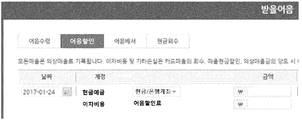
- integrated
- Prior art date
- Legal status (The legal status is an assumption and is not a legal conclusion. Google has not performed a legal analysis and makes no representation as to the accuracy of the status listed.)
- Ceased
Links
Images




Classifications
-
- G—PHYSICS
- G06—COMPUTING OR CALCULATING; COUNTING
- G06Q—INFORMATION AND COMMUNICATION TECHNOLOGY [ICT] SPECIALLY ADAPTED FOR ADMINISTRATIVE, COMMERCIAL, FINANCIAL, MANAGERIAL OR SUPERVISORY PURPOSES; SYSTEMS OR METHODS SPECIALLY ADAPTED FOR ADMINISTRATIVE, COMMERCIAL, FINANCIAL, MANAGERIAL OR SUPERVISORY PURPOSES, NOT OTHERWISE PROVIDED FOR
- G06Q40/00—Finance; Insurance; Tax strategies; Processing of corporate or income taxes
- G06Q40/12—Accounting
-
- G—PHYSICS
- G06—COMPUTING OR CALCULATING; COUNTING
- G06Q—INFORMATION AND COMMUNICATION TECHNOLOGY [ICT] SPECIALLY ADAPTED FOR ADMINISTRATIVE, COMMERCIAL, FINANCIAL, MANAGERIAL OR SUPERVISORY PURPOSES; SYSTEMS OR METHODS SPECIALLY ADAPTED FOR ADMINISTRATIVE, COMMERCIAL, FINANCIAL, MANAGERIAL OR SUPERVISORY PURPOSES, NOT OTHERWISE PROVIDED FOR
- G06Q10/00—Administration; Management
- G06Q10/06—Resources, workflows, human or project management; Enterprise or organisation planning; Enterprise or organisation modelling
-
- G—PHYSICS
- G06—COMPUTING OR CALCULATING; COUNTING
- G06Q—INFORMATION AND COMMUNICATION TECHNOLOGY [ICT] SPECIALLY ADAPTED FOR ADMINISTRATIVE, COMMERCIAL, FINANCIAL, MANAGERIAL OR SUPERVISORY PURPOSES; SYSTEMS OR METHODS SPECIALLY ADAPTED FOR ADMINISTRATIVE, COMMERCIAL, FINANCIAL, MANAGERIAL OR SUPERVISORY PURPOSES, NOT OTHERWISE PROVIDED FOR
- G06Q10/00—Administration; Management
- G06Q10/10—Office automation; Time management
Definitions
- the present invention relates to an accounting processing method and system, and more particularly, to an accounting processing method and an accounting processing system using an integrated trial schedule.
- the present disclosure relates to an accounting processing method and an accounting processing system using an integrated trial schedule devised to solve the problems as described above.
- an accounting processing method using an integrated trial table performed by a processor includes: presenting an integrated trial table, wherein the integrated trial table includes a first column and a second column, and the first column includes assets. Information about liabilities and capital is displayed in the second column, and the information about assets, liabilities and capital includes accounting subjects belonging to assets, liabilities and equity, and values related to each accounting subject.
- the integrated balance sheet has a record mode and a settlement mode, and when at least some of the account subjects on the consolidated balance sheet are selected in the record mode, the transaction history input process of the corresponding account subject is started.
- Jakdoem Receiving a first selection signal for selecting one accounting subject among the accounting subjects displayed in the integrated trial table in the recording mode; Presenting the transaction types for the selected account subject based on a predetermined account subject attribute table, wherein the account subject attribute table includes the possible transaction types according to the account subjects and the automatic entry contents according to the combination of the account subjects and the transaction types.
- an account subject attribute table including information on transaction types possible according to account subjects and automatic entry contents according to a combination of account subjects and transaction types may be stored.
- Memory and a processor coupled to the memory, the processor presenting an integrated trial table to a user device, wherein the integrated trial table includes a first column and a second column, wherein the first column displays information about an asset and In the second column, information on debt and capital is displayed.
- the information on assets, liabilities and capital includes account subjects belonging to assets, liabilities and capital, and values related to each account subject.
- Figure 1 shows the overall accounting process of a conventional accounting program.
- FIG. 2 shows a general document input screen of a conventional accounting program.
- Figure 3 shows the total balance calculation screen screen of the conventional accounting program.
- FIG 4 illustrates an accounting process of an accounting program according to an embodiment of the present disclosure.
- FIG. 5 is a diagram illustrating an integrated trial schedule screen of an accounting program according to an exemplary embodiment of the present disclosure.
- FIG. 6 is a block diagram of a system in which an accounting program is implemented according to an embodiment of the present disclosure.
- FIG. 7 to 14 illustrate a method of managing bills of an accounting processing system according to various embodiments of the present disclosure.
- 15 to 18 illustrate a method of driving an accounting processing system according to various embodiments of the present disclosure.
- FIG 19 illustrates screens of cases in which acquisition or disposal of short-term financial assets of an accounting program is selected according to an embodiment of the present disclosure.
- FIG. 20 illustrates screens according to a settlement summary type when closing settlement of short-term financial assets in an accounting program according to an exemplary embodiment of the present disclosure.
- 21 illustrates screens when acquisition or disposal of a facility is selected in an accounting program according to an embodiment of the present disclosure.
- FIG. 22 illustrates screens when a purchase of raw materials is selected in an accounting program according to an embodiment of the present disclosure.
- FIG. 23 is a description of detailed information screens that may be derived from an integrated calculation table of an accounting program according to an embodiment of the present disclosure.
- Figure 1 shows the overall accounting process of a conventional accounting program.
- a general summary of a typical accounting process is as follows. i) occurrence of a transaction, ii) journal entry and journal entry of a transaction, iii) posting to the general ledger, and iv) period-end closing (preparation of books and financial statements).
- journal entries in these journal entries should be posted to the general ledger.
- the General Ledger allows you to aggregate the impact of journalized transactions into individual accounts.
- the journal entry in Table 1 is posted to the general ledger according to each account as follows.
- a trial balance (T / B) is a list of account balances at a given point in time. This trial is to check whether the credit and debit match after the posting. Complex accounting requires the preparation of these trials because there may be errors in journal entries or ledgers.
- the total balance calculation tables according to Table 1 and Table 2 are displayed as follows.
- the accounting process operator examines what records and calculations were in error. If there is no error in the trial statement, the statement of financial position and statement of comprehensive income may be prepared on the basis of the trial statement.
- FIG. 2 shows a general document input screen of a conventional accounting program.
- the general document input screen or the purchase sales document input screen shown in FIG. 2 is presented to the user after the company registration and the user account login.
- Conventional accounting program when a transaction occurs, allows the user to enter the contents of the transaction in a book form in a book form according to a normal accounting process. In such a screen configuration, transactions are only listed long and corporate financial information is not displayed at once on the computer screen. Through the screen configuration as shown in Figure 2, it is very difficult to obtain knowledge about the financial situation, such as assets, liabilities, capital, profits, costs, etc. of the company's accounting elements.
- Figure 3 shows the total balance calculation screen screen of the conventional accounting program.
- the total balance calculation table as shown in FIG. 3 may be displayed on the screen.
- This screen configuration follows the usual accounting method before computerization, and simply transfers what was written on paper to a computer.
- FIG 4 illustrates an accounting process of an accounting program according to an embodiment of the present disclosure.
- Company information may include information such as company name, representative name, corporate status, type of business (service industry, manufacturing industry, distribution business, etc.), export status, business unit / branch, fiscal year, and business / corporate registration number. If an industry or business sector (eg, service, retail, or manufacturing) is selected first, an integrated trial table is presented that includes account subjects commonly used in each business sector, depending on the business sector selected.
- industry or business sector eg, service, retail, or manufacturing
- Accounting subjects to be displayed in the integrated balance sheet according to the business field are predefined and stored in the database of the accounting program of the present disclosure. For example, when manufacturing is selected, an integrated trial table is additionally displayed on the screen that includes information on accounting subjects such as raw materials, raw material costs, and other manufacturing expenses and values related to the accounting subjects. Users can more easily understand the company's financial information through an integrated trial schedule that displays the financial information on one screen of the computer. On the other hand, the user may need to be separately granted the right to add other account subjects in addition to the predefined account subjects or to delete the account subjects not used.
- the "integrated calculation table” refers to a table in which transaction information may be input while representing financial information of a company uniquely designed in the present disclosure.
- This integrated trial table includes at least a first column and a second column.
- Information about assets may be displayed in the first column, and information about debt and capital may be displayed in the second column.
- Information on assets, liabilities and equity includes accounting subjects corresponding to each element (assets, liabilities and equity) and values associated with each accounting subject. Values associated with an accounting subject may include increments, decrements, and / or balances over a specific time period of the accounting subject. The sum of the values related to the accounts in the first column and the sum of the values related to the accounts in the second column must match, and if they do not match, an alarm may occur.
- the first column may display accounting subjects related to assets and manufacturing costs. Accounting subjects related to manufacturing costs may include raw material costs, labor costs, retirement labor costs, and welfare benefits.
- the second column may display account subjects related to liabilities, capital, expenses, and income. In this case, the sums related to debt, capital, and profit in the second column should be added together, and the values related to cost should be subtracted so that the summation can be matched in the first column and the second column.
- the consolidated balance sheet can have two modes: a record mode in which transactions generated during the accounting period continue, and a settlement mode for settlement at the end of the fiscal year.
- the integrated trial table having two modes means that an operation performed when a specific item is selected in the integrated trial table may be different in the first mode and the second mode.
- the record mode if an account course on the integrated balance sheet is selected, the transaction history input process of the corresponding account subject may be started, and when the account course on the consolidated balance sheet is selected in the settlement mode, the settlement process of the corresponding account subject may be started.
- the mode change of the integrated balance sheet can be made by selecting the settlement menu or clicking the settlement button.
- the consolidated balance sheet during the accounting period may indicate pre-settlement profit or pre-settlement loss.
- the attributes of each account subject are defined in the account subject attribute table (or the account subject attribute database).
- the Account Class Attributes table may contain possible transaction types (cash deposits, cash withdrawals, account transfers, cash overruns), and the content and number of account subjects to be debited and credited for each transaction type.
- the content and number of the attributes of each account subject in debit and credit (content and number of items to be added), whether the account subject of each transaction type is debit or credit, and the account type (general, Partial self-input, special self-input, and large intestine input).
- attributes and related ledgers according to the type of transaction during the accounting period and / or ii) attributes and related ledgers at the end of the period-end closing may be defined in the accounting attribute table. That is, the account subject attribute table may define the information to be used / requested in the transaction input and the information to be used / requested in the settlement of accounts during the accounting period according to each account subject and transaction type combination. These attribute definitions can be stored in various formats in the database of accounting programs and can be updated.
- the account subject attribute table for example, in the case of raw materials, i) the property according to the transaction type during the period, the raw materials and additional generation benefits are debited at the debit, and the accounts payables are debited at the credit;
- credit accounts receivable may be defined as the need for additional input / selection of the account.
- it can be set so that credit payments are debited, raw materials and additional generation allowances are displayed on credit, and items are added / selected to customers and raw materials of credit.
- the relevant ledger of raw materials it can be defined that there are raw material purchasing ledgers and raw material receipts.
- the account attribute table For items to be pre-populated and displayed in the transaction details, it is additionally defined in the account attribute table that raw materials are displayed in debit account subjects and accounts payable in credit account accounts are displayed when purchasing raw materials.
- the account subject attribute table four types of transactions (1) cash withdrawal, 2) cash deposit, 3) account transfer, and 4) cash oversupply can be added or deleted. ), Two accounts subjects (cash deposits and other losses) in debit, and two account subjects (cash deposits and other profits) in credit, each account being accounted for
- there is one more attribute called sub-item the cash deposits of cash excess and deficiency are debit, and the account type is general.
- the user selects an account subject related to the transaction from the consolidated balance sheet.
- the available transaction types are presented.
- the transaction details input screen is displayed in a new window or a new screen according to the selected transaction type.
- debit and credit are displayed according to the attribute of the selected transaction type, and at least an account subject and an amount column are generated in each of the debit and credit.
- the transaction list according to the account subject and the account subject is displayed in the unified balance sheet, so that the user may directly select the transaction type according to the account subject.
- a possible transaction type purchase, buy-in, or buyback
- the transaction history input screen is displayed in a new window or screen.
- the account subject, the item and the amount column are formed in the debit
- the account subject, the client and the amount column are formed in the credit.
- debit account subjects are displayed with raw materials and additional generation allowances, and debit items and amounts may appear blank for user input.
- Credit accounts appear in credit accounts, and credit accounts and amounts appear blank for user input.
- a 'brief' column may be provided so that additional details related to the transaction may be described. That is, when the purchase of raw materials is selected, the following transaction history input screen may be displayed.
- Table 4 subitem titles of items and accounts are specified, but the titles of these subitems may be omitted, and the items and accounts may be set to be selected based on the user's previous record.
- the user When recording a transaction that occurred, the user simply selects one of the account subjects and the proposed transaction type corresponding to the transaction from the consolidated balance sheet provided by the accounting program of the present disclosure.
- a transaction history entry screen is displayed, at least partially automatically displaying what needs to be entered. This at least partial automatic bookkeeping is possible because, in the accounting rules stored in the account attribute table, the categories to be entered in each debit and credit and the contents to be entered in the corresponding categories are predetermined according to the transaction type of the selected account. Done. Accordingly, the user is guided to register the books in accordance with the accounting rules without having advanced accounting knowledge.
- a completion or save button (or simply an enter key) may be selected.
- the accounting program of the present disclosure may determine whether the debit and credit total amounts match, otherwise reject the completion and storage and generate an alarm. These alarms guide the user to the correct entry.
- Such an amount comparison and an alarm may be executed immediately when the cursor leaves the area after the amount input is completed in the debit and credit fields before the completion or the store button is pressed.
- the remaining amount fields may be automatically entered by the accounting program so that the sum of both sides coincides.
- the integrated trial schedule is updated based on the entered contents. For example, if 1 million won is entered as a purchase of raw materials, the increase (debit) and balance of raw material accounting subjects in the consolidated trial balance will increase by 1 million won from before the entry.
- the user can always grasp the financial status of the company at this time without generating a separate report.
- the user can click on a menu for performing settlement in the interface of the accounting program.
- a specific mark eg, a shaded mark
- the Settlement Clearing screen displays, showing all the processing and journal entries required for closing.
- the settlement closing screen the user can input and store settlement information and perform settlement settlement for the next settlement item.
- the accounting program of the present disclosure can display not only accounting subjects that need to be cleared at the end of the settlement, but also the order of settlement. This can be done by displaying which accounting subjects need to be cleared first, on the consolidated balance sheet, or when an accounting subject that needs to be cleared up is selected in order to generate an alarm for accounting subjects that need to be sorted in order of priority. Can be.
- the accounting program of the present disclosure displays account subjects requiring settlement items when performing settlement, and provides a settlement summary screen as shown in Table 5 to guide the user so that settlement of settlements can proceed in a proper order.
- the accounting program of the present disclosure can prevent confusion, omissions and errors in the settlement of accounts that occur in the majority of companies.
- the accounting program may separately provide a calendar, period inquiry, registration and account management, settlement, financial statements, service cost calculation, tax inquiry and reply, self input window, and other download items to provide related services to the user.
- FIG. 6 is a block diagram of a system in which an accounting program is implemented according to an embodiment of the present disclosure.
- the accounting processing system is composed of integrated balance sheet composition module, transaction history input module, settlement summary management module, accounting data database (DB), account subject database (DB), various register database (DB), various account book database (DB), various It may include a non-payable database (DB), an accounting attribute database (DB).
- a settlement summary attribute database (DB) may be further included to define attributes for each account subject in the settlement mode.
- the attributes of each account subject may be integrated into the account subject attribute database.
- the configuration module, the input module, the management module may be expressed integrated into one or more control means.
- each database may be stored locally on the computer on which the accounting program is executed, or on a remote server that can communicate with the computer.
- the integrated trial schedule configuration module may configure an integrated trial schedule for display on a monitor according to a user's business field selection. Such a configuration may be made based on the business subject DB by business sector which stores the account subjects to be displayed in the integrated trial schedule for each business sector.
- the transaction history input module may configure a transaction history input screen according to the account subject and transaction type on the integrated trial statement selected by the user, and may perform a function of processing the input transaction history.
- the settlement account management module may display an account subject that needs to be cleared for settlement, or may display a matter to be input when closing the account subject.
- Each module may function by referring to a database storing information for performing a function.
- the accounting data DB transaction history data input by a user may be stored.
- information of various registers such as company register, employee register, credit card register, customer register, tangible asset register, land register, business division register, supplier register, facility equipment register, household appliance register, building register, etc. Can be.
- the company register may store information such as company name, representative name, corporate status, type of business (service industry, manufacturing industry, distribution business, etc.), export status, business unit / branch, fiscal year, and business / corporate registration number. This information may be collected and requested by the user upon initial execution of the accounting program.
- Various ledger DB may store information of various ledgers such as depreciation ledger, payroll ledger, raw material purchase ledger, production ledger, sales ledger, export ledger.
- Receivables DB may store information such as raw materials payment, product payment, product payment.
- the settlement summary property DB may store information on accounts that need to be cleared when closing and items that should be entered when closing the accounts.
- the account subject property DB may store information about a category, debit, and credit that are required to be input when a transaction is entered in each account subject.
- FIGS. 7 to 14 a method of managing a bill of an accounting processing system according to an exemplary embodiment of the present disclosure will be described with reference to FIGS. 7 to 14.
- the bill may be classified according to the bill issuer, whether it is a pay bill or a bill to be received. For example, if A and B enter into a transaction that pays for the goods in bills, and A issues bills in place of B for goods, A pays the bill debt to B. Conversely, if A supplies goods to B and B issues a note, A holds a note bond to B.
- the screen 7 shows a screen for registering a note.
- the screen shows information about a bill received from B when A supplies goods to B.
- the accounting processing system may include a bill number, a bill name, a counterpart (for example, a sales account, a receivable account, and another account may be selected), the issuer, the issue date, the due date, the central currency information, and the amount information in the note register 700. And display the information from the user.
- information such as a bill number, expiration date, amount, and issuer may be filled in as essential information, but embodiments are not limited thereto.
- the progress information 740 may be stored in the account object attribute table. If progress information is stored in the account subject related to the bill in the account subject attribute table, the accounting processing system illustrated in FIG. 6 may display the screen of FIG. 7.
- the pronunciation phonetic register 700 may additionally receive input state information of the speech.
- Progress status information of the bill may include cancellation, registration, use, completion and the like.
- the screen shown in FIG. 7 may be displayed only when the progress state information of the paper is set to cancel or register, the embodiment is not limited thereto.
- the canceled state 810 indicates a case in which a paper is canceled in a specific state (registered, used, completed).
- the use state 830 is a state in which a paper is issued or a paper is received in the case of a paper bill. In other words, a note has been issued. Thereafter, the draft transaction may be canceled or completed (eg redemption, discount, endorsement, etc.).
- the registration state 820 and the use state 830 may be selected by a user.
- the completion state 840 may not be selected by the user.
- subsequent progress status information may not be changed by the user.
- the registration state 820 may be changed to the canceled state 810, but the usage state 830 and the completed state 840 may not be changed to the canceled state 810.
- Completion status 840 may include redemption, discount, endorsement, and the like.
- Reimbursement is a state in which the amount corresponding to the bill has been paid or received
- discount is a state in which the principal is paid out of interest for a predetermined period from the financial institution
- endorsement indicates the state in which the note is transferred to others.
- the accounting processing system may be automatically updated by receiving completion confirmation information from an external server (such as a financial server) of the change of the completed state of the paper. Accordingly, the problem of duplicate entry after receipt of the received note can be solved, and duplicate description of the note can be prevented after repayment of the received note.
- the accounting system may create a register for the financial transaction, and also enable secure financial transactions by setting key values (registration, cancellation, use, completion, etc.) that are not visible to the consumer.
- the accounting processing system may display a note list as shown in FIG. 9. According to FIG. 9, information of a registered note may be displayed.
- the accounting processing system may display whether the use state (920a, 920b), the issuer name 930, the bill number, and additionally display information such as the expiration date, amount, but embodiments are not limited thereto.
- the use or completion in the use may be implemented not selected by the user, and may include functions such as sending to the back, sending back to the canceled state, the display order is generated, registered, used, Although it may be set to cancel, complete, and the like, the embodiment is not limited thereto.
- 10 to 14 show an example of an accounting system for bills.
- the accounting processing system displays a screen for the paper bill. Only items such as speech issuance and redemption may be displayed, but embodiments are not limited thereto.
- the accounting processing system displays a screen for the received note. Items such as a note receipt, a note discount, a note endorsement, a cash collection, etc. are arranged on the upper surface, and the received note is registered as an account item through the registration process as shown in FIG. 7, the progress information may be changed to a use state.
- the accounting processing system may display a paper discount for the paper to be received.
- the accounting system may automatically enter the amount, date and time of the cash deposit and the discounted bill when an automatic discount event occurs.
- the accounting system may display the bill issuer, the bill type (the bill to be received, the bill to be paid, etc.), the corresponding customer, the expiration date, and the amount of money.
- the accounting system may display information on the paper bill (including payment paper issue destination, paper type, supply source, and expiration date information).
- the sound may be selected only when the note is in a use state and not selected otherwise.
- the embodiment is not limited thereto.
- the contents described with reference to FIGS. 7 to 14 may also be applied to an electronic bill.
- FIG. 7 to FIG. 14 may also be applied to loans and short and long term borrowings.
- a driving method relating to loans and short and long term borrowings of the accounting processing system will be described with reference to FIGS. 15 to 18.
- the accounting processing system may generate / register a loan registration unit.
- the accounting system includes short-term loan names, counterparties (eg, employees, other accounts, etc.), other customers, lenders, amounts, issue dates, loan dates, maturity dates, interest rates, status information, central currency, amounts
- the loan register including information such as detailed information may be created / registered.
- the status information may be canceled, registered, used, completed, or the like. Completion may include only reimbursement, but embodiments are not limited thereto.
- the account subjects associated with the above-described progress status information may include at least one of bill-related account subjects, loan-related account subjects, and borrowing-related account subjects for a predetermined period, but embodiments are not limited thereto.
- the accounting processing system shows a screen display relating to short-term borrowings.
- the borrowing may be selected by the user, but the repayment may not be selected by the user and may be updated automatically.
- the accounting system is an account type for short-term borrowings, which may include filling in details, expiration date, amount, etc., but the embodiment is not limited thereto.
- the accounting system may enter an amount in the loan register.
- the accounting processing system can be set to allow the entry of registration status only and not be selected by the user in the case of use or completion. It is intended to prevent redundancy and redemption.
- the accounting system may be selected only when the user is in a use state and the redemption (complete) state may not be selected, but the embodiment is not limited thereto.
- Table 6 is recorded in the books and goods receipt of the goods received and released according to the conventional method.
- Final unit price (current balance final amount + (stock price * stock quantity)-(shipped price * quantity shipped) / (current balance last quantity + quantity received-quantity shipped)
- the cost of sales should be calculated by using the final price.
- Conventional accounting programs cannot obtain the cost of sales immediately because there is no unpaid amount.
- the unit price includes a decimal point as shown in Table 6, the cost of sales is calculated without special processing. If you do, you may have a problem that the selling amount includes a decimal point. This considers that the accounting unit is an integer, there is a problem that can not guarantee the integrity error by generating an error, such as discrepancy in the loan. In the conventional accounting program, many accounting staffs had to spend extra time to manually correct these parts.
- Table 7 records the goods receipts and books on goods receipt and release according to the present disclosure, showing that the correction is automatically made according to the program of the present disclosure.
- the system when the unit price includes the decimal point as shown in Table 7, the system automatically cuts the decimal point of the unit price, sets the accounting subject to other losses such as step 3, and loses 100 won. Can be set and filled in automatically.
- the final unit price is calculated each time a product is received (purchase of the product) to determine whether the unit price includes a decimal point value, that is, an integer. As shown in the above table, if the number of items is 150, and a unit price difference occurs every time the goods are received (500000, 550,000 won), the unit price difference may occur. In Table 7, the unit price is 516,666.667 won.
- the minimum amount to be subtracted from the total amount is calculated to make the unit price an integer value.
- the minimum value to be subtracted from the total amount to make the total amount in the calculation an integer multiple of the total amount in the calculation, or the remainder when the quotient is an integer if the total amount is divided by the total amount may be truncated when the number of decimal points is four digits or less using the ROUNDDOWN function (a function for removing a predetermined number of decimal points or numbers).
- the value calculated according to the above calculation is automatically entered into the issued amount to be subtracted from the total amount and treated as other losses.
- the total amount (KRW 77,500,000) is calculated based on the unit price in which all the decimal points are reflected
- the total amount (KRW 77,499,000) is calculated based on the unit price from which the decimal point is removed
- the difference generated by the decimal point ( 100 won) may be included.
- the debit is to enter the amount calculated as other losses (incurred cost; the attribute is a singular correction difference), and the credit is to be entered into the same amount.
- Operations and inputs according to the above rules are automatically performed by the processor, thereby eliminating the need for separate manual accounting personnel while ensuring the integrity of the books.
- the accounting system can re-evaluate the foreign currency, foreign currency bonds, foreign currency debts, foreign currency account balances, and foreign currency financial instruments held by the company at the closing rate at the current exchange rate.
- the current exchange rate may be evaluated and recorded at the current trading currency (KRW in Korea), and may be re-evaluated at the current exchange rate at the end of each period, but the embodiment is not limited thereto.
- the accounting system may organize debits and credits in Tables 8 and 9 below.
- the accounting system can automatically generate and manage changes due to exchange rates at the time of settlement.
- FIG. 19 illustrates screens of cases in which acquisition or disposal of short-term financial assets of an accounting program is selected according to an embodiment of the present disclosure.
- FIG. 19 shows a transaction history input screen provided when acquisition of short-term financial assets is selected during the accounting period.
- the debit table should indicate that the category and financial asset name category should be created in addition to the account subject and amount, and that the credit / bank account category should be created in addition to the account subject and amount. Is defined in.
- the account subject attribute table it may be defined that the debit account subject is displayed in the debit account subject and the cash deposit is presented in the credit subject account in selecting the acquisition of the short term financial asset.
- the details may be provided blank, or a possible list of details may be proposed as in FIG.
- the lower part of FIG. 19 shows a transaction history input screen provided when disposal of short-term financial assets is selected during the accounting period. If the employer inputs the amount of cash deposits obtained from disposition of short-term financial assets in the credit, the loss or profit is automatically deducted from the loss on the disposal of the financial assets or the gain on the depreciation of the financial assets, depending on the amount of the cash deposit and the difference between the short-term financial assets. Amount can be entered.
- FIG. 20 illustrates screens according to a settlement summary type when closing settlement of short-term financial assets in an accounting program according to an exemplary embodiment of the present disclosure.
- One of the screens of FIG. 20 may be displayed according to a type that needs to be cleared up when the short-term financial assets are arranged.
- 21 illustrates screens when acquisition or disposal of a facility is selected in an accounting program according to an embodiment of the present disclosure.
- the debit is guided to enter the equipment and asset names and the credit is guided to enter the amount of cash deposits or unpaid payments in return for the payment of the equipment.
- the creditor is guided to enter what is the asset name of the equipment to be disposed of, and the debit is the amount of accumulated depreciation of the equipment and the amount of cash deposits or receivables received through the disposal of the equipment.
- the asset name of the equipment to be disposed of is selected or inputted, the amount entered at the time of acquisition of the equipment may be automatically entered as the amount of the equipment item of the credit at the time of disposal.
- the accumulated depreciation of the equipment can be inquired and automatically entered as the amount of depreciation of the debit. If the amounts of depreciation, cash deposits, receivables, equipment, and VAT deposits are entered automatically or manually, the amounts are automatically entered in the gains on the disposal of the fixed assets or the loss on the disposal of the fixed assets, depending on the difference between the debit and credit amounts. Can be.
- FIG. 22 illustrates screens when a purchase of raw materials is selected in an accounting program according to an embodiment of the present disclosure.
- the raw material purchase is that the account type belongs to the ledger input, when the raw material is selected in the integrated trial table, and the purchase is selected, the ledger input screen is presented, not the debit and credit transaction input screen (upper part of FIG. 22).
- the transaction details input screen as shown in the lower part of FIG. 20 may be completed and displayed according to the input / stored information.
- an account subject whose account type is a book input may include sales, purchases, salaries, and depreciation.
- FIG. 23 is a description of detailed information screens that may be derived from an integrated calculation table of an accounting program according to an embodiment of the present disclosure. If you click the increase, decrease or balance of each account in the consolidated trial schedule shown in FIG. 22, more detailed information about the corresponding account may be displayed in a new window or screen. For example, if a reduction in cash deposits is clicked, a history of how the cash deposits have been reduced may be shown with details of each item, line of business, cash / bank account and amount in each transaction. When the balance of the cash deposit is clicked, the current status of the cash deposit may be displayed. In other words, it may be displayed in what form (e.g., in which account) the cash deposit is to be left as a balance.
- a reduction in cash deposits is clicked
- a history of how the cash deposits have been reduced may be shown with details of each item, line of business, cash / bank account and amount in each transaction.
- the current status of the cash deposit may be displayed. In other words, it may be displayed in what form (e.g
- the user can start the closing mode when the closing period arrives.
- the user can enter the settlement mode by clicking the "Settlement" button, which is shown with the integrated balance sheet.
- the user may enter the menu and click the closing menu or use the shortcut key to enter the closing mode.
- an identification mark such as a shaded display as shown in FIG. 12 may be made to account subjects requiring settlement clearance.
- the shaded account is selected, the items necessary for clearing the account are displayed so that the user can input necessary information. For example, when the cash deposit is clicked, a screen displayed at the top of FIG. 12 may appear to guide the user to input the interest income amount.
- a function of displaying priority of items to be processed first among settlement items may also be performed based on the settlement account attribute database or the account subject attribute database.
- a notification window may be used. Through this settlement mode function, the accounting program of the present disclosure guides the user to perform all settlements in the proper order.
- an appropriate accounting process can be performed even by a user who does not have sufficient accounting knowledge through an accounting program centered on the integrated balance sheet described in the present disclosure. It can be easily confirmed.
Landscapes
- Business, Economics & Management (AREA)
- Engineering & Computer Science (AREA)
- Strategic Management (AREA)
- Human Resources & Organizations (AREA)
- Entrepreneurship & Innovation (AREA)
- Economics (AREA)
- General Business, Economics & Management (AREA)
- General Physics & Mathematics (AREA)
- Marketing (AREA)
- Physics & Mathematics (AREA)
- Theoretical Computer Science (AREA)
- Accounting & Taxation (AREA)
- Development Economics (AREA)
- Finance (AREA)
- Operations Research (AREA)
- Quality & Reliability (AREA)
- Tourism & Hospitality (AREA)
- Educational Administration (AREA)
- Game Theory and Decision Science (AREA)
- Technology Law (AREA)
- Data Mining & Analysis (AREA)
- Financial Or Insurance-Related Operations Such As Payment And Settlement (AREA)
Abstract
프로세서에 의하여 수행되는 통합시산표를 이용한 회계처리 방법은 통합시산표를 제시하는 단계, 상기 통합시산표에 표시된 계정과목 중 하나의 계정과목을 선택하는 계정과목 선택 신호를 수신하는 단계, 미리 결정된 회계규칙 테이블에 기초하여, 선택된 계정과목에 대한 거래유형들을 제시하는 단계, 상기 제시된 거래유형들 중 하나의 거래유형을 선택하는 거래유형 선택 신호를 수신하는 단계, 및 선택된 상기 계정과목 및 거래유형에 기초하여 상기 회계규칙 테이블에 따라 생성되는 거래내역 테이블을 제시하는 단계를 포함한다.
Description
본 발명은 회계처리 방법 및 시스템에 관한 것으로, 보다 구체적으로는, 통합시산표를 이용한 회계처리 방법 및 회계처리 시스템에 관한 것이다.
현대 회계는 15세기 루카 파치올리에 의해 정리되어 기업의 발달에 큰 역할을 해왔다. 최근에는 컴퓨터의 발달로 인해 컴퓨터화된 회계시스템들이 대중화되어 왔다. 그러나, 컴퓨터의 발달에도 불구하고, 종래의 회계프로그램들은 단순히 전통적인 회계원장의 페이지들을 모방하여 컴퓨터 화면에 표시되도록 한다. 즉, 종래 회계프로그램들은 종이에 기록하던 것을 컴퓨터를 통해 입력하게 할 뿐이고, 거래내역과 같은 여러 데이터의 입력을 대부분 사용자에게 맡겨두었다.
따라서, 종래 회계프로그램들을 사용하더라도 전문적인 회계지식이 없는 사용자의 장부기록은 회계규칙에 맞지 않는 오류를 빈번하게 발생시킨다. 따라서, 회계에 대한 전문적인 지식 없이는 종래 회계프로그램들을 이용하더라도 회계업무가 용이하게 수행될 수 없는 문제가 있다.
본 개시는 상술된 바와 같은 문제를 해결하기 위해 안출된 통합시산표를 이용한 회계처리방법 및 회계처리시스템에 관한 것이다.
본 개시의 일 실시 예에 의한 프로세서에 의하여 수행되는 통합시산표를 이용한 회계처리 방법은 통합시산표를 제시하는 단계 ― 상기 통합시산표는 제 1 칼럼 및 제 2 칼럼을 포함하고, 상기 제 1 칼럼에는 자산에 관한 정보가 표시되고, 상기 제 2 칼럼에는 부채 및 자본에 관한 정보가 표시되며, 상기 자산, 부채 및 자본에 관한 정보는 자산, 부채 및 자본에 속하는 계정과목들 및 각 계정과목에 관련된 값을 포함하고, 상기 통합시산표는 기록모드와 결산모드를 가지며, 상기 기록모드시 상기 통합시산표 상의 계정과목들 중 적어도 일부의 계정과목이 선택되면 해당 계정과목의 거래내역 입력 프로세스가 시작되고, 상기 결산모드시 상기 통합시산표 상의 계정과목들 중 적어도 일부의 계정과목이 선택되는 경우 해당 계정과목의 결산정리 프로세스가 시작됨 ―; 상기 기록모드에서 상기 통합시산표에 표시된 계정과목 중 하나의 계정과목을 선택하는 제 1 선택 신호를 수신하는 단계; 미리 결정된 계정과목 속성테이블에 기초하여, 선택된 계정과목에 대한 거래유형들을 제시하는 단계 ― 상기 계정과목 속성테이블은 계정과목에 따라 가능한 거래유형과, 계정과목 및 거래유형의 조합에 따른 자동 기입내용에 관한 정보를 포함함 ―; 상기 제시된 거래유형들 중 하나의 거래유형을 선택하는 제 2 선택 신호를 수신하는 단계; 및 선택된 상기 계정과목 및 거래유형에 기초하여 상기 계정과목 속성테이블에 따라 생성되는 거래내역 입력화면을 제시하는 단계 ― 상기 거래내역 입력화면은 차변 및 대변을 포함하고, 차변 및 대변 중 적어도 하나에는 상기 계정과목 속성테이블에 따라 결정된 자동 기입내용이 미리 입력되어 표시됨 ― 를 포함하도록 할 수 있다.
본 개시의 일 실시 예에 의한 통합시산표를 이용한 회계처리 시스템은 계정과목에 따라 가능한 거래유형과, 계정과목 및 거래유형의 조합에 따른 자동 기입내용에 관한 정보를 포함하는 계정과목 속성테이블이 저장되는 메모리; 및 상기 메모리에 연결된 프로세서를 포함하고, 상기 프로세서는, 통합시산표를 사용자 디바이스에 제시하고 ― 상기 통합시산표는 제 1 칼럼 및 제 2 칼럼을 포함하고, 상기 제 1 칼럼에는 자산에 관한 정보가 표시되고, 상기 제 2 칼럼에는 부채 및 자본에 관한 정보가 표시되며, 상기 자산, 부채 및 자본에 관한 정보는 자산, 부채 및 자본에 속하는 계정과목들 및 각 계정과목에 관련된 값을 포함하고, 상기 통합시산표는 기록모드와 결산모드를 가지며, 상기 기록모드시 상기 통합시산표 상의 계정과목들 중 적어도 일부의 계정과목이 선택되면 해당 계정과목의 거래내역 입력 프로세스가 시작되고, 상기 결산모드시 상기 통합시산표 상의 계정과목들 중 적어도 일부의 계정과목이 선택되면 해당 계정과목의 결산정리 프로세스가 시작됨 ―, 상기 기록모드에서 상기 통합시산표에 표시된 계정과목 중 하나의 계정과목 및 해당 계정과목의 거래유형들 중 하나의 거래유형을 선택하는 선택 신호를 수신하고, 선택된 상기 계정과목 및 거래유형에 기초하여 상기 계정과목 속성테이블에 따라 생성되는 거래내역 입력화면을 제시하는 ― 상기 거래내역 입력화면은 차변 및 대변을 포함하고, 차변 및 대변 중 적어도 하나에는 상기 계정과목 속성테이블에 따라 결정된 자동 기입내용이 미리 입력되어 표시됨 ― 동작을 수행하도록 할 수 있다.
상술한 방법 및 시스템이 제공됨으로써, 회계 지식이 부족한 사용자가 회계업무를 능숙하게 수행할 수 있게 된다.
또한, 상술한 방법 및 시스템이 제공됨으로써, 사용자 편의성이 더욱 향상될 수 있다.
도 1은 종래 회계프로그램의 전반적인 회계처리프로세스를 도시한다.
도 2는 종래 회계프로그램의 일반전표 입력화면을 도시한다.
도 3은 종래 회계프로그램의 합계잔액시산표 화면을 도시한다.
도 4는 본 개시의 일 실시예에 따른 회계프로그램의 회계처리프로세스를 도시한다.
도 5는 본 개시의 일 실시예에 따른 회계프로그램의 통합시산표 화면을 도시한다.
도 6은 본 개시의 일 실시예에 따른 회계프로그램이 구현되는 시스템의 블럭도이다.
도 7 내지 도 14는 본 개시의 다양한 실시 예에 따른 회계처리 시스템의 어음을 관리하는 방법을 나타낸다.
도 15 내지 도 18은 본 개시의 다양한 실시 예에 따른 회계처리 시스템의 구동 방법을 나타낸다.
도 19는 본 개시의 일 실시예에 따른 회계프로그램의 단기금융자산의 취득 또는 처분이 선택된 경우들의 화면들을 도시한다.
도 20은 본 개시의 일 실시예에 따른 회계프로그램에서 단기금융자산의 결산정리시 결산정리 유형에 따른 화면들을 도시한다.
도 21은 본 개시의 일 실시예에 따른 회계프로그램에서 설비장치의 취득 또는 처분이 선택된 경우의 화면들을 도시한다.
도 22는 본 개시의 일 실시예에 따른 회계프로그램에서 원재료의 매입이 선택된 경우의 화면들을 도시한다.
도 23은 본 개시의 일 실시예에 따른 회계프로그램의 통합시산표에서 도출될 수 있는 상세정보 화면들에 대한 설명이다.
도 24는 본 개시의 일 실시예에 따른 회계프로그램의 통합시산표에서 결산모드시 표시될 수 있는 화면들에 대한 설명이다.
이하, 본 개시에서의 바람직한 실시예들을 첨부한 도면을 참조하여 상세히 설명한다. 이하의 기재는 다수의 다른 실시예들의 상세한 설명을 기재하지만, 설명의 법적 범위는 본 출원서의 말미에 기재된 청구범위의 단어들에 의해 정의된다. 상세한 설명은 단지 예로서 해석되어야 하고, 모든 가능한 실시예들을 기재하는 것은 불가능하거나 비실용적이므로, 모든 가능한 실시예가 기재되지는 않는다. 청구범위의 범위 내에 속할 수 있는 다른 실시예들은 현재 기술 또는 본 출원서의 출원일 이후에 개발된 기술을 사용하여 구현될 수 있다. 본 출원서의 용어는 본 출원서에서 명백히 정의되지 않는 한, 그 용어의 평범한 또는 일반적인 의미로 해석될 수 있다.
도 1은 종래 회계프로그램의 전반적인 회계처리프로세스를 도시한다.
통상적인 회계처리프로세스를 개략적으로 요약하면 다음과 같다. i) 거래의 발생, ii) 거래의 분개와 분개장기입, iii) 총계정원장으로의 전기 및 iv) 기말결산(장부마감과 재무제표의 작성).
거래가 발생하면, 그 거래는 발생순서에 따라, 분개장에 기록된다. 여기서, 거래에서 어떤 계정과목이 어떤 대응관계를 가지고 어떤 변(차변 또는 대변)으로 갈지를 결정하기 위해서는 상당한 회계지식이 필요하다.
예를 들어, 2월 1일 A씨가 현금 1,000,000원으로 출자하여 Alpha 회사를 개업하고, 2월 2일 500,000원의 비품을 외상으로 구입했다고 하자. 분개장은 다음과 같이 기록되어야 한다.
[표 1]

통상적으로, 이러한 분개장의 분개는 총계정원장으로 전기(posting)되어야 한다. 원장전기는 분개된 거래의 영향을 개별계정에 집합시킬 수 있도록 한다. 상기 표 1의 분개는 다음과 같이 각각의 계정에 따라 총계정원장으로 전기된다.
[표 2]

회계기간 중 상기와 같은 기록이 계속되고, 회계기간 말이 되면 기말결산이 수행된다. 결산이란 그 기간 중에 기록되어 온 각종 장부를 마감하고 재무제표를 작성하는 것이다. 결산절차에서 가장 처음에 수행되는 것은 시산표의 작성이다.
시산표(trial balance, T/B)는 특정시점의 계정잔액목록표이다. 이러한 시산표는 전기 후에 대변과 차변이 일치하는지를 검사하기 위한 것이다. 복잡한 기업회계에서는 분개기입이나 원장전기에서 오류가 있을 수 있기 때문에 이러한 시산표의 작성이 필요하다. 결산을 위해 작성되는 시산표는 다양한 종류가 있으나 여기서는 예시로 합계잔액시산표를 설명한다. 예를 들어, 표 1 및 표 2 에 따른 합계잔액시산표는 다음과 같이 표시된다.
[표 3]

시산표의 차변합계액과 대변합계액이 일치하지 않으면, 회계프로세스 수행자는 어떤 기록, 계산에 잘못이 있었는지를 조사한다. 시산표에서 오류가 없는 경우 이러한 시산표를 기초로 재무상태표 및 포괄손익계산서가 작성될 수 있다.
상술된 회계처리프로세스는 컴퓨터화 이전에도 수행되던 것으로, 종래의 컴퓨터화된 회계프로그램은 상술된 회계처리프로세스의 순서를 모방하여 작성되었다.
도 2는 종래 회계프로그램의 일반전표 입력화면을 도시한다.
종래의 회계프로그램에서는 회사등록 및 사용자계정의 로그인 후에 도 2와 같은 일반전표 입력화면 또는 매입매출전표 입력화면을 사용자에게 제시한다. 종래 회계프로그램은, 거래가 발생하면, 통상적인 회계프로세스에 따라 사용자로 하여금 거래의 내용을 장부에 나열식으로 입력하도록 하는 것이다. 이러한 화면 구성에서는 거래들이 길게 나열될 뿐이고 기업의 재무정보가 컴퓨터 화면에서 한 번에 표시되지 못한다. 도 2와 같은 화면구성을 통해서는 기업의 회계요소인 자산, 부채, 자본, 수익, 비용 등의 재무 상황에 대해 지식을 얻기 매우 어렵다.
또한, 사용자는 기입될 수 있는 계정과목들 및 그들의 코드를 알고 있어야 하고, 거래에서 어떤 계정과목이 어떤 대응관계를 가지고 어떤 변(차변 또는 대변)에 들어가야 하는지 이해하고 있어야 한다. 따라서, 사용자의 회계지식 및 능력이 부족한 경우 복식부기의 규칙에 맞게 기입되지 않을 수 있다. 즉, 통상적인 회계프로그램은 복식부기의 규칙에 맞는 기입을 보장해주지 못하고, 사용자를 합당하게 가이드하지 못한다.
도 3은 종래 회계프로그램의 합계잔액시산표 화면을 도시한다.
도 2에서 입력된 일반전표 정보 및 매입매출전표 정보에 기초하여 도 3과 같은 합계잔액시산표가 화면에 디스플레이될 수 있다. 이러한 화면 구성은 컴퓨터화 이전의 통상적인 회계처리방법에 따른 것으로, 단순히 종이에 기재하던 것을 컴퓨터로 옮겨온 것이다.
도 4는 본 개시의 일 실시예에 따른 회계프로그램의 회계처리프로세스를 도시한다.
본 개시의 일 실시예에서는 회계프로그램이 실행되면, 사용자계정 생성 등이 이루어지고, 회사정보 입력이 이루어질 수 있다. 회사정보에는 회사명, 대표명, 법인여부, 업종(서비스업, 제조업, 유통업 등), 수출여부, 사업부문/지점, 회계연도, 사업자/법인등록번호 등의 정보가 입력될 수 있다. 업종 또는 사업분야(예를 들어, 서비스업, 유통업, 또는 제조업)가 먼저 선택되면, 선택된 사업분야에 따라 각 사업분야에서 일반적으로 사용되는 계정과목을 포함하는 통합시산표가 제시된다. 통합시산표가 제시되기 전에, 자산, 부채, 자본, 수익, 비용, 제조원가에 속하는 계정과목들의 리스트가 프로그램 상의 제안된 식별(통합시산표에 표시될지 여부)과 함께 제시되고, 사용자가 이를 선택, 해제하여 조정할 수 있도록 할 수도 있다. 이러한 조정은 회계기간 중에도 설정 변경을 통해 이루어질 수 있다. 사업분야에 따라 통합시산표에 표시될 계정과목들은 본 개시의 회계프로그램의 데이터베이스에 미리 정의되어 저장되어 있다. 예를 들어, 제조업이 선택되는 경우에는 원재료, 원재료원가, 기타제조경비등의 계정과목 및 계정과목에 관련된 값에 관한 정보를 추가적으로 포함하는 통합시산표가 구성되어 화면에 제시된다. 사용자는 컴퓨터의 한 화면에 재무정보를 통합적으로 표시하는 통합시산표를 통해 기업의 재무정보를 보다 쉽게 이해할 수 있다. 한편, 사용자는, 필요에 따라, 미리 정의된 계정과목 이외에 다른 계정과목을 추가하거나 사용하지 않는 계정과목을 삭제할 수 있는 권한을 별도로 부여받아야 할 수도 있다.
여기서, "통합시산표"란 본 개시에서 고유하게 고안된 기업의 재무정보를 나타내면서 거래정보가 입력될 수 있는 표를 의미한다.
도 5는 본 개시의 일 실시예에 따른 회계프로그램의 통합시산표 화면을 도시한다. 이러한 통합시산표는 적어도 제 1 칼럼 및 제 2 칼럼을 포함한다. 제 1 칼럼에는 자산에 관한 정보가 표시될 수 있고, 제 2 칼럼에는 부채 및 자본에 관한 정보가 표시될 수 있다. 자산, 부채 및 자본에 관한 정보는 각 요소(자산, 부채, 자본)에 해당하는 계정과목들 및 각각의 계정과목에 관련된 값을 포함한다. 계정과목에 관련된 값은 해당 계정과목의 특정 기간동안의 증가값, 감소값, 및/또는 잔액을 포함할 수 있다. 제 1 칼럼의 계정과목들에 관련된 값의 합과 제 2 칼럼의 계정과목들에 관련된 값의 합은 일치해야 하고, 일치하지 않는 경우, 알람이 발생할 있다. 사업분야가 제조업으로 선택되는 경우, 제 1 칼럼에는 자산 및 제조원가에 관련된 계정과목들이 표시될 수 있다. 제조원가에 관련된 계정과목들은 원재료원가, 노무원가, 퇴직노무원가, 복리후생원가 등이 포함될 수 있다. 제 2 칼럼에는 부채, 자본, 비용, 및 수익에 관련된 계정과목들이 표시될 수 있다. 이 경우, 제 2 칼럼에서 부채, 자본, 수익에 관련된 값은 서로 합하고, 비용에 관련된 값은 차감해야 제 1 칼럼과 제 2 칼럼에서 합산이 일치하게 된다.
통합시산표는 회계기간 계속 중 발생된 거래들이 입력되는 기록모드와 기말에 결산을 위한 결산모드의 2가지 모드를 가질 수 있다. 통합시산표가 2가지 모드를 갖는다는 것은 통합시산표에서 특정 항목이 선택된 경우 이루어지는 동작이 제 1 모드와 제 2 모드에서 상이할 수 있다는 것을 의미한다. 기록모드시 통합시산표 상의 계정과목이 선택되면 해당 계정과목의 거래내역 입력 프로세스가 시작되고, 결산모드시 상기 통합시산표 상의 계정과목이 선택되면 해당 계정과목의 결산정리 프로세스가 시작될 수 있다. 통합시산표의 모드의 변환은 결산메뉴의 선택 또는 결산버튼의 클릭을 통해 이루어질 수 있다. 회계기간 중 통합시산표에서는 결산전이익 또는 결산전손실이 표시될 수 있다.
통합시산표에 표시되는 각각의 계정과목들에 대해서, 각각의 계정과목의 속성이 계정과목 속성테이블(또는 계정과목 속성 데이터베이스)에 정의되어 있다. 예를 들어, 계정과목 속성테이블은 가능한 거래유형들(현금예금의 경우라면, 현금인출, 현금예입, 계좌대체, 현금과부족), 각각의 거래유형에서 차변 및 대변에 표시될 계정과목의 내용 및 개수, 차변 및 대변에서 각각의 계정과목이 가지는 속성의 내용 및 개수(추가 입력되어야할 항목의 내용 및 개수), 각각의 거래유형의 계정과목이 차변 또는 대변 중 어디에 속하는지, 및 계정타입(일반, 부분자가입력, 특수자가입력, 대장입력)을 포함할 수 있다. 또한, i) 회계기간 중의 거래유형에 따른 속성 및 관련대장 및/또는 ii) 기말결산시의 속성 및 관련대장이 계정과목 속성테이블에서 정의될 수 있다. 즉, 계정과목 속성테이블은 각각의 계정과목 및 거래유형의 조합에 따라 회계기간 중 거래입력시 사용될/요청될 정보 및 결산시 결산정리에서 사용될/요청될 정보를 규정할 수 있다. 이러한 속성정의는 회계프로그램의 데이터베이스에 다양한 형식으로 저장되어 있을 수 있고, 업데이트될 수 있다.
계정과목 속성테이블에는, 예를 들어, 원재료의 경우에는 i) 기간 중 거래유형에 따른 속성으로 매입시에는 차변에 원재료 및 부가세대급금이, 대변에 외상매입금이 표시되고, 차변의 원재료에는 품목이, 대변의 외상매입금에는 거래처가 추가 입력/선택될 필요가 있다는 것이 정의되어 있을 수 있다. 매입에누리시에는 차변에 외상매입금이, 대변에 원재료 및 부가세대급금이 표시되고, 차변의 외상매입금에 거래처, 대변의 원재료에 품목이 추가 입력/선택되도록 설정될 수 있다. 원재료의 관련 대장에는 원재료매입대장 및 원재료수불부가 있다는 것이 정의되어 있을 수 있다. 거래상세내역에서 미리 입력되어 표시될 항목에 대해서는 원재료의 매입시에 차변의 계정과목에는 원재료가, 대변의 계정과목에는 외상매입금이 표시된다는 것이 계정과목 속성테이블에 추가적으로 정의될 수 있다.또 다른 예로, 계정과목 속성테이블에는, 현금예금의 경우 1)현금인출, 2)현금예입, 3)계좌대체, 4)현금과부족의 4가지 거래형태(본 거래형태는 추가 또는 삭제될 수 있으나, 실시 예는 이에 국한되지 않음)가 있고, 현금과부족의 경우에는 차변에 2개의 계정과목(현금예금 및 기타손실), 대변에 2개의 계정과목(현금예금 및 기타이익)이 표시되고, 각각의 계정과목은 계정과목 및 금액 외에 세부항목이라는 속성을 하나 더 가지고, 현금과부족의 현금예금은 차변이며, 해당 계정타입은 일반이라는 것이 정의되어 있을 수 있다.
거래가 발생하면, 사용자는 통합시산표에서 해당 거래에 관련된 계정과목을 선택한다. 선택된 계정과목에 대해서는 해당 계정과목에서 가능한 거래유형이 제시된다. 가능한 거래유형 중 하나가 선택되면 선택된 거래유형에 따라 새로운 창으로 또는 새로운 화면으로 거래내역 입력화면이 표시된다. 거래내역 입력화면에는 선택된 거래유형의 속성에 따라 차변 및 대변이 표시되고, 차변 및 대변 각각에는 적어도 계정과목 및 금액란이 생성된다. 다른 실시예에서, 통합시산표에 계정과목과 계정과목에 따른 거래유형이 표시되어 있어, 사용자가 바로 계정과목에 따른 거래유형을 선택할 수도 있다.
예를 들어, 원재료를 매입한 사용자에 의해 "원재료" 계정과목이 선택되면, 원재료의 가능한 거래유형(매입, 매입에누리, 또는 매입환출)이 제시된다. 사용자가 매입을 선택하면, 새로운 창 또는 화면으로 거래내역 입력화면이 표시된다. 거래내역 입력화면에서, 미리결정된 계정과목 속성테이블의 원재료 매입의 속성에 따라, 차변에는 계정과목, 품목 및 금액란이 형성되고, 대변에는 계정과목, 거래처 및 금액란이 형성된다. 계정과목 속성테이블에서 미리결정된 회계규칙에 따라 차변의 계정과목에는 원재료 및 부가세대급금이 표시되어 나타나고, 차변의 품목 및 금액은 사용자의 입력을 위해 공란으로 나타날 수 있다. 대변의 계정과목에는 외상매입금이 표시되어 나타나고, 대변의 거래처 및 금액은 사용자의 입력을 위해 공란으로 나타난다. 거래내역 입력화면에는 거래와 관련된 추가적인 사항을 기재할 수 있도록 '적요' 란이 제공될 수 있다. 즉, 원재료의 매입이 선택되는 경우 다음과 같은 거래내역 입력화면이 표시될 수 있다.
[표 4]

표 4에서는 품목 및 거래처의 소항목 제목이 명시되어 있지만, 이러한 소항목의 제목은 생략될 수 있고, 품목 및 거래처는 사용자의 이전 기록을 기초로 선택되도록 설정될 수도 있다. 발생된 거래를 기록할 때, 사용자가 본 개시의 회계프로그램에 의해 제공되는 통합시산표에서 거래에 해당하는 계정과목 및 제안된 거래유형들 중 하나를 선택하기만 하면, 표 4와 같이 차변 및 대변에 입력되어야 할 사항이 적어도 부분적으로 자동으로 표시된 거래내역 입력화면이 표시된다. 이러한 적어도 부분적인 자동부기는, 계정과목 속성테이블에 저장된 회계규칙에서, 선택된 계정과목의 거래유형에 따라 차변 및 대변 각각에 입력되어야할 카테고리들 및 해당 카테고리에 입력될 내용이 미리결정되어 있기 때문에 가능하게 된다. 이에 따라, 사용자는 고도의 회계지식 없이도 회계규칙에 맞는 장부기재를 할 수 있도록 가이드된다.
사용자가 거래내역 입력화면에서 입력할 나머지 부분들에 대한 입력이 완료되면 완료 또는 저장 버튼(또는 단순히 엔터키의 입력)이 선택될 수 있다. 완료 또는 저장 버튼이 클릭되는 경우, 본 개시의 회계프로그램은 차변과 대변의 합계 금액이 일치하는지를 판단하여 그렇지 않은 경우 완료 및 저장을 거부하고 알람을 생성할 수 있다. 이러한 알람을 통해 사용자는 정확한 기입을 할 수 있도록 가이드된다. 이러한 금액 비교 및 알람은 완료 또는 저장 버튼이 눌리기 전, 차변 및 대변 모두의 금액란에 금액입력이 완료된 후 커서가 해당 영역을 떠나는 경우에 바로 실행될 수도 있다. 또는 차변 및 대변의 최소필요 금액란이 모두 입력되면 나머지 금액란은 양변의 합계가 일치하도록 회계프로그램에 의해 자동입력될 수도 있다.
거래내역이 모두 정확하게 입력되고, 저장 또는 완료 버튼이 클릭되면, 입력된 내용에 기초하여 통합시산표가 업데이트된다. 예를 들어, 원재료의 매입으로 100만원이 입력된 경우, 통합시산표의 원재료 계정과목의 증가(차변) 및 잔액이 기입 이전보다 100만원 증가하게 된다. 상술된 방식으로 거래내역이 입력되고 관리되는 경우, 사용자는 별도의 리포트를 생성하지 않고도, 현시점에서의 기업의 재무상태를 상시적으로 파악할 수 있다.
회계기간 말이 되어 결산이 필요한 경우에, 사용자는 회계프로그램의 인터페이스에서 결산을 수행하기 위한 메뉴를 클릭할 수 있다. 결산메뉴가 선택되면 반드시 수행되어야할 결산사항이 있는 계정과목에는 특정한 표시(예를 들어, 음영 표시)가 이루어질 수 있다. 사용자가 음영 표시된 계정과목을 클릭하면 결산시 필요한 모든 처리사항과 분개를 보여주는 결산정리 화면이 표시된다. 결산정리 화면에 따라 사용자는 결산정보를 입력 및 저장하고, 다음 결산사항에 대한 결산정리를 수행할 수 있다. 본 개시의 회계프로그램은 결산시 정리가 필요한 계정과목을 표시할 뿐만 아니라, 결산정리의 순서도 표시할 수 있다. 이러한 기능은 어떤 계정과목이 먼저 결산정리가 필요한지 통합시산표 상에서 표시하거나, 후순위로 결산정리가 필요한 계정과목이 선택되는 경우, 선순위로 정리되어야 하는 계정과목에 대한 알람을 발생시키는 등의 방식으로 수행될 수 있다.
예를 들어, 현금예금 및 단기금융자산 등은 결산시 이자수익계상이 필요하고, 건축물, 설비장치, 차량운반구, 집기비품, 기타유형자산 등의 감가상각누계액에서는 결산시 감가상각이 필요하다. 이에 따라, 결산사항이 있다고 표시된 현금예금 계정을 클릭하면, 다음과 같은 결산정리 화면이 표시된다.
[표 5]

본 개시의 회계프로그램은 결산수행시 결산사항이 필요한 계정과목을 표시하고, 표 5와 같이 결산정리 화면을 제공함으로써, 적합한 순서로 빠짐없이 결산정리가 진행될 수 있도록 사용자를 가이드한다. 따라서, 본 개시의 회계프로그램은 대다수의 회사에서 발생하는 결산시의 혼란, 누락 및 오류를 방지할 수 있다.
한편, 회계프로그램은 별도로 달력, 기간조회, 등록 및 계정 관리, 결산, 제무제표, 서비스원가계산, 세무질의 및 회신, 자가입력창, 기타 다운로드 아이템을 별도로 구비하여 관련 서비스를 사용자에게 제공할 수 있다.
도 6은 본 개시의 일 실시예에 따른 회계프로그램이 구현되는 시스템의 블럭도이다.
회계처리 시스템은 통합시산표 구성모듈, 거래내역 입력모듈, 결산정리 관리모듈, 회계 데이터 데이터베이스(DB), 사업분야별 계정과목 데이터베이스(DB), 각종 등록부 데이터베이스(DB), 각종 대장 데이터베이스(DB), 각종 수불부 데이터베이스(DB), 계정과목 속성 데이터베이스(DB)를 포함할 수 있다. 또한, 결산모드시의 계정과목별 속성을 정의하는 결산정리 속성 데이터베이스(DB)를 더 포함할 수 있다. 다만, 결산모드시 계정과목별 속성은 계정과목 속성 데이터베이스로 통합될 수도 있다. 한편, 구성모듈, 입력모듈, 관리모듈은 하나 또는 그 이상의 제어수단으로 통합되어 표현될 수도 있다. 또한, 각각의 데이터베이스는 회계프로그램이 실행되는 컴퓨터에 로컬하게 저장되거나, 컴퓨터와 통신가능한 원격의 서버에 저장될 수도 있다.
통합시산표 구성모듈은 사용자의 사업분야 선택에 따라 모니터에 표시되기 위한 통합시산표를 구성할 수 있다. 이러한 구성은 사업분야별로 통합시산표에 표시될 계정과목들을 저장한 사업분야별 계정과목 DB에 기초하여 이루어질 수 있다.
거래내역 입력모듈은 사용자가 선택한 통합시산표 상의 계정과목 및 거래유형에 따른 거래내역 입력화면을 구성하고, 입력된 거래내역을 처리하는 기능을 수행할 수 있다. 결산정리 관리모듈은, 결산메뉴가 선택되는 경우, 결산을 위해 정리가 필요한 계정과목을 표시하거나, 해당 계정과목의 결산정리시 입력되어야 하는 사항을 표시하는 기능을 수행할 수 있다. 각각의 모듈은 기능을 수행하기 위한 정보가 저장된 데이터베이스를 참조하여 기능할 수 있다.
회계 데이터 DB에는 사용자가 입력하는 거래내역 데이터가 저장될 수 있다. 각종등록부 DB에는 회사등록부, 사원등록부, 신용카드등록부, 거래처등록부, 유형자산등록부, 토지등록부, 사업부문등록부, 공급자등록부, 설비장치등록부, 집기비품등록부, 건축물등록부 등의 각종 등록부의 정보가 저장될 수 있다. 회사등록부에는 회사명, 대표명, 법인여부, 업종(서비스업, 제조업, 유통업 등), 수출여부, 사업부문/지점, 회계연도, 사업자/법인등록번호 등의 정보가 저장될 수 있다. 이러한 정보는 회계프로그램의 최초실행시 사용자에게 요구되어 수집될 수 있다. 각종 대장 DB에는 감가상각대장, 급여대장, 원재료매입대장, 생산대장, 매출대장, 수출대장 등의 각종 대장의 정보가 저장될 수 있다. 수불부 DB에는 원재료수불부, 제품수불부, 상품수불부의 정보가 저장될 수 있다. 결산정리 속성 DB에는 결산시 정리가 필요한 계정과목 및 해당 계정과목의 결산정리시 입력되어야 하는 사항에 관한 정보가 저장될 수 있다. 계정과목 속성 DB에는 각각의 계정과목의 거래입력시 입력이 필요한 카테고리 및 차변 및 대변에 미리 입력되어 표시될 사항 등에 대한 정보가 저장될 수 있다.
이하에서는 도 7 내지 도 14를 참고하여 본 개시의 일 실시 예에 따른 회계처리 시스템의 어음을 관리하는 방법을 도시한다.
일단, 어음은 어음 발행자에 따라, 지급 어음인지 받을 어음인지 구분될 수 있다. 예를 들면, A와 B가 물품 대금을 어음으로 결재하는 거래를 체결한 경우, A가 B로부터 물품대금 대신 어음을 발행하는 경우, A는 어음 채무를 B에게 진다. 반대로, A가 B에게 물품을 공급하여 B가 어음을 발행한 경우, A는 어음 채권을 B에게 가진다.
도 7은 받을어음을 등록하는 화면을 나타낸다. 상기 화면은 A가 물품을 B에게 공급한 경우, B로부터 받을어음에 대한 정보를 나타낸다. 회계처리 시스템은 받을어음 등록부(700)에 어음번호, 어음명, 거래상대(일예로, 매출 거래처, 미수금 거래처, 기타거래처가 선택될 수 있음), 발행인, 발행일, 만기일, 중심통화 정보, 금액 정보를 디스플레이하고, 사용자로부터 상기 정보를 입력받을 수 있다. 여기서 어음 번호, 만기일, 금액, 발행인과 같은 정보는 필수 정보로 기입될 수 있으나, 실시 예는 이에 국한되지 않는다.
어음에 관련된 계정과목은 진행 상태 정보(740)가 계정과목 속성 테이블에 저장될 수 있다. 만약, 계정과목 속성 테이블에 상기 어음에 관련된 계정과목에 진행 상태 정보가 저장된 경우, 도 6에 도시된 회계처리 시스템은 도 7의 화면을 디스플레이할 수 있다.
발음어음 등록부(700)는 추가적으로 어음의 진행 상태 정보를 입력받을 수 있다. 어음의 진행 상태 정보는 취소, 등록, 사용, 완료 등을 포함할 수 있다. 상기 어음의 진행 상태 정보가 취소 또는 등록으로 설정된 경우에만 도 7과 같은 화면이 표시될 수 있으나, 실시 예는 이에 국한되지 않는다.
도 8을 참고하면, 취소 상태(810)는 특정 상태(등록, 사용, 완료)에서 어음이 취소된 경우를 나타낸다. 또한, 사용 상태(830)는 지급 어음의 경우 어음을 교부하거나 받을 어음의 경우 어음을 수령한 상태이다. 즉, 어음이 발행된 상태이다. 이후에는 어음 거래가 취소되거나 완료(가령, 상환, 할인, 배서 등)될 수 있다.
상기의 등록 상태(820), 사용 상태(830)는 사용자에 의해 선택될 수 있다.
다만, 완료 상태(840)는 사용자에 의해 선택되지 않을 수 있다. 일단, 어음의 진행 상태 정보가 사용 상태(830)로 변경되면, 그 이후의 진행 상태 정보는 사용자에 의해 변경되지 않을 수 있다. 예를 들면, 등록 상태(820)에서 취소 상태(810)로 변경될 수 있으나, 사용 상태(830) 및 완료 상태(840)에서는 취소 상태(810)로 변경될 수 없다.
완료 상태(840)는 상환, 할인, 배서 등을 포함할 수 있다. 상환은 어음에 대응되는 금액을 지급하거나 지급받은 상태이고, 할인은 금융기관으로부터 소정 기간의 이자를 제외한 원금을 지급받은 상태이며, 배서는 어음을 타인에게 양도하는 상태를 나타낸다.
이는, 복수의 사용자가 어음에 해당되는 대금을 지급함에도 중복으로 통합시산표의 수치를 조정하지 못하게 하기 위함이다. 회계처리 시스템은 상기 어음의 완료 상태의 변경을 외부 서버(금융 서버 등)로부터 완료 확인 정보를 수신하여 자동으로 갱신될 수 있다. 이에 따라, 받을 어음 수령 후 중복 기입의 문제가 해소될 수 있고, 받을 어음 상환 후 해당 어음에 대한 중복 기재가 방지될 수 있다. 또한, 받은 어음에 대해 여러 사람이 중복 기입함으로서 가지고 있는 현금액이 실제보유액을 상회하게 되는 문제 및 상기 문제로 회사가 가지고 있는 현금과 가지고 있을꺼라 기대하는 현금의 차이로 인한 단기 유동성 문제 및 단기 default가 방지될 수 있다.
회계처리 시스템은 해당 금융거래에 대한 등록부를 만들고 또한, 소비자가 보이지 않는 키값(등록, 취소, 사용, 완료 등)을 설정하여 안전하게 금융거래를 가능하게 할 수 있다.
회계처리 시스템은 도 9와 같은 어음 리스트를 표시할 수 있다. 도 9에 따르면, 등록된 어음의 정보가 표시될 수 있다. 회계처리 시스템은 사용상태여부(920a, 920b), 발행인명(930), 어음번호를 표시할 수 있고, 이외에 만기일, 금액 등을 정보를 추가적으로 표시할 수 있으나, 실시 예는 이에 국한되지 않는다.
여기서, 사용여부(920a, 920b)에서 사용, 완료는 사용자에 의해 선택되지 않게 구현될 수 있고, 맨뒤로 보내기, 취소 상태 뒤로 보내기 등의 기능이 포함될 수 있으며, 디스플레이 순서가 생성, 등록, 사용, 취소, 완료 등으로 설정될 수 있으나, 실시 예는 이에 국한되지 않는다.
도 10 내지 도 14는 어음에 관한 회계처리 시스템의 구현 예를 나타낸다.
도 10에 따르면, 회계처리 시스템은 지급 어음에 대한 화면을 표시한다. 어음교부 및 상환이라는 항목만 표시될 수 있으나, 실시 예는 이에 국한되지 않는다.
도 11에 따르면, 회계처리 시스템은 받을어음에 대한 화면을 표시한다. 상부면에 어음수령, 어음할인, 어음배서, 현금회수 등의 항목이 배치되고, 받을어음이 계정항목으로 도 7과 같은 등록과정을 통해 등록되면, 진행상태 정보가 사용 상태로 변경될 수 있다.
도 12에 따르면, 회계처리 시스템은 받을 어음에 대한 어음할인을 표시할 수 있다. 회계처리 시스템은 자동으로 어음할인 이벤트가 발생되면, 현금예금 및 어음할인료의 금액, 일시 등을 자동으로 기입할 수 있다.
도 13에 따르면, 회계처리 시스템은 받을 어음을 다른 사용자에게 배서한 경우, 어음 발행인, 어음 종류(받을 어음, 지급 어음 등), 해당 거래처 및 만기일시, 금액 정보를 표시할 수 있다.
도 14에 따르면, 회계처리 시스템은 지급어음의 상환이 완료되는 경우, 지급어음에 관한 정보(지급어음 교부처, 어음 종류, 공급처, 만기일 정보 등을 포함)가 표시될 수 있다. 이때, 어음이 사용 상태인 경우에만 선택되고 그 외의 경우에는 선택되지 않도록 구현될 수 있으나, 실시 예는 이에 국한되지 않는다. 또한, 한편, 도 7 내지 도 14에 설명한 내용은 전자 어음의 경우에도 적용될 수 있다.
어음과 유사하게 대여금, 장단기 차입금의 경우에도 도 7 내지 도 14가 적용될 수 있다. 이하에서는 도 15 내지 도 18을 참고하여 회계처리 시스템의 대여금, 장단기 차입금에 관한 구동 방법을 설명하기로 한다.
도 15에 따르면, 회계처리 시스템은 대여금 등록부를 생성/등록할 수 있다. 회계처리 시스템은 단기 대여금명, 거래상대(일예로, 사원, 기타거래처 등이 선택될 수 있음), 기타거래처, 대여처, 금액, 발행일, 대여일, 만기일, 이자율, 상태 정보, 중심통화, 금액, 상세정보 등의 정보를 포함하는 대여금 등록부를 생성/등록할 수 있다. 여기서, 상태 정보는 취소, 등록, 사용, 완료 등이 될 수 있다. 완료는 상환만 포함될 수 있으나, 실시 예는 이에 국한되지 않는다. 또한, 상술한 상기 진행 상태 정보와 연관된 계정과목은 어음 관련 계정과목, 대여금 관련 계정과목 및 소정기간의 차입금 관련 계정과목 중 적어도 하나를 포함할 수 있으나, 실시 예는 이에 국한되지 않는다.
도 16에 따르면, 회계처리 시스템은 단기차입금에 관한 화면 표시를 나타낸다. 차입은 사용자에 의해 선택될 수 있으나, 상환은 사용자에 의해 선택되지 않고, 자동으로 업데이트될 수 있다.
회계처리 시스템은 단기차입금에 관한 계정유형으로 세부항목, 만기시기, 금액 등이 기입을 포함할 수 있으나, 실시 예는 이에 국한되지 않는다.
도 17를 참고하면, 먼저 날짜가 기입(2017.1.24)되고, 계정항목(현금예금)이 선택되고, 금액이 입력되면, 회계처리 시스템은 대여금 등록부에 금액을 입력할 수 있다. 다만, 회계처리 시스템은 등록 상태의 기입만 허용하고, 사용이나 완료의 경우 사용자에 의해 선택되지 않게 설정할 수 있다. 중복으로 사용되고 상환되는 것을 막고자 함이다.
도 18에 따르면, 회계처리 시스템은 상환 case의 경우, 사용자에 의해 사용상태인 경우만 선택될 수 있고 상환(완료) 상태는 선택될 수 없으나, 실시 예는 이에 국한되지 않는다.
이하에서는 표 6, 7을 참고하여, 물건의 입고/출고 내역을 정리한 수불부 자동 보정을 수행하는 회계처리 시스템을 설명하기로 한다. 참고로, 물류시스템에서 제품(상품, 원재료 포함)의 생산(또는 매입) 가격을 결정하는 것은 가중평균법(WA), 선입선출법(FIFO), 선입후출법(LIFO) 등이 사용되며, 여기서는 가중평균법을 사용하는 경우를 기준으로 설명한다.
표 6은 종래의 방법에 따라 상품의 입고 및 출고에 대해 장부 및 상품수불부에 기록한 것이다.
[표 6]

표 6 하단의 상품수불부의 밑줄 친 부분을 보면 최종단가의 결정은 다음과 같다.
최종단가 = (현재잔고 최종금액 + (입고된 가격*입고된 수량) - (출고된 가격 * 출고된 수량)/(현재잔고 최종수량 + 입고된 수량 - 출고된 수량)
상품의 판매시에는 최종단가를 이용하여 매출원가를 산출해야하는데, 종래의 회계 프로그램들은 수불부가 없어 매출원가를 즉시 구할 수 없으며, 나아가 표 6에서와 같이 단가가 소수점을 포함하는 경우 특별한 처리 없이 매출원가를 산정하는 경우 판매 금액이 소수점을 포함하게 되는 문제가 생길 수 있다. 이는 회계단위가 정수임을 고려할 때, 차대변상의 불일치 등 오차를 발생시켜 무결성 오류를 보장할 수 없게 되는 문제가 있다. 종래의 회계 프로그램에서는 이러한 부분을 보정하기 위해 다수의 회계직원들이 별도의 시간을 투자하여 보정작업을 매뉴얼로 수행하여야 했다.
표 7은 본 개시에 따른 상품의 입고 및 출고에 대해 상품수불부 및 장부에 기록한 것으로, 본 개시의 프로그램에 따라 자동으로 보정이 이루어지는 것을 보여준다.
[표 7]

본 개시에 따른 회계처리 시스템은 표 7에서와 같이 단가가 소수점을 포함하게 되는 경우에, 단가의 소수점을 자동으로 절사한 후, 순번 3과 같은 기타손실로 계정 과목을 설정하고, 100원을 손실로 자동으로 설정 및 기입할 수 있다.
프로세서에 의해 실행되는 본 개시에 따른 회계처리 프로그램에서는 상품이 입고(상품의 매입)될 때마다 최종단가를 계산하여 단가가 소수점 값을 포함하게 되는지, 즉 정수인지를 판단한다. 상기 표와 같이 입고 수량이 150 개이고, 입고시마다 단가의 차이가 발생된 경우(500000, 550000원) 단가의 차이가 발생될 수 있다. 상기 표 7에서 상기 단가는 516,666.667원이다.
상기 판단에 따라 단가가 소수점 값을 포함하는 경우, 즉, 정수값이 아닌 경우, 단가를 정수값으로 만들기 위해 총금액에서 감산되어야 할 최소한의 금액이 계산된다. (즉, 계산시 총금액을 계산시 총수량의 정수배로 만들기 위해 총금액으로부터 감산되어야 할 최소값, 또는 총금액을 총수량으로 나눈 경우 몫이 정수일 때 나머지의 값). 일 예로, 516,666.667 단가를 ROUNDDOWN 함수(소정 개수의 소수점 또는 수치를 제거하는 함수)를 이용하여 소수점 4자리 이하의 경우 절사될 수 있다.
상기 계산에 따라 산출된 값을 출고된 금액에 자동으로 입력하여 총금액에서 감산되도록 하고, 기타손실로 처리되게 한다. 구현시에, 소수점이 모두 반영된 단가에 기초하여 총 금액(77,500,000원)이 계산되는 단계, 소수점이 제거된 단가에 기초하여 총 금액(77,499,000원)이 계산되는 단계, 상기 소수점에 의해 발생된 차액(100원)을 산출하는 단계가 포함될 수 있다.
이 경우 차변에는 기타손실(비용의 발생; 속성은 단수 보정차이)로 계산된 금액이 입력되고, 대변에는 상품(자산의 감소)이 같은 금액으로 입력되게 한다. 상기 규칙에 따른 연산 및 입력이 프로세서에 의해 자동으로 수행됨으로써, 회계장부의 무결성을 보장하면서, 별도의 회계직원들의 매뉴얼 작업이 필요하지 않게 된다.
기타손실로 기록되는 차이는 단수에 의한 차이이고, 직관적으로 손실로 판단되는 것 같아 보이지만, 시스템에 의해 인지된 손실로 추후에 원가에서 차감되므로 실질적 손실은 아니다. 상기와 같은 자동 수정은 매출 환입, 매입 환출, 매입 에누리, 기타 사유로 인한 입고 등에 사용될 수 있으나, 실시 예는 이에 국한되지 않는다.
한편, 이하에서는 회계관리 시스템의 외화 자동 평가 시스템을 설명하기로 한다. 현행 회계법에서는 자산 및 부채를 현재가치로 평가하여 주주의 권리에 대해 최신 상태로 공시되도록 하고 있다. 이때, 재고자산을 평가해서 현재가치가 낮아진 경우 손실로 기록하고 주주에게 알리게 된다. 또한, 현금성 자산에 대한 현재가치로 환산 후 손실이익을 기록하고 주주에게 알려주게 된다. 상기의 경우 모두 재무재표를 이용한다.
회계처리 시스템은 기업은 매 결산시 회사에서 보유하고 있는 외화, 외화채권, 외화채무, 외화표시 통장 잔고, 외화표시 각종 금융상품 에 대하여 매결산시 현재 환율로 재평가할 수 있다.
회계처리 시스템은 최초 기록시에는 당일 환율을 이용하여 현재 거래통화(한국의 경우는 원화)로 평가하여 기록하고, 매 기말 현행 환율로 재평가할 수 있으나, 실시 예는 이에 국한되지 않는다.
예를들면, 회계처리 시스템은 결산시에 차변 및 대변을 아래의 표 8 및 표 9로 구성할 수 있다.
[표 8]

[표 9]

상기의 표와 같이 회계처리 시스템은 결산시에 환율로 인한 변동을 자동으로 생성 및 관리할 수 있다.
한편, 도 19은 본 개시의 일 실시예에 따른 회계프로그램의 단기금융자산의 취득 또는 처분이 선택된 경우들의 화면들을 도시한다.
도 19의 상단부는 회계기간 중에 단기금융자산의 취득이 선택된 경우에 제공되는 거래내역 입력화면을 도시한다. 단기금융자산의 취득에 대해서, 차변에는 계정과목 및 금액에 더하여 세부항목 및 금융자산명 카테고리가 생성되어야 하고, 대변에는 계정과목 및 금액에 더하여 현금/은행계좌 카테고리가 생성되어야 한다는 것이 계정과목 속성테이블에서 정의되어 있다. 또한, 계정과목 속성테이블에서는, 단기금융자산의 취득 선택시 차변의 계정과목에는 단기금융자산이 표시되고, 대변의 계정과목에는 현금예금이 표시된다는 것이 정의될 수 있다. 단기금융자산의 취득 선택시, 세부항목은 공란으로 제공될 수도 있고, 도 6에서와 같이 세부항목의 가능한 리스트가 제안될 수도 있다.
도 19의 하단부는 회계기간 중에 단기금융자산의 처분이 선택된 경우에 제공되는 거래내역 입력화면을 도시한다. 사용자가 대변에 단기금융자산의 처분으로 인해 취득한 현금예금의 금액을 입력하면 현금예금의 금액과 단기금융자산의 차액에 따라 대변의 금융자산처분손실 또는 차변의 금융자산처분이익에 자동으로 손실금 또는 이익금 액수가 입력될 수 있다.
도 20은 본 개시의 일 실시예에 따른 회계프로그램에서 단기금융자산의 결산정리시 결산정리 유형에 따른 화면들을 도시한다. 단기금융자산의 결산정리시 정리가 필요한 유형에 따라 도 20의 화면들 중 하나가 표시되어 사용자의 입력을 가이드할 수 있다.
도 21은 본 개시의 일 실시예에 따른 회계프로그램에서 설비장치의 취득 또는 처분이 선택된 경우의 화면들을 도시한다. 설비장치가 취득되는 경우, 차변에는 설비장치 및 자산명이 입력되도록 가이드되고 대변에는 설비장치를 취득하기 위해 지불된 대가로서 현금예금 또는 미지급금이 얼마인지를 입력하도록 가이드된다. 설비장치가 처분되는 경우, 대변에는 처분되는 설비장치의 자산명이 무엇인지 입력하도록 가이드되고, 차변에는 설비장치의 감가상각누계액이 얼마인지, 설비장치의 처분을 통해 받은 현금예금 또는 미수금이 얼마인지 입력하도록 가이드된다. 처분되는 설비장치의 자산명이 선택 또는 입력되는 경우, 해당 설비장치의 취득시에 입력되었던 금액이 처분시 대변의 설비장치 항목의 금액으로 자동으로 입력될 수 있다. 또한, 자산명에 따라 설비장치의 감가상각누계액 대장을 참조하여 해당 설비장치의 감가상각누계액이 얼마인지 조회되어 자동으로 차변의 감가상각누계액의 금액으로 입력될 수 있다. 감가상각누계액, 현금예금, 미수금, 설비장치, 부가세예수금의 금액이 자동 또는 수동으로 모두 입력되면, 차변과 대변의 금액의 차액에 따라 고정자산처분이익 또는 고정자산처분손실에 금액이 자동으로 입력될 수 있다.
도 22는 본 개시의 일 실시예에 따른 회계프로그램에서 원재료의 매입이 선택된 경우의 화면들을 도시한다.
원재료 매입은 계정타입이 대장입력에 속하는 것으로, 통합시산표에서 원재료가 선택되고, 매입이 선택된 경우, 차변 및 대변의 거래내역 입력화면이 아닌, 대장입력 화면이 제시된다 (도 22의 상단부). 원재료매입대장에서 세부항목들이 입력/저장되면, 입력/저장된 정보에 따라 도 20의 하단부와 같은 거래내역 입력화면이 완성되어 표시될 수 있다. 이와 같은 방식으로 입력되도록 계정타입이 대장입력인 계정과목은 매출, 매입, 급여, 감가상각 등이 있을 수 있다.
도 23은 본 개시의 일 실시예에 따른 회계프로그램의 통합시산표에서 도출될 수 있는 상세정보 화면들에 대한 설명이다. 도 22에서 도시된 통합시산표에서 각각의 계정과목의 증가액, 감소액 또는 잔액을 클릭하면 해당 계정과목에 대한 보다 상세한 정보가 새로운 창 또는 화면에서 나타날 수 있다. 예를 들어, 현금예금의 감소액이 클릭되면 현금예금이 어떻게 감소해왔는지에 대한 히스토리가 각각의 거래에서 세부항목, 사업부문, 현금/은행계좌, 금액의 정보와 함께 보여질 수 있다. 현금예금의 잔액이 클릭되는 경우, 현금예금의 시재현황이 표시될 수 있다. 즉, 현금예금이 어떤 형태로 (예를 들어, 어떤 계좌로), 어느 액수만큼 잔액으로 남아 있는지가 표시될 수 있다. 매출의 잔액이 클릭되는 경우, 거래처별매출, 월별매출 또는 상품별매출이 표시될 수 있다. 어떠한 매출로 표시될지는 매출의 잔액이 클릭되는 경우, 질의가 발생하여 사용자의 선택에 의해 선택될 수 있거나 미리설정된 사항에 따라 매출의 잔액의 클릭시 표시되는 내용이 결정되어 있을 수 있다.
도 24는 본 개시의 일 실시예에 따른 회계프로그램의 통합시산표에서 결산모드시 표시될 수 있는 화면들에 대한 설명이다.
회계기간 중에 기록모드로 통합시산표에 각종 거래들이 기록된 후, 결산기간이 도래하면 사용자는 결산모드를 시작할 수 있다. 사용자는 통합시산표와 함께 보여지는 "결산" 버튼을 클릭하여 결산모드를 시작할 수 있다. 또는, 사용자는 메뉴로 들어가서 결산메뉴를 클릭하거나 단축키를 활용하여 결산모드를 시작할 수 있다. 결산모드가 선택되면 결산정리가 필요한 계정과목들에 도 12와 같은 음영표시 등의 식별표시가 이루어질 수 있다. 음영표시된 계정과목이 선택되면 결산정리에 필요한 항목들이 표시되어 사용자가 필요한 정보들을 입력할 수 있다. 예를 들어, 현금예금이 클릭되면 도 12의 상단부에 표시된 화면이 나타나 사용자로 하여금 이자수익 금액을 입력하도록 가이드할 수 있다.
또한, 결산항목들 중 먼저 처리되어야하는 항목들에 대해 우선순위를 표시해주는 기능도 결산정리 속성 데이터베이스 또는 계정과목 속성 데이터베이스에 기초하여 수행될 수 있다. 결산모드시 선택된 계정과목에 우선하여 결산정리되어야할 계정과목이 있다면 알림창이 나타나는 방식 등이 이용될 수도 있다. 이러한 결산모드 기능을 통해 본 개시의 회계프로그램은 사용자가 적합한 순서로 모든 결산정리를 빠짐없이 수행할 수 있도록 가이드해준다.
상술된 바와 같이, 독창적으로 고안되어 본 개시에서 설명된 통합시산표를 중심으로 하는 회계프로그램을 통해 회계지식이 충분하지 않은 사용자에 의해서도 적합한 회계처리가 수행될 수 있고, 경영자는 언제든지 기업의 재무상태를 용이하게 확인할 수 있게 된다.
이상의 기재에서, 다수의 다른 실시예들의 상세한 설명을 기재했지만, 본 출원서의 범위는 본 출원서 말미에 기재된 청구범위의 단어들에 의해 정의된다. 상세한 설명은 단지 예로서만 해석되어야 하고, 모든 가능한 실시예들을 기재하는 것은 불가능하거나 비실용적이므로, 모든 가능한 실시예들을 기재하지는 않는다. 현재기술 또는 본 출원서의 출원일 후에 개발된 기술을 사용하여, 청구범위의 범위 내에 여전히 속할 수 있는 다수의 다른 실시예들이 구현될 수 있다.
그러므로, 다수의 변형예 및 변경예들이 본 청구범위의 취지 및 범위를 벗어나지 않고 본 명세서에 기재되고 도시되는 기술들 및 구조들에서 만들어질 수 있다. 따라서, 본 명세서에 기재된 방법들 및 장치들은 설명적일 뿐이고, 청구범위의 범위를 제한하지는 않음이 이해되어야 한다.
Claims (15)
- 프로세서에 의하여 수행되는 통합시산표를 이용한 회계처리 방법으로서,통합시산표를 제시하는 단계 ― 상기 통합시산표는 제 1 칼럼 및 제 2 칼럼을 포함하고, 상기 제 1 칼럼에는 자산에 관한 정보가 표시되고, 상기 제 2 칼럼에는 부채 및 자본에 관한 정보가 표시되며, 상기 자산, 부채 및 자본에 관한 정보는 자산, 부채 및 자본에 속하는 계정과목들 및 각 계정과목에 관련된 값을 포함하고, 상기 통합시산표는 기록모드와 결산모드를 가지며, 상기 기록모드시 상기 통합시산표 상의 계정과목들 중 적어도 일부의 계정과목이 선택되면 해당 계정과목의 거래내역 입력 프로세스가 시작되고, 상기 결산모드시 상기 통합시산표 상의 계정과목들 중 적어도 일부의 계정과목이 선택되는 경우 해당 계정과목의 결산정리 프로세스가 시작됨 ―;상기 기록모드에서 상기 통합시산표에 표시된 계정과목 중 하나의 계정과목을 선택하는 제 1 선택 신호를 수신하는 단계;미리 결정된 계정과목 속성테이블에 기초하여, 선택된 계정과목에 대한 거래유형들을 제시하는 단계 ― 상기 계정과목 속성테이블은 계정과목에 따라 가능한 거래유형과, 계정과목 및 거래유형의 조합에 따른 자동 기입내용에 관한 정보를 포함함 ―;상기 제시된 거래유형들 중 하나의 거래유형을 선택하는 제 2 선택 신호를 수신하는 단계; 및선택된 상기 계정과목 및 거래유형에 기초하여 상기 계정과목 속성테이블에 따라 생성되는 거래내역 입력화면을 제시하는 단계 ― 상기 거래내역 입력화면은 차변 및 대변을 포함하고, 차변 및 대변 중 적어도 하나에는 상기 계정과목 속성테이블에 따라 결정된 자동 기입내용이 미리 입력되어 표시됨 ― 를 포함하는,통합시산표를 이용한 회계처리 방법.
- 제1항에 있어서,상기 프로세서는,선택된 상기 계정과목과 연관된 진행 상태 정보가 상기 계정과목 속성테이블에 포함되게 하고, 상기 진행 상태 정보가 소정의 상태로 설정되는 경우, 상기 진행 상태 정보의 갱신이 자동으로 수행되도록 하고,상기 진행 상태 정보와 연관된 선택된 상기 계정과목은 어음 관련 계정과목, 대여금 관련 계정과목 및 소정기간의 차입금 관련 계정과목 중 적어도 하나를 포함하는, 통합시산표를 이용한 회계처리 방법.
- 제 1 항에 있어서,상기 통합시산표의 제 1 칼럼 및 제 2 칼럼에는 각각 계정과목, 및 계정과목마다의 증가액, 감소액 및 잔액이 표시되는,통합시산표를 이용한 회계처리 방법.
- 제 1 항에 있어서,상기 거래내역 입력화면의 차변 및 대변은 각각 적어도 계정과목 입력란 및 금액 입력란을 포함하고,상기 방법은,차변에 입력된 금액의 총계와 대변에 입력된 금액의 총계가 일치하는지 확인하는 단계; 및차변의 금액 총계와 대변의 금액 총계가 일치하지 않는 경우, 알람을 발생시키는 단계를 더 포함하는,통합시산표를 이용한 회계처리 방법.
- 제 1 항에 있어서,상기 거래내역 입력화면의 차변 및 대변은 각각 계정과목 입력란 및 금액 입력란을 포함하고,상기 방법은,차변에 입력된 금액의 총계와 대변에 입력된 금액의 총계가 일치하는지 확인하는 단계; 및차변의 금액 총계와 대변의 금액 총계가 일치하는 경우, 상기 선택된 계정과목에 대해 입력된 금액이 상기 계정과목에 관련된 값에 업데이트되고, 상기 선택된 계정과목의 변의 반대 변의 다른 계정과목에 대해 입력된 금액은 상기 다른 계정과목에 관련된 값에 업데이트되는 단계를 더 포함하는,통합시산표를 이용한 회계처리 방법.
- 제 1 항에 있어서,상기 통합시산표를 제시하는 단계 이전에,사업분야에 대한 사업 선택신호를 수신하는 단계; 및상기 사업 선택신호에 기초하여, 미리 결정된 사업분야 속성테이블에 따라 선택된 사업분야에 사용되는 계정과목들로 통합시산표를 구성하는 단계를 더 포함하는,통합시산표를 이용한 회계처리 방법.
- 제 1 항에 있어서,상기 거래내역 입력화면을 제시하는 단계 이후에,결산모드 신호를 수신하는 단계;상기 통합시산표의 계정과목들 중 결산정리가 필요한 계정과목들에 식별표시가 생성되는 단계; 및상기 식별표시가 생성된 계정과목들 중 하나가 선택되면, 미리 결정된 결산정리테이블에 따라 해당 계정과목에 대해 사용자에 의해 입력되어야 할 사항을 표시하는 단계를 더 포함하는,통합시산표를 이용한 회계처리 방법.
- 제1항에 있어서,상기 제1 칼럼의 계정 과목으로 상품이 선택되고, 상기 상품이 소정 횟수에 걸쳐 다른 금액으로 입고되어 상기 상품의 단가에 소수점이 포함된 경우, 상기 소수점 이하 값이 절사되도록 하고, 절사된 소수점 이하 값에 의한 금액에 기초하여 손실금을 설정하는 단계를 더 포함하는, 통합시산표를 이용한 회계처리 방법.
- 제1항에 있어서,상기 계정과목에 관련된 금액이 환율에 의해 변동되는 경우, 상기 결산모드에서 상기 환율에 의해 변동된 값을 반영하여 업데이트하는 단계를 더 포함하는, 통합시산표를 이용한 회계처리 방법.
- 통합시산표를 이용한 회계처리 시스템으로서,계정과목에 따라 가능한 거래유형과, 계정과목 및 거래유형의 조합에 따른 자동 기입내용에 관한 정보를 포함하는 계정과목 속성테이블이 저장되는 메모리; 및상기 메모리에 연결된 프로세서를 포함하고,상기 프로세서는, 통합시산표를 사용자 디바이스에 제시하고 ― 상기 통합시산표는 제 1 칼럼 및 제 2 칼럼을 포함하고, 상기 제 1 칼럼에는 자산에 관한 정보가 표시되고, 상기 제 2 칼럼에는 부채 및 자본에 관한 정보가 표시되며, 상기 자산, 부채 및 자본에 관한 정보는 자산, 부채 및 자본에 속하는 계정과목들 및 각 계정과목에 관련된 값을 포함하고, 상기 통합시산표는 기록모드와 결산모드를 가지며, 상기 기록모드시 상기 통합시산표 상의 계정과목들 중 적어도 일부의 계정과목이 선택되면 해당 계정과목의 거래내역 입력 프로세스가 시작되고, 상기 결산모드시 상기 통합시산표 상의 계정과목들 중 적어도 일부의 계정과목이 선택되면 해당 계정과목의 결산정리 프로세스가 시작됨 ―, 상기 기록모드에서 상기 통합시산표에 표시된 계정과목 중 하나의 계정과목 및 해당 계정과목의 거래유형들 중 하나의 거래유형을 선택하는 선택 신호를 수신하고, 선택된 상기 계정과목 및 거래유형에 기초하여 상기 계정과목 속성테이블에 따라 생성되는 거래내역 입력화면을 제시하는 ― 상기 거래내역 입력화면은 차변 및 대변을 포함하고, 차변 및 대변 중 적어도 하나에는 상기 계정과목 속성테이블에 따라 결정된 자동 기입내용이 미리 입력되어 표시됨 ― 동작을 수행하도록 하는,통합시산표를 이용한 회계처리 시스템.
- 제10항에 있어서,상기 프로세서는,선택된 상기 계정과목과 연관된 진행 상태 정보가 상기 계정과목 속성테이블에 포함되게 하고, 상기 진행 상태 정보가 소정의 상태로 설정되는 경우, 상기 진행 상태 정보의 갱신이 자동으로 수행되도록 하며,상기 진행 상태 정보와 연관된 선택된 상기 계정과목은 어음 관련 계정과목, 대여금 관련 계정과목 및 소정기간의 차입금 관련 계정과목 중 적어도 하나를 포함하는,통합시산표를 이용한 회계처리 시스템.
- 제10항에 있어서,상기 프로세서는,상기 제1 칼럼의 계정 과목으로 상품이 선택되고, 상기 상품이 소정 횟수에 걸쳐 다른 금액으로 입고되어 상기 상품의 단가에 소수점이 포함된 경우, 상기 소수점 이하 값이 절사되도록 하고, 절사된 소수점 이하 값에 의한 금액에 기초하여 손실금을 설정하는,통합시산표를 이용한 회계처리 시스템.
- 제10항에 있어서,상기 프로세서는,상기 계정과목에 관련된 금액이 환율에 의해 변동되는 경우, 상기 결산모드에서 상기 환율에 의해 변동된 값을 반영하여 업데이트하는,통합시산표를 이용한 회계처리 시스템.
- 제 10 항에 있어서,상기 거래내역 입력화면의 차변 및 대변은 각각 적어도 계정과목 입력란 및 금액 입력란을 포함하고,상기 동작은,차변에 입력된 금액의 총계와 대변에 입력된 금액의 총계가 일치하는지 확인하고,차변의 금액 총계와 대변의 금액 총계가 일치하지 않는 경우, 알람을 발생시키는 동작을 더 포함하는,통합시산표를 이용한 회계처리 시스템.
- 제 10 항에 있어서,상기 동작은,상기 통합시산표를 제시하기 이전에,사업분야에 대한 사업 선택신호를 수신하고,상기 사업 선택신호에 기초하여, 미리 결정된 사업분야 속성테이블에 따라 선택된 사업분야에 사용되는 계정과목들로 통합시산표를 구성하는 동작을 더 포함하는,통합시산표를 이용한 회계처리 시스템.
Priority Applications (2)
| Application Number | Priority Date | Filing Date | Title |
|---|---|---|---|
| CN201780015890.5A CN108713210A (zh) | 2016-03-10 | 2017-03-10 | 利用综合试算表的会计处理方法及会计处理系统 |
| EP17763620.6A EP3428862A1 (en) | 2016-03-10 | 2017-03-10 | Accounting processing method and accounting processing system, which use integrated trial balance |
Applications Claiming Priority (2)
| Application Number | Priority Date | Filing Date | Title |
|---|---|---|---|
| KR10-2016-0029081 | 2016-03-10 | ||
| KR1020160029081A KR20170105869A (ko) | 2016-03-10 | 2016-03-10 | 통합시산표를 이용한 회계처리방법 및 회계처리시스템 |
Publications (1)
| Publication Number | Publication Date |
|---|---|
| WO2017155360A1 true WO2017155360A1 (ko) | 2017-09-14 |
Family
ID=59790765
Family Applications (1)
| Application Number | Title | Priority Date | Filing Date |
|---|---|---|---|
| PCT/KR2017/002646 Ceased WO2017155360A1 (ko) | 2016-03-10 | 2017-03-10 | 통합시산표를 이용한 회계처리방법 및 회계처리시스템 |
Country Status (4)
| Country | Link |
|---|---|
| EP (1) | EP3428862A1 (ko) |
| KR (1) | KR20170105869A (ko) |
| CN (1) | CN108713210A (ko) |
| WO (1) | WO2017155360A1 (ko) |
Cited By (2)
| Publication number | Priority date | Publication date | Assignee | Title |
|---|---|---|---|---|
| CN109117226A (zh) * | 2018-08-01 | 2019-01-01 | 欧永祥 | 一种财会软件的数据输入界面提示方法及装置 |
| CN112686757A (zh) * | 2020-12-31 | 2021-04-20 | 京东数字科技控股股份有限公司 | 证券业务数据的处理方法、装置、电子设备及存储介质 |
Families Citing this family (4)
| Publication number | Priority date | Publication date | Assignee | Title |
|---|---|---|---|---|
| KR102045628B1 (ko) * | 2017-11-15 | 2019-11-18 | (주) 더존비즈온 | 오토 포스팅 시스템 및 방법 |
| CN111192120B (zh) * | 2019-12-02 | 2023-09-15 | 泰康保险集团股份有限公司 | 养老社区费用管理方法、系统、设备及存储介质 |
| CN111401850B (zh) * | 2020-03-19 | 2023-08-11 | 浪潮通用软件有限公司 | 一种无账户管理映射式记账的金融架构实现方法 |
| CN115964549B (zh) * | 2023-03-03 | 2023-06-06 | 北京芯盾时代科技有限公司 | 一种社群挖掘方法、装置、设备及存储介质 |
Citations (5)
| Publication number | Priority date | Publication date | Assignee | Title |
|---|---|---|---|---|
| JP2007012026A (ja) * | 2006-04-12 | 2007-01-18 | Toshiro Dan | 仕訳自動作成機能を備えた会計システム |
| JP2007183981A (ja) * | 2007-02-15 | 2007-07-19 | Nippon Digital Kenkyusho:Kk | 会計処理装置、記帳処理制御プログラム、及び記帳処理制御プログラムを記録した記録媒体 |
| KR20100028704A (ko) * | 2008-09-05 | 2010-03-15 | 박상미 | 수직회계시스템 |
| JP4560171B2 (ja) * | 2000-05-16 | 2010-10-13 | 株式会社日本デジタル研究所 | 連結決算方法およびプログラムを記録したコンピュータ読み取り可能な記録媒体 |
| KR20120124928A (ko) * | 2011-05-06 | 2012-11-14 | 이원노 | 수학적 항등식을 기반으로 한 복식 분개 및 복식회계 처리방법 및 시스템 |
Family Cites Families (5)
| Publication number | Priority date | Publication date | Assignee | Title |
|---|---|---|---|---|
| CN1188941A (zh) * | 1996-10-21 | 1998-07-29 | 三星电子株式会社 | 自动管理控制系统的会计处理器和方法 |
| EP1245012A2 (en) * | 1999-10-15 | 2002-10-02 | Won-Kyo Suh | Activity information accounting method and system |
| US7885868B2 (en) * | 1999-12-20 | 2011-02-08 | Jacques Nault | Reading, organizing and manipulating accounting data |
| MY172175A (en) * | 2005-07-28 | 2019-11-15 | Pintas Pte Ltd | Methodology of accounting teaching |
| KR100836234B1 (ko) * | 2007-08-13 | 2008-06-10 | 서원교 | 활동 정보 회계시스템 |
-
2016
- 2016-03-10 KR KR1020160029081A patent/KR20170105869A/ko not_active Withdrawn
-
2017
- 2017-03-10 CN CN201780015890.5A patent/CN108713210A/zh active Pending
- 2017-03-10 WO PCT/KR2017/002646 patent/WO2017155360A1/ko not_active Ceased
- 2017-03-10 EP EP17763620.6A patent/EP3428862A1/en not_active Withdrawn
Patent Citations (5)
| Publication number | Priority date | Publication date | Assignee | Title |
|---|---|---|---|---|
| JP4560171B2 (ja) * | 2000-05-16 | 2010-10-13 | 株式会社日本デジタル研究所 | 連結決算方法およびプログラムを記録したコンピュータ読み取り可能な記録媒体 |
| JP2007012026A (ja) * | 2006-04-12 | 2007-01-18 | Toshiro Dan | 仕訳自動作成機能を備えた会計システム |
| JP2007183981A (ja) * | 2007-02-15 | 2007-07-19 | Nippon Digital Kenkyusho:Kk | 会計処理装置、記帳処理制御プログラム、及び記帳処理制御プログラムを記録した記録媒体 |
| KR20100028704A (ko) * | 2008-09-05 | 2010-03-15 | 박상미 | 수직회계시스템 |
| KR20120124928A (ko) * | 2011-05-06 | 2012-11-14 | 이원노 | 수학적 항등식을 기반으로 한 복식 분개 및 복식회계 처리방법 및 시스템 |
Cited By (2)
| Publication number | Priority date | Publication date | Assignee | Title |
|---|---|---|---|---|
| CN109117226A (zh) * | 2018-08-01 | 2019-01-01 | 欧永祥 | 一种财会软件的数据输入界面提示方法及装置 |
| CN112686757A (zh) * | 2020-12-31 | 2021-04-20 | 京东数字科技控股股份有限公司 | 证券业务数据的处理方法、装置、电子设备及存储介质 |
Also Published As
| Publication number | Publication date |
|---|---|
| CN108713210A (zh) | 2018-10-26 |
| EP3428862A1 (en) | 2019-01-16 |
| KR20170105869A (ko) | 2017-09-20 |
Similar Documents
| Publication | Publication Date | Title |
|---|---|---|
| KR100230455B1 (ko) | 경영관리 자동화 시스템의 회계처리장치 및 방법 | |
| US20160125486A1 (en) | Settlement operations support system and settlement operations support method | |
| WO2017155360A1 (ko) | 통합시산표를 이용한 회계처리방법 및 회계처리시스템 | |
| JP2003529129A (ja) | 貿易金融自動化システム | |
| US20210327001A1 (en) | Error control in multicomputer data processing | |
| JP2009176121A (ja) | 経営管理システム | |
| JPH10187823A (ja) | 受注管理システム、売掛管理システム及び受注・売掛管理システム | |
| JP2004192564A (ja) | 勘定科目自動仕訳方法及びそのプログラム | |
| JP2002215865A (ja) | 経営計画資料作成用システム | |
| JP3783217B1 (ja) | 仕訳自動作成機能を備えた会計システム | |
| JP2001155097A (ja) | 記録媒体 | |
| US7801779B2 (en) | Cash under and cash over adjustments to receipt totals for bank deposits | |
| JP3351736B2 (ja) | 販売管理システム | |
| KR101128195B1 (ko) | 세무자료 매칭 처리 기능을 구비한 복식 회계 처리 방법 및 시스템 | |
| JP2007012026A (ja) | 仕訳自動作成機能を備えた会計システム | |
| JP2004234063A (ja) | キャッシュフロー計算書作成プログラム | |
| JP2003016155A (ja) | 旅行業向け会計処理システム | |
| JP2965944B2 (ja) | 資金繰り処理システムおよび資金繰り処理方法並びに資金繰り処理実行プログラムを記録した記録媒体 | |
| JP3823164B1 (ja) | 仕訳自動作成機能を備えた会計システム | |
| JP3021197U (ja) | 資金会計情報処理装置 | |
| WO2004072880A1 (ja) | 仕訳データ作成装置 | |
| JP2002230282A (ja) | 金融機関における手形業務で用いられるシステムおよび方法 | |
| JP2003316935A (ja) | 経営支援装置、経営支援方法、および、コンピュータ読み取り可能な記録媒体 | |
| Murray | Accounting At Your Fingertips, 2e | |
| Flanagan | Invoice Verification and the GR/IR in SAP S/4HANA |
Legal Events
| Date | Code | Title | Description |
|---|---|---|---|
| NENP | Non-entry into the national phase |
Ref country code: DE |
|
| WWE | Wipo information: entry into national phase |
Ref document number: 2017763620 Country of ref document: EP |
|
| ENP | Entry into the national phase |
Ref document number: 2017763620 Country of ref document: EP Effective date: 20181010 |
|
| 121 | Ep: the epo has been informed by wipo that ep was designated in this application |
Ref document number: 17763620 Country of ref document: EP Kind code of ref document: A1 |