EP4217833B1 - Procédés et interfaces pour la commande de milieux avec rétroaction dynamique - Google Patents
Procédés et interfaces pour la commande de milieux avec rétroaction dynamique Download PDFInfo
- Publication number
- EP4217833B1 EP4217833B1 EP21789897.2A EP21789897A EP4217833B1 EP 4217833 B1 EP4217833 B1 EP 4217833B1 EP 21789897 A EP21789897 A EP 21789897A EP 4217833 B1 EP4217833 B1 EP 4217833B1
- Authority
- EP
- European Patent Office
- Prior art keywords
- computer system
- touch
- user
- input
- audio
- Prior art date
- Legal status (The legal status is an assumption and is not a legal conclusion. Google has not performed a legal analysis and makes no representation as to the accuracy of the status listed.)
- Active
Links
Images





















Classifications
-
- G—PHYSICS
- G06—COMPUTING OR CALCULATING; COUNTING
- G06F—ELECTRIC DIGITAL DATA PROCESSING
- G06F3/00—Input arrangements for transferring data to be processed into a form capable of being handled by the computer; Output arrangements for transferring data from processing unit to output unit, e.g. interface arrangements
- G06F3/01—Input arrangements or combined input and output arrangements for interaction between user and computer
- G06F3/016—Input arrangements with force or tactile feedback as computer generated output to the user
-
- G—PHYSICS
- G06—COMPUTING OR CALCULATING; COUNTING
- G06F—ELECTRIC DIGITAL DATA PROCESSING
- G06F1/00—Details not covered by groups G06F3/00 - G06F13/00 and G06F21/00
- G06F1/16—Constructional details or arrangements
- G06F1/1613—Constructional details or arrangements for portable computers
- G06F1/1626—Constructional details or arrangements for portable computers with a single-body enclosure integrating a flat display, e.g. Personal Digital Assistants [PDAs]
-
- G—PHYSICS
- G06—COMPUTING OR CALCULATING; COUNTING
- G06F—ELECTRIC DIGITAL DATA PROCESSING
- G06F1/00—Details not covered by groups G06F3/00 - G06F13/00 and G06F21/00
- G06F1/16—Constructional details or arrangements
- G06F1/1613—Constructional details or arrangements for portable computers
- G06F1/1633—Constructional details or arrangements of portable computers not specific to the type of enclosures covered by groups G06F1/1615 - G06F1/1626
- G06F1/1637—Details related to the display arrangement, including those related to the mounting of the display in the housing
- G06F1/1643—Details related to the display arrangement, including those related to the mounting of the display in the housing the display being associated to a digitizer, e.g. laptops that can be used as penpads
-
- G—PHYSICS
- G06—COMPUTING OR CALCULATING; COUNTING
- G06F—ELECTRIC DIGITAL DATA PROCESSING
- G06F1/00—Details not covered by groups G06F3/00 - G06F13/00 and G06F21/00
- G06F1/16—Constructional details or arrangements
- G06F1/1613—Constructional details or arrangements for portable computers
- G06F1/1633—Constructional details or arrangements of portable computers not specific to the type of enclosures covered by groups G06F1/1615 - G06F1/1626
- G06F1/1684—Constructional details or arrangements related to integrated I/O peripherals not covered by groups G06F1/1635 - G06F1/1675
- G06F1/1688—Constructional details or arrangements related to integrated I/O peripherals not covered by groups G06F1/1635 - G06F1/1675 the I/O peripheral being integrated loudspeakers
-
- G—PHYSICS
- G06—COMPUTING OR CALCULATING; COUNTING
- G06F—ELECTRIC DIGITAL DATA PROCESSING
- G06F1/00—Details not covered by groups G06F3/00 - G06F13/00 and G06F21/00
- G06F1/16—Constructional details or arrangements
- G06F1/1613—Constructional details or arrangements for portable computers
- G06F1/1633—Constructional details or arrangements of portable computers not specific to the type of enclosures covered by groups G06F1/1615 - G06F1/1626
- G06F1/1684—Constructional details or arrangements related to integrated I/O peripherals not covered by groups G06F1/1635 - G06F1/1675
- G06F1/1698—Constructional details or arrangements related to integrated I/O peripherals not covered by groups G06F1/1635 - G06F1/1675 the I/O peripheral being a sending/receiving arrangement to establish a cordless communication link, e.g. radio or infrared link, integrated cellular phone
-
- G—PHYSICS
- G06—COMPUTING OR CALCULATING; COUNTING
- G06F—ELECTRIC DIGITAL DATA PROCESSING
- G06F3/00—Input arrangements for transferring data to be processed into a form capable of being handled by the computer; Output arrangements for transferring data from processing unit to output unit, e.g. interface arrangements
- G06F3/01—Input arrangements or combined input and output arrangements for interaction between user and computer
- G06F3/048—Interaction techniques based on graphical user interfaces [GUI]
- G06F3/0481—Interaction techniques based on graphical user interfaces [GUI] based on specific properties of the displayed interaction object or a metaphor-based environment, e.g. interaction with desktop elements like windows or icons, or assisted by a cursor's changing behaviour or appearance
- G06F3/04817—Interaction techniques based on graphical user interfaces [GUI] based on specific properties of the displayed interaction object or a metaphor-based environment, e.g. interaction with desktop elements like windows or icons, or assisted by a cursor's changing behaviour or appearance using icons
-
- G—PHYSICS
- G06—COMPUTING OR CALCULATING; COUNTING
- G06F—ELECTRIC DIGITAL DATA PROCESSING
- G06F3/00—Input arrangements for transferring data to be processed into a form capable of being handled by the computer; Output arrangements for transferring data from processing unit to output unit, e.g. interface arrangements
- G06F3/01—Input arrangements or combined input and output arrangements for interaction between user and computer
- G06F3/048—Interaction techniques based on graphical user interfaces [GUI]
- G06F3/0481—Interaction techniques based on graphical user interfaces [GUI] based on specific properties of the displayed interaction object or a metaphor-based environment, e.g. interaction with desktop elements like windows or icons, or assisted by a cursor's changing behaviour or appearance
- G06F3/0482—Interaction with lists of selectable items, e.g. menus
-
- G—PHYSICS
- G06—COMPUTING OR CALCULATING; COUNTING
- G06F—ELECTRIC DIGITAL DATA PROCESSING
- G06F3/00—Input arrangements for transferring data to be processed into a form capable of being handled by the computer; Output arrangements for transferring data from processing unit to output unit, e.g. interface arrangements
- G06F3/01—Input arrangements or combined input and output arrangements for interaction between user and computer
- G06F3/048—Interaction techniques based on graphical user interfaces [GUI]
- G06F3/0484—Interaction techniques based on graphical user interfaces [GUI] for the control of specific functions or operations, e.g. selecting or manipulating an object, an image or a displayed text element, setting a parameter value or selecting a range
-
- G—PHYSICS
- G06—COMPUTING OR CALCULATING; COUNTING
- G06F—ELECTRIC DIGITAL DATA PROCESSING
- G06F3/00—Input arrangements for transferring data to be processed into a form capable of being handled by the computer; Output arrangements for transferring data from processing unit to output unit, e.g. interface arrangements
- G06F3/01—Input arrangements or combined input and output arrangements for interaction between user and computer
- G06F3/048—Interaction techniques based on graphical user interfaces [GUI]
- G06F3/0484—Interaction techniques based on graphical user interfaces [GUI] for the control of specific functions or operations, e.g. selecting or manipulating an object, an image or a displayed text element, setting a parameter value or selecting a range
- G06F3/04842—Selection of displayed objects or displayed text elements
-
- G—PHYSICS
- G06—COMPUTING OR CALCULATING; COUNTING
- G06F—ELECTRIC DIGITAL DATA PROCESSING
- G06F3/00—Input arrangements for transferring data to be processed into a form capable of being handled by the computer; Output arrangements for transferring data from processing unit to output unit, e.g. interface arrangements
- G06F3/01—Input arrangements or combined input and output arrangements for interaction between user and computer
- G06F3/048—Interaction techniques based on graphical user interfaces [GUI]
- G06F3/0487—Interaction techniques based on graphical user interfaces [GUI] using specific features provided by the input device, e.g. functions controlled by the rotation of a mouse with dual sensing arrangements, or of the nature of the input device, e.g. tap gestures based on pressure sensed by a digitiser
- G06F3/0488—Interaction techniques based on graphical user interfaces [GUI] using specific features provided by the input device, e.g. functions controlled by the rotation of a mouse with dual sensing arrangements, or of the nature of the input device, e.g. tap gestures based on pressure sensed by a digitiser using a touch-screen or digitiser, e.g. input of commands through traced gestures
- G06F3/04883—Interaction techniques based on graphical user interfaces [GUI] using specific features provided by the input device, e.g. functions controlled by the rotation of a mouse with dual sensing arrangements, or of the nature of the input device, e.g. tap gestures based on pressure sensed by a digitiser using a touch-screen or digitiser, e.g. input of commands through traced gestures for inputting data by handwriting, e.g. gesture or text
-
- G—PHYSICS
- G06—COMPUTING OR CALCULATING; COUNTING
- G06F—ELECTRIC DIGITAL DATA PROCESSING
- G06F3/00—Input arrangements for transferring data to be processed into a form capable of being handled by the computer; Output arrangements for transferring data from processing unit to output unit, e.g. interface arrangements
- G06F3/01—Input arrangements or combined input and output arrangements for interaction between user and computer
- G06F3/048—Interaction techniques based on graphical user interfaces [GUI]
- G06F3/0487—Interaction techniques based on graphical user interfaces [GUI] using specific features provided by the input device, e.g. functions controlled by the rotation of a mouse with dual sensing arrangements, or of the nature of the input device, e.g. tap gestures based on pressure sensed by a digitiser
- G06F3/0488—Interaction techniques based on graphical user interfaces [GUI] using specific features provided by the input device, e.g. functions controlled by the rotation of a mouse with dual sensing arrangements, or of the nature of the input device, e.g. tap gestures based on pressure sensed by a digitiser using a touch-screen or digitiser, e.g. input of commands through traced gestures
- G06F3/04886—Interaction techniques based on graphical user interfaces [GUI] using specific features provided by the input device, e.g. functions controlled by the rotation of a mouse with dual sensing arrangements, or of the nature of the input device, e.g. tap gestures based on pressure sensed by a digitiser using a touch-screen or digitiser, e.g. input of commands through traced gestures by partitioning the display area of the touch-screen or the surface of the digitising tablet into independently controllable areas, e.g. virtual keyboards or menus
-
- G—PHYSICS
- G06—COMPUTING OR CALCULATING; COUNTING
- G06F—ELECTRIC DIGITAL DATA PROCESSING
- G06F3/00—Input arrangements for transferring data to be processed into a form capable of being handled by the computer; Output arrangements for transferring data from processing unit to output unit, e.g. interface arrangements
- G06F3/16—Sound input; Sound output
- G06F3/165—Management of the audio stream, e.g. setting of volume, audio stream path
-
- G—PHYSICS
- G06—COMPUTING OR CALCULATING; COUNTING
- G06F—ELECTRIC DIGITAL DATA PROCESSING
- G06F3/00—Input arrangements for transferring data to be processed into a form capable of being handled by the computer; Output arrangements for transferring data from processing unit to output unit, e.g. interface arrangements
- G06F3/16—Sound input; Sound output
- G06F3/167—Audio in a user interface, e.g. using voice commands for navigating, audio feedback
-
- H—ELECTRICITY
- H04—ELECTRIC COMMUNICATION TECHNIQUE
- H04M—TELEPHONIC COMMUNICATION
- H04M1/00—Substation equipment, e.g. for use by subscribers
- H04M1/72—Mobile telephones; Cordless telephones, i.e. devices for establishing wireless links to base stations without route selection
- H04M1/724—User interfaces specially adapted for cordless or mobile telephones
- H04M1/72403—User interfaces specially adapted for cordless or mobile telephones with means for local support of applications that increase the functionality
- H04M1/72409—User interfaces specially adapted for cordless or mobile telephones with means for local support of applications that increase the functionality by interfacing with external accessories
- H04M1/72412—User interfaces specially adapted for cordless or mobile telephones with means for local support of applications that increase the functionality by interfacing with external accessories using two-way short-range wireless interfaces
-
- H—ELECTRICITY
- H04—ELECTRIC COMMUNICATION TECHNIQUE
- H04M—TELEPHONIC COMMUNICATION
- H04M1/00—Substation equipment, e.g. for use by subscribers
- H04M1/72—Mobile telephones; Cordless telephones, i.e. devices for establishing wireless links to base stations without route selection
- H04M1/724—User interfaces specially adapted for cordless or mobile telephones
- H04M1/72403—User interfaces specially adapted for cordless or mobile telephones with means for local support of applications that increase the functionality
- H04M1/72442—User interfaces specially adapted for cordless or mobile telephones with means for local support of applications that increase the functionality for playing music files
-
- H—ELECTRICITY
- H04—ELECTRIC COMMUNICATION TECHNIQUE
- H04M—TELEPHONIC COMMUNICATION
- H04M1/00—Substation equipment, e.g. for use by subscribers
- H04M1/72—Mobile telephones; Cordless telephones, i.e. devices for establishing wireless links to base stations without route selection
- H04M1/724—User interfaces specially adapted for cordless or mobile telephones
- H04M1/72448—User interfaces specially adapted for cordless or mobile telephones with means for adapting the functionality of the device according to specific conditions
- H04M1/72454—User interfaces specially adapted for cordless or mobile telephones with means for adapting the functionality of the device according to specific conditions according to context-related or environment-related conditions
-
- G—PHYSICS
- G06—COMPUTING OR CALCULATING; COUNTING
- G06F—ELECTRIC DIGITAL DATA PROCESSING
- G06F2203/00—Indexing scheme relating to G06F3/00 - G06F3/048
- G06F2203/01—Indexing scheme relating to G06F3/01
- G06F2203/014—Force feedback applied to GUI
-
- G—PHYSICS
- G06—COMPUTING OR CALCULATING; COUNTING
- G06F—ELECTRIC DIGITAL DATA PROCESSING
- G06F2203/00—Indexing scheme relating to G06F3/00 - G06F3/048
- G06F2203/038—Indexing scheme relating to G06F3/038
- G06F2203/0383—Remote input, i.e. interface arrangements in which the signals generated by a pointing device are transmitted to a PC at a remote location, e.g. to a PC in a LAN
-
- G—PHYSICS
- G06—COMPUTING OR CALCULATING; COUNTING
- G06F—ELECTRIC DIGITAL DATA PROCESSING
- G06F2203/00—Indexing scheme relating to G06F3/00 - G06F3/048
- G06F2203/048—Indexing scheme relating to G06F3/048
- G06F2203/04803—Split screen, i.e. subdividing the display area or the window area into separate subareas
Definitions
- the present disclosure relates generally to computer user interfaces, and more specifically to techniques for managing media playback devices.
- Some techniques for managing media playback devices using electronic devices are generally cumbersome and inefficient. For example, some existing techniques use a complex and time-consuming user interface, which may include multiple key presses or keystrokes. Existing techniques require more time than necessary, wasting user time and device energy. This latter consideration is particularly important in battery-operated devices.
- the present technique provides electronic devices with faster, more efficient methods and interfaces for managing media playback devices.
- Such methods and interfaces optionally complement or replace other methods for controlling media playback.
- Such methods and interfaces reduce the cognitive burden on a user and produce a more efficient human-machine interface.
- For battery-operated computing devices, such methods and interfaces conserve power and increase the time between battery charges.
- the present invention is disclosed by the subject of the independent claims.
- One aspect of the present invention is a method as defined in independent claim 1.
- Other aspects of the invention are a computer readable storage medium and an electronic device.
- Further aspects of the invention are the subject of the dependent claims.
- the embodiment(s) that fall under the scope of the claims is described by at least the paragraphs [0293]-[0339] and in Figs. 9A-9R and Fig. 10 .
- References throughout this disclosure to other embodiments may point to alternative aspects relating to the invention, which may not necessarily be embodiments encompassed by the claims, but rather examples and technical descriptions useful for understanding the invention.
- the scope of present invention is defined by the claims.
- a non-transitory computer-readable storage medium storing one or more programs configured to be executed by one or more processors of a computer system in communication with a first external device.
- the one or more programs include instructions for: detecting a change in distance between the computer system and the first external device; and in response to detecting the change in distance: in accordance with a determination that a current distance of the computer system from the first external device is less than a first threshold distance but greater than a second threshold distance, generating feedback that indicates that a first operation will be performed when the second threshold distance is reached, wherein the feedback varies based at least in part on a distance of the computer system to the first external device, including: in accordance with a determination that the change in distance includes movement of the computer system toward the first external device, changing a current value for a feedback parameter of the feedback in a first direction; and in accordance with a determination that the change in distance includes movement of the computer system away from the first external device, changing the current value for the feedback parameter of the
- an optical sensor is located on the front of the device so that the user's image is, optionally, obtained for video conferencing while the user views the other video conference participants on the touch screen display.
- the position of optical sensor 164 can be changed by the user (e.g., by rotating the lens and the sensor in the device housing) so that a single optical sensor 164 is used along with the touch screen display for both video conferencing and still and/or video image acquisition.
- Device 100 optionally also includes one or more accelerometers 168.
- FIG. 1A shows accelerometer 168 coupled to peripherals interface 118.
- accelerometer 168 is, optionally, coupled to an input controller 160 in I/O subsystem 106.
- Accelerometer 168 optionally performs as described in U.S. Patent Publication No. 20050190059 , "Acceleration-based Theft Detection System for Portable Electronic Devices," and U.S. Patent Publication No. 20060017692 , “Methods And Apparatuses For Operating A Portable Device Based On An Accelerometer".
- information is displayed on the touch screen display in a portrait view or a landscape view based on an analysis of data received from the one or more accelerometers.
- Device 100 optionally includes, in addition to accelerometer(s) 168, a magnetometer and a GPS (or GLONASS or other global navigation system) receiver for obtaining information concerning the location and orientation (e.g., portrait or landscape) of device 100.
- GPS or G
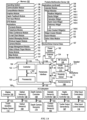
- the software components stored in memory 102 include operating system 126, communication module (or set of instructions) 128, contact/motion module (or set of instructions) 130, graphics module (or set of instructions) 132, text input module (or set of instructions) 134, Global Positioning System (GPS) module (or set of instructions) 135, and applications (or sets of instructions) 136.
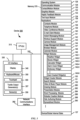
- memory 102 FIG. 1A or 370 ( FIG. 3 ) stores device/global internal state 157, as shown in FIGS. 1A and 3 .
- Device/global internal state 157 includes one or more of: active application state, indicating which applications, if any, are currently active; display state, indicating what applications, views or other information occupy various regions of touch screen display 112; sensor state, including information obtained from the device's various sensors and input control devices 116; and location information concerning the device's location and/or attitude.
- Contact/motion module 130 optionally detects contact with touch screen 112 (in conjunction with display controller 156) and other touch-sensitive devices (e.g., a touchpad or physical click wheel).
- Contact/motion module 130 includes various software components for performing various operations related to detection of contact, such as determining if contact has occurred (e.g., detecting a finger-down event), determining an intensity of the contact (e.g., the force or pressure of the contact or a substitute for the force or pressure of the contact), determining if there is movement of the contact and tracking the movement across the touch-sensitive surface (e.g., detecting one or more finger-dragging events), and determining if the contact has ceased (e.g., detecting a finger-up event or a break in contact).
- Contact/motion module 130 receives contact data from the touch-sensitive surface. Determining movement of the point of contact, which is represented by a series of contact data, optionally includes determining speed (magnitude), velocity (magnitude and direction), and/or an acceleration (a change in magnitude and/or direction) of the point of contact. These operations are, optionally, applied to single contacts (e.g., one finger contacts) or to multiple simultaneous contacts (e.g., "multitouch"/multiple finger contacts). In some embodiments, contact/motion module 130 and display controller 156 detect contact on a touchpad.
- contact/motion module 130 uses a set of one or more intensity thresholds to determine whether an operation has been performed by a user (e.g., to determine whether a user has "clicked" on an icon).
- at least a subset of the intensity thresholds are determined in accordance with software parameters (e.g., the intensity thresholds are not determined by the activation thresholds of particular physical actuators and can be adjusted without changing the physical hardware of device 100). For example, a mouse "click" threshold of a trackpad or touch screen display can be set to any of a large range of predefined threshold values without changing the trackpad or touch screen display hardware.
- graphics module 132 stores data representing graphics to be used. Each graphic is, optionally, assigned a corresponding code. Graphics module 132 receives, from applications etc., one or more codes specifying graphics to be displayed along with, if necessary, coordinate data and other graphic property data, and then generates screen image data to output to display controller 156.
- Haptic feedback module 133 includes various software components for generating instructions used by tactile output generator(s) 167 to produce tactile outputs at one or more locations on device 100 in response to user interactions with device 100.
- Text input module 134 which is, optionally, a component of graphics module 132, provides soft keyboards for entering text in various applications (e.g., contacts 137, e-mail 140, IM 141, browser 147, and any other application that needs text input).
- applications e.g., contacts 137, e-mail 140, IM 141, browser 147, and any other application that needs text input).
- GPS module 135 determines the location of the device and provides this information for use in various applications (e.g., to telephone 138 for use in location-based dialing; to camera 143 as picture/video metadata; and to applications that provide location-based services such as weather widgets, local yellow page widgets, and map/navigation widgets).
- applications e.g., to telephone 138 for use in location-based dialing; to camera 143 as picture/video metadata; and to applications that provide location-based services such as weather widgets, local yellow page widgets, and map/navigation widgets).
- Applications 136 optionally include the following modules (or sets of instructions), or a subset or superset thereof:
- Examples of other applications 136 that are, optionally, stored in memory 102 include other word processing applications, other image editing applications, drawing applications, presentation applications, JAVA-enabled applications, encryption, digital rights management, voice recognition, and voice replication.
- contacts module 137 are, optionally, used to manage an address book or contact list (e.g., stored in application internal state 192 of contacts module 137 in memory 102 or memory 370), including: adding name(s) to the address book; deleting name(s) from the address book; associating telephone number(s), e-mail address(es), physical address(es) or other information with a name; associating an image with a name; categorizing and sorting names; providing telephone numbers or e-mail addresses to initiate and/or facilitate communications by telephone 138, video conference module 139, e-mail 140, or IM 141; and so forth.
- an address book or contact list e.g., stored in application internal state 192 of contacts module 137 in memory 102 or memory 370
- telephone module 138 are optionally, used to enter a sequence of characters corresponding to a telephone number, access one or more telephone numbers in contacts module 137, modify a telephone number that has been entered, dial a respective telephone number, conduct a conversation, and disconnect or hang up when the conversation is completed.
- the wireless communication optionally uses any of a plurality of communications standards, protocols, and technologies.
- video conference module 139 includes executable instructions to initiate, conduct, and terminate a video conference between a user and one or more other participants in accordance with user instructions.
- e-mail client module 140 includes executable instructions to create, send, receive, and manage e-mail in response to user instructions.
- e-mail client module 140 makes it very easy to create and send e-mails with still or video images taken with camera module 143.
- the instant messaging module 141 includes executable instructions to enter a sequence of characters corresponding to an instant message, to modify previously entered characters, to transmit a respective instant message (for example, using a Short Message Service (SMS) or Multimedia Message Service (MMS) protocol for telephony-based instant messages or using XMPP, SIMPLE, or IMPS for Internet-based instant messages), to receive instant messages, and to view received instant messages.
- SMS Short Message Service
- MMS Multimedia Message Service
- XMPP extensible Markup Language
- SIMPLE Session Initiation Protocol
- IMPS Internet Messaging Protocol
- transmitted and/or received instant messages optionally include graphics, photos, audio files, video files and/or other attachments as are supported in an MMS and/or an Enhanced Messaging Service (EMS).
- EMS Enhanced Messaging Service
- instant messaging refers to both telephony-based messages (e.g., messages sent using SMS or MMS) and Internet-based messages (e.g., messages sent using XMP
- workout support module 142 includes executable instructions to create workouts (e.g., with time, distance, and/or calorie burning goals); communicate with workout sensors (sports devices); receive workout sensor data; calibrate sensors used to monitor a workout; select and play music for a workout; and display, store, and transmit workout data.
- create workouts e.g., with time, distance, and/or calorie burning goals
- communicate with workout sensors sports devices
- receive workout sensor data calibrate sensors used to monitor a workout
- select and play music for a workout and display, store, and transmit workout data.
- camera module 143 includes executable instructions to capture still images or video (including a video stream) and store them into memory 102, modify characteristics of a still image or video, or delete a still image or video from memory 102.
- image management module 144 includes executable instructions to arrange, modify (e.g., edit), or otherwise manipulate, label, delete, present (e.g., in a digital slide show or album), and store still and/or video images.
- modify e.g., edit
- present e.g., in a digital slide show or album
- browser module 147 includes executable instructions to browse the Internet in accordance with user instructions, including searching, linking to, receiving, and displaying web pages or portions thereof, as well as attachments and other files linked to web pages.
- calendar module 148 includes executable instructions to create, display, modify, and store calendars and data associated with calendars (e.g., calendar entries, to-do lists, etc.) in accordance with user instructions.
- widget modules 149 are mini-applications that are, optionally, downloaded and used by a user (e.g., weather widget 149-1, stocks widget 149-2, calculator widget 149-3, alarm clock widget 149-4, and dictionary widget 149-5) or created by the user (e.g., user-created widget 149-6).
- a widget includes an HTML (Hypertext Markup Language) file, a CSS (Cascading Style Sheets) file, and a JavaScript file.
- a widget includes an XML (Extensible Markup Language) file and a JavaScript file (e.g., Yahoo! Widgets).
- the widget creator module 150 are, optionally, used by a user to create widgets (e.g., turning a user-specified portion of a web page into a widget).
- search module 151 includes executable instructions to search for text, music, sound, image, video, and/or other files in memory 102 that match one or more search criteria (e.g., one or more user-specified search terms) in accordance with user instructions.
- search criteria e.g., one or more user-specified search terms
- video and music player module 152 includes executable instructions that allow the user to download and play back recorded music and other sound files stored in one or more file formats, such as MP3 or AAC files, and executable instructions to display, present, or otherwise play back videos (e.g., on touch screen 112 or on an external, connected display via external port 124).
- device 100 optionally includes the functionality of an MP3 player, such as an iPod (trademark of Apple Inc.).
- the gesture optionally includes one or more taps, one or more swipes (from left to right, right to left, upward and/or downward), and/or a rolling of a finger (from right to left, left to right, upward and/or downward) that has made contact with device 100.
- inadvertent contact with a graphic does not select the graphic.
- a swipe gesture that sweeps over an application icon optionally does not select the corresponding application when the gesture corresponding to selection is a tap.
- Memory 518 of personal electronic device 500 can include one or more non-transitory computer-readable storage mediums, for storing computer-executable instructions, which, when executed by one or more computer processors 516, for example, can cause the computer processors to perform the techniques described below, including processes 700, 800, 1000, and 1200 ( FIGS. 7 , 8 , 10 , 12A , and 12B ).
- a computer-readable storage medium can be any medium that can tangibly contain or store computer-executable instructions for use by or in connection with the instruction execution system, apparatus, or device.
- the storage medium is a transitory computer-readable storage medium.
- the storage medium is a non-transitory computer-readable storage medium.
- the term "focus selector” refers to an input element that indicates a current part of a user interface with which a user is interacting.
- the cursor acts as a "focus selector” so that when an input (e.g., a press input) is detected on a touch-sensitive surface (e.g., touchpad 355 in FIG. 3 or touch-sensitive surface 451 in FIG. 4B ) while the cursor is over a particular user interface element (e.g., a button, window, slider, or other user interface element), the particular user interface element is adjusted in accordance with the detected input.
- a touch screen display e.g., touch-sensitive display system 112 in FIG.
- a detected contact on the touch screen acts as a "focus selector" so that when an input (e.g., a press input by the contact) is detected on the touch screen display at a location of a particular user interface element (e.g., a button, window, slider, or other user interface element), the particular user interface element is adjusted in accordance with the detected input.
- an input e.g., a press input by the contact
- a particular user interface element e.g., a button, window, slider, or other user interface element
- focus is moved from one region of a user interface to another region of the user interface without corresponding movement of a cursor or movement of a contact on a touch screen display (e.g., by using a tab key or arrow keys to move focus from one button to another button); in these implementations, the focus selector moves in accordance with movement of focus between different regions of the user interface.
- the focus selector is generally the user interface element (or contact on a touch screen display) that is controlled by the user so as to communicate the user's intended interaction with the user interface (e.g., by indicating, to the device, the element of the user interface with which the user is intending to interact).
- a focus selector e.g., a cursor, a contact, or a selection box
- a press input is detected on the touch-sensitive surface (e.g., a touchpad or touch screen) will indicate that the user is intending to activate the respective button (as opposed to other user interface elements shown on a display of the device).
- the term "characteristic intensity" of a contact refers to a characteristic of the contact based on one or more intensities of the contact.
- the characteristic intensity is based on multiple intensity samples.
- the characteristic intensity is, optionally, based on a predefined number of intensity samples, or a set of intensity samples collected during a predetermined time period (e.g., 0.05, 0.1, 0.2, 0.5, 1, 2, 5, 10 seconds) relative to a predefined event (e.g., after detecting the contact, prior to detecting liftoff of the contact, before or after detecting a start of movement of the contact, prior to detecting an end of the contact, before or after detecting an increase in intensity of the contact, and/or before or after detecting a decrease in intensity of the contact).
- a predefined time period e.g., 0.05, 0.1, 0.2, 0.5, 1, 2, 5, 10 seconds
- a characteristic intensity of a contact is, optionally, based on one or more of: a maximum value of the intensities of the contact, a mean value of the intensities of the contact, an average value of the intensities of the contact, a top 10 percentile value of the intensities of the contact, a value at the half maximum of the intensities of the contact, a value at the 90 percent maximum of the intensities of the contact, or the like.
- the duration of the contact is used in determining the characteristic intensity (e.g., when the characteristic intensity is an average of the intensity of the contact over time).
- the characteristic intensity is compared to a set of one or more intensity thresholds to determine whether an operation has been performed by a user.
- the set of one or more intensity thresholds optionally includes a first intensity threshold and a second intensity threshold.
- a contact with a characteristic intensity that does not exceed the first threshold results in a first operation
- a contact with a characteristic intensity that exceeds the first intensity threshold and does not exceed the second intensity threshold results in a second operation
- a contact with a characteristic intensity that exceeds the second threshold results in a third operation.
- a comparison between the characteristic intensity and one or more thresholds is used to determine whether or not to perform one or more operations (e.g., whether to perform a respective operation or forgo performing the respective operation), rather than being used to determine whether to perform a first operation or a second operation.
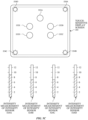
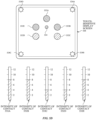
- FIG. 5C illustrates detecting a plurality of contacts 552A-552E on touch-sensitive display screen 504 with a plurality of intensity sensors 524A-524D.
- FIG. 5C additionally includes intensity diagrams that show the current intensity measurements of the intensity sensors 524A-524D relative to units of intensity.
- the intensity measurements of intensity sensors 524A and 524D are each 9 units of intensity
- the intensity measurements of intensity sensors 524B and 524C are each 7 units of intensity.
- an aggregate intensity is the sum of the intensity measurements of the plurality of intensity sensors 524A-524D, which in this example is 32 intensity units.
- each contact is assigned a respective intensity that is a portion of the aggregate intensity.
- each of contacts 552A, 552B, and 552E are assigned an intensity of contact of 8 intensity units of the aggregate intensity
- each of contacts 552C and 552D are assigned an intensity of contact of 4 intensity units of the aggregate intensity.
- Ij A ⁇ (Dj/ ⁇ Di)
- Dj is the distance of the respective contact j to the center of force
- the operations described with reference to FIGS. 5C-5D can be performed using an electronic device similar or identical to device 100, 300, or 500.
- a characteristic intensity of a contact is based on one or more intensities of the contact.
- the intensity sensors are used to determine a single characteristic intensity (e.g., a single characteristic intensity of a single contact). It should be noted that the intensity diagrams are not part of a displayed user interface, but are included in FIGS. 5C-5D to aid the reader.
- a portion of a gesture is identified for purposes of determining a characteristic intensity.
- a touch-sensitive surface optionally receives a continuous swipe contact transitioning from a start location and reaching an end location, at which point the intensity of the contact increases.
- the characteristic intensity of the contact at the end location is, optionally, based on only a portion of the continuous swipe contact, and not the entire swipe contact (e.g., only the portion of the swipe contact at the end location).
- a smoothing algorithm is, optionally, applied to the intensities of the swipe contact prior to determining the characteristic intensity of the contact.
- the smoothing algorithm optionally includes one or more of: an unweighted sliding-average smoothing algorithm, a triangular smoothing algorithm, a median filter smoothing algorithm, and/or an exponential smoothing algorithm.
- these smoothing algorithms eliminate narrow spikes or dips in the intensities of the swipe contact for purposes of determining a characteristic intensity.
- the intensity of a contact on the touch-sensitive surface is, optionally, characterized relative to one or more intensity thresholds, such as a contact-detection intensity threshold, a light press intensity threshold, a deep press intensity threshold, and/or one or more other intensity thresholds.
- the light press intensity threshold corresponds to an intensity at which the device will perform operations typically associated with clicking a button of a physical mouse or a trackpad.
- the deep press intensity threshold corresponds to an intensity at which the device will perform operations that are different from operations typically associated with clicking a button of a physical mouse or a trackpad.
- the device when a contact is detected with a characteristic intensity below the light press intensity threshold (e.g., and above a nominal contact-detection intensity threshold below which the contact is no longer detected), the device will move a focus selector in accordance with movement of the contact on the touch-sensitive surface without performing an operation associated with the light press intensity threshold or the deep press intensity threshold.
- a characteristic intensity below the light press intensity threshold e.g., and above a nominal contact-detection intensity threshold below which the contact is no longer detected
- these intensity thresholds are consistent between different sets of user interface figures.
- An increase of characteristic intensity of the contact from an intensity below the light press intensity threshold to an intensity between the light press intensity threshold and the deep press intensity threshold is sometimes referred to as a "light press” input.
- An increase of characteristic intensity of the contact from an intensity below the deep press intensity threshold to an intensity above the deep press intensity threshold is sometimes referred to as a "deep press” input.
- An increase of characteristic intensity of the contact from an intensity below the contact-detection intensity threshold to an intensity between the contact-detection intensity threshold and the light press intensity threshold is sometimes referred to as detecting the contact on the touch-surface.
- a decrease of characteristic intensity of the contact from an intensity above the contact-detection intensity threshold to an intensity below the contact-detection intensity threshold is sometimes referred to as detecting liftoff of the contact from the touch-surface.
- the contact-detection intensity threshold is zero. In some embodiments, the contact-detection intensity threshold is greater than zero.
- one or more operations are performed in response to detecting a gesture that includes a respective press input or in response to detecting the respective press input performed with a respective contact (or a plurality of contacts), where the respective press input is detected based at least in part on detecting an increase in intensity of the contact (or plurality of contacts) above a press-input intensity threshold.
- the respective operation is performed in response to detecting the increase in intensity of the respective contact above the press-input intensity threshold (e.g., a "down stroke" of the respective press input).
- the press input includes an increase in intensity of the respective contact above the press-input intensity threshold and a subsequent decrease in intensity of the contact below the press-input intensity threshold, and the respective operation is performed in response to detecting the subsequent decrease in intensity of the respective contact below the press-input threshold (e.g., an "up stroke" of the respective press input).
- FIGS. 5E-5H illustrate detection of a gesture that includes a press input that corresponds to an increase in intensity of a contact 562 from an intensity below a light press intensity threshold (e.g., "IT L ”) in FIG. 5E , to an intensity above a deep press intensity threshold (e.g., "IT D ”) in FIG. 5H .
- the gesture performed with contact 562 is detected on touch-sensitive surface 560 while cursor 576 is displayed over application icon 572B corresponding to App 2, on a displayed user interface 570 that includes application icons 572A-572D displayed in predefined region 574.
- the gesture is detected on touch-sensitive display 504.
- the intensity sensors detect the intensity of contacts on touch-sensitive surface 560.
- the device determines that the intensity of contact 562 peaked above the deep press intensity threshold (e.g., "IT D ").
- Contact 562 is maintained on touch-sensitive surface 560.
- reduced-scale representations 578A-578C e.g., thumbnails
- the intensity which is compared to the one or more intensity thresholds, is the characteristic intensity of a contact. It should be noted that the intensity diagram for contact 562 is not part of a displayed user interface, but is included in FIGS. 5E-5H to aid the reader.
- the display of representations 578A-578C includes an animation.
- representation 578A is initially displayed in proximity of application icon 572B, as shown in FIG. 5F .
- representation 578A moves upward and representation 578B is displayed in proximity of application icon 572B, as shown in FIG. 5G .
- representations 578A moves upward, 578B moves upward toward representation 578A, and representation 578C is displayed in proximity of application icon 572B, as shown in FIG. 5H .
- Representations 578A-578C form an array above icon 572B.
- the animation progresses in accordance with an intensity of contact 562, as shown in FIGS.
- the intensity, on which the progress of the animation is based is the characteristic intensity of the contact.
- the operations described with reference to FIGS. 5E-5H can be performed using an electronic device similar or identical to device 100, 300, or 500.
- the device employs intensity hysteresis to avoid accidental inputs sometimes termed "jitter," where the device defines or selects a hysteresis intensity threshold with a predefined relationship to the press-input intensity threshold (e.g., the hysteresis intensity threshold is X intensity units lower than the press-input intensity threshold or the hysteresis intensity threshold is 75%, 90%, or some reasonable proportion of the press-input intensity threshold).
- the hysteresis intensity threshold is X intensity units lower than the press-input intensity threshold or the hysteresis intensity threshold is 75%, 90%, or some reasonable proportion of the press-input intensity threshold.
- the press input includes an increase in intensity of the respective contact above the press-input intensity threshold and a subsequent decrease in intensity of the contact below the hysteresis intensity threshold that corresponds to the press-input intensity threshold, and the respective operation is performed in response to detecting the subsequent decrease in intensity of the respective contact below the hysteresis intensity threshold (e.g., an "up stroke" of the respective press input).
- the press input is detected only when the device detects an increase in intensity of the contact from an intensity at or below the hysteresis intensity threshold to an intensity at or above the press-input intensity threshold and, optionally, a subsequent decrease in intensity of the contact to an intensity at or below the hysteresis intensity, and the respective operation is performed in response to detecting the press input (e.g., the increase in intensity of the contact or the decrease in intensity of the contact, depending on the circumstances).
- the descriptions of operations performed in response to a press input associated with a press-input intensity threshold or in response to a gesture including the press input are, optionally, triggered in response to detecting either: an increase in intensity of a contact above the press-input intensity threshold, an increase in intensity of a contact from an intensity below the hysteresis intensity threshold to an intensity above the press-input intensity threshold, a decrease in intensity of the contact below the press-input intensity threshold, and/or a decrease in intensity of the contact below the hysteresis intensity threshold corresponding to the press-input intensity threshold.
- the operation is, optionally, performed in response to detecting a decrease in intensity of the contact below a hysteresis intensity threshold corresponding to, and lower than, the press-input intensity threshold.
- FIG. 5I illustrates exemplary electronic device 580.
- Device 580 includes body 580A.
- device 580 can include some or all of the features described with respect to devices 100, 300, and 500 (e.g., FIGS. 1A-5B ).
- device 580 has one or more speakers 580B (concealed in body 580A), one or more microphones 580C, one or more touch-sensitive surfaces 580D, and one or more displays 580E.
- the device has a touch-sensitive display (also referred to as a touchscreen).
- touch-sensitive surface 580D (or the touch screen) optionally includes one or more intensity sensors for detecting intensity of contacts (e.g., touches) being applied.
- the one or more intensity sensors of touch-sensitive surface 580D (or the touchscreen) can provide output data that represents the intensity of touches.
- the user interface of device 580 can respond to touches based on their intensity, meaning that touches of different intensities can invoke different user interface operations on device 580.
- the one or more displays 580E are one or more light-emitting diodes (LEDs).
- a display can be a single LED, an LED cluster (e.g., a red, a green, and a blue LED), a plurality of discrete LEDs, a plurality of discrete LED clusters, or other arrangement of one or more LEDs.
- the display 580E can be an array of nine discrete LED clusters arranged in a circular shape (e.g., a ring).
- the one or more displays are comprised of one or more of another type of light-emitting elements.
- FIG. 5J depicts exemplary personal electronic device 580.
- device 580 can include some or all of the components described with respect to FIGS. 1A , 1B , 3 , and 5A-5B .
- Device 580 has bus 592 that operatively couples I/O section 594 with one or more computer processors 596 and memory 598.
- I/O section 594 can be connected to display 582, which can have touch-sensitive component 584 and, optionally, intensity sensor 585 (e.g., contact intensity sensor).
- touch-sensitive component 584 is a separate component than display 582.
- I/O section 594 can be connected with communication unit 590 for receiving application and operating system data, using Wi-Fi, Bluetooth, near field communication (NFC), cellular, and/or other wireless communication techniques.
- Device 580 can include input mechanisms 588.
- Input mechanism 588 is, optionally, a button, in some examples.
- Input mechanism 588 is, optionally, a microphone, in some examples.
- Input mechanism 588 is, optionally, a plurality of microphones (e.g., a microphone array).
- Electronic device 580 includes speaker 586 for outputting audio.
- Device 580 can include audio circuitry (e.g., in I/O section 594) that receives audio data, converts the audio data to an electrical signal, and transmits the electrical signal to speaker 586.
- Speaker 586 converts the electrical signal to human-audible sound waves.
- the audio circuitry e.g., in I/O section 594) also receives electrical signals converted by a microphone (e.g., input mechanism 588) from sound waves.
- the audio circuitry (e.g., in I/O section 594) converts the electrical signal to audio data. Audio data is, optionally, retrieved from and/or transmitted to memory 598 and/or RF circuitry (e.g., in communication unit 590) by I/O section 594.
- Memory 598 of personal electronic device 580 can include one or more non-transitory computer-readable storage mediums, for storing computer-executable instructions, which, when executed by one or more computer processors 596, for example, can cause the computer processors to perform the techniques described below, including processes 700, 800, 1000, and 1200 ( FIGS. 7 , 8 , 10 , and 12 ).
- a computer-readable storage medium can be any medium that can tangibly contain or store computer-executable instructions for use by or in connection with the instruction execution system, apparatus, or device.
- the storage medium is a transitory computer-readable storage medium.
- the storage medium is a non-transitory computer-readable storage medium.
- the non-transitory computer-readable storage medium can include, but is not limited to, magnetic, optical, and/or semiconductor storages. Examples of such storage include magnetic disks, optical discs based on CD, DVD, or Blu-ray technologies, as well as persistent solid-state memory such as flash, solid-state drives, and the like.
- Personal electronic device 580 is not limited to the components and configuration of FIG. 5J , but can include other or additional components in multiple configurations.
- UI user interfaces
- portable multifunction device 100 such as portable multifunction device 100, device 300, device 500, or device 580.
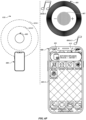
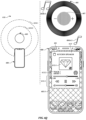
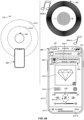
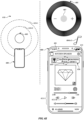
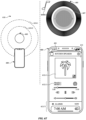
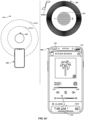
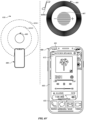
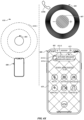
- FIGS. 6A-6X illustrate exemplary user interfaces for managing media playback devices, in accordance with some embodiments.
- the user interfaces in these figures are used to illustrate the processes described below, including the processes in FIGS. 7 and 8 .
- FIGS. 6A-6X illustrate various embodiments depicting a position, location, and/or movement of device 600 relative to device 605, and responses at devices 600 and 605 based on the relative position/location/movement and various states of devices 600 and 605.
- the relative position/location/movement of the devices is depicted in diagram 610, which shows outer threshold distance 610-1 (also referred to herein as outer threshold 610-1) from device 605 and inner threshold distance 610-2 (also referred to herein as inner threshold 610-2) from device 605.
- outer threshold distance 610-1 also referred to herein as outer threshold 610-1
- inner threshold distance 610-2 also referred to herein as inner threshold 610-2
- edge portion 600-1 which generally corresponds to the top corner(s) of device 600.
- device 600 includes one or more features of device 100, device 300, and/or device 500, and device 605 includes one or more features of device 580.
- device 600 includes display 601, and device 605 includes touch-sensitive surface 605-1 (similar to touch-sensitive surface 580D), one or more displays 605-2 (similar to display 580E), and one or more speakers 605-3 (similar to speakers 580B concealed in body 580A).
- display 605-2 is generally distinguished from touch-sensitive surface 605-1 by the depiction of light (e.g., light 607).
- reference number 605-2 should be understood to refer generally to the display component of device 605.
- the different colors of light 607 are represented by different hatch patterns, and the brightness of light 607 is represented by the shade of light 607 depicted in the figures. For example, darker shades of light 607 can represent brighter display of light, and lighter shades of light 607 can represent dimmer display of light.
- volume 6A-6X the volume ranges from 1 to 5, with 1 being the lowest output volume, and 5 being the highest output volume.
- a volume of 5 represents the current volume setting of the respective device
- volumes 1-4 represent volumes less than the current volume setting.
- the volumes are also indicated by a numeric value appended to the reference numbers in the figures.
- reference number 602A-5 indicates the first song is being played at device 600 at volume 5 (e.g., full volume)
- reference number 602A-1 indicates the first song is being played at device 600 at volume 1. Similar nomenclature is used in other instances where appropriate.
- no indicator e.g., 602A, 602B, 604A, 604B
- no audio is being output at the respective device.
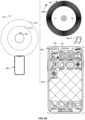
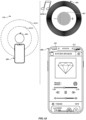
- FIGS. 6A-6C depict an embodiment in which device 600 is playing audio while device 605 is not, and device 600 displays an interface for manually transferring audio playback from device 600 to device 605 (e.g., without automatically transferring the audio for playback at device 605) in response to entering outer threshold 610-1 and detecting touch inputs on display 601.
- the audio at devices 600 and 605 is music.
- the audio can be other types of audio such as, for example, communication audio (e.g., audio from a phone call, a video communication session, a recording, etc.) or audio from other types of media playback (e.g., audio from a video game, movie).
- diagram 610 indicates that device 600 is positioned facing device 605 (device 600 is pointed toward device 605) and located outside outer threshold 610-1.
- Device 600 is currently playing the first song (e.g., via one or more speakers of device 600) at full volume, as indicated by indicator 602A-5, and is displaying home interface 603 on display 601.
- Device 605 is currently not outputting any audio or displaying any lights.
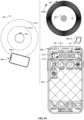
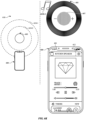
- diagram 610 indicates that device 600 has moved toward device 605, and is now positioned at outer threshold 610-1.
- device 600 and device 605 begin to generate feedback to indicate that the song playing at device 600 can be transferred (e.g., handed off) for playback at device 605.
- Device 600 provides tactile feedback by generating a slight tactile output 606, and generates visual feedback by displaying pill interface object 615 and beginning to blur 603-1 home interface 603 (the slight blurring is represented by large diamond hatching noted with reference 603-1).
- Device 600 also generates an audio feedback by reducing the volume of the first song, as depicted by indicator 602A-4.
- Pill interface object 615 (also referred to herein as pill 615) includes text 615-1 that identifies device 605 (identified in this example as "Kitchen Speaker”) and provides instructions to a user of device 600 to move device 600 closer to device 605 or to tap pill 615 to display controls for device 605.
- Pill 615 also includes representation 615-2 of device 605 and representation 615-3 of the first song (e.g., album art) that is being played at device 600, which is the song that, in this example, is capable of being transferred to device 605.
- the first song e.g., album art
- Device 605 generates visual feedback by displaying light 607 (e.g., via display 605-2) and generates audio feedback by beginning to play the first song as depicted by indicator 602B-1.
- the output of the first song at device 605 is at a low volume and is in sync with playback of the first song at device 600, so that both device 600 and device 605 are playing the first song simultaneously, but at different volumes.
- the audio feedback at device 605 is generated such that the first song, as outputted by device 605, has one or more audio characteristics (e.g., pitch, tone, frequency range) that approximate audio output by the audio hardware output of device 600.
- the first song can be played at device 605 with audio characteristics that sound tinnier (e.g., having less bass, having a higher pitched frequency range) than the normal audio characteristics with which device 605 would playback the first song after transfer is complete (e.g., as described with respect to FIG. 6H ) that mimics the quality of the audio generated at device 600.
- the audio at device 605 blossoms to a fuller, richer sound (e.g., having more base, having a wider range of frequencies) when the first song is transferred for playback at device 605.
- device 605 initially pulses light 607 to a bright state with a large size when device 600 reaches outer threshold 610-1, and then slightly dims and shrinks the size of the light to the state depicted in FIG. 6B .
- device 605 displays light 607 having a particular color, depending on the type of audio that is being prepared for transfer to device 605. For example, if the audio is communication audio, the light is green, or if the audio is music, the light is white. In some embodiments, when the audio begins to play at device 605, light 607 changes to a color that corresponds to the first song.
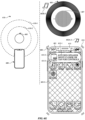
- FIG. 6D is similar to FIG. 6B , where device 600 is shown at outer threshold 610-1, the visual, tactile, and audio feedback discussed above is generated at device 600 (including the display of pill 615), and the visual and audio feedback discussed above is generated at device 605.
- device 600 varies the tactile feedback by generating stronger tactile output 613.
- the tactile feedback varies based on the distance between device 600 and device 605. For example, as device 600 gets closer to device 605, the tactile outputs get stronger, and as device 600 moves away from device 605, the tactile outputs get weaker.
- the tactile feedback varies based on the velocity and/or direction of movement of device 600 toward device 605. For example, if device 600 moves toward or away from device 605 slowly, the tactile feedback can include a series of disbursed, and optionally slight, tactile outputs as device 600 moves toward or away from device 605.
- the tactile feedback can include a series of rapid, and optionally stronger, tactile outputs as device 600 moves toward or away from device 605.
- the tactile feedback can include a series of tactile outputs that increase in frequency and, optionally, strength as device 600 moves toward device 605.
- the tactile output has characteristics that mimic the first song. For example, the tactile output has a pattern and, optionally, different magnitudes that imitate the beat of the first song.
- the foregoing tactile, audio, and visual feedback actions individually, and collectively, provide feedback to the user indicating that playback of the first song will transfer from device 600, thereby encouraging the user to continue moving device 600 toward device 605 in order to transfer playback of the first song from device 600 to device 605.
- device 600 does not generate a tactile feedback depending on the context of device 600. For example, as shown in FIG. 6F , device 600 does not generate a tactile output because device 600 is not facing device 605. Device 600 may not generate a tactile output in other instances such as when device 600 is charging or stationary.
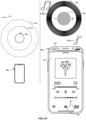
- device 600 is again facing device 605 and is now located at inner threshold 610-2, as depicted in diagram 610.
- the feedback at device 600 and device 605 continues to vary (e.g., while device 600 is between outer threshold 610-1 and inner threshold 610-2) until device 600 reaches inner threshold 610-2, at which point, device 600 transfers playback of the first song to device 605 and devices 600 and 605 stop varying their respective feedback.
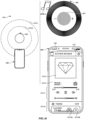
- device 600 displays controls interface in a transitory state (represented by reference number 612') as it fully expands from pill 615 in FIG. 6G to controls interface 612 in FIG. 6I .
- Controls interface 612' includes playback controls 612-1, status 612-2, and album art 612-5 for the song playing at device 605.
- status 612-2 and album art 612-5 indicate that the first song "Track 1, Artist 1" is now being played at device 605, and controls 612-1 include playback controls for controlling playback of the first song at device 605.
- device 600 also generates tactile output 616 as pill 615 expands, as shown in FIGS. 6G and 6H .
- controls interface 612 is further expanded to include timer controls 612-6, which can be selected to control the function of timers at device 605.
- timer controls 612-6 can be selected to control the function of timers at device 605.
- pause control 612-6a can be selected to pause a timer (e.g., "Laundry" timer) that is operating at device 605, and stop control 612-6b can be selected to stop the timer.
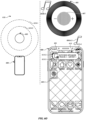
- device 605 generates visual feedback by increasing the size, brightness, and purple hue of lights 607, and generates audio feedback by increasing the volume of the first song, as depicted by indicator 602B-3.
- device 605 pulses light 607 when the audio is transferred to device 605 for playback.
- light 607 is shown pulsing to have increased brightness, size, and purple hue during the media transfer.
- the pulse of light 607 is depicted in FIG. 6H (and similar figures) by outer portion 607-1 of light 607 and inner portion 607-2 of light 607, which represent a temporary increase in the size and, optionally, brightness of light 607.
- the increased size is depicted by the larger displayed region of light 607.
- the increased brightness is depicted by the darker shading of inner portion 607-2.
- Outer portion 607-1 has the same shade as light 607 in FIG. 6G
- inner portion 607-2 is depicted with a darker shade than outer portion 607-1, indicating that the inner portion of light 607 is brighter than outer portion 607-1 (and light 607 in FIG. 6G ).
- device 605 blinks light 607 in addition to, or in lieu of, the pulsing light 607.
- FIG. 6I light 607 is shown after the pulse and having a normal play state while device 605 plays the first song.
- device 600 decreases the volume of the first song, and device 605 increases the volume of the first song.
- device 600 transfers playback of the first song to device 605.
- device 600 continues to decrease the volume of the first song, while device 605 continues to increase the volume of the first song, as depicted by indicator 602A-2 and indicator 602B-3, respectively.
- the audio at device 605 changes from the tinny sound to a full, rich audio sound.
- FIGS. 6G-6I When playback of the first song is transferred to device 605, as shown in FIG. 6I , device 600 is no longer playing the first song, and device 605 is playing the first song at full volume, as depicted by indicator 602B-5.
- device 600 and device 605 no longer vary feedback based on movement of device 600 relative to device 605 after the audio has been transferred to device 605.
- device 600 is moved beyond outer threshold 610-1, as depicted in FIG. 6M .
- device 600 is moved closer to device 605, as depicted in diagram 610.
- Device 600 continues to display controls interface 612 without generating any feedback based on the movement of device 600.
- device 605 continues to play the first song without generating any feedback based on the movement of device 600.
- device 605 animates light 607 with the playback of the first song, but this animation of light 607 is not based on the movement of device 600.
- device 600 is moved away from device 605, as depicted in diagram 610.
- Device is positioned between outer threshold 610-1 and inner threshold 610-2.
- Device continues to display controls interface 612 without generating any feedback based on the movement of device 600.
- Device 605 continues to play the first song without generating any feedback based on the movement of device 600.
- device 600 is moved away from device 605, as depicted in diagram 610.
- Device 600 is positioned outside of outer threshold 610-1.
- Device 600 continues to display controls interface 612 without generating any feedback based on the movement of device 600.
- Device 605 continues to play the first song without generating any feedback based on the movement of device 600.
- a threshold distance of device 605 e.g., inner threshold 610-2 or outer threshold 610-1
- device 600 is moved toward device 605 and is now located at outer threshold 610-1, as depicted in diagram 610.
- device 600 and device 605 In response to detecting device 600 re-entering outer threshold 610-1, device 600 and device 605 begin to vary feedback based on the movement of device 600 relative to device 605 and based on the respective states of devices 600 and 605.
- device 605 is currently playing the first song, and device 600 is not.
- device 600 and device 605 begin to generate feedback to indicate to the user of device 600 that continued movement of device 600 toward device 605, will cause the audio to transfer from device 605 to device 600.
- device 600 generates audio feedback by playing the first song at a low volume, as depicted by indicator 602A-1
- device 605 generates audio feedback by decreasing the volume of the first song, as depicted by indicator 602B-4.
- device 600 generates visual feedback by displaying transfer affordance 620.
- Transfer affordance 620 is similar to transfer affordance 614, and can be selected to immediately transfer playback of the first song from device 605 to device 600.
- transfer affordance includes a representation 620-1 of the song to be transferred to device 600, text 620-2 identifying the song to be transferred, and text 620-3 indicating that the song is to be transferred to device 600.
- device 605 generates visual feedback by dimming, shrinking, and, optionally, reducing a purple hue of light 607.
- device 605 in response to an input on transfer affordance 620, pulses light 607 and, after the audio is transferred to device 600, fades light 607 to an "off" setting.
- FIGS. 6N-6W depict an embodiment in which both device 600 and device 605 are simultaneously playing different songs.
- device 605 is playing the first song, as depicted by indicator 602B-5 and light 607, and device 600 is beyond outer threshold 610 and playing a second song, as depicted by indicator 604A-5 and music interface 625, which is an interface for controlling playback of music at device 600.
- Device 600 detects input 624 (e.g., a swipe gesture) and, in response, dismisses music interface 625 to display home interface 603.
- device moves to outer threshold 610-1, as depicted by diagram 610.
- device 600 begins to blur 603-1 home interface 603 and displays pill 615 having a small size.
- pill 615 includes text 615-4 indicating that the device 605 ("Kitchen Speaker") is currently playing the first song.
- Pill 615 also includes representation 615-2 and representation 615-3.
- Device 605 continues to play the first song, with no variation in feedback based on movement of device 600.
- device 600 moves closer to device 605 (without crossing inner threshold 610-2) and, in response, increases the blur 603-2 of home interface 603, increases the size of pill 615 (including representations 615-2 and 615-3), and moves representation 615-3 toward representation 615-2.
- Device 600 continues to play the second song, as depicted by indicator 604A-5.
- Device 605 continues to play the first song, as depicted by indicator 602B-5 and light 607.
- Controls interface 612' includes playback controls 612-1 for device 605, status 612-2 indicating that device 605 is playing the first song, and album art 612-5 representing the first song.
- Device 605 continues to play the first song, as depicted by indicator 602B-5 and light 607.
- device 600 or device 605 adds the first song being played at device 605 to a queue for playback at device 600, in response to detecting device 600 at inner threshold 610-2.
- Controls interface 612 includes playback controls 612-1, status 612-2, and alarm controls 612-7.
- Alarm controls 612-7 are selectable controls for controlling the function of one or more alarms at device 605. For example, new control 612-7a can be selected to start a new alarm at device 605.
- controls interface 612 also includes transfer affordance 626. Transfer affordance 626 is similar to transfer affordance 614 and can be selected to immediately transfer playback of the second song from device 600 to device 605. As shown in FIG.
- transfer affordance 626 includes a representation 626-1 of the song to be transferred to device 605, text 626-2 identifying the song to be transferred, and text 626-3 indicating that the song is to be transferred from device 600.
- device 605 stops playing the first song, and begins playing the second song.
- device 600 detects input 628 on pause control option 612-1a and, in response, pauses the first song being played at device 605, as shown in FIG. 6S .
- the first song is paused at device 605.
- device 600 displays controls interface 612 with playback controls 612-1 having a play affordance 612-1b, and device 605 changes light 607 to a dim, small, and white light to indicate the paused state.
- Device 600 detects input 630 on transfer affordance 626 and, in response, transfers playback of the second song from device 600 to device 605, as depicted in FIG. 6T .
- device 600 depicts controls interface 612 updated to indicate that device 605 is now playing the second song. Accordingly, controls interface 612 no longer includes transfer affordance 626, and status 612-2 and album art 612-5 have been updated to represent the second song, which is now playing at device 605.
- Device 605 is now playing the second song, as depicted by indicator 604B-5, and light 607 which, as shown in FIG. 6T , is pulsing to a bright, large, white state during the transfer, before shrinking and changing to a blue color that corresponds to the album art of the second song, as shown in FIG. 6U .
- device 600 detects input 632 (e.g., a touch-and-drag gesture) and, in response, dismisses controls interface 612, shrinking it back to the pill state, as shown in FIG. 6W .
- Device 605 continues to play the second song, as depicted by indicator 604B-5 and light 607.
- pill 615 is shown with information that corresponds to the second song, including a representation of the second music and text indicating device 605 is playing the second song (Track 2 - Artist 2).
- FIG. 6X depicts an embodiment in which device 605 is outputting communication audio for a phone call, as depicted by indicator 634B, and displaying light 607 having a green color to indicate that the type of audio playing at device 605 is communication audio.
- the audio for the phone call was transferred from device 600 to device 605 in a manner similar to that discussed above with respect to the transfer of music.
- Device 600 and device 605 also vary feedback based on the distance of device 600 from device 605, as discussed above. For example, in FIG.
- Pill 6X device 600 is at outer threshold 610-1 and displays pill 615 having information for the phone call, while phone interface 635 is slightly blurred. Pill 615 includes text 615-5 indicating that a phone call is being played at device 605 ("Kitchen Speaker"). Pill 615 also includes representation 615-2 of device 605, and representation 615-6 of phone call audio.
- FIG. 7 is a flow diagram illustrating a method for managing media playback devices using an electronic device in accordance with some embodiments.
- Method 700 is performed at a device (e.g., 100, 300, 500, 600) that is in communication with a first external device (e.g., 605).
- a device e.g., 100, 300, 500, 600
- a first external device e.g., 605
- Some operations in method 700 are, optionally, combined, the orders of some operations are, optionally, changed, and some operations are, optionally, omitted.
- the electronic device is a computer system (e.g., a smartphone, a smartwatch; a smart speaker; a media playback device (e.g., a digital media player)) that is in communication with a first external device (e.g., 605) (e.g., a smart speaker; a media playback device (e.g., a digital media player); a smartphone; a smartwatch).
- the computer system is optionally in communication (e.g., wired communication, wireless communication) with a display generation component (e.g., 601).
- the display generation component is configured to provide visual output, such as display via a CRT display, display via an LED display, or display via image projection.
- the display generation component is integrated with the computer system. In some embodiments, the display generation component is separate from the computer system.
- the computer system can transmit, via a wired or wireless connection, data (e.g., image data or video data) to an integrated or external display generation component to visually produce the content (e.g., using a display device).
- method 700 provides an intuitive way for managing media playback devices.
- the method reduces the cognitive burden on a user for managing media playback devices, thereby creating a more efficient human-machine interface.
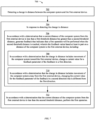
- the computer system detects (702) a change in distance between the computer system and the first external device (e.g., 605).
- the change in distance is detected based on a change in signal strength (e.g., wireless signal strength) exchanged between the system and the first external device.
- the change in distance is detected via one or more sensors (e.g., infrared sensors; optical sensors).
- the change in distance is detected via data transmitted to the system from a Wi-Fi positioning system, from GPS, and/or from the first external device.
- the computer system In response (704) to detecting the change in distance, the computer system (e.g., 600) performs steps 706-712 of method 700.
- a current distance of the computer system e.g., 600
- the first external device e.g., 605
- a first threshold distance e.g., 610-1
- a predetermined threshold distance e.g., 15 cm (6 inches), 30 cm (12 inches), 45 cm (18 inches)
- an outer threshold distance from the first external device but greater than a second threshold distance (e.g., 610-2)
- a predetermined threshold distance that is less than the first threshold distance (e.g., 10 cm (4 inches), 20 cm (8 inches), 30 cm (12 inches)
- an inner threshold distance from the first external device the computer system generates (706) (e.g., outputs; initiates; initiates a process to generate) feedback (e.g., at the computer system and/or at the first external device) (in some embodiments, without performing the first operation) that indicates that a first operation (e.g., transmitting data
- the feedback varies (e.g., generating the feedback includes varying the feedback) based at least in part on a distance of the computer system to the first external device (e.g., based on distance of the computer system to the first external device, and a direction of movement of the computer system relative to the first external device).
- Generating feedback that varies based at least in part on a distance of the computer system to the first external device and indicates that a first operation will be performed when the second threshold distance is reached provides instruction to a user of the computer system for action needed to cause the computer system to perform the first operation without requiring additional inputs from the user (e.g., input at a touchscreen) and provides feedback to the user indicating that continued movement toward the first external device will cause the computer system to perform the first operation.
- Providing instruction for causing the computer system to perform an operation without requiring additional inputs and providing improved feedback reduces the number of inputs at the computer system, enhances the operability of the computer system, and makes the user-system interface more efficient (e.g., by helping the user to provide proper inputs and reducing user mistakes when operating/interacting with the computer system) which, additionally, reduces power usage and improves battery life of the computer system by enabling the user to use the system more quickly and efficiently.
- Generating the feedback includes, in accordance with a determination that the change in distance includes movement of the computer system (e.g., 600) toward the first external device (e.g., 605) (e.g., the change in distance includes a decrease in the distance between the computer system and the first external device (in some embodiments, while remaining between the first threshold distance and the second threshold distance (e.g., the computer system is located at a first distance from the first external device, between the first threshold distance and the second threshold distance))), the computer system changes (708) a current value for a feedback parameter of the feedback in a first direction (e.g., in a first manner (e.g., increasing; decreasing)) (e.g., increasing an audio volume (e.g., at the first external device); decreasing an audio volume (e.g., at the computer system), increasing a tactile output frequency, increasing a tactile output amplitude, increasing a size of a user interface element, and/or increasing a brightness of a user interface element).
- Generating the feedback includes, in accordance with a determination that the change in distance includes movement of the computer system (e.g., 600) away from the first external device (e.g., 605) (e.g., the change in distance includes an increase in the distance between the computer system and the first external device (in some embodiments, while remaining between the first threshold distance and the second threshold distance (e.g., the computer system is located at a second distance from the first external device, between the first threshold distance and the second threshold distance and greater than the first distance from the first external device))), the computer system changes (710) the current value for the feedback parameter of the feedback in a second direction that is different from the first direction (e.g., in a second manner (e.g., decreasing; increasing)) (e.g., decreasing an audio volume (e.g., at the first external device); increasing an audio volume (e.g., at the computer system), decreasing a tactile output frequency, decreasing a tactile output amplitude, decreasing a size of a user interface element, and/or decreasing
- the computer system in accordance with a determination that the current distance of the computer system from the first external device is greater than the first threshold distance (e.g., 610-1) and the second threshold distance (e.g., 610-2), the computer system forgoes generating feedback (e.g., at the computer system; at the first external device) and forgoes performing the first operation.
- the first threshold distance e.g., 610-1
- the second threshold distance e.g., 610-2
- the first visual feedback includes displaying a user interface object (e.g., 615) (e.g., an affordance) that includes an indication (e.g., 615-2) of the first external device (e.g., 605) and, optionally, status information (e.g., 615-1) for the first external device.
- a user interface object e.g., 615
- an indication e.g., 615-2
- status information e.g., 615-1
- the visual feedback is optionally gradually modified or generated and is based, for example, on movement of the computer system toward or away from the first external device.
- the visual feedback gradually increases (e.g., a degree of blur gradually increases, the size of a user interface object gradually increases, a user interface object gradually moves toward another user interface object), and as the computer system moves away from the first external device, the visual feedback gradually decreases (e.g., a degree of blur gradually decreases, the size of a user interface object gradually decreases, a user interface object gradually moves away from another user interface object).
- the visual feedback gradually increases (e.g., a degree of blur gradually increases, the size of a user interface object gradually increases, a user interface object gradually moves toward another user interface object)
- the visual feedback gradually decreases (e.g., a degree of blur gradually decreases, the size of a user interface object gradually decreases, a user interface object gradually moves away from another user interface object).
- Displaying a first visual feedback provides instruction to a user of the computer system for action needed to cause the computer system to perform the first operation without requiring additional inputs from the user (e.g., input at a touchscreen) and provides feedback to the user indicating that continued movement toward the first external device will cause the computer system to perform the first operation.
- Providing instruction for causing the computer system to perform an operation without requiring additional inputs and providing improved feedback reduces the number of inputs at the computer system, enhances the operability of the computer system, and makes the user-system interface more efficient (e.g., by helping the user to provide proper inputs and reducing user mistakes when operating/interacting with the computer system) which, additionally, reduces power usage and improves battery life of the computer system by enabling the user to use the system more quickly and efficiently.
- the computer system changes the current value for the feedback parameter of the feedback in the first direction, including increasing an amount (e.g., degree) of blur (e.g., 603-1; 603-2; 603-3) (e.g., decreasing resolution) of at least a portion of a user interface (e.g., 603) (e.g., increasing blurriness of a user interface and/or one or more objects displayed on the user interface).
- the feedback parameter is blurriness (e.g., resolution).
- changing the current value for the feedback parameter in the second direction includes decreasing the amount of blur (e.g., increasing resolution) of at least a portion of the user interface.
- increasing the amount of blur of at least a portion of a user interface includes increasing blurriness of a background user interface without changing a blurriness of a user interface object (e.g., the background increases in blurriness while the pill affordance remains unchanged (with respect to blurriness)).
- the computer system changes the current value for the feedback parameter of the feedback in the first direction, including increasing a size (e.g., expanding; enlarging) of a first user interface object (e.g., 615) (e.g., an affordance; representing a "pill" view of a media control user interface).
- the feedback parameter is size.
- changing the current value for the feedback parameter in the second direction includes decreasing the size of the first user interface object.
- the computer system detects a second change in distance.
- the computer system detects a second change in distance.
- the computer system In accordance with a determination that the current distance (e.g., the current distance after the second change in distance) of the computer system from the first external device (e.g., 605) is less than the first threshold distance (e.g., 610-1) but greater than the second threshold distance (e.g., 610-2): in accordance with a determination that the current distance is a second distance from the first external device (e.g., a distance depicted in diagram 610 of FIG. 6F ), wherein the second distance is less than the first distance, the computer system displays the first user interface object having the first state and a second size greater than the first size (e.g., see pill 615 in FIG.
- the current distance e.g., the current distance after the second change in distance
- the current distance is a third distance from the first external device (e.g., a distance depicted in diagram 610 of FIG. 6E ), wherein the third distance is less than the second distance, displaying the first user interface object having the first state and a third size greater than the second size (e.g., see pill 615 in FIG. 6E ) (e.g., increasing the user interface object from the first or second size to the third size, while maintaining the first state of the user interface object).
- a third distance from the first external device e.g., a distance depicted in diagram 610 of FIG. 6E
- the third distance is less than the second distance
- displaying the first user interface object having the first state and a third size greater than the second size e.g., see pill 615 in FIG. 6E
- Displaying the first user interface object having the first state with the first, second, or third sizes based on the current distance from the first external device provides instruction to a user of the computer system for action needed to cause the computer system to perform the first operation without requiring additional inputs from the user (e.g., input at a touchscreen) and provides feedback to the user indicating that continued movement toward the first external device will cause the computer system to perform the first operation.
- Providing instruction for causing the computer system to perform an operation without requiring additional inputs and providing improved feedback reduces the number of inputs at the computer system, enhances the operability of the computer system, and makes the user-system interface more efficient (e.g., by helping the user to provide proper inputs and reducing user mistakes when operating/interacting with the computer system) which, additionally, reduces power usage and improves battery life of the computer system by enabling the user to use the system more quickly and efficiently.
- the computer system displays the first user interface object (e.g., 615) transitioning (e.g., see controls interface 612' in FIG.
- first state e.g., pill 615
- second state e.g., controls interface 612 and 612'
- first state e.g., a state in which the first user interface object no longer has the "pill" view appearance; a state in which the first user interface object has a full-screen or card appearance; a state in which both first information and second information is displayed in the first user interface object; a state in which controls (e.g., 612-1) for the first external device are displayed in the first user interface object) (e.g., the first user interface object increases in size when transitioning to the second state).
- controls e.g., 612-1
- Displaying the first user interface object transitioning from the first state to the second state when the current distance is less than the second threshold distance provides feedback to a user of the computer system indicating that the movement toward the first external device has caused the computer system to perform the first operation.
- Providing improved feedback reduces the number of inputs at the computer system, enhances the operability of the computer system, and makes the user-system interface more efficient (e.g., by helping the user to provide proper inputs and reducing user mistakes when operating/interacting with the computer system) which, additionally, reduces power usage and improves battery life of the computer system by enabling the user to use the system more quickly and efficiently.
- the first user interface object (e.g., 615) progressively expands as the computer system (e.g., 600) is between the first (e.g., 610-1) and second (e.g., 610-2) threshold distances and moving towards the first external device (e.g., 605) (and, in some embodiments, progressively contracts as the computer system moves away from the first external device).
- the first user interface object transitions (e.g., "pops") to a card appearance (e.g., 612').
- the computer system changes the current value for the feedback parameter of the feedback in the first direction, including increasing a size (e.g., expanding; enlarging) of a representation (e.g., 615-2) (e.g., an image; an indication) of the first external device (e.g., 605).
- a size e.g., expanding; enlarging
- a representation e.g., 615-2
- the first external device e.g., 605
- Increasing a size of a representation of the first external device provides feedback to a user of the computer system that the first operation is associated with the first external device, provides instruction to the user for action needed to cause the computer system to perform the first operation without requiring additional inputs from the user (e.g., input at a touchscreen), and provides feedback to the user indicating that continued movement toward the first external device will cause the computer system to perform the first operation.
- the representation of the first external device is included in the first user interface object (e.g., 615) (e.g., the pill affordance).
- changing the current value for the feedback parameter in the second direction includes decreasing the size of the representation of the first external device.
- the computer system changes the current value for the feedback parameter of the feedback in the first direction, including displaying a representation (e.g., 615-3) (e.g., an image; an indication; text; album artwork; text identifying the media content) of media content moving toward a representation (e.g., 615-2) (e.g., an image; an indication) of the first external device (e.g., 605).
- a representation e.g., 615-3
- an image e.g., an indication; text; album artwork; text identifying the media content
- a representation e.g., 615-2
- the first external device e.g., 605
- Displaying a representation of media content moving toward a representation of the first external device provides feedback to a user of the computer system that the first operation is associated playing media at the first external device, provides instruction to the user for action needed to cause the computer system to perform the first operation without requiring additional inputs from the user (e.g., input at a touchscreen), and provides feedback to the user indicating that continued movement toward the first external device will cause the computer system to perform the first operation.
- the feedback parameter is a displayed position of the representation of the media content with respect to a representation of the first external device.
- changing the current value for the feedback parameter in the second direction includes displaying the representation of the media moving away from the representation of the first external device.
- the computer system (e.g., 600) generates feedback, including causing display of a second visual feedback (e.g., 607) at the first external device (e.g., 605).
- Causing display of a second visual feedback at the first external device provides feedback to a user of the computer system that the first operation is associated with the first external device, provides instruction to the user for action needed to cause the computer system to perform the first operation without requiring additional inputs from the user (e.g., input at a touchscreen), and provides feedback to the user indicating that continued movement toward the first external device will cause the computer system to perform the first operation.
- the second visual feedback includes displaying or modifying a graphical element (e.g., 605-2) at the first external device.
- the computer system changes the current value for the feedback parameter of the feedback in the first direction, including causing an increase in one or more of: a) a size of the first set of one or more graphical elements (e.g., a size of light 607) displayed at the first external device (e.g., 605) (e.g., causing an increasing number of light elements (e.g., 605-2) to activate (e.g., glow) at the first external device); and b) a brightness (e.g., increasing size and/or brightness) of the first set of one or more graphical elements displayed at the first external device (e.g., the glow of one or more light elements at the first external device gets brighter and/or larger as the computer system moves toward the first external device).
- a size of the first set of one or more graphical elements e.g., a size of light 607 displayed at the first external device (e.g., 605) (e.g., causing an increasing number of light elements (e.g., 605-2) to
- Causing an increase in at least one of a size or brightness of a first set of one or more graphical elements displayed at the first external device provides feedback to a user of the computer system that the first operation is associated with the first external device, provides instruction to the user for action needed to cause the computer system to perform the first operation without requiring additional inputs from the user (e.g., input at a touchscreen), and provides feedback to the user indicating that continued movement toward the first external device will cause the computer system to perform the first operation.
- the feedback parameter is a size and/or brightness of an active region of one or more light elements (e.g., LEDs) at the first external device.
- changing the current value for the feedback parameter in the second direction includes decreasing the size and/or brightness of the first set of one or more graphical elements at the first external device.
- the computer system changes the current value for the feedback parameter in the first direction, including causing a change in a set of one or more colors of a second set (e.g., the first set) of one or more graphical elements (e.g., light 607) displayed at the first external device (e.g., 605) (e.g., the glow of one or more light elements at the first external device changes colors as the computer system moves toward the first external device).
- the feedback parameter is a color of an active region of one or more light elements (e.g., LEDs) at the first external device.
- changing the current value for the feedback parameter in the first direction includes changing the set of one or more colors to a first set of one or more colors (e.g., colors that correspond to a media item (e.g., colors that match album art associated with a song)).
- changing the current value for the feedback parameter in the second direction includes changing the set of one or more colors to a second set of one or more colors different from the first set of one or more colors.
- the first operation is associated with a type of media (e.g., playback of music; playback of a communication media (e.g., a phone call)).
- the computer system e.g., 600
- the media is a second type (e.g., a phone call) different from the first type, causing the set of one or more colors to have a second set of one or more colors (e.g., green) different from the first set of one or more colors (e.g., see light 607 in FIG. 6X ).
- a second type e.g., a phone call
- Causing the set of one or more colors to have a first or second set of one or more colors depending on whether the media is a first or second type provides feedback to a user of the computer system that the first operation is associated with playback of a specific type of media at the first external device, provides instruction to the user for action needed to cause the computer system to perform the first operation without requiring additional inputs from the user (e.g., input at a touchscreen), and provides feedback to the user indicating that continued movement toward the first external device will cause the computer system to perform the first operation.
- the first operation is associated with playback of audio content (e.g., 602A; 602B; 604A; 604B).
- the computer system e.g., 600
- a visual characteristic e.g., pulse frequency, brightness, color
- an audio characteristic e.g., volume, frequency, beat
- Providing instruction for causing the computer system to perform an operation without requiring additional inputs and providing improved feedback reduces the number of inputs at the computer system, enhances the operability of the computer system, and makes the user-system interface more efficient (e.g., by helping the user to provide proper inputs and reducing user mistakes when operating/interacting with the computer system) which, additionally, reduces power usage and improves battery life of the computer system by enabling the user to use the system more quickly and efficiently.
- Generating a tactile output at the computer system provides feedback to a user of the computer system that the first operation is associated with the first external device, provides instruction to the user for action needed to cause the computer system to perform the first operation without requiring additional inputs from the user (e.g., input at a touchscreen), and provides feedback to the user indicating that continued movement toward the first external device will cause the computer system to perform the first operation.
- Providing instruction for causing the computer system to perform an operation without requiring additional inputs and providing improved feedback reduces the number of inputs at the computer system, enhances the operability of the computer system, and makes the user-system interface more efficient (e.g., by helping the user to provide proper inputs and reducing user mistakes when operating/interacting with the computer system) which, additionally, reduces power usage and improves battery life of the computer system by enabling the user to use the system more quickly and efficiently.
- the computer system changes the current value for the feedback parameter of the feedback in the first direction, including increasing at least one of a magnitude, frequency, and/or rate of repetition (e.g., increasing the magnitude and/or frequency of vibration) of the tactile output (e.g., 606; 613; 616).
- the computer system changes the current value for the feedback parameter of the feedback in the second direction, including decreasing at least one of the magnitude, frequency, and/or rate of repetition (e.g., decreasing the magnitude and/or frequency of vibration) of the tactile output.
- the feedback parameter is a magnitude, frequency, and/or rate of repetition of the tactile output.
- Increasing or decreasing at least one of a magnitude, frequency, and/or rate of repetition of the tactile output depending on whether the change in direction includes movement of the computer system toward or away from the first external device provides feedback to a user of the computer system that the first operation is associated with the first external device, provides instruction to the user for action needed to cause the computer system to perform the first operation without requiring additional inputs from the user (e.g., input at a touchscreen), and provides feedback to the user indicating that continued movement toward the first external device will cause the computer system to perform the first operation and the continued movement away from the first external device will cause the computer system not to perform the first operation.
- Providing instruction for causing the computer system to perform an operation without requiring additional inputs and providing improved feedback reduces the number of inputs at the computer system, enhances the operability of the computer system, and makes the user-system interface more efficient (e.g., by helping the user to provide proper inputs and reducing user mistakes when operating/interacting with the computer system) which, additionally, reduces power usage and improves battery life of the computer system by enabling the user to use the system more quickly and efficiently.
- the computer system changes a current value for the feedback parameter of the feedback in the first direction, including: in accordance with a determination that the movement of the computer system toward the first external device (e.g., 605) includes a first velocity of movement, the computer system changes the current value for the feedback parameter of the feedback in the first direction by a first amount (e.g., see tactile output 606 in FIG.
- Changing the current value for the feedback parameter of the feedback in the first direction by a first amount or a second amount depending on whether the movement of the computer system toward the first external device includes a first or second velocity of movement provides feedback to a user of the computer system that the first operation is associated with the first external device, provides instruction to the user for action needed to cause the computer system to perform the first operation without requiring additional inputs from the user (e.g., input at a touchscreen), encourages continued movement of the computer system toward the first external device by correlating the tactile output with the velocity of movement toward the first external device, and provides varying levels of feedback to the user indicating that continued movement toward the first external device will cause the computer system to perform the first operation.
- the first velocity of movement is greater than the second velocity of movement, and the first amount is greater than the second amount.
- the feedback parameter e.g., frequency, rate of repetition, and/or magnitude
- the feedback parameter of the tactile output is increased at a greater rate
- the feedback parameter of the tactile output is increased at a lesser rate
- the computer system changes a current value for the feedback parameter of the feedback in the first direction (e.g., or the second direction), including: in accordance with a determination that the movement of the computer system toward the first external device (e.g., 605) includes at least a first threshold amount of movement toward the first external device (e.g., or away from the first external device) (e.g., see diagram 610 in FIG. 6E or FIG.
- the computer system changes the current value for the feedback parameter of the feedback in the first direction (e.g., or second direction) based on the current distance of the computer system from the first external device (e.g., if the computer system is a first distance from the first external device, changing the current value for the feedback parameter of the feedback in the first direction by a first amount, and if the computer system is a second (different) distance from the first external device, changing the current value for the feedback parameter of the feedback in the first direction by a second amount different than the first amount).
- the computer system is a first distance from the first external device, changing the current value for the feedback parameter of the feedback in the first direction by a first amount, and if the computer system is a second (different) distance from the first external device, changing the current value for the feedback parameter of the feedback in the first direction by a second amount different than the first amount.
- the computer system changes a current value for the feedback parameter of the feedback in the first direction (e.g., or the second direction), including: in accordance with a determination that the movement of the computer system toward the first external device (e.g., or away from the first external device) does not include at least the first threshold amount of movement toward the first external device (in some embodiments, movement towards the first external device is detected, but the movement is below the first threshold amount), forgoing changing the current value for the feedback parameter of the feedback in the first direction (e.g., or second direction) based on the current distance of the computer system from the first external device.
- the first direction e.g., or the second direction
- Reducing the number of operations performed at the computer system reduces power usage, improves battery life, enhances the operability of the computer system, and makes the user-system interface more efficient (e.g., by helping the user to provide proper inputs and reducing user mistakes when operating/interacting with the computer system) which, additionally, reduces power usage and improves battery life of the computer system by enabling the user to use the system more quickly and efficiently.
- the first operation is associated with playback of an audio signal (e.g., 602A; 602B; 604A; 604B).
- the computer system e.g., 600
- the tactile output e.g., 606; 613; 616
- changing e.g., modulating
- a characteristic e.g., a tactile characteristic; frequency, rate of repetition, and/or magnitude of the tactile output
- an audio characteristic e.g., volume, frequency, beat
- Providing instruction for causing the computer system to perform an operation without requiring additional inputs and providing improved feedback reduces the number of inputs at the computer system, enhances the operability of the computer system, and makes the user-system interface more efficient (e.g., by helping the user to provide proper inputs and reducing user mistakes when operating/interacting with the computer system) which, additionally, reduces power usage and improves battery life of the computer system by enabling the user to use the system more quickly and efficiently.
- the computer system (e.g., 600) is in communication with an audio output device (e.g., 111) (e.g., an internal or external speaker).
- generating feedback includes generating, via the audio output device, a first audio feedback (e.g., 602A; 604A) (e.g., adjusting an audio output) at the computer system.
- Generating a first audio feedback at the computer system provides instruction to a user of the computer system for action needed to cause the computer system to perform the first operation without requiring additional inputs from the user (e.g., input at a touchscreen), and provides feedback to the user indicating that continued movement toward the first external device will cause the computer system to perform the first operation.
- Providing instruction for causing the computer system to perform an operation without requiring additional inputs and providing improved feedback reduces the number of inputs at the computer system, enhances the operability of the computer system, and makes the user-system interface more efficient (e.g., by helping the user to provide proper inputs and reducing user mistakes when operating/interacting with the computer system) which, additionally, reduces power usage and improves battery life of the computer system by enabling the user to use the system more quickly and efficiently.
- the computer system changes the current value for the feedback parameter of the feedback in the first direction, including decreasing an output volume of audio output (e.g., 602A; 604A) (e.g., currently output) at the computer system.
- Decreasing an output volume of audio output at the computer system provides feedback to a user of the computer system that the first operation is associated with playback of the audio, provides instruction to the user for action needed to cause the computer system to perform the first operation without requiring additional inputs from the user (e.g., input at a touchscreen), and provides feedback to the user indicating that continued movement toward the first external device will cause the computer system to perform the first operation.
- the feedback parameter is the output volume of audio being output at the computer system.
- changing the current value for the feedback parameter in the second direction includes increasing output volume of audio output at the computer system.
- the computer system when the computer system is currently outputting audio while the current distance of the computer system from the first external device is less than the first threshold distance but greater than the second threshold distance, the computer system decreases the output volume of the audio when the computer system moves toward the first external device and increases the output volume of the audio when the computer system moves away from the first external device.
- first audio feedback e.g., 602A; 604A
- second audio feedback e.g., 602B; 604B
- the first external device e.g., 605
- instruction(s) from the first external device in response to instruction(s) from the computer system.
- Generating a second audio feedback at the first external device while the first audio feedback is generated at the computer system provides feedback to a user of the computer system that the first operation is associated with the first external device, provides instruction to the user for action needed to cause the computer system to perform the first operation without requiring additional inputs from the user (e.g., input at a touchscreen), and provides feedback to the user indicating that continued movement toward the first external device will cause the computer system to perform the first operation.
- Providing instruction for causing the computer system to perform an operation without requiring additional inputs and providing improved feedback reduces the number of inputs at the computer system, enhances the operability of the computer system, and makes the user-system interface more efficient (e.g., by helping the user to provide proper inputs and reducing user mistakes when operating/interacting with the computer system) which, additionally, reduces power usage and improves battery life of the computer system by enabling the user to use the system more quickly and efficiently.
- an output volume of audio output (e.g., see 602B-3 in FIG. 6G ) (e.g., currently output) increases at the first external device (e.g., 605) (e.g., in response to instruction(s) from the first external device; in response to instruction(s) from the computer system).
- Increasing an output volume of audio output at the first external device while changing the current value for the feedback parameter of the feedback in the first direction provides feedback to a user of the computer system that the first operation is associated with playback of audio at the first external device, provides instruction to the user for action needed to cause the computer system to perform the first operation without requiring additional inputs from the user (e.g., input at a touchscreen), and provides feedback to the user indicating that continued movement toward the first external device will cause the computer system to perform the first operation.
- Providing instruction for causing the computer system to perform an operation without requiring additional inputs and providing improved feedback reduces the number of inputs at the computer system, enhances the operability of the computer system, and makes the user-system interface more efficient (e.g., by helping the user to provide proper inputs and reducing user mistakes when operating/interacting with the computer system) which, additionally, reduces power usage and improves battery life of the computer system by enabling the user to use the system more quickly and efficiently.
- the feedback parameter is the output volume of audio (e.g., 602B; 604B) being output at the first external device (e.g., 605).
- the computer system (e.g., 600) changing the current value for the feedback parameter in the second direction includes decreasing output volume of audio output at the first external device.
- the current distance of the computer system from the first external device transitions from a distance greater than the first threshold distance and the second threshold distance to a distance that is less than the first threshold distance but greater than the second threshold distance
- audio begins to play at the first external device (e.g., while continuing to play at the computer system).
- the output volume of the audio at the first external device is increased (e.g., while the output volume of the audio at the computer system decreases) when the computer system moves toward the first external device and is decreased (e.g., while the output volume of the audio at the computer system increases) when the computer system moves away from the first external device.
- the output volume of the audio at the first external device is decreased when the computer system moves toward the first external device and is increased when the computer system moves away from the first external device.
- audio begins to play at the computer system (e.g., while continuing to play at the first external device).
- the output volume of the audio (e.g., 602A; 604A) at the computer system is increased (e.g., while the output volume of the audio at the first external device decreases) when the computer system moves toward the first external device and is decreased (e.g., while the output volume of the audio at the first external device increases) when the computer system moves away from the first external device.
- an equalization setting of audio output (e.g., 602B; 604B) (e.g., currently output) is adjusted at the first external device (e.g., 605) (e.g., in response to instruction(s) from the first external device; in response to instruction(s) from the computer system).
- Adjusting an equalization setting of audio output at the first external device while changing the current value for the feedback parameter of the feedback in the first direction provides feedback to a user of the computer system that the first operation is associated with playback of audio output at the first external device, provides instruction to the user for action needed to cause the computer system to perform the first operation without requiring additional inputs from the user (e.g., input at a touchscreen), and provides feedback to the user indicating that continued movement toward the first external device will cause the computer system to perform the first operation.
- the feedback parameter is an equalization setting that affects audio properties that determine the fullness of the audio output at the first external device.
- changing the current value for the feedback parameter in the first direction includes adjusting the equalization setting in a first manner such that the audio output at the first external device increases in fullness.
- changing the current value for the feedback parameter in the second direction includes adjusting the equalization setting in a second manner such that the audio output at the first external device decreases in fullness.
- the equalization setting of the audio output at the first external device changes such that the audio properties smoothly transition from having a tinny sound (e.g., having audio properties similar to audio produced from a low-power speaker (e.g., a speaker of a smartphone)) to having a full, rich sound as the computer system moves toward the first external device.
- the equalization setting of the audio output at the first external device changes such that the audio properties smoothly transition from the full, rich sound to the tinny sound as the computer system moves away from the first external device.
- tactile output is generated (or not) depending on an operational state of the computer system.
- the feedback does not include tactile output when the computer system (e.g., a battery of the computer system) is being charged.
- the feedback does not include tactile output when the computer system is stationary (e.g., the computer system is not being moved) (e.g., the computer system has been placed on a surface such as a table).
- the feedback does not include tactile output when the computer system is positioned in a particular manner such as, for example, when the computer system is positioned away from the first external device (e.g., as illustrated in FIG. 6F ).
- the first set of criteria is not met when the computer system (e.g., 600) is in a charging state (e.g., a battery of the computer system is being charged). In some embodiments, the first set of criteria is not met when the computer system is stationary for a predetermined amount of time (e.g., the computer system is not being moved). In some embodiments, the first set of criteria is not met when a predetermined portion of the computer system (e.g., 600-1) (e.g., a display screen, a top surface, a user-facing surface) is positioned (e.g., oriented) away (e.g., facing away) from the external device (e.g., see FIG. 6F ).
- a predetermined portion of the computer system e.g., 600-1
- a display screen, a top surface, a user-facing surface positioned (e.g., oriented) away (e.g., facing away) from the external device (e.g., see FIG. 6F ).
- Ceasing to vary the current value for the feedback parameter based on movement of the computer system relative to the first external device when the current distance of the computer system from the first external device is less than the second threshold distance provides feedback to a user of the computer system that the first operation has been performed as a result of the prior movement of the computer system with respect to the first external device.
- Providing improved feedback reduces the number of inputs at the computer system, enhances the operability of the computer system, and makes the user-system interface more efficient (e.g., by helping the user to provide proper inputs and reducing user mistakes when operating/interacting with the computer system) which, additionally, reduces power usage and improves battery life of the computer system by enabling the user to use the system more quickly and efficiently.
- the computer system after ceasing to vary the current value for the feedback parameter based on movement of the computer system (e.g., 600) relative to the first external device (e.g., 605) (e.g., after performing the first operation; after disabling varying the current value for the feedback parameter based on movement of the computer system relative to the first external device), the computer system detects a third change in distance between the computer system and the first external device.
- a third threshold distance e.g., 610-1
- a third threshold distance e.g., 610-1
- varying e.g., re-enabling varying
- the current value for the feedback parameter based on movement of the computer system relative to the first external device (e.g., see FIGS. 6L and 6M ).
- Selectively enabling varying the current value for the feedback parameter based on movement of the computer system relative to the first external device depending on whether the computer system has moved beyond the third threshold distance prevents the computer system from generating unwanted or unnecessary feedback by ensuring that a user of the computer system intentionally desires to re-enable the feedback, as indicated by moving the computer system beyond the third threshold distance.
- Preventing the computer system from generating unwanted or unnecessary feedback conserves computational resources, enhances the operability of the computer system, and makes the user-system interface more efficient (e.g., by helping the user to provide proper inputs and reducing user mistakes when operating/interacting with the computer system) which, additionally, reduces power usage and improves battery life of the computer system by enabling the user to use the system more quickly and efficiently.
- the computer system performs the first operation, including: in accordance with a determination that a second set of criteria is met, wherein the second set of criteria includes a criterion that is met when the computer system is currently playing (e.g., outputting audio and/or displaying video (e.g., at the computer system)) first media (e.g., 602A) (e.g., audio and/or video media), the computer system initiates playback of the first media at the first external device (e.g., 605), including: decreasing a first audio characteristic (e.g., a volume, an equalization setting) of the first media at the computer system (e.g., see 602A-4, 602A-3, 602A-2, and/or 602A-1 in FIGS.
- first media e.g., 602A
- the computer system initiates playback of the first media at the first external device (e.g., 605), including: decreasing a first audio characteristic (e.g., a volume, an equalization
- a second audio characteristic e.g., the first audio characteristic, a volume, an equalization setting
- the first media at the first external device e.g., see 602B-1, 602B-2, 602B-3, 602B-4, and/or 602B-5 in FIGS. 6D-6I
- crossfading handoff of the first media from the computer system to the first external device which, in some embodiments, includes gradually decreasing the output volume of the first media at the computer system, while simultaneously gradually increasing the output volume of the first media at the first external device.
- Causing an increase of a second audio characteristic of the first media at the first external device while decreasing the first audio characteristic of the first media at the computer system provides feedback to a user of the computer system that the first operation is associated with playback of the first media at the first external device, and provides feedback to the user that the first operation has been performed so that the user no longer attempts to execute the first operation (e.g., by providing inputs on a touchscreen or continuing to move the computer system), thereby reducing the number of inputs at the computer system.
- Providing improved feedback and reducing the number of inputs at the computer system enhances the operability of the computer system, and makes the user-system interface more efficient (e.g., by helping the user to provide proper inputs and reducing user mistakes when operating/interacting with the computer system) which, additionally, reduces power usage and improves battery life of the computer system by enabling the user to use the system more quickly and efficiently.
- the computer system e.g., 600
- the first operation e.g., transmitting data to the first external device (e.g., data handing off media from the computer system to the first external device); retrieving media or information about media currently playing on the first external device (e.g., to play back on the computer system)
- a size or brightness e.g., reducing the size and/or brightness
- a third set of one or more graphical elements e.g., light 607; 605-2
- displayed at the first external device e.g., 605
- Reducing one or more of a size or brightness of a third set of one or more graphical elements displayed at the first external device after performing the first operation provides feedback to a user of the computer system that the first operation is associated with the first external device, and provides feedback to the user that the first operation has been performed so that the user no longer attempts to execute the first operation (e.g., by providing inputs on a touchscreen or continuing to move the computer system), thereby reducing the number of inputs at the computer system.
- the glow of the set of one or more light elements at the first external device increase in brightness and/or size as the computer system approaches the first external device, until reaching the second threshold distance.
- the set of one or more graphical elements when the first operation is performed (e.g., media is handed off from the computer system to the first external device, or from the first external device to the computer system), the set of one or more graphical elements have a high brightness and/or large size and, after the first operation is performed, the set of one or more graphical elements fade in brightness and/or size (e.g., to an "off" setting).
- an equalization setting of audio output (e.g., 602B; 604B) (e.g., currently output) at the first external device (e.g., 605) is adjusted (e.g., in response to instruction(s) from the first external device; in response to instruction(s) from the computer system) (e.g., causing the equalization setting of the audio output at the first external device to change such that the audio properties smoothly transition from having a tinny sound to having a full, rich sound).
- the equalization setting of the audio output at the first external device is adjusted (e.g., in response to instruction(s) from the first external device; in response to instruction(s) from the computer system) (e.g., causing the equalization setting of the audio output at the first external device to change such that the audio properties smoothly transition from having a tinny sound to having a full, rich sound).
- Adjusting an equalization setting of an audio output at the first external device after performing the first operation provides feedback to a user of the computer system that the first operation is associated with playback of the audio at the first external device, and provides feedback to the user that the first operation has been performed so that the user no longer attempts to execute the first operation (e.g., by providing inputs on a touchscreen or continuing to move the computer system), thereby reducing the number of inputs at the computer system.
- Providing improved feedback and reducing the number of inputs at the computer system enhances the operability of the computer system, and makes the user-system interface more efficient (e.g., by helping the user to provide proper inputs and reducing user mistakes when operating/interacting with the computer system) which, additionally, reduces power usage and improves battery life of the computer system by enabling the user to use the system more quickly and efficiently.
- the computer system detects a fourth change in distance between the computer system and the first external device (e.g., see diagram 610 in FIG. 6L ).
- a fourth threshold distance e.g., 610-1
- the second media is a first type of media (e.g., communication audio (e.g., a phone call, audio from a video communication)
- playback of the second media at the first external device ceases (e.g., in response to instruction(s) from the first external device; in response to instruction(s) from the computer system) (e.g., initiating a process to cause the computer system to playback the second media (e.g., handing off the playback of the second media from the first external device to the computer system
- Continuing or ceasing playback of the second media at the first external device when the computer system moves beyond a fourth threshold distance from the first external device automatically performs an operation without requiring a user of the computer system to provide additional input (e.g., input to continue or cease playing the second media at the first external device).
- additional input e.g., input to continue or cease playing the second media at the first external device.
- Performing an operation without requiring additional inputs enhances the operability of the computer system, and makes the user-system interface more efficient (e.g., by helping the user to provide proper inputs and reducing user mistakes when operating/interacting with the computer system) which, additionally, reduces power usage and improves battery life of the computer system by enabling the user to use the system more quickly and efficiently.
- ceasing playback of the second media at the first external device when the second media is the first type of media preserves privacy of the user of the computer system by ensuring that the first type of media is not being played back at the first external device without the user's knowledge.
- FIG. 8 is a flow diagram illustrating a method for managing media playback devices using an electronic device in accordance with some embodiments.
- Method 800 is performed at a device (e.g., 100, 300, 500, 600) a display (e.g., 601) and one or more input devices (e.g., 601; 112).
- a device e.g., 100, 300, 500, 600
- a display e.g., 601
- input devices e.g., 601; 112
- Some operations in method 800 are, optionally, combined, the orders of some operations are, optionally, changed, and some operations are, optionally, omitted.
- the electronic device is a computer system.
- the computer system is optionally in communication (e.g., wired communication, wireless communication) with a display generation component (e.g., 601) (e.g., a display controller, a touch-sensitive display system) and with one or more input devices (e.g., 601; 112) (e.g., a touch-sensitive surface).
- the display generation component is configured to provide visual output, such as display via a CRT display, display via an LED display, or display via image projection.
- the display generation component is integrated with the computer system.
- the display generation component is separate from the computer system.
- method 800 provides an intuitive way for managing media playback devices.
- the method reduces the cognitive burden on a user for managing media playback devices, thereby creating a more efficient human-machine interface.
- the computer system e.g., 600
- the computer system e.g., 600
- first media e.g., 604A
- the first external device e.g., 605
- second media e.g., 602B
- a media control user interface e.g., 612'; 612
- the media control interface includes (e.g., concurrently includes) a first selectable graphical user interface object (e.g., 626) for starting playback of the first media (e.g., 604A) on the first external device (e.g., a "transfer from phone” affordance); and one or more selectable user interface objects (e.g., 612-1) for controlling the playback of the second media on the first external device (e.g., the objects, when selected, control playback).
- a first selectable graphical user interface object e.g., 626
- the first external device e.g., a "transfer from phone” affordance
- selectable user interface objects e.g., 612-1
- the one or more selectable user interface objects include a first media control selectable graphical user interface object (e.g., 612-1a; 612-1b) (e.g., a play affordance, a pause affordance, a next track affordance, a previous track affordance, a volume affordance, and/or an audio scrubber).
- a first media control selectable graphical user interface object e.g., 612-1a; 612-1b
- Displaying a media control user interface that, when the computer system is currently playing first media and the first external device is playing second media, includes a first selectable graphical user interface object for starting playback of the first media on the first external device and one or more selectable user interface objects for controlling the playback of the second media on the first external device, including a first media control selectable graphical user interface object, provides feedback to a user of the computer system of a first function that can be performed that starts playback of the first media on the first external device, and a second function that can be performed that controls playback of the second media on the first external device, without requiring further input from the user to navigate between different user interfaces to access each of these separate functions.
- the computer system automatically displays the media control user interface having the first selectable graphical user interface object and the one or more selectable user interface objects when a set of conditions are met, without requiring further input from the user to access and navigate between different user interfaces to access the first selectable graphical user interface object and the one or more selectable user interface objects.
- the computer system displays the media control user interface (e.g., 612'; 612) in response to determining that the distance between the computer system and the first external device (e.g., 605) is less than the first threshold distance (e.g., 610-2) (e.g., when the first threshold distance is an inner threshold distance from the first external device).
- the media control user interface e.g., 612'; 612
- the computer system displays the media control user interface in response to an input (e.g., 608) on a user interface object (e.g., 615) that is displayed when the distance between the computer system and the first external device is less than the first threshold distance (e.g., 610-1) and greater than a second threshold distance (e.g., 610-2) (e.g., when the first threshold distance is an outer threshold distance from the first external device and the second threshold distance is an inner threshold distance from the first external device).
- a user interface object e.g., 615
- the computer system receives (806), via the one or more input devices (e.g., 601), an input (e.g., 628; 630) (e.g., a touch input).
- an input e.g., 628; 630
- a touch input e.g., a touch input
- the computer system In response (808) to receiving the input (e.g., 628; 630), and in accordance with a determination that the input (e.g., 630) corresponds to the first selectable graphical user interface object (e.g., 626) (e.g., the input is a selection of the "transfer from phone” affordance), the computer system (e.g., 600) initiates (810) a process to cause the first external device (e.g., 605) to playback the first media (e.g., device 605 begins playing music 604B in FIG.
- the first external device e.g., 605
- the first media e.g., device 605 begins playing music 604B in FIG.
- playing back the first media at the first external device includes ceasing playback of the first media at the computer system.
- the input corresponds to (e.g., is a selection of) the first media control selectable graphical user interface object (e.g., 612-1a) (e.g., a pause affordance)
- initiating a process for controlling (e.g., modifying) playback of the second media (e.g., 602B) e.g., the object, when selected, controls playback
- the first external device e.g., 605
- pausing playback of the second media at the first external device e.g., see FIG. 6S
- the first media e.g., 605
- the computer system in response to a determination that a distance between the computer system (e.g., 600) and the first external device (e.g., 605) is less than the first threshold distance (e.g., 610-1), and in accordance with a determination that a second set of criteria is met, wherein the second set of criteria includes a criterion that is met when the computer system is not playing the first media (e.g., 604A) (e.g., the computer system is not causing playback of any media) and the first external device is not playing the second media (e.g., 602B) (e.g., the first external device is not causing playback of any media), the computer system displays, via the display generation component (e.g., 601), a set of one or more representations of predetermined media content items (e.g., 612-3) (e.g., the media control user interface includes the set of one or more representations of predetermined media content items) (e.g., a set of icons or
- Displaying a set of one or more representations of predetermined media content items when the computer system is not playing the first media and the first external device is not playing the second media provides feedback to a user of the computer system of a function that can be performed that starts playback of predetermined media, without requiring further input from the user to navigate to a user interface to select media for playback.
- the computer system automatically displays the set of one or more representations of predetermined media content items when a set of conditions are met, without requiring further input from the user to access and navigate between different user interfaces to access representations of media content items.
- Providing improved feedback and performing an operation automatically when a set of conditions is met reduces the number of inputs at the computer system, enhances the operability of the computer system, and makes the user-system interface more efficient (e.g., by helping the user to provide proper inputs and reducing user mistakes when operating/interacting with the computer system) which, additionally, reduces power usage and improves battery life of the computer system by enabling the user to use the system more quickly and efficiently.
- the method further comprises: while displaying the set of one or more representations of predetermined media content items (e.g., 612-3), the computer system (e.g., 600) receives, via the one or more input devices (e.g., 601), an input directed to a first representation of a predetermined media content item; and in response to receiving the input directed to the first representation, initiates a process to cause the computer system and/or the first external device (e.g., 605) to play media corresponding to the first representation.
- the computer system e.g., 600
- the third set of criteria includes a criterion that is met when the computer system is not playing the first media (e.g., 604A) (e.g., the computer system is not causing playback of any media) and the first external device is currently playing the second media (e.g., 602B) (e.g., see FIG.
- the computer system displays, via the display generation component (e.g., 601), a second selectable graphical user interface object (e.g., 620) (e.g., the media control user interface includes the second selectable graphical user interface object) that, when selected, initiates playback of the second media at the computer system (e.g., a "transfer to phone" affordance; an affordance for handing off media from the first external device to the computer system).
- a second selectable graphical user interface object e.g., 620
- the media control user interface includes the second selectable graphical user interface object
- a second selectable graphical user interface object that, when selected, initiates playback of the second media at the computer system provides feedback to a user of the computer system of a function that can be performed that starts playback of the second media at the computer system without requiring further input from the user to navigate between different user interfaces to access controls to initiate playback of the second media at the computer system.
- the computer system automatically displays the second selectable graphical user interface object when a set of conditions are met, without requiring further input from the user to access and navigate between different user interfaces to access the second selectable graphical user interface object.
- Providing improved feedback and performing an operation automatically when a set of conditions is met reduces the number of inputs at the computer system, enhances the operability of the computer system, and makes the user-system interface more efficient (e.g., by helping the user to provide proper inputs and reducing user mistakes when operating/interacting with the computer system) which, additionally, reduces power usage and improves battery life of the computer system by enabling the user to use the system more quickly and efficiently.
- the method further comprises: while displaying the second selectable graphical user interface object (e.g., 620), the computer system (e.g., 600) receives, via the one or more input devices (e.g., 601), an input directed to the second selectable graphical user interface object; and in response to receiving the input directed to the second selectable graphical user interface object, initiates a process to cause the computer system to playback the second media (e.g., 602B).
- the first external device continues playback of the second media when the second media is transferred to the computer system.
- the first external device ceases playback of the second media when the second media is transferred to the computer system.
- the first external device when the first external device hands off playback of the second media to the computer system, the first external device generates feedback to indicate the handoff process is initiated.
- the first external device includes lights, and the lights pulse and increase in brightness (and, optionally, in pulse frequency) when the handoff is initiated, and then the lights fade to an "off" setting when the handoff is complete.
- the computer system in response to a determination that a distance between the computer system (e.g., 600) and the first external device (e.g., 605) is less than the first threshold distance (e.g., 610-2), and in accordance with a determination that a fourth set of criteria is met, wherein the fourth set of criteria includes a criterion that is met when the computer system is currently playing the first media (e.g., 604A) and the first external device is not playing the second media (e.g., 602B) (e.g., the first external device is not causing playback of any media), the computer system initiates a process to cause the first external device to playback the first media (e.g., see FIGS.
- the fourth set of criteria includes a criterion that is met when the computer system is currently playing the first media (e.g., 604A) and the first external device is not playing the second media (e.g., 602B) (e.g., the first external device is not causing play
- playing back the first media at the first external device includes ceasing playback of the first media at the computer system.
- the computer system in response to a determination that a distance between the computer system (e.g., 600) and the first external device (e.g., 605) is less than the first threshold distance (e.g., 610-1; 610-2), and in accordance with a determination that a fifth set of criteria is met, wherein the fifth set of criteria includes a first criterion that is met when the computer system is currently playing the first media (e.g., 604A) and the first external device is playing third media (e.g., 602B) (e.g., the second media) (e.g., the computer system and the first external device are simultaneously outputting different audio) and a second criterion that is met when the first media is different from the third media (e.g., the first and third media are different songs), the computer system adds the third media to a queue for playback at the computer system (e.g., the computer system continues to cause playback of the first media while the third media is added to the queue for future playback at the
- Adding the third media to a queue for playback at the computer system when the computer system is currently playing the first media and the first external device is playing third media that is different from the first media allows the computer system to automatically add the third media to a playback queue of the computer system without requiring further input from the user to navigate various user interfaces to locate the third media (e.g., in a library of media items) and add it to the queue.
- Performing an operation automatically when a set of conditions is met enhances the operability of the computer system, and makes the user-system interface more efficient (e.g., by helping the user to provide proper inputs and reducing user mistakes when operating/interacting with the computer system) which, additionally, reduces power usage and improves battery life of the computer system by enabling the user to use the system more quickly and efficiently.
- the media control user interface (e.g., 612) further includes a set of one or more selectable user interface objects (e.g., 612-4; 612-6; 612-7) (e.g., timer controls; alarm controls; message controls) that includes a first selectable user interface object (612-6a; 612-6b; 612-7a) that, when selected, controls an operation at the first external device (e.g., 605) (e.g., an operation associated with a timer at the first external device; an operation associated with an alarm at the first external device; an operation associated with a message at the first external device).
- selectable user interface objects e.g., 612-4; 612-6; 612-7)
- timer controls; alarm controls; message controls e.g., timer controls; alarm controls; message controls
- Displaying a media control user interface that includes a first selectable user interface object that, when selected, controls an operation at the first external device provides feedback to a user of the computer system of a function that can be performed that controls an operation at the first external device, without requiring further input from the user to navigate between different user interfaces to access the function.
- the computer system automatically displays the media control user interface having the first selectable user interface object when a set of conditions are met, without requiring further input from the user to access and navigate between different user interfaces to access the first selectable user interface object.
- the set of one or more selectable user interface objects includes a set of controls selected from a group consisting of timer controls (e.g., 612-6) (e.g., controls for setting or adjusting a timer using the first external device), alarm controls (e.g., 612-7) (e.g., controls for setting or adjusting an alarm using the first external device), and message controls (e.g., 612-4) (e.g., controls for composing, sending, or reading a message using the first external device).
- timer controls e.g., 612-6
- alarm controls e.g., 612-7
- message controls e.g., 612-4
- the computer system detects a second change in distance between the computer system and the first external device (e.g., 605).
- the change in distance is detected based on a change in signal strength (e.g., wireless signal strength) exchanged between the system and the first external device.
- the change in distance is detected via one or more sensors (e.g., infrared sensors; optical sensors).
- the change in distance is detected via data transmitted to the system from a Wi-Fi positioning system, from GPS, and/or from the first external device.
- Adjusting a displayed size of the representation of the media control user interface when the second change in distance includes movement of the computer system away from the first external device provides feedback to a user of the computer system indicating that continued movement away from the first external device will not cause the computer system to display the media control user interface.
- Providing improved feedback enhances the operability of the computer system, and makes the user-system interface more efficient (e.g., by helping the user to provide proper inputs and reducing user mistakes when operating/interacting with the computer system) which, additionally, reduces power usage and improves battery life of the computer system by enabling the user to use the system more quickly and efficiently.
- the computer system In response to receiving the second input, the computer system displays the representation of the media control user interface having an expanded state (e.g., 612'; 612) that includes a second subset of status information (e.g., 612-2; 612-1) associated with the first external device that is different than the first subset of status information associated with the first external device (e.g., text and/or images that indicate a current state or status of the first external device) (e.g., status information that is not included in the first subset of status information).
- the second subset of status information includes the first subset of status information plus additional status information.
- displaying the representation of the media control user interface having an expanded state includes displaying an animation of the representation of the media control user interface expanding to display additional status information (e.g., the second subset of status information).
- displaying the representation of the media control user interface having an expanded state includes displaying the representation of the media control user interface expanding to the media control user interface, wherein the second subset of status information is displayed in the media control user interface.
- the expanded state of the representation of the media control user interface is the media control user interface.
- the computer system displays the representation of the media control user interface having an expanded state (e.g., 612'), including in accordance with a determination that a sixth set of criteria is met, wherein the sixth set of criteria includes a criterion that is met when the computer system is currently playing the first media (e.g., 604A) and the first external device (e.g., 605) is not playing the second media (e.g., 602B) (e.g., the first external device is not causing playback of any media), the computer system displays a third selectable graphical user interface object (e.g., 626) (e.g., the first selectable graphical user interface object) (e.g., a "transfer from phone" affordance) that, when selected, initiates playback of the first media on the first external device (e.g., the third selectable graphical user interface object is displayed without immediately handing off playback of the first media to the first external device).
- a third selectable graphical user interface object e.g
- the method further comprises: while displaying the third selectable graphical user interface object, receiving an input directed to the third selectable graphical user interface object; and in response to receiving the input directed to the third selectable graphical user interface object, initiating a process to cause the first external device to playback the first media (e.g., initiating a process for outputting the first media at the first external device (e.g., handing off the playback of the first media from the computer system to the first external device)).
- the computer system in response to a determination that a distance between the computer system (e.g., 600) and the first external device (e.g., 605) is less than the first threshold distance (e.g., 610-2) (e.g., an inner threshold distance from the first external device (e.g., 10 cm (4 inches), 20 cm (8 inches), 30 cm (12 inches))
- the computer system displays second status information (e.g., 612-2; 612-1) associated with the first external device (e.g., text and/or images that indicate a current state or status of the first external device).
- Displaying second status information associated with the first external device when the distance between the computer system and the first external device is less than the first threshold distance provides feedback to a user of the computer system indicating that the distance between the computer system and the first external device is less than the first threshold distance.
- Providing improved feedback reduces the number of inputs at the computer system, enhances the operability of the computer system, and makes the user-system interface more efficient (e.g., by helping the user to provide proper inputs and reducing user mistakes when operating/interacting with the computer system) which, additionally, reduces power usage and improves battery life of the computer system by enabling the user to use the system more quickly and efficiently.
- the status information includes an indication of whether media is being played back at the first external device, an indication of what media is being played back at the first external device, an indication of a type of media (e.g., call, music, podcast, voice command, virtual assistant) being played back at the first external device, and/or an indication of whether the first external device is turned on/off, connected/disconnected, and/or has sufficient power.
- a type of media e.g., call, music, podcast, voice command, virtual assistant
- the computer system displays the second status information (e.g., 612-2; 612-1) associated with the first external device (e.g., 605), including displaying a second representation (e.g., 615) (e.g., an affordance (selectable graphical user interface object) representing a "pill" view) of the media control user interface transitioning (e.g., see FIGS. 6G-6I ) from a first state (e.g., 615 in FIG. 6G ) that does not include the second status information (e.g., the "pill” view) to a second state (e.g., 612' in FIG. 6H ; 612 in FIG.
- the second status information (e.g., the second state of the second representation of the media control user interface is the media control user interface). Displaying a second representation of the media control user interface transitioning from a first state that does not include the second status information to a second state that includes the second status information provides feedback to a user of the computer system indicating that the distance between the computer system and the first external device is less than the first threshold distance.
- the computer system in response to receiving the input (e.g., 632), and in accordance with a determination that the input corresponds to a predefined gesture (e.g., an upward swipe that originates at a location on the media control user interface), the computer system (e.g., 600) ceases display of the one or more selectable user interface objects (e.g., 612-1) for controlling the playback of the second media on the first external device (e.g., 605) (e.g., see FIGS. 6U-6W ).
- a predefined gesture e.g., an upward swipe that originates at a location on the media control user interface
- ceasing display of the one or more selectable user interface objects for controlling the playback of the second media on the first external device includes displaying an animation of the media control user interface shrinking to a representation (e.g., an affordance showing a "pill" view) of the media control user interface (e.g., see FIG. 6V ).
- methods 700, 1000, and 1200 optionally include one or more of the characteristics of the various methods described above with reference to method 800.
- these methods can include displaying a controls interface, as discussed in method 800. For brevity, these details are not repeated below.
- FIGS. 9A-9R depict various examples in which device 900 performs one or more operations in response to inputs that are received at device 900 when device 900 is in various operational states.
- Device 900 is similar to device 580 and device 605 (e.g., includes one or more features of devices 580 and 605), and includes touch-sensitive surface 901 (similar to touch-sensitive surface 580D), one or more displays 902 (similar to display 580E), one or more speakers 903 (similar to speakers 580B concealed in body 580A), and one or more microphones 904 (similar to microphone(s) 580C).
- display 902 is generally distinguished from touch-sensitive surface 901 by the depiction of light (e.g., light 905).
- reference number 902 should be understood to refer generally to the display component of device 900.
- touch-sensitive surface 901 includes first portion 901-1, second portion 901-2, and third portion 901-3.
- the dashed lines separating the first, second, and third portions are for illustrative purposes only and are not part of device 900.
- Second portion 901-2 includes feature 901B
- third portion 901-3 includes feature 901A.
- features 901A and 901B are physical markings such as ridges or etchings that distinguish the second and third portions from the first portion.
- Each respective portion corresponds to one or more operations that can be performed at device 900 in response to an input at the respective portion.
- the operation(s) that is associated with a respective portion depends on the state of device 900, as discussed in greater detail below. Thus, as the state of device 900 changes, the operation(s) associated with the respective portion can also change.
- the state of device 900 is indicated by one or more characteristics of light 905 such as, for example, the color, size, and/or brightness of light 905, as discussed in greater detail below.
- FIGS. 9A-9R demonstrate various non-limiting examples of the states of device 900, operations device 900 performs during these states, and various combinations of the characteristics of light 905 displayed by device 900 during these states and operations.
- the examples in FIGS. 9A-9R are for illustrative purposes, and are not intended to limit the states, operations, and light characteristics that can be performed by device 900. Thus, additional combinations of states, operations, and light characteristics can be performed by device 900, as understood from the examples provided herein.
- the state of device 900 is indicated by the displayed size of light 905. Examples of such embodiments are discussed in greater detail with respect to FIGS. 11A-11R .
- the state of device 900 is indicated by the color of light 905.
- device 900 displays light having a green color when device 900 is in a communication state, having a multi-color pattern when device 900 is in a virtual assistant state, having a white color (or a color that corresponds to a particular song or album) when device 900 is in a music playback state, having an amber color when device 900 is in a low power state (e.g., device 900 has a low power supply), or having a red color when device 900 needs to be reset.
- different colors of light 905 are represented by different hatch patterns.
- the state of device 900 is indicated by the brightness of light 905 or a temporary change in brightness.
- device 900 displays light 905 having a dim state when music is paused, and displays light 905 having a brighter state when music is playing.
- device 900 temporarily brightens light 905 to indicate an input is received at device 900, and dims light 905 when an input has not been received at device 900 for a predetermined amount of time.
- device 900 brightens or dims light 905 in response to volume adjustments (e.g., increase brightness with a volume increase and decrease brightness with a volume decrease).
- the brightness of light 905 is represented by the shade of light 905 depicted in the figures. For example, darker shades of light 905 can represent brighter display of light, and lighter shades of light 905 can represent dimmer display of light.
- the operation(s) that is performed at device 900 in response to an input depends on various characteristics of the input such as, for example, a size, location, and/or duration of the input.
- a respective portion of touch-sensitive surface 901 can be associated with two operations that can be performed in response to an input at the respective portion, and device 900 performs a first operation when the input has a first set of characteristics and performs a second operation when the input has a second set of characteristics.
- FIGS. 9A-9N depict various embodiments in which device 900 performs different operations based on a size, location, and duration of the input, when the device is generally in a state for playing music.
- FIGS. 9A-9F depict various operations performed by device 900 when the input is a small touch gesture such as, for example, a tap gesture or a touch-and-hold gesture having contact with touch-sensitive surface 901 that is smaller than a predetermined size threshold.
- FIGS. 9G-9N depict various operations performed by device 900 when the input is a large touch gesture such as, for example, a tap gesture or a touch-and-hold gesture having a contact with touch-sensitive surface 901 that is larger than a predetermined size threshold.
- device 900 detects input 912 at portion 901-1 while device 900 is playing music. In response, device 900 performs different operations depending on the characteristics of the input. For example, if input 912 is a small, long-touch input (e.g., the input is a touch input that is smaller than a predetermined size threshold and is held for at least a predetermined amount of time), device 900 activates a virtual assistant, as shown in FIG. 9C . In this embodiment, device 900 transitions to a state in which a virtual assistant is activated-that is, device 900 is configured to interact with a user by facilitating interaction with a virtual assistant (e.g., artificial intelligence) using various components of device 900.
- a virtual assistant e.g., artificial intelligence
- portions 901-1, 901-2, and 901-3 change when device 900 transitions from the music playback state to the virtual assistant state.
- portions 901-2 and 901-3 correspond to volume adjustment operations (e.g., volume up and volume down, respectively)
- portion 901-1 corresponds to an operation for enabling the virtual assistant and an operation for pausing the music (as discussed in greater detail below).
- portions 901-1, 901-2, and 901-3 each correspond to an operation for terminating the virtual assistant.
- device 900 detects an input on any of portions 901-1, 901-2, and 901-3, while in the virtual assistant state shown in FIG. 9C , device 900 will cancel the virtual assistant and transition back to the music playback state depicted in FIG. 9B .
- Reducing the number of inputs at the computer system enhances the operability of the computer system, and makes the user-system interface more efficient (e.g., by helping the user to provide proper inputs and reducing user mistakes when operating/interacting with the computer system) which, additionally, reduces power usage and improves battery life of the computer system by enabling the user to use the system more quickly and efficiently.
- the first portion (e.g., 901-1) of the touch-sensitive surface includes a central portion (e.g., a center region; a region located at a midpoint of a diameter of the touch-sensitive surface) of the touch-sensitive surface (e.g., 901).
- a central portion e.g., a center region; a region located at a midpoint of a diameter of the touch-sensitive surface
- the second portion (e.g., 901-2; 901-3) of the touch-sensitive surface includes an edge portion (e.g., one or more outer portions; one or more regions positioned at an edge of the touch-sensitive surface) of the touch-sensitive surface (e.g., 901).
- the first portion is an hourglass-shaped region and the second portion includes one or more parabolic-shaped regions located adjacent a midpoint of the first portion.
- the computer system (e.g., 900) initiates a process for performing the first operation, including: in accordance with a determination that the computer system is currently causing output of first audio (e.g., playing music) (e.g., see FIG. 9B ), the computer system ceases output of the first audio (e.g., pausing the first audio) (e.g., see FIG. 9D ); and in accordance with a determination that the computer system is not currently causing output of first audio (e.g., see FIG. 9D ), the computer system initiates output of the first audio (e.g., playing/initiating playback of/resuming the first audio) (e.g., see FIG. 9E ).
- first audio e.g., playing music
- FIG. 9B the computer system ceases output of the first audio
- the computer system in accordance with a determination that the computer system is not currently causing output of first audio (e.g., see FIG. 9D )
- the computer system initiates
- the touch-sensitive surface (e.g., 901) includes a third portion (e.g., 901-3) (e.g., separate from the first and second portion, physically and/or visually distinguished from the first and second portion) that is associated with a third operation (e.g., a volume increase; a volume decrease) that is different from the first operation and the second operation.
- a third operation e.g., a volume increase; a volume decrease
- the second operation is a first type of volume adjustment (e.g., a volume increase operation)
- the third operation is a second type of volume adjustment (e.g., a volume decrease operation).
- the computer system detects, via the touch-sensitive surface (e.g., 901), a second input (e.g., the first input) (e.g., 928; 934), wherein detecting the second input includes detecting second contact (e.g., the first contact of the first input) having a second respective size (e.g., a size of contact shown in FIGS.
- the second input is a hand-cover gesture (e.g., a placement of a hand over a predetermined amount (e.g., 15%, 25%, 35%, 45%, 55%, 65% 75%, 80%, 85%, 90% 95%, 100%) of the touch-sensitive surface)).
- a hand-cover gesture e.g., a placement of a hand over a predetermined amount (e.g., 15%, 25%, 35%, 45%, 55%, 65% 75%, 80%, 85%, 90% 95%, 100%) of the touch-sensitive surface.
- a second threshold size e.g., a size of contact shown in FIGS.
- the computer system initiates a process for performing a fourth operation (e.g., the first operation; a different operation; a mute operation; a volume reduction operation).
- the process for performing the fourth operation includes in accordance with a determination that a first set of criteria is met, wherein the first set of criteria includes a first criterion that is met while the second contact is detected having the second respective size greater than the second threshold size (e.g., see FIG. 9M and/or FIG.
- performing the fourth operation e.g., the fourth operation is maintained for as long as the second contact is detected having the second respective size greater than the second threshold size.
- the process for performing the fourth operation includes in accordance with a determination that the first set of criteria is no longer met (e.g., the second contact is no longer detected, or is no longer detected having the second respective size greater than the second threshold), ceasing to perform the fourth operation (e.g., see FIG. 9N and/or FIG. 9R ).
- Performing the fourth operation while the second contact is detected having the second respective size greater than the second threshold size, and ceasing to perform the fourth operation when the second contact is no longer detected having the second respective size greater than the second threshold size provides a technique for disambiguating inputs in a manner that reduces the number of inputs required for selectively performing the fourth operation for a desired amount of time, which also reduces the risk of performing unintended actions, thereby further reducing the number of inputs at the computer system and conserving computational resources.
- Reducing the number of inputs at the computer system enhances the operability of the computer system, and makes the user-system interface more efficient (e.g., by helping the user to provide proper inputs and reducing user mistakes when operating/interacting with the computer system) which, additionally, reduces power usage and improves battery life of the computer system by enabling the user to use the system more quickly and efficiently.
- the computer system (e.g., 900) is in communication with an audio input device (e.g., 904) (e.g., a microphone).
- the first set of criteria further includes a second criterion that is met when the computer system is engaged in (e.g., participating in, hosting) a communication session (e.g., a video communication session; a phone call) (e.g., see FIGS. 9O-9R ).
- performing the fourth operation includes muting audio input captured by (e.g., temporarily disabling; muting) the audio input device for the communication session (e.g., see FIG.
- the computer system mutes audio input detected at the microphone for the communication session for as long as the second contact is detected having the second respective size greater than the second threshold size.
- the microphone is not disabled or muted, but rather, is using the audio input for purposes other than the communication session.
- the audio detected at the microphone is used for providing instruction to a virtual assistant, rather than being used as audio input for the communication session.
- the first set of criteria further includes a third criterion that is met when the computer system (e.g., 900) is causing output of third audio (e.g., playing music) (e.g., see FIG. 9L ).
- performing the fourth operation includes reducing an output volume of the third audio from a first volume to a second volume (e.g., a non-zero volume setting; a reduced volume) different from the first volume (e.g., see FIG. 9M ) (e.g., reducing the output volume for as long as the second contact is detected having the second respective size greater than the second threshold size).
- ceasing performance of the fourth operation includes increasing the output volume of the second audio from the second volume to a third volume (e.g., see FIG. 9N ) (e.g., the first volume) (e.g., when the hand-cover gesture is no longer detected, the volume is no longer reduced).
- a third volume e.g., see FIG. 9N
- the first volume e.g., when the hand-cover gesture is no longer detected, the volume is no longer reduced.
- the first operation is determined based on a state of the computer system (e.g., 900).
- the computer system in accordance with a determination that the computer system has a first state in which the computer system is causing output of fourth audio (e.g., see FIG. 9L ) (e.g., output of music), the computer system initiates a process for performing the first operation, including temporarily causing output of the fourth audio at a decreased output volume (e.g., see FIG. 9M ) (e.g., temporarily generating the fourth audio at a reduced volume (e.g., for as long as the first input is detected)).
- a decreased output volume e.g., see FIG. 9M
- the computer system in accordance with a determination that the computer system has a second state in which the computer system is engaged in (e.g., participating in, hosting) a communication session (e.g., see FIG. 9P ) (e.g., a video communication session; a phone call), the computer system initiates a process for performing the first operation, including temporarily muting audio input captured by an audio input device for the communication session (e.g., see FIG. 9Q ) (e.g., a microphone that is in communication with the computer system).
- a communication session e.g., see FIG. 9P
- FIG. 9Q e.g., a microphone that is in communication with the computer system.
- methods 700, 800, and 1200 optionally include one or more of the characteristics of the various methods described above with reference to method 1000.
- these methods can include performing operations based on various characteristics of an input, including a size of contact, as discussed in method 1000. For brevity, these details are not repeated below.
- FIGS. 11A-11R depict various examples in which device 900 performs one or more operations in response to inputs that are received at device 900 when device 900 is in various operational states, as indicated by various characteristics of light 905 displayed at device 900.
- display 902 is generally distinguished from touch-sensitive surface 901 by the depiction of light (e.g., light 905).
- the display may not be activated in all figures or, when activated, the light can vary in displayed size (as well as other characteristics such as brightness, intensity, color, pattern, movement, etc.), reference number 902 should be understood to refer generally to the display component of device 900.
- touch-sensitive surface 901 includes first portion 901-1, second portion 901-2, and third portion 901-3.
- Second portion 901-2 includes feature 901A
- third portion 901-3 includes feature 901B.
- features 901A and 901B are physical markings such as ridges or etchings that distinguish the second and third portions from the first portion (this is because the dashed lines separating the first, second, and third portions are for illustrative purposes only and are not part of device 900).
- Each respective portion corresponds to one or more operations that can be performed at device 900 in response to an input at the respective portion.
- the operation(s) that is associated with a respective portion depends on the state of device 900, as discussed in greater detail below. Thus, as the state of device 900 changes, the operation(s) associated with the respective portion can also change.
- the state of device 900 is indicated by one or more characteristics of light 905 such as, for example, the color, size, and/or brightness of light 905, as discussed in greater detail below.
- FIGS. 11A-11R demonstrate various non-limiting examples of the states of device 900, operations device 900 performs during these states, and various combinations of the characteristics of light 905 displayed by device 900 during these states and operations.
- the examples in FIGS. 11A-11R are for illustrative purposes, and are not intended to limit the states, operations, and light characteristics that can be performed by device 900. Thus, additional combinations of states, operations, and light characteristics can be performed by device 900, as understood from the examples provided herein.
- the state of device 900 is indicated by the displayed size of light 905.
- light 905 is a small size (e.g., less than a predetermined size threshold) when device 900 is in a first state
- light 905 is a large size (e.g., greater than the predetermined size threshold) when device 900 is in a second (different) state.
- portions 901-1, 901-2, and 901-3 have a first set of operations associated with the portions during the first state and a second set of operations associated with the portions during the second state.
- device 900 is in the first state, and displays light 905 having a small size, when device 900 is playing music or audio for communication sessions such as a phone call, a video call, or an incoming audio message.
- device 900 is in the second state, and displays light 905 having a large size, when device 900 is in a virtual assistant state (discussed above), performing a timer or alarm operation, recording an outgoing audio message, or, in some embodiments, when audio playback is transitioning to (or from) device 900, as discussed above with respect to FIGS. 6A-6X .
- device 900 is performing an alert operation. For example, device 900 was previously playing music and, in response to determining that a timer has expired, device 900 transitioned to the alert state in which device 900 pauses the music and generates an alert, as depicted by indicators 1125, that consists of an audio output and a display of light 905 having a large size and, optionally, a pulsing behavior. While device 900 is performing the alert operation, portions 901-2 and 901-3 are no longer associated with operations for performing a volume adjustment. Instead, portions 901-2 and 901-3 are configured to perform the same operation that is assigned to first portion 901-1, which is an operation to terminate the alert.
- device 900 terminates the alert, as depicted in FIG. 11L .
- device 900 resumes playing the music after terminating the alert.
- device 900 continues to pause the music, as depicted in FIG. 11L .
- device 900 has transitioned from a music playback state to a virtual assistant state where device 900 is performing a virtual assistant operation.
- Device 900 is outputting virtual assistant audio, as depicted by indicator 1135, and displays light 905 having a large size and multi-color appearance depicted by different hatch patterns on light 905.
- portions 901-2 and 901-3 are no longer associated with operations for performing a volume adjustment. Instead, portions 901-2 and 901-3 are configured to perform the same operation that is assigned to first portion 901-1, which is an operation to terminate the virtual assistant state.
- device 900 terminates the virtual assistant state, as depicted in FIG. 11N .
- device 900 resumes playing the music after terminating the virtual assistant state, as depicted in FIG. 11N .
- device 900 continues to pause the music after terminating the virtual assistant state.
- FIGS. 11O-11R depict device 900 changing the state of light 905 in response to detecting various conditions and inputs.
- device 900 determines the music has been paused for a predetermined period of time and, in response, dims light 905, as depicted in FIG. 11P .
- device 900 detects input 1140 on first portion 901-1 and, in response, increases the brightness of light 905 and resumes playing music, as depicted in FIG. 11Q .
- device 905 increases the brightness of light 905 to the brightness in FIG. 11O without performing the operation associated with the portion of the touch-sensitive surface 901 at which input 1140 was detected (e.g., the music remains paused).
- device 900 is playing music at a volume of 5, as depicted by indicators 1110 and 1115.
- Device 900 detects one or more inputs 1142 (e.g., a tap-and-hold input or a series of tap inputs) at portion 901-3 and, in response, reduces the volume to 0, and dims light 905 to an "off" state, as depicted in FIG. 11R .
- inputs 1142 e.g., a tap-and-hold input or a series of tap inputs
- FIGS. 12A and 12B depict a flow diagram illustrating a method for managing media playback devices using an electronic device in accordance with some embodiments.
- Method 1200 is performed at a device (e.g., 100, 300, 500, 900) with a touch-sensitive display (e.g., 901, 902).
- a device e.g., 100, 300, 500, 900
- a touch-sensitive display e.g., 901, 902
- Some operations in method 1200 are, optionally, combined, the orders of some operations are, optionally, changed, and some operations are, optionally, omitted.
- the electronic device is a computer system (e.g., a speaker; a digital media player) that includes a touch-sensitive display (e.g., 901, 902) having a first portion (e.g., 901-1) and a second portion (e.g., 901-2; 901-3), wherein the touch-sensitive display includes one or more physical features (e.g., 901A; 901B) (e.g., ridges, bumps, markings, textures, etchings, indicia) that distinguishes the second portion from the first portion (e.g., the second portion is different from the first portion).
- the second portion is visually and/or texturally different form the first portion.
- the one or more physical features are provided (e.g., printed, displayed, etched, engraved, overlaid, molded) on and/or below the touch-sensitive display.
- the first portion is associated with a first operation.
- the second portion is not associated with the first operation.
- the second portion is conditionally associated with the first operation based, for example, on an operation that can be performed in response to an input at the second portion.
- method 1200 provides an intuitive way for managing media playback devices.
- the method reduces the cognitive burden on a user for managing media playback devices, thereby creating a more efficient human-machine interface.
- the computer system e.g., 900
- the computer system outputs (1202) (e.g., displays) a visual indicator (e.g., 905) (e.g., a status light) on the touch-sensitive display (e.g., via one or more displays 902).
- the visual indicator occupies at least a subset of the first portion of the touch-sensitive display.
- a first visual property (e.g., size, brightness, color, and/or pulse behavior) of the visual indicator indicates an operational state (e.g., active/inactive) of the second portion (e.g., 901-2; 901-3) for (e.g., with respect to) performing a second operation (e.g., volume up; volume down) different from the first operation (e.g., one or more operations that are different from the first operation) (e.g., the status light indicates whether or not the second portion of the touch-sensitive surface is configured or operable to perform the second operation(s)).
- an operational state e.g., active/inactive
- the first operation e.g., one or more operations that are different from the first operation
- the status light indicates whether or not the second portion of the touch-sensitive surface is configured or operable to perform the second operation(s)
- Providing improved feedback reduces the number of inputs at the computer system (e.g., by informing the user of the operational state of the second portion of the touch-sensitive display without requiring the user to provide input to discern the operational state), enhances the operability of the computer system, and makes the user-system interface more efficient (e.g., by helping the user to provide proper inputs and reducing user mistakes when operating/interacting with the computer system) which, additionally, reduces power usage and improves battery life of the computer system by enabling the user to use the system more quickly and efficiently.
- the computer system e.g., 900
- the visual indicator e.g., 905 having a first variation (e.g., value, shape, pattern, and/or size) of the first visual property (e.g., a first size (e.g., a size that does not include the second portion, or a majority of the second portion, of the touch-sensitive display); light 905 having a size shown in FIG. 11A , 11C , 11E , 11G , and/or 11I).
- the computer system e.g., 900
- the visual indicator e.g., 905
- the visual indicator e.g., 905
- a second variation e.g., value, shape, pattern, and/or size
- the first visual property different from the first variation
- a second size different from the first size
- light 905 having a size shown in FIG.
- outputting the status light having the larger size includes outputting the status light at the first portion of the touch-sensitive surface and at least a portion of the second portion of the touch-sensitive surface (e.g., covering the first portion and overlapping at least a portion of the second portion).
- the computer system detects (1208) an input (e.g., 1112; 1114; 1116; 1118; 1122; 1124; 1126; 1128; 1130; 1132; 1134; 1136; 1138; 1140; 1142) (e.g., a touch input) directed to the touch-sensitive display (e.g., 901).
- an input e.g., 1112; 1114; 1116; 1118; 1122; 1124; 1126; 1128; 1130; 1132; 1134; 1136; 1138; 1140; 1142
- a touch input directed to the touch-sensitive display (e.g., 901).
- the computer system performs the following steps.
- the input e.g., 1114; 1116; 1122; 1124; 1142
- the second portion e.g., 901-2
- the touch-sensitive display e.g., 901
- the visual indicator has the first variation of the first visual property (e.g., a small displayed size) (e.g., light 905 has a size shown in FIG.
- the computer system initiates (1212) a process for performing the second operation (e.g., perform a volume adjustment).
- the input e.g., 1128; 1132; 1134; 11308
- the computer system forgoes (1214) initiating a process for performing the second operation (e.g., do not perform a volume adjustment).
- the computer system performs the first operation when an input is detected at the second portion of the touch-sensitive surface when the status light has the second variation of the visual property.
- the computer system in response to detecting the input (e.g., 1112; 1118; 1126; 1140) directed to the touch-sensitive display (e.g., 901) while the visual indicator (e.g., 905) has the first variation of the first visual property (e.g., a small displayed size), and in accordance with a determination that the input is directed to the first portion (e.g., 901-1) of the touch-sensitive display (e.g., at least a predefined amount (e.g., 25%, 35%, 45%, 51%, 55%, 60%, 75%, 85%, 95%, 99%, 100%, more than 50%) of the touch contact is located within the first portion), the computer system (e.g., 900) initiates a process for performing the first operation (e.g., perform a playback control operation; pause; play; mute; unmute).
- the first operation e.g., perform a playback control operation; pause; play; mute; unmute.
- the computer system in response to detecting the input (e.g., 1130; 1136) directed to the touch-sensitive display while the visual indicator has the second variation of the first visual property (e.g., a large displayed size), and in accordance with a determination that the input is directed to the first portion (e.g., 901-1) of the touch-sensitive display (e.g., 901), the computer system (e.g., 900) initiates a process for performing the first operation.
- the first operation is performed without regard for whether the status light has the first or second variation of the first visual property.
- the first visual property is a size of the visual indicator (e.g., 905).
- the first variation of the first visual property is a first size (e.g., a size that does not include the second portion of the touch-sensitive display) (e.g., light 905 has the size shown in FIG. 11A , 11C , 11E , 11G , and/or 11I).
- the second variation of the first visual property is a second size that is greater (e.g., larger) than the first size (e.g., a size that includes at least a subset of the second portion of the touch-sensitive display) (e.g., light 905 has the size shown in FIG. 11K and/or FIG.
- the second portion (e.g., 901-2; 901-3) of the touch-sensitive display is not operable to initiate the process for performing the second operation when the visual indicator has the second size.
- the second portion of the touch-sensitive display is not operable to perform the second operation (e.g., operable to initiate the process for performing the second operation).
- the computer system in response to detecting the input (e.g., 1114; 1116; 1122; 1124; 1142) directed to the touch-sensitive display (e.g., 901), and in accordance with a determination that the input is directed to the second portion (e.g., 901-2; 901-3) of the touch-sensitive display while the visual indicator (e.g., 905) has the first size (e.g., a size shown in FIG. 11A , 11C , 11E , 11G , and/or 11I), the computer system (e.g., 900) initiates the process for performing the second operation (e.g., performing a volume adjustment).
- the input e.g., 1114; 1116; 1122; 1124; 1142
- the touch-sensitive display e.g., 901
- the visual indicator e.g., 905
- the computer system e.g., 900
- initiates the process for performing the second operation e.g., performing a volume adjustment
- the computer system In response to detecting the input (e.g., 1128; 1132; 1134; 1138) directed to the touch-sensitive display (e.g., 901), and in accordance with a determination that the input is directed to the second portion (e.g., 901-2; 901-3) of the touch-sensitive display while the visual indicator has the second size (e.g., a size shown in FIG. 11K and/or FIG. 11M ), the computer system forgoes initiating the process for performing the second operation (e.g., do not perform a volume adjustment) (and, in some embodiments, initiating a process for performing the first operation).
- the process for performing the second operation e.g., do not perform a volume adjustment
- the second portion of the touch-sensitive display is operable to perform operations other than the first operation (e.g., the second operation) (e.g., operable to initiate one or more processes for performing operations other than the first operation).
- the input in response to detecting the input directed to the touch-sensitive display, and in accordance with a determination that the input (e.g., 1128; 1132; 1134; 1138) is directed to the second portion (e.g., 901-2; 901-3) of the touch-sensitive display (e.g., 901) while the visual indicator has the second variation of the first visual property (e.g., a displayed size that includes at least a subset of the second portion of the touch-sensitive display) (e.g., light 905 has the size shown in FIG. 11K and/or FIG.
- the first visual property e.g., a displayed size that includes at least a subset of the second portion of the touch-sensitive display
- the computer system (e.g., 900) initiates a process for performing the first operation (e.g., perform a playback control operation; pause; play; mute; unmute).
- the second portion of the touch-sensitive display is operable to perform the first operation (e.g., operable to initiate a process for performing the first operation) when the status light has the larger displayed size that encompasses the first portion of the touch-sensitive display and at least a subset of the second portion of the touch-sensitive display.
- performing the first operation includes the computer system (e.g., 900) starting to output (e.g., unmuting, initiating/resuming playback) audio (e.g., as indicated by indicator 1110) if audio is not being output (e.g., audio (e.g., music, podcasts, videoconference audio, phone audio) generated at the computer system) or ceasing to output audio if audio is being output (e.g., muting first audio generated at the computer system, pausing playback of first audio generated at the computer system).
- audio e.g., music, podcasts, videoconference audio, phone audio
- performing the first operation includes the computer system (e.g., 900) initiating a task (e.g., initiating a request (e.g., for a virtual assistant), setting a timer, setting an alarm) or canceling a task (e.g., canceling a request (e.g., for a virtual assistant), canceling or disabling a timer, canceling or disabling an alarm) (e.g., see FIGS. 11K-11N ).
- a task e.g., initiating a request (e.g., for a virtual assistant), setting a timer, setting an alarm)
- canceling a task e.g., canceling a request (e.g., for a virtual assistant), canceling or disabling a timer, canceling or disabling an alarm) (e.g., see FIGS. 11K-11N ).
- performing the second operation includes the computer system (e.g., 900) initiating a volume adjustment (e.g., increase volume; decrease volume) (e.g., see FIGS. 11C-11F ).
- a volume adjustment e.g., increase volume; decrease volume
- performing the second operation includes the computer system (e.g., 900) modifying a second visual property (e.g., size, brightness, color, and/or pulse behavior) of the visual indicator different from the first visual property (e.g., see pulsing of light 905 shown in FIGS. 11D and 11F ).
- modifying a second visual property of the visual indicator different from the first visual property provides feedback to a user of the computer system that the second operation is being performed.
- Providing improved feedback reduces the number of inputs at the computer system, enhances the operability of the computer system, and makes the user-system interface more efficient (e.g., by helping the user to provide proper inputs and reducing user mistakes when operating/interacting with the computer system) which, additionally, reduces power usage and improves battery life of the computer system by enabling the user to use the system more quickly and efficiently.
- the first portion (e.g., and/or second portion) of the touch-sensitive display is configured to cause the computer system to perform a third operation (e.g., a playback control operation; pause; play; mute; unmute) (e.g., an operation different from the first operation) in response to detecting an input on the first portion (e.g., and/or second portion) of the touch-sensitive display.
- a third operation e.g., a playback control operation; pause; play; mute; unmute
- the computer system modifies a color (e.g., one or more colors) of the visual indicator (e.g., light 905 changes from multi-color in FIG. 11M to a white color in FIG. 11N ).
- Modifying a color of the visual indicator provides feedback to a user of the computer system that the computer system has transitioned from the first state to a second state in which the first portion of the touch-sensitive display is configured to cause the computer system to perform a third operation in response to detecting an input on the first portion of the touch-sensitive display.
- Providing improved feedback reduces the number of inputs at the computer system, enhances the operability of the computer system, and makes the user-system interface more efficient (e.g., by helping the user to provide proper inputs and reducing user mistakes when operating/interacting with the computer system) which, additionally, reduces power usage and improves battery life of the computer system by enabling the user to use the system more quickly and efficiently.
- the status light changes colors based on the operation to be performed by the computer system.
- the modified color of the visual indicator (e.g., 905) is a first set of one or more colors (e.g., white) when the third operation is associated with music or an alarm (e.g., an operation for controlling playback and/or handoff of music; an operation for setting, canceling, or silencing an alarm).
- an alarm e.g., an operation for controlling playback and/or handoff of music; an operation for setting, canceling, or silencing an alarm.
- the modified color of the visual indicator is a second set of one or more colors (e.g., multicolor (e.g., a multicolor pattern); different from the first set of one or more colors) when the third operation is associated with a virtual assistant (e.g., an operation for initiating/fulfilling a request or command using a virtual assistant).
- a virtual assistant e.g., an operation for initiating/fulfilling a request or command using a virtual assistant.
- modifying the color of the visual indicator includes animating a color change of the visual indicator based on an audio signal (e.g., an output audio produced at the computer system; an audio signal of an input command received at the computer system).
- an audio signal e.g., an output audio produced at the computer system; an audio signal of an input command received at the computer system.
- Animating a color change of the visual indicator based on an audio signal provides feedback to a user of the computer system that an operation to be performed at the computer system is associated with the audio signal.
Landscapes
- Engineering & Computer Science (AREA)
- Theoretical Computer Science (AREA)
- General Engineering & Computer Science (AREA)
- Human Computer Interaction (AREA)
- Physics & Mathematics (AREA)
- General Physics & Mathematics (AREA)
- Computer Hardware Design (AREA)
- Computer Networks & Wireless Communication (AREA)
- Signal Processing (AREA)
- Multimedia (AREA)
- General Health & Medical Sciences (AREA)
- Audiology, Speech & Language Pathology (AREA)
- Health & Medical Sciences (AREA)
- Environmental & Geological Engineering (AREA)
- User Interface Of Digital Computer (AREA)
Claims (16)
- Procédé, comprenant :
au niveau d'un système informatique en communication avec une surface tactile, dans lequel la surface tactile comprend une première partie qui est associée à une première opération et une deuxième partie qui est associée à une deuxième opération, différente de la première opération, dans lequel la première opération et la deuxième opération sont associées à l'audio :la détection, via la surface tactile, d'une première entrée, la détection de la première entrée comprenant la détection d'un premier contact ayant une taille respective ; eten réponse à la détection de la première entrée :conformément à une détermination selon laquelle la taille respective du premier contact est inférieure à une première taille seuil et que la première entrée est dirigée vers la première partie de la surface tactile, l'initiation d'un processus pour effectuer la première opération ;conformément à une détermination selon laquelle la taille respective du premier contact est inférieure à la première taille seuil et que la première entrée est dirigée vers la deuxième partie de la surface tactile, l'initiation d'un processus pour effectuer la deuxième opération ; etconformément à une détermination selon laquelle la taille respective du premier contact est supérieure à la première taille seuil, l'initiation d'un processus pour effectuer la première opération sans tenir compte du fait que si la première entrée est dirigée vers la première partie ou la deuxième partie de la surface tactile. - Procédé selon la revendication 1, comprenant en outre :
en réponse à la détection de la première entrée :
conformément à une détermination selon laquelle la taille respective du premier contact est supérieure à la première taille seuil et que la première entrée est détectée sur au moins un sous-ensemble de la première partie de la surface tactile et au moins un sous-ensemble de la deuxième partie de la surface tactile, l'initiation d'un processus pour effectuer la première opération. - Procédé selon l'une quelconque des revendications 1 à 2, comprenant en outre :
en réponse à la détection de la première entrée :
conformément à une détermination selon laquelle la taille respective du premier contact est inférieure à la première taille seuil et que le premier contact est détecté sur au moins un sous-ensemble de la deuxième partie de la surface tactile, l'initiation d'un processus pour effectuer la première opération ou la deuxième opération sur la base d'une position du premier contact sur la surface tactile, comprenant :conformément à une détermination selon laquelle la position du premier contact répond à un premier ensemble de critères de position, l'initiation d'un processus pour effectuer la première opération ; etconformément à une détermination selon laquelle la position du premier contact répond à un deuxième ensemble de critères de position, différent du premier ensemble de critères de position, l'initiation d'un processus pour effectuer la deuxième opération. - Procédé selon l'une quelconque des revendications 1 à 3, dans lequel la première partie de la surface tactile comprend une partie centrale de la surface tactile.
- Procédé selon l'une quelconque des revendications 1 à 4, dans lequel la deuxième partie de la surface tactile comprend une partie de bord de la surface tactile.
- Procédé selon l'une quelconque des revendications 1 à 5, dans lequel l'initiation d'un processus pour effectuer la première opération comprend :conformément à une détermination selon laquelle le système informatique provoque actuellement la sortie du premier audio, l'arrêt de la sortie du premier audio ; etconformément à une détermination selon laquelle le système informatique ne provoque pas actuellement la sortie du premier audio, l'initiation de la sortie du premier audio.
- Procédé selon l'une quelconque des revendications 1 à 6, dans lequel :le système informatique provoque actuellement la sortie d'un deuxième audio, etla deuxième opération comprend le réglage du volume du deuxième audio.
- Procédé selon l'une quelconque des revendications 1 à 7, dans lequel la surface tactile comprend une troisième partie qui est associée à une troisième opération qui est différente de la première opération et de la deuxième opération.
- Procédé selon l'une quelconque des revendications 1 à 8, comprenant en outre :la détection, via la surface tactile, d'une deuxième entrée, la détection de la deuxième entrée comprenant la détection d'un deuxième contact ayant une deuxième taille respective ; eten réponse à la détection de la deuxième entrée :
conformément à une détermination selon laquelle la deuxième taille respective du deuxième contact est supérieure à une deuxième taille seuil, l'initiation d'un processus pour effectuer une quatrième opération, comprenant :conformément à une détermination selon laquelle un premier ensemble de critères est satisfait, le premier ensemble de critères comprenant un premier critère qui est satisfait tandis que le deuxième contact est détecté comme ayant la deuxième taille respective supérieure à la deuxième taille seuil, la réalisation de la quatrième opération ; etconformément à une détermination selon laquelle le premier ensemble de critères n'est plus satisfait, l'arrêt de la réalisation de la quatrième opération. - Procédé selon la revendication 9, dans lequel :le système informatique est en communication avec un dispositif d'entrée audio,le premier ensemble de critères comprend en outre un deuxième critère qui est satisfait lorsque le système informatique est engagé dans une session de communication, etla réalisation de la quatrième opération comprend la mise en sourdine de l'entrée audio capturée par le dispositif d'entrée audio pour la session de communication.
- Procédé selon l'une quelconque des revendications 9 à 10, dans lequel :le premier ensemble de critères comprend en outre un troisième critère qui est satisfait lorsque le système informatique provoque la sortie d'un troisième audio,la réalisation de la quatrième opération comprend la réduction d'un volume de sortie du troisième audio d'un premier volume à un deuxième volume différent du premier volume, etl'arrêt de la réalisation de la quatrième opération comprend l'augmentation du volume de sortie du troisième audio du deuxième volume à un troisième volume.
- Procédé selon l'une quelconque des revendications 1 à 11, dans lequel la première opération est déterminée sur la base d'un état du système informatique.
- Procédé selon la revendication 12, dans lequel :
conformément à une détermination selon laquelle le système informatique a un premier état dans lequel le système informatique provoque la sortie d'un quatrième audio, l'initiation d'un processus pour effectuer la première opération comprend la provocation temporaire de la sortie du quatrième audio à un volume de sortie réduit. - Procédé selon l'une quelconque des revendications 12 à 13, dans lequel :
conformément à une détermination selon laquelle le système informatique a un deuxième état dans lequel le système informatique est engagé dans une session de communication, l'initiation d'un processus pour effectuer la première opération comprend la mise en sourdine temporaire de l'entrée audio capturée par un dispositif d'entrée audio pour la session de communication. - Support de stockage lisible par ordinateur stockant un ou plusieurs programmes configurés pour être exécutés par un ou plusieurs processeurs d'un système informatique en communication avec une surface tactile, la surface tactile comprenant une première partie associée à une première opération et une deuxième partie associée à une deuxième opération, différente de la première opération, les un ou plusieurs programmes comprenant des instructions qui, lorsqu'elles sont exécutées par les un ou plusieurs processeurs du système informatique, amènent les un ou plusieurs processeurs à mettre en œuvre le procédé selon l'une quelconque des revendications 1 à 14.
- Système informatique configuré pour communiquer avec une surface tactile, la surface tactile comprenant une première partie associée à une première opération et une deuxième partie associée à une deuxième opération, différente de la première opération, le système informatique comprenant :un ou plusieurs processeurs ; etune mémoire stockant un ou plusieurs programmes configurés pour être exécutés par les un ou plusieurs processeurs, les un ou plusieurs programmes comprenant des instructions qui amènent les un ou plusieurs processeurs à mettre en œuvre le procédé selon l'une quelconque des revendications 1 à 14.
Priority Applications (2)
| Application Number | Priority Date | Filing Date | Title |
|---|---|---|---|
| EP25174339.9A EP4576753A3 (fr) | 2020-09-25 | 2021-08-31 | Procédés et interfaces de commande multimédia avec rétroaction dynamique |
| EP23190753.6A EP4250697A3 (fr) | 2020-09-25 | 2021-08-31 | Procédés et interfaces pour la commande de milieux avec rétroaction dynamique |
Applications Claiming Priority (3)
| Application Number | Priority Date | Filing Date | Title |
|---|---|---|---|
| US202063083820P | 2020-09-25 | 2020-09-25 | |
| US17/168,069 US11392291B2 (en) | 2020-09-25 | 2021-02-04 | Methods and interfaces for media control with dynamic feedback |
| PCT/US2021/048358 WO2022066372A1 (fr) | 2020-09-25 | 2021-08-31 | Procédés et interfaces pour la commande de milieux avec rétroaction dynamique |
Related Child Applications (4)
| Application Number | Title | Priority Date | Filing Date |
|---|---|---|---|
| EP23190753.6A Division EP4250697A3 (fr) | 2020-09-25 | 2021-08-31 | Procédés et interfaces pour la commande de milieux avec rétroaction dynamique |
| EP23190753.6A Division-Into EP4250697A3 (fr) | 2020-09-25 | 2021-08-31 | Procédés et interfaces pour la commande de milieux avec rétroaction dynamique |
| EP25174339.9A Division EP4576753A3 (fr) | 2020-09-25 | 2021-08-31 | Procédés et interfaces de commande multimédia avec rétroaction dynamique |
| EP25174339.9A Division-Into EP4576753A3 (fr) | 2020-09-25 | 2021-08-31 | Procédés et interfaces de commande multimédia avec rétroaction dynamique |
Publications (2)
| Publication Number | Publication Date |
|---|---|
| EP4217833A1 EP4217833A1 (fr) | 2023-08-02 |
| EP4217833B1 true EP4217833B1 (fr) | 2025-07-02 |
Family
ID=80822428
Family Applications (3)
| Application Number | Title | Priority Date | Filing Date |
|---|---|---|---|
| EP25174339.9A Pending EP4576753A3 (fr) | 2020-09-25 | 2021-08-31 | Procédés et interfaces de commande multimédia avec rétroaction dynamique |
| EP23190753.6A Withdrawn EP4250697A3 (fr) | 2020-09-25 | 2021-08-31 | Procédés et interfaces pour la commande de milieux avec rétroaction dynamique |
| EP21789897.2A Active EP4217833B1 (fr) | 2020-09-25 | 2021-08-31 | Procédés et interfaces pour la commande de milieux avec rétroaction dynamique |
Family Applications Before (2)
| Application Number | Title | Priority Date | Filing Date |
|---|---|---|---|
| EP25174339.9A Pending EP4576753A3 (fr) | 2020-09-25 | 2021-08-31 | Procédés et interfaces de commande multimédia avec rétroaction dynamique |
| EP23190753.6A Withdrawn EP4250697A3 (fr) | 2020-09-25 | 2021-08-31 | Procédés et interfaces pour la commande de milieux avec rétroaction dynamique |
Country Status (4)
| Country | Link |
|---|---|
| US (4) | US11392291B2 (fr) |
| EP (3) | EP4576753A3 (fr) |
| CN (4) | CN120143980A (fr) |
| WO (1) | WO2022066372A1 (fr) |
Families Citing this family (33)
| Publication number | Priority date | Publication date | Assignee | Title |
|---|---|---|---|---|
| US8572513B2 (en) | 2009-03-16 | 2013-10-29 | Apple Inc. | Device, method, and graphical user interface for moving a current position in content at a variable scrubbing rate |
| US10706096B2 (en) | 2011-08-18 | 2020-07-07 | Apple Inc. | Management of local and remote media items |
| US9002322B2 (en) | 2011-09-29 | 2015-04-07 | Apple Inc. | Authentication with secondary approver |
| US9772700B2 (en) * | 2012-04-30 | 2017-09-26 | Blackberry Limited | Device and method for processing user input |
| WO2014143776A2 (fr) | 2013-03-15 | 2014-09-18 | Bodhi Technology Ventures Llc | Fourniture d'interactions à distance avec un dispositif hôte à l'aide d'un dispositif sans fil |
| WO2015183366A1 (fr) | 2014-05-30 | 2015-12-03 | Apple, Inc. | Continuité |
| WO2016036510A1 (fr) | 2014-09-02 | 2016-03-10 | Apple Inc. | Interface utilisateur de musique |
| DK201670622A1 (en) | 2016-06-12 | 2018-02-12 | Apple Inc | User interfaces for transactions |
| US11431836B2 (en) | 2017-05-02 | 2022-08-30 | Apple Inc. | Methods and interfaces for initiating media playback |
| US10992795B2 (en) | 2017-05-16 | 2021-04-27 | Apple Inc. | Methods and interfaces for home media control |
| US10928980B2 (en) | 2017-05-12 | 2021-02-23 | Apple Inc. | User interfaces for playing and managing audio items |
| CN111343060B (zh) | 2017-05-16 | 2022-02-11 | 苹果公司 | 用于家庭媒体控制的方法和界面 |
| US12526361B2 (en) | 2017-05-16 | 2026-01-13 | Apple Inc. | Methods for outputting an audio output in accordance with a user being within a range of a device |
| USD926780S1 (en) * | 2018-12-20 | 2021-08-03 | Google Llc | Display screen with graphical user interface |
| DK201970533A1 (en) | 2019-05-31 | 2021-02-15 | Apple Inc | Methods and user interfaces for sharing audio |
| US10904029B2 (en) | 2019-05-31 | 2021-01-26 | Apple Inc. | User interfaces for managing controllable external devices |
| US11010121B2 (en) | 2019-05-31 | 2021-05-18 | Apple Inc. | User interfaces for audio media control |
| KR102436985B1 (ko) | 2019-05-31 | 2022-08-29 | 애플 인크. | 오디오 미디어 제어를 위한 사용자 인터페이스 |
| US11079913B1 (en) | 2020-05-11 | 2021-08-03 | Apple Inc. | User interface for status indicators |
| US11392291B2 (en) | 2020-09-25 | 2022-07-19 | Apple Inc. | Methods and interfaces for media control with dynamic feedback |
| USD988354S1 (en) * | 2020-09-29 | 2023-06-06 | Yokogawa Electric Corporation | Display screen or portion thereof with transitional graphical user interface |
| US12003659B2 (en) * | 2021-04-15 | 2024-06-04 | Apple Inc. | Interfaces and devices for dynamically-available media playback |
| US12335544B2 (en) * | 2021-04-16 | 2025-06-17 | Spotify Ab | Playback device integration |
| USD1073687S1 (en) * | 2021-06-06 | 2025-05-06 | Apple Inc. | Display screen or portion thereof with graphical user interface |
| EP4334811B1 (fr) | 2021-06-06 | 2025-11-19 | Apple Inc. | Interfaces utilisateur pour routage audio |
| US11847378B2 (en) | 2021-06-06 | 2023-12-19 | Apple Inc. | User interfaces for audio routing |
| US12596520B2 (en) | 2021-09-24 | 2026-04-07 | Apple Inc. | Media controls user interface |
| US12542210B2 (en) * | 2021-12-03 | 2026-02-03 | International Business Machines Corporation | Wearable device and computer enabled feedback for user task assistance |
| US12563299B2 (en) | 2022-04-04 | 2026-02-24 | Apple Inc. | User interfaces for camera sharing |
| US12615491B2 (en) * | 2022-09-06 | 2026-04-28 | Apple Inc. | Interfaces for device interactions |
| CN119816807A (zh) * | 2022-09-06 | 2025-04-11 | 苹果公司 | 用于设备交互的界面 |
| USD1114841S1 (en) * | 2023-07-21 | 2026-02-24 | Samsung Electronics Co., Ltd. | Display screen or portion thereof with graphical user interface |
| WO2026076455A1 (fr) * | 2024-10-04 | 2026-04-09 | Apple Inc. | Contenu basé sur l'intention |
Citations (4)
| Publication number | Priority date | Publication date | Assignee | Title |
|---|---|---|---|---|
| US20130053107A1 (en) * | 2011-08-30 | 2013-02-28 | Samsung Electronics Co., Ltd. | Mobile terminal having a touch screen and method for providing a user interface therein |
| US20150130737A1 (en) * | 2013-11-13 | 2015-05-14 | Samsung Electronics Co., Ltd. | Method and apparatus for controlling electronic device using palm touch |
| US20150370455A1 (en) * | 2014-06-24 | 2015-12-24 | Apple Inc. | Input device and user interface interactions |
| US20180217709A1 (en) * | 2005-03-04 | 2018-08-02 | Apple Inc. | Multi-functional hand-held device |
Family Cites Families (1508)
| Publication number | Priority date | Publication date | Assignee | Title |
|---|---|---|---|---|
| GB412212A (en) | 1932-12-19 | 1934-06-19 | Ralph Dunstan Sansome | A new or improved method of, and means for, covering the exposed surfaces of cast metal goods |
| US3859005A (en) | 1973-08-13 | 1975-01-07 | Albert L Huebner | Erosion reduction in wet turbines |
| US4826405A (en) | 1985-10-15 | 1989-05-02 | Aeroquip Corporation | Fan blade fabrication system |
| US5347628A (en) | 1990-01-18 | 1994-09-13 | International Business Machines Corporation | Method of graphically accessing electronic data |
| CA2040645C (fr) | 1990-05-31 | 1999-03-02 | Vincent Joseph Cina Jr. | Barre de defilement utilisant des informations fournies par le systeme ou l'utilisateur |
| US5202961A (en) | 1990-06-08 | 1993-04-13 | Apple Computer, Inc. | Sequential information controller |
| US5305435A (en) | 1990-07-17 | 1994-04-19 | Hewlett-Packard Company | Computer windows management system and method for simulating off-screen document storage and retrieval |
| JPH04258090A (ja) | 1991-02-13 | 1992-09-14 | Hitachi Ltd | 映像同期処理方法および装置 |
| FR2693810B1 (fr) | 1991-06-03 | 1997-01-10 | Apple Computer | Systemes d'interfaces d'utilisateurs a acces direct a une zone secondaire d'affichage. |
| DE69222102T2 (de) | 1991-08-02 | 1998-03-26 | Grass Valley Group | Bedienerschnittstelle für Videoschnittsystem zur Anzeige und interaktive Steuerung von Videomaterial |
| US6061062A (en) | 1991-12-20 | 2000-05-09 | Apple Computer, Inc. | Zooming controller |
| WO1993014454A1 (fr) | 1992-01-10 | 1993-07-22 | Foster-Miller, Inc. | Interface de donnees integree a commande sensorielle |
| JPH05266169A (ja) | 1992-03-24 | 1993-10-15 | Toshiba Corp | 画像処理装置 |
| US5999173A (en) | 1992-04-03 | 1999-12-07 | Adobe Systems Incorporated | Method and apparatus for video editing with video clip representations displayed along a time line |
| US5682326A (en) | 1992-08-03 | 1997-10-28 | Radius Inc. | Desktop digital video processing system |
| US5404316A (en) | 1992-08-03 | 1995-04-04 | Spectra Group Ltd., Inc. | Desktop digital video processing system |
| US5754174A (en) | 1992-08-27 | 1998-05-19 | Starfish Software, Inc. | User interface with individually configurable panel interfaces for use in a computer system |
| WO1994014273A1 (fr) | 1992-12-17 | 1994-06-23 | Voxson International Pty. Limited | Systeme de transmission de donnees augmentant la vitesse effective de transfert d'information |
| US5463725A (en) | 1992-12-31 | 1995-10-31 | International Business Machines Corp. | Data processing system graphical user interface which emulates printed material |
| JPH0728689A (ja) | 1993-07-09 | 1995-01-31 | Hitachi Ltd | 情報処理装置 |
| US5758180A (en) | 1993-04-15 | 1998-05-26 | Sony Corporation | Block resizing function for multi-media editing which moves other blocks in response to the resize only as necessary |
| KR0132749B1 (ko) | 1993-08-05 | 1998-04-24 | 가나이 쯔또무 | 아이콘 메뉴 표시장치 및 아이콘 메뉴 표시방법 |
| US5557724A (en) | 1993-10-12 | 1996-09-17 | Intel Corporation | User interface, method, and apparatus selecting and playing channels having video, audio, and/or text streams |
| JPH07219970A (ja) | 1993-12-20 | 1995-08-18 | Xerox Corp | 加速フォーマットでの再生方法及び再生装置 |
| JP3546337B2 (ja) | 1993-12-21 | 2004-07-28 | ゼロックス コーポレイション | 計算システム用ユーザ・インタフェース装置及びグラフィック・キーボード使用方法 |
| US5513342A (en) | 1993-12-28 | 1996-04-30 | International Business Machines Corporation | Display window layout system that automatically accommodates changes in display resolution, font size and national language |
| CA2532145C (fr) | 1994-01-13 | 2010-03-30 | Avocent Huntsville Corp. | Procede et systeme permettant l'acces et l'exploitation a distance d'ordinateurs personnels |
| US5521841A (en) | 1994-03-31 | 1996-05-28 | Siemens Corporate Research, Inc. | Browsing contents of a given video sequence |
| US5487143A (en) | 1994-04-06 | 1996-01-23 | Altera Corporation | Computer user interface having tiled and overlapped window areas |
| CA2124028C (fr) | 1994-05-20 | 2000-07-25 | Derek Kent William Smith | Actionneur directif pour la navigation dans les medias |
| US5568603A (en) | 1994-08-11 | 1996-10-22 | Apple Computer, Inc. | Method and system for transparent mode switching between two different interfaces |
| US5614940A (en) | 1994-10-21 | 1997-03-25 | Intel Corporation | Method and apparatus for providing broadcast information with indexing |
| US5495566A (en) | 1994-11-22 | 1996-02-27 | Microsoft Corporation | Scrolling contents of a window |
| JPH08147138A (ja) | 1994-11-24 | 1996-06-07 | Taito Corp | 情報提供装置 |
| JPH08166783A (ja) | 1994-12-13 | 1996-06-25 | Hitachi Ltd | 情報処理装置 |
| US5611060A (en) | 1995-02-22 | 1997-03-11 | Microsoft Corporation | Auto-scrolling during a drag and drop operation |
| US5657246A (en) | 1995-03-07 | 1997-08-12 | Vtel Corporation | Method and apparatus for a video conference user interface |
| WO1996031829A1 (fr) | 1995-04-06 | 1996-10-10 | Avid Technology, Inc. | Systeme de creation multimedia graphique |
| US6496182B1 (en) | 1995-06-07 | 2002-12-17 | Microsoft Corporation | Method and system for providing touch-sensitive screens for the visually impaired |
| US6108704A (en) | 1995-09-25 | 2000-08-22 | Netspeak Corporation | Point-to-point internet protocol |
| JP3597647B2 (ja) | 1995-09-29 | 2004-12-08 | 株式会社東芝 | 符号化方法及び装置 |
| JP3786294B2 (ja) | 1995-10-02 | 2006-06-14 | ソニー株式会社 | 画像制御装置および方法 |
| US5732184A (en) | 1995-10-20 | 1998-03-24 | Digital Processing Systems, Inc. | Video and audio cursor video editing system |
| US5760767A (en) | 1995-10-26 | 1998-06-02 | Sony Corporation | Method and apparatus for displaying in and out points during video editing |
| US20020002562A1 (en) | 1995-11-03 | 2002-01-03 | Thomas P. Moran | Computer controlled display system using a graphical replay device to control playback of temporal data representing collaborative activities |
| US5778053A (en) | 1995-12-21 | 1998-07-07 | Intel Corporation | Answering machine services for data conferences |
| US5864868A (en) | 1996-02-13 | 1999-01-26 | Contois; David C. | Computer control system and user interface for media playing devices |
| JP3591120B2 (ja) | 1996-03-19 | 2004-11-17 | 富士通株式会社 | メニュー画面制御装置 |
| JP2003264621A (ja) | 1996-04-26 | 2003-09-19 | Mitsubishi Electric Corp | 携帯情報端末装置 |
| US5880733A (en) | 1996-04-30 | 1999-03-09 | Microsoft Corporation | Display system and method for displaying windows of an operating system to provide a three-dimensional workspace for a computer system |
| US5793366A (en) | 1996-11-12 | 1998-08-11 | Sony Corporation | Graphical display of an animated data stream between devices on a bus |
| US6006227A (en) | 1996-06-28 | 1999-12-21 | Yale University | Document stream operating system |
| JPH1091281A (ja) | 1996-08-19 | 1998-04-10 | Internatl Business Mach Corp <Ibm> | 情報処理機器 |
| JPH1066008A (ja) | 1996-08-23 | 1998-03-06 | Kokusai Denshin Denwa Co Ltd <Kdd> | 動画像検索編集装置 |
| US6407757B1 (en) | 1997-12-18 | 2002-06-18 | E-Book Systems Pte Ltd. | Computer-based browsing method and computer program product for displaying information in an electronic book form |
| US5760772A (en) | 1996-08-30 | 1998-06-02 | Novell, Inc. | Method for automatically resizing a child window |
| US6140987A (en) | 1996-09-18 | 2000-10-31 | Intellinet, Inc. | User interface for home automation system |
| FI111674B (fi) | 1996-10-31 | 2003-08-29 | Nokia Corp | Käyttäjäliityntä |
| US6115037A (en) | 1996-11-15 | 2000-09-05 | Hitachi Denshi Kabushiki Kaisha | Motion image control method and apparatus |
| US6544295B1 (en) | 1996-11-18 | 2003-04-08 | Starfish Software, Inc. | Methods for managing preferred internet sites in a computer system having a browser |
| US5936623A (en) | 1996-11-18 | 1999-08-10 | International Business Machines Corporation | Method and apparatus for selecting a particular object from among a large number of objects |
| US5815153A (en) | 1996-11-20 | 1998-09-29 | International Business Machines Corporation | Multifunction control with changeable appearance |
| US6175922B1 (en) | 1996-12-04 | 2001-01-16 | Esign, Inc. | Electronic transaction systems and methods therefor |
| JPH10198517A (ja) | 1997-01-10 | 1998-07-31 | Tokyo Noukou Univ | 表示装置の表示内容制御方法 |
| CA2278709A1 (fr) | 1997-01-27 | 1998-08-13 | Benjamin Slotznick | Systeme permettant de delivrer et d'afficher simultanement des informations primaires et secondaires, et de n'afficher que les informations secondaires dans l'espace interstitiel |
| US20010038391A1 (en) | 1997-01-28 | 2001-11-08 | Hideo Fukuchi | Information display apparatus |
| JPH10232757A (ja) | 1997-02-19 | 1998-09-02 | Sharp Corp | メディア選択装置 |
| US5872566A (en) | 1997-02-21 | 1999-02-16 | International Business Machines Corporation | Graphical user interface method and system that provides an inertial slider within a scroll bar |
| US5874958A (en) | 1997-03-31 | 1999-02-23 | Sun Microsystems, Inc. | Method and apparatus for accessing information and items across workspaces |
| CA2202106C (fr) | 1997-04-08 | 2002-09-17 | Mgi Software Corp. | Methode et systeme de composition multimedia numerique non temporelle et non lineaire |
| US6031529A (en) | 1997-04-11 | 2000-02-29 | Avid Technology Inc. | Graphics design software user interface |
| US6362837B1 (en) | 1997-05-06 | 2002-03-26 | Michael Ginn | Method and apparatus for simultaneously indicating rating value for the first document and display of second document in response to the selection |
| FI115689B (fi) | 1997-05-21 | 2005-06-15 | Nokia Corp | Menetelmä ja järjestely matkaviestimen näytöllä esitettävän tiedon vierittämiseksi |
| JP3624626B2 (ja) | 1997-05-28 | 2005-03-02 | ソニー株式会社 | 情報処理装置および方法、並びに記録媒体 |
| GB9715256D0 (en) | 1997-07-21 | 1997-09-24 | Rank Xerox Ltd | Token-based docement transactions |
| WO1999008178A1 (fr) | 1997-08-12 | 1999-02-18 | Matsushita Electric Industrial Co., Ltd. | Dispositif d'affichage a fenetres |
| WO1999010799A1 (fr) | 1997-08-22 | 1999-03-04 | Natrificial Llc | Procede et appareil permettant de modifier simultanement la taille et l'emplacement de fenetres dans un affichage graphique |
| DE19743551C1 (de) | 1997-10-01 | 1999-02-11 | Siemens Ag | Verfahren zum Einlesen eines Datenwertes |
| US6393462B1 (en) | 1997-11-13 | 2002-05-21 | International Business Machines Corporation | Method and apparatus for automatic downloading of URLs and internet addresses |
| WO1999027681A2 (fr) | 1997-11-25 | 1999-06-03 | Motorola Inc. | Procedes et systemes de restitution de contenu audio, et articles fabriques |
| JP2000101879A (ja) | 1998-09-25 | 2000-04-07 | Canon Inc | 撮像装置 |
| GB2333215B (en) | 1998-01-13 | 2002-05-08 | Sony Electronics Inc | Systems and methods for enabling manipulation of a plurality of graphic images on a display screen |
| US20020002039A1 (en) | 1998-06-12 | 2002-01-03 | Safi Qureshey | Network-enabled audio device |
| DE69924896T2 (de) | 1998-01-23 | 2005-09-29 | Onkyo Corp., Neyagawa | Vorrichtung und Verfahren zur Schallbildlokalisierung |
| KR100595926B1 (ko) | 1998-01-26 | 2006-07-05 | 웨인 웨스터만 | 수동 입력 통합 방법 및 장치 |
| US8479122B2 (en) | 2004-07-30 | 2013-07-02 | Apple Inc. | Gestures for touch sensitive input devices |
| US9292111B2 (en) | 1998-01-26 | 2016-03-22 | Apple Inc. | Gesturing with a multipoint sensing device |
| US6308187B1 (en) | 1998-02-09 | 2001-10-23 | International Business Machines Corporation | Computer system and method for abstracting and accessing a chronologically-arranged collection of information |
| FI980427L (fi) | 1998-02-25 | 1999-08-26 | Ericsson Telefon Ab L M | Menetelmä, järjestely ja laite todentamiseen |
| US6351765B1 (en) | 1998-03-09 | 2002-02-26 | Media 100, Inc. | Nonlinear video editing system |
| US6236400B1 (en) | 1998-04-02 | 2001-05-22 | Sun Microsystems, Inc. | Method and apparatus for controlling the display of hierarchical information |
| US6118450A (en) | 1998-04-03 | 2000-09-12 | Sony Corporation | Graphic user interface that is usable as a PC interface and an A/V interface |
| US6393430B1 (en) | 1998-05-08 | 2002-05-21 | Sony Corporation | Method and system for automatically recording music data files by using the hard drive of a personal computer as an intermediate storage medium |
| US6446080B1 (en) | 1998-05-08 | 2002-09-03 | Sony Corporation | Method for creating, modifying, and playing a custom playlist, saved as a virtual CD, to be played by a digital audio/visual actuator device |
| JPH11338600A (ja) | 1998-05-26 | 1999-12-10 | Yamatake Corp | 設定数値変更方法および設定数値変更装置 |
| US6584479B2 (en) | 1998-06-17 | 2003-06-24 | Xerox Corporation | Overlay presentation of textual and graphical annotations |
| US7831930B2 (en) | 2001-11-20 | 2010-11-09 | Universal Electronics Inc. | System and method for displaying a user interface for a remote control application |
| JP2000105772A (ja) | 1998-07-28 | 2000-04-11 | Sharp Corp | 情報管理装置 |
| US6366296B1 (en) | 1998-09-11 | 2002-04-02 | Xerox Corporation | Media browser using multimodal analysis |
| GB2382703B (en) | 1998-09-18 | 2003-08-13 | Software 2000 Ltd | Printer driver and computer systems incorporating same |
| US6317784B1 (en) | 1998-09-29 | 2001-11-13 | Radiowave.Com, Inc. | Presenting supplemental information for material currently and previously broadcast by a radio station |
| JP3580710B2 (ja) | 1998-10-15 | 2004-10-27 | 松下電器産業株式会社 | 分散型インターネットブラウザシステムとその表示方法 |
| US6452609B1 (en) | 1998-11-06 | 2002-09-17 | Supertuner.Com | Web application for accessing media streams |
| JP2000163193A (ja) | 1998-11-25 | 2000-06-16 | Seiko Epson Corp | 携帯情報機器及び情報記憶媒体 |
| US6178403B1 (en) | 1998-12-16 | 2001-01-23 | Sharp Laboratories Of America, Inc. | Distributed voice capture and recognition system |
| US20020048224A1 (en) | 1999-01-05 | 2002-04-25 | Dygert Timothy W. | Playback device having text display and communication with remote database of titles |
| JP2000209324A (ja) | 1999-01-12 | 2000-07-28 | Nec Corp | 宛先発信制御システムおよび宛先発信制御方法 |
| JP2000284879A (ja) | 1999-01-29 | 2000-10-13 | Square Co Ltd | ゲーム装置、ビデオゲームにおけるコマンド入力方法、及び、その方法を実現するためのプログラムを記録したコンピュータ読み取り可能な記録媒体 |
| US20020059295A1 (en) | 1999-01-29 | 2002-05-16 | Harold Aaron Ludtke | Method and system for distributed queues in a multimedia network |
| DK1028570T3 (da) | 1999-02-11 | 2005-02-14 | Sony Int Europe Gmbh | Terminal til trådlös telekommunikation og fremgangsmåde til at vise ikoner på et display på en sådan terminal |
| JP3921865B2 (ja) | 1999-03-11 | 2007-05-30 | カシオ計算機株式会社 | データ処理システムおよびそのプログラム記録媒体 |
| US6456305B1 (en) | 1999-03-18 | 2002-09-24 | Microsoft Corporation | Method and system for automatically fitting a graphical display of objects to the dimensions of a display window |
| US6590594B2 (en) | 1999-03-25 | 2003-07-08 | International Business Machines Corporation | Window scroll-bar |
| US6847778B1 (en) | 1999-03-30 | 2005-01-25 | Tivo, Inc. | Multimedia visual progress indication system |
| JP2000283772A (ja) | 1999-03-31 | 2000-10-13 | Matsushita Electric Ind Co Ltd | 走行位置表示装置 |
| US6538665B2 (en) | 1999-04-15 | 2003-03-25 | Apple Computer, Inc. | User interface for presenting media information |
| US6515681B1 (en) | 1999-05-11 | 2003-02-04 | Prophet Financial Systems, Inc. | User interface for interacting with online message board |
| US6369835B1 (en) | 1999-05-18 | 2002-04-09 | Microsoft Corporation | Method and system for generating a movie file from a slide show presentation |
| GB2350523B (en) | 1999-05-26 | 2003-11-26 | Nokia Mobile Phones Ltd | Communication device |
| JP4021589B2 (ja) | 1999-06-07 | 2007-12-12 | 株式会社日立製作所 | データ管理方法及びその実施装置 |
| EP1194874A2 (fr) | 1999-06-18 | 2002-04-10 | Echarge Corporation | Procede et appareil pour commander des biens, des services et du contenu par un reseau d'interconnexion au moyen d'un compte de paiements virtuels |
| JP2001067099A (ja) | 1999-08-25 | 2001-03-16 | Olympus Optical Co Ltd | 音声再生装置 |
| US6553345B1 (en) | 1999-08-26 | 2003-04-22 | Matsushita Electric Industrial Co., Ltd. | Universal remote control allowing natural language modality for television and multimedia searches and requests |
| US6976229B1 (en) | 1999-12-16 | 2005-12-13 | Ricoh Co., Ltd. | Method and apparatus for storytelling with digital photographs |
| US20020026442A1 (en) | 2000-01-24 | 2002-02-28 | Lipscomb Kenneth O. | System and method for the distribution and sharing of media assets between media players devices |
| JP2001202176A (ja) | 2000-01-24 | 2001-07-27 | Casio Comput Co Ltd | 情報表示装置、情報表示プログラムが記録された記録媒体 |
| US7240296B1 (en) | 2000-02-11 | 2007-07-03 | Microsoft Corporation | Unified navigation shell user interface |
| CA2401829A1 (fr) | 2000-02-29 | 2001-09-07 | Cdcoupon, Llc | Procede et systeme destines a la distribution de bons electroniques |
| DE60125079T2 (de) | 2000-03-10 | 2007-04-19 | Nokia Corp. | Nähezustand basierte Service-Anpassung |
| US20010039497A1 (en) | 2000-03-30 | 2001-11-08 | Hubbard Edward A. | System and method for monitizing network connected user bases utilizing distributed processing systems |
| US6674452B1 (en) | 2000-04-05 | 2004-01-06 | International Business Machines Corporation | Graphical user interface to query music by examples |
| US20010030667A1 (en) | 2000-04-10 | 2001-10-18 | Kelts Brett R. | Interactive display interface for information objects |
| JP4434424B2 (ja) | 2000-04-18 | 2010-03-17 | 株式会社ルネサステクノロジ | ホームエレクトロニクスシステム、ホームサーバ装置およびコンピュータをホームサーバ装置として機能させるためのプログラムを記録したコンピュータ読取可能な記録媒体 |
| JP4325075B2 (ja) | 2000-04-21 | 2009-09-02 | ソニー株式会社 | データオブジェクト管理装置 |
| JP4042340B2 (ja) | 2000-05-17 | 2008-02-06 | カシオ計算機株式会社 | 情報機器 |
| JP2001331758A (ja) | 2000-05-22 | 2001-11-30 | Sumisho Computer Systems Corp | 認証ワークフローシステム、認証サーバ装置、決裁に関する認証方法、記録媒体 |
| US6879322B2 (en) | 2000-05-30 | 2005-04-12 | Fujitsu Limited | Three-dimensional object display system, three-dimensional object display method and recording medium recording a three-dimensional object display program |
| US7451389B2 (en) | 2000-06-06 | 2008-11-11 | Microsoft Corporation | Method and system for semantically labeling data and providing actions based on semantically labeled data |
| US7240297B1 (en) | 2000-06-12 | 2007-07-03 | International Business Machines Corporation | User assistance system |
| WO2001099392A1 (fr) | 2000-06-21 | 2001-12-27 | Seiko Epson Corporation | Telephone mobile et dispositif de communication radio servant a traiter en collaboration un appel entrant |
| US6714233B2 (en) | 2000-06-21 | 2004-03-30 | Seiko Epson Corporation | Mobile video telephone system |
| SE517484C2 (sv) | 2000-06-30 | 2002-06-11 | Nokia Corp | Föräldrakontroll av anordningar som levererar mediainnehåll |
| US6556222B1 (en) | 2000-06-30 | 2003-04-29 | International Business Machines Corporation | Bezel based input mechanism and user interface for a smart watch |
| US6477117B1 (en) | 2000-06-30 | 2002-11-05 | International Business Machines Corporation | Alarm interface for a smart watch |
| US7081905B1 (en) | 2000-06-30 | 2006-07-25 | International Business Machines Corporation | Method and apparatus for dynamically controlling scroller speed employed for a user interface of a wearable appliance |
| US6677965B1 (en) | 2000-07-13 | 2004-01-13 | International Business Machines Corporation | Rubber band graphical user interface control |
| AU2001280724A1 (en) | 2000-07-24 | 2002-02-13 | Alliance Data Systems Corporation | Method and apparatus for providing consumers with electronic offers from a vendor |
| JP2002058082A (ja) | 2000-08-11 | 2002-02-22 | Matsushita Electric Works Ltd | 制御システムにおけるデータ表示方法 |
| US6745186B1 (en) | 2000-08-17 | 2004-06-01 | Eastman Kodak Company | Product and method for organizing and searching digital images |
| US6834371B1 (en) | 2000-08-31 | 2004-12-21 | Interactive Video Technologies, Inc. | System and method for controlling synchronization of a time-based presentation and its associated assets |
| JP2002074322A (ja) | 2000-08-31 | 2002-03-15 | Sony Corp | 情報処理装置及び情報処理方法並びにデータ記録媒体 |
| JP2002082745A (ja) | 2000-09-07 | 2002-03-22 | Sony Corp | 情報処理装置及び方法、並びにプログラム格納媒体 |
| US7688306B2 (en) | 2000-10-02 | 2010-03-30 | Apple Inc. | Methods and apparatuses for operating a portable device based on an accelerometer |
| US7218226B2 (en) | 2004-03-01 | 2007-05-15 | Apple Inc. | Acceleration-based theft detection system for portable electronic devices |
| US8707185B2 (en) | 2000-10-10 | 2014-04-22 | Addnclick, Inc. | Dynamic information management system and method for content delivery and sharing in content-, metadata- and viewer-based, live social networking among users concurrently engaged in the same and/or similar content |
| US7319454B2 (en) | 2000-11-10 | 2008-01-15 | Microsoft Corporation | Two-button mouse input using a stylus |
| US7080159B2 (en) | 2000-12-15 | 2006-07-18 | Ntt Docomo, Inc. | Method and system for effecting migration of application among heterogeneous devices |
| US20080060020A1 (en) | 2000-12-22 | 2008-03-06 | Hillcrest Laboratories, Inc. | Methods and systems for semantic zooming |
| US6677932B1 (en) | 2001-01-28 | 2004-01-13 | Finger Works, Inc. | System and method for recognizing touch typing under limited tactile feedback conditions |
| US6570557B1 (en) | 2001-02-10 | 2003-05-27 | Finger Works, Inc. | Multi-touch system and method for emulating modifier keys via fingertip chords |
| US7299416B2 (en) | 2001-02-15 | 2007-11-20 | Denny Jaeger | Metro for creating and using linear time line and play rectangle |
| US20020116276A1 (en) | 2001-02-20 | 2002-08-22 | Ottley Steven R. | Intuitive graphical user interface for dynamically addressing electronic shopping cart deliverables |
| US7567232B2 (en) | 2001-03-09 | 2009-07-28 | Immersion Corporation | Method of using tactile feedback to deliver silent status information to a user of an electronic device |
| US20020137565A1 (en) | 2001-03-09 | 2002-09-26 | Blanco Victor K. | Uniform media portal for a gaming system |
| JP3762243B2 (ja) | 2001-03-26 | 2006-04-05 | 陣山 俊一 | 情報処理方法、情報処理プログラム並びに携帯情報端末装置 |
| JP2002288125A (ja) | 2001-03-27 | 2002-10-04 | Just Syst Corp | 作業状態再現システム、作業状態再現方法 |
| US20020142734A1 (en) | 2001-04-03 | 2002-10-03 | James Wickstead | Miniaturized wrist phone |
| US7134093B2 (en) | 2001-04-18 | 2006-11-07 | International Business Machines Corporation | Graphical user interface for direct control of display of data |
| US6757517B2 (en) | 2001-05-10 | 2004-06-29 | Chin-Chi Chang | Apparatus and method for coordinated music playback in wireless ad-hoc networks |
| US20050024341A1 (en) | 2001-05-16 | 2005-02-03 | Synaptics, Inc. | Touch screen with user interface enhancement |
| JP2002342356A (ja) | 2001-05-18 | 2002-11-29 | Nec Software Kyushu Ltd | 情報提供システム,方法,およびプログラム |
| JP2002351768A (ja) | 2001-05-29 | 2002-12-06 | Mitsubishi Electric Corp | 転送者端末及び情報転送方法 |
| US20020191028A1 (en) | 2001-06-19 | 2002-12-19 | Senechalle David A. | Window manager user interface |
| US6922147B1 (en) | 2001-07-12 | 2005-07-26 | Ann S. Viksnins | Warning system sensing child left behind in infant seat in vehicle |
| JP2003030245A (ja) | 2001-07-12 | 2003-01-31 | Sony Corp | 情報閲覧装置、情報閲覧システム、サーバ装置、端末装置、情報閲覧方法、情報提供方法、情報閲覧プログラム、情報提供プログラムおよび記録媒体 |
| US20050134578A1 (en) | 2001-07-13 | 2005-06-23 | Universal Electronics Inc. | System and methods for interacting with a control environment |
| JP2003043978A (ja) | 2001-07-31 | 2003-02-14 | Sharp Corp | 対面式表示装置 |
| US7369997B2 (en) | 2001-08-01 | 2008-05-06 | Microsoft Corporation | Controlling speech recognition functionality in a computing device |
| WO2003013586A1 (fr) | 2001-08-03 | 2003-02-20 | Matsushita Electric Industrial Co., Ltd. | Systeme de controle d'acces |
| JP4593842B2 (ja) | 2001-08-03 | 2010-12-08 | キヤノン株式会社 | 動画像検索装置及びその制御方法 |
| US7200590B2 (en) | 2001-08-15 | 2007-04-03 | Yahoo! Inc. | Data sharing |
| US20030188183A1 (en) | 2001-08-27 | 2003-10-02 | Lee Lane W. | Unlocking method and system for data on media |
| JP4174980B2 (ja) | 2001-08-28 | 2008-11-05 | 株式会社日立プラントテクノロジー | シール剤印刷装置 |
| US6690365B2 (en) | 2001-08-29 | 2004-02-10 | Microsoft Corporation | Automatic scrolling |
| US7071915B2 (en) | 2001-09-13 | 2006-07-04 | E-Book Systems Pte Ltd. | Method for displaying flipping pages via electromechanical information browsing device |
| US7191233B2 (en) | 2001-09-17 | 2007-03-13 | Telecommunication Systems, Inc. | System for automated, mid-session, user-directed, device-to-device session transfer system |
| AUPR815201A0 (en) | 2001-10-08 | 2001-11-01 | University Of Wollongong, The | Session mobility using digital items |
| KR20030030384A (ko) | 2001-10-10 | 2003-04-18 | 김수경 | 비누 조성물 및 이를 이용하여 비누를 제조하는 방법 |
| US7046230B2 (en) | 2001-10-22 | 2006-05-16 | Apple Computer, Inc. | Touch pad handheld device |
| US20070085841A1 (en) | 2001-10-22 | 2007-04-19 | Apple Computer, Inc. | Method and apparatus for accelerated scrolling |
| US7312785B2 (en) | 2001-10-22 | 2007-12-25 | Apple Inc. | Method and apparatus for accelerated scrolling |
| WO2003036520A1 (fr) | 2001-10-23 | 2003-05-01 | Visto Corporation | Systeme et procede de fusion de donnees locales et distantes dans une interface utilisateur unique |
| GB2381692B (en) | 2001-10-31 | 2004-09-08 | Alphamosaic Ltd | Video-telephony system |
| US7415502B2 (en) | 2001-11-16 | 2008-08-19 | Sbc Technology Resources, Inc. | Method and system for intelligent routing based on presence detection |
| US7091964B2 (en) | 2001-11-30 | 2006-08-15 | Palm, Inc. | Electronic device with bezel feature for receiving input |
| US20040264916A1 (en) | 2001-12-14 | 2004-12-30 | Van De Sluis Bartel Marinus | Method of enabling interaction using a portable device |
| US20030112938A1 (en) | 2001-12-17 | 2003-06-19 | Memcorp, Inc. | Telephone answering machine and method employing caller identification data |
| KR20040077684A (ko) | 2001-12-21 | 2004-09-06 | 브릴튼 소프트웨어 리미티드 | 동기화된 형성적 학습 시스템, 방법, 및 컴퓨터 프로그램 |
| US6690387B2 (en) | 2001-12-28 | 2004-02-10 | Koninklijke Philips Electronics N.V. | Touch-screen image scrolling system and method |
| US8004496B2 (en) | 2002-01-08 | 2011-08-23 | Koninklijke Philips Electronics N.V. | User interface for electronic devices for controlling the displaying of long sorted lists |
| EP1469374A4 (fr) | 2002-01-22 | 2009-11-11 | Fujitsu Ltd | Dispositif et procede de selection d'un element de menu |
| WO2003062976A1 (fr) | 2002-01-22 | 2003-07-31 | Fujitsu Limited | Dispositif et procede pour la selection d'element de menu |
| US7138997B2 (en) | 2002-06-28 | 2006-11-21 | Autodesk, Inc. | System for physical rotation of volumetric display enclosures to facilitate viewing |
| US7075512B1 (en) | 2002-02-07 | 2006-07-11 | Palmsource, Inc. | Method and system for navigating a display screen for locating a desired item of information |
| US20030182139A1 (en) | 2002-03-22 | 2003-09-25 | Microsoft Corporation | Storage, retrieval, and display of contextual art with digital media files |
| US7797446B2 (en) | 2002-07-16 | 2010-09-14 | Apple Inc. | Method and system for updating playlists |
| US9412417B2 (en) | 2002-04-05 | 2016-08-09 | Apple Inc. | Persistent group of media items for a media device |
| US6971017B2 (en) | 2002-04-16 | 2005-11-29 | Xerox Corporation | Ad hoc secure access to documents and services |
| US7987491B2 (en) | 2002-05-10 | 2011-07-26 | Richard Reisman | Method and apparatus for browsing using alternative linkbases |
| TWI238348B (en) | 2002-05-13 | 2005-08-21 | Kyocera Corp | Portable information terminal, display control device, display control method, and recording media |
| JP3793740B2 (ja) | 2002-05-13 | 2006-07-05 | 株式会社モバイルコンピューティングテクノロジーズ | 携帯型情報端末装置、表示制御情報、及び表示制御方法 |
| JP3761165B2 (ja) | 2002-05-13 | 2006-03-29 | 株式会社モバイルコンピューティングテクノロジーズ | 表示制御装置、携帯型情報端末装置、プログラム、及び表示制御方法 |
| US7191411B2 (en) | 2002-06-06 | 2007-03-13 | Moehrle Armin E | Active path menu navigation system |
| EP1370115B1 (fr) | 2002-06-07 | 2009-07-15 | Panasonic Corporation | Système de contrôle d'image sonores |
| WO2003107589A1 (fr) | 2002-06-17 | 2003-12-24 | Koninklijke Philips Electronics N.V. | Procede d'authentification entre dispositifs |
| US8427303B1 (en) | 2002-06-27 | 2013-04-23 | Geomass Limited Liability Company | System and method for providing media content having attributes matching a user's stated preference |
| JP2004038896A (ja) | 2002-06-28 | 2004-02-05 | Clarion Co Ltd | 表示制御手段 |
| JP4108406B2 (ja) | 2002-06-28 | 2008-06-25 | クラリオン株式会社 | 表示制御装置 |
| US7656393B2 (en) | 2005-03-04 | 2010-02-02 | Apple Inc. | Electronic device having display and surrounding touch sensitive bezel for user interface and control |
| US11275405B2 (en) | 2005-03-04 | 2022-03-15 | Apple Inc. | Multi-functional hand-held device |
| US8762236B1 (en) | 2002-07-15 | 2014-06-24 | Paymentech, Llc | System and apparatus for transaction data format and function verification |
| US20040019640A1 (en) | 2002-07-25 | 2004-01-29 | Bartram Linda Ruth | System and method for distributing shared storage for collaboration across multiple devices |
| US7166791B2 (en) | 2002-07-30 | 2007-01-23 | Apple Computer, Inc. | Graphical user interface and methods of use thereof in a multimedia player |
| US7606560B2 (en) | 2002-08-08 | 2009-10-20 | Fujitsu Limited | Authentication services using mobile device |
| JP2004096397A (ja) | 2002-08-30 | 2004-03-25 | Ntt Docomo Inc | 電子機器の遠隔制御方法 |
| JP2004102682A (ja) | 2002-09-10 | 2004-04-02 | Nec Corp | 端末ロックシステムおよび端末ロック方法 |
| US9100493B1 (en) | 2011-07-18 | 2015-08-04 | Andrew H B Zhou | Wearable personal digital device for facilitating mobile device payments and personal use |
| US20040073432A1 (en) | 2002-10-15 | 2004-04-15 | Stone Christopher J. | Webpad for the disabled |
| US7169996B2 (en) | 2002-11-12 | 2007-01-30 | Medialab Solutions Llc | Systems and methods for generating music using data/music data file transmitted/received via a network |
| US7199786B2 (en) | 2002-11-29 | 2007-04-03 | Daniel Suraqui | Reduced keyboards system using unistroke input and having automatic disambiguating and a recognition method using said system |
| JP2004192573A (ja) | 2002-12-13 | 2004-07-08 | Fujitsu Ltd | 情報処理装置及び情報表示方法 |
| US7370290B2 (en) | 2002-12-19 | 2008-05-06 | Microsoft Corporation | Contact card |
| US20040130581A1 (en) | 2003-01-03 | 2004-07-08 | Microsoft Corporation | Interaction model |
| US20050240756A1 (en) | 2003-01-12 | 2005-10-27 | Yaron Mayer | System and method for improving the efficiency, comfort, and/or reliability in Operating Systems, such as for example Windows. |
| US7098896B2 (en) | 2003-01-16 | 2006-08-29 | Forword Input Inc. | System and method for continuous stroke word-based text input |
| JP2004295159A (ja) | 2003-02-07 | 2004-10-21 | Sony Corp | アイコン表示システム、アイコン表示方法、電子機器装置およびコンピュータプログラム |
| US7739597B2 (en) | 2003-02-24 | 2010-06-15 | Microsoft Corporation | Interactive media frame display |
| US7373657B2 (en) | 2003-03-10 | 2008-05-13 | Avaya Technology Corp. | Method and apparatus for controlling data and software access |
| US20050021418A1 (en) | 2003-03-18 | 2005-01-27 | Matt Marcus | Remote activation of digital media |
| US7404149B2 (en) | 2003-03-28 | 2008-07-22 | International Business Machines Corporation | User-defined assistive GUI glue |
| JP4340566B2 (ja) | 2003-04-01 | 2009-10-07 | 株式会社リコー | Webページ生成装置、組み込み装置、Webページ生成の制御方法、Webページ生成プログラム及び記録媒体 |
| US20060160090A1 (en) | 2003-04-11 | 2006-07-20 | Macina Robert A | Composition splice variants and methods relating to cancer specific genes and proteins |
| EP1616319A4 (fr) | 2003-04-18 | 2012-01-18 | Systems Ltd Keyless | Systemes destines a favoriser l'entree de donnees dans un environnement mobile et fixe |
| US20050097135A1 (en) | 2003-04-18 | 2005-05-05 | Ian Epperson | Touch panel user interface |
| US20040235520A1 (en) | 2003-05-20 | 2004-11-25 | Cadiz Jonathan Jay | Enhanced telephony computer user interface allowing user interaction and control of a telephone using a personal computer |
| CN1742252A (zh) | 2003-05-21 | 2006-03-01 | 株式会社日立高新技术 | 内置指纹传感器的便携式终端装置 |
| JP4341298B2 (ja) | 2003-05-23 | 2009-10-07 | ソニー株式会社 | 情報処理装置および方法、並びにプログラム |
| ATE426313T1 (de) | 2003-05-28 | 2009-04-15 | Nokia Corp | Verfahren und funkendgerateanordnung zur anzeige einer ankommenden verbindung |
| JP4062171B2 (ja) | 2003-05-28 | 2008-03-19 | ソニー株式会社 | 積層構造の製造方法 |
| JP2004356816A (ja) | 2003-05-28 | 2004-12-16 | Hitachi Ltd | 通信システム、通信端末及び通信端末の動作プログラム |
| GB0312465D0 (en) | 2003-05-30 | 2003-07-09 | Therefore Ltd | A data input method for a computing device |
| US20040268400A1 (en) | 2003-06-26 | 2004-12-30 | Microsoft Corporation | Quick starting video content |
| WO2005003907A2 (fr) | 2003-06-26 | 2005-01-13 | Ebay Inc. | Procede et dispositif pour authentifier et autoriser un acces utilisateur a un systeme |
| KR100538579B1 (ko) | 2003-07-14 | 2005-12-22 | 이지케어텍(주) | 온라인 상에서의 의무기록서식 관리 방법 |
| WO2005008444A2 (fr) | 2003-07-14 | 2005-01-27 | Matt Pallakoff | Systeme et procede pour client multimedia portable |
| WO2005006611A1 (fr) | 2003-07-14 | 2005-01-20 | Sony Corporation | Dispositif d'enregistrement d'informations, procede d'enregistrement d'informations et programme d'enregistrement d'informations |
| JP2005044036A (ja) | 2003-07-24 | 2005-02-17 | Ricoh Co Ltd | スクロール制御方法、その方法をコンピュータに実行させるプログラム |
| US7571014B1 (en) | 2004-04-01 | 2009-08-04 | Sonos, Inc. | Method and apparatus for controlling multimedia players in a multi-zone system |
| US8234395B2 (en) | 2003-07-28 | 2012-07-31 | Sonos, Inc. | System and method for synchronizing operations among a plurality of independently clocked digital data processing devices |
| US8290603B1 (en) | 2004-06-05 | 2012-10-16 | Sonos, Inc. | User interfaces for controlling and manipulating groupings in a multi-zone media system |
| US7082573B2 (en) | 2003-07-30 | 2006-07-25 | America Online, Inc. | Method and system for managing digital assets |
| US7546470B2 (en) | 2003-08-13 | 2009-06-09 | International Business Machines Corporation | Selective computer component activation apparatus method and system |
| US7535465B2 (en) | 2003-09-02 | 2009-05-19 | Creative Technology Ltd. | Method and system to display media content data |
| US20050052458A1 (en) | 2003-09-08 | 2005-03-10 | Jaron Lambert | Graphical user interface for computer-implemented time accounting |
| CN1525723A (zh) | 2003-09-16 | 2004-09-01 | 海信集团有限公司 | 用计算机收发手机短信息的方法 |
| US7756726B2 (en) | 2003-09-25 | 2010-07-13 | International Business Machines Corporation | Secured medical sign-in |
| WO2005031544A2 (fr) | 2003-09-26 | 2005-04-07 | Disney Enterprises, Inc. | Controle parental de telephone mobile |
| JP2005109720A (ja) | 2003-09-29 | 2005-04-21 | Sony Corp | 通信システム、情報処理装置および方法、記録媒体、並びにプログラム |
| CN1860481A (zh) | 2003-09-30 | 2006-11-08 | 皇家飞利浦电子股份有限公司 | 使用内容标识符来下载cd封面图片以表示音频内容项 |
| US20130097302A9 (en) | 2003-10-01 | 2013-04-18 | Robert Khedouri | Audio visual player apparatus and system and method of content distribution using the same |
| US7532196B2 (en) | 2003-10-30 | 2009-05-12 | Microsoft Corporation | Distributed sensing techniques for mobile devices |
| US7415720B2 (en) | 2003-10-31 | 2008-08-19 | Samsung Electronics Co., Ltd. | User authentication system and method for controlling the same |
| EP1538536A1 (fr) | 2003-12-05 | 2005-06-08 | Sony International (Europe) GmbH | Techniques de visualisation et de contrôle pour contenu multimedia numérique |
| US20070143495A1 (en) | 2003-12-08 | 2007-06-21 | Shai Porat | Personal messaging systems |
| US7305438B2 (en) | 2003-12-09 | 2007-12-04 | International Business Machines Corporation | Method and system for voice on demand private message chat |
| JP2005190108A (ja) | 2003-12-25 | 2005-07-14 | Kureo:Kk | 表示制御プログラム、表示制御方法および表示制御装置 |
| US7631276B2 (en) | 2003-12-29 | 2009-12-08 | International Business Machines Corporation | Method for indication and navigating related items |
| US7895537B2 (en) | 2003-12-29 | 2011-02-22 | International Business Machines Corporation | Method and apparatus for setting attributes and initiating actions through gestures |
| US7421656B2 (en) | 2004-01-05 | 2008-09-02 | Microsoft Corporation | Systems and methods for interacting with a user interface of a media player |
| CN1301027C (zh) | 2004-01-14 | 2007-02-14 | 杭州波导软件有限公司 | 带有附属机的移动电话 |
| US20050162402A1 (en) | 2004-01-27 | 2005-07-28 | Watanachote Susornpol J. | Methods of interacting with a computer using a finger(s) touch sensing input device with visual feedback |
| US7580866B2 (en) | 2004-02-10 | 2009-08-25 | Verizon Business Global Llc | Apparatus, methods, and computer readable medium for determining the location of a portable device in a shopping environment |
| US7437005B2 (en) | 2004-02-17 | 2008-10-14 | Microsoft Corporation | Rapid visual sorting of digital files and data |
| US7441207B2 (en) | 2004-03-18 | 2008-10-21 | Microsoft Corporation | Method and system for improved viewing and navigation of content |
| US7403769B2 (en) | 2004-03-23 | 2008-07-22 | Nokia Corporation | System and method for music synchronization in a mobile device |
| US20050216839A1 (en) | 2004-03-25 | 2005-09-29 | Keith Salvucci | Audio scrubbing |
| US9374607B2 (en) | 2012-06-26 | 2016-06-21 | Sonos, Inc. | Media playback system with guest access |
| US20050229112A1 (en) | 2004-04-13 | 2005-10-13 | Clay Timothy M | Method and system for conveying an image position |
| US20050233780A1 (en) | 2004-04-20 | 2005-10-20 | Nokia Corporation | System and method for power management in a mobile communications device |
| JP2005332368A (ja) | 2004-04-22 | 2005-12-02 | Ntt Docomo Inc | 通信端末、情報提供システム、及び情報提供方法 |
| US8028323B2 (en) | 2004-05-05 | 2011-09-27 | Dryden Enterprises, Llc | Method and system for employing a first device to direct a networked audio device to obtain a media item |
| WO2005109829A1 (fr) | 2004-05-06 | 2005-11-17 | Koninklijke Philips Electronics N.V. | Procede, dispositif et programme de transfert sans coupure de l'execution d'une application logicielle entre des premier et deuxieme dispositifs |
| US8526646B2 (en) | 2004-05-10 | 2013-09-03 | Peter V. Boesen | Communication device |
| US7370244B2 (en) | 2004-05-26 | 2008-05-06 | Sap Ag | User-guided error correction |
| US8462961B1 (en) | 2004-05-27 | 2013-06-11 | Singlewire Software, LLC | Method and system for broadcasting audio transmissions over a network |
| WO2006009813A1 (fr) | 2004-06-18 | 2006-01-26 | Microth, Inc. | Dispositif, systeme et procede de saisie de donnees par traçage |
| US7519223B2 (en) | 2004-06-28 | 2009-04-14 | Microsoft Corporation | Recognizing gestures and using gestures for interacting with software applications |
| US7379047B2 (en) | 2004-06-30 | 2008-05-27 | Microsoft Corporation | Using a physical object to control an attribute of an interactive display application |
| US7197121B2 (en) | 2004-06-30 | 2007-03-27 | Glenayre Electronics, Inc. | Audio chunking |
| US20060020904A1 (en) | 2004-07-09 | 2006-01-26 | Antti Aaltonen | Stripe user interface |
| US20060019649A1 (en) | 2004-07-21 | 2006-01-26 | Feinleib David A | System and method for remote telephone ringer |
| US7765243B2 (en) | 2004-07-26 | 2010-07-27 | Sandisk Il Ltd. | Unified local-remote logical volume |
| KR100958491B1 (ko) | 2004-07-30 | 2010-05-17 | 애플 인크. | 터치 감지 입력 장치용 모드 기반 그래픽 사용자 인터페이스 |
| US7730223B1 (en) | 2004-07-30 | 2010-06-01 | Apple Inc. | Wireless home and office appliance management and integration |
| US8381135B2 (en) | 2004-07-30 | 2013-02-19 | Apple Inc. | Proximity detector in handheld device |
| EP1774427A2 (fr) | 2004-07-30 | 2007-04-18 | Apple Computer, Inc. | Interfaces graphiques utilisateurs a plusieurs modes, pour dispositifs d'introduction a effleurement |
| US7653883B2 (en) | 2004-07-30 | 2010-01-26 | Apple Inc. | Proximity detector in handheld device |
| JP2008508628A (ja) | 2004-08-02 | 2008-03-21 | コーニンクレッカ フィリップス エレクトロニクス エヌ ヴィ | タッチスクリーンにおける圧力制御ナビゲーション |
| US7724242B2 (en) | 2004-08-06 | 2010-05-25 | Touchtable, Inc. | Touch driven method and apparatus to integrate and display multiple image layers forming alternate depictions of same subject matter |
| US8232969B2 (en) | 2004-10-08 | 2012-07-31 | Immersion Corporation | Haptic feedback for button and scrolling action simulation in touch input devices |
| US7880726B2 (en) | 2004-10-12 | 2011-02-01 | Nippon Telegraph And Telephone Corporation | 3D pointing method, 3D display control method, 3D pointing device, 3D display control device, 3D pointing program, and 3D display control program |
| EP1803127A1 (fr) | 2004-10-13 | 2007-07-04 | Koninklijke Philips Electronics N.V. | Interface utilisateur basee sur une horloge pour navigation/edition de listes de lecture audio-video |
| US20060085751A1 (en) | 2004-10-14 | 2006-04-20 | O'brien John P | Music user interface |
| US7810035B2 (en) | 2004-10-15 | 2010-10-05 | Microsoft Corporation | Browsing web content using predictive navigation links |
| US7706637B2 (en) | 2004-10-25 | 2010-04-27 | Apple Inc. | Host configured for interoperation with coupled portable media player device |
| US10200468B2 (en) | 2004-11-18 | 2019-02-05 | Microsoft Technology Licensing, Llc | Active agenda |
| US8478363B2 (en) | 2004-11-22 | 2013-07-02 | The Invention Science Fund I, Llc | Transfer then sleep |
| JP4411193B2 (ja) | 2004-12-09 | 2010-02-10 | 富士フイルム株式会社 | ディスプレイ付き撮像装置及び画像表示装置 |
| EP1672471A1 (fr) | 2004-12-14 | 2006-06-21 | Thomson Multimedia Broadband Belgium | Dispositif de reproduction de contenu à écran tactile |
| DE102005040125A1 (de) | 2004-12-17 | 2006-06-29 | Volkswagen Ag | Bedienvorrichtung |
| US7629966B2 (en) | 2004-12-21 | 2009-12-08 | Microsoft Corporation | Hard tap |
| US7489306B2 (en) | 2004-12-22 | 2009-02-10 | Microsoft Corporation | Touch screen accuracy |
| CN1797295A (zh) | 2004-12-25 | 2006-07-05 | 鸿富锦精密工业(深圳)有限公司 | 一种用于选择动态选项的图形用户界面 |
| JP2006185154A (ja) | 2004-12-27 | 2006-07-13 | Matsushita Electric Ind Co Ltd | 機器管理装置 |
| KR100677421B1 (ko) | 2004-12-30 | 2007-02-02 | 엘지전자 주식회사 | 휴대단말기에서의 참조필드 이용방법 |
| US20060146074A1 (en) | 2004-12-31 | 2006-07-06 | Harrison Edward R | Display for rotatable steering device |
| US7593782B2 (en) | 2005-01-07 | 2009-09-22 | Apple Inc. | Highly portable media device |
| US20060161621A1 (en) | 2005-01-15 | 2006-07-20 | Outland Research, Llc | System, method and computer program product for collaboration and synchronization of media content on a plurality of media players |
| US8700729B2 (en) | 2005-01-21 | 2014-04-15 | Robin Dua | Method and apparatus for managing credentials through a wireless network |
| JP2006209258A (ja) | 2005-01-25 | 2006-08-10 | Kenwood Corp | Av処理装置、av処理方法及びプログラム |
| US8682722B1 (en) | 2005-01-28 | 2014-03-25 | Advertising.Com Llc | Controlling user experience |
| US7454192B1 (en) | 2005-02-04 | 2008-11-18 | Sprint Communications Company, L.P. | Postal address validation using mobile telephone location information |
| US20060178110A1 (en) | 2005-02-09 | 2006-08-10 | Nokia Corporation | System and method for interacting with an entity by means of a mobile station via a user-wearable terminal |
| US20060176278A1 (en) | 2005-02-10 | 2006-08-10 | Motorola, Inc. | Method and system for display orientation |
| US7707044B2 (en) | 2005-02-11 | 2010-04-27 | Avaya Inc. | Use of location awareness to transfer communications sessions between terminals in a healthcare environment |
| US7720890B2 (en) | 2005-02-22 | 2010-05-18 | Microsoft Corporation | Ghosted synchronization |
| US7783065B2 (en) | 2005-03-18 | 2010-08-24 | Nyko Technologies, Inc. | Wireless headphone kit for media players |
| KR20060102724A (ko) | 2005-03-24 | 2006-09-28 | 삼성전자주식회사 | 휴대단말기와 그에 따른 리모트 컨트롤 장치 |
| US20060224882A1 (en) | 2005-03-31 | 2006-10-05 | Microsoft Corporation | Method and system for unlocking a computing device |
| US7750893B2 (en) | 2005-04-06 | 2010-07-06 | Nintendo Co., Ltd. | Storage medium storing input position processing program, and input position processing device |
| US20060236847A1 (en) | 2005-04-07 | 2006-10-26 | Withop Ryan L | Using images as an efficient means to select and filter records in a database |
| JP2006295753A (ja) | 2005-04-14 | 2006-10-26 | Matsushita Electric Ind Co Ltd | 録画再生装置、録画再生方法、及び録画再生プログラム |
| WO2006113834A2 (fr) | 2005-04-19 | 2006-10-26 | Microsoft Corporation | Transactions commerciales en reseau |
| US20090144391A1 (en) | 2007-11-30 | 2009-06-04 | Searete Llc, A Limited Liability Corporation Of The State Of Delaware | Audio sharing |
| US20060246874A1 (en) | 2005-04-28 | 2006-11-02 | Sullivan Scott L | Cell phone systems |
| US20060250578A1 (en) | 2005-05-06 | 2006-11-09 | Pohl Garrick G | Systems and methods for controlling, monitoring, and using remote applications |
| US20060256090A1 (en) | 2005-05-12 | 2006-11-16 | Apple Computer, Inc. | Mechanical overlay |
| US8244179B2 (en) | 2005-05-12 | 2012-08-14 | Robin Dua | Wireless inter-device data processing configured through inter-device transmitted data |
| CN100440947C (zh) | 2005-05-13 | 2008-12-03 | 海尔集团公司 | 一种多功能电视机 |
| US9743266B2 (en) | 2005-05-23 | 2017-08-22 | Invention Science Fund I, Llc | Device pairing via device to device contact |
| US7530029B2 (en) | 2005-05-24 | 2009-05-05 | Microsoft Corporation | Narrow mode navigation pane |
| KR100708135B1 (ko) | 2005-05-25 | 2007-04-17 | 삼성전자주식회사 | 항목의 블록화를 이용한 스크롤 방법 및 장치 |
| US20060271425A1 (en) | 2005-05-27 | 2006-11-30 | Microsoft Corporation | Advertising in application programs |
| US20060271867A1 (en) | 2005-05-27 | 2006-11-30 | Wang Kong Q | Mobile communications terminal and method therefore |
| US20080201454A1 (en) | 2005-06-06 | 2008-08-21 | Chippc Israel Ltd. | Multi-Level Thin-Clients Management System and Method |
| US7685530B2 (en) | 2005-06-10 | 2010-03-23 | T-Mobile Usa, Inc. | Preferred contact group centric interface |
| KR100643306B1 (ko) | 2005-06-13 | 2006-11-10 | 삼성전자주식회사 | 리모트 컨트롤에서의 선택 위치 또는 방향과 동일한 위치또는 방향의 메뉴를 선택할 수 있는 사용자 인터페이스를제공하는 장치 및 방법 |
| US20060281449A1 (en) | 2005-06-14 | 2006-12-14 | Huang Kun | Enhanced call register menu |
| US20060288226A1 (en) | 2005-06-15 | 2006-12-21 | Stelor Productions, Llc. | System and method for establishing and authorizing a security code |
| US20060286971A1 (en) | 2005-06-17 | 2006-12-21 | Maly John W | Automatic storage of contact information on a cellular phone |
| US7831054B2 (en) | 2005-06-28 | 2010-11-09 | Microsoft Corporation | Volume control |
| US7899469B2 (en) | 2005-07-12 | 2011-03-01 | Qwest Communications International, Inc. | User defined location based notification for a mobile communications device systems and methods |
| AU2005203074A1 (en) | 2005-07-14 | 2007-02-01 | Canon Information Systems Research Australia Pty Ltd | Image browser |
| US7567898B2 (en) | 2005-07-26 | 2009-07-28 | Broadcom Corporation | Regulation of volume of voice in conjunction with background sound |
| CN1908981A (zh) | 2005-08-01 | 2007-02-07 | 富士通株式会社 | 用于物理销售点交易的无线计算机钱包 |
| JP2007041976A (ja) | 2005-08-05 | 2007-02-15 | Canon Inc | データ処理装置、ファイル処理方法、記憶媒体およびプログラム |
| US20070048714A1 (en) | 2005-08-12 | 2007-03-01 | Microsoft Corporation | Media player service library |
| EP1760619A1 (fr) | 2005-08-19 | 2007-03-07 | STMicroelectronics Ltd. | Système pour limiter l'accès à des données |
| EP2017729B1 (fr) | 2005-08-23 | 2018-08-08 | BlackBerry Limited | Procédé et système pour le transfert d'un état d'application d'un premier dispositif électronique vers un deuxième dispositif électronique |
| US7487346B2 (en) | 2005-09-06 | 2009-02-03 | Apple Inc. | Techniques and graphical user interfaces for categorical shuffle |
| CN100437671C (zh) | 2005-09-09 | 2008-11-26 | 中国工商银行股份有限公司 | 异地授权系统及方法 |
| CN101300621B (zh) | 2005-09-13 | 2010-11-10 | 时空3D公司 | 用于提供三维图形用户界面的系统和方法 |
| US9629384B2 (en) | 2005-09-14 | 2017-04-25 | S & P Ingredient Development, Llc | Low sodium salt composition |
| US20070070045A1 (en) | 2005-09-27 | 2007-03-29 | Shu-Chuan Sung | Entering a character into an electronic device |
| EP1939718A4 (fr) | 2005-09-28 | 2010-08-04 | Access Co Ltd | Dispositif de terminal et programme |
| JPWO2007043222A1 (ja) | 2005-10-07 | 2009-04-16 | パナソニック株式会社 | 入力装置及びそれを備えた携帯端末 |
| JP4394062B2 (ja) | 2005-10-28 | 2010-01-06 | アルプス電気株式会社 | パッド型入力装置 |
| US20070097090A1 (en) | 2005-10-31 | 2007-05-03 | Battles Amy E | Digital camera user interface |
| US7849323B2 (en) | 2005-11-09 | 2010-12-07 | Emc Corporation | Password presentation for multimedia devices |
| US20070115933A1 (en) | 2005-11-22 | 2007-05-24 | Sbc Knowledge Ventures Lp | Method for maintaining continuity of a multimedia session between media devices |
| JP2007158919A (ja) | 2005-12-07 | 2007-06-21 | Fujifilm Corp | 画像表示装置及び画像表示方法 |
| JP4894252B2 (ja) | 2005-12-09 | 2012-03-14 | ソニー株式会社 | データ表示装置、データ表示方法及びデータ表示プログラム |
| US20070136778A1 (en) | 2005-12-09 | 2007-06-14 | Ari Birger | Controller and control method for media retrieval, routing and playback |
| TW200723081A (en) | 2005-12-13 | 2007-06-16 | Universal Scient Ind Co Ltd | Circular multimedia playback progress indicator and method of indicating signals thereof |
| US20070150918A1 (en) | 2005-12-22 | 2007-06-28 | Sony Ericsson Mobile Communications Ab | Methods, devices, and computer program products for providing parental control over access to media content using a mobile terminal |
| US7657849B2 (en) | 2005-12-23 | 2010-02-02 | Apple Inc. | Unlocking a device by performing gestures on an unlock image |
| JP4881615B2 (ja) | 2005-12-23 | 2012-02-22 | パナソニック株式会社 | 電子機器の認証についての識別管理システム |
| US7467352B2 (en) | 2005-12-29 | 2008-12-16 | Motorola, Inc. | Method and apparatus for mapping corresponding functions in a user |
| US7509588B2 (en) | 2005-12-30 | 2009-03-24 | Apple Inc. | Portable electronic device with interface reconfiguration mode |
| US20070168369A1 (en) | 2006-01-04 | 2007-07-19 | Companionlink Software, Inc. | User interface for a portable electronic device |
| US7574672B2 (en) | 2006-01-05 | 2009-08-11 | Apple Inc. | Text entry interface for a portable communication device |
| US7596761B2 (en) | 2006-01-05 | 2009-09-29 | Apple Inc. | Application user interface with navigation bar showing current and prior application contexts |
| WO2007080629A1 (fr) | 2006-01-10 | 2007-07-19 | Fujitsu Limited | Terminal mobile, dispositif de transfert de repertoire, procede d’affichage d’informations dans un terminal mobile, procede de transfert de repertoire et programme informatique |
| EP1806902B1 (fr) | 2006-01-10 | 2008-06-25 | Alcatel Lucent | Méthode et serveur d'entrée pour mettre en place une procédure d'authentification centralisée pour un utilisateur |
| JP2009524357A (ja) | 2006-01-20 | 2009-06-25 | カンバーセイショナル コンピューティング コーポレイション | 着用型ディスプレーインターフェースクライエント装置 |
| US7933956B2 (en) | 2006-01-24 | 2011-04-26 | Simulat, Inc. | System and method to create a collaborative web-based multimedia layered platform |
| US7934169B2 (en) | 2006-01-25 | 2011-04-26 | Nokia Corporation | Graphical user interface, electronic device, method and computer program that uses sliders for user input |
| WO2007089503A2 (fr) | 2006-01-26 | 2007-08-09 | Imprivata, Inc. | système et procédé pour une authentification à facteurs multiples |
| MX2008009754A (es) | 2006-01-30 | 2008-10-09 | Clearplay Inc | Sincronizacion de metadatos de filtro con una presentacion multimedia. |
| US8078990B2 (en) | 2006-02-01 | 2011-12-13 | Research In Motion Limited | Secure device sharing |
| EP1816821B1 (fr) | 2006-02-01 | 2011-05-18 | Research In Motion Limited | Système et méthode pour valider un compte d'utilisateur à l'aide d'un dispositif sans fil |
| JP2009093206A (ja) | 2006-02-02 | 2009-04-30 | Panasonic Corp | 通信端末装置及び情報通知方法 |
| AU2006337227B2 (en) | 2006-02-03 | 2010-09-09 | Mideye Ab | A system, an arrangement and a method for end user authentication |
| US8954852B2 (en) | 2006-02-03 | 2015-02-10 | Sonic Solutions, Llc. | Adaptive intervals in navigating content and/or media |
| WO2007092053A1 (fr) | 2006-02-10 | 2007-08-16 | Strands, Inc. | Divertissement interactif dynamique |
| US7827289B2 (en) | 2006-02-16 | 2010-11-02 | Dell Products, L.P. | Local transmission for content sharing |
| WO2007102110A2 (fr) | 2006-03-07 | 2007-09-13 | Koninklijke Philips Electronics N.V. | Procede de transfert de donnees |
| JP4850682B2 (ja) | 2006-03-07 | 2012-01-11 | 富士通株式会社 | ロックシステム、ロック解除装置、機器、ロック解除方法及び回路装置 |
| US9953097B2 (en) | 2006-03-16 | 2018-04-24 | Ebay Inc. | System and method for managing network traffic routing |
| US20090063851A1 (en) | 2006-03-20 | 2009-03-05 | Nijdam Mark J | Establishing communications |
| US20070226778A1 (en) | 2006-03-22 | 2007-09-27 | Jorg Pietruszka | Bluetooth theft protection |
| CN100521610C (zh) | 2006-03-31 | 2009-07-29 | 腾讯科技(深圳)有限公司 | 客户端播放网络媒体文件的方法及客户端 |
| US7818264B2 (en) | 2006-06-19 | 2010-10-19 | Visa U.S.A. Inc. | Track data encryption |
| US9395905B2 (en) | 2006-04-05 | 2016-07-19 | Synaptics Incorporated | Graphical scroll wheel |
| KR101194539B1 (ko) | 2006-04-12 | 2012-10-26 | 삼성전자주식회사 | 미디어 파일 빠른 검색 방법 및 장치 |
| US20070249288A1 (en) | 2006-04-14 | 2007-10-25 | Kamran Moallemi | Distance-based security |
| EP2018744B1 (fr) | 2006-05-05 | 2010-09-08 | Nxp B.V. | Authentification de dispositifs dans un réseau sans fil |
| US20070260547A1 (en) | 2006-05-05 | 2007-11-08 | On Q Technologies Pty Ltd. | System and Method for Purchasing Digital Content |
| JP2007304854A (ja) | 2006-05-11 | 2007-11-22 | Hitachi Electronics Service Co Ltd | セキュリティシステム及び保守用パソコン |
| US8086698B2 (en) | 2006-06-02 | 2011-12-27 | Google Inc. | Synchronizing configuration information among multiple clients |
| CN106936587B (zh) | 2006-06-19 | 2020-05-12 | 维萨美国股份有限公司 | 消费者认证系统和方法 |
| US8594742B2 (en) | 2006-06-21 | 2013-11-26 | Symbol Technologies, Inc. | System and method for monitoring a mobile device |
| US8010555B2 (en) | 2006-06-30 | 2011-08-30 | Aperio Technologies, Inc. | System and method for managing images over a network |
| US8467766B2 (en) | 2006-07-06 | 2013-06-18 | Qualcomm Incorporated | Methods and systems for managing payment sources in a mobile environment |
| US20080010387A1 (en) | 2006-07-07 | 2008-01-10 | Bryce Allen Curtis | Method for defining a Wiki page layout using a Wiki page |
| US8079068B2 (en) | 2006-07-17 | 2011-12-13 | Research In Motion Limited | Management of multiple connections to a security token access device |
| US8112794B2 (en) | 2006-07-17 | 2012-02-07 | Research In Motion Limited | Management of multiple connections to a security token access device |
| US20080011827A1 (en) | 2006-07-17 | 2008-01-17 | Research In Motion Limited | Automatic management of security information for a security token access device with multiple connections |
| JP5054336B2 (ja) | 2006-07-19 | 2012-10-24 | クラリオン株式会社 | 表示装置およびナビゲーション装置 |
| US20080017704A1 (en) | 2006-07-24 | 2008-01-24 | First Data Corporation | Contactless Electronic Wallet Payment Device |
| KR100778367B1 (ko) | 2006-08-02 | 2007-11-22 | 삼성전자주식회사 | 휴대 단말기 및 그의 이벤트 처리 방법 |
| US8677257B2 (en) | 2006-08-04 | 2014-03-18 | Apple Inc. | Granular graphical user interface element |
| US9009115B2 (en) | 2006-08-04 | 2015-04-14 | Apple Inc. | Restoring electronic information |
| KR100834959B1 (ko) | 2006-08-11 | 2008-06-03 | 삼성전자주식회사 | 멀티미디어 콘텐츠 재생 방법 및 장치 |
| KR101305497B1 (ko) | 2006-08-14 | 2013-09-05 | 삼성전자주식회사 | 클라이언트 컴퓨터 및 원격관리 시스템 및 원격관리방법 |
| US7525424B2 (en) | 2006-08-15 | 2009-04-28 | Patented Technology Incorporated | Illuminated trail marker apparatus |
| US9773262B2 (en) | 2006-08-17 | 2017-09-26 | Mastercard International Incorporated Purchase | Integrated file structure useful in connection with apparatus and method for facilitating account restructuring in an electronic bill payment system |
| WO2008025058A1 (fr) | 2006-08-27 | 2008-03-06 | My Mobile Watch Limited | Montre téléphone mobile gsm |
| US8572169B2 (en) | 2006-08-28 | 2013-10-29 | Myspace, Llc | System, apparatus and method for discovery of music within a social network |
| CN100591011C (zh) | 2006-08-31 | 2010-02-17 | 华为技术有限公司 | 一种认证方法及系统 |
| US7996792B2 (en) | 2006-09-06 | 2011-08-09 | Apple Inc. | Voicemail manager for portable multifunction device |
| US8106856B2 (en) | 2006-09-06 | 2012-01-31 | Apple Inc. | Portable electronic device for photo management |
| US20080055263A1 (en) | 2006-09-06 | 2008-03-06 | Lemay Stephen O | Incoming Telephone Call Management for a Portable Multifunction Device |
| US8564544B2 (en) | 2006-09-06 | 2013-10-22 | Apple Inc. | Touch screen device, method, and graphical user interface for customizing display of content category icons |
| US8014760B2 (en) | 2006-09-06 | 2011-09-06 | Apple Inc. | Missed telephone call management for a portable multifunction device |
| US9318108B2 (en) | 2010-01-18 | 2016-04-19 | Apple Inc. | Intelligent automated assistant |
| US8736557B2 (en) | 2006-09-11 | 2014-05-27 | Apple Inc. | Electronic device with image based browsers |
| US8564543B2 (en) | 2006-09-11 | 2013-10-22 | Apple Inc. | Media player with imaged based browsing |
| US7581186B2 (en) | 2006-09-11 | 2009-08-25 | Apple Inc. | Media manager with integrated browsers |
| US9202509B2 (en) | 2006-09-12 | 2015-12-01 | Sonos, Inc. | Controlling and grouping in a multi-zone media system |
| US8788080B1 (en) | 2006-09-12 | 2014-07-22 | Sonos, Inc. | Multi-channel pairing in a media system |
| US8290820B2 (en) | 2006-09-13 | 2012-10-16 | Microsoft Corporation | Methods of maintaining a journal of media encounters between co-existing portable devices |
| CN101517563A (zh) | 2006-09-13 | 2009-08-26 | 微软公司 | 维护媒体会遇的日志 |
| US20080091717A1 (en) | 2006-09-27 | 2008-04-17 | Zachary Adam Garbow | Generation of Collaborative Playlist Based Upon Musical Preference Data from Multiple Digital Media Players |
| US7983614B2 (en) | 2006-09-29 | 2011-07-19 | Sony Ericsson Mobile Communications Ab | Handover for audio and video playback devices |
| US7978177B2 (en) | 2006-09-29 | 2011-07-12 | Varia Holdings Llc | Scrolling behavior-influenced algorithm selection to facilitate adaptive scrolling |
| US8434133B2 (en) | 2006-10-06 | 2013-04-30 | Fmr Llc | Single-party, secure multi-channel authentication |
| US20080084400A1 (en) | 2006-10-10 | 2008-04-10 | Outland Research, Llc | Touch-gesture control of video media play on handheld media players |
| GB0621189D0 (en) | 2006-10-25 | 2006-12-06 | Payfont Ltd | Secure authentication and payment system |
| US8090087B2 (en) | 2006-10-26 | 2012-01-03 | Apple Inc. | Method, system, and graphical user interface for making conference calls |
| WO2009010827A2 (fr) | 2006-11-02 | 2009-01-22 | Tracetracker Innovation Asa | Interface utilisateur graphique pour informations de traçabilité |
| US20080109764A1 (en) | 2006-11-07 | 2008-05-08 | Mikko Linnamaki | Interface for selecting audio-video sources in a limited display environment |
| US20080126935A1 (en) | 2006-11-08 | 2008-05-29 | Ross James Blomgren | Audio Visual Entertainment System and Method of Operation |
| US20080114980A1 (en) | 2006-11-13 | 2008-05-15 | Thangapandi Sridhar | System, method and apparatus for using standard and extended storage devices in two-factor authentication |
| US20080114678A1 (en) | 2006-11-15 | 2008-05-15 | David Lawrence Bennett | Method and apparatus for remote authorization |
| JP2010509992A (ja) | 2006-11-17 | 2010-04-02 | 任天堂株式会社 | ビデオゲームプログラムのダウンロードシステムおよびダウンロード方法 |
| GB0624582D0 (en) | 2006-12-08 | 2007-01-17 | Visible Computing Ltd | USB autorun devices |
| US20080141378A1 (en) | 2006-12-12 | 2008-06-12 | Mclean Ivan Hugh | Method and apparatus for creating licenses in a mobile digital rights management network |
| US8706777B2 (en) | 2006-12-18 | 2014-04-22 | Microsoft Corporation | Media content catalogs |
| AU2006252196B2 (en) | 2006-12-21 | 2009-05-14 | Canon Kabushiki Kaisha | Scrolling Interface |
| US8943410B2 (en) | 2006-12-22 | 2015-01-27 | Apple Inc. | Modified media presentation during scrubbing |
| US8504922B2 (en) | 2006-12-29 | 2013-08-06 | Microsoft Corporation | Enhanced user navigation to previously visited areas in a media environment |
| US8583090B2 (en) | 2006-12-29 | 2013-11-12 | Nokia Corporation | Transferring task completion to another device |
| US7777732B2 (en) | 2007-01-03 | 2010-08-17 | Apple Inc. | Multi-event input system |
| US7956847B2 (en) | 2007-01-05 | 2011-06-07 | Apple Inc. | Gestures for controlling, manipulating, and editing of media files using touch sensitive devices |
| US7877707B2 (en) | 2007-01-06 | 2011-01-25 | Apple Inc. | Detecting and interpreting real-world and security gestures on touch and hover sensitive devices |
| US7844915B2 (en) | 2007-01-07 | 2010-11-30 | Apple Inc. | Application programming interfaces for scrolling operations |
| US8060825B2 (en) | 2007-01-07 | 2011-11-15 | Apple Inc. | Creating digital artwork based on content file metadata |
| US20080168395A1 (en) | 2007-01-07 | 2008-07-10 | Bas Ording | Positioning a Slider Icon on a Portable Multifunction Device |
| US8519964B2 (en) | 2007-01-07 | 2013-08-27 | Apple Inc. | Portable multifunction device, method, and graphical user interface supporting user navigations of graphical objects on a touch screen display |
| US8116807B2 (en) | 2007-01-07 | 2012-02-14 | Apple Inc. | Airplane mode indicator on a portable multifunction device |
| US20080168185A1 (en) | 2007-01-07 | 2008-07-10 | Robbin Jeffrey L | Data Synchronization with Host Device in Accordance with Synchronization Preferences |
| US9001047B2 (en) | 2007-01-07 | 2015-04-07 | Apple Inc. | Modal change based on orientation of a portable multifunction device |
| WO2008085742A2 (fr) | 2007-01-07 | 2008-07-17 | Apple Inc. | Dispositif multifonctionnel portable, procédé et interface utilisateur graphique pour interagir avec des éléments d'entrée d'utilisateur sur un contenu affiché |
| US8549429B2 (en) | 2007-01-25 | 2013-10-01 | Sharp Kabushiki Kaisha | Multi-window management apparatus and program, storage medium and information processing apparatus |
| EP2115611A4 (fr) | 2007-01-26 | 2010-02-03 | Fusionone Inc | Système pour et procédé de sauvegarde de contenu pour une utilisation sur un dispositif mobile |
| KR100815523B1 (ko) | 2007-02-08 | 2008-03-20 | 삼성전자주식회사 | 단말의 음악 재생 및 표시 방법과 이를 이용한 장치 |
| US9253222B2 (en) | 2007-02-22 | 2016-02-02 | Match.Com. L.L.C. | Synchronous delivery of media content in a collaborative environment |
| US20080208762A1 (en) | 2007-02-22 | 2008-08-28 | First Data Corporation | Payments using a mobile commerce device |
| US20100106647A1 (en) | 2007-02-28 | 2010-04-29 | Raja Raman | Method and system for close range communication using audio tones |
| US8362873B2 (en) | 2007-03-01 | 2013-01-29 | Deadman Technologies, Llc | Control of equipment using remote display |
| WO2008109889A1 (fr) | 2007-03-08 | 2008-09-12 | Slacker, Inc. | Procédé et système pour personnaliser un contenu de lecture par le biais d'une interaction avec un dispositif de lecture |
| WO2008111113A1 (fr) | 2007-03-09 | 2008-09-18 | Pioneer Corporation | Dispositif de création d'effet, dispositif et programme de traitement audio-vidéo |
| CN100544305C (zh) | 2007-03-16 | 2009-09-23 | 钱晓东 | 一种基于即时通讯平台的用户信息分享及管理的方法 |
| US20080250319A1 (en) | 2007-04-05 | 2008-10-09 | Research In Motion Limited | System and method for determining media playback behaviour in a media application for a portable media device |
| US8280539B2 (en) | 2007-04-06 | 2012-10-02 | The Echo Nest Corporation | Method and apparatus for automatically segueing between audio tracks |
| KR20080004775U (ko) | 2007-04-17 | 2008-10-22 | 유한회사 디알텍 | 외장스피커를 구비하는 손목시계 겸용 블루투스 헤드셋 |
| EP1983799B1 (fr) | 2007-04-17 | 2010-07-07 | Harman Becker Automotive Systems GmbH | Localisation acoustique de parleur |
| US8364139B2 (en) | 2007-04-19 | 2013-01-29 | Apple Inc. | Personal area network systems and devices and methods for use thereof |
| CN101299694B (zh) | 2007-04-30 | 2012-04-25 | 华为技术有限公司 | 家庭网络中访客管理的方法及系统、家庭网关 |
| US8483413B2 (en) | 2007-05-04 | 2013-07-09 | Bose Corporation | System and method for directionally radiating sound |
| US8325936B2 (en) | 2007-05-04 | 2012-12-04 | Bose Corporation | Directionally radiating sound in a vehicle |
| US7979809B2 (en) | 2007-05-11 | 2011-07-12 | Microsoft Corporation | Gestured movement of object to display edge |
| KR100810363B1 (ko) | 2007-05-17 | 2008-03-04 | 삼성전자주식회사 | 양방향 슬라이드형 이동통신 단말기 및 그의 사용자인터페이스 표시방법 |
| US8705722B2 (en) | 2007-05-22 | 2014-04-22 | Verizon Patent And Licensing Inc. | Automatic routing of communications to user endpoints |
| US7835988B2 (en) | 2007-06-05 | 2010-11-16 | Mastercard International, Inc. | Methods and apparatus for preventing fraud in payment processing transactions |
| CN101321156B (zh) | 2007-06-06 | 2011-05-04 | 艾威梯科技(北京)有限公司 | 基于第一互通协议进行第二互通协议扩展的方法和系统 |
| US20080305742A1 (en) | 2007-06-07 | 2008-12-11 | Basir Otman A | Interface for pda and computing device |
| US20080313257A1 (en) | 2007-06-15 | 2008-12-18 | Allen James D | Method and Apparatus for Policy-Based Transfer of an Application Environment |
| US20100190478A1 (en) | 2009-01-23 | 2010-07-29 | Qualcomm Incorporated | System and method for push-to-share file distribution with previews |
| US9933937B2 (en) | 2007-06-20 | 2018-04-03 | Apple Inc. | Portable multifunction device, method, and graphical user interface for playing online videos |
| US20090006846A1 (en) | 2007-06-27 | 2009-01-01 | Apple Inc. | Bluetooth device as security access key |
| US8068925B2 (en) | 2007-06-28 | 2011-11-29 | Apple Inc. | Dynamic routing of audio among multiple audio devices |
| US8763058B2 (en) | 2007-06-28 | 2014-06-24 | Apple Inc. | Selective data downloading and presentation based on user interaction |
| US20090006958A1 (en) | 2007-06-29 | 2009-01-01 | Nokia Corporation | Method, Apparatus and Computer Program Product for Providing an Object Selection Mechanism for Display Devices |
| US7750895B2 (en) | 2007-06-29 | 2010-07-06 | Microsoft Corporation | Navigating lists using input motions |
| JP2009017486A (ja) | 2007-07-09 | 2009-01-22 | Victor Co Of Japan Ltd | コンテンツ再生装置 |
| CN101350938B (zh) | 2007-07-17 | 2011-05-25 | 中兴通讯股份有限公司 | 一种无线电子广告牌系统 |
| EP2018032A1 (fr) | 2007-07-20 | 2009-01-21 | Nederlandse Organisatie voor toegepast- natuurwetenschappelijk onderzoek TNO | Identification de dispositifs mobiles proches |
| US8316410B2 (en) | 2007-07-23 | 2012-11-20 | At&T Intellectual Property I, Lp | Apparatus and method for communicating media between communication devices |
| JP5340567B2 (ja) | 2007-07-24 | 2013-11-13 | 株式会社エヌ・ティ・ティ・ドコモ | 通信端末、情報管理装置及びプログラム |
| US8200681B2 (en) | 2007-08-22 | 2012-06-12 | Microsoft Corp. | Collaborative media recommendation and sharing technique |
| US9477395B2 (en) | 2007-09-04 | 2016-10-25 | Apple Inc. | Audio file interface |
| US7956848B2 (en) | 2007-09-04 | 2011-06-07 | Apple Inc. | Video chapter access and license renewal |
| US8532285B2 (en) | 2007-09-05 | 2013-09-10 | Avaya Inc. | Method and apparatus for call control using motion and position information |
| US9335912B2 (en) * | 2007-09-07 | 2016-05-10 | Apple Inc. | GUI applications for use with 3D remote controller |
| KR20090029138A (ko) | 2007-09-17 | 2009-03-20 | 삼성전자주식회사 | 동작에 의한 사용자 명령 입력 방법 및 이를 적용한멀티미디어 기기 |
| US8509854B2 (en) | 2007-09-18 | 2013-08-13 | Lg Electronics Inc. | Mobile terminal and method of controlling operation of the same |
| US8893284B2 (en) | 2007-10-03 | 2014-11-18 | Motorola Mobility Llc | Method and system for providing extended authentication |
| US20090100383A1 (en) | 2007-10-16 | 2009-04-16 | Microsoft Corporation | Predictive gesturing in graphical user interface |
| EP2056627A1 (fr) | 2007-10-30 | 2009-05-06 | SonicEmotion AG | Procédé et dispositif pour améliorer la précision de rendu de champ sonore dans une région d'écoute préférée |
| US8818941B2 (en) | 2007-11-11 | 2014-08-26 | Microsoft Corporation | Arrangement for synchronizing media files with portable devices |
| US8154608B2 (en) | 2007-11-13 | 2012-04-10 | Olympus Corporation | Digital camera security |
| US8217906B2 (en) | 2007-11-16 | 2012-07-10 | Sony Ericsson Mobile Communications Ab | User interface, apparatus, method, and computer program for viewing of content on a screen |
| TW200929974A (en) | 2007-11-19 | 2009-07-01 | Ibm | System and method for performing electronic transactions |
| CN103369391B (zh) | 2007-11-21 | 2016-12-28 | 高通股份有限公司 | 基于媒体偏好控制电子设备的方法和系统 |
| EP2063327A1 (fr) | 2007-11-26 | 2009-05-27 | EM Microelectronic-Marin SA | Circuit électronique de gestion du fonctionnement de périphériques d'une montre |
| US8624809B2 (en) | 2007-11-29 | 2014-01-07 | Apple Inc. | Communication using light-emitting device |
| US7873748B2 (en) | 2007-11-30 | 2011-01-18 | International Business Machines Corporation | Synchronization of locally and remotely stored browser data |
| KR101419701B1 (ko) | 2007-12-03 | 2014-07-21 | 삼성전자주식회사 | 멀티미디어 재생장치에서 멀티 터치를 이용한 재생 제어 방법 |
| US8775647B2 (en) | 2007-12-10 | 2014-07-08 | Deluxe Media Inc. | Method and system for use in coordinating multimedia devices |
| US20090153289A1 (en) | 2007-12-12 | 2009-06-18 | Eric James Hope | Handheld electronic devices with bimodal remote control functionality |
| US20090153466A1 (en) | 2007-12-14 | 2009-06-18 | Patrick Tilley | Method and System for Optimizing Scrolling and Selection Activity |
| JP2008099330A (ja) | 2007-12-18 | 2008-04-24 | Sony Corp | 情報処理装置、携帯電話機 |
| CN101188506B (zh) | 2007-12-20 | 2012-07-18 | 康佳集团股份有限公司 | 一种linux操作系统的媒体播放器及其实现方法 |
| US8849914B2 (en) | 2007-12-20 | 2014-09-30 | The Vanguard Group, Inc. | System and method for synchronized co-browsing by users in different web sessions |
| US8405621B2 (en) | 2008-01-06 | 2013-03-26 | Apple Inc. | Variable rate media playback methods for electronic devices with touch interfaces |
| US8327272B2 (en) | 2008-01-06 | 2012-12-04 | Apple Inc. | Portable multifunction device, method, and graphical user interface for viewing and managing electronic calendars |
| US20090177966A1 (en) | 2008-01-06 | 2009-07-09 | Apple Inc. | Content Sheet for Media Player |
| WO2009086602A1 (fr) | 2008-01-07 | 2009-07-16 | Avega Systems Pty Ltd | Systèmes et procédés pour fournir une lecture multimédia dans un environnement en réseau |
| WO2009086599A1 (fr) | 2008-01-07 | 2009-07-16 | Avega Systems Pty Ltd | Interface utilisateur pour gérer le fonctionnement de dispositifs de lecture multimédia en réseau |
| US8581957B2 (en) | 2008-01-09 | 2013-11-12 | Sony Corporation | Video conference using an external video stream |
| CN101488138B (zh) | 2008-01-18 | 2011-06-22 | 鹏智科技(深圳)有限公司 | 网络文件下载服务器及方法 |
| US8424079B2 (en) | 2008-01-25 | 2013-04-16 | Research In Motion Limited | Method, system and mobile device employing enhanced user authentication |
| US8677285B2 (en) | 2008-02-01 | 2014-03-18 | Wimm Labs, Inc. | User interface of a small touch sensitive display for an electronic data and communication device |
| US8344998B2 (en) | 2008-02-01 | 2013-01-01 | Wimm Labs, Inc. | Gesture-based power management of a wearable portable electronic device with display |
| JP2009187146A (ja) | 2008-02-04 | 2009-08-20 | Fuji Xerox Co Ltd | 情報処理システム及び情報処理プログラム |
| KR101503714B1 (ko) | 2008-02-05 | 2015-03-20 | 삼성전자주식회사 | Gui 제공방법 및 이를 적용한 멀티미디어 기기 |
| US8151215B2 (en) | 2008-02-07 | 2012-04-03 | Sony Corporation | Favorite GUI for TV |
| US8595757B2 (en) | 2008-03-05 | 2013-11-26 | At&T Intellectual Property I, L.P. | System and method of sharing media content |
| US10872322B2 (en) | 2008-03-21 | 2020-12-22 | Dressbot, Inc. | System and method for collaborative shopping, business and entertainment |
| US20090248737A1 (en) | 2008-03-27 | 2009-10-01 | Microsoft Corporation | Computing environment representation |
| JP4692566B2 (ja) | 2008-03-28 | 2011-06-01 | ブラザー工業株式会社 | 通信装置 |
| US8077157B2 (en) | 2008-03-31 | 2011-12-13 | Intel Corporation | Device, system, and method of wireless transfer of files |
| JP2011523727A (ja) | 2008-03-31 | 2011-08-18 | パケットビデオ コーポレーション | ネットワークでメディアを管理、制御及び/又はレンダリングするシステム及び方法 |
| US8612888B2 (en) | 2008-04-01 | 2013-12-17 | Litl, Llc | Method and apparatus for managing digital media content |
| US8285811B2 (en) | 2008-04-17 | 2012-10-09 | Eloy Technology, Llc | Aggregating media collections to provide a primary list and sorted sub-lists |
| CN101567858B (zh) | 2008-04-21 | 2011-04-27 | 联想(北京)有限公司 | 一种数据同步的方法和系统 |
| US8051370B2 (en) | 2008-04-23 | 2011-11-01 | Microsoft Corporation | Intelligent autocompletion |
| US7860936B1 (en) | 2008-05-09 | 2010-12-28 | Symantec Corporation | Verifying instant messaging aliases via online parental control accounts |
| US20090282078A1 (en) | 2008-05-12 | 2009-11-12 | Motion Limited | Unified media file architecture |
| US9024890B2 (en) | 2008-05-17 | 2015-05-05 | David H. Chin | Comparison of an applied gesture on a touch screen of a mobile device with a remotely stored security gesture |
| EP2283421B1 (fr) | 2008-05-20 | 2019-08-14 | Citrix Systems, Inc. | Procédés et systèmes pour utiliser des dispositifs d'affichage externes avec un dispositif informatique mobile |
| GB2460306B (en) | 2008-05-29 | 2013-02-13 | Intrasonics Sarl | Data embedding system |
| US8830181B1 (en) | 2008-06-01 | 2014-09-09 | Cypress Semiconductor Corporation | Gesture recognition system for a touch-sensing surface |
| KR101446141B1 (ko) | 2008-06-02 | 2014-10-01 | 삼성전자주식회사 | 트리 구조의 메뉴 브라우징 방법 및 장치 |
| US20090307633A1 (en) | 2008-06-06 | 2009-12-10 | Apple Inc. | Acceleration navigation of media device displays |
| US20090304205A1 (en) | 2008-06-10 | 2009-12-10 | Sony Corporation Of Japan | Techniques for personalizing audio levels |
| US20090311993A1 (en) | 2008-06-16 | 2009-12-17 | Horodezky Samuel Jacob | Method for indicating an active voice call using animation |
| US8977710B2 (en) | 2008-06-18 | 2015-03-10 | Qualcomm, Incorporated | Remote selection and authorization of collected media transmission |
| US8909940B2 (en) | 2008-06-23 | 2014-12-09 | Intel Corporation | Extensible pre-boot authentication |
| KR101498623B1 (ko) | 2008-06-25 | 2015-03-04 | 엘지전자 주식회사 | 휴대 단말기 및 그 제어방법 |
| US8069232B2 (en) | 2008-06-30 | 2011-11-29 | Microsoft Corporation | Wireless synchronization of media content and subscription content |
| KR101524616B1 (ko) | 2008-07-07 | 2015-06-02 | 엘지전자 주식회사 | 자이로센서를 구비한 휴대 단말기 및 그 제어방법 |
| KR101517967B1 (ko) | 2008-07-07 | 2015-05-06 | 엘지전자 주식회사 | 휴대 단말기 및 그 제어방법 |
| US8655953B2 (en) | 2008-07-18 | 2014-02-18 | Porto Technology, Llc | System and method for playback positioning of distributed media co-viewers |
| US8662401B2 (en) | 2008-07-25 | 2014-03-04 | First Data Corporation | Mobile payment adoption by adding a dedicated payment button to mobile device form factors |
| KR101446521B1 (ko) | 2008-08-12 | 2014-11-03 | 삼성전자주식회사 | 터치 스크린의 정보 스크롤 제어 방법 및 장치 |
| US20100042835A1 (en) | 2008-08-18 | 2010-02-18 | Keep Security Inc. | System and method for permission confirmation by transmitting a secure request through a central server to a mobile biometric device |
| CN101340274A (zh) | 2008-08-21 | 2009-01-07 | 北京搜狗科技发展有限公司 | 一种数据同步的方法及装置 |
| US8218790B2 (en) | 2008-08-26 | 2012-07-10 | Apple Inc. | Techniques for customizing control of volume level in device playback |
| KR101521920B1 (ko) | 2008-08-29 | 2015-05-20 | 엘지전자 주식회사 | 이동 단말기 및 그의 음악재생 제어방법 |
| KR101565378B1 (ko) | 2008-09-03 | 2015-11-03 | 엘지전자 주식회사 | 이동단말기 및 그 제어 방법 |
| CN101359291B (zh) | 2008-09-08 | 2012-05-23 | 华为终端有限公司 | 一种更换界面风格的方法与设备 |
| US20100070490A1 (en) | 2008-09-17 | 2010-03-18 | Eloy Technology, Llc | System and method for enhanced smart playlists with aggregated media collections |
| US8126450B2 (en) | 2008-09-24 | 2012-02-28 | Embarq Holdings Company Llc | System and method for key free access to a vehicle |
| US10380573B2 (en) | 2008-09-30 | 2019-08-13 | Apple Inc. | Peer-to-peer financial transaction devices and methods |
| EP2175343A1 (fr) | 2008-10-08 | 2010-04-14 | Research in Motion Limited | Procédé et dispositif électronique portable doté d'une interface d'utilisateur graphique qui agence les icônes de manière dynamique |
| US20100094834A1 (en) | 2008-10-15 | 2010-04-15 | Concert Technology Corporation | Bridging in a media sharing system |
| US8624836B1 (en) | 2008-10-24 | 2014-01-07 | Google Inc. | Gesture-based small device input |
| US8949955B2 (en) | 2008-10-29 | 2015-02-03 | Symantec Corporation | Method and apparatus for mobile time-based UI for VIP |
| JP5412083B2 (ja) | 2008-10-31 | 2014-02-12 | ソニーモバイルコミュニケーションズ, エービー | 携帯端末装置、操作オブジェクトの表示方法、及び操作オブジェクトの表示プログラム |
| CN101409743A (zh) | 2008-11-06 | 2009-04-15 | 中兴通讯股份有限公司 | 一种移动通信终端及其与计算机进行无线通信的方法 |
| KR101829865B1 (ko) | 2008-11-10 | 2018-02-20 | 구글 엘엘씨 | 멀티센서 음성 검출 |
| KR101609162B1 (ko) | 2008-11-13 | 2016-04-05 | 엘지전자 주식회사 | 터치 스크린을 구비한 이동 단말기 및 이를 이용한 데이터 처리 방법 |
| US8584031B2 (en) | 2008-11-19 | 2013-11-12 | Apple Inc. | Portable touch screen device, method, and graphical user interface for using emoji characters |
| US20100131978A1 (en) | 2008-11-26 | 2010-05-27 | Eyecon Technologies, Inc. | Visualizing media content navigation with unified media devices controlling |
| KR101050642B1 (ko) | 2008-12-04 | 2011-07-19 | 삼성전자주식회사 | 와치 폰 및 상기 와치 폰에서 통화수행 방법 |
| GB2466038A (en) | 2008-12-09 | 2010-06-16 | Alexzandre Anthony Capurro | Authorisation of cashless payment using SMS |
| US8331992B2 (en) | 2008-12-19 | 2012-12-11 | Verizon Patent And Licensing Inc. | Interactive locked state mobile communication device |
| USD736254S1 (en) | 2008-12-26 | 2015-08-11 | Sony Corporation | Display panel or screen with an icon |
| US8505078B2 (en) | 2008-12-28 | 2013-08-06 | Qualcomm Incorporated | Apparatus and methods for providing authorized device access |
| KR101467796B1 (ko) | 2009-01-12 | 2014-12-10 | 엘지전자 주식회사 | 이동단말기 및 그 제어 방법 |
| US20110306393A1 (en) | 2010-06-15 | 2011-12-15 | Tomasz Goldman | Headset base with display and communications base |
| US8363866B2 (en) | 2009-01-30 | 2013-01-29 | Panasonic Automotive Systems Company Of America | Audio menu navigation method |
| US9183881B2 (en) | 2009-02-02 | 2015-11-10 | Porto Technology, Llc | System and method for semantic trick play |
| US10175848B2 (en) | 2009-02-09 | 2019-01-08 | Nokia Technologies Oy | Displaying a display portion including an icon enabling an item to be added to a list |
| US20100223542A1 (en) | 2009-02-27 | 2010-09-02 | Research In Motion Limited | Method, system and apparatus for providing pinned bookmarks |
| US20100229094A1 (en) | 2009-03-04 | 2010-09-09 | Apple Inc. | Audio preview of music |
| US8566044B2 (en) | 2009-03-16 | 2013-10-22 | Apple Inc. | Event recognition |
| US20100235734A1 (en) | 2009-03-16 | 2010-09-16 | Bas Ording | Methods and Graphical User Interfaces for Editing on a Multifunction Device with a Touch Screen Display |
| US9852761B2 (en) | 2009-03-16 | 2017-12-26 | Apple Inc. | Device, method, and graphical user interface for editing an audio or video attachment in an electronic message |
| US8572513B2 (en) | 2009-03-16 | 2013-10-29 | Apple Inc. | Device, method, and graphical user interface for moving a current position in content at a variable scrubbing rate |
| US11076189B2 (en) | 2009-03-30 | 2021-07-27 | Time Warner Cable Enterprises Llc | Personal media channel apparatus and methods |
| US20100250376A1 (en) | 2009-03-31 | 2010-09-30 | Srikanth Nandiraju | Virtual terminal for mobile devices |
| US20100257466A1 (en) | 2009-04-01 | 2010-10-07 | Yahoo! Inc. | Method and system for generating a mini-software application corresponding to a web site |
| CN101854278A (zh) | 2009-04-01 | 2010-10-06 | 升东网络科技发展(上海)有限公司 | 即时通讯中的多媒体传输系统和方法 |
| JP5275883B2 (ja) | 2009-04-08 | 2013-08-28 | 株式会社エヌ・ティ・ティ・ドコモ | クライアント端末連携システム、連携サーバ装置、クライアント端末、クライアント端末連携方法 |
| US20100259482A1 (en) | 2009-04-10 | 2010-10-14 | Microsoft Corporation | Keyboard gesturing |
| US8243949B2 (en) | 2009-04-14 | 2012-08-14 | Plantronics, Inc. | Network addressible loudspeaker and audio play |
| US8060571B2 (en) | 2009-04-15 | 2011-11-15 | Sling Media, Inc. | Sharing of audio/visual content with a selected user |
| JP5370744B2 (ja) | 2009-04-23 | 2013-12-18 | 横河電機株式会社 | 測定システム |
| EP2247087B1 (fr) | 2009-04-28 | 2011-08-24 | Research In Motion Limited | Procédé et système pour effectuer des appels |
| US20100272250A1 (en) | 2009-04-28 | 2010-10-28 | Michael Shen-Yuan Yap | Method and System for Pulling a Call |
| KR101789113B1 (ko) | 2009-05-03 | 2017-10-23 | 에스에무케이 가부시키가이샤 | 휴대폰과 같은 이동 통신 디바이스를 이용하는 지불 단말기;자동 이체 지불 트랜잭션의 방법 |
| CN101882409A (zh) | 2009-05-06 | 2010-11-10 | 中兴通讯股份有限公司 | 电子广告系统及其广告播放方法 |
| US8669945B2 (en) | 2009-05-07 | 2014-03-11 | Microsoft Corporation | Changing of list views on mobile device |
| JP5388114B2 (ja) | 2009-05-19 | 2014-01-15 | シャープ株式会社 | 情報通信システム、通信装置、通信プログラム、および通信方法 |
| KR101602221B1 (ko) | 2009-05-19 | 2016-03-10 | 엘지전자 주식회사 | 이동 단말 및 그 제어 방법 |
| US9241062B2 (en) | 2009-05-20 | 2016-01-19 | Citrix Systems, Inc. | Methods and systems for using external display devices with a mobile computing device |
| US8836648B2 (en) | 2009-05-27 | 2014-09-16 | Microsoft Corporation | Touch pull-in gesture |
| US20100306657A1 (en) | 2009-06-01 | 2010-12-02 | 3Dlabs Inc., Ltd. | Audio-Enhanced User Interface for Browsing |
| US8095119B2 (en) | 2009-06-02 | 2012-01-10 | Microsoft Corporation | In-call contact information display |
| KR20100132705A (ko) | 2009-06-10 | 2010-12-20 | 삼성전자주식회사 | 컨텐츠 리스트 제공방법 및 이를 적용한 멀티미디어 기기 |
| US8281244B2 (en) | 2009-06-11 | 2012-10-02 | Apple Inc. | User interface for media playback |
| US8429530B2 (en) | 2009-06-11 | 2013-04-23 | Apple Inc. | User interface for media playback |
| US9191721B2 (en) | 2009-06-16 | 2015-11-17 | Harman International Industries, Incorporated | Networked audio/video system |
| KR101590357B1 (ko) | 2009-06-16 | 2016-02-01 | 엘지전자 주식회사 | 휴대 단말기, 휴대 단말기 동작방법 및 휴대 단말기 싱크 시스템 |
| US8045961B2 (en) | 2009-06-22 | 2011-10-25 | Mourad Ben Ayed | Systems for wireless authentication based on bluetooth proximity |
| US8548523B2 (en) | 2009-07-01 | 2013-10-01 | At&T Intellectual Property I, L.P. | Methods, apparatus, and computer program products for changing ring method based on type of connected device |
| US20110016089A1 (en) | 2009-07-16 | 2011-01-20 | Apple Inc. | Restoring data to a mobile device |
| CN101610155A (zh) | 2009-07-20 | 2009-12-23 | 成都市华为赛门铁克科技有限公司 | 远程授权方法、装置及系统 |
| KR20110012477A (ko) | 2009-07-30 | 2011-02-09 | 삼성전자주식회사 | 휴대단말기에서 자바 어플리케이션을 이용한 데이터 저장 방법 및 장치 |
| US8978130B2 (en) | 2009-08-05 | 2015-03-10 | Technology Policy Associates, Llc | Method and system for child authentication |
| US9563350B2 (en) | 2009-08-11 | 2017-02-07 | Lg Electronics Inc. | Mobile terminal and method for controlling the same |
| US8233272B2 (en) | 2009-08-25 | 2012-07-31 | Mindray Ds Usa, Inc. | Display units for use in monitoring patients and related systems and methods |
| CN105374192A (zh) | 2009-09-01 | 2016-03-02 | Lg电子株式会社 | 用于控制外部装置及其远程控制器的方法 |
| TWI554076B (zh) | 2009-09-04 | 2016-10-11 | 普露諾洛股份有限公司 | 遠距離的電話管理器 |
| KR101078141B1 (ko) | 2009-09-08 | 2011-10-28 | 주식회사 팬택 | 합성 메뉴를 표시하는 이동 단말기 |
| US8412185B2 (en) | 2009-09-14 | 2013-04-02 | Nokia Corporation | Method and apparatus for switching devices using near field communication |
| US8594980B2 (en) | 2009-09-18 | 2013-11-26 | Verizon Patent And Licensing Inc. | Method and apparatus of template model view generation for home monitoring and control |
| JP4738520B2 (ja) | 2009-09-18 | 2011-08-03 | 株式会社東芝 | 電子機器および通信制御方法 |
| CN101673207B (zh) | 2009-09-25 | 2013-04-10 | 成都致远诺亚舟教育科技有限公司 | 手持式学习终端的程序更新方法 |
| CN101673298A (zh) | 2009-09-29 | 2010-03-17 | 深圳市融创天下科技发展有限公司 | 一种视频点播中的视频数据分布式缓存方法 |
| US20110082902A1 (en) | 2009-10-01 | 2011-04-07 | Apple Inc. | Systems and methods for providing media pools in a communications network |
| US8457651B2 (en) | 2009-10-02 | 2013-06-04 | Qualcomm Incorporated | Device movement user interface gestures for file sharing functionality |
| US8756010B2 (en) | 2009-10-12 | 2014-06-17 | Qualcomm Incorporated | Method and apparatus for identification of points of interest within a predefined area |
| KR101663474B1 (ko) | 2009-10-13 | 2016-10-10 | 삼성전자주식회사 | 휴대단말기, 휴대단말기의 바탕화면 표시 방법 및 저장 매체 |
| US8924893B2 (en) | 2009-10-14 | 2014-12-30 | At&T Mobility Ii Llc | Locking and unlocking of an electronic device using a sloped lock track |
| US20110106671A1 (en) | 2009-10-30 | 2011-05-05 | Bank Of America Corporation | Financial Transaction Error Detection |
| US8839128B2 (en) | 2009-11-25 | 2014-09-16 | Cooliris, Inc. | Gallery application for content viewing |
| CA2781396C (fr) | 2009-12-01 | 2018-05-01 | Ringcentral, Inc. | Plate-forme universelle de gestion d'appels |
| KR20110063297A (ko) | 2009-12-02 | 2011-06-10 | 삼성전자주식회사 | 휴대용단말기 및 그 제어방법 |
| US20110138284A1 (en) | 2009-12-03 | 2011-06-09 | Microsoft Corporation | Three-state touch input system |
| JP2011118662A (ja) | 2009-12-03 | 2011-06-16 | Toshiba Corp | シンクライアント型の情報処理システム |
| US9268466B2 (en) | 2009-12-09 | 2016-02-23 | Citrix Systems, Inc. | Methods and systems for updating a dock with a user interface element representative of a remote application |
| US20110142234A1 (en) | 2009-12-15 | 2011-06-16 | Michael Leonard Rogers | Multi-Factor Authentication Using a Mobile Phone |
| US8458780B1 (en) | 2009-12-21 | 2013-06-04 | Emc Corporation | Pluggable login architecture and dynamic resource recognition |
| US8411604B2 (en) | 2009-12-21 | 2013-04-02 | Research In Motion Limited | Methods and apparatus for use in facilitating access to aggregator services for mobile communication devices via wireless communication networks |
| EP3091535B1 (fr) | 2009-12-23 | 2023-10-11 | Google LLC | Entrée multimodale sur un dispositif électronique |
| KR20110074024A (ko) | 2009-12-24 | 2011-06-30 | 삼성전자주식회사 | 멀티미디어 기기 |
| KR20110077260A (ko) | 2009-12-30 | 2011-07-07 | 주식회사 아이리버 | 애플리케이션과 상호작용하는 컨트롤 키를 제공하는 모바일 디바이스 및 그 방법 |
| KR101626621B1 (ko) | 2009-12-30 | 2016-06-01 | 엘지전자 주식회사 | 원형 디스플레이부를 구비한 이동 통신 단말기의 데이터 제어 방법 및 이를 적용한 이동 통신 단말기 |
| US10169740B2 (en) | 2009-12-31 | 2019-01-01 | International Business Machines Corporation | Tag cloud buddy list for messaging contacts |
| US20110163966A1 (en) | 2010-01-06 | 2011-07-07 | Imran Chaudhri | Apparatus and Method Having Multiple Application Display Modes Including Mode with Display Resolution of Another Apparatus |
| JP2011141683A (ja) | 2010-01-06 | 2011-07-21 | Ricoh Co Ltd | 画像処理装置、表示装置、認証システム、表示制御方法、表示制御プログラム、及びそのプログラムを記録した記録媒体 |
| US8698762B2 (en) | 2010-01-06 | 2014-04-15 | Apple Inc. | Device, method, and graphical user interface for navigating and displaying content in context |
| US8525839B2 (en) | 2010-01-06 | 2013-09-03 | Apple Inc. | Device, method, and graphical user interface for providing digital content products |
| US20110178811A1 (en) | 2010-01-19 | 2011-07-21 | Telenav, Inc. | Navigation system with geofence validation and method of operation thereof |
| US8301121B2 (en) | 2010-01-22 | 2012-10-30 | Sony Ericsson Mobile Communications Ab | Regulating alerts generated by communication terminals responsive to sensed movement |
| GB201001728D0 (en) | 2010-02-03 | 2010-03-24 | Skype Ltd | Screen sharing |
| US8799827B2 (en) | 2010-02-19 | 2014-08-05 | Microsoft Corporation | Page manipulations using on and off-screen gestures |
| DE102010008622A1 (de) | 2010-02-19 | 2011-08-25 | Airbus Operations GmbH, 21129 | Gehäuseloses Staufach |
| US8869263B2 (en) | 2010-02-26 | 2014-10-21 | Blackberry Limited | Wireless communications system providing mobile device authentication bypass based upon user-wearable security device and related methods |
| US8464063B2 (en) | 2010-03-10 | 2013-06-11 | Avaya Inc. | Trusted group of a plurality of devices with single sign on, secure authentication |
| JP2011209786A (ja) | 2010-03-29 | 2011-10-20 | Sony Corp | 情報処理装置、および情報処理方法、並びにプログラム |
| US20110242002A1 (en) | 2010-03-30 | 2011-10-06 | Jonathan Kaplan | Hand-held device with a touch screen and a touch strip |
| JP2011210138A (ja) | 2010-03-30 | 2011-10-20 | Sony Corp | 電子機器、画像出力方法及びプログラム |
| CN102209321B (zh) | 2010-03-31 | 2013-10-09 | 华为终端有限公司 | 一种切换处理方法及通信系统以及相关设备 |
| US20110252357A1 (en) | 2010-04-07 | 2011-10-13 | Imran Chaudhri | Device, Method, and Graphical User Interface for Managing Concurrently Open Software Applications |
| US8502856B2 (en) | 2010-04-07 | 2013-08-06 | Apple Inc. | In conference display adjustments |
| US9413836B2 (en) | 2010-04-08 | 2016-08-09 | At&T Intellectual Property I, L.P. | Communication routing based on presence in a confined wireless environment |
| US8380177B2 (en) | 2010-04-09 | 2013-02-19 | Paydiant, Inc. | Mobile phone payment processing methods and systems |
| US9110505B2 (en) | 2010-04-16 | 2015-08-18 | Innovative Devices Inc. | Wearable motion sensing computing interface |
| US8638222B2 (en) | 2010-04-19 | 2014-01-28 | Microsoft Corporation | Controllable device selection based on controller location |
| US20110302493A1 (en) | 2010-04-23 | 2011-12-08 | Research In Motion Limited | Visual shuffling of media icons |
| US20110271181A1 (en) | 2010-04-28 | 2011-11-03 | Acer Incorporated | Screen unlocking method and electronic apparatus thereof |
| US8786664B2 (en) | 2010-04-28 | 2014-07-22 | Qualcomm Incorporated | System and method for providing integrated video communication applications on a mobile computing device |
| US8494439B2 (en) | 2010-05-04 | 2013-07-23 | Robert Bosch Gmbh | Application state and activity transfer between devices |
| CN102959543B (zh) | 2010-05-04 | 2016-05-25 | 沙扎姆娱乐有限公司 | 用于处理媒体流的样本的方法和系统 |
| US9559869B2 (en) | 2010-05-04 | 2017-01-31 | Qwest Communications International Inc. | Video call handling |
| JP5678468B2 (ja) | 2010-05-06 | 2015-03-04 | 株式会社リコー | 画像処理システム及び動作管理方法 |
| KR101695810B1 (ko) | 2010-05-07 | 2017-01-13 | 엘지전자 주식회사 | 이동 단말기 및 그 제어방법 |
| AU2011250886A1 (en) | 2010-05-10 | 2013-01-10 | Icontrol Networks, Inc | Control system user interface |
| JP2011238125A (ja) | 2010-05-12 | 2011-11-24 | Sony Corp | 画像処理装置および方法、並びにプログラム |
| US20110281568A1 (en) | 2010-05-13 | 2011-11-17 | Rovi Technologies Corporation | Management of incoming telephony communications in a local media network |
| US8789131B2 (en) * | 2010-05-14 | 2014-07-22 | Lg Electronics Inc. | Electronic device and method of sharing contents thereof with other devices |
| WO2011146898A2 (fr) | 2010-05-21 | 2011-11-24 | Bologh Mark J | Système internet pour qualité vidéo ultra élevée |
| KR101673925B1 (ko) | 2010-05-26 | 2016-11-09 | 삼성전자주식회사 | 터치 락 상태를 가지는 단말기 및 이의 운용 방법 |
| US20110291971A1 (en) | 2010-05-28 | 2011-12-01 | Funai Electric Co., Ltd. | Highly Integrated Touch Screen Handheld Device |
| US20110304556A1 (en) | 2010-06-09 | 2011-12-15 | Microsoft Corporation | Activate, fill, and level gestures |
| US20120089951A1 (en) | 2010-06-10 | 2012-04-12 | Cricket Communications, Inc. | Method and apparatus for navigation within a multi-level application |
| WO2011156783A2 (fr) | 2010-06-10 | 2011-12-15 | Cricket Communications, Inc. | Combiné mobile pour accès multimédia et lecture |
| CN101873386A (zh) | 2010-06-13 | 2010-10-27 | 华为终端有限公司 | 一种移动终端及其来电提示方法 |
| JP3162246U (ja) | 2010-06-14 | 2010-08-26 | 呂 東霖 | 携帯電話の着信を通知することが可能な腕時計 |
| JP4977236B2 (ja) | 2010-06-16 | 2012-07-18 | 株式会社東芝 | 情報端末、ランチャー・プログラムおよび方法 |
| US20110319056A1 (en) | 2010-06-29 | 2011-12-29 | Enterproid Hk Ltd | Remote access to a mobile device |
| US9798822B2 (en) | 2010-06-29 | 2017-10-24 | Apple Inc. | Location based grouping of browsing histories |
| KR101658087B1 (ko) | 2010-07-02 | 2016-09-21 | 엘지전자 주식회사 | 이동단말기 및 그의 증강현실을 이용한 정보 표시 방법 |
| DE202010010266U1 (de) | 2010-07-06 | 2010-10-14 | Holzma Plattenaufteiltechnik Gmbh | Plattenaufteilanlage |
| US8972903B2 (en) | 2010-07-08 | 2015-03-03 | Apple Inc. | Using gesture to navigate hierarchically ordered user interface screens |
| US8500031B2 (en) | 2010-07-29 | 2013-08-06 | Bank Of America Corporation | Wearable article having point of sale payment functionality |
| US20120033028A1 (en) | 2010-08-04 | 2012-02-09 | Murphy William A | Method and system for making video calls |
| US8402533B2 (en) | 2010-08-06 | 2013-03-19 | Google Inc. | Input to locked computing device |
| CN103155425B (zh) | 2010-08-13 | 2015-07-29 | Lg电子株式会社 | 移动终端、显示装置及其控制方法 |
| JP5510185B2 (ja) | 2010-08-20 | 2014-06-04 | ソニー株式会社 | 情報処理装置、プログラム及び表示制御方法 |
| US8519834B2 (en) | 2010-08-22 | 2013-08-27 | Andrea Theresa Jersa | Wrist wound vibrating device |
| EP2609750A4 (fr) | 2010-08-26 | 2014-10-08 | Tarik Taleb | Système et procédé permettant de créer un canal de contenu multimédia customisé pour un réseau social |
| US8611559B2 (en) | 2010-08-31 | 2013-12-17 | Apple Inc. | Dynamic adjustment of master and individual volume controls |
| US8854318B2 (en) | 2010-09-01 | 2014-10-07 | Nokia Corporation | Mode switching |
| US10140301B2 (en) | 2010-09-01 | 2018-11-27 | Apple Inc. | Device, method, and graphical user interface for selecting and using sets of media player controls |
| WO2012033820A2 (fr) | 2010-09-08 | 2012-03-15 | Nuance Communications, Inc. | Procédés et appareils associés aux recherches sur internet |
| US8341142B2 (en) | 2010-09-08 | 2012-12-25 | Nuance Communications, Inc. | Methods and apparatus for searching the Internet |
| CN101931655A (zh) | 2010-09-10 | 2010-12-29 | 北京开心人信息技术有限公司 | 一种在线状态的提示方法与系统 |
| US20120066731A1 (en) | 2010-09-14 | 2012-03-15 | Verizon Patent And Licensing Inc. | Customer service contact |
| US8606948B2 (en) | 2010-09-24 | 2013-12-10 | Amazon Technologies, Inc. | Cloud-based device interaction |
| US8886710B2 (en) | 2010-09-24 | 2014-11-11 | Amazon Technologies, Inc. | Resuming content across devices and formats |
| US20120215816A1 (en) | 2010-09-28 | 2012-08-23 | Adam Kidron | Content management platform apparatuses, methods and systems |
| US20120078789A1 (en) | 2010-09-29 | 2012-03-29 | Ebay Inc. | Offline to online payment |
| US8842080B2 (en) | 2010-10-01 | 2014-09-23 | Z124 | User interface with screen spanning icon morphing |
| US8473577B2 (en) | 2010-10-13 | 2013-06-25 | Google Inc. | Continuous application execution between multiple devices |
| US8923997B2 (en) | 2010-10-13 | 2014-12-30 | Sonos, Inc | Method and apparatus for adjusting a speaker system |
| US20120096386A1 (en) | 2010-10-19 | 2012-04-19 | Laurent Baumann | User interface for application transfers |
| CN103190118B (zh) | 2010-10-27 | 2016-10-05 | 瑞典爱立信有限公司 | 授权电子设备控制媒体渲染单元 |
| US9262595B2 (en) | 2010-10-29 | 2016-02-16 | Qualcomm Incorporated | Methods and systems for accessing licensable items in a geographic area |
| CN101976171A (zh) | 2010-10-29 | 2011-02-16 | 东莞宇龙通信科技有限公司 | 一种触摸设备的解锁方法、系统及触摸设备 |
| US9251503B2 (en) | 2010-11-01 | 2016-02-02 | Microsoft Technology Licensing, Llc | Video viewing and tagging system |
| US9262002B2 (en) | 2010-11-03 | 2016-02-16 | Qualcomm Incorporated | Force sensing touch screen |
| US20120115608A1 (en) | 2010-11-05 | 2012-05-10 | Howard Pfeifer | Method and apparatus for controlling an audio parameter of a plurality of wagering game machines |
| WO2012068551A1 (fr) | 2010-11-18 | 2012-05-24 | Google Inc. | Affichage d'objets visibles hors écran |
| KR101808625B1 (ko) | 2010-11-23 | 2018-01-18 | 엘지전자 주식회사 | 콘텐츠 제어 장치 및 그 방법 |
| US9053103B2 (en) | 2010-11-23 | 2015-06-09 | Nokia Technologies Oy | Method and apparatus for interacting with a plurality of media files |
| US20120143694A1 (en) | 2010-12-03 | 2012-06-07 | Microsoft Corporation | Using behavioral data to manage computer services |
| CN103329178B (zh) | 2010-12-09 | 2016-08-10 | Utc消防及保安公司 | 用于安全设备的唤醒电路 |
| CN102075619A (zh) | 2010-12-15 | 2011-05-25 | 华为终端有限公司 | 触摸屏手机的解锁方法和触摸屏手机 |
| KR101830651B1 (ko) | 2011-01-04 | 2018-02-21 | 엘지전자 주식회사 | 정보 표시 장치 및 그 방법 |
| EP2474925A1 (fr) | 2011-01-05 | 2012-07-11 | QNX Software Systems Limited | Navigation dans un lecteur de média |
| US8655345B2 (en) | 2011-01-08 | 2014-02-18 | Steven K. Gold | Proximity-enabled remote control |
| CN102065148A (zh) | 2011-01-12 | 2011-05-18 | 无锡网芯科技有限公司 | 基于通信网络的存储系统访问授权方法 |
| US9002420B2 (en) | 2011-01-19 | 2015-04-07 | Ram Pattikonda | Watch having an interface to a mobile communications device |
| CN201928419U (zh) | 2011-01-21 | 2011-08-10 | 青岛海信移动通信技术股份有限公司 | 一种耳机及配置有所述耳机的移动通信终端 |
| US9049494B2 (en) | 2011-01-31 | 2015-06-02 | Cbs Interactive, Inc. | Media playback control |
| WO2012104288A1 (fr) | 2011-02-03 | 2012-08-09 | Telefonaktiebolaget L M Ericsson (Publ) | Dispositif à surface tactile multipoint |
| US20120210226A1 (en) | 2011-02-11 | 2012-08-16 | Sony Network Entertainment International Llc | Method to playback a recently-played asset via a second display |
| EP2487871A1 (fr) | 2011-02-11 | 2012-08-15 | Telefónica, S.A. | Procédé et système pour la transmission d'un statut d'application entre différents dispositifs |
| US10146329B2 (en) | 2011-02-25 | 2018-12-04 | Nokia Technologies Oy | Method and apparatus for providing different user interface effects for different motion gestures and motion properties |
| US20120222092A1 (en) | 2011-02-25 | 2012-08-30 | Qualcomm Incorporated | Controlling access to media for an electronic device |
| US20120223959A1 (en) | 2011-03-01 | 2012-09-06 | Apple Inc. | System and method for a touchscreen slider with toggle control |
| KR20120100433A (ko) | 2011-03-04 | 2012-09-12 | 삼성에스디에스 주식회사 | 사용자 정보와 3차원 지아이에스 데이터를 활용한 모바일정보 제공 시스템 |
| US8904305B2 (en) | 2011-03-11 | 2014-12-02 | Google Inc. | Automatically hiding controls |
| US8392259B2 (en) | 2011-03-17 | 2013-03-05 | Research In Motion Limited | Methods and apparatus to obtain transaction confirmation |
| CA2768789C (fr) | 2011-03-23 | 2015-10-06 | Research In Motion Limited | Methode d'envoi d'un invite pour amorcer une teleconference a partir d'un dispositif verrouille |
| JP5161333B2 (ja) | 2011-03-31 | 2013-03-13 | 株式会社エヌ・ティ・ティ・ドコモ | 情報表示サーバ、情報表示システム、及び情報表示方法 |
| WO2012135614A1 (fr) | 2011-03-31 | 2012-10-04 | Aol Inc. | Systèmes et procédés de transfert d'un état d'application entre des dispositifs sur la base d'une entrée gestuelle |
| US9337999B2 (en) | 2011-04-01 | 2016-05-10 | Intel Corporation | Application usage continuum across platforms |
| US8938312B2 (en) | 2011-04-18 | 2015-01-20 | Sonos, Inc. | Smart line-in processing |
| US9727124B2 (en) | 2011-04-19 | 2017-08-08 | Apple Inc. | Power saving application update in a portable electronic device |
| US9832183B2 (en) | 2011-04-19 | 2017-11-28 | Early Warning Services, Llc | Key management using quasi out of band authentication architecture |
| CN102750066A (zh) | 2011-04-20 | 2012-10-24 | 上海三旗通信科技股份有限公司 | 触屏终端在锁屏状态下实现特定功能控制方式 |
| US20120272145A1 (en) | 2011-04-22 | 2012-10-25 | Panasonic Automotive Systems Company Of America, Division Of Panasonic Corporation Of North America | Method for using radio presets as application shortcuts |
| EP2702752B1 (fr) | 2011-04-27 | 2019-09-18 | BlackBerry Limited | Système et procédé de réponse automatique à un appel sur un dispositif de communication |
| EP2702546B1 (fr) | 2011-04-29 | 2021-03-03 | American Greetings Corporation | Systèmes, procédés et appareils pour créer, éditer, distribuer et visualiser des cartes de voeux électroniques |
| US9606643B2 (en) | 2011-05-02 | 2017-03-28 | Microsoft Technology Licensing, Llc | Extended above the lock-screen experience |
| US10222974B2 (en) | 2011-05-03 | 2019-03-05 | Nokia Technologies Oy | Method and apparatus for providing quick access to device functionality |
| US10402898B2 (en) | 2011-05-04 | 2019-09-03 | Paypal, Inc. | Image-based financial processing |
| US9141616B2 (en) | 2011-05-06 | 2015-09-22 | Google Inc. | Physical confirmation for network-provided content |
| US8224894B1 (en) | 2011-05-09 | 2012-07-17 | Google Inc. | Zero-click sharing of application context across devices |
| US8812601B2 (en) | 2011-05-09 | 2014-08-19 | Google Inc. | Transferring application state across devices with checkpoints |
| US8171137B1 (en) | 2011-05-09 | 2012-05-01 | Google Inc. | Transferring application state across devices |
| US20120290943A1 (en) | 2011-05-10 | 2012-11-15 | Nokia Corporation | Method and apparatus for distributively managing content between multiple users |
| US20120297017A1 (en) | 2011-05-20 | 2012-11-22 | Microsoft Corporation | Privacy-conscious personalization |
| US8954177B2 (en) | 2011-06-01 | 2015-02-10 | Apple Inc. | Controlling operation of a media device based upon whether a presentation device is currently being worn by a user |
| US9201895B2 (en) | 2011-06-03 | 2015-12-01 | Apple Inc. | Management of downloads from a network-based digital data repository based on network performance |
| US9478251B2 (en) | 2011-06-03 | 2016-10-25 | Apple Inc. | Graphical user interfaces for displaying media items |
| US20120311444A1 (en) | 2011-06-05 | 2012-12-06 | Apple Inc. | Portable multifunction device, method, and graphical user interface for controlling media playback using gestures |
| EP4344163A3 (fr) | 2011-06-05 | 2024-04-24 | Apple Inc. | Systèmes et procédés d'affichage de notifications reçues de multiples applications |
| WO2012169176A1 (fr) | 2011-06-07 | 2012-12-13 | パナソニック株式会社 | Appareil électronique |
| US20120324390A1 (en) | 2011-06-16 | 2012-12-20 | Richard Tao | Systems and methods for a virtual watch |
| US9891800B2 (en) | 2011-06-17 | 2018-02-13 | Nokia Technologies Oy | Method and apparatus for providing a notification mechanism |
| US8663018B2 (en) | 2011-06-29 | 2014-03-04 | Amazon Technologies, Inc. | Data locker synchronization |
| WO2013000150A1 (fr) | 2011-06-30 | 2013-01-03 | Nokia Corporation | Procédé, appareil et produit de programme informatique de récupération de mots de passe perdus ou oubliés |
| TW201301118A (zh) | 2011-06-30 | 2013-01-01 | Gcca Inc | 雲端通訊裝置以及使用雲端通訊裝置之智慧行動裝置 |
| US8639706B1 (en) | 2011-07-01 | 2014-01-28 | Google Inc. | Shared metadata for media files |
| US9582598B2 (en) | 2011-07-05 | 2017-02-28 | Visa International Service Association | Hybrid applications utilizing distributed models and views apparatuses, methods and systems |
| US9639506B2 (en) | 2011-07-07 | 2017-05-02 | Honeywell International Inc. | Interface for home energy manager |
| US8917834B2 (en) | 2011-07-12 | 2014-12-23 | Telefonaktiebolaget L M Ericsson (Publ) | Terminal and method for offering termination-side services |
| WO2013006945A1 (fr) | 2011-07-13 | 2013-01-17 | Research In Motion Limited | Systèmes et procédés permettant d'afficher des zones de défilement sur des dispositifs électroniques |
| US20130017846A1 (en) | 2011-07-14 | 2013-01-17 | Htc Corporation | Systems and Methods for Smart Texting on Mobile Devices |
| JP5799628B2 (ja) | 2011-07-15 | 2015-10-28 | ソニー株式会社 | 情報処理装置、情報処理方法、及びプログラム |
| US8726371B2 (en) | 2011-07-18 | 2014-05-13 | Cisco Technology, Inc. | Enhanced security for devices enabled for wireless communications |
| US9042556B2 (en) | 2011-07-19 | 2015-05-26 | Sonos, Inc | Shaping sound responsive to speaker orientation |
| US20130027289A1 (en) | 2011-07-27 | 2013-01-31 | Lg Electronics Inc. | Electronic device |
| US9071418B2 (en) | 2011-07-29 | 2015-06-30 | Blackfire Research Corporation | Synchronous media rendering of demuxed media components across multiple devices |
| US9438697B2 (en) | 2011-08-01 | 2016-09-06 | Quickbiz Holdings Limited, Apia | User interface content state synchronization across devices |
| US20130041790A1 (en) | 2011-08-12 | 2013-02-14 | Sivakumar Murugesan | Method and system for transferring an application state |
| US9864632B2 (en) | 2011-08-17 | 2018-01-09 | Open Invention Network, Llc | System and method for transfer of an application state between devices |
| US10706096B2 (en) | 2011-08-18 | 2020-07-07 | Apple Inc. | Management of local and remote media items |
| US8789156B2 (en) | 2011-08-19 | 2014-07-22 | International Business Machines Corporation | Data management with a networked mobile device |
| US8750677B2 (en) | 2011-08-23 | 2014-06-10 | Microsoft Corporation | Method for transferring media playback from a different device |
| US9122311B2 (en) | 2011-08-24 | 2015-09-01 | Apple Inc. | Visual feedback for tactile and non-tactile user interfaces |
| US9819710B2 (en) | 2011-08-25 | 2017-11-14 | Logitech Europe S.A. | Easy sharing of wireless audio signals |
| US20130055082A1 (en) | 2011-08-26 | 2013-02-28 | Jorge Fino | Device, Method, and Graphical User Interface for Navigating and Previewing Content Items |
| KR101419984B1 (ko) | 2011-08-26 | 2014-07-15 | 주식회사 팬택 | 클라우드 환경에서 nfc를 이용한 콘텐츠 공유 시스템 및 방법 |
| KR101719994B1 (ko) | 2011-09-07 | 2017-03-27 | 엘지전자 주식회사 | 이동단말기 및 그 제어방법 |
| US8976128B2 (en) | 2011-09-12 | 2015-03-10 | Google Technology Holdings LLC | Using pressure differences with a touch-sensitive display screen |
| US8769286B2 (en) | 2011-09-20 | 2014-07-01 | Daon Holdings Limited | Methods and systems for increasing the security of electronic messages |
| US20130073286A1 (en) | 2011-09-20 | 2013-03-21 | Apple Inc. | Consolidating Speech Recognition Results |
| US9286384B2 (en) | 2011-09-21 | 2016-03-15 | Sonos, Inc. | Methods and systems to share media |
| US8762156B2 (en) | 2011-09-28 | 2014-06-24 | Apple Inc. | Speech recognition repair using contextual information |
| US9052810B2 (en) | 2011-09-28 | 2015-06-09 | Sonos, Inc. | Methods and apparatus to manage zones of a multi-zone media playback system |
| JP2013074499A (ja) | 2011-09-28 | 2013-04-22 | Dainippon Printing Co Ltd | 情報処理端末、アイコン表示方法、プログラム、および記録媒体 |
| US8769624B2 (en) | 2011-09-29 | 2014-07-01 | Apple Inc. | Access control utilizing indirect authentication |
| US9002322B2 (en) | 2011-09-29 | 2015-04-07 | Apple Inc. | Authentication with secondary approver |
| JP6353786B2 (ja) | 2011-09-30 | 2018-07-04 | アップル インコーポレイテッド | ハンズフリーインタラクションに対するユーザインターフェースの自動適合化 |
| US8682973B2 (en) | 2011-10-05 | 2014-03-25 | Microsoft Corporation | Multi-user and multi-device collaboration |
| CN103037064B (zh) | 2011-10-08 | 2015-02-11 | 英华达(上海)科技有限公司 | 个性化屏幕解锁方法及其系统 |
| US8917877B2 (en) | 2011-10-12 | 2014-12-23 | Sony Corporation | Distance-based rendering of media files |
| KR101820734B1 (ko) | 2011-10-14 | 2018-03-13 | 삼성전자 주식회사 | 모바일 단말기를 위한 동적 잠금 해제 방법 및 장치 |
| KR101834995B1 (ko) | 2011-10-21 | 2018-03-07 | 삼성전자주식회사 | 디바이스 간 컨텐츠 공유 방법 및 장치 |
| US8718628B2 (en) | 2011-10-24 | 2014-05-06 | Verizon Patent And Licensing Inc. | Intelligent call identification |
| JP5739303B2 (ja) | 2011-10-25 | 2015-06-24 | 京セラ株式会社 | 携帯端末、ロック制御プログラムおよびロック制御方法 |
| JP5908253B2 (ja) | 2011-10-28 | 2016-04-26 | シャープ株式会社 | 機器制御装置及び機器制御方法 |
| US8739070B2 (en) | 2011-11-01 | 2014-05-27 | WMODE, Inc. | System, method and apparatus for providing an application carousel |
| US8639230B2 (en) | 2011-11-04 | 2014-01-28 | Google Inc. | Transferring an active call to another device |
| US9582178B2 (en) | 2011-11-07 | 2017-02-28 | Immersion Corporation | Systems and methods for multi-pressure interaction on touch-sensitive surfaces |
| US8225191B1 (en) | 2011-11-07 | 2012-07-17 | Google Inc. | Synchronizing web browsers |
| US9031847B2 (en) | 2011-11-15 | 2015-05-12 | Microsoft Technology Licensing, Llc | Voice-controlled camera operations |
| US20130120106A1 (en) | 2011-11-16 | 2013-05-16 | Motorola Mobility, Inc. | Display device, corresponding systems, and methods therefor |
| US8719734B2 (en) | 2011-11-16 | 2014-05-06 | Microsoft Corporation | Two-stage swipe gesture recognition |
| JP5825631B2 (ja) | 2011-11-17 | 2015-12-02 | アルパイン株式会社 | 電子装置 |
| US9661073B2 (en) | 2011-11-18 | 2017-05-23 | Google Inc. | Web browser synchronization with multiple simultaneous profiles |
| WO2013075071A1 (fr) | 2011-11-18 | 2013-05-23 | Ayman Hammad | Appareils, procédés et systèmes de plateforme d'injection de magasin de portefeuille mobile et d'injection de service |
| US8655385B2 (en) | 2011-11-18 | 2014-02-18 | Blackberry Limited | Social networking methods and apparatus for use in facilitating participation in user-relevant social groups |
| CN102508707A (zh) | 2011-11-21 | 2012-06-20 | 宇龙计算机通信科技(深圳)有限公司 | 信息编辑方法和终端 |
| US20130174044A1 (en) | 2011-11-22 | 2013-07-04 | Thomas Casey Hill | Methods and apparatus to control presentation devices |
| FR2983177B1 (fr) | 2011-11-29 | 2014-06-06 | Airbus Operations Sas | Dispositif de dialogue interactif entre un operateur d'un aeronef et un systeme de guidage dudit aeronef. |
| EP2600584A1 (fr) | 2011-11-30 | 2013-06-05 | Research in Motion Limited | Gestion adaptative de la puissance pour diffusion multimédia en continu |
| TWI487364B (zh) | 2011-12-01 | 2015-06-01 | 瑞軒科技股份有限公司 | 裝置間切換通話之方法及通訊電子裝置 |
| US8392617B1 (en) | 2011-12-06 | 2013-03-05 | Google Inc. | Browsing context continuation across multiple devices |
| US9245020B2 (en) | 2011-12-14 | 2016-01-26 | Microsoft Technology Licensing, Llc | Collaborative media sharing |
| TW201324310A (zh) | 2011-12-14 | 2013-06-16 | Acer Inc | 螢幕解鎖方法 |
| US20130162411A1 (en) | 2011-12-22 | 2013-06-27 | Qualcomm Incorporated | Method and apparatus to adapt a remote control user interface |
| US20130305354A1 (en) | 2011-12-23 | 2013-11-14 | Microsoft Corporation | Restricted execution modes |
| US9479568B2 (en) | 2011-12-28 | 2016-10-25 | Nokia Technologies Oy | Application switcher |
| WO2013097895A1 (fr) | 2011-12-28 | 2013-07-04 | Nokia Corporation | Fourniture d'une instance ouverte d'une application |
| US9247492B2 (en) | 2011-12-29 | 2016-01-26 | Sonos, Inc. | Systems and methods for multi-network audio control |
| EP2798782B1 (fr) | 2011-12-29 | 2015-12-23 | Telefonaktiebolaget LM Ericsson (Publ) | Procédé pour la gestion d'un changement d'état dans un n ud d'interconnexion |
| US9191699B2 (en) | 2011-12-29 | 2015-11-17 | Sonos, Inc. | Systems and methods for connecting an audio controller to a hidden audio network |
| KR20130082190A (ko) | 2012-01-11 | 2013-07-19 | 엘지전자 주식회사 | 단말기 및 아이콘 표시 방법 |
| US9213822B2 (en) | 2012-01-20 | 2015-12-15 | Apple Inc. | Device, method, and graphical user interface for accessing an application in a locked device |
| US9436929B2 (en) | 2012-01-24 | 2016-09-06 | Verizon Patent And Licensing Inc. | Collaborative event playlist systems and methods |
| US9226015B2 (en) | 2012-01-26 | 2015-12-29 | Panasonic Intellectual Property Management Co., Ltd. | Mobile terminal, television broadcast receiver, and device linkage method |
| US9049577B2 (en) | 2012-01-26 | 2015-06-02 | Blackberry Limited | Methods and devices for distributing content to an electronic device |
| WO2013115748A1 (fr) | 2012-01-30 | 2013-08-08 | Echostar Ukraine, L.L.C. | Appareil, systèmes et procédés de réglage du volume de sortie audio sur la base d'une position d'utilisateur |
| JP5906097B2 (ja) | 2012-01-31 | 2016-04-20 | キヤノン株式会社 | 電子機器、その制御方法、プログラム、及び記録媒体 |
| US9680927B2 (en) | 2012-02-05 | 2017-06-13 | Apple Inc. | Cloud tabs |
| US9418658B1 (en) | 2012-02-08 | 2016-08-16 | Amazon Technologies, Inc. | Configuration of voice controlled assistant |
| US9507630B2 (en) | 2012-02-09 | 2016-11-29 | Cisco Technology, Inc. | Application context transfer for distributed computing resources |
| US8995960B2 (en) | 2012-02-10 | 2015-03-31 | Dedo Interactive, Inc. | Mobile device authentication |
| EP2629291A1 (fr) | 2012-02-15 | 2013-08-21 | Research In Motion Limited | Procédé de recherche par défilement rapide utilisant la reconnaissance vocale |
| KR102008495B1 (ko) | 2012-02-24 | 2019-08-08 | 삼성전자주식회사 | 데이터 공유 방법 및 이를 위한 이동 단말기 |
| KR101849925B1 (ko) | 2012-02-24 | 2018-04-18 | 삼성전자주식회사 | 무선 통신 네트워크에서 디바이스 탐색 방법 및 장치 |
| US8947382B2 (en) | 2012-02-28 | 2015-02-03 | Motorola Mobility Llc | Wearable display device, corresponding systems, and method for presenting output on the same |
| KR102158055B1 (ko) | 2012-02-29 | 2020-09-21 | 모비웨이브 시스템즈 유엘씨 | 디바이스로 보안 금융 거래를 행하는 방법, 디바이스 및 보안 요소 |
| US9702723B2 (en) | 2012-03-01 | 2017-07-11 | Nokia Technologies Oy | Method and apparatus for receiving user estimation of navigational instructions |
| US9189062B2 (en) | 2012-03-07 | 2015-11-17 | Google Technology Holdings LLC | Portable electronic device and method for controlling operation thereof based on user motion |
| US9936329B2 (en) | 2012-03-09 | 2018-04-03 | Nokia Technologies Oy | Methods, apparatuses, and computer program products for operational routing between proximate devices |
| US8725113B2 (en) | 2012-03-12 | 2014-05-13 | Google Inc. | User proximity control of devices |
| EP2825943A1 (fr) | 2012-03-13 | 2015-01-21 | Telefonaktiebolaget LM Ericsson (Publ) | Appareil et procédé de navigation sur un écran tactile de l'appareil |
| JP6246996B2 (ja) | 2012-03-14 | 2017-12-13 | 日本電気株式会社 | 入退場検出装置、及び、情報提供システム |
| US8751577B2 (en) | 2012-03-15 | 2014-06-10 | Google Inc. | Methods and systems for ordering and voting on shared media playlists |
| US9247525B2 (en) | 2012-03-16 | 2016-01-26 | Qualcomm Incorporated | Systems and methods for providing notifications |
| US20150051913A1 (en) | 2012-03-16 | 2015-02-19 | Lg Electronics Inc. | Unlock method using natural language processing and terminal for performing same |
| US10469897B2 (en) | 2012-03-19 | 2019-11-05 | Sonos, Inc. | Context-based user music menu systems and methods |
| CA3107007A1 (fr) | 2012-03-23 | 2013-09-26 | Digital Retail Apps., Inc. | Systeme et procede pour faciliter des transactions par paiement libre-service securise de produits de detail |
| US9934713B2 (en) | 2012-03-28 | 2018-04-03 | Qualcomm Incorporated | Multifunction wristband |
| CA2873695C (fr) | 2012-04-01 | 2019-10-01 | Authentify, Inc. | Authentification securisee dans un systeme multi-partie |
| US20130268593A1 (en) | 2012-04-10 | 2013-10-10 | Google Inc. | Determining music in social events via automatic crowdsourcing |
| JP2012168966A (ja) | 2012-04-10 | 2012-09-06 | Toshiba Corp | 情報端末、そのプログラムおよび方法 |
| US10142122B1 (en) | 2012-04-11 | 2018-11-27 | Google Llc | User interfaces, systems and methods for configuring smart devices for interoperability with a smart hub device |
| GB201206564D0 (en) | 2012-04-13 | 2012-05-30 | Intrasonics Sarl | Event engine synchronisation |
| KR101883703B1 (ko) | 2012-04-16 | 2018-07-31 | 삼성전자 주식회사 | 친구 찾기 서비스 제공 방법 및 시스템 |
| US9507327B2 (en) | 2012-04-20 | 2016-11-29 | Liaison Home Automation, Llc | Systems and methods for controlling home and commercial environments including one touch and intuitive functionality |
| US20130283199A1 (en) | 2012-04-24 | 2013-10-24 | Microsoft Corporation | Access to an Application Directly from a Lock Screen |
| CN102707994B (zh) | 2012-04-27 | 2014-08-20 | 西安电子科技大学 | 局域网络中手持移动设备控制电脑的方法 |
| US20170372405A9 (en) | 2012-05-04 | 2017-12-28 | Kachyng, Inc. | Quick transaction completion using mobile device |
| WO2013169846A1 (fr) | 2012-05-09 | 2013-11-14 | Yknots Industries Llc | Dispositif, procédé et interface graphique utilisateur pour afficher des informations supplémentaires en réponse à un contact d'utilisateur |
| WO2013169875A2 (fr) | 2012-05-09 | 2013-11-14 | Yknots Industries Llc | Dispositif, méthode et interface utilisateur graphique d'affichage de contenu associé à une affordance correspondante |
| WO2013169849A2 (fr) | 2012-05-09 | 2013-11-14 | Industries Llc Yknots | Dispositif, procédé et interface utilisateur graphique permettant d'afficher des objets d'interface utilisateur correspondant à une application |
| WO2013169842A2 (fr) | 2012-05-09 | 2013-11-14 | Yknots Industries Llc | Dispositif, procédé, et interface utilisateur graphique permettant de sélectionner un objet parmi un groupe d'objets |
| US9280610B2 (en) | 2012-05-14 | 2016-03-08 | Apple Inc. | Crowd sourcing information to fulfill user requests |
| US10417037B2 (en) | 2012-05-15 | 2019-09-17 | Apple Inc. | Systems and methods for integrating third party services with a digital assistant |
| US20130311597A1 (en) | 2012-05-16 | 2013-11-21 | Apple Inc. | Locally backed cloud-based storage |
| US9086937B2 (en) | 2012-05-16 | 2015-07-21 | Apple Inc. | Cloud-based application resource files |
| EP2850510A2 (fr) | 2012-05-18 | 2015-03-25 | Apple Inc. | Dispositif, procédé et interface d'utilisateur graphique pour manipuler des interfaces d'utilisateur reposant sur des entrées de capteur d'empreintes digitales |
| US8850037B2 (en) | 2012-05-24 | 2014-09-30 | Fmr Llc | Communication session transfer between devices |
| CN102737313A (zh) | 2012-05-25 | 2012-10-17 | 天地融科技股份有限公司 | 一种给电子签名工具授权校验的方法、系统及电子签名工具 |
| KR101959347B1 (ko) | 2012-05-25 | 2019-03-18 | 삼성전자주식회사 | 복수의 통신 단말을 이용한 다중 디스플레이 방법, 기계로 읽을 수 있는 저장 매체 및 통신 단말 |
| US9191988B2 (en) | 2012-05-26 | 2015-11-17 | Qualcomm Incorporated | Smart pairing using bluetooth technology |
| CN103458215B (zh) | 2012-05-29 | 2016-11-23 | 国基电子(上海)有限公司 | 切换视频通话的系统、手机、电子装置及切换方法 |
| CN102750086A (zh) | 2012-05-31 | 2012-10-24 | 上海必邦信息科技有限公司 | 电子设备间实现无线分享显示页面控制的方法 |
| US10156455B2 (en) | 2012-06-05 | 2018-12-18 | Apple Inc. | Context-aware voice guidance |
| US10025920B2 (en) | 2012-06-07 | 2018-07-17 | Early Warning Services, Llc | Enterprise triggered 2CHK association |
| KR101909030B1 (ko) | 2012-06-08 | 2018-10-17 | 엘지전자 주식회사 | 비디오 편집 방법 및 이를 위한 디지털 디바이스 |
| US10019994B2 (en) | 2012-06-08 | 2018-07-10 | Apple Inc. | Systems and methods for recognizing textual identifiers within a plurality of words |
| US8971556B2 (en) | 2012-06-10 | 2015-03-03 | Apple Inc. | Remotely controlling a hearing device |
| EP4131036B1 (fr) | 2012-06-11 | 2025-08-20 | Samsung Electronics Co., Ltd. | Dispositif mobile et son procédé de commande |
| CN102695302B (zh) | 2012-06-15 | 2014-12-24 | 吴芳 | 用于扩展便携终端电子设备移动通信功能的系统和方法 |
| US9020923B2 (en) | 2012-06-18 | 2015-04-28 | Score Revolution, Llc | Systems and methods to facilitate media search |
| US20130346068A1 (en) | 2012-06-25 | 2013-12-26 | Apple Inc. | Voice-Based Image Tagging and Searching |
| US8880648B1 (en) | 2012-06-27 | 2014-11-04 | Audible, Inc. | Automated transition of content consumption across devices |
| US9247068B2 (en) | 2012-06-27 | 2016-01-26 | Blackberry Limited | Apparatus, system and method of call notifications to active communication devices |
| JP6050625B2 (ja) | 2012-06-28 | 2016-12-21 | サターン ライセンシング エルエルシーSaturn Licensing LLC | 情報処理装置及び情報処理方法、コンピューター・プログラム、並びに情報通信システム |
| US9690539B2 (en) | 2012-06-28 | 2017-06-27 | Sonos, Inc. | Speaker calibration user interface |
| US9436687B2 (en) | 2012-07-09 | 2016-09-06 | Facebook, Inc. | Acquiring structured user data using composer interface having input fields corresponding to acquired structured data |
| US20140026188A1 (en) | 2012-07-23 | 2014-01-23 | Justin L. Gubler | Systems, methods, and devices for restricting use of electronic devices based on proximity to wireless devices |
| US8990343B2 (en) | 2012-07-30 | 2015-03-24 | Google Inc. | Transferring a state of an application from a first computing device to a second computing device |
| US8995687B2 (en) | 2012-08-01 | 2015-03-31 | Sonos, Inc. | Volume interactions for connected playback devices |
| KR101899819B1 (ko) | 2012-08-03 | 2018-09-20 | 엘지전자 주식회사 | 이동 단말기 및 그 제어방법 |
| US8930005B2 (en) | 2012-08-07 | 2015-01-06 | Sonos, Inc. | Acoustic signatures in a playback system |
| CN102902453A (zh) | 2012-08-07 | 2013-01-30 | 北京小米科技有限责任公司 | 一种播放器控制面板显示方法及装置 |
| US9024995B2 (en) | 2012-08-09 | 2015-05-05 | Samsung Electronics Co., Ltd. | Video calling using a remote camera device to stream video to a local endpoint host acting as a proxy |
| US9736265B2 (en) | 2012-08-09 | 2017-08-15 | Facebook, Inc. | Handling notifications |
| US20140045547A1 (en) | 2012-08-10 | 2014-02-13 | Silverplus, Inc. | Wearable Communication Device and User Interface |
| KR101971911B1 (ko) | 2012-08-16 | 2019-04-24 | 삼성전자주식회사 | 이미지를 디스플레이하기 위한 방법 및 그 전자 장치 |
| WO2014030875A1 (fr) | 2012-08-24 | 2014-02-27 | Samsung Electronics Co., Ltd. | Appareil et procédé de communication d'informations d'interaction à l'aide d'une image sur un affichage de dispositif |
| JP6051681B2 (ja) | 2012-08-24 | 2016-12-27 | ソニー株式会社 | 情報処理装置、情報処理方法、及びプログラム |
| KR102174437B1 (ko) | 2012-08-24 | 2020-11-04 | 삼성전자주식회사 | 화면 상의 이미지를 이용하여 인터랙션 정보를 제공하는 장치 및 방법 |
| WO2014030876A1 (fr) | 2012-08-24 | 2014-02-27 | Samsung Electronics Co., Ltd. | Procédé et appareil pour déterminer un objet approprié sur la base d'un environnement d'interaction |
| CN102866828B (zh) | 2012-08-29 | 2015-11-25 | 腾讯科技(深圳)有限公司 | 一种终端控制方法和设备 |
| US9230076B2 (en) | 2012-08-30 | 2016-01-05 | Microsoft Technology Licensing, Llc | Mobile device child share |
| GB2505476B (en) | 2012-08-31 | 2019-02-27 | Metaswitch Networks Ltd | Processing communication sessions |
| TWI619067B (zh) | 2012-08-31 | 2018-03-21 | 財團法人資訊工業策進會 | Screen unlocking method with time information, unlocking system and recording medium |
| US8826415B2 (en) | 2012-09-04 | 2014-09-02 | Apple Inc. | Automated device access |
| US9069469B2 (en) | 2012-09-10 | 2015-06-30 | Apple Inc. | Sharing and synchronizing data across users of cloud computing systems |
| US9131332B2 (en) | 2012-09-10 | 2015-09-08 | Qualcomm Incorporated | Method of providing call control information from a mobile phone to a peripheral device |
| US20140075311A1 (en) | 2012-09-11 | 2014-03-13 | Jesse William Boettcher | Methods and apparatus for controlling audio volume on an electronic device |
| US8769651B2 (en) | 2012-09-19 | 2014-07-01 | Secureauth Corporation | Mobile multifactor single-sign-on authentication |
| KR101992189B1 (ko) * | 2012-09-19 | 2019-06-24 | 엘지전자 주식회사 | 이동 단말기 및 그 제어방법 |
| US9165406B1 (en) | 2012-09-21 | 2015-10-20 | A9.Com, Inc. | Providing overlays based on text in a live camera view |
| CN104823207B (zh) | 2012-09-25 | 2019-02-22 | 谷歌有限责任公司 | 通过与随机成分组合来保护用于移动支付应用程序的个人识别号码 |
| US9251787B1 (en) | 2012-09-26 | 2016-02-02 | Amazon Technologies, Inc. | Altering audio to improve automatic speech recognition |
| US9558162B2 (en) | 2012-09-26 | 2017-01-31 | Timothy Micheal Murphy | Dynamic multimedia pairing |
| JP2014071835A (ja) | 2012-10-01 | 2014-04-21 | Fujitsu Ltd | 電子機器及び処理制御方法 |
| US9600552B2 (en) | 2012-10-02 | 2017-03-21 | Nextbit Systems Inc. | Proximity based application state synchronization |
| TWI490773B (zh) | 2012-10-09 | 2015-07-01 | Ind Tech Res Inst | 使用者介面操控方法及具有使用者介面的電子裝置以及內儲操控使用者介面的程式之程式產品 |
| JP6099348B2 (ja) | 2012-10-10 | 2017-03-22 | オリンパス株式会社 | 頭部装着型表示装置、ロック解除処理システム、プログラム及びロック解除の制御方法 |
| US8726343B1 (en) | 2012-10-12 | 2014-05-13 | Citrix Systems, Inc. | Managing dynamic policies and settings in an orchestration framework for connected devices |
| CN102905181B (zh) | 2012-10-12 | 2015-10-21 | 北京奇艺世纪科技有限公司 | 一种实现移动终端在线播放视频的方法、装置和系统 |
| KR20140047887A (ko) | 2012-10-15 | 2014-04-23 | 삼성전자주식회사 | 메모 기능 수행 시 모드 전환이 가능한 전자 장치 및 방법 |
| TW201416959A (zh) | 2012-10-16 | 2014-05-01 | Yun-Heng Shiu | 網頁介面 |
| JP2014087126A (ja) | 2012-10-22 | 2014-05-12 | Sharp Corp | 電力管理装置、電力管理装置の制御方法および電力管理装置の制御プログラム |
| US9575650B2 (en) | 2012-10-26 | 2017-02-21 | Htc Corporation | Mobile communications device, non-transitory computer-readable medium and method of switching screen of mobile communications device from screen locked state to screen unlocked state |
| US9277017B2 (en) | 2012-10-30 | 2016-03-01 | Netiq Corporation | Techniques for device independent session migration |
| US10057400B1 (en) | 2012-11-02 | 2018-08-21 | Majen Tech, LLC | Lock screen interface for a mobile device apparatus |
| WO2014074089A1 (fr) | 2012-11-06 | 2014-05-15 | D & M Holding Inc. | Système de lecture audio à coordination sélective |
| US9423939B2 (en) * | 2012-11-12 | 2016-08-23 | Microsoft Technology Licensing, Llc | Dynamic adjustment of user interface |
| US8994827B2 (en) | 2012-11-20 | 2015-03-31 | Samsung Electronics Co., Ltd | Wearable electronic device |
| US11372536B2 (en) | 2012-11-20 | 2022-06-28 | Samsung Electronics Company, Ltd. | Transition and interaction model for wearable electronic device |
| US9477313B2 (en) | 2012-11-20 | 2016-10-25 | Samsung Electronics Co., Ltd. | User gesture input to wearable electronic device involving outward-facing sensor of device |
| US9756049B2 (en) | 2012-11-22 | 2017-09-05 | 8303142 Canada Inc. | System and method for managing several mobile devices simultaneously |
| US20140149884A1 (en) | 2012-11-26 | 2014-05-29 | William Joseph Flynn, III | User-Based Interactive Elements |
| US9606725B2 (en) | 2012-11-30 | 2017-03-28 | Lenovo Enterprise Solutions (Singapore) Pte. Ltd. | Collaborative overlay of user interface elements rendered on the display of a computing device |
| KR20140071157A (ko) | 2012-12-03 | 2014-06-11 | 삼성전자주식회사 | 단말기의 정보 운용 방법 이를 지원하는 단말기 |
| US9549323B2 (en) | 2012-12-03 | 2017-01-17 | Samsung Electronics Co., Ltd. | Method and mobile terminal for controlling screen lock |
| US10282088B2 (en) | 2012-12-06 | 2019-05-07 | Samsung Electronics Co., Ltd. | Configuration of application execution spaces and sub-spaces for sharing data on a mobile tough screen device |
| CN103870255B (zh) | 2012-12-12 | 2019-02-12 | 腾讯科技(深圳)有限公司 | 浮动组件显示方法及装置 |
| WO2014089763A1 (fr) | 2012-12-12 | 2014-06-19 | Intel Corporation | Déverrouillage d'un dispositif et lancement d'application en un seul geste |
| US9185742B2 (en) | 2012-12-13 | 2015-11-10 | Google Technology Holdings LLC | System and methods for a cloud based wireless personal area network service enabling context activity handoffs between devices |
| US9098177B2 (en) | 2012-12-13 | 2015-08-04 | Google Technology Holdings LLC | Apparatus and methods for facilitating context handoff between devices in a cloud based wireless personal area network |
| US20150243163A1 (en) | 2012-12-14 | 2015-08-27 | Biscotti Inc. | Audio Based Remote Control Functionality |
| JP5780235B2 (ja) | 2012-12-18 | 2015-09-16 | コニカミノルタ株式会社 | 情報処理システム、情報処理装置、プログラム及び携帯端末装置 |
| JP5796789B2 (ja) | 2012-12-20 | 2015-10-21 | カシオ計算機株式会社 | 情報処理システムにおける無線端末、無線端末による携帯情報端末の起動方法 |
| WO2014094297A1 (fr) | 2012-12-21 | 2014-06-26 | Nokia Corporation | Déverrouillage d'un appareil |
| US9294853B1 (en) * | 2012-12-28 | 2016-03-22 | Google Inc. | Audio control process |
| US10320803B2 (en) | 2012-12-28 | 2019-06-11 | Dish Technologies Llc | Determining eligibility for multiple client media streaming |
| AU2013368443B2 (en) | 2012-12-29 | 2016-03-24 | Apple Inc. | Device, method, and graphical user interface for transitioning between touch input to display output relationships |
| WO2014105274A1 (fr) | 2012-12-29 | 2014-07-03 | Yknots Industries Llc | Dispositif, procédé et interface utilisateur graphique pour naviguer dans des hiérarchies d'interface utilisateur |
| US10691230B2 (en) | 2012-12-29 | 2020-06-23 | Apple Inc. | Crown input for a wearable electronic device |
| US11513675B2 (en) | 2012-12-29 | 2022-11-29 | Apple Inc. | User interface for manipulating user interface objects |
| CN103914238B (zh) | 2012-12-30 | 2017-02-08 | 杭州网易云音乐科技有限公司 | 一种实现界面上多控件整合的方法和装置 |
| US20150189425A1 (en) | 2013-01-01 | 2015-07-02 | Aliphcom | Mobile device speaker control |
| US20150189426A1 (en) | 2013-01-01 | 2015-07-02 | Aliphcom | Mobile device speaker control |
| KR102131646B1 (ko) | 2013-01-03 | 2020-07-08 | 삼성전자주식회사 | 디스플레이장치 및 그 제어방법 |
| US10051103B1 (en) | 2013-01-10 | 2018-08-14 | Majen Tech, LLC | Screen interface for a mobile device apparatus |
| US11431834B1 (en) | 2013-01-10 | 2022-08-30 | Majen Tech, LLC | Screen interface for a mobile device apparatus |
| KR102002420B1 (ko) | 2013-01-18 | 2019-10-01 | 삼성전자주식회사 | 이동기기를 이용하는 스마트 홈 시스템 |
| KR101822463B1 (ko) * | 2013-01-21 | 2018-01-26 | 삼성전자주식회사 | 복수 개의 아이콘들을 화면상에 배치하는 장치 및 이의 운용 방법 |
| US9575632B2 (en) | 2013-01-25 | 2017-02-21 | Cable Television Laboratories, Inc. | Content scrubbing |
| WO2014115605A1 (fr) | 2013-01-28 | 2014-07-31 | インターナショナル・ビジネス・マシーンズ・コーポレーション | Procédé de propagation d'état d'authentification parmi une pluralité de terminaux, et serveur et programme d'ordinateur de ce serveur |
| CN103067625A (zh) | 2013-01-29 | 2013-04-24 | 周万荣 | 一种呼叫及数据转移的方法及终端和系统 |
| CN103984494A (zh) | 2013-02-07 | 2014-08-13 | 上海帛茂信息科技有限公司 | 用于多种设备间的直觉式用户互动系统及方法 |
| US9319019B2 (en) * | 2013-02-11 | 2016-04-19 | Symphonic Audio Technologies Corp. | Method for augmenting a listening experience |
| US9565226B2 (en) | 2013-02-13 | 2017-02-07 | Guy Ravine | Message capturing and seamless message sharing and navigation |
| KR20140104215A (ko) | 2013-02-20 | 2014-08-28 | 삼성전자주식회사 | 자동 페어링 기능을 갖는 무선 네트워크 오디오 시스템 및 이를 이용한 자동 페어링 방법 |
| CN104255040B8 (zh) | 2013-02-20 | 2019-03-08 | 松下电器(美国)知识产权公司 | 信息终端的控制方法和程序 |
| JP5529358B1 (ja) | 2013-02-20 | 2014-06-25 | パナソニック株式会社 | 携帯情報端末の制御方法及びプログラム |
| SG11201404877QA (en) | 2013-02-20 | 2014-10-30 | Panasonic Ip Corp America | Method for controlling information apparatus and program |
| EP2770708B1 (fr) | 2013-02-22 | 2017-04-05 | BlackBerry Limited | Dispositif, système et procédé pour générer des données d'application |
| JP5963695B2 (ja) | 2013-03-01 | 2016-08-03 | 株式会社J−WAVEi | メッセージ送信プログラム、メッセージ送信装置、及びメッセージ配信システム |
| KR102105958B1 (ko) | 2013-03-04 | 2020-04-29 | 엘지전자 주식회사 | 익스펜더블 디스플레이를 탑재한 포터블 디바이스의 2중 잠금 해제 장치 및 그 방법 |
| US20140258292A1 (en) | 2013-03-05 | 2014-09-11 | Clip Interactive, Inc. | Apparatus, system, and method for integrating content and content services |
| US9319149B2 (en) | 2013-03-13 | 2016-04-19 | Aliphcom | Proximity-based control of media devices for media presentations |
| US9866924B2 (en) | 2013-03-14 | 2018-01-09 | Immersion Corporation | Systems and methods for enhanced television interaction |
| US10219093B2 (en) | 2013-03-14 | 2019-02-26 | Michael Luna | Mono-spatial audio processing to provide spatial messaging |
| US9179199B2 (en) | 2013-03-14 | 2015-11-03 | Apple Inc. | Media playback across multiple devices |
| US20160037345A1 (en) | 2013-03-15 | 2016-02-04 | Apple Inc. | Controlling access to protected functionality of a host device using a wireless device |
| WO2014143776A2 (fr) | 2013-03-15 | 2014-09-18 | Bodhi Technology Ventures Llc | Fourniture d'interactions à distance avec un dispositif hôte à l'aide d'un dispositif sans fil |
| US20160379205A1 (en) | 2013-03-15 | 2016-12-29 | Apple Inc. | Facilitating transactions with a user account using a wireless device |
| US9113300B2 (en) | 2013-03-15 | 2015-08-18 | Apple Inc. | Proximity fence |
| WO2014142960A1 (fr) | 2013-03-15 | 2014-09-18 | Intel Corporation | Mécanismes de verrouillage de dispositifs informatiques |
| US20160028869A1 (en) | 2013-03-15 | 2016-01-28 | Apple Inc. | Providing remote interactions with host device using a wireless device |
| US20140282240A1 (en) | 2013-03-15 | 2014-09-18 | William Joseph Flynn, III | Interactive Elements for Launching from a User Interface |
| US9628414B1 (en) | 2013-03-15 | 2017-04-18 | Google Inc. | User state based engagement |
| US20140282103A1 (en) | 2013-03-16 | 2014-09-18 | Jerry Alan Crandall | Data sharing |
| US8954611B2 (en) | 2013-03-21 | 2015-02-10 | Nextbit Systems Inc. | Mechanism for sharing states of applications and devices across different user profiles |
| FI20135275A7 (fi) | 2013-03-22 | 2014-09-23 | Meontrust Oy | Tapahtumien auktorisointimenetelmä ja -järjestelmä |
| US9565181B2 (en) | 2013-03-28 | 2017-02-07 | Wendell D. Brown | Method and apparatus for automated password entry |
| CN103260079A (zh) | 2013-04-12 | 2013-08-21 | 深圳市龙视传媒有限公司 | 一种多屏互动的控制方法及控制装置 |
| US10027723B2 (en) | 2013-04-12 | 2018-07-17 | Provenance Asset Group Llc | Method and apparatus for initiating communication and sharing of content among a plurality of devices |
| US9247363B2 (en) | 2013-04-16 | 2016-01-26 | Sonos, Inc. | Playback queue transfer in a media playback system |
| US20150193392A1 (en) | 2013-04-17 | 2015-07-09 | Google Inc. | User Interface for Quickly Checking Agenda and Creating New Events |
| KR102171444B1 (ko) | 2013-04-22 | 2020-10-29 | 엘지전자 주식회사 | 스마트 워치 및 제어 방법 |
| US20140320387A1 (en) | 2013-04-24 | 2014-10-30 | Research In Motion Limited | Device, System and Method for Generating Display Data |
| CN103226430B (zh) | 2013-04-24 | 2016-09-28 | 小米科技有限责任公司 | 一种图标显示的方法及装置 |
| US9323455B2 (en) | 2013-04-27 | 2016-04-26 | Lg Electronics Inc. | Mobile terminal and method of controlling an external mobile terminal |
| US10126904B2 (en) | 2013-05-09 | 2018-11-13 | Amazon Technologies, Inc. | Mobile device gestures |
| US9104853B2 (en) | 2013-05-16 | 2015-08-11 | Symantec Corporation | Supporting proximity based security code transfer from mobile/tablet application to access device |
| KR102010298B1 (ko) | 2013-05-21 | 2019-10-21 | 엘지전자 주식회사 | 영상표시장치 및 영상표시장치의 동작방법 |
| AU2013101046A4 (en) | 2013-05-23 | 2013-09-19 | Nowww.Us Pty Ltd | A process for Encrypted Login to a Secure Computer Network, for the Creation of a Session of Encrypted Communications Between Computers and a Device Including a Mobile Phone Logged into a Network, for the Persistence of Encrypted Communications between Communication Devices, and for the Termination of Communications. |
| US9798510B2 (en) | 2013-05-29 | 2017-10-24 | Sonos, Inc. | Connected state indicator |
| US9735978B2 (en) | 2013-05-29 | 2017-08-15 | Sonos, Inc. | Playback queue control via a playlist on a mobile device |
| US20140359637A1 (en) | 2013-06-03 | 2014-12-04 | Microsoft Corporation | Task continuance across devices |
| KR102124476B1 (ko) | 2013-06-03 | 2020-06-19 | 엘지전자 주식회사 | 휴대 단말기 및 그 제어 방법 |
| US9497231B2 (en) | 2013-06-04 | 2016-11-15 | Echostar Technologies L.L.C. | Real-time placeshifting of media content to paired devices |
| US9294455B2 (en) | 2013-06-04 | 2016-03-22 | Google Inc. | Maintaining video conference session continuity during transfer of session to alternative device |
| KR102151680B1 (ko) | 2013-06-06 | 2020-09-04 | 구글 엘엘씨 | 미디어 컨텐츠를 제시하기 위한 시스템들, 방법들 및 컴퓨터 판독 가능 매체들 |
| US9654073B2 (en) | 2013-06-07 | 2017-05-16 | Sonos, Inc. | Group volume control |
| US9979438B2 (en) | 2013-06-07 | 2018-05-22 | Apple Inc. | Controlling a media device using a mobile device |
| KR20140143555A (ko) | 2013-06-07 | 2014-12-17 | 삼성전자주식회사 | 휴대 장치의 잠금 화면 상에서 빠른 어플리케이션 실행 방법 및 이를 위한 휴대 장치 |
| DE202014004560U1 (de) | 2013-06-08 | 2014-09-12 | Apple Inc. | Vorrichtung und grafische Benutzerschnittstelle zum Synchronisieren zweier oder mehrerer Anzeigen |
| CN203311163U (zh) | 2013-06-18 | 2013-11-27 | 深圳市益威科电子有限公司 | 一种智能蓝牙手表 |
| KR102318442B1 (ko) | 2013-06-18 | 2021-10-28 | 삼성전자주식회사 | 사용자 단말 장치 및 그 홈 네트워크 관리 방법 |
| US10564813B2 (en) | 2013-06-18 | 2020-02-18 | Samsung Electronics Co., Ltd. | User terminal apparatus and management method of home network thereof |
| CN105474580B (zh) | 2013-06-18 | 2019-02-15 | 三星电子株式会社 | 用户终端设备及其家庭网络的管理方法 |
| TWI493437B (zh) | 2013-06-19 | 2015-07-21 | 義隆電子股份有限公司 | 經由識別掃滑手勢來開啓視窗控制列的方法及觸控系統 |
| US9389691B2 (en) | 2013-06-21 | 2016-07-12 | Blackberry Limited | Devices and methods for establishing a communicative coupling in response to a gesture |
| WO2014204286A1 (fr) | 2013-06-21 | 2014-12-24 | Samsung Electronics Co., Ltd. | Terminal d'utilisateur et son procédé de pilotage, dispositif de commande et son procédé de pilotage, et système de commande d'un dispositif commandé |
| KR102155680B1 (ko) | 2013-06-21 | 2020-09-14 | 삼성전자주식회사 | 사용자 단말장치, 제어장치, 사용자 단말장치의 구동방법, 제어장치의 구동방법 및 제어대상장치의 제어시스템 |
| CN105308682B (zh) | 2013-06-28 | 2019-01-01 | 皇家飞利浦有限公司 | 用于蓝牙聚会模式的系统、方法和设备 |
| JP5654642B1 (ja) | 2013-07-05 | 2015-01-14 | ソフトバンクモバイル株式会社 | 認証システム及びプログラム |
| US9846879B2 (en) | 2013-07-08 | 2017-12-19 | Visa International Service Association | Bank account number validation |
| KR102065407B1 (ko) | 2013-07-11 | 2020-01-13 | 엘지전자 주식회사 | 디지털 디바이스 및 그 제어 방법 |
| JPWO2015008409A1 (ja) | 2013-07-19 | 2017-03-02 | パナソニック インテレクチュアル プロパティ コーポレーション オブ アメリカPanasonic Intellectual Property Corporation of America | 情報端末の制御方法及びプログラム |
| KR101560448B1 (ko) | 2013-07-24 | 2015-10-16 | 한국과학기술원 | 스크린 록 환경에서 특정 어플리케이션 호출을 위한 방법 |
| US9912978B2 (en) | 2013-07-29 | 2018-03-06 | Apple Inc. | Systems, methods, and computer-readable media for transitioning media playback between multiple electronic devices |
| KR102127927B1 (ko) | 2013-07-30 | 2020-07-09 | 엘지전자 주식회사 | 이동 단말기, 스마트 워치 및 이동 단말기와 스마트 워치간 보안 인증방법 |
| US9575720B2 (en) | 2013-07-31 | 2017-02-21 | Google Inc. | Visual confirmation for a recognized voice-initiated action |
| GB2516861A (en) | 2013-08-01 | 2015-02-11 | Mastercard International Inc | Paired Wearable payment device |
| US20150046828A1 (en) | 2013-08-08 | 2015-02-12 | Samsung Electronics Co., Ltd. | Contextualizing sensor, service and device data with mobile devices |
| RU2016108315A (ru) | 2013-08-12 | 2017-09-19 | Хеон Со ПАК | Электронное усстройство, система управления, носитель записи и способ использования дополнительного кода |
| US9568891B2 (en) | 2013-08-15 | 2017-02-14 | I.Am.Plus, Llc | Multi-media wireless watch |
| US9948690B2 (en) | 2013-08-15 | 2018-04-17 | Comcast Cable Communications, Llc | Caching media in a media fling system |
| US20150098309A1 (en) | 2013-08-15 | 2015-04-09 | I.Am.Plus, Llc | Multi-media wireless watch |
| CN104426847A (zh) | 2013-08-22 | 2015-03-18 | 腾讯科技(深圳)有限公司 | 互联网服务安全访问和验证的方法、系统和服务器 |
| US20150058744A1 (en) | 2013-08-22 | 2015-02-26 | Ashvin Dhingra | Systems and methods for managing graphical user interfaces |
| US8914752B1 (en) | 2013-08-22 | 2014-12-16 | Snapchat, Inc. | Apparatus and method for accelerated display of ephemeral messages |
| US9202029B2 (en) | 2013-08-27 | 2015-12-01 | Maan ALDUAIJI | Computer device, a method for controlling a login status of a computer device and a server |
| US20150066762A1 (en) | 2013-08-28 | 2015-03-05 | Geoffrey W. Chatterton | Authentication system |
| US9100944B2 (en) | 2013-08-28 | 2015-08-04 | Qualcomm Incorporated | Wireless connecting mobile devices and wearable devices |
| US9798443B1 (en) | 2013-09-10 | 2017-10-24 | Amazon Technologies, Inc. | Approaches for seamlessly launching applications |
| KR20150031010A (ko) | 2013-09-13 | 2015-03-23 | 삼성전자주식회사 | 잠금 화면 제공 장치 및 방법 |
| JP2016530659A (ja) * | 2013-09-17 | 2016-09-29 | コーニンクレッカ フィリップス エヌ ヴェKoninklijke Philips N.V. | 範囲及び値のジェスチャ対応同時選択 |
| US20150081210A1 (en) | 2013-09-17 | 2015-03-19 | Sony Corporation | Altering exercise routes based on device determined information |
| CN103576902A (zh) | 2013-09-18 | 2014-02-12 | 酷派软件技术(深圳)有限公司 | 控制终端设备的方法及系统 |
| US20150089359A1 (en) | 2013-09-25 | 2015-03-26 | At&T Mobility Ii Llc | Intelligent Adaptation of Home Screens |
| KR102109407B1 (ko) | 2013-09-25 | 2020-05-12 | 엘지전자 주식회사 | 스마트 와치 및 제어 방법 |
| US20150085057A1 (en) | 2013-09-25 | 2015-03-26 | Cisco Technology, Inc. | Optimized sharing for mobile clients on virtual conference |
| US9933920B2 (en) | 2013-09-27 | 2018-04-03 | Sonos, Inc. | Multi-household support |
| US9654545B2 (en) | 2013-09-30 | 2017-05-16 | Sonos, Inc. | Group coordinator device selection |
| US9288596B2 (en) | 2013-09-30 | 2016-03-15 | Sonos, Inc. | Coordinator device for paired or consolidated players |
| US9977591B2 (en) | 2013-10-01 | 2018-05-22 | Ambient Consulting, LLC | Image with audio conversation system and method |
| US10180776B2 (en) | 2013-10-01 | 2019-01-15 | Ambient Consulting, LLC | Image grouping with audio commentaries system and method |
| US10469624B2 (en) | 2013-10-07 | 2019-11-05 | Bose Corporation | User interface control in a networked audio system |
| US9063640B2 (en) | 2013-10-17 | 2015-06-23 | Spotify Ab | System and method for switching between media items in a plurality of sequences of media items |
| US20150111559A1 (en) | 2013-10-23 | 2015-04-23 | Recurring Ventures LLC | System, method and article for managing mobile devices |
| US20150120545A1 (en) | 2013-10-28 | 2015-04-30 | Jpmorgan Chase Bank, N.A. | Non-compliant payment capture systems and methods |
| CN104572325B (zh) | 2013-10-29 | 2018-07-06 | 腾讯科技(深圳)有限公司 | 一种递进式响应表单处理方法和终端 |
| KR102091606B1 (ko) | 2013-10-30 | 2020-03-20 | 엘지전자 주식회사 | 단말기 및 그 제어 방법 |
| WO2015065125A1 (fr) | 2013-10-31 | 2015-05-07 | 엘지전자(주) | Dispositif électronique et procédé de commande de dispositif électronique |
| KR20150049977A (ko) | 2013-10-31 | 2015-05-08 | 엘지전자 주식회사 | 디지털 디바이스 및 그 제어 방법 |
| CN103558916A (zh) | 2013-11-07 | 2014-02-05 | 百度在线网络技术(北京)有限公司 | 人机交互系统、方法及其装置 |
| CN103604272B (zh) | 2013-11-13 | 2016-01-13 | 四川长虹电器股份有限公司 | 智能冰箱系统及手势控制接听电话的方法 |
| US10110932B2 (en) | 2013-11-18 | 2018-10-23 | Cable Television Laboratories, Inc. | Session administration |
| US9111076B2 (en) | 2013-11-20 | 2015-08-18 | Lg Electronics Inc. | Mobile terminal and control method thereof |
| KR102012612B1 (ko) | 2013-11-22 | 2019-08-20 | 애플 인크. | 핸즈프리 빔 패턴 구성 |
| WO2015083969A1 (fr) | 2013-12-05 | 2015-06-11 | Lg Electronics Inc. | Terminal mobile et son procédé de commande |
| KR102114616B1 (ko) | 2013-12-06 | 2020-05-25 | 엘지전자 주식회사 | 스마트 와치 및 제어 방법 |
| US8738723B1 (en) | 2013-12-10 | 2014-05-27 | Google Inc. | Predictive forwarding of notification data |
| US10649418B2 (en) | 2013-12-11 | 2020-05-12 | Ademco Inc. | Building automation controller with configurable audio/visual cues |
| KR102061913B1 (ko) | 2013-12-12 | 2020-01-02 | 삼성전자주식회사 | 전자 장치의 동작을 제어하기 위한 방법 및 장치 |
| TW201527631A (zh) | 2013-12-20 | 2015-07-16 | Jetdian Technology Inc | 配合近場無線傳輸裝置的鎖固/解鎖方法 |
| US9319782B1 (en) | 2013-12-20 | 2016-04-19 | Amazon Technologies, Inc. | Distributed speaker synchronization |
| US9563328B2 (en) | 2013-12-23 | 2017-02-07 | Microsoft Technology Licensing, Llc | Information surfacing with visual cues indicative of relevance |
| WO2015097829A1 (fr) | 2013-12-26 | 2015-07-02 | 株式会社東芝 | Procédé, dispositif électronique et programme |
| US20150186892A1 (en) | 2013-12-30 | 2015-07-02 | Tencent Technology (Shenzhen) Company Limited | Methods and systems for verifying a transaction |
| US20160345039A1 (en) | 2013-12-30 | 2016-11-24 | Thomson Licensing | Proximity dependent media playback |
| US20150193069A1 (en) | 2014-01-03 | 2015-07-09 | Harman International Industries, Incorporated | Seamless content transfer |
| EP2892240B1 (fr) | 2014-01-06 | 2020-11-25 | Harman International Industries, Inc. | Appareil et procédé de sélection de dispositif automatique pour dispositifs multimédia sans fil |
| KR102277752B1 (ko) | 2014-01-06 | 2021-07-16 | 삼성전자주식회사 | 웨어러블 기기를 이용한 홈 디바이스 제어 장치 및 제어 방법 |
| US20150193196A1 (en) | 2014-01-06 | 2015-07-09 | Alpine Electronics of Silicon Valley, Inc. | Intensity-based music analysis, organization, and user interface for audio reproduction devices |
| US8811951B1 (en) | 2014-01-07 | 2014-08-19 | Google Inc. | Managing display of private information |
| US10433128B2 (en) | 2014-01-07 | 2019-10-01 | Visa International Service Association | Methods and systems for provisioning multiple devices |
| KR20150082824A (ko) | 2014-01-08 | 2015-07-16 | 삼성전자주식회사 | 장치 제어 방법 및 제어 장치 |
| US9514748B2 (en) | 2014-01-15 | 2016-12-06 | Microsoft Technology Licensing, Llc | Digital personal assistant interaction with impersonations and rich multimedia in responses |
| US20150205511A1 (en) | 2014-01-17 | 2015-07-23 | Apple Inc. | Systems And Methods For An Animated Graphical User Interface |
| US9471143B2 (en) | 2014-01-20 | 2016-10-18 | Lenovo (Singapore) Pte. Ltd | Using haptic feedback on a touch device to provide element location indications |
| KR102210433B1 (ko) | 2014-01-21 | 2021-02-01 | 삼성전자주식회사 | 전자 장치 및 이의 음성 인식 방법 |
| US10114892B2 (en) | 2014-01-22 | 2018-10-30 | Google Llc | Creating a single playlist with multiple authors |
| WO2015112137A1 (fr) | 2014-01-22 | 2015-07-30 | Pearl Capital Developments Llc | Transfert coordonné de transmission de données audio |
| CN103793138A (zh) | 2014-01-24 | 2014-05-14 | 宇龙计算机通信科技(深圳)有限公司 | 移动终端及后台应用程序的显示方法 |
| SG11201500538YA (en) | 2014-01-29 | 2015-09-29 | Panasonic Ip Corp America | Method for controlling information apparatus and program |
| US9369282B2 (en) | 2014-01-29 | 2016-06-14 | Red Hat, Inc. | Mobile device user authentication for accessing protected network resources |
| US20150223005A1 (en) | 2014-01-31 | 2015-08-06 | Raytheon Company | 3-dimensional audio projection |
| US10212143B2 (en) | 2014-01-31 | 2019-02-19 | Dropbox, Inc. | Authorizing an untrusted client device for access on a content management system |
| US20150222680A1 (en) | 2014-02-04 | 2015-08-06 | Ford Global Technologies, Llc | Local network media sharing |
| US9185117B2 (en) | 2014-02-07 | 2015-11-10 | Bank Of America Corporation | User authentication by geo-location and proximity to user's close network |
| US9208301B2 (en) | 2014-02-07 | 2015-12-08 | Bank Of America Corporation | Determining user authentication requirements based on the current location of the user in comparison to the users's normal boundary of location |
| US20150229782A1 (en) | 2014-02-11 | 2015-08-13 | Nxp B.V. | Notification volume adjustment based on distance from paired device |
| CN103793075B (zh) | 2014-02-14 | 2017-02-15 | 北京君正集成电路股份有限公司 | 一种应用在智能手表上的识别方法 |
| EP2911149B1 (fr) | 2014-02-19 | 2019-04-17 | Nokia Technologies OY | Détermination d'une directive opérationnelle basée en partie au moins sur une propriété audio spatiale |
| US10885510B2 (en) | 2014-02-21 | 2021-01-05 | Paypal, Inc. | Facilitating payments using wearable devices |
| KR20150099297A (ko) | 2014-02-21 | 2015-08-31 | 삼성전자주식회사 | 전자장치의 화면 표시 방법 |
| US9372610B2 (en) | 2014-02-21 | 2016-06-21 | Sonos, Inc. | Media system controller interface |
| KR102166781B1 (ko) | 2014-02-22 | 2020-10-16 | 삼성전자주식회사 | 요청 정보에 따른 장치 제어 방법 및 이를 지원하는 장치 |
| US20150242597A1 (en) | 2014-02-24 | 2015-08-27 | Google Inc. | Transferring authorization from an authenticated device to an unauthenticated device |
| US9408008B2 (en) | 2014-02-28 | 2016-08-02 | Sonos, Inc. | Playback zone representations |
| US9537661B2 (en) | 2014-02-28 | 2017-01-03 | Verizon Patent And Licensing Inc. | Password-less authentication service |
| EP2916195B1 (fr) | 2014-03-03 | 2019-09-11 | LG Electronics Inc. | Terminal mobile et son procédé de contrôle |
| US9679054B2 (en) | 2014-03-05 | 2017-06-13 | Sonos, Inc. | Webpage media playback |
| KR20150104985A (ko) | 2014-03-07 | 2015-09-16 | 삼성전자주식회사 | 사용자 단말 및 오디오 시스템, 그리고 이의 스피커 제어 방법 |
| US20150261493A1 (en) | 2014-03-11 | 2015-09-17 | Sonos, Inc. | Playback Zone Representations |
| US20150262182A1 (en) | 2014-03-12 | 2015-09-17 | The Toronto-Dominion Bank | Systems and methods for providing populated transaction interfaces based on contextual triggers |
| KR102223376B1 (ko) | 2014-03-14 | 2021-03-05 | 삼성전자주식회사 | 데이터 소스 결정 방법 |
| US9450812B2 (en) | 2014-03-14 | 2016-09-20 | Dechnia, LLC | Remote system configuration via modulated audio |
| US9888207B2 (en) | 2014-03-17 | 2018-02-06 | Microsoft Technology Licensing, Llc | Automatic camera selection |
| US9722962B2 (en) | 2014-03-21 | 2017-08-01 | Facebook, Inc. | Providing message status notifications during electronic messaging |
| US20150278799A1 (en) | 2014-03-27 | 2015-10-01 | Karthikeyan Palanisamy | System incorporating wireless share process |
| US9431021B1 (en) | 2014-03-27 | 2016-08-30 | Amazon Technologies, Inc. | Device grouping for audio based interactivity |
| US9338514B2 (en) | 2014-03-28 | 2016-05-10 | Sonos, Inc. | Account aware media preferences |
| US9661058B2 (en) | 2014-08-10 | 2017-05-23 | Belkin International Inc. | Grouping of network devices |
| US9826400B2 (en) | 2014-04-04 | 2017-11-21 | Qualcomm Incorporated | Method and apparatus that facilitates a wearable identity manager |
| JP2014131359A (ja) | 2014-04-07 | 2014-07-10 | Dainippon Printing Co Ltd | 端末装置、携帯電話機、動作管理方法及び動作管理プログラム等 |
| US20150286694A1 (en) | 2014-04-08 | 2015-10-08 | International Business Machines Corporation | Integrating a mobile payment application with other applications utilizing analytic analysis |
| CN105099673A (zh) | 2014-04-15 | 2015-11-25 | 阿里巴巴集团控股有限公司 | 一种授权方法、请求授权的方法及装置 |
| US9392104B2 (en) | 2014-04-15 | 2016-07-12 | Google Inc. | Limiting user interaction with a computing device based on proximity of a user |
| CN203942537U (zh) | 2014-04-15 | 2014-11-12 | 杭州晟元芯片技术有限公司 | 一种基于射频输入输出的动态令牌型智能手表 |
| US10444715B2 (en) | 2014-05-01 | 2019-10-15 | Belkin International, Inc. | Controlling settings and attributes related to operation of devices in a network |
| US10554439B2 (en) | 2014-05-01 | 2020-02-04 | Belkin International, Inc. | Controlling settings and attributes related to operation of devices in a network |
| US20150302856A1 (en) | 2014-04-17 | 2015-10-22 | Qualcomm Incorporated | Method and apparatus for performing function by speech input |
| US20150301506A1 (en) | 2014-04-22 | 2015-10-22 | Fahad Koumaiha | Transparent capacitive touchscreen device overlying a mechanical component |
| US9680960B2 (en) | 2014-04-28 | 2017-06-13 | Sonos, Inc. | Receiving media content based on media preferences of multiple users |
| US10129599B2 (en) | 2014-04-28 | 2018-11-13 | Sonos, Inc. | Media preference database |
| US20150324552A1 (en) | 2014-05-12 | 2015-11-12 | Sonos, Inc. | Share Restriction for Media Items |
| KR102185702B1 (ko) | 2014-05-16 | 2020-12-02 | 삼성전자주식회사 | 컨텐츠 출력 장치, 모바일 장치 및 그 제어 방법 |
| US9588661B1 (en) | 2014-05-21 | 2017-03-07 | EMC IP Holding Company LLC | Graphical user interface widget to select multiple items from a fixed domain |
| US9537811B2 (en) | 2014-10-02 | 2017-01-03 | Snap Inc. | Ephemeral gallery of ephemeral messages |
| US9324067B2 (en) | 2014-05-29 | 2016-04-26 | Apple Inc. | User interface for payments |
| US10055567B2 (en) | 2014-05-30 | 2018-08-21 | Apple Inc. | Proximity unlock and lock operations for electronic devices |
| US9967401B2 (en) | 2014-05-30 | 2018-05-08 | Apple Inc. | User interface for phone call routing among devices |
| WO2015183366A1 (fr) | 2014-05-30 | 2015-12-03 | Apple, Inc. | Continuité |
| US20150350141A1 (en) | 2014-05-31 | 2015-12-03 | Apple Inc. | Message user interfaces for capture and transmittal of media and location content |
| KR102302350B1 (ko) | 2014-06-02 | 2021-09-15 | 삼성전자 주식회사 | 보안 기능을 제공하는 방법 및 장치 |
| US9654536B2 (en) | 2014-06-04 | 2017-05-16 | Sonos, Inc. | Cloud queue playback policy |
| US20150358777A1 (en) | 2014-06-04 | 2015-12-10 | Qualcomm Incorporated | Generating a location profile of an internet of things device based on augmented location information associated with one or more nearby internet of things devices |
| US20150355818A1 (en) | 2014-06-04 | 2015-12-10 | Sonos, Inc. | Continuous Playback Queue |
| US20170257472A1 (en) | 2014-06-04 | 2017-09-07 | Sonova Ag | Audio device network and audio device pairing method |
| US20150358043A1 (en) | 2014-06-05 | 2015-12-10 | Samsung Electronics Co., Ltd. | Wearable device, main unit of wearable device, fixing unit of wearable device, and control method of wearable device |
| US9264423B2 (en) | 2014-06-12 | 2016-02-16 | Nadapass, Inc. | Password-less authentication system and method |
| CN105830130B (zh) | 2014-06-13 | 2019-05-28 | 华为技术有限公司 | 选择被控设备的方法和控制设备 |
| US9084003B1 (en) | 2014-06-19 | 2015-07-14 | Google Inc. | Methods, systems, and media for media playback |
| US9807223B2 (en) | 2014-06-23 | 2017-10-31 | Verizon Patent And Licensing Inc. | Visual voice mail application variations |
| CN106415722B (zh) | 2014-06-24 | 2019-12-13 | 苹果公司 | 音乐正在播放用户界面 |
| US9535986B2 (en) | 2014-06-27 | 2017-01-03 | Sonos, Inc. | Application launch |
| US9779613B2 (en) | 2014-07-01 | 2017-10-03 | Sonos, Inc. | Display and control of pre-determined audio content playback |
| US20160004393A1 (en) | 2014-07-01 | 2016-01-07 | Google Inc. | Wearable device user interface control |
| US9519413B2 (en) | 2014-07-01 | 2016-12-13 | Sonos, Inc. | Lock screen media playback control |
| US10073607B2 (en) | 2014-07-03 | 2018-09-11 | Qualcomm Incorporated | Single-channel or multi-channel audio control interface |
| GB2528260A (en) | 2014-07-14 | 2016-01-20 | Mastercard International Inc | System and method for loading and reloading prepaid payment cards from mobile devices |
| KR101698098B1 (ko) | 2014-07-23 | 2017-01-19 | 엘지전자 주식회사 | 이동 단말기 및 그것의 제어방법 |
| US9671997B2 (en) | 2014-07-23 | 2017-06-06 | Sonos, Inc. | Zone grouping |
| US10454913B2 (en) | 2014-07-24 | 2019-10-22 | Hewlett Packard Enterprise Development Lp | Device authentication agent |
| US9661440B2 (en) | 2014-07-25 | 2017-05-23 | Qualcomm Incorporated | Methods and systems for triggering efficient application synchronization |
| KR102287160B1 (ko) | 2014-07-31 | 2021-08-06 | 엘지전자 주식회사 | 웨어러블 디바이스 및 그것의 제어방법 |
| EP2998822B1 (fr) | 2014-07-31 | 2018-09-12 | Samsung Electronics Co., Ltd | Dispositif de communication mobile utilisant plusieurs dispositifs portables en parallèle |
| US20160036996A1 (en) | 2014-08-02 | 2016-02-04 | Sony Corporation | Electronic device with static electric field sensor and related method |
| JP2016038615A (ja) | 2014-08-05 | 2016-03-22 | 株式会社未来少年 | 端末装置及び管理サーバ |
| US10045105B2 (en) | 2014-08-12 | 2018-08-07 | Bose Corporation | Wireless communication between endpoint devices |
| CN104166458A (zh) | 2014-08-12 | 2014-11-26 | 广州华多网络科技有限公司 | 控制多媒体播放器的方法及装置 |
| US10339293B2 (en) | 2014-08-15 | 2019-07-02 | Apple Inc. | Authenticated device used to unlock another device |
| JP6574476B2 (ja) | 2014-08-15 | 2019-09-11 | アップル インコーポレイテッドApple Inc. | 別デバイスのロック解除に使用される認証済みデバイス |
| JP6044604B2 (ja) | 2014-08-18 | 2016-12-14 | カシオ計算機株式会社 | 端末装置、およびプログラム |
| KR102418119B1 (ko) | 2014-08-25 | 2022-07-07 | 삼성전자 주식회사 | 시계 화면 구성 방법 및 이를 구현한 웨어러블 전자장치 |
| EP3186974B1 (fr) | 2014-08-29 | 2020-04-15 | Harman International Industries, Inc. | Système de haut-parleur sans fil |
| EP4668726A3 (fr) | 2014-09-02 | 2026-03-25 | Apple Inc. | Interface utilisateur de téléphone |
| US10089607B2 (en) | 2014-09-02 | 2018-10-02 | Apple Inc. | Mobile merchant proximity solution for financial transactions |
| US10275138B2 (en) | 2014-09-02 | 2019-04-30 | Sonos, Inc. | Zone recognition |
| KR102016160B1 (ko) | 2014-09-02 | 2019-08-29 | 애플 인크. | 경고를 관리하기 위한 축소된 크기의 인터페이스 |
| WO2016036510A1 (fr) | 2014-09-02 | 2016-03-10 | Apple Inc. | Interface utilisateur de musique |
| TW201610758A (zh) | 2014-09-02 | 2016-03-16 | 蘋果公司 | 按鈕功能性 |
| WO2016036481A1 (fr) | 2014-09-02 | 2016-03-10 | Apple Inc. | Interfaces utilisateur à taille réduite pour mise à jour dynamique d'aperçus d'application |
| US9680982B2 (en) | 2014-09-03 | 2017-06-13 | Fibar Group S.A. | Emergency communication device |
| US20160062719A1 (en) | 2014-09-03 | 2016-03-03 | Synterna Technologies, Inc. | Systems and Methods for Automatic Content Display |
| US10158946B2 (en) | 2014-09-04 | 2018-12-18 | PWV Inc | Speaker discovery and assignment |
| US20160073482A1 (en) | 2014-09-05 | 2016-03-10 | Qualcomm Incorporated | Implementing a target lighting scene in an internet of things environment using a mobile light output device |
| US10042336B2 (en) | 2014-09-09 | 2018-08-07 | Savant Systems, Llc | User-defined scenes for home automation |
| US20170097621A1 (en) | 2014-09-10 | 2017-04-06 | Crestron Electronics, Inc. | Configuring a control sysem |
| KR102192419B1 (ko) | 2014-09-11 | 2020-12-17 | 삼성전자주식회사 | 웨어러블 장치를 사용하여 전자 장치를 제어하는 방법 및 전자 장치의 동작 방법 |
| US9940016B2 (en) | 2014-09-13 | 2018-04-10 | Microsoft Technology Licensing, Llc | Disambiguation of keyboard input |
| BR102014023229B1 (pt) | 2014-09-18 | 2020-02-27 | Samsung Eletrônica da Amazônia Ltda. | Método para autenticação de transação de vários fatores utilizando dispositivos vestíveis |
| KR102258052B1 (ko) | 2014-09-25 | 2021-05-28 | 삼성전자주식회사 | 전자 장치에서 다른 전자 장치와 컨텐츠를 공유하기 위한 장치 및 방법 |
| US20160092665A1 (en) | 2014-09-27 | 2016-03-31 | Intel Corporation | Liveness Detection for User Authentication |
| WO2016052876A1 (fr) | 2014-09-30 | 2016-04-07 | Samsung Electronics Co., Ltd. | Appareil d'affichage et son procede de commande |
| US9269083B1 (en) | 2014-09-30 | 2016-02-23 | Wal-Mart Stores, Inc. | Mobile device payment |
| US9812128B2 (en) | 2014-10-09 | 2017-11-07 | Google Inc. | Device leadership negotiation among voice interface devices |
| WO2016057117A1 (fr) | 2014-10-10 | 2016-04-14 | Thomson Licensing | Procédé et appareil de commande de distribution de contenu multimédia |
| CN104460593B (zh) | 2014-10-29 | 2017-10-10 | 小米科技有限责任公司 | 模式切换方法及装置 |
| US10055094B2 (en) | 2014-10-29 | 2018-08-21 | Xiaomi Inc. | Method and apparatus for dynamically displaying device list |
| CN104331796A (zh) | 2014-11-04 | 2015-02-04 | 北京握奇智能科技有限公司 | 一种可穿戴设备及其工作方法 |
| US10346828B2 (en) | 2014-11-07 | 2019-07-09 | Paypal, Inc. | Payment processing apparatus |
| CN105657483B (zh) | 2014-11-10 | 2019-06-04 | 扬智科技股份有限公司 | 多媒体播放系统、多媒体文件分享方法及其控制方法 |
| US20160132132A1 (en) | 2014-11-10 | 2016-05-12 | Chian Chiu Li | Systems And Methods For Generating Temporary Button On Display |
| US10027667B2 (en) | 2014-11-12 | 2018-07-17 | Time Warner Cable Enterprises Llc | Methods and apparatus for provisioning services which require a device to be securely associated with an account |
| US10713699B1 (en) | 2014-11-14 | 2020-07-14 | Andersen Corporation | Generation of guide materials |
| KR102354763B1 (ko) | 2014-11-17 | 2022-01-25 | 삼성전자주식회사 | 주변 기기를 식별하는 전자 기기 및 이의 주변 기기 식별 방법 |
| RU2707874C2 (ru) | 2014-11-25 | 2019-12-02 | Филипс Лайтинг Холдинг Б.В. | Управление освещением на основе близости |
| US9812126B2 (en) | 2014-11-28 | 2017-11-07 | Microsoft Technology Licensing, Llc | Device arbitration for listening devices |
| US20160156992A1 (en) | 2014-12-01 | 2016-06-02 | Sonos, Inc. | Providing Information Associated with a Media Item |
| KR102246556B1 (ko) | 2014-12-02 | 2021-04-30 | 엘지전자 주식회사 | 멀티미디어 디바이스 및 그 제어 방법 |
| US9864570B2 (en) | 2014-12-09 | 2018-01-09 | Harman International Industries, Incorporated | Proximity based temporary audio sharing |
| US10223689B2 (en) | 2014-12-10 | 2019-03-05 | American Express Travel Related Services Company, Inc. | System and method for over the air provisioned wearable contactless payments |
| CN104392352A (zh) | 2014-12-10 | 2015-03-04 | 京东方科技集团股份有限公司 | 智能穿戴设备和非接触支付方法 |
| CN104574054A (zh) | 2014-12-15 | 2015-04-29 | 惠州Tcl移动通信有限公司 | 一种具有支付功能的穿戴设备及其实现支付功能的方法 |
| US10505752B2 (en) | 2014-12-15 | 2019-12-10 | Samsung Electronics Co., Ltd. | Electronic apparatus and method of controlling group action |
| US9912758B2 (en) | 2014-12-16 | 2018-03-06 | Yahoo Holdings, Inc. | Continuing an application session on a different device |
| KR102212212B1 (ko) | 2014-12-17 | 2021-02-04 | 삼성전자주식회사 | 휴대 장치 및 휴대 장치의 위치 정보 제어방법 |
| WO2016104988A1 (fr) | 2014-12-23 | 2016-06-30 | 엘지전자 주식회사 | Terminal mobile, dispositif de sortie audio et système de sortie audio constitué de ces derniers |
| EP3037784B1 (fr) | 2014-12-23 | 2019-05-01 | Nokia Technologies OY | Induction de l'affichage d'informations cartographiques supplémentaires |
| KR102297193B1 (ko) | 2014-12-24 | 2021-09-02 | 삼성전자 주식회사 | 사용자 식별 기능을 가지는 전자장치 및 사용자 인증 방법 |
| US9112849B1 (en) | 2014-12-31 | 2015-08-18 | Spotify Ab | Methods and systems for dynamic creation of hotspots for media control |
| CN104503688B (zh) | 2014-12-31 | 2018-03-02 | 小米科技有限责任公司 | 智能硬件设备的控制实现方法及装置 |
| US9699559B2 (en) | 2015-01-05 | 2017-07-04 | Pwv Inc. | Discovery, control, and streaming of multi-channel audio playback with enhanced time synchronization |
| KR20160092363A (ko) | 2015-01-27 | 2016-08-04 | 엘지전자 주식회사 | 이동단말기 및 그 제어방법 |
| US20160224973A1 (en) | 2015-02-01 | 2016-08-04 | Apple Inc. | User interface for payments |
| US10348656B2 (en) | 2015-02-06 | 2019-07-09 | Jamdeo Canada Ltd. | Methods and devices for display device notifications and key handling |
| US11392580B2 (en) | 2015-02-11 | 2022-07-19 | Google Llc | Methods, systems, and media for recommending computerized services based on an animate object in the user's environment |
| US9294476B1 (en) | 2015-02-18 | 2016-03-22 | Keeper Security, Inc. | User-defined identity verification system |
| JP2016157292A (ja) | 2015-02-25 | 2016-09-01 | 株式会社キャストルーム | コンテンツ再生装置、コンテンツ再生システム及びプログラム |
| US9329831B1 (en) | 2015-02-25 | 2016-05-03 | Sonos, Inc. | Playback expansion |
| US9779233B2 (en) | 2015-03-05 | 2017-10-03 | Ricoh Co., Ltd. | Broker-based authentication system architecture and design |
| US10567477B2 (en) | 2015-03-08 | 2020-02-18 | Apple Inc. | Virtual assistant continuity |
| US9715619B2 (en) * | 2015-03-14 | 2017-07-25 | Microsoft Technology Licensing, Llc | Facilitating aligning a user and camera for user authentication |
| US9819902B2 (en) | 2015-03-19 | 2017-11-14 | Microsoft Technology Licensing, Llc | Proximate resource pooling in video/audio telecommunications |
| US10080111B2 (en) | 2015-03-19 | 2018-09-18 | Facebook, Inc. | Techniques for communication using audio stickers |
| CN104702792A (zh) | 2015-03-20 | 2015-06-10 | 小米科技有限责任公司 | 终端屏幕的状态控制方法及装置、电子设备 |
| EP3073703A1 (fr) | 2015-03-23 | 2016-09-28 | Laboratories Thomson Ltd. | Procédé et système de partage de contenu audio de la musique et d'autres dispositifs mobiles |
| US9891880B2 (en) | 2015-03-31 | 2018-02-13 | Sonos, Inc. | Information display regarding playback queue subscriptions |
| US9483230B1 (en) | 2015-04-09 | 2016-11-01 | Sonos, Inc. | Wearable device zone group control |
| USD765118S1 (en) | 2015-04-13 | 2016-08-30 | Apple Inc. | Display screen or portion thereof with graphical user interface |
| US10701067B1 (en) | 2015-04-24 | 2020-06-30 | Microstrategy Incorporated | Credential management using wearable devices |
| US10776769B2 (en) | 2015-04-27 | 2020-09-15 | Hrb Innovations, Inc. | Unified payment vehicle |
| CN104867004A (zh) | 2015-05-06 | 2015-08-26 | 惠州Tcl移动通信有限公司 | 移动支付系统及其移动支付的方法 |
| US10097902B2 (en) | 2015-05-06 | 2018-10-09 | Blackfire Research Corporation | System and method for using multiple audio input devices for synchronized and position-based audio |
| US9954989B2 (en) | 2015-05-06 | 2018-04-24 | Eyespage Inc. | Lock screen graphical user interface |
| US11113022B2 (en) | 2015-05-12 | 2021-09-07 | D&M Holdings, Inc. | Method, system and interface for controlling a subwoofer in a networked audio system |
| US20160350839A1 (en) | 2015-05-25 | 2016-12-01 | Twiggle Ltd. | Interactive ordering of multivariate objects |
| CN104853136A (zh) | 2015-05-29 | 2015-08-19 | 小米科技有限责任公司 | 视频通信方法及装置 |
| KR20160143136A (ko) | 2015-06-04 | 2016-12-14 | 엘지전자 주식회사 | 위치 기반 알림 시스템 및 그것의 제어방법 |
| USD773510S1 (en) | 2015-06-05 | 2016-12-06 | Apple Inc. | Display screen or portion thereof with graphical user interface |
| US10300394B1 (en) | 2015-06-05 | 2019-05-28 | Amazon Technologies, Inc. | Spectator audio analysis in online gaming environments |
| US10387104B2 (en) | 2015-06-07 | 2019-08-20 | Apple Inc. | Audio control for web browser |
| DK179360B1 (en) | 2015-06-07 | 2018-05-22 | Apple Inc | Devices, methods and graphical user interfaces for providing and interacting with notifications |
| US10271084B2 (en) | 2015-06-07 | 2019-04-23 | Apple Inc. | Video recording and replay |
| US9727749B2 (en) | 2015-06-08 | 2017-08-08 | Microsoft Technology Licensing, Llc | Limited-access functionality accessible at login screen |
| US20160364600A1 (en) | 2015-06-10 | 2016-12-15 | Microsoft Technology Licensing, Llc | Biometric Gestures |
| US20160366481A1 (en) | 2015-06-12 | 2016-12-15 | Samsung Electronics Co., Ltd. | Method and apparatus for service oriented input and output |
| JP6520442B2 (ja) | 2015-06-16 | 2019-05-29 | ヤマハ株式会社 | パラメータ制御装置およびパラメータ制御プログラム |
| US10588000B2 (en) | 2015-06-19 | 2020-03-10 | Lenovo (Singapore) Pte. Ltd. | Determination of device at which to present audio of telephonic communication |
| JP6516585B2 (ja) | 2015-06-24 | 2019-05-22 | パナソニック インテレクチュアル プロパティ コーポレーション オブ アメリカPanasonic Intellectual Property Corporation of America | 制御装置、その方法及びプログラム |
| KR20170006579A (ko) | 2015-07-08 | 2017-01-18 | 삼성전자주식회사 | 전자 장치 및 전자 장치에서의 아이콘 변경 방법 |
| GB2540224A (en) | 2015-07-08 | 2017-01-11 | Nokia Technologies Oy | Multi-apparatus distributed media capture for playback control |
| CN104994106B (zh) | 2015-07-13 | 2018-04-10 | 河南中盾云安全研究中心 | 用于智能手机与可穿戴设备的配对/解配对系统及方法 |
| KR20170008601A (ko) | 2015-07-14 | 2017-01-24 | 삼성전자주식회사 | 어플리케이션 운용 방법 및 이를 이용하는 전자 장치 |
| US9661117B2 (en) | 2015-07-16 | 2017-05-23 | Plantronics, Inc. | Wearable devices for headset status and control |
| US9948980B2 (en) | 2015-07-20 | 2018-04-17 | Google Llc | Synchronizing audio content to audio and video devices |
| US10168797B2 (en) | 2015-07-29 | 2019-01-01 | Samsung Electronics Co., Ltd. | Terminal apparatus, audio system, and method for controlling sound volume of external speaker thereof |
| CN105187940B (zh) | 2015-07-29 | 2018-05-29 | 广东欧珀移动通信有限公司 | 一种播放系统的播放列表切换控制方法及装置 |
| US10827589B2 (en) | 2015-07-30 | 2020-11-03 | Brightgreen Pty Ltd | Multiple input touch dimmer lighting control |
| JP6602086B2 (ja) | 2015-08-04 | 2019-11-06 | 株式会社ディーアンドエムホールディングス | ワイヤレスオーディオシステム |
| US9880735B2 (en) | 2015-08-10 | 2018-01-30 | Apple Inc. | Devices, methods, and graphical user interfaces for manipulating user interface objects with visual and/or haptic feedback |
| JP6693066B2 (ja) | 2015-08-18 | 2020-05-13 | ヤマハ株式会社 | 制御装置 |
| CN105208511A (zh) | 2015-08-28 | 2015-12-30 | 深圳市冠旭电子有限公司 | 基于智能蓝牙耳机的音乐共享方法、系统及智能蓝牙耳机 |
| KR102389038B1 (ko) | 2015-09-02 | 2022-04-21 | 엘지전자 주식회사 | 전자 기기 및 전자 기기의 제어 방법 |
| KR20170027999A (ko) | 2015-09-03 | 2017-03-13 | 삼성전자주식회사 | 사용자 단말 장치, 시스템 및 그 제어 방법 |
| US9628275B2 (en) | 2015-09-04 | 2017-04-18 | Blackberry Limited | Communication device, method and system for establishing communications using the subscriber identity data of another communication device |
| US10120531B2 (en) | 2015-09-08 | 2018-11-06 | Apple Inc. | User interfaces for navigating and playing content |
| US10257198B2 (en) | 2015-09-11 | 2019-04-09 | Arris Enterprises Llc | Password input method for devices with limited user interface |
| US9710639B1 (en) | 2015-09-14 | 2017-07-18 | Google Inc. | Single input unlock for computing devices |
| KR102538348B1 (ko) | 2015-09-17 | 2023-05-31 | 삼성전자 주식회사 | 전자 장치 및 전자 장치의 동작 제어 방법 |
| US9875081B2 (en) | 2015-09-21 | 2018-01-23 | Amazon Technologies, Inc. | Device selection for providing a response |
| US10334002B2 (en) | 2015-09-23 | 2019-06-25 | Edoardo Rizzi | Communication device and method |
| US9939908B2 (en) | 2015-09-28 | 2018-04-10 | Paypal, Inc. | Multi-device authentication |
| US9646471B2 (en) | 2015-09-30 | 2017-05-09 | Apple Inc. | User interface using tactile output |
| WO2017058442A1 (fr) | 2015-09-30 | 2017-04-06 | Apple Inc. | Commande coordonnée d'une lecture de contenu multimédia |
| JP6668661B2 (ja) | 2015-09-30 | 2020-03-18 | ヤマハ株式会社 | パラメータ制御装置およびパラメータ制御プログラム |
| US11587559B2 (en) | 2015-09-30 | 2023-02-21 | Apple Inc. | Intelligent device identification |
| CN105301948A (zh) | 2015-10-09 | 2016-02-03 | 惠州Tcl移动通信有限公司 | 一种智能手表及其锁屏管理的方法和系统 |
| KR102520402B1 (ko) | 2015-10-27 | 2023-04-12 | 엘지전자 주식회사 | 와치 타입 이동 단말기 및 그 동작 방법 |
| US9819674B2 (en) | 2015-10-29 | 2017-11-14 | Ricoh Company, Ltd. | System, apparatus and method for secure operation of image forming device |
| US10863267B2 (en) | 2015-11-10 | 2020-12-08 | Savant Systems, Inc. | Volume control for audio/video devices |
| KR102459127B1 (ko) | 2015-11-11 | 2022-10-27 | 삼성전자 주식회사 | 전자 장치 및 정보 제공방법 |
| KR20170055295A (ko) | 2015-11-11 | 2017-05-19 | 엘지전자 주식회사 | 이동 단말기 및 그 이동 단말기의 제어 방법 |
| CN105549947B (zh) | 2015-12-21 | 2019-03-29 | 联想(北京)有限公司 | 一种音频设备的控制方法及电子设备 |
| KR20170074552A (ko) | 2015-12-22 | 2017-06-30 | 삼성전자주식회사 | 터치 디스플레이를 포함하는 스피커 장치 |
| CN105373920A (zh) | 2015-12-22 | 2016-03-02 | 广东楚天龙智能卡有限公司 | 支付手环 |
| US10575083B2 (en) | 2015-12-22 | 2020-02-25 | Bragi GmbH | Near field based earpiece data transfer system and method |
| US10223066B2 (en) | 2015-12-23 | 2019-03-05 | Apple Inc. | Proactive assistance based on dialog communication between devices |
| KR20170076357A (ko) | 2015-12-24 | 2017-07-04 | 삼성전자주식회사 | 사용자 단말 장치, 이의 스피커 장치의 음량을 조절하기 위한 모드 전환 방법 및 음향 시스템 |
| CN105654286A (zh) | 2015-12-29 | 2016-06-08 | 宇龙计算机通信科技(深圳)有限公司 | 支付方法、支付装置和可穿戴设备 |
| CN105654287A (zh) | 2015-12-30 | 2016-06-08 | 深圳市瑞铭无限科技有限公司 | 智能手表上二维码支付的方法及装置 |
| US10353754B2 (en) | 2015-12-31 | 2019-07-16 | Entefy Inc. | Application program interface analyzer for a universal interaction platform |
| US9939913B2 (en) * | 2016-01-04 | 2018-04-10 | Sphero, Inc. | Smart home control using modular sensing device |
| US10303422B1 (en) | 2016-01-05 | 2019-05-28 | Sonos, Inc. | Multiple-device setup |
| KR102501759B1 (ko) | 2016-01-05 | 2023-02-20 | 삼성전자주식회사 | 오디오 출력 장치 및 오디오 출력 장치의 동작 방법 |
| US10284980B1 (en) | 2016-01-05 | 2019-05-07 | Sonos, Inc. | Intelligent group identification |
| US10182138B2 (en) | 2016-01-08 | 2019-01-15 | Qualcomm Incorporated | Smart way of controlling car audio system |
| CN205267230U (zh) | 2016-01-12 | 2016-06-01 | 聂洪贵 | 一种智能穿戴饰品 |
| KR102383130B1 (ko) | 2016-01-18 | 2022-04-08 | 삼성전자주식회사 | 기능을 제어하는 방법 및 이를 지원하는 전자 장치 |
| US9912977B2 (en) | 2016-02-04 | 2018-03-06 | The Directv Group, Inc. | Method and system for controlling a user receiving device using voice commands |
| JP6604865B2 (ja) | 2016-02-08 | 2019-11-13 | 株式会社ディーアンドエムホールディングス | ワイヤレスオーディオシステム、コントローラ、ワイヤレススピーカ、およびコンピュータで読み取り可能なプログラム |
| US9898250B1 (en) | 2016-02-12 | 2018-02-20 | Amazon Technologies, Inc. | Controlling distributed audio outputs to enable voice output |
| KR102687254B1 (ko) | 2016-02-15 | 2024-07-19 | 헬스 센싱 가부시키가이샤 | 수면 상태 측정장치 및 방법, 위상 코히어런스 산출 장치, 생체 진동신호 측정 장치, 스트레스 상태 측정 장치 및 수면 상태 측정 장치 및 심박 파형 추출 방법 |
| US9772817B2 (en) | 2016-02-22 | 2017-09-26 | Sonos, Inc. | Room-corrected voice detection |
| KR20170100358A (ko) | 2016-02-25 | 2017-09-04 | 삼성전자주식회사 | 전자 장치, 음향 출력 시스템 및 음향 출력 시스템을 위한 전자 장치 제어 방법 |
| US20170322713A1 (en) | 2016-05-03 | 2017-11-09 | Samsung Electronics Co., Ltd. | Display apparatus and method for controlling the same and computer-readable recording medium |
| KR20170124933A (ko) | 2016-05-03 | 2017-11-13 | 삼성전자주식회사 | 디스플레이 장치, 그 제어 방법 및 컴퓨터 판독가능 기록 매체 |
| KR102168974B1 (ko) | 2016-05-10 | 2020-10-22 | 구글 엘엘씨 | 디바이스들 상의 보이스 어시스턴트에 대한 구현들 |
| DK179186B1 (en) | 2016-05-19 | 2018-01-15 | Apple Inc | REMOTE AUTHORIZATION TO CONTINUE WITH AN ACTION |
| CN106096349A (zh) | 2016-06-07 | 2016-11-09 | 惠州Tcl移动通信有限公司 | 一种基于锁屏快速开启应用的方法及移动终端 |
| US10742648B2 (en) | 2016-06-09 | 2020-08-11 | Logmein, Inc. | Mobile device access to a protected machine |
| US10742645B2 (en) | 2016-06-09 | 2020-08-11 | Logmein, Inc. | Proximity detection for mobile device access to protected resources |
| DK179594B1 (en) | 2016-06-12 | 2019-02-25 | Apple Inc. | User interface for managing controllable external devices |
| DK201670616A1 (en) | 2016-06-12 | 2018-01-22 | Apple Inc | Devices and Methods for Accessing Prevalent Device Functions |
| US10831357B2 (en) | 2016-06-12 | 2020-11-10 | Apple Inc. | Device, method, and graphical user interface for media playback |
| US11003147B2 (en) | 2016-06-12 | 2021-05-11 | Apple Inc. | Automatically grouping accessories |
| DK201670622A1 (en) | 2016-06-12 | 2018-02-12 | Apple Inc | User interfaces for transactions |
| US10310725B2 (en) | 2016-06-12 | 2019-06-04 | Apple Inc. | Generating scenes based on accessory state |
| KR102724371B1 (ko) | 2016-06-12 | 2024-11-01 | 애플 인크. | 제어가능한 외부 디바이스들을 관리하기 위한 사용자 인터페이스 |
| US10511456B2 (en) | 2016-06-12 | 2019-12-17 | Apple Inc. | Presenting accessory group controls |
| WO2017218192A1 (fr) | 2016-06-12 | 2017-12-21 | Apple Inc. | Interface utilisateur pour gérer des dispositifs externes côntrolables |
| US9846564B1 (en) | 2016-06-21 | 2017-12-19 | Google Inc. | Mesh network of nearby mobile devices as a combined speaker system for audio |
| JP6909990B2 (ja) | 2016-07-06 | 2021-07-28 | パナソニックIpマネジメント株式会社 | 表示制御システム、表示制御方法、及び表示制御プログラム |
| EP3276905B1 (fr) | 2016-07-25 | 2023-01-25 | GN Audio A/S | Système de communication audio utilisant lte |
| US10762446B2 (en) | 2016-08-02 | 2020-09-01 | Ebay Inc. | Access control for a digital event |
| US10115400B2 (en) | 2016-08-05 | 2018-10-30 | Sonos, Inc. | Multiple voice services |
| US10057698B2 (en) | 2016-09-02 | 2018-08-21 | Bose Corporation | Multiple room communication system and method |
| US10042595B2 (en) | 2016-09-06 | 2018-08-07 | Apple Inc. | Devices, methods, and graphical user interfaces for wireless pairing with peripheral devices and displaying status information concerning the peripheral devices |
| US9794720B1 (en) | 2016-09-22 | 2017-10-17 | Sonos, Inc. | Acoustic position measurement |
| US10628482B2 (en) | 2016-09-30 | 2020-04-21 | Spotify Ab | Methods and systems for adapting playlists |
| CN106656689B (zh) | 2016-10-17 | 2018-10-30 | 珠海格力电器股份有限公司 | 一种基于终端的智能家居的控制方法和终端 |
| CN106383645A (zh) | 2016-10-31 | 2017-02-08 | 维沃移动通信有限公司 | 一种音乐播放的控制方法及移动终端 |
| WO2018080542A1 (fr) | 2016-10-31 | 2018-05-03 | Hewlett-Packard Development Company, L.P. | Développement d'une interface utilisateur non rectangulaire |
| US11212326B2 (en) | 2016-10-31 | 2021-12-28 | Microsoft Technology Licensing, Llc | Enhanced techniques for joining communication sessions |
| US10783883B2 (en) | 2016-11-03 | 2020-09-22 | Google Llc | Focus session at a voice interface device |
| SG10201609247YA (en) | 2016-11-04 | 2018-06-28 | Huawei Int Pte Ltd | System and method for configuring a wireless device for wireless network access |
| US10469427B2 (en) | 2016-11-08 | 2019-11-05 | Facebook, Inc. | Methods and systems for transmitting a video as an asynchronous artifact |
| US10785328B2 (en) | 2016-11-15 | 2020-09-22 | International Business Machines Corporation | Efficient collaborations in global enterprise environment |
| US10339769B2 (en) | 2016-11-18 | 2019-07-02 | Google Llc | Server-provided visual output at a voice interface device |
| US9820323B1 (en) | 2016-11-22 | 2017-11-14 | Bose Corporation | Wireless audio tethering system |
| US10115396B2 (en) | 2017-01-03 | 2018-10-30 | Logitech Europe, S.A. | Content streaming system |
| US20180205797A1 (en) | 2017-01-15 | 2018-07-19 | Microsoft Technology Licensing, Llc | Generating an activity sequence for a teleconference session |
| KR102891567B1 (ko) | 2017-01-20 | 2025-11-26 | 삼성전자주식회사 | 음성 입력 처리 방법 및 이를 지원하는 전자 장치 |
| JP2018147265A (ja) | 2017-03-06 | 2018-09-20 | オンキヨー株式会社 | 電子機器 |
| US10523625B1 (en) | 2017-03-09 | 2019-12-31 | Snap Inc. | Restricted group content collection |
| KR102291021B1 (ko) | 2017-03-17 | 2021-08-18 | 삼성전자주식회사 | 오디오 출력을 제어하기 위한 전자 장치 및 그의 동작 방법 |
| KR102340127B1 (ko) | 2017-03-24 | 2021-12-16 | 삼성전자주식회사 | 복수의 외부 장치들로 오디오 데이터를 전송하는 방법 및 전자 장치 |
| CN110495125B (zh) | 2017-03-24 | 2022-07-15 | 苹果公司 | 用于传输或接收下行链路控制信息的方法和装置 |
| CN107015781B (zh) | 2017-03-28 | 2021-02-19 | 联想(北京)有限公司 | 语音识别方法和系统 |
| KR102414122B1 (ko) | 2017-04-19 | 2022-06-29 | 삼성전자주식회사 | 사용자 발화를 처리하는 전자 장치 및 그 동작 방법 |
| US10992795B2 (en) | 2017-05-16 | 2021-04-27 | Apple Inc. | Methods and interfaces for home media control |
| US11431836B2 (en) | 2017-05-02 | 2022-08-30 | Apple Inc. | Methods and interfaces for initiating media playback |
| US10200969B2 (en) | 2017-05-09 | 2019-02-05 | Qualcomm Incorporated | Methods and apparatus for selectively providing alerts to paired devices |
| US10928980B2 (en) | 2017-05-12 | 2021-02-23 | Apple Inc. | User interfaces for playing and managing audio items |
| US12242707B2 (en) | 2017-05-15 | 2025-03-04 | Apple Inc. | Displaying and moving application views on a display of an electronic device |
| AU2018201254B1 (en) | 2017-05-16 | 2018-07-26 | Apple Inc. | Devices, methods, and graphical user interfaces for navigating between user interfaces and interacting with control objects |
| EP3975576A1 (fr) | 2017-05-16 | 2022-03-30 | Apple Inc. | Délégation d'accréditation |
| DK179560B1 (en) | 2017-05-16 | 2019-02-18 | Apple Inc. | FAR-FIELD EXTENSION FOR DIGITAL ASSISTANT SERVICES |
| US12526361B2 (en) | 2017-05-16 | 2026-01-13 | Apple Inc. | Methods for outputting an audio output in accordance with a user being within a range of a device |
| KR102089487B1 (ko) | 2017-05-16 | 2020-03-17 | 애플 인크. | 디지털 어시스턴트 서비스의 원거리 확장 |
| KR102303810B1 (ko) | 2017-05-16 | 2021-09-23 | 구글 엘엘씨 | 공유된 음성 작동 디바이스상의 호출 핸들링 |
| CN109313530B (zh) | 2017-05-16 | 2020-06-19 | 苹果公司 | 用于在用户界面之间进行导航以及与控制对象进行交互的设备、方法和图形用户界面 |
| CN111343060B (zh) | 2017-05-16 | 2022-02-11 | 苹果公司 | 用于家庭媒体控制的方法和界面 |
| CN109688442B (zh) | 2017-05-16 | 2021-06-04 | 苹果公司 | 用于家庭媒体控制的方法和界面 |
| US20200186378A1 (en) | 2017-05-19 | 2020-06-11 | Curtis Wayne Six | Smart hub system |
| JP2018200624A (ja) | 2017-05-29 | 2018-12-20 | 富士通株式会社 | 音声入出力制御プログラム、方法、及び装置 |
| US10778463B2 (en) | 2017-05-30 | 2020-09-15 | Harman International Industries, Incorporated | Displaying information for a smart-device-enabled environment |
| CN107219976B (zh) | 2017-05-31 | 2020-07-28 | Oppo广东移动通信有限公司 | 应用显示方法及相关产品 |
| CA3067375C (fr) | 2017-06-15 | 2022-08-16 | Lutron Technology Company Llc | Communication avec des systemes de commande de charge et commande de systemes de commande de charge |
| US10541824B2 (en) | 2017-06-21 | 2020-01-21 | Minerva Project, Inc. | System and method for scalable, interactive virtual conferencing |
| US10460671B2 (en) | 2017-07-04 | 2019-10-29 | Shenzhen China Star Optoelectronics Semiconductor Display Technology Co., Lltd | Scanning driving circuit and display apparatus |
| US10771270B2 (en) | 2017-07-20 | 2020-09-08 | Slack Technologies, Inc. | Channeling messaging communications in a selected group-based communication interface |
| FR3069679B1 (fr) | 2017-07-31 | 2022-04-22 | Gen Electric | Adaptation d'interfaces utilisateurs d'apres des criteres de reference |
| US10466962B2 (en) | 2017-09-29 | 2019-11-05 | Sonos, Inc. | Media playback system with voice assistance |
| JP6766793B2 (ja) | 2017-10-26 | 2020-10-14 | 京セラドキュメントソリューションズ株式会社 | 情報処理装置、画像形成装置、情報処理システム、及び情報処理方法 |
| KR102490376B1 (ko) | 2017-11-06 | 2023-01-25 | 삼성전자 주식회사 | 전자 장치 및 전자 장치 간 음성으로 기능을 실행하는 방법 |
| US20190138951A1 (en) | 2017-11-09 | 2019-05-09 | Facebook, Inc. | Systems and methods for generating multi-contributor content posts for events |
| KR102271308B1 (ko) | 2017-11-21 | 2021-06-30 | 주식회사 하이퍼커넥트 | 영상통화 중에 상호작용 가능한 시각적 오브젝트를 제공하기 위한 방법, 및 이를 수행하는 상호작용 가능한 시각적 오브젝트 제공 시스템 |
| US10524300B2 (en) | 2017-12-01 | 2019-12-31 | Bose Corporation | Wireless low-latency audio content sharing |
| KR102044242B1 (ko) | 2017-12-27 | 2019-11-13 | 주식회사 하이퍼커넥트 | 영상 통화 서비스를 제공하는 단말 및 서버 |
| CN108289239A (zh) | 2018-01-22 | 2018-07-17 | 维沃移动通信有限公司 | 一种多媒体文件播放控制方法及移动终端 |
| KR20190102509A (ko) | 2018-02-26 | 2019-09-04 | 삼성전자주식회사 | 음성 명령을 수행하는 방법 및 시스템 |
| US11343613B2 (en) | 2018-03-08 | 2022-05-24 | Bose Corporation | Prioritizing delivery of location-based personal audio |
| US10623844B2 (en) | 2018-03-29 | 2020-04-14 | Sonos, Inc. | Headphone interaction with media playback system |
| CN108683798B (zh) | 2018-04-19 | 2021-04-23 | 维沃移动通信有限公司 | 一种声音输出控制方法及移动终端 |
| US20190332400A1 (en) | 2018-04-30 | 2019-10-31 | Hootsy, Inc. | System and method for cross-platform sharing of virtual assistants |
| US11157075B2 (en) | 2018-05-01 | 2021-10-26 | Dell Products, L.P. | Gaze-activated voice services for interactive workspaces |
| KR102671741B1 (ko) | 2018-05-07 | 2024-06-04 | 구글 엘엘씨 | 다양한 연결 디바이스를 제어하기 위한 복합 그래픽 어시스턴트 인터페이스 제공 |
| DK180130B1 (da) | 2018-05-07 | 2020-06-02 | Apple Inc. | Multi-participant live communication user interface |
| US10299300B1 (en) | 2018-05-16 | 2019-05-21 | Bose Corporation | Secure systems and methods for establishing wireless audio sharing connection |
| US11169668B2 (en) | 2018-05-16 | 2021-11-09 | Google Llc | Selecting an input mode for a virtual assistant |
| CN108958608B (zh) | 2018-07-10 | 2022-07-15 | 广州视源电子科技股份有限公司 | 电子白板的界面元素操作方法、装置及交互智能设备 |
| KR102607666B1 (ko) * | 2018-08-08 | 2023-11-29 | 삼성전자 주식회사 | 전자 장치에서 사용자 의도 확인을 위한 피드백 제공 방법 및 장치 |
| CN110932673B (zh) | 2018-09-19 | 2025-02-21 | 恩智浦美国有限公司 | 一种包含并联陷波滤波器的斩波稳定放大器 |
| CN109347581B (zh) | 2018-09-30 | 2020-11-27 | Oppo广东移动通信有限公司 | 蓝牙耳机连接方法、装置、电子设备及存储介质 |
| US11316709B2 (en) | 2018-10-08 | 2022-04-26 | Google Llc | Multi-source smart-home device control |
| US10924446B1 (en) | 2018-10-08 | 2021-02-16 | Facebook, Inc. | Digital story reply container |
| US11164580B2 (en) | 2018-10-22 | 2021-11-02 | Google Llc | Network source identification via audio signals |
| US20200135191A1 (en) | 2018-10-30 | 2020-04-30 | Bby Solutions, Inc. | Digital Voice Butler |
| US10929099B2 (en) | 2018-11-02 | 2021-02-23 | Bose Corporation | Spatialized virtual personal assistant |
| CN109461462B (zh) | 2018-11-02 | 2021-12-17 | 王佳一 | 音频分享方法及装置 |
| US10885912B2 (en) | 2018-11-13 | 2021-01-05 | Motorola Solutions, Inc. | Methods and systems for providing a corrected voice command |
| KR20200055983A (ko) * | 2018-11-14 | 2020-05-22 | 삼성전자주식회사 | 장치로부터 방사되는 전자기 신호를 측정하기 위한 방법 및 그 전자 장치 |
| CN109584879B (zh) | 2018-11-23 | 2021-07-06 | 华为技术有限公司 | 一种语音控制方法及电子设备 |
| WO2020122949A1 (fr) | 2018-12-14 | 2020-06-18 | Google Llc | Indicateur d'interface utilisateur graphique pour la présence d'un diffuseur |
| KR102669114B1 (ko) | 2018-12-17 | 2024-05-28 | 삼성전자주식회사 | Em 신호를 발생시킨 외부 전자 장치에 따라 오디오 신호의 경로를 변경하는 전자 장치 및 방법 |
| KR102266888B1 (ko) | 2018-12-31 | 2021-06-21 | 주식회사 하이퍼커넥트 | 영상 통화 서비스를 제공하는 단말기 및 서버 |
| CA3131489A1 (fr) | 2019-02-27 | 2020-09-03 | Louisiana-Pacific Corporation | Bardage a base de bois fabrique pour resister au feu |
| KR102893976B1 (ko) | 2019-03-19 | 2025-12-03 | 삼성전자주식회사 | 전자 장치 및 전자 장치의 음성 인식 제어 방법 |
| CN114938360B (zh) | 2019-04-12 | 2023-04-18 | 腾讯科技(深圳)有限公司 | 一种基于即时通讯应用的数据处理方法和装置 |
| JP7674263B2 (ja) | 2019-04-17 | 2025-05-09 | テンパス・エーアイ・インコーポレイテッド | コラボレーティブ人工知能の方法およびシステム |
| US20200367816A1 (en) | 2019-05-22 | 2020-11-26 | Vitaltech Properties, Llc | Smartwatch and Hydration Monitor |
| KR102631541B1 (ko) | 2019-05-30 | 2024-02-01 | 삼성전자주식회사 | 복수의 전자 장치들 사이에서 네트워크 연결을 전환하기 위한 전자 장치 및 방법 |
| US11010121B2 (en) | 2019-05-31 | 2021-05-18 | Apple Inc. | User interfaces for audio media control |
| US10904029B2 (en) | 2019-05-31 | 2021-01-26 | Apple Inc. | User interfaces for managing controllable external devices |
| US20200379716A1 (en) | 2019-05-31 | 2020-12-03 | Apple Inc. | Audio media user interface |
| KR102436985B1 (ko) | 2019-05-31 | 2022-08-29 | 애플 인크. | 오디오 미디어 제어를 위한 사용자 인터페이스 |
| DK201970533A1 (en) | 2019-05-31 | 2021-02-15 | Apple Inc | Methods and user interfaces for sharing audio |
| US11172298B2 (en) | 2019-07-08 | 2021-11-09 | Apple Inc. | Systems, methods, and user interfaces for headphone fit adjustment and audio output control |
| WO2021010993A1 (fr) | 2019-07-17 | 2021-01-21 | Hewlett-Packard Development Company, L.P. | Sélections de dispositif périphérique audio |
| US20210065134A1 (en) | 2019-08-30 | 2021-03-04 | Microsoft Technology Licensing, Llc | Intelligent notification system |
| US20210064317A1 (en) | 2019-08-30 | 2021-03-04 | Sony Interactive Entertainment Inc. | Operational mode-based settings for presenting notifications on a user display |
| US11172328B2 (en) | 2019-09-27 | 2021-11-09 | Sonos, Inc. | Systems and methods for device localization |
| US11152011B2 (en) | 2019-11-27 | 2021-10-19 | Summit Wireless Technologies, Inc. | Voice detection with multi-channel interference cancellation |
| CN112882823B (zh) | 2019-11-29 | 2024-07-05 | 华为技术有限公司 | 屏幕显示方法及电子设备 |
| US10963145B1 (en) | 2019-12-30 | 2021-03-30 | Snap Inc. | Prioritizing display of user icons associated with content |
| US11745585B2 (en) | 2020-04-20 | 2023-09-05 | Thinkware Corporation | Vehicle infotainment apparatus using widget and operation method thereof |
| US11079913B1 (en) | 2020-05-11 | 2021-08-03 | Apple Inc. | User interface for status indicators |
| US20210349680A1 (en) | 2020-05-11 | 2021-11-11 | Apple Inc. | User interface for audio message |
| US11392291B2 (en) | 2020-09-25 | 2022-07-19 | Apple Inc. | Methods and interfaces for media control with dynamic feedback |
| US11523166B1 (en) | 2020-11-30 | 2022-12-06 | Amazon Technologies, Inc. | Controlling interface of a multi-input modality device |
| US11847378B2 (en) | 2021-06-06 | 2023-12-19 | Apple Inc. | User interfaces for audio routing |
| EP4334811B1 (fr) | 2021-06-06 | 2025-11-19 | Apple Inc. | Interfaces utilisateur pour routage audio |
| US12596520B2 (en) | 2021-09-24 | 2026-04-07 | Apple Inc. | Media controls user interface |
| CN113835583A (zh) | 2021-09-27 | 2021-12-24 | 维沃移动通信有限公司 | 显示方法、装置及电子设备 |
| US20230246857A1 (en) | 2022-01-31 | 2023-08-03 | Zoom Video Communications, Inc. | Video messaging |
| US12563299B2 (en) | 2022-04-04 | 2026-02-24 | Apple Inc. | User interfaces for camera sharing |
| US20230370507A1 (en) | 2022-05-10 | 2023-11-16 | Apple Inc. | User interfaces for managing shared-content sessions |
| US12615491B2 (en) | 2022-09-06 | 2026-04-28 | Apple Inc. | Interfaces for device interactions |
-
2021
- 2021-02-04 US US17/168,069 patent/US11392291B2/en active Active
- 2021-08-31 CN CN202510231948.6A patent/CN120143980A/zh active Pending
- 2021-08-31 EP EP25174339.9A patent/EP4576753A3/fr active Pending
- 2021-08-31 CN CN202311312328.2A patent/CN117369635B/zh active Active
- 2021-08-31 EP EP23190753.6A patent/EP4250697A3/fr not_active Withdrawn
- 2021-08-31 WO PCT/US2021/048358 patent/WO2022066372A1/fr not_active Ceased
- 2021-08-31 EP EP21789897.2A patent/EP4217833B1/fr active Active
- 2021-08-31 CN CN202311305998.1A patent/CN117369702B/zh active Active
- 2021-08-31 CN CN202180079002.2A patent/CN116888555A/zh active Pending
-
2022
- 2022-07-18 US US17/867,317 patent/US11782598B2/en active Active
-
2023
- 2023-08-03 US US18/229,989 patent/US12112037B2/en active Active
-
2024
- 2024-08-27 US US18/816,966 patent/US20240419322A1/en active Pending
Patent Citations (4)
| Publication number | Priority date | Publication date | Assignee | Title |
|---|---|---|---|---|
| US20180217709A1 (en) * | 2005-03-04 | 2018-08-02 | Apple Inc. | Multi-functional hand-held device |
| US20130053107A1 (en) * | 2011-08-30 | 2013-02-28 | Samsung Electronics Co., Ltd. | Mobile terminal having a touch screen and method for providing a user interface therein |
| US20150130737A1 (en) * | 2013-11-13 | 2015-05-14 | Samsung Electronics Co., Ltd. | Method and apparatus for controlling electronic device using palm touch |
| US20150370455A1 (en) * | 2014-06-24 | 2015-12-24 | Apple Inc. | Input device and user interface interactions |
Also Published As
| Publication number | Publication date |
|---|---|
| US20240419322A1 (en) | 2024-12-19 |
| EP4250697A3 (fr) | 2023-12-20 |
| EP4576753A3 (fr) | 2025-07-30 |
| WO2022066372A1 (fr) | 2022-03-31 |
| CN117369702A (zh) | 2024-01-09 |
| US20230409191A1 (en) | 2023-12-21 |
| US20220350482A1 (en) | 2022-11-03 |
| US11392291B2 (en) | 2022-07-19 |
| CN116888555A (zh) | 2023-10-13 |
| EP4576753A2 (fr) | 2025-06-25 |
| CN120143980A (zh) | 2025-06-13 |
| EP4250697A2 (fr) | 2023-09-27 |
| CN117369702B (zh) | 2025-03-25 |
| CN117369635B (zh) | 2025-02-28 |
| EP4217833A1 (fr) | 2023-08-02 |
| US11782598B2 (en) | 2023-10-10 |
| CN117369635A (zh) | 2024-01-09 |
| US20220100367A1 (en) | 2022-03-31 |
| US12112037B2 (en) | 2024-10-08 |
Similar Documents
| Publication | Publication Date | Title |
|---|---|---|
| EP4217833B1 (fr) | Procédés et interfaces pour la commande de milieux avec rétroaction dynamique | |
| US12293741B2 (en) | User interface for a flashlight mode on an electronic device | |
| US12379834B2 (en) | Editing features of an avatar | |
| US12189865B2 (en) | Navigating user interfaces using hand gestures | |
| US12386428B2 (en) | User interfaces for device controls | |
| EP3304250A1 (fr) | Interface utilisateur de navigation de contenu | |
| US20240364645A1 (en) | User interfaces and techniques for editing, creating, and using stickers | |
| US20260016904A1 (en) | User interfaces for device controls | |
| EP3404526B1 (fr) | Interface utilisateur pour un mode lampe de poche sur un dispositif électronique | |
| EP4158460A1 (fr) | Interfaces utilisateur pour effectuer une transition entre des modes de sélection | |
| WO2023239620A1 (fr) | Création d'autocollant pour messagerie |
Legal Events
| Date | Code | Title | Description |
|---|---|---|---|
| STAA | Information on the status of an ep patent application or granted ep patent |
Free format text: STATUS: UNKNOWN |
|
| STAA | Information on the status of an ep patent application or granted ep patent |
Free format text: STATUS: THE INTERNATIONAL PUBLICATION HAS BEEN MADE |
|
| PUAI | Public reference made under article 153(3) epc to a published international application that has entered the european phase |
Free format text: ORIGINAL CODE: 0009012 |
|
| STAA | Information on the status of an ep patent application or granted ep patent |
Free format text: STATUS: REQUEST FOR EXAMINATION WAS MADE |
|
| 17P | Request for examination filed |
Effective date: 20230420 |
|
| AK | Designated contracting states |
Kind code of ref document: A1 Designated state(s): AL AT BE BG CH CY CZ DE DK EE ES FI FR GB GR HR HU IE IS IT LI LT LU LV MC MK MT NL NO PL PT RO RS SE SI SK SM TR |
|
| DAV | Request for validation of the european patent (deleted) | ||
| DAX | Request for extension of the european patent (deleted) | ||
| REG | Reference to a national code |
Ref country code: DE Ref legal event code: R079 Free format text: PREVIOUS MAIN CLASS: G06F0003010000 Ipc: G06F0003048830 Ref country code: DE Ref legal event code: R079 Ref document number: 602021033457 Country of ref document: DE Free format text: PREVIOUS MAIN CLASS: G06F0003010000 Ipc: G06F0003048830 |
|
| PUAG | Search results despatched under rule 164(2) epc together with communication from examining division |
Free format text: ORIGINAL CODE: 0009017 |
|
| STAA | Information on the status of an ep patent application or granted ep patent |
Free format text: STATUS: EXAMINATION IS IN PROGRESS |
|
| 17Q | First examination report despatched |
Effective date: 20240523 |
|
| B565 | Issuance of search results under rule 164(2) epc |
Effective date: 20240523 |
|
| RIC1 | Information provided on ipc code assigned before grant |
Ipc: H04M 1/72412 20210101ALI20240517BHEP Ipc: G06F 3/16 20060101ALI20240517BHEP Ipc: H04M 1/72454 20210101ALI20240517BHEP Ipc: H04M 1/72442 20210101ALI20240517BHEP Ipc: H04M 1/72415 20210101ALI20240517BHEP Ipc: G06F 1/16 20060101ALI20240517BHEP Ipc: G06F 3/01 20060101ALI20240517BHEP Ipc: G06F 3/04842 20220101ALI20240517BHEP Ipc: G06F 3/0482 20130101ALI20240517BHEP Ipc: G06F 3/04817 20220101ALI20240517BHEP Ipc: G06F 3/04886 20220101ALI20240517BHEP Ipc: G06F 3/04883 20220101AFI20240517BHEP |
|
| GRAP | Despatch of communication of intention to grant a patent |
Free format text: ORIGINAL CODE: EPIDOSNIGR1 |
|
| STAA | Information on the status of an ep patent application or granted ep patent |
Free format text: STATUS: GRANT OF PATENT IS INTENDED |
|
| INTG | Intention to grant announced |
Effective date: 20241112 |
|
| GRAJ | Information related to disapproval of communication of intention to grant by the applicant or resumption of examination proceedings by the epo deleted |
Free format text: ORIGINAL CODE: EPIDOSDIGR1 |
|
| STAA | Information on the status of an ep patent application or granted ep patent |
Free format text: STATUS: EXAMINATION IS IN PROGRESS |
|
| GRAP | Despatch of communication of intention to grant a patent |
Free format text: ORIGINAL CODE: EPIDOSNIGR1 |
|
| STAA | Information on the status of an ep patent application or granted ep patent |
Free format text: STATUS: GRANT OF PATENT IS INTENDED |
|
| INTC | Intention to grant announced (deleted) | ||
| INTG | Intention to grant announced |
Effective date: 20250213 |
|
| GRAS | Grant fee paid |
Free format text: ORIGINAL CODE: EPIDOSNIGR3 |
|
| GRAA | (expected) grant |
Free format text: ORIGINAL CODE: 0009210 |
|
| STAA | Information on the status of an ep patent application or granted ep patent |
Free format text: STATUS: THE PATENT HAS BEEN GRANTED |
|
| AK | Designated contracting states |
Kind code of ref document: B1 Designated state(s): AL AT BE BG CH CY CZ DE DK EE ES FI FR GB GR HR HU IE IS IT LI LT LU LV MC MK MT NL NO PL PT RO RS SE SI SK SM TR |
|
| REG | Reference to a national code |
Ref country code: GB Ref legal event code: FG4D |
|
| REG | Reference to a national code |
Ref country code: CH Ref legal event code: EP |
|
| P01 | Opt-out of the competence of the unified patent court (upc) registered |
Free format text: CASE NUMBER: APP_27982/2025 Effective date: 20250611 |
|
| REG | Reference to a national code |
Ref country code: DE Ref legal event code: R096 Ref document number: 602021033457 Country of ref document: DE |
|
| REG | Reference to a national code |
Ref country code: IE Ref legal event code: FG4D |
|
| PGFP | Annual fee paid to national office [announced via postgrant information from national office to epo] |
Ref country code: DE Payment date: 20250721 Year of fee payment: 5 |
|
| REG | Reference to a national code |
Ref country code: NL Ref legal event code: MP Effective date: 20250702 |
|
| PG25 | Lapsed in a contracting state [announced via postgrant information from national office to epo] |
Ref country code: PT Free format text: LAPSE BECAUSE OF FAILURE TO SUBMIT A TRANSLATION OF THE DESCRIPTION OR TO PAY THE FEE WITHIN THE PRESCRIBED TIME-LIMIT Effective date: 20251103 |
|
| PG25 | Lapsed in a contracting state [announced via postgrant information from national office to epo] |
Ref country code: NL Free format text: LAPSE BECAUSE OF FAILURE TO SUBMIT A TRANSLATION OF THE DESCRIPTION OR TO PAY THE FEE WITHIN THE PRESCRIBED TIME-LIMIT Effective date: 20250702 |
|
| REG | Reference to a national code |
Ref country code: AT Ref legal event code: MK05 Ref document number: 1809991 Country of ref document: AT Kind code of ref document: T Effective date: 20250702 |
|
| PG25 | Lapsed in a contracting state [announced via postgrant information from national office to epo] |
Ref country code: IS Free format text: LAPSE BECAUSE OF FAILURE TO SUBMIT A TRANSLATION OF THE DESCRIPTION OR TO PAY THE FEE WITHIN THE PRESCRIBED TIME-LIMIT Effective date: 20251102 |
|
| PG25 | Lapsed in a contracting state [announced via postgrant information from national office to epo] |
Ref country code: NO Free format text: LAPSE BECAUSE OF FAILURE TO SUBMIT A TRANSLATION OF THE DESCRIPTION OR TO PAY THE FEE WITHIN THE PRESCRIBED TIME-LIMIT Effective date: 20251002 |
|
| REG | Reference to a national code |
Ref country code: LT Ref legal event code: MG9D |
|
| PG25 | Lapsed in a contracting state [announced via postgrant information from national office to epo] |
Ref country code: AT Free format text: LAPSE BECAUSE OF FAILURE TO SUBMIT A TRANSLATION OF THE DESCRIPTION OR TO PAY THE FEE WITHIN THE PRESCRIBED TIME-LIMIT Effective date: 20250702 |
|
| PG25 | Lapsed in a contracting state [announced via postgrant information from national office to epo] |
Ref country code: FI Free format text: LAPSE BECAUSE OF FAILURE TO SUBMIT A TRANSLATION OF THE DESCRIPTION OR TO PAY THE FEE WITHIN THE PRESCRIBED TIME-LIMIT Effective date: 20250702 |
|
| PG25 | Lapsed in a contracting state [announced via postgrant information from national office to epo] |
Ref country code: HR Free format text: LAPSE BECAUSE OF FAILURE TO SUBMIT A TRANSLATION OF THE DESCRIPTION OR TO PAY THE FEE WITHIN THE PRESCRIBED TIME-LIMIT Effective date: 20250702 |
|
| PG25 | Lapsed in a contracting state [announced via postgrant information from national office to epo] |
Ref country code: GR Free format text: LAPSE BECAUSE OF FAILURE TO SUBMIT A TRANSLATION OF THE DESCRIPTION OR TO PAY THE FEE WITHIN THE PRESCRIBED TIME-LIMIT Effective date: 20251003 |
|
| PG25 | Lapsed in a contracting state [announced via postgrant information from national office to epo] |
Ref country code: SE Free format text: LAPSE BECAUSE OF FAILURE TO SUBMIT A TRANSLATION OF THE DESCRIPTION OR TO PAY THE FEE WITHIN THE PRESCRIBED TIME-LIMIT Effective date: 20250702 Ref country code: CZ Free format text: LAPSE BECAUSE OF FAILURE TO SUBMIT A TRANSLATION OF THE DESCRIPTION OR TO PAY THE FEE WITHIN THE PRESCRIBED TIME-LIMIT Effective date: 20250702 |
|
| PG25 | Lapsed in a contracting state [announced via postgrant information from national office to epo] |
Ref country code: LV Free format text: LAPSE BECAUSE OF FAILURE TO SUBMIT A TRANSLATION OF THE DESCRIPTION OR TO PAY THE FEE WITHIN THE PRESCRIBED TIME-LIMIT Effective date: 20250702 |
|
| PG25 | Lapsed in a contracting state [announced via postgrant information from national office to epo] |
Ref country code: BG Free format text: LAPSE BECAUSE OF FAILURE TO SUBMIT A TRANSLATION OF THE DESCRIPTION OR TO PAY THE FEE WITHIN THE PRESCRIBED TIME-LIMIT Effective date: 20250702 Ref country code: PL Free format text: LAPSE BECAUSE OF FAILURE TO SUBMIT A TRANSLATION OF THE DESCRIPTION OR TO PAY THE FEE WITHIN THE PRESCRIBED TIME-LIMIT Effective date: 20250702 |
|
| PG25 | Lapsed in a contracting state [announced via postgrant information from national office to epo] |
Ref country code: RS Free format text: LAPSE BECAUSE OF FAILURE TO SUBMIT A TRANSLATION OF THE DESCRIPTION OR TO PAY THE FEE WITHIN THE PRESCRIBED TIME-LIMIT Effective date: 20251002 |
|
| PG25 | Lapsed in a contracting state [announced via postgrant information from national office to epo] |
Ref country code: ES Free format text: LAPSE BECAUSE OF FAILURE TO SUBMIT A TRANSLATION OF THE DESCRIPTION OR TO PAY THE FEE WITHIN THE PRESCRIBED TIME-LIMIT Effective date: 20250702 |
|
| PG25 | Lapsed in a contracting state [announced via postgrant information from national office to epo] |
Ref country code: RO Free format text: LAPSE BECAUSE OF FAILURE TO SUBMIT A TRANSLATION OF THE DESCRIPTION OR TO PAY THE FEE WITHIN THE PRESCRIBED TIME-LIMIT Effective date: 20250702 |
|
| REG | Reference to a national code |
Ref country code: CH Ref legal event code: H13 Free format text: ST27 STATUS EVENT CODE: U-0-0-H10-H13 (AS PROVIDED BY THE NATIONAL OFFICE) Effective date: 20260324 |
|
| PG25 | Lapsed in a contracting state [announced via postgrant information from national office to epo] |
Ref country code: SM Free format text: LAPSE BECAUSE OF FAILURE TO SUBMIT A TRANSLATION OF THE DESCRIPTION OR TO PAY THE FEE WITHIN THE PRESCRIBED TIME-LIMIT Effective date: 20250702 |
|
| PG25 | Lapsed in a contracting state [announced via postgrant information from national office to epo] |
Ref country code: DK Free format text: LAPSE BECAUSE OF FAILURE TO SUBMIT A TRANSLATION OF THE DESCRIPTION OR TO PAY THE FEE WITHIN THE PRESCRIBED TIME-LIMIT Effective date: 20250702 |
|
| PG25 | Lapsed in a contracting state [announced via postgrant information from national office to epo] |
Ref country code: LU Free format text: LAPSE BECAUSE OF NON-PAYMENT OF DUE FEES Effective date: 20250831 Ref country code: IT Free format text: LAPSE BECAUSE OF FAILURE TO SUBMIT A TRANSLATION OF THE DESCRIPTION OR TO PAY THE FEE WITHIN THE PRESCRIBED TIME-LIMIT Effective date: 20250702 |
|
| PG25 | Lapsed in a contracting state [announced via postgrant information from national office to epo] |
Ref country code: CH Free format text: LAPSE BECAUSE OF NON-PAYMENT OF DUE FEES Effective date: 20250831 |
|
| PG25 | Lapsed in a contracting state [announced via postgrant information from national office to epo] |
Ref country code: EE Free format text: LAPSE BECAUSE OF FAILURE TO SUBMIT A TRANSLATION OF THE DESCRIPTION OR TO PAY THE FEE WITHIN THE PRESCRIBED TIME-LIMIT Effective date: 20250702 Ref country code: SK Free format text: LAPSE BECAUSE OF FAILURE TO SUBMIT A TRANSLATION OF THE DESCRIPTION OR TO PAY THE FEE WITHIN THE PRESCRIBED TIME-LIMIT Effective date: 20250702 |