WO2018043177A1 - Dispositif de fabrication de feuille et procédé de commande d'un dispositif de fabrication de feuille - Google Patents
Dispositif de fabrication de feuille et procédé de commande d'un dispositif de fabrication de feuille Download PDFInfo
- Publication number
- WO2018043177A1 WO2018043177A1 PCT/JP2017/029759 JP2017029759W WO2018043177A1 WO 2018043177 A1 WO2018043177 A1 WO 2018043177A1 JP 2017029759 W JP2017029759 W JP 2017029759W WO 2018043177 A1 WO2018043177 A1 WO 2018043177A1
- Authority
- WO
- WIPO (PCT)
- Prior art keywords
- information
- user interface
- sheet
- displayed
- user
- Prior art date
- Legal status (The legal status is an assumption and is not a legal conclusion. Google has not performed a legal analysis and makes no representation as to the accuracy of the status listed.)
- Ceased
Links
Images




















Classifications
-
- D—TEXTILES; PAPER
- D21—PAPER-MAKING; PRODUCTION OF CELLULOSE
- D21C—PRODUCTION OF CELLULOSE BY REMOVING NON-CELLULOSE SUBSTANCES FROM CELLULOSE-CONTAINING MATERIALS; REGENERATION OF PULPING LIQUORS; APPARATUS THEREFOR
- D21C5/00—Other processes for obtaining cellulose, e.g. cooking cotton linters ; Processes characterised by the choice of cellulose-containing starting materials
- D21C5/02—Working-up waste paper
-
- G—PHYSICS
- G06—COMPUTING OR CALCULATING; COUNTING
- G06Q—INFORMATION AND COMMUNICATION TECHNOLOGY [ICT] SPECIALLY ADAPTED FOR ADMINISTRATIVE, COMMERCIAL, FINANCIAL, MANAGERIAL OR SUPERVISORY PURPOSES; SYSTEMS OR METHODS SPECIALLY ADAPTED FOR ADMINISTRATIVE, COMMERCIAL, FINANCIAL, MANAGERIAL OR SUPERVISORY PURPOSES, NOT OTHERWISE PROVIDED FOR
- G06Q50/00—Information and communication technology [ICT] specially adapted for implementation of business processes of specific business sectors, e.g. utilities or tourism
- G06Q50/04—Manufacturing
-
- B—PERFORMING OPERATIONS; TRANSPORTING
- B27—WORKING OR PRESERVING WOOD OR SIMILAR MATERIAL; NAILING OR STAPLING MACHINES IN GENERAL
- B27N—MANUFACTURE BY DRY PROCESSES OF ARTICLES, WITH OR WITHOUT ORGANIC BINDING AGENTS, MADE FROM PARTICLES OR FIBRES CONSISTING OF WOOD OR OTHER LIGNOCELLULOSIC OR LIKE ORGANIC MATERIAL
- B27N3/00—Manufacture of substantially flat articles, e.g. boards, from particles or fibres
- B27N3/04—Manufacture of substantially flat articles, e.g. boards, from particles or fibres from fibres
-
- D—TEXTILES; PAPER
- D04—BRAIDING; LACE-MAKING; KNITTING; TRIMMINGS; NON-WOVEN FABRICS
- D04H—MAKING TEXTILE FABRICS, e.g. FROM FIBRES OR FILAMENTARY MATERIAL; FABRICS MADE BY SUCH PROCESSES OR APPARATUS, e.g. FELTS, NON-WOVEN FABRICS; COTTON-WOOL; WADDING ; NON-WOVEN FABRICS FROM STAPLE FIBRES, FILAMENTS OR YARNS, BONDED WITH AT LEAST ONE WEB-LIKE MATERIAL DURING THEIR CONSOLIDATION
- D04H1/00—Non-woven fabrics formed wholly or mainly of staple fibres or like relatively short fibres
- D04H1/70—Non-woven fabrics formed wholly or mainly of staple fibres or like relatively short fibres characterised by the method of forming fleeces or layers, e.g. reorientation of fibres
- D04H1/72—Non-woven fabrics formed wholly or mainly of staple fibres or like relatively short fibres characterised by the method of forming fleeces or layers, e.g. reorientation of fibres the fibres being randomly arranged
- D04H1/736—Non-woven fabrics formed wholly or mainly of staple fibres or like relatively short fibres characterised by the method of forming fleeces or layers, e.g. reorientation of fibres the fibres being randomly arranged characterised by the apparatus for arranging fibres
-
- D—TEXTILES; PAPER
- D21—PAPER-MAKING; PRODUCTION OF CELLULOSE
- D21H—PULP COMPOSITIONS; PREPARATION THEREOF NOT COVERED BY SUBCLASSES D21C OR D21D; IMPREGNATING OR COATING OF PAPER; TREATMENT OF FINISHED PAPER NOT COVERED BY CLASS B31 OR SUBCLASS D21G; PAPER NOT OTHERWISE PROVIDED FOR
- D21H17/00—Non-fibrous material added to the pulp, characterised by its constitution; Paper-impregnating material characterised by its constitution
- D21H17/20—Macromolecular organic compounds
- D21H17/33—Synthetic macromolecular compounds
-
- D—TEXTILES; PAPER
- D21—PAPER-MAKING; PRODUCTION OF CELLULOSE
- D21H—PULP COMPOSITIONS; PREPARATION THEREOF NOT COVERED BY SUBCLASSES D21C OR D21D; IMPREGNATING OR COATING OF PAPER; TREATMENT OF FINISHED PAPER NOT COVERED BY CLASS B31 OR SUBCLASS D21G; PAPER NOT OTHERWISE PROVIDED FOR
- D21H23/00—Processes or apparatus for adding material to the pulp or to the paper
- D21H23/02—Processes or apparatus for adding material to the pulp or to the paper characterised by the manner in which substances are added
- D21H23/04—Addition to the pulp; After-treatment of added substances in the pulp
- D21H23/20—Apparatus therefor
-
- D—TEXTILES; PAPER
- D21—PAPER-MAKING; PRODUCTION OF CELLULOSE
- D21H—PULP COMPOSITIONS; PREPARATION THEREOF NOT COVERED BY SUBCLASSES D21C OR D21D; IMPREGNATING OR COATING OF PAPER; TREATMENT OF FINISHED PAPER NOT COVERED BY CLASS B31 OR SUBCLASS D21G; PAPER NOT OTHERWISE PROVIDED FOR
- D21H23/00—Processes or apparatus for adding material to the pulp or to the paper
- D21H23/78—Controlling or regulating not limited to any particular process or apparatus
-
- G—PHYSICS
- G06—COMPUTING OR CALCULATING; COUNTING
- G06F—ELECTRIC DIGITAL DATA PROCESSING
- G06F3/00—Input arrangements for transferring data to be processed into a form capable of being handled by the computer; Output arrangements for transferring data from processing unit to output unit, e.g. interface arrangements
- G06F3/01—Input arrangements or combined input and output arrangements for interaction between user and computer
- G06F3/048—Interaction techniques based on graphical user interfaces [GUI]
- G06F3/0481—Interaction techniques based on graphical user interfaces [GUI] based on specific properties of the displayed interaction object or a metaphor-based environment, e.g. interaction with desktop elements like windows or icons, or assisted by a cursor's changing behaviour or appearance
-
- G—PHYSICS
- G06—COMPUTING OR CALCULATING; COUNTING
- G06Q—INFORMATION AND COMMUNICATION TECHNOLOGY [ICT] SPECIALLY ADAPTED FOR ADMINISTRATIVE, COMMERCIAL, FINANCIAL, MANAGERIAL OR SUPERVISORY PURPOSES; SYSTEMS OR METHODS SPECIALLY ADAPTED FOR ADMINISTRATIVE, COMMERCIAL, FINANCIAL, MANAGERIAL OR SUPERVISORY PURPOSES, NOT OTHERWISE PROVIDED FOR
- G06Q10/00—Administration; Management
- G06Q10/06—Resources, workflows, human or project management; Enterprise or organisation planning; Enterprise or organisation modelling
- G06Q10/063—Operations research, analysis or management
- G06Q10/0631—Resource planning, allocation, distributing or scheduling for enterprises or organisations
- G06Q10/06315—Needs-based resource requirements planning or analysis
-
- G—PHYSICS
- G06—COMPUTING OR CALCULATING; COUNTING
- G06F—ELECTRIC DIGITAL DATA PROCESSING
- G06F3/00—Input arrangements for transferring data to be processed into a form capable of being handled by the computer; Output arrangements for transferring data from processing unit to output unit, e.g. interface arrangements
- G06F3/14—Digital output to display device ; Cooperation and interconnection of the display device with other functional units
-
- Y—GENERAL TAGGING OF NEW TECHNOLOGICAL DEVELOPMENTS; GENERAL TAGGING OF CROSS-SECTIONAL TECHNOLOGIES SPANNING OVER SEVERAL SECTIONS OF THE IPC; TECHNICAL SUBJECTS COVERED BY FORMER USPC CROSS-REFERENCE ART COLLECTIONS [XRACs] AND DIGESTS
- Y02—TECHNOLOGIES OR APPLICATIONS FOR MITIGATION OR ADAPTATION AGAINST CLIMATE CHANGE
- Y02P—CLIMATE CHANGE MITIGATION TECHNOLOGIES IN THE PRODUCTION OR PROCESSING OF GOODS
- Y02P90/00—Enabling technologies with a potential contribution to greenhouse gas [GHG] emissions mitigation
- Y02P90/30—Computing systems specially adapted for manufacturing
Definitions
- the control unit displays status information related to the status of the apparatus main body on the user interface. According to the configuration of the present invention, the user can easily and accurately recognize the state of the apparatus main body by referring to the user interface.
- FIG. 1 is a front view of a sheet manufacturing apparatus 1 according to the present embodiment.
- the sheet manufacturing apparatus 1 is an apparatus for supplying a raw material containing fibers and processing the supplied raw material to manufacture a sheet of a predetermined color in a predetermined shape.
- the raw material supplied to the sheet manufacturing apparatus 1 is paper-like waste paper.
- the raw material supplied to the sheet manufacturing apparatus 1 is not limited to waste paper.
- the first uncolored color and the second uncolored color mean the color of the resin that is not colored.
- the first uncolored resin and the second uncolored resin are different components. Depending on the specifications of the recycled paper to be produced, only one of the resins is used, or both are mixed in a predetermined distribution. Or Both may be the same component.
- the resin cartridge KT will be described later.
- the open / close door 3 is made of a transparent material, and the user can visually recognize the state of the resin cartridge KT stored in the resin cartridge storage portion without opening the open / close door 3. Further, the user can replace the resin cartridge KT of a predetermined color after opening the open / close door 3 and exposing the resin cartridge housing portion.
- the detection unit 25 may cause the remaining amount of the resin stored in the resin cartridge KT to be less than a predetermined amount for each color of the resin cartridge KT based on the detection value input from the predetermined sensor. Detect that there is a sex. Moreover, the detection unit 25 detects that the waste powder stored in the waste powder bag HH exceeds a predetermined amount and the waste powder bag HH needs to be replaced.
- the sheet manufacturing apparatus 1 manufactures a sheet by sequentially executing a plurality of steps.
- the user performs necessary work (work related to water supply to the in-machine tank, replacement of the waste powder bag HH, error elimination, etc.) in order for the sheet manufacturing apparatus 1 to normally execute each process.
- the control unit 20 of the sheet manufacturing apparatus 1 according to the present embodiment appropriately displays a user interface based on the characteristics of the sheet manufacturing apparatus 1 on the touch panel 5 to improve user convenience.
- the user interface displayed on the touch panel 5 of the sheet manufacturing apparatus 1 and the processing executed by the control unit 20 when displaying the user interface will be described together with the work to be performed by the user.
- the touch operation button refers to an operation button that is displayed on the user interface and can be touched.
- the time is expressed as “00:00” or “13:05” in a 24-hour system.
- a period from when the breaker switch 8 and the power switch 7 of the sheet manufacturing apparatus 1 are turned on to when the sheet manufacturing apparatus 1 is shut down is referred to as a “power-on period”.
- the user interface is displayed, images, information, and other objects are displayed on the user interface, and one user interface is transitioned to another user interface.
- the main body is the control unit 20.
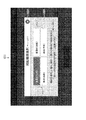
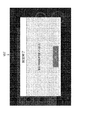
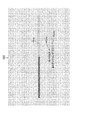
- the progress bar PB1 represents the progress of starting the program by extending the bar from left to right in accordance with the progress within a rectangular frame extending in the left-right direction.
- a wording MS1a indicating that the program is being started (“starting processing”) and not turning off the power.
- a word of caution MS1b ("Please do not turn off the power") is displayed.
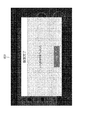
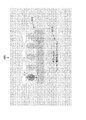
- FIG. 6 is a diagram illustrating the third user interface UI3.
- the initialization process is a process for setting software and hardware to an initial state so that the sheet manufacturing apparatus 1 can start operation.
- the third user interface UI3 is a user interface indicating that the initialization process is being executed.
- the third user interface UI3 includes a progress bar PB3 that represents the progress of the initialization process.
- the wording MS3 indicating that the initialization process is being executed (“The device is being initialized / please wait”). ("/" Represents a line feed. The same applies hereinafter).
- the user can refer to the status display area in a unified manner without changing the place visually recognized by the user interface, so that the current sheet is displayed.
- the state of the manufacturing apparatus 1 can be recognized.
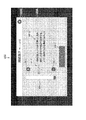
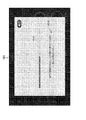
- the A shutdown button SB4 is displayed below the wording MS4b.
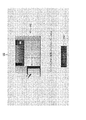
- the user can easily recognize that the water supply should be performed by referring to the wording MS4a. Further, the user can easily recognize the water supply procedure by referring to the wording MS4b.
- the water supply procedure includes an operation of opening the front cover 9 and an operation of closing the front cover 9, and the position of the front cover 9 in the sheet manufacturing apparatus 1 is clearly shown by the images IM4a and IM4b. Therefore, the user can accurately recognize the work necessary for water supply by referring to the image IM4a and the image IM4b together with the wording MS4b.
- the unlocking and locking of the front cover 9 are appropriately executed by the control unit 20 at appropriate timing.
- the control unit 20 controls the touch panel control unit 21 to display the fifth user interface UI5 on the touch panel 5 instead of the fourth user interface UI4.
- the control unit 20 controls each unit, executes processing necessary for shutdown, and shuts down the sheet manufacturing apparatus 1.
- the operating time information may be information indicating the length of time that has elapsed since the breaker switch 8 and the power switch 7 were turned on most recently.
- the operation time information is a process in which the sheet manufacturing apparatus 1 manufactures a sheet between a specific time (for example, the latest “00:00”) and the current time regardless of whether the power switch 7 is on or off. It may be information indicating the accumulated time of executing.
- the operation time information may be information indicating a cumulative time during which the sheet manufacturing apparatus 1 executes the process of manufacturing the sheet in the power-on period immediately before the power-on period to which the present time belongs.
- the operation time information may be information indicating the length of the power-on period immediately before the power-on period to which the present time belongs.
- the operation time information is information indicating the state of the sheet manufacturing apparatus 1 and corresponds to the state information.
- the user recognizes the cumulative number of sheets manufactured by the sheet manufacturing apparatus 1 up to the current time on the “day” to which the current time point belongs. Can do.
- the user can switch the information displayed on the manufacturing information image OB5a between the first manufacturing information and the second manufacturing information by a simple operation of touching the manufacturing information image OB5a. .
- the manufacturing information may include other information.
- the manufacturing information may include information indicating the ratio of the number of sheets manufactured at the present time with respect to the number of automatically stopped sheets (described later).
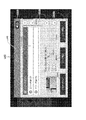
- a raw material information image OB5b that is a circular image is displayed below the manufacturing information image OB5a.
- the raw material information image OB5b also functions as a touch operation button, and information displayed on the image can be switched between first raw material information (described later) and second raw material information (described later) by a touch operation. It is.
- the first raw material information and the second raw material information correspond to “raw material information”.
- information JH5b indicating that the raw material information is displayed in the raw material information image OB5b is displayed below the raw material information image OB5b in association with the raw material information image OB5b.
- FIG. 31 shows the twentieth user interface UI20.
- the twentieth user interface UI20 includes a state display area HR20 and an information display area JR20.
- status information JJ20 (“standby”)
- a menu button MB20 are displayed.
- the operation performed on the sheet manufacturing apparatus 1 is “exchange of the waste powder bag HH”.
- the operation performed on the sheet manufacturing apparatus 1 is not limited to “replacement of the waste powder bag HH”.
- the color is displayed on the right side of the information JH5h indicating the selected recipe in the correspondence information display area RR5 related to the tab TB5a.
- a change instruction button RB5a is displayed.
- the color change instruction button RB5a is a touch operation button operated when changing the color of the manufactured sheet.
- the control unit 20 pops up the 27th user interface UI27.
- FIG. 47 is a diagram showing the 33rd user interface UI33.
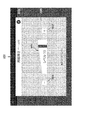
- the thirty-third user interface UI33 is a user interface for confirming with the user about stopping the process of manufacturing a sheet.
- the thirty-third user interface UI33 includes a status display area HR33 and an information display area JR33.
- status information JJ33 (“confirmation”) indicating that the process for manufacturing the sheet is confirmed to be stopped is displayed.
- the wording MS33 (“" Stop "button has been pressed" that inquires the user about the pros and cons of stopping the sheet manufacturing process. / Are you sure you want to stop driving? ”) Is displayed.
- the process related to sheet manufacture is not immediately stopped, but the process related to sheet manufacture is stopped by the 33rd user interface UI33. Since the configuration is such that the process is stopped only when the user confirms that the process is performed and the user instructs again, it is possible to prevent a situation where the process is unnecessarily stopped.
- the control unit 20 When the control unit 20 detects that the negative button NB33 of the 33rd user interface UI33 has been touched, the control unit 20 stops the processing relating to the manufacture of the sheet. That is, the control unit 20 continuously executes processing related to sheet manufacturing. When the control unit 20 detects that the affirmative button YB33 of the 33rd user interface UI33 has been touched, the control unit 20 executes a stop preparation process required to stop the process related to sheet manufacture and the 34th user interface.
- the UI 34 is displayed on the touch panel 5.
- the stop preparation process is a process performed in order to normally stop the process related to sheet manufacturing.
- FIG. 48 is a diagram showing the 34th user interface UI34.
- the thirty-fourth user interface UI is a user interface indicating that the stop preparation process described above is being executed and the progress of the stop preparation process.
- the thirty-fourth user interface UI 34 has a progress bar PB 34 that indicates the progress of the stop preparation process.
- the wording MS34 indicating that the stop preparation process is being executed and should be waited ("Operation is stopped / waiting for a while"). Please “.) Is displayed.
- the control unit 20 stops the display of the 34th user interface UI34 and displays the 5th user interface UI5.
- the displayed fifth user interface UI5 is the fifth user interface UI5 displayed when the process is not executed, like the fifth user interface UI5 shown in FIG. 8, and is displayed in the first block BK5a.
- the operation start button UB5 is displayed. The user can start processing related to sheet manufacture by the sheet manufacturing apparatus 1 again by touching the operation start button UB5.
- the control unit 20 displays the 35th user interface UI35.
- a negative button NB35 that is touch-operated when canceling the stop of the process and an affirmative button YB35 that is touch-operated when instructing to stop the process are displayed.
- the When canceling the shutdown the user touches the negative button NB35, and when shutting down, the user touches the positive button YB35. In this way, by confirming with the user about the shutdown by the 35th user interface UI35, it is possible to prevent the shutdown from being performed unnecessarily, as in the 25th user interface UI25 and the 33rd user interface UI33.
- the control unit 20 When detecting that the negative button NB35 of the 35th user interface UI35 is touched, the control unit 20 stops the shutdown. When the control unit 20 detects that the affirmative button YB35 of the 35th user interface UI35 has been touched, the control unit 20 performs a process necessary for shutdown (hereinafter referred to as “end process”) and the 36th user.
- the interface UI 36 is displayed on the touch panel 5.
- the termination process includes waste water treatment.
- the drainage process is a process of draining the water stored in the humidifier to the in-machine tank QT provided inside the apparatus body of the sheet manufacturing apparatus 1 and temporarily storing it in the in-machine tank QT.
- the control part 20 performs a waste_water
- the process which can be performed in parallel with the waste water treatment may be performed in parallel with the waste water treatment.
- FIG. 50 is a diagram showing the 36th user interface UI36.
- the thirty-sixth user interface UI36 is a user interface representing that the wastewater treatment is being executed and the progress of the wastewater treatment.
- the thirty-sixth user interface UI36 has a progress bar PB36 indicating the progress status of the wastewater treatment.
- the wording MS36a (“During processing (drainage process)”) indicating that the drainage process is being executed, and the sheet.
- the wording MS36b (“Do not operate”) is displayed to call attention to the manufacturing apparatus 1 so as not to perform the operation.
- the 37th user interface UI 37 displays an image IM 37b in which the front cover 9 is enlarged in association with the position of the front cover 9 in the image IM 37a.
- a wording MS37a drains water from the onboard tank QT
- a wording MS37b Open the front cover, take out the drainage hose and press the drainage button ... / When drainage is complete "
- the user can easily recognize that the drainage should be performed by referring to the wording MS37a.
- FIG. 52 is a diagram showing the 38th user interface UI38.
- the thirty-eighth user interface UI38 is a user interface that indicates that the end process is being executed and the progress status of the end process.
- the thirty-eighth user interface UI38 has a progress bar PB38 indicating the progress status of the wastewater treatment.
- the wording MS38a (“ending process”) indicating that the end process is being executed, and the sheet manufacturing apparatus 1
- a message MS38b (“Please do not turn off the power”) is displayed to call attention not to turn off the power.
- the control unit 20 When the control unit 20 detects that the end process is completed, the control unit 20 displays a 39th user interface UI39 on the touch panel 5 instead of the 38th user interface UI38.
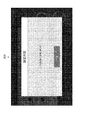
- FIG. 54 is a diagram showing the 40th user interface.
- the 40th user interface UI40 has a progress bar PB40 indicating the progress of the emergency stop process.
- a wording MS40 (indicating that the emergency stop button 6 has been turned on and that it should wait until the emergency stop process is completed). "Emergency stop button was pressed / please wait") is displayed.
- the control unit 20 detects that the emergency stop process is completed, the control unit 20 stops the display of the 40th user interface UI40 and displays the 41st user interface UI41 on the touch panel 5.
- FIG. 55 is a diagram showing the forty-first user interface UI41.
- the forty-first user interface UI41 includes a state display area HR41 and an information display area JR41.
- status information JJ41 ("Emergency stop") indicating that an emergency stop has occurred is displayed.
- the wording MS41 indicating that the emergency stop process has been completed and stopped, and that the emergency stop button 6 should be turned off after the user turns off the breaker switch 8 is displayed.
- Stop error an error that needs to be stopped in the sheet manufacturing apparatus 1 is generated in the sheet manufacturing apparatus 1 during the processing related to sheet manufacturing
- Stop errors include, for example, a shortage of resin, a shortage of water, a shortage of raw materials, a shortage of consumables used for manufacturing sheets, an error in the transport path (paper jam, etc.), a temperature error of a predetermined mechanism, etc. It is.
- the control unit 20 starts executing the emergency stop process described above, and pops up the forty-second user interface UI42 on the touch panel 5. To do.
- FIG. 56 is a diagram showing the forty-second user interface UI42.
- the forty-second user interface UI42 is a user interface indicating that an emergency stop process is being executed in response to the occurrence of a stop error, and the progress of the emergency stop process.
- the forty-second user interface UI42 has a progress bar PB42 that represents the progress of the emergency stop process.
- the emergency stop process is being executed and the wording MS42 indicating that it should wait (“Operation stopped due to an abnormality in the device). "Please wait ") is displayed.
- the control unit 20 stops the display of the forty-second user interface UI42 and displays the forty-third user interface UI43.
- FIG. 57 shows the 43rd user interface UI43.
- the forty-third user interface UI43 includes a state display area HR43 and an information display area JR43.
- status information JJ43 indicating that an error has occurred is displayed.
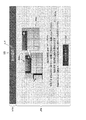
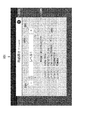
- the information display area JR43 of the 43rd user interface UI43 has an area AR43a formed in the upper part and an area AR43b formed in the lower part.
- an item image KG43 on which information indicating the content of the error is displayed is displayed for each error that has occurred.
- the item image KG43 is a touch operation button, and the user touches the corresponding item image KG43 for an error for which detailed information is to be referred to.
- Detailed information regarding the error selected by the user in the area AR43a is displayed in the area AR43b.
- an image IM43 representing a front view of the sheet manufacturing apparatus 1 is displayed on the left side of the area AR43b.
- information about the error, an image, and other objects are appropriately displayed according to the content of the error. For example, when an error has occurred at a predetermined position of the sheet manufacturing apparatus 1, information that clearly indicates the predetermined position is displayed in association with the image IM43.
- information specifying the predetermined position is displayed in association with the image IM43.
- a wording MS43 indicating the detailed content of the error is displayed on the right side of the image IM43. The user can easily and accurately recognize the detailed content of the error by referring to the image IM43 and the wording MS43.
- a shutdown button SB43 for instructing shutdown is displayed below the image IM43.
- the screen displayed when the shutdown button SB43 is touched and the processing of the control unit 20 are as described above.
- an error release button EK43 is displayed on the right side of the shutdown button SB43.
- the error release button EK43 is a touch operation button that is operated when an error is eliminated by performing an operation for eliminating the error for the selected error.
- the control unit 20 determines whether or not the error has been resolved. If the error has been resolved, the control unit 20 displays the item image KG43 related to the corresponding error. Delete from the area AR43a.
- an unlock button RB43 (FIG. 58) for instructing unlocking is displayed in the area AR43b.
- the FIG. 57 shows the 43rd user interface UI43 in a state where the lock release button RB43 is not displayed
- FIG. 58 shows the 43rd user interface UI43 in a state where the lock release button RB43 is displayed.
- the lock release button RB43 is displayed at a position sandwiched between the shutdown button SB43 and the error release button EK43.
- the control unit 20 controls the lock unit 24 to unlock the predetermined cover. The user can release the lock by performing a simple operation of touching the lock release button RB43 when it is necessary to unlock the predetermined cover in order to eliminate the error.
- a service call error is an error that requires restart of the device, and when it cannot be resolved even after restarting the device, it is necessary to contact a service center in charge of maintenance.
- the control unit 20 detects that a service call error has occurred, the control unit 20 displays the 44th user interface UI 44 on the touch panel 5.
- FIG. 59 is a diagram showing the 44th user interface UI44.
- the forty-fourth user interface UI44 has a status display area HR44 and an information display area JR44.
- status information JJ44 indicating that a service call error has occurred is displayed.
- a message MS44 indicating that a service call error has occurred and how to deal with the service call error ("Service call error has occurred / reinstall the device Even if it is started ... / Contact the service center ... "is displayed.
- error list information EJ44 in which error codes (identification information for uniquely identifying errors) are listed for each error that has occurred is displayed.
- the user can easily and accurately recognize the response to the service call error by referring to the wording MS44.
- the user can accurately report the error that has occurred using the error code displayed in the error list information EJ44.
- device list information SJ44 in which device information related to the sheet manufacturing apparatus 1 is displayed as a list is displayed.
- the apparatus list information SJ44 includes the product name, serial number, firmware version of the sheet manufacturing apparatus 1, and the version of the application that controls the display on the touch panel 5.
- a shutdown button SB44 is displayed below the information display area JR44 of the 44th user interface UI44.
- the sheet manufacturing apparatus 1 is supplied with a raw material including fibers, and processes the supplied raw material to manufacture a sheet.
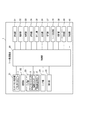
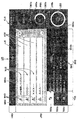
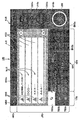
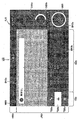
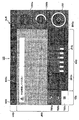
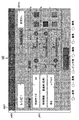
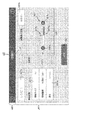
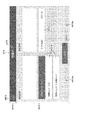
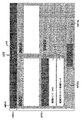
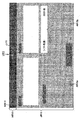
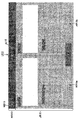
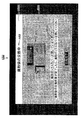
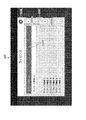
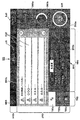
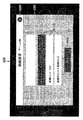
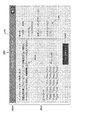
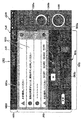
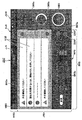
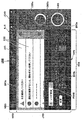
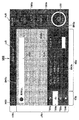
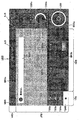
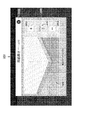
- the sheet manufacturing apparatus 1 includes a control unit 20 that displays a fifth user interface UI5 (user interface) on which raw material information about a raw material to be supplied, manufacturing information about a sheet to be manufactured, and processing information about sheet processing is displayed.
- UI5 user interface
- the user can refer to the raw material information, the manufacturing information, and the processing information at the same time through the same user interface without changing the user interface, and the convenience of the user is improved.
- the raw material information, the manufacturing information, and the processing information are related information, and are assumed to be information that the user desires to refer to and compare at the same time. The user convenience can be improved.
- the manufacturing information includes any one of information on the number of sheets manufactured in a predetermined period and information on the number of sheets manufactured after starting manufacturing of a sheet based on the supplied raw material.
- the raw material is paper-like waste paper. According to this configuration, the convenience of the user can be improved for the sheet manufacturing apparatus 1 that supplies paper waste paper and manufactures the sheet.
- the processing information includes information regarding the blending of each color as information regarding the color of the resin supplied to the predetermined material. According to this configuration, the user can easily and accurately recognize the color composition of the supplied resin by referring to the processing information of the fifth user interface UI5.
- the state information includes information related to an operation time after starting production of a sheet based on the supplied raw material. According to this configuration, the user can easily and accurately recognize the operation time after starting the manufacture of the sheet based on the supplied raw material by referring to the fifth user interface UI5.
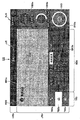
- the right transition button RX46 When the right transition button RX46 is touched from this state, the information displayed in the correspondence information display area RR5 is switched from the recipe related information RP5 to the paper feed / discharge information KH5. In this state, the right transition is further performed.
- the button RX46 When the button RX46 is operated, the information displayed in the correspondence information display area RR5 is switched from the paper feed / discharge information KH5 to the consumable information SJ5.
- the information displayed in the correspondence information display area RR5 is selected by touching one of the left transition button LX46 and the right transition button RX46. Even with the configuration, the user can easily make a selection, which is highly convenient for the user.
- FIG. 62 is a diagram illustrating a 47th user interface UI47 which is a third modification example of the fifth user interface UI5.
- FIG. 62 components similar to those of the 5th user interface UI5 of FIG. 8 and components similar to the 45th user interface UI45 of FIG. Description is omitted.
- tabs TB5a to TB5c are displayed in the second block BK5b of the fifth user interface UI5.
- the fifth user interface UI5 has a configuration in which information displayed in the corresponding information display area RR5 is changed using the tabs TB5a to TB5c.
- a pull-down menu PM48 is displayed instead of the tabs TB5a to TB5c.
- the pull-down menu PM48 is a pull-down menu in which information (recipe related information RP5, paper feed / discharge information KH5, and consumable information SJ5) displayed in the correspondence information display area RR5 is displayed as an item. In FIG. 63, the pull-down menu PM48 is closed.
- FIG. 64 is a diagram illustrating a 49th user interface UI49 which is a fifth modification example of the fifth user interface UI5.
- the same components as those of the 5th user interface UI5 of FIG. 11 are denoted by the same reference numerals, and the description thereof is omitted.
- FIG. 64 shows the 49th user interface UI49 in a state where the tab TB5b is selected.
- an image IM49a representing the remaining amount of discharged paper is displayed in the correspondence information display area RR5 of the 49th user interface UI49.
- the image IM49c is an image representing the amount of waste powder by a bar whose length varies according to the size of the amount of waste powder. The user can easily and accurately recognize the remaining amount of the water tank by referring to the image IM49b. Further, the user can easily and accurately recognize the amount of waste powder by referring to the image IM49c.
- FIG. 67 is a diagram illustrating a 51st user interface UI51 which is a second modification of the 12th user interface UI12.
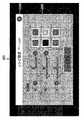
- the information display area JR12 of the 51st user interface UI51 displays a bar BR51 whose length in the frame varies depending on the level of the sheet thickness.
- the bar BR51 information indicating the sheet thickness level by characters is displayed. The user can recognize the level of the sheet thickness simply and accurately by referring to the bar BR51.
- a decrement button DB51 for decrementing the value of the sheet thickness level is displayed as a touch operation button.
- an increment button IB51 for incrementing the value of the sheet thickness level is displayed to the right of the right end of the bar BR51.
- an image IM52 is displayed in the information display area JR12 of the 52nd user interface UI52.
- the image IM52 includes an image showing a perspective view of the sheet with an exaggerated thickness and an image of a loupe arranged so that the corner portion of the sheet is positioned within the lens.
- 10 layers are formed in the vertical direction at the corner of the sheet, and the layers correspond to each other by a predetermined color from the bottom to the top according to the level of the sheet thickness.
- the thickness of the paper is expressed by filling in stepwise. When the sheet thickness level is level 1, the lowest layer is filled with a predetermined color inside the loupe lens of the image IM52.
- FIG. 69 is a diagram illustrating a 53rd user interface UI53 which is a fourth modification example of the 12th user interface UI12.
- the same components as those of the 12th user interface UI12 of FIG. 20 and the same components as the 52nd user interface UI52 of FIG. Description is omitted.
- an image IM53 is displayed in the information display area JR12 of the 54th user interface UI54.
- the image IM53 is a diagram in which the image of the loupe is removed from the image IM52 described with reference to FIG. 68 and the separation of each layer of the sheet is represented by dotted lines. According to the 53rd user interface UI53, the same effect as that of the 52nd user interface UI52 can be obtained.
Landscapes
- Engineering & Computer Science (AREA)
- Business, Economics & Management (AREA)
- Human Resources & Organizations (AREA)
- Theoretical Computer Science (AREA)
- Manufacturing & Machinery (AREA)
- Strategic Management (AREA)
- Economics (AREA)
- Physics & Mathematics (AREA)
- General Physics & Mathematics (AREA)
- General Business, Economics & Management (AREA)
- Tourism & Hospitality (AREA)
- Life Sciences & Earth Sciences (AREA)
- Marketing (AREA)
- General Engineering & Computer Science (AREA)
- Entrepreneurship & Innovation (AREA)
- General Health & Medical Sciences (AREA)
- Health & Medical Sciences (AREA)
- Primary Health Care (AREA)
- Forests & Forestry (AREA)
- Wood Science & Technology (AREA)
- Human Computer Interaction (AREA)
- Development Economics (AREA)
- Educational Administration (AREA)
- Textile Engineering (AREA)
- Game Theory and Decision Science (AREA)
- Operations Research (AREA)
- Quality & Reliability (AREA)
- User Interface Of Digital Computer (AREA)
- Nonwoven Fabrics (AREA)
- Control Or Security For Electrophotography (AREA)
Abstract
Le but de la présente invention vise à améliorer la facilité d'utilisation pour les utilisateurs en relation à l'affichage d'une interface utilisateur dans un dispositif de fabrication de feuille pour la fabrication de feuilles. La présente invention décrit un dispositif de fabrication de feuille (1) qui fabrique une feuille au par fourniture d'un matériau comprenant une fibre au dispositif et traitement du matériau fourni, le dispositif de fabrication de feuille (1) comprenant une unité de commande (20) qui affiche une interface utilisateur affichant des informations de matériau concernant le matériau fourni, des informations de fabrication concernant la feuille à fabriquer, et des informations de traitement concernant le traitement de la feuille.
Priority Applications (2)
| Application Number | Priority Date | Filing Date | Title |
|---|---|---|---|
| JP2018537139A JP6787403B2 (ja) | 2016-08-31 | 2017-08-21 | シート製造装置、及び、シート製造装置の制御方法 |
| US16/328,391 US20210277599A1 (en) | 2016-08-31 | 2017-08-21 | Sheet manufacturing apparatus and control method for sheet manufacturing apparatus |
Applications Claiming Priority (2)
| Application Number | Priority Date | Filing Date | Title |
|---|---|---|---|
| JP2016169671 | 2016-08-31 | ||
| JP2016-169671 | 2016-08-31 |
Publications (1)
| Publication Number | Publication Date |
|---|---|
| WO2018043177A1 true WO2018043177A1 (fr) | 2018-03-08 |
Family
ID=61300464
Family Applications (1)
| Application Number | Title | Priority Date | Filing Date |
|---|---|---|---|
| PCT/JP2017/029759 Ceased WO2018043177A1 (fr) | 2016-08-31 | 2017-08-21 | Dispositif de fabrication de feuille et procédé de commande d'un dispositif de fabrication de feuille |
Country Status (4)
| Country | Link |
|---|---|
| US (1) | US20210277599A1 (fr) |
| JP (1) | JP6787403B2 (fr) |
| TW (1) | TWI681855B (fr) |
| WO (1) | WO2018043177A1 (fr) |
Families Citing this family (2)
| Publication number | Priority date | Publication date | Assignee | Title |
|---|---|---|---|---|
| CN109642371B (zh) * | 2016-08-31 | 2021-11-12 | 精工爱普生株式会社 | 薄片制造装置及薄片制造装置的控制方法 |
| JP7211022B2 (ja) * | 2018-11-07 | 2023-01-24 | セイコーエプソン株式会社 | ウェブ製造装置およびシート製造装置 |
Citations (7)
| Publication number | Priority date | Publication date | Assignee | Title |
|---|---|---|---|---|
| JPH0333294A (ja) * | 1989-06-30 | 1991-02-13 | Yokogawa Electric Corp | 抄紙機の制御装置 |
| JPH0322320Y2 (fr) * | 1987-05-08 | 1991-05-15 | ||
| JPH1143882A (ja) * | 1997-07-22 | 1999-02-16 | Oji Paper Co Ltd | パルプ製造用連続蒸解設備の制御方法および制御装置 |
| JP2013087370A (ja) * | 2011-10-14 | 2013-05-13 | Duplo Seiko Corp | 古紙再生処理装置 |
| JP2015161035A (ja) * | 2014-02-26 | 2015-09-07 | セイコーエプソン株式会社 | シート製造装置 |
| JP2016055557A (ja) * | 2014-09-11 | 2016-04-21 | セイコーエプソン株式会社 | シート製造装置及びシート製造方法 |
| JP2016113712A (ja) * | 2014-12-12 | 2016-06-23 | セイコーエプソン株式会社 | シート製造装置 |
Family Cites Families (4)
| Publication number | Priority date | Publication date | Assignee | Title |
|---|---|---|---|---|
| JP2003280713A (ja) * | 2002-03-19 | 2003-10-02 | Dainippon Printing Co Ltd | 製造情報管理システム |
| TWI238336B (en) * | 2003-01-10 | 2005-08-21 | Taiwan Semiconductor Mfg | System, method, and user interface providing customized document portfolio management |
| TWI469068B (zh) * | 2012-01-31 | 2015-01-11 | Better Enteprise Co Ltd | 產品檢驗及其規範與作業管理系統、裝置、應用程式及儲存媒介 |
| JP6512396B2 (ja) * | 2015-01-29 | 2019-05-15 | セイコーエプソン株式会社 | シート製造装置およびシート製造方法 |
-
2017
- 2017-08-21 JP JP2018537139A patent/JP6787403B2/ja active Active
- 2017-08-21 US US16/328,391 patent/US20210277599A1/en not_active Abandoned
- 2017-08-21 WO PCT/JP2017/029759 patent/WO2018043177A1/fr not_active Ceased
- 2017-08-24 TW TW106128722A patent/TWI681855B/zh active
Patent Citations (7)
| Publication number | Priority date | Publication date | Assignee | Title |
|---|---|---|---|---|
| JPH0322320Y2 (fr) * | 1987-05-08 | 1991-05-15 | ||
| JPH0333294A (ja) * | 1989-06-30 | 1991-02-13 | Yokogawa Electric Corp | 抄紙機の制御装置 |
| JPH1143882A (ja) * | 1997-07-22 | 1999-02-16 | Oji Paper Co Ltd | パルプ製造用連続蒸解設備の制御方法および制御装置 |
| JP2013087370A (ja) * | 2011-10-14 | 2013-05-13 | Duplo Seiko Corp | 古紙再生処理装置 |
| JP2015161035A (ja) * | 2014-02-26 | 2015-09-07 | セイコーエプソン株式会社 | シート製造装置 |
| JP2016055557A (ja) * | 2014-09-11 | 2016-04-21 | セイコーエプソン株式会社 | シート製造装置及びシート製造方法 |
| JP2016113712A (ja) * | 2014-12-12 | 2016-06-23 | セイコーエプソン株式会社 | シート製造装置 |
Also Published As
| Publication number | Publication date |
|---|---|
| JPWO2018043177A1 (ja) | 2018-11-29 |
| US20210277599A1 (en) | 2021-09-09 |
| TW201811520A (zh) | 2018-04-01 |
| TWI681855B (zh) | 2020-01-11 |
| JP6787403B2 (ja) | 2020-11-18 |
Similar Documents
| Publication | Publication Date | Title |
|---|---|---|
| JP4115280B2 (ja) | 印刷待ち行列を使用する印刷システムの制御方法 | |
| JP6787403B2 (ja) | シート製造装置、及び、シート製造装置の制御方法 | |
| CN109642374B (zh) | 薄片制造装置以及薄片制造装置的控制方法 | |
| KR20030088042A (ko) | 프로그램제어식 가전제품을 작동시키기 위한 방법 | |
| JP2007515692A (ja) | 煙草加工産業における機械用の表示操作ユニット | |
| JP2006184760A (ja) | 画像形成装置 | |
| JP2001273068A (ja) | 操作方法、操作装置、及び画像処理装置 | |
| JP5870978B2 (ja) | 処理装置及び処理装置制御方法 | |
| US20060216054A1 (en) | Override of stack limit settings | |
| JP4080940B2 (ja) | 張力制御装置 | |
| US20210324555A1 (en) | Sheet manufacturing apparatus and control method of sheet manufacturing apparatus | |
| EP0370679B1 (fr) | Appareil de formation d'images | |
| JP2013208742A (ja) | 印刷装置 | |
| JP6682928B2 (ja) | 印刷装置、電子機器、制御プログラムおよび印刷装置の動作パラメーター設定方法 | |
| JP2018144459A (ja) | シート製造装置 | |
| US10207889B2 (en) | Image processing apparatus and sheet transport method | |
| JP7609471B2 (ja) | 丁合機のためのインターフェイス装置及びインターフェイス装置のためのプログラム | |
| CN111793928B (zh) | 显示控制方法、显示控制装置和衣物处理装置 | |
| US10044893B2 (en) | Image forming apparatus | |
| JP2006137051A (ja) | 印刷装置 | |
| US20190225439A1 (en) | Paper sheet recycling and printing apparatus, printing apparatus, and paper sheet recycling apparatus | |
| JP2007062963A (ja) | 画像形成装置の用紙選択制御装置 | |
| CN118214805A (zh) | 图像形成装置以及显示控制方法 | |
| JP2011121328A (ja) | 自動壁紙糊付機 | |
| JPS5991457A (ja) | 記録装置 |
Legal Events
| Date | Code | Title | Description |
|---|---|---|---|
| WWE | Wipo information: entry into national phase |
Ref document number: 2018537139 Country of ref document: JP |
|
| 121 | Ep: the epo has been informed by wipo that ep was designated in this application |
Ref document number: 17846185 Country of ref document: EP Kind code of ref document: A1 |
|
| NENP | Non-entry into the national phase |
Ref country code: DE |
|
| 122 | Ep: pct application non-entry in european phase |
Ref document number: 17846185 Country of ref document: EP Kind code of ref document: A1 |