EP4528394A2 - Interfaces utilisateur d'informations d'activité physique - Google Patents
Interfaces utilisateur d'informations d'activité physique Download PDFInfo
- Publication number
- EP4528394A2 EP4528394A2 EP25156484.5A EP25156484A EP4528394A2 EP 4528394 A2 EP4528394 A2 EP 4528394A2 EP 25156484 A EP25156484 A EP 25156484A EP 4528394 A2 EP4528394 A2 EP 4528394A2
- Authority
- EP
- European Patent Office
- Prior art keywords
- user
- physical activity
- user interface
- displaying
- workout
- Prior art date
- Legal status (The legal status is an assumption and is not a legal conclusion. Google has not performed a legal analysis and makes no representation as to the accuracy of the status listed.)
- Pending
Links
Images
















Classifications
-
- G—PHYSICS
- G06—COMPUTING OR CALCULATING; COUNTING
- G06F—ELECTRIC DIGITAL DATA PROCESSING
- G06F9/00—Arrangements for program control, e.g. control units
- G06F9/06—Arrangements for program control, e.g. control units using stored programs, i.e. using an internal store of processing equipment to receive or retain programs
- G06F9/44—Arrangements for executing specific programs
- G06F9/451—Execution arrangements for user interfaces
-
- G—PHYSICS
- G06—COMPUTING OR CALCULATING; COUNTING
- G06F—ELECTRIC DIGITAL DATA PROCESSING
- G06F3/00—Input arrangements for transferring data to be processed into a form capable of being handled by the computer; Output arrangements for transferring data from processing unit to output unit, e.g. interface arrangements
- G06F3/01—Input arrangements or combined input and output arrangements for interaction between user and computer
- G06F3/048—Interaction techniques based on graphical user interfaces [GUI]
- G06F3/0484—Interaction techniques based on graphical user interfaces [GUI] for the control of specific functions or operations, e.g. selecting or manipulating an object, an image or a displayed text element, setting a parameter value or selecting a range
- G06F3/04847—Interaction techniques to control parameter settings, e.g. interaction with sliders or dials
-
- G—PHYSICS
- G06—COMPUTING OR CALCULATING; COUNTING
- G06F—ELECTRIC DIGITAL DATA PROCESSING
- G06F1/00—Details not covered by groups G06F3/00 - G06F13/00 and G06F21/00
- G06F1/16—Constructional details or arrangements
- G06F1/1613—Constructional details or arrangements for portable computers
- G06F1/163—Wearable computers, e.g. on a belt
-
- G—PHYSICS
- G04—HOROLOGY
- G04G—ELECTRONIC TIME-PIECES
- G04G21/00—Input or output devices integrated in time-pieces
-
- G—PHYSICS
- G04—HOROLOGY
- G04G—ELECTRONIC TIME-PIECES
- G04G21/00—Input or output devices integrated in time-pieces
- G04G21/02—Detectors of external physical values, e.g. temperature
- G04G21/025—Detectors of external physical values, e.g. temperature for measuring physiological data
-
- G—PHYSICS
- G04—HOROLOGY
- G04G—ELECTRONIC TIME-PIECES
- G04G9/00—Visual time or date indication means
- G04G9/0064—Visual time or date indication means in which functions not related to time can be displayed
-
- G—PHYSICS
- G04—HOROLOGY
- G04G—ELECTRONIC TIME-PIECES
- G04G9/00—Visual time or date indication means
- G04G9/0064—Visual time or date indication means in which functions not related to time can be displayed
- G04G9/007—Visual time or date indication means in which functions not related to time can be displayed combined with a calculator or computing means
-
- G—PHYSICS
- G06—COMPUTING OR CALCULATING; COUNTING
- G06F—ELECTRIC DIGITAL DATA PROCESSING
- G06F3/00—Input arrangements for transferring data to be processed into a form capable of being handled by the computer; Output arrangements for transferring data from processing unit to output unit, e.g. interface arrangements
- G06F3/01—Input arrangements or combined input and output arrangements for interaction between user and computer
- G06F3/048—Interaction techniques based on graphical user interfaces [GUI]
- G06F3/0481—Interaction techniques based on graphical user interfaces [GUI] based on specific properties of the displayed interaction object or a metaphor-based environment, e.g. interaction with desktop elements like windows or icons, or assisted by a cursor's changing behaviour or appearance
- G06F3/04817—Interaction techniques based on graphical user interfaces [GUI] based on specific properties of the displayed interaction object or a metaphor-based environment, e.g. interaction with desktop elements like windows or icons, or assisted by a cursor's changing behaviour or appearance using icons
-
- G—PHYSICS
- G06—COMPUTING OR CALCULATING; COUNTING
- G06F—ELECTRIC DIGITAL DATA PROCESSING
- G06F3/00—Input arrangements for transferring data to be processed into a form capable of being handled by the computer; Output arrangements for transferring data from processing unit to output unit, e.g. interface arrangements
- G06F3/01—Input arrangements or combined input and output arrangements for interaction between user and computer
- G06F3/048—Interaction techniques based on graphical user interfaces [GUI]
- G06F3/0481—Interaction techniques based on graphical user interfaces [GUI] based on specific properties of the displayed interaction object or a metaphor-based environment, e.g. interaction with desktop elements like windows or icons, or assisted by a cursor's changing behaviour or appearance
- G06F3/0482—Interaction with lists of selectable items, e.g. menus
-
- G—PHYSICS
- G06—COMPUTING OR CALCULATING; COUNTING
- G06F—ELECTRIC DIGITAL DATA PROCESSING
- G06F3/00—Input arrangements for transferring data to be processed into a form capable of being handled by the computer; Output arrangements for transferring data from processing unit to output unit, e.g. interface arrangements
- G06F3/01—Input arrangements or combined input and output arrangements for interaction between user and computer
- G06F3/048—Interaction techniques based on graphical user interfaces [GUI]
- G06F3/0487—Interaction techniques based on graphical user interfaces [GUI] using specific features provided by the input device, e.g. functions controlled by the rotation of a mouse with dual sensing arrangements, or of the nature of the input device, e.g. tap gestures based on pressure sensed by a digitiser
- G06F3/0488—Interaction techniques based on graphical user interfaces [GUI] using specific features provided by the input device, e.g. functions controlled by the rotation of a mouse with dual sensing arrangements, or of the nature of the input device, e.g. tap gestures based on pressure sensed by a digitiser using a touch-screen or digitiser, e.g. input of commands through traced gestures
- G06F3/04883—Interaction techniques based on graphical user interfaces [GUI] using specific features provided by the input device, e.g. functions controlled by the rotation of a mouse with dual sensing arrangements, or of the nature of the input device, e.g. tap gestures based on pressure sensed by a digitiser using a touch-screen or digitiser, e.g. input of commands through traced gestures for inputting data by handwriting, e.g. gesture or text
-
- G—PHYSICS
- G06—COMPUTING OR CALCULATING; COUNTING
- G06F—ELECTRIC DIGITAL DATA PROCESSING
- G06F9/00—Arrangements for program control, e.g. control units
- G06F9/06—Arrangements for program control, e.g. control units using stored programs, i.e. using an internal store of processing equipment to receive or retain programs
- G06F9/44—Arrangements for executing specific programs
- G06F9/451—Execution arrangements for user interfaces
- G06F9/453—Help systems
-
- G—PHYSICS
- G16—INFORMATION AND COMMUNICATION TECHNOLOGY [ICT] SPECIALLY ADAPTED FOR SPECIFIC APPLICATION FIELDS
- G16H—HEALTHCARE INFORMATICS, i.e. INFORMATION AND COMMUNICATION TECHNOLOGY [ICT] SPECIALLY ADAPTED FOR THE HANDLING OR PROCESSING OF MEDICAL OR HEALTHCARE DATA
- G16H40/00—ICT specially adapted for the management or administration of healthcare resources or facilities; ICT specially adapted for the management or operation of medical equipment or devices
- G16H40/60—ICT specially adapted for the management or administration of healthcare resources or facilities; ICT specially adapted for the management or operation of medical equipment or devices for the operation of medical equipment or devices
-
- G—PHYSICS
- G16—INFORMATION AND COMMUNICATION TECHNOLOGY [ICT] SPECIALLY ADAPTED FOR SPECIFIC APPLICATION FIELDS
- G16H—HEALTHCARE INFORMATICS, i.e. INFORMATION AND COMMUNICATION TECHNOLOGY [ICT] SPECIALLY ADAPTED FOR THE HANDLING OR PROCESSING OF MEDICAL OR HEALTHCARE DATA
- G16H20/00—ICT specially adapted for therapies or health-improving plans, e.g. for handling prescriptions, for steering therapy or for monitoring patient compliance
- G16H20/30—ICT specially adapted for therapies or health-improving plans, e.g. for handling prescriptions, for steering therapy or for monitoring patient compliance relating to physical therapies or activities, e.g. physiotherapy, acupressure or exercising
Definitions
- the present disclosure relates generally to computer user interfaces, and more specifically to techniques for navigating and outputting physical activity information.
- a non-transitory computer-readable storage medium stores one or more programs configured to be executed by one or more processors of a computer system that is in communication with a display generation component and one or more input devices, the one or more programs including instructions for: receiving, via the one or more input devices, a first user input corresponding to a request to initiate a workout session corresponding to a first workout; and in response to receiving the first user input: in accordance with a determination that a user participating in the workout session is associated with an external device of a first type, displaying, via the display generation component, a first workout session user interface, wherein displaying the first workout session user interface includes concurrently displaying: visual content corresponding to the first workout; a representation of a first physical activity metric; and representation of a second physical activity metric different from the first physical activity metric; and in accordance with a determination that the user participating in the workout session is not associated with an external device of the first type,
- a computer system that is in communication with a display generation component and one or more input devices.
- the computer system comprises: means for receiving, via the one or more input devices, a first user input corresponding to a request to initiate a workout session corresponding to a first workout; and means for, in response to receiving the first user input: in accordance with a determination that a user participating in the workout session is associated with an external device of a first type, displaying, via the display generation component, a first workout session user interface, wherein displaying the first workout session user interface includes concurrently displaying: visual content corresponding to the first workout; a representation of a first physical activity metric; and representation of a second physical activity metric different from the first physical activity metric; and in accordance with a determination that the user participating in the workout session is not associated with an external device of the first type, displaying, via the display generation component, a second workout session user interface different from first workout session user interface, wherein displaying the second workout session user interface includes concurrently displaying:
- a computer program product comprising one or more programs configured to be executed by one or more processors of a computer system that is in communication with a display generation component and one or more input devices.
- the one or more programs include instructions for: receiving, via the one or more input devices, a first user input corresponding to a request to initiate a workout session corresponding to a first workout; and in response to receiving the first user input: in accordance with a determination that a user participating in the workout session is associated with an external device of a first type, displaying, via the display generation component, a first workout session user interface, wherein displaying the first workout session user interface includes concurrently displaying: visual content corresponding to the first workout; a representation of a first physical activity metric; and representation of a second physical activity metric different from the first physical activity metric; and in accordance with a determination that the user participating in the workout session is not associated with an external device of the first type, displaying, via the display generation component, a second workout session user interface different from
- a non-transitory computer-readable storage medium stores one or more programs configured to be executed by one or more processors of a computer system that is in communication with a display generation component and one or more input devices, the one or more programs including instructions for: receiving, via the one or more input devices, a first user input corresponding to a request to initiate a workout session corresponding to a first workout; and in response to receiving the first user input: in accordance with a determination that a first set of criteria are met, displaying, via the display generation component, a first workout session user interface, corresponding to the first workout; and in accordance with a determination that external device criteria are met with respect to a first external device, causing the first external device to display a second workout session user interface corresponding to the first workout.
- a transitory computer-readable storage medium stores one or more programs configured to be executed by one or more processors of a computer system that is in communication with a display generation component and one or more input devices, the one or more programs including instructions for: receiving, via the one or more input devices, a first user input corresponding to a request to initiate a workout session corresponding to a first workout; and in response to receiving the first user input: in accordance with a determination that a first set of criteria are met, displaying, via the display generation component, a first workout session user interface, corresponding to the first workout; and in accordance with a determination that external device criteria are met with respect to a first external device, causing the first external device to display a second workout session user interface corresponding to the first workout.
- a computer system that is in communication with a display generation component and one or more input devices, comprising: one or more processors; and memory storing one or more programs configured to be executed by the one or more processors.
- the one or more programs include instructions for: receiving, via the one or more input devices, a first user input corresponding to a request to initiate a workout session corresponding to a first workout; and in response to receiving the first user input: in accordance with a determination that a first set of criteria are met, displaying, via the display generation component, a first workout session user interface, corresponding to the first workout; and in accordance with a determination that external device criteria are met with respect to a first external device, causing the first external device to display a second workout session user interface corresponding to the first workout.
- a computer system that is in communication with a display generation component and one or more input devices.
- the computer system comprises: means for receiving, via the one or more input devices, a first user input corresponding to a request to initiate a workout session corresponding to a first workout; and means for, in response to receiving the first user input: in accordance with a determination that a first set of criteria are met, displaying, via the display generation component, a first workout session user interface, corresponding to the first workout; and in accordance with a determination that external device criteria are met with respect to a first external device, causing the first external device to display a second workout session user interface corresponding to the first workout.
- a computer program product comprising one or more programs configured to be executed by one or more processors of a computer system that is in communication with a display generation component and one or more input devices.
- the one or more programs include instructions for: receiving, via the one or more input devices, a first user input corresponding to a request to initiate a workout session corresponding to a first workout; and in response to receiving the first user input: in accordance with a determination that a first set of criteria are met, displaying, via the display generation component, a first workout session user interface, corresponding to the first workout; and in accordance with a determination that external device criteria are met with respect to a first external device, causing the first external device to display a second workout session user interface corresponding to the first workout.
- a method, performed at a computer system that is in communication with a display generation component and one or more input devices includes: receiving, via the one or more input devices, a first user input corresponding to a request to view a daily activity user interface, wherein the daily activity user interface displays one or more physical activity metrics corresponding to a plurality of days; and in response to receiving the first user input, displaying, via the display generation component, the daily activity user interface, including displaying a first set of physical activity metrics corresponding to a first day, wherein: in accordance with a determination that external device criteria are satisfied for the first day, displaying the first set of physical activity metrics corresponding to the first day includes concurrently displaying: a representation of a first physical activity metric corresponding to the first day; and a representation of a second physical activity metric corresponding to the first day; and in accordance with a determination that external device criteria are not satisfied for the first day, displaying the first set of physical activity metrics corresponding to the first day includes
- a non-transitory computer-readable storage medium stores one or more programs configured to be executed by one or more processors of a computer system that is in communication with a display generation component and one or more input devices, the one or more programs including instructions for: receiving, via the one or more input devices, a first user input corresponding to a request to view a daily activity user interface, wherein the daily activity user interface displays one or more physical activity metrics corresponding to a plurality of days; and in response to receiving the first user input, displaying, via the display generation component, the daily activity user interface, including displaying a first set of physical activity metrics corresponding to a first day, wherein: in accordance with a determination that external device criteria are satisfied for the first day, displaying the first set of physical activity metrics corresponding to the first day includes concurrently displaying: a representation of a first physical activity metric corresponding to the first day; and a representation of a second physical activity metric corresponding to the first
- a transitory computer-readable storage medium stores one or more programs configured to be executed by one or more processors of a computer system that is in communication with a display generation component and one or more input devices, the one or more programs including instructions for: receiving, via the one or more input devices, a first user input corresponding to a request to view a daily activity user interface, wherein the daily activity user interface displays one or more physical activity metrics corresponding to a plurality of days; and in response to receiving the first user input, displaying, via the display generation component, the daily activity user interface, including displaying a first set of physical activity metrics corresponding to a first day, wherein: in accordance with a determination that external device criteria are satisfied for the first day, displaying the first set of physical activity metrics corresponding to the first day includes concurrently displaying: a representation of a first physical activity metric corresponding to the first day; and a representation of a second physical activity metric corresponding to the first day; and in
- a computer system that is in communication with a display generation component and one or more input devices, comprising: one or more processors; and memory storing one or more programs configured to be executed by the one or more processors.
- the one or more programs include instructions for: receiving, via the one or more input devices, a first user input corresponding to a request to view a daily activity user interface, wherein the daily activity user interface displays one or more physical activity metrics corresponding to a plurality of days; and in response to receiving the first user input, displaying, via the display generation component, the daily activity user interface, including displaying a first set of physical activity metrics corresponding to a first day, wherein: in accordance with a determination that external device criteria are satisfied for the first day, displaying the first set of physical activity metrics corresponding to the first day includes concurrently displaying: a representation of a first physical activity metric corresponding to the first day; and a representation of a second physical activity metric corresponding to the first day; and in accordance with a determination that
- a computer system that is in communication with a display generation component and one or more input devices.
- the computer system comprises: means for receiving, via the one or more input devices, a first user input corresponding to a request to view a daily activity user interface, wherein the daily activity user interface displays one or more physical activity metrics corresponding to a plurality of days; and means for, in response to receiving the first user input, displaying, via the display generation component, the daily activity user interface, including displaying a first set of physical activity metrics corresponding to a first day, wherein: in accordance with a determination that external device criteria are satisfied for the first day, displaying the first set of physical activity metrics corresponding to the first day includes concurrently displaying: a representation of a first physical activity metric corresponding to the first day; and a representation of a second physical activity metric corresponding to the first day; and in accordance with a determination that external device criteria are not satisfied for the first day, displaying the first set of physical activity metrics corresponding to the first day includes
- a computer program product comprising one or more programs configured to be executed by one or more processors of a computer system that is in communication with a display generation component and one or more input devices.
- the one or more programs include instructions for: receiving, via the one or more input devices, a first user input corresponding to a request to view a daily activity user interface, wherein the daily activity user interface displays one or more physical activity metrics corresponding to a plurality of days; and in response to receiving the first user input, displaying, via the display generation component, the daily activity user interface, including displaying a first set of physical activity metrics corresponding to a first day, wherein: in accordance with a determination that external device criteria are satisfied for the first day, displaying the first set of physical activity metrics corresponding to the first day includes concurrently displaying: a representation of a first physical activity metric corresponding to the first day; and a representation of a second physical activity metric corresponding to the first day; and in accordance with a determination that external device criteria are not satisfied
- Executable instructions for performing these functions are, optionally, included in a non-transitory computer-readable storage medium or other computer program product configured for execution by one or more processors. Executable instructions for performing these functions are, optionally, included in a transitory computer-readable storage medium or other computer program product configured for execution by one or more processors.
- devices are provided with faster, more efficient methods and interfaces for navigating and outputting physical activity information, thereby increasing the effectiveness, efficiency, and user satisfaction with such devices.
- Such methods and interfaces may complement or replace other methods for navigating and outputting physical activity information.
- a user would benefit from being shown certain physical activity information if the user does not have an external device or accessory, such as a smart watch or fitness band, and being shown other physical activity information (e.g., additional physical activity information) if the user does have an external device or accessory.
- an external device or accessory such as a smart watch or fitness band
- other physical activity information e.g., additional physical activity information
- Such techniques can reduce the cognitive burden on a user who navigates and views physical activity information, thereby enhancing productivity. Further, such techniques can reduce processor and battery power otherwise wasted on redundant user inputs.
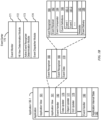
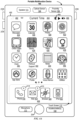
- FIGS. 1A-1B , 2 , 3 , 4A-4B , and 5A-5B provide a description of exemplary devices for performing the techniques for navigating and outputting physical activity information.
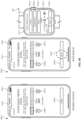
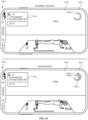
- FIGS. 6A-6J illustrate exemplary user interfaces for navigating and displaying physical activity information.
- FIG. 7 is a flow diagram illustrating methods of navigating and displaying physical activity information in accordance with some embodiments. The user interfaces in FIGS. 6A-6J are used to illustrate the processes described below, including the processes in FIG. 7 .
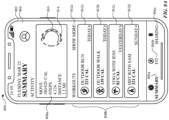
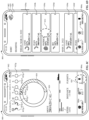
- FIGS. 8A-8J illustrate exemplary user interfaces for navigating and displaying physical activity information.
- FIG. 9 is a flow diagram illustrating methods of navigating and displaying physical activity information in accordance with some embodiments. The user interfaces in FIGS.
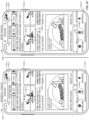
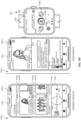
- FIGS. 10A-10N illustrate exemplary user interfaces for providing physical activity information including workout content.
- FIG. 11 is a flow diagram illustrating methods for providing physical activity information including workout content in accordance with some embodiments. The user interfaces in FIGS. 10A-10N are used to illustrate the processes described below, including the processes in FIG. 11 .
- the processes described below enhance the operability of the devices and make the user-device interfaces more efficient (e.g., by helping the user to provide proper inputs and reducing user mistakes when operating/interacting with the device) through various techniques, including by providing improved visual feedback to the user, reducing the number of inputs needed to perform an operation, providing additional control options without cluttering the user interface with additional displayed controls, performing an operation when a set of conditions has been met without requiring further user input, and/or additional techniques. These techniques also reduce power usage and improve battery life of the device by enabling the user to use the device more quickly and efficiently.
- system or computer readable medium contains instructions for performing the contingent operations based on the satisfaction of the corresponding one or more conditions and thus is capable of determining whether the contingency has or has not been satisfied without explicitly repeating steps of a method until all of the conditions upon which steps in the method are contingent have been met.
- a system or computer readable storage medium can repeat the steps of a method as many times as are needed to ensure that all of the contingent steps have been performed.
- first means "first,” “second,” etc. to describe various elements, these elements should not be limited by the terms. In some embodiments, these terms are used to distinguish one element from another. For example, a first touch could be termed a second touch, and, similarly, a second touch could be termed a first touch, without departing from the scope of the various described embodiments. In some embodiments, the first touch and the second touch are two separate references to the same touch. In some embodiments, the first touch and the second touch are both touches, but they are not the same touch.
- the device is not a portable communications device, but is a desktop computer with a touch-sensitive surface (e.g., a touch screen display and/or a touchpad).
- the electronic device is a computer system that is in communication (e.g., via wireless communication, via wired communication) with a display generation component.
- the display generation component is configured to provide visual output, such as display via a CRT display, display via an LED display, or display via image projection.
- the display generation component is integrated with the computer system. In some embodiments, the display generation component is separate from the computer system.
- displaying includes causing to display the content (e.g., video data rendered or decoded by display controller 156) by transmitting, via a wired or wireless connection, data (e.g., image data or video data) to an integrated or external display generation component to visually produce the content.
- content e.g., video data rendered or decoded by display controller 1566
- data e.g., image data or video data
- an electronic device that includes a display and a touch-sensitive surface is described. It should be understood, however, that the electronic device optionally includes one or more other physical user-interface devices, such as a physical keyboard, a mouse, and/or a joystick.
- the device typically supports a variety of applications, such as one or more of the following: a drawing application, a presentation application, a word processing application, a website creation application, a disk authoring application, a spreadsheet application, a gaming application, a telephone application, a video conferencing application, an e-mail application, an instant messaging application, a workout support application, a photo management application, a digital camera application, a digital video camera application, a web browsing application, a digital music player application, and/or a digital video player application.
- applications such as one or more of the following: a drawing application, a presentation application, a word processing application, a website creation application, a disk authoring application, a spreadsheet application, a gaming application, a telephone application, a video conferencing application, an e-mail application, an instant messaging application, a workout support application, a photo management application, a digital camera application, a digital video camera application, a web browsing application, a digital music player application, and/or a digital video player application.
- the various applications that are executed on the device optionally use at least one common physical user-interface device, such as the touch-sensitive surface.
- One or more functions of the touch-sensitive surface as well as corresponding information displayed on the device are, optionally, adjusted and/or varied from one application to the next and/or within a respective application.
- a common physical architecture (such as the touch-sensitive surface) of the device optionally supports the variety of applications with user interfaces that are intuitive and transparent to the user.
- FIG. 1A is a block diagram illustrating portable multifunction device 100 with touch-sensitive display system 112 in accordance with some embodiments.
- Touch-sensitive display 112 is sometimes called a "touch screen” for convenience and is sometimes known as or called a "touch-sensitive display system.”
- Device 100 includes memory 102 (which optionally includes one or more computer-readable storage mediums), memory controller 122, one or more processing units (CPUs) 120, peripherals interface 118, RF circuitry 108, audio circuitry 110, speaker 111, microphone 113, input/output (I/O) subsystem 106, other input control devices 116, and external port 124.
- Device 100 optionally includes one or more optical sensors 164.
- Device 100 optionally includes one or more contact intensity sensors 165 for detecting intensity of contacts on device 100 (e.g., a touch-sensitive surface such as touch-sensitive display system 112 of device 100).
- Device 100 optionally includes one or more tactile output generators 167 for generating tactile outputs on device 100 (e.g., generating tactile outputs on a touch-sensitive surface such as touch-sensitive display system 112 of device 100 or touchpad 355 of device 300). These components optionally communicate over one or more communication buses or signal lines 103.
- the term "intensity" of a contact on a touch-sensitive surface refers to the force or pressure (force per unit area) of a contact (e.g., a finger contact) on the touch-sensitive surface, or to a substitute (proxy) for the force or pressure of a contact on the touch-sensitive surface.
- the intensity of a contact has a range of values that includes at least four distinct values and more typically includes hundreds of distinct values (e.g., at least 256).
- Intensity of a contact is, optionally, determined (or measured) using various approaches and various sensors or combinations of sensors. For example, one or more force sensors underneath or adjacent to the touch-sensitive surface are, optionally, used to measure force at various points on the touch-sensitive surface.
- force measurements from multiple force sensors are combined (e.g., a weighted average) to determine an estimated force of a contact.
- a pressure-sensitive tip of a stylus is, optionally, used to determine a pressure of the stylus on the touch-sensitive surface.
- the size of the contact area detected on the touch-sensitive surface and/or changes thereto, the capacitance of the touch-sensitive surface proximate to the contact and/or changes thereto, and/or the resistance of the touch-sensitive surface proximate to the contact and/or changes thereto are, optionally, used as a substitute for the force or pressure of the contact on the touch-sensitive surface.
- the substitute measurements for contact force or pressure are used directly to determine whether an intensity threshold has been exceeded (e.g., the intensity threshold is described in units corresponding to the substitute measurements).
- the substitute measurements for contact force or pressure are converted to an estimated force or pressure, and the estimated force or pressure is used to determine whether an intensity threshold has been exceeded (e.g., the intensity threshold is a pressure threshold measured in units of pressure).
- intensity of a contact as an attribute of a user input allows for user access to additional device functionality that may otherwise not be accessible by the user on a reduced-size device with limited real estate for displaying affordances (e.g., on a touch-sensitive display) and/or receiving user input (e.g., via a touch-sensitive display, a touch-sensitive surface, or a physical/mechanical control such as a knob or a button).
- the term "tactile output” refers to physical displacement of a device relative to a previous position of the device, physical displacement of a component (e.g., a touch-sensitive surface) of a device relative to another component (e.g., housing) of the device, or displacement of the component relative to a center of mass of the device that will be detected by a user with the user's sense of touch.
- a component e.g., a touch-sensitive surface
- another component e.g., housing
- the tactile output generated by the physical displacement will be interpreted by the user as a tactile sensation corresponding to a perceived change in physical characteristics of the device or the component of the device.
- a touch-sensitive surface e.g., a touch-sensitive display or trackpad
- movement of a touch-sensitive surface is, optionally, interpreted by the user as a "down click" or "up click" of a physical actuator button.
- a user will feel a tactile sensation such as an "down click” or “up click” even when there is no movement of a physical actuator button associated with the touch-sensitive surface that is physically pressed (e.g., displaced) by the user's movements.
- movement of the touch-sensitive surface is, optionally, interpreted or sensed by the user as "roughness" of the touch-sensitive surface, even when there is no change in smoothness of the touch-sensitive surface. While such interpretations of touch by a user will be subject to the individualized sensory perceptions of the user, there are many sensory perceptions of touch that are common to a large majority of users.
- a tactile output is described as corresponding to a particular sensory perception of a user (e.g., an "up click,” a “down click,” “roughness")
- the generated tactile output corresponds to physical displacement of the device or a component thereof that will generate the described sensory perception for a typical (or average) user.
- device 100 is only one example of a portable multifunction device, and that device 100 optionally has more or fewer components than shown, optionally combines two or more components, or optionally has a different configuration or arrangement of the components.
- the various components shown in FIG. 1A are implemented in hardware, software, or a combination of both hardware and software, including one or more signal processing and/or application-specific integrated circuits.
- Memory 102 optionally includes high-speed random access memory and optionally also includes non-volatile memory, such as one or more magnetic disk storage devices, flash memory devices, or other non-volatile solid-state memory devices.
- Memory controller 122 optionally controls access to memory 102 by other components of device 100.
- Peripherals interface 118 can be used to couple input and output peripherals of the device to CPU 120 and memory 102.
- the one or more processors 120 run or execute various software programs (such as computer programs (e.g., including instructions)) and/or sets of instructions stored in memory 102 to perform various functions for device 100 and to process data.
- peripherals interface 118, CPU 120, and memory controller 122 are, optionally, implemented on a single chip, such as chip 104. In some other embodiments, they are, optionally, implemented on separate chips.
- RF (radio frequency) circuitry 108 receives and sends RF signals, also called electromagnetic signals.
- RF circuitry 108 converts electrical signals to/from electromagnetic signals and communicates with communications networks and other communications devices via the electromagnetic signals.
- RF circuitry 108 optionally includes well-known circuitry for performing these functions, including but not limited to an antenna system, an RF transceiver, one or more amplifiers, a tuner, one or more oscillators, a digital signal processor, a CODEC chipset, a subscriber identity module (SIM) card, memory, and so forth.
- an antenna system an RF transceiver, one or more amplifiers, a tuner, one or more oscillators, a digital signal processor, a CODEC chipset, a subscriber identity module (SIM) card, memory, and so forth.
- SIM subscriber identity module
- RF circuitry 108 optionally communicates with networks, such as the Internet, also referred to as the World Wide Web (WWW), an intranet and/or a wireless network, such as a cellular telephone network, a wireless local area network (LAN) and/or a metropolitan area network (MAN), and other devices by wireless communication.
- the RF circuitry 108 optionally includes well-known circuitry for detecting near field communication (NFC) fields, such as by a short-range communication radio.
- NFC near field communication
- the wireless communication optionally uses any of a plurality of communications standards, protocols, and technologies, including but not limited to Global System for Mobile Communications (GSM), Enhanced Data GSM Environment (EDGE), high-speed downlink packet access (HSDPA), high-speed uplink packet access (HSUPA), Evolution, Data-Only (EV-DO), HSPA, HSPA+, Dual-Cell HSPA (DC-HSPDA), long term evolution (LTE), near field communication (NFC), wideband code division multiple access (W-CDMA), code division multiple access (CDMA), time division multiple access (TDMA), Bluetooth, Bluetooth Low Energy (BTLE), Wireless Fidelity (Wi-Fi) (e.g., IEEE 802.11a, IEEE 802.11b, IEEE 802.11g, IEEE 802.11n, and/or IEEE 802.11ac), voice over Internet Protocol (VoIP), Wi-MAX, a protocol for e-mail (e.g., Internet message access protocol (IMAP) and/or post office protocol (POP)), instant messaging (e.
- Audio circuitry 110, speaker 111, and microphone 113 provide an audio interface between a user and device 100.
- Audio circuitry 110 receives audio data from peripherals interface 118, converts the audio data to an electrical signal, and transmits the electrical signal to speaker 111.
- Speaker 111 converts the electrical signal to human-audible sound waves.
- Audio circuitry 110 also receives electrical signals converted by microphone 113 from sound waves.
- Audio circuitry 110 converts the electrical signal to audio data and transmits the audio data to peripherals interface 118 for processing. Audio data is, optionally, retrieved from and/or transmitted to memory 102 and/or RF circuitry 108 by peripherals interface 118.
- audio circuitry 110 also includes a headset jack (e.g., 212, FIG. 2 ). The headset jack provides an interface between audio circuitry 110 and removable audio input/output peripherals, such as output-only headphones or a headset with both output (e.g., a headphone for one or both ears) and input (e.g., a microphone
- I/O subsystem 106 couples input/output peripherals on device 100, such as touch screen 112 and other input control devices 116, to peripherals interface 118.
- I/O subsystem 106 optionally includes display controller 156, optical sensor controller 158, depth camera controller 169, intensity sensor controller 159, haptic feedback controller 161, and one or more input controllers 160 for other input or control devices.
- the one or more input controllers 160 receive/send electrical signals from/to other input control devices 116.
- the other input control devices 116 optionally include physical buttons (e.g., push buttons, rocker buttons, etc.), dials, slider switches, joysticks, click wheels, and so forth.
- the one or more input devices include a touch-sensitive surface (e.g., a trackpad, as part of a touch-sensitive display).
- the one or more input devices include one or more camera sensors (e.g., one or more optical sensors 164 and/or one or more depth camera sensors 175), such as for tracking a user's gestures (e.g., hand gestures and/or air gestures) as input.
- the one or more input devices are integrated with the computer system. In some embodiments, the one or more input devices are separate from the computer system.
- an air gesture is a gesture that is detected without the user touching an input element that is part of the device (or independently of an input element that is a part of the device) and is based on detected motion of a portion of the user's body through the air including motion of the user's body relative to an absolute reference (e.g., an angle of the user's arm relative to the ground or a distance of the user's hand relative to the ground), relative to another portion of the user's body (e.g., movement of a hand of the user relative to a shoulder of the user, movement of one hand of the user relative to another hand of the user, and/or movement of a finger of the user relative to another finger or portion of a hand of the user), and/or absolute motion of a portion of the user's body (e.g., a tap gesture that includes movement of a hand in a predetermined pose by a predetermined amount and/or speed, or a shake gesture that includes a predetermined speed or amount of rotation of a portion of the user
- a quick press of the push button optionally disengages a lock of touch screen 112 or optionally begins a process that uses gestures on the touch screen to unlock the device, as described in U.S. Patent Application 11/322,549, "Unlocking a Device by Performing Gestures on an Unlock Image," filed December 23, 2005 , U.S. Pat. No. 7,657,849 , which is hereby incorporated by reference in its entirety.
- a longer press of the push button e.g., 206) optionally turns power to device 100 on or off.
- the functionality of one or more of the buttons are, optionally, user-customizable.
- Touch screen 112 is used to implement virtual or soft buttons and one or more soft keyboards.
- Touch-sensitive display 112 provides an input interface and an output interface between the device and a user.
- Display controller 156 receives and/or sends electrical signals from/to touch screen 112.
- Touch screen 112 displays visual output to the user.
- the visual output optionally includes graphics, text, icons, video, and any combination thereof (collectively termed "graphics"). In some embodiments, some or all of the visual output optionally corresponds to user-interface objects.
- Touch screen 112 has a touch-sensitive surface, sensor, or set of sensors that accepts input from the user based on haptic and/or tactile contact.
- Touch screen 112 and display controller 156 (along with any associated modules and/or sets of instructions in memory 102) detect contact (and any movement or breaking of the contact) on touch screen 112 and convert the detected contact into interaction with user-interface objects (e.g., one or more soft keys, icons, web pages, or images) that are displayed on touch screen 112.
- user-interface objects e.g., one or more soft keys, icons, web pages, or images
- a point of contact between touch screen 112 and the user corresponds to a finger of the user.
- Touch screen 112 optionally uses LCD (liquid crystal display) technology, LPD (light emitting polymer display) technology, or LED (light emitting diode) technology, although other display technologies are used in other embodiments.
- Touch screen 112 and display controller 156 optionally detect contact and any movement or breaking thereof using any of a plurality of touch sensing technologies now known or later developed, including but not limited to capacitive, resistive, infrared, and surface acoustic wave technologies, as well as other proximity sensor arrays or other elements for determining one or more points of contact with touch screen 112.
- touch sensing technologies now known or later developed, including but not limited to capacitive, resistive, infrared, and surface acoustic wave technologies, as well as other proximity sensor arrays or other elements for determining one or more points of contact with touch screen 112.
- projected mutual capacitance sensing technology is used, such as that found in the iPhone ® and iPod Touch ® from Apple Inc. of Cupertino, California.
- a touch-sensitive display in some embodiments of touch screen 112 is, optionally, analogous to the multi-touch sensitive touchpads described in the following U.S. Patents: 6,323,846 (Westerman et al. ), 6,570,557 (Westerman et al. ), and/or 6,677,932 (Westerman ), and/or U.S. Patent Publication 2002/0015024A1 , each of which is hereby incorporated by reference in its entirety.
- touch screen 112 displays visual output from device 100, whereas touch-sensitive touchpads do not provide visual output.
- a touch-sensitive display in some embodiments of touch screen 112 is described in the following applications: (1) U.S. Patent Application No. 11/381,313, "Multipoint Touch Surface Controller,” filed May 2, 2006 ; (2) U.S. Patent Application No. 10/840,862, “Multipoint Touchscreen,” filed May 6, 2004 ; (3) U.S. Patent Application No. 10/903,964, "Gestures For Touch Sensitive Input Devices," filed July 30, 2004 ; (4) U.S. Patent Application No. 11/048,264, “Gestures For Touch Sensitive Input Devices,” filed January 31, 2005 ; (5) U.S. Patent Application No.
- Touch screen 112 optionally has a video resolution in excess of 100 dpi. In some embodiments, the touch screen has a video resolution of approximately 160 dpi.
- the user optionally makes contact with touch screen 112 using any suitable object or appendage, such as a stylus, a finger, and so forth.
- the user interface is designed to work primarily with finger-based contacts and gestures, which can be less precise than stylus-based input due to the larger area of contact of a finger on the touch screen.
- the device translates the rough finger-based input into a precise pointer/cursor position or command for performing the actions desired by the user.
- device 100 in addition to the touch screen, device 100 optionally includes a touchpad for activating or deactivating particular functions.
- the touchpad is a touch-sensitive area of the device that, unlike the touch screen, does not display visual output.
- the touchpad is, optionally, a touch-sensitive surface that is separate from touch screen 112 or an extension of the touch-sensitive surface formed by the touch screen.
- Power system 162 for powering the various components.
- Power system 162 optionally includes a power management system, one or more power sources (e.g., battery, alternating current (AC)), a recharging system, a power failure detection circuit, a power converter or inverter, a power status indicator (e.g., a light-emitting diode (LED)) and any other components associated with the generation, management and distribution of power in portable devices.
- power sources e.g., battery, alternating current (AC)
- AC alternating current
- a recharging system e.g., a recharging system
- a power failure detection circuit e.g., a power failure detection circuit
- a power converter or inverter e.g., a power converter or inverter
- a power status indicator e.g., a light-emitting diode (LED)
- Device 100 optionally also includes one or more optical sensors 164.
- FIG. 1A shows an optical sensor coupled to optical sensor controller 158 in I/O subsystem 106.
- Optical sensor 164 optionally includes charge-coupled device (CCD) or complementary metal-oxide semiconductor (CMOS) phototransistors.
- CCD charge-coupled device
- CMOS complementary metal-oxide semiconductor
- Optical sensor 164 receives light from the environment, projected through one or more lenses, and converts the light to data representing an image.
- imaging module 143 also called a camera module
- optical sensor 164 optionally captures still images or video.
- an optical sensor is located on the back of device 100, opposite touch screen display 112 on the front of the device so that the touch screen display is enabled for use as a viewfinder for still and/or video image acquisition.
- an optical sensor is located on the front of the device so that the user's image is, optionally, obtained for video conferencing while the user views the other video conference participants on the touch screen display.
- the position of optical sensor 164 can be changed by the user (e.g., by rotating the lens and the sensor in the device housing) so that a single optical sensor 164 is used along with the touch screen display for both video conferencing and still and/or video image acquisition.
- FIG. 1A shows a depth camera sensor coupled to depth camera controller 169 in I/O subsystem 106.
- Depth camera sensor 175 receives data from the environment to create a three dimensional model of an object (e.g., a face) within a scene from a viewpoint (e.g., a depth camera sensor).
- a viewpoint e.g., a depth camera sensor.
- depth camera sensor 175 is optionally used to determine a depth map of different portions of an image captured by the imaging module 143.
- a depth camera sensor is located on the front of device 100 so that the user's image with depth information is, optionally, obtained for video conferencing while the user views the other video conference participants on the touch screen display and to capture selfies with depth map data.
- the depth camera sensor 175 is located on the back of device, or on the back and the front of the device 100.
- the position of depth camera sensor 175 can be changed by the user (e.g., by rotating the lens and the sensor in the device housing) so that a depth camera sensor 175 is used along with the touch screen display for both video conferencing and still and/or video image acquisition.
- Device 100 optionally also includes one or more contact intensity sensors 165.
- FIG. 1A shows a contact intensity sensor coupled to intensity sensor controller 159 in I/O subsystem 106.
- Contact intensity sensor 165 optionally includes one or more piezoresistive strain gauges, capacitive force sensors, electric force sensors, piezoelectric force sensors, optical force sensors, capacitive touch-sensitive surfaces, or other intensity sensors (e.g., sensors used to measure the force (or pressure) of a contact on a touch-sensitive surface).
- Contact intensity sensor 165 receives contact intensity information (e.g., pressure information or a proxy for pressure information) from the environment.
- contact intensity information e.g., pressure information or a proxy for pressure information
- At least one contact intensity sensor is collocated with, or proximate to, a touch-sensitive surface (e.g., touch-sensitive display system 112). In some embodiments, at least one contact intensity sensor is located on the back of device 100, opposite touch screen display 112, which is located on the front of device 100.
- a touch-sensitive surface e.g., touch-sensitive display system 112
- at least one contact intensity sensor is located on the back of device 100, opposite touch screen display 112, which is located on the front of device 100.
- the proximity sensor turns off and disables touch screen 112 when the multifunction device is placed near the user's ear (e.g., when the user is making a phone call).
- At least one tactile output generator is collocated with, or proximate to, a touch-sensitive surface (e.g., touch-sensitive display system 112) and, optionally, generates a tactile output by moving the touch-sensitive surface vertically (e.g., in/out of a surface of device 100) or laterally (e.g., back and forth in the same plane as a surface of device 100).
- a touch-sensitive surface e.g., touch-sensitive display system 112
- at least one tactile output generator sensor is located on the back of device 100, opposite touch screen display 112, which is located on the front of device 100.
- Device 100 optionally also includes one or more accelerometers 168.
- FIG. 1A shows accelerometer 168 coupled to peripherals interface 118.
- accelerometer 168 is, optionally, coupled to an input controller 160 in I/O subsystem 106.
- Accelerometer 168 optionally performs as described in U.S. Patent Publication No. 20050190059 , "Acceleration-based Theft Detection System for Portable Electronic Devices," and U.S. Patent Publication No. 20060017692 , “Methods And Apparatuses For Operating A Portable Device Based On An Accelerometer,” both of which are incorporated by reference herein in their entirety.
- information is displayed on the touch screen display in a portrait view or a landscape view based on an analysis of data received from the one or more accelerometers.
- Device 100 optionally includes, in addition to accelerometer(s) 168, a magnetometer and a GPS (or GLONASS or other global navigation system) receiver for obtaining information concerning the location and orientation (e.g., portrait or landscape) of device 100.
- GPS or GLONASS or other global navigation system
- the software components stored in memory 102 include operating system 126, communication module (or set of instructions) 128, contact/motion module (or set of instructions) 130, graphics module (or set of instructions) 132, text input module (or set of instructions) 134, Global Positioning System (GPS) module (or set of instructions) 135, and applications (or sets of instructions) 136.
- memory 102 FIG. 1A or 370 ( FIG. 3 ) stores device/global internal state 157, as shown in FIGS. 1A and 3 .
- Device/global internal state 157 includes one or more of: active application state, indicating which applications, if any, are currently active; display state, indicating what applications, views or other information occupy various regions of touch screen display 112; sensor state, including information obtained from the device's various sensors and input control devices 116; and location information concerning the device's location and/or attitude.
- Operating system 126 e.g., Darwin, RTXC, LINUX, UNIX, OS X, iOS, WINDOWS, or an embedded operating system such as VxWorks
- Operating system 126 includes various software components and/or drivers for controlling and managing general system tasks (e.g., memory management, storage device control, power management, etc.) and facilitates communication between various hardware and software components.
- Communication module 128 facilitates communication with other devices over one or more external ports 124 and also includes various software components for handling data received by RF circuitry 108 and/or external port 124.
- External port 124 e.g., Universal Serial Bus (USB), FIREWIRE, etc.
- USB Universal Serial Bus
- FIREWIRE FireWire
- the external port is a multi-pin (e.g., 30-pin) connector that is the same as, or similar to and/or compatible with, the 30-pin connector used on iPod ® (trademark of Apple Inc.) devices.
- Contact/motion module 130 optionally detects contact with touch screen 112 (in conjunction with display controller 156) and other touch-sensitive devices (e.g., a touchpad or physical click wheel).
- Contact/motion module 130 includes various software components for performing various operations related to detection of contact, such as determining if contact has occurred (e.g., detecting a finger-down event), determining an intensity of the contact (e.g., the force or pressure of the contact or a substitute for the force or pressure of the contact), determining if there is movement of the contact and tracking the movement across the touch-sensitive surface (e.g., detecting one or more finger-dragging events), and determining if the contact has ceased (e.g., detecting a finger-up event or a break in contact).
- Contact/motion module 130 receives contact data from the touch-sensitive surface. Determining movement of the point of contact, which is represented by a series of contact data, optionally includes determining speed (magnitude), velocity (magnitude and direction), and/or an acceleration (a change in magnitude and/or direction) of the point of contact. These operations are, optionally, applied to single contacts (e.g., one finger contacts) or to multiple simultaneous contacts (e.g., "multitouch"/multiple finger contacts). In some embodiments, contact/motion module 130 and display controller 156 detect contact on a touchpad.
- contact/motion module 130 uses a set of one or more intensity thresholds to determine whether an operation has been performed by a user (e.g., to determine whether a user has "clicked" on an icon).
- at least a subset of the intensity thresholds are determined in accordance with software parameters (e.g., the intensity thresholds are not determined by the activation thresholds of particular physical actuators and can be adjusted without changing the physical hardware of device 100). For example, a mouse "click" threshold of a trackpad or touch screen display can be set to any of a large range of predefined threshold values without changing the trackpad or touch screen display hardware.
- a user of the device is provided with software settings for adjusting one or more of the set of intensity thresholds (e.g., by adjusting individual intensity thresholds and/or by adjusting a plurality of intensity thresholds at once with a system-level click "intensity" parameter).
- Contact/motion module 130 optionally detects a gesture input by a user.
- Different gestures on the touch-sensitive surface have different contact patterns (e.g., different motions, timings, and/or intensities of detected contacts).
- a gesture is, optionally, detected by detecting a particular contact pattern.
- detecting a finger tap gesture includes detecting a finger-down event followed by detecting a finger-up (liftoff) event at the same position (or substantially the same position) as the finger-down event (e.g., at the position of an icon).
- detecting a finger swipe gesture on the touch-sensitive surface includes detecting a finger-down event followed by detecting one or more finger-dragging events, and subsequently followed by detecting a finger-up (liftoff) event.
- Graphics module 132 includes various known software components for rendering and displaying graphics on touch screen 112 or other display, including components for changing the visual impact (e.g., brightness, transparency, saturation, contrast, or other visual property) of graphics that are displayed.
- graphics includes any object that can be displayed to a user, including, without limitation, text, web pages, icons (such as user-interface objects including soft keys), digital images, videos, animations, and the like.
- graphics module 132 stores data representing graphics to be used. Each graphic is, optionally, assigned a corresponding code. Graphics module 132 receives, from applications etc., one or more codes specifying graphics to be displayed along with, if necessary, coordinate data and other graphic property data, and then generates screen image data to output to display controller 156.
- Haptic feedback module 133 includes various software components for generating instructions used by tactile output generator(s) 167 to produce tactile outputs at one or more locations on device 100 in response to user interactions with device 100.
- Text input module 134 which is, optionally, a component of graphics module 132, provides soft keyboards for entering text in various applications (e.g., contacts 137, e-mail 140, IM 141, browser 147, and any other application that needs text input).
- applications e.g., contacts 137, e-mail 140, IM 141, browser 147, and any other application that needs text input).
- GPS module 135 determines the location of the device and provides this information for use in various applications (e.g., to telephone 138 for use in location-based dialing; to camera 143 as picture/video metadata; and to applications that provide location-based services such as weather widgets, local yellow page widgets, and map/navigation widgets).
- applications e.g., to telephone 138 for use in location-based dialing; to camera 143 as picture/video metadata; and to applications that provide location-based services such as weather widgets, local yellow page widgets, and map/navigation widgets).
- Applications 136 optionally include the following modules (or sets of instructions), or a subset or superset thereof:
- Examples of other applications 136 that are, optionally, stored in memory 102 include other word processing applications, other image editing applications, drawing applications, presentation applications, JAVA-enabled applications, encryption, digital rights management, voice recognition, and voice replication.
- contacts module 137 are, optionally, used to manage an address book or contact list (e.g., stored in application internal state 192 of contacts module 137 in memory 102 or memory 370), including: adding name(s) to the address book; deleting name(s) from the address book; associating telephone number(s), e-mail address(es), physical address(es) or other information with a name; associating an image with a name; categorizing and sorting names; providing telephone numbers or e-mail addresses to initiate and/or facilitate communications by telephone 138, video conference module 139, e-mail 140, or IM 141; and so forth.
- an address book or contact list e.g., stored in application internal state 192 of contacts module 137 in memory 102 or memory 370
- telephone module 138 are optionally, used to enter a sequence of characters corresponding to a telephone number, access one or more telephone numbers in contacts module 137, modify a telephone number that has been entered, dial a respective telephone number, conduct a conversation, and disconnect or hang up when the conversation is completed.
- the wireless communication optionally uses any of a plurality of communications standards, protocols, and technologies.
- video conference module 139 includes executable instructions to initiate, conduct, and terminate a video conference between a user and one or more other participants in accordance with user instructions.
- e-mail client module 140 includes executable instructions to create, send, receive, and manage e-mail in response to user instructions.
- e-mail client module 140 makes it very easy to create and send e-mails with still or video images taken with camera module 143.
- the instant messaging module 141 includes executable instructions to enter a sequence of characters corresponding to an instant message, to modify previously entered characters, to transmit a respective instant message (for example, using a Short Message Service (SMS) or Multimedia Message Service (MMS) protocol for telephony-based instant messages or using XMPP, SIMPLE, or IMPS for Internet-based instant messages), to receive instant messages, and to view received instant messages.
- SMS Short Message Service
- MMS Multimedia Message Service
- XMPP extensible Markup Language
- SIMPLE Session Initiation Protocol
- IMPS Internet Messaging Protocol
- transmitted and/or received instant messages optionally include graphics, photos, audio files, video files and/or other attachments as are supported in an MMS and/or an Enhanced Messaging Service (EMS).
- EMS Enhanced Messaging Service
- instant messaging refers to both telephony-based messages (e.g., messages sent using SMS or MMS) and Internet-based messages (e.g., messages sent using XMP
- workout support module 142 includes executable instructions to create workouts (e.g., with time, distance, and/or calorie burning goals); communicate with workout sensors (sports devices); receive workout sensor data; calibrate sensors used to monitor a workout; select and play music for a workout; and display, store, and transmit workout data.
- create workouts e.g., with time, distance, and/or calorie burning goals
- communicate with workout sensors sports devices
- receive workout sensor data calibrate sensors used to monitor a workout
- select and play music for a workout and display, store, and transmit workout data.
- camera module 143 includes executable instructions to capture still images or video (including a video stream) and store them into memory 102, modify characteristics of a still image or video, or delete a still image or video from memory 102.
- image management module 144 includes executable instructions to arrange, modify (e.g., edit), or otherwise manipulate, label, delete, present (e.g., in a digital slide show or album), and store still and/or video images.
- modify e.g., edit
- present e.g., in a digital slide show or album
- browser module 147 includes executable instructions to browse the Internet in accordance with user instructions, including searching, linking to, receiving, and displaying web pages or portions thereof, as well as attachments and other files linked to web pages.
- calendar module 148 includes executable instructions to create, display, modify, and store calendars and data associated with calendars (e.g., calendar entries, to-do lists, etc.) in accordance with user instructions.
- widget modules 149 are mini-applications that are, optionally, downloaded and used by a user (e.g., weather widget 149-1, stocks widget 149-2, calculator widget 149-3, alarm clock widget 149-4, and dictionary widget 149-5) or created by the user (e.g., user-created widget 149-6).
- a widget includes an HTML (Hypertext Markup Language) file, a CSS (Cascading Style Sheets) file, and a JavaScript file.
- a widget includes an XML (Extensible Markup Language) file and a JavaScript file (e.g., Yahoo! Widgets).
- the widget creator module 150 are, optionally, used by a user to create widgets (e.g., turning a user-specified portion of a web page into a widget).
- search module 151 includes executable instructions to search for text, music, sound, image, video, and/or other files in memory 102 that match one or more search criteria (e.g., one or more user-specified search terms) in accordance with user instructions.
- search criteria e.g., one or more user-specified search terms
- video and music player module 152 includes executable instructions that allow the user to download and play back recorded music and other sound files stored in one or more file formats, such as MP3 or AAC files, and executable instructions to display, present, or otherwise play back videos (e.g., on touch screen 112 or on an external, connected display via external port 124).
- device 100 optionally includes the functionality of an MP3 player, such as an iPod (trademark of Apple Inc.).
- notes module 153 includes executable instructions to create and manage notes, to-do lists, and the like in accordance with user instructions.
- map module 154 are, optionally, used to receive, display, modify, and store maps and data associated with maps (e.g., driving directions, data on stores and other points of interest at or near a particular location, and other location-based data) in accordance with user instructions.
- maps e.g., driving directions, data on stores and other points of interest at or near a particular location, and other location-based data
- online video module 155 includes instructions that allow the user to access, browse, receive (e.g., by streaming and/or download), play back (e.g., on the touch screen or on an external, connected display via external port 124), send an e-mail with a link to a particular online video, and otherwise manage online videos in one or more file formats, such as H.264.
- instant messaging module 141 rather than e-mail client module 140, is used to send a link to a particular online video.
- modules and applications corresponds to a set of executable instructions for performing one or more functions described above and the methods described in this application (e.g., the computer-implemented methods and other information processing methods described herein).
- modules e.g., sets of instructions
- These modules need not be implemented as separate software programs (such as computer programs (e.g., including instructions)), procedures, or modules, and thus various subsets of these modules are, optionally, combined or otherwise rearranged in various embodiments.
- video player module is, optionally, combined with music player module into a single module (e.g., video and music player module 152, FIG. 1A ).
- memory 102 optionally stores a subset of the modules and data structures identified above.
- memory 102 optionally stores additional modules and data structures not described above.
- device 100 is a device where operation of a predefined set of functions on the device is performed exclusively through a touch screen and/or a touchpad.
- a touch screen and/or a touchpad as the primary input control device for operation of device 100, the number of physical input control devices (such as push buttons, dials, and the like) on device 100 is, optionally, reduced.
- the predefined set of functions that are performed exclusively through a touch screen and/or a touchpad optionally include navigation between user interfaces.
- the touchpad when touched by the user, navigates device 100 to a main, home, or root menu from any user interface that is displayed on device 100.
- a "menu button" is implemented using a touchpad.
- the menu button is a physical push button or other physical input control device instead of a touchpad.
- FIG. 1B is a block diagram illustrating exemplary components for event handling in accordance with some embodiments.
- memory 102 FIG. 1A
- 370 FIG. 3
- event sorter 170 e.g., in operating system 126
- application 136-1 e.g., any of the aforementioned applications 137-151, 155, 380-390.
- Event sorter 170 receives event information and determines the application 136-1 and application view 191 of application 136-1 to which to deliver the event information.
- Event sorter 170 includes event monitor 171 and event dispatcher module 174.
- application 136-1 includes application internal state 192, which indicates the current application view(s) displayed on touch-sensitive display 112 when the application is active or executing.
- device/global internal state 157 is used by event sorter 170 to determine which application(s) is (are) currently active, and application internal state 192 is used by event sorter 170 to determine application views 191 to which to deliver event information.
- application internal state 192 includes additional information, such as one or more of: resume information to be used when application 136-1 resumes execution, user interface state information that indicates information being displayed or that is ready for display by application 136-1, a state queue for enabling the user to go back to a prior state or view of application 136-1, and a redo/undo queue of previous actions taken by the user.
- Event monitor 171 receives event information from peripherals interface 118.
- Event information includes information about a sub-event (e.g., a user touch on touch-sensitive display 112, as part of a multi-touch gesture).
- Peripherals interface 118 transmits information it receives from I/O subsystem 106 or a sensor, such as proximity sensor 166, accelerometer(s) 168, and/or microphone 113 (through audio circuitry 110).
- Information that peripherals interface 118 receives from I/O subsystem 106 includes information from touch-sensitive display 112 or a touch-sensitive surface.
- event monitor 171 sends requests to the peripherals interface 118 at predetermined intervals. In response, peripherals interface 118 transmits event information. In other embodiments, peripherals interface 118 transmits event information only when there is a significant event (e.g., receiving an input above a predetermined noise threshold and/or for more than a predetermined duration).
- event sorter 170 also includes a hit view determination module 172 and/or an active event recognizer determination module 173.
- Hit view determination module 172 provides software procedures for determining where a sub-event has taken place within one or more views when touch-sensitive display 112 displays more than one view. Views are made up of controls and other elements that a user can see on the display.
- the application views (of a respective application) in which a touch is detected optionally correspond to programmatic levels within a programmatic or view hierarchy of the application. For example, the lowest level view in which a touch is detected is, optionally, called the hit view, and the set of events that are recognized as proper inputs are, optionally, determined based, at least in part, on the hit view of the initial touch that begins a touch-based gesture.
- Hit view determination module 172 receives information related to sub-events of a touch-based gesture.
- hit view determination module 172 identifies a hit view as the lowest view in the hierarchy which should handle the sub-event. In most circumstances, the hit view is the lowest level view in which an initiating sub-event occurs (e.g., the first sub-event in the sequence of sub-events that form an event or potential event).
- the hit view typically receives all sub-events related to the same touch or input source for which it was identified as the hit view.
- Active event recognizer determination module 173 determines which view or views within a view hierarchy should receive a particular sequence of sub-events. In some embodiments, active event recognizer determination module 173 determines that only the hit view should receive a particular sequence of sub-events. In other embodiments, active event recognizer determination module 173 determines that all views that include the physical location of a sub-event are actively involved views, and therefore determines that all actively involved views should receive a particular sequence of sub-events. In other embodiments, even if touch sub-events were entirely confined to the area associated with one particular view, views higher in the hierarchy would still remain as actively involved views.
- Event dispatcher module 174 dispatches the event information to an event recognizer (e.g., event recognizer 180). In embodiments including active event recognizer determination module 173, event dispatcher module 174 delivers the event information to an event recognizer determined by active event recognizer determination module 173. In some embodiments, event dispatcher module 174 stores in an event queue the event information, which is retrieved by a respective event receiver 182.
- an event recognizer e.g., event recognizer 180.
- event dispatcher module 174 delivers the event information to an event recognizer determined by active event recognizer determination module 173.
- event dispatcher module 174 stores in an event queue the event information, which is retrieved by a respective event receiver 182.
- operating system 126 includes event sorter 170.
- application 136-1 includes event sorter 170.
- event sorter 170 is a stand-alone module, or a part of another module stored in memory 102, such as contact/motion module 130.
- application 136-1 includes a plurality of event handlers 190 and one or more application views 191, each of which includes instructions for handling touch events that occur within a respective view of the application's user interface.
- Each application view 191 of the application 136-1 includes one or more event recognizers 180.
- a respective application view 191 includes a plurality of event recognizers 180.
- one or more of event recognizers 180 are part of a separate module, such as a user interface kit or a higher level object from which application 136-1 inherits methods and other properties.
- a respective event handler 190 includes one or more of: data updater 176, object updater 177, GUI updater 178, and/or event data 179 received from event sorter 170.
- Event handler 190 optionally utilizes or calls data updater 176, object updater 177, or GUI updater 178 to update the application internal state 192.
- one or more of the application views 191 include one or more respective event handlers 190.
- one or more of data updater 176, object updater 177, and GUI updater 178 are included in a respective application view 191.
- a respective event recognizer 180 receives event information (e.g., event data 179) from event sorter 170 and identifies an event from the event information.
- Event recognizer 180 includes event receiver 182 and event comparator 184.
- event recognizer 180 also includes at least a subset of: metadata 183, and event delivery instructions 188 (which optionally include sub-event delivery instructions).
- Event receiver 182 receives event information from event sorter 170.
- the event information includes information about a sub-event, for example, a touch or a touch movement.
- the event information also includes additional information, such as location of the sub-event.
- the event information optionally also includes speed and direction of the sub-event.
- events include rotation of the device from one orientation to another (e.g., from a portrait orientation to a landscape orientation, or vice versa), and the event information includes corresponding information about the current orientation (also called device attitude) of the device.
- Event comparator 184 compares the event information to predefined event or sub-event definitions and, based on the comparison, determines an event or sub-event, or determines or updates the state of an event or sub-event.
- event comparator 184 includes event definitions 186.
- Event definitions 186 contain definitions of events (e.g., predefined sequences of sub-events), for example, event 1 (187-1), event 2 (187-2), and others.
- sub-events in an event include, for example, touch begin, touch end, touch movement, touch cancellation, and multiple touching.
- the definition for event 1 (187-1) is a double tap on a displayed object.
- the double tap for example, comprises a first touch (touch begin) on the displayed object for a predetermined phase, a first liftoff (touch end) for a predetermined phase, a second touch (touch begin) on the displayed object for a predetermined phase, and a second liftoff (touch end) for a predetermined phase.
- the definition for event 2 (187-2) is a dragging on a displayed object.
- the dragging for example, comprises a touch (or contact) on the displayed object for a predetermined phase, a movement of the touch across touch-sensitive display 112, and liftoff of the touch (touch end).
- the event also includes information for one or more associated event handlers 190.
- event definitions 186 include a definition of an event for a respective user-interface object.
- event comparator 184 performs a hit test to determine which user-interface object is associated with a sub-event. For example, in an application view in which three user-interface objects are displayed on touch-sensitive display 112, when a touch is detected on touch-sensitive display 112, event comparator 184 performs a hit test to determine which of the three user-interface objects is associated with the touch (sub-event). If each displayed object is associated with a respective event handler 190, the event comparator uses the result of the hit test to determine which event handler 190 should be activated. For example, event comparator 184 selects an event handler associated with the sub-event and the object triggering the hit test.
- the definition for a respective event (187) also includes delayed actions that delay delivery of the event information until after it has been determined whether the sequence of sub-events does or does not correspond to the event recognizer's event type.
- a respective event recognizer 180 determines that the series of sub-events do not match any of the events in event definitions 186, the respective event recognizer 180 enters an event impossible, event failed, or event ended state, after which it disregards subsequent sub-events of the touch-based gesture. In this situation, other event recognizers, if any, that remain active for the hit view continue to track and process sub-events of an ongoing touch-based gesture.
- a respective event recognizer 180 includes metadata 183 with configurable properties, flags, and/or lists that indicate how the event delivery system should perform sub-event delivery to actively involved event recognizers.
- metadata 183 includes configurable properties, flags, and/or lists that indicate how event recognizers interact, or are enabled to interact, with one another.
- metadata 183 includes configurable properties, flags, and/or lists that indicate whether sub-events are delivered to varying levels in the view or programmatic hierarchy.
- a respective event recognizer 180 activates event handler 190 associated with an event when one or more particular sub-events of an event are recognized.
- a respective event recognizer 180 delivers event information associated with the event to event handler 190. Activating an event handler 190 is distinct from sending (and deferred sending) sub-events to a respective hit view.
- event recognizer 180 throws a flag associated with the recognized event, and event handler 190 associated with the flag catches the flag and performs a predefined process.
- event delivery instructions 188 include sub-event delivery instructions that deliver event information about a sub-event without activating an event handler. Instead, the sub-event delivery instructions deliver event information to event handlers associated with the series of sub-events or to actively involved views. Event handlers associated with the series of sub-events or with actively involved views receive the event information and perform a predetermined process.
- data updater 176 creates and updates data used in application 136-1. For example, data updater 176 updates the telephone number used in contacts module 137, or stores a video file used in video player module.
- object updater 177 creates and updates objects used in application 136-1. For example, object updater 177 creates a new user-interface object or updates the position of a user-interface object.
- GUI updater 178 updates the GUI. For example, GUI updater 178 prepares display information and sends it to graphics module 132 for display on a touch-sensitive display.
- event handler(s) 190 includes or has access to data updater 176, object updater 177, and GUI updater 178.
- data updater 176, object updater 177, and GUI updater 178 are included in a single module of a respective application 136-1 or application view 191. In other embodiments, they are included in two or more software modules.
- event handling of user touches on touch-sensitive displays also applies to other forms of user inputs to operate multifunction devices 100 with input devices, not all of which are initiated on touch screens.
- mouse movement and mouse button presses optionally coordinated with single or multiple keyboard presses or holds; contact movements such as taps, drags, scrolls, etc. on touchpads; pen stylus inputs; movement of the device; oral instructions; detected eye movements; biometric inputs; and/or any combination thereof are optionally utilized as inputs corresponding to sub-events which define an event to be recognized.
- FIG. 2 illustrates a portable multifunction device 100 having a touch screen 112 in accordance with some embodiments.
- the touch screen optionally displays one or more graphics within user interface (UI) 200.
- UI user interface
- a user is enabled to select one or more of the graphics by making a gesture on the graphics, for example, with one or more fingers 202 (not drawn to scale in the figure) or one or more styluses 203 (not drawn to scale in the figure).
- selection of one or more graphics occurs when the user breaks contact with the one or more graphics.
- the gesture optionally includes one or more taps, one or more swipes (from left to right, right to left, upward and/or downward), and/or a rolling of a finger (from right to left, left to right, upward and/or downward) that has made contact with device 100.
- inadvertent contact with a graphic does not select the graphic.
- a swipe gesture that sweeps over an application icon optionally does not select the corresponding application when the gesture corresponding to selection is a tap.
- Device 100 optionally also include one or more physical buttons, such as "home" or menu button 204.
- menu button 204 is, optionally, used to navigate to any application 136 in a set of applications that are, optionally, executed on device 100.
- the menu button is implemented as a soft key in a GUI displayed on touch screen 112.
- device 100 includes touch screen 112, menu button 204, push button 206 for powering the device on/off and locking the device, volume adjustment button(s) 208, subscriber identity module (SIM) card slot 210, headset jack 212, and docking/charging external port 124.
- Push button 206 is, optionally, used to turn the power on/off on the device by depressing the button and holding the button in the depressed state for a predefined time interval; to lock the device by depressing the button and releasing the button before the predefined time interval has elapsed; and/or to unlock the device or initiate an unlock process.
- device 100 also accepts verbal input for activation or deactivation of some functions through microphone 113.
- Device 100 also, optionally, includes one or more contact intensity sensors 165 for detecting intensity of contacts on touch screen 112 and/or one or more tactile output generators 167 for generating tactile outputs for a user of device 100.
- FIG. 3 is a block diagram of an exemplary multifunction device with a display and a touch-sensitive surface in accordance with some embodiments.
- Device 300 need not be portable.
- device 300 is a laptop computer, a desktop computer, a tablet computer, a multimedia player device, a navigation device, an educational device (such as a child's learning toy), a gaming system, or a control device (e.g., a home or industrial controller).
- Device 300 typically includes one or more processing units (CPUs) 310, one or more network or other communications interfaces 360, memory 370, and one or more communication buses 320 for interconnecting these components.
- Communication buses 320 optionally include circuitry (sometimes called a chipset) that interconnects and controls communications between system components.
- Device 300 includes input/output (I/O) interface 330 comprising display 340, which is typically a touch screen display.
- I/O interface 330 also optionally includes a keyboard and/or mouse (or other pointing device) 350 and touchpad 355, tactile output generator 357 for generating tactile outputs on device 300 (e.g., similar to tactile output generator(s) 167 described above with reference to FIG. 1A ), sensors 359 (e.g., optical, acceleration, proximity, touch-sensitive, and/or contact intensity sensors similar to contact intensity sensor(s) 165 described above with reference to FIG. 1A ).
- sensors 359 e.g., optical, acceleration, proximity, touch-sensitive, and/or contact intensity sensors similar to contact intensity sensor(s) 165 described above with reference to FIG. 1A ).
- Memory 370 includes high-speed random access memory, such as DRAM, SRAM, DDR RAM, or other random access solid state memory devices; and optionally includes non-volatile memory, such as one or more magnetic disk storage devices, optical disk storage devices, flash memory devices, or other non-volatile solid state storage devices. Memory 370 optionally includes one or more storage devices remotely located from CPU(s) 310. In some embodiments, memory 370 stores programs, modules, and data structures analogous to the programs, modules, and data structures stored in memory 102 of portable multifunction device 100 ( FIG. 1A ), or a subset thereof. Furthermore, memory 370 optionally stores additional programs, modules, and data structures not present in memory 102 of portable multifunction device 100.
- memory 370 of device 300 optionally stores drawing module 380, presentation module 382, word processing module 384, website creation module 386, disk authoring module 388, and/or spreadsheet module 390, while memory 102 of portable multifunction device 100 ( FIG. 1A ) optionally does not store these modules.
- Each of the above-identified elements in FIG. 3 is, optionally, stored in one or more of the previously mentioned memory devices.
- Each of the above-identified modules corresponds to a set of instructions for performing a function described above.
- the above-identified modules or computer programs e.g., sets of instructions or including instructions
- memory 370 optionally stores a subset of the modules and data structures identified above.
- memory 370 optionally stores additional modules and data structures not described above.
- FIG. 4A illustrates an exemplary user interface for a menu of applications on portable multifunction device 100 in accordance with some embodiments. Similar user interfaces are, optionally, implemented on device 300.
- user interface 400 includes the following elements, or a subset or superset thereof:
- icon labels illustrated in FIG. 4A are merely exemplary.
- icon 422 for video and music player module 152 is labeled "Music" or "Music Player.”
- Other labels are, optionally, used for various application icons.
- a label for a respective application icon includes a name of an application corresponding to the respective application icon.
- a label for a particular application icon is distinct from a name of an application corresponding to the particular application icon.
- FIG. 4B illustrates an exemplary user interface on a device (e.g., device 300, FIG. 3 ) with a touch-sensitive surface 451 (e.g., a tablet or touchpad 355, FIG. 3 ) that is separate from the display 450 (e.g., touch screen display 112).
- Device 300 also, optionally, includes one or more contact intensity sensors (e.g., one or more of sensors 359) for detecting intensity of contacts on touch-sensitive surface 451 and/or one or more tactile output generators 357 for generating tactile outputs for a user of device 300.
- one or more contact intensity sensors e.g., one or more of sensors 359
- tactile output generators 357 for generating tactile outputs for a user of device 300.
- the device detects inputs on a touch-sensitive surface that is separate from the display, as shown in FIG. 4B .
- the touch-sensitive surface e.g., 451 in FIG. 4B
- the touch-sensitive surface has a primary axis (e.g., 452 in FIG. 4B ) that corresponds to a primary axis (e.g., 453 in FIG. 4B ) on the display (e.g., 450).
- the device detects contacts (e.g., 460 and 462 in FIG.
- finger inputs e.g., finger contacts, finger tap gestures, finger swipe gestures
- one or more of the finger inputs are replaced with input from another input device (e.g., a mouse-based input or stylus input).
- a swipe gesture is, optionally, replaced with a mouse click (e.g., instead of a contact) followed by movement of the cursor along the path of the swipe (e.g., instead of movement of the contact).
- a tap gesture is, optionally, replaced with a mouse click while the cursor is located over the location of the tap gesture (e.g., instead of detection of the contact followed by ceasing to detect the contact).
- multiple user inputs are simultaneously detected, it should be understood that multiple computer mice are, optionally, used simultaneously, or a mouse and finger contacts are, optionally, used simultaneously.
- FIG. 5A illustrates exemplary personal electronic device 500.
- Device 500 includes body 502.
- device 500 can include some or all of the features described with respect to devices 100 and 300 (e.g., FIGS. 1A-4B ).
- device 500 has touch-sensitive display screen 504, hereafter touch screen 504.
- touch screen 504 optionally includes one or more intensity sensors for detecting intensity of contacts (e.g., touches) being applied.
- the one or more intensity sensors of touch screen 504 (or the touch-sensitive surface) can provide output data that represents the intensity of touches.
- the user interface of device 500 can respond to touches based on their intensity, meaning that touches of different intensities can invoke different user interface operations on device 500.
- Exemplary techniques for detecting and processing touch intensity are found, for example, in related applications: International Patent Application Serial No. PCT/US2013/040061, titled “Device, Method, and Graphical User Interface for Displaying User Interface Objects Corresponding to an Application,” filed May 8, 2013 , published as WIPO Publication No. WO/2013/169849 , and International Patent Application Serial No. PCT/US2013/069483, titled “Device, Method, and Graphical User Interface for Transitioning Between Touch Input to Display Output Relationships,” filed November 11, 2013 , published as WIPO Publication No. WO/2014/105276 , each of which is hereby incorporated by reference in their entirety.
- device 500 has one or more input mechanisms 506 and 508.
- Input mechanisms 506 and 508, if included, can be physical. Examples of physical input mechanisms include push buttons and rotatable mechanisms.
- device 500 has one or more attachment mechanisms. Such attachment mechanisms, if included, can permit attachment of device 500 with, for example, hats, eyewear, earrings, necklaces, shirts, jackets, bracelets, watch straps, chains, trousers, belts, shoes, purses, backpacks, and so forth. These attachment mechanisms permit device 500 to be worn by a user.
- FIG. 5B depicts exemplary personal electronic device 500.
- device 500 can include some or all of the components described with respect to FIGS. 1A , 1B , and 3 .
- Device 500 has bus 512 that operatively couples I/O section 514 with one or more computer processors 516 and memory 518.
- I/O section 514 can be connected to display 504, which can have touch-sensitive component 522 and, optionally, intensity sensor 524 (e.g., contact intensity sensor).
- I/O section 514 can be connected with communication unit 530 for receiving application and operating system data, using Wi-Fi, Bluetooth, near field communication (NFC), cellular, and/or other wireless communication techniques.
- Device 500 can include input mechanisms 506 and/or 508.
- Input mechanism 506 is, optionally, a rotatable input device or a depressible and rotatable input device, for example.
- Input mechanism 508 is, optionally, a button, in some examples.
- Input mechanism 508 is, optionally, a microphone, in some examples.
- Personal electronic device 500 optionally includes various sensors, such as GPS sensor 532, accelerometer 534, directional sensor 540 (e.g., compass), gyroscope 536, motion sensor 538, and/or a combination thereof, all of which can be operatively connected to I/O section 514.
- sensors such as GPS sensor 532, accelerometer 534, directional sensor 540 (e.g., compass), gyroscope 536, motion sensor 538, and/or a combination thereof, all of which can be operatively connected to I/O section 514.
- Memory 518 of personal electronic device 500 can include one or more non-transitory computer-readable storage mediums, for storing computer-executable instructions, which, when executed by one or more computer processors 516, for example, can cause the computer processors to perform the techniques described below, including processes 700, 900, and 1100 ( FIGS. 7 , 9 , and 11 ).
- a computer-readable storage medium can be any medium that can tangibly contain or store computer-executable instructions for use by or in connection with the instruction execution system, apparatus, or device.
- the storage medium is a transitory computer-readable storage medium.
- the storage medium is a non-transitory computer-readable storage medium.
- the non-transitory computer-readable storage medium can include, but is not limited to, magnetic, optical, and/or semiconductor storages. Examples of such storage include magnetic disks, optical discs based on CD, DVD, or Blu-ray technologies, as well as persistent solid-state memory such as flash, solid-state drives, and the like.
- Personal electronic device 500 is not limited to the components and configuration of FIG. 5B , but can include other or additional components in multiple configurations.
- the term "affordance” refers to a user-interactive graphical user interface object that is, optionally, displayed on the display screen of devices 100, 300, and/or 500 ( FIGS. 1A , 3 , and 5A-5B ).
- an image e.g., icon
- a button e.g., button
- text e.g., hyperlink
- the term "focus selector” refers to an input element that indicates a current part of a user interface with which a user is interacting.
- the cursor acts as a "focus selector” so that when an input (e.g., a press input) is detected on a touch-sensitive surface (e.g., touchpad 355 in FIG. 3 or touch-sensitive surface 451 in FIG. 4B ) while the cursor is over a particular user interface element (e.g., a button, window, slider, or other user interface element), the particular user interface element is adjusted in accordance with the detected input.
- a touch screen display e.g., touch-sensitive display system 112 in FIG.
- a detected contact on the touch screen acts as a "focus selector" so that when an input (e.g., a press input by the contact) is detected on the touch screen display at a location of a particular user interface element (e.g., a button, window, slider, or other user interface element), the particular user interface element is adjusted in accordance with the detected input.
- an input e.g., a press input by the contact
- a particular user interface element e.g., a button, window, slider, or other user interface element
- focus is moved from one region of a user interface to another region of the user interface without corresponding movement of a cursor or movement of a contact on a touch screen display (e.g., by using a tab key or arrow keys to move focus from one button to another button); in these implementations, the focus selector moves in accordance with movement of focus between different regions of the user interface.
- the focus selector is generally the user interface element (or contact on a touch screen display) that is controlled by the user so as to communicate the user's intended interaction with the user interface (e.g., by indicating, to the device, the element of the user interface with which the user is intending to interact).
- a focus selector e.g., a cursor, a contact, or a selection box
- a press input is detected on the touch-sensitive surface (e.g., a touchpad or touch screen) will indicate that the user is intending to activate the respective button (as opposed to other user interface elements shown on a display of the device).
- the term "characteristic intensity" of a contact refers to a characteristic of the contact based on one or more intensities of the contact.
- the characteristic intensity is based on multiple intensity samples.
- the characteristic intensity is, optionally, based on a predefined number of intensity samples, or a set of intensity samples collected during a predetermined time period (e.g., 0.05, 0.1, 0.2, 0.5, 1, 2, 5, 10 seconds) relative to a predefined event (e.g., after detecting the contact, prior to detecting liftoff of the contact, before or after detecting a start of movement of the contact, prior to detecting an end of the contact, before or after detecting an increase in intensity of the contact, and/or before or after detecting a decrease in intensity of the contact).
- a predefined time period e.g., 0.05, 0.1, 0.2, 0.5, 1, 2, 5, 10 seconds
- a characteristic intensity of a contact is, optionally, based on one or more of: a maximum value of the intensities of the contact, a mean value of the intensities of the contact, an average value of the intensities of the contact, a top 10 percentile value of the intensities of the contact, a value at the half maximum of the intensities of the contact, a value at the 90 percent maximum of the intensities of the contact, or the like.
- the duration of the contact is used in determining the characteristic intensity (e.g., when the characteristic intensity is an average of the intensity of the contact over time).
- the characteristic intensity is compared to a set of one or more intensity thresholds to determine whether an operation has been performed by a user.
- the set of one or more intensity thresholds optionally includes a first intensity threshold and a second intensity threshold.
- a contact with a characteristic intensity that does not exceed the first threshold results in a first operation
- a contact with a characteristic intensity that exceeds the first intensity threshold and does not exceed the second intensity threshold results in a second operation
- a contact with a characteristic intensity that exceeds the second threshold results in a third operation.
- a comparison between the characteristic intensity and one or more thresholds is used to determine whether or not to perform one or more operations (e.g., whether to perform a respective operation or forgo performing the respective operation), rather than being used to determine whether to perform a first operation or a second operation.
- an "installed application” refers to a software application that has been downloaded onto an electronic device (e.g., devices 100, 300, and/or 500) and is ready to be launched (e.g., become opened) on the device.
- a downloaded application becomes an installed application by way of an installation program that extracts program portions from a downloaded package and integrates the extracted portions with the operating system of the computer system.
- open application or "executing application” refer to a software application with retained state information (e.g., as part of device/global internal state 157 and/or application internal state 192).
- An open or executing application is, optionally, any one of the following types of applications:
- closing an application refers to software applications without retained state information (e.g., state information for closed applications is not stored in a memory of the device). Accordingly, closing an application includes stopping and/or removing application processes for the application and removing state information for the application from the memory of the device. Generally, opening a second application while in a first application does not close the first application. When the second application is displayed and the first application ceases to be displayed, the first application becomes a background application.
- the computer system is in a locked state or an unlocked state.
- the locked state the computer system is powered on and operational but is prevented from performing a predefined set of operations in response to user input.
- the predefined set of operations optionally includes navigation between user interfaces, activation or deactivation of a predefined set of functions, and activation or deactivation of certain applications.
- the locked state can be used to prevent unintentional or unauthorized use of some functionality of the computer system or activation or deactivation of some functions on the computer system.
- the unlocked state the computer system is powered on and operational and is not prevented from performing at least a portion of the predefined set of operations that cannot be performed while in the locked state.
- the computer system in the locked state When the computer system is in the locked state, the computer system is said to be locked. When the computer system is in the unlocked state, the computer is said to be unlocked. In some embodiments, the computer system in the locked state optionally responds to a limited set of user inputs, including input that corresponds to an attempt to transition the computer system to the unlocked state or input that corresponds to powering the computer system off.
- UI user interfaces
- portable multifunction device 100 such as portable multifunction device 100, device 300, or device 500.
- FIGS. 6A-6J illustrate exemplary user interfaces for navigating and outputting physical activity information, in accordance with some embodiments.
- the user interfaces in these figures are used to illustrate the processes described below, including the processes in FIG. 7 .
- FIG. 6A illustrates electronic device 600-1 with touch-sensitive display 602-1, and electronic device 600-2 with touch-sensitive display 602-2.
- electronic device 600-1 and electronic device 600-2 are the same electronic device but in different states and displayed at two different times (e.g., on a first day and on a second day).
- Electronic device 600-1 is an electronic device that does not have a smartwatch or other wearable device associated with it (e.g., registered on it and/or paired with it)
- electronic device 600-2 is an electronic device that does have a smartwatch or other wearable device associated with it (e.g., registered on it and/or paired with it).
- FIG. 6A illustrates electronic device 600-1 with touch-sensitive display 602-1, and electronic device 600-2 with touch-sensitive display 602-2.
- electronic device 600-1 and electronic device 600-2 are the same electronic device but in different states and displayed at two different times (e.g., on a first day and on a second day).
- Electronic device 600-1 is an electronic device that does not have a smart
- electronic device 604 which is a smartwatch with touch-sensitive display 606, is paired to electronic device 600-2.
- electronic device 600-1 and electronic device 600-2 will be displayed adjacent to one another in order to demonstrate various user interfaces and how they are displayed differently based on whether or not an electronic device (e.g., 600-1, 600-2) is associated with and/or paired to an external device of a particular type (e.g., a smartwatch (e.g., electronic device 604)). While the depicted embodiments show the external device of the particular type as a smartwatch, in other embodiments, the external device is a different type of device (e.g., a wearable device, a fitness band, or other external electronic device).
- a user has begun using a fitness application for the first time on electronic device 600-1 (e.g., the user has tapped on an application icon corresponding to the fitness application to open the fitness application).
- electronic device 600-1 displays welcome user interface 608-1, which includes option 610-1 that is selectable to initiate a watchless onboarding process.
- welcome user interface 608-1 which includes option 610-1 that is selectable to initiate a watchless onboarding process.
- a user has paired electronic device 604 with electronic device 600-2, and in response to this pairing (and/or in accordance with this pairing), electronic device 600-2 displays welcome user interface 608-2, which includes option 610-2 that is selectable to initiate a watch onboarding process, and electronic device 604 displays corresponding welcome user interface 608-3 that includes option 610-3 that is also selectable to initiate a watch onboarding process.
- While both electronic device 600-2 and electronic device 604 are shown displaying a welcome user interface, in some embodiments, only one of these devices displays a welcome user interface (e.g., only electronic device 600-2 displays welcome user interface 608-2 without electronic device 604 displaying welcome user interface 608-3 and/or only electronic device 604 displays welcome user interface 608-2 without electronic device 600-2 displaying welcome user interface 608-2).
- only electronic device 600-2 displays welcome user interface 608-2 without electronic device 604 displaying welcome user interface 608-3 and/or only electronic device 604 displays welcome user interface 608-2 without electronic device 600-2 displaying welcome user interface 608-2).
- electronic device 600-1 detects user input 612-1 (e.g., a tap input) corresponding to selection of option 610-1
- electronic device 600-2 detects user input 612-2 (e.g., a tap input) corresponding to selection of option 610-2
- electronic device 604 detects user input 612-3 (e.g., a tap input) corresponding to selection of option 610-3.
- move goal user interface 614-1 which includes one or more controls for the user to define a daily move goal (e.g., a goal for number of calories burned during each calendar day).
- Move goal user interface 614-1 includes options 616a-1, 616b-1, 616c-1 that correspond to three predefined move goal values (e.g., a lowest predefined move goal value, a middle predefined move goal value, and a highest predefined move goal value) and are each selectable to set the daily move goal value at the corresponding predefined value.
- Move goal user interface 614-1 also includes control 616d-1 and control 616e-1 to manually increase or decrease the daily move goal value.
- move goal user interface 614-1 includes option 616f 1 that is selectable to conclude the watchless onboarding process.
- electronic device 600-2 displays move goal user interface 614-2
- electronic device 600-3 displays move goal user interface 614-3.
- Move goal user interface 614-2 and move goal user interface 614-3 are essentially identical to move goal user interface 614-1, with the exception that move goal user interface 614-2 includes option 616f-2 and move goal user interface 614-3 includes option 616f-3 which are each selectable to continue the watch onboarding process, whereas move goal user interface 614-1 included option 616f-l to end/complete the watchless onboarding process.
- a smartwatch when a smartwatch has not been paired to an electronic device (e.g., as with electronic device 600-1), a user of the electronic device is able to track a daily move goal, whereas if a smartwatch has been paired to the electronic device (e.g., as with electronic device 600-2), a user of the electronic device is able to track additional physical activity metrics, including a daily exercise goal and a daily stand goal, as will be discussed below.
- the watchless onboarding process asks a user to set only the daily move goal while the watch onboarding process asks the user to set additional physical activity metric goals, in addition to the daily move goal.
- electronic device 600-2 detects user input 618-2 (e.g., a tap input) corresponding to selection of option 616f-2
- electronic device 604 detects user input 618-3 (e.g., a tap input) corresponding to selection of option 616f-3.
- exercise goal user interface 620-2 which includes one or more controls for the user to define a daily exercise goal (e.g., a target number of minutes of exercise for each calendar day).
- Exercise goal user interface 620-2 includes options 622a-2, 622b-2, and 622c-2 that correspond to three predefined exercise goal values (e.g., a lowest predefined exercise goal value, a middle predefined exercise goal value, and a highest predefined exercise goal value) and are each selectable to set the daily exercise goal value at the corresponding predefined value.
- Exercise goal user interface 620-2 also includes control 622d-2 and control 622e-2 to manually increase or decrease the daily exercise goal value.
- exercise goal user interface 620-2 includes option 622f-2 that is selectable to continue the watch onboarding process.
- electronic device 604 displays exercise goal user interface 620-3, which includes controls that are largely identical to exercise goal user interface 620-2.
- electronic device 600-2 detects user input 624-2 (e.g., a tap input) corresponding to selection of option 622f-2
- electronic device 604 detects user input 624-3 (e.g., a tap input) corresponding to selection of option 622f-3.
- stand goal user interface 626-2 which includes one or more controls for the user to define a daily stand goal (e.g., a target number of hours each calendar day for the user to stand for a threshold duration of time during each hour (e.g., for the user to stand for at least 2 minutes per hour for 12 hours a day)).
- Stand goal user interface 626-2 includes options 628a-2, 628b-2, and 628c-2 that correspond to three predefined stand goal values (e.g., a lowest predefined stand goal value, a middle predefined stand goal value, and a highest predefined stand goal value) and are each selectable to set the daily stand goal value at the corresponding predefined value.
- Stand goal user interface 626-2 also includes control 628d-2 and control 628e-2 to manually increase or decrease the daily stand goal value.
- stand goal user interface 626-2 includes option 628f-2 that is selectable to conclude the watch onboarding process.
- electronic device 604 displays stand goal user interface 626-3, which includes controls that are largely identical to stand goal user interface 626-2.
- electronic device 600-2 detects user input 630-2 (e.g., a tap input) corresponding to selection of option 628f-2 to conclude the watch onboarding process
- electronic device 604 detects user input 630-3 (e.g., a tap input) corresponding to selection of option 628f-3 to conclude the watch onboarding process.
- electronic device 600-1 detects user input 630-1 (e.g., a tap input) corresponding to selection of option 616f-l to conclude the watchless onboarding process.
- electronic device 600-1 displays physical activity summary user interface 632-1
- electronic device 600-2 displays physical activity summary user interface 632-2.
- Physical activity summary user interface 632-1 includes physical activity information 634a-1 for a current calendar day, including move goal representation 636a-1 that is indicative of the user's progress in the current calendar day towards their move goal.
- Physical activity summary user interface 632-2 on electronic device 600-2 also includes physical activity information 634a-2, which includes move goal representation 636a-2, and also includes exercise goal representation 636b-2 (indicative of the user's progress towards their daily exercise goal for the current calendar day) and stand goal representation 636c-2 (indicative of the user's progress towards their daily stand goal for the current calendar day).
- a smartwatch when a smartwatch has not been paired to an electronic device (e.g., as with electronic device 600-1), a user of the electronic device is able to track a daily move goal, whereas if a smartwatch has been paired to the electronic device (e.g., as with electronic device 600-2), a user of the electronic device is able to track additional physical activity metrics, including a daily exercise goal and a daily stand goal, as will be discussed below.
- Physical activity summary user interfaces 632-1, 632-2 also include past workout information 634b-1, 634b-2, which display workout information for previous workouts performed by the user.
- Past workout information 634b-1 does not display any past workouts for the user of electronic device 600-1 because this is the first time the user is using the fitness application.
- Physical activity summary user interfaces 632-1, 632-2 also include options 634c-1, 634c-2, which are selectable to display physical activity summary user interfaces 632-1, 632-2, options 634d-1, 634d-2 which are selectable to display a workout selection user interface, which we will be discussed below, and options 634e-1, 634e-2 which are selectable to display a sharing user interface, which will also be described in greater detail below.
- electronic device 600-1 displays workout selection user interface 640-1
- electronic device 600-2 displays workout selection user interface 640-1 that is identical to workout selection user interface 640-1.
- Workout selection user interface 640-1 includes selectable options 642d-1, 642e-1 that each correspond to a respective workout, and are each selectable to initiate a process for initiating a workout session corresponding to the respective workout.
- Workout selection user interface 640-1 also includes selectable options 642a-1, 642b-1, 642c-1, that each correspond to a respective workout modality (e.g., meditation, HIIT, and/or yoga), and are each selectable to display one or more workout suggestions that correspond to the selected workout modality.
- electronic device 600-1 detects user input 644-1 (e.g., a tap input) corresponding to selection of option 642d-1
- electronic device 600-2 detects user input 644-2 (e.g., a tap input) corresponding to selection of option 642d-2.
- electronic device 600-1 displays user interface 646-1, which corresponds to a particular workout (in this case, "CORE WITH MOLLY" that was recorded on May 20, 2021), and in response to user input 642d-2, electronic device 600-2 displays user interface 646-2, which corresponds to the same workout.
- User interface 646-1 includes option 650-1 that is selectable to initiate a workout session for the particular workout
- user interface 646-2 includes option 650-2 that is selectable to initiate a workout session for the particular workout.
- electronic device 600-1 detects user input 652-1 (e.g., a tap input) corresponding to selection of option 650-1
- electronic device 600-2 detects user input 652-2 (e.g., a tap input) corresponding to selection of option 650-2.
- electronic device 600-1 in response to user input 646-1, electronic device 600-1 initiates a workout session for the particular workout, and displays workout user interface 654-1. Similarly, in response to user input 646-2, electronic device 600-2 initiates a workout session for the particular workout and displays workout user interface 654-2.
- Workout user interface 654-1 includes workout physical activity metrics 656b-1, and video content 656a-1 corresponding to the workout (e.g., video content demonstrating the workout).
- Workout user interface 654-2 includes workout physical activity metrics 654b-2 that are identical to workout physical activity metrics 654b-1, and video content 656a-2 that is identical to video content 656a-1.
- Workout user interface 654-1 includes move goal representation 658a-1, whereas workout user interface 654-2 includes move goal representation 658a-2 as well as exercise goal representation 658b-2, and stand goal representation 658c-2.
- Move goal representations 658a-1, 658a-2 is indicative of the user's progress towards their daily move goal for the current calendar day, including time preceding the user's current workout session.
- exercise goal representation 658b-2 is indicative of the user's progress towards their daily exercise goal for the current day (including time preceding the user's current workout session) and stand goal representation 658c-2 is indicative of the user's progress towards their daily stand goal for the current day (including time preceding the user's current workout session).
- both electronic device 600-1 and electronic device 600-2 detect a first type of event, which in FIG. 6I is a trainer callout instructing the user to up their intensity for a duration of time.
- electronic device 600-1 replaces display of workout physical activity metrics 656b-1 with callout indication 660-1, which instructs the user to perform 30 pushups in one minute, and displays a one minute timer.
- electronic device 600-1 replaces display of workout physical activity metrics 656b-2 with callout indication 66-2, which is identical to callout indication 660-1. It can be seen in FIG. 6I that during the workout, the user has gotten closer to their daily move goal (as demonstrated by move goal representations 658a-1, 658a-2), and the user of electronic device 600-2 has gotten closer to their daily exercise and stand goals.
- both electronic devices 600-1, 600-2 detect a second type of event, which in FIG. 6J is the user accomplishing their daily move goal.
- electronic device 600-1 in response to detecting that the user of electronic device 600-1 has accomplished their daily move goal, electronic device 600-1 displays a first animation 662-1 of move goal representation 658a-1.
- electronic device 600-2 displays a second animation 662-2 of move goal representation 658a-2.
- the first animation 662-1 is different from second animation 662-2.
- first animation 662-1 does not include display of any additional rings
- animation 662-2 does include display of exercise goal representation 658b-2 and stand goal representation 658c-2.
- FIG. 7 is a flow diagram illustrating a method for navigating and outputting physical activity information using a computer system in accordance with some embodiments.
- Method 700 is performed at a computer system (e.g., 100, 300, 500) (e.g., a wearable device, a smart watch, a smart phone, a tablet, a head-mounted device (HMD), and/or a computer system controlling an external display) that is in communication with a display generation component (e.g., a display controller, a touch-sensitive display system; and/or a display (e.g., integrated and/or connected)) and one or more input devices (e.g., a touch-sensitive surface (e.g., a touch-sensitive display); an accelerometer; a rotatable input mechanism; a depressible input mechanism; and/or a rotatable and depressible input mechanism).
- Some operations in method 700 are, optionally, combined, the orders of some operations are, optionally, changed, and some operations are, optional
- method 700 provides an intuitive way for navigating and providing physical activity information.
- the method reduces the cognitive burden on a user for navigating and accessing physical activity information, thereby creating a more efficient human-machine interface.
- the computer system receives (702), via the one or more input devices, a first user input (e.g., 652-1, 652-2) (e.g., a first set of user inputs and/or one or more user inputs) (e.g., one or more touch inputs, one or more non-touch inputs, and/or one or more gestures) corresponding to a request to initiate a workout session corresponding to a first workout (e.g., a first workout selected (e.g., by a user) from a plurality of available workouts).
- a first user input e.g., 652-1, 652-2
- a first set of user inputs and/or one or more user inputs e.g., one or more touch inputs, one or more non-touch inputs, and/or one or more gestures
- initiating the workout session includes initiating recording of one or more physical activity metrics (e.g., heartrate and/or calories burned) for the workout session (e.g., via one or more sensors in communication with the computer system). In some embodiments, initiating the workout session includes recording one or more physical activity metrics at a greater frequency than prior to initiation of the workout session.
- one or more physical activity metrics e.g., heartrate and/or calories burned
- a user participating in the workout session in response to receiving the first user input (706) (e.g., 652-1, 652-2) and in accordance with a determination that a user participating in the workout session is associated with an external device of a first type (e.g., 604) (e.g., a wearable device, a smart watch, and/or a physical activity metrics monitoring device) (e.g., in accordance with a determination that the user has paired an external device of the first type (e.g., 604) with the computer system (e.g., 600-2) and/or registered an external device of the first type on the computer system (in some embodiments, regardless of whether the user is wearing the external device); in accordance with a determination that the user participating in the workout session is wearing an external device of the first type (e.g., wearing an external device of the first type when the first user input is received and/or while the workout session is in progress); and/or in accordance with a determination that the user participating in the workout session is wearing an external device of
- displaying the first workout session user interface includes concurrently displaying: visual content (708) corresponding to the first workout (e.g., 656a-2) (e.g., video content) (e.g., visual content demonstrating the first workout); a representation of a first physical activity metric (710) (e.g., 658a-2, 658b-2, 658c-2) (e.g., hours in which a user has stood for at least some predetermined amount of time, minutes of activity above a certain threshold activity level, active calories, calories burned, heart rate, distanced traveled, stairs climbed either based on passive background activity monitoring or activity data recorded during specific workouts) (in some embodiments, the representation of the first physical activity metric corresponds to a predetermined amount of time that includes a period of time preceding the workout session (e.g., the number of hours in the current day during which the user has stood for at least some predetermined amount of time, minutes of activity above a certain threshold activity level during the current day, calories burned during the current day) (
- the representation of the first physical activity metric corresponds to a predetermined amount of time that includes a period of time preceding the workout session (e.g., the number of hours in the current day during which the user has stood for at least some predetermined amount of time, minutes of activity above a certain threshold activity level during the current day, calories burned during the current day).
- data for the second activity metric is collected (e.g., primarily or solely collected) using one or more sensors of the external device the first type.
- the computer system in response to receiving the first user input (704) (e.g., 652-1, 652-2) and in accordance with a determination that the user participating in the workout session is not associated with an external device of the first type (e.g., is not wearing an external device of the first type (e.g., is not wearing an external device of the first type when the first user input is received and/or while the workout session is in progress) and/or has not previously registered and/or paired an external device of the first type (e.g., has not previously registered and/or paired an external device of the first type with the computer system and/or with any computer system associated with the user)), the computer system (e.g., 600-1) displays (714), via the display generation component (e.g., 602-1), a second workout session user interface (e.g., 654-1) (e.g., a user interface indicative of an active and/or in-progress workout session) different from first workout session user interface (e.g., 654-2).
- displaying the second workout session user interface includes concurrently displaying the visual content (716) corresponding to the first workout (e.g., 656a-1, 656a-2), and the representation of the first physical activity metric (718) (e.g., 658a-1), without displaying the representation of the second physical activity metric (e.g., 658b-2, 658c-2).
- Displaying the first workout session user interface if the user participating in the workout is associated with an external device of the first type, and displaying the second workout session user interface if the user is not associated with an external device of the first type provides the user with feedback about the state of the device (e.g., that the device has determined that the user is associated with an external device of the first type or that the user is not associated with an external device of the first type). Doing so also performs an operation (e.g., displaying the relevant interface) when a set of conditions (e.g., whether the user is associated with an external device of the first type) has been met without requiring further user input. Furthermore, displaying the second workout session user interface if the user is not associated with an external device interface avoids cluttering the display with user interface elements that are not relevant to the particular user.
- the representation of the first physical activity metric (e.g., 658a-1, 658a-2) and the representation of the second physical activity metric (e.g., 658b-2, 658c-2) correspond to a predetermined amount of time (e.g., the current calendar day and/or the current 24 hour period) that includes a period of time preceding playback of the content.
- a predetermined amount of time e.g., the current calendar day and/or the current 24 hour period
- the representation of the first physical activity metric is indicative of progress towards a first goal value for the first physical activity metric during the predetermined amount of time (e.g., a target number of hours during the current calendar day during which the user has stood for a predetermined amount of time; a target number of minutes of activity above a threshold activity level (e.g., above a target heart rate and/or within a workout session) during the current calendar day; a target number of total calories burned during the current calendar day; a target number of active calories burned during the current calendar day; a target distance traveled during the current calendar day; and/or a target number of stairs climbed during the current calendar day).
- a first goal value for the first physical activity metric e.g., a target number of hours during the current calendar day during which the user has stood for a predetermined amount of time; a target number of minutes of activity above a threshold activity level (e.g., above a target heart rate and/or within a workout session) during the current calendar day; a target number of
- the representation of the second physical activity metric is indicative of progress towards a second goal value for the second physical activity metric during the predetermined amount of time.
- Displaying the representation of the first physical activity metric and/or the representation of the second physical activity metric provides the user with feedback about the state of the device (e.g., that the device has detected a certain amount of progress towards the goal value for the first physical activity metric and/or towards the goal value for the second physical activity metric). Doing so also performs an operation (e.g., displaying the relevant interface) when a set of conditions (e.g., whether the user is associated with an external device of the first type) has been met without requiring further user input.
- displaying the second workout session user interface if the user is not associated with an external device interface avoids cluttering the display with user interface elements that are not relevant to the particular user.
- the computer system e.g., 600-1, 600-2
- displays a set of selectable options e.g., FIGS. 6B-6D ) for setting activity goal values.
- the set of selectable options include a first selectable option (e.g., a wearable device, a smart watch, and/or a physical activity metrics monitoring device) (e.g., in accordance with a determination that the user has paired an external device of the first type with the computer system and/or registered an external device of the first type on the computer system (in some embodiments, regardless of whether the user is wearing the external device); in accordance with a determination that the user is wearing an external device of the first type (e.g., wearing an external device of the first type when the first user input is received and/or while the workout session is in progress); and/or in accordance with a determination that the user is wearing an external device of the first type and that the external device of the first type is paired with the computer system and/or has been previously registered with the computer system)); the set of selectable options include a first selectable option (e.
- the first selectable option is displayed in a first goal setting user interface and the second selectable option is displayed in a second goal setting user interface different from the first goal setting user interface.
- the first selectable option and the second selectable option are not displayed concurrently (e.g., are displayed in separate user interfaces that are not displayed concurrently).
- the first selectable option and the second selectable option are displayed in the same user interface and/or displayed concurrently.
- the set of selectable options include the first selectable option (e.g., 616a-1, 616b-1, 616c-1, 616d-1, 616e-1, 616f-1) for setting an activity goal value for the first physical activity metric (e.g., move goal) without including the second selectable option for setting an activity goal value for the second physical activity metric (e.g., exercise goal).
- the first selectable option e.g., 616a-1, 616b-1, 616c-1, 616d-1, 616e-1, 616f-1 for setting an activity goal value for the first physical activity metric (e.g., move goal) without including the second selectable option for setting an activity goal value for the second physical activity metric (e.g., exercise goal).
- Displaying selectable options for setting goal values for both the first and second physical activity metrics if the user is associated with an external device of the first type, and the selectable option for setting the goal value for the first physical activity metric without displaying the second selectable option for setting the goal value for the second physical activity metric if the user is not associated with an external device of the first type provides the user with feedback about the state of the device (e.g., that the device has determined that the user is associated with an external device of the first type or that the user is not associated with an external device of the first type).
- Doing so also performs an operation (e.g., displaying the relevant interfaces and/or selectable options) when a set of conditions (e.g., whether the user is associated with an external device of the first type) has been met without requiring further user input.
- a set of conditions e.g., whether the user is associated with an external device of the first type
- forgoing displaying the second selectable option if the user is not associated with an external device interface avoids cluttering the display with user interface elements that are not relevant to the particular user.
- the computer system displays, via the display generation component (e.g., 602-1), the second workout session user interface (e.g., 654-1).
- the display generation component e.g., 602-1
- the second workout session user interface e.g., 654-1.
- the computer system detects that the user of the computer system (e.g., 600-1, 600-2) is now associated with a first external device of the first type (e.g., 604) (e.g., detecting that the user of the computer system has connected an external device of the first type to the computer system and/or that the user of the computer system has registered an external device of the first type with the computer system).
- a first external device of the first type e.g., 604
- the computer system displays, via the display generation component (e.g., 602-2), a goal setting user interface (e.g., 620-2, 626-2) prompting the user to provide user input to define
- the computer system after detecting that the user of the computer system is now associated with the first external device of the first type and in accordance with a determination that the user of the computer system is now associated with the first external device of the first type, the computer system initiates a process for receiving user input defining a first goal value corresponding to the first physical activity metric (e.g., FIG. 6B ) and for receiving user input defining a second goal value corresponding to the second physical activity metric (e.g., FIGS. 6C and/or 6D).
- a first goal value corresponding to the first physical activity metric e.g., FIG. 6B
- a second goal value corresponding to the second physical activity metric e.g., FIGS. 6C and/or 6D
- the process for receiving user input defining a first goal value corresponding to the first physical activity metric and for receiving user input defining a second goal value corresponding to the second physical activity metric includes displaying a first goal setting user interface (e.g., 614-2) corresponding to the first physical activity metric and display a second goal setting user interface (e.g., 620-2 and/or 626-2) corresponding to the second physical activity metric.
- a first goal setting user interface e.g., 614-2
- a second goal setting user interface e.g., 620-2 and/or 626-2
- Initiating a process for receiving user input defining a goal value corresponding to the second physical activity metric in accordance with a determination that the user of the computer system is now associated with the first external device of the first type provides the user with feedback about the state of the device (e.g., that the computer system has detected that the user is now associated with an external device of the first type). Doing so also performs an operation (e.g., displaying the relevant interfaces and/or selectable options) when a set of conditions (e.g., whether the user is associated with an external device of the first type) has been met without requiring further user input.
- an operation e.g., displaying the relevant interfaces and/or selectable options
- the computer system displays, via the display generation component (e.g., 602-1), the second workout session user interface (e.g., 654-1).
- the computer system detects that the user of the computer system (e.g., 600-1, 600-2) is now associated with a second external device of the first type (e.g., 604) (e.g., detecting that the user of the computer system has connected an external device of the first type to the computer system and/or that the user of the computer system has registered an external device of the first type with the computer system).
- a second external device of the first type e.g., 604
- the computer system (e.g., 600-2) initiates a process to cause the second external device of the first type (e.g., 604) to display (e.g., transmitting, to the second external device of the first type, one or more instructions and
- the second external device of the first type displays the third goal setting user interface (e.g., 620-3, 626-3) and also displays (e.g., before and/or after displaying the third goal setting user interface) a fourth goal setting user interface (e.g., 614-3) prompting the user to provide user input to define a goal value corresponding to the first physical activity metric (e.g., daily move goal).
- a fourth goal setting user interface e.g., 614-3
- Causing the second external device of the first type to display the third goal setting user interface in accordance with a determination that the user of the computer system is now associated with the second external device of the first type provides the user with feedback about the state of the device (e.g., that the computer system has detected that the user is now associated with an external device of the first type).
- Doing so also performs an operation (e.g., causing the second external device of the first type to display the relevant interfaces and/or selectable options) when a set of conditions (e.g., whether the user is associated with an external device of the first type) has been met without requiring further user input.
- an operation e.g., causing the second external device of the first type to display the relevant interfaces and/or selectable options
- a set of conditions e.g., whether the user is associated with an external device of the first type
- the computer system displays, via the display generation component (e.g., 602-1), the second workout session user interface (e.g., 654-1).
- the computer system detects that the user of the computer system (e.g., 600-1, 600-2) is now associated with a third external device of the first type (e.g., 604) (e.g., detecting that the user of the computer system has connected an external device of the first type to the computer system and/or that the user of the computer system has registered an external device of the first type with the computer system).
- a third external device of the first type e.g., 604
- the computer system receives, via the one or more user inputs, a third user input (e.g., 652-2) (e.g., a third set of user inputs and/or one or more user inputs) (e.g., one or more touch inputs, one or more non-touch inputs, and/or one or more gestures) corresponding to a request to initiate a workout session corresponding to the first workout.
- a third user input e.g., 652-2
- a third set of user inputs and/or one or more user inputs e.g., one or more touch inputs, one or more non-touch inputs, and/or one or more gestures
- the computer system in response to receiving the third user input (e.g., 652-2) and in accordance with a determination that the user of the computer system (e.g., 600-2) is now associated with the third external device of the first type (e.g., 604), the computer system (e.g., 600-2) displays, via the display generation component (e.g., 602-2), the first workout session user interface (e.g., 654-2). Displaying the first workout session user interface in accordance with a determination that the user of the computer system is now associated with the third external device of the first type provides the user with feedback about the state of the device (e.g., that the computer system has detected that the user is now associated with an external device of the first type). Doing so also performs an operation (e.g., displaying the relevant interface) when a set of conditions (e.g., whether the user is associated with an external device of the first type) has been met without requiring further user input.
- a set of conditions e.g., whether the user is
- the representation of the first physical activity metric is indicative of a number of calories burned by the user (e.g., the number of calories burned by the user during a predefined period of time (e.g., the current calendar day and/or the current 24-hour period)) (e.g., an estimated and/or measured number of calories burned by the user).
- the representation of the first physical activity metric is indicative of the user's progress towards a target and/or goal number of calories burned (e.g., during a predefined period of time (e.g., during the current calendar day and/or the current 24-hour period)). Displaying a representation of a first physical activity metric that is indicative of the number of calories burned by the user provides the user with feedback about the state of the device (e.g., that the device has measured and/or estimated that the user has burned a certain number of calories).
- the representation of the first physical activity metric (e.g., 658a-1, 658a-2) is indicative of a number of calories burned by the user (e.g., the number of calories burned by the user during a predefined period of time (e.g., the current calendar day and/or the current 24-hour period)) (e.g., an estimated and/or measured number of calories burned by the user).
- the representation of the first physical activity metric is indicative of the user's progress towards a target and/or goal number of calories burned (e.g., during a predefined period of time (e.g., during the current calendar day and/or the current 24-hour period)).
- the representation of the first physical activity metric (e.g., 658a-1) in the second workout session user interface (e.g., 654-1) is determined without input by an external device of the first type (e.g., 604) (e.g., without sensor data or other data provided by an external device of the first type).
- the representation of the first physical activity metric (e.g., 658a-2) in the first workout session user interface (e.g., 654-2) is determined based on at least information received from an external device of the first type (e.g., 604) (e.g., based on sensor data and/or other data provided by an external device of the first type).
- Displaying a representation of the first physical activity metric that includes input from an external device of the first type when the user is associated with an external device of the first type causes the device to automatically provide more accurate information pertaining to the first physical activity metric when the user is associated with an external device of the first type.
- the representation of the second physical activity metric is indicative of a duration of time (e.g., minutes and/or hours (e.g., minutes and/or hours during the current calendar day and/or during a predefined period of time))) during which the user surpassed a threshold physical activity level (e.g., daily exercise goal) (e.g., as determined based on user movement data and/or user heartrate information), wherein the representation of the second physical activity metric is determined based on at least information received from an external device of the first type (e.g., 604) (e.g., based on sensor data (e.g., user movement information and/or heart rate information) and/or other data provided by an external device of the first type).
- a threshold physical activity level e.g., daily exercise goal
- the representation of the second physical activity metric is determined based on at least information received from an external device of the first type (e.g., 604) (e.g., based on sensor data (e.g., user movement information and
- Displaying a representation of the second physical activity metric that includes input from an external device of the first type when the user is associated with an external device of the first type causes the device to automatically provide information pertaining to the second physical activity metric when the user is associated with an external device of the first type.
- the representation of the second physical activity metric is indicative of a duration of time (e.g., number of minutes and/or hours (e.g., minutes and/or hours during the current calendar day and/or during a predefined period of time))) during which the user was in a predetermined posture (e.g., standing up) for at least a threshold duration of time (e.g., daily stand goal) (e.g., stood up for at least a threshold number of minutes in a particular hour, and/or stood up for at least a threshold number of second in a particular minute), wherein the representation of the second physical activity metric is determined based on at least information received from an external device of the first type (e.g., 604) (e.g., based on sensor data (e.g., user movement information, user stand information, and/or heart rate information) and/or other data provided by an external device of the first type).
- a duration of time e.g., number of minutes and/or hours (e.g., minutes and/
- Displaying a representation of the second physical activity metric that includes input from an external device of the first type when the user is associated with an external device of the first type causes the device to automatically provide information pertaining to the second physical activity metric when the user is associated with an external device of the first type.
- the computer system while displaying the second workout session user interface (e.g., 654-1), the computer system (e.g., 600-1) detects that a user has satisfied goal criteria pertaining to the first physical activity metric (e.g., FIG. 6J ) (e.g., the user has met and/or achieved a goal value for the first physical activity metric).
- the computer system while displaying the second workout session user interface and in response to detecting that the user has satisfied the goal criteria pertaining to the first physical activity metric, the computer system (e.g., 600-1) displays, via the display generation component (e.g., 602-1), a first animation (e.g., 662-1).
- the computer system while displaying the first workout session user interface (e.g., 654-2), the computer system (e.g., 600-2) detects that the user has satisfied the goal criteria pertaining to the first physical activity metric (e.g., FIG. 6J ) (e.g., the user has met and/or achieved a goal value for the first physical activity metric).
- the computer system while displaying the first workout session user interface and in response to detecting that the user has satisfied the goal criteria pertaining to the first physical activity metric, the computer system (e.g., 600-2) displays, via the display generation component (e.g., 602-2), a second animation (e.g., 662-2) different from the first animation (e.g., 662-1).
- Displaying a first animation when the second workout session user interface is being displayed e.g., when the user is not associated with an external device of the first type
- displaying a second animation when the first workout session user interface is being displayed e.g., when the user is associated with an external device of the first type
- provides the user with feedback about the state of the device e.g., that the computer system has detected whether or not the user is associated with an external device of the first type. Doing so also performs an operation (e.g., displaying the relevant animation) when a set of conditions (e.g., whether the user is associated with an external device of the first type) has been met without requiring further user input.
- the computer system while displaying the second workout session user interface (e.g., 654-1), the computer system (e.g., 600-1) detects a first type of event has occurred (e.g., a predefined milestone has been achieved (e.g., a threshold value has been obtained for a particular physical activity metric), and/or a particular playback position of the video content has been reached).
- a first type of event e.g., a predefined milestone has been achieved (e.g., a threshold value has been obtained for a particular physical activity metric), and/or a particular playback position of the video content has been reached.
- the computer system while displaying the second workout session user interface (e.g., 654-1) and in response to detecting that the first type of event has occurred, the computer system (e.g., 600-1) displays, via the display generation component (e.g., 602-1), a first visual indication (e.g., 660-1, 660-2) that the first type of event has occurred.
- the computer system while displaying the first workout session user interface (e.g., 654-2), the computer system (e.g., 600-2) detects that the first type of event has occurred.
- the computer system while displaying the first workout session user interface (e.g., 654-2) and in response to detecting that the first type of event has occurred, the computer system (e.g., 600-2) displays, via the display generation component (e.g., 602-2), the first visual indication (e.g., 660-1, 660-2) that the first type of event has occurred.
- the first type of event e.g., a trainer callout and/or a trainer instruction
- the first visual indication is displayed regardless of whether the second workout session user interface is displayed or the first workout session user interface is displayed (e.g., regardless of whether or not the user is associated with an external device of the first type).
- Displaying the first visual indication when the first type of event occurs provides the user with feedback about the state of the device (e.g., that the computer system has detected that the first type of event has occurred). Doing so also performs an operation (e.g., displaying the relevant visual indication) when a set of conditions (e.g., detecting the first type of event) has been met without requiring further user input.
- the first workout session user interface (e.g., 654-2) and the second workout session user interface (e.g., 654-1) are indicative of an active (e.g., in-progress) workout session
- the first visual indication (e.g., 660-1, 660-2) includes one or more instructions for the user pertaining to the workout session (e.g., instructions for the user to perform a certain number of repetitions, instructions for the user to perform an action for a particular duration of time, and/or instructions defining a target intensity value target (e.g., strokes per minute, pedal speed, and/or treadmill incline)).
- the first visual indication displays a target value for the user to achieve during the workout session.
- Displaying the first visual indication when the first type of event occurs provides the user with feedback about the state of the device (e.g., that the computer system has detected that the first type of event has occurred). Doing so also performs an operation (e.g., displaying the relevant visual indication) when a set of conditions (e.g., detecting the first type of event) has been met without requiring further user input.
- methods 1100 and 900 optionally include one or more of the characteristics of the various methods described above with reference to method 700.
- the computer system in method 700 and the external device of the first type in method 700 are, in some embodiments, the computer system and the external device of the first type in method 900 and method 1100. For brevity, these details are not repeated below.
- FIGS. 8A-8J illustrate exemplary user interfaces for navigating and displaying physical activity information, in accordance with some embodiments.
- the user interfaces in these figures are used to illustrate the processes described below, including the processes in FIG. 9 .
- FIG. 8A illustrates electronic device 800, which is a smartphone with a touch-sensitive display 802.
- electronic device 800 is electronic device 600-1 and/or electronic device 600-2.
- electronic device 800 displays, on display 802, physical activity summary user interface 804, which is functionally identical to physical activity summary user interface 632-1 described above with reference to FIG. 6E .
- electronic device 800 (and/or a user of electronic device 800) is associated with and/or corresponds to an external device of a particular type (e.g., a wearable device and/or a smartwatch), electronic device 800 maintains and/or displays information pertaining to multiple physical activity metrics and multiple physical activity goals (e.g., move goal, exercise goal, and/or stand goal), whereas if electronic device 800 (and/or a user of electronic device 800) is not associated with and/or corresponds to an external device of the particular type, electronic device 800 maintains and/or display information pertaining to fewer physical activity metrics and/or fewer physical activity goals (e.g., move goal).
- a particular type e.g., a wearable device and/or a smartwatch
- electronic device 800 maintains and/or displays information pertaining to multiple physical activity metrics and multiple physical activity goals (e.g., move goal, exercise goal, and/or stand goal)
- electronic device 800 maintains and/or display information pertaining to fewer physical activity metrics and/or fewer
- electronic device 800 is not associated with and/or paired with an external device of the particular type. Accordingly, physical activity summary user interface 804 displays move goal representation 810 and does not display an exercise goal representation or a stand goal representation. As discussed above with reference to FIG. 6E , physical activity summary user interface 804 (which is similar to physical activity summary user interface 632-1) also includes additional physical activity metrics 808a (e.g., move goal information, steps taken for the day, and distance traversed during the day), and workout information 808b that includes representations 812a-812d of previous workouts performed by the user.
- electronic device 800 detects user input 814 (e.g., a tap input) corresponding to selection of move goal representation 810.
- User interface 816 includes physical activity goal information which, because electronic device 800 is not associated with an external device of a particular type, includes only move goal information 820 and move goal representation 818 (without including daily exercise goal and/or daily stand goal information).
- User interface 816 also includes weekly information 822g, which includes a respective representation 822g-1 to 822g-7 for each day of a current week.
- Representation 822g-1 which corresponds to Monday, shows a move goal representation for that day indicating how close the user got to achieving their move goal for that day.
- Representation 822g-2 which corresponds to the current day (Tuesday), shows a move goal representation for the current day indicating how close the user is to achieving their move goal for the current day.
- Representations 822g-3 through 822g-7 represent future days, and do not have any move goal information depicted.
- User interface 816 also includes additional physical activity information for the current day (e.g., steps, distance traversed, and flights of stairs traversed), and option 822b that is selectable to initiate a process for changing the user's daily move goal.
- User interface 816 also includes suggestion 822c which provides a suggestion for the user as to how the user can accomplish their daily move goal for the current day (e.g., by walking for 9 minutes).
- suggestion 822c is displayed in user interface 816 only if the user is within a threshold number of walking minutes of accomplishing their daily move goal (e.g., if the user can accomplish their move goal by walking for less than 20 minutes).
- user interface 816 would not include suggestion 822c.
- User interface 816 also includes workout suggestions 822d (including suggestion 822d-1 and suggestion 822d-2) that are selectable to initiate a process for initiating a workout session corresponding to the selected workout.
- workout suggestions 822d are displayed only if the user has previously performed a workout using a particular fitness application (e.g., the fitness application that displays and/or generates user interface 816).
- User interface 816 also includes workout application representations 822e, 822e-2, 822e-3, and 822e-4 within workout application region 822e.
- Each workout application representation corresponds to a respective workout application, and is selectable to cause electronic device 800 to open the workout application corresponding to the selected representation.
- workout application region 822e is displayed only if the user has previously used one or more workout applications (e.g., one or more workout applications different from the application that displays and/or generated user interface 816 (e.g., third party applications)).
- User interface 816 also includes workout application recommendations 822f (including recommendation 822f-1, recommendation 822f-2, and recommendation 822f-3), which each correspond to a workout application that the user has not previously used before, and are each selectable to initiate a process for downloading and/or installing the respective workout application to electronic device 800.
- user interface 816 displays workout application recommendations 822f only if the user has previously used one or more workout applications and/or one or more third party workout applications.
- electronic device 800 detects user input 824 (e.g., a tap input) corresponding to representation 822g-1.
- user input 824 e.g., a tap input
- electronic device 800 updates user interface 816 to display physical activity metrics corresponding to representation 822g-1 (Monday, March 21, 2022), including updating move goal representation 818, move goal information 820, and physical activity metrics 822a to display information corresponding to the previous Monday, rather than the current day.
- electronic device 800 detects user input 826 (e.g., a tap input) corresponding to selection of option 806c.
- sharing user interface 828 displays representations 830a-830d corresponding to a set of users that have opted into sharing physical activity information with a user of electronic device 800, as well as selectable option 829 that is selectable to initiate a process for sharing physical activity information with a different user (e.g., adding a new user to the list of users that the user of electronic device 800 shares physical activity information with).
- selectable option 829 that is selectable to initiate a process for sharing physical activity information with a different user (e.g., adding a new user to the list of users that the user of electronic device 800 shares physical activity information with).
- user representations 830a, 830b, and 830d correspond to users that are not associated with an external device of the particular type (e.g., are not associated with a smartwatch or other wearable device) and, as such, user representations 830a, 830b, and 830d display only a move goal representation for each of those users.
- user representation 830c corresponds to a user that is associated with an external device of the particular type (e.g., a smartwatch) and, accordingly, user representation 830c displays a move goal representation, an exercise goal representation, and a stand goal representation for the user (Patrick).
- electronic device 800 detects user input 831 (e.g., a tap input) corresponding to selection of representation 830c.
- electronic device 800 displays user interface 834, which displays physical activity information for the current day for Patrick (e.g., a user that has elected to share physical activity information with the user of electronic device 800 and that corresponds to user representation 830c).
- Patrick is associated with an external device of the particular type (e.g., a smartwatch and/or wearable device) and, consequently, user interface 834 includes move goal representation 836a indicative of Patrick's progress towards his move goal for the current day, exercise goal representation 836b indicative of Patrick's progress towards his exercise goal for the current day, and stand goal representation 836c indicative of Patrick's progress towards his stand goal for the current day.
- User interface 834 also includes additional physical activity information 838a for Patrick for the current day.
- User interface 834 also includes options 838b-838f.
- Option 838b corresponds to a request to initiate a competition with Patrick.
- option 838b is marked as not selectable because the user of electronic device 800 is not associated with an external device of the particular type. In some embodiments, only users that are both associated with external devices of the particular type (e.g., are both associated with a smartwatch) are able to initiate competitions with one another.
- Option 838c is selectable to mute notifications pertaining to Patrick and/or pertaining to Patrick's physical activity information.
- Option 838d is selectable to cease and/or pause sharing of physical activity information with Patrick.
- Option 83 8e is selectable to cease sharing of physical activity information with Patrick.
- Option 83 8f is selectable to return to user interface 828.
- the depicted scenario is one day after the scenario shown in FIGS. 8A-8E , and the user of electronic device 800 has obtained a smartwatch (e.g., become associated with a smartwatch). As such, user interface 804 now displays exercise goal representation 840 and stand goal representation 842 in additional to move goal representation 810. At FIG. 8F , electronic device 800 detects user input 844 corresponding to selection of goal representations 810, 840, 842.
- a smartwatch e.g., become associated with a smartwatch.
- user interface 804 now displays exercise goal representation 840 and stand goal representation 842 in additional to move goal representation 810.
- electronic device 800 detects user input 844 corresponding to selection of goal representations 810, 840, 842.
- electronic device 800 displays user interface 816, which now also displays exercise goal representation 845a and stand goal representation 845b along with move goal representation 818.
- User interface 816 has also been updated to show physical activity information for what is now the current day, Wednesday, in representation 822g-3. It can be seen that representations 822g-1 and 822g-2 correspond, respectively, to Monday and Tuesday, when the user of electronic device 800 did not have a smartwatch, show only a move goal representation for each of those days. However, representation 822g-3 for Wednesday, when the user became associated with a smartwatch, displays a move goal representation, an exercise goal representation, and a stand goal representation.
- electronic device 800 detects user input 848 (e.g., a tap input) corresponding to selection of option 806c.
- user input 848 e.g., a tap input
- electronic device 800 displays sharing user interface 828, which now includes additional representations 850a-850d representative of physical activity metrics for one or more users sharing information with the user of electronic device 800 for the current day.
- electronic device 800 detects user input 852a (e.g., a tap input) corresponding to selection of representation 850c, and user input 852b (e.g., a tap input) corresponding to selection of representation 850d.
- electronic device 800 displays user interface 854, which displays physical activity metrics 856a, 856b, 856c, 858a for Patrick for the current day.
- Patrick is a user that is associated with a smartwatch and, as such, user interface 854 displays three goal representations 856a-856c.
- option 858b is now available to be selected to initiate a competition with Patrick.
- electronic device 800 displays user interface 860, which displays physical activity metrics 862, 864a for a user named Bo, who is sharing physical activity metrics with the user of electronic device 800.
- Bo is not associated with a smartwatch, and user interface 860 displays only move goal representation 862 without an exercise goal representation or a stand goal representation.
- option 864b is not selectable to initiate a competition between the user of electronic device 800 and Bo.
- FIG. 9 is a flow diagram illustrating a method for navigating and displaying physical activity information using a computer system in accordance with some embodiments.
- Method 900 is performed at a computer system (e.g., 100, 300, 500) (e.g., a wearable device, a smart watch, a smart phone, a tablet, a head-mounted device (HMD), and/or a computer system controlling an external display) that is in communication with a display generation component (e.g., a display controller, a touch-sensitive display system; and/or a display (e.g., integrated and/or connected)) and one or more input devices (e.g., a touch-sensitive surface (e.g., a touch-sensitive display); an accelerometer; a rotatable input mechanism; a depressible input mechanism; and/or a rotatable and depressible input mechanism).
- Some operations in method 900 are, optionally, combined, the orders of some operations are, optionally, changed, and some operations are
- method 900 provides an intuitive way for navigating and displaying physical activity information.
- the method reduces the cognitive burden on a user for navigating and displaying physical activity information, thereby creating a more efficient human-machine interface.
- the computer system receives (902), via the one or more input devices, a first user input (e.g., 814, 844) (e.g., a first set of user inputs and/or one or more user inputs) (e.g., one or more touch inputs, one or more non-touch inputs, and/or one or more gestures) corresponding to a request to view a daily activity user interface (816), wherein the daily activity user interface displays one or more physical activity metrics (e.g., 822g-1 through 822g-7) (e.g., one or more metrics indicative of a user's level of physical activity) corresponding to a plurality of days (e.g., displays one or more physical activity metrics for each day of a plurality of days).
- a first user input e.g., 814, 844
- a first set of user inputs and/or one or more user inputs e.g., one or more touch inputs, one or more non-touch inputs, and/or one
- the computer system in response to receiving the first user input (e.g., 814, 844), displays (904), via the display generation component, the daily activity user interface (e.g., 816), including displaying a first set of physical activity metrics (e.g., 822g-1, 822g-2, 822g-3) corresponding to a first day.
- the daily activity user interface e.g., 816
- displaying the first set of physical activity metrics corresponding to the first day includes concurrently displaying a representation of a first physical activity metric (908) corresponding to (e.g., measured during) the first day (e.g., move goal representation, exercise goal representation, and/or stand goal representation in representation 822g-3) (e.g., hours during the first day in which a user has stood for at least some predetermined amount of time, minutes of activity above a certain threshold activity level during the first day, active calories, calories burned, heart rate, distanced traveled, stairs climbed either based on passive background activity monitoring or activity data recorded during specific workouts)
- a representation of a first physical activity metric corresponding to (e.g., measured during) the first day (e.g., move goal representation, exercise goal representation, and/or stand goal representation in representation 822g-3) (e.g., hours during the first day in which a user has stood for at least some predetermined amount of time, minutes of activity above a certain threshold activity level during the first day, active calories, calories
- displaying the first set of physical activity metrics corresponding to the first day includes displaying the representation of the first physical activity metric (e.g., move goal representation in day representations 822g-1, 822g-2) corresponding to the first day without displaying the representation of the second physical activity metric corresponding to the first day (e.g., day representations 822g-1, 822g-2 do not include exercise goal representations or stand goal representations).
- a first external device of a first type e.g., a wearable device and/or a smart watch
- displaying the daily activity user interface includes concurrently displaying the first set of physical activity metrics corresponding to the first day (e.g., 822g-1, 822g-2, 822g-3), and a second set of physical activity metrics corresponding to a second day different from the first day (e.g., 822g-1, 822g-2, 822g-3), wherein: in accordance with a determination that the external device criteria are satisfied for the second day, displaying the second set of physical activity metrics corresponding to the second day (e.g., 822g-3) includes concurrently displaying: a representation of the first physical activity metric corresponding to (e.g., measured during) the second day; and a representation of the second physical activity metric (e.g., different from the first physical activity metric) corresponding to (e.g., measured during) the second day; and in accordance with a determination that external device criteria are not satisfied for the second day, displaying the second set of physical activity metrics corresponding to the second day (e.g.
- Displaying a representation of the first physical activity metric and representation of the second physical activity metric if external device criteria are satisfied, and displaying the representation of the first physical activity metric without displaying the representation of the second physical activity metric if external device criteria are not satisfied provides the user with feedback about the state of the device (e.g., the computer system has determined either that external device criteria are satisfied or are not satisfied). Doing so also performs an operation (e.g., displaying the relevant interface elements) when a set of conditions (e.g., whether the external device criteria are satisfied) has been met without requiring further user input. Furthermore, displaying the representation of the first physical activity metric without displaying the representation of the second physical activity metric if external device criteria are not satisfied avoids cluttering the display with user interface elements that are not relevant to the particular user.
- the daily activity user interface (e.g., 816) includes (e.g., regardless of whether or not the first set of criteria are satisfied) a first suggestion (e.g., 822c) that provides a suggestion for how a user (e.g., a user corresponding to the computer system and/or the daily activity user interface (e.g., a user for which the daily activity user interface displays physical activity metrics)) can improve upon the first physical activity metric (e.g., a suggestion for an exercise and/or an activity that the user can perform to improve upon the first physical activity metric).
- the representation of the first physical activity metric is indicative of the user's progress towards a first goal value corresponding to the first physical activity metric. Displaying the first suggestion and the representation of the first physical activity metric provides the user with feedback about the state of the device (e.g., that the computer system has determined that the user can improve upon the first physical activity metric by taking action consistent with the first suggestion).
- the daily activity user interface includes a second set of information (e.g., 822c, 822d, 822e, 822f) different from the first set of information.
- the daily activity user interface in accordance with a determination that the first set of criteria are not satisfied, does not include the first set of information. In some embodiments, in accordance with a determination that the second set of criteria are not satisfied, the daily activity user interface does not include the second set of information. In some embodiments, in accordance with a determination that the first set of criteria are satisfied and in accordance with a determination that the second set of criteria are satisfied, the daily activity user interface includes the first set of information and the second set of information. Displaying the first set of information if the first set of criteria are satisfied and displaying the second set of information if the second set of criteria are satisfied causes the device to automatically display the first set of information and/or the second set of information without further user input.
- displaying the first set of information based on a determination that the first set of criteria are satisfied, and displaying the second set of information based on a determination that the set of criteria are satisfied avoids cluttering the display with user interface elements that are not relevant to the particular user.
- the representation of the first physical activity metric is indicative of the user's progress towards a first goal value corresponding to the first physical activity metric (e.g., move goal).
- the first set of criteria includes a first criterion that is met when a user (e.g., a user corresponding to the computer system and/or the daily activity user interface (e.g., a user for which the daily activity user interface displays physical activity metrics)) satisfies completion threshold criteria with respect to the first goal value (e.g., the user is close to achieving the first goal value (e.g., is within a threshold number of calories, steps, minutes of activity, and/or units from achieving the first goal value for the first physical activity metric)).
- the first set of information includes a first suggestion (e.g., 822c) for how the user can achieve the first goal value for the first physical activity metric (e.g., a suggestion for an activity and a duration for the activity that would result in the user achieving the first goal value for the first physical activity metric).
- Displaying the first suggestion if the completion threshold criteria are satisfied provides the user with feedback about the state of the device (e.g., that the device has determined that the user satisfies completion threshold criteria). Doing so also performs an operation (e.g., displaying the first suggestion) when a set of conditions (e.g., whether the completion threshold criteria are satisfied) has been met without requiring further user input.
- displaying the first suggestion based on a determination as to whether the user satisfies completion threshold criteria with respect to the first goal value avoids cluttering the display with user interface elements that are not relevant to the particular user.
- the first set of criteria includes a second criterion that is met when a user (e.g., a user corresponding to the computer system and/or the daily activity user interface (e.g., a user for which the daily activity user interface displays physical activity metrics)) has previously used a fitness application (e.g., an application pertaining to physical fitness and/or physical exercise and/or an application in which the user can receive instructions for performing one or more workouts) (e.g., has previously used a fitness application on the computer system and/or on a different computer system associated with the user).
- a user e.g., a user corresponding to the computer system and/or the daily activity user interface (e.g., a user for which the daily activity user interface displays physical activity metrics)
- a fitness application e.g., an application pertaining to physical fitness and/or physical exercise and/or an application in which the user can receive instructions for performing one or more workouts
- the first set of information includes one or more recommendations for fitness applications (e.g., 822f, 822f-1, 822f-2, 822f-3) the user has not previously used (e.g., recommendations for one or more fitness applications that are available to be downloaded to and/or installed on the computer system; and/or recommendations for one or more fitness applications that are available within an application database). Displaying the one or more fitness application recommendations if the user has previously used a fitness application provides the user with feedback about the state of the device (e.g., that the device has identified the user as a user of fitness applications).
- one or more recommendations for fitness applications e.g., 822f, 822f-1, 822f-2, 822f-3
- the user has not previously used e.g., recommendations for one or more fitness applications that are available to be downloaded to and/or installed on the computer system; and/or recommendations for one or more fitness applications that are available within an application database. Displaying the one or more fitness application recommendations if the user has previously used a fitness application provides the user
- Doing so also performs an operation (e.g., displaying the one or more fitness application recommendation) when a set of conditions (e.g., whether the user has previously used a fitness application) has been met without requiring further user input. Furthermore, displaying the one or more fitness application recommendations based on a determination as to whether the user has previously used a fitness application avoids cluttering the display with user interface elements that are not relevant to the particular user.
- an operation e.g., displaying the one or more fitness application recommendation
- a set of conditions e.g., whether the user has previously used a fitness application
- the first set of criteria includes a third criterion that is met when a user (e.g., a user corresponding to the computer system and/or the daily activity user interface (e.g., a user for which the daily activity user interface displays physical activity metrics)) has previously used one or more fitness applications (e.g., an application pertaining to physical fitness and/or physical exercise and/or an application in which the user can receive instructions for performing one or more workouts) (e.g., has previously used a fitness application on the computer system and/or on a different computer system associated with the user) (in some embodiments, the determination that the first set of criteria are satisfied includes a determination that the user has previously used one or more third-party fitness applications (e.g., fitness applications that are not developed by the entity that develops, manufactures, and/or sells the computer system and/or the daily activity user interface)).
- a user e.g., a user corresponding to the computer system and/or the daily activity user interface (e.g., a user for
- the first set of information includes one or more selectable objects (e.g., 822e, 822e-1, 822e-2, 822e-3, 822e-4) corresponding to the one or more fitness applications including a first selectable object that corresponds to a first fitness application of the one or more fitness applications (e.g., a first selectable object that is selectable to open the first fitness application) (in some embodiments, the first set of information further includes a second selectable object that corresponds to a second fitness application of the one or more fitness applications (e.g., a second selectable object that is selectable to open the second fitness application)).
- selectable objects e.g., 822e, 822e-1, 822e-2, 822e-3, 822e-4
- the first set of information further includes a second selectable object that corresponds to a second fitness application of the one or more fitness applications (e.g., a second selectable object that is selectable to open the second fitness application)).
- Displaying the one or more selectable objects corresponding to the one or more fitness applications if the user has previously used a fitness application reduces the number of inputs needed to open those fitness applications. Doing so also performs an operation (e.g., displaying the one or more selectable objects) when a set of conditions (e.g., whether the user has previously used a fitness application) has been met without requiring further user input. Furthermore, displaying the one or more selectable objects based on a determination as to whether the user has previously used a fitness application avoids cluttering the display with user interface elements that are not relevant to the particular user.
- the first set of criteria includes a fourth criterion that is met when a user (e.g., a user corresponding to the computer system and/or the daily activity user interface (e.g., a user for which the daily activity user interface displays physical activity metrics)) has previously used a first fitness application (e.g., a specific fitness application) (e.g., an application pertaining to physical fitness and/or physical exercise and/or an application in which the user can receive instructions for performing one or more workouts) (e.g., a first fitness application that is associated with the daily activity user interface (e.g., shares the same developer as the daily activity user interface) and/or a first fitness application that is associated with an entity that manufactures and/or sells the computer system (e.g., a first party fitness application)).
- a user e.g., a user corresponding to the computer system and/or the daily activity user interface (e.g., a user for which the daily activity user interface displays physical activity metrics)
- the first set of information includes one or more selectable objects corresponding to one or more workouts (e.g., 822d-1, 822d-2) within the first fitness application including a first selectable object that corresponds to a first workout within the first fitness application and a second selectable object that corresponds to a second workout within the first fitness application (e.g., a first selectable object that is selectable to open the first workout and/or initiate a workout session corresponding to the first workout within the first fitness application; and a second selectable object that is selectable to open the second workout and/or initiate a workout session corresponding to the second workout within the second fitness application), wherein the first workout and the second workout are selected based on one or more workouts completed by the user within the first fitness application (e.g., the first workout and the second workout are similar to one or more workouts completed by the user within the first fitness application (e.g., share the same trainer/instructor, share the same workout modality, are of
- Displaying the one or more selectable objects corresponding to one or more workouts in the first fitness application if the user has previously used the first fitness application reduces the number of inputs needed to initiate a workout within the first fitness application. Doing so also performs an operation (e.g., displaying the one or more selectable objects) when a set of conditions (e.g., whether the user has previously used the first fitness application) has been met without requiring further user input. Furthermore, displaying the one or more selectable objects based on a determination as to whether the user has previously used the first fitness application avoids cluttering the display with user interface elements that are not relevant to the particular user.
- the computer system while displaying the daily activity user interface (e.g., 816), the computer system (e.g., 800) receives, via the one or more input devices, a second user input (e.g., 826, 848) (e.g., a second set of user inputs and/or one or more user inputs) (e.g., one or more touch inputs, one or more non-touch inputs, and/or one or more gestures).
- a second user input e.g., 826, 848
- the computer system in response to receiving the second user input, the computer system displays, via the display generation component, a sharing user interface (e.g., 828).
- displaying the sharing user interface includes concurrently displaying a representation (e.g., 850a, 850b, 850c, 850d) of a first user (e.g., a first user that is sharing physical activity metrics with the user of the computer system) and a representation (e.g., 850a, 850b, 850c, 850d) of a second user (e.g., a second user that is sharing physical activity metrics with the user of the computer system) different from the first user.
- a representation e.g., 850a, 850b, 850c, 850d
- a second user e.g., a second user that is sharing physical activity metrics with the user of the computer system
- displaying the representation of the first user comprises displaying a representation of the first physical activity metric for the first user and a representation of the second physical activity metric for the first user (e.g., representation 850c includes move goal representation, exercise goal representation, and stand goal representation).
- displaying the representation of the second user comprises displaying a representation of the first physical activity metric for the second user without displaying a representation of the second physical activity metric for the second user (e.g., representation 850b includes move goal representation and does not include exercise goal representation or stand goal representation).
- Displaying the representation of the first user with information about the first and second physical activity metrics and displaying the representation of the second user with information only about the first physical activity metric (without information about the second physical activity metric) provides the user with feedback about the state of the device (e.g., that the device has received information indicating that the first user is associated with a device of the first type and the second user is not associated with a device of the first type). Doing so also performs an operation (e.g., displaying the relevant physical activity metrics) when a set of conditions (e.g., whether the user is associated with a device of the first type) has been met without requiring further user input. Furthermore, forgoing display of the representation of the second physical activity metric if the user is not associated with the device of the first type avoids cluttering the display with user interface elements that are not relevant to the particular user.
- the computer system forgoes display of a selectable object that is selectable to initiate a competition between the user of the computer system and the second user (e.g., 864b in FIG. 8J is not selectable).
- the computer system receives, via the one or more input devices, a third user input (e.g., 852a, 852b) (e.g., a third set of user inputs and/or one or more user inputs) (e.g., one or more touch inputs, one or more non-touch inputs, and/or one or more gestures); and in response to receiving the third user input: in accordance with a determination that the third user input corresponds to selection of the representation of the first user (e.g., 850c) and in accordance with a determination that the first user is associated with a device of the first type, the computer system displays, via the display generation component, a third selectable object (e.g., 858b) that is selectable to initiate a competition between a user of the computer system and the first user; and in accordance with a determination that the third user input (e.g., 852b) corresponds to selection of the representation of the second user (e.g.
- a third user input e.g.
- 8J is not selectable.
- a first respective user is associated with a device of a first type
- a second respective user is associated with a device of the first type
- the first respective user and the second respective user are able to enter into a competition with one another.
- a user is not associated with a device of the first type, the user is not able to enter into competitions with other users.
- Displaying the selectable object that is selectable to initiate a competition between a user of the computer system and the first user in accordance with a determination that the first user is associated with a device of the first type, and forgoing display of a similar selectable object in accordance with a determination that the second user is not associated with a device of the first type provides the user with feedback about the state of the device (e.g., that the device has received information indicating that the first user is associated with a device of the first type and the second user is not associated with a device of the first type).
- Doing so also performs an operation (e.g., displaying the selectable object) when a set of conditions (e.g., if the user is associated with a device of the first type) has been met without requiring further user input.
- a set of conditions e.g., if the user is associated with a device of the first type
- forgoing display of the selectable object if the user is not associated with the device of the first type avoids cluttering the display with user interface elements that are not relevant to the particular user.
- displaying the daily activity user interface comprises concurrently displaying a representation of a first day (e.g., 822g-1 through 822g-7) (e.g., a first calendar day) and a representation of a second day (e.g., 822g-1 through 822g-7) (e.g., a second calendar day) different from the first day.
- the representation of the first day includes a representation of the first physical activity metric corresponding to the first day (e.g., measured during the first day) and does not include a representation of the second physical activity metric corresponding to the first day (e.g., includes move goal representation and does not include exercise goal representation and/or stand goal representation).
- the representation of the second day e.g., 822g-3) includes a representation of the second physical activity metric corresponding to the second day (e.g., measured during the second day) and a representation of the second physical activity metric corresponding to the second day (e.g., measured during the second day).
- Displaying the representation of the first day with the representation of the first physical activity metric and without the representation of the second physical activity metric, and displaying the representation of the second day with both the representation of the first physical activity metric and the representation of the second physical activity metric provides the user with feedback about the state of the device (e.g., that the device was paired to an external device of the first type on the second day but was not paired to an external device of the first type on the first day). Furthermore, displaying the representation of the first day without the representation of the second physical activity metric avoids cluttering the display with user interface elements that are not relevant to the particular user.
- data pertaining to the first physical activity metric (e.g., move goal) (e.g., data used to calculate, determine, and/or measure the first physical activity metric) is collected by (in some embodiments, exclusively collected by) one or more sensors of the computer system (e.g., 800).
- Displaying a representation of the first physical activity metric and representation of the second physical activity metric if external device criteria are satisfied, and displaying the representation of the first physical activity metric without displaying the representation of the second physical activity metric if external device criteria are not satisfied provides the user with feedback about the state of the device (e.g., the computer system has determined either that external device criteria are satisfied or are not satisfied).
- Doing so also performs an operation (e.g., displaying the relevant interface elements) when a set of conditions (e.g., whether the external device criteria are satisfied) has been met without requiring further user input. Furthermore, displaying the representation of the first physical activity metric without displaying the representation of the second physical activity metric if external device criteria are not satisfied avoids cluttering the display with user interface elements that are not relevant to the particular user.
- data pertaining to the second physical activity metric (e.g., exercise goal and/or stand goal) (e.g., data used to calculate, determine, and/or measure the second physical activity metric) is collected by (in some embodiments, exclusively collected by) one or more sensors of an external device separate from the computer system (e.g., an external device of a first type, a wearable device, and/or a smart watch).
- an external device separate from the computer system
- Displaying a representation of the first physical activity metric and representation of the second physical activity metric if external device criteria are satisfied, and displaying the representation of the first physical activity metric without displaying the representation of the second physical activity metric if external device criteria are not satisfied provides the user with feedback about the state of the device (e.g., the computer system has determined either that external device criteria are satisfied or are not satisfied). Doing so also performs an operation (e.g., displaying the relevant interface elements) when a set of conditions (e.g., whether the external device criteria are satisfied) has been met without requiring further user input. Furthermore, displaying the representation of the first physical activity metric without displaying the representation of the second physical activity metric if external device criteria are not satisfied avoids cluttering the display with user interface elements that are not relevant to the particular user.
- methods 700 and/or 1100 optionally include one or more of the characteristics of the various methods described above with reference to method 900.
- the computer system of method 900 can be the computer system of methods 700 and/or 1100, and the external device criteria in method 900 can pertain to the external device recited in methods 700 and/or 1100. For brevity, these details are not repeated below.
- FIGS. 10A-10N illustrate exemplary user interfaces for providing physical activity information including workout content, in accordance with some embodiments.
- the user interfaces in these figures are used to illustrate the processes described below, including the processes in FIG. 11 .
- FIG. 10A illustrates electronic device 1000-1 with touch-sensitive display 1002-1, and electronic device 1000-2 with touch-sensitive display 1002-2.
- electronic device 1000-1 and electronic device 1000-2 are the same electronic device but in different states.
- Electronic device 1000-1 is an electronic device that does not have a smartwatch or other wearable device associated with it (e.g., registered on it and/or paired with it), while electronic device 1000-2 is an electronic device that does have a smartwatch or other wearable device associated with it (e.g., registered on it and/or paired with it).
- electronic device 1004 which is a smartwatch with touch-sensitive display 1006, is paired to electronic device 1000-2.
- electronic device 1000-1 and electronic device 1000-2 will be displayed adjacent to one another in order to demonstrate various user interfaces and how they are displayed differently based on whether or not an electronic device (e.g., 1000-1, 1000-2) is associated with and/or paired to an external device of a particular type (e.g., a smartwatch (e.g., electronic device 1004)). While the depicted embodiments show the external device of the particular type as a smartwatch, in other embodiments, the external device is a different type of device (e.g., a wearable device, a fitness band, or other external electronic device).
- electronic device 1000-1 and/or electronic device 1000-2 are electronic device 600-1, electronic device 600-2, and/or electronic device 800.
- electronic device 1004 is electronic device 604.
- electronic device 1000-1 and electronic device 1000-2 both display workout selection user interface 1008.
- Workout selection user interface 1008 includes workout representations 1010a and 1010b, which are each representative of a respective workout of a first workout modality (e.g., "Time to Walk” and/or an outdoor walking modality), and representations 1010c and 1010d, which are each representative of a respective workout of a second workout modality (e.g., "Run the World” and/or an outdoor running modality).
- Workout selection user interface 1008 also includes option 1010e that is selectable to view additional workouts of the first workout modality, and option 1010f that is selectable to view additional workouts of the second workout modality.
- option 1010e that is selectable to view additional workouts of the first workout modality
- option 1010f that is selectable to view additional workouts of the second workout modality.
- electronic device 1004 displays user interface 1012 that includes a watch face that indicates the current time.
- electronic device 1000-1 detects user input 1014-1 (e.g., a tap input) corresponding to selection of workout representation 1010a
- electronic device 1000-2 detects user input 1014-2 (e.g., a tap input) corresponding to selection of workout representation 1010a.
- electronic device 1000-1 displays user interface 1016, and in response to user input 1014-2, electronic device 1000-2 also displays user interface 1016.
- User interface 1016 corresponds to a first workout of a first workout type, and includes option 1018a that is selectable to initiate a workout session of the first workout, and option 1018b that is selectable to listen to an audio playlist corresponding to the first workout (e.g., listen to an audio playlist corresponding to the first workout in a music application).
- electronic device 1000-1 detects user input 1020-1 (e.g., a tap input) corresponding to selection of option 1018a
- electronic device 1000-2 detects user input 1020-2 corresponding to selection of option 1018a.
- electronic device 1000-1 displays workout session user interface 1022, indicative of an active workout session of the first workout.
- electronic device 1000-2 maintains display of user interface 1016, displays indication 1019 indicating that the first workout has been added to external electronic device 1004, and causes external electronic device 1004 to display workout session user interface 1026 (e.g., by transmitting one or more messages and/or signals to external electronic device 1004).
- electronic device 1000-2 because electronic device 1000-2 is associated with (e.g., paired with) electronic device 1004, electronic device 1000-2 does not display workout session user interface 1022. However, in some embodiments, in accordance with a determination that electronic device 1000-2 is associated with (e.g., paired with) electronic device 1004, electronic device 1000-2 displays workout session user interface 1022 and causes electronic device 1004 to display workout session user interface 1026.
- the first workout type primarily includes audio workout content for the user to listen to while walking outdoors.
- the first workout type includes some visual content, such as images and/or videos, as will be discussed later, but does not include video content that continuously demonstrates a workout.
- Workout session user interface 1022 includes progress indication 1024a, and playback controls 1024b (selectable to rewind audio content by 15 seconds), 1024c (selectable to pause audio playback), 1024d (selectable to fast forward audio content by 30 seconds), 1024e (selectable to adjust volume of audio playback), and 1024f (selectable to cease display of user interface 1022 and cease output of audio content and/or workout content of the first workout).
- Workout session user interface 1026 includes similar controls 1028a (selectable to rewind audio content by 15 seconds), 1028b (selectable to pause audio content), 1028c (selectable to fast forward audio content by 30 seconds), progress indication 1028d, and 1028e (selectable to cease display of user interface 1026 and cease output of audio content and/or workout content of the first workout).
- electronic device 1004 detects user input 1030 (e.g., a swipe right touch user input).
- electronic device 1004 replaces display of workout session user interface 1026 with workout metrics user interface 1032, which displays one or more workout metrics corresponding to the current workout (e.g., distance traversed/walked and elapsed time).
- electronic device 1004 detects user input 1034 (e.g., a swipe left touch user input), which would cause electronic device 1004 to replace display of workout metrics user interface 1032 with workout session user interface 1026.
- the first workout includes audio content that is output for a user for the user to listen to while the user walks.
- the first workout includes visual media content (e.g., photos and/or videos) that are configured to be displayed at predetermined positions (e.g., predetermined playback times and/or predetermined elapsed times) in the first workout.
- predetermined positions e.g., predetermined playback times and/or predetermined elapsed times
- electronic device 1000-1 in response to detecting the first media moment event, and in accordance with a determination that electronic device 1000-1 is not paired with an external electronic device, electronic device 1000-1 displays media item 1036-1.
- electronic device 1000-1 in response to detecting the first media moment event, and in accordance with a determination that electronic device 1000-2 is paired with external electronic device 1004, electronic device 1000-1 does not display the media item, and electronic device 1004 displays media item 1036-2.
- electronic device 1000-2 causes electronic device 1004 to display media item 1036-2 (e.g., by transmitting one or more messages and/or signals to electronic device 1004).
- electronic device 1000-2 also displays media item 1036-1 and/or 1036-2 while electronic device 1004 displays media item 1036-2.
- electronic device 1004 also outputs haptic and/or audio feedback in addition to displaying media item 1036-2, and also displays option 1038 that is selectable to cease display of media item 1036-2 (and cause display of user interface 1026).
- electronic device 1000-1 ceases display of media item 1036-1 and/or electronic device 1004 automatically cease display of media item 1036-2 (and re-display user interface 1022 and/or 1026) after a threshold duration of time.
- electronic device 1000-1 while displaying user interface 1022, detects user input 1040 (e.g., a swipe down touch input).
- electronic device 1000-1 in response to detecting user input 1040, electronic device 1000-1 ceases display of user interface 1022 and displays miniplayer user interface 1042 overlaid on workout selection user interface 1008.
- Miniplayer user interface 1042 includes title information 1044 corresponding to the first workout, and pause button 1046 that is selectable to pause audio playback of the first workout.
- electronic device 1000-1 while displaying miniplayer user interface 1042 overlaid on workout selection user interface 1008, detects user input 1048 corresponding to selection of workout representation 1010c.
- electronic device 1000-1 displays notification 1050 informing the user that the user must end their current workout before selecting a new workout.
- electronic device 1000-1 displays a user interface corresponding to the selected workout (e.g., similar to user interface 1016), that includes an option to initiate the selected workout (e.g., similar to option 1018a of FIG. 10B ).
- electronic device 1000-1 while displaying the user interface corresponding to the selected workout, if electronic device 1000-1 detects user input corresponding to selection of the option to initiate the selected workout, electronic device 1000-1 displays notification 1050.
- a user is able to interact with user interfaces and navigate content while miniplayer 1042 is displayed, but is not able to initiate and/or start a new workout.
- Notification 1050 includes option 1052 that is selectable to cease display of notification 1050.
- electronic device 1000-1 detects user input 1054 (e.g., a tap input) corresponding to selection of option 1052.
- electronic device 1000-1 in response to user input 1054, ceases display of notification 1050.
- electronic device 1000-1 while displaying miniplayer user interface 1042, electronic device 1000-1 detects user inputs 1056 (e.g., a tap input) corresponding to selection of miniplayer user interface 1042.
- user inputs 1056 e.g., a tap input
- electronic device 1000-1 in response to user input 1056, ceases display of miniplayer user interface 1042, and displays workout session user interface 1022.
- the first workout has ended (e.g., has ended after a predetermined period of time and/or after audio content of the first workout completes playing).
- electronic device 1000-1 displays workout summary user interface 1058-1, which includes information about the user's workout, including one or more physical activity metrics measured during the workout.
- electronic device 1000-2 displays workout summary user interface 1058-2 and electronic device 1004 displays workout summary user interface 1062.
- workout summary user interfaces 1058-2 and 1062 include additional physical activity metrics and/or workout metrics that are not in workout summary user interface 1058-1, such as "Active Calories" and "Avg. Heart Rate.” This is because electronic device 1000-2 is paired with electronic device 1004, and these physical activity metrics rely on one or more sensor readings from electronic device 1004 (e.g., heartrate measurement from electronic device 1004 and/or other sensor readings).
- FIGS. 10L-10N depict an alternative scenario in which the first workout ends while miniplayer user interface 1042 is displayed.
- miniplayer user interface 1042 ceases to be displayed and, in some embodiments, the electronic device does not display a workout summary user interface.
- electronic device 1000-1 detects that the first workout has ended.
- electronic device 1000-1 displays miniplayer 1042 sliding downward, and in FIG. 10L , electronic device 1000-1 ceases display of miniplayer user interface 1042 and maintains display of workout selection user interface 1008.
- FIG. 11 is a flow diagram illustrating a method for providing physical activity information including workout content using a computer system in accordance with some embodiments.
- Method 1100 is performed at a computer system (e.g., 100, 300, 500) (e.g., a wearable device, a smart watch, a smart phone, a tablet, a head-mounted device (HMD), and/or a computer system controlling an external display) that is in communication with a display generation component (e.g., a display controller, a touch-sensitive display system; and/or a display (e.g., integrated and/or connected)) and one or more input devices (e.g., a touch-sensitive surface (e.g., a touch-sensitive display); an accelerometer; a rotatable input mechanism; a depressible input mechanism; and/or a rotatable and depressible input mechanism).
- Some operations in method 1100 are, optionally, combined, the orders of some operations are, optionally, changed, and some operations are,
- method 1100 provides an intuitive way for providing and/or accessing physical activity information, including workout content.
- the method reduces the cognitive burden on a user for accessing physical activity information, thereby creating a more efficient human-machine interface.
- enabling a user to access physical activity information, including workout content faster and more efficiently conserves power and increases the time between battery charges.
- the computer system receives (1102), via the one or more input devices, a first user input (e.g., 1020-1, 1020-2) (e.g., a first set of user inputs and/or one or more user inputs) (e.g., one or more touch inputs, one or more non-touch inputs, and/or one or more gestures) corresponding to a request to initiate a workout session corresponding to a first workout (e.g., a first workout selected (e.g., by a user) from a plurality of available workouts).
- a first user input e.g., 1020-1, 1020-2
- a first set of user inputs and/or one or more user inputs e.g., one or more touch inputs, one or more non-touch inputs, and/or one or more gestures
- initiating the workout session includes initiating recording of one or more physical activity metrics (e.g., heartrate and/or calories burned) for the workout session (e.g., via one or more sensors in communication with the computer system). In some embodiments, initiating the workout session includes recording one or more physical activity metrics at a greater frequency than prior to initiation of the workout session.
- one or more physical activity metrics e.g., heartrate and/or calories burned
- the computer system in response to receiving the first user input (e.g., 1020-1, 1020-2) (1104) and in accordance with a determination that a first set of criteria are met, displays (1106), via the display generation component (e.g., 1002-1, 1002-2), a first workout session user interface (e.g., 1022) (e.g., a user interface indicative of an active and/or in-progress workout session), corresponding to the first workout (in some embodiments, in accordance with a determination that the first set of criteria are not met, the computer system forgoes displaying the first workout session user interface (e.g., device 1000-2 in FIG.
- the display generation component e.g., 1002-1, 1002-2
- a first workout session user interface e.g., 1022
- the computer system forgoes displaying the first workout session user interface (e.g., device 1000-2 in FIG.
- the first set of criteria includes a criterion that is met when the first user input is received at the computer system (e.g., received via the one or more input devices in communication with the computer system).
- the first set of criteria includes a criterion that is met when an external device of a first type (e.g., 1004) (e.g., a wearable device and/or a smart watch) is not connected to and/or paired with the computer system (e.g., 1000-1) (e.g., at the time the first user input is received).
- the first set of criteria includes a criterion that is met when an external device of the first type (e.g., 1004) is not worn by a user (e.g., at the time the first user input is received).
- the computer system in response to receiving the first input (e.g., 1020-1, 1020-2) (1104) and in accordance with a determination that external device criteria are met with respect to a first external device (e.g., 1004) (e.g., in accordance with a determination that a first external device of a first type is connected to and/or paired with the computer system (e.g., at the time of receiving the first user input and/or during the workout session); and/or in accordance with a determination that a first external device of a first type is connected to and/or paired with the computer system and is being worn by a user (e.g., at the time of receiving the first user input and/or during the workout session)), the computer system (e.g., 1000-2) causes (1108) the first external device (e.g., 1004) to display (e.g., via a display generation component (e.g., 1006) in communication with the first external device (e.g., 1004)) a second workout session user
- the computer system displays, via the display generation component (e.g., 1002-1, 1002-2), the first workout session user interface (e.g., 1022) while also causing the first external device (e.g., 1004) to display the second workout session user interface (e.g., 1026).
- the first set of criteria includes a criterion that is not met if the external device criteria are met, such that if the external device criteria are met and the computer system causes the first external device to display the second workout session user interface, the computer system does not display (e.g., forgoes displaying) the first workout session user interface.
- the computer system in response to receiving the first user input (e.g., 1020-1, 1020-2): in accordance with a determination that the external device criteria are not met (e.g., in accordance with a determination that the computer system is not connected to and/or paired with an external device of the first type (e.g., at the time of receiving the first user input and/or during the workout session); and/or in accordance with a determination that the computer system is not connected to and/or paired with an external device of the first type that is being worn by a user (e.g., at the time of receiving the first user input and/or during the workout session), the computer system (e.g., 1000-1, 1000-2) displays, via the display generation component (e.g., 1002-1, 1002-2), the first workout session user interface (e.g., 1022) corresponding to the first workout and forgoes causing an external device to display the second workout session user interface corresponding to the first workout; and in accordance with a determination that the external device criteria
- Causing the first external device to display the second workout session user interface in accordance with a determination that external device criteria are met with respect to the first external device provides the user with feedback about the state of the device (e.g., that the computer system has determined that external device criteria are met with respect to the first external device).
- Causing the first external device to display the second workout session user interface in accordance with a determination that external device criteria are met with respect to the first external device causes the device to automatically perform causing the first external device to display the second workout session user interface without further user inputs.
- the first set of criteria includes a first criterion that is met when a user input (e.g., 1020-1, 1020-2) corresponding to a request to initiate a workout session corresponding to the first workout is received.
- the first set of criteria includes a first criterion that is satisfied and/or met when the user provides a user input corresponding to a request to initiate a workout session corresponding to the first workout. Displaying the first workout session user interface in response to receiving the first user input provides the user with feedback about the state of the device (e.g., that the computer system has detected the first user input).
- the first set of criteria includes a second criterion that is met when an external device of a first type (e.g., 1004) (e.g., a wearable device and/or a smart watch) is not connected to (e.g., is not paired with and/or registered on) the computer system (e.g., 1000-1, 1000-2) (e.g., at the time the first user input is received).
- a first type e.g., 1004
- the computer system e.g., 1000-1, 1000-2
- the computer system forgoes displaying the first workout session user interface (and, optionally, in some embodiments, displays a different user interface)).
- the computer system while displaying, via the display generation component (e.g., 1002-1, 1002-2), the first workout session user interface (e.g., 1022), the computer system receives, via the one or more input devices, a second user input (e.g., 1040) (e.g., a second set of user inputs and/or one or more user inputs) (e.g., one or more touch inputs, one or more non-touch inputs, and/or one or more gestures) (e.g., a swipe input (e.g., a swipe down input)).
- a swipe input e.g., a swipe down input
- the computer system in response to receiving the second user input, the computer system ceases display of the first workout session user interface (e.g., 1022).
- the computer system in response to receiving the second user input (e.g., 1040), displays, via the display generation component, a third workout session user interface (e.g., 1042) different from the first workout session user interface and corresponding to the first workout, wherein the third workout session user interface (e.g., 1042) occupies a smaller area of the display generation component (e.g., 1002-1) than the first workout session user interface (e.g., 1022).
- Displaying the third workout session user interface in response to the second user input provides the user with feedback about the state of the device (e.g., that the computer system has detected the second user input). Furthermore, displaying the third workout session user that is smaller than the first workout session user interface avoids cluttering the display with user interface elements that the user does not need.
- the computer system while displaying, via the display generation component, the third workout session user interface (e.g., 1042), receives, via the one or more input devices, a third user input (e.g., 1056) (e.g., a third set of user inputs and/or one or more user inputs) (e.g., one or more touch inputs, one or more non-touch inputs, and/or one or more gestures) (e.g., a tap input (e.g., a tap input on the third workout session user interface)).
- a third user input e.g., 1056
- a tap input e.g., a tap input on the third workout session user interface
- the computer system in response to receiving the third user input (e.g., 1056), ceases display of the third workout session user interface (e.g., 1042) and displays, via the display generation component, the first workout session user interface (e.g., 1022). Displaying the first workout session user interface in response to the third user input provides the user with feedback about the state of the device (e.g., that the computer system has detected the third user input).
- the computer system while displaying, via the display generation component, the third workout session user interface (e.g., 1042) corresponding to the first workout, the computer system detects that the first workout has ended (e.g., FIGS. 10L-10N ). In some embodiments, in response to detecting that the first workout has ended, the computer system ceases display of the third workout session user interface (e.g., 1042) (e.g., FIGS. 10L-10N ). In some embodiments, the third workout session user interface is displayed concurrently with a background user interface (e.g., 1008), and in response to detecting that the first workout has ended, the computer system ceases display of the third workout session user interface while maintaining display of the background user interface (e.g., FIG.
- Ceasing display of the third workout session user interface in response to detecting that the first workout has ended provides the user with feedback about the state of the device (e.g., that the first workout has ended).
- Ceasing display of the third workout session user interface in response to detecting that the first workout has ended causes the device to automatically cease display of the third workout session user interface without further user input. Furthermore, automatically ceasing display of the third workout session user interface when the workout ends avoids cluttering the display with user interface elements that the user no longer needs.
- the computer system concurrently displays, via the display generation component, the third workout session user interface (e.g., 1042) and a workout selection user interface (e.g., 1008).
- the workout selection user interface (e.g., 1008) includes a first selectable object (e.g., 1010a-1010d) (e.g., affordance) that is selectable to initiate a workout session corresponding to a second workout and a second selectable object (e.g., 1010a-1010d) (e.g., affordance) that is selectable to initiate a workout session corresponding to a third workout different from second workout.
- displaying the workout selection user interface includes concurrently displaying the first selectable object and the second selectable object.
- the workout selection user interface includes a third selectable object that is selectable to initiate a workout session corresponding to the first workout.
- the first user input is received while displaying the workout selection user interface. Displaying the third workout session user interface in response to the second user input provides the user with feedback about the state of the device (e.g., that the computer system has detected the second user input).
- the computer system while concurrently displaying the third workout session user interface (e.g., 1042) and the workout selection user interface (e.g., 1008), receives, via the one or more input devices, a user input (e.g., 1048) (e.g., a first set of user inputs and/or one or more user inputs) (e.g., one or more touch inputs, one or more non-touch inputs, and/or one or more gestures) corresponding to selection of the first selectable object (e.g., 1010c).
- a user input e.g., 1048
- a first set of user inputs and/or one or more user inputs e.g., one or more touch inputs, one or more non-touch inputs, and/or one or more gestures
- the computer system in response to receiving the user input corresponding to selection of the first selectable object (and, optionally, in some embodiments, in accordance with a determination that the workout session corresponding to the first workout is active and/or ongoing), displays, via the display generation component, a visual indication (e.g., 1050) that another workout is active (e.g., a visual indication that the user cannot start a new workout while another workout is active).
- a visual indication e.g. 1050
- the computer system would have initiated a workout session corresponding to the second workout and/or displayed a fourth workout session user interface corresponding to the second workout.
- Displaying the visual indication in response to the fourth user input provides the user with feedback about the state of the device (e.g., that the computer system has detected the fourth user input and/or that the user is not able to select an additional workout until the user ends the current workout). Doing so also makes the user-device interface more efficient by assisting the user in providing correct inputs.
- the computer system in response to receiving the first user input (e.g., 1020-1, 1020-2), the computer system initiates a workout session corresponding to the first workout.
- initiating the workout session includes initiating recording of one or more physical activity metrics (e.g., heartrate and/or calories burned) for the workout session (e.g., via one or more sensors in communication with the computer system).
- initiating the workout session includes recording one or more physical activity metrics at a greater frequency than prior to initiation of the workout session.
- the computer system detects that a predetermined condition has been met (e.g., a media moment event and/or a predetermined playback position within the first workout).
- the computer system in response to detecting that the predetermined condition has been met and in accordance with a determination that a second set of criteria are met, displays, via the display generation component, a media item (e.g., 1036-1) (e.g., an image, a photo, and/or a video) corresponding to the predetermined condition (e.g., corresponding to the predetermined playback position within the first workout).
- a media item e.g., 1036-1
- the predetermined condition e.g., corresponding to the predetermined playback position within the first workout.
- the second set of criteria includes a criterion that is met when the predetermined condition has been met.
- the second set of criteria includes a criterion that is met when an external device of a first type (e.g., a wearable device and/or a smart watch) is not connected to and/or paired with the computer system (e.g., at the time the first user input is detected, at the time the predetermined condition has been met, and/or during the workout session).
- the second set of criteria includes a criterion that is met when an external device of the first type is not worn by a user (e.g., at the time the first user input is detected, at the time the predetermined condition is met, and/or during the workout session).
- the computer system in response to detecting that the predetermined condition has been met and in accordance with a determination that second external device criteria are met with respect to the first external device (e.g., in accordance with a determination that a first external device of a first type is connected to and/or paired with the computer system (e.g., at the time of receiving the first user input, at the time the predetermined condition is met, and/or during the workout session); and/or in accordance with a determination that a first external device of a first type is connected to and/or paired with the computer system and is being worn by a user (e.g., at the time of receiving the first user input, at the time the predetermined condition is met, and/or during the workout session)) (in some embodiments, the second external device criteria are the same as the external device criteria), the computer system (e.g., 1000-2) causes the first external device (e.g., 1004) to display (e.g., via a display generation component in communication with the first external device) the media
- Causing the first external device to display the media item corresponding to the predetermined condition and generate tactile output in accordance with a determination that second external device criteria are met with respect to the first external device provides the user with feedback about the state of the device (e.g., that the computer system has determined that second external device criteria are met with respect to the first external device). Doing so also performs an operation (e.g., causing the first external device to display the media item) when a set of conditions (e.g., whether the second external device criteria are met) has been met without requiring further user input.
- the computer system in response to detecting that the predetermined condition has been met and in accordance with a determination that second external device criteria are met with respect to the first external device, displays, via the display generation component (e.g., 1002-2), the media item corresponding to the predetermined condition (e.g., in FIG. 10E , electronic device 1000-2 would display media item 1036-1 and/or 1036-2).
- the media item corresponding to the predetermined condition is concurrently displayed (e.g., displayed at the same time) on the computer system and on the first external device.
- the second set of criteria is satisfied if the first type of event is detected.
- Causing the first external device and the computer system to display the media item corresponding to the predetermined condition in response to detecting the first type of event provides the user with feedback about the state of the device (e.g., that the computer system has detected that the predetermined condition has been met). Doing so also performs an operation (e.g., displaying the media item) when a set of conditions (e.g., whether the second external device criteria are met) has been met without requiring further user input.
- Causing the first external device to display the media item corresponding to the predetermined condition and generate tactile output in accordance with a determination that second external device criteria are met with respect to the first external device provides the user with feedback about the state of the device (e.g., that the computer system has determined that second external device criteria are met with respect to the first external device). Furthermore, forgoing display of the media item if the second external device criteria are met avoids cluttering the display with unnecessary user interface elements.
- displaying, via the display generation component, the media item (e.g., 1036-1) corresponding to the predetermined condition includes displaying the media item (e.g., 1036-1) corresponding to the predetermined condition within the first workout session user interface (e.g., 1022) (and, optionally, in some embodiments, replacing display of a first media item within the first workout session user interface with display of the media item corresponding to the predetermined condition).
- causing the first external device (e.g., 1004) to display the media item (e.g., 1036-2) corresponding to the predetermined condition includes causing the first external device (e.g., 1004) to, on a display generation component (e.g., 1006) in communication with the first external device, replace display of the second workout session user interface (e.g., 1026) with display of the media item (e.g., 1036-2) corresponding to the predetermined condition.
- a display generation component e.g., 1006
- Causing the first external device to display the media item corresponding to the predetermined condition in accordance with a determination that second external device criteria are met with respect to the first external device provides the user with feedback about the state of the device (e.g., that the computer system has determined that second external device criteria are met with respect to the first external device). Furthermore, replacing display of the second workout session user interface with display of the media item avoids cluttering the display with unnecessary user interface elements.
- the computer system in response to receiving the first user input (e.g., 1020-1, 1020-2), the computer system (e.g., 1000-1, 1000-2) initiates a workout session corresponding to the first workout.
- initiating the workout session includes initiating recording of one or more physical activity metrics (e.g., heartrate and/or calories burned) for the workout session (e.g., via one or more sensors in communication with the computer system).
- initiating the workout session includes recording one or more physical activity metrics at a greater frequency than prior to initiation of the workout session.
- the computer system detects that the first workout has ended (e.g., FIG. 10K ).
- the computer system in response to detecting that the first workout has ended and in accordance with a determination that the computer system is associated with an external device of the first type (e.g., a smart watch and/or a wearable device) (e.g., in accordance with a determination that a first external device of a first type is connected to and/or paired with the computer system (e.g., at the time of receiving the first user input, at the time the first type of event is detected, and/or during the workout session)), the computer system (e.g., 1000-2) displays, via the display generation component, a first workout summary user interface (e.g., 1058-2).
- a first workout summary user interface e.g., 1058-2
- the computer system in response to detecting that the first workout has ended and in accordance with a determination that the computer system is not associated with an external device of the first type (e.g., in accordance with a determination that a first external device of a first type is not connected to and/or paired with the computer system (e.g., at the time of receiving the first user input, at the time the first type of event is detected, and/or during the workout session) and/or in accordance with a determination that a user participating in the workout session is not wearing a first external device of the first type (e.g., at the time of receiving the first user input, at the time the first type of event is detected, and/or during the workout session)), the computer system (e.g., 1000-1) displays, via the display generation component (e.g., 1002-2), a second workout summary user interface (e.g., 1058-1) different from the first workout summary user interface (e.g., 1058-2), wherein the first workout summary user interface includes first workout information (e.
- the second workout summary user interface displays a subset of the information that is displayed in the first workout summary user interface (e.g., without displaying additional information that is not displayed in the first workout summary user interface).
- the external device of the first type in response to detecting that the first workout has ended and in accordance with the determination that the computer system is associated with an external device of the first type, displays a third workout summary user interface. Displaying the first workout summary user interface if the computer system is associated with an external device of the first type, and displaying the second workout summary user interface if the computer system is not associated with an external device of the first type, provides the user with feedback about the state of the device (e.g., whether or not the computer system is associated with an external device of the first type).
- Doing so also performs an operation (e.g., displaying the relevant interface) when a set of conditions (e.g., whether the user is associated with an external device of the first type) has been met without requiring further user input.
- displaying the second workout summary user interface if the user is not associated with an external device interface avoids cluttering the display with user interface elements that are not relevant to the particular user.
- methods 700 and/or 900 optionally include one or more of the characteristics of the various methods described above with reference to method 1100.
- the computer system in method 1100 is, in some embodiments, the computer system in methods 700 and 900
- the external device in method 1100 is, in some embodiments, the external device in methods 700 and 900.
- this gathered data may include personal information data that uniquely identifies or can be used to contact or locate a specific person.
- personal information data can include demographic data, location-based data, telephone numbers, email addresses, social network IDs, home addresses, data or records relating to a user's health or level of fitness (e.g., vital signs measurements, medication information, exercise information), date of birth, or any other identifying or personal information.
- the present disclosure recognizes that the use of such personal information data, in the present technology, can be used to the benefit of users.
- the personal information data can be used to deliver targeted content that is of greater interest to the user. Accordingly, use of such personal information data enables users to have calculated control of the delivered content.
- other uses for personal information data that benefit the user are also contemplated by the present disclosure. For instance, health and fitness data may be used to provide insights into a user's general wellness, or may be used as positive feedback to individuals using technology to pursue wellness goals.
- the present disclosure contemplates that the entities responsible for the collection, analysis, disclosure, transfer, storage, or other use of such personal information data will comply with well-established privacy policies and/or privacy practices.
- such entities should implement and consistently use privacy policies and practices that are generally recognized as meeting or exceeding industry or governmental requirements for maintaining personal information data private and secure.
- Such policies should be easily accessible by users, and should be updated as the collection and/or use of data changes.
- Personal information from users should be collected for legitimate and reasonable uses of the entity and not shared or sold outside of those legitimate uses. Further, such collection/sharing should occur after receiving the informed consent of the users. Additionally, such entities should consider taking any needed steps for safeguarding and securing access to such personal information data and ensuring that others with access to the personal information data adhere to their privacy policies and procedures.
- policies and practices should be adapted for the particular types of personal information data being collected and/or accessed and adapted to applicable laws and standards, including jurisdiction-specific considerations. For instance, in the US, collection of or access to certain health data may be governed by federal and/or state laws, such as the Health Insurance Portability and Accountability Act (HIPAA); whereas health data in other countries may be subject to other regulations and policies and should be handled accordingly. Hence different privacy practices should be maintained for different personal data types in each country.
- HIPAA Health Insurance Portability and Accountability Act
- the present disclosure also contemplates embodiments in which users selectively block the use of, or access to, personal information data. That is, the present disclosure contemplates that hardware and/or software elements can be provided to prevent or block access to such personal information data.
- the present technology can be configured to allow users to select to "opt in” or "opt out” of participation in the collection of personal information data during registration for services or anytime thereafter.
- users can select not to provide physical activity information for targeted services.
- users can select to limit the length of time physical activity information is maintained or entirely prohibit the development of a physical activity profile.
- the present disclosure contemplates providing notifications relating to the access or use of personal information. For instance, a user may be notified upon downloading an app that their personal information data will be accessed and then reminded again just before personal information data is accessed by the app.
- personal information data should be managed and handled in a way to minimize risks of unintentional or unauthorized access or use. Risk can be minimized by limiting the collection of data and deleting data once it is no longer needed.
- data de-identification can be used to protect a user's privacy. De-identification may be facilitated, when appropriate, by removing specific identifiers (e.g., date of birth, etc.), controlling the amount or specificity of data stored (e.g., collecting location data a city level rather than at an address level), controlling how data is stored (e.g., aggregating data across users), and/or other methods.
- the present disclosure broadly covers use of personal information data to implement one or more various disclosed embodiments, the present disclosure also contemplates that the various embodiments can also be implemented without the need for accessing such personal information data. That is, the various embodiments of the present technology are not rendered inoperable due to the lack of all or a portion of such personal information data.
- content can be selected and delivered to users by inferring preferences based on non-personal information data or a bare minimum amount of personal information, such as the content being requested by the device associated with a user, other non-personal information available to the content delivery services, or publicly available information.
Landscapes
- Engineering & Computer Science (AREA)
- Theoretical Computer Science (AREA)
- General Engineering & Computer Science (AREA)
- Physics & Mathematics (AREA)
- General Physics & Mathematics (AREA)
- Human Computer Interaction (AREA)
- Software Systems (AREA)
- Health & Medical Sciences (AREA)
- General Health & Medical Sciences (AREA)
- Biomedical Technology (AREA)
- Computer Hardware Design (AREA)
- Public Health (AREA)
- Epidemiology (AREA)
- Medical Informatics (AREA)
- Primary Health Care (AREA)
- Business, Economics & Management (AREA)
- Life Sciences & Earth Sciences (AREA)
- Biophysics (AREA)
- Physiology (AREA)
- Mathematical Physics (AREA)
- General Business, Economics & Management (AREA)
- User Interface Of Digital Computer (AREA)
- Medical Treatment And Welfare Office Work (AREA)
- Measurement Of The Respiration, Hearing Ability, Form, And Blood Characteristics Of Living Organisms (AREA)
Applications Claiming Priority (4)
| Application Number | Priority Date | Filing Date | Title |
|---|---|---|---|
| US202263349104P | 2022-06-05 | 2022-06-05 | |
| US18/204,217 US11977729B2 (en) | 2022-06-05 | 2023-05-31 | Physical activity information user interfaces |
| EP23734424.7A EP4515571A1 (fr) | 2022-06-05 | 2023-06-01 | Interfaces utilisateur d'informations d'activité physique |
| PCT/US2023/024185 WO2023239589A1 (fr) | 2022-06-05 | 2023-06-01 | Interfaces utilisateur d'informations d'activité physique |
Related Parent Applications (1)
| Application Number | Title | Priority Date | Filing Date |
|---|---|---|---|
| EP23734424.7A Division EP4515571A1 (fr) | 2022-06-05 | 2023-06-01 | Interfaces utilisateur d'informations d'activité physique |
Publications (2)
| Publication Number | Publication Date |
|---|---|
| EP4528394A2 true EP4528394A2 (fr) | 2025-03-26 |
| EP4528394A3 EP4528394A3 (fr) | 2025-06-11 |
Family
ID=88976491
Family Applications (2)
| Application Number | Title | Priority Date | Filing Date |
|---|---|---|---|
| EP25156484.5A Pending EP4528394A3 (fr) | 2022-06-05 | 2023-06-01 | Interfaces utilisateur d'informations d'activité physique |
| EP23734424.7A Pending EP4515571A1 (fr) | 2022-06-05 | 2023-06-01 | Interfaces utilisateur d'informations d'activité physique |
Family Applications After (1)
| Application Number | Title | Priority Date | Filing Date |
|---|---|---|---|
| EP23734424.7A Pending EP4515571A1 (fr) | 2022-06-05 | 2023-06-01 | Interfaces utilisateur d'informations d'activité physique |
Country Status (3)
| Country | Link |
|---|---|
| US (3) | US11977729B2 (fr) |
| EP (2) | EP4528394A3 (fr) |
| CN (3) | CN119317971A (fr) |
Families Citing this family (13)
| Publication number | Priority date | Publication date | Assignee | Title |
|---|---|---|---|---|
| US12080421B2 (en) | 2013-12-04 | 2024-09-03 | Apple Inc. | Wellness aggregator |
| US10304347B2 (en) | 2015-08-20 | 2019-05-28 | Apple Inc. | Exercised-based watch face and complications |
| DK201770423A1 (en) | 2016-06-11 | 2018-01-15 | Apple Inc | Activity and workout updates |
| US10736543B2 (en) | 2016-09-22 | 2020-08-11 | Apple Inc. | Workout monitor interface |
| US10845955B2 (en) | 2017-05-15 | 2020-11-24 | Apple Inc. | Displaying a scrollable list of affordances associated with physical activities |
| DK201970532A1 (en) | 2019-05-06 | 2021-05-03 | Apple Inc | Activity trends and workouts |
| KR20220016503A (ko) | 2019-06-01 | 2022-02-09 | 애플 인크. | 다중 모드 활동 추적 사용자 인터페이스 |
| DK181076B1 (en) | 2020-02-14 | 2022-11-25 | Apple Inc | USER INTERFACES FOR TRAINING CONTENT |
| WO2022245669A1 (fr) | 2021-05-15 | 2022-11-24 | Apple Inc. | Interfaces utilisateur pour des entraînements de groupe |
| US11977729B2 (en) | 2022-06-05 | 2024-05-07 | Apple Inc. | Physical activity information user interfaces |
| US12023567B2 (en) | 2022-06-05 | 2024-07-02 | Apple Inc. | User interfaces for physical activity information |
| US20250114662A1 (en) * | 2023-10-06 | 2025-04-10 | Google Llc | Personalized fitness coach on a television |
| WO2025259395A1 (fr) * | 2024-06-09 | 2025-12-18 | Apple Inc. | Interfaces utilisateur de sécurité d'entraînement |
Citations (10)
| Publication number | Priority date | Publication date | Assignee | Title |
|---|---|---|---|---|
| US3859005A (en) | 1973-08-13 | 1975-01-07 | Albert L Huebner | Erosion reduction in wet turbines |
| US4826405A (en) | 1985-10-15 | 1989-05-02 | Aeroquip Corporation | Fan blade fabrication system |
| US6323846B1 (en) | 1998-01-26 | 2001-11-27 | University Of Delaware | Method and apparatus for integrating manual input |
| US6570557B1 (en) | 2001-02-10 | 2003-05-27 | Finger Works, Inc. | Multi-touch system and method for emulating modifier keys via fingertip chords |
| US6677932B1 (en) | 2001-01-28 | 2004-01-13 | Finger Works, Inc. | System and method for recognizing touch typing under limited tactile feedback conditions |
| US20050190059A1 (en) | 2004-03-01 | 2005-09-01 | Apple Computer, Inc. | Acceleration-based theft detection system for portable electronic devices |
| US20060017692A1 (en) | 2000-10-02 | 2006-01-26 | Wehrenberg Paul J | Methods and apparatuses for operating a portable device based on an accelerometer |
| US7657849B2 (en) | 2005-12-23 | 2010-02-02 | Apple Inc. | Unlocking a device by performing gestures on an unlock image |
| WO2013169849A2 (fr) | 2012-05-09 | 2013-11-14 | Industries Llc Yknots | Dispositif, procédé et interface utilisateur graphique permettant d'afficher des objets d'interface utilisateur correspondant à une application |
| WO2014105276A1 (fr) | 2012-12-29 | 2014-07-03 | Yknots Industries Llc | Dispositif, procédé et interface utilisateur graphique pour effectuer une transition entre des relations d'entrée tactile et de sortie d'affichage |
Family Cites Families (763)
| Publication number | Priority date | Publication date | Assignee | Title |
|---|---|---|---|---|
| US4205628A (en) | 1978-10-24 | 1980-06-03 | Null Robert L | Animal conditioner |
| US4842266A (en) | 1986-08-27 | 1989-06-27 | Sweeney Sr James S | Physical exercise apparatus having motivational display |
| US5642731A (en) | 1990-01-17 | 1997-07-01 | Informedix, Inc. | Method of and apparatus for monitoring the management of disease |
| FR2671278B1 (fr) | 1990-12-13 | 1998-01-16 | Odam | Procede de reconnaissance d'un etat pathologique cardiaque ventriculaire en vue d'une defibrillation automatique et moniteur-defibrillateur destine a le mettre en óoeuvre. |
| JPH05220120A (ja) | 1992-02-18 | 1993-08-31 | Casio Comput Co Ltd | 運動強度表示装置 |
| US7379900B1 (en) | 1992-03-20 | 2008-05-27 | Variant Holdings Llc | System for marketing goods and services utilizing computerized central and remote facilities |
| JPH05288869A (ja) | 1992-04-06 | 1993-11-05 | Seiko Epson Corp | 多機能ウォッチ |
| JPH06187118A (ja) | 1992-12-21 | 1994-07-08 | Mitsubishi Electric Corp | ウィンドウシステム |
| US5458548A (en) | 1993-06-25 | 1995-10-17 | Crossing; Ian F. | Fitness quantification exerciser |
| US5349962A (en) | 1993-11-30 | 1994-09-27 | University Of Washington | Method and apparatus for detecting epileptic seizures |
| US6097371A (en) | 1996-01-02 | 2000-08-01 | Microsoft Corporation | System and method of adjusting display characteristics of a displayable data file using an ergonomic computer input device |
| JPH08126632A (ja) | 1994-09-07 | 1996-05-21 | Omron Corp | 運動量測定装置 |
| DE69533819T2 (de) | 1994-09-07 | 2005-10-27 | Omron Healthcare Co., Ltd. | Messvorrichtung zum Messen der Menge der Arbeit, welche dazu eingerichtet ist, die Arbeitsmenge, die später durchgeführt werden soll, anzuzeigen |
| EP0713168A1 (fr) | 1994-11-15 | 1996-05-22 | Compaq Computer Corporation | Régulation de resources d'ordinateur |
| FI103193B1 (fi) | 1995-12-21 | 1999-05-14 | Suunto Oy | Sukellustietokone |
| US5685723A (en) | 1996-04-08 | 1997-11-11 | Eli M. Ladin | Swimmer's training apparatus |
| US6095984A (en) | 1996-04-17 | 2000-08-01 | Seiko Epson Corporation | Arrhythmia detecting apparatus |
| US5730141A (en) | 1996-06-07 | 1998-03-24 | Pacesetter, Inc. | Tachyarrhythmia detection method |
| US5944633A (en) | 1997-01-24 | 1999-08-31 | Wittrock; Paul N. | Hand-held workout tracker |
| JP3592051B2 (ja) | 1997-10-03 | 2004-11-24 | 任天堂株式会社 | 歩数計 |
| US6061592A (en) | 1997-05-07 | 2000-05-09 | Biotronik Mess-Und Therapiegeraete Gmbh & Co. Ingenieurbuero Berlin | Device for detecting tachycardia using a counter |
| JPH114820A (ja) | 1997-06-18 | 1999-01-12 | Ee D K:Kk | 健康管理装置 |
| JP3580519B2 (ja) | 1997-08-08 | 2004-10-27 | 株式会社ハドソン | 運動用補助計器 |
| JP3520400B2 (ja) | 1997-09-03 | 2004-04-19 | セイコーエプソン株式会社 | ダイバーズ用情報表示装置 |
| AU2762899A (en) | 1998-02-17 | 1999-08-30 | Southern Research Institute | Patient data acquisition unit and data support system |
| JPH11253572A (ja) | 1998-03-09 | 1999-09-21 | Csk Corp | 健康増進用トレーニング装置 |
| NL1008619C2 (nl) | 1998-03-17 | 1999-10-01 | Robert Christiaan Van Lummel | Werkwijze voor het meten en aangeven van de mate waarin een persoon beperkt is in activiteiten van het dagelijks leven. |
| JPH11295104A (ja) | 1998-04-14 | 1999-10-29 | Osaka Prefecture Shakai Taiiku Kenkyusho | 歩数データ管理システム、およびその出力媒体、記憶媒体 |
| JP4305970B2 (ja) | 1998-06-05 | 2009-07-29 | ソニー株式会社 | 固体撮像素子の駆動方法 |
| KR100296553B1 (ko) | 1998-09-24 | 2001-11-30 | 윤종용 | 누적처리매수에따라식각시간을달리하는식각시스템및식각방법 |
| JP2000098884A (ja) | 1998-09-25 | 2000-04-07 | Jatco Corp | 地図表示装置 |
| WO2000042911A1 (fr) | 1999-01-25 | 2000-07-27 | Masimo Corporation | Sphygmo-oxymetre universel a fonction d'amelioration |
| US6416471B1 (en) | 1999-04-15 | 2002-07-09 | Nexan Limited | Portable remote patient telemonitoring system |
| US6244988B1 (en) | 1999-06-28 | 2001-06-12 | David H. Delman | Interactive exercise system and attachment module for same |
| US6639584B1 (en) | 1999-07-06 | 2003-10-28 | Chuang Li | Methods and apparatus for controlling a portable electronic device using a touchpad |
| AU6097600A (en) | 1999-07-15 | 2001-02-05 | Ebidenergy.Com | User interface to facilitate, analyze and manage resource consumption |
| JP2001076078A (ja) | 1999-09-07 | 2001-03-23 | Yasuo Kumagai | 医療情報閲覧システム、医療情報閲覧方法、および医療情報保管方法 |
| US7145461B2 (en) | 2001-01-31 | 2006-12-05 | Ilife Solutions, Inc. | System and method for analyzing activity of a body |
| US6519490B1 (en) | 1999-12-20 | 2003-02-11 | Joseph Wiesel | Method of and apparatus for detecting arrhythmia and fibrillation |
| US6513532B2 (en) | 2000-01-19 | 2003-02-04 | Healthetech, Inc. | Diet and activity-monitoring device |
| JP2001216336A (ja) | 2000-02-04 | 2001-08-10 | Sony Corp | 利用者の移動状態解析システム |
| US6746371B1 (en) | 2000-04-28 | 2004-06-08 | International Business Machines Corporation | Managing fitness activity across diverse exercise machines utilizing a portable computer system |
| AU2001274942A1 (en) | 2000-05-25 | 2001-12-03 | Healthetech, Inc. | Weight control method using physical activity based parameters |
| BRPI0414359A (pt) | 2000-06-16 | 2006-11-14 | Bodymedia Inc | sistema para a monitoração e gerenciamento do peso corpóreo e demais condições psicológicas que abrangem um planejamento interativo e personalizado, intervenção e capacidade de formular relatórios |
| US7689437B1 (en) | 2000-06-16 | 2010-03-30 | Bodymedia, Inc. | System for monitoring health, wellness and fitness |
| US20130158368A1 (en) | 2000-06-16 | 2013-06-20 | Bodymedia, Inc. | System for monitoring and managing body weight and other physiological conditions including iterative and personalized planning, intervention and reporting capability |
| US6603477B1 (en) | 2000-08-11 | 2003-08-05 | Ppg Industries Ohio, Inc. | Method of rendering a graphical display based on user's selection of display variables |
| TW533360B (en) | 2000-09-29 | 2003-05-21 | Intel Corp | Methods and apparatuses for presenting ordered heterogeneous information |
| US7667123B2 (en) | 2000-10-13 | 2010-02-23 | Phillips Mark E | System and method for musical playlist selection in a portable audio device |
| JP2002190007A (ja) | 2000-10-13 | 2002-07-05 | Omron Corp | 歩数計 |
| IL139387A0 (en) | 2000-11-01 | 2001-11-25 | Dintex Ltd | Feedback system and method for monitoring and measuring physical exercise related information |
| US6669600B2 (en) | 2000-12-29 | 2003-12-30 | Richard D. Warner | Computerized repetitive-motion exercise logger and guide system |
| US7187965B2 (en) | 2001-05-29 | 2007-03-06 | Bischoff Edward T | Cardiac rhythm monitoring device |
| JP2002346013A (ja) | 2001-05-30 | 2002-12-03 | Sharp Corp | 運動インストラクション装置 |
| US7870013B1 (en) | 2001-06-29 | 2011-01-11 | Versata Development Group, Inc. | Automated system and method for managing goals |
| CN1397904A (zh) | 2001-07-18 | 2003-02-19 | 张煌东 | 一种以运动产生的参数作为互动游戏进行操控系统 |
| US20030040348A1 (en) | 2001-08-21 | 2003-02-27 | Martens Mark Hugo | Graphical workout feedback system |
| US7736272B2 (en) | 2001-08-21 | 2010-06-15 | Pantometrics, Ltd. | Exercise system with graphical feedback and method of gauging fitness progress |
| CN1337638A (zh) | 2001-09-13 | 2002-02-27 | 杜凤祥 | 多媒体互动式建筑开发商实用经营管理系统 |
| US7313617B2 (en) | 2001-09-28 | 2007-12-25 | Dale Malik | Methods and systems for a communications and information resource manager |
| JP2003102868A (ja) | 2001-09-28 | 2003-04-08 | Konami Co Ltd | 運動支援方法及びその装置 |
| JP2003157323A (ja) | 2001-11-19 | 2003-05-30 | Ntt Docomo Kansai Inc | 健康管理支援方法、健康管理支援システム、中央装置、コンピュータプログラム、及び記録媒体 |
| JP3694267B2 (ja) | 2002-01-11 | 2005-09-14 | コナミスポーツライフ株式会社 | 運動支援装置 |
| JP2003248721A (ja) | 2002-02-26 | 2003-09-05 | Ntt Data Corp | ユーザの生体情報を用いてユーザ又はユーザ以外の第三者に利益を供与するシステム |
| US7296243B2 (en) | 2002-03-19 | 2007-11-13 | Aol Llc | Animating display motion |
| US20030179229A1 (en) | 2002-03-25 | 2003-09-25 | Julian Van Erlach | Biometrically-determined device interface and content |
| JP2003319912A (ja) | 2002-04-30 | 2003-11-11 | Higashi Nihon Medicom Kk | 健康管理システム |
| JP2003337863A (ja) | 2002-05-17 | 2003-11-28 | Advanced It:Kk | 看護支援システム |
| US7946959B2 (en) | 2002-05-30 | 2011-05-24 | Nike, Inc. | Training scripts |
| WO2003107121A2 (fr) | 2002-06-18 | 2003-12-24 | Tradegraph, Llc | Systeme et procede d'analyse et d'affichage de transactions boursieres |
| JP2004102609A (ja) | 2002-09-09 | 2004-04-02 | Toshiba Corp | 移動通信端末 |
| JP2004113466A (ja) | 2002-09-26 | 2004-04-15 | Matsushita Electric Ind Co Ltd | 問診の方法 |
| JP4302967B2 (ja) | 2002-11-18 | 2009-07-29 | パイオニア株式会社 | 楽曲検索方法、楽曲検索装置及び楽曲検索プログラム |
| US20050015803A1 (en) | 2002-11-18 | 2005-01-20 | Macrae Douglas B. | Systems and methods for providing real-time services in an interactive television program guide application |
| JP4175875B2 (ja) | 2002-11-28 | 2008-11-05 | ジーイー・メディカル・システムズ・グローバル・テクノロジー・カンパニー・エルエルシー | 信号獲得装置およびx線ct装置 |
| US7487502B2 (en) | 2003-02-19 | 2009-02-03 | Intel Corporation | Programmable event driven yield mechanism which may activate other threads |
| US20050165627A1 (en) | 2003-03-10 | 2005-07-28 | Medem, Inc. | Electronic personal health record system |
| CN100577107C (zh) | 2003-04-04 | 2010-01-06 | 株式会社日立医药 | 功能图像的显示方法和装置 |
| US20060160090A1 (en) | 2003-04-11 | 2006-07-20 | Macina Robert A | Composition splice variants and methods relating to cancer specific genes and proteins |
| US7116976B2 (en) | 2003-12-08 | 2006-10-03 | Thomas C Douglass | Adaptable communication techniques for electronic devices |
| US7311665B2 (en) | 2003-05-19 | 2007-12-25 | Alcohol Monitoring Systems, Inc. | Bio-information sensor monitoring system and method |
| US6837827B1 (en) | 2003-06-17 | 2005-01-04 | Garmin Ltd. | Personal training device using GPS data |
| US20050215848A1 (en) | 2003-07-10 | 2005-09-29 | Lorenzato Raymond M | Method and apparatus for the temporal synchronization of meditation, prayer and physical movement |
| JP4341346B2 (ja) | 2003-08-29 | 2009-10-07 | カシオ計算機株式会社 | 撮影切替方法、撮像装置、及びプログラム |
| BRPI0414345A (pt) | 2003-09-12 | 2006-11-07 | Bodymedia Inc | método e aparelho para medição de parámetros relacionados com o coração |
| WO2005031544A2 (fr) | 2003-09-26 | 2005-04-07 | Disney Enterprises, Inc. | Controle parental de telephone mobile |
| US7480869B2 (en) | 2003-10-31 | 2009-01-20 | International Business Machines Corporation | Method and apparatus for displaying status of hierarchical operations |
| FI119277B (fi) | 2003-11-21 | 2008-09-30 | Polar Electro Oy | Järjestely, menetelmä ja tietokoneohjelma ihmisen fyysisen aktiivisuustason määrittämiseksi |
| CN101658423B (zh) | 2003-11-30 | 2013-12-04 | 沃尔沃技术公司 | 识别和/或检测人的工作负荷的方法 |
| TWI236162B (en) | 2003-12-26 | 2005-07-11 | Ind Tech Res Inst | Light emitting diode |
| JP5094125B2 (ja) | 2004-01-15 | 2012-12-12 | コーニンクレッカ フィリップス エレクトロニクス エヌ ヴィ | 適合型生理学的モニタリングシステム及びこのシステムを使用する方法 |
| WO2005067790A1 (fr) | 2004-01-16 | 2005-07-28 | Compumedics Ltd | Procede et dispositif permettant de surveiller de detecter et de classifier des troubles respiratoires du sommeil a partir d'un electrocardiogramme |
| EP1559372A1 (fr) | 2004-01-27 | 2005-08-03 | Improve Gmbh | Moniteur d'activité corporelle |
| US7699753B2 (en) | 2004-01-30 | 2010-04-20 | Carl Daikeler | Method and apparatus for creating a virtual workout community |
| US7278966B2 (en) | 2004-01-31 | 2007-10-09 | Nokia Corporation | System, method and computer program product for managing physiological information relating to a terminal user |
| US20050172311A1 (en) | 2004-01-31 | 2005-08-04 | Nokia Corporation | Terminal and associated method and computer program product for monitoring at least one activity of a user |
| US20050195094A1 (en) | 2004-03-05 | 2005-09-08 | White Russell W. | System and method for utilizing a bicycle computer to monitor athletic performance |
| US20050197946A1 (en) | 2004-03-05 | 2005-09-08 | Chris Williams | Product data file for online marketplace sales channels |
| WO2005086866A2 (fr) | 2004-03-09 | 2005-09-22 | Heartrate Games, Inc. | Systeme d'entrainement interactif pour utilisateurs |
| US7176888B2 (en) | 2004-03-23 | 2007-02-13 | Fujitsu Limited | Selective engagement of motion detection |
| US20050272564A1 (en) | 2004-06-02 | 2005-12-08 | Johnson Health Tech Co., Ltd. | Exercise apparatus and method for tracking number of steps |
| EP1618844B1 (fr) | 2004-07-21 | 2011-04-27 | Panasonic Electric Works Co., Ltd. | Système pour déterminer l'activité physique |
| KR20060019869A (ko) * | 2004-08-30 | 2006-03-06 | 삼성전자주식회사 | 필름형 압박 센서를 통한 운동량 측정 장치 및 그 방법 |
| US8028250B2 (en) | 2004-08-31 | 2011-09-27 | Microsoft Corporation | User interface having a carousel view for representing structured data |
| US20060052727A1 (en) | 2004-09-09 | 2006-03-09 | Laurence Palestrant | Activity monitoring device and weight management method utilizing same |
| US20060106741A1 (en) | 2004-11-17 | 2006-05-18 | San Vision Energy Technology Inc. | Utility monitoring system and method for relaying personalized real-time utility consumption information to a consumer |
| JP4301513B2 (ja) | 2004-11-26 | 2009-07-22 | インターナショナル・ビジネス・マシーンズ・コーポレーション | ポリシーを用いたアクセス制御効果の判定方法 |
| JP4617154B2 (ja) | 2004-12-24 | 2011-01-19 | シャープ株式会社 | 携帯電話、生活活動解析方法、プログラム、および記録媒体 |
| US20080141135A1 (en) | 2005-01-24 | 2008-06-12 | Fitphonic Systems, Llc | Interactive Audio/Video Instruction System |
| US20060184800A1 (en) | 2005-02-16 | 2006-08-17 | Outland Research, Llc | Method and apparatus for using age and/or gender recognition techniques to customize a user interface |
| JP2006230679A (ja) | 2005-02-24 | 2006-09-07 | Toshiba Corp | 健康管理装置 |
| JP5103169B2 (ja) | 2005-03-25 | 2012-12-19 | シチズンホールディングス株式会社 | 電子機器および表示制御方法 |
| US20060240959A1 (en) | 2005-04-22 | 2006-10-26 | Hsien-Ting Huang | Dumbbell that can respond to exercise status and play music |
| US7641592B2 (en) | 2005-05-06 | 2010-01-05 | Jonathan Roche Ventures, Llc | Interval fitness training |
| KR100696316B1 (ko) | 2005-05-11 | 2007-03-20 | 홍승필 | 개인 정보 관리 방법 및 장치 |
| JP2006338233A (ja) | 2005-06-01 | 2006-12-14 | Matsushita Electric Ind Co Ltd | 状態検知装置及び状態検知方法 |
| US7383081B2 (en) | 2005-07-15 | 2008-06-03 | Suunto Oy | Training device and method |
| US8740751B2 (en) | 2005-07-25 | 2014-06-03 | Nike, Inc. | Interfaces and systems for displaying athletic performance information on electronic devices |
| US20070032345A1 (en) | 2005-08-08 | 2007-02-08 | Ramanath Padmanabhan | Methods and apparatus for monitoring quality of service for an exercise machine communication network |
| JP4876490B2 (ja) | 2005-09-01 | 2012-02-15 | ヤマハ株式会社 | 音楽再生装置 |
| US20070056727A1 (en) | 2005-09-13 | 2007-03-15 | Key Energy Services, Inc. | Method and system for evaluating task completion times to data |
| US7534206B1 (en) | 2005-09-19 | 2009-05-19 | Garmin Ltd. | Navigation-assisted fitness and dieting device |
| US7966577B2 (en) | 2005-10-11 | 2011-06-21 | Apple Inc. | Multimedia control center |
| US20070136093A1 (en) | 2005-10-11 | 2007-06-14 | Rankin Innovations, Inc. | Methods, systems, and programs for health and wellness management |
| US7728214B2 (en) | 2005-11-23 | 2010-06-01 | Microsoft Corporation | Using music to influence a person's exercise performance |
| WO2007081629A2 (fr) | 2005-12-09 | 2007-07-19 | Valence Broadband, Inc. | Procédés et systèmes pour le contrôle de la qualité et de l'efficacité d'un établissement de santé |
| US20070143433A1 (en) | 2005-12-15 | 2007-06-21 | Daigle Brian K | Using statistical tracking information of instant messaging users |
| US11826652B2 (en) | 2006-01-04 | 2023-11-28 | Dugan Health, Llc | Systems and methods for improving fitness equipment and exercise |
| DE602007001281D1 (de) | 2006-01-20 | 2009-07-30 | Yamaha Corp | Vorrichtung zur Steuerung der Wiedergabe von Musik und Vorrichtung zur Wiedergabe von Musik |
| US20100121700A1 (en) | 2006-02-02 | 2010-05-13 | David Wigder | System and method for incentive-based resource conservation |
| JP4552878B2 (ja) | 2006-03-29 | 2010-09-29 | パナソニック電工株式会社 | 活動量計及び活動量演算システム |
| US9149195B2 (en) | 2006-04-21 | 2015-10-06 | Mortara Instrument, Inc. | Methods and apparatus for quantifying the risk of cardiac death using exercise induced heart rate recovery metrics |
| US7643895B2 (en) | 2006-05-22 | 2010-01-05 | Apple Inc. | Portable media device with workout support |
| US20080195600A1 (en) | 2006-05-25 | 2008-08-14 | Deakter Daniel R | Efficient method and process to search structured and unstructured patient data to match patients to clinical drug/device trials |
| SE530331C2 (sv) | 2006-06-02 | 2008-05-06 | Gripping Heart Ab | Gränssnittssystem för tillståndsmaskin |
| JP2007330513A (ja) | 2006-06-15 | 2007-12-27 | Hakui Katsumi | 電動アシアストサイクル型健康器具 |
| US20080020803A1 (en) | 2006-07-18 | 2008-01-24 | Motorola, Inc. | Methods and devices for restricting access to mobile communication device functionality |
| US20080027673A1 (en) | 2006-07-26 | 2008-01-31 | Trumm Ryan M | Method for tracking and rewarding a child's exercise activity by use of a pedometer and computer interface |
| US7646296B2 (en) | 2006-08-11 | 2010-01-12 | Honda Motor Co., Ltd. | Method and system for receiving and sending navigational data via a wireless messaging service on a navigation system |
| JP4305671B2 (ja) | 2006-08-22 | 2009-07-29 | ソニー株式会社 | 健康運動支援システム、携帯型音楽再生装置、サービス情報提供装置、情報処理装置、健康運動支援方法 |
| US7662065B1 (en) | 2006-09-01 | 2010-02-16 | Dp Technologies, Inc. | Method and apparatus to provide daily goals in accordance with historical data |
| US20080058626A1 (en) | 2006-09-05 | 2008-03-06 | Shinichi Miyata | Analytical meter with display-based tutorial module |
| US8106856B2 (en) | 2006-09-06 | 2012-01-31 | Apple Inc. | Portable electronic device for photo management |
| US8442607B2 (en) | 2006-09-07 | 2013-05-14 | Sotera Wireless, Inc. | Hand-held vital signs monitor |
| US7771320B2 (en) | 2006-09-07 | 2010-08-10 | Nike, Inc. | Athletic performance sensing and/or tracking systems and methods |
| US20100292800A1 (en) | 2006-09-21 | 2010-11-18 | Spinecore, Inc. | Intervertebral disc implants and tooling |
| US8956290B2 (en) | 2006-09-21 | 2015-02-17 | Apple Inc. | Lifestyle companion system |
| US8235724B2 (en) | 2006-09-21 | 2012-08-07 | Apple Inc. | Dynamically adaptive scheduling system |
| US8048069B2 (en) | 2006-09-29 | 2011-11-01 | Medtronic, Inc. | User interface for ablation therapy |
| JP4872597B2 (ja) | 2006-10-27 | 2012-02-08 | オムロンヘルスケア株式会社 | 運動支援装置 |
| FI20065828A7 (fi) | 2006-12-20 | 2008-06-21 | Polar Electro Oy | Kannettava elektroninen laite, menetelmä ja tietokoneohjelmistotuote |
| US8078426B2 (en) | 2006-12-28 | 2011-12-13 | Precor Incorporated | Metric display for exercise equipment |
| JP5181477B2 (ja) | 2007-01-11 | 2013-04-10 | ヤマハ株式会社 | フィットネス運動状態表示装置 |
| US7853428B2 (en) | 2007-01-11 | 2010-12-14 | Yamaha Corporation | Apparatus for displaying fitness exercise condition |
| US8934963B1 (en) | 2007-01-16 | 2015-01-13 | Pacesetter, Inc. | Method and apparatus for monitoring arrythmogenic effects of medications using an implantable device |
| JP2008183339A (ja) | 2007-01-31 | 2008-08-14 | Carecom:Kk | 看護支援システム |
| CN103182175B (zh) | 2007-02-14 | 2015-09-16 | 耐克创新有限合伙公司 | 运动信息的收集和显示 |
| US20080229226A1 (en) | 2007-03-09 | 2008-09-18 | Lutron Electronics Co., Inc. | System and method for graphically displaying energy consumption and savings |
| US20100130890A1 (en) | 2007-03-30 | 2010-05-27 | Yoshihiro Matsumura | Activity measurement system |
| US7845919B2 (en) | 2007-03-30 | 2010-12-07 | Eaton Corporation | Brake releasing mechanism and brake system |
| US20080254767A1 (en) | 2007-04-10 | 2008-10-16 | Sharp Laboratories Of America, Inc. | System and method for limiting access to features in a mobile telecommunications device |
| US10032236B2 (en) | 2007-04-26 | 2018-07-24 | General Electric Company | Electronic health record timeline and the human figure |
| US8456301B2 (en) | 2007-05-08 | 2013-06-04 | Abbott Diabetes Care Inc. | Analyte monitoring system and methods |
| US20080300110A1 (en) | 2007-05-29 | 2008-12-04 | Icon, Ip | Exercise device with exercise log and journal |
| EP2000934A1 (fr) | 2007-06-07 | 2008-12-10 | Koninklijke Philips Electronics N.V. | Système de réputation pour la fourniture d'une mesure de fiabilité de données sanitaires |
| US8140154B2 (en) | 2007-06-13 | 2012-03-20 | Zoll Medical Corporation | Wearable medical treatment device |
| US9772751B2 (en) | 2007-06-29 | 2017-09-26 | Apple Inc. | Using gestures to slide between user interfaces |
| US7720855B2 (en) | 2007-07-02 | 2010-05-18 | Brown Stephen J | Social network for affecting personal behavior |
| EP2205145A4 (fr) | 2007-07-06 | 2013-06-19 | Stereotaxis Inc | Gestion d'un affichage médical éloigné en direct |
| EP2167209A4 (fr) | 2007-07-18 | 2013-03-06 | Univ Nanyang Tech | Microsphères poreuses creuses |
| US8702430B2 (en) | 2007-08-17 | 2014-04-22 | Adidas International Marketing B.V. | Sports electronic training system, and applications thereof |
| JP2009050471A (ja) | 2007-08-27 | 2009-03-12 | Sony Corp | 動き特徴提示装置、動き特徴提示方法及び動き特徴提示プログラム |
| JP4935583B2 (ja) | 2007-08-28 | 2012-05-23 | オムロンヘルスケア株式会社 | 健康管理指針アドバイス装置 |
| US20090075782A1 (en) | 2007-09-17 | 2009-03-19 | Joubert Karen L | Custom Exercise video website |
| US9454270B2 (en) | 2008-09-19 | 2016-09-27 | Apple Inc. | Systems and methods for detecting a press on a touch-sensitive surface |
| JP2009088989A (ja) | 2007-09-28 | 2009-04-23 | Panasonic Electric Works Co Ltd | 身体活動量測定機能付き携帯電話機 |
| CN101150810A (zh) | 2007-10-10 | 2008-03-26 | 叶志宝 | 一种实现菜单动态排序显示的手机装置及其方法 |
| US20090108885A1 (en) | 2007-10-31 | 2009-04-30 | International Business Machines Corporation | Design structure for CMOS differential rail-to-rail latch circuits |
| US7766794B2 (en) | 2007-11-02 | 2010-08-03 | Microsoft Corporation | Mobile exercise enhancement with virtual competition |
| JP2009112731A (ja) | 2007-11-09 | 2009-05-28 | Xing Inc | 運動支援方法、運動支援装置及びプログラム |
| DE102007057553B4 (de) | 2007-11-30 | 2012-02-16 | Siemens Ag | Verfahren zur Untersuchung eines menschlichen oder tierischen Körpers sowie medizinische Bildgebungsvorrichtung hierfür |
| US8892999B2 (en) | 2007-11-30 | 2014-11-18 | Nike, Inc. | Interactive avatar for social network services |
| EP2227771A2 (fr) | 2007-12-07 | 2010-09-15 | Nike International Ltd. | Kilomètres cardiovasculaires |
| CN101465958A (zh) | 2007-12-17 | 2009-06-24 | 鸿富锦精密工业(深圳)有限公司 | 菜单管理系统及方法 |
| JP5194776B2 (ja) | 2007-12-21 | 2013-05-08 | 株式会社リコー | 情報表示システム、情報表示方法およびプログラム |
| US8538376B2 (en) | 2007-12-28 | 2013-09-17 | Apple Inc. | Event-based modes for electronic devices |
| US8475339B2 (en) | 2008-02-04 | 2013-07-02 | Xiusolution Co., Ltd. | Apparatus and method for correcting life patterns in real time |
| US8910299B2 (en) | 2008-02-08 | 2014-12-09 | Steven Charles Michalske | Emergency information access on portable electronic devices |
| EP2260453A4 (fr) | 2008-02-14 | 2016-03-23 | Infomotion Sports Technologies Inc | Analyse électronique d'une performance athlétique |
| US20110230986A1 (en) | 2008-02-20 | 2011-09-22 | Nike, Inc. | Systems and Methods for Storing and Analyzing Golf Data, Including Community and Individual Golf Data Collection and Storage at a Central Hub |
| US8510126B2 (en) | 2008-02-24 | 2013-08-13 | The Regents Of The University Of California | Patient monitoring |
| JP5416144B2 (ja) | 2008-02-27 | 2014-02-12 | ナイキ インターナショナル リミテッド | 対話型運動トレーニングログ |
| JP5702051B2 (ja) | 2008-02-27 | 2015-04-15 | 株式会社エクシング | 運動支援装置、運動支援システム、サーバ装置、プログラム、運動支援方法及び運動メニュー生成方法 |
| CN101978374A (zh) | 2008-03-03 | 2011-02-16 | 耐克国际有限公司 | 交互式运动设备系统 |
| JP2009211241A (ja) | 2008-03-03 | 2009-09-17 | Fujitsu Ltd | 表示画面設定プログラム、情報処理装置および表示画面設定方法 |
| US8768443B2 (en) | 2008-03-03 | 2014-07-01 | Cardiac Pacemakers, Inc. | System and method for determining atrial arrhythmia burden |
| RU2499550C2 (ru) | 2008-03-10 | 2013-11-27 | Конинклейке Филипс Электроникс Н.В. | Система контроля экг с конфигурируемыми пределами включения сигналов тревоги |
| CA2632793A1 (fr) | 2008-04-01 | 2009-10-01 | Allone Health Group, Inc. | Serveur d'information, et systeme mobile de sortie de donnees et methode |
| US20100152600A1 (en) | 2008-04-03 | 2010-06-17 | Kai Sensors, Inc. | Non-contact physiologic motion sensors and methods for use |
| US20090259134A1 (en) | 2008-04-12 | 2009-10-15 | Levine Glenn N | Symptom recording patient interface system for a portable heart monitor |
| WO2009129402A1 (fr) | 2008-04-16 | 2009-10-22 | Nike International, Ltd. | Interface utilisateur de performances sportives pour dispositif mobile |
| US8009866B2 (en) | 2008-04-26 | 2011-08-30 | Ssd Company Limited | Exercise support device, exercise support method and recording medium |
| US20140365895A1 (en) | 2008-05-13 | 2014-12-11 | Apple Inc. | Device and method for generating user interfaces from a template |
| US20090287103A1 (en) | 2008-05-14 | 2009-11-19 | Pacesetter, Inc. | Systems and methods for monitoring patient activity and/or exercise and displaying information about the same |
| JP4605252B2 (ja) | 2008-05-21 | 2011-01-05 | 富士ゼロックス株式会社 | 医療情報アクセス制御装置および医療情報アクセス制御プログラム |
| US7946961B2 (en) | 2008-05-23 | 2011-05-24 | Yoga Today Llc | Exercise apparatus and methods |
| US20110087137A1 (en) | 2008-06-16 | 2011-04-14 | Reed Hanoun | Mobile fitness and personal caloric management system |
| US8200465B2 (en) | 2008-06-18 | 2012-06-12 | Terratek Inc. | Heterogeneous earth models for a reservoir field |
| JP2010182287A (ja) | 2008-07-17 | 2010-08-19 | Steven C Kays | 適応型インテリジェント・デザイン |
| US20100031202A1 (en) | 2008-08-04 | 2010-02-04 | Microsoft Corporation | User-defined gesture set for surface computing |
| CN101651870A (zh) | 2008-08-13 | 2010-02-17 | 深圳富泰宏精密工业有限公司 | 实现功能菜单动态排序的手机、系统及方法 |
| US20100064255A1 (en) | 2008-09-05 | 2010-03-11 | Apple Inc. | Contextual menus in an electronic device |
| US8341557B2 (en) | 2008-09-05 | 2012-12-25 | Apple Inc. | Portable touch screen device, method, and graphical user interface for providing workout support |
| US8512211B2 (en) * | 2008-09-05 | 2013-08-20 | Apple Inc. | Method for quickstart workout generation and calibration |
| US20100062818A1 (en) | 2008-09-09 | 2010-03-11 | Apple Inc. | Real-time interaction with a virtual competitor while performing an exercise routine |
| JP5250827B2 (ja) | 2008-09-19 | 2013-07-31 | 株式会社日立製作所 | 行動履歴の生成方法及び行動履歴の生成システム |
| US7894888B2 (en) | 2008-09-24 | 2011-02-22 | Chang Gung University | Device and method for measuring three-lead ECG in a wristwatch |
| EP2338124A1 (fr) | 2008-09-26 | 2011-06-29 | Gruve, Inc. | Moniteur d'activite et systeme de gestion du poids personnalises |
| US9409052B2 (en) | 2008-10-03 | 2016-08-09 | Adidas Ag | Program products, methods, and systems for providing location-aware fitness monitoring services |
| US9323422B2 (en) | 2008-10-27 | 2016-04-26 | Autodesk, Inc. | Spatially-aware projection pen display |
| JP5185785B2 (ja) | 2008-11-19 | 2013-04-17 | オムロンヘルスケア株式会社 | 健康状態判断装置 |
| US8172722B2 (en) | 2008-12-05 | 2012-05-08 | Nike, Inc. | Athletic performance monitoring systems and methods in a team sports environment |
| KR101220179B1 (ko) | 2008-12-08 | 2013-01-11 | 한국전자통신연구원 | 운동량 측정 장치, 운동량 관리 시스템 및 운동량 측정 방법 |
| US8600472B2 (en) | 2008-12-30 | 2013-12-03 | Biosense Webster (Israel), Ltd. | Dual-purpose lasso catheter with irrigation using circumferentially arranged ring bump electrodes |
| US20100179833A1 (en) | 2009-01-12 | 2010-07-15 | Roizen Michael F | Automated coaching |
| JP5349063B2 (ja) | 2009-01-19 | 2013-11-20 | 株式会社コナミスポーツ&ライフ | 運動データ管理システム |
| US9067096B2 (en) | 2009-01-30 | 2015-06-30 | Apple Inc. | Systems and methods for providing automated workout reminders |
| US8633901B2 (en) | 2009-01-30 | 2014-01-21 | Blackberry Limited | Handheld electronic device having a touchscreen and a method of using a touchscreen of a handheld electronic device |
| US8364389B2 (en) | 2009-02-02 | 2013-01-29 | Apple Inc. | Systems and methods for integrating a portable electronic device with a bicycle |
| JP2010181280A (ja) | 2009-02-05 | 2010-08-19 | Clarion Co Ltd | 移動体用画像記憶装置、ナビゲーション装置、移動体用画像記憶方法及びプログラム |
| JP4932861B2 (ja) | 2009-02-10 | 2012-05-16 | 日本電信電話株式会社 | 分散情報アクセスシステム、分散情報アクセス方法及びプログラム |
| ES2605612T3 (es) | 2009-02-24 | 2017-03-15 | Interroll Holding Ag | Instalación de transporte para transportar mercancías sueltas individuales |
| JP5201591B2 (ja) | 2009-03-05 | 2013-06-05 | Necカシオモバイルコミュニケーションズ株式会社 | 携帯端末装置及びプログラム |
| US8274536B2 (en) | 2009-03-16 | 2012-09-25 | Apple Inc. | Smart keyboard management for a multifunction device with a touch screen display |
| CN101836894B (zh) | 2009-03-20 | 2012-02-08 | 孔筠 | 便携式个人健康监测仪 |
| AU2010229693B2 (en) | 2009-03-27 | 2014-04-03 | Russell Brands, Llc | Monitoring of physical training events |
| CA2757612A1 (fr) | 2009-04-03 | 2010-10-07 | Intrapace, Inc. | Systemes et procedes comportant un retour d'informations pour ameliorer des traitements obstructifs et d'autres traitements contre l'obesite |
| US20100269157A1 (en) | 2009-04-20 | 2010-10-21 | Bettina Experton | System and Method for User Control of Authorizing and Tracking Access to Electronic Records |
| US9445752B2 (en) | 2009-04-24 | 2016-09-20 | Commissariat A L'energie Atomique Et Aux Energies Alternatives | System and method for determining the posture of a person |
| US9141087B2 (en) | 2009-04-26 | 2015-09-22 | Nike, Inc. | Athletic watch |
| CA2929927C (fr) | 2009-04-26 | 2018-09-11 | Nike Innovate C.V. | Caracteristiques et fonctionnalite gps dans un systeme de montre d'athletisme |
| WO2010129252A1 (fr) | 2009-04-27 | 2010-11-11 | Nike International, Ltd. | Programme d'entraînement et génération de liste de lecture de musique pour entraînement athlétique |
| US8601389B2 (en) | 2009-04-30 | 2013-12-03 | Apple Inc. | Scrollable menus and toolbars |
| US8200323B2 (en) | 2009-05-18 | 2012-06-12 | Adidas Ag | Program products, methods, and systems for providing fitness monitoring services |
| US8105208B2 (en) | 2009-05-18 | 2012-01-31 | Adidas Ag | Portable fitness monitoring systems with displays and applications thereof |
| US20100305965A1 (en) | 2009-05-29 | 2010-12-02 | Abbott Diabetes Care Inc. | Integrated report generation of medical data with varying levels of information |
| US8464182B2 (en) | 2009-06-07 | 2013-06-11 | Apple Inc. | Device, method, and graphical user interface for providing maps, directions, and location-based information |
| CH701440A2 (fr) | 2009-07-03 | 2011-01-14 | Comme Le Temps Sa | Montre-bracelet à écran tactile et procédé d'affichage sur une montre à écran tactile. |
| US8898170B2 (en) | 2009-07-15 | 2014-11-25 | Apple Inc. | Performance metadata for media |
| US8321006B1 (en) | 2009-07-23 | 2012-11-27 | Humana Inc. | Biometric data display system and method |
| KR101067465B1 (ko) | 2009-08-13 | 2011-09-27 | 주식회사 루덴스플랜 | 위치정보 기능을 구비한 건강관리용 이동단말기 및 이를 이용한 건강관리 방법 |
| US8139822B2 (en) | 2009-08-28 | 2012-03-20 | Allen Joseph Selner | Designation of a characteristic of a physical capability by motion analysis, systems and methods |
| JP2011050673A (ja) | 2009-09-04 | 2011-03-17 | Omron Healthcare Co Ltd | 体動検出装置、および体動検出方法 |
| CN102598086B (zh) | 2009-09-04 | 2015-06-17 | 耐克创新有限合伙公司 | 监控和跟踪运动活动的设备及方法 |
| US8364250B2 (en) | 2009-09-15 | 2013-01-29 | Sotera Wireless, Inc. | Body-worn vital sign monitor |
| US8296170B2 (en) | 2009-09-24 | 2012-10-23 | Bp Logix | Process management system and method |
| JP2011068034A (ja) | 2009-09-25 | 2011-04-07 | Fujifilm Corp | 印刷用紙シーズニング装置及び方法並びにインクジェット記録装置 |
| US8624933B2 (en) | 2009-09-25 | 2014-01-07 | Apple Inc. | Device, method, and graphical user interface for scrolling a multi-section document |
| US10068728B2 (en) | 2009-10-15 | 2018-09-04 | Synaptics Incorporated | Touchpad with capacitive force sensing |
| JP5643826B2 (ja) | 2009-10-16 | 2014-12-17 | コーニンクレッカ フィリップス エヌ ヴェ | ユーザのためのカスタマイズされたエクササイズプログラムを生成する方法 |
| JP5418158B2 (ja) | 2009-11-09 | 2014-02-19 | 富士ゼロックス株式会社 | 情報処理システム及びプログラム |
| US20110137678A1 (en) * | 2009-12-04 | 2011-06-09 | Williams Michael C | System and method for a structured workout |
| US8676304B2 (en) | 2009-11-24 | 2014-03-18 | Angel Medical Systems, Inc. | Ischemia monitoring system for patients having periods of left bundle branch block |
| CN105286843A (zh) | 2009-12-09 | 2016-02-03 | 耐克创新有限合伙公司 | 使用心率信息的运动表现监测系统 |
| WO2011072882A1 (fr) | 2009-12-14 | 2011-06-23 | Tomtom Polska Sp.Z.O.O. | Procédé et appareil permettant d'évaluer un attribut d'un point d'intérêt |
| JP5544158B2 (ja) | 2009-12-21 | 2014-07-09 | フクダ電子株式会社 | 生体情報測定装置および生体情報モニタ装置 |
| KR20110074024A (ko) | 2009-12-24 | 2011-06-30 | 삼성전자주식회사 | 멀티미디어 기기 |
| US8510677B2 (en) | 2010-01-06 | 2013-08-13 | Apple Inc. | Device, method, and graphical user interface for navigating through a range of values |
| US10159431B2 (en) | 2010-01-08 | 2018-12-25 | Kermit Patrick Parker | Digital professional training instructor (the DPT instructor) |
| US9041730B2 (en) | 2010-02-12 | 2015-05-26 | Dexcom, Inc. | Receivers for analyzing and displaying sensor data |
| WO2011100715A1 (fr) | 2010-02-12 | 2011-08-18 | Service Heartbeat Llc | Système de gestion des ressources et du flux de travail avec communications bidirectionnelles intégrées |
| US20110213276A1 (en) | 2010-02-18 | 2011-09-01 | Israel Sarussi | Apparatus and method for monitoring activity level |
| US9665873B2 (en) | 2010-02-24 | 2017-05-30 | Performance Lab Technologies Limited | Automated physical activity classification |
| JP5556244B2 (ja) | 2010-03-03 | 2014-07-23 | オムロンヘルスケア株式会社 | 血圧情報測定装置用カフおよびこれを備えた血圧情報測定装置 |
| JP5569051B2 (ja) | 2010-03-11 | 2014-08-13 | オムロンヘルスケア株式会社 | 生体情報測定装置、生体情報管理システムおよび生体情報管理方法 |
| JP2011192126A (ja) | 2010-03-16 | 2011-09-29 | Denso It Laboratory Inc | 表示制御装置及び表示制御方法 |
| JP2011198184A (ja) | 2010-03-23 | 2011-10-06 | Jvc Kenwood Corp | 携帯端末 |
| JP5531711B2 (ja) | 2010-03-29 | 2014-06-25 | オムロンヘルスケア株式会社 | 健康管理支援装置、健康管理支援システムおよび健康管理支援プログラム |
| JP5560845B2 (ja) | 2010-03-30 | 2014-07-30 | ソニー株式会社 | 情報処理装置、画像出力方法及びプログラム |
| JP2011206323A (ja) | 2010-03-30 | 2011-10-20 | Omron Healthcare Co Ltd | 活動量計、制御プログラム、活動量計の制御方法および活動量管理システム |
| JP2011229141A (ja) | 2010-03-31 | 2011-11-10 | Sharp Corp | テレビ受信機、およびテレビ受信機の動作モード自動設定方法 |
| TWI522085B (zh) | 2010-04-14 | 2016-02-21 | 愛爾康研究有限公司 | 用於眼外科控制台具有使用者可選式扇區的顯示器 |
| US20110261079A1 (en) | 2010-04-21 | 2011-10-27 | Apple Inc. | Automatic adjustment of a user interface composition |
| KR20110121394A (ko) | 2010-04-30 | 2011-11-07 | 엘지전자 주식회사 | 영상표시장치 및 그 동작 방법 |
| WO2011139405A1 (fr) | 2010-05-07 | 2011-11-10 | Conscious Cycles Llc | Système pour surveiller la fertilité femelle |
| WO2011143670A1 (fr) | 2010-05-14 | 2011-11-17 | Gain Fitness, Inc. | Procédé et système pour créer des programmes d'exercice personnalisés |
| ITBO20100310A1 (it) | 2010-05-17 | 2011-11-18 | Technogym Spa | Sistema per monitorare l'attivita' fisica di un utente, supporto portatile di monitoraggio e metodo di monitoraggio. |
| RU2544839C2 (ru) | 2010-05-28 | 2015-03-20 | Эппл Инк. | Соединитель с двойной ориентацией с внешними контактами |
| JP5545645B2 (ja) | 2010-06-10 | 2014-07-09 | アルパイン株式会社 | 複数機器画像表示制御システム |
| US10039970B2 (en) | 2010-07-14 | 2018-08-07 | Adidas Ag | Location-aware fitness monitoring methods, systems, and program products, and applications thereof |
| US9392941B2 (en) | 2010-07-14 | 2016-07-19 | Adidas Ag | Fitness monitoring methods, systems, and program products, and applications thereof |
| JP5672814B2 (ja) | 2010-07-22 | 2015-02-18 | ソニー株式会社 | 情報処理装置、情報処理方法、及びプログラム |
| CN102339201A (zh) | 2010-07-23 | 2012-02-01 | 英业达股份有限公司 | 以图像呈现数据整合分析结果的显示系统及其方法 |
| US9940437B2 (en) | 2010-07-26 | 2018-04-10 | Michael Chillemi | Computer-aided multiple standard-based functional evaluation and medical reporting system |
| US8799815B2 (en) | 2010-07-30 | 2014-08-05 | Apple Inc. | Device, method, and graphical user interface for activating an item in a folder |
| US20120034897A1 (en) | 2010-08-04 | 2012-02-09 | Motorola, Inc. | Real time text messaging method and device |
| KR101817048B1 (ko) | 2010-08-09 | 2018-01-09 | 나이키 이노베이트 씨.브이. | 모바일 장치를 이용한 피트니스 모니터링 |
| US9532734B2 (en) | 2010-08-09 | 2017-01-03 | Nike, Inc. | Monitoring fitness using a mobile device |
| US10572721B2 (en) | 2010-08-09 | 2020-02-25 | Nike, Inc. | Monitoring fitness using a mobile device |
| US9940682B2 (en) | 2010-08-11 | 2018-04-10 | Nike, Inc. | Athletic activity user experience and environment |
| US8990006B1 (en) | 2010-08-24 | 2015-03-24 | Abvio Inc. | Monitoring and tracking personal fitness information |
| WO2012033771A2 (fr) | 2010-09-07 | 2012-03-15 | The Board Of Trustees Of The Leland Stanford Junior University | Systèmes et procédés de notation médicale |
| US20120059664A1 (en) | 2010-09-07 | 2012-03-08 | Emil Markov Georgiev | System and method for management of personal health and wellness |
| AU2011302438B2 (en) | 2010-09-17 | 2016-07-07 | Apple Inc. | Sensor fusion |
| WO2012040402A2 (fr) | 2010-09-21 | 2012-03-29 | Somaxis Incorporated | Procédés pour promouvoir la condition physique en relation avec des données électrophysiologiques |
| US8738321B2 (en) | 2010-09-30 | 2014-05-27 | Fitbit, Inc. | Methods and systems for classification of geographic locations for tracked activity |
| US9188460B2 (en) | 2010-09-30 | 2015-11-17 | Fitbit, Inc. | Methods, systems and devices for generating real-time activity data updates to display devices |
| US9148483B1 (en) | 2010-09-30 | 2015-09-29 | Fitbit, Inc. | Tracking user physical activity with multiple devices |
| US8615377B1 (en) | 2010-09-30 | 2013-12-24 | Fitbit, Inc. | Methods and systems for processing social interactive data and sharing of tracked activity associated with locations |
| US8954290B2 (en) | 2010-09-30 | 2015-02-10 | Fitbit, Inc. | Motion-activated display of messages on an activity monitoring device |
| US8620617B2 (en) | 2010-09-30 | 2013-12-31 | Fitbit, Inc. | Methods and systems for interactive goal setting and recommender using events having combined activity and location information |
| US8768648B2 (en) | 2010-09-30 | 2014-07-01 | Fitbit, Inc. | Selection of display power mode based on sensor data |
| US9310909B2 (en) | 2010-09-30 | 2016-04-12 | Fitbit, Inc. | Methods, systems and devices for physical contact activated display and navigation |
| US8762102B2 (en) | 2010-09-30 | 2014-06-24 | Fitbit, Inc. | Methods and systems for generation and rendering interactive events having combined activity and location information |
| US8738323B2 (en) | 2010-09-30 | 2014-05-27 | Fitbit, Inc. | Methods and systems for metrics analysis and interactive rendering, including events having combined activity and location information |
| JP5672934B2 (ja) | 2010-10-15 | 2015-02-18 | 株式会社日立製作所 | センシングデータ表示装置および表示システム |
| US9383220B2 (en) | 2010-11-01 | 2016-07-05 | Nike, Inc. | Activity identification |
| US8974349B2 (en) | 2010-11-01 | 2015-03-10 | Nike, Inc. | Wearable device assembly having athletic functionality |
| US9011292B2 (en) | 2010-11-01 | 2015-04-21 | Nike, Inc. | Wearable device assembly having athletic functionality |
| EP2635938B1 (fr) | 2010-11-01 | 2022-09-07 | NIKE Innovate C.V. | Ensemble de dispositif pouvant être porté ayant une fonction athlétique |
| US8814754B2 (en) | 2010-11-01 | 2014-08-26 | Nike, Inc. | Wearable device having athletic functionality |
| US8456298B2 (en) | 2010-11-02 | 2013-06-04 | Timo Valtonen | Apparatus and method for portable tracking |
| US9977874B2 (en) | 2011-11-07 | 2018-05-22 | Nike, Inc. | User interface for remote joint workout session |
| WO2012061804A1 (fr) | 2010-11-05 | 2012-05-10 | Nike International Ltd. | Procédé et système d'entraînement personnel automatisé |
| US9081889B2 (en) | 2010-11-10 | 2015-07-14 | Apple Inc. | Supporting the monitoring of a physical activity |
| CA2955632A1 (fr) | 2010-11-10 | 2012-05-18 | Nike Innovate C.V. | Systemes et procedes permettant de mesurer et d'afficher une activite sportive en fonction du temps |
| US8610582B2 (en) | 2010-11-16 | 2013-12-17 | Lg Electronics Inc. | Exercise monitoring apparatus, system and controlling method thereof |
| KR101200814B1 (ko) | 2010-12-01 | 2012-11-13 | 서울대학교산학협력단 | 근거리 무선 통신 기반의 개인 건강 기록 관리 방법 및 시스템 |
| US9025824B2 (en) | 2010-12-07 | 2015-05-05 | Movement Training Systems Llc | Systems and methods for evaluating physical performance |
| US20120150759A1 (en) | 2010-12-09 | 2012-06-14 | Yahoo! Inc. | Non-gaming on-line achievement awards |
| KR20130135282A (ko) | 2010-12-10 | 2013-12-10 | 요타 디바이시스 아이피알 리미티드 | 이용자 인터페이스를 갖는 모바일 디바이스 |
| US8597093B2 (en) | 2010-12-16 | 2013-12-03 | Nike, Inc. | Methods and systems for encouraging athletic activity |
| US9244606B2 (en) | 2010-12-20 | 2016-01-26 | Apple Inc. | Device, method, and graphical user interface for navigation of concurrently open software applications |
| KR101270514B1 (ko) | 2010-12-22 | 2013-06-03 | 사회복지법인 삼성생명공익재단 | 의료정보 교류 시스템 |
| US20120171649A1 (en) | 2010-12-29 | 2012-07-05 | Cerner Innovation, Inc. | User interface for generating physical activity indicators |
| US9615064B2 (en) | 2010-12-30 | 2017-04-04 | Pelco, Inc. | Tracking moving objects using a camera network |
| US8755994B2 (en) | 2011-01-06 | 2014-06-17 | Ford Global Technologies, Llc | Information display system and method |
| US20130289419A1 (en) | 2011-01-14 | 2013-10-31 | Koninklijke Philips N.V. | Activity visualization device |
| US20130245966A1 (en) | 2011-02-17 | 2013-09-19 | Nike, Inc. | User experience |
| KR101767794B1 (ko) | 2011-02-17 | 2017-08-11 | 나이키 이노베이트 씨.브이. | 위치 맵핑 |
| US9381420B2 (en) | 2011-02-17 | 2016-07-05 | Nike, Inc. | Workout user experience |
| US20130332286A1 (en) | 2011-02-22 | 2013-12-12 | Pedro J. Medelius | Activity type detection and targeted advertising system |
| US8810388B2 (en) | 2011-02-23 | 2014-08-19 | Peter G. Jacobs | Position tracking and mobility assessment system |
| US20120215328A1 (en) | 2011-02-23 | 2012-08-23 | Richard Schmelzer | Physical activity monitoring and recording system and device |
| JP5923857B2 (ja) | 2011-03-01 | 2016-05-25 | オムロンヘルスケア株式会社 | 活動量計 |
| US8568330B2 (en) | 2011-03-08 | 2013-10-29 | Pulsaw Informatics, Inc. | Composite human physiological stress index based on heart beat and sleep and/or activity history data including actigraphy |
| US9291713B2 (en) | 2011-03-31 | 2016-03-22 | Strava, Inc. | Providing real-time segment performance information |
| JP6000615B2 (ja) | 2011-04-19 | 2016-09-28 | 東芝メディカルシステムズ株式会社 | 医用診断装置および医用データ収集システム |
| JP5659074B2 (ja) | 2011-04-25 | 2015-01-28 | 日本電信電話株式会社 | 健康管理支援システムとその利用者端末装置及び支援サーバ装置 |
| US20130137073A1 (en) | 2011-05-20 | 2013-05-30 | Gene Edward Nacey | Software and method for indoor cycling instruction |
| KR101252951B1 (ko) | 2011-05-30 | 2013-04-15 | 황대석 | 측두동맥을 활용한 심박측정 기능이 구비된 헤드셋과 스마트폰 및 이를 이용한 심폐 건전성 진단 방법. |
| US8649890B2 (en) | 2011-05-31 | 2014-02-11 | Todd M. Martin | System and method for providing an athlete with a performance profile |
| US20120316932A1 (en) | 2011-06-10 | 2012-12-13 | Aliphcom | Wellness application for data-capable band |
| US20120326873A1 (en) | 2011-06-10 | 2012-12-27 | Aliphcom | Activity attainment method and apparatus for a wellness application using data from a data-capable band |
| US8793522B2 (en) | 2011-06-11 | 2014-07-29 | Aliphcom | Power management in a data-capable strapband |
| US8446275B2 (en) | 2011-06-10 | 2013-05-21 | Aliphcom | General health and wellness management method and apparatus for a wellness application using data from a data-capable band |
| US8851372B2 (en) | 2011-07-18 | 2014-10-07 | Tiger T G Zhou | Wearable personal digital device with changeable bendable battery and expandable display used as standalone electronic payment card |
| KR102006741B1 (ko) | 2011-08-24 | 2019-09-02 | 삼성전자 주식회사 | 디바이스의 액티비티 공유 방법 및 시스템 |
| US20130067050A1 (en) | 2011-09-11 | 2013-03-14 | Microsoft Corporation | Playback manager |
| US20150142689A1 (en) | 2011-09-16 | 2015-05-21 | Movband, Llc Dba Movable | Activity monitor |
| JP6219014B2 (ja) | 2011-09-27 | 2017-10-25 | ソニー株式会社 | 端末装置と外部装置と情報処理方法とプログラムおよび情報処理システム |
| KR101315608B1 (ko) | 2011-09-27 | 2013-10-18 | 엘지전자 주식회사 | 컨텐츠 관리 방법 및 그를 이용한 영상 표시 장치 |
| US9880640B2 (en) | 2011-10-06 | 2018-01-30 | Amazon Technologies, Inc. | Multi-dimensional interface |
| JP2013103020A (ja) | 2011-11-15 | 2013-05-30 | Terumo Corp | 運動量測定装置及び運動量測定方法 |
| US9087454B2 (en) | 2011-11-29 | 2015-07-21 | At Peak Resources, Llc | Interactive training method and system for developing peak user performance |
| US9734304B2 (en) | 2011-12-02 | 2017-08-15 | Lumiradx Uk Ltd | Versatile sensors with data fusion functionality |
| JP5944150B2 (ja) | 2011-12-05 | 2016-07-05 | 株式会社ビジネス・ブレークスルー | 携帯情報端末、携帯情報端末を制御するためのプログラムおよび遠隔教育方法 |
| US20130152005A1 (en) | 2011-12-09 | 2013-06-13 | Jeffrey Lee McLaren | System for managing medical data |
| CN102804238A (zh) | 2011-12-15 | 2012-11-28 | 北京英福生科技有限公司 | 运动提醒设备及系统 |
| KR101797421B1 (ko) | 2012-01-18 | 2017-11-13 | 나이키 이노베이트 씨.브이. | 활동 식별 방법 및 장치 |
| EP2805271A1 (fr) | 2012-01-18 | 2014-11-26 | NIKE Innovate C.V. | Surveillance de l'activité et de l'inactivité |
| KR101672609B1 (ko) | 2012-01-19 | 2016-11-03 | 나이키 이노베이트 씨.브이. | 에너지 소비 |
| US9160063B2 (en) | 2012-01-19 | 2015-10-13 | Nike, Inc. | Wearable device assembly having solder mask |
| EP2804530B1 (fr) | 2012-01-19 | 2018-04-18 | NIKE Innovate C.V. | Plateforme et interface multi-activité |
| US9098942B2 (en) | 2012-01-25 | 2015-08-04 | Oracle International Corporation | Legend indicator for selecting an active graph series |
| WO2013113036A1 (fr) | 2012-01-26 | 2013-08-01 | Healthmantic, Inc | Systeme et procede de traitement de donnees de capteur de mouvement avec jeux sociaux de relation esprit-corps pour application de sante |
| KR20130100806A (ko) | 2012-01-31 | 2013-09-12 | 삼성전자주식회사 | 운동량 정보 관리 방법 및 이를 이용한 디스플레이 장치, 그리고 서버 |
| US10300334B1 (en) | 2012-02-04 | 2019-05-28 | Thomas Chu-Shan Chuang | Athletic training optimization |
| US11103747B1 (en) | 2012-02-04 | 2021-08-31 | Thomas Chu-Shan Chuang | Athletic training optimization |
| JP5411955B2 (ja) | 2012-02-08 | 2014-02-12 | カシオ計算機株式会社 | 管理装置、フィットネスシステム及びプログラム |
| US9164663B1 (en) | 2012-02-09 | 2015-10-20 | Clement A. Berard | Monitoring and reporting system for an electric power distribution and/or collection system |
| US9171482B2 (en) | 2012-02-09 | 2015-10-27 | Abraham Carter | Providing diet and exercise plans with real time tracking, modification, and notification |
| US20130231575A1 (en) | 2012-02-17 | 2013-09-05 | Polar Electro Oy | Monitoring accumulated activity |
| EP2631876B1 (fr) | 2012-02-21 | 2014-10-01 | Siemens Aktiengesellschaft | Procédé et système de surveillance de l'évolution d'une quantité physique |
| EP2819746B1 (fr) | 2012-03-02 | 2019-11-06 | Zoll Medical Corporation | Systèmes et procédés de configuration d'un dispositif de surveillance et/ou de traitement médical portable |
| US8947239B1 (en) | 2012-03-05 | 2015-02-03 | Fitbit, Inc. | Near field communication system, and method of operating same |
| US20130233097A1 (en) | 2012-03-07 | 2013-09-12 | David Alan Hayner | Physical and Occupational Therapy Monitoring and Assessment Methods and Apparatus |
| US20140337041A1 (en) | 2012-03-30 | 2014-11-13 | Joseph Madden | Mobile Application for Defining, Sharing and Rewarding Compliance with a Blood Glucose Level Monitoring Regimen |
| US20130262155A1 (en) | 2012-04-03 | 2013-10-03 | Thomas J. HinKamp | System and method for collection and distibution of medical information |
| US9123317B2 (en) | 2012-04-06 | 2015-09-01 | Icon Health & Fitness, Inc. | Using music to motivate a user during exercise |
| US9504414B2 (en) | 2012-04-13 | 2016-11-29 | Adidas Ag | Wearable athletic activity monitoring methods and systems |
| WO2013157307A1 (fr) | 2012-04-20 | 2013-10-24 | Emura Tokuo | Podomètre |
| EP2847659B1 (fr) | 2012-05-09 | 2019-09-04 | Apple Inc. | Dispositif, procédé et interface graphique utilisateur permettant une transition entre des états d'affichage en réponse à un geste |
| WO2013169851A2 (fr) | 2012-05-09 | 2013-11-14 | Yknots Industries Llc | Dispositif, procédé et interface d'utilisateur graphique pour faciliter l'interaction de l'utilisateur avec des commandes dans une interface d'utilisateur |
| EP2850510A2 (fr) | 2012-05-18 | 2015-03-25 | Apple Inc. | Dispositif, procédé et interface d'utilisateur graphique pour manipuler des interfaces d'utilisateur reposant sur des entrées de capteur d'empreintes digitales |
| US20130325758A1 (en) | 2012-05-30 | 2013-12-05 | Microsoft Corporation | Tailored operating system learning experience |
| KR20170097238A (ko) | 2012-06-05 | 2017-08-25 | 나이키 이노베이트 씨.브이. | 다중 활동 플랫폼 및 인터페이스 |
| US9098980B2 (en) | 2012-06-05 | 2015-08-04 | Playtika Santa Monica, Llc | Mobile bingo game with time penalty for missed markers |
| US9460632B2 (en) | 2012-06-07 | 2016-10-04 | Icon Health & Fitness, Inc. | System and method for rewarding physical activity |
| US9168419B2 (en) | 2012-06-22 | 2015-10-27 | Fitbit, Inc. | Use of gyroscopes in personal fitness tracking devices |
| US9005129B2 (en) | 2012-06-22 | 2015-04-14 | Fitbit, Inc. | Wearable heart rate monitor |
| US8948832B2 (en) | 2012-06-22 | 2015-02-03 | Fitbit, Inc. | Wearable heart rate monitor |
| US20140180595A1 (en) | 2012-12-26 | 2014-06-26 | Fitbit, Inc. | Device state dependent user interface management |
| US9174085B2 (en) | 2012-07-31 | 2015-11-03 | John Paul Foley | Exercise system and method |
| WO2014022711A1 (fr) | 2012-08-01 | 2014-02-06 | Yofimeter, Llc | Interface utilisateur pour des systèmes de surveillance d'analyte |
| US8995687B2 (en) | 2012-08-01 | 2015-03-31 | Sonos, Inc. | Volume interactions for connected playback devices |
| CN102814037A (zh) | 2012-08-28 | 2012-12-12 | 洪德伟 | 一种健身运动提示方法及相关装置 |
| JP5896234B2 (ja) | 2012-08-29 | 2016-03-30 | カシオ計算機株式会社 | 運動状態報知システム、運動状態報知方法および運動状態報知プログラム |
| JP5984002B2 (ja) | 2012-08-29 | 2016-09-06 | カシオ計算機株式会社 | 運動支援装置、運動支援方法及び運動支援プログラム |
| US9230076B2 (en) | 2012-08-30 | 2016-01-05 | Microsoft Technology Licensing, Llc | Mobile device child share |
| US20150018632A1 (en) | 2012-09-14 | 2015-01-15 | Mohammad Khair | System and Method For Monitoring Cardiac Blood Flow Balance Between The Right and Left Heart Chambers |
| US9852266B2 (en) | 2012-09-21 | 2017-12-26 | Md Revolution, Inc. | Interactive graphical user interfaces for implementing personalized health and wellness programs |
| US20180122263A9 (en) | 2012-10-05 | 2018-05-03 | GlobalMe, LLC | Creating a workout routine in online and mobile networking environments |
| MX2015004663A (es) | 2012-10-12 | 2015-08-07 | T4 Analytics Llc | Sistema de visualizacion de monitorizacion neuromuscular. |
| US8701032B1 (en) | 2012-10-16 | 2014-04-15 | Google Inc. | Incremental multi-word recognition |
| US8994827B2 (en) | 2012-11-20 | 2015-03-31 | Samsung Electronics Co., Ltd | Wearable electronic device |
| US10185416B2 (en) | 2012-11-20 | 2019-01-22 | Samsung Electronics Co., Ltd. | User gesture input to wearable electronic device involving movement of device |
| US10551928B2 (en) | 2012-11-20 | 2020-02-04 | Samsung Electronics Company, Ltd. | GUI transitions on wearable electronic device |
| JP2014104139A (ja) | 2012-11-27 | 2014-06-09 | Toshiba Corp | リハビリテーション情報処理システム、情報処理装置、および情報管理装置 |
| US20140156291A1 (en) | 2012-11-30 | 2014-06-05 | Verizon Patent And Licensing Inc. | Methods and Systems for Facilitating Chronic Care of a Patient with a Chronic Medical Condition |
| KR101940948B1 (ko) | 2012-12-13 | 2019-01-21 | 나이키 이노베이트 씨.브이. | 모바일 디바이스를 사용한 신체단련 모니터링 |
| US20140172460A1 (en) | 2012-12-19 | 2014-06-19 | Navjot Kohli | System, Method, and Computer Program Product for Digitally Recorded Musculoskeletal Diagnosis and Treatment |
| US20140180786A1 (en) | 2012-12-20 | 2014-06-26 | Daniel Sullivan | Customer reward correlation for online community advocacy management platform |
| US20140189584A1 (en) | 2012-12-27 | 2014-07-03 | Compal Communications, Inc. | Method for switching applications in user interface and electronic apparatus using the same |
| WO2014105279A1 (fr) | 2012-12-29 | 2014-07-03 | Yknots Industries Llc | Dispositif, procédé et interface utilisateur graphique pour une commutation entre des interfaces utilisateur |
| US20150351655A1 (en) | 2013-01-08 | 2015-12-10 | Interaxon Inc. | Adaptive brain training computer system and method |
| US20140310598A1 (en) | 2013-01-10 | 2014-10-16 | Okappi, Inc. | Multimedia Spiral Timeline |
| US9098991B2 (en) | 2013-01-15 | 2015-08-04 | Fitbit, Inc. | Portable monitoring devices and methods of operating the same |
| US9728059B2 (en) | 2013-01-15 | 2017-08-08 | Fitbit, Inc. | Sedentary period detection utilizing a wearable electronic device |
| US9317815B2 (en) | 2013-01-17 | 2016-04-19 | Kinetic Stone, Llc | Health and fitness management system |
| US9295413B2 (en) | 2013-01-17 | 2016-03-29 | Garmin Switzerland Gmbh | Fitness monitor |
| JP6091222B2 (ja) | 2013-01-22 | 2017-03-08 | 株式会社Nttドコモ | 通信システム及びサーバ装置 |
| US9682281B2 (en) | 2013-02-22 | 2017-06-20 | Nike, Inc. | Activity monitoring, tracking and synchronization |
| US20140240349A1 (en) | 2013-02-22 | 2014-08-28 | Nokia Corporation | Method and apparatus for presenting task-related objects in an augmented reality display |
| US20140257537A1 (en) | 2013-03-07 | 2014-09-11 | Precor Incorporated | Fitness goal and guidance system |
| JP6519966B2 (ja) | 2013-03-13 | 2019-05-29 | カシオ計算機株式会社 | 運動支援装置、運動支援方法及び運動支援プログラム |
| US10223926B2 (en) | 2013-03-14 | 2019-03-05 | Nike, Inc. | Skateboard system |
| US10056006B1 (en) | 2013-03-14 | 2018-08-21 | Allstate Insurance Company | Pre-license development tool |
| US9882945B2 (en) | 2013-03-14 | 2018-01-30 | Synacor, Inc. | Media sharing communications system |
| US9533227B2 (en) | 2013-03-15 | 2017-01-03 | Mingo Development, Inc. | Systems and methods in support of providing customized gamification for accomplishing goals |
| US10692096B2 (en) | 2013-03-15 | 2020-06-23 | Thermodynamic Design, Llc | Customizable data management system |
| FI124343B (en) | 2013-03-15 | 2014-07-15 | Suunto Oy | Apparatus and method for monitoring swimming performance |
| US9720443B2 (en) | 2013-03-15 | 2017-08-01 | Nike, Inc. | Wearable device assembly having athletic functionality |
| US9087234B2 (en) | 2013-03-15 | 2015-07-21 | Nike, Inc. | Monitoring fitness using a mobile device |
| US20140331314A1 (en) | 2013-03-28 | 2014-11-06 | Fuhu Holdings, Inc. | Time and Sleep Control System and Method |
| US9389754B2 (en) | 2013-05-14 | 2016-07-12 | Demand Media, Inc. | Generating a playlist based on content meta data and user parameters |
| US9069458B2 (en) | 2013-05-16 | 2015-06-30 | Barnes & Noble College Booksellers, Llc | Kid mode user interface with application-specific configurability |
| US20140358584A1 (en) | 2013-05-23 | 2014-12-04 | Lifenexus, Inc. | Electronic Health Record System |
| JP6198188B2 (ja) | 2013-05-29 | 2017-09-20 | 株式会社そらのした | 移動管理システム、移動管理装置、およびユーザ端末 |
| CN103279352A (zh) | 2013-05-31 | 2013-09-04 | 北京小米科技有限责任公司 | 多级进度条、进度控制的方法和装置 |
| US10398358B2 (en) | 2013-05-31 | 2019-09-03 | Nike, Inc. | Dynamic sampling |
| US20160072896A1 (en) | 2013-06-06 | 2016-03-10 | Samsung Electronics Co., Ltd. | Computing system with control mechanism and method of operation thereof |
| WO2014200730A1 (fr) | 2013-06-09 | 2014-12-18 | Apple Inc. | Dispositif, procédé et interface graphique utilisateur permettant le partage d'un contenu provenant d'une application respective |
| KR20150008996A (ko) | 2013-07-04 | 2015-01-26 | 엘지전자 주식회사 | 이동 단말기 및 그것의 제어 방법 |
| US20150033149A1 (en) | 2013-07-23 | 2015-01-29 | Saleforce.com, inc. | Recording and playback of screen sharing sessions in an information networking environment |
| US9589445B2 (en) | 2013-08-07 | 2017-03-07 | Nike, Inc. | Activity recognition with activity reminders |
| US20150098309A1 (en) | 2013-08-15 | 2015-04-09 | I.Am.Plus, Llc | Multi-media wireless watch |
| US20150058093A1 (en) | 2013-08-22 | 2015-02-26 | Daniel Jakobs | Reusable user interface control and ranking circle |
| EP3036670A1 (fr) | 2013-08-23 | 2016-06-29 | NIKE Innovate C.V. | Sessions d'activité athlétique et groupes |
| US10292648B2 (en) | 2013-08-23 | 2019-05-21 | Nike, Inc. | Energy expenditure device |
| CN105684004A (zh) | 2013-08-23 | 2016-06-15 | 耐克创新有限合伙公司 | 会话和群组 |
| CN105683976A (zh) | 2013-08-23 | 2016-06-15 | 耐克创新有限合伙公司 | 能量消耗设备 |
| KR102082347B1 (ko) | 2013-08-28 | 2020-02-27 | 삼성전자주식회사 | 통지 정보를 전송하기 위한 전자 장치 및 방법 |
| US9451100B2 (en) | 2013-08-28 | 2016-09-20 | Samsung Electronics Co., Ltd. | Method for transmitting notification information and electronic device thereof |
| WO2015031127A1 (fr) | 2013-08-28 | 2015-03-05 | Virgin Pulse, Inc | Dispositif de suivi d'activité |
| TWI582701B (zh) | 2013-09-04 | 2017-05-11 | 緯創資通股份有限公司 | 健身記錄裝置及相關健身記錄系統 |
| US9658757B2 (en) | 2013-09-04 | 2017-05-23 | Tencent Technology (Shenzhen) Company Limited | Method and device for managing progress indicator display |
| WO2015035197A1 (fr) | 2013-09-05 | 2015-03-12 | Nike, Inc. | Réalisation de sessions avec données d'images capturées d'activité physique et chargement utilisant un chargeur mandataire pouvant être validé par jeton |
| EP2846240A1 (fr) | 2013-09-09 | 2015-03-11 | Swisscom AG | Interface d'utilisateur graphique pour naviguer dans une liste d'éléments visuels |
| US9798443B1 (en) | 2013-09-10 | 2017-10-24 | Amazon Technologies, Inc. | Approaches for seamlessly launching applications |
| WO2014207294A1 (fr) | 2013-09-13 | 2014-12-31 | Polar Electro Oy | Système de surveillance de l'activité physique |
| KR101593986B1 (ko) | 2013-09-16 | 2016-02-17 | 엔에이치엔엔터테인먼트 주식회사 | 사용자의 활동에 기반하여 서비스를 제공하는 서비스 방법 및 시스템 |
| KR101593194B1 (ko) | 2013-09-16 | 2016-02-15 | 엔에이치엔엔터테인먼트 주식회사 | 사용자의 이동경로에 기반하여 서비스를 제공하는 서비스 방법 및 시스템 |
| KR101619825B1 (ko) | 2013-09-17 | 2016-05-16 | 엔에이치엔엔터테인먼트 주식회사 | 온라인 보상 컨텐츠 관리 방법 |
| US20150081210A1 (en) * | 2013-09-17 | 2015-03-19 | Sony Corporation | Altering exercise routes based on device determined information |
| JP2015058218A (ja) | 2013-09-19 | 2015-03-30 | カシオ計算機株式会社 | バーチャル比較機能を備えた装置、システム、方法、プログラム |
| KR102223504B1 (ko) | 2013-09-25 | 2021-03-04 | 삼성전자주식회사 | 양자점-수지 나노복합체 및 그 제조 방법 |
| US9800525B1 (en) | 2013-09-25 | 2017-10-24 | Amazon Technologies, Inc. | Profile-based integrated messaging platform |
| US9063164B1 (en) | 2013-10-02 | 2015-06-23 | Fitbit, Inc. | Collaborative activity-data acquisition |
| US8734296B1 (en) | 2013-10-02 | 2014-05-27 | Fitbit, Inc. | Biometric sensing device having adaptive data threshold, a performance goal, and a goal celebration display |
| US9681827B2 (en) | 2013-10-09 | 2017-06-20 | LEDO Networks, Inc. | Systems, methods, applications for smart sensing, motion activity monitoring, and motion activity pattern recognition |
| CN104546010B (zh) | 2013-10-10 | 2017-12-08 | 深圳迈瑞生物医疗电子股份有限公司 | 一种心律失常检测装置 |
| US9468807B1 (en) | 2013-10-11 | 2016-10-18 | Fit Intuition, LLC | Systems, applications, and methods for exercise workout generation |
| US20150106025A1 (en) | 2013-10-11 | 2015-04-16 | Sporttech, Llc | Method and System for Determining and Communicating a Performance Measure Using a Performance Measurement System |
| JP5888305B2 (ja) | 2013-10-11 | 2016-03-22 | セイコーエプソン株式会社 | 計測情報表示装置、計測情報表示システム、計測情報表示方法及び計測情報表示プログラム |
| AU2014246686A1 (en) | 2013-10-14 | 2015-04-30 | Extronics Pty Ltd | An interactive system for monitoring and assisting the physical activity of a user within a gym environment |
| KR102130799B1 (ko) | 2013-11-29 | 2020-07-03 | 엘지전자 주식회사 | 와치형 이동 단말기 및 그것의 제어 방법 |
| US20150112700A1 (en) | 2013-10-17 | 2015-04-23 | General Electric Company | Systems and methods to provide a kpi dashboard and answer high value questions |
| US10146830B2 (en) | 2013-10-18 | 2018-12-04 | Apple Inc. | Cross application framework for aggregating data relating to people, locations, and entities |
| US20150113553A1 (en) | 2013-10-20 | 2015-04-23 | Yang Pan | Data Transfer in a Media Delivery System |
| EP3060119B1 (fr) | 2013-10-21 | 2021-06-23 | Apple Inc. | Procédé de détection d'activité physique de l'utilisateur |
| US9420970B2 (en) | 2013-10-22 | 2016-08-23 | Mindstrong, LLC | Method and system for assessment of cognitive function based on mobile device usage |
| US20150124067A1 (en) | 2013-11-04 | 2015-05-07 | Xerox Corporation | Physiological measurement obtained from video images captured by a camera of a handheld device |
| US20160019360A1 (en) | 2013-12-04 | 2016-01-21 | Apple Inc. | Wellness aggregator |
| US12080421B2 (en) | 2013-12-04 | 2024-09-03 | Apple Inc. | Wellness aggregator |
| US10561321B2 (en) | 2013-12-12 | 2020-02-18 | Alivecor, Inc. | Continuous monitoring of a user's health with a mobile device |
| EP3079571A4 (fr) | 2013-12-12 | 2017-08-02 | Alivecor, Inc. | Procédés et systèmes de suivi et de notation de l'arythmie |
| CN103677526B (zh) | 2013-12-17 | 2019-06-28 | 北京猎豹移动科技有限公司 | 一种交互方法、客户端装置、移动终端及服务器 |
| US9485206B2 (en) | 2013-12-19 | 2016-11-01 | Websafety, Inc. | Devices and methods for improving web safety and deterrence of cyberbullying |
| CN105830074A (zh) | 2013-12-20 | 2016-08-03 | 皇家飞利浦有限公司 | 用于控制显示器的控制设备和方法 |
| US9723381B2 (en) | 2013-12-23 | 2017-08-01 | Nike, Inc. | Athletic monitoring system having automatic pausing of media content |
| JP6331384B2 (ja) | 2013-12-26 | 2018-05-30 | オムロンヘルスケア株式会社 | 活動量関連情報表示装置 |
| US12073073B2 (en) | 2013-12-31 | 2024-08-27 | Skimble, Inc. | Device, method, and graphical user interface for providing health coaching and fitness training services |
| WO2015103442A1 (fr) | 2014-01-02 | 2015-07-09 | Sensoria Inc. | Méthodes et systèmes de recueil de données, analyse, formulation et rapport de réaction spécifique à un utilisateur |
| US11568436B2 (en) | 2014-01-03 | 2023-01-31 | SoInteractive, SA | Creating an awards profile |
| CN103701504B (zh) | 2014-01-13 | 2016-04-27 | 李漾 | 基于无线同步技术的体征监测仪 |
| WO2015108702A1 (fr) | 2014-01-14 | 2015-07-23 | Zsolutionz, LLC | Initiation en nuage d'un programme d'exercices personnalisé |
| WO2015108701A1 (fr) | 2014-01-14 | 2015-07-23 | Zsolutionz, LLC | Évaluation et retour basés sur une logique floue et concernant des performances d'exercice physique |
| WO2015108700A1 (fr) | 2014-01-14 | 2015-07-23 | Zsolutionz, LLC | Évaluation et retour d'une performance d'exercice basés sur des capteurs |
| JP2015134111A (ja) | 2014-01-17 | 2015-07-27 | 株式会社コナミスポーツ&ライフ | 体力判定装置、運動処方装置、体力判定方法、運動処方方法、及びプログラム |
| US20150205492A1 (en) | 2014-01-20 | 2015-07-23 | John B. Nobil | Navigating audio content and selecting portions thereof using circular dial on user interface |
| US9557881B1 (en) | 2014-01-21 | 2017-01-31 | Google Inc. | Graphical user interface for tracking and displaying user activities over a predetermined time period |
| EP3821795B1 (fr) | 2014-02-03 | 2026-02-11 | NIKE Innovate C.V. | Visualisation de points d'activité |
| US20150220523A1 (en) | 2014-02-04 | 2015-08-06 | Spx Fitness, Inc. | Customizable Workout Video System |
| US10500441B2 (en) | 2014-02-04 | 2019-12-10 | Lagree Technologies, Inc. | Pilates exercise routine system and method |
| US9842313B2 (en) | 2014-02-06 | 2017-12-12 | Oracle International Corporation | Employee wellness tracking and recommendations using wearable devices and human resource (HR) data |
| CN106133733A (zh) | 2014-02-07 | 2016-11-16 | 弗雷德哈钦森癌症研究中心 | 用于在接受和承诺疗法中使用的方法、系统、装置和软件 |
| WO2015126095A1 (fr) | 2014-02-21 | 2015-08-27 | 삼성전자 주식회사 | Dispositif électronique |
| US9031812B2 (en) | 2014-02-27 | 2015-05-12 | Fitbit, Inc. | Notifications on a user device based on activity detected by an activity monitoring device |
| KR102348942B1 (ko) * | 2014-02-28 | 2022-01-11 | 삼성전자 주식회사 | 건강 정보를 표시하는 방법 및 이를 제공하는 전자 장치 |
| US20150262497A1 (en) | 2014-03-14 | 2015-09-17 | Fitbug Ltd. | Customized wellness plans using activity trackers |
| CN114504310A (zh) | 2014-04-02 | 2022-05-17 | 皇家飞利浦有限公司 | 用于检测用户的心率的变化的系统和方法 |
| EP3074891A1 (fr) | 2014-04-03 | 2016-10-05 | Spotify AB | Système et procédé permettant de suivre en temps réel sur un dispositif électronique des métadonnées musicales ou audio provenant de diverses sources |
| US9449365B2 (en) | 2014-04-11 | 2016-09-20 | Fitbit, Inc. | Personalized scaling of graphical indicators |
| KR20150118813A (ko) | 2014-04-15 | 2015-10-23 | 삼성전자주식회사 | 햅틱 정보 운용 방법 및 이를 지원하는 전자 장치 |
| US10117600B2 (en) | 2014-04-15 | 2018-11-06 | Apple Inc. | Pacing activity data of a user |
| WO2015164404A1 (fr) | 2014-04-21 | 2015-10-29 | Alivecor, Inc. | Procédés et systèmes pour la surveillance cardiaque avec des dispositifs et accessoires mobiles |
| US9344546B2 (en) | 2014-05-06 | 2016-05-17 | Fitbit, Inc. | Fitness activity related messaging |
| US20150331589A1 (en) | 2014-05-15 | 2015-11-19 | Todd KAWAKITA | Circular interface for navigating applications and an authentication mechanism on a wearable device |
| US9669261B2 (en) | 2014-05-21 | 2017-06-06 | IncludeFitness, Inc. | Fitness systems and methods thereof |
| CA2949457A1 (fr) | 2014-05-27 | 2015-12-03 | Osiris Biomed 3D, Llc | Base de donnees et marche pour des dispositifs medicaux |
| US10313506B2 (en) | 2014-05-30 | 2019-06-04 | Apple Inc. | Wellness aggregator |
| CN106415559B (zh) | 2014-05-30 | 2019-07-26 | 苹果公司 | 健康数据聚合器 |
| GB2529998A (en) | 2014-06-04 | 2016-03-16 | Ki Health Innovation Ltd | Monitoring adherence to healthcare guidelines |
| US10614724B2 (en) | 2014-06-17 | 2020-04-07 | Johnson & Johnson Consumer Inc. | Systems and methods for wellness, health, and lifestyle planning, tracking, and maintenance |
| US20150374310A1 (en) | 2014-06-26 | 2015-12-31 | Salutron, Inc. | Intelligent Sampling Of Heart Rate |
| JP5959771B2 (ja) | 2014-06-27 | 2016-08-02 | 株式会社東芝 | 電子機器、方法およびプログラム |
| US20150374267A1 (en) | 2014-06-30 | 2015-12-31 | Garmin Switzerland Gmbh | Automatic reset of physical performance information |
| US9338493B2 (en) | 2014-06-30 | 2016-05-10 | Apple Inc. | Intelligent automated assistant for TV user interactions |
| US20160000379A1 (en) | 2014-07-01 | 2016-01-07 | Vadim Ivanovich Pougatchev | Method and apparatus for dynamic assessment and prognosis of the risks of developing pathological states |
| JP2016017331A (ja) | 2014-07-09 | 2016-02-01 | セイコーエプソン株式会社 | ロッカーシステム、端末装置、ロッカー、および運動管理方法 |
| US9888857B2 (en) | 2014-07-16 | 2018-02-13 | Qualcomm Incorporated | Methods and systems for reducing energy consumption of a heart rate monitor |
| US9655525B2 (en) | 2014-07-25 | 2017-05-23 | Salutron Inc. | User-wearable devices that monitor exposure to blue light and recommend adjustments thereto |
| JP6322765B2 (ja) | 2014-08-02 | 2018-05-09 | アップル インコーポレイテッド | コンテキスト特化ユーザインターフェース |
| US9693696B2 (en) * | 2014-08-07 | 2017-07-04 | PhysioWave, Inc. | System with user-physiological data updates |
| JP6574476B2 (ja) | 2014-08-15 | 2019-09-11 | アップル インコーポレイテッドApple Inc. | 別デバイスのロック解除に使用される認証済みデバイス |
| US10452253B2 (en) | 2014-08-15 | 2019-10-22 | Apple Inc. | Weather user interface |
| KR102314274B1 (ko) | 2014-08-18 | 2021-10-20 | 삼성전자주식회사 | 컨텐츠 처리 방법 및 그 전자 장치 |
| US9020538B1 (en) | 2014-08-18 | 2015-04-28 | Nixon, Inc. | System and method for displaying surf information to a user |
| US9886179B2 (en) | 2014-08-27 | 2018-02-06 | Apple Inc. | Anchored approach to scrolling |
| KR102258579B1 (ko) | 2014-08-29 | 2021-05-31 | 엘지전자 주식회사 | 워치형 단말기 |
| KR20160026578A (ko) | 2014-09-01 | 2016-03-09 | 삼성전자주식회사 | 전자 장치의 디스플레이 방법 및 그 전자 장치 |
| CN115700434A (zh) | 2014-09-02 | 2023-02-07 | 苹果公司 | 用于可变触觉输出的语义框架 |
| JP6667233B2 (ja) | 2014-09-02 | 2020-03-18 | ナイキ イノベイト シーブイ | モバイル装置を用いた健康の監視 |
| WO2016036481A1 (fr) | 2014-09-02 | 2016-03-10 | Apple Inc. | Interfaces utilisateur à taille réduite pour mise à jour dynamique d'aperçus d'application |
| CN108133742B (zh) | 2014-09-02 | 2020-04-14 | 苹果公司 | 身体活动和健身监视器 |
| US10552009B2 (en) | 2014-09-02 | 2020-02-04 | Apple Inc. | Stopwatch and timer user interfaces |
| KR102016160B1 (ko) | 2014-09-02 | 2019-08-29 | 애플 인크. | 경고를 관리하기 위한 축소된 크기의 인터페이스 |
| CN104288983A (zh) | 2014-09-05 | 2015-01-21 | 惠州Tcl移动通信有限公司 | 穿戴设备及基于该穿戴设备的健身方法 |
| KR20170051458A (ko) | 2014-09-08 | 2017-05-11 | 메다소어 피티와이 엘티디 | 주입 시스템 |
| US10180818B2 (en) | 2014-09-10 | 2019-01-15 | Sound Devices, LLC | Non-contact rotary fader |
| US10311211B2 (en) | 2014-09-18 | 2019-06-04 | Preventice Solutions, Inc. | Care plan administration using thresholds |
| US9952675B2 (en) | 2014-09-23 | 2018-04-24 | Fitbit, Inc. | Methods, systems, and apparatuses to display visibility changes responsive to user gestures |
| US20160098160A1 (en) | 2014-10-04 | 2016-04-07 | Erik Groset | Sensor-based input system for mobile devices |
| US20160107031A1 (en) | 2014-10-20 | 2016-04-21 | Polar Electro Oy | Computing weight control profile |
| US10410297B2 (en) | 2014-11-03 | 2019-09-10 | PJS of Texas Inc. | Devices, systems, and methods of activity-based monitoring and incentivization |
| US10638969B2 (en) | 2014-11-10 | 2020-05-05 | Walgreens Health Solutions, LLC | Wireless pressure ulcer alert methods and systems therefor |
| US9572503B2 (en) | 2014-11-14 | 2017-02-21 | Eric DeForest | Personal safety and security mobile application responsive to changes in heart rate |
| US10924444B2 (en) | 2014-12-02 | 2021-02-16 | Facebook, Inc. | Device, method, and graphical user interface for managing customer relationships using a lightweight messaging platform |
| JP2018503177A (ja) | 2014-12-04 | 2018-02-01 | コーニンクレッカ フィリップス エヌ ヴェKoninklijke Philips N.V. | 家族歴に基づく動的なウェアラブルデバイス挙動 |
| US20160166195A1 (en) * | 2014-12-15 | 2016-06-16 | Katarzyna Radecka | Energy and Food Consumption Tracking for Weight and Blood Glucose Control |
| CN104484796B (zh) | 2014-12-18 | 2018-03-27 | 天津三星通信技术研究有限公司 | 便携式终端及其日程管理方法 |
| CN104501043A (zh) | 2014-12-19 | 2015-04-08 | 广东普加福光电科技有限公司 | 一种长寿命的量子点荧光复合薄膜及其制备方法 |
| US10186014B2 (en) | 2015-01-06 | 2019-01-22 | Samsung Electronics Co., Ltd. | Information display method and electronic device for supporting the same |
| KR20160084705A (ko) | 2015-01-06 | 2016-07-14 | 삼성전자주식회사 | 전자 장치 및 전자 장치의 운동 서비스 제공 방법 |
| KR102311489B1 (ko) | 2015-01-06 | 2021-10-13 | 삼성전자주식회사 | 운동 기록에 대한 설명 정보를 제공하는 전자 장치 및 방법 |
| US10360811B2 (en) * | 2015-01-06 | 2019-07-23 | Asensei, Inc. | Movement based fitness and fitness product management |
| US9616292B2 (en) * | 2015-01-09 | 2017-04-11 | Nolan Orfield | Exercise tracker |
| US10402769B2 (en) | 2015-01-16 | 2019-09-03 | Adp, Llc | Employee preference identification in a wellness management system |
| AU2016209318A1 (en) | 2015-01-21 | 2017-04-20 | Dexcom, Inc. | Continuous glucose monitor communication with multiple display devices |
| US9910571B2 (en) | 2015-01-30 | 2018-03-06 | Google Llc | Application switching and multitasking |
| US20160220175A1 (en) * | 2015-02-03 | 2016-08-04 | The Board Of Trustees Of The Leland Stanford Junior University | Apparatus and method for range of motion tracking with integrated reporting |
| US10368744B1 (en) | 2015-02-17 | 2019-08-06 | Halo Wearables, Llc | Baselining user profiles from portable device information |
| US20160246880A1 (en) | 2015-02-19 | 2016-08-25 | Rami BATTIAH | Achievement and recognition systems and methods |
| KR102463383B1 (ko) | 2015-02-27 | 2022-11-04 | 삼성전자주식회사 | 생체 신호 측정을 위한 방법 및 이를 위한 착용형 전자 장치 |
| US9849336B2 (en) | 2015-02-27 | 2017-12-26 | Polar Electro Oy | Team sport monitoring system |
| JP2016158867A (ja) | 2015-03-02 | 2016-09-05 | カシオ計算機株式会社 | 情報処理装置、情報処理方法、およびプログラム |
| US9632664B2 (en) | 2015-03-08 | 2017-04-25 | Apple Inc. | Devices, methods, and graphical user interfaces for manipulating user interface objects with visual and/or haptic feedback |
| JP2018514831A (ja) | 2015-03-09 | 2018-06-07 | コーニンクレッカ フィリップス エヌ ヴェKoninklijke Philips N.V. | ウェアラブル技術センサデータ共有の動機付け |
| JP6769015B2 (ja) | 2015-03-20 | 2020-10-14 | カシオ計算機株式会社 | 表示装置、表示制御方法、及びプログラム |
| US9687179B2 (en) | 2015-03-25 | 2017-06-27 | Withings | System and method to recognize activities performed by an individual |
| JP2016185288A (ja) | 2015-03-27 | 2016-10-27 | シャープ株式会社 | 携帯型心電計およびコンピュータプログラム |
| US10052043B2 (en) | 2015-03-27 | 2018-08-21 | Zoll Medical Corporation | Medical device for sensing cardiac function |
| US10075536B2 (en) | 2015-04-09 | 2018-09-11 | Apple Inc. | Transferring a pairing from one pair of devices to another |
| EP3081157A1 (fr) | 2015-04-17 | 2016-10-19 | Seiko Epson Corporation | Système de traitement d'informations biologiques, dispositif de traitement d'informations biologiques, dispositif terminal, procédé de génération d'informations de résultat d'analyse et procédé de traitement d'informations biologiques |
| JP6421689B2 (ja) | 2015-04-27 | 2018-11-14 | オムロンヘルスケア株式会社 | 運動情報測定装置、運動支援方法、及び運動支援プログラム |
| CA2983551A1 (fr) | 2015-04-29 | 2016-11-03 | Ascensia Diabetes Care Holdings Ag | Systemes, procedes et appareils de gestion du diabete sans fil en fonction de l'emplacement |
| US20160321932A1 (en) | 2015-04-29 | 2016-11-03 | Ying Chieh Mitchell | Systems and methods to achieve group exercise outcomes |
| US9907998B2 (en) | 2015-05-15 | 2018-03-06 | Polar Electro Oy | Wrist device having heart activity circuitry |
| CN104857692B (zh) | 2015-05-25 | 2018-04-06 | 惠州Tcl移动通信有限公司 | 一种用户运动状态的处理方法、系统及移动设备 |
| US20160346607A1 (en) | 2015-05-29 | 2016-12-01 | Jonathan Rapfogel | Apparatus for monitoring and encouraging physical exercise |
| US9626500B2 (en) | 2015-06-09 | 2017-04-18 | International Business Machines Corporation | Managing access to an electronic system |
| US9900518B2 (en) | 2015-06-20 | 2018-02-20 | Apple Inc. | Multifunction physical button |
| AU2016281828B2 (en) | 2015-06-22 | 2021-05-27 | D-Heart S.r.l. | Electronic system to control the acquisition of an electrocardiogram |
| US10366624B2 (en) | 2015-06-23 | 2019-07-30 | Rescon Ltd | Differentially weighted modifiable prescribed history reporting apparatus, systems, and methods for decision support and health |
| KR101686741B1 (ko) | 2015-06-26 | 2016-12-15 | (주)마인드퀘이크 | 디스플레이 디바이스 |
| KR102335011B1 (ko) | 2015-06-26 | 2021-12-06 | 삼성전자주식회사 | 운동 가이드 정보 제공 방법 및 그 장치 |
| WO2017002989A1 (fr) * | 2015-06-30 | 2017-01-05 | 엘지전자 주식회사 | Terminal mobile de type montre et son procédé de commande |
| PL3117766T3 (pl) | 2015-07-16 | 2021-09-06 | Preventicus Gmbh | Przetwarzanie danych biologicznych |
| KR20170011178A (ko) | 2015-07-21 | 2017-02-02 | 삼성전자주식회사 | 휴대 장치, 디스플레이 장치 및 디스플레이 장치의 사진 표시방법 |
| US10617881B2 (en) | 2015-07-22 | 2020-04-14 | Zoll Medical Corporation | Systems for medical device interactions |
| US20170024539A1 (en) | 2015-07-23 | 2017-01-26 | PrioBio, LLC | Enhancing blood cell estimation |
| US10318958B2 (en) | 2015-07-28 | 2019-06-11 | Jong Ho Kim | Smart watch and operating method using the same |
| KR20170020085A (ko) | 2015-08-13 | 2017-02-22 | 삼성전자주식회사 | 활동 정보 처리 방법 및 이를 지원하는 전자 장치 |
| CN105187282B (zh) | 2015-08-13 | 2018-10-26 | 小米科技有限责任公司 | 智能家居设备的控制方法、装置、系统及设备 |
| US10304347B2 (en) | 2015-08-20 | 2019-05-28 | Apple Inc. | Exercised-based watch face and complications |
| US10416740B2 (en) | 2015-08-26 | 2019-09-17 | Google Llc | Upsampling sensors to auto-detect a fitness activity |
| GB201515657D0 (en) | 2015-09-03 | 2015-10-21 | Tomtom Int Bv | Heart rate monitor |
| US10016160B2 (en) | 2015-09-08 | 2018-07-10 | Polar Electro Oy | Wrist band for measuring heart rate of the user |
| US9861894B2 (en) | 2015-09-29 | 2018-01-09 | International Business Machines Corporation | Dynamic personalized location and contact-aware games |
| US10872536B2 (en) | 2015-09-30 | 2020-12-22 | Apple Inc. | Fitness and social accountability |
| WO2017062462A1 (fr) | 2015-10-05 | 2017-04-13 | Motive Mechatronics, Inc. | Dispositif d'exercice à commande active |
| JP2017083978A (ja) | 2015-10-26 | 2017-05-18 | セイコーエプソン株式会社 | ウェアラブル端末装置及び画像処理方法 |
| US11430570B2 (en) | 2015-10-29 | 2022-08-30 | Lai King Yee | System and method for mobile platform designed for digital health management and support for remote patient monitoring |
| US11237717B2 (en) | 2015-11-04 | 2022-02-01 | Sony Corporation | Information processing device and information processing method |
| US10398381B1 (en) | 2015-11-19 | 2019-09-03 | Fitbit, Inc. | System and method for characterizing cardiac arrhythmia |
| US20170143262A1 (en) | 2015-11-20 | 2017-05-25 | Firstbeat Technologies Oy | Systems, methods, computer program products, and apparatus for detecting exercise intervals, analyzing anaerobic exercise periods, and analyzing individual training effects |
| US9891595B2 (en) | 2015-12-01 | 2018-02-13 | Fitbit, Inc. | Systems and methods for operating an energy-efficient display |
| CN105392064A (zh) | 2015-12-10 | 2016-03-09 | 博迪加科技(北京)有限公司 | 一种运动数据与视频的同步方法、系统及移动终端 |
| US10289206B2 (en) | 2015-12-18 | 2019-05-14 | Intel Corporation | Free-form drawing and health applications |
| US10194862B2 (en) * | 2015-12-28 | 2019-02-05 | Sensesemi Technologies Private Limited | Smart wearable device for health watch |
| CN112631488B (zh) | 2015-12-31 | 2022-11-11 | 北京三星通信技术研究有限公司 | 一种基于智能桌面的内容显示方法和智能桌面终端 |
| KR102511518B1 (ko) | 2016-01-12 | 2023-03-20 | 삼성전자주식회사 | 디스플레이장치 및 그 제어방법 |
| US10973422B2 (en) * | 2016-01-22 | 2021-04-13 | Fitbit, Inc. | Photoplethysmography-based pulse wave analysis using a wearable device |
| JP2017134689A (ja) | 2016-01-28 | 2017-08-03 | Kddi株式会社 | 各端末のユーザ状態を判定する管理サーバ、システム、プログラム及び方法 |
| KR102446811B1 (ko) | 2016-02-19 | 2022-09-23 | 삼성전자주식회사 | 복수의 디바이스들로부터 수집된 데이터 통합 및 제공 방법 및 이를 구현한 전자 장치 |
| US20170243508A1 (en) | 2016-02-19 | 2017-08-24 | Fitbit, Inc. | Generation of sedentary time information by activity tracking device |
| KR102395832B1 (ko) | 2016-02-23 | 2022-05-09 | 삼성전자주식회사 | 운동 정보 제공 방법 및 이를 지원하는 전자 장치 |
| CN105681328B (zh) | 2016-02-26 | 2019-04-09 | 安徽华米信息科技有限公司 | 控制电子设备的方法、装置及电子设备 |
| US9817439B2 (en) | 2016-02-29 | 2017-11-14 | JumpStartCSR, Inc. | System, method and device for designing, manufacturing, and monitoring custom human-interfacing devices |
| JP6583058B2 (ja) | 2016-03-03 | 2019-10-02 | セイコーエプソン株式会社 | パフォーマンスモニタリング装置、パフォーマンスモニタリング方法、及びパフォーマンスモニタリングプログラム |
| US20180036591A1 (en) | 2016-03-08 | 2018-02-08 | Your Trainer Inc. | Event-based prescription of fitness-related activities |
| US10709955B2 (en) | 2016-03-15 | 2020-07-14 | Nike, Inc. | Athletic data aggregation for online communities |
| CN105808959A (zh) | 2016-03-16 | 2016-07-27 | 北京永数网络科技有限公司 | 一种运动检测系统、运动检测终端及云平台 |
| US10549173B2 (en) | 2016-03-28 | 2020-02-04 | Apple Inc. | Sharing updatable graphical user interface elements |
| US20170281026A1 (en) | 2016-04-01 | 2017-10-05 | Daqri, Llc | Biometric sensor for determining heart rate using photoplethysmograph |
| US10152947B2 (en) | 2016-04-06 | 2018-12-11 | Microsoft Technology Licensing, Llc | Display brightness updating |
| US20190141418A1 (en) * | 2016-04-08 | 2019-05-09 | Koninklijke Philips N.V. | A system and method for generating one or more statements |
| US11571134B2 (en) | 2016-04-15 | 2023-02-07 | U.S. Government, As Represented By The Secretary Of The Army | Pacing templates for performance optimization |
| US20170300186A1 (en) | 2016-04-18 | 2017-10-19 | Peter Kuhar | Systems and methods for health management |
| US10252145B2 (en) | 2016-05-02 | 2019-04-09 | Bao Tran | Smart device |
| EP3452185A2 (fr) | 2016-05-04 | 2019-03-13 | Nautilus, Inc. | Machine d'exercice et interface utilisateur pour machine d'exercice |
| US9813642B1 (en) | 2016-05-06 | 2017-11-07 | Snap Inc. | Dynamic activity-based image generation |
| US20170329933A1 (en) | 2016-05-13 | 2017-11-16 | Thomas Edwin Brust | Adaptive therapy and health monitoring using personal electronic devices |
| GB2550394B8 (en) | 2016-05-19 | 2020-10-21 | Polar Electro Oy | Enhancing monitoring of swimming |
| US10488527B2 (en) | 2016-05-19 | 2019-11-26 | Fitbit, Inc. | Automatic tracking of geolocation data for exercises |
| US20170337033A1 (en) | 2016-05-19 | 2017-11-23 | Fitbit, Inc. | Music selection based on exercise detection |
| KR102561587B1 (ko) | 2016-06-01 | 2023-07-31 | 삼성전자주식회사 | 전자 장치 및 그의 동작 방법 |
| DK201770423A1 (en) | 2016-06-11 | 2018-01-15 | Apple Inc | Activity and workout updates |
| US10873786B2 (en) | 2016-06-12 | 2020-12-22 | Apple Inc. | Recording and broadcasting application visual output |
| US11216119B2 (en) | 2016-06-12 | 2022-01-04 | Apple Inc. | Displaying a predetermined view of an application |
| US10426411B2 (en) | 2016-06-29 | 2019-10-01 | Samsung Electronics Co., Ltd. | System and method for providing a real-time signal segmentation and fiducial points alignment framework |
| CN106310638A (zh) | 2016-08-12 | 2017-01-11 | 上海电机学院 | 基于android平台的智能健身减肥手环减肥系统 |
| US10419558B2 (en) | 2016-08-24 | 2019-09-17 | The Directv Group, Inc. | Methods and systems for provisioning a user profile on a media processor |
| US11219799B2 (en) | 2016-08-27 | 2022-01-11 | Peloton Interactive, Inc. | Exercise system and method |
| US11311791B2 (en) | 2016-08-27 | 2022-04-26 | Peloton Interactive, Inc. | Exercise system and method |
| US11383134B2 (en) | 2016-08-27 | 2022-07-12 | Peloton Interactive, Inc. | Exercise machine controls |
| CN110114123A (zh) | 2016-08-27 | 2019-08-09 | 珀洛顿互动公司 | 健身系统及方法 |
| KR101933439B1 (ko) | 2016-09-02 | 2018-12-28 | 배재대학교 산학협력단 | 사용자 분석 기반 피트니스 관리 시스템 및 방법 |
| US10042595B2 (en) | 2016-09-06 | 2018-08-07 | Apple Inc. | Devices, methods, and graphical user interfaces for wireless pairing with peripheral devices and displaying status information concerning the peripheral devices |
| US20180074464A1 (en) | 2016-09-09 | 2018-03-15 | Timex Group Usa, Inc. | Digital Display With Coordinated Analog Information Indicators |
| EP3296819B1 (fr) | 2016-09-14 | 2019-11-06 | Nxp B.V. | Interface d'activation d'un utilisateur |
| US10736543B2 (en) | 2016-09-22 | 2020-08-11 | Apple Inc. | Workout monitor interface |
| CN106510719B (zh) | 2016-09-30 | 2023-11-28 | 歌尔股份有限公司 | 一种用户姿态监测方法和可穿戴设备 |
| US20180133537A1 (en) * | 2016-11-15 | 2018-05-17 | Fujitsu Limited | Kettlebell with integrated motion sensors and kinetic charging system |
| CN106709235A (zh) | 2016-11-21 | 2017-05-24 | 风跑体育发展(深圳)有限公司 | 一种运动训练数据处理方法及装置 |
| US20180140211A1 (en) | 2016-11-22 | 2018-05-24 | Seiko Epson Corporation | Workout information display method, workout information display system, server system, electronic device, information storage medium, and program |
| JP2018082783A (ja) | 2016-11-22 | 2018-05-31 | セイコーエプソン株式会社 | ワークアウト情報表示方法、ワークアウト情報表示システム、サーバーシステム、電子機器、情報記憶媒体及びプログラム |
| KR102627244B1 (ko) | 2016-11-30 | 2024-01-22 | 삼성전자주식회사 | 전자 장치 및 전자 장치에서 홍채 인식을 위한 이미지 표시 방법 |
| US9880805B1 (en) | 2016-12-22 | 2018-01-30 | Brian Howard Guralnick | Workout music playback machine |
| US20180177437A1 (en) | 2016-12-26 | 2018-06-28 | Seiko Epson Corporation | Biological information measuring device, wearable device, and sensor information processing device |
| JP6958248B2 (ja) | 2016-12-26 | 2021-11-02 | セイコーエプソン株式会社 | 生体情報測定装置及びウェアラブル機器 |
| AU2017388066B9 (en) | 2016-12-27 | 2021-04-01 | Dexcom, Inc. | Systems and methods for patient monitoring using an HCP - specific device |
| US10430214B2 (en) | 2016-12-30 | 2019-10-01 | Google Llc | Dynamically generating custom application onboarding tutorials |
| CN106878550B (zh) | 2017-01-20 | 2019-12-17 | 奇酷互联网络科技(深圳)有限公司 | 终端的控制方法、装置和终端设备 |
| US9854653B1 (en) | 2017-01-31 | 2017-12-26 | Crestron Electronics Inc. | Scalable building control system, method, and apparatus |
| EA201991747A1 (ru) | 2017-02-27 | 2020-06-04 | Транслейт Био, Инк. | НОВАЯ КОДОН-ОПТИМИЗИРОВАННАЯ мРНК CFTR |
| US11529074B2 (en) * | 2017-03-10 | 2022-12-20 | Adidas Ag | Wellness and discovery systems and methods |
| US9931539B1 (en) | 2017-03-14 | 2018-04-03 | Brooklyn Fitboxing International, S.L. | Integrated system for boxing and martial arts-based group competitive training and method of use the same |
| US20180272190A1 (en) | 2017-03-27 | 2018-09-27 | Sony Corporation | Agent apparatus and agent method |
| TWI776878B (zh) | 2017-04-07 | 2022-09-11 | 美商通路實業集團國際公司 | 體重管理及活動追蹤系統 |
| US20180316964A1 (en) | 2017-04-28 | 2018-11-01 | K, Online Inc | Simultaneous live video amongst multiple users for discovery and sharing of information |
| US10845955B2 (en) | 2017-05-15 | 2020-11-24 | Apple Inc. | Displaying a scrollable list of affordances associated with physical activities |
| CN108211310B (zh) | 2017-05-25 | 2019-08-16 | 深圳市前海未来无限投资管理有限公司 | 运动效果的展示方法及装置 |
| US20180339195A1 (en) | 2017-05-25 | 2018-11-29 | Erik A. Bernotas | Exercise Information System |
| US10194418B2 (en) | 2017-06-02 | 2019-01-29 | Apple Inc. | Determination and presentation of customized notifications |
| US11224782B2 (en) | 2017-06-04 | 2022-01-18 | Apple Inc. | Physical activity monitoring and motivating with an electronic device |
| US10348658B2 (en) | 2017-06-15 | 2019-07-09 | Google Llc | Suggested items for use with embedded applications in chat conversations |
| US11751260B2 (en) | 2017-06-24 | 2023-09-05 | Kaha Pte. Ltd. | Apparatus and method of identifying for pairing one or more devices with a master device |
| US10555704B2 (en) | 2017-07-05 | 2020-02-11 | Cardiac Pacemakers, Inc. | Systems and methods for medical alert management |
| KR20190008770A (ko) | 2017-07-17 | 2019-01-25 | 주식회사 헬스맥스 | 건강 컨설팅의 성공 예측 방법 |
| CN107517434A (zh) | 2017-07-31 | 2017-12-26 | 上海斐讯数据通信技术有限公司 | 一种体重检测装置识别用户的方法及系统 |
| CN107392056A (zh) | 2017-07-31 | 2017-11-24 | 广东欧珀移动通信有限公司 | 终端及儿童模式实现方法、计算机可读存储介质 |
| CN107469327A (zh) | 2017-08-07 | 2017-12-15 | 马明 | 一种运动辅导与动作监测设备及系统 |
| US20190087831A1 (en) | 2017-09-15 | 2019-03-21 | Pearson Education, Inc. | Generating digital credentials based on sensor feedback data |
| US10372298B2 (en) | 2017-09-29 | 2019-08-06 | Apple Inc. | User interface for multi-user communication session |
| CN107749310A (zh) | 2017-10-24 | 2018-03-02 | 珠海格力电器股份有限公司 | 运动数据处理方法和装置、存储介质及处理器 |
| US10716969B2 (en) | 2017-10-30 | 2020-07-21 | Aviron Interactive Inc. | Networked exercise devices with shared virtual training |
| KR102481894B1 (ko) | 2017-11-06 | 2022-12-28 | 삼성전자 주식회사 | 전자 장치 및 이를 이용한 화면 공유 방법 |
| US11338190B2 (en) | 2017-11-12 | 2022-05-24 | Peloton Interactive, Inc. | User interface with segmented timeline |
| KR101874262B1 (ko) | 2017-11-15 | 2018-07-03 | 김재환 | 시공간 초월 온라인 탐방 운동 시스템 |
| CA3084822C (fr) | 2017-12-14 | 2025-02-18 | Peloton Interactive, Inc. | Coordination de séances d’entraînement entre des machines d’exercice à distance |
| US20190209777A1 (en) | 2018-01-08 | 2019-07-11 | Fitscript Llc | Systems and methods for interactive exercise therapy |
| CN108200464A (zh) | 2018-01-25 | 2018-06-22 | 青岛海信电器股份有限公司 | 智能电视以及便于选择教育课程内容的方法 |
| JP7069771B2 (ja) * | 2018-02-06 | 2022-05-18 | カシオ計算機株式会社 | エクササイズデータ表示装置およびエクササイズデータ表示方法 |
| US11040246B2 (en) * | 2018-02-06 | 2021-06-22 | Adidas Ag | Increasing accuracy in workout autodetection systems and methods |
| DK180241B1 (en) | 2018-03-12 | 2020-09-08 | Apple Inc | User interfaces for health monitoring |
| US11534661B2 (en) | 2018-03-21 | 2022-12-27 | Peloton Interactive, Inc. | Systems and methods for the production, management, syndication and distribution of digital assets through a network in a micro-subscription-based platform |
| KR102059572B1 (ko) | 2018-03-30 | 2019-12-26 | 주식회사 포에스텍 | 터치입력 다이버패드 |
| US11317833B2 (en) | 2018-05-07 | 2022-05-03 | Apple Inc. | Displaying user interfaces associated with physical activities |
| DK201870353A1 (en) | 2018-05-07 | 2019-12-04 | Apple Inc. | User interfaces for recommending and consuming content on an electronic device |
| DK179992B1 (en) | 2018-05-07 | 2020-01-14 | Apple Inc. | Visning af brugergrænseflader associeret med fysiske aktiviteter |
| US11327650B2 (en) | 2018-05-07 | 2022-05-10 | Apple Inc. | User interfaces having a collection of complications |
| CN111796657B (zh) * | 2018-05-07 | 2022-03-25 | 苹果公司 | 用于显示与身体活动相关联的用户界面的方法和设备 |
| KR102457296B1 (ko) | 2018-05-29 | 2022-10-21 | 큐리어서 프로덕츠 인크. | 상호작용식 훈련 및 데몬스트레이션을 위한 반사 비디오 디스플레이 장치 및 그 사용 방법들 |
| WO2019232455A1 (fr) | 2018-05-31 | 2019-12-05 | The Quick Board, Llc | Système d'entraînement physique automatisé |
| JP6573011B2 (ja) | 2018-08-10 | 2019-09-11 | カシオ計算機株式会社 | ネットワークシステム、情報機器、表示方法並びにプログラム |
| US20200098275A1 (en) | 2018-09-24 | 2020-03-26 | Salesforce.Com, Inc. | Integrating an application or service with a learning platform using a database system |
| US10953307B2 (en) | 2018-09-28 | 2021-03-23 | Apple Inc. | Swim tracking and notifications for wearable devices |
| US10936647B2 (en) | 2018-10-04 | 2021-03-02 | International Business Machines Corporation | Generating and playing back media playlists via utilization of biometric and other data |
| US20200160961A1 (en) | 2018-11-08 | 2020-05-21 | Aaptiv Inc. | Method for responding to early abandonment of an exercise session by a user |
| US11771355B2 (en) | 2019-02-19 | 2023-10-03 | Firstbeat Analytics Oy | Methods and apparatus for analyzing and providing feedback of training effects, primary exercise benefits, training status, balance between training intensities and an automatic feedback system and apparatus for guiding future training |
| US20200289919A1 (en) * | 2019-03-12 | 2020-09-17 | Zero Point Energy Inc. | Configuration for providing a user experience based on communication with a footwear apparatus |
| CN112740333A (zh) * | 2019-05-06 | 2021-04-30 | 苹果公司 | 活动趋势和健身 |
| DK201970532A1 (en) | 2019-05-06 | 2021-05-03 | Apple Inc | Activity trends and workouts |
| US11801423B2 (en) * | 2019-05-10 | 2023-10-31 | Rehab2Fit Technologies, Inc. | Method and system for using artificial intelligence to interact with a user of an exercise device during an exercise session |
| US20200359913A1 (en) * | 2019-05-14 | 2020-11-19 | Alireza Ghodrati | System, apparatus, and methods for remote health monitoring |
| US11209957B2 (en) | 2019-06-01 | 2021-12-28 | Apple Inc. | User interfaces for cycle tracking |
| KR20220016503A (ko) | 2019-06-01 | 2022-02-09 | 애플 인크. | 다중 모드 활동 추적 사용자 인터페이스 |
| US11152100B2 (en) | 2019-06-01 | 2021-10-19 | Apple Inc. | Health application user interfaces |
| US11458363B2 (en) * | 2019-06-17 | 2022-10-04 | Rehab2Fit Technologies, Inc. | System and method for intelligent self-calibration of target load thresholds for users of exercise machines |
| JP6770145B1 (ja) * | 2019-07-05 | 2020-10-14 | 任天堂株式会社 | 情報処理プログラム、情報処理システム、情報処理装置、および、情報処理方法 |
| WO2021007581A1 (fr) * | 2019-07-11 | 2021-01-14 | Elo Labs, Inc. | Système d'entraînement personnel interactif |
| US11942203B2 (en) * | 2019-07-31 | 2024-03-26 | Zoll Medical Corporation | Systems and methods for providing and managing a personalized cardiac rehabilitation plan |
| US11745058B2 (en) | 2019-09-30 | 2023-09-05 | MyFitnessPal, Inc. | Methods and apparatus for coaching based on workout history |
| US20210236903A1 (en) * | 2020-02-05 | 2021-08-05 | Kilima Ag | Cycle and coordinated punch exercise device and methods |
| DK181076B1 (en) | 2020-02-14 | 2022-11-25 | Apple Inc | USER INTERFACES FOR TRAINING CONTENT |
| US11107569B1 (en) | 2020-04-02 | 2021-08-31 | LVLFI, Ltd | Reward-based health activity mobile application and system |
| US11541278B2 (en) | 2020-04-14 | 2023-01-03 | MyFitnessPal, Inc. | Methods and apparatus for managing sequential tasks via task specific user interface elements |
| KR102735623B1 (ko) | 2020-05-06 | 2024-11-29 | 라인플러스 주식회사 | 인터넷 전화 기반 통화 중 리액션을 표시하는 방법, 시스템, 및 컴퓨터 프로그램 |
| WO2021236839A1 (fr) * | 2020-05-22 | 2021-11-25 | HeartCloud, Inc. | Procédés et systèmes pour communiquer de manière sécurisée sur des réseaux, en temps réel, et utiliser des données biométriques |
| US20210379447A1 (en) | 2020-06-09 | 2021-12-09 | Johnson HealthTech. Co., Ltd | Interactive exercise apparatus |
| US12508472B2 (en) | 2020-06-17 | 2025-12-30 | FitForm Technologies Inc. | Tracking three-dimensional motion during an activity |
| US11698710B2 (en) | 2020-08-31 | 2023-07-11 | Apple Inc. | User interfaces for logging user activities |
| US20220062707A1 (en) | 2020-09-03 | 2022-03-03 | Apple Inc. | Privacy Preserving Personalized Workout Recommendations |
| KR20220087658A (ko) | 2020-12-17 | 2022-06-27 | 삼성전자주식회사 | 운동 가이드를 제공하는 전자 장치 및 그 동작 방법 |
| US20220287629A1 (en) * | 2021-03-15 | 2022-09-15 | Cognitive Systems Corp. | Generating and Displaying Metrics of Interest Based on Motion Data |
| US12347542B2 (en) | 2021-04-16 | 2025-07-01 | Fitbod, Inc. | Predicting exercises based on user-selected variance |
| WO2022245669A1 (fr) | 2021-05-15 | 2022-11-24 | Apple Inc. | Interfaces utilisateur pour des entraînements de groupe |
| US11977729B2 (en) | 2022-06-05 | 2024-05-07 | Apple Inc. | Physical activity information user interfaces |
| US12023567B2 (en) | 2022-06-05 | 2024-07-02 | Apple Inc. | User interfaces for physical activity information |
| US20240077309A1 (en) | 2022-09-06 | 2024-03-07 | Apple Inc. | Physical activity user interfaces |
| US20240081751A1 (en) * | 2022-09-12 | 2024-03-14 | Alexandra Murphy | System and method for managing cardiovascular risk in breast cancer patients |
-
2023
- 2023-05-31 US US18/204,217 patent/US11977729B2/en active Active
- 2023-06-01 CN CN202380045136.1A patent/CN119317971A/zh active Pending
- 2023-06-01 CN CN202510015302.4A patent/CN119938197A/zh active Pending
- 2023-06-01 CN CN202510170130.8A patent/CN120108675A/zh active Pending
- 2023-06-01 EP EP25156484.5A patent/EP4528394A3/fr active Pending
- 2023-06-01 EP EP23734424.7A patent/EP4515571A1/fr active Pending
-
2024
- 2024-04-11 US US18/633,120 patent/US12197716B2/en active Active
- 2024-12-18 US US18/986,453 patent/US20250117127A1/en active Pending
Patent Citations (11)
| Publication number | Priority date | Publication date | Assignee | Title |
|---|---|---|---|---|
| US3859005A (en) | 1973-08-13 | 1975-01-07 | Albert L Huebner | Erosion reduction in wet turbines |
| US4826405A (en) | 1985-10-15 | 1989-05-02 | Aeroquip Corporation | Fan blade fabrication system |
| US6323846B1 (en) | 1998-01-26 | 2001-11-27 | University Of Delaware | Method and apparatus for integrating manual input |
| US20020015024A1 (en) | 1998-01-26 | 2002-02-07 | University Of Delaware | Method and apparatus for integrating manual input |
| US20060017692A1 (en) | 2000-10-02 | 2006-01-26 | Wehrenberg Paul J | Methods and apparatuses for operating a portable device based on an accelerometer |
| US6677932B1 (en) | 2001-01-28 | 2004-01-13 | Finger Works, Inc. | System and method for recognizing touch typing under limited tactile feedback conditions |
| US6570557B1 (en) | 2001-02-10 | 2003-05-27 | Finger Works, Inc. | Multi-touch system and method for emulating modifier keys via fingertip chords |
| US20050190059A1 (en) | 2004-03-01 | 2005-09-01 | Apple Computer, Inc. | Acceleration-based theft detection system for portable electronic devices |
| US7657849B2 (en) | 2005-12-23 | 2010-02-02 | Apple Inc. | Unlocking a device by performing gestures on an unlock image |
| WO2013169849A2 (fr) | 2012-05-09 | 2013-11-14 | Industries Llc Yknots | Dispositif, procédé et interface utilisateur graphique permettant d'afficher des objets d'interface utilisateur correspondant à une application |
| WO2014105276A1 (fr) | 2012-12-29 | 2014-07-03 | Yknots Industries Llc | Dispositif, procédé et interface utilisateur graphique pour effectuer une transition entre des relations d'entrée tactile et de sortie d'affichage |
Also Published As
| Publication number | Publication date |
|---|---|
| CN119317971A (zh) | 2025-01-14 |
| EP4528394A3 (fr) | 2025-06-11 |
| US20250117127A1 (en) | 2025-04-10 |
| US12197716B2 (en) | 2025-01-14 |
| US11977729B2 (en) | 2024-05-07 |
| US20230393723A1 (en) | 2023-12-07 |
| CN120108675A (zh) | 2025-06-06 |
| US20240256115A1 (en) | 2024-08-01 |
| CN119938197A (zh) | 2025-05-06 |
| EP4515571A1 (fr) | 2025-03-05 |
Similar Documents
| Publication | Publication Date | Title |
|---|---|---|
| EP4528394A2 (fr) | Interfaces utilisateur d'informations d'activité physique | |
| US11896871B2 (en) | User interfaces for physical activity information | |
| US11331007B2 (en) | Workout monitor interface | |
| US20220328161A1 (en) | Activity trends and workouts | |
| US12405631B2 (en) | Displaying application views | |
| US12124668B2 (en) | Methods and user interfaces for tracking execution times of certain functions | |
| US20240402881A1 (en) | Methods and user interfaces for sharing and accessing workout content | |
| US20240402880A1 (en) | Methods and user interfaces for managing and accessing workout content | |
| US20230389806A1 (en) | User interfaces related to physiological measurements | |
| US20230389861A1 (en) | Systems and methods for sleep tracking | |
| US20220386896A1 (en) | Walking steadiness user interfaces | |
| AU2023258443A1 (en) | Activity trends and workouts | |
| WO2023239589A1 (fr) | Interfaces utilisateur d'informations d'activité physique | |
| EP4719191A2 (fr) | Procédés et interfaces utilisateur pour partager et accéder à un contenu d'entraînement | |
| WO2022260882A1 (fr) | Interfaces utilisateur de stabilité de marche | |
| WO2025071728A1 (fr) | Procédés et interfaces utilisateur pour un coaching de bien-être personnalisé | |
| WO2023235608A1 (fr) | Systèmes et procédés de suivi de sommeil | |
| WO2024253805A1 (fr) | Interfaces utilisateur pour invite conditionnelle à effectuer une opération |
Legal Events
| Date | Code | Title | Description |
|---|---|---|---|
| PUAI | Public reference made under article 153(3) epc to a published international application that has entered the european phase |
Free format text: ORIGINAL CODE: 0009012 |
|
| STAA | Information on the status of an ep patent application or granted ep patent |
Free format text: STATUS: THE APPLICATION HAS BEEN PUBLISHED |
|
| AC | Divisional application: reference to earlier application |
Ref document number: 4515571 Country of ref document: EP Kind code of ref document: P |
|
| AK | Designated contracting states |
Kind code of ref document: A2 Designated state(s): AL AT BE BG CH CY CZ DE DK EE ES FI FR GB GR HR HU IE IS IT LI LT LU LV MC ME MK MT NL NO PL PT RO RS SE SI SK SM TR |
|
| REG | Reference to a national code |
Ref country code: DE Ref legal event code: R079 Free format text: PREVIOUS MAIN CLASS: G04B0047000000 Ipc: G16H0040600000 |
|
| PUAL | Search report despatched |
Free format text: ORIGINAL CODE: 0009013 |
|
| AK | Designated contracting states |
Kind code of ref document: A3 Designated state(s): AL AT BE BG CH CY CZ DE DK EE ES FI FR GB GR HR HU IE IS IT LI LT LU LV MC ME MK MT NL NO PL PT RO RS SE SI SK SM TR |
|
| RIC1 | Information provided on ipc code assigned before grant |
Ipc: G04B 47/00 20060101ALN20250508BHEP Ipc: G16H 40/60 20180101AFI20250508BHEP |
|
| STAA | Information on the status of an ep patent application or granted ep patent |
Free format text: STATUS: REQUEST FOR EXAMINATION WAS MADE |
|
| 17P | Request for examination filed |
Effective date: 20250917 |
|
| STAA | Information on the status of an ep patent application or granted ep patent |
Free format text: STATUS: EXAMINATION IS IN PROGRESS |
|
| 17Q | First examination report despatched |
Effective date: 20251217 |